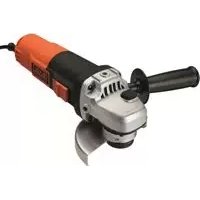
KG911 - Sander BLACK & DECKER - Free user manual and instructions
Find the device manual for free KG911 BLACK & DECKER in PDF.

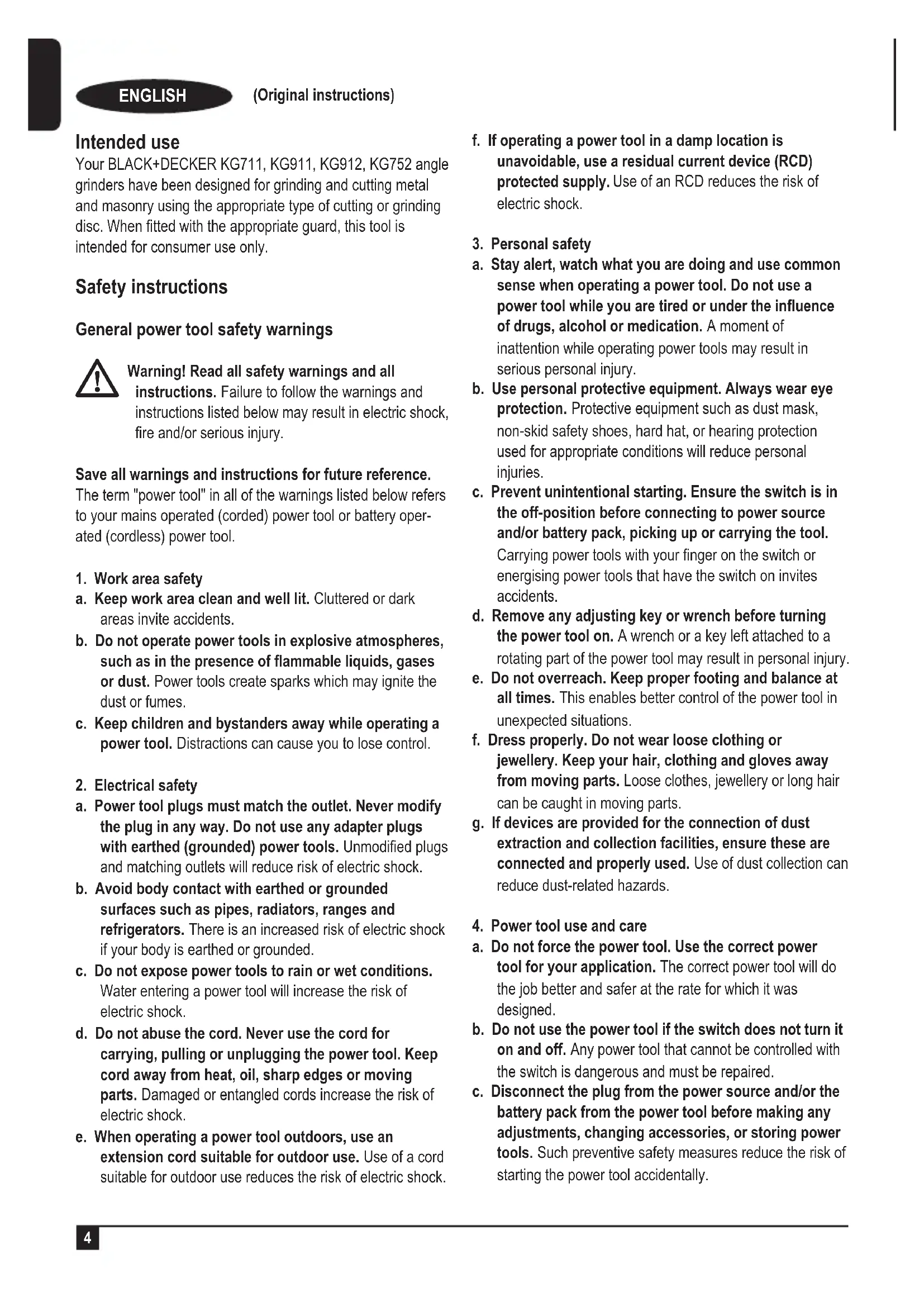


| Product type | Angle grinder / sander |
| Brand | Black & Decker |
| Model | KG911 |
| Power input | 900 W |
| Rated no-load speed | 12,000 min⁻¹ |
| Max disc diameter | 115 mm |
| Disc bore | 22 mm |
| Shaft thread | M14 |
| Weight | 2.1 kg |
| Input voltage | 230 V AC |
| Double insulation | Yes |
| Soft start function | Yes |
| Loss of voltage protection | Yes (prevents unintentional restart) |
| Auxiliary handle | Yes (screw-on) |
| Spindle lock | Yes |
| Protective guard | Removable, for grinding and cutting |
| Max grinding disc capacity | Thickness 6 mm |
| Max cutting disc capacity | Thickness 3.5 mm |
| Sound pressure level LpA | 92.6 dB(A) |
| Vibration (surface grinding) | 9.9 m/s² (uncertainty K=1.5 m/s²) |
| Included accessories | Side handle, two-pin spanner, protective guard |
| Maintenance | Clean ventilation slots with a soft brush, motor housing with a damp cloth |
| Intended use | Grinding, cutting, sanding of metal and masonry |
Frequently Asked Questions - KG911 BLACK & DECKER
User questions about KG911 BLACK & DECKER
0 question about this device. Answer the ones you know or ask your own.
Ask a new question about this device
Download the instructions for your Sander in PDF format for free! Find your manual KG911 - BLACK & DECKER and take your electronic device back in hand. On this page are published all the documents necessary for the use of your device. KG911 by BLACK & DECKER.
USER MANUAL KG911 BLACK & DECKER
(Original instructions)
Intended use
Your BLACK+DECKER KG711, KG911, KG912, KG752 angle grinders have been designed for grinding and cutting metal and masonry using the appropriate type of cutting or grinding disc. When fitted with the appropriate guard, this tool is intended for consumer use only.
Safety instructions
General power tool safety warnings

Warning! Read all safety warnings and all
instructions. Failure to follow the warnings and instructions listed below may result in electric shock, fire and/or serious injury.
Save all warnings and instructions for future reference.
The term "power tool" in all of the warnings listed below refers to your mains operated (corded) power tool or battery operated (cordless) power tool.
1. Work area safety
a. Keep work area clean and well lit. Cluttered or dark areas invite accidents.
b. Do not operate power tools in explosive atmospheres, such as in the presence of flammable liquids, gases or dust. Power tools create sparks which may ignite the dust or fumes.
c. Keep children and bystanders away while operating a power tool. Distractions can cause you to lose control.
2. Electrical safety
a. Power tool plugs must match the outlet. Never modify the plug in any way. Do not use any adapter plugs with earthed (grounded) power tools. Unmodified plugs and matching outlets will reduce risk of electric shock.
b. Avoid body contact with earthed or grounded surfaces such as pipes, radiators, ranges and refrigerators. There is an increased risk of electric shock if your body is earthed or grounded.
c. Do not expose power tools to rain or wet conditions. Water entering a power tool will increase the risk of electric shock.
d. Do not abuse the cord. Never use the cord for carrying, pulling or unplugging the power tool. Keep cord away from heat, oil, sharp edges or moving parts. Damaged or entangled cords increase the risk of electric shock.
e. When operating a power tool outdoors, use an extension cord suitable for outdoor use. Use of a cord suitable for outdoor use reduces the risk of electric shock.
f. If operating a power tool in a damp location is unavoidable, use a residual current device (RCD) protected supply. Use of an RCD reduces the risk of electric shock.
3. Personal safety
a. Stay alert, watch what you are doing and use common sense when operating a power tool. Do not use a power tool while you are tired or under the influence of drugs, alcohol or medication. A moment of inattention while operating power tools may result in serious personal injury.
b. Use personal protective equipment. Always wear eye protection. Protective equipment such as dust mask, non-skid safety shoes, hard hat, or hearing protection used for appropriate conditions will reduce personal injuries.
c. Prevent unintentional starting. Ensure the switch is in the off-position before connecting to power source and/or battery pack, picking up or carrying the tool. Carrying power tools with your finger on the switch or energising power tools that have the switch on invites accidents.
d. Remove any adjusting key or wrench before turning the power tool on. A wrench or a key left attached to a rotating part of the power tool may result in personal injury.
e. Do not overreach. Keep proper footing and balance at all times. This enables better control of the power tool in unexpected situations.
f. Dress properly. Do not wear loose clothing or jewellery. Keep your hair, clothing and gloves away from moving parts. Loose clothes, jewellery or long hair can be caught in moving parts.
g. If devices are provided for the connection of dust extraction and collection facilities, ensure these are connected and properly used. Use of dust collection can reduce dust-related hazards.
4. Power tool use and care
a. Do not force the power tool. Use the correct power tool for your application. The correct power tool will do the job better and safer at the rate for which it was designed.
b. Do not use the power tool if the switch does not turn it on and off. Any power tool that cannot be controlled with the switch is dangerous and must be repaired.
c. Disconnect the plug from the power source and/or the battery pack from the power tool before making any adjustments, changing accessories, or storing power tools. Such preventive safety measures reduce the risk of starting the power tool accidentally.
d. Store idle power tools out of the reach of children and do not allow persons unfamiliar with the power tool or these instructions to operate the power tool. Power tools are dangerous in the hands of untrained users.
e. Maintain power tools. Check for misalignment or binding of moving parts, breakage of parts and any other condition that may affect the power tools operation. If damaged, have the power tool repaired before use. Many accidents are caused by poorly maintained power tools.
f. Keep cutting tools sharp and clean. Properly maintained cutting tools with sharp cutting edges are less likely to bind and are easier to control.
g. Use the power tool, accessories and tool bits etc. in accordance with these instructions, taking into account the working conditions and the work to be performed. Use of the power tool for operations different from those intended could result in a hazardous situation.
5. Service
a. Have your power tool serviced by a qualified repair person using only identical replacement parts. This will ensure that the safety of the power tool is maintained.
Additional power tool safety warnings

Warning! Additional safety warnings for grinding, sanding, polishing or abrasive cutting-off operations
This power tool is intended to function as a grinder, sander, polisher or cut-off tool. Read all safety warnings, instructions, illustrations and specifications provided with this power tool. Failure to follow all instructions listed below may result in electric shock, fire and/or serious injury.
- Operations for which the power tool was not designed may create a hazard and cause personal injury.
- Do not use accessories which are not specifically designed and recommended by the tool manufacturer. Just because the accessory can be attached to your power tool, it does not assure safe operation.
- The rated speed of the accessory must be at least equal to the maximum speed marked on the power tool. Accessories running faster than their rated speed can break and fly apart.
- The outside diameter and the thickness of your accessory must be within the capacity rating of your power tool. Incorrectly sized accessories cannot be adequately guarded or controlled.
Threaded mounting of accessories must match the grinder spindle thread. For accessories mounted by
flanges, the arbour hole of the accessory must fit the locating diameter of the flange. Accessories that do not match the mounting hardware of the power tool will run out of balance, vibrate excessively and may cause loss of control.
Do not use a damaged accessory. Before each use inspect the accessory such as abrasive wheels for chips and cracks, backing pad for cracks, tear or excess wear, for loose or cracked wires. If power tool or accessory is dropped, inspect for damage or install an undamaged accessory. After inspecting and installing an accessory and run the power tool at maximum no-load speed for one minute. Damaged accessories will normally break apart during this test time.
Wear personal protective equipment. Depending on application, use face shield, safety goggles or safety glasses. As appropriate, wear dust mask, hearing protectors, gloves and workshop apron capable of stopping small abrasive or workpiece fragments. The eye protection must be capable of stopping flying debris generated by various operations. The dust mask or respirator must be capable of filtering particles generated by your operation. Prolonged exposure to high intensity noise may cause hearing loss.
Keep bystanders a safe distance away from work area. Anyone entering the work area must wear personal protective equipment. Fragments of workpiece or of a broken accessory may fly away and cause injury beyond immediate area of operation.
Hold power tool by insulated gripping surfaces only, when performing an operation where the cutting accessory may contact hidden wiring or its own cord. Cutting accessory contacting a "live" wire may make exposed metal parts of the power tool "live" and could give the operator an electric shock.
Position the cord clear of the spinning accessory. If you lose control, the cord may be cut or snagged and your hand or arm may be pulled into the spinning accessory.
Never lay the power tool down until the accessory has come to a complete stop. The spinning accessory may grab the surface and pull the power tool out of your control.
Do not run the power tool while carrying it at your side. Accidental contact with the spinning accessory could snag your clothing, pulling the accessory into your body.
Regularly clean the power tool's air vents. The motor's fan will draw the dust inside the housing and excessive accumulation of powdered metal may cause electrical hazards.
Do not operate the power tool near flammable materials. Sparks could ignite these materials.
Do not use accessories that require liquid coolants.
ENGLISH
(Original instructions)
Using water or other liquid coolants may result in electrocution or shock.
Note: The above warning does not apply for power tools specifically designed for use with a liquid system.
Kickback and related warnings
Kickback is a sudden reaction to a pinched or snagged rotating wheel, backing pad, brush or any other accessory. Pinching or snagging causes rapid stalling of the rotating accessory which in turn causes the uncontrolled power tool to be forced in the direction opposite of the accessory's rotation at the point of the binding.
For example, if an abrasive wheel is snagged or pinched by the workpiece, the edge of the wheel that is entering into the pinch point can dig into the surface of the material causing the wheel to climb out or kick out. The wheel may either jump toward or away from the operator, depending on direction of the wheel's movement at the point of pinching.
Abrasive wheels may also break under these conditions.
Kickback is the result of power tool misuse and/or incorrect operating procedures or conditions and can be avoided by taking proper precautions as given below.
Maintain a firm grip on the power tool and position your body and arm to allow you to resist kickback forces. Always use auxiliary handle, if provided, for maximum control over kickback or torque reaction during start-up. The operator can control torque reactions or kickback forces, if proper precautions are taken.
Never place your hand near the rotating accessory. Accessory may kickback over your hand.
Do not position your body in the area where power tool will move if kickback occurs. Kickback will propel the tool in direction opposite to the wheel's movement at the point of snagging.
Use special care when working corners, sharp edges etc. Avoid bouncing and snagging the accessory. Corners, sharp edges or bouncing have a tendency to snag the rotating accessory and cause loss of control or kickback.
Do not attach a saw chain woodcarving blade or toothed saw blade. Such blades create frequent kickback and loss of control.
Safety warnings specific for grinding and abrasive cutting-off operations
Use only wheel types that are recommended for your power tool and the specific guard designed for the selected wheel. Wheels for which the power tool was not designed cannot be adequately guarded and are unsafe.
The grinding surface of centre depressed wheels must be mounted below the plane of the guard lip. An improperly mounted wheel that projects through the plane of the guard lip cannot be adequately protected.
The guard must be securely attached to the power tool and positioned for maximum safety, so the least amount of wheel is exposed towards the operator. The guard helps to protect operator from broken wheel fragments, accidental contact with wheel and sparks that could ignite clothing.
Wheels must be used only for recommended applications. For example: do not grind with the side of cut-off wheel. Abrasive cut-off wheels are intended for peripheral grinding, side forces applied to these wheels may cause them to shatter.
Always use undamaged wheel flanges that are of correct size and shape for your selected wheel. Proper wheel flanges support the wheel thus reducing the possibility of wheel breakage. Flanges for cut-off wheels may be different from grinding wheel flanges.
Do not use worn down wheels from larger power tools. Wheel intended for larger power tool is not suitable for the higher speed of a smaller tool and may burst.
Additional safety warnings specific for abrasive cutting-off operations
Do not "jam" the cut-off wheel or apply excessive pressure. Do not attempt to make an excessive depth of cut. Over stressing the wheel increases the loading and susceptibility to twisting or binding of the wheel in the cut and the possibility of kickback or wheel breakage.
Do not position your body in line with and behind the rotating wheel. When the wheel, at the point of operation, is moving away from your body, the possible kickback may propel the spinning wheel and the power tool directly at you.
When wheel is binding or when interrupting a cut for any reason, switch off the power tool and hold the power tool motionless until the wheel comes to a complete stop. Never attempt to remove the cut-off wheel from the cut while the wheel is in motion otherwise kickback may occur. Investigate and take corrective action to eliminate the cause of wheel binding.
Do not restart the cutting operation in the workpiece. Let the wheel reach full speed and carefully re-enter the cut. The wheel may bind, walk up or kickback if the power tool is restarted in the workpiece.
Support panels or any oversized workpiece to minimize the risk of wheel pinching and kickback. Large workpieces tend to sag under their own weight. Supports must be placed under the workpiece near the line of cut and near the edge of the workpiece on both sides of the wheel.
Use extra caution when making a "pocket cut" into existing walls or other blind areas. The protruding wheel may cut gas or water pipes, electrical wiring or objects that can cause kickback.
Safety warnings specific for sanding operations
Do not use excessively oversized sanding disc paper. Follow manufacturers recommendations, when selecting sanding paper. Larger sanding paper extending beyond the sanding pad presents a laceration hazard and may cause snagging, tearing of the disc or kickback.
Safety warnings specific for polishing operations
Do not allow any loose portion of the polishing bonnet or its attachment strings to spin freely. Tuck away or trim any loose attachment strings. Loose and spinning attachment strings can entangle your fingers or snag on the workpiece.
Safety of others
This appliance is not intended for use by persons (including children) with reduced physical, sensory or mental capabilities, or lack of experience and knowledge, unless they have been given supervision or instruction concerning use of the appliance by a person responsible for their safety.
Children should be supervised to ensure that they do not play with the appliance.
Residual risks.
Additional residual risks may arise when using the tool which may not be included in the enclosed safety warnings. These risks can arise from misuse, prolonged use etc.
Even with the application of the relevant safety regulations and the implementation of safety devices, certain residual risks can not be avoided. These include:
Injuries caused by touching any rotating/moving parts.
Injuries caused when changing any parts, blades or accessories.
Injuries caused by prolonged use of a tool. When using any tool for prolonged periods ensure you take regular breaks.
Impairment of hearing.
Health hazards caused by breathing dust developed when using your tool (example:- working with wood, especially oak, beech and MDF.)
Vibration
The declared vibration emission values stated in the technical data and the declaration of conformity have been measured in accordance with a standard test method provided by EN60745
and may be used for comparing one tool with another. The declared vibration emission value may also be used in a preliminary assessment of exposure.
Warning! The vibration emission value during actual use of the power tool can differ from the declared value depending on the ways in which the tool is used.
The vibration level may increase above the level stated. When assessing vibration exposure to determine safety measures required by 2002/44/EC to protect persons regularly using power tools in employment, an estimation of vibration exposure should consider, the actual conditions of use and the way the tool is used, including taking account of all parts of the operating cycle such as the times when the tool is switched off and when it is running idle in addition to the trigger time.
Labels on tool
The following pictograms are shown on the tool along with the date code:

Warning! To reduce the risk of injury, the user must read the instruction manual.

Wear safety glasses or goggles when operating this tool.

Wear ear protection when operating this tool.
Electrical safety

is tool is double insulated; therefore no earth wire is required. Always check that the power supply corresponds to the voltage on the rating plate.
- If the supply cord is damaged, it must be replaced by the manufacturer or an authorised BLACK+DECKER Service Centre in order to avoid a hazard.
Features
This tool includes some or all of the following features.
- On/off switch
- Side handle
- Spindle lock
- Guard
Assembly
Warning! Before assembly, make sure that the tool is switched off and unplugged.
Fitting and removing the guard (fig. A)
The tool is supplied with a guard intended for grinding purposes only. If the unit is intended to perform cutting operations, a guard specific for this operation must be fitted. A suitable
ENGLISH
(Original instructions)
guard for cutting operations part numbers 1004702-27 and 1004702-28 for KG711/KG911 and KG912/KG752 is available and can be obtained from BLACK+DECKER service centres.
Fitting and removing the guard (fig. A) KG912 Only
The tool is supplied with a guard intended for cutting off purposes only. If the unit is intended to perform grinding operations, a guard specific for this operation must be fitted. A suitable guard for grinding operations part number 1004702-36 is available and can be obtained from BLACK & DECKER service centres.
Fitting
Place the angle grinder on a table, spindle (5) up.
Align the lugs (8) with the notches (9).
Press the guard (4) down and rotate it to the required position.
Securely tighten the screw (6).
To remove the guard, slacken the screw
Warning! Never use the tool without the guard.
Fitting the side handle
Screw the side handle (2) into one of the mounting holes in the tool.
Warning! Always use the side handle.
Fitting and removing grinding or cutting discs (fig. B - D)
Always use the correct type of disc for your application. Always use discs with the correct diameter and bore size (see technical data).
Fitting
Fit the guard as described above.
Place the inner flange (10) onto the spindle (5) as shown (fig. B). Make sure that the flange is correctly located on the flat sides of the spindle.
Place the disc (11) onto the spindle (5) as shown (fig. B). If the disc has a raised centre (12), make sure that the raised centre faces the inner flange.
Make sure that the disc locates correctly on the inner flange.
Place the outer flange (13) onto the spindle. When fitting a grinding disc, the raised centre on the outer flange must face towards the disc (A in fig. C). When fitting a cutting disc, the raised centre on the outer flange must face away from the disc (B in fig. C).
Keep the spindle lock (3) depressed and tighten the outer flange using the two-pin spanner (14) (fig. D).
Removing
- Keep the spindle lock (3) depressed and loosen the outer flange (13) using the two-pin spanner (14) (fig. D).
Remove the outer flange (13) and the disc (11).
Fitting and removing sanding discs (fig. D & E)
For sanding, a backing pad is required. The backing pad is available from your BLACK+DECKER dealer as an accessory.
Fitting
Place the inner flange (10) onto the spindle (5) as shown (fig. E). Make sure that the flange is correctly located on the flat sides of the spindle.
Place the backing pad (15) onto the spindle.
Place the sanding disc (16) onto the backing pad.
Place the outer flange (13) onto the spindle with the raised centre facing away from the disc.
- Keep the spindle lock (3) depressed and tighten the outer flange using the two-pin spanner (14) (fig. D). Make sure that the outer flange is fitted correctly and that the disc is clamped tightly.
Removing
Keep the spindle lock (3) depressed and loosen the outer flange (13) using the two-pin spanner (14) (fig. D).
Remove the outer flange (13), the sanding disc (16) and the backing pad (15).
Use
Warning! Let the tool work at its own pace. Do not overload.
Carefully guide the cable in order to avoid accidentally cutting it.
Be prepared for a stream of sparks when the grinding or cutting disc touches the workpiece.
Always position the tool in such a way that the guard provides optimum protection from the grinding or cutting disc.
Switching on and off
To switch on, slide the on/off switch (1) forward. Note that the tool will continue running when you release the switch.
To switch off, press the rear part of the on/off switch.
Warning! Do not switch the tool off while under load.
Soft Start Feature
The soft start feature allows a slow speed build-up to avoid an initial jerk when starting. This feature is particularly useful when working in confined spaces.
No-Volt
The No-volt function stops the grinder restarting without the switch being cycled if there is a break in the power supply.
Hints for optimum use
Firmly hold the tool with one hand around the side handle and the other hand around the main handle.
When grinding, always maintain an angle of approx. 15^ between the disc and the workpiece surface.
Maintenance
Your BLACK+DECKER corded/cordless appliance/tool has been designed to operate over a long period of time with a minimum of maintenance. Continuous satisfactory operation depends upon proper tool care and regular cleaning.
Warning! Before performing any maintenance on corded/ cordless power tools:
Switch off and unplug the appliance/tool.
Or switch off and remove the battery from the appliance/ tool if the appliance/tool has a separate battery pack.
Or run the battery down completely if it is integral and then switch off.
Unplug the charger before cleaning it. Your charger does not require any maintenance apart from regular cleaning.
- Regularly clean the ventilation slots in your appliance/tool/ charger using a soft brush or dry cloth.
- Regularly clean the motor housing using a damp cloth. Do not use any abrasive or solvent-based cleaner.
Regularly open the chuck and tap it to remove any dust from the interior (when fitted).
Mains plug replacement (U.K. & Ireland only)
If a new mains plug needs to be fitted:
Safely dispose of the old plug.
Connect the brown lead to the live terminal in the new plug.
Connect the blue lead to the neutral terminal.
Warning! No connection is to be made to the earth terminal.
Follow the fitting instructions supplied with good quality plugs.
Recommended fuse: 13 A.
Protecting the environment

Separate collection. Products and batteries marked with this symbol must not be disposed of with normal household waste.
Products and batteries contain materials that can be recovered or recycled reducing the demand for raw materials.
Please recycle electrical products and batteries according to local provisions.
Technical data
| KG711 (Type 1) | ||
| Input voltage | VAC | 230 |
| Power input W | 750 | |
| Rated speed | min-1 | 12,000 |
| Disc diameter mm | 115 | |
| Disc bore mm | 22 | |
| Max disc thickness | ||
| grinding discs mm | 6 | |
| cutting discs mm | 3.5 | |
| Spindle size | M14 | |
| Weight kg 2 | ||
| KG911-KG912-KG752 (Type 1) | ||
| Input voltage | VAC | 230 |
| Power input W | KG911, KG912 = 900W KG752 = 800W | |
| Rated speed | min-1 | 12,000 |
| Disc diameter mm | KG711, KG911 = 115 KG912, KG752 = 125 | |
| Disc bore mm | 22 | |
| Max disc thickness | ||
| grinding discs mm | 6 | |
| cutting discs mm | 3.5 | |
| Spindle size | M14 | |
| Weight kg | KG711, KG911, KG752 = 2.1 KG912 = 2.2 | |
| KG711,KG911,KG912 | ||
| LpA的声音 pressure) 92.6 dB(A), Uncertainty (K) 3 dB(A) | ||
| LWA的声音 power) 103.6 dB(A), Uncertainty (K) 3 dB(A) | ||
| Vibration total values (triax vector sum) according to EN60745: | ||
| Surface grinding (ah,SG) 9.9 m/s2, uncertainty (K) 1.5 m/s2 | ||
| Cutting-off (ah) 4.6 m/s2, uncertainty (K) 1.5 m/s2 | ||
| Polishing (ah,P) 4.5 m/s2, uncertainty (K) 1.5 m/s2 | ||
| Disc sanding (ah,DS) 9.6 m/s2, uncertainty (K) 1.5 m/s2 | ||
| KG752 | ||
| LpA (sound pressure) 94.5 dB(A), Uncertainty (K) 3 dB(A) | ||
| LWA (sound power) 105.5 dB(A), Uncertainty (K) 3 dB(A) | ||
| Vibration total values (triax vector sum) according to EN60745: | ||
| Surface grinding (ahSG) 9.9 m/s2, uncertainty (K) 1.5 m/s2 | ||
| Cutting-off (a) 9.1 m/s2, uncertainty (K) 1.5 m/s2 | ||
| Polishing (a) 5.0 m/s2, uncertainty (K) 1.5 m/s2 | ||
| Disc sanding (ahDS) 3.3 m/s2, uncertainty (K) 1.5 m/s2 | ||
EC declaration of conformity
MACHINERY DIRECTIVE

KG711, KG911, KG912, KG752 Angle Grinders Black & Decker declares that these products described under "technical data" are in compliance with: 2006/42/EC, EN60745-1:2009 +A11:2010; EN60745-2-3:2011 +A2:2013 +A11:2014 +A12:2014
These products also comply with Directive 2004/108/EC (until 19.04.2016), 2014/30/EU (from 20.04.2016) and 2011/65/EU. For more information, please contact Black & Decker at the following address or refer to the back of the manual.
The undersigned is responsible for compilation of the technical file and makes this declaration on behalf of Black & Decker.
Ray Laverick
Director of Engineering, 210 Bath Road, Slough, L1 3YD, United Kingdom
25/11/2015
Guarantee
Black & Decker is confident of the quality of its products and offers consumers a 24 month guarantee from the date of purchase. This guarantee is in addition to and in no way prejudices your statutory rights. The guarantee is valid within the territories of the Member States of the European Union and the European Free Trade Area. To claim on the guarantee, the claim must be in accordance with Black&Decker Terms and Conditions and you will need to submit proof of purchase to the seller or an authorised repair agent.
Terms and conditions of the Black&Decker 2 year guarantee and the location of your nearest authorised repair agent can be obtained on the Internet at www.2helpU.com, or by contacting your local Black & Decker office at the address indicated in this manual.
Please visit our website www.blackanddecker.co.uk to register your new Black & Decker product and receive updates on new products and special offers.
Verwendungszweck
Director of Engineering
Black & Decker Europe, 210 Bath Road, Slough,
Director of Engineering
Black & Decker Europe, 210 Bath Road, Slough,
Black & Decker Europa, 210 Bath Road, Slough,
Berkshire, SL1 3YD, Reino Unido
18.11.2015
Garantía
Director de Engenharia
Black & Decker Europe, 210 Bath Road, Slough,
Berkshire, SL1 3YD, Reino Unido
18.11.2015
Garantia
Director of Engineering
Black & Decker Europe, 210 Bath Road, Slough, Berkshire, SL1 3YD, Storbritannien 18.11.2015
Garanti
KG711, KG911, KG912, KG752 Vinkelslipere
Director of Engineering
Black & Decker Europe, 210 Bath Road, Slough, Berkshire, SL1 3YD, Storbritannia
18.11.2015
Garanti
Black & Decker Europe, 210 Bath Road, Slough,
Evikcs Tpoeioboinoeic aaoaaleiaq yia nEKTpiKa epyaia

Ppoeiooioonl Aiaaote oec tic PPOeIOIOINoeic aopaaieiac kai oae Tc odnyies. H m npnoan twv napakatw PPOeIOIOINoeW KAI ONDYiw MPoepi va TTPOkAeOEI nEKTPOTTAnSia, TUPKayia n/Kai Ooapouc Tpaumatouc.
Φuáféte oæc TIC TPOeIDOTOINOEIG KAI TIC OONYIEC YIA
μελλovtikn avapopá. O xapaktnpioóc "ηλeKPTiKO εpyaaleio"
Tou xpoiμoTIOEITAI OE oæc TIC TAPAKAT W TPOeIDOTIOINOEIC
aφopá éITE TO εpyaéio TOU λeIToupyei μe ρúma δiktóu (με Kaλwdo) éITE TO εpyaéio TOU λeIToupyei μe μTTatapiia (xωpiç Kaλwdo).
- Aσαλειχωρου εργασίας
a. DiatnpieTe To xwpo EpyoiaKaOApo Kai KaA foWtioevo. OI ataktoToinToI n oKoteivoi XwpoYivovTa aiies atuxnauv.
β. Mn xpnoiouoie nEeKtpiKa epyaleia oE TepiBaalov otou utapxeikivduvoecknpns,otwsc napouia euktwv uypw, aepiw nokovs. Ta nEeKtpiKa epyaia npayouv stivnpecs tou mtopei va tpokaeeouavavaeqtnsokovn tsawavauuiaoeuw.
y. OraV xpnoiopoioite nEeKtpko Epyaleio, Kpatate ta Taiaia kai aaaa atouma paki. Iapayovte c Tou aTOOTIOUV TIV TPOOxH MTopei va oac kavouv va xaoetev TOV EeVxo. - Aσφαλης χρήσην έλεκτρικόν μεύματος
a. Ta TOW Epyaleiwv TpeTt va Taipiaocouv OTNV TpiZa. EvETITpeTetai ME Kavevav TpOTo n mEtaoKEun Tou .MnV xPOnIOTOIEITE TPOAPUOTIKA Ie YEIWUEVA NAEKPIKA Epyaleia. Ta TIOU EV Exouu UTOTEI TpOITOINaeic KAI O KAATAALNAE CpiEc EIWovu Tov KIVDUVO NAEKPTPOANxiac.
β. ATOpeuyETe Tnv EtnaTou Owpatos Oac Me YEIWUEc ETIAPVEIEc, OTWc OwAnVEc, KALOPIep, KOUciveKai yuyia. YIapxI auEnveoc kivduvo nAekptoTnIgic avTo Owua oac evai YEIWUEvo.
Black & Decker Europe, 210 Bath Road, Slough,
Berkshire, SL1 3YD, United Kingdom
18.11.2015
Eyyunon
H Black & Decker éivai σiounp yia tvn TIOIeta twv
TPOIOVw Tns kai TPOOΦePeI OTous katavaWTEc Eyyunon
24 mnuw vto nTv nuepounvia ayopac. Autn n Eyyunon
Eivai TPOOθeTO Dkaiomega oac kai dev Znuiwei ta vouipa
DikaiupaTa oac. H Eyyunon IOxue I EVTOC TNS ETIKpATEIAc Twv
Xwpw eALw Tns Eupwnaiknc Evwons kai TNS Eupwnaiknc
Zwng ELEUOBEPWv Suvaalayw. Ia va UTOBaTe aizwiom
Baei Tns Eyyunoc, n aizwiOn 0a PPTEI va evai OUMFWv
Me Touc Opuç kai TPOUToBéOeIc TNS Black&Decker kai Ta
xpeiaTe i va UTOBaAte aTOBEln ayopac OTov TWAnh nσε
EouoioBDOTnevo AVTTPOOITIOEIOKEuwv.
MTOpeite va aTOKnOeTe Touc OpuC kai TPOUToeOeIc
tns Eyyunon2 EtWv TNS Black&Decker kai va maTe
tny toTIOeia Tou PAnoiTePou EoouioDtoNeVou
avTIPOoWtou ETIOKEuw vTo Internet oTo www.2helpU.com,
n ETIkoivwuvTAC ME TO TOTIKo OAc ypaFeio Black & Decker
OTN dieuovon TPO UTOIDEKVUEaT OTo TApov EYxEipidio.
Papakaoue EIOKEΦeIe TNV IOToελiδa maC www.black-anddecker.gr yia va kaataxwpioe to veo ooc Tpoiov Black &
Decker kai yia va evnmuwveote yi ta vea Tpoiovta kai TIC 10ikcTPOOqopc.
| Belgié/Belgique/Luxembourg Stanley Black & Decker Belgium BVBA Tel. NL +32 15 47 37 65www.blackanddecker.be Egide Walschaertsstraat 16 Tel. FR +32 15 47 37 66enduser.be@sbdinc.com 2800 Mechelen Fax. +32 15 47 37 99 | |||
| Denmark Black & Decker kundeservice.dk@sbdinc.comRoskildevej 22 www.blackanddecker.dk2620 Albertslund | |||
| DeutschlandStanley Black & Decker Deutschland GmbHFax 06126 21-2980 | |||
| www.blackanddecker.de Black & Decker Str. 40, D - 65510 Idstein Fax | |||
| infobfge@sbdinc.com | |||
| ΕλλάδαStanley Black & Decker (ΕλλΑΣ) E.I.EΓΑΦΕΙΑ-Στράβωνος 7 & Βουλιαγμένης166 74 Γλυράδα - Αθήνα | |||
| SERVICE:193 00 Ασπρόπυργος - Αθήνα Φαξ 210-5597598 | |||
| EspanaStanley Black & Decker Ibérica, S.C.A.Parc de Negocis "Mas Blau"Edificio Muntadas, c/Bergadá, 1, Of. A6 | |||
| 08820 El Prat de Llobregat (Barcelona) | |||
| FranceStanley Black & Decker (France) S.A.S.5 allée des Hêtres Fax 04 72 20 39 00 | |||
| B.P. 3008469579 Limonest Cédex | |||
| HelvetiaROFO AGGewerbebzone SeeblickFax 026-67493933213 Kleinbosingen | |||
| ItalyStanley Black & Decker ItaliaVia Energypark 6Fax 039-9590313 | |||
| service.italia@sbdinc.com20871 Vimercante (MB) | |||
| NederlandStanley Black & Decker Netherlands BVHoltum Noordweg 35, 6121 RE BORNFax +31 164 283 065Postbus 83, 6120 AB BORN | |||
| NorgePostboks 4613, Nydalen0405 Oslo | |||
| ÖsterreichStanley Black & Decker Austria GmbHOberlaaerstraße 248, A-1230 WienFax 01 66116-0 | |||
| PortugalBlack & Decker Limited SARLQuinta da Fonte - Edificio Q55 D. DinizFax 214667500 | |||
| www.blackanddecker.ptResposta.pospenda@sbdinc.com2770 - 071 Paço de Arcos | |||
| SuomiPL4700521, Helsinki | |||
| SverigeBox 94, 431 22 Mönndal | |||
| KALRE Hirdavat ve Makina A.§www.blackanddecker.com.tr | |||
| Edirnekapi / Eyüp / Istanbul 34050 | |||
| United Kingdom &Republic Of IrelandStanley Black & Decker210 Bath RoadSlough, Berkshire SL1 3YD | |||
| Middle East & AfricaStanley Black & DeckerP.O.Box - 17164Jebel Ali Free Zone (South), Dubai,UAE |

- (Original instructions)
- Intended use
- Safety instructions
- General power tool safety warnings
- Warning! Read all safety warnings and all
- Save all warnings and instructions for future reference.
- Work area safety
- Electrical safety
- Personal safety
- Power tool use and care
- Service
- Additional power tool safety warnings
- ENGLISH
- Kickback and related warnings
- Safety warnings specific for grinding and abrasive cutting-off operations
- Additional safety warnings specific for abrasive cutting-off operations
- Safety warnings specific for sanding operations
- Safety warnings specific for polishing operations
- Safety of others
- Residual risks.
- Vibration
- Labels on tool
- Electrical safety
- Features
- Assembly
- Fitting and removing the guard (fig. A)
- Fitting and removing the guard (fig. A) KG912 Only
- Fitting
- Fitting the side handle
- Fitting and removing grinding or cutting discs (fig. B - D)
- Removing
- Fitting and removing sanding discs (fig. D & E)
- Use
- Switching on and off
- Soft Start Feature
- No-Volt
- Hints for optimum use
- Maintenance
- Mains plug replacement (U.K. & Ireland only)
- Protecting the environment
- EC declaration of conformity
- Guarantee
- Verwendungszweck
- Garantía
- Garantia
- Garanti
- Evikcs Tpoeioboinoeic aaoaaleiaq yia nEKTpiKa epyaia
- Eyyunon
Brand : BLACK & DECKER
Model : KG911
Category : Sander