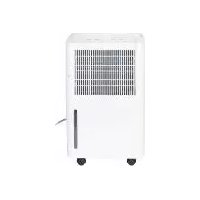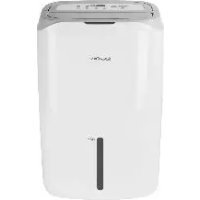
SLE 450 A1 - Dehumidifier SILVERCREST - Free user manual and instructions
Find the device manual for free SLE 450 A1 SILVERCREST in PDF.



| Product type | Dehumidifier |
| Brand | SilverCrest |
| Model | SLE 450 A1 |
| Dimensions (W x D x H) | 370 x 270 x 610 mm |
| Weight | 14.5 kg |
| Power supply | 220-240 V~, 50 Hz |
| Input power (nominal / max) | 360 W (27°C, 60% RH) / 450 W (35°C, 90% RH) |
| Dehumidification capacity | 20 L/day (30°C, 80% RH) / 11 L/day (27°C, 60% RH) |
| Air flow | 195 m³/h |
| Water tank capacity | 5.5 L |
| Recommended room area | 20 m² (height 2.3 m) |
| Operating temperature range | 5 °C to 35 °C |
| Refrigerant | R134a, 95 g |
| Noise level | ≤ 46 dB(A) |
| Programs | Automatic, Desired humidity, Clothes drying, Air purification |
| Special functions | Timer (1-24 h), Child lock, Automatic defrost, Hose drain |
| Filters | Washable plastic filter, Carbon filter (replace every 6 months) |
| Protection class | I |
| Warranty | 3 years |
Frequently Asked Questions - SLE 450 A1 SILVERCREST
User questions about SLE 450 A1 SILVERCREST
0 question about this device. Answer the ones you know or ask your own.
Ask a new question about this device
Download the instructions for your Dehumidifier in PDF format for free! Find your manual SLE 450 A1 - SILVERCREST and take your electronic device back in hand. On this page are published all the documents necessary for the use of your device. SLE 450 A1 by SILVERCREST.
USER MANUAL SLE 450 A1 SILVERCREST
Operating instructions
IAN 111670
DE AT CH
FR IT GB


Chere cliente, cher client,
-
Overview 49
-
Intended purpose 50
-
Safety information 51
-
Items supplied 53
5.How to use 53
-
Notes on operation 53
-
Operation 53
7.1 Switching on and off 53
7.2 Displays 54
7.3 Modes of operation 55
7.4 Water tank 55
7.5 Timer 56
7.6 Child safety lock 56
8.Hose drainage 56
9. Cleaning and replacing the filter 57
10.Cleaning 57
11. Protection against overheating 58
12.Storage 58
13.Trouble-shooting 58
14.Refrigerant 59
15.Disposal 59
16. Technical specifications 60
17.Warranty of the HOYER Handel GmbH 60
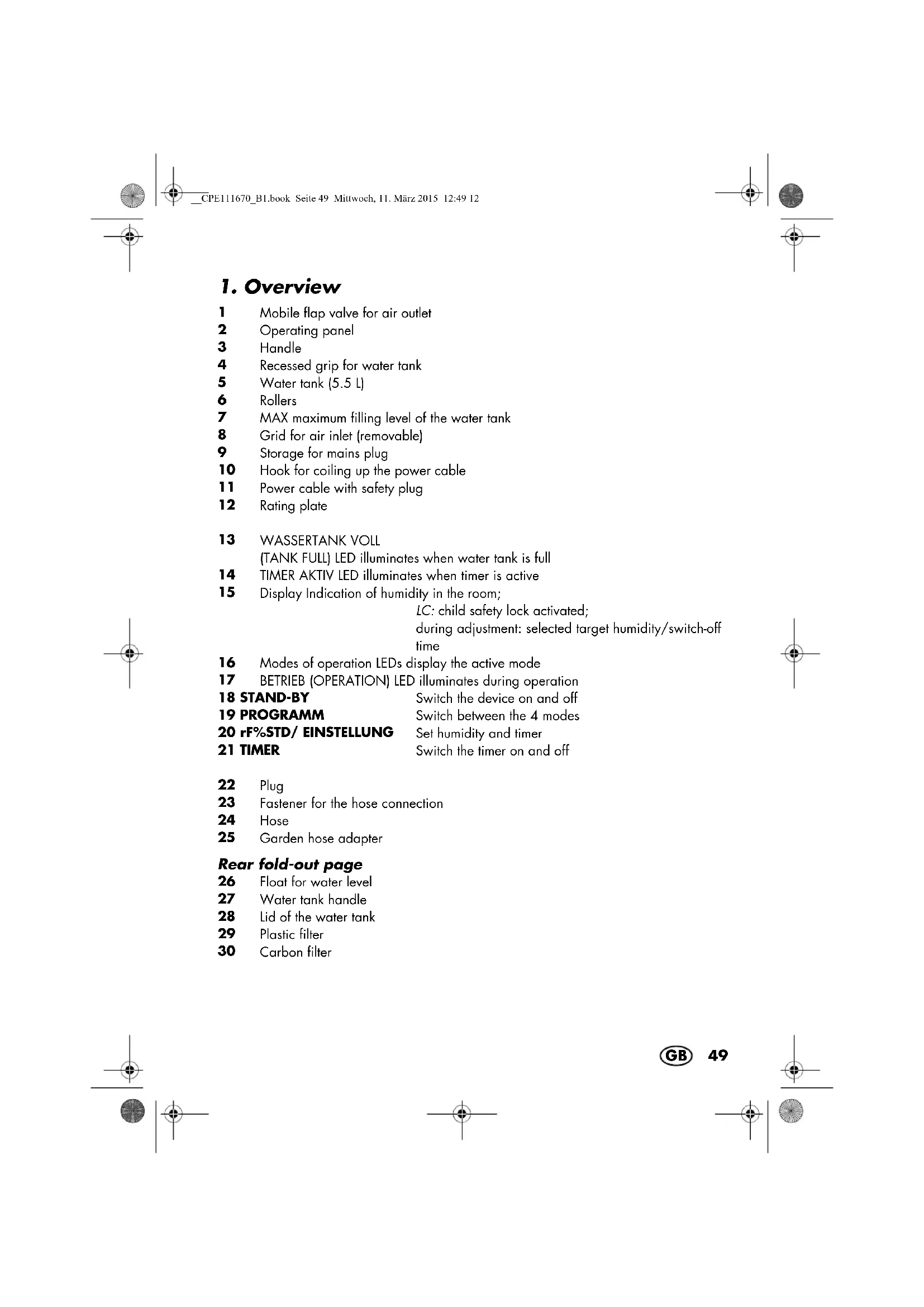
1. Overview
1 Mobile flap valve for air outlet
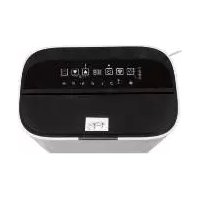
2 Operating panel
3 Handle
4 Recessed grip for water tank
5 Water tank (5.5 L)
6 Rollers
MAX maximum filling level of the water tank
8 Grid for air inlet (removable)
9 Storage for mains plug
10 Hook for coiling up the power cable
11 Power cable with safety plug
12 Rating plate
13 WASSERTANK VOLL
(TANK FULL) LED illuminates when water tank is full
14 TIMER AKTIV LED illuminates when timer is active
15 Display Indication of humidity in the room;
LC: child safety lock activated;
during adjustment: selected target humidity/switch-off
time
16 Modes of operation LEDs display the active mode
17 BETRIEB (OPERATION) LED illuminates during operation
18 STAND-BY Switch the device on and off
19 PROGRAMM Switch between the 4 modes
20 rF%STD/ EINSTELLUNG Set humidity and timer
21 TIMER Switch the timer on and off
22 Plug
23 Fastener for the hose connection
24 Hose
25 Garden hose adapter
Rear fold-out page
26 Float for water level
27 Water tank handle
28 Lid of the water tank
29 Plastic filter
30 Carbon filter
Thank you for your trust!
Congratulations on your new dehumidifier.
For a safe handling of the product and in order to get to know the entire scope of features:
- Thoroughly read these operating instructions prior to initial commissioning.
- Above all, observe the safety instructions!
The device should only be used as described in these instructions. - Keep these instructions for reference.
- If you pass the device on to someone else, please include these instructions.
We hope you enjoy your new dehumidifier!
2. Intended purpose
The dehumidifier is intended exclusively for dehumidifying residential, cellar and storage rooms with a temperature of between 5^ and 35^
The device must only be used indoors. This device must not be used for commercial purposes.
Foreseeable misuse

DANGER! Risk of illness!
The water collected is not suitable for drinking or for watering plants. There is a risk of illness.

DANGER! Risk of electric shock!
Do not place the device in water / also do not place in pools or puddles of water.
WARNING! Risk of material damage!
Do not use the device in swimming pools, washrooms, or any similar rooms.
The device is not intended for drying insulation material. If lagging or insulating material has become damp after a water pipe has broken, always consult a specialist.
Never expose the device to temperatures of 0^ or lower. Residual water in the piping could freeze and damage the system.
Do not use the device in environments that are dusty or which contain chlorine.
3. Safety information
Warnings
If necessary, the following warnings will be used in these operating instructions:

DANGER! High risk: failure to observe this warning may result in injury to life and limb.
WARNING! Moderate risk: failure to observe this warning may result in injury or serious material damage.
CAUTION: low risk: failure to observe this warning may result in minor injury or material damage.
NOTE: circumstances and specifics that must be observed when handling the device.
Instructions for safe operation
This device can be used by children from the age of 8 and people with restricted physical, sensory or intellectual abilities or people without adequate experience and/or understanding, if they are supervised or instructed on how to use this device safely and if they are aware of the resulting danger. Children must not play with the device. Cleaning and maintenance by the user must not be performed by children without supervision.
Do not install the device in a narrow space. Leave a minimum clearance of approx. 20cm at the rear and sides, 10cm at the front, and 30cm at the top.
The device must only be operated in rooms with a temperature of between 5^ to 35^
Only use the device in rooms with a size of max. 20m^2
- Only connect the mains plug to a properly installed and easily accessible grounded wall socket whose voltage corresponds to the specifications on the rating plate. The wall socket must continue to be easily accessible after the device is plugged in.
- The appliance shall be installed in accordance with national wiring regulations.
- If the mains power cable of this device should become damaged, it must be replaced by the manufacturer, the manufacturer's customer service department or a similarly qualified specialist, in order to avoid any hazards.


DANGER for children
- Packing materials are not children's toys. Children should not be allowed to play with the plastic bags. There is a risk of suffocation.
Keep the device out of the reach of children.

DANGER of explosion
The device must never be operated in areas with potentially aerosol-forming or explosive atmosphere.

DANGER! Risk of electric shock due to moisture
This device must never be operated close to a bathtub, shower, filled hand basin or similar.
The device, the power cable and the mains plug must not be immersed in water or any other liquids.
Protect the device from water drops and water spray.
If liquid gets into the device (except in the water container), pull out the mains plug immediately. Have the device checked before reusing.
- Never touch the device with wet hands.
If the device falls into water, disconnect the mains plug immediately. Only then is it safe to retrieve the device.

DANGER! Risk of electric shock
Ensure that the power cable cannot be damaged by sharp edges or hot points. Do not wrap the power cable around the device.
The device is not fully disconnected from the power supply, even after it is switched off. In order to fully disconnect it, pull out the mains plug.
When using the device, ensure that the power cable cannot be trapped or crushed.
When removing the mains plug from the grounded power socket, always pull on the plug and never the cable.
Pull the safety plug out of the grounded power socket, ... if there is a fault, ... when you are not using the device, ... before you clean the device, and ... during thunderstorms.
Do not use the device if there is visible damage to the device or the power cable.
To avoid any risk, do not make modifications to the device. You also must not replace the power cable yourself. Repairs must be carried out by a specialist workshop or the Service Centre.
WARNING! Risk of material damage
- Never place objects filled with liquid on top of the device, e.g. vases.
Heavy objects must never be placed on the device.
Protect the device from heat.
The device must not be covered (e.g. with newspapers, cushions or blankets).
Never insert objects into the ventilation slit.
Open sources of ignition, e.g. burning candles, must never be placed on or immediately next to the device.
Place the device somewhere that it will never be exposed to direct sunlight.
Place the device on a solid, flat surface.
Clean the air filter before it becomes heavily contaminated. - When draining water through the hose, ensure that the hose does not become blocked, and that the open end of the hose is lower down than the device.
Only operate the device with the water tank installed, or the hose attached. The hose end must be placed over a drain.
Only use the original accessories.
Do not use any astringent or abrasive cleaning agents.
Only clean the device with a slightly damp cloth.
4. Items supplied
1 Dehumidifier with water tank 5
1 Ho 24e
1 Garden hose adapter 25
1 Set of operating instructions
5. How to use
- Remove all packing material.
- Remove all transport packing material.
- Strip off the foil from the operating pan- el.
- Check to ensure that all parts are present and undamaged.
- Place the device on a level, dry and solid surface.
- Let the device rest in its working position for about 30 minutes, so that the coolant fluid can settle.
- Check that the float in the water tank 26 can move freely. To do this, pull out the empty water tank 5 and turn it upside down so that the float moves.
- Check that the water tank 5 is inserted correctly. If it is installed incorrectly, or if the water tank has been removed, the LED 13 WASSERTANK VOLL (TANK FULL) will illuminate.
- Connect the mains plug 11 to a grounded power socket.
6. Notes on operation
If the relative humidity in residential rooms is continuously excessive, the cause should be found and rectified. (Continuous ventilation - i.e. for several years - is generally not reasonable.)
- The optimum ambient temperature for removing humidity from the air is 5^ to 35^ . Below 5^ , the use of a dehumidifier is not helpful, as there is only relatively little humidity in the air.
- During operation, the room temperature may rise by between 1^ and 4^ , depending on room size. This is normal.
Automatic defrosting
In order to prevent the device from freezing over while in continuous operation, it defrosts itself automatically. To do this, the dehumidification process is interrupted, and the motor switches to its highest setting. The intervals at which this happens vary.
| Conditions | Defrosting |
| Temperature: over 20 °C | no defrosting |
| Temperature: 12 °C to 20 °C | after 40 minutes dehu-midification, 8 minutes defrosting |
| Temperature: 5 °C to 12 °C | after 25 minutes dehu-midification, 10 minutes defrosting |
| Temperature: under 5 °C | operation not possible |
7. Operation
7.1 Switching on and off
- By pressing the button STAND-BY 18, you can switch the device on and off. The corresponding LEDs illuminate or go out.
- The device will start with the setting last selected.
If a timer has been set, the device will shut down after the time has run out (1-24 hours).
If a value has been set for relative humidity in the ZIEL-LUFTFEUCHTIGKEIT (TARGET HUMIDITY) mode, the device will stop when the value has been reached, and re-start when the value is exceeded again.

The device switches off when the water tank is full or has been removed.
Air outlet flap valve
Figure A: irrespective of which mode the device is being operated in, open the top flap valve 1. It's infinitely adjustable. If the flap valve is not opened, the overheating protection will switch the device off after a while for approx. 3 minutes.
7.2 Displays
The mode of operation LEDs 16 and the display 15 show the selected functions and the humidity range.
Mode of operation LEDs
| LED illuminated | Meaning |
| WASSERTANK VOLL (TANK FULL) | The water tank is full or has not been inserted. |
| TIMER AKTIV | A switch-off time is activated. |
| LUFTREINIGUNG (AIR CLEAN) WÄSCHETROCK NUNG (DRY CLOTHES) ZIEL-LUFTFEUCHTIG- KEIT (TARGET HUMI-DITY) AUTOMATIK | Selected mode |
| BETRIEB (OPERATION) | The device is switched on. |
Display
| Display | Meaning |
| HOCMHITELNIEDRIGHOCHMITELNIEDRIGHOCHMITELNIEDRIG | This display can be seen continuously during operation. It shows the humidity range in the room: NIEDRIG (LOW): under 65% MITTEL (MID): 65% to 75% HOCH (HIGH): over 75% NOTE: this display is not visible if the child safety lock is activated. |
| LC | The child safety lock is activated. The device cannot be operated by using the buttons. |
| 1 - 24flash for 5 sec. | Timer for all modes: These values (1 - 24 hours) will flash for 5 seconds when you use the arrow keys to select a switch-off time. |
| 30 - 80 or CO flash for 5 sec. | Enter relative humidity as target humidity. Values between 30 and 80 or CO will flash for 5 seconds when selected. CO: The device dehumidifies continuously. |

7.3 Modes of operation
NOTE: the values selected for relative humidity (RH%) are recognised with an upwards or downwards deviation of approx. 3% . This is necessary so that the device does not constantly switch on and off.
The device has 4 different modes available.
- By pressing the button PRO-GRAMM 19, you can switch between the modes.
The mode of operation LED 16 over the active mode blinks for 5 seconds and then glows permanently.
AUTOMATIK
The setting for the target relative humidity (RH) is fixed at 55% . The compressor dehumidifies until this value has been reached, and will then switch off. When the relative humidity rises again, the compressor switches on again.
In this mode, the device operates in 3 different stages:
- RH over 70% : the device dehumidifies at its highest setting.
RH between 55% and 70% : the device dehumidifies at its normal setting. - RH under 55% : no dehumidification, only the fan is running.
NOTE: the relative humidity values of the automatic system are not identical to the values HOCH/MITTEL/NIEDRIG (HIGH/MID/ LOW) on the display 15.
Select this mode for continuous dehumidification to a pleasant relative humidity of 55% .
In the ZIEL-LUFTFEUCHTIGKEIT mode, you can set the relative humidity in 5% increments to between 30% and 80% . The device dehumidifies at a low level until the set value has been reached, and then deactivates itself. When the relative humidity rises again, the device switches on again.
- 30 - 80%: setting for the desired relative humidity in the room.
- CO: the device dehumidifies continuously.
Select this mode for continuous dehumidification, or for dehumidification to a value that you have set.
You can use this mode in order to dry damp clothes or shoes faster. The device dehumidifies at its highest setting. Shift the flap valve 1 of the air outlet in such a way that the jet of air is directed towards the items of clothing to be dried.
LUFTREINIGUNG (AIR CLEAN)
No dehumidification takes place with this mode. The room air is drawn in through the filter in front of the air inlet, and is cleaned there.
7.4 Water tank
The water tank 5 has a holding capacity of 5.5 litres.
- The maximum filling level is indicated with the marking MAX 7.
The device can only be operated with the water tank in place.
- If the water tank 5 is full, the LED 13 WASSERTANK VOLL (TANK FULL) begins to blink. An alarm sounds for approx. 20 seconds. The device switches off after a few seconds.
The WASSERTANK VOLL LED13 flashes until the tank has been emptied.
- Figure D: in order to empty the water tank 5, pull it out slightly on the left and right-hand sides, and then carry it by the handle 27.
- Pour the water out and place the tank back in the device.
7.5 Timer
The timer can be combined with all 4 modes.
There are 24 switch-off times that can be selected, from 1 to 24 hours.
After the expiry of the time that has been set, the device is shut down and the timer function is terminated.
- During operation, press the TIMER 21 button. The TIMER AKTIV LED 14 will flash.
- Use the arrow keys 20 to select a switchoff time of between 1 to 24 hours. The selected time flashes in the display 15 for 5 seconds and is then saved.
- If you want to end the timer earlier than the set time, press TIMER 21 twice or switch the device off by pressing STAND-BY 18.
7.6 Child safety lock
- You can switch on the child safety lock during operation.
- If the child safety lock is switched on, the device cannot be operated using the buttons.
-
To activate the child safety lock, hold down the button PROGRAMM 19 for approx. 5 seconds until LC appears on the display 15. The buttons are locked.
-
To deactivate the child safety lock, hold down the button PROGRAMM 19 again for approx. 5 seconds until LC disappears from the display 15. The device can now be operated again by using the buttons.
8. Hose drainage
In the case of very damp rooms it often makes more sense to discharge the water directly through a hose, instead of collecting it in the water tank. Check the connection system regularly for tightness.
- For the hose drainage you can either use the supplied hose 24 or connect a garden hose.
WARNING! During hose drainage, the device runs in continuous mode. This means that the water collected must be able to drain reliably, otherwise puddles will form on the floor.
- Figure B/C: unscrew the fastener 23 on the rear.
- Remove the plug 22.
- Figure B: Supplied hose 24: place the supplied hose on the opening. Figure C: Garden hose: screw the garden hose adapter 25 onto the opening. Pay special attention to the correct fit of the sealing ring. Now screw the garden hose onto the adapter.
WARNING! Only hand-tighten the adapter. Do not use any wrenches, as this could damage the adapter.
NOTE: depending on the garden hose system used, a further adapter could be required. This can be purchased at specialist retailers.
- Place the device in a position where the end of the hose is over a drain. The open

end of the hose should lie below the outlet of the device. (The hose should be inclined.)
- Switch the device on as described above and select a mode.
- If you want to drain into the water tank 5 again, switch off the device. Pull off the hose 24 or unscrew the garden hose and adapter 25. Insert the plug 22 tightly again into the opening.
9. Cleaning and replacing the filter
The performance of the device also depends on the cleanliness of the filter.
-
The c a 30 should be cleaned every 2 weeks and replaced every 6 months. Clean the filter by brushing or vacuum suction.
The normal plastic filter 29 should be washed every 2 weeks. -
Switch the device off and pull out the mains plug 11.
- Figure F: pull the grid 8 away from the device using the handle and remove it downwards.
- Turn the grid 8 around. Insert one finger into the recess on the plastic filter29 and pull it upwards to remove it.
- Remove the carbon filter 30 and clean it. (The carbon filter 30 should be replaced after approx. 6 months.)
- Wash the plastic filter 29 with lukewarm water.
- Let the plastic filter 29 dry completely.
- Place the filters into the grid 8.
- Place the grid 8 onto the device. Press the grid down all around to ensure that it closes flush with the surface.
NOTE: new carbon filters are available in almost all household goods shops. The pads just need to be cut to size.
10. Cleaning
Clean the device prior to its first use!

DANGER! Risk of electric shock!
Pull the mains plug 11 out of the grounded power socket before you clean the device.
The device, the power cable and the mains plug 11 must not be immersed in water or any other liquids.
WARNING! Risk of material damage!
Do not use any astringent or abrasive cleaning agents.
Wipe the housing and the power cable 11 with a damp cloth if necessary.
- Remove the water tank 5, pour out the water, and dry the tank well from the outside before re-inserting it into the device.
Cleaning the water tank
We recommend cleaning and disinfecting the water tank approximately every two weeks in order to prevent the formation of moulds and bacteria.
- Figure E: fold the handle of the water tank 27 in such a way that you can press it out of the attachments on the sides. Remove the handle.
- Take out the lid of the water tank 28.
- Clean the inside of the water tank 5 with lukewarm water and mild detergent and rinse out several times with fresh water.
- For the purposes of disinfection, use a commercially available disinfectant on an alcohol base or high-percentage alcohol. Then rinse thoroughly with clean water.
- If you are not going to use the device for an extended period of time, dry the inside of the water tank 5 completely.
- Put the lid 28 and the handle 27 back in place.
- Put the water tank 5 back into the device.
11. Protection against overheating
The device has an overheating protection system.
- The overheating protection system will switch the device off automatically if there is a risk of overheating.
It is then impossible to switch the device on again for 3 minutes.
After approx. 3 minutes, the device starts automatically. - Check whether external conditions could have triggered the overheating protection system, e.g. temperature above 35^ or a closed flap valve 1 over the air outlet.
12. Storage

DANGER for children!
- Keep the device out of the reach of children.
Always store the device in an upright position.
- Select a location where neither frost, high temperatures nor moisture can affect the device.
13. Trouble-shooting
If your device fails to function as required, please try this checklist first. Perhaps there is only a minor problem, and you can solve it yourself.

DANGER! Risk of electric shock!
Do not attempt to repair the device yourself under any circumstances.
| Fault Possible causes/Action | |
| No function | Has the device been connected to the power supply?Check the water level in the water tank 5. Check the position of the water tank.The overheating protection system has switched the device off.Wait for approx. 3 minutes.T he d e v i s switched off shortly beforehand.Wait for a few minutes. |
| The dehumid- ification does not seem to be working very well. | Are the filters 29, 30 dirty?Is the air inlet 8 blocked? The temperature is low.Is the device operating in LUFTREINIGUNG (AIR CLEAN) mode? No dehumidification takes place with this program.Is a window open, or has steam been generat- ed in the room? |
| Excessive noise | Is the device standing on a level, solid surface? |

| Fault Possible causes/Action |
| Occasion- ally the device stops working. • Room temperature above 35 °C? • Room temperature be- low 5 °C? • Defrosting mode is ac- tive. |
| Damp cloth- ing is not drying, or is only drying very slowly. • Is the air flow from the device directly pointed at the damp clothing? • Is the room temperature too low? |
14. Refrigerant
EU 517/2014: This air-conditioning device contains the refrigerant R134a. However, the quantity of refrigerant is less than 1kg and it is contained in an enclosed cooling circuit. Although the refrigerant does not have any ozone-depleting potential, according to the Kyoto Protocol it is a so-called greenhouse gas and can therefore contribute to global warming if it is released into the atmosphere. For this reason, only trained technicians with a refrigerant certificate are allowed to fill or empty the appliance. Your air-conditioning device does not have to be refilled with refrigerant if it is correctly used and the refrigerant circuit is undamaged. GWP: 1430
15. Disposal
The symbol showing a wheeie bin crossed through indicates that the product requires separate refuse collection in the European Union. This applies to the product and all ac
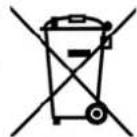
cessories marked with this symbol. Products identified with this symbol may not be discarded with normal household waste, but must be taken to a collection point for recycling electric and electronic appliances. Recycling helps to reduce the consumption of raw materials and protect the environment.
Packaging
When disposing of the packaging, make sure you comply with the environmental regulations applicable in your country.
Refrigerant
This device contains the refrigerant R134a and must be returned undamaged for proper disposal.

16. Technical specifications
| Model: SLE 450 A | |
| Mains voltage: 220 | - 240 V~ 50 Hz |
| Protection class: I | 1/2 |
| Input power: 360 W (27 °C 60%) | |
| Power rating max.: | 450 W (35 °C 90%) |
| Nominal current: 2 | 15 A (27 °C 60%) |
| Power consump- tion: | max.2.40 A (35 °C 90%) |
| Dehumidification capacity: | 20 L/day (30 °C 80%) 11 L/day (27 °C 60%) |
| Air flow: 195 m | 3/h |
| Coolant / Volume: | R134a/95g |
| Coolant group: L1 | |
| Water tank: 5.5 l | |
| Room size: | 20 m², (Rh. 2.3 m) |
| Room temperature: | 5 - 35 °C |
| Weight: | 14.5 kg |
| Dimensions: WxDxH | 370 x 270 x 610 mm |
| Noise level: | ≤46 dB(A) |
| Intake pressure: | 0.5 MPa |
| Exhaust pressure: | 1.5 MPa |

Subject to technical modification.
17. Warranty of the HOYER Handel GmbH
Dear Customer, your device is provided with a 3 year warranty starting with the purchase date. In the event of product defects, you are entitled to statutory rights against the vendor. These statutory rights are not restricted by our warranty presented in the following.
Warranty conditions
The warranty period starts with the purchase date. Please keep the original purchase receipt in a safe place. This document is required to verify the purchase.
If within three years from the purchase date of this product a material or factory defect occurs, the product will be repaired or replaced by us - at our discretion - free of charge to you. This warranty implies that within the period of three years the defective device and the purchase receipt are presented, including a brief written description of the defect and the time it occurred.
If the defect is covered by our warranty, the repaired or a new product will be returned to you. No new warranty period starts with a repair or replacement of the product.
Warranty period and statutory claims for defects
The warranty period is not extended when the warranty has been claimed. This also applies to replaced and repaired parts. Any damages and defects already existing at the time of purchase must be reported immediately upon unpacking. Repairs arising after the expiration of the warranty period are subject to a charge.
Warranty coverage
The device was produced carefully according to strict quality guidelines and tested diligently prior to delivery.
The warranty applies to material or factory defects. This warranty does not include product parts that are subject to standard wear and therefore can be considered wear parts; the same applies to damages at fragile parts, e.g. switches, rechargeable batteries or parts made of glass.
This warranty expires if the product is damaged, not used as intended or not serviced. For the proper operation of the product, all instructions listed in the operating instructions must be observed carefully. Any form of use and handling that is advised against in the operating instructions or warned against must always be avoided.
The product is only intended for private and not for commercial use. In the case of incorrect and improper treatment, use of force and interventions not performed by our authorised Service Centre, the warranty shall cease.
Handling in case of a warranty claim
In order to ensure prompt processing of your matter, please observe the following notes:
- Please keep the article number IAN: 111670 and the purchase receipt as a purchase verification for all inquiries.
If faulty operation or other defects occur, first contact the Service Centre listed in the following by telephone or email. - Then, you are able to send a product reported as defective free of charge to the service address specified to you, including the purchase receipt and the information on the defect and when it occurred.

Please visit www.lidl-service.com to download this and many other manuals, product videos and software.

Service Centre
GB Service Great Britain Tel.:08715000720 (E.0.10/Min.) E-Mail: hoyer@lidl.co.uk
IE Service Ireland Tel.:1890 930 034 (0,08 EUR/Min.,peak) (0,06 EUR/Min.,off peak)) E-Mail: hoyer@lidl.ie
IAN:111670
Supplier
Please note that the following address is no service address. First contact the aforementioned Service Centre.