SDM 1500 C2 - Steam cleaner SILVERCREST - Free user manual and instructions
Find the device manual for free SDM 1500 C2 SILVERCREST in PDF.



| Product type | Steam cleaner |
| Brand | SilverCrest |
| Model | SDM 1500 C2 |
| Mains voltage | 220 - 240 V ~, 50/60 Hz |
| Power consumption | 1370 - 1630 W |
| Protection rating | IPX4 (splash water protection) |
| Steam levels | 2 levels (low and high) + stand-by mode |
| Supplied accessories | Main unit, steam foot, carpet cleaning ring, 2 microfibre cloths, instruction manual |
| Cloth composition | 100% polyester, washable at max. 60°C |
| Filter maintenance | Replace every 4-6 months or approx. 100 cleaning cycles |
| Safety | Automatic shut-off when water tank is empty, overheat protection, hot steam (do not direct at people/animals) |
| Warranty | 3 years (manufacturer warranty) |
| Intended use | Cleaning indoor floors (tiles, sealed parquet, stone, marble) |
| Weight (approx.) | 2.5 kg (estimate) |
Frequently Asked Questions - SDM 1500 C2 SILVERCREST
User questions about SDM 1500 C2 SILVERCREST
0 question about this device. Answer the ones you know or ask your own.
Ask a new question about this device
Download the instructions for your Steam cleaner in PDF format for free! Find your manual SDM 1500 C2 - SILVERCREST and take your electronic device back in hand. On this page are published all the documents necessary for the use of your device. SDM 1500 C2 by SILVERCREST.
USER MANUAL SDM 1500 C2 SILVERCREST
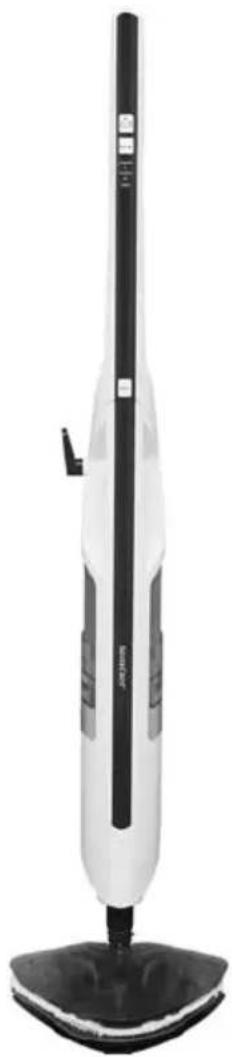
natural_image
White and black electric vacuum cleaner with a black handle and base mount (no visible text or symbols)DAMPFMOPP
STEAM MOP
BALAI VAPEUR SDM 1500 C2
DE AT CH
DAMPFMOPP
Bedienungsanleitung
FR BE
BALAI VAPEUR
Mode d'emploi
CZ
PARNÍ MOP
Návod k obsluze
PT
MOPA A VAPOR
Operating instructions
NL BE
STOOMZWABBER
Gebruiksaanwijzing
ES
MOPA DE VAPOR
Before reading, unfold the page containing the illustrations and familiarise yourself with all functions of the device.
FR BE
KOMPERNASS HANDELS GMBH
BURGSTRASSE 21
44867 BOCHUM
GERMANY
www.kompernass.com
natural_image
Two white plastic or foam-like objects with serrated edges and small square cutouts, shown against a plain background (no text or symbols)▶ 2 x Ersatzpad ▶ 1 x Filter
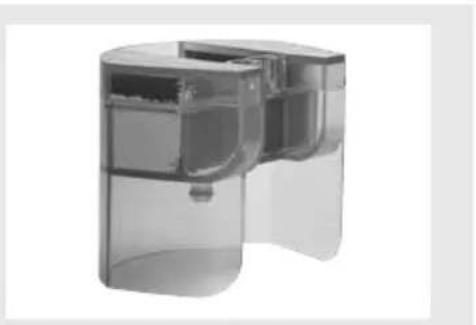
natural_image
3D rendering of a transparent cylindrical device with internal compartments and a small component, shown in grayscale (no text or symbols visible)HINWEIS
Information concerning these operating instructions ....20
Copyright 20
Intended use....20
Safety instructions....21
Operating components .....24
Unpacking and installation....25
Safety instructions....25
Package contents and transport inspection 25
Unpacking 25
Disposal of packaging materials 26
Assembling the appliance ....26
Handling and operation ....26
Filling with water....26
Operation....27
After use....29
Cleaning and care ....29
Maintenance/changing the filter 30
Troubleshooting....31
Storage....32
Disposal....32
Appendix 32
Technical data 32
Kompernass Handels GmbH warranty ....33
Service 34
Importer 34
Ordering spare parts....35
Introduction
Information concerning these operating instructions
Congratulations on the purchase of your new appliance.
You have selected a high-quality product. The operating instructions are part of this product. They contain important information on safety, usage and disposal. Before using the product, familiarise yourself with all operating and safety instructions. Use the product only as described and for the specified areas of application. Please also pass on these operating instructions to any future owner.
Copyright
This documentation is protected by copyright.
Any copying or reproduction, including in the form of extracts, or any reproduction of images (even in a modified state), is permitted only with the written authorisation of the manufacturer.
Intended use
This appliance is intended exclusively for cleaning indoor floors. The appliance is not intended for any other purpose, nor for use beyond the scope described. The appliance is not intended for use in commercial or industrial environments.
The manufacturer accepts no responsibility for damage caused by failure to observe these instructions, improper use or repairs, unauthorised modifications or the use of unapproved replacement parts. The operator bears sole liability.
Safety instructions

RISK OF ELECTRIC SHOCK!
- Connect the appliance only to mains power sockets supplying a mains power voltage of 220 - 240 V \~, 50/60 Hz.
▶ In the event of operating malfunctions, and before cleaning the appliance, disconnect the plug from the mains power socket.
▶ To disconnect the power cable, always pull the plug from the socket, do not pull the power cable itself.
▶ Do not kink or crush the power cable, and route the cable so that it cannot be stepped on or tripped over.
▶ To avoid risks, arrange for defective plugs and/or power cables to be replaced at once by qualified technicians or our Customer Service Department.
▶ Make sure that the power cable does not become wet or damp during use. Route the cable in such a way that it cannot be crushed or damaged.
▶ To prevent risks, stop using the appliance immediately if it is damaged. - Disconnect the appliance from the mains power socket before filling it with water, changing accessories or cleaning it.

Use the appliance only in dry indoor areas, not outdoors.
▶ Never submerse the appliance in water or other liquids!
▶ Never aim the steam jet directly at electrical appliances or equipment which contains electrical components, such as the interior of ovens.

RISK OF ELECTRIC SHOCK!
▶ Operate the appliance only with dry hands and never without shoes (i.e. not barefoot). This will help reduce the effect of an electric shock in the event of a malfunction.
▶ Never aim the appliance at moisture-sensitive objects.
This appliance may be used by persons with limited physical, sensory or mental capabilities or lack of experience and knowledge, provided that they are under supervision or have been told how to use the appliance safely and are aware of the potential risks. Children must not use the appliance as a plaything. Cleaning and user maintenance tasks may not be carried out by children unless they are supervised.

WARNING! RISK OF INJURY!
▶ Some parts of the appliance may become hot during use! There is a risk of scalding!
- Allow the accessories used to cool down before dismantling them.
▶ Use only the original accessory parts for this appliance. Other accessories may not meet the safety requirements.
The appliance may not be used if it has been dropped, if there are any obvious signs of physical damage or if it is leaking.
The appliance must be kept out of the reach of children if it is switched on or is cooling down.
▶ Never direct the steam at people or animals. Hot steam can cause serious injuries!
▶ Always pull the plug out of the power socket during each break in use, as well as after use and before any cleaning.

RISK OF BURNS!

Caution! Hot surface!

This symbol warns you about escaping steam. Please follow the safety instructions!

CAUTION! MATERIAL DAMAGE!
▶ Use the appliance only on floors made of marble, stone, tile, parquet flooring or hardwood that have been treated and are impervious to water.
▶ Never use the appliance ...
-... on untreated or permeable floors,
-... on glass surfaces,
-... on soft plastic surfaces,
-... on floors that have been treated with wax,
-... on carpets with wool content.
▶ Always comply with the cleaning instructions of the carpet manufacturer. Before cleaning, check also whether the carpet is suitable for steam cleaning. Use the appliance only on parquet floors if they have been hard-sealed.
- Do not leave the appliance standing on wooden floors for any length of time while it is switched on. This might cause the wood to swell.
▶ Do not operate the appliance with an empty water tank. Otherwise, the pump could run dry and overheat.
- Do not use an external timer switch or a separate remote control system to operate the appliance.
▶ Never leave the appliance unattended during operation.
▶ Do not use the appliance outdoors.

CAUTION! MATERIAL DAMAGE!
▶ Ensure that the appliance, the power cable and the plug do not come into contact with heat sources such as hotplates or naked flames.
Operating components
Figure A:
① "Handle" release button
② Carrying handle
③ Main unit
4 Connection nozzle
5 Steam foot
6 Pad
7 Filter
8 Water tank
⑨ "Water tank" release button
10 POWER control lamp
⑪ Red control lamp "high steam level"
⑫ Green control lamp "low steam level"
13 MODE button
14 "Steam" button
Figure B:
15 Notch
16 Upper cable hook
⑰ On/off switch
18 Lower cable hook
Figure C:
19 Replacement pad
20 Carpet ring
②1 Carpet ring release aid
Unpacking and installation
Safety instructions
WARNING
During the first use of the appliance there is a risk of injury and/or damage to property!
To avoid risks, observe the following safety instructions:
- Do not allow children to play with packaging materials. There is a risk of suffocation.
Package contents and transport inspection
The appliance is supplied with the following components as standard (see fold-out page):
- Main unit
- Steam foot
- Carpet cleaning ring
- 2 pads
- Operating instructions
NOTE
▶ Check the package for completeness and for signs of visible damage.
▶ If the delivery is incomplete or damage has occurred as a result of defective packaging or during transport, contact the service hotline (see section Service).
Unpacking
◆ Remove all parts of the appliance and the operating instructions from the box.
◆ Remove all packaging materials and any fi lms and labels.
Disposal of packaging materials
The packaging protects the appliance from damage during transport. The packaging materials have been selected for their environmental friendliness and ease of disposal, and are therefore recyclable.

Returning the packaging into the material cycle conserves raw materials and reduces the amount of waste generated. Dispose of packaging materials that are no longer needed in accordance with applicable local regulations.
NOTE
If possible, keep the appliance's original packaging during the warranty period so that the appliance can be packed properly for return shipment in the event of a warranty claim.
Assembling the appliance
◆ Push the main unit ③ onto the connection nozzle ④ on the steam foot ⑤ and press the main unit ③ down until the round catch clicks into place.
◆ Attach a pad ⑥ from below onto the steam foot ⑤.
NOTE
If you intend to clean carpeting with the steam mop, fit the steam foot ⑤ onto the carpet ring ⑳. Ensure that the carpet ring unlocking aid ② is in line with the connection nozzle ④. Push the steam foot ⑤ onto the carpet ring ⑳ so that it clicks audibly into place. This will allow the pad ⑥ to glide over the carpet.
To remove the carpet ring 20, press your foot onto the carpet ring release aid 21 and pull the steam foot 5 carefully off the carpet ring 20.
Handling and operation
This section provides you with important information on handling and using the appliance.
Filling with water
CAUTION - PROPERTY DAMAGE!
▶ Never operate the appliance without water in the water tank ⑧! The pump could overheat and be damaged!
1) Push the "Water tank" release button ⑨ downwards and simultaneously pull the water tank ⑧ towards the rear and off the appliance with a tilt movement.
2) Turn the water tank ⑧ and unscrew the cap.
3) Fill the water tank ⑧ with tap water up to the MAX mark.
NOTE
If the mains water in your location is rated as hard, it is recommended that you mix the mains water with some distilled water. Otherwise, the jets for the steam blast function could calcify (become blocked) prematurely.
To extend the optimal steam blast function, mix mains water with distilled water according to the table:
| Water hardness | Ratio of distilled water to tap water |
| very soft/soft 0 | |
| medium 1:1 | |
| hard 2:1 | |
| very hard 3:1 |
The water hardness level can be queried at your local water works.
4) Attach and hand-tighten the clamp.
5) Turn the water tank ⑧ around again and place it back onto the main unit ③: First fi t the lower part into the main unit ③ and then fl ip the top part into the device. Push it firmly into place so that the water tank ⑧ audibly clicks into place and sits fi rmly on the main unit ③.
Operation
CAUTION - PROPERTY DAMAGE!
If you are not sure whether the floor is suitable for cleaning, please carry out a tolerance test using a concealed part of the floor.
▶ Always comply with the cleaning instructions of the carpet manufacturer. Before cleaning, check also whether the carpet is suitable for steam cleaning.
▶ Never use the appliance without a pad ⑥ on the steam foot ⑤. Otherwise the floor could get scratched!
▶ Never operate the appliance without water in the water tank ⑧! The pump could overheat and be damaged!
NOTE
Before you clean the floor with the steam mop, we recommend that you vacuum the floor to remove any loose particles of dirt.
Once the appliance is assembled and filled with water:
1) Press and hold in the "Handle" release button ① and flip the handle upwards so that it clicks into place.
2) If not already done: Completely unwind the power cable from the cable hooks 16/18. To facilitate the unwinding of the cable, you can flip down the upper cable hook 16 by pulling it out a little and turning it at the same time.
3) Run the cable through the notch 15 on the rear of the handle so that the cable does not hang down into the working area.
4) Insert the plug into the mains power socket.
5) Set the on/off switch 17 to "I". The on/off switch 17 lights up, the red POWER control lamp 10 fl ashes.
6) Use the MODE button 13 to select the desired level of steam generation:
- Press 1 x: low steam level, green control lamp ⑫ lights up.
- Press 2 x: high steam level, red control lamp ⑪ lights up.
- Press 3 x: no steam, standby, POWER control lamp 10 lights up.
NOTE
We recommend the high steam level especially for moisture- and heat-resistant floor coverings, such as tiles.
▶ We recommend the low steam level especially for moisture- and heat-sensitive floor coverings, such as parquet flooring.
7) Wait around 30 seconds while the appliance heats up.
8) Press the "Steam" button 14. The appliance starts generating steam and, after a short time, steam is emitted through the pad 6.
9) Wipe over the desired area. If the water tank ⑧ becomes empty during use:
NOTE
Once the water tank ⑧ has been pumped empty, the pump will continue running a little while until the empty water tank ⑧ is indicated by the simultaneous flashing of the red control lamp "high steam level" ⑪, the green control lamp "low steam level" ⑫ and POWER control lamp ⑩.
- Press the "Steam" button 14 again to stop steam production.
- Set the on/off switch ⑰ to "O".
- Remove the water tank ⑧, fill it and replace the water tank ⑧ as described in the section "Filling with water".
- Set the on/off switch ⑰ to "I".
- Select the desired steam level as described above and press the "Steam" button 14.
10) When you are finished treating all of the surfaces, press the "Steam" button ⑭ to stop steam production.
11) Set the on/off switch ⑰ to "O". The POWER control lamp ⑩ goes out.
12) Remove the power plug from the mains power socket.
NOTE
If you see streaks on the fl oor after cleaning with the appliance, this may be due to the previously used cleaning fl uids. Simply clean the fl oor again using the steam mop. The smears should now be gone.
After use
1) Allow the appliance to cool down.
2) Remove the pad 6.
3) Remove the water tank ⑧ from the appliance and empty it.
4) Pull the upper cable hook 16 out a little and turn it back upwards.
Wind the cable back around the two cable hooks 16/18.
Fix the end of the power cable using the cable clip located on the cable.
Cleaning and care

RISK OF ELECTRIC SHOCK!
▶ Always remove the mains power plug before cleaning the appliance!

ARNING – RISK OF INJURY!
▶ Allow the appliance to cool down before cleaning it. Risk of burns!
CAUTION - PROPERTY DAMAGE
- When cleaning the surfaces use neither abrasive or chemical cleaners, nor sharp or scratchy objects.
■ Empty the water tank ⑧ after every use.
■ After each use, remove the pad ⑥ from the steam foot ⑤ and wash it out.
Note the following washing instructions when you wash the pad ⑥ in the washing machine:

Wash at max. 60°C

Do not tumble dry

Do not iron
If necessary, wipe the appliance with a damp cloth. For stubborn soiling use a mild detergent on the cloth.
Maintenance/changing the fi Iter
After 4–6 months or approximately 100 cleaning cycles (one cycle corresponds to one water tank filling), you will need to change the filter ⑦. Please contact our Service Department for replacement filters.

RISK OF ELECTRIC SHOCK!
Before changing the filter ⑦, always pull out the mains plug!
1) To remove the filter ⑦, first remove the water tank ⑧ from the appliance.
2) Pull the filter ⑦ upwards out of the appliance.
3) Insert the new filter ⑦.
4) Replace the water tank 8.
Troubleshooting
| Programme Possible causes Possible solutions | ||
| The appliance is not working. | The plug is not connected. | Connect the appliance to a mains power socket. |
| The appliance produces no steam. | The "Steam" button 14 has not been pressed. | Press the "Steam" button 14. |
| There is no water in the water tank 8. | Fill the water tank 8 with tap water. | |
| The filter 7 is blocked. | Change the filter 7. | |
| No steam setting has been selected. | Use the MODE button 13 to select the desired level of steam. | |
| The pump makes unusually loud noises. | There is no water in the water tank 8. | Fill the water tank 8 with tap water. |
| A whitish edge forms on the floor when the appliance stops briefly during operation. | Lime has collected. | Wipe the limescale away with a damp cloth. If necessary, add a little descaler onto the cloth. |
Storage
- Fold the handle by pressing the "Handle" release button ①.
Pull the upper cable hook 16 out a little and turn it back upwards. Wind the cable back around the two cable hooks 16/18. - Carry the appliance using the carrying handle ②.
■ Store the appliance in a dry and dust-free location.
Disposal
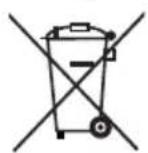
Do not dispose of the appliance in your normal domestic waste. This product is subject to the provisions of European Directive 2012/19/EU-WEEE (Waste Electrical and Electronic Equipment).
Dispose of the appliance via an approved waste disposal company or your municipal waste disposal facility. Please comply with all applicable regulations. Please contact your waste disposal facility if you are in any doubt.
Appendix
Technical data
| Voltage supply 220 - 240 V | ~ (AC) | 50 / 60 Hz |
| Power consumption 1370 - 1630 W | |
| Protection rating | IPX4Protected against water splashes from any direction. |
Information on the pads ⑥/19
Material composition 100% polyester



Wash at max. 60°C
Do not tumble dry
Do not iron
This appliance has a 3-year warranty valid from the date of purchase. If this product has any faults, you, the buyer, have certain statutory rights. Your statutory rights are not restricted in any way by the warranty described below.
Warranty conditions
The validity period of the warranty starts from the date of purchase. Please keep your original receipt in a safe place. This document will be required as proof of purchase.
If any material or production fault occurs within three years of the date of purchase of the product, we will either repair or replace the product for you at our discretion. This warranty service is dependent on you presenting the defective appliance and the proof of purchase (receipt) and a short written description of the fault and its time of occurrence.
If the defect is covered by the warranty, your product will either be repaired or replaced by us. The repair or replacement of a product does not signify the beginning of a new warranty period.
Warranty period and statutory claims for defects
The warranty period is not prolonged by repairs eff ected under the warranty. This also applies to replaced and repaired components. Any damage and defects present at the time of purchase must be reported immediately after unpacking. Repairs carried out after expiry of the warranty period shall be subject to a fee.
Scope of the warranty
This appliance has been manufactured in accordance with strict quality guidelines and inspected meticulously prior to delivery.
The warranty covers material faults or production faults. The warranty does not extend to product parts subject to normal wear and tear or fragile parts such as switches, batteries, baking moulds or parts made of glass.
The warranty does not apply if the product has been damaged, improperly used or improperly maintained. The directions in the operating instructions for the product regarding proper use of the product are to be strictly followed. Uses and actions that are discouraged in the operating instructions or which are warned against must be avoided.
This product is intended solely for private use and not for commercial purposes. The warranty shall be deemed void in cases of misuse or improper handling, use of force and modifications / repairs which have not been carried out by one of our authorised Service centres.
Warranty claim procedure
To ensure quick processing of your case, please observe the following instructions:
■ Please have the till receipt and the item number (e.g. IAN 12345) available as proof of purchase.
■ You will find the item number on the type plate, an engraving on the front page of the instructions (bottom left), or as a sticker on the rear or bottom of the appliance.
If functional or other defects occur, please contact the service department listed either by telephone or by e-mail.
■ You can return a defective product to us free of charge to the service address that will be provided to you. Ensure that you enclose the proof of purchase (till receipt) and information about what the defect is and when it occurred.

You can download these instructions along with many other manuals, product videos and software on www.lidl-service.com.
Service
GB Service Great Britain
Tel.: 0871 5000 720 (£ 0.10/Min.)
E-Mail: kompernass@lidl.co.uk
IE Service Ireland
Tel.: 1890 930 034
(0,08 EUR/Min., (peak))
(0,06 EUR/Min., (off peak))
E-Mail: kompernass@lidl.ie
IAN 280641
Importer
Please note that the following address is not the service address. Please use the service address provided in the operating instructions.
KOMPERNASS HANDELS GMBH
BURGSTRASSE 21
44867 BOCHUM
GERMANY
www.kompernass.com
Ordering spare parts
You can order the following replacement parts for product SDM 1500 C2:
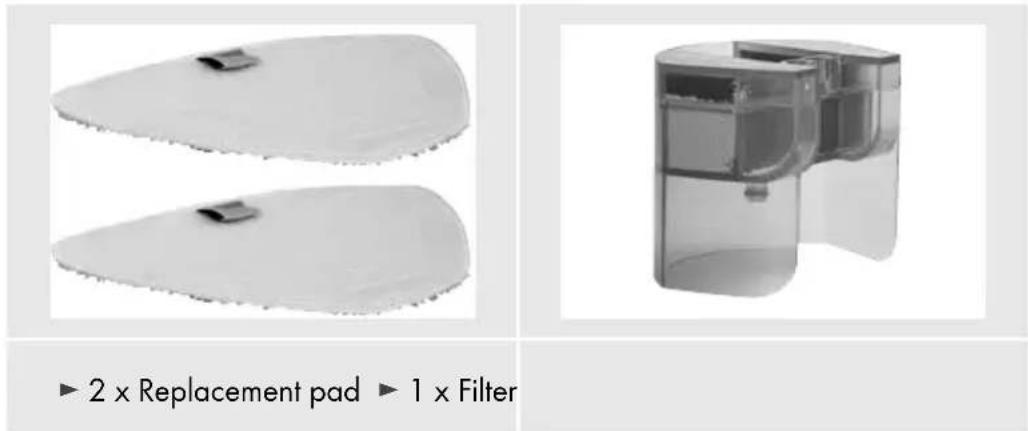
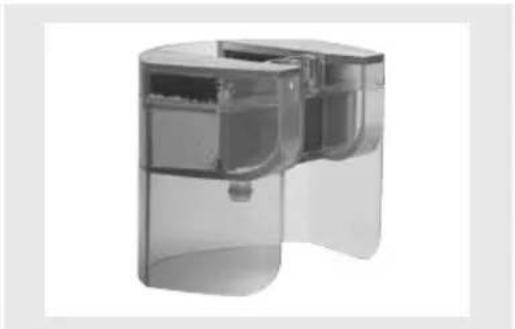
▶ 2 x Replacement pad ▶ 1 x Filter
Order the replacement parts via the Service Hotline (see section „Service“) or simply visit our website at www.kompernass.com.

NOTE
▶ Have the IAN number of the appliance ready (can be found on the cover of these operating instructions) when you place your order.
Table des matières
Introduction ....38
KOMPERNASS HANDELS GMBH
BURGSTRASSE 21
44867 BOCHUM
GERMANY
www.kompernass.com
REMARQUE
WAARSCHUWING! LETSELGEVAAR!
AARSCHUWING - LETSELGEVAAR!
KOMPERNASS HANDELS GMBH
BURGSTRASSE 21
44867 BOCHUM
GERMANY
www.kompernass.com
natural_image
Two white, elongated objects with textured surfaces and small dark blocks, labeled '2 x Reservepad' and '1 x Filter' below (no other text or symbols)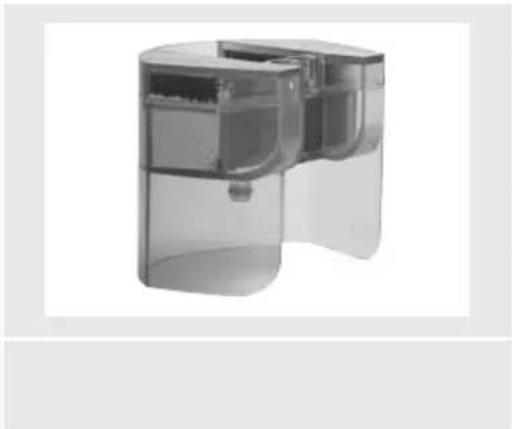
natural_image
3D cutaway view of a transparent cylindrical device with internal compartments (no text or symbols visible)OPMERKING
POZOR - HMOTNÉ ŠKODY!
POZOR - HMOTNÉ ŠKODY!
POZOR - HMOTNÉ ŠKODY
KOMPERNASS HANDELS GMBH
BURGSTRASSE 21
44867 BOCHUM
GERMANY
www.kompernass.com
natural_image
Two white plastic or foam-like objects with serrated edges and small square cutouts, shown against a plain background (no text or symbols)natural_image
3D rendering of a transparent cylindrical device with internal compartments and a small component (no text or symbols visible)UPOZORNĚNÍ
KOMPERNASS HANDELS GMBH
BURGSTRASSE 21
44867 BOCHUM
GERMANY
www.kompernass.com
Pedido de recambios
INDICACIÓN
KOMPERNASS HANDELS GMBH
BURGSTRASSE 21
44867 BOCHUM
GERMANY
www.kompernass.com
natural_image
Two white plastic or foam-like objects with small square cutouts, placed side by side on a plain background (no text or symbols visible)▶ 2 x Recarga pano de microfi bras
natural_image
Cross-sectional view of a mechanical device with transparent casing and internal compartments (no text or symbols visible)1 x Filtro
NOTA
KOMPERNASS HANDELS GMBH
BURGSTRASSE 21
44867 BOCHUM
DEUTSCHLAND / GERMANY
www.kompernass.com
Stand der Informationen · Last Information Update · Version des informations
Stand van de informatie · Stav informací · Estado de las informaciones · Estado das informações:
11 / 2016 · Ident.-No.: SDM1500C2-092016-3