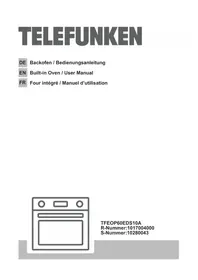
TFEO60EDS10A - Oven TELEFUNKEN - Free user manual and instructions
Find the device manual for free TFEO60EDS10A TELEFUNKEN in PDF.


| Product Type | Built-in Electric Oven |
| Brand | Telefunken |
| Model | TFEO60EDS10A |
| Dimensions (W x H x D) | 595 x 595 x 575 mm (built-in) |
| Weight | 37 kg |
| Power Supply | 220-240 V ~ / 380-415 V 3N ~ |
| Capacity | 69 L |
| Energy Class | A++ |
| Conventional Energy Consumption | 0.78 kWh/cycle |
| Forced Air Energy Consumption | 0.52 kWh/cycle |
| Cooking Functions | Static cooking, Turbo, Fan, Grill, Rapid grill, Dual grill + fan, Pizza, Defrost |
| Automatic Programs | Yes (automatic cooking with preset recipes) |
| Cleaning | Steam cleaning and pyrolysis |
| Display | Color TFT LCD with smart timer |
| Controls | Two rotary knobs with push function |
| Key Lock | Yes |
| Door Closing | Silent (soft close) |
| Lighting | Interior bulb (E14, 230 V, 15-25 W, 300 °C) |
| Supplied Accessories | Metal grid with telescopic rails (2 shelves), deep tray, shallow tray, small tray, water collector |
| Safety | Automatic shut-off, key lock, silent door closing |
| Repairability | User-replaceable lamp, removable inner glass |
Frequently Asked Questions - TFEO60EDS10A TELEFUNKEN
User questions about TFEO60EDS10A TELEFUNKEN
0 question about this device. Answer the ones you know or ask your own.
Ask a new question about this device
Download the instructions for your Oven in PDF format for free! Find your manual TFEO60EDS10A - TELEFUNKEN and take your electronic device back in hand. On this page are published all the documents necessary for the use of your device. TFEO60EDS10A by TELEFUNKEN.
USER MANUAL TFEO60EDS10A TELEFUNKEN
WARNING: DIESES GERÄT MULLS GEERDET WERDEN.
Thank you for choosing this product.
This User Manual contains important information on safety and instructions intended to assist you in the operation and maintenance of your appliance.
Please take the time to read this User Manual before using your appliance and keep this book for future reference.
| Icon Type Meaning | |
| A | WARNING Serious injury or death risk |
| RISK OF ELECTRIC SHOCK Dangerous voltage risk | |
| CAUTION Injury or property damage risk | |
| IMPORTANT Operating the system correctly |
CONTENTS
1 SAFETY INSTRUCTIONS 35
1.1. General SafetyWarnings 35
1.2.InstallationWarnings 37
1.3.During Usage 38
1.4.During Cleaning and Maintenance 39
2INSTALLATION AND PREPARATIONS FOR USE 40
3.PRODUCT FEATURES 43
- USE OF PRODUCT 44
4.1. Control of Oven 44
4.2.Oven Functions 44
4.3.Use of Smart LCD Timer 45
5.CLEANING AND MAINTENANCE 58
6.TROUBLE SHOOTING&TRANSPORT 61
6.1.Trouble shooting 61
6.2. Transport 61
1. SAFETY INSTRUCTIONS
- Read these instructions carefully and completely before using your appliance and keep them in a convenient place for reference when necessary.
- This manual is prepared for more than one model. Your appliance may not have some of the features described in this manual. Pay particular attention to any figures while you are reading the operating manual.
1.1. General SafetyWarnings
- This appliance can be used by children aged from 8 years and above and persons with reduced physical, sensory or mental capabilities or lack of experience and knowledge if they have been given supervision or instruction concerning use of the appliance in a safe way and understand the hazards involved. Children shall not play with the appliance. Cleaning and user maintenance shall not be made by children without supervision.
WARNING: The appliance and its accessible parts become hot during use. Care should be taken to avoid touching heating elements. Keep children less than 8 years of age away unless they are continuously supervised.
WARNING: Danger of fire: do not store items on the cooking surfaces. - 4警告: If the surface is cracked, switch off the appliance to avoid the possibility of electric shock.
- Do not operate the appliance by means of an external timer or separate remote-control system.
- During use the appliance will get hot. Care should be taken to avoid touching heating elements inside
the oven.
- During use handles held for short periods in normal use may get hot.
- Do not use harsh abrasive cleaners or sharp metal scrapers to clean the oven door glass and other surface. They can scratch the surface which may result in shattering of the glass or damage to the surface.
- Do not use steam cleaners for cleaning the appliance.
WARNING: To avoid the possibility of electric shocks, make sure that the appliance is switched off before replacing the lamp. - CAUTION: Accessible parts may be hot when cooking or grilling. Keep young children away from the appliance when it is in use.
- Your appliance is produced in accordance with all applicable local and international standards and regulations.
- Maintenance and repair work must only be carried out by authorised service technicians. Installation and repair work that is carried out by unauthorised technicians may be dangerous. Do not alter or modify the specifications of the appliance in any way. Inappropriate hob guards can cause accidents.
- Before connecting your appliance, make sure that the local distribution conditions (nature of the gas and gas pressure or electricity voltage and frequency) and the specifications of the appliance are compatible. The specifications for this appliance are stated on the label.
- CAUTION: This appliance is designed only for cooking food and is intended for indoor domestic household use only. It should not be used for any
other purpose or in any other application, such as for non-domestic use or in a commercial environment or room heating.
- Do not use the oven door handles to lift or move the appliance.
- All possible measures have been taken to ensure your safety. Since the glass may break, care should be taken while cleaning to avoid scratching. Avoid hitting or knocking the glass with accessories.
- Make sure that the supply cord is not trapped or damaged during installation. If the supply cord is damaged, it must be replaced by the manufacturer, its service agent or similarly qualified persons in order to prevent a hazard.
- Do not let children climb on the oven door or sit on it while it is open.
1.2. InstallationWarnings
- Do not operate the appliance before it is fully installed.
- The appliance must be installed by an authorised technician. The manufacturer is not responsible for any damage that might be caused by defective placement and installation by unauthorised people.
- When the appliance is unpacked, make sure that it has not been damaged during transportation. In case of any defect do not use the appliance and contact a qualified service agent immediately. The materials used for packaging (nylon, staplers, styrofoam, etc.) may be harmful to children and they should be collected and removed immediately.
-
Protect your appliance against atmospheric effects. Do not expose it to effects such as sun, rain, snow, excessive humidity etc.
-
The material around the appliance (cabinet) must be able to withstand a minimum temperature of 100°C .
1.3. During Usage
- When you first use your Oven you may notice a slight smell. This is perfectly normal and is caused by the insulation materials on the heater elements. We suggest that before using your Oven for the first time you leave it empty, and set at maximum temperature for 45 minutes. Make sure that the environment in which the product is installed is well ventilated.
- Take care when opening the oven door during or after cooking. The hot steam from the oven may cause burns.
- Do not put flammable or combustible materials in or near the appliance when it is operating.
Always use oven gloves to remove and replace food in the oven. - Do not leave the cooker unattended while cooking with solid or liquid oils. They may catch fire under extreme heating conditions. Never pour water on to flames that are caused by oil, instead switch the cooker off and cover the pan with its lid or a fire blanket.
- If the product will not be used for a long period of time, turn the main control switch off. Also when not using a gas appliance, turn the gas valve off.
- Make sure the appliance control knobs are always in the "0" (stop) position when it is not used.
- The trays incline when pulled out. Take care not to spill or drop hot food when removing it from the ovens.
- Do not place anything on the oven door when it is
open. This could disrupt the balance of the oven or damage the door.
- Do not place heavy items or flammable or ignitable items (e.g. nylon, plastic bag, paper, cloth, etc.) into the drawer. This includes cookware with plastic accessories (e.g. handles).
- Do not hang towels, dishcloths or clothes from the appliance or its handles.
1.4. During Cleaning and Maintenance
- Always turn the appliance off before operations such as cleaning or maintenance. You can do it after plugging the appliance off or turning the main switches off.
- Do not remove the control knobs to clean the control panel.
- To maintain the efficiency and safety of your appliance, we recommend you always use original spare parts and to call our authorised service agents in case of need.
2. INSTALLATION AND PREPARATIONS FOR USE

WARNING : This appliance must be installed by an authorised service person or qualified technician,
according to the instructions in this guide and in compliance with the current local regulations.
Incorrect installation may cause harm and damage, for which the manufacturer accepts no responsibility and the warranty will not be valid.
- Prior to installation, ensure that the local distribution conditions (electricity voltage and frequency) and the adjustments of the appliance are compatible. The adjustment conditions for this appliance are stated on the label.
- The laws, ordinances, directives and standards in force in the country of use are to be followed (safety regulations, proper recycling in accordance with the regulations, etc.).
Instructions for the Installer General instructions
After removing the packaging material from the appliance and its accessories, ensure that the appliance is not damaged. If you suspect any damage,
do not use it and contact an authorised service person or qualified technician immediately.
- Make sure that there are no flammable or combustible materials in the close vicinity, such as curtains, oil, cloth etc. which may catch fire.
The worktop and furniture surrounding the appliance must be made of materials resistant to temperatures above 100°C - The appliance should not be installed directly above a dishwasher, fridge, freezer, washing machine or clothes dryer.
Installation of the Oven
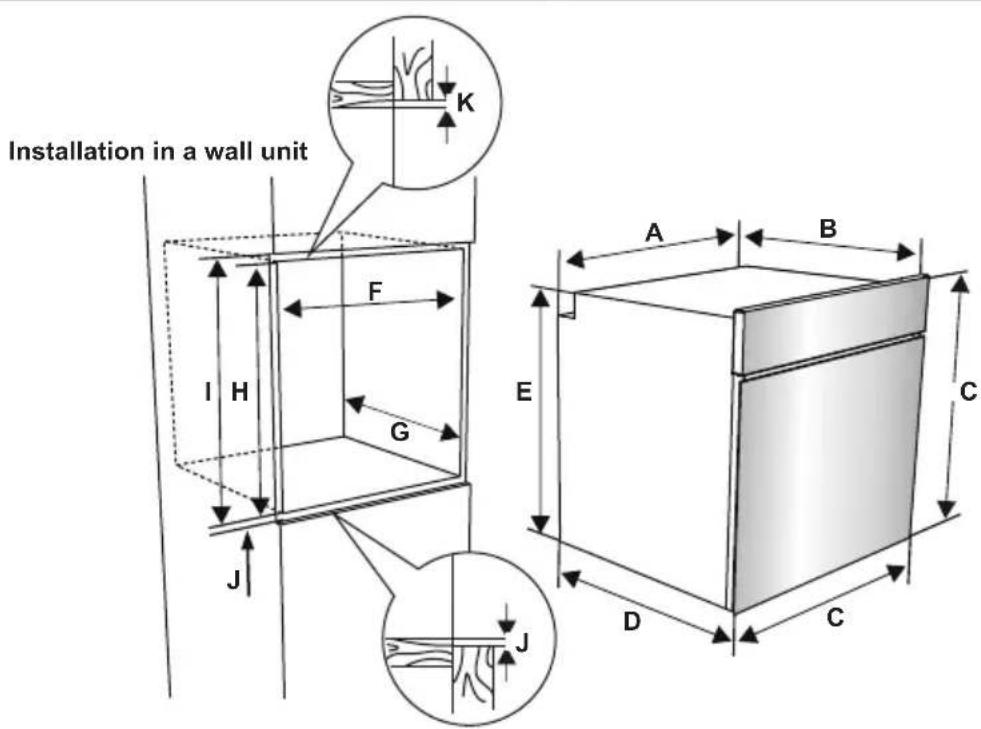
The appliances are supplied with installation kits and can be installed in a worktop with the appropriate dimensions. The dimensions for hob and oven installation are given below.
| A (mm) 557 min./max. F (mm) 560/580 | |
| B (mm) 550 min. G (mm) 555 | |
| C (mm) 595 min. H (mm) 590 | |
| D (mm) 575 min. I (mm) 600 | |
| E (mm) 576 min. J/K (mm) 5/10 |
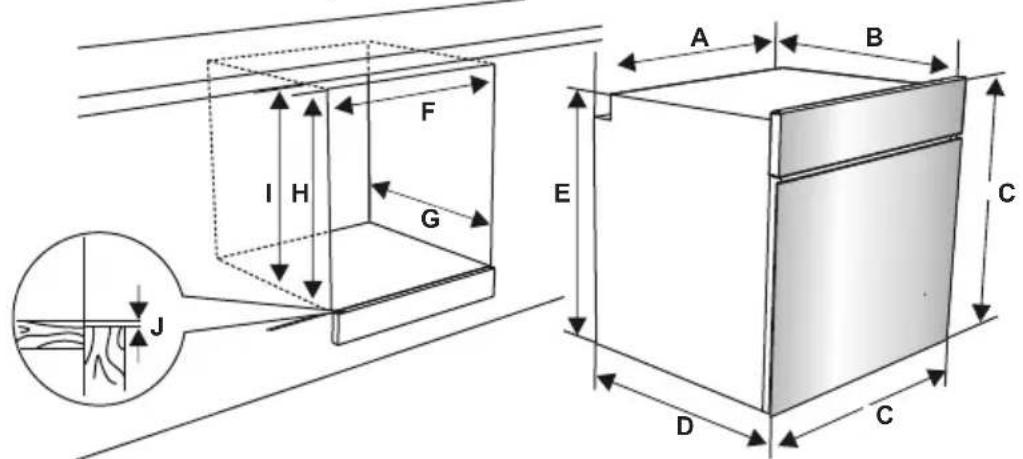
Installation under a worktop
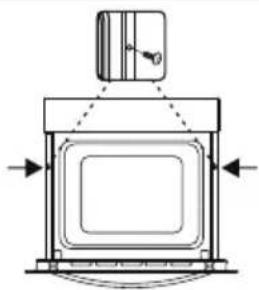
- After making the electrical connections, insert the oven into the cabinet by pushing it forward. Open the oven door and insert 2 screws in the holes located on the oven frame. While the product frame touches the wooden surface of the cabinet, tighten the screws.
If the oven is installed under a hob:
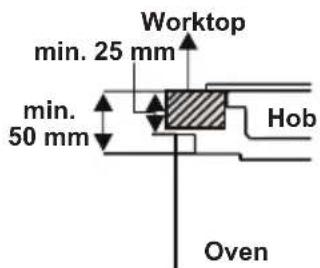
- The distance between the worktop and the top panel of the oven must be a minimum of 50 mm and the distance between the worktop and the top of control panel must be a minimum of 25 mm .
- The distance between the base of the
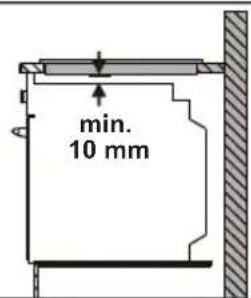
hob and the top panel of the oven must be a minimum of 10mm for air circulation.
Electrical Connection and Safety

WARNING: The electrical connection of this appliance should be carried out by an authorised service person or fitted electrician, according to the actions in this guide and in compliance the current local regulations.

WARNING: THE APPLIANCE MUST BE EARTHED.
- Before carrying out the connection to the power supply, the voltage rating of the appliance (stamped on the appliance identification plate) must be checked for correspondence to the available mains supply voltage, and the mains electric wiring should be capable of handling the appliance's power rating (also indicated on the identification plate).
During installation, please ensure that isolated cables are used. An incorrect connection might damage
your appliance. If the mains cable is damaged and needs to be replaced this should be done by a qualified personnel.
- Do not use adaptors, multiple sockets and/or extension leads.
- The supply cord should be kept away from hot parts of appliance and must not be bent or compressed. Otherwise the cord may be damaged, causing a short circuit.
- If the appliance is not connected to the mains with a plug, a multi-pole isolator switch (with at least 3mm contact spacing) must be used in order to meet the safety regulations.
- The appliance is designed for a power supply of 220-240V ~ and 380-415V 3N~. If your supply is different, contact the authorised service person or a qualified electrician.
- The power cable (H05VV-F) must be long enough to be connected to the appliance, even if the appliance stands on the front of its cabinet.
- Ensure all connections are adequately tightened.
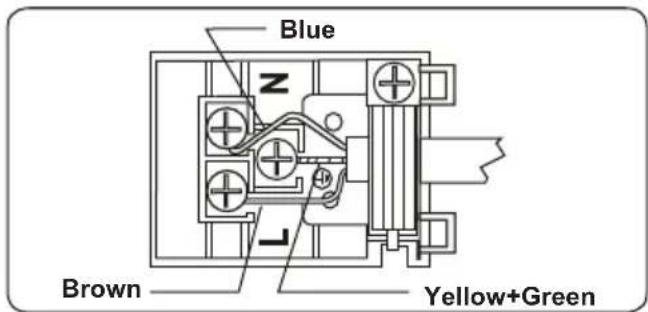
Fix the supply cable in the cable clamp and then close the cover. - The terminal box connection is placed on the terminal box.
3.PRODUCT FEATURES

Important: Specifications for the product vary and the appearance of your appliance may differ from that shown in the figures below.
List of Components
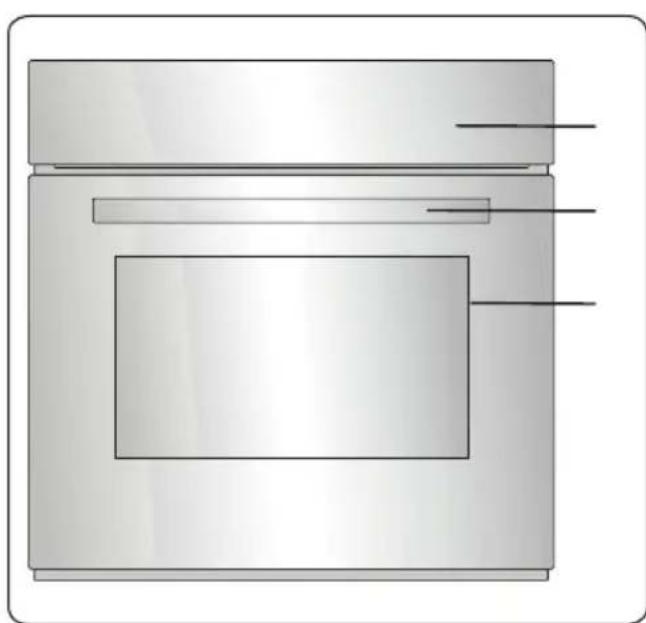
- Control Panel
- Oven Door Handle
- Oven Door
Control Panel
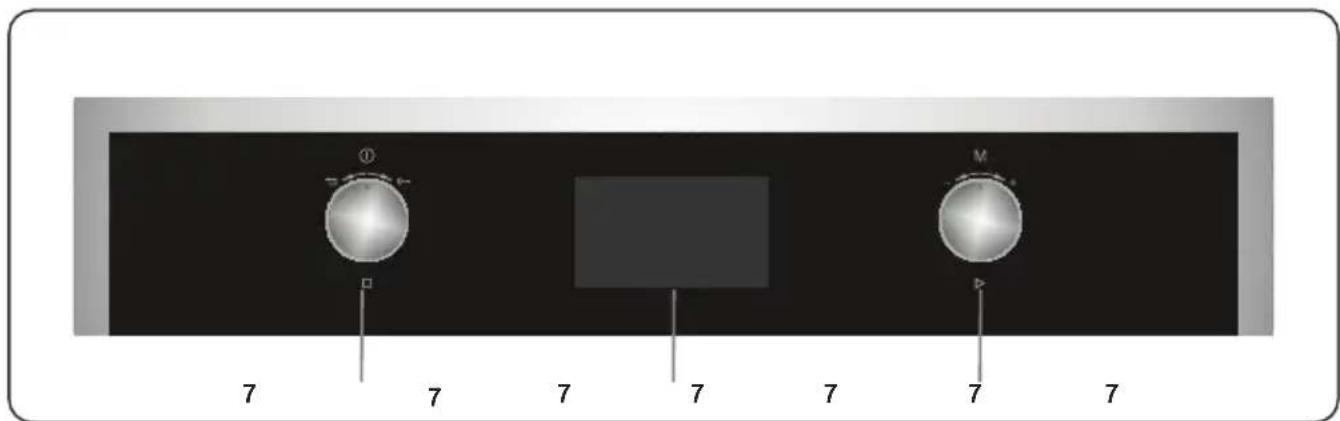
4.Left knob
5. Timer
6. Right knob
4. USE OF PRODUCT
4.1. Control of Oven
Left knob
- Long Push: Turn on / off
- Short Push: Pause Cooking
- Turn Right: Key Lock
- Turn Left : Undo / Go to Previous Menu
Right knob
- Push: Select / Start Cooking
- Turn Rigth: Menu Navigation / Increase Temperature
- Turn Left: Menu Navigation / Decrease Temperature
4.2. Oven Functions
- The functions of your oven may be different due to the model of your product.
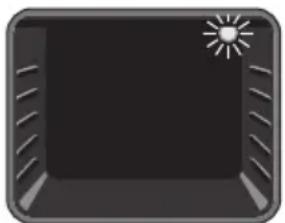
Oven Lamp: Only the oven light will be turned on. It remains on for the duration of the cooking function.
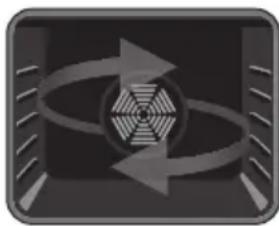
Defrost Function: The oven's warning lights will be turned on and the fan starts operating. To use the defrost function, take your frozen food and
place it in the oven on a shelf in the third slot from the bottom. It is recommended that you place an oven tray under the defrosting food, to catch the water accumulated due to melting ice. This function will not cook or bake your food, it will only help to defrost it.
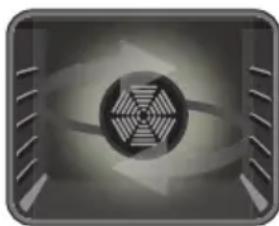
Turbo Function: The oven's thermostat and warning lights will be turned on and the ring heating element and fan will start operating. The turbo function
evenly disperses the heat in the oven. All food on all racks will be cooked evenly. It is recommended that you pre-heat the oven
for about 10 minutes.
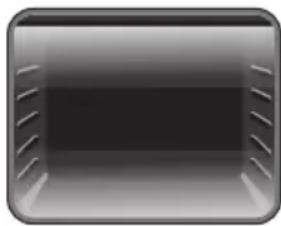
Static Cooking Function: The oven's thermostat and warning lights will be turned on and the lower and upper heating elements will start operating. The
static cooking function emits heat, ensuring even cooking of the food. This is ideal for making pastries, cakes, baked pasta, lasagne and pizza. Prehating the oven for 10 minutes is recommended and it is best to cook on only one shelf at a time in this function.
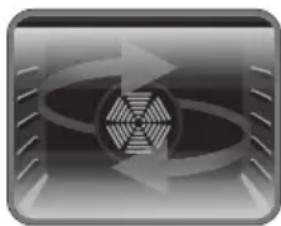
Fan Function: The Oven's thermostat and warning lights will turn on, the upper and lower heating elements and fan will start operating. This function
is very good when baking pastry. Cooking is carried out by the lower and upper heating elements within the oven and by the fan, which provides air circulation, giving a slightly grilled effect to the food. It is recommended that you pre-heat the oven for about 10 minutes. The fan and lower heating function is ideal for baking food such as pizza, evenly in a short period of time. While the fan evenly disperses the heat of the oven, the lower heating element bakes the food.
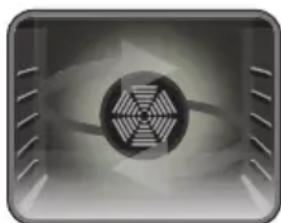
Pizza Function: The oven's thermostat and warning lights will be turned on. The ring, lower heating elements and fan will start operating. This function
is ideal for baking food, such as pizza, evenly in a short time. While the fan evenly disperses the heat of the oven, the lower heating element ensures baking of the food.
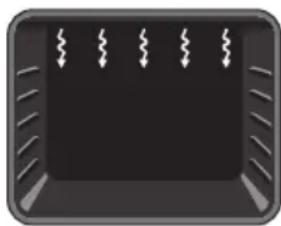
Grilling Function: The oven's thermostat and warning lights will be turned on, the grill heating element will start operating. This function is used for
grilling and toasting food. Use the upper shelves of the oven. Lightly brush the wire grid with oil to stop food sticking and place
food in the centre of the grid. Always place a tray beneath the food to catch any drips of oil or fat. It is recommended that you pre-heat the oven for about 10 minutes.

Warning: When grilling, the oven door must be closed and the oven temperature should be adjusted to C.
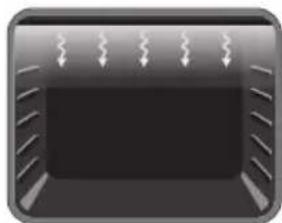
Faster Grilling
Function: The oven's thermostat and warning lights will be turned on. The grill and upper heating elements will start
operating. This function is used for faster grilling and for grilling a larger surface area, such as meat. Use the upper shelves of oven. Lightly brush the wire grid with oil to stop food sticking and place food in the centre of the grid. Always place a tray beneath the food to catch any drips of oil or fat. It is recommended that you pre-heat the oven for about 10 minutes.

Warning: When grilling, the oven door must be closed and the oven temperature should be adjusted to C.
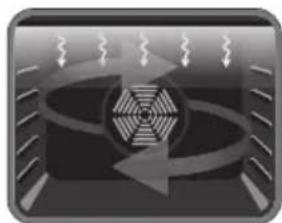
Double Grill and Fan Function: The oven's thermostat and warning lights will be turned on. The grill, upper heating elements and fan will
start operating. This function is used for faster grilling of thicker food and for grilling a larger surface area. Both the upper heating elements and grill will be energised along with the fan to ensure even cooking. Use the upper shelves of oven. Lightly brush the wire grid with oil to stop food sticking and place food in the centre of the grid. Always place a tray beneath the food to catch any drips of oil or fat. It is recommended that you pre-heat the oven for about 10 minutes.

Warning: When grilling, the oven door must be closed and the oven temperature should be adjusted to C.

Vap Clean Function: Set the oven function and thermostat to the Vap Clean function symbol. Pour 200-250ml of water (about 1 cup)
into the small tray on the oven base. Vap Clean runs for approximately 20 minutes and prepares your oven so that it can be
easily cleaned.
4.3. Use of Smart LCD Timer
Ready Cook is designed on the principles of making amateur users to be able to implement professional recipes easily with auto cooking functions, and enabling housewives to implement their own inspired recipes with combinated manual cooking functions. Using a user-friendly interface with the help of colored TFT display creates the charm of Ready Cook compared to existing ovens on the market. Ready Cook's menus, such as manual cooking, auto cooking, favorites, cleaning and settings, are described as below.
Manual cooking
Every cooking setting can be set by the user in manual cooking mode. Seven different cooking functions, temperature, boost function, cooking duration and cooking end time can be selected. With the flexibility of manual cooking any cooking can be performed by users to suit their own taste.
To use the manual cooking menu, follow the steps below:
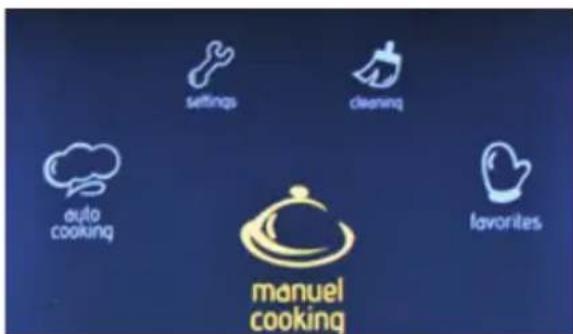
On the main menu
- Rotate the right knob in either direction until Manual Cooking is highlighted.
- Push the right knob to select the highlighted option.
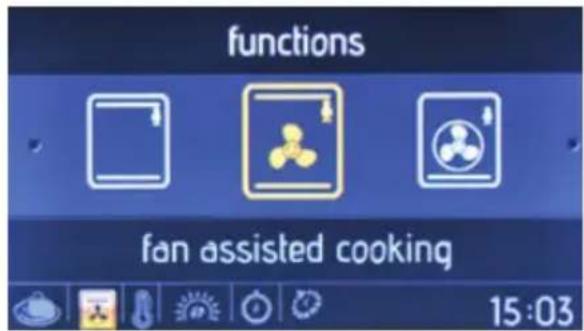
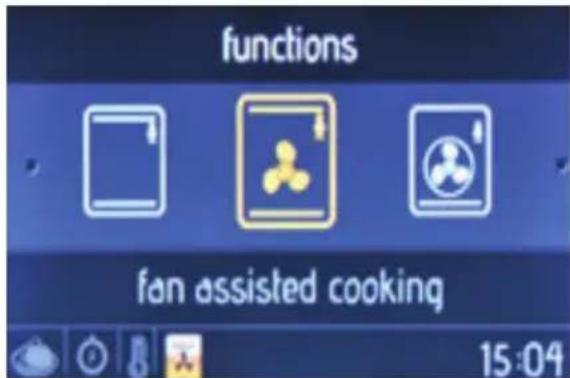
Oven function
- Rotate the right knob in either direction to navigate between the available oven functions.
- Push the right knob to select the highlighted option.
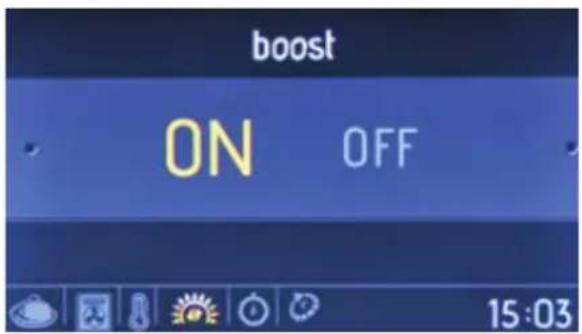
Boost
- Rotate the right knob in either direction to highlight Boost On or Off.
- Push the right knob to select the highlighted option.
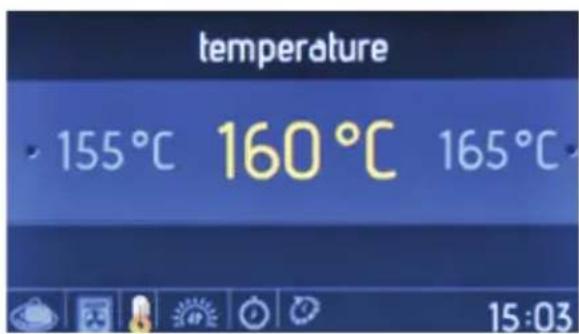
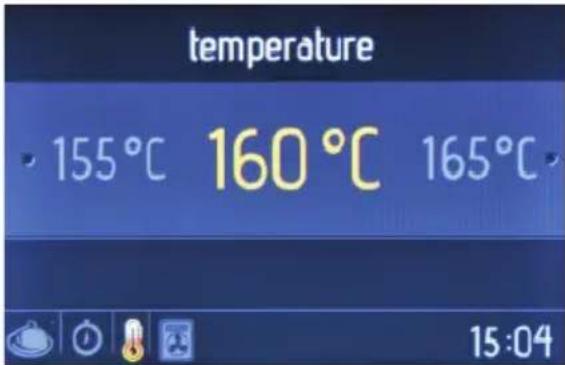
Temperature
- Rotate the right knob in either direction to navigate between the available temperature settings.
- Push the right knob to select the highlighted option.
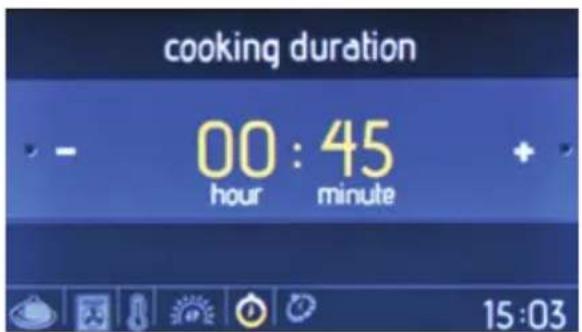
Cooking duration
- Rotate the right knob in either direction to change the cooking duration.
- Push the right knob to set the cooking duration.
NOTE: If cooking duration is set to 00:00, cooking continues until you manually stop it.
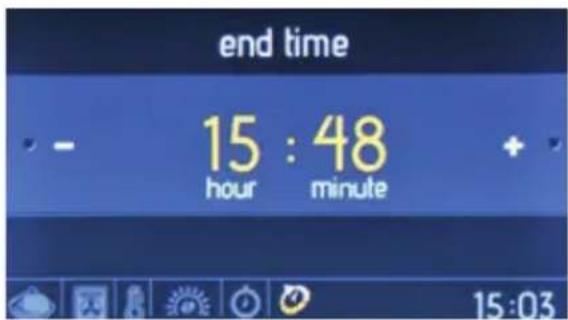
Cooking end time
- Rotate the right knob in either direction to change the cooking end time.
- Push the right knob to set the cooking end time.
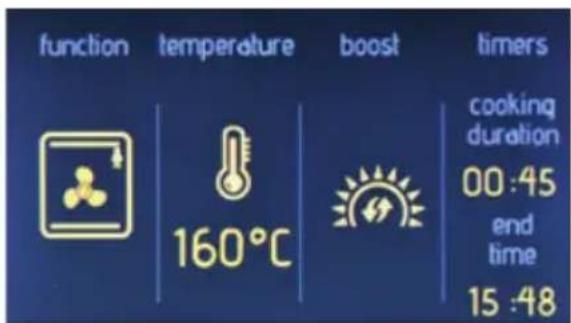
On the information screen
- Cooking is started within 10 seconds, or when the right knob is pushed.
- Rotate the left knob to the left to go back through the previous setting screens.
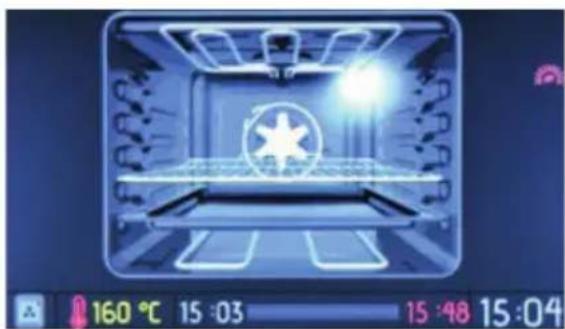
On the animation screen
Cooking time
Temperature
- Cooking start & end time
- Cooking function information
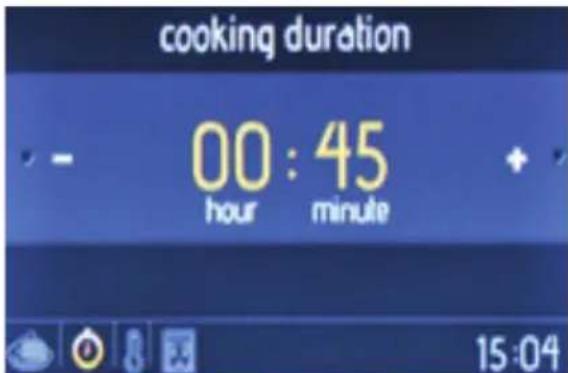
On the animation screen
- Push the left knob to stop cooking
- Push the right knob to start and continue cooking
- Rotate the right knob in either direction to change the temperature
While any cooking function is active, rotate the left knob to the left to display setting screens in order of oven function, temperature and cooking time - To stop cooking and return to the main menu, push the left knob and then rotate it to the left
Auto cooking
Predetermined receipes which are prepared by professional cooks are can be used by the end user with the auto cooking menu. In the auto cooking menu, only the name of the meal is selected by the user - every
cooking setting, such as cooking function, duration and temperature is set by the Ready cook automatically.
To use auto cooking menu, follow the steps below:
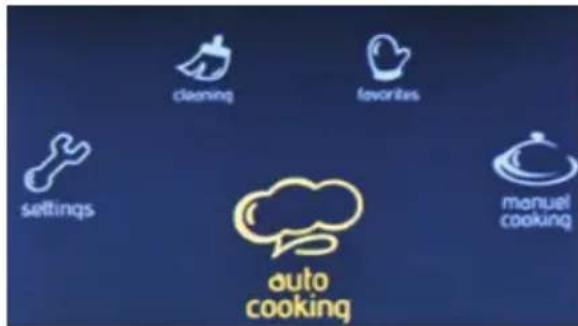
On the main menu
- Rotate the right knob in either direction until Auto Cooking is highlighted.
- Push the right knob to select the highlighted option.
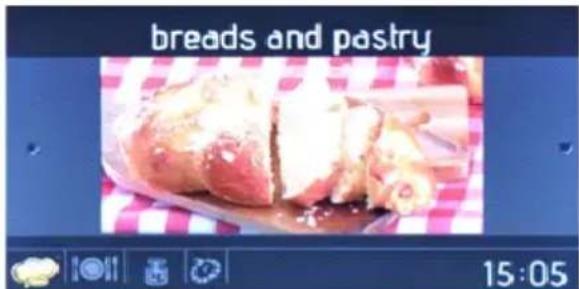
Food categories
- Can be changed by rotating righth knob to righth/left.
- Can be selected by pushing righth knob.
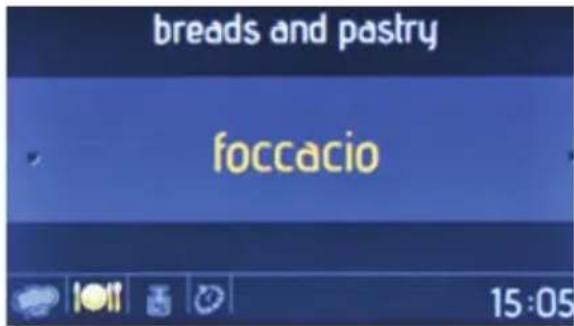
Food names
- Rotate the right knob in either direction to navigate between the available food names.
- Push the right knob to select the highlighted option.
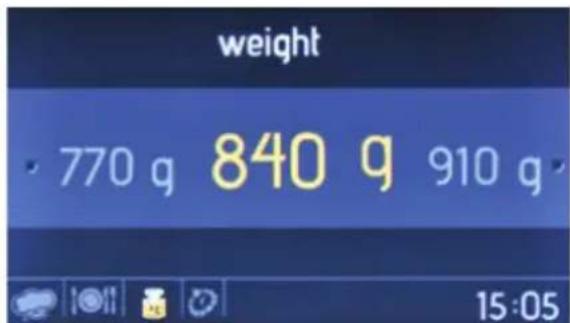
Food weight
- Rotate the right knob in either direction to change the weight.
- Push the right knob to set the weight.
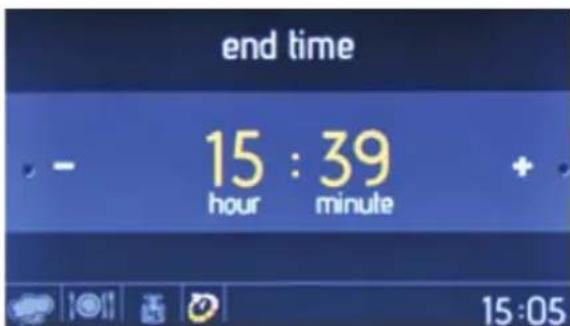
Cooking end time
- Rotate the right knob in either direction to change the cooking end time.
- Push the right knob to set the cooking end time.
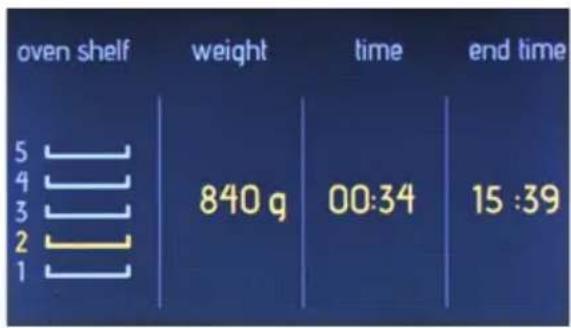
On the information screen
- Cooking is started within 10 seconds, or when the right knob is pushed.
- Rotate the left knob to the left to go back through the previous setting screens.
To achieve the best cooking performance, the tray should placed on the displayed shelf.
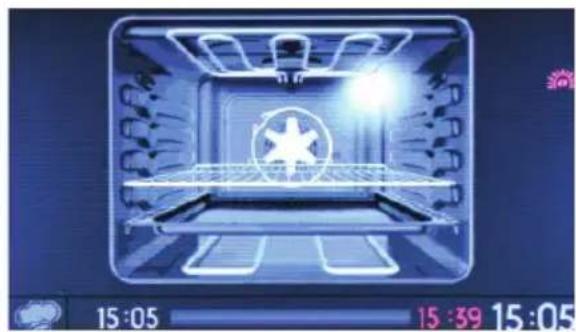
On the animation screen
- Push the left knob to stop cooking
- Push the right knob to start and continue cooking
- To stop cooking and return to the main menu, push the left knob and then rotate it to the left
Favorites
You can save your manual cooking settings, allowing you to quickly select the same cooking settings at any time. At the end of the manual cooking menu, after cooking duration, you are asked whether you want to save the settings to your favourites.
To create a favorite cooking setting, use the edit function beneath the favorites menu.
To start a selected favorite function, follow the steps below:
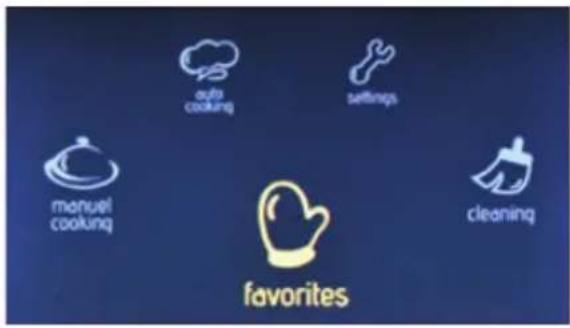
On the main menu
- Rotate the right knob in either direction until Favourites is highlighted.
- Push the right knob to select the highlighted option.
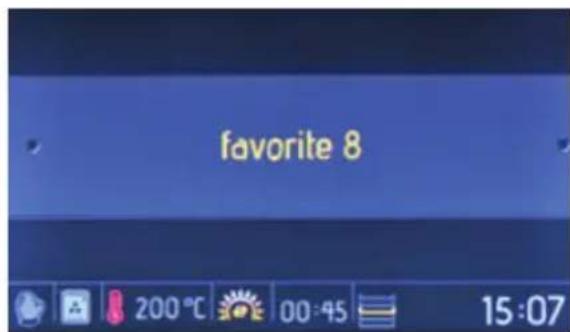
Favorites
- Rotate the right knob in either direction to navigate between the available options.
- Push the right knob to select the highlighted option.
- The settings stored in the favourite are displayed at the bottom of the screen.
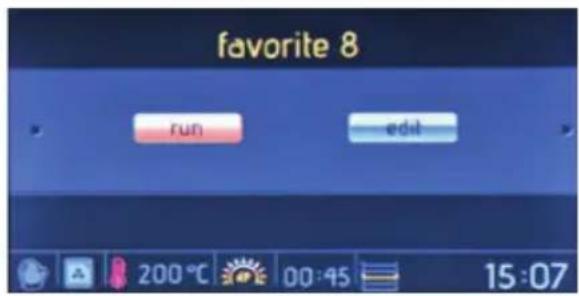
On the run/edit screen
- Rotate the right knob to highlight Run.
- Push the right knob to select Run.
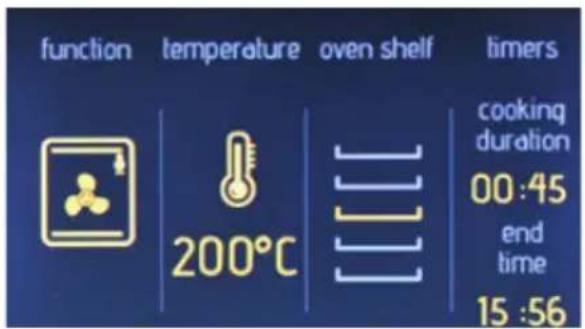
On the information screen
- Cooking is started within 10 seconds, or when the right knob is pushed.
- Rotate the left knob to the left to go back through the previous setting screens.
To achieve the best cooking performance, the tray should be placed on the displayed shelf.
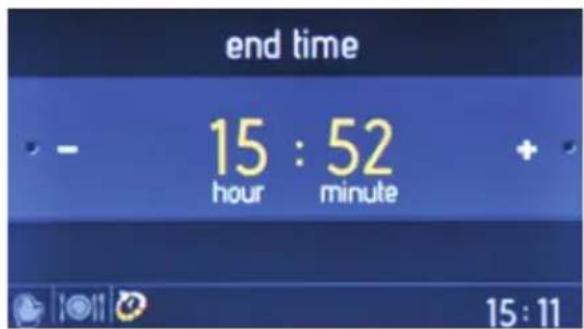
Cooking end time
- Rotate the right knob in either direction to change the cooking end time.
- Push the right knob to set the cooking end time.
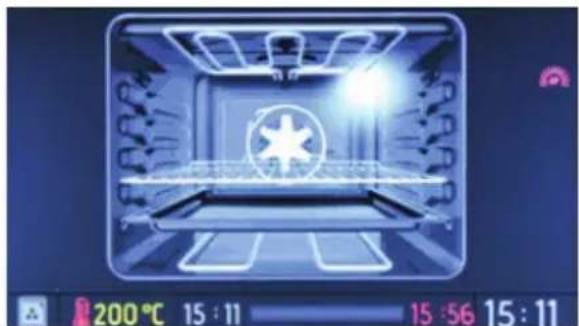
On the animation screen
- Push the left knob to stop cooking.
- Push the right knob to start and continue cooking.
- To stop cooking and return to the main menu, push the left knob and rotate it to the left.
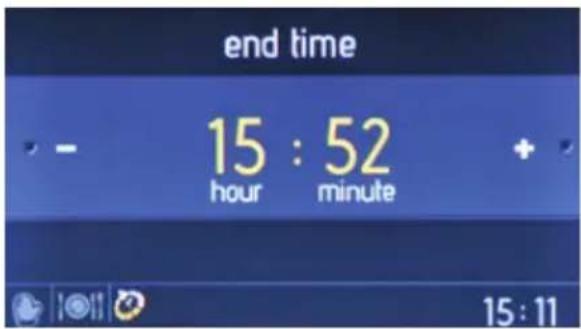
Cooking end time
- Rotate the right knob in either direction to change the cooking end time.
- Push the right knob to set the cooking end time.
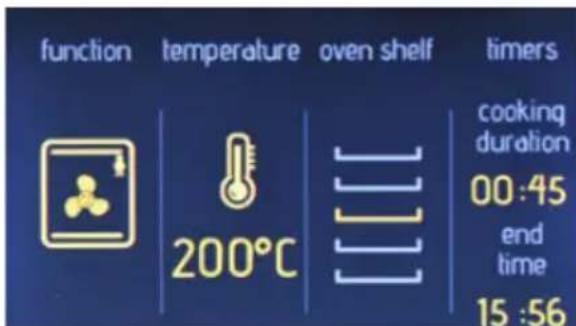
On the information screen
- Cooking is started within 10 seconds, or when the right knob is pushed.
- Rotate the left knob to the left to go back through the previous setting screens.
To achieve the best cooking performance, the tray should be placed on the displayed shelf.
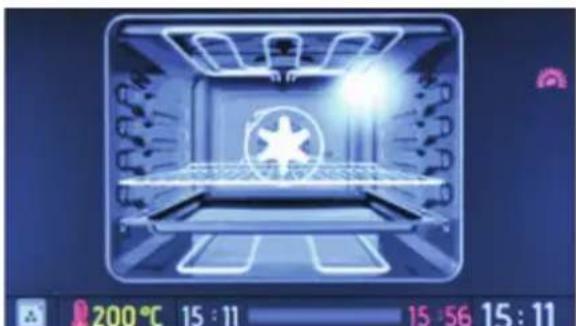
On the animation screen
- Push the left knob to stop cooking.
- Push the right knob to start and continue cooking.
To stop cooking and return to the main menu, push the left knob and rotate it to the left.
To edit any favorites setting, follow the steps below:
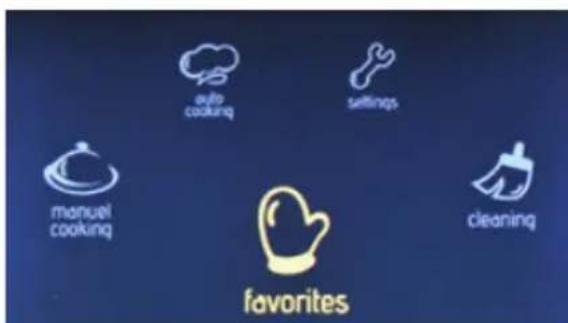
On the main menu
- Rotate the right knob in either direction until Favourites is highlighted.
- Push the right knob to select the highlighted option.
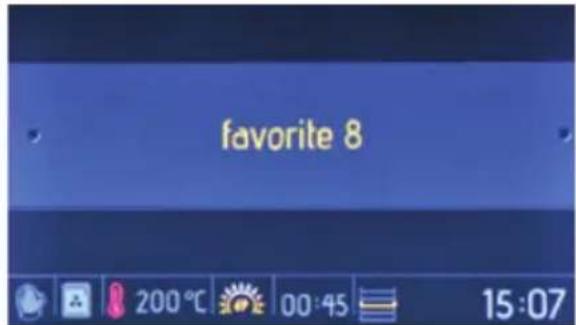
Favorites
- Rotate the right knob in either direction to navigate between the available options.
- Push the right knob to select the highlighted option.
- The settings stored in the favorite are displayed at the bottom of the screen.
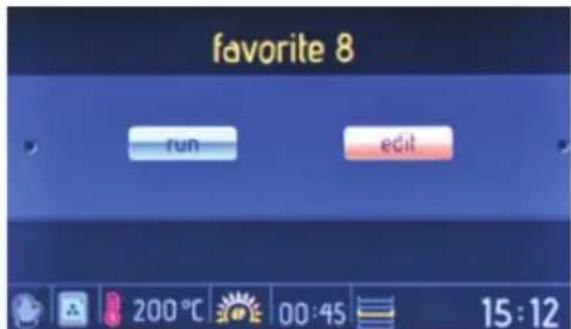
On the run/edit screen
- Rotate the right knob to highlight Edit.
- Push the right knob to select Edit.
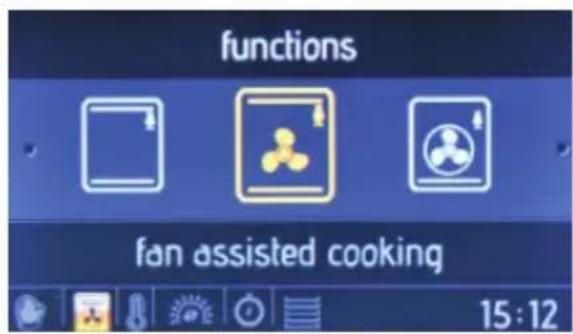
Oven function
- Rotate the right knob in either direction to navigate between the available over functions.
- Push the right knob to select the highlighted option.
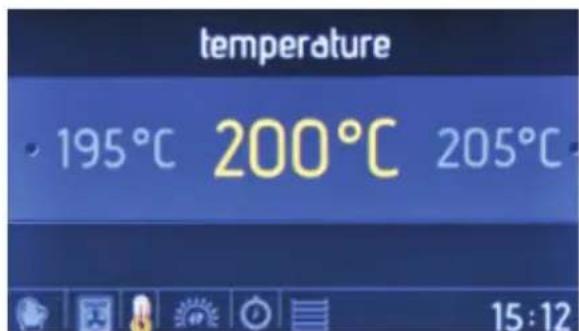
Temperature
- Rotate the right knob in either direction to navigate between the available temperature settings.
- Push the right knob to select the highlighted option.
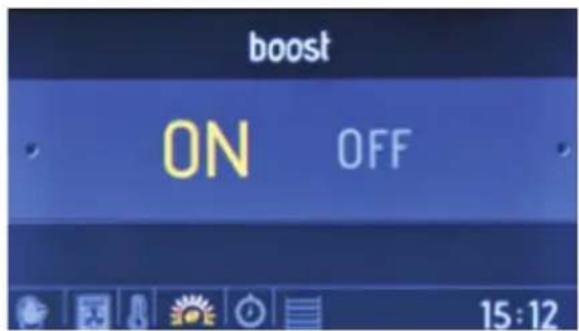
Boost
- Rotate the right knob in either direction to highlight Boost On or Off.
- Push the right knob to select the highlighted option.
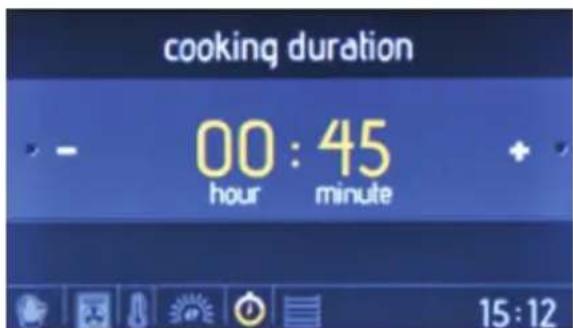
Cooking duration
- Rotate the right knob in either direction to change the cooking duration.
- Push the right knob to set the cooking duration.
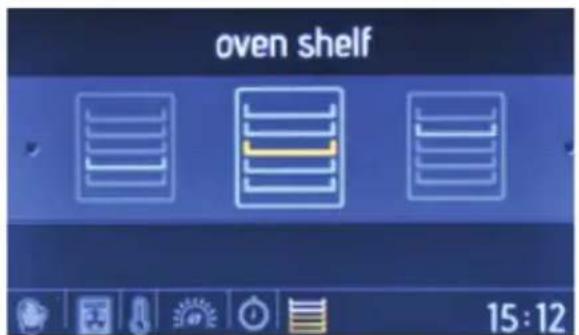
Oven shelf
- Rotate the right knob in either direction to navigate between the available oven shelves.
- Push the right knob to select the shelf
- For the same cooking performance each time, oven shelf information is important.
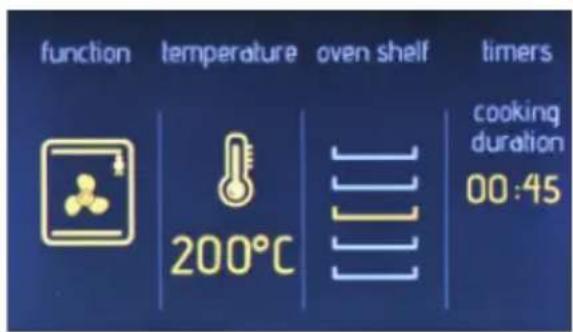
On the information screen
- Rotate the left knob to the left to go back through the previous setting screens.
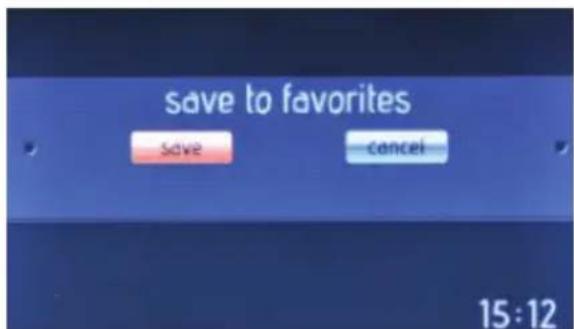
Save to favorites
- Rotate the right knob to highlight Save (to save the settings) or Cancel (to discard the settings).
- Push the right knob to select the highlighted option.
Cleaning
With Vapclean function, dried food leftovers inside the oven cavity are softened with vapor. To perform Vapclean, pour a glass of water onto the oven shelf at the bottom of the oven.
To perform Vaplean, follow the steps below:
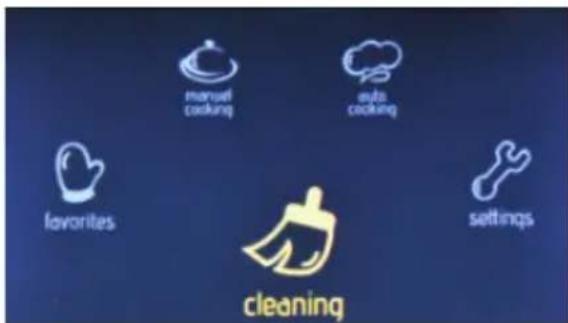
On the main menu
- Rotate the right knob in either direction until Cleaning is highlighted.
- Push the right knob to select the highlighted option.
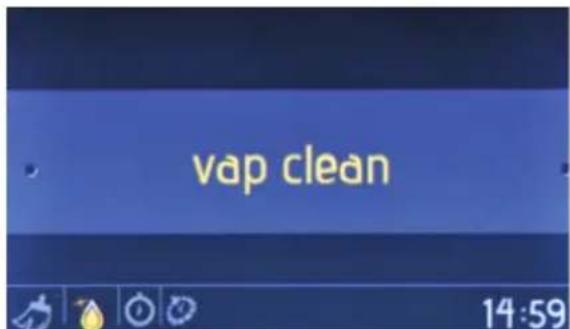
On the function selection screen
- Push the right knob to select Vapclean.
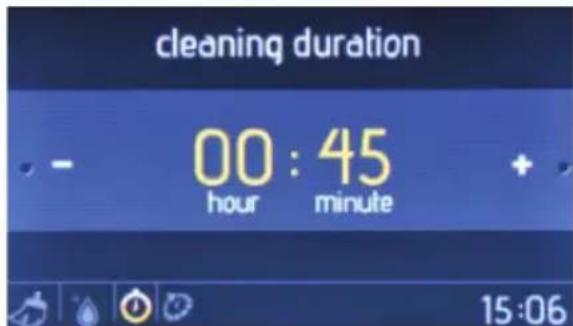
Cleaning duration
- Rotate the right knob in either direction to change the cleaning duration.
- Push the right knob to set the cleaning duration.
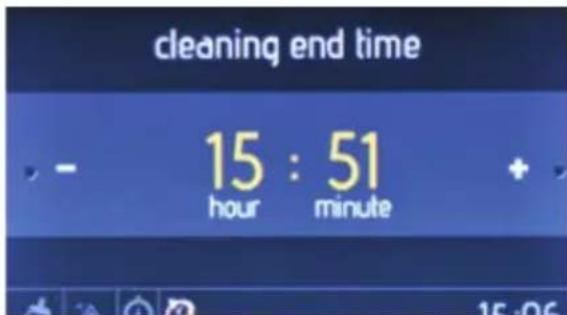
Cleaning end time
- Rotate the right knob in either direction to change the cleaning end time.
- Push the right knob to set the cleaning end time.
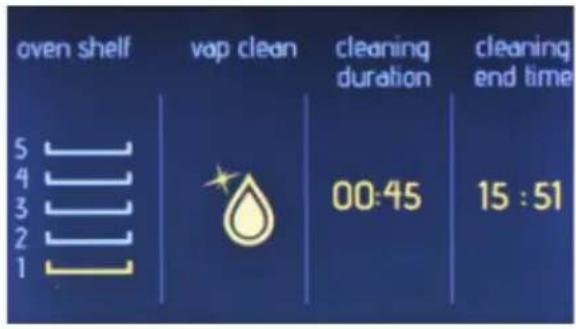
On the information screen
- Cleaning is started within 10 seconds, or when the right knob is pushed.
- Rotate the left knob to the left to go back through the previous setting screens.
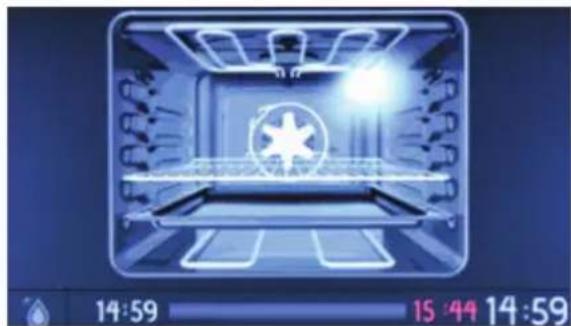
On the animation screen
- Push the left knob to stop cleaning.
- Push the right knob to start and continue cleaning.
- To stop cleaning and return to the main menu, push the left knob and rotate it to the left.
Settings
On the settings menu, date, time, screen brigthness, buzzer tone and language options can be set.
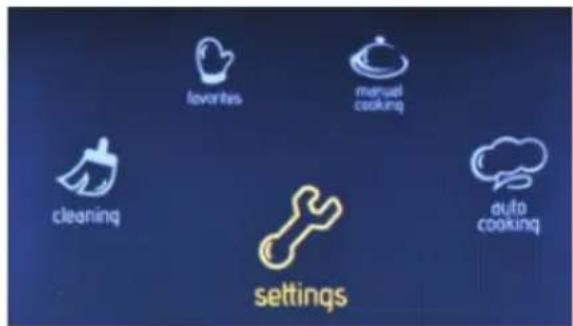
On the main menu
- Rotate the right knob in either direction until Settings is highlighted.
- Push the right knob to select the highlighted option.
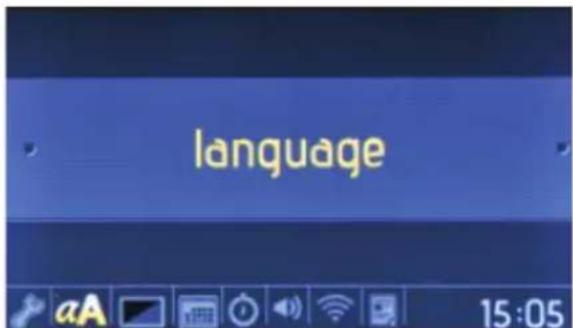
On the languages menu
- Rotate the right knob in either direction to change the language.
- Push the right knob to set the language.
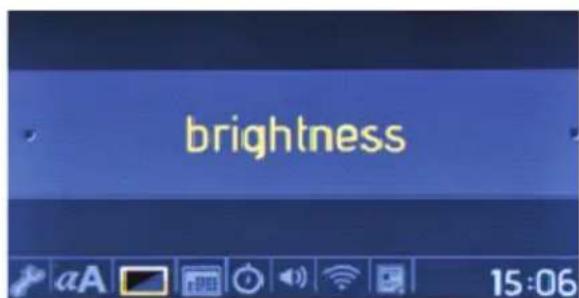
On the brightness menu
- Rotate the right knob in either direction to change the screen brightness between 0 and 4.
- Push the right knob to set the screen brightness.
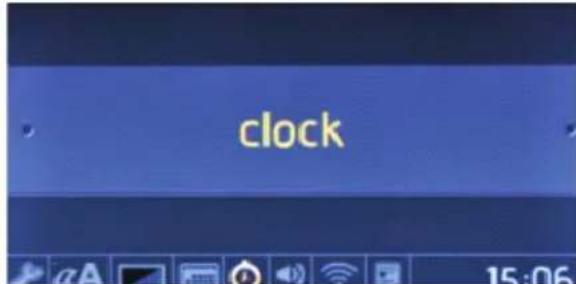
On clock menu
- Can be navigated by roating righth knob.
- Time can be set by pushing righth knob.
Time is set in order of minute and hour.
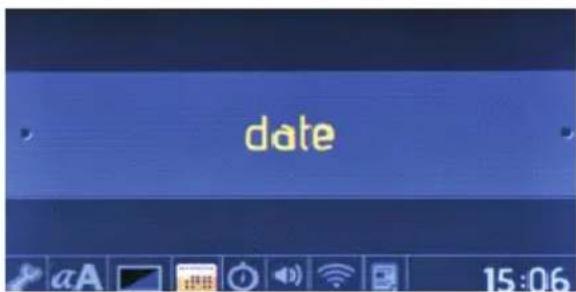
On the date menu
- Rotate the right knob in either direction to change the date.
- Push the right knob to set the date.
- Date is set in the format: month, day, year.
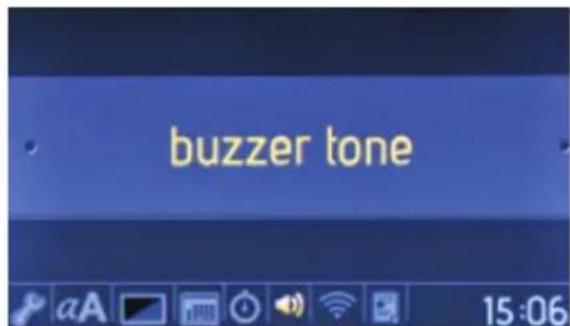
On the buzzer tone menu
- Rotate the right knob in either direction to choose from 3 different buzzer tones.
- Push the right knob to set the buzzer tone.
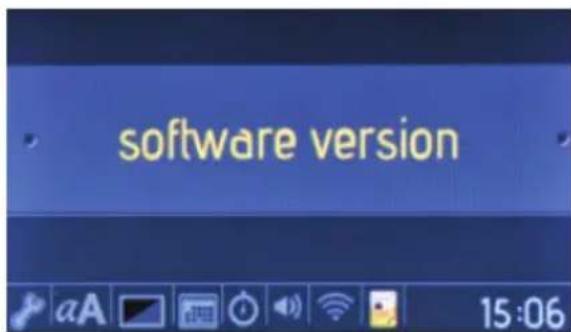
On the software version menu
- The software version is displayed as information only. It cannot be changed.
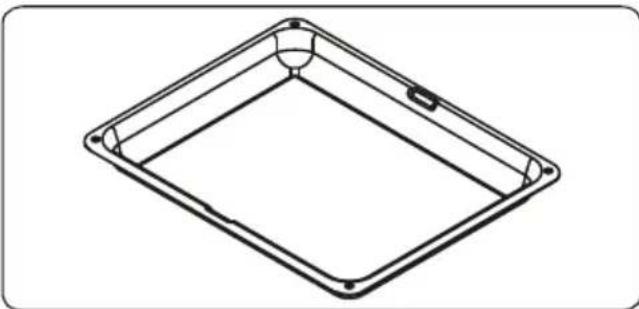
Small Tray
The small tray is used when baking pastry, such as flans, etc.
To locate the tray correctly in the cavity, put it on wire grid by centring.
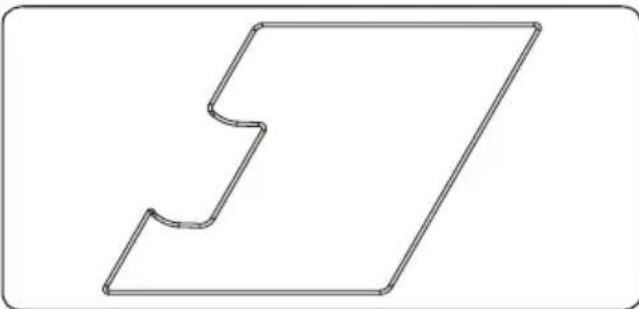
Telescopic Rail Wire
Telescopic rail wire holds the telescopic rail together and allows for synchronisation of movement.
Key lock
Key lock is used to avoid changing the oven settings unintentionally. To activate or deactivate the key lock, rotate the left knob to the left and hold it for 3 seconds. When the key lock is engaged only the "ON/OFF" button can be activated. All other buttons are locked.Deep Tray
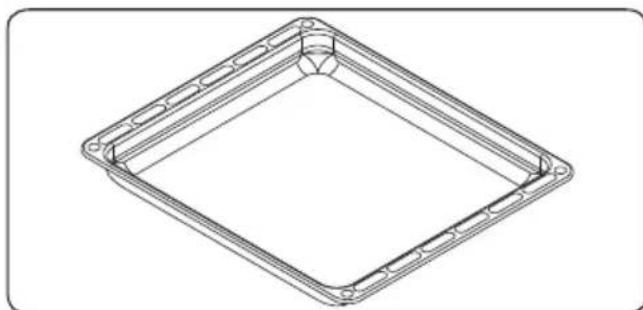
The deep tray is used when cooking stews. To locate the tray correctly in the cavity, put it to any rack and push it up to the end.
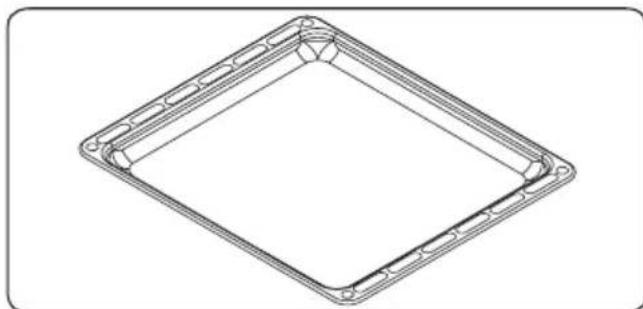
Shallow Tray
The shallow tray is used when baking pastry, such as flans, etc.
To locate the tray correctly in the cavity, put it to any rack and push it up to the end.
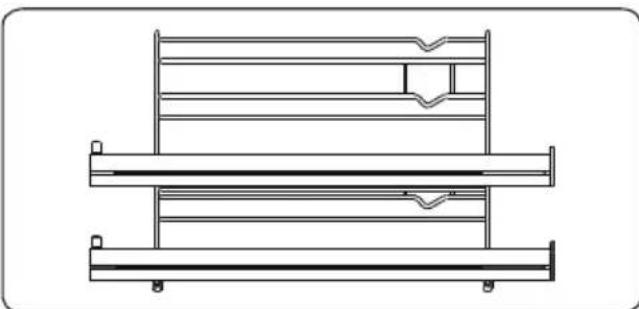
Wire Rack with Two Full Extension Telescopic Rails
Two of the shelves in the wire rack are fully telescopic; they extend out fully on ball bearings to allow easy access to your food.
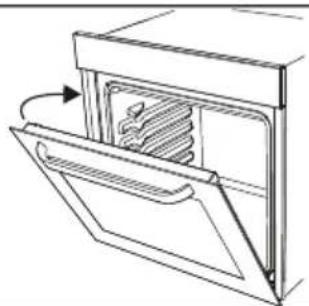
Soft Close Oven Door
The oven door is closed slowly by itself, when it is released just before closed position.
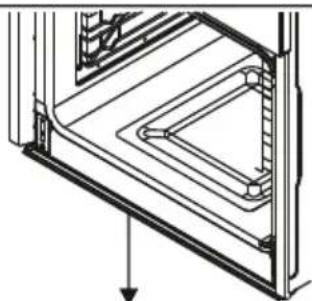
Water Collector
There may be condensation on the inner glass in some cases depending on the food. This is not a product malfunction.
Open oven door till grill position and stay at that position for 20 seconds.
Water drips to collector.
Cool the oven and wipe with a dry towel. That procedure must apply regularly.
5. CLEANING AND MAINTENANCE
5.1. Cleaning

WARNING: Switch off the appliance and allow it to cool down before cleaning your appliance.
General Instructions
-
Check whether the cleaning materials are appropriate and recommended by the manufacturer before using on your appliance.
-
Use cream cleaners or liquid cleaners which do not contain particles. Do not use caustic (corrosive) creams, abrasive cleaning powders, rough wire wool or hard tools as they may damage the cooker surfaces.
Do not use cleaners that contain particles, as they might scratch the glass, enameled and/or painted parts of your appliance.
- Should any liquids overflow, clean them up immediately to avoid parts becoming damaged.

Do not use steam cleaners for cleaning any part of the appliance.
Cleaning the inside of the Oven
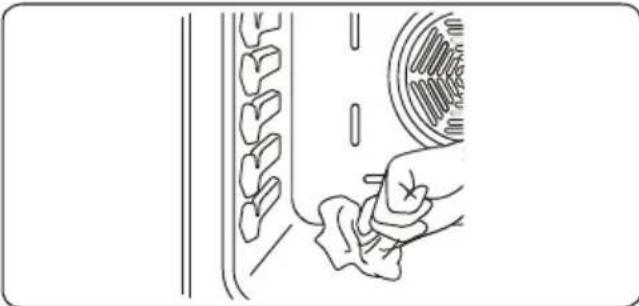
- The inside of enamelled ovens are best cleaned when the oven is warm.
- Wipe the oven with a soft cloth soaked in soapy water after each use. Then wipe the oven over again with a wet cloth and then dry it.
- You may need to use a liquid cleaning material occasionally to completely clean the oven.
Cleaning the Glass Parts
Clean the glass parts of your appliance on a regular basis.
- Use a glass cleaner to clean inside and outside of the glass parts, then rinse and dry them thoroughly with a dry cloth.
Cleaning the Stainless Steel Parts (If available)
Clean the stainless steel parts of your appliance on a regular basis.
- Wipe the stainless steel parts with a soft cloth soaked in only water. Then dry them thoroughly with a dry cloth.
Do not wash the stainless steel parts when they are still hot from cooking.
Do not leave vinegar, coffee, milk, salt, water, lemon or tomato juice on the stainless steel for a long time.
Removal of inner Glasses
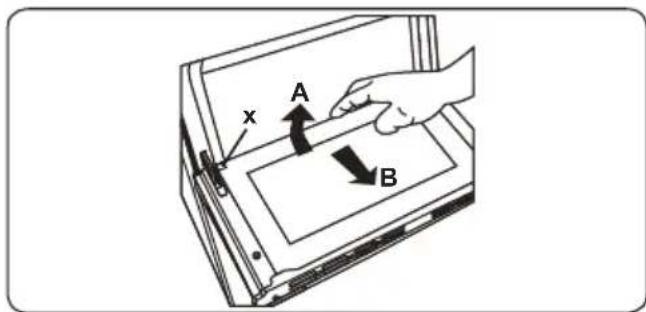
Before cleaning the oven door glass, you must remove the inner glass as shown:
- Push the glass towards direction B and release from the location bracket (x). Pull out the glass towards direction A.
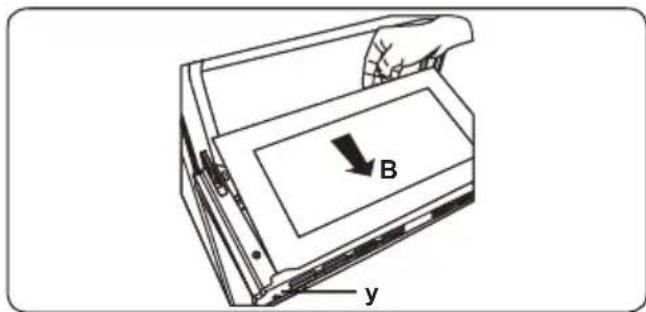
To replace the inner glass;
- Push the glass towards and under the under the location bracket (y) towards to direction B.
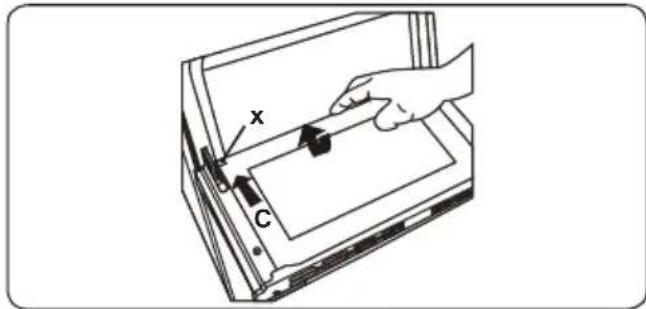
- Place the glass under the location bracket (x) towards to direction C.

If the oven door is a triple glass oven door, the third glass layer can be removed the same way as the second.
5.2. Removal of oven door
Before cleaning the oven door glass, you must remove the inner glass as shown:
- Open the oven door.
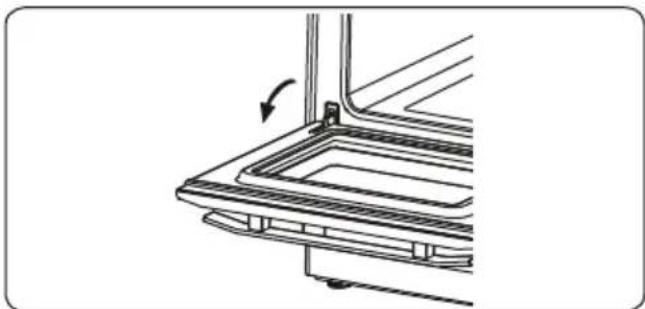
- Open the saddle bracket (a)(with the aid of a screwdriver) up to the end position.
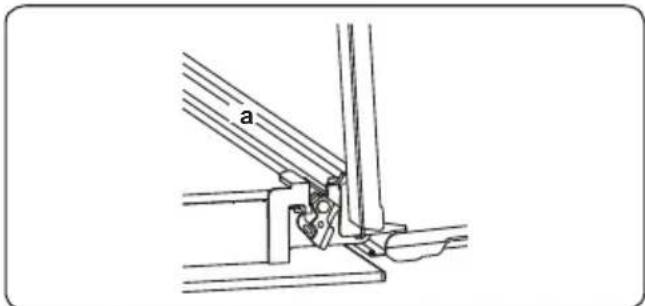
- Close the door until it almost reaches the fully closed position and remove the door by pulling it towards you.
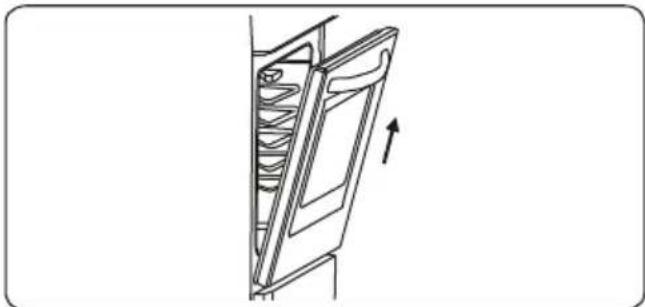
Removal of Wire Shelf
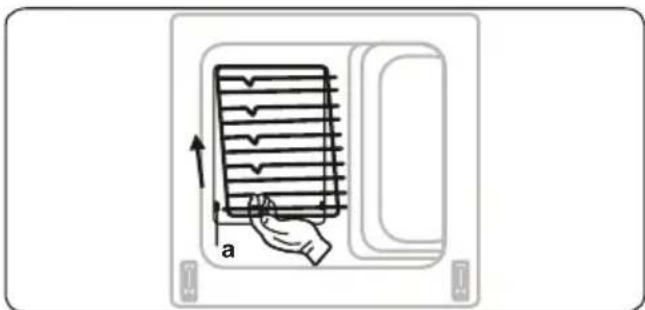
To remove the wire rack;
Pull the wire rack as shown in the figure.
After releasing it from clips (a), lift it up.
Maintenance

WARNING: The maintenance of this appliance should be carried out by an authorised service person or qualified technician.
Change of Oven Lamp
WARNING: Switch off the appliance
and allow it to cool down before cleaning your appliance.
- Remove the glass lens and then remove the bulb.
- Insert the new bulb (resistant to 300°C ) to replace the bulb that you removed (230 V, 15-25 Watt, Type E14).
- Replace the glass lens, then your oven is ready for use.

The lamp design is designed specifically for use in household cooking appliances. It is not suitable for
household room illumination.
6. TROUBLE SHOOTING&TRANSPORT
6.1. Trouble shooting

After checking these basic trouble shooting, if you have still problem with your appliance, please contact with an authorised service person or qualified technician.
| Problem Possible | Cause Solution | |
| Oven does not turn on. Power is turned off. | Oven temperature control is incorrectly set.Oven door has been left open. | Check whether there is power supplied. Also check that other kitchen appliances are working. |
| No heat or oven does not warm up. | Check the oven temperature control knob is set correctly. | |
| Oven light (if available) does not operate. | Lamp has failed.Electrical supply is disconnected or switched off. | Replace lamp according to the instructions.Make sure the electrical supply is turned on at wall socket outlet. |
| Cooking is uneven within the oven. | Oven shelves are incorrectly positioned. | Check that the recommended temperatures and shelf positions are being used.Do not frequently open the door unless you are cooking things that need to be turned. If you open the door often, the interior temperature will be lower and this may affect the results of your cooking. |
| The timer buttons cannot be pressed properly. | If there is foreign matter caught between the timer buttons Touch model: if there is moisture on the control panel If the key lock function is set | Remove the foreign matter and try again.Remove the moisture and try again.Check whether the lock function is set. |
| The oven fan (if avaliable) is noisy. | Oven shelves are vibrating. | Check that the oven is level.Check that the shelves and bakeware are not vibrating in contact with the oven back panel. |
| The cooling fan continues to operate after the oven is turned off. | Electronic controlled oven's fan automatically runs for a certain amount of time to cool down the oven | The fan turns off automatically when the electronic components have cooled sufficiently. |
| The oven has switched itself off. | Electronic controlled ovens turns off itself if no function is in operation. | The oven will switch itself off automatically to save energy if no other action is taken within a certain time frame after switching it on or after the end of a cooking programme. |
| If the door is opened during a fan assisted function, the internal fan stops. | Electronic controlled ovens with door switch stops cooking if oven door is opened. | It is a normal operation of the appliance, useful when cooking foods in order to avoid excessive heat escaping. When the door is closed, the oven will restart to normal operation. |
6.2. Transport
If you need to transport the product, use the original product packaging and carry it using its original case. Follow the transport signs on the packaging. Tape all independent parts to the product to prevent damaging the product during transport.
If you do not have the original packaging; prepare a carriage box so that the appliance, especially the external surfaces of the product, are protected against external threats.
| Brand | TELEFUNKEN | |
| Model TFEO60EDS10A++ | ||
| Type of Oven ELECTRIC | ||
| Mass kg 37,0(+/-2) | ||
| Energy Efficiency Index - conventional | 98,8 | |
| Energy Efficiency Index - fan forced | 61,9 | |
| Energy Class A++ | ||
| Energy consumption (electricity) - conventional kWh/cycle | 0,78 | |
| Energy consumption (electricity) - fan forced kWh/cycle | 0,52 | |
| Number of cavities 1 | ||
| Heat Source ELECTRIC | ||
| Volume I 69 | ||
| This oven complies with EN 60350-1 | ||
| Energy Saving Tips Oven - Cook the meals together, if possible. - Keep the pre-heating time short. - Do not elongate cooking time. - Do not forget to turn-off the oven at the end of cooking. - Do not open oven door during cooking period. | ||
Declaration of conformity
We declare that our products meet the applicable European Directives, Decisions and Regulations and the requirements listed in the standards referenced.
CE
Disposal of the device
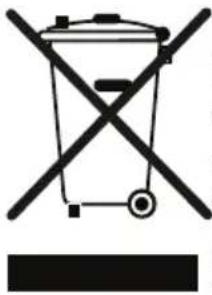
Old devices cannot be placed in the household waste!
If the device can no longer be used, every consumer is legally obliged to hand in devices separately from household waste e.g. at a collection site of their local authority / borough. This ensures that the devices are properly recycled and negative effects on the environment are avoided.
Therefore, electrical devices are marked with the symbol depicted.
Recycling

Our packaging is made of environmentally-friendly, recyclable materials:
External packaging made of cardboard
Moulded parts made of CFC-free polystyrene (PS)
Films and bags made of polyethylene (PE)
Wrapping straps made of polypropylene (PP).
If you have sufficient space to permit it, we recommend you retain the packaging, at least during the warranty period. If the device must be returned for repair or brought into a repair drop-off centre, the device is only adequately protected in the original packaging.
If you want to no longer retain the packaging, please dispose of this in an environmentally friendly manner.
3. CARACTERISTIQUES DU PRODUIT


- WARNING: DIESES GERÄT MULLS GEERDET WERDEN.
- Thank you for choosing this product.
- CONTENTS
- SAFETY INSTRUCTIONS 35
- 2INSTALLATION AND PREPARATIONS FOR USE 40
- 3.PRODUCT FEATURES 43
- 5.CLEANING AND MAINTENANCE 58
- 6.TROUBLE SHOOTING&TRANSPORT 61
- SAFETY INSTRUCTIONS
- General SafetyWarnings
- InstallationWarnings
- During Usage
- During Cleaning and Maintenance
- INSTALLATION AND PREPARATIONS FOR USE
- Instructions for the Installer General instructions
- Installation of the Oven
- If the oven is installed under a hob:
- Electrical Connection and Safety
- 3.PRODUCT FEATURES
- List of Components
- Control Panel
- USE OF PRODUCT
- Control of Oven
- Left knob
- Right knob
- Oven Functions
- Faster Grilling
- Use of Smart LCD Timer
- Manual cooking
- On the main menu
- Oven function
- Boost
- Temperature
- Cooking duration
- Cooking end time
- On the information screen
- On the animation screen
- Auto cooking
- Food categories
- Food names
- Food weight
- Favorites
- On the run/edit screen
- Oven shelf
- Save to favorites
- Cleaning
- On the function selection screen
- Cleaning duration
- Cleaning end time
- Settings
- On the languages menu
- On the brightness menu
- On clock menu
- On the date menu
- On the buzzer tone menu
- On the software version menu
- Small Tray
- Telescopic Rail Wire
- Key lock
- Shallow Tray
- Wire Rack with Two Full Extension Telescopic Rails
- Soft Close Oven Door
- Water Collector
- CLEANING AND MAINTENANCE
- Cleaning
- General Instructions
- Cleaning the inside of the Oven
- Cleaning the Glass Parts
- Cleaning the Stainless Steel Parts (If available)
- Removal of inner Glasses
- Removal of oven door
- Removal of Wire Shelf
- Maintenance
- Change of Oven Lamp
- TROUBLE SHOOTING&TRANSPORT
- Trouble shooting
- Transport
- CE
- Disposal of the device
- Recycling
- CARACTERISTIQUES DU PRODUIT
Brand : TELEFUNKEN
Model : TFEO60EDS10A
Category : Oven