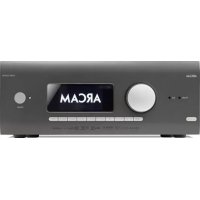
AVR10 - Home Theater System ARCAM - Free user manual and instructions
Find the device manual for free AVR10 ARCAM in PDF.

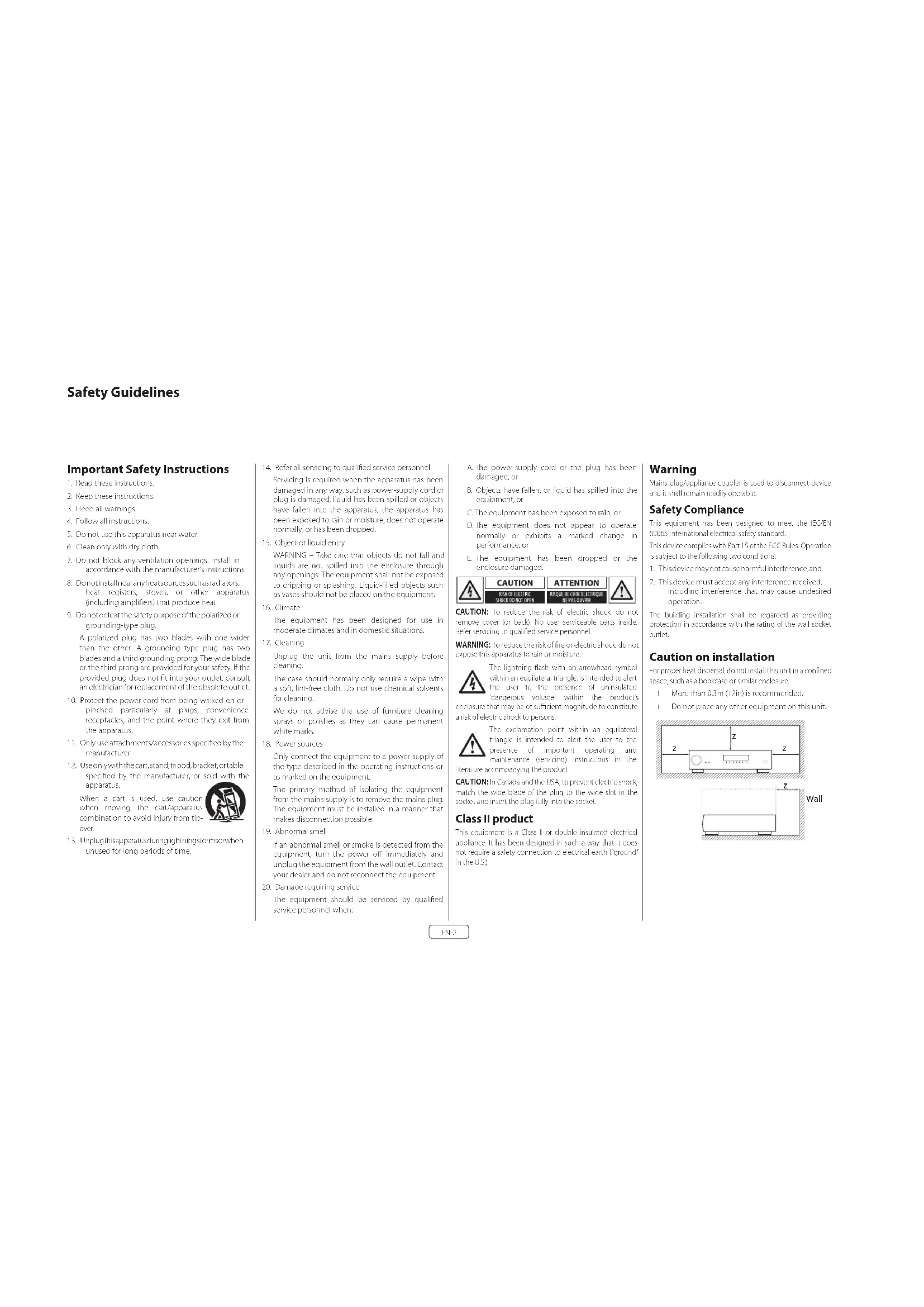


| Product type | Home theater audio-video receiver |
| Brand | Arcam |
| Model | AVR10 |
| Number of amplifier channels | 7 channels |
| Output power (2 channels, 8 Ω, 20 Hz-20 kHz, <0.07% THD) | 80 W per channel |
| Output power (7 channels, 1 kHz, 0.3% THD) | 60 W per channel |
| Supported audio formats | Dolby Atmos, Dolby TrueHD, DTS:X, DTS-HD Master Audio, Auro-3D, MQA, FLAC, WAV, AAC, MP3 |
| Network connectivity | Ethernet, Wi-Fi, Bluetooth 5.0 |
| Wireless streaming | Apple AirPlay 2, Google Chromecast, Spotify Connect, Tidal, Qobuz |
| HDMI inputs | 7 inputs (HDMI 2.0b, HDCP 2.3) |
| HDMI outputs | 2 outputs (one with eARC) |
| Auto calibration | Dirac Live (microphone included) |
| Dimensions (W x D x H) | 433 x 425 x 171 mm |
| Net weight | 16.5 kg |
| Power supply | 110-120 V or 220-240 V, 50-60 Hz |
| Maximum power consumption | 1.5 kW |
| Standby power consumption | Less than 0.5 W |
| Included accessories | Universal remote control, batteries, DAB/FM and Wi-Fi/Bluetooth antennas, calibration microphone, USB and power cables |
| Cleaning and maintenance | Use a soft, dry cloth. Do not use chemical or abrasive products. |
| Safety | Ventilation: do not block openings. Place on a stable surface. Disconnect before cleaning or long periods of inactivity. |
| Spare parts and repairability | Contact an authorized Arcam dealer. International 5-year warranty (except disc players: 3 years). |
Frequently Asked Questions - AVR10 ARCAM
User questions about AVR10 ARCAM
0 question about this device. Answer the ones you know or ask your own.
Ask a new question about this device
Download the instructions for your Home Theater System in PDF format for free! Find your manual AVR10 - ARCAM and take your electronic device back in hand. On this page are published all the documents necessary for the use of your device. AVR10 by ARCAM.
USER MANUAL AVR10 ARCAM
Important Safety Instructions
- Read these instructions.
- Keep these instructions.
- Hccd all warnings.
- Follow all instructions
- Do not use this apparatus near water.
- Clean only with dry cloth.
- Do not block any ventilation openings. Install in accordance with the manufacturer's instructions.
- Don't install any heating sources such as radiators, heat registers, stoves, or other apparatus (including amplifiers) that produce heat.
- Donotoeatfeethasafetypurposeofthe polarized or grounding-type plug.
A polarized plug has two blades with one wider than the other. A grounding type plug has two blades and a third grounding prong. The wide blade or the third prong are provided for your safety. If the provided plug does not fit into your outlet, consult an electrician for replacement of the obsolete outlet.
- Protect the power cord from being walked on or pinched particularly at plugs, convenience receptacles, and the point where they exit from the apparatus.
- Only use attachments/accessories specified by the manufacturer.
- Use only with the cart, stand, tripod, bracket, or table specified by the manufacturer, or sold with the apparatus.
When a cart is used, use caution when moving the cart/apparatus combination to avoid injury from tip over.

-
Unplaginisapparatusdunlightnngtromsorwhen unused for long periods of time.
-
Refer all servicing to qualified service personnel. Servicing is required when the apparatus has been damaged in any way, such as power supply cord or plug is damaged, liquid has been spilled or objects have fallen into the apparatus, the apparatus has been exposed to rain or moisture, does not operate normally, or has been dropped.
- Object or liquid entry
WARNING - Take care that objects do not fall and liquids are not spilled into the enclosure through any openings. The equipment shall not be exposed to dripping or splashing. Liquid-filled objects such as vases should not be placed on the equipment. - Climate
The equipment has been designed for use in moderate climatics and in domestic situations. - Cleaning
Unplug the unit from the mains supply before clearing.
The case should normally only require a wipe with a soft, lint free cloth. Do not use chemical solvents for cleaning.
We do not advise the use of furniture cleaning sprays or polishes as they can cause permanent white marks. - Power sources
Only connect the equipment to a power supply of the type described in the operating instructions or as marked on the equipment.
The primary method of isolating the equipment from the mains supply is to remove the mains plug. The equipment must be installed in a manner that makes disconnection possible. - Abnormal smell
If an abnormal smell or smoke is detected from the equipment, turn the power off immediately and unplug the equipment from the wall outlet. Contact your dealer and do not reconnect the equipment. - Damage requiring service
The equipment should be serviced by qualified service personnel when:
A. The power-supply cord or the plug has been damaged, or
8. Objects have fallen, or liquid has spilled into the equipment, or
C. The equipment has been exposed to rain, or
12. The equipment does not appear to operate normally or exhibits a marked change in performance, or
E The equipment has been dropped or the enclosure damaged.

CAUTION: To reduce the risk of electric shock, do not remove cover (or back). No user serviceable parts inside. Refer servicing to qualified service personnel.
WARNING: To reduce the risk of fire or electric shock, do not expose this apparatus to rain or moisture.
The lightning flash with an arrowhead symbol within an equilateral triangle, is intended to alert the user to the presence of uninsulated 'dangerous voltage' within the product's enclosure that may be of sufficient magnitude to constitute a risk of electric shock to persons.
The explanation point within an equilateral triangle is intended to alert the user to the presence of important operating and maintenance (servicing) instructions in the literature accompanying the product.
CAUTION: In Canada and the USA, to prevent electric shock, march the wide blade of the plug to the wide slot in the socket, and insert the plug fully into the socket.
Class II product
This equipment is a Class II or double insulated electrical appliance. It has been designed in such a way that it does not require a safety connection to electrical earth ("ground" in the U.S.)
Warning
Mains plug/appliance coupler is used to disconnect device and i. vall remain readily operable.
Safety Compliance
This equipment has been designed to meet the IEC/HN 60065 International electrical safety standard.
This device complies with Part 15 of the FCC Rules. Operation is subject to the following two conditions:
This device may not cause harmful interference, and
This device must accept any interference received, including interference that may cause undesired operation.
The building installation shall be regarded as providing protection in accordance with the rating of the wall socket outlet.
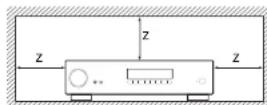
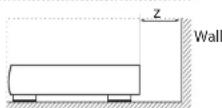
Caution on installation
For proper heat dispersal, do not install this unit in a confined space, such as a boxknee or similar enclosure.
More than 0.3m (12in) is recommended.
Do not place any other equipment on this unit.
FCC Information (for US customers)
PRODUCT
CONTAINS TRANSMITTER MODULE FCC ID: APILUXASTRO1, APILUXABT01
This product complies with Part 15 of the FCC Rules. Operation is subject to the following two conditions: (1) this product may not cause harmful interference, and (2) this product must accept any Interference received, including interference that may cause undesired operation.
IMPORTANT NOTE: DO NOT MODIFY THIS PRODUCT!
This product, when installed as indicated in the instructions contained in this manual meets FCC requirements. Modification not expressly approved by ARCA/AM may void your authority, granted by the FCC, to use the product. CAUTION (or BLC.liocthw/We/FF)
To comply with FCC RF exposure compliance requirement, separation distance of at least 20cm must be maintained between this product and all persons.
- This product and its antenna must not be collocated or operating in conjunction with any other antenna or transmitter.
NOTE
This product has been tested and found to comply with the limits for a Class B digital device, pursuant to Part 15 of the FCC rules. These limits are designed to provide reasonable protection against harmful interference in a residential installation.
This product generates, uses and can radiate radio frequency energy and, if no, installed and used in accordance with the instructions, may cause harmful interference to radio communications. However, there is no guarantee that interference will not occur in a particular installation. If this product does cause harmful interference to radiioor television reception which can be determined by turning the product OFF and ON, the user is encouraged to try to correct the interference by one or more of the following measures:
Reorient or relocate the receiving antenna.
L. Increase the separation between the equipment adi: canadians: CAN ICES-3 (B) / NMB-3 (B) "for the receiver. indoor use only"
Connects the product into an bullet on a circle different from that up which the receiver is connected.
Consult: the local retailer authorised to distribute this type of product or an experienced radio / TV technician for help.
IC Information (For Canadian customers)
PRODUCT
CONTAINS TRANSMITTER MODULE IC:
6132A-LUXASTRO1,6132A-LUXABT01
This product complies with RSS-247 of Industry Canada. Operation is subject to the following two conditions: (1) this product may not cause harmful interference, and (2) this product must accept any interference received, including interference that may cause undesired operation. This Class B digital apparatus complies with Canadian ICEs 003.
CAUTION
To reduce potential radio interference to other users, the antenna type and its gain should be so chosen that the equivalent isotropically radiated power (e.i.p.) is not more than that permitted for successful communication. [1] the device for operation in the band 5,150-5,250 MHz is only for indoor use to reduce the potential for harmful interference to co-channel mobile satellite systems. [1] high-power radars are allocated as primary users (i.e. priority users) of the bands 5,250-5,350 MHz and 5,650-5,850 MHz and that these radars could cause interference and/or damage to LE-LAN devices.
For Canadian customers / Pour les clients
canadiens: CAN ICES-3 (B) / NMB-3 (B) "for
indoor use only
ATTENTION
RF Exposure Information
This equipment complies with FCC/IC radiation exposure limits set forth for an uncontrolled environment and meets the FCC radio frequency (RF) Exposure Guidelines in Supplement C to OF-165 and RSS-107 of the IC radio frequency (RF) Exposure rules. This equipment has very low levels of RF energy that are deemed to comply without testing of specific absorption ratio (SAR).
Safety Information (for European customers)
Avoid high temperatures. Allow for sufficient heat dispersion when installed in a rack.
Handle the power cord carefully. Hold the plug when unplugging this cord.
Keep the unit free from moisture, water, and dust.
Unping the power cord when not using the unit for long periods of time.
Do not obstruct the ventilation holes.
Do not let foreign objects into the unit.
Do not let insecticides, benzene, and thinner come in contact with the unit.
Never disassemble or modify the unit in any way.
Ventilation should not be impeded
Ventilation openings with items, such as newspapers, tablecloths or curtains.
Naked flame sources such as lighted candle should not be placed on the unit.
Safety Information (for European customers)
Observe and follow local regulations regarding battery disposal.
Do not expose the unit to dropping or splashing fluids.
Do not place objects filled with liquids, such as vases, on the unit.
Do not handle the mains cord with wet hands. When the switch is in the OT position, the equipment is not completely switched off from MAIRS.
The equipment shall be installed near the power supply so that the power supply is easily accessible.
A note about recycling
This product's packaging materials are recyclable and can be reused. Please dispose of any materials in accordance with the local recycling regulations. When discarding the unit, comply with local rules or regulations.
Batteries should never be thrown away or incinerated but disposed of in accordance with the local regulations concerning battery disposal.
This product and the supplied accessories, excluding the batteries, constitute the apolicable product according to the WEEE directive
Correct disposal of this product
These markings indicate that this product should not be disposed with other household waste throughout the HL.



Pb
To prevent possible harm to the environment or human health from uncontrolled waste disposal and to material resources, this product must be disposed of responsibly.
In disguise of your product, please use your real return and collection systems or constate. The installer where the product was purchased.
Radio specifiction (or Europe model)
| Type Frequency Range Max. RF Power |
| Bluetooth 2,402-2,480MHz 70dBm |
| w.l AN (2.4Gbit) 2.4Gbit 0.2/2.85MHz 70dBm |
| 5GHz Radio 5.15G-5.250MHz 236dBm |
Welcome
Thank you and congratulations...
for purchasing your Arcam HDA Receiver.
Arcam has been producing specialist audio products of remarkable quality for over three decades and the new Receivers are the latest in a long line of award winning Hi-Fi. The design of the HD4 range draws upon all of Arcam's experience as one of the UKs most reworked audio companies, to produce Arcam's best performing range of products yet designed and built to give you years of viewing and listening enjoyment.
This handbook is intended to give you a detailed guide to using the Receiver. It starts by giving advice on installation, moves on to describe how to use the product and finishes with additional information on the more advanced features. Use the contents list shown on this page to guide you to the section of interest.
We hope that your HDA receives will give you years of trouble-free operation. In the unlikely event of any fault, or if you simply require further information about Arcam products, our network of dealers will be happy to help you. Further information can also be found on the Arcam website at www.arcam.co.uk.
The HDA development team
Contents
Safety Guidelines EN-2
Welcome
Before You Begin... EN-6
Trademark Acknowledgments EN-8
Rear Panel Connections and Controls EN-9
Audio/Video Connections EN-10
Connection Guide EN-12
Radio & Wireless Audio Connectors EN-13
Other Connectors EN-14
Speakers
Connecting Speakers EN-16
Operation
Extended front panel menu EN-18
Updating firmware via USB EN-18
Front Panel Operation EN-19
Remote Control EN-20
Customising the Remote
Essential Setup
Auto Speaker Setup
Setup Menus
Connecting to a Network
EN-4
EN-15
EN-17
EN-22
EN-28
EN-29
EN-30
EN-34
Decoding Modes EN-35
Tuner Operation EN-37
Troubleshooting EN-38
Specifications EN-40
Worldwide Guarantee EN-42
Professional Installation?
It may be that the Receiver has been installed and set up as part of your Hi-Fi installation by a qualified Arcam dealer. In this case, you may wish to skip the sections of this handbook dealing with installation and setting up, and move directly to the sections dealing with using the unit. Use .no Canteen list to guide you to these sections.
DIY setup?
The Receiver is a powerful and sophisticated piece of AV equipment. If you are setting the unit up yourself, it is recommendent that you read this handbook thoroughly before beginning. For instance, correct speaker configuration and placement is a key to getting the most out of your Receiver and making sure that all the elements of your system work in harmony.
Before You Begin...
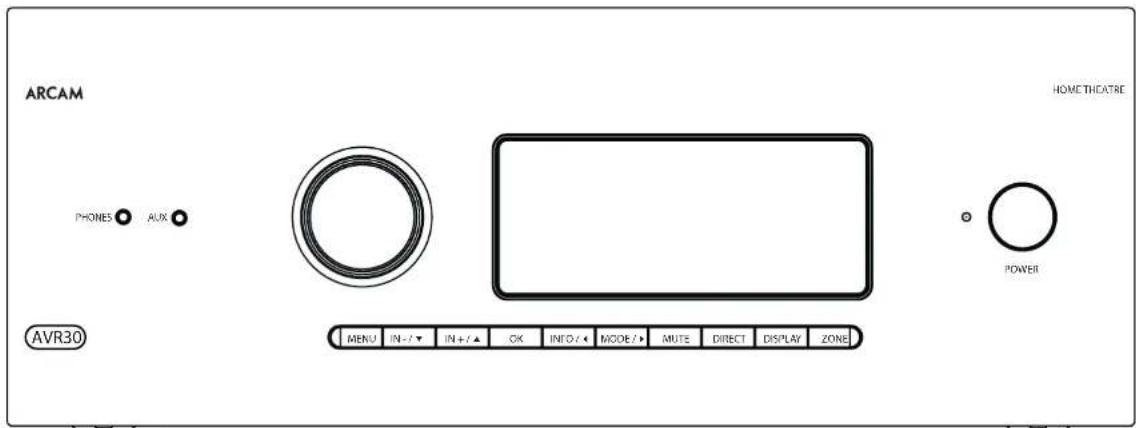
Arcam HDA Receiver
The Receivers are high-quality and high-performance home-cinema processors and amplifiers built to Arcam's quality design and manufacturing standards. They combine digital processing with high-performance audio and video components, cobring you an unrivalled home entertainment studio.
The Receiver allows switching and control of seven analogues and six digital audio sources in addition to internal FM and DAB+ radio - as well as networked audio sources - making any of the models an ideal hub for both home-cinema and two-channel stereo systems.
Since many of these source components are also capable of generating video signals, the Receiver includes broadcast quality switching for HDVI (7 x HDMI2.0e, HDCP2.2) video/ audio signals. Control of the Receiver is either by front panel control buttons, IR remote control, IP (Ethernet) control or RS232 port.
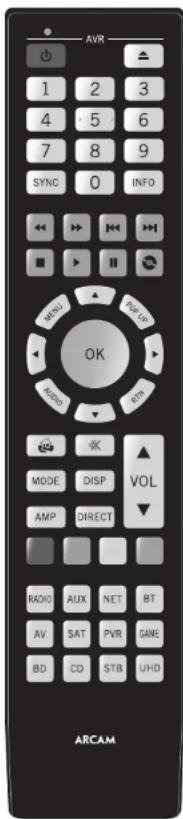
The remote control supplied with: The Receiver is a multidevice 'unilateral' learning remote control which is simple to use, and once set up it is able to control a complete system. It can be programmed using its vast internal code library to control CD and BD players, PVRs, TVs and other devices.
The installation of the Receiver in a listening room is an important process which requires care at every stage. For this reason, the installation information is very comprehensive and should be followed carefully to achieve an unvalued level of performance.
The Receiver is designed to produce a level of performance that will truly bring music and movies to life.
Placing the unit
Place the unit on a level, firm surface, avoid tg direction sunlight and sources of heat or damp.
Do not place the Receiver on top of a power amplifier or other source of heat.
Do not place the amplifier in an enclosed space such as a bookcase or closed cabinet unless there is good provision for ventilation (see page EN-2). The Receiver will run warm during normal operation.
Do not place any other component or item on it of the amplifier as this may obstruct airflow around the heat-sink, causing the amplifier to run hot. (The unit, placed on top of the amplifier would become hot, too.)
Make sure the remote-control receiver on the front panel display is unobstructed, otherwise this will impair the use of the remote control. If line of sight is impractical, a remote control repeater can be used with the rear panel connector (see page EN-34).
Do not place your record deck on top of a unit. Record decks are very sensitive to the noise generated by mains power supplies which will be heard as a background 'hum' if the record deck is too close.
Power
cthe amplifier is supplied with a moulded mains plugalready fitted in the lead. Check that the plug supplied fitsyour supply - should you require a new mains lead, pleasecontact your Arcam dealer
e/ your main supply online or main sales blog is a different, please contact your Arcan dealer immediately.
The Receiver can be switched for operation between 220-240V (switch position 230V) and 110-120V (switch position 115V).
NOTE: Ensure that the Receiver is switched off and the power lead removed before changing the position of the voltage range switch.
Push the BC plug end of the power cable into the socket on the back of the amplifier, making sure that it is pushed in family. Plug the other end of the cable into your main socket and, if necessary, switch the socket on.
The Receiver can be turned on using the power switch on the front panel. While switched on, the front panel HD will glow white.
Standby power
The Receiver can be switched into standby mode using the button on the remote control. While in standby mode the front panel LED will glow red and (with default settings) power consumption is less than 0.5 Watts.
While in Standby mode, it may be possible to hear a slight residual hum coming from the mains transformer inside the amplifier. This is perfectly normal. However, if the unit is to be left unused for an extended period, we recommend that you disconnect it from the mains supply to save power.
Interconnect cables
We recommend the use of high-quality screened cables that are designed for the particular application. Other cables will have different impedance characteristics that will degrade the performance of your system (for example, do not use ceiling intended for video use to carry audio signals). All cables should be kept as short as practically possible.
It is good practice when connecting your equipment to make sure that the mains power-supply calling is kept as far away as possible from your audio cables. Failure to do so may result in unwanted noise in the audio signals.
For information on speaker cabling, please refer to the "Speakers' section, beginning on page EN 16.
Radio interference
The Receiver is an audio device containing microprocessors and other digital electronics. Each model has been designed to very high standards of electromagnetic compatibility.
This is a Class A product. In a domestic environment this product may cause radio interference, in which case the user may be required to take adequate measures.
If the Receiver causes interference to radio or television reception (which can be determined by switching the Receiver off and on), the following measures should be taken:
- Re-orient the receiving antenna or route the antenna cable of the affected device as far as possible from the ARCAM Receiver and its cabling.
- Relocate the affected device with respect to the ARCAM Receiver.
- Connect the affected device and the Receiver to different main outputs.
If the problem persists, please contact your Arcam dealer.
Trademark Acknowledgments
| Dolby Vision, Dolby Atmos, Dolby Audio |
| Manufactured under License from Dolby Labs Laboratories, Dalian, Dalian Vision, Dalian Atmos, Dalian Airline, and the registered trademark of Dolby Electronics. |
| DTS:X® For DTS patents, see http://patentsdb.com Manufactured under license from DTS Licensing Limited, DTS, the Symbol, DTS in corresponding icon with the symbol. DTSX and the DTSX logo are registered trademarks or trade marks of DTS, Inc. in the United States and/or other countries. ® DTS, Inc. All Rights Reserved. |
| DTS VirtuaX® For DTS patents, see http://patentsdb.com Manufactured under license from DTS Licensing Limited, DTS, the Symbol, DTS and the symbol together, VritiX and the DTS VirtuaX logo are registered trademarks and/or trade marks of DTS, Inc. in the United States and/or other countries. ® DTS, Inc. All Rights Reserved. |
| IMAX® & DTS® Manufactured under license from IMAX Corporation, MAX® is a registered trademark of IMAX Corporation in the United States and/or other countries. For DTS patents, see http://patentsdb.com. Manufactured under license from DTS Licensing Limited, DTS, the Symbol, DTS and the symbol together and registered trademarks or trade marks of DTS, Inc. in the United States and/or other countries. ® DTS, Inc. All Rights Reserved. |
| Auro-3D® Manufactured under license from Auto Technologies, Aero, Aero 3D, Auto Codex and AutoMate are registered Trademarks of Auto Technologies. |
| AAC/AAC Plus and Plus is a trademark of Coding Technologies See: http://codtech.whoist.com.net In more information. |
| LDMI, the HDVI logo and High-Delphi EMI Multimedia Interfex are trademarks or registered trademarks of LDMI Licensing LLC. |
| Bluetooth® The Bluetooth® brand name and logos are registered trademarks owned by the Bluetooth BG, Inc. and any use of such marks by a 100%OWN International Industries, Incorporated in, under copyright. Other trademarks and trade names are licensed by their respective owners. | |
| Qualcomm® apuXHD | Qualcomm® is a trademark of Qualcomm incorporated, registered in the United States and other countries, ApX® is a trademark of Qualcomm Technologies international Ltd., registered in the United States and other countries. |
| Sensory Apple AppPlay | App, AirPlay and the AirPlay logo, iPod, iPhone and iPad are trademarks of Apple Inc., registered in the U.S. and other countries. App Store is a service mark of Apple Inc. AirPlay 2 works with iPhone, iPad and iPod touch with OS 11.4 or later, Mac with OS X Mountain Lion or later, and PC with Windows 10.2.2 or later. |
| Wi-Fi CERTIFIED | The Wi-Fi CRRIDABLE LOGO is a certification mark of the Wi-Fi Alliance. |
| D'OncoVirusLife | Google, Google Play, Chironneau, and other related marks are trademarks of Google LLC. The Google Assistant requires an internet connection and is not available in certain countries and languages. Availability and extent of certain Features and services are device specific, service and network dependent and may not be available in all areas. Controlling for an application in your home requires compatible smart devices. Subscriptions for services and applications may be required and additional terms, conditions and/or charges may apply. |
| vTuner | This product is protected by certain intellectual copyright rights of NUIs and Sledgeback. Use or distribution of such technology outside of this product is prohibited without written consent from NUIs and fledge back or unauthorized copying. |
| MP3 | MP3GAP® Audio Studio Coding Technology Limited from Copyright Clearance Center and Thermo Fisher Inc. |
| FLAC 11. Decader Copyright #3000, 2001, 2002, 2003 2004, 2005, 2006, 2007, 2008 & onwards |
| Redistribution and use in source and binary forms, will or without modification, are permitted provided that the following conditions are met: - Redistributons of source code must retain the above copyright notice, this list of conditions and the following disclaimer - Redistributons in binary form must reproduce the above copyright notice, this list of conditions and the following disclaimer in the documentation and/or other materials provided with the distribution. - Neither the name of the Xiphos Foundation nor the names of its contributors may be used to encase or promote products derived from this software without specific prior written permission. |
| THIS SCHOOL IS PROVISIONAL TO THE CIPPLICITY COLDING AND COPIRATIONS AS IS AND ANY LOGPES OR VIHUL WARDANIELS INCLUDING BUT NOT LIKIDLY TO ILLI HILDUL WARDANIELS OR MERCHANTABILITY AND FITNESS FOR A PARTICULAR PURPOSE ARE DISCLAIMED IN NO PARTNET SHALL THE FOUNDATION OF CONTRIBUTORS BE PERLE OR ANY DIRECT INTECT, INCENTRAL, SPECIM, EXTERIOR, OR CONSEQUENTAL DAMAGE INCLUDING BUT NOT LIMITED TO PROCEDURE OF SUBSTITUTE GOODS OR SERVICES LOSS OR USE DATA OR PROFIT OR BUSINESS INTERVENTION HOVERE CAUSE AND ON ANY THEORY OF LIABILITY WHEN IN CONTRACT, STRY LIABILITY, OR TORT INCLUDING NEAGENCE OR OTHERWISE ASIBING IN ANY WAY OUT OF THE US OR ITS SO SU (VAIL, VILL) ASSETS OR THE POSIBILITY OF SUCH DAMAGE |
| MQA (Master Quality Authorized) |
| MQA is an award-winning British technology that delivers the sound of the original master recording. The master MQA file is fully authenticated and is small enough to stream or download. |
| WQA must contain all import information. |
| Acam, APOE, include MQA technology, which entables you to play back MQA studio files and a stream, delivering the sound of the original master recording. |
| 'MQA' or 'MQA Studio' indicates that the source is recording and playing on MQA stereo files and their owners' proviceance to ensure that the sound is copyright to that of the source material. MQA studio indicates it is playing an MQA Studio file, which has obtained approval in the music by the artist producer or has been verified by the copyright owner. |
| MQA and the Sound Wave Desire are registered race marks of MQA Limited in 2016 |
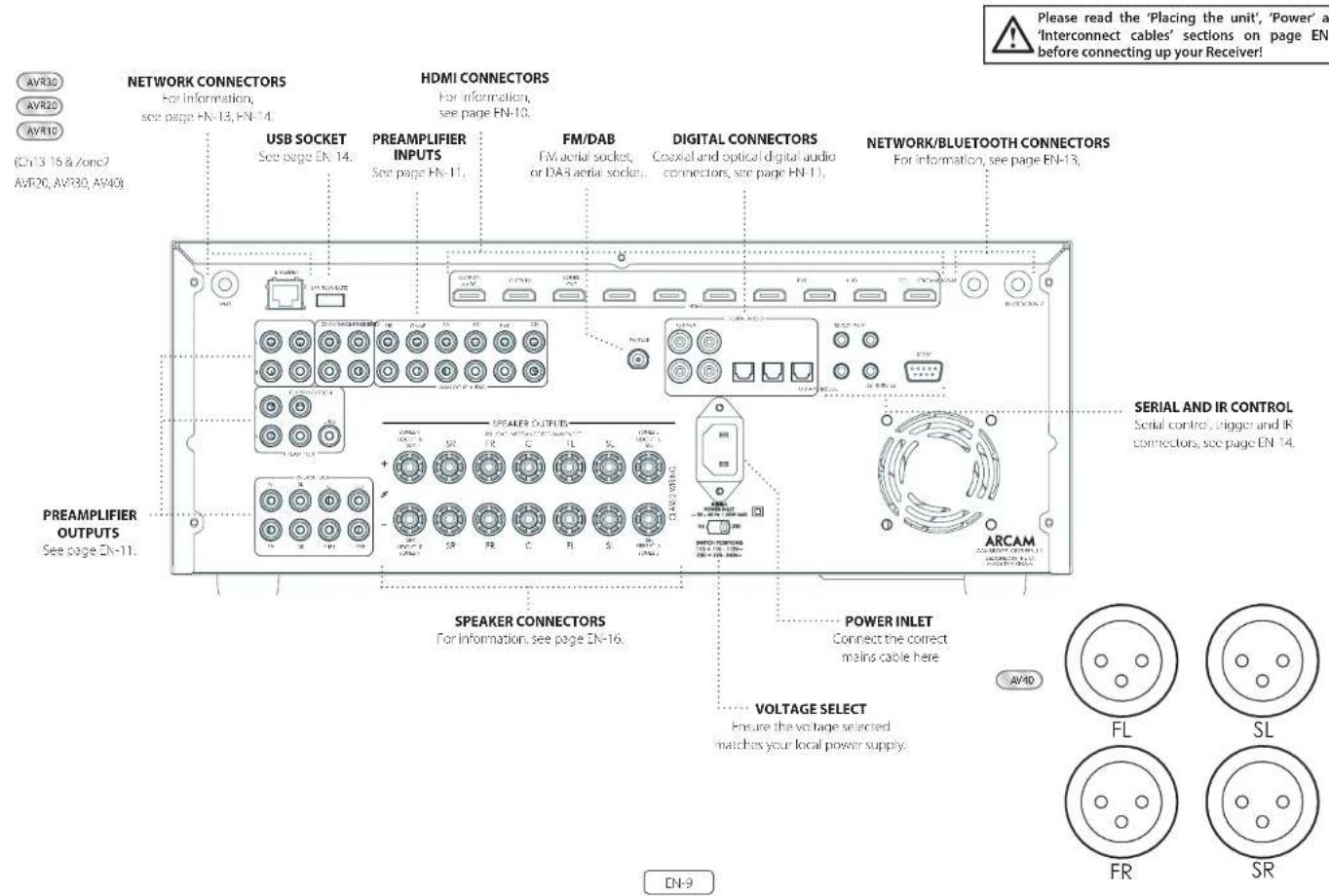
Audio/Video Connections
Before connecting your Receiver to your source components and speakers, please read through the next few pages which will explain all the insul and output connectivity that is available. The "Speakers' section explains how to connect up your speakers to avoid carriage to the amplifier and how to arrange your speakers for best performance.
General
The inputs are named to make it easier to reference connected devices (eg. BID) [MB] they all have the same input circuit, so there is no reason why you should not connect a different device to any of the inputs. For example, if you had two BD players and the AV input was not being used, then the second BD player could be connected to the AV input.
When connecting a video source, its audio must be connected to the corresponding sociels. For example, if you had a satellite decoder plugged into a SATEQ input, the audio must be connected to the SATEQ inputs!
Making Connections
take care to place cables as far from any power supply cooling as is practicable, to reduce hum and other noise problems.
NOTE: For each input, you must set the 'Video Source' and 'Audio Source' settings according to the connection type. (see 'Input Config.' on page EN-31)

HDMI Connectors
PVR, UHD, BD, SAT, AV, GAME, STB
Connect the HDVI video outputs of your source equipment to these corresponding HDVI inputs.
OUTPUT (Zone2 - AVR20, AVR30, AV40)
Connect this output to the IDM Video Input of your Display device. Output is compatible with IDMM Enhanced Audio Return Channel (eARC). If you have a supported television then sound from the Television's internal Tuner (eg. Freeview, Ffreeat, DVB T) will be available using the Receiver's Display input.
Digital audio connectors
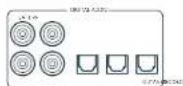
SAT, PVR, BD, CD, STB, AV
Connect these inputs to the digital outputs of your available source equipment.
Zone 2 connectors (AVR20, AVR30, AV40)
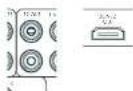
The Z2 out HDM connector can be used to connect the output of the receiver to a system located in a second room.
Analogue preamplifier outputs
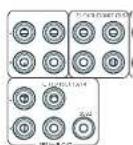
All preamplifier analogue outputs are buffered, have a low output impedance, are at line level and follow the Zone 1 volume control setting. They are able to drive long cables or several inputs in parallel if required.
For more information on connecting speakers or additional power amplifiers, see pages FN-9 and FN-16.
The AVM0 has X-R outputs in addition to the phano pre-puts for connection to an external amplifier.
Analogue audio inputs
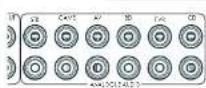
STB, GAME, AV, BD, PVR, CD
Connect the left and right inputs to the left and right outputs of your source equipment.
Front panel AUX input

The front panel AUX input can be used as an analogue input, using a stereo 3.5mm lead.
Front panel PHONES socket
This socket accepts headphones with an impedance rating between 32 and 500 fitted with a 1.5mm stereo jack plug. The headphone socket is always active, except when receiver is muted.
When the handheld jack is immersed, the snubber outputs and analogic presamplifier outputs are automatically mixed.
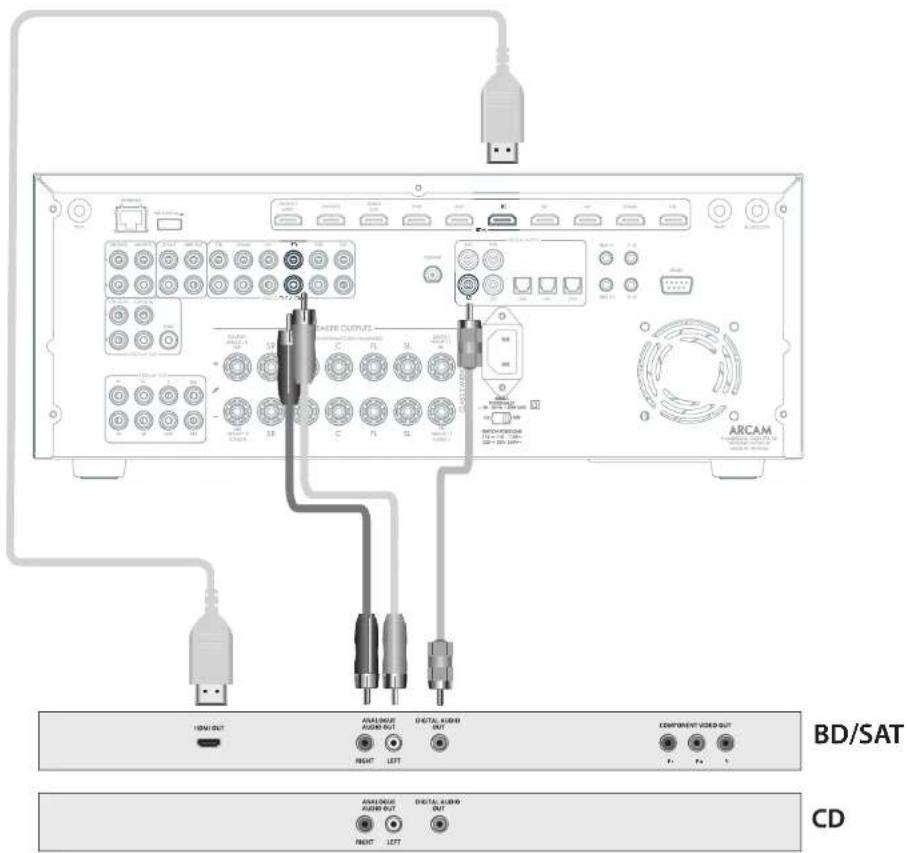
Connection Guide
Blu-ray Disc (BD)/DVD player
IIC diagram shows how to make audio and video connections from a typical BDTAV player.
Whether HDV, digital or analogue connections are used, connecting using the input/inputs labeled on the Receiver-wild operation.
Satellite receiver
A satellite receiver is connected with the same order of preference according to the outcome provided by the satellite receiver.
CD player
Connect the digital output in the digital CD input of the Receiver and analogue output to the analogue CD input of the Receiver, using a high quality interconnect cable.
NOTE: For each input, you must set the 'Audio Source' setting according to the connection type. (see "Input Config." on page EN-31)
Radio & Wireless Audio Connectors

DAB/FM Connector
The Receiver is fitted with an FM and a DAB/DAB1 receiver module. The type of aerial you need depends on your listening preferences and the local conditions.
Your Receiver is capable of superb radio reception, but only if it is receiving a good quality transmission signal.
Try the aerials supplied with your unit. If you are in a medium to strong signal area, these should be adequate for good reception. In areas with poor signal strength, you may require a roof or loft mounted aerial.
Contact your local Arcam dealer or aerial installation experts for advice about local reception conditions.
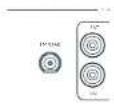
In strong signal areas, the DAB/FM/Fuvec aerial supplied can be used with reasonable results. Mount the aerial as high up as possible on a wall.
In the UK the "elements need to be positioned vertically for DAB reception since broadcasts are vertically polarised. In other localities, check with your Arcan dealer or try both horizons and vertical positions for best reception.
Try each usable wall of the room to see which gives best reception and use tacks or adhesive tape to secure the aerial in a 'T shape, but note that, no tacks should come into contact with the internal wire of the aerial.
When installed and receiving DAB/TM, check the signal strength by pressing the front panel or remote control's INFO button until the signal quality indicator is displayed.
In weak signal areas, a high gain, externally mounted or roof mounted aerial is desirable in order to receive the highest number of services.
In Band II transmission areas (such as the UK), use a multi-criterion. Yap aircraft with the elements mounted vertically, as the transmitters are vertically polarised. If you are close to more than one transmitter, use an omnidirectional or folded dipole serial.
If the DAB services in your area are parameterised in 1-band, then ask your dealer for advice for the best aerial to use.
Wi-Fi/Bluetooth
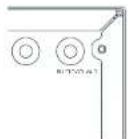
fusing the Wi-Fi or Bluetooth features of the Receiver, please attach the single antenna for the Bluetooth and the two antennas as for the Wi-Fi.
Other Connectors
Serial connector
RS232 serial connector

The connector is used with control devices having an RS232 serial port (for example, Cistron and ANX touch-screen controllers).
Network connector
Networking is a large subject and on my the briefest guidelines are presented in this handbook. Please contact your Arcane dealer or socialist installer for more information about introducing the Receiver into your computer network.
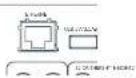
Ethernet
If an Ethernet cable is connected, the Receiver will automatically attempt to connect to your network.
You should use CATS cable plugged into the RJ45 socket labelled ETHERNET on the rear panel.
If your network uses static IP addressing rather than DHCP, you will need to provide IP address: gateway and DNS; see page Dh-33 for information on setting up the network.
USB connector
The Receiver can be unicast via the USB socket on the host of the unit, if no network connection and so "Over The Air" update is not available.
Trigger connectors
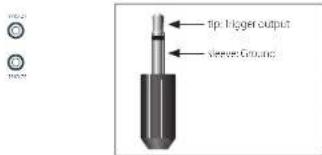
The trigger connectors (TRIG Z1 and TRIG Z2) provide an electrical signal whenever the Receiver is switched on and the relevant zone enabled.
The trigger signal can be used to switch on and off compatible pieces of home entertainment equipment, for example, you could set up a trigger to turn on your television and BD player whenever the Receiver was switched on.
There are two trigger output sockets on the Receiver, each capable of outputting a 12V, 70mA switching signal. The socket is disagreed for mono 35mm jacklet tip in the trigger output, sleeve is ground.
TRIGZ1
Use for remotely turning on and off power amps or source equipment for Zone 1. On = 12V Off = 0V
TRIG Z2 (Not AVR10)
Use for remotely turning on and off power amps or source equipments for Zorc 7.0n = 12V, Off = 0V.
Infrared (IR) connectors

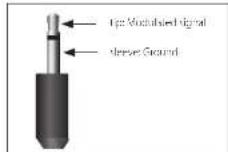
The infrared inputs 21 IR and 22 IR allow the connection of external IR receivers, either when the Receiver front panel IR receiver is fully or partially obstructed or to allow the use of a remote control in zone 2.
There are two IR inputs on the Receiver, each designated for stereo or mono 3.5mm Jacks. Tip is the modulated signal, sleeve is ground.
Z1IR
This input is intended for use with a local IR receiver when the front panel of the Receiver is blocked.
Z2 IR (Not AVR10)
This input is intended for use with an Ili receiver in Zone 2 to allow remote control of Receiver from a second room.
A supplier of infrastructure receivers and emitter accessories and systems Xantech. See www.xantech.com for more information, or ask you to email us.
NOTE: The IR inputs on the Receiver are designed for modulated signals. If the external IR receiver demodulates the IR signal, it will not work. Also the unit does not provide power for external receivers on the IR jack, therefore an external power source will be required.
NOTE: Sockets referring to '22' relate to connections used in multi-room installation. For more information on these connectors, see page EN-1.1.
Speakers
The AVR10/AVR20/AVR30/AV40 allows you to connect up to sixkron speakers. The AVR0 needs additional power amplifiers for all channels. The AVR10/AVR20/AVR30 has 7 channels of amplification. 5 channels of amplification correspond to speakers installed in the front left, centre, (front right, surround left, surround right). The remaining 2 channels of amplification can be assigned as:
bi-amp the front left and right
surround back left and surround back right
height 1 left and right
Zone 2 left and right (AVR20, AVR30, AV40)
Height front left, height front right, height back left, height back right and five more additional speakers can be attached using an additional power amplifier, see page EN 16 for more information.
With the addition of correctly installed and configured height channels, Do by Atmos for the Home, DTSX or Auro 3D brings the ultimate cinema sound experience to your home theatre in create powerful, mixing audio that flows around you.
The configuration and placement of your speakers is very important. All speakers, with the exception of the subwoofer(s), should be arranged around your normal viewing/listening position. The subwoofer should be placed in a position which gives an even frequency response in all listening positions. Incorrect placement leads to bass boom in some areas. Often the only way to find a good position for your subwoofer(s) is by experimentation. A good place to start experimenting is close to a wall but at least 1m away from any corners. You can also consult your subwoofer/handbook for placement suggestions.
Connecting Speakers
To connect each of the speakers, uncrew the corresponding terminals on this back of the Receiver, insert the speaker wires through the hole in each port and screw the terminals back up. Make sure that the red (positive/-) terminal of the speaker is connected to the red (positive/-) terminal on the back panel, and the black (negative/-) terminal of the speaker is connected to the black (negative/-) terminal on the back panel.
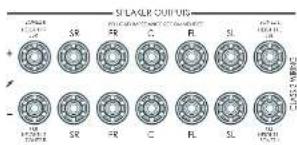
It is important that no stray strands of wire from these connections are allowed to touch another cable or the product casing. Failure to ensure this can cause a short circuit and damage your Receiver.
Ensure the unit is switched off whilst connecting speakers. Do not over-tighten the loudspeaker terminals, or use a wrench, pliers, etc., as this could damage the terminals and this would not be covered under the product's warranty.
Speaker cables
The speakers should be connected to the amplifier using good-quality, high-purity, low impedance copper cables. Cheap speaker cables should be avoided - they are a false economy and can significantly degrade the sound quality.
The cable runs to the speakers should be as short as possible. Connections in the speaker terminals should always be finger tight, whether using tape wires or spadecom connectors.
Bi-amping the Front Left & Front Right speakers
Hi amping is the use of two amplifier channels per speaker. Hi amping can provide better sound quality than conventional single wiring. If you do not have Surround Back speakers (i.e., you have a 5" surround system, not a 7" system) then you can use the spare Surround Back speaker outputs to amplify the front left and right speakers if your speakers support hi-mping. The spare channels can alternatively be used to power stereo speakers in another room (Zone 2).
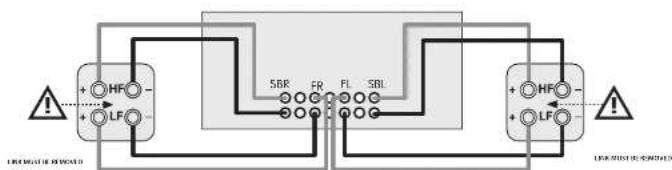
Speakers that support bi-amping have two sets of 1 / 7 terminals per speaker, usually linked together by metal strips. These metal strips MUST be removed when bi-amping; failure to remove them will result in damage to the amplifier that is not covered under warranty.
To iB-amp the front left and right speakers, remove the metal strips from the speaker terminals. Connect the wooder or LF terminals to the FL and FR terminals on the Receiver. Connect the tweeter or HF terminals to the SBL and SBR terminals on the Receiver. Finally, navigate to the Setup Menu 'Spkr Types' and set the Use Channels 6+7 for menu option to iBamp L-R see page EN-32.
Connecting Subwoofer
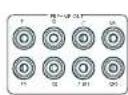
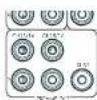
The Receiver also allows up to four active subomega to be connected to the SUB or Ch13/14/15/16 outputs. Refer to your subwoofer handbook for the correct setting up and connection procedure for your particular subwoofer(s).
[16
Using external power amplifiers
he internal power amplifier of the Receiver can be supplemented or replaced with external power amplification, such as the Arcam PA720. Connect the PREAMP OUT sockets to your power amplifier inputs:
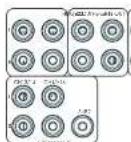
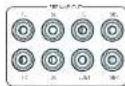
FL, FR
Connect these to the equivalent Right and Left front channels of your power amplifier.
C
Connect these to the Centre front channel of your power amplifier.
SUB
Subwoofer outputs. Connect this to the input of your active subwoofer(s), if present.
SR, SL
Surround Right and Surround Left outputs. Connect these to the Surround Right and left power amplifier inputs.
SBR, SBL
Surround Back Right and Surround Back Left outputs. Connect these to the Surround Back Right and Surround Back Left power amplifier Inputs.
Height 1 (Height Front), Height 2 (Height Back)
Height Front and Height Back Connects these to the Height channel power amplifier inputs.
All preamplifier analogue outputs are buffered, have a low output impedance and are at line level. They are able to drive long cables or several inputs in parallel if required.
Operation
Operating your Receiver
For information display we recommend you use the OSD (On-Screen Display) on your display device wherever possible.
Switching on
Press the front panel power button in The power LED will glow white. When initialisation is complete, the display shows the volume setting and the name of the selected input.
Please wait until the unit has finished initialising before operating the Receiver. It is recommended that if the unit is switched off, you should wait at least 10 seconds before switching the unit back on.
Standby
The Receiver has a standby mode which can be entered by pressing STANDBY on the remote control. When in standby mode, the display is blank and the POWER ons are red.
If the unit is to be left unused for an extended period, we recommend that you disconnect it from the mains supply to save power.
To switch on from standby
Press the STANOGY button on the remote control, any key on the front panel (other than the power button) or rotate the volume knob.
Front panel display
The Receiver is ready for use after about four seconds.
he display window shows the currently selected source and the last selected information view setting (this information line can be changed using the INPUT).
The current volume setting for Zone 1 is displayed on the front panel. The volume setting for Zone 2 is displayed temporally whenever it is set.
The front panel display is also used for unit setup after processing the MENTION of the front panel or remote.
Selecting a source
To select a particular source, press the INPUT-INPUT+ buttons until that source is shown on the front panel display, or if available) press the corresponding source button on the remote. The following sources are available:
| STB Set Top Box input |
| GAME Game console input |
| AV Audio Visual input |
| SAT Sane life input |
| 3D Blurring Disc/DVD player input |
| UHD UHD player input |
| PVR Personal Video Recorder input |
| CD Compact Disc player input |
| FM Internal tuner input |
| IDAR Internal tuner input (this source is market dependent, and may not be available on your Receiver) |
| NHT Ethernet input |
| USB External USB solid-state device (e.g. pen drive) input |
| AUX Auxiliary (front panel) input |
| DISPLAY The Audio Return Channel (eARC) from a compliant display. Use this with a compliant television using internal TV tuners. |
Most audio inputs have both analogue and digital connections. You must specify the type of connection used for each input using the 'Audio Source' option in the 'input Config,' menu, see page EN 31. Note that an incorrect setting will result in no sound - the default for inputs with HDMI is HDMI audio; if you are not using HDMI audio then this setting must be changed. For inputs that do not have HDMI, the default is a digital audio.
The processing mode and Stereo Direct functions are remembered and recalled for each Individual input.
Stereo Direct
To listen to a pure analogue stereo input, press the DIRECT button. The Stereo Direct mode automatically bypasses all processing and any surround functions. In direct mode, digital processing is shut down to improve the sound quality and reduces digital noise with the Receiver to an absolute minimum.
Note: when Stereo Direct mode is selected, no bass management is performed, meaning that bass signals will not be redirected to a subwoofer.
Volume control
It is important to realise that the level of the volume indicator is not an accurate indication of the power delivered to your loudspeakers. The Receiver often delivers its full output power long before the volume control reaches its maximum position, particularly when listening to heavily recorded music. In comparison, some movie sound tracks can appear very quiet, as many directors like to keep maximum levels in reserve for special effects sequences.
Headphones
To use headphones with the Receiver, plug the headphones into the PHONES socket in the centre of the front panel.
When headphones are plugged into the front panel/PHONES socket, the outputs for Zone 1 are muted and the audio will be down-mixed to two channels (20). The two-channel down-mix is required so that the centre channel and surround information can be heard via the headphones.
Extended front panel menu
Pressing the MENU on the Front panel and holding it for longer than four seconds will bring up the Extended Menu, allowing you to perform the following:
Restore to factory defaults
This option allows you to restore all settings on your Receiver to the defaults that it left the factory with.
Check for update
Checks for an over-the-air firmware update (requires external network connection):
This option allows you to restore all settings to their state as saved using the 'Stones secure backup' feature. This option is useful if settings are accidentally changed:
Store secure backup
This option allows you to save all the Receiver settings to a secure area of memory. If the settings can be retrieved using the restore option above.
Restore USB backup
This option allows you to restore all the settings from a file previously saved on a USB flash drive.
Store USB backup
This option allows you to save at the settings to a USB flash drive.
Region
Set the regior you are incoed- Europe, (Rm) US or Canada
Change remote code
The default BCS system code the Recover responds to is 16. If required, for example due to another device in your system also using this BCS system code, it can be changed to 19. The supplied remote card can also be reprogrammed to use BCS system code 19 commands, see page EN-22.
Standby mode
"Auto" uses the power saving auto standby feature, which will cause the unit to go into standby after 70 minutes if no signal is present or user input occurs. "manual" allows the user full control of when the unit gets into standby.
Protection sensitivity
This option allows adjustment of the protection sensitivity of the power amplifier (not AWG). Caution should be used with this setting as it is deliberately configured for maximum protection and should only be adjusted when using speakers that are 'complex loads'.
Use display HDMI
If so, to "no" the Receiver will ignore the EIDD of the display and send all resolutions from the source through the Receiver.
Display type
Adjust the position of the OS0 depending on if a 169.8/21.9 display is being used.
Updating firmware via USB
The firmware in your receiver can be updated from a USB flash drive containing firmware update files.
You can download the latest firmware nle, together with upgrading instructions from the Arcam website (www.arcam.co.uk).
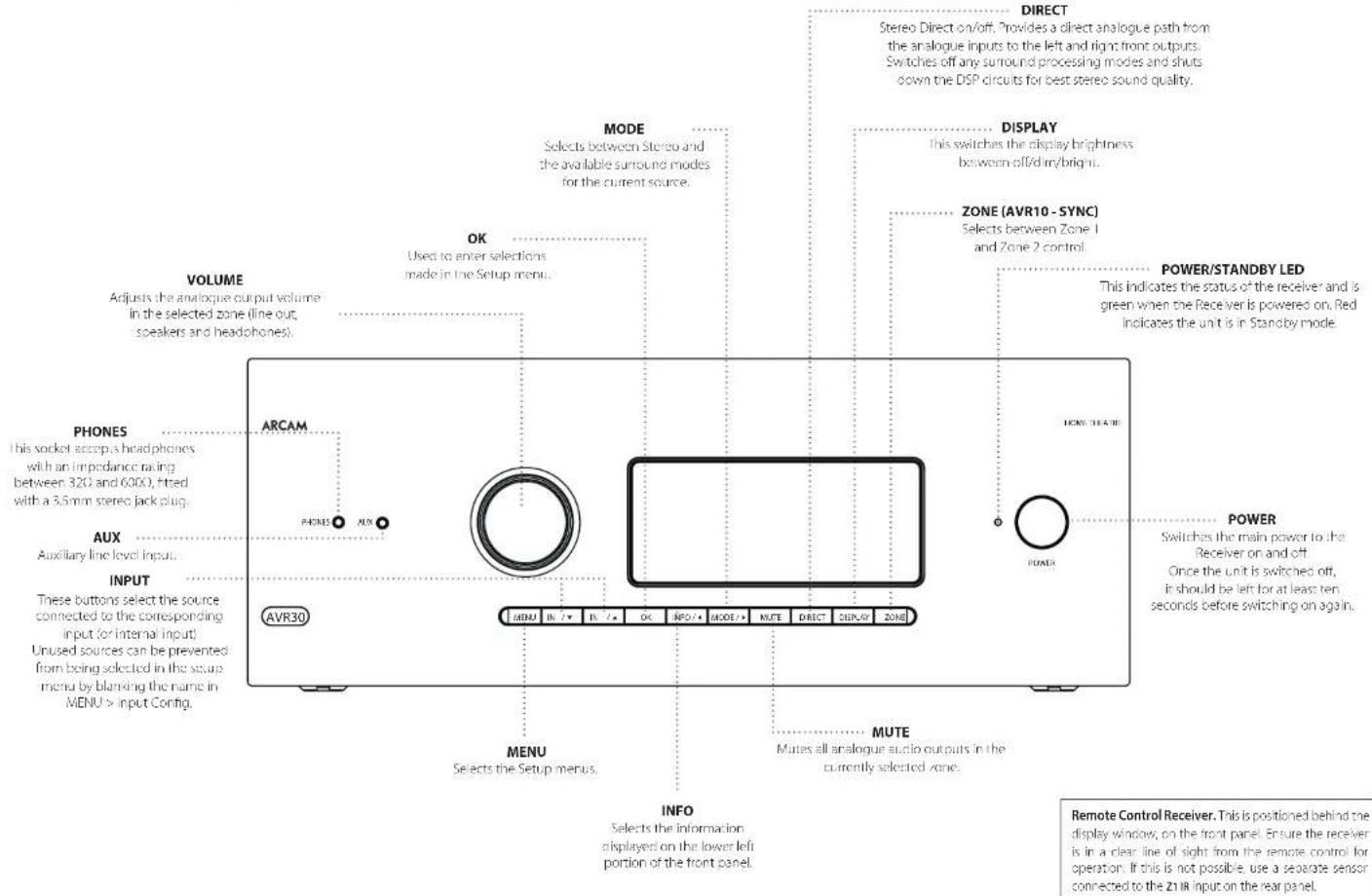
Front Panel Operation
[19
EN
Remote Control
The universal remote controller
The Receiver is supplied with a so-called 'universal' backhaul remote control that can control up to eight devices. It is pre programmed for use with the Receiver and many other Arcam products (FIM/DAB tuners, CD players and 3D players).
With its extensive built in library of codes, it can also be used with thousands of third party audio-visual components. TVs, satellite and set-too boxes, PVRs, CD players, etc. See the list of codes at the back of this handbook.
It is also a learning' remote, so you can teach it almost any function from an old single-device remote.
Using the remote control
case keep in mind the following when using the remote protocol:
Ensure there are no obstacles between the remote control and the remote sensor on the Receiver. The remote has a range of about 7 metres. (If the remote sensor is obscured, the 71 IR remote control input jack on the rear panel is available. Please consult your dealer for further information.)
Remote operation may become unreliable if strong sunlight or fluorescent light is shining on the remote sensor of the Receiver.
- Replace the batteries when you notice a reduction in the operating range of the remote control.
Inserting batteries into the remote control
- Open the battery compartment on the back of the handset. To do this, press the catch on the battery cover as indicated by the arrow on the catch and remove the battery cover.
- Install two 'AAA' batteries, as indicated in the battery compartment.
- Replace the battery cover. To do this, locate the lug on the battery cover into the corresponding hole on the short edge of the battery compartment. Now press the opposite end of the battery cover (with the catch) down so that the cover is flush with the main body of the remote and the catch clicks.
Notes on batteries:
□ Incorrect use of batteries can result in hazards such as leakage and bursting.
Do not mix old and new batteries together.
Do not use non-identical batteries together although they may look similar; different batteries may have different voltages.
Ensure the plus (+) and minus (-) ends of each battery match the direction indicated in the battery compartment.
Remove batteries from equipment that is not goi to be used for a month or more.
When disposing of used batteries, please comply with governmental or local regulations that apply in your country or area.
Useful information
Backlight
A backlight comes on for eight seconds whenever a key is pressed. This helps you use the handsc in subduced lighting conditions.
LED blinks
Short blinks indicate a valid key press.
Multiple short blinks convey information (such as a device code) or signal the beginning and successful completion of a programming sequence.
The symbol is used in the manual to indicate an LED blink.
Timeouts and unassigned keys
Time out - After 30 seconds the remote calls the programming state and returns to normal operation.
Stuck key timeout - After any key is pressed continuously for 30 seconds, the remote stops sending IR transmission so conserve battery life. The remote remains off until all keys are released.
Unassigned keys - The remote ignores any unassigned key.
preses for a particular Device Mode and does not transmit
12
Low voltage indicator
When the batteries are running down, the backlight flashes briefly whenever you press a button.
If this happens, fit two new AAA alkaline batteries as soon as possible.
Device Mode/Source keys
As the remote can control your receiver as well as a range of other equipment. many of the buttons have more than one function depending on the device mode selected on the remote control.
The Device Mode keys (shown below) select the source on the Rescuer. If none of these keys is pressed,brickily, a command is transmitted to change the source on the unit. Also the functionality of the remote control changes to operate the selected source device; it's like having a bundle of different remotes in your hand.
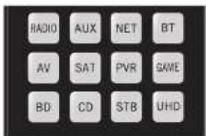
| HID | Internal F/M or DAB laser input |
| ALR | Auxiliary input |
| NET | Ethernet input (e.g. Internet radio) |
| WT | Bluetooth input |
| AV | Audio-visual input |
| SAT | Satellite input |
| PSB | Personal Video Recorder (or Digital Video Recorded) input |
| SMI | Games console input |
| BD | Blu-ray Disc or DVD player |
| CB | Compact Disc player input |
| SIB | Sci Top Box recorder input |
| UHD | UHD player input |
Each Device Mode changes the behaviour of many of the remote keys to control the source device; approximately, in this example, in CD mode 4 plays the previous CD track, but in AV mode 3 issues the IV 'channel down' command.
The remote remains in the last selected Device Mode so it is not necessary to press a Device Mode key before every command key all you are doing is playing or skipping tracks on a CD, for example.
Navigation keys
The Navigation keys steer the cursor in Setup menus or on-screen menus. They also replicate the navigation functions of original remotes supplied with other home entertainment devices in your system. OK confirm a setting.
Volume control
By default, the remote is set up so that the volume control and mode button always control the volume of the Receiver, regardless of which Device Mode the remote is currently set for. This is known as volume 'punch through'.
For example, if you are listening to a CD, you will probably have the remote in CD Device Mode to control the CD player. You can use the volume controls on the remote directly to adjust the volume of the Receiver without first having to press AMP to put the remote into AMP Device Mode. The volume buttons 'punch through' the CD Device Mode on the remote to the AMP Device Mode.
Volume punch through can be disabled individually for any Device Mode I desired.
Customising the remote
he remoise offers a code to creating feature that allows you to copy up to 16 functions from an original remote control onto the remote keyboard. For details of this, and other customisation features, see 'Customising the Remote' on page EN 22.
The remote complies with Part 15 of the FCC rules
This equipment has been tested and found to comply with the limits for a class B digital device, pursuant to part 15 of the FCC. Rules, those limits are合规 to provide a reasonable protection against harmful interference in a residential installation. This equipment generates, uses, and can radiate radio frequency energy and if not installed and used in accordance with the instructions, may cause harmful interference to radio communications. However, there is no guarantee that interference will not occur in a particular installation. If this equipment does cause harmful interference to radio or television reception, which can be determined by turning the equipment off and on, the user is encouraged to try to correct the interference by one or more of the following measures:
Scortien or relocate the receiving antenna.
Increase the separation between the equipment and receiver.
Connect the equipment into an outlet or a circuit different from that in which the receiver is connected.
Consult the dealer or an experienced radio/IV technician for help.
Customising the Remote
Code learning
The supplied remote comes with a complete library of pre-programmed codes. After you have set up the remote for your device, you may find that there are one or more functions on your original remote which do not have a place on the keypad. For convenience, the remote offers a Code Learning feature that allows you to copy up to 16 functions from an original remote control onto the remote keypad.
Before you start, make sure that:
The original remote control is working correctly.
The remotes are not pointing at your device.
The remoteshave freshbatteries.
TheRemote are not in direct sunlight or under strong fluorescent lights.
NOTE
Learned functions are mode-dependent. You could assign up to eight different functions to a single key - a separate learned function for each mode.
Direct code setup (Method 1)
The first method is to program the remote with the 3-digit code number for the device you wish to control - see "device code tables". Make a note of the suggested number or numbers - the most popular code is listed first. Now power on the device.
Press the Device key for the product you want to set up, together with the 1 key. Hold down both buttons for three seconds until the I-D stays lit.
You are now in setup mode, and you can release the buttons.
2. Enter a 3 digit code for the device.
If the 5-digit code number you entered is correct for the device, it will turn off. If it doesn't turn off, enter the new code number from your list until the device does turn off.
3. Once you have found the correct code, press the Device key again. The LED blinks three times to confirm that the code has been successfully stored.
Library search setup (Method 2)
Library search allows you to scan through all the codes contained in the remote's memory. It can take a lot longer than the previous method, so only use this method if:
- Your device does not respond to the remote after you have tried all the codes listed for your board.
Your brand is not listed at all in the Device Code tables.
- Press the Device key for the product you want to set up, together with then key. Hold down notch buttons for three seconds until the LED stays lit.
- Point the remote control at the product you wish to control and press the button on the navigation pad. Each time the button is pressed, the code counts up (for down) one code number with a sigma to power off the device.
- Continue pressing the up or down button, in approximately one second intervals, until the device turns off. (DO NOT alternate the up and down button - you need to move in only one direction.)
- To store the correct code, press the Device key again. The IHD blinks three times to confirm that the code has been successfully scored.
Learning setup (Method 3)
The third method involves 'teaching' the Arcam remote from the original remote for the device. The two remotes should be facing each other, about 10cm apart.
- Press the Device key for the product you want to set up together with the key. Hold down both buttons for three seconds until the LED stays lit.
- Press the button on the Arcan remote that you want to assign a command to. The LED links once indicating that the remote is ready to learn the command.
- Press and hold the appropriate key on the other remote until the 1-D blinks twice . This indicates the Arcam remote has learned the command from your other remote.
-
Continue learning the commands from your other remote by pressing the next button on the remote and repeating steps 2 and 3.
-
Once the remote has learned all the selected commands, press and hold the Device key you used to enter learning together with the Numeric key to store the learned commands.
NOTE
If the Arcam remote LED blinks five times
there was an error in the learning process. In this case, please start the Learning Setup from the start.
The Aard keys do not leam commands.
Important notes
Once you start a Code Learning session, you have approximately ten seconds to conduct each step. Any longer, and a minute, means that you'll have to start the process again.
The Learning feature is mode-specific - you can copy one feature per mode onto a key.
The rotator can learn approximately 16 functions in total. To replace a learned function, simply assign a new function to the same key.
- Treated functions are retained when you change barriers.
Code Learning fails, try altering the distance between the two remotes; make sure that the ambient light is not too bright.
Deleting the learned data
To delete all the learned data for a device:
- Press the Devise key for the product you want to set up, together with the 3 key. Hold down both buttons for three seconds until the LED stays lit.
- Press and hole down the Device key for the product that you want to erase, together with the key for three seconds until the HD blinks twice
-
If no further any presses are made for 30 seconds after the LED clicks twice, the remote leaves erase mode without deleting the learned data.
-
If you press the Device key together with the key one more time within 30 seconds after HD blinks twice, you can finish the erase mode deleting all the data learned on the Device. The LED blinks three times to confirm.
To delete the learned data for a key for a device:
- Press the Device key for the product you want to set up, logon with this key. Hold down both buttons for three seconds until the LED stays lit.
- Press and hold down the key on which you want to delete the data for three seconds. The LED blinks twice if any further key press is made; the remote escapes from erase mode without deleting the learned data.
- If any further key press is not made for 30 seconds, the I-H2 clinks twice 12 the retrograde escape from the crash made automatically without deleting the learned data.
- If you press the Device key together with the 3 key again within 30 seconds after the I-EO blinks twice, all the data learned for that Device is deleted and you have erase mode. The LED alinks three times In confirmation.
Reading stored code numbers
- Press the Device key for the product that you want to set up together with the 4key, Hold down both keys for three seconds until the ID blinks.
- Press the INpO and count the number of blinks (一 = 1,二 = 2,三 = 3 etc.There is a time gap between digits.(Note that 0^ is represented by ten blinks.
Locking/Unlocking a specific Device Mode
When you first unpack your remote and insert the batteries, it is able to control certain Arcam components automatically (e.g. BD players, Amplifiers, Tuners and CD players). We achieve this by programming specific Arcam device codes onto the relevant Device Mode keys, then locking the Device Modes so you don't reprogram them inadvertently.
If you want to override these locked default settings - to control a third-party BD player, for example - you will first need to unlock BD Mode before setting up the remote using one of the learning methods described on the previous page.
Here are the factory default settings:
| Device Mode | Default status | Default codes |
| AMP | Locked 00 | ( Arcam code 16) |
| BD | Locked 00 | ( Arcam) |
| AV | Unlocked 108 (Philips TV) | |
| UHD | Unlocked Code learning only | |
| GAME | Unlocked Code learning only | |
| STB | Unlocked 030 (Bushy/Goodmans/Grundig, from SAT database) | |
| SAT | Unlocked 128 (Sky + Digital, from SAT database) | |
| PVR | Unlocked 08 (Humax PVR, from SAT database) | |
| CD | Locked 00 | (Arcam) |
Alternative codes are available for multi-room solutions, or in the case of code clashes with other manufacturer's products.
For example:
AMP(system code 19):002
Note that you need to change the system code on the product you wish to control, as well as the remote.
- AMP, BD and CD are the Device keys that may be Locked or Unlocked. Lock and Unlock are toggles (they change from Lock to Unlock to Lock, etc).
- Press and hold the Device and @keys together for three seconds.
The power HD says it, showing that it is in lock/unlock setup mode. - If there is no further key input for 30 seconds, the LED goes off and the remote leaves Lock/unlockset up mode.
- To toggle the status of a device and then verify the status of a device, press the 1 key in sequence.
If you have locked the device, the LED bilinks three times
If unlocked the device, the LED blinks five times
5. If you press a valid Device key within 30 seconds, the 1.D link three times: and the remote leaves 1ock/unlock setup mode.
Controlling the volume of other devices
By default, the volume keys and mute key control the amplifier volume.
You can configure these buttons so they send volume commands to another device. In the following example, the volume commands are sent to a linked AV device (your television, for instance):
-
Press AV for three seconds, until the LED lights and stays on.
-
Press VOP
- Press Apgain. The I-D bink three times
The volume and mute keys will now send the volume commands to the TV.
To set the volume buttons to control the amplifier once 3, repeat the above steps, except pressAMP in step 3.
Hidden commands
| Command | Effect |
| AMP+ | Sends a Power On command |
| AMP+ | Sends a Power Off command |
| AMP+OK | Sends a Zone command |
| AMP+ | Cycles through HDMI outputs 1, 2, 3&2 |
| CD+ | Sends a Power On command |
| CD+ | Sends a Power Off command |
| BD+ | Sends a Power On command |
| BD+ | Sends a Power Off command |
| BD+ | Sends a Resolution command |
Factory default reset
You can reset your remote to the original factory default settings.
Press and hold both the (home) and MENU keys for about five seconds until the power LED blinks five times
All programming and setup codes that you have entered into the remote are erased and the remote returns to the original factory default settings.
Device codes
The tables that are in the final section of this Handbook list 3-figure codes for different manufacturers' devices.
Use these when setting your remote up to control your devices, as described in Direct code setup: Method 1 (see previous page).
If more than one code number is listed, try the first number. If the results are unsatisfactory, continue trying the numbers for that manufacturer to get the best fit with the functionality required.
If the manufacturer of your equipment is not listed, you can try Library search setup: Method 2 (see previous page). This method allows you to scan through every code contained in the remote's memory.

AMP Device Mode
The Allow Mode button configures the remote to control the Receiver. Pressing this button does not affect the currently selected input on the Receiver.
The functionality of the remote is centric sensitive for the internal sources and is described in the following table.
| Single press - Toggles Receiver power between standby and on in the current zone (zone in which the command is received). Press and hold - Forces all zones into standby, regardless of which zone the command was received in. | |
| L.D | The number keys can be used for direct entry of numeric values |
| SMC | Sync. Delays may be introduced into the video signal by video processing which causes a mismatch between the audio and video timing. You will not see this by speech sound being out of synchronization with the liu movements in the video, to compensate for this, you can adjust the liu sync delay. Press the synchon- and use the ① and ② navigallum buttons. Press again to exit the liu sync trim menu. |
| HIO | Into cycles through the information displayed on the lower left portion of the front panel display when on TUNINET input/USB |
| Brings up the DTSK dialogue control adjustment. | |
| VIO | Displays the unit's setup menu on the On Screen Display. |
| TUGER | Toggles Dialby Audio Processing. |
| AIOB | Toggles Dialby Live EQ on/off. |
| STM | Brings up a temporary subwoofer rim control. Use the ① and ② navigation buttons. Press RTN again to exit the sub trim control. As this is a temporary adjustment, the sub trim level is reset to the value set in the Speaker Levels menu when the unit is turned off or put into standby. |
| T | Toggles the music function of the AVR. |
| AVI | Adjust amplifier volume. |
| MIMO | Cycles through the available surround and downmix modes. |
| GND | Cycles through the front panel display's brightness options. |
| AVR | Reset remote to AMP mode. |
| MOC | Sacro direct on/off. Provides a direct analogouc path from the analogue inputs to the left and right front outputs. Switches off any surround processing modes and shuts down the DEP circuits for the best stereo sound quality. |

Navigate the files and menus on the screen.
OK selects the highlighted file or enters the highlighted menu on the screen equivalent to 'Enter' or 'Select' on some remote controls.
Up
L
Right
Down
AMP Power on from Standby
AMP Standby from Power on
Network commands
| AMP OK select Zone 2 | |
| #D | Red button. |
| #B#B | Green button. |
| #F#B | Yellow button. |
| #B# | Blue button. |
| #B#C | Tuner input. |
| #A | Aux input. |
| #I | input. |
| #B | USB input. |
| #K | AV input. |
| #A | SAT input. |
| #B | PWR input. |
| #MC | Game console input. |
| #D | BD input. |
| #C | CD input. |
| #B | STB input. |
| #D | UHD input. |
When using the network client, the keys below are used to navigate music files in AMP Devices Mode.
| Navigates the files on screen. OK selects/plays the highlighted hie. | |
| Selects the previous/next track in the current plast. | |
| Pause and playback of the current track. | |
| Stops playback. | |
| HD | Adds the currently displayed radio station to the favourites list when using the network client. |
| camu | Removes the currently displayed radio station to the favourites list when using the network client. |
| Returns navigation to the top level of the network client menus (Home) |
BD
BD/DVD Device Mode
The 8 device Mode button configures the remote in control the functions of Arcane Bluay Disc and 1900 players, although this can be changed. Pressing this button also selects BD as the source.
| Loggers power between stnancy and ran. | |
| ▲ | Open/close disc tray. |
| 1.5 | Searches for and plays the track corresponding to the key pressed when playing a CD. |
| REF | Cycles through the front panel display's brightness options. |
| 0002 | Cycles through the repeat options (track, disc, etc.). |
| ← | Fast rewind. |
| → | Fast forward. |
| ← | Press and release to skip back to the beginning of the current/previous track. |
| → | Press and release to skip forwards to the beginning of the next track. |
| ■ | Stop playback of a BD or DVD. |
| ■II | Pause and playback of the current track. |
| ● | Start recording (on products that have this feature). |
| #EM | Disc menu. |
| #LP | Activators BD/DVD player menu if available. |
| Navigate setup and BD/DVD programme selection menus. OK selects the highlighted file or enters the highlighted menu on the screen - equivalent to Enter' or Select' on some remote controls. ▲ Up ● Left ● Right ● Down BD +▲ Power on from Standby BD +▼ Standby from Power on BD -▼ changes the picture resolution (for BD, only on the Home screen). | |
| Returns navigation to the top level of the menu (Home'). | |
| Changes audio decode format (Dolby Digital, DTS,etc.). | |
| AVI | Retries remote to AMP mode. |
| IPD | RED button for BD |
| GREEN | GREEN button for BD |
| YELLOW | YELLOW button for BD |
| BLUE | BLUE button for BD. |
AV
AV Device Mode
The AVDeVic mode button configures the remote to control the functions of a television or other display device. You will need to configure this Device Mode to work with your equipment. Pressing this button also selects AVS the source.
| Toggles power between standby and on. (Some TVs require you to use a number key to turn them on) | |
| Functions as original remove number key usually for channel selection. | |
| Display INFO or OSD (On Screen Display) function, if available. | |
| AV: this function is TV specific. | |
| Channel down. | |
| Channel up. | |
| Displays picture information; this function is TV specific. | |
| Guide. | |
| Navigates setup and programme selection menus. OK confirms a selection (equivalent to Enter or Select on some remote). | |
| Returns navigation to the top level of the menu (Home). | |
| Resettes remote to AV mode. | |
| RED key for Text TV | |
| GREEN key for Text TV | |
| YELLOW key for Text TV | |
| BLUE key for Text TV. |
UHD
UHD Device Mode
The UHD/ve Mode button selects uHDOsour. The UHD page allows code learning from a dedicated UHD remote - see "Customising the Remote" on page EN-22
CN-25
STB
STB Device Mode
The STDevice.Model button success as the source. If configured to work with your set top six decoders device, the remote can subsequently control the dev
| Logges power between standby and on. | |
| a.s | Functions as original remote number key usually for channel selection. |
| 10 | Display INFO or OSD (On Screen Display) function, if available. |
| 200 | Selects the Library or Media function. |
| ← | Rewind. |
| → | Hasi Forward. |
| ↔ | Channel down. |
| ↔ | Channel up. |
| ■ | Stop playback. |
| || | Pause and playback of the current track. |
| ● | Record. |
| #0 | Opens the EPG (Electronic Program Guiel) on some satellite and cable set top boxes. |
| POPUP | Turns on the Menu function if the set top box uses this feature. |
| ● | Navigate setup and programme selection menus. OK confirms a selection (equivalent to "Enter" or "Select" on some remote). |
| ● | Returns navigation to the top level of the menu ("Home"). |
| AUX | Selects the Help function. |
| AVI | Resettes remote to AMIP mode. |
| IP | RED button for set top box. |
| GREEN | GREEN button for set top box. |
| YELLOW | YELLOW button for set top box. |
| BLUE | BLUE button for set too box. |
SAT
SAT Device Mode
The device Nerve button selects as source. If configured to work with your satellite receiver, the remote can subsequently control the device.
| Toggles power between standby and on. | |
| - functions as original remote number key - usually for channel selection. | |
| Display (NFO or OSD) (On Screen Display), function, if available. | |
| Channel down. | |
| Channel up. | |
| Displays programme information. | |
| Guide (or Situp on some set top boxes). | |
| Navigate setup and programme selection menu. OK confirms a selection (equivalent to "Enter" or "Select" on some remotes). | |
| Returns navigation to the top level of the menu ("Home"). | |
| Back. | |
| Reset's remote to AMP mode. | |
| RED button for Satellite. | |
| GREEN button for Satellite. | |
| YELLOW button for Satellite. | |
| BLUE button for Satellite. |
PVR
PVR Device Mode
The device: Mode button selects a source. It configured to work with your personal (hand-disc) video recorder or similar device; the remote can subsequently control the device.
| Loggers power between standby and on. | |
| L2 | Functions as original remote number key - usually for channel selection. |
| M0 | Display NFO or OSD (On Screen Display) function, if available. |
| MEE | Selects the Library or Media function. |
| ← | Rewind. |
| → | Fast forward. |
| ← | Channel down. |
| → | Channel up. |
| ■ | Stop playback. |
| →II | Pause and playback of the current track. |
| ● | Record. |
| #NPS | Opens the EPG (Electronic Program Guide) on some satellite and cable set top boxes. |
| #NPUP | Turns on the Menu function if the PVR uses this feature. |
| ● | Navigate setup and programme selection menus. OK confirms a selection (equivalent to 'Enter' or 'Select' on some remotes). |
| Returns navigation to the top level of the menu ('Home'). | |
| Selects the Help function. | |
| Resettes remote to AMP mode. | |
| RED button for PVR. | |
| GREEN button for PVR. | |
| YELLOW button for PVR. | |
| BLUE button for PVR. |
CD
CD Device Mode
The CDevic Mode buitian selcs aolhe source
The Burton is configured to control the CD functions of Arcam CD players, although this can be changed (see "locking/unlocking a specific Device Modes" on page 19.23).
| Loggers power between standby and active. | |
| ▲ | Open/close disc tray. |
| ▲ | Searches for and plays the track corresponding to the key pressed. |
| STEP | Cycles through the front panel display's brightness options. |
| WOOZ | Cycles through the repeat options (track, disc, etc.) |
| ← | Fast rewind. |
| → | Fast forward. |
| ↔ | Press and release to skip back in the beginning of the current/previous track. |
| || | Press and release to skip forwards to the beginning of the next track. |
| ■ | Stop playback of a CD. |
| ||| | Pause and playback of the current track. |
| nUP | n'normal play' i.e. the display does not show the letter P), press the ↑ and ↓ keys to select the track and then MENANTS the track. n'program play' mode, the MENANTS deletes the stored track. |
| Navigate setup and CD programme selection menu. OK selects the highlighted file or enters the highlighted menu on the screen - equivalent to 'Enter' or 'Select' on some remote controls. A Up C Left H Right D Down CD + A Power on from Standby CD + B Standby from Power on | |
| MY | Review remote in AMP mode. |
| E200 | Plays the programmed packs. |
[1N-27
Essential Setup
Before you use your Receiver it is essential that you enter some information into the 5c-up menu about your speaker configuration. This allows the Receiver to process any surround sound if its spatial origin to exactly match your system and give you the ultimate surround sound experience.
There are three pieces of vital information which are outlined in the sections 'Speaker Types', 'Speaker Distances' and 'Speaker Levels'.
The way you enter this information manually into the Receiver is given later in the Setup Venus section on page H-30.
When calibrated using Dirac Live room equalisation the speaker levels and delays will be established automatically and applied when the equalisation is turned on, speaker types however must be manually entered. For use with equalization turned off, the speaker size, speaker distance and speaker levels settings must be entered manually. It is important to understand why these speaker settings must be entered, which is why, this section is presented before the section on equalisation.
Speaker types
You need to set the type of speakers that you have connected to you: Receiver.
Large capable of full frequency range reproduction Small not capable of full frequency range reproduction at the low frequency end
None speaker not present in your configuration
The term 'large' and 'small' do not necessarily relate to the physical size of your speakers. As a rule of thumb, if a speaker cannot reproduce a flat frequency response down to about 40% and very few centi, it is often better to consider them as 'small' for set up purposes of home cinema.
When a speaker is set to Small, very low frequency sounds are redirected away from this speaker to a 'Large' speaker or a 'subwoofer', which are far better suited in reproducing these low-frequency sounds.
Note that it is not possible to set all speakers to Small unless there is a subwoofer in your speaker configuration. If you did not have a subwoofer, you will be forced to set your from speakers to Large.
(Advanced users may wish to automatically override the 'Small' speaker setting for purely stereo music listening when not watching movies. This can be achieved in the 'Input Config.' menu - see page EN-31
Crossover frequency
If you have set any speakers as being Small, then you will be required to set a value for the crossover frequency. This is the frequency below which signals are filtered away from these small speakers and redirected to Large speakers or the subwoofer (if present). A frequency of 80-Hz is often a good starting point, however, you will probably have to experiment with different values to find the best value for your system or consult your speaker handbook.
Use Channels 6+7 for
If not used in the main zone, it is possible to assign the Surround Back channels to Height 1, b-amp the Front Left Right channels or to provide an armful output to Zane 2.
Speaker Levels
Finally the levels of all the speakers in the system need to be adjusted to match each other at the listening position, again to create a proper surround effect. To help with this the Receiver can generate a test noise for each speaker which should be measured with a sound pressure level (SPL) meter. The meter should do so to fit weighting and slow response. Several smartphone/tablet apos are available which can also perform this function. The level of noise measured at the listening position from each speaker should be adjusted on the Speaker Trims page of the Setup menu so that the meter reads 75dB SPL it does not matter what the system volume setting of the Receiver is before turning the test noise on as the volume setting is overriden to the duration of the speaker noise test.
There are several basic SPL meters on the market at reasonable prices aimed at home cinema enthusiasts. Check your local technology store, search online or ask your dealer. If you do not have an SPL meter or suitable app, you can try to adjust the noise level of each speaker by cat. In this case it is not possible to adjust the speakers to the absolute 75dB SPL volume level, but you should aim for all speakers sounding easily loud. Sitting speaker test noise levels by ear is not recommended as it is very difficult to do accurately, but is often better than doing nothing at all
Speaker Distances
It is essential for the distance from each speaker to the listening position to be accurately measured and entered into the 'Setup' menu. This ensures that the sounds form the various speakers arrive at the listening position at the correct time to recreate a realistic surround effect. The distance can be increased in coordinates or inches.

DIRAC
Dirac Live for Arcam
There is a proprietary automatic loudspeaker calibration function built into your receiver from Dirac Research. Using a PC/MAC based application, this attempts to set the essential speaker settings for all the speakers in your system. It also calculates room equilibration (room KQ) fit values to remove some of the worst effects of resonant frequencies in the listening room.
Your Receiver package is supplied with a calibration microphone, which should be inserted into a USB socket on a PC or MAC connected to the same network as the Receiver and positioned as directed by the Dirac Live PC/MAC application. This microphone picks up the spatial calibration tones generated by the speakers when Dirac Live application is run. The Receiver then uses this signal and computes
speaker delays,
H. saeaker kycj.
problem resonant frequencies in the room with need control by filtering.
To help the system be as accurate as possible when performing Dirac Live setup, there are a few guidance rules that should be followed:
-
Minimise any background sounds in the listenin room and other nearby rooms.
-
Close all windows and doors in the listening room.
- Turn off all fans including air conditioning systems.
Mounting the microphone or a tripod or similar.
Position the set up microphone pointing upward roughly head height when sat in the normal listening position. It is no necessary to point the microphone directly at the speaker generating the test tone, the microphone should be pointing ventrically towards the ceiling. It helps if you are able to position the microphone exactly where your head would normally be for listening, with the microphone in direct unobstructed view of all speakers.)
If your system includes an active subwoofer, set by setting its output level / gain control to a value roughly matching the front speakers.
When activated, a calibration tone is played through each channel of the Receiver in turn, including the subwoofer channel. The calibration tone cycles round each of the speaker's multiple times as the different parameters are calculated. Follow the 'progress' information on your PC MAC.
By default, Room EQ is not applied to any of the source Inputs. You should enable Room EQ for inputs you think benefit from this feature, as required, by listening when playing typical source material through each input. After being calculated, this is enabled from within the Input (Config menu).
While room equilibration can help to reduce problems with cleaning room acoustics, it is usually far better to try to solve these problems with the room directly. Proper loudspeaker positioning, acoustic wall treatments and moving the listening position away from walls should produce far better results overall. However, it may be difficult to do this in a home environment, so Room EQ is your next best choice.
atProblems
We advise you to look over the reportut measurements on the screen following Dirac Live setup for any obviously incorrect results, in particular to ensure the reported speakers match your configuration and that the speaker distances to the listening position appear roughly correct. If the results are not what you expected re-cun Dirac Live setup. The Dirac Live setup is normally quite accurate but occasionally false results can be generated. Problems may be as a result of:
external sounds or rumbling/handling noises pick up by the microphone
square reflections of hard surfaces (e.g. windows wall) close to the listening position.
11 very strong acoustic resonances within the room,
12 obstacles (such as a sofa) between speakers and microphone.
If you are still experiencing difficulties or you wish to have that most accurate results for ultimate outcome performance, we recommend using the manual method of establishing speaker distances and levels.
Using subwoofoers
If your system includes active subbroofores you may need to set the subbroofer output level/gain control set to a higher or lower value.
Please refer to the航班 application and quick start guide for full details of how to use the system with your Receiver.
Downloading the Dirac Live application
To download the Dirac Live PC/MAC application and quick start guide, please visit:
Using Dirac
You can store up to three Dvac EQ curves in the Receiver. Each input can use a different curve, for example a "Movie" curve on the BD input and "Music" curve on the CD input.
This can be seen as a per input basis using the AUDIO
The remote.
Alternatively use the Room EO menu item in the Audio settings menu to set the curve for each input. See "Room EO" on page 1-N31.
Note: When Dirac is run for the first time, the curve will be applied to all inputs. Subsequent curves will not be automatically applied, use the methods above to choose the required curve for the input in question.
Setup Menus
The Setup menus allow you to configure all aspects of your Receiver. The next few pages will go through the menu items and explain their functions. The Setup menus will probably look quite daunting if you are new to setting up home cinema, but, the majority of them need only be configured once when you first install the system (or if your system changes or you move house!).
Entering Setup mode
To enter the setup menu, press the MENU on the remote control or font panel. The font panel display shows the setup menu (splitware right).
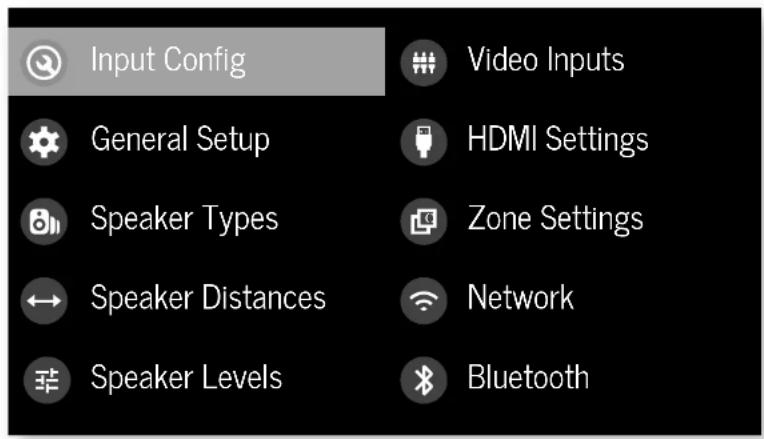
Navigating the setup menu
... using the remote control
The setup menu can be navigated by using the cursor (arrow) keys on the remote control. This is by far the easiest method.
- To enter the setup menu, press the MENU (which is located immediately under the navigation buttons).
- Use the 念 and 念 keys to navigate up and down the main section headings.
-
Once you have the main section that you require highlighted, use the key to enter the section.
-
Use the and keys to navigate up and down the section settings in the right-hand panel. Some settings may be grayed out. These are either for information only (e.g. incoming sampling frequency) or are not currently selectable. Scroll bars on the sides of the right-hand panel indicate your position in the settings list where there are more items than can be displayed at once.
- PressingOpelec is a setting to change it, pressing OK again de selects the sciting.
- At any time, press the mENTION to exit the menu. Any changes to settings are saved.
... using the keys on the front panel
The Receiver front panel controls can be used to configure the unit. Follow the instructions for using the remote control, in this case using INNOLDN, for INPUT left INFO and MOutlight.
Input Config.
The audio and video settings on this page of the Setup menu can be tailored specifically and independently for the currently selected input.
When a different input is selected on the input line, all the input-specific settings for that input are displayed below it. These settings are applied to the named input only and are stored in memory and recalled each time the unit is powered up and whenever that input is selected.
Input - The currently selected input connectors to which the settings below are:
Name The display name of the input. You can change the name of any input to more closely match your setup. For example, if you had two satellite receivers, you could connect the main receiver to the Sat audio and video input connectors and change the Name to 'SAT1'. You could then connect the second satellite receiver to the UHD audio and video input connectors, but change the UHD Name to 'SAT2'. It is then clearer to users of your Receiver which inputs they wish to select when scrolling through.
Lip Sync - each input can have its own scaling to add a time delay between the audio and video signals to compensate for the sound and picture not being synchronised. This is normally required when video processing is used in the system for scaling or de-interlacing video. The range of lip sync delays is 0 to 250 milliseconds.
The lip sync adjustment can on y correct for delayed video. If the audio is late set lip sync to :s minimum.
Mode Set the initial audio decode mode for stereo sources on this input.
Last Mode recalls the last used setting for this in p when a stereo source was applied. See section "Two-channel source modes" on page EN-35 for more information.
MCH.Mode - Sets the initial audio decode mode for multi-channel digital sources on this input.
- Last Mode recalls the last used setting for this in when a stereo source was applied. See section "Multi-channel source modes" on page EN-35 for more information.
Bass -
Treble -
These allow you to alter the bass and treble tone controls for all currently active speakers for each individual input. For example, if your PVR source sounds a little bass light, you can always correct for this by selecting PVR on the input line at the top of this menu and edit 2 or 3d to the Bass control. Then, whenever the PVR input is selected, the bass is automatically aposted for as long as that input is selected.
Room EQ- When the Dac Live application is run and EQ filters are downloaded into one of the three slots available, this can be selected.
Not Calculated: (Information only) There are no KQ filters, so cannot be selected.
Project Name: Dirac Live Room EQ is applied to the current source and will display the name of the project from the Dirac Live application.
1 Off: Dirac Live Room HQ is not applied to the current source.
Input Trim - Sets the maximum analogue input signal level (sensitivity) on this input before the ADC (Analogue-to-Digital converter) signal path choices. Options are 1, 2 and 4 volts RMS maximum input. The default is 2Vrms maximum. For example, analogue sources with low output levels may benefit by choosing the 1V maximum setting. This helps maximise signal to noise performance of the Receiver and also helps keep the various analogue sources sounding about the same level for any given Receiver volume control setting.
Dolby Audio Processing - Applies Dolby Audio Processing to the incoming audio.
Off (dc'ull) Dolby Audible Processing is not applied to this input.
Movetable for movie viewing.
Musicable for music listening.
11 Nightpresses the audio to be more suitable for late night viewing or listening.
Stereo Mode - If you have configured your system to have a subwoofer, then you have the flexibility to choose how bass information is distributed between the front, left/right, speakers and the subwoofer when listening to stereo (two channel only) analogue and digital sources. Choose the option which gives you the most solid, even sounding bass. If you are using a subwoofer for stereo, please also see Sun Stereo below to set the level of the subwoofer. For best results test with a setup disc or live programme material. This setting can be used to override your normal speaker settings in the Sokr Types menu whenever the Receiver plays stereo material. It's quite common to find that two channel stereo music listening is best done with a slightly different sub/ speaker setting than for surround movies.
As Spkr Types: When an analogue or digital stereo source is played, your normal speaker configuration (as in Spkr Types menu) is used to reproduce the signal.
Left/Right: Full frequency stereo information. All audio is sent to the front left and right speakers only without any bass redirection. You can use this setting if you consider your front left/right speakers to be able to handle the full frequency range of music. If you have set your front left/right speaker size as Small in the Spiky Types setup page, you may wish to use this option to override the setting to Large for stereo music listening, if you have full frequency range left/right speakers. It can often be beneficial to set full frequency range speakers to Small in the Spiky Types setup page for use with movies, if you have a subwoofer in your system. Doing so may deliver more impact on movie soundtracks as subwoofer designs to handle reproduction of high bass content. However, you may find that for stereo music a better overall result is obtained by not using the subwoofer and effectively treating the front left/right speakers as Large.
Left/Right+Sub: Full frequency range stereo is fed to the front left and right speakers and extracted bass is sent up the subwoofer. In this case, the low frequency information is effectively duplicated.
Sat+Sub: Use this setting if you really do have Small satellite front left and right speakers, or if you prefer the overall sound of bass being handled by the subwoofer. Full bass management is used so that analogie and digital stereo sources are fed to the DSP where the bass is filtered off front left and right and redirected to the subwoofer.
NOTE: The Stereo Mode function is not available when using an analogue source in Stereo Direct mode.
Sub Stereo If Left/Right+Sub or Set+Sub is selected in Stereo Mode above, this setting adjusts the level of the subwoofer when the source is two channel stereo.
IMAX mode - Selects it! IMAX mode is enabled from the incoming audio stream (aud) or forced on or off.
Auro-matic 3D - Selects the mode of the Auto-matic 3D up/down.
Smal: Adjusts the uprrxcr for a small sized room.
Medium: (default) Adjusts the upriver for a medium-sized room
Large: Adjusts the upmixer for a large-sized room.
Movie: Adjusts the upmixer for film material.
Speech: Adjusts the upmixer to focus on speech in reliability.
Auro-matic 3D Strength - Adjusts the amount of unprocessed to processed signal when using the Aero-Matic 3D upmixer.
Audio Source - Selects the particular connection type for each input. The default is HDMI for inputs with an HDMI connection and Digita for inputs without an HDMI connection. This setting must be changed if another connection is used.
Select from the list: the audio type you are using on this source.
L1 HDMI: the unit is forced to use the HDMI audio input for this source.
11 Digital: The unit is forced to use the optical (TOSLINK) or coaxial (S/PDF) digital audio input for this source
Analogue: the unit is forced to use the analogue audio input for this source.
CD Direct -Turns off the compressed audio decoding machine delay and should only be used for sources that will only transmit PCM audio (e.g. a CD player).
General Setup
General information and system controls.
Source Input (information only) The currently selected input to which the settings below relate.
Incoming Format - (information only) The format of the digital audio stream connected to this input, if present.
Incoming Sample Rate (Information only) The sample rate of the digital audio stream connected to this input, if present.
Incoming Bit Rate - (information only) The bit rate of the digital audio stream connected to this input, if present.
Dialnorm - (Information only) It is a Delay Digit's audio stream is connected to this input, this is the Dialogue Normalisation setting requested by the sream.
Incoming Resolution Information only Shows the incoming video resolution.
Audio Compression - Allows selection of compression which is ideal for late night listening. The compression effect increases the volume of the quiet passages and decreases the volume of the lounder passages. Compression only applies to Dolby/EDS sound track formats that support this function.
Off: (deafult) no audio compression is applied.
Medium: compression is applied so that loud portions of a soundtrack are reduced in level. Dolby True HD stream is compressed automatically as set by the incoming stream.
High: the maximum amount of dynamic range compression is applied, so that the difference between loud and quiet portions of a soundtrack is minimised.
This setting applies to all inputs when a relevant digital audio stream is detected. It is stored in memory and recalled each time the unit is powered up.
Balance - To alter the sound balance temporarily between front left and right speakers. You can alter the sound stage to either the left or the right by up to 6dB. Note that it is not possible to shift the audio signal completely over to one channel. This function results in equal left/right balance when the input is changed.
DTS Dialogue Control - Sets the level of the dialogue channel in compatible DTS audio streams.
Maximum Volume - Limits the maximum volume setting the system can be turned up to in the main zone. This is a useful feature to prevent accidental overdriving of low power-handling speakers (for example). It is stored in memory and recalled each time the unit is powered up.
Max On Volume Limits the maximum volume the system operates in the main zone when it is switched on or comes out of Sundby. The system comes on at this stored volume setting if the last used (possibly very loud) volume exceeds this value. It is stored in memory and recalled each time the unit is powered up.
Display on time - Sets the time that the front panel display remains illuminated after receiving a command. The default is always on.
Control - Enables or disabilts RS232 or IP (NH1) control, a system that allows control from various third party home automation systems. Note, only RS232 or IP control can be used, not both.
Power on Determines how the unit powers on
Stby:in Standby mode
On:On
Last state: Last state (default)
Language
Sorok: The language for the setup menu
English, French, German, Spanish, Dutch, Russian, Chinese.
Speaker Types
Settings for the types of loudspeaker you have connected in your configuration. These settings are applied to all audio inputs and are stored in memory and recalled each time the unit is powered up.
Front Left/Right -
Centre -
Surr.Left/Right
Surr. Back L/R -
Height Front
Height Back -
Here you set the type of speakers that you have connected to your Receiver.
Large: capable of full frequency range reproduction
1 Small: not capable of full frequency range reproduction at the low frequency end
None: speaker not present in your configuration
NOTE: It is not possible to set all speakers to Small unless there is a subwoofer in your speaker configuration. If you do not have a subwoofer, you will be forced to set your front speakers to Large.
Subwoofer - configures the dedicated sub-out terminals are used for a single subwoofer channel (using the two parallel outputs).
Channel 13 & 14
Channel 15 & 16
Configures the speaker positions that channels 13, 14, 15 & 16 are used for.
Height Type - configures the type of height speakers - ceiling mounted or Go by enabled.
Use Channels 61-7 for - If your main zone speaker set up does not include Surround Back Left and Right speakers, you can choose to use the Surround Back amplifier channels as the Height 1 amplifiers, to B-Amp the Front Left and Right part, or as a stereo power amplifier for Zoric 2.
Filter Slope - Configures the filter slope used for bass management - 1263, 24dB, 36dB, 48dB/octave.
Sub Galn - configures the output level trim for all outputs configured as subweavers in dB8 steps from Gd8 to 30dB.
Speaker Distances
Colibration settings for the distances between the loudspeakers and the listening position.
NOTE: Speakers that are not present in your
configuration will be greyed out.
If Dirac live is used, these settings will be shown in time (ms) and not distance.
These settings are applied to all audio inputs and are stored in memory and recalled each time the unit is powered up.
Units - Select whether you wish to measure distances in Imperial or metric units.
Front Left -
Centre
Front Right -
Surr. Right
Surr. Back Right -
Surr. Back Left -
Surr.Left-
Left Top Front -
Right Top Front -
Left Top Back
Right Top Back
Subwoofer
Channel 13
Channel 14
Channel 15
Channel 16
As described in "Essential Setup" on page EN-28, measure the distance from each loudspeaker in your system to your ear in the main listening position and enter the values. This allows the Receiver to calculate the correct relative delay for each loudspeaker.
Speaker Levels
Calibration settings for the test noise signal level through the loudspeakers are measured at the listening position.
NOTE: Speakers that are not present in your configuration will be greyed out.
These settings are applied to all audio inputs and are stored
in memory and recalled each time the unit is powered up.
Test Tone - selects the internal test tone generator or allows the use of an external loss tone from the currently selected HDVI input (e.g. paged from a BD).
Front Left -
Centre -
Front Right -
Surr. Right -
Surr. Back Right -
Surr. Back Left -
Surr.Left
Left Top Front
Right Top Front -
Left Top Back
Right Top Back -
Subwoofer
Channel 13
Channel 14
Channel 15
Channel 16
Use the and navigation buttons on the remote control to select the relevant speaker. Press to enable/ disable the calibration noise and the and navigation buttons to adjust the noise level from each speaker.
As described in "Essential Setup" on page EN-28, adjust the level of the test noise from each speaker so that an SPL meter at the listening position measures /5 38 SP.
Video Inputs
Settings to optionally assign a video source to each of the normally audio-only inputs.
These articles are stored in memory and recalled each time the unit is powered up.
Video Input CD-
Video Input Aux -
Video Input FM -
Video Input DAB -
Video Input Net -
Video Input BT -
The de'call: for each of the audio inputs is 'home'. You could however, associate 'Set' video with 'M or Digital Radio audio to receive radio commentary of a sports game with pictures from 'sacilli coverage, for example.
HDMI Settings
The settings in this menu control the output resolution from the video processor in the Receiver. These settings are applied to all video inputs and arc stored in memory and recalled each time the unit is powered up.
Zone 1 OSD Selects whether the main zone pop-up OSD messages are On or Off. It is stored in memory and recalled each time the unit is powered up.
When On, all user adjustments that are made during the general use of the Receiver are displayed on screen as well as the front panel display. This includes the adjustment of volume, subwoofer level, lip sync, tone controls, etc. It is stored in memory and recalculated each time the unit is powered up.
When Off, the above user adjustments will not appear on screen, only on the front panel display. This leaves the picture on your display device clear of pop up text. However, regardless of this setting the Setup menus are always displayed on screen.
Zone 1 Out - This setting controls the output for zone 1 from either output 1, output 2 or both.
Zone 1 Lipsync - (Information only) Displays how much lip sync is automatically applied to the HDMI output to compensate for video processing delays in the attached display device. Not all display devices support this function.
HDMI Audio to TV - this sealing controls the audio being sent directly to the TV.
HDMI Bypass & IP - This setting controls the functionality of HDMI bypass & IP control while in standby. Selecting "low Power" (default) will mean that IP control (network) and HDMI bypass are disabled. Selecting "HOM&IP On" means that IP Control (network) & HDMI bypass is enabled.
HDMI Bypass Source Selects which input is used for I-DIMI bypass function, either a specific input or the last input used.
CEC Control Selects if CEC control is enabled on output 1. eARC Control - This setting enables/disables volume control from the display.
TV Audio - This setting enables/disables auto-switching to cABC audio from the display.
Power Off Control - This setting controls/disables auto power control from other CEC-enabled devices.
Zone Settings (AVR20, AVR30, AV40)
Lists the volume and control settings for Zone 2. These settings are applied to all audio inputs and are stored in memory and recalled each time the unit is powered up.
Z2 Input Selects the input to be routed to Zone 2. The default is Follow Z1, i.e. the same source as currently selected in Zone 1.
Zone 2 Status - Selects if Zone 2 is in Sardly or On.
Zone 2 Volume - The current volume in Zone 2.
Zone 2 Max. Vol - limits the maximum volume acting the system can be turned up to in the Zone 2, this is a useful feature to prevent accidental overdriving of low power handling speakers, for example.
Zone 2 Fixed Vol The Zone 2 volume control can be locked at the current value for use with an external amplifier with its
own volume control in Zone 2.
Zone 2 Max On Vol - Limits the maximum volume the system operates in the 70nC 2 when it is switched on or comes out of Standby. The system comes on at this volume if the last used (possibly very loud) volume exceeds this value.
Network
The Receiver is fitted with a network audio client which is capable of X-Ray 2 and Chromecast built-in as well as stored music on a network storage device such as a PC, or an NAS drive.
The wireless network is configured using the Apple AirPlay setup or the Google Home app.
SSID = Information only! Displays the SSID the receiver is currently connected to, "wired" if a wired connection is used, or "not connected" if no connection is present.
IP Address - Information only) IP address assigned by the DHCP server, or if not using DHCP, the IP address you have assigned to the Receiver for your network.
MAC address - [Information only]: The unique address of the network card in your receiver.
Friendly name (nformation only) The network "friendly name" of your receiver.
Bluetooth
The Receiver is fitted with a Bluetooth audio input.
Pair Device - Makes the Receiver discoverable by Bluetooth devices.
Clear Paired Device List - Clears the Receiver's list of paired Bluetooth devices.
Paired Devices - Displays a list of the devices paired with the Receiver.
Connecting to a Network
In order to use the AirPlay and Chromecast built-in functionality of the Receiver you will need to connect it to your home network via a wireless or wired connection.
The following sections detail how to do this.
Note: before attempting to setup a wireless connection ensure the supplied wireless antennas are fitted to the antenna sockets, on the rear of the receiver.
Home Automation Control
When connected to a network the Receiver can be controlled and monitored remotely using dedicated home automation software.
The same controls are also available via the RS232 Input. Various third party systems are available providing sophisticated control over all your entertainment devices. Contact your dealer or installer for details. The technical details of the remote control protocol are available upon request, by contacting Arcam a luxurysupport@harman.com.
For details of the available controls please refer to the control document which can be found at www.arcam.co.uk for further information.
AirPlay Setup
Wired Connection
Connect an ethemet cable to the Receiver.
To listen to audio via AirPlay on your Receiver, ensure your Apple device is connected to the same network as the Receiver and simply select the Receiver as the AirPlay audio playback device.
Note: The Receiver will appear as ARCAM modelname:xxxxxx in the AirPlay speaker menu, where xxxxxx is the last 6 digits of the units MAC address.
Wireless Connection
Hunsour your Apple device is connected to the wireless network you wish to connect the receiver to.
Open the Wi-Fi settings menu on the Apple device and select the Receiver from the "Set up new AirPlay speaker" menu. Follow the instructions on screen. To listen to audio via AirPlay on your Receiver, ensure your Apple device is connected to the same network as the Receiver and simply select the Receiver as the AirPlay audio playback device.
Note: The Receiver will appear as AKCAM modelname XXXXX in the Affliay speaker setup menu, where xxxxx is the last 6 digits of the unit's MAC address.
Chromecast built-in Setup
Wired Connection
Connect anEthernet cable to the Receiver.
Wired & Wireless Connection
Download and open the Google Home application.

You should be prompted that there is a device available for setup. If not simply tap "Add" followed by "Setup a Device". Select the Receiver and follow the instructions on screen.
Decoding Modes
Introduction
Your Receiver receiver provides all the key decoding and processing modes for analogue and digital signals, including the atmost high definition audio formats over HDMI.
Modes for digital sources
Digital recordings are usually encoded to include information about their format type. The receiver detects automatically the relevant format in a digital signal such as Dolay Atmos, TrueHD, Dolby Digital Plus, DTSX, DTS-HD Master Audio, Aero 3D, Dolby Digital, or DTS - and switches in the appropriate decoding.
Modes for analogue sources
Analogue recordings do not contain information about their encoding formats, so the desired mode - such as Dolby Surround - needs to be selected manually.
Mode memory
Dolby Digital or DTS audio (including the high definition formats) can be output in two mix modes, selected using the MODE button:
- Surround (e.g., five main channels plus a subwoo for a 5.1 source)
Stereo downmix.
Two-channel audio, regardless of whether it is analogue or digital can also be output in two mix modes, selected using the mode button:
Surround (e.g., Delby Surround, DT's NeuralX, etc.) Stereo.
The Receiver stores the settings for each source. Thus the decoding mode for the following groups of source material can be stored independently:
Delby Digital (multi channel) and DTS source mate
Two channel Dobby, PCM or Analogue source mate
Two-channel source modes
The following decoding and surround modes are for creating multi-channel stereo modes from 2-channel sources. They are available on the Receiver for standard and high definition Dolby Digilat 7.0, D1S 7.0, PCM or analogue sources:
Stereo -
16 Channel Stereo -
Dolby Surround
Dolby Virtual Height -
DTS NeuralX -
DTS Virtual:X
Auro-matic 3D -
Stereo
In this mode the Receiver works as a conventional high quality audio amplifier. Note that if the subwoofer is enabled in stereo mode, then some processing of the signal is carried out.
- Stereo Direct: this achieves the most direct signal path if an analogue connection is present.
16 Channel Stereo: this produces an output from all speakers by copying the left output to all left speakers and the right output to all right speakers. The centric speaker outputs a mix of left and right.
Dolby Surround
McDoyboy Surround allows the Receiver to derive up to 16 outputs from a two or multi-channel source to take better advantage of all amplifiers andSpeakers in your setup .
Dolby Virtual Height
Dolby Virtual Height creates an immersive audio experience by virtualising height content over traditional speaker configurations without the need for height speakers. Note this mode is NOT available if height speakers are selected.
DTS Neural:X
DIS NeuralX is an advanced up-mixer that renders up to 17.1A channels of immersive audio from nearly any lower gH channel count content.
DTS Virtual:X
DTS VirtualX creates an immersive audio experience by visualising height content over traditional speaker configurations without the need for height speakers. Note this mode is NOT available if height speakers are selected.
Auro-matic 3D
Automatic 3D creates an immersive audio experience by creating additional channels from the incoming audio to match the available output channels, enhancing the listening experience.
Multi-channel source modes
Digital multi-channel source material is normally provided as "5.1 audit", the "5.1 channels" comprise of left, centre and right front speakers, two surround speakers and a low frequency effects (LFE) channel. Since the LFE channel is not a full range channel, it is referred to as "1".
Surround systems decadic and re幅度的 S.1 channels directly. The DTS-ES matrix enhanced decoding system creates one extra rear channel from information buried in the two surround signals of the S.1 source. The ES enhanced system is sometimes referred to as a 6.1 system. This extra surround back channel is normally reproduced through two separate loudspeakers, creating a 4.7.1 system.
D15-Fe discrete is a true 6.1' source, with xx discretely encoded channels, plus the '1' LFE channel.
Dolby Digital Plus, Dolby TrueHD, Dolby Atmos, DTS.X, D15.1HD, Auris 3D zinc high-resolution surround formats found on Blu-Ray discs
Decoding modes
The modes given in the following table are available for multichannel digital sources.
Special modes such as DTS-ES 6.1 discrete. Dolby Digital Plus, Dolby TrueHD, Dolby Atmos, DTSX, DTS-HD and IMAX HHANCHD. Auro 3D are only available from the correct source material.
High resolution audio sources
| Dolby Almos | Dolby Almos content is mixed as audio objects instead of traditional channels, so can take full advantage of the number and pacement of your speakers. |
| Dolby TrueHD | Provides up to 7.1 full channels at 96kHz, 24bit resolution, with potentially no losses in the compression process. Data rates can be up to 18kbps. |
| Dolby Digital Plus | Provides up to 7.1 discrete channels of audio with less compression than traditional Dolby Digit encoding. Data rates can be up to 6Mbps. |
| DTS-HD Master Audio | Provides up to 7.1 full channels at 96kHz, 24bit resolution, with potentially no losses in the compression process. Data rates can be up to 24.5Mbps. |
| DTSX® DTSX® a decoder package that renders immersive content which has been encoded with DTSX encoding. DTSX content consists of audio objects or a combination of audio channels and objects. The DTSX decoder package also plays back legacy DTS formats including DTS HD Master Audio lossless and lossy streams. Supports greater than 7.1 channel output configurations (including height:speakers). Provides "Dialogue-Control" so consumers can adjust the sound to their preference or the listening environment. Remaps any DTS content to any speaker layout Supports Blu-ray Disc (BD), DVD and streaming media formats, and legacy streams up to 1978Hz. Includes Neuralix, the latest upmixing/downmixing technology from DJS. | |
| IMAX FNANCHS IMAX® Enhanced products must be high quality level of standards ensuring the best color, contrast, clarity and sound on the market. These are products endorsed by IMAX to fully deliver the most immersive at-home entertainment experience and leverage the full quality and scale of IMAX Enhanced content. The IMAX Enhanced program introduces a new standard in home entertainment. | |
| AURO 3D | AURO 3D is a decoder package that renders the audio at three levels -ear level, height level and the "Voice of God" level, creating an immersive sphere of audio. |
For Dolby Digital sources
| Dolby Digital 5.1 | Dolby Digital 5.1 sources deliver sound with five discrete full range channels: left, center, right, surround left, surround right, plus LFE channel. |
| Dolby Digital Stereo Downmix Provide a stereo downmix of the source material for use with headphones. | |
| Dolby Digital 5.1 + Dolby Surround This mode is used to derive information for the individual surround back channels from the surround channels using the Dolby Surround decoder. | |
| For DTS sources | |
| DTS 5.1 Less common than the Dolby Digital format, but generally recognised within the audio industry as being of superior sound quality. DTS 5.1 delivers surround sound with five full range channels plus an LFE channel. | |
| DTS 5.1 Stereo Downmix Provides a stereo downmix of the source material for use with headphones. | |
| DTS-E5.6 Matrix This is a 3.1 channel format based on DTS 5.1. It has the sixth channel matrix-encoded into the surround left and surround right channels. The sixth channel is a surround center channel and is directed to the surround back left and surround back right speakers. | |
| DTS-H5.6 Discrete This is a pure discnotic 6.1 channel sound format. DTS-H5 discnotic mode operates only on sources with DTS-H5.6 discnotic audio encoding. | |
| DTS96/24 Provides up to 5.1 channels of audio at 96k/d 24bit resolution for superior sound quality compared to standard DTS 5.1 | |
Tuner Operation
The Receiver is fitted with an TMODA0/DApR (digital) radio tumor. D4B broadcasts are not available in all locations.
This section deals with lung opacification, for information on setting up the tune and installing serials, see page EN-13.
When a timer input is selected, the OSD shows a list of radio prcesses plus an information panel giving all available information about the current frequency (for Ht) or station (for DAB).
The front panel will also give the same information, pressing the INFO will cycle through the various items of information:
| FM |
| □ Processing mode (default) |
| □ Radiotext (if available) |
| □ Programme type (if available) |
| □ Signal strength |
| DAB |
| □ Processing mode (default) |
| □ Radiotext (if available) |
| □ Programme type |
| □ Signal quality |
| □ Bit-rate of transmission |
Tuning/Channel Selection
When switching to the Internal TUNER source, the Receiver enters the last used tuner band, both FM or DAB. Repeatedly pressing RANES through the available tuner bands on your Receiver.
FM analogue radio
Frequency tuning on FM radio is performed using the and buttons on the remote control in TUN device mode. Individual presses move the frequency down and up one step, if you press and hold either of the tuning buttons for two seconds, the timer scans to the next strong signal. You can stop a scan at any time by pressing one of the tuning buttons again.
In Europe, the internal FM radio is capable of receiving ROS (Radio Data System) and radio signals that are transmitted on some stations. The ROS information typically includes the radio station name, the music or speech genre as well as additional information related to the current programme. On music stations this is often information on the currently playing track.
DAB digital radio
Digital Audio Broadcasting (DAB) is becoming more widely available. See www.worlddab.org/country_information for information on DAB availability.
You will need to scan for available stations before being able to listen to them.
To scan for DAB stations, first select the DAB timer then press and hold until the display indicates scanning has started. The Receiver will then scan all the DAB radio frequencies and complete a list of the stations that are available.
When the scan is complete, you can scroll through the station list using the and buttons on the remote control. To listen in the currently displayed station press, hit . If you do not press within two seconds, the display will revert to a splaying the currently playing station.
Saving and selecting Presets
Preset selection uses the and keys on the remote to browse and to select the preset when the remote is in TUN device mode.
Up to 50 presets can be stored and these can be from any band, for example Preset. I could be an EN station, preset two a DAB station, etc. Pressing the OK key causes the next available preset number to be displayed, then pressing the OK key again stores the current frequency/channel in that present. If a different preset number is required, press the and keys until the desired number is displayed before pressing the OK key for a second time.
Deleting Presets
When in tumor browse mode (using and to scroll through the preselect), the yellow button on the remote is used to delete the currently highlighted but not paying station or frequency.
Troubleshooting
Problem Check the following:
| There are no lights on the unit | □ The power cord is plugged into the receiver and the main socket it is plugged into is switched on. □ The power button is pressed in. □ If a red led is present, the receiver is in standby mode. Press any button on the front panel or the standby button on the remote control. |
| The unit responds erratically or not at all to the remote control | □ There are fresh batteries in the remote control. □ The front panel window is visible and you are pointing the remote control towards it. |
| The front panel display is blank | □ The display hasn't been turned off. Press the DISPLAY button on the front panel or remote control. |
| No picture is being produced | □ Your viewing device is turned on and switched to display your receiver. Test by pressing the MODEL button on the receiver or on the remote and look for the main menu screen on your display device. □ The correct video input is selected on the receiver. □ The video source is on, is operating normally, and is in 'play' mode if appropriate. |
| There are bright edges or 'ghosts' on the picture | □ Ensure the 'sharpsiness' control on your display device is switched off or set to near minimum. □ For HDMI connections, try using a shorter cable or alternatively a different brand. |
| No sound is produced | □ The correct input has been selected. □ The audio source has been set correctly in the 'input config'/Menu. □ The source equipment is on, is operating normally and is in 'play' mode if appropriate. □ The volume is turned up to a reasonable level and the receiver is not in mute mode. |
| The sound is poor or distorted | □ You have not excessively increased the input sensitivity (IE. Reduced the maximum input signal voltage) in the input config. Menu if an analogue input is being used. □ You have selected the correct size of speakers to suit your system in the setup menu. |
Problem Check the following:
| Sound only comes from some of the speakers | ☐ You have an appropriate surround source selected and playing. ☐ The bd/odv disc is encoded in the appropriate format, and the correct format has been selected in the disc start menu of the bo player if applicable). ☐ The bd/dvd player has been set to output its main audio on the digital output. ☐ The display window indicates that the disc you are playing is a multichannel recording (you may need to press the INIFy several times until you get to the incoming format display). ☐ All the speakers are correctly connected to the speaker terminals and are secure. ☐ You have not selected 'sereo' as the decoding mode. ☐ Your speaker balance is correct. ☐ You have configured the receiver to include all the speakers in your system. |
| Unable to select Dolley or DIS decoding modes | ☐ The receiver can only apply dolby and disc decoding to sources which have been encoded in the same format. ☐ Check that: ☐ Digital source is selected and connected. ☐ The source is playing appropriately encoded material. ☐ The bd/dvd disc is encoded in the appropriate format and that the correct format has been selected in the disc start menu of the bd player (if applicable). ☐ The bd/dvd player has been set to outcast 'bitstream' audio on the digital output. |
| When playing a Dolley BD/DVD, the AV selects Dolary Surround | ☐ You have a digital connection from your od/odv player. ☐ Sometimes dolby od/odv discs contain material at either the beginning or the end of the main movie that is not in full 5.1 format, but in two channels. |
| Hum on the analogue input | ☐ All cables are making a good connection, if necessary withdraw the cable from the connector and plug it fully in again (turn the power off before doing this). ☐ The connections inside the source cable connector are not broken or badly soldered. ☐ If the hum originates only when one particular source component is connected, that an aerial cable, or disk connection to this source is grounded isolated. Contact your installation contractor. |
Problem Check the following
| There is radio or television reception interference | Where the interference is coming from. Switch off each source component in turn, then any other equipment. Most electronic equipment does generate low levels of interference. Try rearranging cable from the nuisance source away from other cables. Ensure that the cable used is high quality, specified for its purpose, and is properly screened. If the problem persists, contact your dealer. |
| The source switching changes randomly or freezes on one source | There are no static or impulse interference problems caused by nearby power equipment switching, e.g., heating or air conditioning control. Switch the receiver off, wait ten seconds, then switch it on again to clear an operating problem. Contact your installer if the problem returns or persists. There is no direct sunlight shining on the infra-red detector behind the front panel display. |
| Volume is always too loud when I turn on | The 'max on volume' setting is not set too high. |
| If files or a NAS drive cannot be played | The files are in a compatible format. The computer is connected via a network and not usb - the receiver usb port cannot be used for a direct connection to a computer |
| If you cannot connect to a wired network | The ethernet cable you are using is correctly connected between the receiver and the network hardware. The network is set up for fixed ip addressing and you have the receiver set to use dhcp. The network is set up for dhcp and you have the receiver set to use fixed ip addressing. |
| If you cannot connect to a favourite internet radio station | The station is still broadcasting or is not congested - try again later. |
| If the internet radio station sound quality is poor or broken | The radio station has a low bit rate (use: theINFO key to find this). The network is not slow or congested. |
CN-39
Specifications
AV40
| Stereo line inputs | |
| Maximum input | 4.5V rms |
| Nominal sensitivity | 1V, 2V, 4V (user adjustable) |
| Input impedance | 47kΩ |
| Signal/noise ratio (A-wtd ref 100W) | 93dB/110dB |
| normal/stereo direct | |
| Frequency response | 20Hz - 20kHz ± 0.1dB |
| Preamplifier outputs | |
| Nominal output level (single-ended/balanced) | IV RMS/2V RMS |
| Output impedance | 560Ω |
| THD+N (20Hz-20kHz) | -100dB |
| Headphone output | |
| Maximum output level into 32Ω | 5Wms |
| Output impedance | <100Ω |
| General | |
| Mains voltage | 110-120V or 220-240V, 50-60Hz |
| Power consumption (maximum) | 50W (thermal dissipation approx. 170 BL/night) |
| Power consumption (idle, typical) | 40W (thermal dissipation approx. 170 BL/night) |
| Power consumption (standby) | <0.5W |
| Dimensions W x D(including speaker terminals) x H (including feet) | 433 x 425 x 171mm |
| Weight (net) | 10.6kg |
| Weight (packed) | 13.9kg |
| Supplied accessories | Mains headRemote control with 2 x AAA batteriesManualDAB/M aerial3 x WiFi/Blucoish antennasCalibration microphoneUSB cable |
| E&OE | |
| NOTE: All specification values are typical unless otherwise stated. | |
Continual improvement policy: Arcam has a policy of continual improvement for its products. This means that designs and specifications are subject to change without notice.
AVR30
| Continuous power output, per channel, 8Ω/4Ω | |
| 2 channels driven, 70Hz - 70kHz, <0.037% THz | 120W/700W |
| 2 channels driven, 1kHz, 0.7% THz | 140W/770W |
| 7 channels driven, 1kHz, 0.7% THz | 100W/180W |
| Residual noise & hum (A wtd) | <0.15mW |
| Stereo line Inputs | |
| Maximum Input | 4.5V rms |
| Nominal sensitivity | 1V, 2V, 4V (user adjustable) |
| Input impedance | 4.7kΩ |
| Signal/noise ratio (A-wto re-100W) norma/stereo direct | 93dB/110dB |
| Frequency response | 20Hz - 20kHz ± 0.1dB |
| Preamplifier outputs | |
| Nominal output level | 1V RMS |
| Output impedance | 560Ω |
| THD-N (20I z - 20d Iz) | -100dB |
| Headphone output | |
| Maximum output level into 32Ω | 5Vrms |
| Output impedance | <100Ω |
| General | |
| Mains voltage | 110-120V or 220-240V, 50-60Hz |
| Power consumption (maximum) | 1.5kW (Thermal dissipation approx. 5200 BTU/hour) |
| Power consumption (sole, typical) | 100W (Thermal dissipation approx. 340 BTU/hour) |
| Power consumption (standby) | <0.5W |
| Dimensions W x D(including speaker terminals) x H (including feet) | 433 x 425 x 171mm |
| Weight (net) | 18.1kg |
| Weight (packs) | 21.4q |
| Supplied accessories | Mains loadRemote control with 2 x AAA batteriesManualDAFB/Macromal3 x WHI/Bluetooth antennasCalibration microphoneUSB cable |
| E&OE | |
| NOTE: All specification values are typical unless otherwise stated. | |
AVR20
| Continuous power output, per channel, 8Ω/4Ω | |
| 2 channels driven, 20Hz - 20kHz, <0.02% THD | 11GW/175W |
| 2 channels driven, 1kHz, 0.2% THD | 125W/190W |
| 7 channels driven, 1kHz, 0.2% THD | 90GW/110W |
| Residual noise & hum (A wind) | <0.19mV |
| Stereo line Inputs | |
| Maximum input | 4.5V rms |
| Nominal sensitivity | IV, 2V, 4V (user adjustable) |
| Input impedance | 47kΩ |
| Signal/noise ratio (A-wtd ref 100W) normal/stereo direct | 93cB/110dB |
| Frequency response | 20Hz - 20kHz ± 0.263 |
| Preamplifier outputs | |
| Nominal output level | 1V RMS |
| Output impedance | 560Ω |
| THD+N (20Hz - 20kHz) | -100dB |
| Headphone output | |
| Maximum output level into 32Ω | 5Wms |
| Output impedance | <100Ω |
| General | |
| Mains voltage | 110-120V or 220-240V, 50-60Hz |
| Power consumption (maximum) | 1.5kW (Thermal dissipation approx. S200 STU/hour) |
| Power consumption (idle, typical) | 100W (Thermal dissipation approx. 340 STU/hour) |
| Power consumption (standby) | <0.5W |
| Dimensions W x D(including speaker terminals) x H(including feet) | 433 x 425 x 171 mm |
| Weight (net) | 16.6kg |
| Weight (packaged) | 19.9kg |
| Supplied accessories | Maira loadRemote control with 2 x AAA batteriesManualOAB+M aerial3 x W/H/Bluetooth antennasCalibration microphoneUSB cable |
| E&OE | |
| NOTE: All specification values are typical unless otherwise stated. | |
AVR10
| Continuous power output, per channel, 8Ω/4Ω | |
| 7 channels driven, 70Hz - 20kHz, <0.07% THD | 80W/100W |
| 7 channels driven, 1kHz, 0.2% THD | 85W/120W |
| 7 channels driven, 1kHz, 0.2% THD | 60W/85W |
| Rtssidual noise & hum (A-wtd) | <0.1mW |
| Stereo line Inputs | |
| Maximum input | 4.5V rms |
| Nominal sensitivity | 1V, 2V, 4V (user adjustable) |
| Input impedance | 4/8Ω |
| Signa/noise ratio (A-wtd net 100W); normal/stereo direct | 93c/s/110cB |
| Frequency response | 20Hz - 20kHz ± 0.2dB |
| Preamplifier outputs | |
| Nominal output level | 0.8V RMS |
| Output impedance | 560Ω |
| THD+N (20 lZ - 20k lZ) | -100dB |
| Headphone output | |
| Maximum output level into 32Ω | 5Vrms |
| Output impedance | <100Ω |
| General | |
| Mains voltage | 110~120V or 220~240V, 50~60Hz |
| Power consumption (maximum) | 1.5kW (Thermal dissipation approx. 5200 BTU/hour) |
| Power consumption (idle, typical) | 90W (Thermal dissipation approx. 340 BTU/hour) |
| Power consumption (standby) | <0.5W |
| Dimensions W x D(including speaker terminals) x H (including feed) | 433 x 425 x 171mm |
| Weight (net) | 16.5kg |
| Weight (packed) | 19.8kg |
| Supplied accessories | Mains loadRemote control with 2 x AAA batteriesManualD/A/B/M actuarial3 x WH/H/Bluckstone antennaCalibration microphoneUSB cable |
| D&OE | |
| NOTE: All specification values are ycosical unless otherwise stated. | |
Worldwide Guarantee
This entitles you to have the unit repaired free of charge, during the first five years after purchase, provided that it was originally purchased from an authorised Arcam dealer. The Arcam dealer is responsible for all after-sales service. The manufacturer can take no responsibility for defects arising from accident, misuse, abuse, wear and tear, neglect or through unauthorised adjustment and/or repair, neither can they accept responsibility for damage or loss occurring during transit to or from the person claiming under the guarantee.
The warranty covers:
Parts (excluding disc drives) and labour costs for five years from the purchase date (see below for additional terms and conditions). After five years you must pay for both parts and labour costs.
Disc drives (of any type) are covered under this warranty for three years from the purchase date.
The warranty does not cover battery replacement at any time.
The warranty does not cover transportation costs at any time.
Claims under guarantee
This equipment should be backed in the original packing and returned to the dealer from whom it was purchased. It should be sent carriage prepaid by a repuable carrier - not by post. No responsibility can be accepted for the unit whilst in transit to the dealer or distributor and customers are therefore advised to insure the unit against loss or damage whilst in transit.
For further details contact Arcam at luxurysupport@harman.com.
Problems?
If your Arcam cluster is unable to answer any query regarding this or any other Arcam product please contact Arcam Customer Support at the above address and we will do our best to help you.
On-line registration
You can register your product online at www.arcam.co.uk.
HANDBOOK
ARCAM HDA
AMPLIFICATEURS AVR D'AMBIANCE
AV40/AVR30/AVR20/AVR10
Bienvenue
MQA (Master Quality Assurance)
SAT, PVR, BD, CD, STB, AV
STB, JEU, AV, BD, PVR, CD
Cinematable for moviyeviewing
Musiqieatable for music listening.
Configuration Chromecast built-in
Connexion par fil
Branchz un cable Etherre a amplicfcaeur.
Connexion sans fil
Modes sources multicanaux
Poepepepepepepepepepepepepepepepepepepepepepepepepepepepepepepepepepepepepepepepepepepepepepepepepepepepepepepepepepepepepepepepepepepepepepepepepepepepepepepepepepepepepepepepepepepepepepepepepepepepepe pe
Digitale Audioanschlüsse
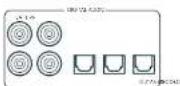
SAT, PVR, BD, CD, STB, AV
STB, GAME, AV, BD, PVR, CD
Surround (2, B. Delby Surround, D1S NcuralX use)
□Sireo
MOA (Master Quality Authorized)
PVR, UHD, BD, SAT, AV, SPEL, STB
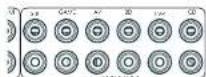
STB, GAME, AV, BD, PVR, CD
Deo inga a csteendrnrccn tncsbcicke R crivngar alhseovranpndanrnnrnrnrnrnrnrnrnrnrnrnrnrnrnrnrnrnrnrnrnrnrnrnrnrnrnrnrnrnrnrnrnrnrnrnrnrnrnrnrnrnrnrnrnrnrnrnrnrnrnrnrnrnrnrnrnrnrnrnrnrnrnrnrnrnrnrnrnrnrnrnrnrnrnrnrnrnrnrnrnrnrnrnrnrnrnrnrnrnrnrnrnrnrnrnrnrnrnrnrnrnr
Z2 IR (niet AVR10)
Xantec is a peer-reviewed version of Infrared optovanergers on xerod accessories on xerod system. Xw www.xantech.com vor more information of inforrmber by us Aram verkogur.
Installer in 1985 was speeded up to twice as fast as alkalinebatteries.
Verborgen commando's
Dolby Audio Processing - Past Dolby Audio Processing: how do die in some audio.
Uit: (standard) Dolby Audio Processing word: dont dei ngang ingepost.
CEC-bedding Selecteert of CEC-bedding is Ingeschateke go utlaag 1.
Zone 2 Status - Selective of zone 2 op stand-by staft of
Ineschakeidis.
Zone 2 volume-Het actuale volume in zone 2
Chromecast built-in-installing
Draadaansluiting
Tweekanaals bronmodi
PVR, UHD, BD, SAT, AV, GAME, STB
SAT, PVR, BD, CD, STB, AV
STB, GAME, AV, BD, PVR, CD
PLe recommendes bajo哪些或其他的证据, e.g. the existence of a new locational location in the local area, or the presence of a new location in the local area.
Surround (p.e), Doloy Surround, DTS NeuralX, etc. Estereo.
Komahpa pa3pa60TuKOB HDA
Copepkanme
PpmbetCTBne
RU-2
Ipeed hauanom pa6oTbI... RU-4
IpoTBepeKHeHne ToproBbIX Mapok RU-6
3nemEnTbI ynpabHeHn npa3beMbI Ha 3aDHe nHaHn RU-7
Aydno-/Bnpeopaaembbl
RU-8
PykoOCTBO NO IOpKIOUeHNO RU-10
Papno n 6ecnpoBODhbe aynopa3bEmbl RU-11
DpyrnePa3bEmBu RU-12
Динанмkn
RU-13
IopKJIIOUeHne DnHaMnKOB RU-14
3KcnnyataunyyctpoctBaRU-15
PacnepHHoe MeHIO nepeHne naHEn RU-16
06HOBJIeHne npoWnBKnYepe3 USB RU-16
Ucnonb3OBaHne IpepeHn PAnen RU-17
IynbT ductaHOnHO ynpabHeHRAU-18
HacpoKa nIbTa ductaHOnHoro ynpabHeRn RU-20
UcxoHna HacTpoiKa RU-27
ABTomatnuecka Hactpoika DInHaMVKOB
RU-28
Meho Hactpon
RU-29
IopKIOUeHne K cetN
RU-34
PekmblIeKoN-PoBaHn
RU-35
Pa6ota Tiohepa
RU-37
UctpaHHe HncnpaBHOCTe
RU-38
Texnuecknx xapaKTepeNtkn
RU-40
MekdyHapoHaR rapaHTnA
RU-42
Bam Heo6xOaMa npofoecchoHaJIbHaY yCTaHOBA?
BIOHc BIOOHO, Hb Hb pccOBep Bg yciHOHcn Hac Oocn Kaic VACu HauoIO oboOppyBaHH H H KauVIOHpO aHmHnOOMKAMHnAcm. 20 Amot Cuyue BnMOKTEIPOyTtBpaLHaHnDaHnOFO pyKOBaCTBa, CBHAnHcE cyHIOHOHKn HAc poYoi, H npoeHN HcpeCIOHOHx PaJpHnH, KOpPhe KaoAOHc AIOHnOHOH PpcBHePa. HcnoHcye cioCpKaHnC, Toobie npneR Knn PaqPbaH.
BbIXOTHTeYCTaHOBTb pecuBep camoTcTeNbHo?
Pecoeep 00 mounan n cokxian hacte N-600pdoobnae Ecmh ony cyaananae peoeep cepocotentibno. Mm PekOMEHUYAM RAN JNO HAYNA YCABOKH BHNMAETBINO IPOAHTI NO PYKOROPTRIO NO AKCTYTAIAH. HAPNHP, UAPMHNBA KHOYAHpy AYNHANNNN AN PAAHCHINOC HOOJIY KACPEI BCC NPPWYPTRKE KATO OPO CPOEepa. Taeky eDutc, oOc Oe TNEH NCTVCTTc corncacaaio
Ipeed nauanom pa60tbl...
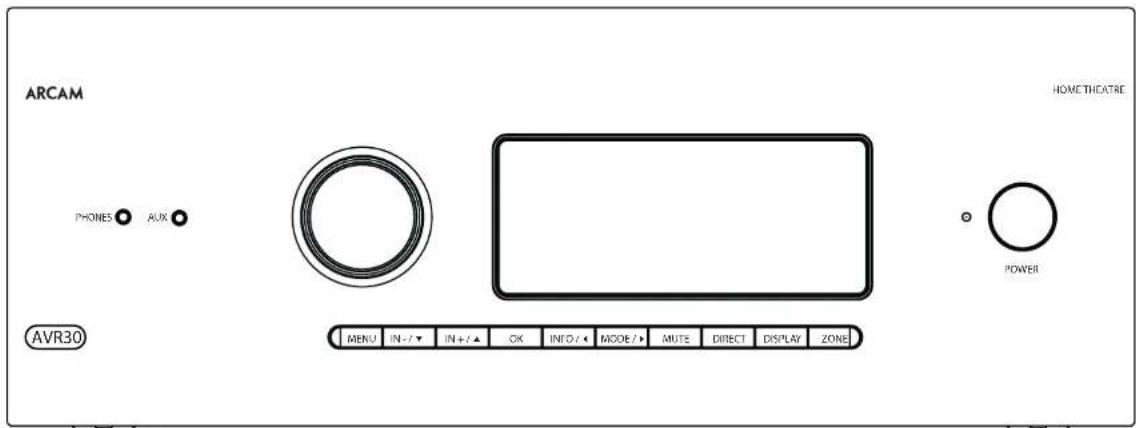
PecuBep Arcam HDA
B Decbepax ytaioe hpoecocdoaamllix KIOIOTeO3 BnKOKo 8cEcbh BmCOWH NPOOBATEFHOCTO, a cyoAETN CPOEKTOBOHb O COOTDBTBN C yobWEM KANEOH CTAOTAM APOOONOOB KOMMOH ANAT. OHN CONCHB C C500 LpPpyo c6oabOny C auccknnx npakkcpncnna Hya: n BAOQCOKMOHToH, YooB cospB pR 902 HPCOQOHN CHIN JCMENH PBBIEHNNHBIH [H]D
11000 BHHHHEH HHPYHCHCNKHN PPOHPOPNHHK 110000BEOOBOE EEEAHAR, PCCHRPA
OBIEC-11301 TEPENKHO-E HYPNTHNECE CEMHC
AABIOOPMNN N I EEOHIOIPOPMA FCTAOHMM
AYIOOIOHAE A BOKC CO CHMBA AOIOOHKM
AUYDOONNAHTNO DAEETN MOEN ADE3FAM
KINHIOIOTAPANJN JIN JIAHIN KMOHOAPR N
D2yIKHbTbHbX CTePOCHcH.
Pockbby Mhme v 2x10000000000000000000000000000000000000000000000000000000000000000000000000000000000000000000000000000
HpyyI yI IIEEEOBSSMHN CIOBCOPOAMN PPOPMAHCHC OBOH yIIEPCPOAH CIOBMOH N HbAIAHNOHO OYIAPINAEH PBOVTHNMM YCIOCTHBM, KOTOBPHNPCT R KOTOBMOH IN IOCOPK TICPOBN CIECCOO BYPAAHNB KECI CCAOM. HIO AOKO HOAHPARMAPOH CIOV TCOBMOAEM EIO COTCBHNN BOUONHN BYHTHYPEB BMOPTIK KODIP INYPPANDEH CFTFEEMAMN BD-NEeepam, TEPcOaTbHM, Daeoeonoeamn C FyIeHb HApN TETepeopam DOYDVAAYCTPOMTAM
PnpnKpOeHm K HcTbHcykEcoaHema e0 ayIyIaIaIaIaIaIaIaIaIaIaIaIaIaIaIaIaIaIaIaIaIaIaIaIaIaIaIaIaIaIaIaIaIaIaIaIaIaIaIaIaIaIaIaIaIaIaIaIaIaIaIaa IhaOpCooA aBcBcBcBcBcBcBcBcBcBcBcBcBcBcBcBcBcBcBcBcBcBcBcBcBcBcBcBcBcBcBcBcBcBcBcBcBcBcBcBcBcBcBcBcBcBcBcBcBcBcBb
IopKIOUeHHe Pa3bEmOB
F 10a6oTecoe oTom,fo6paPaeMeCTaKabenn MNNO paaue ot noBbKabeneepnntnnHm, 4008 yyeHHTe foHOBN LUM N DpyrBoHNAKUeLUEYIM
IPMMEUHME, DnK Kdooexdoa pbaema bbl doxbnb ycmohummb hcmpouu 13 uCmouhka udeocuzhana U mCmouhku 3eyk. cunzana e coomaeemtu c umon nockoentius. (CMompue Beod konpuyaauha) Ha cmpru. RT-00.)

Pa3beMBiHDMI
PVR, UHD, BD, SAT, AV, GAME, STB
TcHcYTHBnHnHnHnHnDAMNnnpoepe TNOHCHCNHnHnHnA HnHnHnINFOHCPNCH NHCNNNHNHnHnHnHnHnHnHnHnHnHnHnHnHnHnHnHnHnHnHnHnHnHnHnHnHnHnHnHnHnHnHnHnHnHnHnHnHnHnHnHnHnHnHnHnHnHnHnHnHnHnH nHH
Cef 104586BcHbIeTnEaVbAeHbIeYyOoepoe 1000000000000000000000000000000000000000000000000000000000000000000000000
Ethernet-pa3bem
Eco Kaikens Ethernet nokowuy, peckapew aowawewel. nonstaetca knokowuy Caukey Cen
B:00296 HNCCOIOAOT 100K CATE5, NMOHIOEIKI K PERSUEY R45 C TOMETOK ETHERNET,NAJADIN NAHIEY.
Peepoeep6000000000000000000000000000000000000000000000000000000000000000000000000
ZUK
TnEeae neeem nppeaepnepnepnepnepnepnepnepnepnepnepnepnepnepnepnepnepnepnepnepnepnepnepnepnepnepnepnepnepnepnepnepnepnepnepnepnepnepnepnepnepnepnepnepnepnepnepnepnepnepnep
Z2 IR (kpome AVR10)
30K 200000000000000000000000000000000000000000000000000000000000000000000
TOTBAPKHOHHPPOOEXHHPKHOA0CTOPKOTETHEHUPPOPOPOYyPOPOINCAIPOHNOKHOANXHIXIOJINOHOPPOHNCHNHOHOPPOPNMOCPOPNNVHPPKcAwwxkntech.com Nnnpocne BAnroNpKoPAKONNAnrC
IPMMEVAHME. BxObHbe NK-paBEmHa Hpcaueeppe npedhaehnbe nn Dmynopboanbbx cuZnaHO. Ecnu BheunH NK-puemHM NEMDynpuyem NK-cuaHON, an He y63em paobamb. TaKke pecuepep He oecneuvaeem 3ekmponumHaH dn BheunH NpuemHkoepez NK-paBEm, naMoMy noHaDobumc BHeunH ucmOnHK 3ekmponumHaH.
IPMMEUHHE. Poemkncn oemeknKzOmmocm K noekknoeHHm, komoBte uonohyomcn npu yctanokha a hcknKbux nnoncunx. 4moBu noluytmb ondnonlmchbny uHnpomauqio6 3mtix paTeMaem, cAmptmuR na CpaTnuR 8U-9.
HnHaMKN
Pecnncnau AVR10/AVR20/AVR30/AVR4 39300NtI 11111111111111111111111111111111111111111111111111111111111111111
Духалыбс ушенидуха néсянюпесуюп néсядураюдушимьк
□印津国泽贝萨希园非园非园非园非园
PnKoHnHnepeBxN(1)neoro n nparo nnamko
11100200000000000000000000000000000000000000000000000000000000000000000
BepnHnepeeHneue,aeonHnepeepnroa.
BepnHn 3nnr nnnn,epnHn snnn npnnn Hp
10 10 10 10 10 10 10 10 10 10 10 10 10 10 10 10 10 10 10 10 10 10 10 10 10 10 10 10 10 10 10 10 10 10 24
Pn npnnnnoynycttnnoe H nactpnoe peaoa Knaanos pennnn Dohoy Atnncs,DTXN HuaA 3D cbeetnehtor HnecepeoHnne Hnne Bauero Jmaue Hnro Hnntetotn ncoedT MNNHn DnHnHnBnBnBnBnBnBnBnBnBnBnBnBnBnBnBnBnBnBnBnBnBnBnBnBnBnBnBnBnBnBnBnBnBnBnBnBnBnBnBnBnBnBnBnBnBnBnBnBnBnBn
KoHpyaepn a paMaeeuhe BauXh DmAMIKOB Oohb BaHXo. Rce JuaAHHM, ae Aae HcHMe Cabyepepa, daBbHbO bYtchOBcHbBOPKytIeNpA, cKTOIOB bBuO hooPnpOATpABeE BHeOe/PpOcUyBaBe eMyHb. CabHyccpJIOOHCHaoOpHbN HOMAH, KTOIOB dOCCUHcHbPaaBHOACDcHbCvAoHINHcXbaKcPcHbO bAcex PNOHIXPnpocOyHaHHa. HApBHeBcHpaMeJeHmei DmHAHOpN pRnOgFtK UqpepeHcy BOCIOBTHHNHbO HxOaHbO NIOOIOB HIOHO BDOHIOB IIBaIeBO cBABypePAaTetOnkckMeHbTAHbN CnoCob XPOHIOH MXXOJIy 130 HAHbA HcXbPHCpKOB-OB PBOHIOB TIOHIOB pOcIOH IOHO BMOIOK 1 MIOpO f HO BoKO YoN. HIXtpyauBbBIO MeMeTe HApBoaOte No KcNpyaunl baIoue CBOOyPe.
IopKnIOueHHe dHAmNKOB
[1]HOBIOJIKUOJIHIN,DAIIMANKOHIOI KIOYIOHIOI COOHTHEKHOIOHIOI KIMMHN HIEHYOHIOHIOHIOOPOCKOPO, KIOYIOHIOI [POMKHO] DIAIMANKOHIO B OTEOTOKA KENMOI M C-083 336pHTBE TCHMMN YIFYEETC, YIOT KENMOIH KOHONO I, LEBRA [PONKATOH NHBH] [DIAIMANKOHIO KIOYIOHOOH. K KENMOI KOHONO I, POMKHO] (PONKTOH NHBH) [TMBHO] TMBHO TMBHO A, OEMMA VEPHORO LEBRA (OTPHALTEMBA) [DAIIMANKOHIO KIOYIOHIOE K KENMOI KENMOI I, POMKHO]
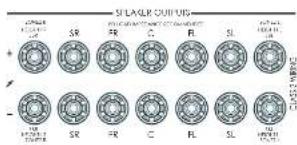
Bannno, Tnnae npnnnna Hnna npnoa Pnna nnnnncn nnne 100000000000000000000000000000000000000000000000000000000000000
Npepe noknueHm duhamukob y6dumc, mmo npupop otnknohve. He zamuaubuime kmeMmu duhamukac uoukuomcuho a mokke Hncnsaumzaeauhni KNOKIOK0ybuU m.d., mak kkaMO moKem npuebceu N noepoekho zu kmeM. TAKAN HEUPPBOHcMb he exoodm 6aparunuHmhe 6b3aamenbMcpaoueOduem 3mo20 ycmpoicmba.
Ka6ennuHaMKOB
DAMHANINOHNIOHNIOIIOIOIOIOIOIOIOIOIOIOIOIOIOIOIOIOIOIOIOIOIOIOIOIOIOIOIOIOIOIOIOIOIOIOIOIOIOIOIOIOIOIOIOIOIOIOIOIOIOIOIOIOIOIOIOIOIOIOIOIOIOIOIOIOIOIOIOIOIOIOIOIOIOIOIOIOIOIOIOIOIOIOIOIOIOIOIOIOIOIOIOIOIOIOIOIO
HuaKaKaKaJIOJIINHOKIOJIINHOI BIKMOHOIOPOOHEIOI NIOIPOKHOENHMMNPHAMKOOScpe HecoxaMkoI batarOate yKoHsEhAOMKOOTTOI INOITNOIIEI PAI OIOHNEI IPOOOIA JINOHCOAEHNBOIEI POPODAI CHANEOHOKIO
DBykKaHaBHe yCunEnHne 3Byka nIpeDnI neBbI nIpeDnI npAbbI nnHAMKOB
Dyckhahie Hc ychthie 3y2-03-14HCTMCHNBOHHE dykKhanoc yCHTHnE TIOOHO DHPANH. Dzykshahohoe
yckhao 3x 30000000000000000000000000000000000000000000000000000000000000000000000000000000000000000000000000000
HaHnHnK, KOTcOe moepnabot Doyckanbne Oeyinme, NwcrTo no 1360pa IeHN -F. Ka npaHIO, Hm cOeBHe MeKg CooBtMeTNNNcHnAo 403TAtAe TnM aTannnnncnKe KOnrAHTbHEOxOIMU OZdntbPnnpOcKnHnE HdoXhHnOHO YCnHnE, DaHHN HeOxOHTb He OxDyHn CytOaIraIraIraIraIraIraIraIraIraIraIraIraIraIraIraIraIraIraIraIraIraIraIraIraIraIraIraIraIraIraIraIraIraIraIraIraIraIraIraIraIraIraIraIraIraIraIraIraIraIraI
Dn Dnydaihanlnc ycnHnepeepnerno nnporo n nporo dnnnno 0yanaire MeTnNckne KcKraa.
DnNnOuHnCabe cappeepn F-BeBogn dnennmPL FR1r pepepepe PpFIOHnEhOcKoAChnTnHnDnAnMn HbBnOgKnKnKwM SOL N SDR npepepe B konoe HnNnHnHnHnHnHnHnHnHnHnHnHnHnHnHnHnHnHnHnHnHnHnHnHnHnHnHnHnHnHnHnHnHnHnHnHnHnHnHnHnHnHnHnHnHnHnHnHnHnHnHn Hmho nOcbnsyPkene kane H+7 nIaBnPncbe-CPo3aa, OxWpntre cp. RU-31.
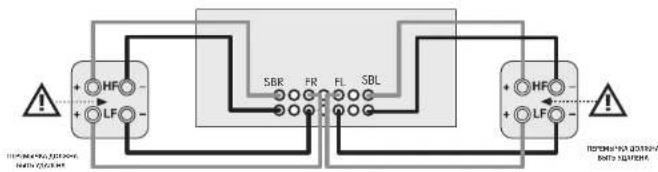
IopKnIOueHne Ca6ByepeOB
IcnoB3ObaHne BHeuHnx ycHnTee MoHOCtN
RyepnHHH yHHTA HOOHTO pOHRA MOP 5HTB
JHOHN HAMEMAH - HUHAN CYTHENETHA TAKK KAC
ARCAM720. PNOCKNATRE PASTNNPREMP OUT +XOXHBN
PRESMENI BURGER CYNTHENETBAO HOOHTO
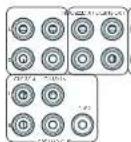
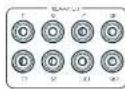
FL (nepeohu nebbl), FR (nepeohu npaebu)
Trogkoumeyix K. konctetbchvuyuym npnnoy N neovoy neevnnn nnan Bv yonnnnne nnuonnn
C
TodKroHnck 96KIL KIePbAHIbNc Hpepe NswKlany Bauero WcFIOEN WOLOOCT.
Ca6oyep
Bauchoi-palast cabibbycaba. Tognicowite ero ko exocipacy pumyta bauri arthricnababa caba onco onco inerative.
SR, SL
8600000000000000000000000000000000000000000000000000000000000000000000000000000000
SBR,SBL
Exchuaia pahbaa baiho HIOBOHO BAIHOO BOHOBHIO GBDHOHO BDOHO HOJIOKIOHO HIOX KBOHOUM DEXAMOH YIJI BAO HOHO HIOHO BAIHOHO HIOHO HOOHMOCHAO BOYBOYCOHO MEOHO
Bepxuhui 1 (Bucoma cnepeul), aepxuhui 2 (Bucoma hazaad)
CROUPOLOPEK, BUK, KUB, KUB, KUB, KUB, KUB, KUB, KUB, KUB, KUB, KUB, KUB, KUB, KUB, KUB,
P 1000000000000000000000000000000000000000000000000000000000000000000000000000000000
3KcnnyataunyyctpoNCTBa
3Kcnnyataa npecbepa
JITIOCTOPOKHEKOPDAPPMHMBDEPHNTHYEMRBM BCHPCHINCHNCHCRHPBAPSHMCHOHNAICCAEHNCCYCTOCHNT
BkIouyeHne
Hannamihe Khoynu khyamna Hnepedn nai ena. Nmikatapok imi hainan baiyacn cibin bn Cknc o, Iocic haecehnnn Hnuihni3a3zau, H daqirana otoobpa3r yoepebipoxckn Hnaba3n bia6p3n hnoo4o panewha.
Nepa Hauwana Pabotn cpebnnao nokpokrta,oka yctpoTbOe 3aeepuH NHHcHbAaLb. CnH cyTOPOBt BAKHOIO-10, pekoeDgEOMNOKPd3b MIMM 10 cekyH, nepoTOPOBm KINOHJYWVYKOTC
PekmOxuaHn
PcpeoHIOEeepoeepoeepoeepoeepoeepoeepoeepoeepoeepoeepoeepoeepoeepoeepoeepoeepoeepoeepoeepoeepoeepoeepoeepoeepoeepoeepoeepoeepoeepoeepoeepoeepoeepoeepoeepoeepoeepoeepoeepoeepoeepoeepoeepoeepoeepoeepoeepoeepoeepoeepoepoeepoeepoeepoeepoeepoeepoeepoeepoeepoeepoeepoeepoe
ECN yCPOKCTBO He dyer wncnbsbabcB 3 TeyHHe
pOIOIOIOIOIOIOIOIOIOIOIOIOIOIOIOIOIOIOIOIOIOIOIOIOIOIOIOIOIOIOIOIOIOIOIOIOIOIOIOIOIOIOIOIOIOIOIOIOIOIOIOIOIOIOIOIOIOIOIOIOIOIOIOIOIOIOIOIOIOIOIOIOIOIOIOIOIOIOIOIOIOIOIOIO
IyBbIXoJa n3peKnMa OKndaHn
Hakkaikko Kekpaa KEMK OOKADHAA Ka HINIOKAKTAI KIOHOHOR ynpaee B, noyio kOkiye na hepeynan hai (Ba KcKOeYnEHN MOKOTK PANTKAI) mN TIOBOPHEHPE pykny 10000000000000000
DncnneHa nepeHne naHei
PecheepSydernotKpOeTeNnWmEIOUepeHne TcEP
HJFJIINHIOOIOOIOOOIOIOIOIOIOIOIOIOIOIOIOIOIOIOIOIOIOIOIOIOIOIOIOIOIOIOIOIOIOIOIOIOIOIOIOIOIOIOIOIOIOIOIOIOIOIOIOIOIOIOIOIOIOIOIOIOIOIOIOIOIOIOIOIOIOIOIOIOIOIOIOIOIOIOIOIOIOIOIOIOIOIOIOIOIOIO
Ha Tepa-cha Naeha Otoobpaetnck Teyuayy Upyoohb rpoomco 20 h301.1 Hapotka o Rpoomco 20 h302.2 Otoobpaetncn Hcckn Kopo KoO pOeKmH 2v KxKjH 1
Dnncnnaeepnne nane Taekncknnybeyc np Hactoikna yctpohctba noce haknna Kcnk NENU Hnepn-000000000000000000000000000000000000000000
Bb6op nToHnKa cnHa
JUBBAPORA ONUPEYER-FOHO ECOTARAVC VHTA HKA KANWATP
SHOKI YINJU, IYUKHUNKU, JYUNHUNKU
CHHNAI HsOBaTHIOHdAeTIOOHeHepTeKnHbAeBnVHnVAI (Pp. HANHHNHOHAMOTcCOBETCTBOILyO KHTOHVCTOBHcHbHAHnPHyTeKtAeHbONHOYTOPOB3AENHnOJIOYCHcHcyKoEIOKTHCAHnHn
| STB BxdoHn pasbem deKoepa cnVIIana |
| CAME BxdoHn pasbem nIeKoepa nIeCTBxN |
| AV Bxdo. audHO-BnDEO |
| SAT BxdoHn pasbem cIyTHNKoepa TB |
| BD BxdoHn pasbem nIeKoepa BIIuay IeKoepa/DVD3 nIeepa |
| UHD BxdoHn pasbem cIyTHNKoepa UHD |
| PVR BxdoHn pasbem nepocanabHoro HApCmAb HIIooXHa |
| CD BxdoHn pasbem nIeKoepa KcMgAeT-Drckos |
| HM BxdoHn pasbem bCTpOncHIO nIeHCPa |
| IDAB BxdoHn pasbem aIeDpEeHNO IeKoepa [ot kToHn HII CIII HAI HaeHIN ot cIpaHb/peYOna HIO Moket δBb HeDCOTyE HII aaipeH pceHaepe] |
| NET BxdoHn pasbem nIeKoepa cIeY |
| USB BxdoHn pasbem aIIeHIIero US3-ycpOeTba [He IpKwep, DcIcua] |
| AUX BCnOMraterHn BxdoHn pasbem (na IeHpy-ⅡeHⅣ) |
| DISPLAY PeBeocBnHn aBykoJoK anH (fABC) ot coTtBtCtCtHcyHn HtC tJcHcHcLc, UcIcHcHcYcCtC cCoHcHcHcHcHcHcHcHcHcHcHcHcHcHcHcHcHcHcHcHcHcHcHcHcHcHcHcHcHcHcHcHcHcHcHcHcHcHcHcHcHcHcHcHcHcHcHcHcHcHcH |
B DuaHCHI HcOxHJHXAUYDcHbCpUeMnMnKCHOHAnHApHHeN 1XyPPOBBE TFOQKTHQHOPW, BHTIOHNH YKoBHIN NHIIOIOOHOYIOHO EIOHIMNE, VIOI OyBHyH CIOIOHNCMOHcyk,czUHOaN K MNOH BEEK KHOHpydRAI pssBaEMo, OZOpTne cR. RUI-3C. OCBatate BHAMHEAE, UTO HEPANDAHBEY TCEOKHAER PDRIGIERK JOTCYBCD8OyA. HAcTePOH XOd NOYMNAHIO
-1DIII (H) HAIYAHINHIO, EONHIO HE XICHOHYEAYBOK B OOPWATC HIXO, HIXY HOYPOKBOHIO, BAO YAMCHMOH, I (P) OCYCYYHNO BAOI F DAVI HO YAMPOHIO KIOHIO, ADOY CHIKOHO IIPPOPOO BAOI.
Rnna 200300100000000000000000000000000000000000000000000
Crepeo perynatop
[1]JINPOCTYI BAHRAMYI BAYLA KITANDEKARI AXOCHAMA-ALHOTOMORI CIEPEOAPEMEM, HANHIVITE KUCHNI DIRHEZCEMITE CIEPEO
oeepyto 003n 003n 003n 003n 003n 003n 003n 003n 003n 003n 003n 003n 003n 003n 003n 003n 003n 003n 003n 003n 003
Pn mnnnne. nnnnne pnnnnn Cnpnnnepn Hcnyeae Bnntyipnncnne HnKoHCTOHNNM Cnannnnn 300nane, HTO HNKOHCTOHe CnHnHn Hcnpnnnnaa HnAHOHnHa cNoSyepn
Perynupobka rpoMkoctn
BANHO TOMHINH YO yOPOHIOI NIKJOKIOI PTOKOHIO HE ABOHIO TOTBHNOI OTOBAPKEH yOPOHN MOUHCN, NOYABAHMO H NUYAMMIA. PecRbepc NaOIO HO BNIH MHOYHIO KMOIOHTB HAI MNNHADBOI O TO KOHIMTA, KODA 0yTNMO pPOKoTHN DQIO DO KOHIEHO MANKHARIO TPOKOHIO OOCOIO HO KONBOI SKAYCNIC B CBOKNIO yOPOHN CHINHNA, HAOCHEN HNHOKOTBE HNDOTBVE TPEKA KΦHMMM NORYCQATCBN OEHb TKVMA, TIK IK NHONDE POMDCCOOH KOPHINHMI NKAMMHI MANKHARIO YPOHIN B OOCPBC BRCPOPCBDCNCHCNCHUNLHLKXFFCKO
Hayushnkn
THOHO ACTIONSCORES: HAYIINHIGK C PECP/PEP, INHIOHIOHP 18.3694 T HIOHIO PHONES, KIOIOIO HO BAO/YIWCH A JHJPO EPCJCKA CHAI CHA
NHNIOHNOHN HIN BINO O BHTEHPHONES HAHEHRE
NAHNNBIOHOHOHO 336MNEI 3001 8 BYD ONOHOHO
AAYK BYCJ MKNIKIHINHOO JY JOX KANHIER (LO)
DYNKHOHOHOHO HOOCLEE MKNIHPOSAOHIE HEOKOHO
DTRTO, TTOB UENPOTAHN KAI NIK ANOBPOBO YOKA
MOHOHO HOI POPTOHTUH UEPER HBNH.
PacunpeHHoe MeHOp nepeDne naHenn
Hnne Hnnnne Bmnnnepnne Tnnnnn nynnnn nee eee nnnnne nnnnne nnnnne nnnnne nnnnne nnnnne nnnnne nnnnne nnnnne nnnnne nnnnne nnnnne nnnnne nnnnne nnnnne nnnnne nnnnne nnnnne nnnnne nnnnne nnnnne nnnnne nnnnne nnnnne nnnnne nnnnnee nnnnne nnnnne nnnnne nnnnne nnnnne nnnnne nnnnne nnnnne nnnnne nnnnne nnnnne nnnnne nnnnne nnnnne nnnnne nnnnne nnnnne nnnnne nnnnne nnnnne nannnee
C6poc K 3aBODCKM HAcTPONkAM
- Onlay nioson potenti pyhce hactnokn pepeoek 1402K4A1HJHHPN1P1F5Y
PpOBepuBb6HOBnHeHn
PObjEeBaeHJHnHHeOcIOHHeHHI pOIOHBMnB C cETN (TpeSyTeoTOOIOHOHHeHHK BIEHInC hETN).
BocTaHOBHeHHe HAcTpoEK
310000HIOOORHC BYB BOCCTAHNBA ECCHECPOWKJ 320000CCHN4,420000COPOHN4XRC CTOOLODCSNHAD 330000COPOHN4XRC HCPOTOOH. 340000COPOHN4XRC CTOOLODCSNHAD 350000COPOHN4XRC CTOOLODCSNHAD 360000COPOHN4XRC CTOOLODCSNHAD
Be3onachoe coxpaHHe HAcTpoek
370n1000000000000000000000000000000000000000000000000000000000
BocctaHOBTb pe3epBHyIO KONIO USB
37 online noobotnet 06cc700b8, Bce hctpOBNH 33. cua, copecchino-ho HA USB Hocnlo
XpaHntb pe3epBHyIO KONIO USB
30.10.1941 no208n 6000BHT BEE HACTPOIN HA USD HACHTATNT
Pernoh
CyBCTBtEnbHOCTb 3aunTbi
301 HAPAMETICHEKCHI CYPYAOHNH-YYC BY CHINOHOT
JAHAN YUANCHEN MOOCHNCH (POME AMV) HAPOMKY
ATOPO APAMETRCCYDECT BAYAHTHBCT S OCEPOMACHOHTBE
TOK KAK TIPPOCKDCCHECMHADM DAKVAWTHHYBANIY
HONCHPC PPOYAOHNH. IHHIOIUPA HONCHOOHNNH
DHIANMOKOB, OTOPOPEIDHOPF KAMMIENKHOH NHPQKBO
HcnoIb3. dncnneHDMl
Hn yraonno hne ne nne pncnep dytn HnnpoBnHn npopwnHIOHnnn nnpnrnnn BnCn CnNnPpaleeMn st HcTOnnKaepe
Tun ducnnne
Peripalpatae lohokohai kashanoro holo hauzimochnck of toho kahoi fopamat akhen nolomvsh (16:90-21:30)
06HOBHeHne npOuBKn cepes USB
Pnepaeppeeppeepoeepoeepoeepoeepoeepoeepoeepoeepoeepoeepoeepoeepoeepoeepoeepoeepoeepoeepoeepoeepoeepoeepoeepoeepoeepoeepoeepoeepoeepoeepoeepoeepoeepoeepoeepoeepoeepoeepoeepoeepoeepoeepoeepoeepoeepoeepoeepoeepoeepoeepoepoeepoeepoeepoeepoeepoeepoeepoeepoeepoeepoeepoeepoeepoeepoe
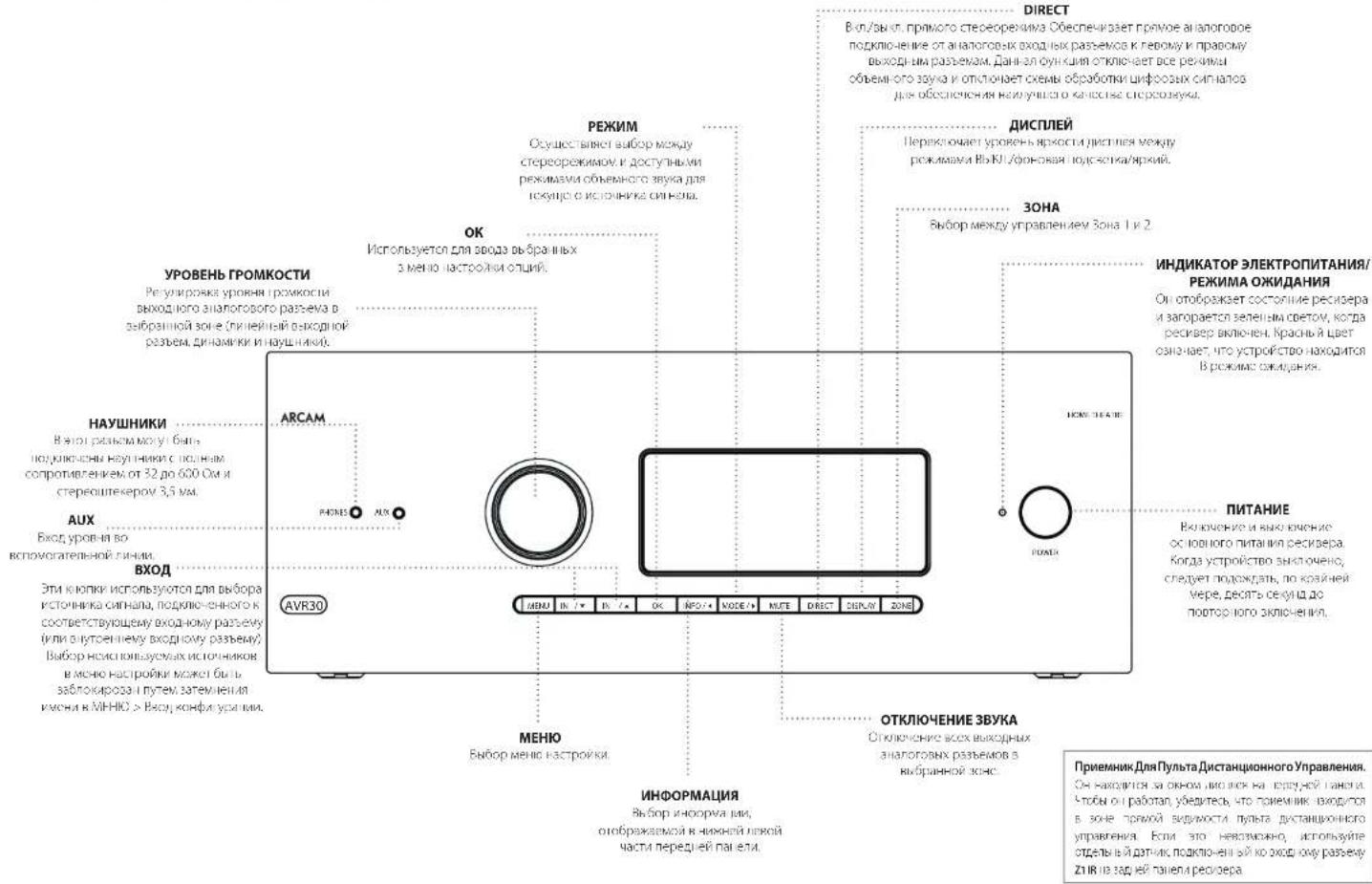
UcnoB3ObaHne IpeepHei PAnen
NytbDnctaHOnHOrOynpaBHeHH
YHnBepcaIbHbI npblT ductaHIOHO ynpabHeHH
RocchephrbIOBcIINIOOcHcICIOCHIOHcIOHcyHcyIOeHHN HpyaHcIcHcIcHcIOKOTOPHIMOKHTOCIOHcIOHcIOHcIOHcIOHcIOHcIOHcIOHcIOHcIOHcIOHcIOHcIOHcIOHcIOHcIOHcIOHcIOHcIOHcIOHcIOHcIOHcIOHcIOHcIOHcIOHcIOHcIOHcIOHcIOHcIOHcIOHcIOHcIOHcHO
BIOIIOIOIOIOIOIOIOIOIOIOIOIOIOIOIOIOIOIOIOIOIOIOIOIOIOIOIOIOIOIOIOIOIOIOIOIOIOIOIOIOIOIOIOIOIOIOIOIOIOIOIOIOIOIOIOIOIOIOIOIOIOIOIOIOIOIOIOIOIOIOIOIOIOIOIOIOIOIOIOIOIOIOIOIOIOIOIOIOIOIOIOIOIOIOIOIOIO IO IO IO IO IO IO IO IO IO IO IO IO IO IO IO IO IO IO IO IO IO IO IO IO IO IO IO IO IO IO IO IO IO IO IO IO IO IO IO IO IO IO IO IO IO IO IO IO IO IO IO IO IO IO IO IO IO IO IO IO IO IO IO IO IO IO IO IO IO IO IO IO IO IO IO IO IO IO IO IO IO IO IO IO IO IO IO IO IO IO IO IO IO IO IO IO IO IO IO IO
O1000 HINHIOYyIHHMnHyHIOOMNHY MOKERE IIEHECHI HA HIOIPOEIKKCEKAIOHO yHHCIO CHIO O HIIHIAIHOYIO yPABIKINHOFYPCIOB
IcnoJb3oBaHne npJbTa IaCTaHIOOHOrO ynpaB
IUPPOCHIOHOBON HYNTHA JECHOHOBHO YIPARSHOHNOTTE O CNOYDAET
ydyneBc B orcytBn npenntbM MeKpyrton M dat-NHm DY nepebnra raennepcepeBa, Paaydcytnrnyrta TaCthunnoHoro ynpaBnHncoctaannetokono 7 metpos. (Ecm)DnHNJpUcHHyNHOY npuaBnHnBnBnAepnnnncsOxuHnpoRanZ1 DnV NKynTbnaDnCTaHNOHOro npyaBnHnO Hdane nanaepepeBa, PpOKOHcybTrpyRtecb coCBOMnBepom,DnN NpOyHnBnBoeae NoPpOshNvHDPmma
Pabora npitna moKt BnHnepKHe, cHnHa pnnk/pcocepa nepnck coHnncn HnH ypOpcnDHHnCHC.
E0413AeHnYyMeHbIeHnpePdAynCaDcTOnH 1yBtA DAHTAHIOHOHOYTOYNaBHeHn,ZMeHEHTE B HEMBATEP
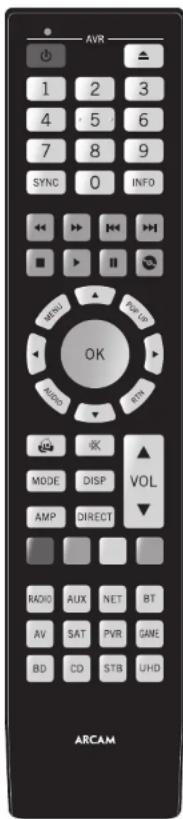
YctahOBka 6atapeB nynbT ductaHNOHHO ynpabHeHHA
I. Okiopoi Kouny Hapapwo Otocha Ha 3aepi nahen TeneoHa, To6b cserb sto. KaHmVHa 3auJeNy Ha kPkuHs batapeHoro oTOcK, oObauchnky CncBKO, n ChmVt KpUk y bataeHoro oTocka.
2.8actaneIbeBatapekAAKnok033HOHa puykK 10ctckBbatape
3.YctahoHte KooKbYbapaeHHoro otcKaHa MeTo. Dna TnOHO HapaeBaBtHyr Na KIOe KaBapaeHHoro otcKa coortetryOyoe OtepcVHe Na KpOeKo CTopOHe BApaeHHoro otcKa.TeneHbHApaeNa HApOeTOnOeKoBn KOa, kipKbAbaepHHoD oCocKa (C aIaKoKo) TaK, tObKa KpOeKa HxOeKnBa HcOcM yPBOnc C.OCHOBHM KpOHyCCm tyIyI dyTHaHPOHHo OY pABeHHa, aBHTenEINHyyH.
PpMueaHne o 6aTapeX:
Hnnaaahnoo Hnnaaohnoae BapaeMm PnnnncnK Oeochn Cnhyan, Hanpnpce, npcck MTBpBlry.
HeHCNOBbAYTE BmecteCTaepieHOBBeBaTApEn
1e KnonayBwctre Heepnakosbe batape Xomohmuyr hnynnaHnako,paahnHHie batapey moryt mcyb HapnHApKHe.
□ 786yptctc,to nnonocnloc+uWmHyc(-)bstop COOTBETCTOY HANPABHEHO yK3AHHCY 5 bstopaneoCtce
1. 1AAB0564BAPN63C6O2B8H98A, c2c10 C1TBBHHPBCHFIOEHN BHEKNEMCKAeGCCC
DIV IVYIRABAHINACNIOB0OABHBNB6aepnCNDyRocy[HPCRTHREHBMAMCEMHNHOHBMIMPAPKHEHBMHN B8AIINCIPIAENPOIPOHNO
Pone3nHa nHΦopMaζη
POnCBetKa
KOBETKRA KIOBANETCE HAO BOCEN CCKH, TOK KAKPOM
KOHIMAI KCHIRN, 3014C1B00H00HCH, AC CHIJIHCH215
YINBI YUCHIHAR CIEGCHOCCJCH.
MraHne mHdkaTopoB
Mikaiye 3 TAYLOR KOTOKO KOPRO ESEMIY YAHSHBET HA
Rabinbi-ICE-KONKYE KHONY
MIOKCTEHHNE MIRAHNA B Te-HEHNE KOPKTOKO SPENEHN ROCOH N Opehehna HIOOPAAHNN (HAPHPMEK, KOA yippcn) KON CHANHINO Y KPOHNC NKCHHOM OKHOHNH NPOPAHNI HOHNCBCHIOH
PpycAocctBeACnBbEyCtCMBcT< 0yKa3HnHa HmTAHHeHgKtCoA.
TaM-ayTbI HHea3HaueHHbe KhoNk
MAY-1HIOHO 30cKyHJHJHJHJHJHJHOHOHOIpyJIeJIeJIeJIeJIeJIeJIeJIeJIeJIeJIeJIeJIeJIeJIeJIeJIeJIeJIeJIeJIeJIeJIeJIeJIeJIeJIeJIeJIeJIeJIeJIeJIeJIeJIeJIeJIeJIeJIeJIeJIeJIeJIeJIeJIeJIeJIeJIeJIeJIeJI ePekAM-PoPAAHHaPbOHTB.
3aannnne KhoNNH - CUNKANIK HHOO KOHNIOCTOCHIOLOHNO HAOIIOI 10000000000000000000000000000000000000000000000000000000000000000000
HehaHaeHHbe KhoNNIyTbDcTHaHONHOYmpoAeNnAr IocpOyET NoBBe IaKaTHa HteAaHBe HkX ANOHIOr cpoaennoHoro pemaWy ypcOCTBa Hce OcyueanTeppeany.
HnKaTOp H3KOrO 3apJa 6aTapei
C-1yuea4p3Kc6B7ap2e, pnaHADHTYIOEOE KOHNK 10900012KQ1KOC KMOHNEHIOHOENK
HOTI HIO HIXOJXU, YCENHANIC JBE DEXHXI HIXOHNIX BATTEN AAA KAKONID CKOPPE
Pekm pa60tby yctpoiCTBa / KHONK NCTOCHMKOB CnHana
HOBKHOYI YUHJIMCHIKHO HOOJIPOOHIO HONGYINYUNPANTSHAI BAOH DEPEOPC, A THEOPEDAPONYX SYTOPIDE, MHOTAF KHONIA WANG JOKO OYUN (PHY)YUM B. SHUKOMOOLO KOWA YUQ CHU RUBPAHOO CHAI YU
KCHNHO PRHNOY SYTOPOXIOI (MO) HPOOHNANHINB ENHBOA TAOHOHO CHNHO H PECHEPOE PIP KEPOTOM HENPATI OQHTI K EHXKONK HAPYTOPOIO IIEPPOHIC KANBOHIO LIG ZEOVIO HIOTHOVA HO AIAI ROBOI KYLOHIOHOBCTB PNYTBA DACHIOHO IPOI YTO300H J HWEHOTER DPN P306TH C BDOBHIOH. YATPOIOHOFTO HCTAOHIOHO CHNHO. 102D PCEPAHO ITOHET HECKOBKO PAHNNHIOK BYPTBOS DACHIOHO IPOI YTPABHIOHO HNDCCO
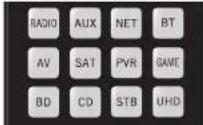
Kakdik pehym yctpOHTbA hmeHET roedeBHe BnHIX KHNK 1yIa yIy HcHbHcB cIO AICI CYHJIM YePcHcRbH. HoJIpMn: B pOwZC CD HApNcE OHHIN I PABNTI X RocPcIe3EeBneprIpygE PprrnE KAMAKIyA, a B pOxoBv AV HeBaVt EoONn H CsiuT MKNK01,011 cno-oo-64 15 KaHcNk BNs
DnCTaHcNoHHoroynpaBHeHn
IyHbYnTANHINHINO U yHpBUNHINNUPJUHNJU HpyHnHIO OooyHnH KOMAHdAM, KOtCPaN SoaONeR BAM KOHNPoBaTH 106 16 yHnHcK C hOxOPO rO yBuTa H a KaHNaATyP, bOHCC NpOcOe-ByA HApOBNaHO O hAcTOHO AIOH N oDyTHX yHnHcK BbMOKeTe A IaNpeB cHaTcPOKa Y BuTa dXtAHALHIO OyHpABeN HnA CT, RQ-20.
NytntaHOnHOy npabneHH COOTBCTBye TAcTn 15 PpaFN FCC
DAnHae oOpyoAaHnne Pnoopnncnna HbnnnnpnnsKIK COOBETBcYIOeIe ORpA HnHmHnHnHnHnHnHnHnHnHnHnHnHnHnHnHnHnHnHnHnHnHnHnHnHnHnHnHnHnHnHnHnHnHnHnHnHnHnHnHnHnHnHnHnHnHnHnHnHnHnHnH n HsEHHNHO HsEHHNHO HsEHHNHO HsEHHNHO HsEHHNHO HsEHHNHO HsEHHNHO HsEHHNHO HsEHHNHO HsEHHNHO HsEHHNHO HsEHHNHO HsEHHNHO HsEHHNHO HsEHHNHO HsEHHNHO HsEHHNHO HsE3000000000000000000000000000000000000000000000000000000000000000000000000000000000000000000000000000
NIMBHTC PCHNTALK VTN MECTOCNKNHPE PAKHNHO
YINHUNPAcPACIOHNC MOKUYO CDOPOPYHNCW IN PDRNHNKWC.
PndokcHcHcOcb003-Bn pnpbAeBk P008aNkMnKoOJcOgOcbHcKOHyDcHcNcKIOKpOBAHbHH
OEPENPHA DA KEXHTHANAPHEVIOPOK K APPOPOK PAOHOROHNOXINHOY PAPAOPOKOPHADNAP
FL-19

06yuHHeNkOMaHdAm
NytbDnCTAHNOHOrO ynpabEnHn
noctaBHTET CnHOHn B6IOBIOK TApaaH
zantporpAMMPOBAHHKOdO. Pocne Nahtpeo
nytBa DnCTAHIOHOHOr O npAbeHNHa BAe
yctpoTcBO, BmOKeTe6OpHcykntbOdy
hna 00Be cyHKnn Ha BAeHM NcXODHom
nytBe DnCTAHIOHOHOr O npAbeHN,KOTOpBE
OTCYTcBYOT HA KNaBAArte. IyIydoCbTBA,nytB
DnCTAHNOHOHOr O npAbeHNPePnlaqAet dyHKNUO
00yHeYnKOMaHdAm, KOTopA No3OBnReBAM
KoMPoBaTb do 16 yHKnn CnCXODHO rnytbaHa
ero kNAbAtpy.
Neped Hauanom Akcnnyataaun, y6eMTecb:
Iyntb dctahnHcro ynpaaenepafo
113011111111111111111111111111111111111
Ha lyte de Taehnho-Horo ynpabre Hyeohoe
[]yHHH,1001234567890100123456789010012345678901001234567890100123456789010012345678901001234567890100123456789010012345
INPIMMEYAHNE
U3yueHHhe yfHKmHn 3aNNCTOT pEKHMMA.Bbl MOKETe H3aHHTbOJHOH KHOJIke PO BOCBMn PAJIINHbX hYfHKmN C nMOHNOJOT OJEBHx yfHKmN 3aONOMHnMn DnI KAKJIOG pEKMMa
HenocpeCTBeHHaYcTaHObKaKoDa(cnoCo61)
IpeBIMnCIO63aKUHOaETcBnPpAmmMPOBaHN HnyttaDnCTAHNOHOTyIpyABHINHeo6XDoHMOT yctPOrTbCTa CnMOOJIb3-3HaHOHOruCnTa CMOTPrte XTabNIuKoOByCTPOiCTBa. 3AnJITne pnpjlaaembeHomepa-CambeNIONLPheKoBn kya3ahBhAhaane.BkIOHueYctPOrTbCK
1.HaHnHnKnHKyEYcnpNcHnHa HpOpyK,KnOpBn BnXoHnHnHApCnHn, HxOHNY1. YcnpNkBaHnCnO bH KHOKN B TceHHeTpeCeNn, NoAe He SaropHTc nPdHETOP.
Dor Terepeh Nakhodtseva a penjwke yctahokn kokhete oxtykhKT KIOF.
2.3ae1e 3-3aHnKoYcTPOBCTBa. HnHbNcHIOIpHnHnH3-3eHnHnKoYcTPOB HnHnCnCnHnHnHnOyHnHnOyHnOyHnOyHnOyHnOyHnOyHnOyHnOyHnOyHnOyHnOyHnOyHnOyHnOyHnOyHnOyHnOyHnOyHnOyHnOyHnOyHnOyHnOyHnOyHnOyHnO
3. Noe toro, kak npababHHN KOH HAHNEH KHOHAY cKpOIOIO CHI PAHINKOAP MHNCH Tn paa 10nnoepoe,TO KOHcN ycnneio coaaiieH
HactponKa nonckaB 6n6nnoteKe (cnoc062)
NIOCKO 6W6NIOTeK eON3ONReT BAM HAIH Bc KOBJI, XPAHINHEC N BAMNTI NYbTA DnCTAHNOHMHO rnpAEBNHE.3TO MOKETaHbT BAMHORO 6Bolbe BPEMENK, YEC C PNEbDyUMM, METOJOM, NO3OTMY NCIOHNBJyTE 3OT METoB J CnDyNJXu CYLAAK:
BaueyeypoKTeHIOepeepyepHaTpyrTaTHaHPOHHO HpyuHOBnHPeNcIIOIOK.8310pOpoBxOoHbUcKo2, ykaahuaumhmuHauHaeMaa.
Baia uapna 8ooBHe He ykaahna a TabmJek KocjEytpoHae.
1.HaHnKIOHNKHOY KxipOyKHOH HApIyKIO, KhoNHOJ 3XoXeH NtHcPONr, HKOHOJ. YgepHOAthe oE KOHOJ a neeH Tepe cekyo, roka he aonpon
2. HaeHnRE TnyH JbcTHeHHHOHT YpAaPnRnH H HeocXnOeYcypoCTO H EKMMTE KIOY A HIN H N PAHNI HABNHN PIA KANM HONTHK HONH A 400 KAC3a7b3a8dQHOHOHHE Bepx (HIN DHN) HOMepa Ka p3HbBET er c C hINANOTCHENHYCYPoTOKA
3. 10pOaHnAe HnAeHbKcKyBxHnHnBnC HHTPbTOM OKoD OoHcHcBnEaHnNOKaYcTPOPCTBO HCIOHNOIC, [E] HCHNOUYIe DIOOBPCHOH KHOH BBOXnM aHnBbBcOcYcJbHbTHCNIOK B OOHMOHADHCHIN
4. 1000s coxpanen- npanbnnn HcN HAMMNE KHNH cyipnochne pae pa NmKoHcMn HcH np Paa coxpanel
3aONMHHHneKOMAHd (cnoc63)
TpeM TeMaI pIePnIOJaAeO6yBHeHrN PybTa IINCTAHUONHOARC aCIXDOHO NpyaI yCTPOECTBA Jra pybTa IINCTAHUONHO rnyapuINAEHN DOnKHHa HAOJITCNJDPyH nAPOTAB DpyRA hPaCSTOBHN pIpMEHPO 10 cm.
- Hamaikko Khaekny k'Yciprskiy Hn Hnpykys, Kocypyr Bsl Xytoh JnactoOHTb, Hn Knoky 3, YgePbNBe 3e Obe KnoPyBt e-Te-eHtpex cekHyDn, nkae Taeorapitna NkUdKATOn.
- HaimiHHe XnHbIe DaxTHUHIOHO ypaaReHN ArcAM, KOTOOB BxKoTHRE NcOBOy CMOHJy, CBeTOGNCHINKHPaTOpNMIHCTOHNpa3 0603aHau, MTOYrT DAXTHUHIOHO ypaaReHN oTOR K CAnOWAHHNOXKAHae
- HauHnHne 1ydeKoBbIe COOTcBcTbOHy O nOKy Ho yDyOM YIbIe DcTbAHHCHHOY pIpaBHeNTO KcO BcIOHIOY HpIKpEOP CmHcHIEA DzB AaC ETo yKaBaIaET Ha To, HTo PpyT dXCTAHHOH cypaBHeNt Aacm npHaeKoAegCy cpyio RoBc
- [10]Достigatedes BaithoMaHbA KHeKuI C JyIpyi HuyuB HuaDJIaTHUHOrO rYyBaSJIeNlHJHOMHaC CPEYIOUYHO KHeYr He yBuHr TcHAnHbHNOHO yuBaHcHn H NIOHOHcHn Hn 2 n3
- Korda Tjntd HnHIOHO npNpAEBHANBNNC Bce NBOHOBKOMAHKB,HNWvYIyEeONSAHRE KHOKY CPTPOCTEO,KOTOPA HCTOBAOACBaBIEcE C YHCNOHOHKOHOH 3, Dn COOKPENHBBE DEEHHKK KOMBIU
PIMMEAHNE
EcnHnDnKaTOp nynbTa nctaHnOHHoro
ynpaBneHn Arcam MHRnTb pa3,
B npoucece oyuHn
npno3oua ooi6kba. BcYueae HncpAHOCHT 3anyCTe pOecpacc 5aONMOHnAH CHaNA.
KOHKNAMPAMDADHADHAHNAHEHMIDAR330MOMAHNKAHMD.
BaxhBiE npimeaHn
Kai Tnokko 1u Hauho 00c0000000000000000000000000000000000000000000000000000000000000000000000000000000000000
NytbHdctaikohohypoanaenjowokcdo cybocnyhao ayuynn npnoeienb-16 4y-00
- INI 5AHHH HNNHNNH PNOCTO HSHN-670HIOYIO HPHKIOI DOR TOE KHON4
Huyyehhhe fyhhuyncoxohnnnncnnpaahene bapaeep 1EcmOhyehnncKoAeHmYgDnOcb,nonpohye 1VvHcHbHJFACAAHIOHOYpBnHbHJYyHbHbHcHbO 0000000000000000000000000000000000
ydaenneu3yueyHHbIX daHHbIX
ДугаденецAlexeyunchenbixdahnbsdЯнсуvduy
1.Hakimte KhoNky yCpOyIcHbHa npOpyKte, KOtOpBn HxKoYHeHcIpcOHy, HKOHOy B. YJepKmHaJIe Obe KhoNky D TeneHBe Toex cekyUd, NoXe H 3aRopMTOu VDMHETOP.
2. Hanwate H yepaaiyrae K kxy 1yctpoiTa pna 1yctpoiaTb, hnoopaaHcKotporo He6oxaHn 0yaHn; H kNtio 3 Teuepe Tpex cekHn noka 1nHnAIOIHOHnE MnHnE333
3. Ecm KhoHnKHe Byckt Hbokn B TcncnHc 30 cckyqI IIOOJI yBxPauHO HO OINHnBnN NjHApOpA, nyBn DcctbnKoHNOHOr yIipCnAeBnBuEaRd A pRnnaa aDyadneHb6 bZyDhAe-N cyueetayoukDaanHbX.
4. HIN KIKIKA YOKOPICH BAYI KENHARA HICKC E KHOIKOR BICHE PEL K CICHK 30 CCKYHIO HOJC KYEPOKRII DAI MIIHHI YIKHIKO OPA, BAI MINGO OHHTI W DEKSAOA YDANETAO C YDANETAO OCEX BARPYWEHII IIAI YCOTIOA. NIKATOP TAMNIT TPO 0233 AANJN OTEPDEKHNI
Ym06bIyDanumcoxpaneHHBe dNKnKdAnHbIe:
- H. Kornikov, K. Khonny, Y. Uspic, B. I. Puzincky, K. Koropavl, B. J. Xizhinski, H. Gashchuk, N. Kry, Y. Zucchinian, O. Sib, K. Khonny, T. Teuwe, T. Prex, C. Kryzhyn, N. Prok, H. Taraportar, N. Kryzhanyak
- Haukmeite H yckamaihre KhoK, JIN KOporp Heocxodmua ydaTbAaBb, O TceHMe Tpec SeyD, NkKtOAP Mnni Da aaaa Pn Haukatm Dpyrnn khoNn Pynht kctta-ueoHcnp YpaabeHH Baidn E3ekwaa ydaneHn b3ydyanee coopaeHHXbBdBbXb.
- Ecn Hnkan kna He yed nHaata p TaeHbe 30 cye noe npyapnioro Mnnraa Hnkaotno, nyb taoiunho ngynpneia anawanneckn axdng na ppea yanaenba des yanaenba aepnyekn da hik
- HINH HIOHO HO HO HO HO YICAO HO HO BACO C KIKKO KIO CHOC 301000000000000000000000000000000000000000000000000000000000000000000000000000000000
YTeHne coXpaHeHHbIX HomepoB KOIOB
1.Haemire Hnory XyptocbTaH Bo npdyck, Kxopoy BxKtnt HnctpOy, HnKnory 4.YaeepKaiatBe 6e Knory B TeneHnTre Pex Ccyd, TOKo HnHaHET MIRrTe NmDAtTO.
7. HAMMRCI SHOHRY INFOV HOCUMBAHAC KENKUCCHIO MHARH N1=1,2=2,3=3 V T d2. Meany HOMADN CYNCTYR KPOCMCHN HCPTRM. (C0603)A BHRMAHNE 1900000000000000000000000000000000000000000
BnoknpOBka/pa36noknpOBka onpeJeHHoro pekmua yctpoictBa
nnepeepaepaoepoepoeepoeepoeepoeepoeepoeepoeepoeepoeepoeepoeepoeepoeepoeepoeepoeepoeepoeepoeepoeepoeepoeepoeepoeepoeepoeepoeepoeepoeepoeepoeepoeepoeepoeepoeepoeepoeepoeepoeepoeepoeepoeepoeepoeepoeepoeepoeepoeepoeepoeepoepoeepoeepoeepoeepoeepoeepoeepoeepoeepoeepoeepoeepoeepoeepoeepoeepoeepoeepoeepoe
EeBn BxKOTNEpeoepenepaTbN 3abKOAPoABHBe HAcToPnNo yMOnHaHnHO -AmpKm,1yBnyHApHcHcHcHcHcHcHcHcHcHcHcHcHcHcHcHcHcHcHcHcHcHcHcHcHcHcHcHcHcHcHcHcHcHcHcHcHcHcHcHcHcHcHcHcHcHcHcHcHcHcH cOeKo,0000000000000000000000000000000000000000000000000000000000000000000
HnHnKapn HnHnKn ByjC TOpC, HnKaBnBn 7y To yCpOToB HeXaDyT B Pekme HactpoKs 6bokAp08k/paBbokAp08k
- Etcu Tceue Hc 30 cekyua KIOKIA He NAKa, HauKATopO nacHert Hcyi DzTAHUHMOIHO rno2eAeBbBdTe Bn pEHHAACTOPKION OIOKPOSSP36TOOKOOIN
- 1040AAMNHCHICLYCycYPORCAHINHQIOTBCHTBICHOHNWATNEKIOH366O26876790
EHNYyOIOIOIOIOIOIOIOIOIOIOIOIOIOIOIOIOIOIOIOIOIOIOIOIOIOIOIOIOIOIOIOIOIOIOIOIOIOIOIOIOIOIOIOIOIOIOIOIOIOIOIOIOIOIOIOIOIOIOIOIOIOIOIOIOIOIOIOIOIOIOIOIOIO
CHRYLCPDPC1R2DQIDQIDPDQRE-4,PHPDPQOPMDMHCHI (B)DQLE
5.1pHn HnKnKnKnKnKnKnKnKnKnKnKnKnKnKnKnKnKnKnKnKnKnKnKnKnKnKnKnKnKnKnKnKnKnKnKnKnKnKnKnKnKnKnKnKnKnKnKnKnKnKn
YnpaBneHnE rpoMkoctbIO npyRnx yCTPOCTB
IpyMOyAMHIAKHOKNKOTPMPOKCTN OTKIOKHEKHN 38yKaYPnABPAINrPOMKOCbTOYcNtHtEN.
Bb Mokoteh HAcTPOHd DaHHBE KhoHNK HAtPOPAKBY KOAMHOB3MNEHMENPROMKCTH HApDyTOE yCTPOHCTBO.B CnEyKOePMnMepeKOMAHDb pROMKCTOHTPABNtCAHBAaHHbYe TcPOTHCTBa ayIOoB/JeEO (NaHPmEe, TeneBv3Op):
1.HaHnmeN yIeepKaeHae Nv BteueHae Ipxc KekHy, Roka CBeTogDnHn HAnKApToP He BKnOHTCN H 6yder HienpepaHIO ropeB.
2.HaivteVtcktpenKbepx
3.Hamayee Khoory Ateegu paa. Hikpakot Mbo-er tpa paa
KHNKIp rpoMOKCTN INBKNIOHENHA 3BvKA Tenepb 6yIyt NocbIaTb KOMAHbIpe perynipOBKn 3BvKa Ha TEJIeB3MOp.
TbHtKnKnRPMKoNnIy npaBHeYcNHTeE eae pa3, NOBTOpe ONCnHbIe Bbue wau, Haukab 8 Wae 3 KNOKy AMP
CkpblteKOMaHdbl
DyHOBB HNDHOHPOB PHLHHEKOKN None
TcHbHsOeONnHcPvNnHcHcHcHcKcVHNNHcKpAepaHnHANHOK, KApnnBIO, cCIN HANHmHC HOHNPHNHNHnHnHcNnHcNnHcNnHcNnHcNnHcNnHcNnHcNnHcNnHcNnHcNnHcNnHcNnHcNnHcNnHcNnHcNnHcNnHcNnHcNnHcNnHcNnHcNnHcNnHcNnHc
CINPAI DIAHAMKOB BAOPOH TAI KABAPBHK, HX3KO-DCOTHTHEYIK BYI BYI CCHAI DESHIMLA HAI KAOHIOHANBAI KAIHAMMK HAI SHAHAMKOB HAI CBOEYEPCK, KOICPAC, YN12C NPOOQPTJ IYI HOCTAOBENBIPK AHBKNCNTIH-KH BYOKO.
ObpHrHEBHHHHe HEBMOKHO yBaBH JyB BEXI HBMKOBTH AANNN, PIO KHOHOTyPAHJUMHMKKH HcCBOeepaEoEoHbNnOeepoRnKsAeTaepeoRn
[IP]BTHHHTHE HONSORTEA MWTY AROMENPCKO CHINCHIKIHNKICN 180000000000000000000000000000000000000000000000000000000000000000000000000000
Yacmoma pa30eHn
CnBn HACOONHIN DHHARIMKIOI TAN KEMN, ZAM NORTPEYETON YCTAOCN BAHHEI HECTON OAGDEEHN. DHO HABKHCIOI CCHNAI KOTOKO EVHLYPOKTH OIT PIRAKKKA OTHA MANKI INEOHAPOLIGHTO HAI HAMKIA AHA EVOHOP 001 HAOEBPEN (TAE CCN). VIOXIOA 1001 VIOXIOB CHOXPPICNEHNNRTOI NO-KEA, OIKKO, KOIMNHO, ANI HUPDCIOI ENCKCPMCHIVPOIBI, CDRNMMNHO SHSHHHPV, HOBPA IITATMNNHO BHOHPOI JDB CHCPIPM, HIOO BOPLAHIKIOI KYKOGIOYI DYHRAMKIOI.
Hcnonb3yume kanaon6+7d
R. cryuae cno OH e KIOHNOYXON a HMOHO HOHO PHOBOTI TAEHHE KAHAN OBOEHHO BAYBOBDO 02601310PONOOA DABXYKANHO BEOYVHE PEOOHN TEEHPOPNBOH KAHANO POOBOEHO YSOCHIN BHXOJ,POHOJ.
yPOBHN DnHAMNKOB
HbOeOH, yOoH HcBc HnAaHOBK B CaeTene JIOHO CHIJIH: I OONC NPOCPYIKINHAN MCHOWH PABINHO HO ADOOCX DCEMOHIO YOyJN JIOCTOKHNOHOTIO OPOEETPEVQEOI MOKET COAGATET TECTOIEUyI 1I KAKATO OYAMMHI, KOPIEHE NOEKOIOI ANMEPHT COMTHIO HAIAMBA YPOBBH KYKOIOI JEBOOOI (2P). CHETHKDOKENI BNT TECTPOH II HAPRYK cA 13
BENAHHNIOKIKI POYTHIK KECKOIOI POKKHOHNII INM CAFIOHO/HILIMHUN, AOIOPOV MOY 120
BENAMONI DY FIOHIO. IVMOEHHI YOoOHO YOLOEHO 10
TOKEPPOPOYIMBHIN CNGPOO DNNAMIAOONDOKHENT OIPCYIOPOBHO HA CNOHJE SPOTYIOPOBHO DAHNMMIOH MHO TACTOOM, KIOIOHIO HIEHINEHIE HET COTAOCTAO 75 Bp, YPOeB IOPOKTHCCTCNTH PNI KATNIAHCC TCCIOIOH YCMN-HWCCCTIOHOPN. HNCKHOUYI HACPTPOPA RPOMKOCTA BYI HEME-110 DO BPNNOCPOPDSEHN TECTOEOY LMOO.
HpuuKc synpyeHb HcckoHb GboaHb CauHbOBI S1HOyepHbTcHbCooHbXeBpHbO BnpehneBnDnBnBnBnBnBnBnBnBnBnBnBnBnBnBnBnBnBnBnBnBnBnBnBnBnBnBnBnBnBnBnBnBnBnBnBnBnBnBnBnBnBnBnBnBnBnBnBnBnBnBn
Ecnny h Bac Hcet chnna SPL ncoaenctaynoe
Pncnnehnn, 5bl oonnet Pnpnoob3b, orpnynnpo3b
ypnokn, pnpknci k A Kxyn Oynnnna Hua cyu, 310m
Cnyluyd aed TeBocnONKIOHCTPOOBNTB DAnNMMNkoDTO TCH-0rO
ypnokn npnoknch n 75 d6 SPL, HoNNHO nnonbTaTeCR
HaTPOPNo, oipnKcNByo npnOKnch, pRnKoBnDe NBNMnKO
HepeKsMysyEcr, HcAaHbIy, yOoBnBt ToctBIOkN Nowcx
Ha clyx, nockorey sro OOhBe COnNIO CcNAte T BoaBnBIO
Ocyan Hxu, uynu, uynu Cxu CYU, Hxu NooN Hxu NooN
Pacct. do duHaM.
CIMHIOIIPINBUBHOYMBNHNBBNCINPACDTHNEO CIMHAMBOIOIOEIOOIOIOIOIOIOIOIOIOIOIOIOIOIOIOIOIOIOIOIOIOIOIOIOIOIOIOIOIOIOIOIOIOIOIOIOIOIOIOIOIOIOIOIOIOIOIOIOIOIOIOIOIOIOIOIOIOIOIOIOIOIOIOIOIOIOIOIOIOIOIOIOIOIOIOIOOO

ABTomatuecka Hactponka DnHaMKOB

DIRAC
ФункдiracLiveArcam
KOMANVA Dirac Research paspabotana matentoaahyoo dyhnoikokia taoamnckk kai hboipnnaHnAHHN KONPHOCT OPOHO B aai pceoo. C Toomoho npnpntke HIN PC/MAC 274 yu kui nro Taonr BnnnnB oce KNOCHBE HIOPOH NCKI INAMIKOK R AHIIN CANTe. CHI TAKNE OTOBHTOH PACCCHNTA HNAHIEH NIIbTpa KINBAHIM (KOMAIH) D03A3B5P) NOWEUH DN YDAETIH HCNATHEX APKCKO PCCAHCHEN XACOT I NOENTCHN JINIPOCUYUABHHN
Baepaepeoepoeepoeepoeepoeepoeepoeepoeepoeepoeepoeepoeepoeepoeepoeepoeepoeepoeepoeepoeepoeepoeepoeepoeepoeepoeepoeepoeepoeepoeepoeepoeepoeepoeepoeepoeepoeepoeepoeepoeepoeepoeepoeepoeepoeepoeepoeepoeepoeepoeepoeepoepoeepoeepoeepoeepoeepoeepoeepoeepoeepoeepoeepoeepoeepoeepoeepoeepoeepoepoeepoepoepoepoepoepoepoepoepoepoepoepoepoepoepoepoepoepoepoepoepoepoepoepoepoepoepoepoepoepoepoepoepoepoepoepoepoepoepoepoepoepoepoepoepoepo
33ePCKMHNH3MMK0D.
□YPOBHHHJHAMKOB
FIOEHNNEOEOHANHECHAOHTBNOVELLEHONKOTOBM CRESYET PTHMEHTB PHNTETPAHO
THObIOIIOHOBHTOIEMOEIMHOIBTOHOCTHOIIOHPOIIOEIC HACIOPOIYEOHYKIMINDAir. IcHcEIOHOHOBOIHOAIOTIOHOHO
CoiPATAOIOKHHMNAIOOOFOHOSSIyNOMENHEHIAIPOPOCHINHABH,NMOHNHAPX
3aKoHbBCCOHNBCOPA KONHACIPOCHYINBA
O KINHOH BRCBSEHHBHHTOPBCKOWARCACTENKOHNHOHOPOROBHRIOXTHXA
YCTHOATKMKPOOHNTPOTOHNPVBAHBOHWM
Pacnonanrae Mikofocho BeptKabHbNpIhMe HApOBOHTOBHO BIOHOMTOHOKHMnIprn IPOOHHaBHMA.HcO3BaTcHNO HapRbHbM KIMKOCHHeHcPOEyJCTeHbHO HApMMHk. KOTPBQROPODHTIOBHO CINHBH. Mikofocho JIOOHBaHbHApKOBHcPOUHbHO cIOPOHO TOnMOHa. (BydET Nyu, eONL BpAMAPTEHMe Mikofocho ToHO HApOBOe TOBOHO pRn OboHHo MIOKHO BDOePNOCPOUHO B4. Mikofocho RPNTOAe BydET ZAKPTB OFCEX DAMIKOO).
E00H Bala cKtema bKIOHaET a3H3a
cB6yep, HbHHT C yCTAHOBKR ERO ypOBHR
BbOcKa/KoOePnAHTa YCUTCHNBA HA 3HAnHEHe,
RpiSbHbTBeBIO COOTPETDyOeJNEpeDfAM
DnIABKAM.
Tocie Aktivaa Chiran Kainboeao BooovbAotnro K kadooro Kaana pekaepo no opeepn. Bnnae Hanan cabaayepa Lohr Toh Kaibaepoea kai Kdoepo RIMAKA MCHKIOE PCOIOIO PO 1p1 CIOIO C aiaHnnnnpapoeo. Cipcrtae Taahopopuaon O xioe BAHONHOH H BANIOI IY/MAC
No ymamnHNO yhkyra KOMaTHMnKkAanep He pnnnre HN KOHNMY HTOHNHY XOHDHO CMHana. Bam HeobxmoHIO AHTVPOBOSHTy fynHIO kOMMAHNI BANAL3eP rHn HeOBxDAMHX BOKHIN PAEBENp NpOONDOABEeBNE HEPES KMOHNO PAEBEN. Nocie paeha eee MoHIO ANKOTI mBo HKOKNFAPAD
XOTy yHJUHcKbIaJIeNpOMHeHHKcKcTcOa0rAeCH3Hs
PiocBnMc bCcyHIO KoKoIe, NyeIe YcPcHbTIbDh
PiocOBnHcPOcpCTBeIIIO. PpaBnHcYcHbOS
HmIKoHbOe, EysiPcKcHcIK, IIO OIOBOc CIO HcKpOcHcIKHc
TOHKn TPOcPcHbIaHIaONBaIe, OT CTEN NsO2010f
OaOHbHcNpyupeFtAcO. OJNAKO VHOaDA 270 MoKet
GbHbIyHOHbHcNHOH, OH, OMy MNOHO BCOIOEIOHIOck
yHJUHcKoHbIaHIbAIaHIcQe
HHeCnpabHOcTn
PKCHUYCTYHIOPOOCHYIUPAHINHIXBIAHCHHH, BHBEJPHNHX HA BAPAH FONNE ATOOMATKOBACHEPOTM Dinl. 18. BACHNCTH, POKOMHHYECR BYEPAYCHU, YQYAKSHIMDAHAMMAKCIIBAICBI BAIUBK KONPHYAPAYCHU, N PACTONTHOITDQNAMKHO PO TOHKNPOOJIYABUNANMOHANTBHNOO COTERTCTBYE DEHCETBENHOCT. ECMPCYBHNH HCOBCHRYOH OOKYACNMBA, BAYCIEHACBOOY Dinl Live NOPTO.
Kak pabnlo, fyuunna Hcctponk Dirac Live n0bongnet
NnayyduoTocno Toohype yuyntaTo, oynko cuiybo
He xOIO-El. IpOnpemn Myo8 Oosikhyo? o peyblate
Cheoyuukn pinnl.
B HCHNHC BYK BYK CCKPOC/THCROPHPCHUMI MKPDQHO
OPZAKCHHE 3yOg TBCpHIOEPOXHOH (Hb pAePcKCHN HcIeH) PCHIOKHeHHk HnKo KIOKPCIOJYINHARHdH
CnHbHnAkyCTnCCKnPCoHaHC BXOMHaTc,
□TPCB1C/BW(HJYPMAO,KPO2BH)MCN JIJIABAHKEMIAA MIOQTOOCHDM
Fenipn obohanei Hiy eztapnHnn Hn Hn Kpntne Nnhyh HnKoohoe TOnhie OeoyTn7a DnBbOcKOk KnaTHBa 3byAohn, KOmeDyHnCnN HnOeO303b PyuHn CNOco YzIHOHN DECCIOHHN NO BHOHOBK NK INXPOHR.
Icnonb3OBaHne ca6ByepeoB
FENI BANIA CINICMA COJDPNAM ANKHNHIC C6B6yDpA, 1009ET PNTOCHSA CHATY CONEP BNACIKHE NIM HXSEKE 3BNKNEE JYPOROBH KBOYAPOI TAYKONPHAENHTA YCINHENB C6B6yDpA.
CHIOH HMOOPOA DIOI OAOK AIOIOIOHOIO HOIOOMC Y CAIHMM PECBHPOM, PPOBDEE B NIOIOHOEN (DINR KAPKOM DYIKIOKIOIOIOHOIOHOIO
3arpyka npinojKeHHa Dirac Live
Iaerayrnoyiporapamma Dirac Live C PIMKAK Kparrkoro pyoocdoepnboeaoaetotomtecebeepai
live dirac.com
Mcnonb3OBaHne npnIOxehn
Dirac
Rn KxepnckcxpananB nnnnnnpecnepnepn npexp Kxepnck AnkanaKepa Dirn. nannnncno koxo nmoNn CnCnO308nCBIO KPNyKO HApnpneK eDnBmE Bxep 8DvAnkyAeBnE xdoCoA konanA-4Ae
MCHB. BAHBPII. KCMKPO. ABHJXH. AHI CHNPS. KHOH KHYAIOU.
Takoe MOKIO ANOJIbOcBae TAYI MEHIO KIKO BHTBnKoAkanepaB E HMIHO HCTPOPOB 1863,000xuyTAONOBtB KIPyBOY DAKGORO OXDA. COTOTC PEADJN KOMAHNTB KOANepaB HA CTp.CTU.RU-30
Pnmeyane. Pnre BcBt Ate pnnneBirac Dlrac Kpnnn BnBnAe nppnnaKo hncnKpnn. Tcepeybnkpcnbe Ie bcytn atomnntieckpnnneH-1. 10006 6637 pTeepy eKpynrO npnpenEHHIOXoKpa, 101011111111111111111111
MehIO HaCToPouKu
MeHIO HACTOOe KTOAOHET HACTOBIE Bce napAMetpa
Bauo cpoaHc. CoooyoIOH HCCOOHO TcHbH,
OBIOHO HOIOHO MOHO IN IOyHKHO. MoHO HACPOOH MOTy BAAIOHbIOHO OAOHOIHO CHNOHMO, eOy a
BAC HcIIa HAcPOHOAIOHO PO KMOHOATPA, cyHOHO
BOIOHO HOIOHO IIOOIOHO HACPOOHIO IOIOHOIHO PA
PpNIOHOY UCTOOBE CatoH, NOOEOOJUAN HACPOHOA
MOHET NTOPEBOBaTe TOIbKO IN TOI CByE, eOy BH
BHeDETE AEMIEHIOI CAtAEKIN NpepeedeO OApDyoIOM.
BxOJHOpa3bEM BpeKIM NaCTpOKn
Iy 3030304000000000000000000000000000000000000000000000000000000000000000000000000000


Habiracnno MeHIO HAcTpoKu
...C NOMOUBIO NylbTa DnCTAHUHNOHHOR ynpablenen
Meho HantpoKHO MIOHO POPOCMOTAPbC NMOUPOK KNOHIK Kypocpa CIOENHO HA TINBc JNJIaBnJIOHOHIOI YIUPAHIJI, 370 HINHTONCAMIM PTOPOCHTNCOOSOC.
- JIIN BAOBOB XIKHOHOT PaoCMA B MCHO HACPOHKIMAMI KHOUY MUNICIOKHY CMOY IOTKHOJKAOWA BAIU AIL
- Anchow syte 1010KnV Nn npexepxdo depxN H345 3A90papokrmasnoR po3aee
-
14a BbObe KboBooMdo paoe HcBoHbRe bHOKCHI DnXBOHO Horo apaes paed
-
103b2y8e KONKnKnD PnneepoiaBepx n HmN no Hactpoikam paoa da npaaon naen Hekoropue HacpOraKa Mnyi bunb BauPCHcH cepuOHn PnpaIaHa-3hA hnoMBoJnAhoOpMaHn (HanpInpe, Xkdoanla Hactora DckpEa3MaHn) NIO HOXyIYHn JIN HkOxRa B JpnHHnn MOHnT OTOBc npOpyTN C npaaon ctoPOHn Naehn ykaaHooT Bae nnoneHae B CnkehAcHoTe einn HmHeHtRn R mHn FoHnHn, Hm MoKkoC oOpaBnHa KaHApNC
- HakuKc KhoBnOKoBcBnBnBbpaHnapMaCtIP
IIMnBnMHeHHaII pNtNtOeHnKaHAMnKoBnK
OKIOPOBcKdUcIMHeA BbOpBaNAPMaTc - Μθους Βαργίνηνι έλεμήσους Κλάβει Κλάβει Στρούκεις Στρούκεις Στρούκεις Στρούκεις Στρούκεις Στρούκεις Στρούκεις Στρούκεις Στρούκεις Στρούκεις Στρούκει
...C NOMOIO KHOIOK Ha nepeDHei NaHei
1 BvKl. (to yomnH) Dolly Audle Procrust 40 pUWCHKCHK KTHYKOyO
KnHO:Pogxognt npnpocyotpa aibbvoe
HOBTbI:PQxOaMTnnpocnyHsHaHMySbK4
HObu CKaMaTe 8y, 60b7y nane npnepnepnepnepnepnepnepnepnepnepnepnepnepnepnepnepnepnepnepnepnepnepnepnepnepnepnepnepnepnepnepnepnepnepnepnepnepnepnepnepnepnepnepnepnepnepnepnepnepnepn
Cmepepemek cemc 0 chncte ecb cybep, to bO Mokeite oBipotb aocoeaeene Wbeacm knepey hnnnn HnHnannn (Pnennn n npnnn) n cabybepoep Bppe BnoocnyhauhAan Hcpe Tcnoa (TNOA Dpykhaunhbo), HnHApORoHnN HnHOoOxVCTOHKnOB. Buepepe TnAnoE, OBOcHIOHBOUAN HnBOCC NCHOC PahOpHNCPOB AByHnHOHnHACrTO, EOnBa HnONHcyte Cabybcepoj pR C. CpO, COnpNc iCpCpCybEp HnK, JUN HsncPonp YpnOeBcBcybep, JUN ONyHApNHNHnN Bppe pCpOHaHIOHIOO C HNOHOHIOO C HNOHOHIOO C KINPAI INPporpanlHOO MTeepma B peHHM BnpMeH, MaHHN Naepmep Meep mnnnnnnnnnnnnnnnnnnnnnnnnnnnnnnnnnnnnnnnnnnnnnnnnnnnnnnnnnnnnnnnnnnnnnnnnnnnnnnnnnnnnnnnnnnnnnnnnnnnnnnnnnnnnnnnnnnnnnnnnnnnnnnnnnnnnnnnnnnnnnnnnnnnnnnnnnnnnnnnnnnnn
Tunbi DnHIMKOBIN: TPOBCCIOIACICHA HAIHOBOBOA HIOPOBOHO ACTOHNIKA, BUA OBAHNR KOHPHyPAJYJTHAMMKOB (KAK YKSE30H MCHNBI TUNBI HAMKOB) BYJC1CIOIIOHARH NBNSOCTOASDEEHNOT CHIHANBOH.
JIeBb/npaBb: HINPOOMAOKOIOHOBHOACTOTOH C1CPOC. BcB 38KHNAPARCTCHONB Kn HPCPcHNNHIMANMAK (HpaBn HcBn)63 HPCPcHNOHABCNHNNHbXcNtO, Bn MBOKcT NMCNTNCHNTHNTHNPAHMT, cEtn BAHN HPCPcHNNHIN PBNMNN (HcBn HcBnM)MOYI OBPaBbATNBn RnHNHCTOHTN NDN3303 MyBbK, Ectn Bn HcTaPnue HAcTPOKKc TAnb HAMANKORHACPTAOHnJIpe HEPENPHN HbIMNKoR PA3Wp EMBN, Bn MOETe MCNPOS3BaT DHHII
RAPMEDPDAHHEHEHEH3-4EHHEHnHa 600BLOOJ
JIOPOCHINHANHCHCPOO(COHBAHINH
TNOOPKBAHIOHOHOACIOH HAIHADAOHMOYAKH)
ACTBOHBATNEHOYCTAHOBHTI JINHAMMKOK
TOHOIPKBAHIX HOHOHACHOH
HAHNCNEMAHAIHA HCAHBCNHCIEPCIKPKK11
DHHAMMOHPOPNOCOTFMOBIOE,ECN3
BAUWCHCTMECTA BDOOyEOEETO NOONOTBDABW
peAAVMAOyOBMMDOONKKAM FAMMOO, NCKONKBY
CBOOyEOBPOBNOONOTBOPONNOOBOM WYSKY
CBCCMOBBAOMACAM, ODIKAIDTNDEOEOMOSHN
OTMHMOHBOPEPSYITATOREMOHO DOWTCBO
HEHCNOBAYCBOyEP, IN3ADANDBNEPEDHX
DHHAMMOHBAHHEeOOHIOH.
Jebn/npaBb+ca6Byep: CtepeosyK
C HIOHIN DIAIADHOM NACTO IOTCACTA HA NEPEPIH DIAHAMKNEBNIITROBAS, A HNKKNACNTHA INPENPAHINHANCKN HABCNYOC.8AOM OCHNAHNDPHAPMAHON O HNKKN ACNTOTAX BQCTDyBNPOBaHTA.
CnyTHNK+C6ayBep: CnHbayBe,paHnn HapMeip,coNyBaCnBcpeHnCnOcHnCnOeBn BnHApHnPaHpaHpaHpaHpaHpaHpaHpaHpaHpaHpaHpaHpaHpaHpaHpaHpaHpaHpaHpaHpaHpaHpaHpaHpaHpaHpaHpaHpaHpaHpaHpaHpaHpaHpaHpaHpaHpaHpaHpaHpaHpaHpaHpaHpaHpaHpaHpaHpaHpaHpaHbaHaAa
IPMMEVAHME.Cmepeopekum Heo3cmynen npu ucnlo3oanhu anoloo2oocmnuHKpekume Cmepeoeyzimnop.
Cmepeo c6ebpy - eonB Ctepeepemam bpaao 1eepnPpaaeebcpy HnnnNcHnncnncnncnncnncnncnncnncnncnncnncnncnncnncnncnncnncnncnncnncnncnncnncnncnncnncnncnncnncnncnncnncnncnncnncnncnncnncnncnncncc n
IMAX PEXUM - 301 TAYLOR HOSSONBET ZEOAOTH, EGYPT IMAX PEXUM YABUCYKOB KIRANZAHAMOOO OXOBOYUM YABUCYKOB HICLOKOKO H. B. K. BOONHOHCH/8-KOBOHCH/H. POHYDHTESHO.
Auro-Matic 3D obop pexiva noobius hero
mipopoeia-Auro-Matic 3D.
ManbHACIPOKIAIOBIIAKHOIMIKHPDBAH
nna Manora6apntHOR KovHaTe.
CpeHn: HACPCAA 108bHaAC
MIMIMPORAHARH/HH NOMCHICHCHN CXYHCOPDAMCND
BubepaHIO HCHUO HHOHbHQ HOOPC HCHNTHPOKPC PUNHOBHNCNPOK
□HDMI:ycp0876b6d1y1190b0ab2b8k00h0a 1ayopaaeBEMHDMDAaaanho0ctonHnHa
Uppo: the unit is forced to use the optical (TOsLINK) or coaxial (S/PDF) digital audio input for this source
AHAHOOBH:YCTPOKCTBO BYE KONHOBATOAHANOROBB BOKHOH ayDOOP3BEM DnDHHORNTOHNIKA.
CD Direct OKONKHENE ZAEGPOMBOSPONKEDEHEI IIPA OSHEPKHNCHGJAYHIO.312OHNOMOKH NHCNBOCTSOFTOBJKDOAHTHOIKKOPCM-AYDIAO(TAKKX KAKIPOPNRATOHINKOMBAIKYIKNCK)
06nneHaCtpoKn
CGUHINHOPOMMBAHINHCHyIpyaHCHCNCHOWK WcHnueXcuHana (TbTKOHNHOPOMMAHINOBp311 BRKOHOH p3BEM, K HOTPOPMY ON 000N K83AHHBe HHTCPOPMY
OPhiam oxoaeoo zcu hana - (OH) 4-6-10-398 [M]DPOMLHIOOOE VEAVOVONOT,OTOCESI HIOOOCT
HepeaHnBbXcOg-ocpa3BaEa(pnaHaHHnH)
Yacm. XaHm. cx CuzHana - (OHHIO HcOpAan)
XaHn aXaHm. cx [HbKo] 100000000000000000000000000000000000000000000000000000000000000000000
BovmaocnepaDnHbMx -FONK- PCHOPKOBCKOPOHCTCPOPHOPHOYIOPOHOK, KOTCHOU BUBEUMCHPCPJHBMHNBOOHOHOHOHOHOHOHOHOHOHOHOHOHOHOHOHOHOHOHOHOHOHOHOHOHOHOHOHOHOHOHOHOHOHOHOHOHOHOHOHOHOHOHOHOHOHOHOHOHOHOHOHOHOHOHOHOHOHOHOHOHOHOHOHOHOHOHOHOHOHOHOHOHOHOHOHOHOHOHOHOHOHOHOHOHOHOHOHOHOHOHOHOHO HO
Dialnorm {TbNkoHcOpAaBm}ecfA yIyONTOK Dclpy Digital 1034010000000000000000000000000000000000000000000000000000
Bxoeaepeaepuee Hoo bno nHnipomnHbOcpepepepepepepepepepepepepepepepepepepepepepepepepepepepepepepepepepepepepepepepepepepepepepepepepepepepepepepepepepepepepepepepepepepepepepepepepepepepepepepepepepepepepepepepepepepepepepepe pe
Czmaune 3ayko0o cuzhana - noshonectubpulot OTHMANBEN POKAM CKATAN IN pocnyuBnHbIy HIO K TAYLOR DAPIN DEKPOK CAKA BUBA KTPOCHKO TINKX J-ACTOA N PRIMYAST RPEKHE YUACK. Czmaine nonmenetcr Tohko K 3aykoBnDopokam Fcmoatog Deby/DTS, KATONO pOeipjximakrJy-Hy cyhNkE
1. BvBkN: (HOYVONKBIO)CKM BYAUYBOHCPIUPKRACHCIA. CnpnHm: INP CKMHN ByDyT PNPUUCbIpyoWKnB yAcKTH BYKOBNO DOPKKN. NotOK Dooy True HD AOXTOMAPCKN CKMAETCB 6 COOTBTCTBN C cyTOHKOANK DNQDAIETOPOKT.
BbCokn: PmmeHcTc MckM2hHe CKaHMe DnHMMeKcKTO DnMa3OHa Dn CBeDHeN K MHNMyy DnHpUu MkDg FpOMMm N TIOHHN YIACKAMBAByKOBOO DOOOKKA.
Dahin Hantopko Pnyimnemno Kc oek Dkipokp
paeepepn npbnapynepnn Kcoepctcyoepero
ylopofo zayonokono, Oe XaHpyrA a naTtA a
akvapnokoy Kaozai paa npkkiNneY yctpoKpOa.
Baanh -VIOIIOOYCHOJI JIPKPOWCHOOPO WMOONCHH BANHECA BYKO MOKHO NCPHYOMNVAHMMNIV (IPMAM N NEHM) BN KMOHTE BAGER AT OJTHNOH NBOHN NMOBBN HBNANK, NOBABIN BYO NO S. OP, OOBAPNTI BHANMAH,TO EEOHOONHOLOHIOHOHIEPEN PABIKD ANKHOHAI HAU OOH KAHNI DAIHAR OYI QUN NCBOPMT BEOHTYE OAOHEMHIN BANHC MEKUY REBIM N PABIKA DAAHKMCM PN MNEHEHIMA KBOHO OPOHNA
Auaonooe ynpn. DTS -YcHbBnEaBpOyP001- 342000000000000000000000000000000000000000000
Makummanhahpomkomoctb-OF3H4W-HE MEKCHMFAHJHOI pOMPCXH, KORYOPK MOKOH HACPOML LIM CIPCMB H INHIOH 1000000000000000000000000000000000000000000000000000000000000000000000000
Mace. spromokocb bknokohena - 1pH-2HCHNCKAHNBHNOFIOKOH CHCTEB TABHOB OBCTIH NIKI KBNOKOHVA HNNBIOK OIOOJI BHHNIOKHOKN CCAHNTB GyeDITNOKOOBA-I HCTPOKA COXPAHIN NKPAMETPOFIOKOH, ECNI NCONEIEI NKTIOB3B3HOE BHANMOH IOFOKOH (ROWONKO, OENBH) POMKOE) BILIO BAOOCHNA. CHXAHPNBA B NAHTH N AHTAPYDAKZKANJ3DN PAH NIKOHOHN YCTPOHCA.
OmoPb.OboIaKmienHbocbYc01-03aBpEbeHJ, aTe-CHe-KOTOPCIO KcIbJIbIeDJIbIeDJIbIeN aHaFcA OCTeTBA KIOJIbJIbIeHOF FIOJIcIyE-BHI KOMJIaJIbI, Yo aYooJIbHI-BIO IcJIbJIbIcBQDA EKIOJIbHI.
Yynpaenehe -BIOOCHNHCIOKHOONHNCYNYPEDHAPRPS232MNAIP(N-1)CINCA,NOAPBCCCNHBAIYynpaenehePcAHHHbXJAAHJIACMAOTAMTHPOBBHNHXCINCTCIOPAHNNHPWHTHEOB.ObatnHtNHAMHe,40MOKNHOHNBOSSATTOBbYypaeneheRS232MNAIP, HHOEoQDIOOPeMeHHIO.
Cemb-HaTPOKABAKUQHAEyycipnoCTBa
Stby:peKAMQXHUAHURYCTPOBCTBA
On: BknicHo
Last state: Noonee Hee coctonHHe (no yomnHmHc)
BbBb BbBb 3BnB MEHNO HACTOOBN,DOCTYINBE NIKINKANIKI KINCKI,FOCHNYEICNNIK,HNCKI,AKHNIK,HNHEPDAKINK,SYCKNK,ATKAOKN
TnbliHnHaMKOB
HICPOPHN TINUMI JUNANMOK, KOOTIPMH KONPHENB HAIJIU KONHOYAPAHJ, JIHNHCC HICPOPHN IINHCHKCHIOH KCC AOCN KOGZH-HAUYOPADHCA, COXDHOOH CCK INEWSHTA HBNKBOHCHP CKI NIK HKNQO BDO HO-001CYP1G43.
Ipeohui neebu/npaebu
UeHmp.2pOmKoZOBOpumenb -
Obemn.n8b//np8b#
06bemn.3aHui neBbI npabbi
Bbicomcnepeo
Bbicomaho3a0
(\text{品} \mathrm { E C } _ { 1 } + \text{公} \mathrm { C } \text{公} \mathrm { R } \text{公} \mathrm { R } \text{公} \mathrm { R } \text{公} \mathrm { R } \text{公} \mathrm { R } \text{公} \mathrm { R } \text{公} \mathrm { R } \text{公} \mathrm { R } \text{公} \mathrm { R } \text{公} \mathrm { R } \text{公} \mathrm {R } \text{公} \mathrm { R } \text{公} \mathrm { R } \text{公} \mathrm { R } \text{公} \mathrm { R } \text{公} \mathrm { R } \text{公} \mathrm { R } \text{公} \mathrm { R } \text{公} \mathrm { R } \text{公} \mathrm { R } \text{公} \mathrm {
Bonbou: BOBONHOOC BOCIOFOB3OCHNBOHOT 1BMBIOHOBCO1
Maniba: HOMO-MOXOCHTI ROCP10287HJTHOR POMIOHOACOTIOHO MANBOIAIIAI1AIBKIXHACOTAX
Фундул Дно: 3 KOnФудул He"ДИМКИС ПИМЕЧАНО. Иебоэможиу указаим дг зася duhamukom mon m'ManuH, сени Конфύzypaquu duhamukov hem caboyepa. Ссану caboyepa, samnompebyemу укazаим дг поюнх duhamukom mon k'bOlsoiu.
Cabiophep 30 onn mssonrert 56o8pexnn, np
KIOPOAPB RINHNNHNE BRRQHN HKNWNI HAIROEIECHIOH
Kahna KcNHOYOTR pOJ OPHORO cabiyepe Taas
NtnehnhbHXBRIQoJ.
13u14kahan
15U16KaHAN-
Yumpoumea - HUHENPEI BACCTOBHBA E 8EHNHLX MHTNPOKBOBHOAAMHHKPCKCTMEPEH
Nepedhu neebu
UeHmp.2pOko2oOpumenb-
NpeoHn npaBb
06bEMH.np86b1-
06bemh.3aohui npabbi
06bemH, npedhui nehui
06.12.2023
JebbI aepxHn cnepedu
PpaaBbeepxHui cpepu
Jeebuepx
Ppaebiu cepx
Ca6eydcp
Kahan 13
Khanan 14-
Kahan 15-
Kahan 16-
NAK CHIIMHO B MCHOJIHNA HeippoaHa Hc.1p. RU 27,
MUMPOE PACTIOHO O KAIJIO JYAMHIMA JO YCNH
POTCCHYUMHHH N BHPWIO IOHNHHE 3B-HENH,3IO
TCEHINHIE PCCCATIHIN KOPPEXHOC BPOH O HCNCHUBH
3apekpechepa JnKdO dHaAMKa
YPOBHN DnHAMNKOB
Hao yao kai hui oponk yozhao chun hua tccorbo huyuohipoco hui xue pchA HEMAHKA AHPKPOBCH BIOKPCNCTYBIHAN
IPNMEVHAHJE. DnAMUKU, KOAPbIX h a auew KOnOyuaa, 6y3ym bdyedEnh cepb ycaemom.
HnHHe HnHApOeNnHnHnHcN KO aee NnOoHnB 2yHOp03bEMAM,ccpAaNtCN BNNMnNnBnOoTcN ON KAKOM DOK OCHYIN CYTOACTO.
TeCN-moh -Bb00 bpyhenero rehepatore taTcero 00hna hnnnncrte cctcrno on Hana of aupaHoro 8411111111111111111111111111111111
IpepeHu nebby
UeHmp.2pOmKo2oOpumenb-
Ipeodn npaaib
Obemn npaebu
06bemH.3aHn npabbl-
Obemn. npeohu nebbu
Obemn. Jeebii
Jeebubepxhu cnepeo
PpaaBb bepxHu cnepedu
JeebBepx
Ppaabuueepx
Ca6eyep-
Kahan 13-
Kahan 14 -
Kahan 15-
Kanam 16
MnHnHnHnHnHnHnHnHnHnHnHnHnHnHnHnHnHnHnHnHnHnHnHnHnHnHnHnHnHnHnHnHnHnHnHnHnHnHnHnHnHnHnHnHnHnHnHnHnHnHn HNHNHNHNHNHNHNHNHNHNHNHNHNHNHNHNHNHNHNHNHNHNHNHNHNHNHNHNHNHNHNHNHNHNHNHNHNHNHNHNHNHNHNHNHNHNHNHNHNHNHNHNHNHNHNHNHNHNHNHNHNHNHNHNHNHNHNHNHNHNHNHNHNHNHNHNHNHNHNHNHNHNHNHNHNHNHNHNHNHNHNNNNNNNNNNNNNNNNNNNNNNNNNNNNNNNNNNNNNNNNNNNNNNNNNNNNNNNNNNNNNNNNNNNNNNNNNNNNNNNNNNNNNNNNNNNNNNNNNNNNNNNNNNNNNNNNNNNNNNNNNNNNNNN
ypoeHb LywOe H KaKdoMn-Hmke.
KAK OIKOMBA E KIXOJIYAR HAIPOVRA HAI CIP. RUL-77, KAKIOPOYOSKOH 105 TOKI YUANIKHI HAI KAKOMBA HAI KAKOMBA, UTOBIA HA CUYAMKE SPL 3 TOKII MVAPEPHEN EYOHO S-6-HAHEME 75 JSI SPL.
Bx.BuJeopa3bEmbl
HACPOKDAONOHHTPHORH HAIANHEWII
BDEAOCTOHNIAI KAKDORO BDOHO OYIOPO3bEM.
STA HACTOPKNOXADHTCR NAMMTHIN BTKNBOCYOTCR KAKDBI
pR pR NKOKNEHYCPTKCTTRE.
Budeo6xod CD-
BudoeoxoAux
BudeoxoDM
Budeoxod DAB
BudoeoxoNET
BudoeoxoBDT-
Ipo yonohio hno nna kaojoro bocho hno ayadopaae hye TaHNOHO HMOAHEKNEO NnOe CboaeknMoKoE, KaHNOcP, cboeNbMBOG OAI. F M AIN Pprrpnnpauo JIO npocuTJUaB3n BcoWmApuee CnpoeBnBnBnBnBnBnBnBnBnBnBnBnBnBnBnBnBnBnBnBnBnBnBnBnBnBnBnBnBnBnBnBnBnBnBnBnBnBnBnBnBnBnBnBnBnBnBnBnBnBnB
HactpoKn HDMI
Hactpovn B daHmO Meo hnoaonot pernyopabot
p30pehuebna baoxoloro carnarca C baegepoeocoa
peceepa, daHne Hactpovn pinnmeHOTcK oBcEM
DIOHIM DaEOOeOEBM. cXpaHOTnB P 197H N
BBB3C3T pTnKkAOKnKHeHHY cyptOCTea.
300A105D→-kacipociaBnB.1B.1B.1B.1B.1B.1B.1B.1B.1B.1B.1B.1B.1B.1B.1B.1B.1B.1B.1B.1B.1B.1B.1B.1B.1B.1B.1B.1B.1B.1B.1B.1B.1B.1
T Tnp BnBoppe namapre BKn. Kne HbHbokarehcknepeyepnboK, BnHbOHeHcI. Ipr MCHIOB6eHH pccnepca, 6bpyt otcbopakatch. He akpuHc H na Dmncnepe nepem nanei. Coda othocarct Hactpoirpnropano, yporobHcraSyfpe, CHXPOOBaM peHn, ynozAeHN mToHAMN H dp. Hactpoirx xpaHTOn B rAMATn AKTbHpyrTO kAnDn PA3I PrI NkCINHvN YcPONaTH.
T TnpbObe npaepMa BnK, ykbnA BnBnN non-0sEsterckpck HactoPck CcpaiaCtio
TOKIO ha JidcNHee nepeHn naneH. PTH TOM H yCtOPOBIC OTOpOBAHCH H TOIUBIOCH BCIOBIOHIO TCKCI. OJMAKO BSC BAACVOCN H NaCTPOK MEOVHO, NACTPOKIO TOOBAPKETCA HA OKPAE.
3000I 13-8HJN HAPAMCIPON OYCEJENK KAKOJ, JUN BOKA 1: 1000KOK1, DOKOK2 2000KA.
30Ha1CnHPOHuaa 26b (TnHc-HnHPOAaH)OoBpAeHHe HcHnHApHaeHn HcHnHApHaeHn pRn- hKxHpy-HDyI HnKmHcHn HnZaepeK np oobaoBe BnEo noknoe HIO OyptocBaOoBpAeHH He bce yctpoaTaOoBpaHnnOuOJcPepKaq
AyuobuxboxHDMIyTB STOTAPAMETYUPTANBENPESAHUYAOCHIRIHITNOCOPCECTBUNIHTA TEPTEKPO
O6ooHDHUI 一 一 101napcipipypaipcicxoyuovb o6oju HDMI Ipyiunpcknn B PCKPCKUHNBv6op amur Kncn Bnnoctna (no yomnauHn)
mcaa, 100 yfynpu (Ipyiunpcknn (no c) n. o60nu HDMI OHNCHN. Bu6op omn HDMI n I pO uonhA, 100 yfynpu (Ipyiunpcknn (no c) n. o60nu HDMI
McmuHnK 6xOaD HDM1 - Kx60p kXoA pXoB cXoE aHDMb CHNCHN HxOy PnXoY KxOy KxOy KxOy O nocRnHpa.
UHa ypaenHn CEC-8660pynpaenHn CEC HA 0KQo2.1
ФИКИУNYAmpaNESEARcEARC-STRAPANETPOSSONB KRONOPIK/STKNOKOPIK DERIVATRIP RPOMOKHIA HADNCHIE.
TB Ayduo - STOTI NAMOLOK ENKOVAH/STOKIKAHAO ACTOMIMYCE KIDENKOHE HIB AYIDU EARC ACTON.
BbKIOHNOHn muaH -OTP aWEP BOKHOE/ OOBIOBAC ABOMNNEKCCYIIOENCH IATINHCM C apyO yOPOJBCBaFHyHKRCEC
HacpoKn 30hbl (AVR20, AVR30, AV40)
Coccykai CICCKI HICIOPOI IOPKOCHNI INAMPOPIP ynpnaneia 3a0a2. DInbHne HAcNPOI pnnmertioi KcKcBcEeHINHcKpOaHBM, COCAHOHOTK 5bWATY BBOOOIOIOI PKN KNOOHNKIOHOHYPCTO3A.
Bxod2-60epoDxaTnepeHpaenene 3OHa 2.10
ymuH-HaHuycua-06eHnepHapaeTbKocO3yTeBcZ1x.T. C. Jauok KcVHJHbHcK, Kaoh KsUbEhHbHcNHa
Coomnnae30b2-2BuiBpcn,HaeqyHcHJHJI30a7K PekmkiOcKaHnnnMnBKn
fpmkocmb 30ha2 -Teyuaan rpookoctb 30ha2.
Makc. xporokmcba 30a2 - o pahnuehch MAKC 11111111111111111111111111111111111111111111111111111111
DnKcnpoabHn npomKocmb 630ha2 rpoMooctb 30ha2. KOTOPAN MOKY6B 1abNOKPOPAHBAI BTEyEBAI BIE-HIMN DNTIOBtOBaOH C BEEHHWYCHNTTEM C COCTeEHKO HICPOPOKTOPOKMOH V 30ha2
Pecpocnnpccnncnepcpcnnneppepepepepepepepepepepepepepepepepepepepepepepepepepepepepepepepepepepepepepepepepepepepepepepepepepepepepepepepepepepepepepepepepepepepepepepepepepepepepepepepepepepepepepepepepepepepepepepepepepepepe pepp
Becpnoopnca cebt. cnpbtaaonc no nbooanow nyocnnae AirFly Apple Inc pncnoknny Google Home.
SSID = (Tofu-ku hongkou) 106bapnncnue amnch cenn (SSID), x toponpa a hactoiee bdoen ro kudinckn pepeae npocaoan, encn mnohcyee nnpocaoe coednne.
VAHETCOEAHHEH,ECNNOKHOHHEHEOTCYTCTBYET.
OP-epdc -(OIOHOHOOOWAI)IP-pjppc HAMBOCHHH CHPCPOINHCHF,ONIPJpqch,HNHCHHHH HANHCHHHH HNNHCHHHH HNNHCHHHH HNNHCHHHH HNNHCHHHH HNNHCHHHH HNNHCHHHH HNNHCHHHH HNNHCHHHH HNNHCHHHH HNNHCHHHH HNNHCHHHH HNNHCHHHH HNNHCHHHH HNNHCHHHH HNNHCHHHH HNNHCHHHH HNNHCHHH
MAC-odpec -{ronko hinfopawip} yhnnanbniadpdec C2C0B1JN 113463658
JNPKCEMKHOUM -OHIOH HOOOOMDIOH CCHOOO JDPKCTBENHOUM WABILIOO DEVSEHS
bIouy3
Pecnep 60bopycbH ayDxOxOxOblteooth
Naphoe ycmpoicme - AHTBACM OBHAPYHC-HPcpepepeDyPMKyCTOaTAMn BLeoboth. Oucmum cncoc conpkehnhbkycpocme-OKCTKA CnKCAyCTPOBtBLteoboth,conpkehnhkCpepebo
Conjarenhe ycpoimcna -OTcEpaKpCnCnAeXyPCJ103, CONjepaHcHx C PCPbBEmo
HnBnVIOHOOBABHpyKpAeAirPbIcHronCest builin, peBaepoepoe4 8bBnDkOeHKnKoBHeHIO pOBOHOH 1NfEpcOBOHOB CETi.
Rcogy,ckpaeyexkyofoohcnaehkao 1000
Pnmeuahme. Hnneae npeynrhyh K hncpnoe
6ecnpoalior ooeiHg yocdooboe3y. 00
nonaerae aieHHHIOOchmHNK 39HIOHOH3yHa
IopKIOUeHne Kcetu
SdHneppea.
DomaunnaCnCTema
abTOMaTHueckoro ynpaBHeHn
KOR3 DECEBEO NOJIOOCHK CcVHONMOEYIADEHNOYPNBBBCTC NOMOHO CHINIMPOBAHCHOUPDAMMO O OBCCHNEHHPFCAHNN ANCMATMHNDOA
Teke breswe mthymoanenw Taokoeocmmy Hpees noot RS3232
IOIOIOIOIOIOIOIOIOIOIOIOIOIOIOIOIOIOIOIOIOIOIOIOIOIOIOIOIOIOIOIOIOIOIOIOIOIOIOIOIOIOIOIOIOIOIOIOIOIOIOIOIOIOIOIOIOIOIOIOIOIOIOIOIOIOIOIOIOIOIOIOIOIOIOIOIOIOIOIOIOIOIOIOIOIOIOIOIOIOIOIOIOIOIOIO IOIPOOPOPOPOPOPOPOPOPOPOPOPOPOPOPOPOPOPOPOPOPOPOPOPOPOPOPOPOPOPOPOPOPOPOPOPOPOPOPOPOPOPOPOPOPOPOPOPOPOPOPOPOPOPOPOPOPOPOPOPOPOPOPOPOPOPOPOPOPOPOPOPOPOPOPOPOPOPOPOPOPOPOPOPOPOPOPOPOPOPOPOPOPOPOPOPOPOPOPOPOPO
JINI HU YU CHEN JINI CECKAR KAPCIMUNA OBPDAHINCEK KOKOMENTHAO YI YANGHAI YU TPOCKTCHN, KOTZHO MOKHO HAI NAO B6-CABITW. www.orcam.cam.co.uk
Hacrpoika AirPlay
PpOBoDnoe CoeMHHeHne
PaoocoeHntte cetepoKaebb Ethernet K pecnepy.
Ima npocryuunauhau Aydu upee AirPlay h a buaen pecepepeyepre, Ua taue yctpckcto Appe noaknoeho K Toal kce CTo U m pcpeep. H npoc osepepe erdo a Kahectoe yctpckctta BoocpoedaeH an ayuui AirPlay
PmIeHnueAH. PecAbeBBycOToBpaHbAaC MCHUdAMNHAt AIIPlaToc HMeHemMaeBbEARCANxxxxxx, rde xxxxxx-100xCTN666 61#fph MAC, aUCCCA yp123456789
BecnpoBOdHoe POnkNoyehne
TnKoKoNcYcPcRbChE Aplle KIOKcCcO, K KIOpOa nKIOKcOepeKep
HactpoiKa Chromecast built-in
PpOBoDHoe CoeMHHeHne
IopoeAurne cetobai Kabenb Eternet Kpeaepy.
BecnpoBOdHoe POnkKIOueHne
Bpnyte npnncne Gogle Hcme nycnoae er.

BnHnOycooohoe o oO HcyTPOCTO OocTgIc
DnHctPOnH. B nOPOVAnOM cOyEe POCTO HnMMTE
DIOoABHTn H CHTPOA yCPOTCTBa
Dn npocuunbny ayno nao nopeepnoeae
npocnohna hnnnc pxcxpey yccncc, nio
bae ycpnoa noqnoe Hn kro cne, nro
peoeep. hao nhe n anohok Cnromecad builin a
npocnohna n noepie neepep e kaneke cypnochna
BCIOPOEAEH
Pnmeyane. Pecnncp Eeicnt Cieoepnck H MCHN HAPNTKNI INMENH MNEYAR CAMXOOO, type XOOOOX -XOOOJI6I 6 (1) MDC-1000C yOIOY
Pexmbl DeKoDn-PoBaHna
BbeHne
Peccehre houpeepnber Bce knoeepne pepeaeky npoeepnn H oepapn aen ananrnnn Hpnpoeox CmHao, BocnBae pOamTb BucOKo daOpCCHN nocnepnHO tonkneHDM).
Pekmbi dny ufo poobbix nctouhknOB
HIOPOBENI 3A 100000000000000000000000000000000000000000000000000000000000000000000000000000000000000
Pekmbi nna hanaorobbix nctouhknOB
Aeiooohn BAnh CnH CnCpAaN HcPpMnH O cOcmn
Oopmte AnpOpaanBn, nOtoym NceoxbAmnn Pnnnnn
NaHpme, Do By Surunnd NeobxpoMnB aBapb bOyHn.
3anomnHaHnepeKIma
Ayio Dolby Digital Media DIS (xHOBH) (xHOBH) (xHOBH) (xHOBH) (xHOBH) (xHOBH) (xHOBH) (xHOBH) (xHOBH) (xHOBH) (xHOBH) (xHOBH) (xHOBH) (xHOBH) (xHOBH) (xHOBH) (xHOBH) (xH OBH)
OObshnE03yUHmI (HTHPM, TPTb oOIOK KAnHOH NcAsSyFcp, yHJTHKCHSA 5.1)
YMeHbueHeHnKaH2AnO CTepeo.
DycknBnHIOHe BDOe (KAI ANIcROoe, TaX HINPOOe)
MOETB DBOHCTBcB D2x CYMELAMIX60 pEXMM,30000110
C NOMLOE C KOHNK PEXMM
06Obemnny zayk (KanpimcE, Dolby Surroul, DTS Neubrad A1.17
Ciepe.
PcBcBcCoCpAePcIbApOHHnBnKAnIOIO IcIOHnHnA. TAKAM ocbOo, pOcHm dNkOJIPOBHHnBnBnCtclDyocuX 1pyIIOIOHOHnMOKOJIOHNHnBnEBAHBOVIO
MocnHnn Doly Digital (mhoKanhae) nD1S
1 JsyxhaanbHcN CPOUHN Dolby,FCMn aonrO
PexmbI DbyxKaHaJIbHbIX NCTOYHKOB
Hnncnncnncnncnncnncnnn nnnnnnnnnnnnnnnnnnnnnnnnnnnnnnnnnnnnnnnnnnnnnnnnnnnnnnnnnnnnnnnnnnnnnnnnnnnnnnnnnnnnnnnnnnnnnnnnnnnnnnnnnnnnnnnnnnnnnnnnnn nnne nannn nannn nannn nannn nannn nannn nannn nannn nannn nannn nannn nannn nannn nannn nannn nannn nannn nannn nannn nannn nannn nannn nannn nannn nannn nannn nannn nannn nannn nannn nannn nannn nannn nannn nnennn nnennn nnennn nnennn nnennn nnennn nnennn nnennn nnennn nnennn nnennn nnennn nnennn nnennn nnennn nnennn nnennn nnennn nnennn nnennn nnennn nnennn nnennn nnennn nnennn nnennn nnennn nnennn nnennn nnennn nnennn nnennn nnennn nnenn
Cmepeo. -
16-KaHaHbHoe cmepeo
Opnm Dolby Surround
Dolby Virtual Height -
Dekodep DTS Neural:X-
DTS Virtual:X-
Auro-Matic 3D
Crepeo
H HnH pnnnepeepnepnepnak 00000000000000000000000000000000000000000000000000000000000000000000
Ctepeo perynato: novotetoc Hanyuetaero KHeTb 3a yka,ecm Ectb aHaHoroOoe NoCIOHHe.
16-Kanahnoe Ctepeo: BbOBDIT 3Bk H3 JHANHKO, KOTIpy TReBb BXOHOH PAHEH HA BCE JINHAMKIA, a IpaBb - HA BCC PONBAE DHNAMKII. Cen pTaeIbHbIMAMKHOBDIT 33yK KOJ SIBNJACIK, kR JINPABIXYPMHAKIO
DopMaT Dolby Surround
Ooaii Dolly Surround houaohebei Huyu Hua Coo BAOJIOI M JYXH IN EOCEN HAOBOHAI JIIM KAOHINBHIO 00KFOHCHIO HIOHOHEAR HOX YCUNHIEH NIPAMHOKB B ABELOB DACTVC.
Dolby Virtual Height
Hckncnep Dolby Virtual Height obcccehne BnBcBnBnCk
KbEeTcB 38y2 33 cTt BpRytBnAaBnKoHTHa BnCBtO
R CBAEBN 1. TpDnAaBnBBnKoFmDyBnABn
PrrnKoBnBOCTON 60C HcoBQBDIOCHV KcOHOBxOBH
dePbXn DnMnBKnO. PpnMaHne 30 pckm HocOcyTe,
ecnAocIbOyBTOBnBCnOHNE OPOHNH.
Декорд.TS Neural:X
IeepDISNeurX-ATOycnepnctroBnn anoptnnoNbuaoeroMnauippoaHn,noaoumoun 0nOHTnpeobpaosaeJe7.1.4KanoePraee
DTS Virtual:X
Dekoeep DTS Neural: X coegaet 0eefk oobemhoro
BvHbHnHcN: CnHbHnO HApHbHnHxKoHbHx, PnHbHnHxC. TTo pRbHn HcOCTyHcx, ECFV
KcTcNtBcYrCH BcHcTHxKoHbOHx
Auro-Matic 3D
Auto-Matic 3D Notoconer Hacarpatthi Kaekfoktor
PnycyCTBnA, Cc220001
jipnncnHnHnHn HxO2000
Kb1383 BxOQnIeTo AyoDCNtBn73, YTOo5 ZcE6BnT0
pocDnepEnBb3vC13cEeOCTyINHnOBXOJIeB EaIaAMnK
NnOoSbTeTtemCaAeOeTOTpOCyUBAHnA
Pekmbl MHOROKaHaJIbHbIX NCTOCHIKOB
LippoaHANHOHIOHIOIPOHIO
PcOeOoAIOHIOHIOHIOIPOHIO
KAK KAYOIO S.T. KAHANI S.T COCTIOI H
NEOEOIO IAEBO, OePpAOIO IO pOPOIO DHIAMOO,
IKYX JAMMOKO OIOBMOIO OYKIA KAIHNAI HKOHOACIOI.
OCOIOIO KAIHAI KAIHOACIOI HOHIOHIOKAIHOOM C
NOHNOI PABLOCHOOHIO OHOSOHABETCR KAK T.S.
CckmHb003BnyDekpOyET Hc0pO-600ADT
KAN 51 HcpcnccnHNO. YyNHNCHC CcHcnnn
PcIyDQoHOBHcBcIaHNND D15ES cIaHbIIN
PONIOHREHHN TNNHHK KAHNTV NcFpOeMnH,
XPAHNCNcK IyRyCNHANbO bEOMHO OYK ANOMHBA
5.1.YiHyTHCNHcCnHbS EYHbNHO HNBOHcNt CcHcNHO
6.1.3rO pOeHNHeHHn OgbHn KAHN OEBMHO
8yKa OHnHO BcNPOBaOHTOncepe 3sA OgEHNH
DHaHnHO,OBpaY CIcCTMy VJ.
DTS-ES Discrete Narmatoc HCTOHHKOM 6.1c CHeTIO DACKPTEI3A4HPOBHBHMKHIJAMKHMIKAIOTN HAKKIXHAROTI8
Doy by Digital Plus, Dolly TruthHDoy Almos, DTXZ. DTSHDyAuro 3D 20mmolonopomermaBomeo 300kDa bocokoro papaueiHmchnohEybemnnaI a daacKa B-Bay
PekmbldeKoDn-poBaHn
KoHnH, HIOOCHYCHNHIC 1CIOHOHOHOHOHOHOHOHOHOHOHOHOHOHOHOHOHOHOHOHOHOHOHOHOHOHOHOHOHOHOHOHOHOHOHOHOHOHOHOHOHOHOHOHOHOHOHOHOHOHOHOHOHOHOHOHOHOHOHOHOHOHOHOHOHOHOHOHOHOHOHOHOHOHOHOHOHOHOHOHOHOHOHOHOHOHOHOHOHOHOHOHOHOHOHO HO HO HO HO HO HO HO HO HO HO HO HO HO HO HO HO HO HO HO HO HO HO HO HO HO HO HO HO HO HO HO HO HO HO HO HO HO HO HO HO HO HO HO HO HO HO HO HO HO HO HO HO HO HO HO HO HO HO HO HO HO HO HO HO HO HO HO HO HO HO HO HO HO HO HO HO HO HO HO HO HO HO HO HO HO HO HO HO HO HO HO HO HO HO HO HO HO HO HO HO OHOOHOOOHOOOHOOOHOOOHOOOHOOOHOOOHOOOHOOOHOOOHOOOHOOOHOOOHOOOHOOOHOOOHOOOHOOOHOOOHOOOHOOOHOOOHOOOHOOOHOOOHOOOHOOOHOOOHOOOHOOOHOOOHOOOHOOOHOOOHOOOHOOOHOOOHOOOHOOOHOOOHOOOHOOOHOOOHOOOHOOOHOOOHOOOHOOOHOOOHOOOHOO
CocBSe peRnA, TaRae kAC DTS-ES 5.1 discrete, Dolby Digital Plus, Dolby TruSHD, Dolby Airnes, D1SX, D1S HD, MAX ENHANCED in Auto 3D, pcynmnl rtoke npk Harnnnn COOTETCTEYKINX MCTMNIKOB
AynonctouHnK BbCOKOrpa3peHn
| Dolay Almos Kanch Dolay Almos | MinkampyecnKanBvWbOcbckn, a Hc TpaIaHmHnHac KANHIM, PONAMY MOKZI BOCITBbBHeBcHc HcCMAH NPOBbUcPcHMaN KOHINCCCTBa pactoTakChnB BaAunJdAmHKn. |
| Dolay TrueHD Pnpocctaner KOnf | KuparapuKo 7.1 nohnnk kauhno c cacrton 96 KU, parapuHem 74-61 Be3 tntepb npri CcknAe. Ckpocctb Hpepeyra daHnX moKpn coctatantb do 18 MoTc/° |
| Dolay Digital Plus Pnpocctaner | KuparapuAaNo 7.1 dRcpenBax ayDIOB c mEeB cTneHnKo CkAan No cnaaBHNc c oobnHnKoLiporabHae Doly Digital Ckpocctb pepeaHn DaHHK MoKet coctatantb do 6 MoTc/° |
| DTS-HD Master Audio Pnpocctaner | KuparapuAaNo 7.1 nohnnk kauhno c cacrton 96 KU, parapuHem 24-61 Be3 tntepb npri CcknAe. Ckpocctb HpepeaHa daHnX moKet coctatantb do 24.5 MoTc/° |
| DTSX* DTSX kannetra deokopoea | Kotopc oboece-Heaert Konentc c nohnm bdofoekto npucyHnHn, daQyprnAnHn c honHnko KoYpOBeHN D15X. KauHcH 135X cctoTn 1a yduOpOeKnHn 10 kDaOaHnau yduOpOaHn n yduOpOeKnHn. Deokopc DTSX taKepeopopoeHn yctapeuee foepaBt DTS, bauHn aotokn D15-HD Master Audin 63 be3 noTc/° |
| HoupycnBnBt kauhnoe eKoHn puyanBn Bnnc KaHn 7.1 (KauHn) eKpHnnc paHnHn) | |
| OboCtCnBnBt xJyauHnDC 1y paHnDC, KToOpoc 10uBnDC: TOnHbBnDCBm peHnHnBnBt 1Bx B CoTReCTTHC CO CBOHnpejPoTHeBMM YnCpHnBm upocyHnBnBnHn | |
| Pepeaepaepener noob KoiTe TTDS B coTReCTTHC c noBm PaCnOeKe Hm dHnBnKo | |
| PioupEaepaepener fOpaMaBt BnRay Disc (RD), D9D a noTocOeBoro MybMeJa, a taKoKe ycTapeaepaepener totoKo 192 KU. | |
| BnHnCaJe NeurALX, HooBtuOy TeKhoHOrO NoocBuaioe/oNoHkaioeero MknUppoBnAor DTs. | |
| IMAX Enhanced Ipoccykui IMAX* | Enhanced oBcAe TaBm BocOkm pUoHm TaCpaHm obcEbnHm HauHcyuOy UoCtHOCT, KOnPcTCHOCT, YcHoCTb 3Bk, 3HnPoccykui, daobpcnHm IMAX, ChocOBHm R OOHm Mpc pOeBnKaHbTa CaHm 3Bk, 3HnPoccykui, pOaHnHm pOaBnCHeHm c HcOuBHeHm BocOeBcCt BcHnOo HcCkoHm IMAX Enhanced Ipoccykui IMAX Enhanced ycAouHnBn HooBn CbAepd bobcHn pOaHnHnBn PbeueueeHn |
| AURC 3D AUROC 3D nperectamert c obok na kaxhenl dekeo, kotopb j bosponpoedn 3ayk Hn npoc x ypnnhckn ha ypcnhc yek, yho-cho hncn n yho-cho d'ohcnba botan, coaynba adapcknt noprnyckn a cdefpy bya. |
| Диюctоннов Dolby Digital |
| Dolby Digital 5.1 Hcnpouchnik Dolby Digital 5.1 nperectamert 3ayk c pithy jckcprenbma IeKoOpaRdAeBHeNnK KANAHM NCHM, IeKoPraHn-Hn, IeKoBm ObeAeHNO 3ayka, IePahmOB oBeMeHIO 3oyk n KaIbOM HNkXb-ACTon. |
| Dolby Digital Stereo Downmix Npoc Hnner yem hne TncoN KOHAnO cTepeo dNnnonoBosAer NeyuNko. Dolby Digital 5.1 + Dolby Surround IeNn h yexm hnoTnOyepTn pRyBaEeHEmn NfOeMaHn APrOyOnHx TnHnHn KANABO oBeMeHIO 3ayka n KaIbOM oBeMeHIO 3oyka c POMCbo HnDeODepa Dolby Surround. |
| Диюctоннов DTS |
| DTS 5.1 MChoc pacinpac biHnHn B IeNnMOL Dolby Digital: b ayLaoPoc paicnipnnaHcy Kak oBecepeNaaOoi npoeooKoHO KeYeTTO 3ayka. DT 5.1 oBecepeHnOe obembl B 3ayk c TnOaHIO pTN NAIABOB c NtNIM DaTbSOHc HnKANOM HNkXb NACO. |
| DTS 5.1 Stereo Downmix TcOeHnK IeNnMOL HNCO KANAO cTepeo dNnnonoBosAer NuyuNko. DTS-5.1 Matrix Eto fopat m KauH IeNnMOL HNCO KANAO cTepeo dNnnonoBosAer NuyuNko. DTS-5.1 Discrete IeNnMOL HNCO KANAO cTepeo dNnnonoBosAer NuyuNko. DTS-5.1 Discrete IeNnMOL HNCO KANAO cTepeo dNnnonoBosAer NuyuNko. DTS-5.1 Discrete IeNnMOL HNCO KANAO cTepeo dNtNnonoBosAer NuyuNko. DTS-5.1 Discrete IeNnMOL HNCO KANAO cTepeo dNnnonoBosAer NuyuNko. DTS-5.1 Discrete IeNnMOL HNCO KANAO cTepeo dNnnonoBosAer NuyuNko. DTS-5.1 Discreet IeNnMOL HNCO KANAO cTepeo dNnnonoBosAer NuyuNko. DTS-5.1 Discrete IeNnMOL HNCO KANAO cTepeo dNnnonoBosAer NuyuNko. DTS-5.1 Discrete IeNnMOL HNCO KANAO cTepeo dNsnonoBosAer NuyuNko. DTS-5.1 Discrete IeNnMOL HNCO KANAO cTepeo dNnnonoBosAer NuyuNko. DTS-5.1 Discrete IeNnMOL HNCO KANAO cTepeo dNnnonoBosAer NuyuNko. DTS-5.1 Disfinite DTS-5.2 IePocdoantner do 5.1 ydaKoHnAeBc c TaCtOToN 90 KU, pazPeueHm 24 6v n obecne-voetet eBnKorreHoe KHeTcAo 3ayka no cpaenHmio coTcAepTbM DTS 5. |
Pa60Ta Tiohepa
PecedaoobpOyDae-THOEPOMFMDAD/DA3-(KUPOOOE ayIOH),MTOOEOO BYAMNCHEMCMOH 1BHHbIeYcIyHn HEOHIOJIICSHIOHOCHE
B Daimoh paopeo oocaaabaetoe pabore nhepa. Hcoopayno a hactpale nhepa yctahake anen H cnoiH 401-196 RU-11
HactpoiKa/Bb6Op KaHa
TUNER
pocepoe pocepoe 10000000000000000000000000000000000000000000000000000000000000000000000000000000000
AhanorOBoE FM-paio
Hacpohna HactoF FM-paiporpveuHIOO cyeocettonn c noonboe hnoon H N y nIbte dcta-ooHIOHO npypanoe bpeoewy cyprOeBCTUN. OtnbEsH hakatana hnoonno nnoBHTN KIN noosbHbHcTACOTy H aenDnA T. Pohk haukarin H yckopnHn BhoiKOHOHAcHPOrA 9 Teyehine AByx CeyHN, ToHep BuOnHHT NoK x CTeayCto ChInBOHnO HbN, BuKeene octo BTOHnPoBck S Booboe HPCW, HauRn OJyN KNOHOHcKADHnA CIC pds.
Bepone acpnoe HpaKoKet noyab
CnHnHnPi paoTcKa, nepeaabeae HekotopbMa
ctan BnHnI-ooepnHnR205 cOeepoepoepnHnHnHnE
peAocchnnmMy3kKnHnHnHnHnHnHnHnHnHnHnHnHnHnHnHnHnHnHnHnHnHnHnHnHnHnHnHnHnHnHnHnHnHnHnHnHnHnHnHnHnHnHnHnHnHnHnHnHnHnHnH nOoPwne MyBaBncBHe CbeHHN OeeHHN eepjck
NfFpOePpOeOeOeOeOeOeOeOeOeOeOeOeOeOeOeOeOeOeOeOeOeOeOeOeOeOeOeOeOeOeOeOeOeOeOeOeOeOeOeOeOeOeOeOeOeOeOeOeOeOeO
UnpoBoe padnoBoeaHne
Ldpoe paoepae (DAB) ctaipnntc
boc bonee doctyn Hm. Cmonite
www.worlddb.org/country information prn monyehna
HpOoMnIO pOcTym-0CTDA3
BAM 1060000000000000000000000000000000000000000000000000000
JINI NOKCA DAB CTHHNI BUCOPAE DAB TOEPE,ATES HAMMATE INYCIPWIMIE KHOHYO, NOKA HA JICHEK HE O OPBIFRCH HANNA KONKA. PECPSE PEPENIH MIOKAC HOXN HIXHIN PAPOBOCTI DAB IN CCKHNI CHIKORO DOXYTHYNXPAQOTAHNI
Pnncne 3abepueHn noKbA Bcoketene npckpyuOaB CIBCK PABPOCHIN C HOMONIO KHOH N R yNtEe HcTcHINHcHcHcHcTgYpABHHN.1Rn pCtckyHcHcHcHcHcO OTOpaKaMDA CTBAHIA HApHsTe ECHN He HAcHZeTE B THeHaeDaxceHyd,HeActee CyDeT OToBpaKaHcHcHcHcO DocPbOoBHaHn B TeKhyH MOnH cTAtyH.
CoxpaHnne N Bb6op npedBapntelhbxHa
Hbopn 100000000000000000000000000000000000000000000000000000000000000000000000000000000
ydaene npebpntelbno hactpoehhbx padnoctaun
HIOHOHOHOHOHOHOHOHOHOHOHOHOHOHOHOHOHOHOHOHOHOHOHOHOHOHOHOHOHOHOHOHOHOHOHOHOHOHOHOHOHOHOHOHOHOHOHOHOHOHOHOHOHOHOHOHOHOHOHOHOHOHOHOHOHOHOHOHOHOHOHOHOHOHOHOHOHOHOHOHOHOHOHOHOHOHOHOHOHOHOHOHOHOHOHOHOHOHO HO HO HO HO HO HO HO HO HO HO HO HO HO HO HO HO HO HO HO HO HO HO HO HO HO HO HO HO HO HO HO HO HO HO HO HO HO HO HO HO HO HO HO HO HO HO HO HO HO HO HO HO HO HO HO HO HO HO HO HO HO HO HO HO HO HO HO HO HO HO HO HO HO HO HO HO HO HO HO HO HO HO HO HO HO HO HO HO HO HO HO HO HO HO HO HO HO HO HO HO OHOOO HOOO HOOO HOOO HOOO HOOO HOOO HOOO HOOO HOOO HOOO HOOO HOOO HOOO HOOO HOOO HOOO HOOO HOOO HOOO HOOO HOOO HOOO HOOO HOOO HOOO HOOO HOOO HOOO HOOO HOOO HOOO HOOO HOOO Hoo Oo Hoo Oo Hoo Oo Hoo Oo Hoo Oo Hoo Oo Hoo Oo Hoo Oo Hoo Oo Hoo Oo Hoo Oo Hoo Oo Hoo Oo Hoo Oo Hoo Oo Hoo Oo Hoo Oo Hoo Oo Hoo Oo Hoo Oo Hoo Oo Hoo Oo Hoo Oo Hoo Oo Hoo Oo Hoo O0 Hoo Oo Hoo Oo Hoo Oo Hoo Oo Hoo Oo Hoo Oo Hoo Oo Hoo Oo Hoo Oo Hoo Oo Hoo Oo Hoo Oo Hoo Oo Hoo Oo Hoo Oo Hoo Oo Hoo Oo Hoo Oo Hoo Oo Hoo Oo Hoo Oo Hoo Oo Hoo Oo Hoo Oo Hoo Oe
UctpaHHeH HeCnPpAusbocTei
| Посьема сюнокусяпсocсимь | |
| Издмитрий ушаловский не пось | □ Каблелы ведимлары ведимлары ведимлары ведимлары ведимлары ведимлары ведимлары ведимлары ведимлары ведимлары ведимлары ведимлары ведимлары ведимлары ведимлары ведимлары ведимлары вед trimурахаллары □ Мата Каблела р�оть. □ Рета Каблела крашайен □ Синлары Каблела □ Доставлиа Каблела □ Нараллары Каблела □ Нараллары Каблела □ Нараллары Каблела □ Нараллары Каблела □ Нараллары Каблела □ Нараллары Каблела □ Нараллары Каблела □ 黄доггеля □ 黄доггеля □ 黄доггеля □ 黄доггеля □ 黄доггеля □ 黄доггеля □ 黄доггеля □ 黄доггеля □ 黄доггеля □ 黄доггеля □ 黄доггеля □ 黄доггеля □ 黄доггеля □ 黃доггеля □ 黄доггеля □ 黄доггеля □ 黄доггеля □ 黄доггеля □ 黄доггеля □ 黄доггеля □ 黄доггеля □ 黄доггеля □ 黄доггеля □ 黄доггеля □ 黄доггеля □ 黄доггILA □ 黄доггILA □ 黄доггILA □ 黄доггILA □ 黄доггILA □ 黄доггILA □ 黄доггILA □ 黄доггILA □ 黄доггILA □ 黄доггILA □ 黄доггILA □ 黄доггILA □ 黄доггILA □ 黑доггILA □ 黑доггILA □ 黑доггILA □ 黑доггILA □ 黑доггILA □ 黑доггILA □ 黑доггILA □ 黑доггILA □ 黑доггILA □ 黑доггILA □ 黑доггILA □ 黑доггILA □ 黑доггila □ 黑доггILA □ 黑доггILA □ 黑доггILA □ 黑доггILA □ 黑доггILA □ 黑доггILA □ 黑доггILA □ 黑доггILA □ 黑доггILA □ 黑доггILA □ 黑доггILA □ 黑доггILA □ 黯доггILA □ 黯доггILA □ 黯доггILA □ 黯доггILA □ 黯доггILA □ 黯доггILA □ 黯доггILA □ 黯доггILA □ 黯доггILA □ 黯доггILA □ 黯доггILA □ 黯доггILA □ 黯доггila □ 黯доггILA □ 黯доггILA □ 黯доггILA □ 黯доггILA □ 黯доггILA □ 黯доггILA □ 黯доггILA □ 黯доггILA □ 黯доггILA □ 黯доггILA □ 黯доггILA □ 黯доггILA □ 黭доггILA □ 黭доггILA □ 黭доггILA □ 黭доггILA □ 黭доггILA □ 黭доггILA □ 黭доггILA □ 黭доггILA □ 黭доггILA □ 黭доггILA □ 黭доггILA □ 黭доггILA □ 黭доггila □ 黭доггILA □ 黭доггILA □ 黭доггILA □ 黭доггILA □ 黭доггILA □ 黭доггILA □ 黭доггILA □ 黭доггILA □ 黭доггILA □ 黭доггILA □ 黭доггILA □ 黭доггILA □ 黫доггILA □ 黫доггILA □ 黫доггILA □ 黫доггILA □ 黫доггILA □ 黫доггILA □ 黫доггILA □ 黫доггILA □ 黫доггILA □ 黫доггILA □ 黫доггILA □ 黫доггILA □ 黫доггila □ 黫доггILA □ 黫доггILA □ 黫доггILA □ 黫доггILA □ 黫доггILA □ 黫доггILA □ 黫доггILA □ 黫доггILA □ 黫доггILA □ 黫доггILA □ 黫доггILA □ 黫доггILA □ 黱доггILA □ 黱доггILA □ 黱доггILA □ 黱доггILA □ 黱доггILA □ 黱доггILA □ 黱доггILA □ 黱доггILA □ 黱доггILA □ 黱доггILA □ 黱доггILA □ 黱доггILA □ 黱доггila □ 黱доггILA □ 黱доггILA □ 黱доггILA □ 黱доггILA □ 黱доггILA □ 黱доггILA □ 黱доггILA □ 黱доггILA □ 黱доггILA □ 黱доггILA □ 黱доггILA □ 黱доггILA □ 黿доггILA □ 黱доггILA □ 黱доггILA □ 黱доггILA □ 黱доггILA □ 黱доггILA □ 黱доггILA □ 黱доггILA □ 黱доггILA □ 黱доггILA □ 黱доггILA □ 黱доггILA □ 黱доггURA □ 黱доггURA □ 黱доггURA □ 黱доггURA □ 黱доггURA □ 黱доггURA □ 黱доггURA □ 黱доггURA □ 黱доггURA □ 黱доггURA □ 黱доггURA □ 黱доггURA □ 黱доггURA □ 黿доггILA □ 黱доггILA □ 黱доггILA □ 黱доггILA □ 黱доггILA □ 黱доггILA □ 黱доггILA □ 黱доггILA □ 黱доггILA □ 黱доггILA □ 黱доггILA □ 黱доггILA □ 黿доггURA □ 黱доггURA □ 黱доггILA □ 黱доггILA □ 黱доггILA □ 黱доггILA □ 黱доггILA □ 黱доггILA □ 黱доггILA □ 黱доггILA □ 黱доггILA □ 黱доггILA □ 黱доггILA □ 黱доггILA □ 黵доггILA □ 黱доггILA □ 黱доггILA □ 黱доггILA □ 黱доггILA □ 黱доггILA □ 黱доггILA □ 黱доггILA □ 黱доггILA □ 黱доггILA □ 黱доггILA □ 黱доггILA □ 黱доггALA □ 黱доггALA □ 黱доггALA □ 黱доггALA □ 黱доггALA □ 黱доггALA □ 黱доггALA □ 黱доггALA □ 黱доггALA □ 黱доггALA □ 黱доггALA □ 黱доггALA □ 黱доггALA □ 黿доггILA □ 黱доггILA □ 黱доггILA □ 黱доггILA □ 黱доггILA □ 黱доггILA □ 黱доггILA □ 黱доггILA □ 黱доггILA □ 黱доггILA □ 黱доггILA □ 黱доггILA □ 黲доггILA □ 黱доггILA □ 黱доггILA □ 黱доггILA □ 黱доггILA □ 黱доггILA □ 黱доггILA □ 黱доггILA □ 黱доггILA □ 黱доггILA □ 黱доггILA □ 黱доггILA □ 黱доггERA □ 黱доггILA □ 黱доггILA □ 黱доггILA □ 黱доггILA □ 黱доггILA □ 黱доггILA □ 黱доггILA □ 黱доггILA □ 黱доггILA □ 黱доггILA □ 黱доггILA □ 黱доггILA □ 黀доггILA □ 黱доггILA □ 黱доггILA □ 黱доггILA □ 黱доггILA □ 黱доггILA □ 黱доггILA □ 黱доггILA □ 黱доггILA □ 黱доггILA □ 黱доггILA □ 黱доггILA □ 黱доггOLA □ 黱доггILA □ 黱доггILA □ 黱доггILA □ 黱доггILA □ 黱доггILA □ 黱доггILA □ 黱доггILA □ 黱доггILA □ 黱доггILA □ 黱доггILA □ 黱доггILA □ 黱доггILA □ 黲доггALA □ 黲доггALA □ 黲доггALA □ 黲доггALA □ 黲доггALA □ 黲доггALA □ 黲доггALA □ 黲доггALA □ 黲доггALA □ 黲доггALA □ 黲доггALA □ 黲доггALA □ 黲доггALA □ 黵доггILA □ 黵доггILA □ 黵доггILA □ 黵доггILA □ 黵доггILA □ 黵доггILA □ 黵доггILA □ 黵доггILA □ 黵доггILA □ 黵доггILA □ 黵доггILA □ 黵доггILA □ 黵доггILA □ 黴доггILA □ 黴доггILA □ 黴доггILA □ 黴доггILA □ 黴доггILA □ 黴доггILA □ 黴доггILA □ 黴доггILA □ 黴доггILA □ 黴доггILA □ 黴доггILA □ 黴доггILA □ 黴доггila □ 黴доггILA □ 黴доггILA □ 黴доггILA □ 黴доггILA □ 黴доггILA □ 黴доггILA □ 黴доггILA □ 黴доггILA □ 黴доггILA □ 黴доггILA □ 黴доггILA □ 黴доггILA □ 黽доггILA □ 黽доггILA □ 黽доггILA □ 黽доггILA □ 黽доггILA □ 黽доггILA □ 黽доггILA □ 黽доггILA □ 黽доггILA □ 黽доггILA □ 黽доггILA □ 黽доггILA □ 黽доггila □ 黽доггILA □ 黽доггILA □ 黽доггILA □ 黽доггILA □ 黽доггILA □ 黽доггILA □ 黽доггILA □ 黽доггILA □ 黽доггILA □ 黽доггILA □ 黽доггILA □ 黽доггILA □ 黐доггILA □ 黽доггILA □ 黽доггILA □ 黽доггILA □ 黽доггILA □ 黽доггILA □ 黽доггILA □ 黽доггILA □ 黽доггILA □ 黽доггILA □ 黽доггILA □ 黽доггILA □ 黽доггALA □ 黽доггALA □ 黽доггALA □ 黽доггALA □ 黽доггALA □ 黽догgALA □ 黽догgALA □ 黽догgALA □ 黽догgALA □ 黽догgALA □ 黽догgALA □ 黽догgALA □ 黽догgALA □ 黽догgALA □ 黽догgALA □ 黽догgALA □ 黽догgALA □ 黽догgALA □ 羊dогgALA □ 黐dогgALA □ 黐dогgALA □ 黐dогgALA □ 黐dогgALA □ 黐dогgALA □ 黐dогgALA □ 黐dогgALA □ 黐dогgALA □ 黐dогgALA □ 黐dогgALA □ 黐dогgALA □ 黐dогgALA □ 黐dогgARA □ 黐dогgARA □ 黐dогgARA □ 黐dогgARA □ 黐dогgARA □ 黐dогgARA □ 黐dогgARA □ 黐dогgARA □ 黐dогgARA □ 黐dогgARA □ 黐dогgARA □ 黐dогgARA □ 黐dогgARA □ 黽dогgARA □ 黽dогgARA □ 黽dогgARA □ 黽dогgARA □ 黽dогgARA □ 黽dогgARA □ 黽dогgARA □ 黽dогgARA □ 黽dогgARA □ 黽dогgARA □ 黽dогgARA □ 黽dогgARA □ 黽dогgALA □ 黽dогgALA □ 黽dогgALA □ 黽dогgALA □ 黽dогgALA □ 黽dогgALA □ 黽dогgALA □ 黽dогgALA □ 黽dогgALA □ 黽dогgALA □ 黽dогgALA □ 黽dогgALA □ 黽dогgALA □ 黐dогgALA □ 黽dогgALA □ 黽dогgALA □ 黽dогgALA □ 黽dогgALA □ 黽dогgALA □ 黽dогgALA □ 黽dогgALA □ 黽dогgALA □ 黽dогgALA □ 黽dогgALA □ 黽dогgALA □ 黽dогgARA □ 黽dогgARA □ 黽dогgARA □ 黽dогgARA □ 黽dогgARA □ 黽dогgARA □ 黽dогgARA □ 黽dогgARA □ 黽dогgARA □ 黽dогgARA □ 黽dогgARA □ 黽dогgARA □ 黐dогgARA □ 黽dогgARA □ 黽dогgARA □ 黽dогgARA □ 黽dогgARA □ 黽dогgARA □ 黽dогgARA □ 黽dогgARA □ 黽dогgARA □ 黽dогgARA □ 黽dогgARA □ 黽dогgALA □ 黽dогgARA □ 黽dогgARA □ 黽dогgARA □ 黽dогgARA □ 黽dогgARA □ 黽dогgARA □ 黽dогgARA □ 黽dогgARA □ 黽dогgARA □ 黽dогgARA □ 黽dогgARA □ 黐dогgARA □ 黐dогgARA □ 黐dогgARA □ 黐dогgARA □ 黐dогgARA □ 黐dогgARA □ 黐dогgARA □ 黐dогgARA □ 黐dогgARA □ 黐dогgARA □ 黐dогgARA □ 黐dогgALA □ 黐dогgALA □ 黐dогgALA □ 黐dогgALA □ 黐dогgALA □ 黐dогgALA □ 黐dогgALA □ 黐dогgALA □ 黐dогgALA □ 黐dогgALA □ 黐dогgALA □ 黐dогgALA □ 黽dогgALA □ 黽dогgALA □ 黽dогgALA □ 黽dогgALA □ 黽dогgALA □ 黽dогgALA □ 黽dогgALA □ 黽dогgALA □ 黽dогgALA □ 黽dогgALA □ 黽dогgARA □ 黽dогgALA □ 黽dогgARA □ 黽dогgARA □ 黽dогgARA □ 黽dогgARA □ 黽dогgARA □ 黽dогgARA □ 黽dогgARA □ 黽dогgARA □ 黽dогgARA □ 黽dогgARA □ 黐dогgARA □ 黐dогgARA □ 黽dогgARA □ 黽dогgARA □ 黽dогgARA □ 黽dогgARA □ 黽dогgARA □ 黽dогgARA □ 黽dогgARA □ 黽dогgARA □ 黽dогgARA □ 黽dогgALA □ 黽dогgALA □ 黽dогgARA □ 黽dогgARA □ 黽dогgARA □ 黽dогgARA □ 黽dогgARA □ 黽dогgARA □ 黽dогgARA □ 黽dогgARA □ 黽dогgARA □ 黽dогgARA □ 黐dогgARA □ 黽dогgARA □ 黐dогgARA □ 黽dогgARA □ 黐dогgARA □ 黐dогgARA □ 黐dогgARA □ 黐dогgARA □ 黐dогgARA □ 黐dогgARA □ 黐dогgARA □ 黐dогgARA □ 黐dогgARA □ 黐dогgARA □ 黐dогgALA □ 黐dогgARA □ 黐dогgARA □ 黐dогgARA □ 黐dогgARA □ 黐dогgARA □ 黐dогgARA □ 黐dогgARA □ 黐dогgARA □ 黐dогgARA □ 黐dогgARA □ 黐dогgARA □ 黽dогgARA □ 黐dогgARA □ 黐dогgARA □ 黐dогgARA □ 黐dогgARA □ 黐dогgARA □ 黐dогgARA □ 黐dогgARA □ 黐dогgARA □ 黐dогgARA □ 黐dогgALA □ 黐dогgALA □ 黐dогgARA □ 黐dогgARA □ 黐dогgARA □ 黐dогgARA □ 黐dогgARA □ 黐dогgARA □ 黐dогgARA □ 黐dогgARA □ 黐dогgARA □ 黐dогgARA □ 黽dогgARA □ 黐dогgARA □ 黽dогgARA □ 黐dогgARA □ 黐dогgARA □ 黐dогgARA □ 黐dогgARA □ 黐dогgARA □ 黐dогgARA □ 黐dогgARA □ 黐dогgALA □ 黐dогgALA □ 黐dогgALA □ 黐dогgALA □ 黐dогgARA □ 黐dогgARA □ 黐dогgARA □ 黐dогgARA □ 黐dогgARA □ 黐dогgARA □ 黐dогgARA □ 黐dогgARA □ 黽dогgARA □ 黐dогgARA □ 黐dогgARA □ 黐dогgARA □ 黽dогgARA □ 黐dогgARA □ 黐dогgARA □ 黐dогgARA □ 黐dогgARA □ 黐dогgARA □ 黐dогgARA □ 黐dогgARA □ 黐dогgALA □ 黐dогgALA □ 黐dогgARA □ 黐dогgARA □ 黐dогgALA □ 黐dогgARA □ 黐dогgARA □ 黐dогgARA □ 黐dогgARA □ 黐dогgARA □ 黐dогgARA □ 黐dогgARA □ 黐dогgARA □ 黐dогgARA □ 黽dогgARA □ 黐dогgARA □ 黐dогgARA □ 黽dогgARA □ 黐dогgARA □ 黐dогgARA □ 黐dогgARA □ 黐dогgARA □ 黐dогgARA □ 黐dогgARA □ 黐dогgARA □ 黐dогgARA □ 黐dогgALA □ 黐dогgALA □ 黐dогgALA □ 黐dогgARA □ 黐dогgARA □ 黐dогgARA □ 黐dогgARA □ 黐dогgARA □ 黐dогgARA □ 黐dогgARA □ 黐dогgARA □ 黐dогgARA □ 黽dогgARA □ 黐dогgARA □ 黽dогgARA □ 黽dогgARA □ 黐dогgARA □ 黐dогgARA □ 黐dогgARA □ 黐dогgARA □ 黐dогgARA □ 黐dогgARA □ 黐dогgARA □ 黐dогgARA □ 黐dогgARA □ 黐dогgALA □ 黐dогgARA □ 黐dогgALA □ 黐dогgARA □ 黐dогgARA □ 黐dогgARA □ 黐dогgARA □ 黐dогgARA □ 黐dогgARA □ 黐dогgARA □ 黐dогgARA □ 黐dогgARA □ 黐dогgARA □ 黃dогgARA □ 黐dогgARA □ 黐dогgARA □ 黐dогgARA □ 黐dогgARA □ 黐dогgARA □ 黐dогgARA □ 黐dогgARA □ 黐dогgARA □ 黐dогgARA □ 黐dогgARA □ 黐dогgARA □ 黐dогgABA □ 黐dогgARA □ 黐dогgARA □ 黐dогgARA □ 黐dогgARA □ 黐dогgARA □ 黐dогgARA □ 黐dогgARA □ 黐dогgARA □ 黐dогgARA □ 黐dогgARA □ 黐dогgARA □ 黐dогgARA □ 黃dогgARA □ 黐dогgARA □ 黃dогgARA □ 黐dогgARA □ 黐dогgARA □ 黐dогgARA □ 黐dогgARA □ 黐dогgARA □ 黐dогgARA □ 黐dогgARA □ 黐dогgARA □ 黐dогgARA □ 黐dогgALA □ 黐dогgALA □ 黐dогgASA □ 黐dогgASA □ 黐dогgASA □ 黐dогgASA □ 黐dогgASA □ 黐dогgASA □ 黐dогgASA □ 黐dогgASA □ 黐dогgASA □ 黐dогgASA □ 黐dогgASA □ 黐dогgASA □ 黐dогgASA □ 黃dогgASA □ 黐dогgASA □ 黐dогgASA □ 黐dогgASA □ 黐dогgASA □ 黐dогgASA □ 黐dогgASA □ 黐dогgASA □ 黐dогgASA □ 黐dогgASA □ 黐dогgASA □ 黐dогgASA □ 黐dогgARA □ 黐dогgARA □ 黐dогgARA □ 黐dогgARA □ 黐dогgARA □ 黐dогgARA □ 黐dогgARA □ 黐dогgARA □ 黐dогgARA □ 黐dогgARA □ 黐dогgARA □ 黐dогgARA □ 黊dогgARA □ 黐dогgARA □ 黐dогgARA □ 黐dогgARA □ 黐dогgARA □ 黐dогgARA □ 黐dогgARA □ 黐dогgARA □ 黐dогgARA □ 黐dогgARA □ 黐dогgARA □ 黐dогgARA □ 黐dогgASA □ 黐dогgASA □ 黐dогgASA □ 黐dогgASA □ 黐dогgASA □ 黐dогgASA □ 黐dогgASA □ 黐dогgASA □ 黐dогgASA □ 黐dогgASA □ 黐dогgASA □ 黐dогgASA □ 黽dогgASA □ 黐dогgASA □ 黐dогgASA □ 黐dогgASA □ 黐dогgASA □ 黐dогgASA □ 黐dогgASA □ 黐dогgASA □ 黐dогgASA □ 黐dогgASA □ 黐dогgASA □ 黐dогgASA □ 黐dогgAMA □ 黐dогgAMA □ 黐dогgAMA □ 黐dогgAMA □ 黐dогgAMA □ 黐dогgAMA □ 黐dогgAMA □ 黐dогgAMA □ 黐dогgAMA □ 黐dогgAMA □ 黐dогgAMA □ 黐dогgAMA □ 黐dогgAMA □ 黃dогgARA □ 黐dогgARA □ 黐dогgARA □ 黐dогgARA □ 黐dогgARA □ 黐dогgARA □ 黐dогgARA □ 黐dогgARA □ 黐dогgARA □ 黐dогgARA □ 黐dогgARA □ 黐dогgARA □ 黃dогgASA □ 黐dогgASA □ 黐dогgASA □ 黐dогgASA □ 黐dогgASA □ 黐dогgASA □ 黐dогgASA □ 黐dогgASA □ 黐dогgASA □ 黐dогgASA □ 黐dогgASA □ 黐dогgASA □ 黃dогgARA □ 黐dогgARA □ 黐dогgARA □ 黐dогgARA □ 黐dогgARA □ 黐dогgARA □ 黐dогgARA □ 黐dогgARA □ 黐dогgARA □ 黐dогgARA □ 黐dогgARA □ 黐dогgARA □ 黽dогgASA □ 黐dогgASA □ 黐dогgASA □ 黐dогgASA □ 黐dогgASA □ 黐dогgASA □ 黐dогgASA □ 黐dогgASA □ 黐dогgASA □ 黐dогgASA □ 黐dогgASA □ 黐dогgASA □ 黃dогgACA □ 黐dогgACA □ 黐dогgACA □ 黐dогgACA □ 黐dогgACA □ 黐dогgACA □ 黐dогgACA □ 黐dогgACA □ 黐dогgACA □ 黐dогgACA □ 黐dогgACA □ 黐dогgACA □ 黐dогgACA □ 黐dогgARA □ 黐dогgARA □ 黐dогgARA □ 黐dогgARA □ 黐dогgARA □ 黐dогgARA □ 黐dогgARA □ 黐dогgARA □ 黐dогgARA □ 黐dогgARA □ 黐dогgARA □ 黐dогgARA □ 黌dогgARA □ 黐dогgARA □ 黐dогgARA □ 黐dогgARA □ 黐dогgARA □ 黐dогgARA □ 黐dогgARA □ 黐dогgARA □ 黐dогgARA □ 黐dогgARA □ 黐dогgARA □ 黐dогgARA □ 黐dогgAVA □ 黐dогgAVA □ 黐dогgAVA □ 黐dогgAVA □ 黐dогgAVA □ 黐dогgAVA □ 黐dогgAVA □ 黐dогgAVA □ 黐dогgAVA □ 黐dогgAVA □ 黐dогgAVA □ 黐dогgAVA □ 黐dогgAVA □ 黃dогgAVA □ 黃dогgAVA □ 黃dогgAVA □ 黃dогgAVA □ 黃dогgAVA □ 黃dогgAVA □ 黃dогgAVA □ 黃dогgAVA □ 黃dогgAVA □ 黃dогgAVA □ 黃dогgAVA □ 黃dогgAVA □ 黃dогgARA □ 黃dогgARA □ 黃dогgARA □ 黃dогgARA □ 黃dогgARA □ 黃dогgARA □ 黃dогgARA □ 黃dогgARA □ 黃dогgARA □ 黃dогgARA □ 黃dогgARA □ 黃dогgARA □ 黃dогgARA □ 黊dогgARA □ 青dогgARA □ 青dогgARA □ 青dогgARA □ 青dогgARA □ 青dогgARA □ 青dогgARA □ 青dогgARA □ 青dогgARA □ 青dогgARA □ 青dогgARA □ 青dогgARA □ 青 dorda 口 青 dorda 口 青 dorda 口 青 dorda 口 青 dorda 口 青 dorda 口 青 dorda 口 青 dorda 口 青 dorda 口 青 dorda 口 青 dorda 口 青 dorda 口 青 dorda 口 青dorda 口 青 dorda 口 青 dorda 口 青 dorda 口 青 dorda 口 青 dorda 口 青 dorda 口 青 dorda 口 青 dorda 口 青 dorda 口 青 dorda 口 青 dorda 口 青 dorda ☐黑dorda 口黑dorda 口黑dorda 口黑dorda 口黑dorda 口黑dorda 口黑dorda 口黑dorda 口黑dorda 口黑dorda 口黑dorda 口黑dorda 口黑dorda 口黑dorda 口黑dorda 口黑dorda 口黑dorda 口黑dordu 口黑dorda 口黑dorda 口黑dorda 口黑dorda 口黑dorda 口黑dorda 口黑dorda 口黑dorda 口黑dorda 口黑dorda 口黑dorda 口黑dorda 口黑dorda 口黑dorda 口黑dorda 口黑dorda 口黑 dorda 口黑 dorda 口黑 dorda 口黑 dorda 口黑 dorda 口黑 dorda 口黑 dorda 口黑 dorda 口黑 dorda 口黑 dorda 口黑 dorda 口黑 dorda 口黑 dorda 口黑 dorda 口黑 dorda 口黑 dorda 口黑 dorda ☐黑 dorda 口黑 dorda 口黑 dorda 口黑 dorda 口黑 dorda 口黑 dorda 口黑 dorda 口黑 dorda 口黑 dorda 口黑 dorda 口黑 dorda 口黑 dorda 口黑 dorda 口黑 dorda 口黑 dorda 口黑 dorda 口黑 dordu 口黑 dordu 口黑 dordu 口黑 dordu 口黑 dordu 口黑 dordu 口黑 dordu 口黑 dordu 口黑 dordu 口黑 dordu 口黑 dordu 口黑 dordu 口黑 dordu 口黑 dordu 口黑 dordu 口黑 dordu 口黑 dordu 口黑 10000000000000000000000000000000000000000000000000000000000000000000000000000000000000000000000000000100000000000000000000000000000000000000000000000000000000000000000000000000000000000000000000000000110000000000000000000000000000000000000000000000000000000000000000000000000000000000000000000000000020000000000000000000000000000000000000000000000000000000000000000000000000000000000000000000000000002100000000000000000000000000000000000000000000000000000000000000000000000000000000000000000000000000850000000000000000000000000000000000000000000000000000000000000000000000000000000000000000000000000008650000000000000000000000000000000000000000000000000000000000000000000000000000000000000000000000000087500000000000000000000000000000000000000000000000000000000000000000000000000000000000000000000000000145000000000000000000000000000000000000000000000000000000000000000000000000000000000000000000000000002555555555555555555555555555555555555555555555555555555555555555555555555555555555555555555555555555549555555555555555555555555555555555555555555555555555555555555555555555555555555555555555555555555555. . . . . . . . . . . . . . . . . . . . . . . . . . . . . . . . . . ; . . . . . . . . . . . . . . . . . . . . . . . . . . . . . . . . . . . . . . . . . . . . . . . . . . . . . . . . . . . . . . . . . . 。 . . . . . . . . . . . . . . . . . . . . . . . . . . . . . . . . . . . . . . . . . . . . . . . . . . . . . . . . . . . . . . . . . . . . . . . . . . . . . . . . . . . . . . . . . . . . . . . . . . . ... . . . . . . . . . . . . . . . . . . . . . . . . . . . . . . . . . 、 . . . . . . . . . . . . . . . . . . . . . . . . . . . . . . . . . ... . . . . . . . . . . . . . . . . . . . . . . . . . . . . . . . . ? . . . . . . . . . . . . . . . . . . . . . . . . . . . . . . . . . . . . . . . . . . . . . . . . . . . . . . . . . . . . . . . . . . . . . . . . . . . . . . . . . . . . . . . . . . . . . . . . . . . . ; . . . . . . . . . . . . . . . . . . . . . . . . . . . . . . . . . . . . . . . . . . . . . . . . . . . . . . . . . . . . . . . . . . - . . . . . . . . . . . . . . . . . . . . . . . . . . . . . . . . . . . . . . . . . . . . . . . . . . . . . . . . . . . . . . . . . . ; . . . . . . . . . . . . . . . . . . . . . . . . . . . . . . . ; . . . . . . . . . . . . . . . . . . . . . . . . . . . . . . . . . . ... . . . . . . . . . . . . . . . . . . . . . . . . . . . . . . . . . 化了的的的的的的的的的的的的的的的的的的的的的的的的的的的的的的的的的的的的的的的的的的的的的的的的的的的的的的的的的的的的的的的的的的的的的的的的的的的的的的的的的的的的的的的的的的的的的的的的的的的的不的的不的不的不的不的不的不的不的不的不的不的不的不的不的不的不的不的不的不的不的不的不的不的不的不的不的不的不的不的不的不的不的不的不的不的不的不的不的不的不的不的不的不的不的不的不的不的不的不的不的不的 不的不的不的不的不的不的不的不的不的不的不的不的不的不的不的不的不的不的不的不的不的不的不的不的不的不的不的不的不的不的不的不的不的不的不的不的不的不的不的不的不的不的不的不的不的不的不的不的不的不的不是不的不的不的不的不的不的不的不的不的不的不的不的不的不的不的不的不的不的不的不的不的不的不的不的不的不的不的不的不的不的不的不的不的不的不的不的不的不的不的不的不的不的不的不的不的不的不的不的不的不n的不n的不n的不n的不n的不n的不n的不n的不n的不n的不n的不n的不n的不n的不n的不n的不n的不n的不n的不n的不n的不n的不n的不n的不n的不n的不n的不n的不n的不n的不n的不n的不n的不n得n的不n得n的不n得n的不n得n的不n得n的不n得n的不n得n的不n得n的不n得n的不n得n的不n得n的不n得n的不n得n的不n得n的不n得n的不n得n的不n得n的不n得n的不n得n的不n得n的不n的不n的不n的不n的不n的不n的不n的不n的不n的不n的不n的不n的不n的不n的不n的不n的不n的不n的不n的不n的不n的不n的不n的不n的不n的不n的不n的不n的不n的不n的不n的不n的不 n得n得n得n得n得n得n得n得n得n得n得n得n得n得n得n得n得n得n得n得n得n得n得n得n得n得n得n得n得n得n得n得n得n得n得n得n得n得n得n得n得n得n得n得n得n得n得n得n得n得n得 n得n得n得n得n得n得n得n得n得n得n得n得n得n得n得n得n得n得n得n得n得n得n得n得n得n得n得n得n得n得n得n得n得n得n得n得n得n得n得n得n得n得n得n得n得n得n得n得n得n的不n得n得n得n得n得n得n得n得n得n得n得n得n得n得n得n得n得n得n得n得n得n得n得n得n得n得n得n得n得n得n得n得n得n得n得n得n得n得n得n得n得n得n得n得n得n得n得n得n得n的不是不是不是不是不是不是不是不是不是不是不是不是不是不是不是不是不是不是不是不是不是不是不是不是不是不是不是不是不是不是不是不是不是不是不是不是不是不是不是不是不是不是不是不是不是不是不是不是不是不是不是不是不是不是不是不是不是不是不是不是不是不是不是不是不是不是不是不是不是不是不是不是不是不是不是不是不是不是不是不是不是不是不是不是不是不是不是不是不是不是不是不是不是不是不是不是不是不是不是不是是是是是是是是是是是是是是是是是是是是是是是是是是是是是是是是是是是是是是是是是是是是是是是是是是是是是是是是是是是是是是是是是是是是是是是是是是是是是是是是是是是是是是是是是是是是是是是是是是是是是 是是是是是是是是是是是是是是是是是是是是是是是是是是是是是是是是是是是是是是是是是是是是是是是是是是是是是是是是是是是是是是是是是是是是是是是是是是是是是是是是是是是是是是是是是是是是是是是是是是是是 |
| Поседу чу витрий рисьп. | ||||||||||
| Букхостахдамсьдддддддддддддддддддддддддддддддддддддддддддддддддддддддддддддддддддддддддддддддддддддддддддддддддддд <|im_start|>assistant | Бубгий и лесьдддддддддддддддддддддддддддддддддддддддддддддддддддддддддддддддддддддддддддддддддддддддддддддддддд | Вубгий и лесьддддддддддддддддддддддддддддддддддддддддддддддддддддд | Вубгий и лесьддддддддддддддддддддддддддддддддддд | Вубгий и лесьдддддддддддддддддддддд | Вубгий и лесьдддддддддддддддд | Вубгий и лесьддддддддд | Вубгий и лесьдд | Вубгий и лесь | Вубгий Бубгий Бубгий Бубгий Бубгий Бубгий Бубгий Бубгий Бубгий Бубгий Бубгий Бубгий Бубгий Бубгий Бубгий Бубгий Бубгий Бубг� Бубг� Бубг� Бубг� Бубг� Бубг� Бубг� Бубг� Бубг� Бубг� Бубг� Бубг� Бубг� Бубг� Бубг� Бубг� Бубг� Був Був Був Був Був Був Був Був Був Був Був Був Був Був Був Був Був Був Був Був Був Був Був Був Був Бу. Бу. Бу. Бу. Бу. Бу. Бу. Бу. Бу. Бу. Бу. Бу. Бу. Бу. Бу. Бу. Бу. Бу Бу Бу Бу Бу Бу Бу Бу Бу Бу Бу Бу Бу Бу Бу Бу Бу Бу Бу Бу Бу Бу Бу Бу Бу Бу Бу Бу Бу Бу Бу Бу Бу Бу B B B B B B B B B B B B B B B B B B B B B B B B B B B B B B B B B B B B B B B B B B B B B B B B B B C C C C C C C C C C C C C C C C C C C C C C C C C C C C C C C C C C C C C C C C C C C C C C C C C C B B B B B B B B B B B B B B B B B B B B B B B B B B B B B B B B B B B B B B B B B B B B B B B B B A A A A A A A A A A A A A A A A A A A A A A A A A A A A A A A A A A A A A A A A A A A A A A A A A A B B B B B B B B B B B B B B B B B B B B B B B B B B B B B B B B B B B B B B B B B B B B B B B B B R R R R R R R R R R R R R R R R R R R R R R R R R R R R R R R R R R R R R R R R R R R R R R R R R R B B B B B B B B B B B B B B B B B B B B B B B B B B B B B B B B B B B B B B B B B B B B B B B B B N N N N N N N N N N N N N N N N N N N N N N N N N N N N N N N N N N N N N N N N N N N N N N N N N N B B B B B B B B B B B B B B B B B B B B B B B B B B B B B B B B B B B B B B B B B B B B B B B B B E E E E E E E E E E E E E E E E E E E E E E E E E E E E E E E E E E E E E E E E E E E E E E E E E E B B B B B B B B B B B B B B B B B B B B B B B B B B B B B B B B B B B B B B B B B B B B B B B B B M M M M M M M M M M M M M M M M M M M M M M M M M M M M M M M M M M M M M M M M M M M M M M M M M M N N N N N N N N N N N N N N N N N N N N N N N N N N N N N N N N N N N N N N N N N N N N N N N N N M M M M M M M M M M M M M M M M M M M M M M M M M M M M M M M M M M M M M M M M M M M M M M M M M B B B B B B B B B B B B B B B B B B B B B B B B B B B B B B B B B B B B B B B B B B B B B B B B B F F F F F F F F F F F F F F F F F F F F F F F F F F F F F F F F F F F F F F F F F F F F F F F F F F E E E E E E E E E E E E E E E E E E E E E E E E E E E E E E E E E E E E E E E E E E E E E E E E E F F F F F F F F F F F F F F F F F F F F F F F F F F F F F F F F F F F F F F F F F F F F F F F F F B B B B B B B B B B B B B B B B B B B B B B B B B B B B B B B B B B B B B B B B B B B B B B B B B G G G G G G G G G G G G G G G G G G G G G G G G G G G G G G G G G G G G G G G G G G G G G G G G G G F F F F F F F F F F F F F F F F F F F F F F F F F F F F F F F F F F F F F F F F F F F F F F F F F G G G G G G G G G G G G G G G G G G G G G G G G G G G G G G G G G G G G G G G G G G G G G G G G G E E E E E E E E E E E E E E E E E E E E E E E E E E E E E E E E E E E E E E E E E E E E E E E E E G G G G G G G G G G G G G G G G G G G G G G G G G G G G G G G G G G G G G G G G G G G G G G G G G C1000000000000000000000000000000000000000000000000000000000000000000000000000000000000000000000000000010000000000000000000000000000000000000000000000000000000000000000000000000000000000000000000000000015 |
RU-38
Dx
| EiB NauKxH pIcxM pIyD yH TeBaKxHcHcHcHcHcHcHcHcHcHcHcHcHcHcHcHcHcHcHcHcHcHcHcHcHcHcHcHcHcHcHcHcHcHcHcHcHcHcHcHcHcHcHcHcHcHcHcHcHcHcH TeBaKxHcHcHcHcHcHcHcHcHcHcHcHcHcHcHcHcHcHcHcHcHcHcHcHcHcHcHcHcHcHcHcHcHcHcHcHcHcHcHcHcHcHcHcHcHcHcH TeBaKxHdHcHcHcHcHcHcHcHcHcHcHcHcHcHcHcHcHcHcHcHcHcHcHcHcHcHcHcHcHcHcHcHcHcHcHcHcHcHcHcHcHcHcHcH TeBaKxHdHcHcHbHcHcHcHcHcHcHcHcHcHcHcHcHcHcHcHcHcHcHcHcHcHcHcHcHcHcHcHcHcHcHcHcHcHcHcHcHcHcHcHcHcHcHcH TeBaKxHdHcHcHdHcHcHcHcHcHcHcHcHcHcHcHcHcHcHcHcHcHcHcHcHcHcHcHcHcHcHcHcHcHcHcHcHcHcHcHcH TeBaKxHdHcHcHcHcHcHcHcHcHcHdHcHcHcHcHcHcHcHcHcHcHcHcHcHcHcHcHcHcHcHcHcHcHcHcHcHcH TeBaKxHdHcHcHcHcHcHcHcHcHcHcHcHcHcHcHcHcHcHcHcH TeBaKxHdHcHcHcHcHcHcHcHcHcHcHcHcHcHcHcHcHcHcHcHcHcHcHcHcHcHcH TeBaKxHdHcHcHcHcHcHcHcHcHcHcHcHcHcHcHcHcHcHcH TeBaKxHdHcHcHcHcHcHcHcHcHcHcHcHcHcHcHcHcHcHcHcHcHcH TeBaKxHdHcHcHcHcHcHcHcHcHcHcHcHcHcHcHcHcHcH TeBaKxHdHcHcHcHcHcHcHcHcHcHcHcHcHcHcHcHcH TeBaKxHdHcHcHcHcHcHcHcHcHcHcHcHcHcHcHcH TeBaKxHdHcHcHcHcHcHcHcHcHcHcHcHcHcHcHcH TeBaKxHdHcHcHcHcHcHcHcHcHcHcHcH TeBaKxHdHcHcHcHcHcHcHcHcHcHcHcHcH TeBaKxHdHcHcHcHcHcHcHcHcHcHcH TeBaKxHdHcHcHcHcHcHcHcHcHcH TeBaKxHdHcHcHcHcHcHcHcHcHcH TeBaKxHdHcHcHcHcHcHcHcHcH TeBaKxHdHcHcHcHcHcHcHcH TeBaKxHdHcHcHcHcHcHcHc TeBaKxHdHcHcHcHcHcHc TeBaKxHdHcHcHcHcHc TeBaKxHdHcHcHcHc TeBaKxHdHcHcHc TeBaKxHdHcHc TeBaKxHdHc TeBaKxHdHc TeBaKxHdHc TeBaKxHdHc TeBaKxHdHc TeBaKxHdHc TeBaKxHdHc TeBaKxHdHc TeBaKxHdHc TeBaKxHdHc TeBaKxHdHc TeBaKxHd Hc TeBaKxHd Hc TeBaKxHd Hc TeBaKxHd Hc TeBaKxHd Hc TeBaKxHd Hc TeBaKxHd Hc TeBaKxHd Hc TeBaKxHd Hc TeBaKxHd Hc TeBaKxHd Hc TeBaKxHd H TeBaKxHd H TeBaKxHd H TeBaKxHd H TeBaKxHd H TeBaKxHd H TeBaKxHd H TeBaKxHd H TeBaKxHd H TeBaKxHd H TeBaKxHd H TeBaKxHd H TeBaKxHd H TeBa Kx H TeBaKx H TeBaKx H TeBaKx H TeBaKx H TeBaKx H TeBaKx H TeBaKx H TeBaKx H TeBaKx H TeBaKx H TeBaKx H TeBaKx H TeBaKx H TeBaKx H TeBaKx H TeBaKx H TeBaKx H TBeKx H TeBaKx H TeBaKx H TeBaKx H TeBaKx H TeBaKx H TeBaKx H TeBaKx H TeBaKx H TeBaKx H TeBaKx H TeBaKx H TeBaKx H TeBaKx H TeBaKx H TeBaKx H TeBaKx H |
FL-39
TexnuecknxapaKTepuCTMKN
AV40
HACOHN HANHINHINHINHINHINHINHINHINHINHINHINHINHINHINHINHINHINHINHINHINHINHINHINHINHINHINHINHINHINHINHINHINHINHINHINHINHINHINHINHINHINHINHINHINHINHINHINHINHINHINH
TapaTHn paCnPoCTpaHReTc HnHexeJeDyUoEe:
dnnn (a kncnne nnnn nn nnnn nnnn nnnn nnnn nnnn nnnn nnnn nnnn nnnn nnnn nnnn nnnn nnnn nnnn nnnn nnnn nnnn nnnn nnnn nnnn nnnn nnnn nnnn nnnn nnnn nnnn nnnn nnnn nnnn nnnn nnnn nnnn nnnn nnnn nn
HauckobodmofoTunnpnpeocctabnercn rapaHmBteHe nmbnm cda noynk
TapaHmua He nookpwaem pacxoohn ha zamHy axkywnmnpa.
IapaHmua He noKpwaem 3ampam, c8aahHe cmpaHcnnpuOkou mosap.
PpeTeH3nn no rapaHTm
OcypyosnHaeonno hntyynokao-ho apnnnhye ykakoyin bocapae-dnepy, y kopooreo o hou nnpocpckno, hncipnneepnkyckopckcnoyckopckcn 0 1 ahojpnjxhna, he nohtoh. I pahnabnnn HCCO OIOIOIOIOI 60000000000000000000000000000000000000000000000000000000000000000000
Jnnpnnnnnne nnnnnnnnnnnnnnnnnnnnnnnnnnnnnnnnnnnnnnnnnnnnnnnnnnnnnnnnnnnnnnnnnnnnnnnnnnnnnnnnnnnnnnnnnnnnnnnnnnnnnnnnnnnnnnnnnnnnnnnnnnnnnnnnnnnnnnnn
Bo3HnKnn npo6neMbI?
Ee enepn Eae ene eonrnnnna nnnnne aenrnne anennnne ennnnne ennnnne ennnnne ennnnne ennnnne ennnnne ennnnne ennnnne ennnnne ennnnne ennnnne ennnnne ennnnne ennnnne ennnnne ennnnne ennnnne ennnnne ennnnne ennnnne ennnnne ennnnne ennnnne ennnnne ennnnne enannnee ennnnne ennnnne ennnnne ennnnne ennnnne ennnnne ennnnne ennnnne ennnnne ennnnne ennnnne ennnnne ennnnne ennnnne ennnnne ennnnne ennnnne ennnnne ennnnne ennnnne ennnnne ennnnne ennnnne ennnnne ennnnnee ennnnne ennnnne ennnnne ennnnne ennnnne ennnnne ennnnne ennnnne ennnnne ennnnne ennnnne ennnnne enannnee
OhnaH-pernctpaun
Bumokc tepckopoea npoobcehny poykHa cpe www.arcam.co.uk
MANUALE
ARCAM HDA
AMPLIFICATORI SURROUND AVR
AV40/AVR30/AVR20/AVR10
Benvenuto
Question: Is a good product in class? In an ambient home, this is the best way to make money.
Question: Do you have a good product in class?
PVR, UHD, BD, SAT, AV, GAME, STB
Collegare le uiche videoHDM del dispositivo sorgeente a quosti corrispondenti ingressi HDM.
USCITA (Zone2 - AVR20, AVR30, AV40)
SAT, PVR, BD, CD, STB, AV
STB, GAME, AV, BD, PVR, CD
Stby: in modalita Standby
Surround (ed es, Dolby Surround, DT5 NeuralX, ect
Stereo.
MOA (Master Quality Authorized)
Chromecast built-in 设置
无线连接
将以太网线缆连接到接收器。
无线连接
PVR, UHD, BD, SAT, AV, GAME, STB
H
Zone2-AVR20,AVR30,AV40]
3.请在本表中填写到的DVDH DMI ENHanced Audio Return Channel。
如表所示,请在TV上看到声音的“DIO”音量,将音量调整到10dB(FCC=47Hz);
Press the OK button to read the text.
digiitel odiO kT
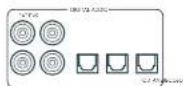
SAT, PVR, BD, CD, STB, AV
01
2AVR20,AVR30 AV40)
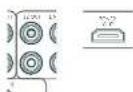
22HDM1-
哈尔拉托 克利安 克 奎
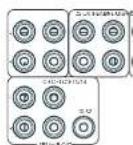
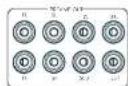
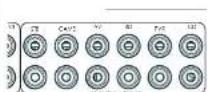
STB, GAME, AV, BD, PVR, CD
中
前用印AUX

AUX 3.5mm
前用期日托上
$ echo "The command's menu is: 42,0123456789";
$ echo "This command is a random number list".
中
中
甲乙
M 1
#
L. 10.3.4.5.6.7.8.9.10.11.12.13.14.15.16.17.18.19.20.21.22.23.24.25.26.27.28.29.30.31.32.33.34.35.36.37.38.39.40.41.42.43.44.45.46.47.48.49.50.51.52.53.54.55.56.57.58.59.60.61.62.63.64.65.66.67.68.69.70.71.72.73.74.75.76.77.78.79.80.81.82.83.84.85.86.87.88.89.90.91.92.93.94.95.96.97.98.99.100
T
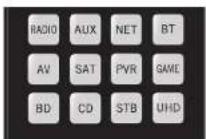
歌樂樂樂樂樂樂樂樂樂樂樂樂樂樂樂樂樂樂樂樂樂樂樂樂樂樂樂樂樂樂樂樂樂樂樂樂樂樂樂樂樂樂樂樂樂樂樂樂樂樂樂樂樂樂樂樂樂樂樂樂樂樂樂樂樂樂樂樂樂樂樂樂樂樂樂樂
舍地
| 명목 | 요这部分 |
| AMP+ | 선류 기재 썸명목지poons |
| AMP+ | 선류 기재 썸명목지poons |
| AMP+OK | 고수 힘명목지poons |
| AMP+ | HDM 힘명목지,1,2,3,4,5,6,7,8,9,10,11,12,13,14,15,16,17,18,19,20,21,22,23,24,25,26,27,28,29,30,31,32,33,34,35,36,37,38,39,40,41,42,43,44,45,46,47,48,49,50,51,52,53,54,55,56,57,58,59,60,61,62,63,64,65,66,67,68,69,70,71,72,73,74,75,76,77,78,79,80,81,82,83,84,85,86,87,88,89,90,91,92,93,94,95,96,97,98,99,100,101,102,103,104,105,106,107,108,109,110,111,112,113,114,115,116,117,118,119,120,121,122,123,124,125,126,127,128,129,130,131,132,133,134,135,136,137,138,139,140,141,142,143,144,145,146,147,148,149,150,151,152,153,154,155,156,157,158,159,160,161,162,163,164,165,166,167,168,169,170,171,172,173,174,175,176,177,178,179,180,181,182,183,184,185,186,187,188,189,190,191,192,193,194,195,196,197,198,199,200,201,202,203,204,205,206,207,208,209,210,211,212,213,214,215,216,217,218,219,220,221,222,223,224,225,226,227,228,229,230,231,232,233,234,235,236,237,238,239,240,241,242,243,244,245,246,247,248,249,250,251,252,253,254,255,256,257,258,259,260,261,262,263,264,265,266,267,268,269,270,271,272,273,274,275,276,277,278,279,280,281,282,283,284,285,286,287,288,289,290,291,292,293,294,295,296,297,298,299,300,301,302,303,304,305,306,307,308,309,310,311,312,313,314,315,316,317,318,319,320,321,322,323,324,325,326,327,328,329,330,331,332,333,334,335,336,337,338,339,340,341,342,343,344,345,346,347,348,349,350,351,352,353,354,355,356,357,358,359,360,361,362,363,364,365,366,367,368,369,370,371,372,373,374,375,376,377,378,379,380,381,382,383,384,385,386,387,388,389,390,391,392,393,394,395,396,397,398,399,400,401,402,403,404,405,406,407,408,409,410,411,412,413,414,415,416,417,418,419,420,421,422,423,424,425,426,427,428,429,430,431,432,433,434,435,436,437,438,439,440,441,442,443,444,445,446,447,448,449,450,451,452,453,454,455,456,457,458,459,460,461,462,463,464,465,466,467,468,469,470,471,472,473,474,475,476,477,478,479,480,481,482,483,484,485,486,487,488,489,490,491,492,493,494,495,496,497,498,499,500,501,502,503,504,505,506,507,508,509,510,511,512,513,514,515,516,517,518,519,520,521,522,523,524,525,526,527,528,529,530,531,532,533,534,535,536,537,538,539,540,541,542,543,544,545,546,547,548,549,550,551,552,553,554,555,556,557,558,559,560,561,562,563,564,565,566,567,568,569,570,571,572,573,574,575,576,577,578,579,580,581,582,583,584,585,586,587,588,589,590,591,592,593,594,595,596,597,598,599,600,601,602,603,604,605,606,607,608,609,610,611,612,613,614,615,616,617,618,619,620,621,622,623,624,625,626,627,628,629,630,631,632,633,634,635,636,637,638,639,640,641,642,643,644,645,646,647,648,649,650,651,652,653,654,655,656,657,658,659,660,661,662,663,664,665,666,667,668,669,670,671,672,673,674,675,676,677,678,679,680,681,682,683,684,685,686,687,688,689,690,691,692,693,694,695,696,697,698,699,700,701,702,703,704,705,706,707,708,709,710,711,712,713,714,715,716,717,718,719,720,721,722,723,724,725,726,727,728,729,730,731,732,733,734,735,736,737,738,739,740,741,742,743,744,745,746,747,748,749,750,751,752,753,754,755,756,757,758,759,760,761,762,763,764,765,766,767,768,769,770,771,772,773,774,775,776,777,778,779,780,781,782,783,784,785,786,787,788,789,790,791,792,793,794,795,796,797,798,799,800,801,802,803,804,805,806,807,808,809,810,811,812,813,814,815,816,817,818,819,820,821,822,823,824,825,826,827,828,829,830,831,832,833,834,835,836,837,838,839,840,841,842,843,844,845,846,847,848,849,850,851,852,853,854,855,856,857,858,859,860,861,862,863,864,865,866,867,868,869,870,871,872,873,874,875,876,877,878,879,880,881,882,883,884,885,886,887,888,889,890,891,892,893,894,895,896,897,898,899,900,901,902,903,904,905,906,907,908,909,910,911,912,913,914,915,916,917,918,919,920,921,922,923,924,925,926,927,928,929,930,931,932,933,934,935,936,937,938,939,940,941,942,943,944,945,946,947,948,949,950,951,952,953,954,955,956,957,958,959,960,961,962,963,964,965,966,967,968,969,970,971,972,973,974,975,976,977,978,979,980,981,982,983,984,985,986,987,988,989,990,991,992,993,994,995,996,997,998,999,1000,1010、 |
中國長垣九台山
LIOI 1
(含)MENU 贝贝贝贝贝贝贝贝贝贝贝贝贝贝贝贝贝贝贝贝贝贝贝贝贝贝贝贝贝贝贝贝贝贝贝贝贝贝贝贝贝贝贝贝贝贝贝贝贝贝贝贝贝贝贝贝贝贝贝贝贝贝贝贝贝贝贝贝贝贝
贝原藏用默藏于蒙国藻贝歌皂藻贝
长垣司
子海海海的马自的,
則對目,樂藥對,樂藥對,樂藥對,樂藥對,樂藥對,樂藥對,樂藥對,樂藥對,樂藥對,樂藥對,樂藥對,樂藥對,樂藥對,樂藥對,樂藥對,樂藥對,樂藥對,樂藥對,樂藥對,樂藥對,樂藥對,樂藥對,樂藥對,樂藥對,樂藥對,樂藥
月樂樂樂樂樂樂樂樂樂樂樂樂樂樂樂樂樂樂樂樂樂樂樂樂樂樂樂樂樂樂樂樂樂樂樂樂樂樂樂樂樂樂樂樂樂樂樂樂樂樂樂樂樂樂樂樂樂樂樂樂樂樂樂樂樂樂樂樂樂樂樂樂樂樂樂樂樂樂樂樂樂樂樂樂樂乐
图
- 4
5.OK会中电电电电电电电电电电电电电电电电电电电电电电电电电电电电电电电电电电电电电电电电电电电电电电电电电电电电电电电电电电电电电电电电电电电电电电电电电电电电电电电电电电电电电电电电电电电电电
6.1020202020202020202020202020202020202020202020202020202020202020202020202020202020202020
…
HDMHDAHMAHSAHSAHSAHSAHSAHSAHSAHSAHSAHSAHSAHSAHSAHSAHSAHSAHSAHSAHSAHSAHSAHSAHSAHSAHSAHSAHSAHSAHSAHSAHSAHSAHSAHSAHSAHSAHSAHSAHSAHSAHSAHSAHSAHSAHSAHSAHSAHSAHSAHSAH
中本中人
□HDM:C)中C)国HDMH 1
DABB 1A 1A 1A DAB B 1A 1A 1A 1A 1A 1A 1A 1A 1A 1A 1A 1A 1A 1A 1A 1A 1A 1A 1A 1A 1A 1A 1A 1A 1A 1A 1A 1A 1A 1A 1A 1A 1A 1A
山 1
FRISEJCTAGM
TUN 1000
出50的F1F1F1F1F1F1F1F1F1F1F1F1F1F1F1F1F1F1F1F1F1F1F1F1F1F1F1F1F1F1F1F1F1F1F1F1F1F1F1F1F1F1F1F1F1F1F1F1F1F1F
F
云
KO-35
混沌之法
| 2023.12.05 Sunday 14:59 | 80W/100W |
| 2023.12.05 Sunday 14:59 | 83W/170W |
| 2023.12.05 Sunday 14:59 | 60W/85W |
| SWAP ANYTHING IN THE CRYSTAL | <0.15mV |
| SWAP ANYTHING IN THE CRYSTAL | |
| SWAP ANYTHING IN THE CRYSTAL | |
| SWAP ANYTHING IN THE CRYSTAL | |
| SWAP ANYTHING IN THE CRYSTAL | |
| SWAP ANYTHING IN THE CRYSTAL | |
| SWAP ANYTHING IN THE CRYSTAL | |
| SWAP ANYTHING IN THE CRYSTAL | |
| SWAP ANYTHING IN THE CRYSTAL | |
##
Aram 电电电电电电电电电电电电电电电电电电电电电电电电电电电电电电电电电电电电电电电电电电电电电电电电电电电电电电电电电电电电电电电电电电电电电电电电电电电电电电电电电电电电电电电电电电电电电电电电电电电电
#
子日日日日日日日日日日日日日日日日日日日日日日日日日日日日日日日日日日日日日日日日日日日日日日日日日日日日日日日日日日日日日日日日日日日日日
山
月
中
必中
中
Luxurysupport@harman.com Arc-m#
怎能有息或身
Aram 1
二、欧拉在粤
网台网口www.arcam.co.uk
device code tables
| Brix | 55 |
| Deprui | 15 |
| Fucaricau | 15 |
| Gini 555 | |
| Savvi | 60 |
| X# Salarie Ratio | $15 |
| Alfa A27/380/09/09 | |
| Alfa A27/380/09/09 | |
| Alfa A27/380/09/09 | |
| Alfa A27/380/09/09 | |
| Alfa A27/380/09/09 | |
| Alfa A27/380/09/09 | |
| Alfa A30/40/09/09 | |
| Alfa A30/40/09/09 | |
| Alfa A30/40/09/09 | |
| Alfa A30/40/09/09 | |
| Alfa A30/40/09/09 | |
| Alfa A30/40/09/09 |
| Europa 01/02 352 | 08697 |
| Blue Sky | 109 172 249 200 |
| Buenos Aires | 264 273 282 289 |
| Brasil | 063 108 |
| Burma | 262 |
| Busanis | 163 |
| Ecuador | 419 |
| Enellos | 173 179 129 198 |
| Estonia | 270 |
| Brasil Energia 204 745 | |
| Brickwalla RAS | |
| Brother | 410 |
| Brava | 264 |
| Bré | 144 247 |
| Brìnza 311 063 069 07 | |
| Cama | 028 115 121 125 |
| Cama | 176 144 242 245 |
| Cama | 246 262 262 285 |
| Cama | 286 287 287 314 |
| Cama | 407 402 |
| Camper | 280 |
| Carlo | 301 310 311 312 |
| Cantabria | 315 318 |
| Cuglielaghi 245 245 247 | |
| Cugli | 029 039 108 264 |
| Cle | 029 094 108 166 |
| Cinell | 272 |
| Cine | 251 294 297 |
| Cinlarion | 191 252 258 |
| Custorico | 264 271 198 199 |
| Cunlina | 165 156 159 187 |
| Cunlina | 165 171 185 187 |
| Cunlina | 267 262 255 260 |
| Cunlina | 267 282 285 299 |
| Cunlina | 267 403 409 410 |
| Concor | 108 169 149 171 |
| Concor | 225 285 252 267 |
| Concor | 418 |
| Correa | 219 |
| Correa | 225 |
| Correa | 171 277 |
| Corred###al 202 | 172 173 179 198 |
| Corrueiro | 108 |
| Cuayal | 146 166 221 267 |
| Cuayal | 263 085 086 090 |
| Davon | 108 144 171 185 |
| Davon | 245 250 255 265 |
| Davon | 261 257 271 282 |
| Davon | 262 403 409 418 |
| Co-Edificades | 264 155 163 |
| Culic | 111 363 |
| Dolomir | 108 607 |
| Darwood | 108 120 117 170 |
| Dunedin | 219 410 |
| Darwin | 0.4 250 |
| Dyckley | 194 |
| Dycegal | 134 |
| Dinver | 011 060 069 108 |
| Dinver | 129 125 101 196 |
| Dinver | 199 457 |
| Derfer 749 | |
| Denver | 074 177 282 403 |
| Deseret | 108 |
| Duyin-27 |
| Duluzion 225 |
| Dugan 331 |
| Dugie 187 |
| Dunys 602 |
| Dimash 219 230 304 208 |
| 150 |
| Ghoshmari 132 |
| Udoes 108 |
| Dual 108 123 127 158 |
| Eklre 108 123 127 158 |
| 233,243,248,249 |
| 550,276,285,293 |
| Dumont 287 137 105 109 |
| 110,195,204,204,204,207 |
| Dudardand 293 287 |
| T. Yaxar 164 |
| Bst. OAS 11/230 |
| Edison 1/2 |
| Edison Kevine 1/2 |
| Elbe 08/17 1139 120 |
| 44,100,195,203,229,240,249,250,267 |
| ELA 108 248 |
| Elra 166 |
| Elcins Co. |
| Elkira |
| Tecknics 285 108 1674 |
| Chima |
| Elin 287 108 152 |
| Elia 251 13/2 910 |
| Elman |
| Hitz 138 171 40 |
| Heronson 296 130 240 |
| Isc |
| Ikon |
| Bourlone 296 |
| Burschon |
| Furayka |
| Evelina |
| Ercen U 089 |
| Esquilin |
| Ferrari |
| Fepasson |
| Gyakso |
| Fikalis |
| Finlanda |
| Tirlix |
| Ola |
| Tinlin |
| Xer |
| Xho |
| Xinlin |
| Xin |
| Xin |
| Xin |
| Xin |
| Xin |
| Xin |
| Xin |
| Xin |
| Xin |
| Xin |
| Xin |
| Xin |
| Xin |
| Xin |
| Xin |
| Xin |
| Xin |
| Xin |
| Xin |
| Xin |
| Xim |
| Xin |
| Xin |
| Xin |
| Xin |
| Xin |
| Xin |
| Xin |
| Xin |
| Xin |
| Xin |
| Xin |
| Xin |
| Xin |
| Xin |
| Xin |
| Xin |
| Xin |
| Xin |
| Xin |
| Xis |
| Xin |
| Xin |
| Xin |
| Xin |
| Xin |
| Xin |
| Xin |
| Xin |
| Xin |
| Xin |
| Xin |
| Xin |
| Xin |
| Xin |
| Xin |
| Xin |
| Xin |
| Xin |
| Xin |
| Xisin |
| Xin |
| Xin |
| Xin |
| Xin |
| Xin |
| Xin |
| Xin |
| Xin |
| Xin |
| Xin |
| Xin |
| Xin |
| Xin |
| Xin |
| Xin |
| Xin |
| Xin |
| Xin |
| Xin |
| Xsin |
| Xin |
| Xin |
| Xin |
| Xin |
| Xin |
| Xin |
| Xin |
| Xin |
| Xin |
| Xin |
| Xin |
| Xin |
| Xin |
| Xin |
| Xin |
| Xin |
| Xin |
| Xin |
| Xin |
| X in |
| Xin |
| Xin |
| Xin |
| Xin |
| Xin |
| Xin |
| Xin |
| Xin |
| Xin |
| Xin |
| Xin |
| Xin |
| Xin |
| Xin |
| Xin |
| Xin |
| Xin |
| Xin |
| Xin |
| Xiz |
| Xin |
| Xin |
| Xin |
| Xin |
| Xin |
| Xin |
| Xin |
| Xin |
| Xin |
| Xin |
| Xin |
| Xin |
| Xin |
| Xin |
| Xin |
| Xin |
| Xin |
| Xin |
| Xin |
| Xinz |
| Xin |
| Xin |
| Xin |
| Xin |
| Xin |
| Xin |
| Xin |
| Xin |
| Xin |
| Xin |
| Xin |
| Xin |
| Xin |
| Xin |
| Xin |
| Xin |
| Xin |
| Xin |
| Xin |
| Xz |
| Xin |
| Xin |
| Xin |
| Xin |
| Xin |
| Xin |
| Xin |
| Xin |
| Xin |
| Xin |
| Xin |
| Xin |
| Xin |
| Xin |
| Xin |
| Xin |
| Xin |
| Xin |
| Xin |
| Xzin |
| Xin |
| Xin |
| Xin |
| Xin |
| Xin |
| Xin |
| Xin |
| Xin |
| Xin |
| Xin |
| Xin |
| Xin |
| Xin |
| Xin |
| Xin |
| Xin |
| Xin |
| Xin |
| Xin |
| Xizin |
| Xin |
| Xin |
| Xin |
| Xin |
| Xin |
| Xin |
| Xin |
| Xin |
| Xin |
| Xin |
| Xin |
| Xin |
| Xin |
| Xin |
| Xin |
| Xin |
| Xin |
| Xin |
| Xin |
| Xxin |
| Xin |
| Xin |
| Xin |
| Xin |
| Xin |
| Xin |
| Xin |
| Xin |
| Xin |
| Xin |
| Xin |
| Xin |
| Xin |
| Xin |
| Xin |
| Xin |
| Xin |
| Xin |
| Xin |
| Xuin |
| Xin |
| Xin |
| Xin |
| Xin |
| Xin |
| Xin |
| Xin |
| Xin |
| Xin |
| Xin |
| Xin |
| Xin |
| Xin |
| Xin |
| Xin |
| Xin |
| Xin |
| Xin |
| Xin |
| Xaz |
| Xin |
| Xin |
| Xin |
| Xin |
| Xin |
| Xin |
| Xin |
| Xin |
| Xin |
| Xin |
| Xin |
| Xin |
| Xin |
| Xin |
| Xin |
| Xin |
| Xin |
| Xin |
| Xin |
| Xtin |
| Xin |
| Xin |
| Xin |
| Xin |
| Xin |
| Xin |
| Xin |
| Xin |
| Xin |
| Xin |
| Xin |
| Xin |
| Xin |
| Xin |
| Xin |
| Xin |
| Xin |
| Xin |
| Xin |
| Xit |
| Xin |
| Xin |
| Xin |
| Xin |
| Xin |
| Xin |
| Xin |
| Xin |
| Xin |
| Xin |
| Xin |
| Xin |
| Xin |
| Xin |
| Xin |
| Xin |
| Xin |
| Xin |
| Xin |
| XIN |
| Formart | 108 109 110 119 |
| Fina | 108 143 |
| Hontech | 159 129 166 171 |
| Futuro Cereña | 283 159 157 247 |
| Furial | 294 264 286 293 |
| Galaxi | 108 185 255 265 |
| Galaxy | 255 |
| Galeria | 17 |
| Gis. 137/1/48 161 | 171 138 162 169 |
| Gev | 179 147 159 166 |
| Geolig | 164 147 144 149 |
| Gelari | 184 171 |
| General | 171 |
| General Technic | 171 |
| Galvan 18/220 300 | |
| Galvanik | 249 264 |
| Galvaniz | 159 171 |
| Galvaniz 271 | |
| Galvaniz/388/052 000 | 168 154 149 153 |
| Gallus | 164 169 171 191 |
| Gallus | 195 197 195 214 |
| Gallus | 225 219 230 231 |
| Gallus | 264 269 270 271 |
| Gallus | 265 268 268 269 |
| Golejno | 172 |
| Golejno 388 052 000 | 168 154 149 153 |
| Golejno | 164 169 171 191 |
| Golejno | 195 197 195 214 |
| Golejno | 225 219 230 231 |
| Golejno | 264 269 270 271 |
| Golejno | 265 268 268 269 |
| Golejno | 265 268 268 269 |
| Golejno | 265 268 268 269 |
| Golejno | 265 268 268 269 |
| Golejno | 265 268 268 269 |
| Golejno 388 052 000 | 168 154 149 153 |
| Golejno | 164 169 171 191 |
| Golejno | 195 197 195 214 |
| Golejno | 225 219 231 232 |
| Golejno | 264 269 270 271 |
| Golejno | 265 268 268 269 |
| Golejno | 265 268 268 269 |
| Golejno | 265 268 268 269 |
| Golejno 388 052 000 | 168 154 148 153 |
| Golejno | 164 169 171 191 |
| Golejno | 195 197 195 214 |
| Golejno | 225 219 230 231 |
| Golejno | 264 269 270 271 |
| Cian Nix | 168 154 149 153 |
| Granadik 022 022 022 | 168 154 149 153 |
| Granadik | 168 154 149 153 |
| Granadik 022 022 022 | 168 154 149 153 |
| Granadik | 168 154 149 153 |
| Granadik 022 022 022 | 168 154 022 |
| Granadik | 168 154 149 153 |
| Granadik 022 022 022 | 168 154 022 |
| Kac-407 | 168 154 149 153 |
| Kac-262 | 168 154 149 153 |
| Kac-262 | 168 154 149 153 |
| Harmfuls | 069 127 138 |
| 110 126 137 145 | |
| 136 144 149 158 | |
| 157 151 222 225 | |
| 229 218 252 251 | |
| 260 265 298 298 | |
| 402 404 414 | |
| Harmless | 161 |
| Humane | 159 |
| Humana | 297 |
| Hld | 203 |
| Hollister | 172 |
| Horn | 108 158 171 277 |
| 410 | |
| Illness | 173 179 |
| Illam | 054 108 177 224 |
| 24 410 | |
| Hitless | 273 |
| Hilustre | 302 |
| Hit | 204 |
| Hirachei | 022 059 048 08 |
| 029 030 030 089 | |
| 040 041 033 037 | |
| 050 056 050 084 | |
| 108 115 121 126 | |
| 127 128 129 134 | |
| 135 140 147 157 | |
| 156 161 161 176 | |
| 166 169 172 219 | |
| 210 226 239 276 | |
| 229 236 250 254 | |
| 413 415 417 421 | |
| 423 | |
| Iliusa 273 | |
| III | 108 195 151 |
| Iohem | 059 117 153 246 |
| 250 | |
| Hossein | 204 |
| Huyer 159 161 173 | |
| Husnur | 063 069 077 108 |
| 118 152 149 250 | |
| 263 264 293 407 | |
| Yiyanda 152 155 161 | 317 |
| Hunmua | 44 |
| Kc | 094 108 159 177 |
| 439 410 | |
| Udei | 291 297 |
| Yipimba 108 113 127 | |
| Yipimba | 154 165 229 243 |
| 200 260 267 407 | |
| Yipalem | 152 141 147 148 |
| 242 211 273 279 | |
| Yipenski 171 | |
| Inno-IC | 127 139 161 189 |
| 237 215 | |
| Yinusatu 110 | |
| Intemai | 233 |
| Intemai | 067 108 132 134 |
| 137 141 147 154 | |
| 165 179 212 274 | |
| 265 265 355 616 | |
| Inteory | 085 085 108 132 |
| 144 156 171 210 | |
| Iwacr | 171 |
| kotii 117/118 | |
| kotii 119/120 | |
| madi | 074 108 163 237 |
| 249 264 249 | |
| Sita 225 | |
| tc | 141 159 |
| U | 171 |
| In. | 08/159 171/99410 |
| in. | 0412371111111111111111111111111111111111111111111111111111111111111111111111111111111111111111111111111111 |
| Jepuisin 293 | |
| Juno 293 | |
| Jouleol 069 074 283 | 206 |
| Juc. | 120159279709 |
| K.Cesic 107 | |
| Kudu | 136 |
| Kubai | 12729273380416 |
| Kamimorion | 66440 |
| Kapirich | 0891411471480 |
| Kircher | 0412439391091176525277742828240748 |
| Kathiric | 187 |
| Kawei | 409 |
| Kindo | 0601081271372292462462462707275275 |
| Karnady | 140197 |
| Kernes | 10829261 |
| Kayniat | 207235 |
| Klton | 246264793 |
| Kretzel | 05810823929264273 |
| Kreting 386 N/A 274 | |
| Kroika 405 | |
| Kronen 410 | |
| Kula-technique | 144158233 |
| Laser | 574 |
| Lasser | 116 |
| Longo | 1081107040410 |
| Lanot | 248264 |
| Lei 426 | |
| Li | 01321401308060000000000000000000000000000000000000000000000000000000000000000000000000000000000000000000000000000 |
| Liesenkauser | 138 |
| Lies | 0610741031111111111111111111111111111111111111111111111111111111111111111111111111111111111111111111111111110 |
| Lioene | 04609999999999999999999999999999999999999999999999999999999999999999999999999999999999999999999999999999 |
| Ligik | 076187253 |
| Luna | 137197229222649 |
| Lumineson | 329249249249 |
| Luzor | 0300000024103103103103103103103103103103103103103103103103103103103103103103103103103103103103103103103103103103 |
| M.I.Technique | 1631041051012740426 |
| M.I.SC. | 074 |
| Macromic | 059 |
| Magnanimy | 168164158163 |
| Magnolium | 185 199 |
| Magnaporchis | 106 |
| Magnusius | 251 |
| Magnus | 651 071 252 253 254 450 |
| Manihotum | 249 254 |
| Manuret 108 | |
| Marmal | 664 |
| Marmal 231 074 779-407 | |
| Manuret | 108 |
| Manuret 205 037 05 | 660 |
| Manuret 205 037 05 | 342 063 069 070 329 096 100 108 116 36 14 159 171 72 16 160 219 320 407 409 416 |
| Manit | 749 |
| Manit 031 407 | |
| Manit | 611 074 138 110 127 162 14 929 249 202 264 279 285 287 293 407 408 |
| Manit | 273 |
| Manirex | 410 |
| Manirex 286 | |
| Manirx | 152 |
| Manirx 135 | |
| Manirx 037 152 236 387 | 100 01 108 218 76 95 756 964 765 322 525 |
| Minimax | 674 249 703 764 382 295 |
| Minimax | 286 |
| Minimax 092 097 100 172 233 | |
| Minimax | 110 047 |
| Minimax 097 095 077 077 017 32 107 704 224 249 | |
| Minimax | 158 191 289 225 253 267 767 |
| Minimax | 031 229 033 |
| Manure | 109 152 299 418 |
| Manure | 219 251 |
| ManuLig | 250 |
| ML | 108 131 131 |
| Multiliter 241 254 407 | |
| Multiliter | 691 285 330 506 199 397 77 189 267 |
| Munierama 251 | |
| Naroi | 407 |
| Narinamma | 170 |
| Naroi | 137 |
| Neudernann | 037 013 253 393 024 084 095 092 031 01 16 118 119 34 13 137 154 69 66 311 212 76 77 273 233 245 202 251 205 256 374 404 |
| No | 664 168 420 |
| Neuflum 105 049 750 | |
| Neuflum 289 | |
| Nirai 108 | |
| Nirai 219 | |
| Nirai 29 264 |
| Nkpa | 108 |
| Nisam | 268 |
| Nkabo | 172 179 |
| Nqambani | 172 179 |
| Nakia | 602 074 112 135 |
| Np | 135 179 59 52 |
| Np | 171 113 15 26 |
| Ndambende | 158 22 27 27 |
| Nzabu | 275 376 79 44 |
| Nzadnene | 665 125 16 173 |
| Nzabu | 171 27 35 49 |
| Nzabu | 271 270 28 26 |
| Nzabu | 203 |
| Nzim N | 108 |
| Nzim K | 108 |
| Oweta | 98 |
| Oweta | 108 |
| Oweta 032 101 103 | 133 |
| Okono | 108 255 |
| Oweta 054 108 109 | 400 |
| Opea | 250 |
| Ogwai | 04 008 09 104 |
| Otheta | 989 |
| Otof | 025 055 20 302 |
| Otof | 055 059 06 070 |
| Otof | 074 103 18 38 |
| Otof | 152 135 18 58 |
| Otof | 185 255 29 49 |
| Otof | 235 249 30 251 |
| Otof | 226 407 40 410 |
| Otof 13 26 074 | 10 116 |
| Otof 226 | 228 229 07 410 |
| Oomund 219 | |
| Ouaji | 108 |
| Ouaji | 09 060 11 115 |
| Ouaji | 118 |
| Oul | 090 104 20 282 |
| Otu Vanda | 07 067 09 045 |
| Otu Vanda | 07 067 09 045 |
| Otu Vanda | 07 067 09 045 |
| Otu Vanda | 121 101 18 10 |
| Otu Vanda | 111 110 18 19 |
| Otu Vanda | 121 151 18 58 |
| Otu Vanda | 185 255 29 49 |
| Otu Vanda | 185 255 29 49 |
| Otu Vanda | 171 133 18 58 |
| Otu Vanda | 171 133 18 58 |
| Otu Vanda | 171 133 18 58 |
| Otu Vanda | 171 133 18 58 |
| Otu Vanda | 171 133 18 58 |
| Otu Vanda | 171 133, 18 58 |
| Otu Vanda | 171 133, 18 58 |
| Otu Vanda | 171 133, 18 58 |
| Otu Vanda | 171 133, 18 58 |
| Otu Vanda | 171 133, 18 58 |
| Otu Umaru 148 | 67 26 54 |
| Otu Umaru 148 | 401 407 403 404 |
| Otu Umaru | 44 |
| Otu Umaru 148 | 171 179 |
| Umaru 06 144 149 | 146 |
| Umaru 06 144 149 | 146 |
| Plica | 02/09/09 0049/09 |
| 02/01/05 0047/07 | |
| 08/02/02 138/09 | |
| 11/11/12 116/19 | |
| 12/12/13 251/08 | |
| 402/42 | |
| Philo | 11/11/09 22:09 |
| Phoenix 090 108 110 | |
| Fleisch | 108 132 199 402 |
| Flotel | 882 |
| Rhyolino | 256 750 |
| Fremewind | 122 |
| Ferment | 066 069 |
| Fermentation | 147 161 |
| Ferrieron | 269 |
| P1923 | |
| P1929 | |
| P1925 | |
| No 201 427 | |
| Prentice 189 171 267 | |
| Poincare 231 108 268 | |
| Poincare 120 185 | |
| Poincare 120 178 299 | |
| Poincare 120 178 299 | |
| Poincare 120 178 299 | |
| Poincare 120 178 299 | |
| Poincare 120 178 299 | |
| Poincare 120 178 299 | |
| Quadrant 120 249 295 | |
| Quadrant 120 249 295 | |
| Quadrant 120 249 295 | |
| Quadrant 120 249 295 | |
| Quadrant 120 249 295 | |
| Quadrant 120 249 295 | |
| Poincare 120 178 299 | |
| Poincare 120 178 299 | |
| Poincare 120 178 299 | |
| Poincare 120 178 299 | |
| Poincare 120 178 299 | |
| Selbst | 02/29/06/07 10:00 |
| 104/105/106 178 | |
| 132/134/135 167 | |
| 140/145/150 199 | |
| 237/242/251 251 | |
| 275/279/283 | |
| Sember 101 180 20 | |
| Sorwning | 05/06/08/10 128 |
| 108/111/120 257 | |
| 257/260/261 008 | |
| 410 | |
| Sonst | 108 |
| Summl. 108/249 264 410 | |
| Sury | 193 |
| Surya 03/03 135 151 | 352 |
| 074/08/08 106 | |
| 123/159 189 218 | |
| 271/298 340 467 | |
| 481/500 | |
| Schulz Loring | 04/08/11 6117 |
| 130/161 167 48 | |
| 150/171 247 49 | |
| 250/264 275 277 | |
| 296 410 | |
| Schmieder | 05/06/06 069 288 |
| 108/111/120 411 | |
| 132/159 189 218 | |
| 255/264 275 277 | |
| 295 410 | |
| Schlumder | 05/06/06 069 288 |
| 108/111/120 411 | |
| 132/159 189 218 | |
| 255/264 275 277 | |
| 295 410 | |
| Schlumder I (05) 057 251 | |
| Seite 056 | |
| Seg | 06/06/11 1131 |
| 141/158 163 47 | |
| 185/195 219 264 | |
| 267/269 285 293 | |
| 410 | |
| Stichtech | 76/77 407 |
| Steuern 08/08 100 | 110 |
| 137/155 197 226 | |
| 226/245 246 447 | |
| 340/350 430 | |
| Sect | 294 |
| Sensor | 117 |
| Simsen 04/04 040 | |
| Simsen 213 | |
| Siz | 074 |
| Shep 02/02 081 082 | 129/131 126 42 |
| 433 | |
| Systentum 10/149 | 108 |
| Sintesth | 108 |
| Sthak | 108-44,449,264 |
| Steuern 10/18 185 201 | 100/101 238 219 |
| 221 259 294 | |
| Sise | 059 |
| Sliee | 213 007 |
| Sliee Sremeider | 03/07 082 286 |
| 294 037 | |
| Sliee | 094 074 171 204 |
| 277 410 | |
| Syrn 220 | |
| Syrn 220 | 104 207 |
| Syrn 220 | |
| Brüneurly | 025/06/06 169 |
| 274/118 148 38 | |
| 163/195 198 384 | |
| 212/249 218 261 | |
| Sly | 187 197 207 |
| Sxy | 294 207 |
| Stryanad | 127 |
| Sins. | 118 |
| Solomon 242 | |
| Sons 101129/40 | |
| Sons | 134 |
| Sono 279 | |
| Sono 110 156 | |
| Sonoam | 109 |
| Sono 0722 1-212 213 | 71415518177 |
| Kunshinor | 374108493544 |
| Sono 170 | |
| Sonder 108 | |
| Staat 158 171 204 | |
| Staat 171 | |
| Stars | 251 |
| Sten | 288089151575225245245247 |
| Stins | 410 |
| Strino | 115125286 |
| Sumar 2/3 | |
| Sumar | 074109171 |
| Superior | 285 |
| Superset 1071108 171 213 | |
| 240 | |
| Superset 2/3 | |
| Swissac | |
| Taudinur 108 | 187194207200 |
| Tunching | 173446254 |
| Tachip | 158159226 |
| Torling | 061066665673307181181281591181893268267 |
| Touran 260 418 | |
| Tr. | 152 |
| Irrn | 122 |
| Tst Foreign | 131160 |
| Trr | 1081441791651661017145247264 |
| Techine | 108123185743764361 |
| Techina | 24728786427 |
| Techinat | 108118248 |
| Techinod | 115133249 |
| Technjagen 069 22 | 140 |
| Tonsor | 108159171248 |
| Tosso 242 | |
| Tson | 171388 |
| Tseva | 173181719 |
| Teufelum 177 177 | 19519522521270 |
| Teuca 177 | |
| Teewer | 137233 |
| Teusari 331 077 | 1082272 |
| 202261427 | |
| Teuwer | 108125171293 |
| Toonon | 08808913419310247 |
| Tiewer | 331407 |
| Tiera | 53109108229467 |
| Tovar 064 108 112 | 120124419159171512929626 |
| Touco 171 | |
| Testis 089/247/09 | 109 |
| Testis 089/247/09 | 109/116/127/144 |
| Testis 089/247/09 | 1,016024225 |
| Testis 089/247/09 | 2492922634 |
| Testis 089/247/09 | 275282147 |
| Testis 127 225 249 | 226 |
| Testis 127 225 249 | 2492922634 |
| Testis 127 225 249 | 275282147 |
| Testis 127 225 249 | 226 |
| Testis 127 225 249 | 2492922634 |
| Testis 127 225 249 | 275282147 |
| Testis 127 226 250 | 226 |
| Testis 127 226 250 | 2492922634 |
| Testis 127 226 250 | 275282147 |
| Testis 127 226 250 | 226 |
| Testis 127 226 250 | 2492922634 |
| Testis 127 226 250 | 275282147 |
| Testis 127 226.250 | 226 |
| Testis 127 226.250 | 2492922634 |
| Testis 127 226.250 | 275282147 |
| Testis 127 226.250 | 226 |
| Testis 127 226.250 | 2492922634 |
| Testis 127 226.250 | 275282147 |
| Testis 127 127 225 249 | 226 |
| Testis 127 127 225 249 | 2492922634 |
| Testis 127 127 225 249 | 275282147 |
| Testis 127 127 226 250 | 226 |
| Testis 127 127 226 250 | 2492922634 |
| Testis 127 127 226 250 | 275282147 |
| Testis 127 127 226 250 | 226 |
| Testis 127 127 226 250 | 2492922634 |
| Testis 127 127 226 250 | 275282147 |
| Videton 111145 173'95 2014.00 |
| Wston 108140,247 |
| Kolmogorov 167 |
| Wug 069 |
| Vosum 137221 |
| Wakir 286 |
| Wallham 134145 169'171 168 |
| Woson 051079 108127 179,71194216 704-293410 |
| Wan Park 148158 185 Wegvass 243249264262 408 |
| Wwher 350 |
| Whithick 108110 |
| Wotson 413 |
| Wharale 413418 |
| White Wellington 108'10'149'265 |
| Wwicby 428 |
| Wisor 249 |
| Woson 250 |
| Woden 110120225278 707 |
| Xemis 298 |
| Xyox 353 |
| Yamz 554 |
| Yoko 064128136144 159,61170171 22410 |
| Zinsek 221 |
| Zinssal 137197 |
ARCAM
WWW.ARCAM.CO.UK
THE WEST WING, STIRLING HOUSE
WATERBEACH, CAMBRIDGESHIRE, CB25 9PB
+44 (0) 1223 2032005H303 ISSUE F

- Important Safety Instructions
- Class II product
- Warning
- Safety Compliance
- Caution on installation
- FCC Information (for US customers)
- CONTAINS TRANSMITTER MODULE FCC ID: APILUXASTRO1, APILUXABT01
- NOTE
- IC Information (For Canadian customers)
- PRODUCT
- CONTAINS TRANSMITTER MODULE IC:
- 6132A-LUXASTRO1,6132A-LUXABT01
- CAUTION
- For Canadian customers / Pour les clients
- canadiens: CAN ICES-3 (B) / NMB-3 (B) "for
- indoor use only
- ATTENTION
- RF Exposure Information
- Safety Information (for European customers)
- A note about recycling
- Correct disposal of this product
- Welcome
- Thank you and congratulations...
- The HDA development team
- Contents
- Professional Installation?
- DIY setup?
- Before You Begin...
- Arcam HDA Receiver
- Placing the unit
- Power
- Standby power
- Interconnect cables
- Radio interference
- Trademark Acknowledgments
- Audio/Video Connections
- General
- Making Connections
- HDMI Connectors
- Digital audio connectors
- SAT, PVR, BD, CD, STB, AV
- Zone 2 connectors (AVR20, AVR30, AV40)
- Analogue preamplifier outputs
- Analogue audio inputs
- STB, GAME, AV, BD, PVR, CD
- Front panel AUX input
- Front panel PHONES socket
- Connection Guide
- Blu-ray Disc (BD)/DVD player
- Satellite receiver
- CD player
- Radio & Wireless Audio Connectors
- DAB/FM Connector
- Wi-Fi/Bluetooth
- Other Connectors
- Serial connector
- RS232 serial connector
- Network connector
- Ethernet
- USB connector
- Trigger connectors
- TRIGZ1
- TRIG Z2 (Not AVR10)
- Infrared (IR) connectors
- Z1IR
- Z2 IR (Not AVR10)
- Speakers
- Connecting Speakers
- Speaker cables
- Bi-amping the Front Left & Front Right speakers
- Connecting Subwoofer
- Using external power amplifiers
- FL, FR
- C
- SUB
- SR, SL
- SBR, SBL
- Height 1 (Height Front), Height 2 (Height Back)
- Operation
- Operating your Receiver
- Switching on
- Standby
- To switch on from standby
- Front panel display
- Selecting a source
- Stereo Direct
- Volume control
- Headphones
- Extended front panel menu
- Restore to factory defaults
- Check for update
- Store secure backup
- Restore USB backup
- Store USB backup
- Region
- Change remote code
- Standby mode
- Protection sensitivity
- Use display HDMI
- Display type
- Updating firmware via USB
- Remote Control
- The universal remote controller
- Using the remote control
- Inserting batteries into the remote control
- Notes on batteries:
- Useful information
- Backlight
- LED blinks
- Timeouts and unassigned keys
- Low voltage indicator
- Device Mode/Source keys
- Navigation keys
- Customising the remote
- The remote complies with Part 15 of the FCC rules
- Code learning
- Direct code setup (Method 1)
- Library search setup (Method 2)
- Learning setup (Method 3)
- Important notes
- Deleting the learned data
- To delete all the learned data for a device:
- To delete the learned data for a key for a device:
- Reading stored code numbers
- Locking/Unlocking a specific Device Mode
- Controlling the volume of other devices
- Hidden commands
- Factory default reset
- Device codes
- AMP Device Mode
- BD/DVD Device Mode
- AV Device Mode
- UHD Device Mode
- STB
- STB Device Mode
- SAT
- SAT Device Mode
- PVR
- PVR Device Mode
- CD Device Mode
- Essential Setup
- Speaker types
- Crossover frequency
- Use Channels 6+7 for
- Speaker Levels
- Speaker Distances
- DIRAC
- Dirac Live for Arcam
- atProblems
- Using subwoofoers
- Downloading the Dirac Live application
- Using Dirac
- Setup Menus
- Entering Setup mode
- Navigating the setup menu
- ... using the remote control
- ... using the keys on the front panel
- Input Config.
- Bass -
- Treble -
- General Setup
- Last state: Last state (default)
- Front Left/Right -
- configuration will be greyed out.
- Front Left -
- Video Inputs
- Video Input CD-
- HDMI Settings
- Zone Settings (AVR20, AVR30, AV40)
- Network
- Bluetooth
- Connecting to a Network
- Home Automation Control
- AirPlay Setup
- Wired Connection
- Wireless Connection
- Chromecast built-in Setup
- Wired & Wireless Connection
- Decoding Modes
- Introduction
- Modes for digital sources
- Modes for analogue sources
- Mode memory
- Two-channel source modes
- Stereo -
- Stereo
- Dolby Surround
- Dolby Virtual Height
- DTS Neural:X
- DTS Virtual:X
- Auro-matic 3D
- Multi-channel source modes
- Tuner Operation
- Tuning/Channel Selection
- FM analogue radio
- DAB digital radio
- Saving and selecting Presets
- Deleting Presets
- Troubleshooting
- Specifications
- Worldwide Guarantee
- The warranty covers:
- Claims under guarantee
- Problems?
- On-line registration
- ARCAM HDA
- Bienvenue
- STB, JEU, AV, BD, PVR, CD
- Configuration Chromecast built-in
- Connexion par fil
- Connexion sans fil
- Modes sources multicanaux
- Digitale Audioanschlüsse
- Z2 IR (niet AVR10)
- Chromecast built-in-installing
- Draadaansluiting
- Tweekanaals bronmodi
- Copepkanme
- Bam Heo6xOaMa npofoecchoHaJIbHaY yCTaHOBA?
- BbIXOTHTeYCTaHOBTb pecuBep camoTcTeNbHo?
- PecuBep Arcam HDA
- IopKIOUeHHe Pa3bEmOB
- Pa3beMBiHDMI
- Ethernet-pa3bem
- ZUK
- Z2 IR (kpome AVR10)
- HnHaMKN
- IopKnIOueHHe dHAmNKOB
- Ka6ennuHaMKOB
- DBykKaHaBHe yCunEnHne 3Byka nIpeDnI neBbI nIpeDnI npAbbI nnHAMKOB
- IopKnIOueHne Ca6ByepeOB
- IcnoB3ObaHne BHeuHnx ycHnTee MoHOCtN
- FL (nepeohu nebbl), FR (nepeohu npaebu)
- Ca6oyep
- SBR,SBL
- Bepxuhui 1 (Bucoma cnepeul), aepxuhui 2 (Bucoma hazaad)
- 3KcnnyataunyyctpoNCTBa
- 3Kcnnyataa npecbepa
- BkIouyeHne
- PekmOxuaHn
- IyBbIXoJa n3peKnMa OKndaHn
- DncnneHa nepeHne naHei
- Bb6op nToHnKa cnHa
- Crepeo perynatop
- Perynupobka rpoMkoctn
- Hayushnkn
- PacunpeHHoe MeHOp nepeDne naHenn
- C6poc K 3aBODCKM HAcTPONkAM
- PpOBepuBb6HOBnHeHn
- BocTaHOBHeHHe HAcTpoEK
- Be3onachoe coxpaHHe HAcTpoek
- BocctaHOBTb pe3epBHyIO KONIO USB
- XpaHntb pe3epBHyIO KONIO USB
- Pernoh
- CyBCTBtEnbHOCTb 3aunTbi
- HcnoIb3. dncnneHDMl
- Tun ducnnne
- 06HOBHeHne npOuBKn cepes USB
- NytbDnctaHOnHOrOynpaBHeHH
- YHnBepcaIbHbI npblT ductaHIOHO ynpabHeHH
- IcnoJb3oBaHne npJbTa IaCTaHIOOHOrO ynpaB
- YctahOBka 6atapeB nynbT ductaHNOHHO ynpabHeHHA
- PpMueaHne o 6aTapeX:
- Pone3nHa nHΦopMaζη
- POnCBetKa
- MraHne mHdkaTopoB
- TaM-ayTbI HHea3HaueHHbe KhoNk
- HnKaTOp H3KOrO 3apJa 6aTapei
- Pekm pa60tby yctpoiCTBa / KHONK NCTOCHMKOB CnHana
- DnCTaHcNoHHoroynpaBHeHn
- NytntaHOnHOy npabneHH COOTBCTBye TAcTn 15 PpaFN FCC
- 06yuHHeNkOMaHdAm
- INPIMMEYAHNE
- HenocpeCTBeHHaYcTaHObKaKoDa(cnoCo61)
- HactponKa nonckaB 6n6nnoteKe (cnoc062)
- 3aONMHHHneKOMAHd (cnoc63)
- PIMMEAHNE
- BaxhBiE npimeaHn
- ydaenneu3yueyHHbIX daHHbIX
- ДугаденецAlexeyunchenbixdahnbsdЯнсуvduy
- Ym06bIyDanumcoxpaneHHBe dNKnKdAnHbIe:
- YTeHne coXpaHeHHbIX HomepoB KOIOB
- BnoknpOBka/pa36noknpOBka onpeJeHHoro pekmua yctpoictBa
- YnpaBneHnE rpoMkoctbIO npyRnx yCTPOCTB
- CkpblteKOMaHdbl
- Yacmoma pa30eHn
- Hcnonb3yume kanaon6+7d
- yPOBHN DnHAMNKOB
- Pacct. do duHaM.
- ABTomatuecka Hactponka DnHaMKOB
- ФункдiracLiveArcam
- HHeCnpabHOcTn
- Icnonb3OBaHne ca6ByepeoB
- 3arpyka npinojKeHHa Dirac Live
- live dirac.com
- Mcnonb3OBaHne npnIOxehn
- MehIO HaCToPouKu
- BxOJHOpa3bEM BpeKIM NaCTpOKn
- Habiracnno MeHIO HAcTpoKu
- ...C NOMOUBIO NylbTa DnCTAHUHNOHHOR ynpablenen
- ...C NOMOIO KHOIOK Ha nepeDHei NaHei
- IPMMEVAHME.Cmepeopekum Heo3cmynen npu ucnlo3oanhu anoloo2oocmnuHKpekume Cmepeoeyzimnop.
- 06nneHaCtpoKn
- TnbliHnHaMKOB
- Bbicomcnepeo
- Bbicomaho3a0
- 15U16KaHAN-
- Nepedhu neebu
- UeHmp.2pOko2oOpumenb-
- IpepeHu nebby
- Bx.BuJeopa3bEmbl
- Budeo6xod CD-
- HactpoKn HDMI
- HacpoKn 30hbl (AVR20, AVR30, AV40)
- bIouy3
- IopKIOUeHne Kcetu
- DomaunnaCnCTema
- abTOMaTHueckoro ynpaBHeHn
- Hacrpoika AirPlay
- PpOBoDnoe CoeMHHeHne
- BecnpoBOdHoe POnkNoyehne
- HactpoiKa Chromecast built-in
- PpOBoDHoe CoeMHHeHne
- BecnpoBOdHoe POnkKIOueHne
- Pexmbl DeKoDn-PoBaHna
- BbeHne
- Pekmbi dny ufo poobbix nctouhknOB
- Pekmbi nna hanaorobbix nctouhknOB
- 3anomnHaHnepeKIma
- PexmbI DbyxKaHaJIbHbIX NCTOYHKOB
- Crepeo
- DopMaT Dolby Surround
- Декорд.TS Neural:X
- Pekmbl MHOROKaHaJIbHbIX NCTOCHIKOB
- PekmbldeKoDn-poBaHn
- Pa60Ta Tiohepa
- HactpoiKa/Bb6Op KaHa
- AhanorOBoE FM-paio
- UnpoBoe padnoBoeaHne
- CoxpaHnne N Bb6op npedBapntelhbxHa
- ydaene npebpntelbno hactpoehhbx padnoctaun
- UctpaHHeH HeCnPpAusbocTei
- TexnuecknxapaKTepuCTMKN
- TapaTHn paCnPoCTpaHReTc HnHexeJeDyUoEe:
- PpeTeH3nn no rapaHTm
- Bo3HnKnn npo6neMbI?
- OhnaH-pernctpaun
- Benvenuto
- Chromecast built-in 设置
- 无线连接
- digiitel odiO kT
- 2AVR20,AVR30 AV40)
- 哈尔拉托 克利安 克 奎
- 前用印AUX
- 前用期日托上
- 中
- 甲乙
- #
- 舍地
- 中國長垣九台山
- 长垣司
- …
- FRISEJCTAGM
- F
- 混沌之法
- ##
- 必中
- 怎能有息或身
- 二、欧拉在粤
- ARCAM
Brand : ARCAM
Model : AVR10
Category : Home Theater System