Excitebots Trick Racing (Wii) - Game NINTENDO - Free user manual and instructions
Find the device manual for free Excitebots Trick Racing (Wii) NINTENDO in PDF.



User questions about Excitebots Trick Racing (Wii) NINTENDO
0 question about this device. Answer the ones you know or ask your own.
Ask a new question about this device
Download the instructions for your Game in PDF format for free! Find your manual Excitebots Trick Racing (Wii) - NINTENDO and take your electronic device back in hand. On this page are published all the documents necessary for the use of your device. Excitebots Trick Racing (Wii) by NINTENDO.
USER MANUAL Excitebots Trick Racing (Wii) NINTENDO
text_image
MONSTER AMTNEED HELP WITH INSTALLATION, MAINTENANCE OR SERVICE?
Nintendo Customer Service
SUPPORT.NINTENDO.COM or call 1-800-255-3700
Recorded tips for many titles are available on Nintendo's Power Line at [425]885-7529. This may be a long distance call, so please ask permission from whoever pays the phone bill. If the information you need is not on the Power Line, you may want to try using your favorite Internet search engine to find tips for the game you are playing. Some helpful words to include in the search, along with the game's title, are: "walk through." "FAQ," "codes," and "tips."
BESOIN D'AIDE POUR L'INSTALLATIO L'ENTRETIEN OU LA RÉPARATION?
The Official Seal is your assurance that this product is licensed or manufactured by Nintendo. Always look for this seal when buying video game systems, accessories, games and related products.
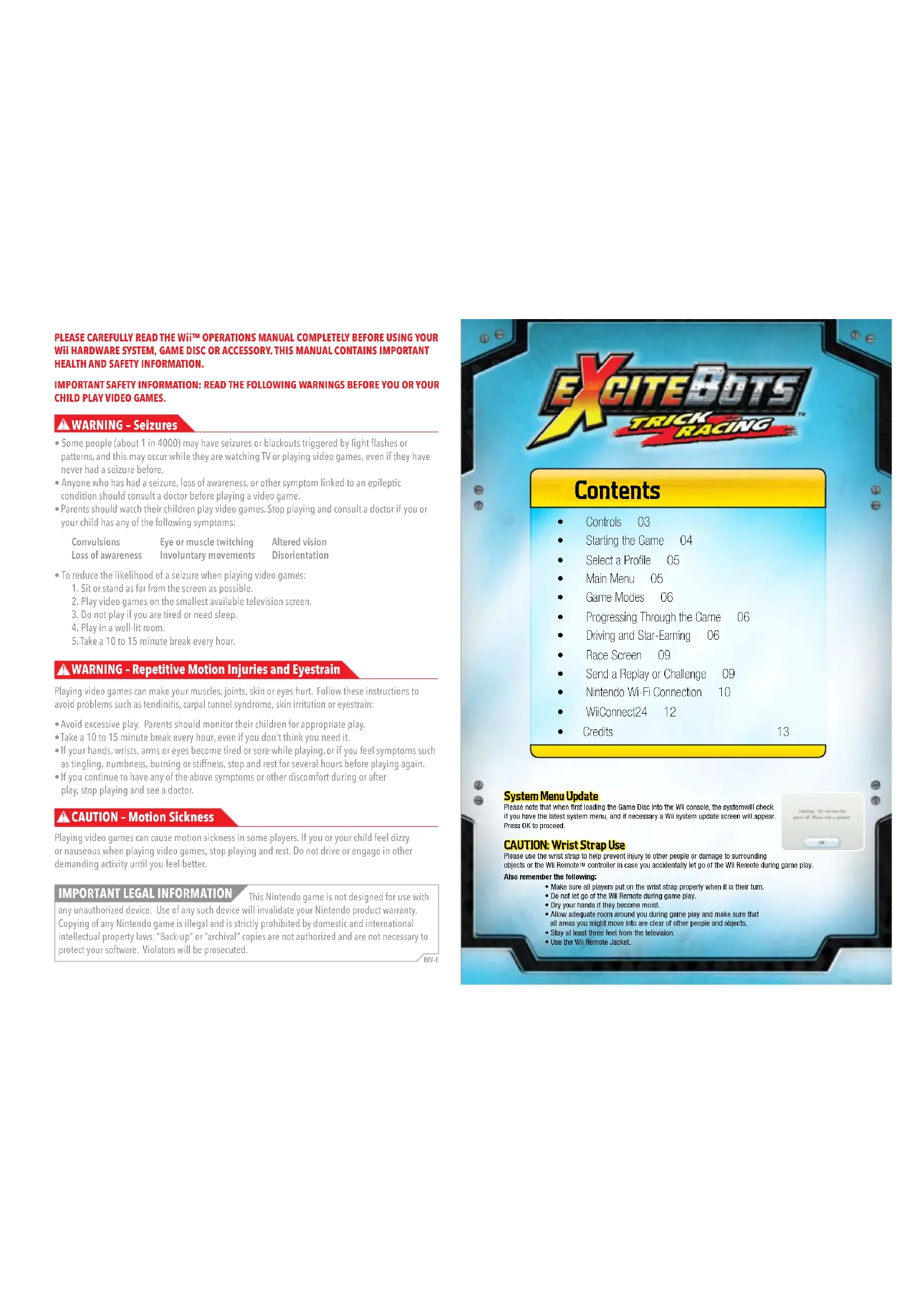
- Some people (about 1 in 4000) may have seizures or blackouts triggered by light flashes or patterns, and this may occur while they are watching TV or playing video games, even if they have never had a seizure before.
- Anyone who has had a seizure, loss of awareness, or other symptom linked to an epileptic condition should consult a doctor before playing a video game.
- Parents should watch their children play video games. Stop playing and consult a doctor if you or your child has any of the following symptoms:
Convulsions
Loss of awareness
Eye or muscle twitching
Involuntary movements
Altered vision
Disorientation
• To reduce the likelihood of a seizure when playing video games:
- Sit or stand as far from the screen as possible.
- Play video games on the smallest available television screen.
- Do not play if you are tired or need sleep.
- Play in a well-lit room.
- Take a 10 to 15 minute break every hour.
WARNING - Repetitive Motion Injuries and Eyestrain
Playing video games can make your muscles, joints, skin or eyes hurt. Follow these instructions to avoid problems such as tendinitis, carpal tunnel syndrome, skin irritation or eyestrain:
- Avoid excessive play. Parents should monitor their children for appropriate play.
Take a 10 to 15 minute break every hour, even if you don't think you need it. - If your hands, wrists, arms or eyes become tired or sore while playing, or if you feel symptoms such as tingling, numbness, burning or stiffness, stop and rest for several hours before playing again.
- If you continue to have any of the above symptoms or other discomfort during or after play, stop playing and see a doctor.
CAUTION - Motion Sickness
Playing video games can cause motion sickness in some players. If you or your child feel dizzy or nauseous when playing video games, stop playing and rest. Do not drive or engage in other demanding activity until you feel better.
IMPORTANT LEGAL INFORMATION
This Nintendo game is not designed for use with
any unauthorized device. Use of any such device will invalidate your Nintendo product warranty. Copying of any Nintendo game is illegal and is strictly prohibited by domestic and international intellectual property laws. "Back-up" or "archival" copies are not authorized and are not necessary to protect your software. Violators will be prosecuted.
REV E
text_image
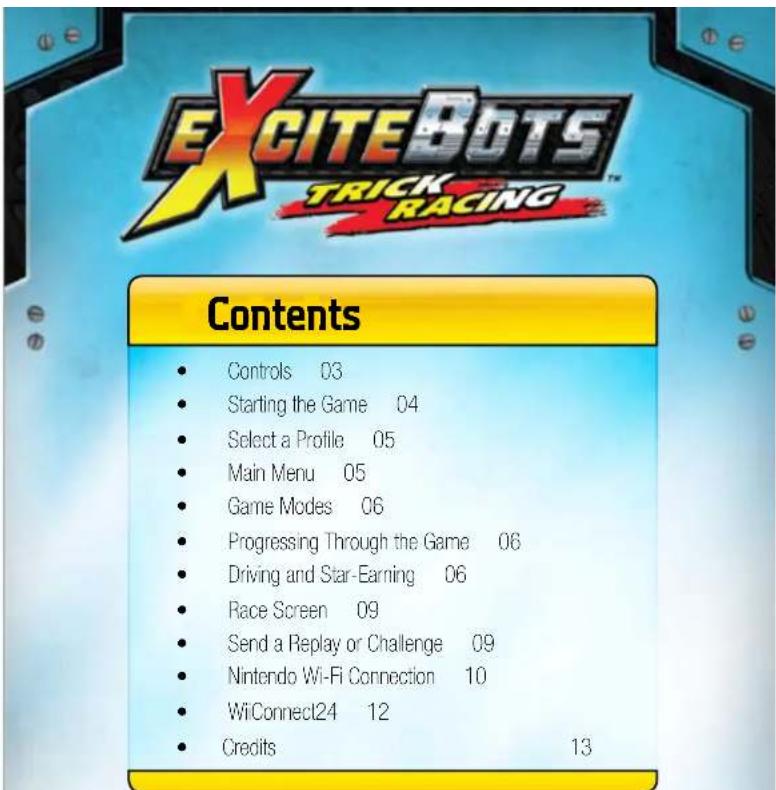
EXCITEBOTS TRICK RACING™ CONTENTS Controls 03 Starting the Game 04 Select a Profile 05 Main Menu 05 Game Modes 06 Progressing Through the Game 06 Driving and Star-Earning 06 Race Screen 09 Send a Replay or Challenge 09 Nintendo Wi-Fi Connection 10 WiConnect24 12 Credits 13System Menu Update
Please note that when first loading the Game Disc into the Wii console, the system will check if you have the latest system menu, and if necessary a Wii system update screen will appear. Press OK to proceed.
CAUTION: Wrist Strap Use
Please use the wrist strap to help prevent injury to other people or damage to surrounding objects or the Wii Remote™ controller in case you accidentally let go of the Wii Remote during game play.
Also remember the following:
- Make sure all players put on the wrist strap properly when it is their turn.
- Do not let go of the Wii Remote during game play.
• Dry your hands if they become moist. - Allow adequate room around you during game play and make sure that all areas you might move into are clear of other people and objects.
- Stay at least three feet from the television.
• Use the Will Remote Jacket.
text_image
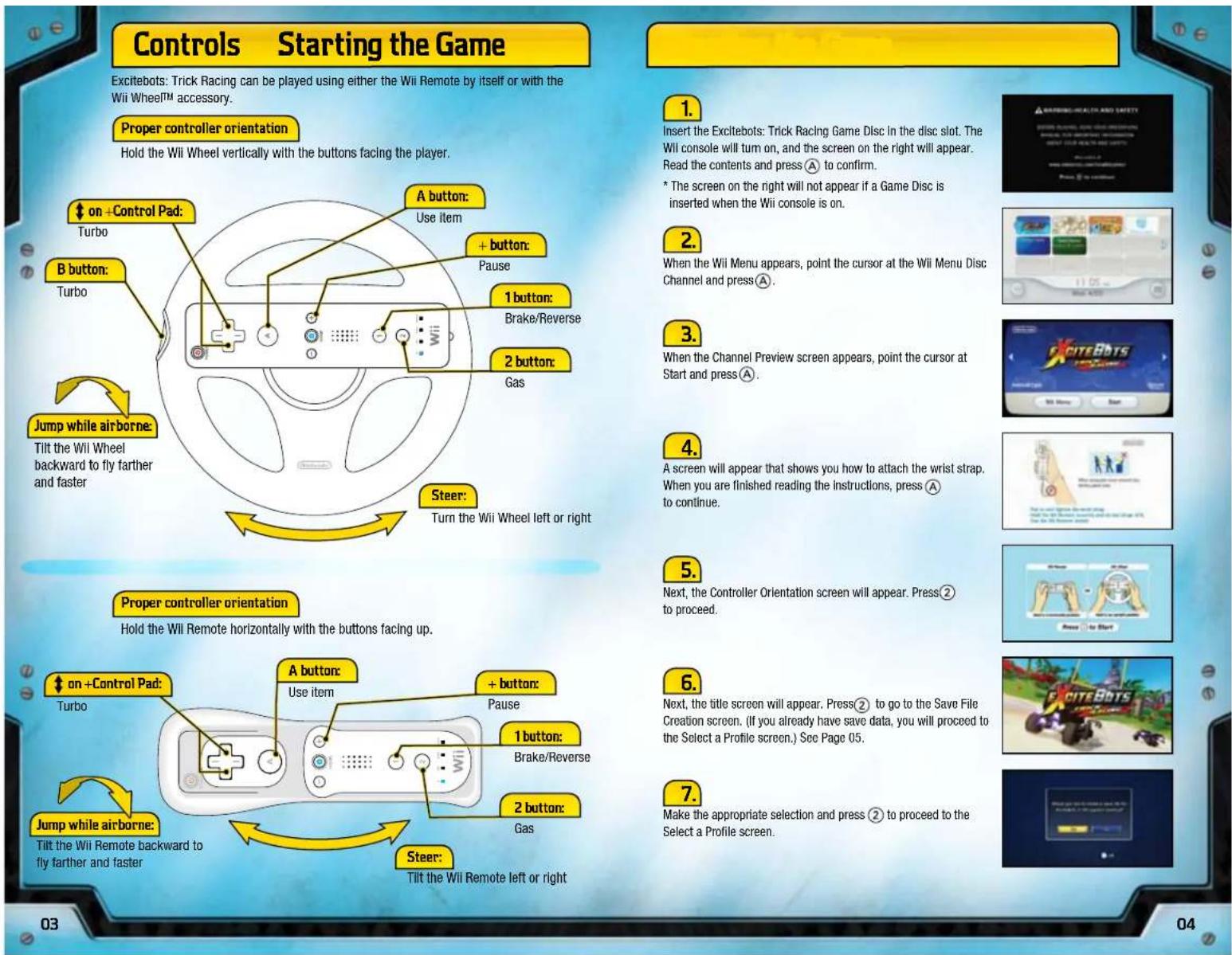
Controls Starting the Game Excitebots: Trick Racing can be played using either the Wii Remote by itself or with the Wii Wheel™ accessory. Proper controller orientation Hold the Wii Wheel vertically with the buttons facing the player. on +Control Pad: Turbo B button: Turbo 1 button: Brake/Reverse 2 button: Gas Steer: Turn the Wii Wheel left or right Jump while airborne: Tilt the Wii Wheel backward to fly farther and faster Proper controller orientation Hold the Wii Remote horizontally with the buttons facing up. on +Control Pad: Turbo A button: Use item + button: Pause 1 button: Brake/Reverse 2 button: Gas Steer: Tilt the Wii Remote left or right 1. 2. 3. 4. 5. Next, the Controller Orientation screen will appear. Press② to proceed. 6. Next, the title screen will appear. Press② to go to the Save File Creation screen. (If you already have save data, you will proceed to the Select a Profile screen.) See Page 05. 7. Make the appropriate selection and press ② to proceed to the Select a Profile screen.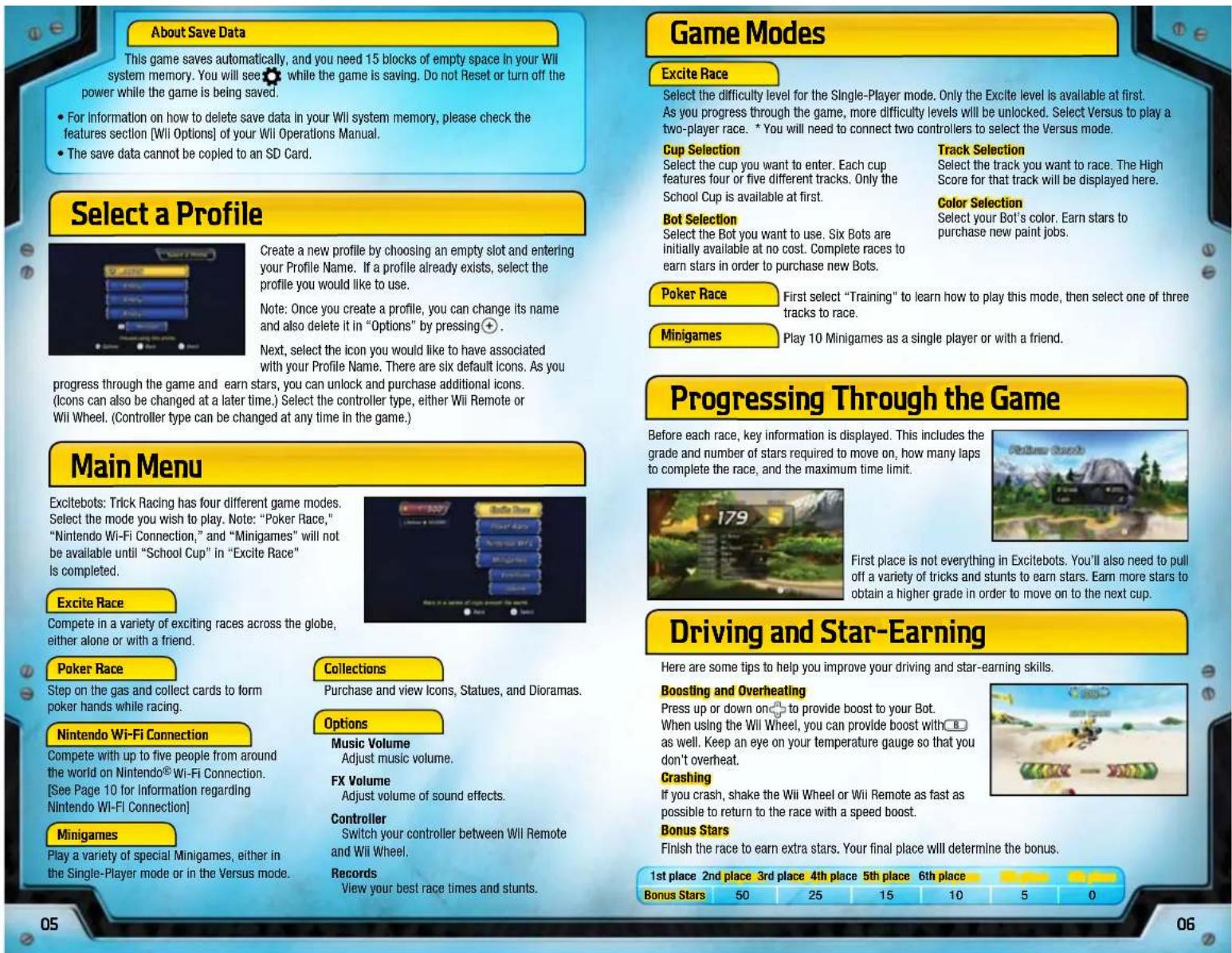
text_image
About Save Data This game saves automatically, and you need 15 blocks of empty space in your Wii system memory. You will see ☐ while the game is saving. Do not Reset or turn off the power while the game is being saved. • For information on how to delete save data in your Wii system memory, please check the features section [Wii Options] of your Wii Operations Manual. • The save data cannot be copied to an SD Card. Select a Profile Create a new profile by choosing an empty slot and entering your Profile Name. If a profile already exists, select the profile you would like to use. Note: Once you create a profile, you can change its name and also delete it in "Options" by pressing⊕. Next, select the icon you would like to have associated with your Profile Name. There are six default icons. As you progress through the game and earn stars, you can unlock and purchase additional icons. (Icons can also be changed at a later time.) Select the controller type, either Wii Remote or Wii Wheel. (Controller type can be changed at any time in the game.) Main Menu Excitebots: Trick Racing has four different game modes. Select the mode you wish to play. Note: "Poker Race," "Nintendo Wi-Fi Connection," and "Minigames" will not be available until "School Cup" in "Excite Race" is completed. Excite Race Compete in a variety of exciting races across the globe, either alone or with a friend. Poker Race Step on the gas and collect cards to form poker hands while racing. Nintendo Wi-Fi Connection Compete with up to five people from around the world on Nintendo® Wi-Fi Connection. [See Page 10 for Information regarding Nintendo Wi-Fi Connection] Minigames Play a variety of special Minigames, either in the Single-Player mode or in the Versus mode. Collections Purchase and view Icons, Statues, and Dioramas. Options Music Volume Adjust music volume. FX Volume Adjust volume of sound effects. Controller Switch your controller between Wii Remote and Wii Wheel. Records View your best race times and stunts. Game Modes Excite Race Select the difficulty level for the Single-Player mode. Only the Excite level is available at first. As you progress through the game, more difficulty levels will be unlocked. Select Versus to play a two-player race. * You will need to connect two controllers to select the Versus mode. Cup Selection Select the cup you want to enter. Each cup features four or five different tracks. Only the School Cup is available at first. Bot Selection Select the Bot you want to use. Six Bots are initially available at no cost. Complete races to earn stars in order to purchase new Bots. Poker Race First select "Training" to learn how to play this mode, then select one of three tracks to race. Minigames Play 10 Minigames as a single player or with a friend. Progressing Through the Game Before each race, key information is displayed. This includes the grade and number of stars required to move on, how many laps to complete the race, and the maximum time limit. Driving and Star-Earning Here are some tips to help you improve your driving and star-earning skills. Boosting and Overheating Press up or down once to provide boost to your Bot. When using the Wii Wheel, you can provide boost with B as well. Keep an eye on your temperature gauge so that you don't overheat. Crashing If you crash, shake the Wii Wheel or Wii Remote as fast as possible to return to the race with a speed boost. Bonus Stars Finish the race to earn extra stars. Your final place will determine the bonus. 1st place 2nd place 3rd place 4th place 5th place 6th place Bonus Stars 50 25 15 10 5 0Bot Stunts
Pull off crazy stunts, like the ones listed below, to earn stars. Making your stunts as outrageous as possible will earn you the maximum number of stars.
Air Keep your Bot airborne for as long as you can after flying off a big jump.
Drift Slide your Bot around a turn.
Tree Run Drive as long as possible near trees without crashing.
Air Spin Spin your Bot while in the air.
Bot Throw Shape the terrain and launch your opponent into the air.
Jump Combo Quickly link consecutive jumps.
Bot Smash Ram an opponent with your Bot.
Nice Crash Receive a star for crashing (this will slow down your time.)
Rings Launch your Bot through a series of rings.
Leg Smash Ram into your opponent while running in Leg Form.
Question Mark Trigger
Hitting the question mark trigger during a race will give you a chance to gain more stars! The question mark trigger will activate a variety of effects on the track, including morphing the terrain ahead of you. Morphing the terrain can help you pull off a huge jump or launch your opponents into the air, giving you even more stars! Hitting the question mark can also reveal a variety of other items and tricks, which are introduced on the following pages.
Red Bar
Drive toward a Red Bar to latch on and start spinning! Rotate the Wii Wheel or Wii Remote around in a circular motion in time with your Bot. Closely synchronize the timing of your rotation and your Bot will spin faster. Complete 10 rotations to release.
natural_image
Game scene showing a red and black robot on a dirt path with trees and a glowing yellow circular icon (no readable text or symbols)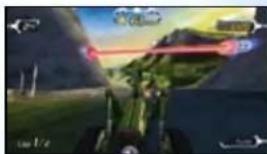
natural_image
Game scene showing a green vehicle on a grassy field with a red arrow indicating motion (no readable text or symbols)Yellow Bar
Hit the Yellow Bar during a race to latch your Bot onto it. Once on It, your Bot swings around automatically. Thrust the Wil Wheel or Wil Remote forward when your Bot is at the bottom of Its swing to release successfully!
natural_image
Game scene with a character in motion on a grassy island, no visible text or symbolsFlip Bar
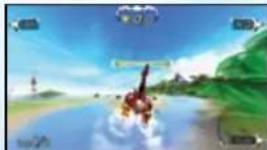
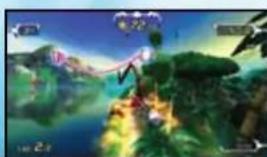
Rotate the Wii Wheel or Wii Remote around in a circular motion to do backflips and earn stars when launched by the pink Flip Bar, but make sure you're finished by the time you catch the bar again!
natural_image
Game scene with character on a tropical island, surrounded by greenery and blue sky (no readable text or symbols)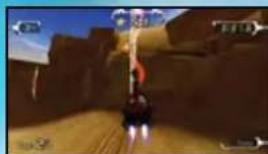
natural_image
Game scene showing a character on a dirt path with a large screen (no visible text or symbols)
natural_image
Game scene from a character on a path in a forested, rocky landscape (no visible text or symbols)
natural_image
Aerial view of a landscape with greenery, water bodies, and distant buildings (no visible text or symbols)
natural_image
Game scene with a character on a rocky path, mountains in the background, and sky reflection (no visible text or symbols)
natural_image
Game scene with character on horseback and blue buildings in a tropical park setting (no visible text or symbols)
natural_image
Virtual game scene showing a character driving on a road with green hills and clouds in the background (no readable text or symbols)Elevator Bar
Tall bars surrounded by red energy are Elevator Bars. Grab an Elevator Bar with your Bot to reach areas you wouldn't otherwise be able to get to. Release by thrusting the Wii Wheel or Wii Remote forward at the correct time.
Leg Running
Grab the wrench token to turn your Bot into Leg Form! Seesaw the Wii Wheel or tilt the Wii Remote left and right to run. Get in a rhythm to boost!
Glider Flying
When in Leg Form, launch off a ramp to turn into a Glider. Tilt the Wii Wheel or Wii Remote backward to gain altitude and tilt it forward to gain speed.
Song Rail
Try to keep your balance on the rail! Move the Will Wheel or Will Remote upward at the end of the ramp to get music notes.
Item Box
Hitting the question mark trigger will sometimes reveal the item boxes ahead of you. Hitting a box will give your Bot an item to hold in its claw. Use the item that your Bot is holding by pressing Ⓐ. Every item works differently, so figure out how to use all of them to earn the most stars!
Sports Tricks
Hitting the question mark trigger will sometimes reveal a soccer ball, football, baseball, or even a set of bowling pins! Try to kick, throw, hit, and bowl to gain more stars!
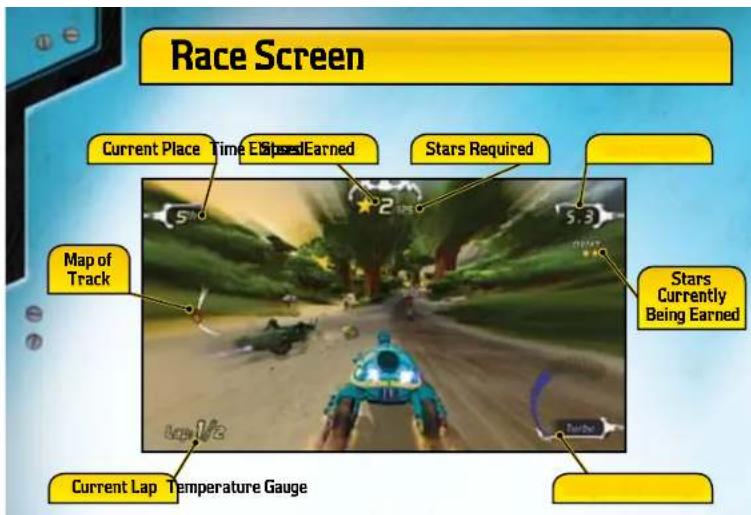
text_image
Race Screen Current Place Time Ended Earned Stars Required Map of Track Stars Currently Being Earned Current Lap Temperature GaugeSend a Replay or Challenge
After finishing a race, you can send a Replay or a Challenge to your Wii Friend as a message.
After a race, select the "Send..." button on the end-of-race screen to enter the Messages screen.
On the Messages screen, select Send Challenge or Send Replay. Then, choose the Wii Friend you want to send the message to.
text_image
Stand Down Move Save Finish
text_image
School Menu Score 107 Base Date 47.6 Send Callaway Send Play Send a challenge group to a mini game
text_image
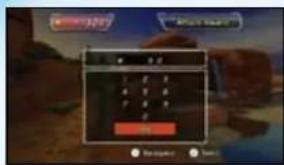
Game interface screenshot showing a calculator with status indicators and buttonsEnter your message on the message input screen and select DONE to proceed to the next screen.
text_image
Game interface screenshot showing a numeric keypad with input fields and buttons, likely from a mobile game or game.You can attach stars to your message. Once your Wii Friend finishes viewing the replay, they will gain the stars you sent. If you send a Challenge, your Wii Friend will need to win the challenge to obtain the stars.
Note: For more information regarding the Messages function, please see Page 12.
Nintendo Wi-Fi Connection
Important
To protect your privacy, do not give out personal information such as last name, phone number, birth date, age, school, e-mail, or home address when communicating with others.
The End User License Agreement that governs Wii online game play and sets forth the Wii Privacy Policy is available in the Wii console's System Settings and online at support.nintendo.com/wilprivacy.jsp.
When you connect to Nintendo® Wi-Fi Connection, you can compete with players from around the world or from your Friend Roster. Each race can host up to six people.
Choose a mode to play and press ②. Highlight Friends and press Ⓐ to make the Friend Roster screen appear. Then you can register your friend.
Router and broadband access required for online play. For more info, go to Nintendo.com
text_image
AutoCAD AutoCAD AutoCAD AutoCAD AutoCAD AutoCAD (MPC) Back Next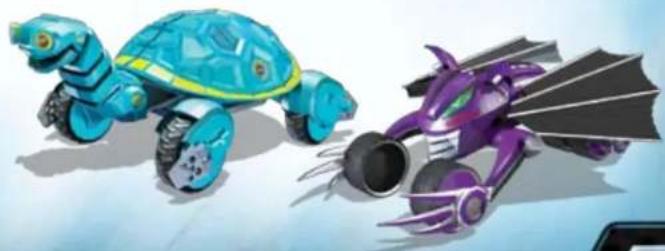
natural_image
Illustration of two cartoon-style robots, one blue with a turtle shell and the other purple with a dragon tail (no text or symbols)
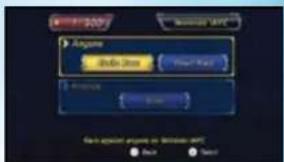
Anyone
Race against anyone on Nintendo Wi-Fi Connection. You can choose between Excite Race and Poker Race.
1.
When you choose a race, you will automatically connect to the Nintendo WI-FI Connection.
2.
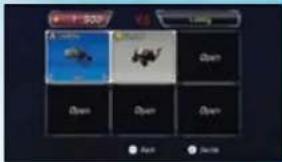
In the lobby, you can change your Bot by pressing ⏻. Press ② to decide. If you want to quit the race, press + and select "Disconnect".
(When other players you've matched are in the middle of a race, you will be in the "Spectator Mode" where you can watch their race until they finish, or you can advance to the lobby to prepare for the upcoming race.)
text_image
10:00 Back Action3.
Select the track. After every player has selected a track, one of the tracks is chosen randomly.
4.
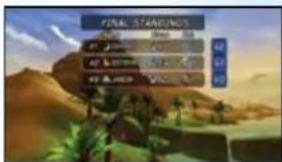
You can bet the stars you've accumulated during game play on your race. When the race ends, in addition to the stars you obtained during the race, you will also earn bonus stars depending on your finish and on how many stars you bet. The better your finish, the higher the odds multiplied by your bet. However, if you finish at the back of the pack, you may lose your entire bet.
text_image
FINAL STANDING Score 100 Score 100 Score 100 Score 100 Score 100Friend
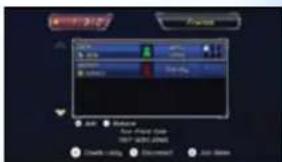
If you and another person both register each other's Friend Codes, you will become Excitebots friends and be able to play together via Nintendo Wi-Fi Connection.
text_image
Add Remove Add - Add to Add OK! (OK) Delete OK! Delete Add: Remove1.
The list of your friends appears on the screen. You can check your friends' status.

: The friend is not connected to Nintendo Wi-Fi Connection, or playing in Anyone mode.

: The friend is connected to Nintendo WFC and is in Friend mode,
but they are not in a lobby.
: The friend is in a lobby or in a race. You can join the lobby unless the lobby is already full. Up to 6 players can join a lobby. Check the box on the right side of the name to see how many players are in the lobby. (Once you join, you will be in Spectator Mode if your friend is racing. After the race, you will join them in the lobby.)

e friend is in a lobby or in a race created by someone who is not your friend. You can't join the lobby.
2.
To join a race, select a lobby and press ②. To create a lobby, press A and then wait for friends.
3.
In the lobby, by pressing - you can change your Bot. Press ② to decide. If you want to quit the race press and select "Leave Lobby".
4.
Select either "Excite Race" or "Poker Race" and then a track. After every player has selected, one of them is chosen randomly.
5.
When the race ends, players will return to the lobby.
About Friend Roster
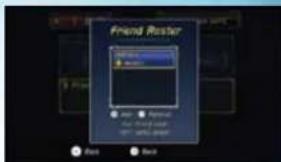
In order to play with friends, you need to register them to your Friend Roster.
1.
Exchange Friend Codes with a friend.
text_image
Friend Roster Next Back2.
Press⊕ to enter a Friend Code. After entering it, select DONE, add new name text and press②.
3.
After entering the Friend Code, enter the Friend's Name, select DONE and press②.
4.
To remove a friend, select the one that you want to remove and press
WiiConnect24
Messages
Using WiiConnect24™, you can exchange Replays and Challenges with your Wii Friends via Messages.
- Select Messages on Select a Profile screen.
- Choose the message you want to save in Message Box.
- When you want to watch your Wii Friend's Replay or play your Wii Friend's Challenge, select the message from your Wii Friend in Message Box. Message Box can save up to 20 messages.
What is WiiConnect24?
24
Using your home's Internet connection, WiiConnect24 connects the Wii console to the Internet 24 hours a day, even when the console is turned off, which enables a variety of data transmissions and message sharing between friends and family.
In order to use this feature, you must first define your Internet connection settings and turn WiiConnect24 on.
Cautions Regarding WiiConnect24
If you connect to WiiConnect24, there is a possibility that your license name and Ml™ character will be seen by many people.
*For details on Internet and WiiConnect24 settings, consult the Wii Operations Manual.
| CREDITS | |
| MONSTER GAMES | NINTENDO |
| Team Lead | Supervisors |
| Richard Garcia | Hiro Yamada |
| Kiyo Ando | |
| Programming Lead | |
| Dave Bruske | Music Chief |
| Dave Pollatsek | Kenji Yamamoto |
| Gameplay Programming | Music |
| Scott Haag | Masaru Tajima |
| Evan Rattner | Shinji Ushiroda |
| Mike Iroska | |
| Victor Thompson | Art Advisors |
| Yoshiki Haruhana | |
| Special Effects Programming | Satoru Takizawa |
| Sam Johnson | |
| Title Logo Design | |
| Game Design Chief | Takashi Ito |
| John Schneider | |
| Testing | |
| Game Design | NOA Product Testing |
| Cwon Justice | |
| Josh Lee | NOA Testing Coordinator |
| Isaac Turner | Ed Ridgeway |
| Walter "CJ" Boswell | |
| Special Thanks | |
| User Interface Design | Tom Prata |
| Hugh Ackerman | Masa Miyazaki |
| Azusa Tajima | |
| Vehicle Design | Tomcaki Kuroume |
| Evan Brown | Miyako Nishio |
| Troy Hardor | Toru Inago |
| Eli Libson | Takashi Ito |
| Mike Rieder | Kaori Miyachi |
| Aniko Kimoto | |
| Track and Environment Design | |
| Mitch Ernst | Producers |
| Todd LeGare | Kensuke Tanabe |
| Keisuke Terasaki | |
| Environment Design | |
| Josh Dofrios | Executive Producer |
| Venkata Kishore Goli | Satoru Iwata |
| Chad Jasper | |
| Brian McCabo | All Rights, including the copyrights of Game, Scenario, Music and Program, reserved by NINTENDO. |
WARRANTY & SERVICE INFORMATION
REV-Q
You may need only simple instructions to correct a problem with your product. Try our website at support.nintendo.com or call our Consumer Assistance Hotline at 1-800-255-3700, rather than going to your retailer. Hours of operation are 6 a.m. to 7 p.m., Pacific Time, Monday - Sunday (times subject to change). If the problem cannot be solved with the troubleshooting information available online or over the telephone, you will be offered express factory service through Nintendo. Please do not send any products to Nintendo without contacting us first.
HARDWARE WARRANTY
Nintendo of America Inc. ("Nintendo") warrants to the original purchaser that the hardware product shall be free from defects in material and workmanship for twelve (12) months from the date of purchase. If a defect covered by this warranty occurs during this warranty period, Nintendo will repair or replace the defective hardware product or component, free of charge.* The original purchaser is entitled to this warranty only if the date of purchase is registered at point of sale or the consumer can demonstrate, to Nintendo's satisfaction, that the product was purchased within the last 12 months.
GAME & ACCESSORY WARRANTY
Nintendo warrants to the original purchaser that the product (games and accessories) shall be free from defects in material and workmanship for a period of three (3) months from the date of purchase. If a defect covered by this warranty occurs during this three (3) month warranty period, Nintendo will repair or replace the defective product, free of charge.*
SERVICE AFTER EXPIRATION OF WARRANTY
Please try our website at support.nintendo.com or call the Consumer Assistance Hotline at 1-800-255-3700 for troubleshooting information and repair or replacement options and pricing.*
*In some instances, it may be necessary for you to ship the complete product, FREIGHT PREPAID AND INSURED FOR LOSS OR DAMAGE, to Nintendo. Please do not send any products to Nintendo without contacting us first.
WARRANTY LIMITATIONS
THIS WARRANTY SHALL NOT APPLY IF THIS PRODUCT: (a) IS USED WITH PRODUCTS NOT SOLD OR LICENSED BY NINTENDO (INCLUDING, BUT NOT LIMITED TO, NON-LICENSED GAME ENHANCEMENT AND COPIER DEVICES, ADAPTERS, AND POWER SUPPLIES); (b) IS USED FOR COMMERCIAL PURPOSES (INCLUDING RENTAL); (c) IS MODIFIED OR TAMPERED WITH; (d) IS DAMAGED BY NEGLIGENCE, ACCIDENT, UNREASONABLE USE, OR BY OTHER CAUSES UNRELATED TO DEFECTIVE MATERIALS OR WORKMANSHIP; OR (e) HAS HAD THE SERIAL NUMBER ALTERED, DEFACED OR REMOVED.
ANY APPLICABLE IMPLIED WARRANTIES, INCLUDING WARRANTIES OF MERCHANTABILITY AND FITNESS FOR A PARTICULAR PURPOSE, ARE HEREBY LIMITED IN DURATION TO THE WARRANTY PERIODS DESCRIBED ABOVE (12 MONTHS OR 3 MONTHS, AS APPLICABLE). IN NO EVENT SHALL NINTENDO BE LIABLE FOR CONSEQUENTIAL OR INCIDENTAL DAMAGES RESULTING FROM THE BREACH OF ANY IMPLIED OR EXPRESS WARRANTIES. SOME STATES DO NOT ALLOW LIMITATIONS ON HOW LONG AN IMPLIED WARRANTY LASTS OR EXCLUSION OF CONSEQUENTIAL OR INCIDENTAL DAMAGES, SO THE ABOVE LIMITATIONS MAY NOT APPLY TO YOU.
This warranty gives you specific legal rights. You may also have other rights which vary from state to state or province to province.
Nintendo's address is: Nintendo of America Inc., P.O. Box 957, Redmond, WA 98073-0957 U.S.A.
This warranty is only valid in the United States and Canada.
DOLBY
PRO LOGIC II
Manufactured under license from Dolby Laboratories. Dolby, Pro Logic, and the double-D symbol are trademarks of Dolby Laboratories.
This game is presented in Dolby ^® Pro Logic ^® II surround sound. Connect your game console to a sound system with Dolby Pro Logic, Dolby Pro Logic II, or Dolby Pro Logic IIx decoding to experience the excitement of surround sound. You may need to enable Dolby Pro Logic II in the audio options menu of the game.
© 2009 Nintendo. TM, © and the Wii logo are trademarks of Nintendo. All rights reserved. © 2009 Nintendo.
VEUILLEZ LIRE ATTENTIVEMENT L'INTÉGRALITÉ DU MODE D'EMPLOI DE LA Wii™ AVANT D'UTILISER VOTRE SYSTÈME, VOTRE DISQUE DE JEU, OU VOS ACCESSOIRES Wii. CE MODE D'EMPLOI COMPREND D'IMPORTANTES INFORMATIONS SUR VOTRE SANTÉ ET VOTRE SÉCURITÉ.
INFORMATIONS IMPORTANTES CONCERNANT VOTRE SÉCURITÉ : VEUILLEZ LIRE LES PRÉCAUTIONS SUIVANTES AVANT QUE VOUS OU VOTRE ENFANT NE JOUIEZ À VOS JEUX VIDÉO.
text_image
EnterBody Delete Box Power Bars To remove WiFi Mobile About Next Here is a version of image present the world. Back NextExcite Race [Course Excite]
Poker Race [Course poker]
Minigames [Mini-jeux]
Poker Race [Course poker]
Minigames [Mini-jeux]
Tree Run [Course boisée]
Song Rail [Rail musical]
text_image
Bird's House Mary Green Sky Sunny Missing to have a solution![NINTENDO Excitebots Trick Racing (Wii) - Song Rail [Rail musical] - 1](/content/2026/03/497772/images/133327dfbb0a6e1a635ccd662d3b97f6b08cd7d4c63bc40b7ed5d4873f3c6ecb.jpg)
text_image
School Menu Save As Time Save History Save History Save a change point to a 100-point OK Cancel![NINTENDO Excitebots Trick Racing (Wii) - Song Rail [Rail musical] - 2](/content/2026/03/497772/images/af08db26db775fc987323d52b68f4b79194607d83337ef9428af6291aef6c04f.jpg)
text_image
Mobile app interface screenshot showing a calendar with date and time controls, plus navigation buttons for 'Participated' and 'Return'.text_image
Game interface screenshot showing a numeric keypad with input fields and buttons, likely from an older game or game.text_image
Anyone Browse Address Find Next Anyone Save Save against anyone to Williams (APC) Back Nextnatural_image
Illustration of two stylized creatures, one blue and one purple, with no visible text or symbols.![NINTENDO Excitebots Trick Racing (Wii) - Song Rail [Rail musical] - 3](/content/2026/03/497772/images/fe84e203fbdd4c2b1554158815586fc793ab53121c701340d2155908f3c7eb1b.jpg)
natural_image
Game scene with a red and black vehicle on a dirt path, surrounded by trees and a glowing yellow square (no readable text or symbols)Barra roja
natural_image
Game scene showing a green vehicle on a grassy field with a red arrow indicating motion (no visible text or symbols)Barra amarilla

natural_image
Virtual game scene with a character in motion against a blue sky and green hills (no visible text or symbols)Barra giratoria
natural_image
Game scene from a virtual environment with a character on a forested island (no visible text or symbols)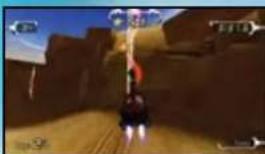
natural_image
Game scene showing a character standing on a dirt path with a large character visible in the background (no text or symbols)Barra elevadora
natural_image
Game scene from a character on a dirt path with trees and sky in the background (no visible text or symbols)Carrera sobre patas
natural_image
Aerial view of a landscape with a person in a white suit walking along a path, surrounded by greenery and water (no visible text or symbols)Vuelo en planeador
natural_image
Game scene with a character on a rocky path surrounded by green hills and sky (no visible text or symbols)Riel musical
natural_image
Virtual game scene with a character on horseback, blue buildings, and palm trees under a sunset sky (no visible text or symbols)Caja de objetos
natural_image
Virtual car racing game scene with character on the road and surrounding terrain (no visible text or symbols)Trucos de deportes
text_image
Game interface screenshot showing a calendar with date and time controls, plus navigation buttons at the bottom.text_image
Game interface screenshot showing a numeric keypad with input fields and buttons, likely for a mobile game or player.text_image
Anyone Add One Create More Anyone One special anyone in Windows HTC Back Nextnatural_image
Illustration of two cartoon-style robots, one blue and one purple, with no visible text or symbols on the robots themselves.