Klonoa (Wii) - Game NINTENDO - Free user manual and instructions
Find the device manual for free Klonoa (Wii) NINTENDO in PDF.


User questions about Klonoa (Wii) NINTENDO
0 question about this device. Answer the ones you know or ask your own.
Ask a new question about this device
Download the instructions for your Game in PDF format for free! Find your manual Klonoa (Wii) - NINTENDO and take your electronic device back in hand. On this page are published all the documents necessary for the use of your device. Klonoa (Wii) by NINTENDO.
USER MANUAL Klonoa (Wii) NINTENDO
text_image
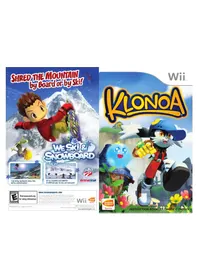
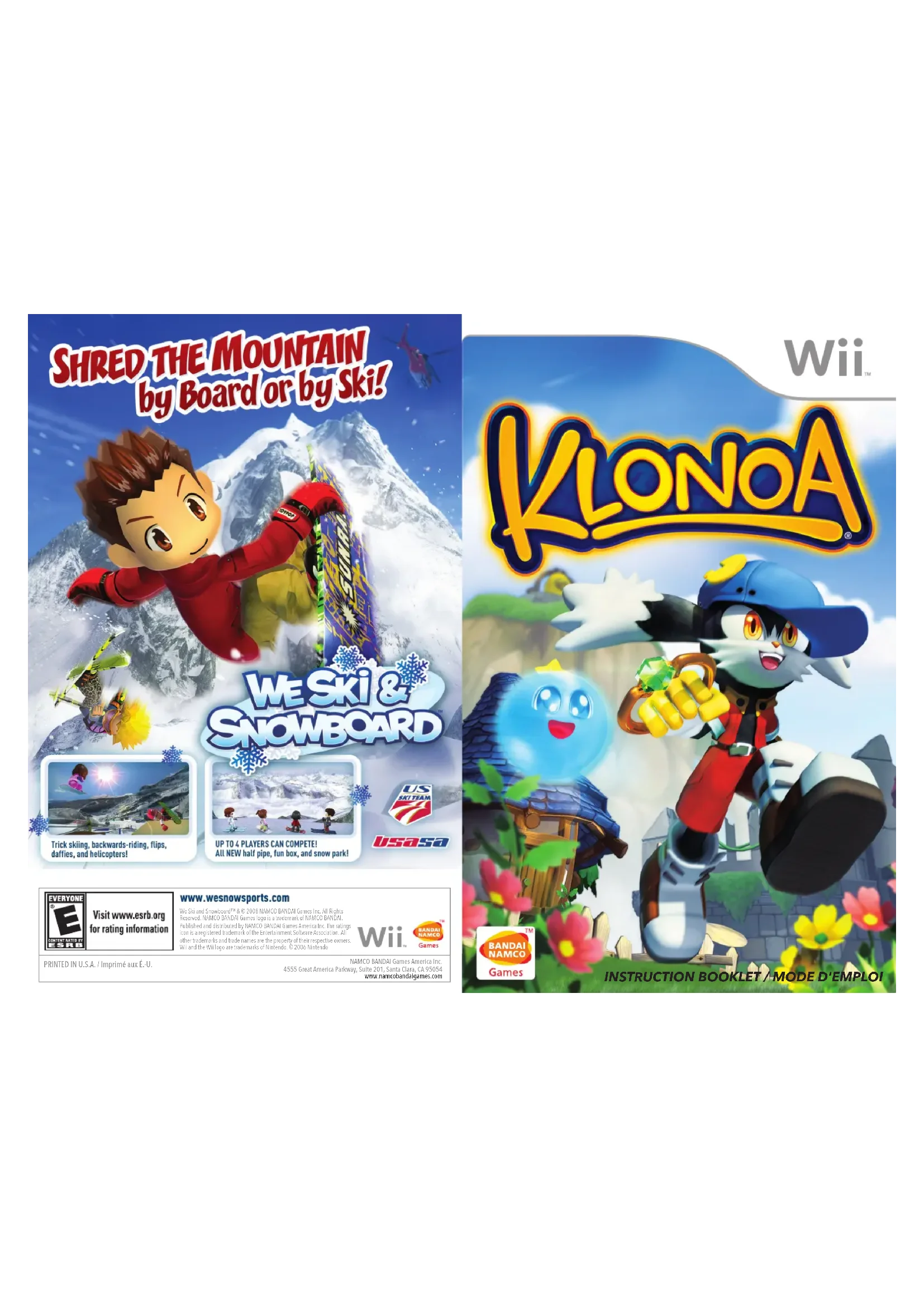
SHRED THE MOUNTAIN by Board or by Ski! WE SKI & SNOWBOARD US SKITEAM 7 usasa Trick skiing, backwards-riding, flips, daffies, and helicopters! UP TO 4 PLAYERS CAN COMPETE! All NEW half pipe, fun box, and snow park!
Visit www.esrb.org for rating information
www.wesnowsports.com
We Del and Snowboard® 8.0 2008 NAMCO BANDA Games Inc. All Rights Reserved. NAMCO BANDA Games logo is a trademark of NAMCO BANDA. Published and distributed by NAMCO BANDA Games America Inc. The ratings can be registered trademark of the Entertainment Software Association. All other trademarks and trade names are the property of their respective owners. We and the WI logo are trademarks of Nisemini 80 2006 Nisemini
Wii

PRINTED IN U.S.A. / Imprimé aux É.-U.
NAMCO BANDAI Games America Inc.
4555 Great America Parkway, Suite 201, Santa Clara, CA 95054 www.namcobandaigames.com
text_image
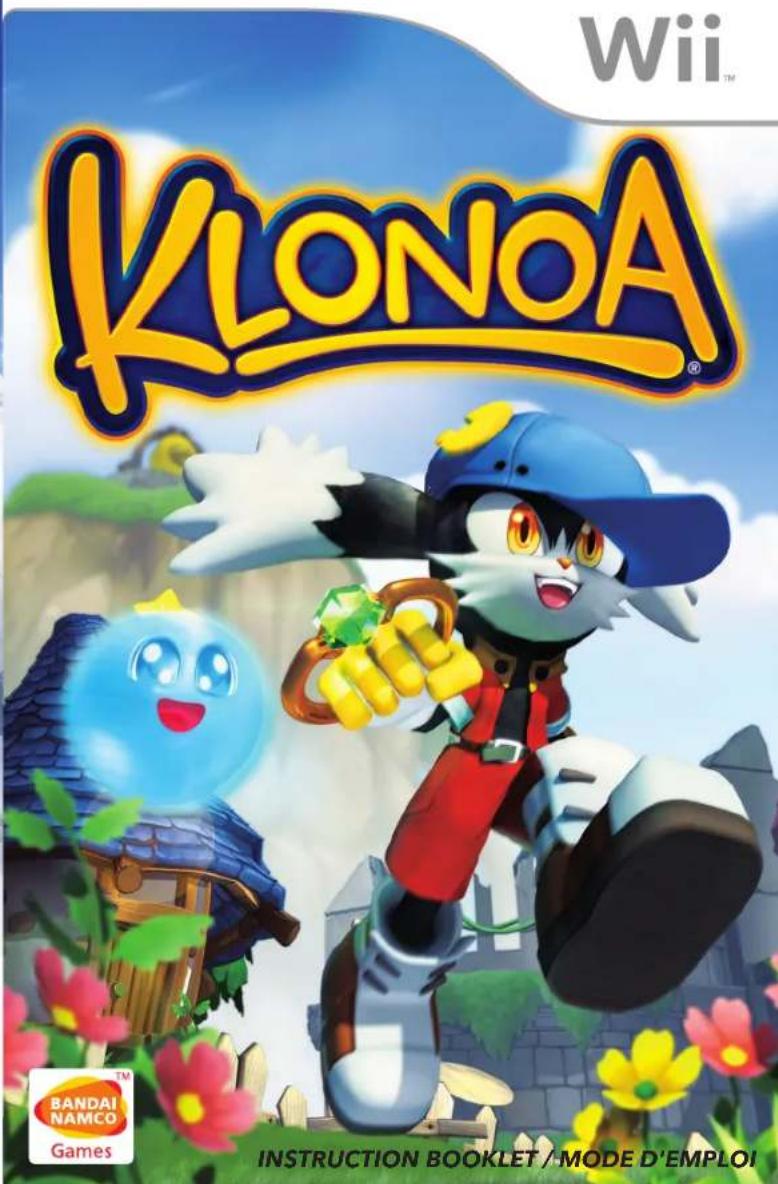
Wii™ KLONA® BANDAI NAMCO Games INSTRUCTION BOOKLET / MODE D'EMPLOIPLEASE CAREFULLY READ THE Wii™ OPERATIONS MANUAL COMPLETELY BEFORE USING YOUR Wii HARDWARE SYSTEM, GAME DISC OR ACCESSORY. THIS MANUAL CONTAINS IMPORTANT HEALTH AND SAFETY INFORMATION.
IMPORTANT SAFETY INFORMATION: READ THE FOLLOWING WARNINGS BEFORE YOU OR YOUR CHILD PLAY VIDEO GAMES.
WARNING - Seizures
- Some people (about 1 in 4000) may have seizures or blackouts triggered by light flashes or patterns, and this may occur while they are watching TV or playing video games, even if they have never had a seizure before.
- Anyone who has had a seizure, loss of awareness, or other symptom linked to an epileptic condition should consult a doctor before playing a video game.
- Parents should watch their children play video games. Stop playing and consult a doctor if you or your child has any of the following symptoms:
Convulsions Eye or muscle twitching Altered vision Loss of awareness Involuntary movements Disorientation
• To reduce the likelihood of a seizure when playing video games:
- Sit or stand as far from the screen as possible.
- Play video games on the smallest available television screen.
-
Do not play if you are tired or need sleep.
-
Play in a well-lit room.
-
Take a 10 to 15 minute break every hour.
WARNING - Repetitive Motion Injuries and Eyestrain
Playing video games can make your muscles, joints, skin or eyes hurt. Follow these instructions to avoid problems such as tendinitis, carpal tunnel syndrome, skin irritation or eyestrain:
- Avoid excessive play. Parents should monitor their children for appropriate play.
• Take a 10 to 15 minute break every hour, even if you don't think you need it. - If your hands, wrists, arms or eyes become tired or sore while playing, or if you feel symptoms such as tingling, numbness, burning or stiffness, stop and rest for several hours before playing again.
- If you continue to have any of the above symptoms or other discomfort during or after play, stop playing and see a doctor.
CAUTION - Motion Sickness
Playing video games can cause motion sickness in some players. If you or your child feel dizzy or nauseous when playing video games, stop playing and rest. Do not drive or engage in other demanding activity until you feel better.
IMPORTANT LEGAL INFORMATION
designed for use with
any unauthorized device. Use of any such device will invalidate your Nintendo product warranty.
Copying of any Nintendo game is illegal and is strictly prohibited by domestic and international intellectual property laws. "Back-up" or "archival" copies are not authorized and are not necessary to protect your software. Violators will be prosecuted.
REV-E

The Official Seal is your assurance that this product is licensed or manufactured by Nintendo. Always look for this seal when buying video game systems, accessories, games and related products.

Manufactured under license from Dolby Laboratories. Dolby, Pro Logic, and the double-D symbol are trademarks of Dolby Laboratories.
This game is presented in Dolby Pro Logic II. To play games that carry the Dolby Pro Logic II logo in surround sound, you will need a Dolby Pro Logic II, Dolby Pro Logic or Dolby Pro Logic IIx receiver. These receivers are sold separately.
Klonoa® & © 1997-2008 NAMCO BANDAI Games Inc.
Nintendo, We and the Official Seal are trademarks of Nintendo. © 2006 Nintendo
Licensed by Nintendo

CAUTION: WRIST STRAP USE
Please use the wrist strap to help prevent injury to other people or damage to surrounding objects or the Wii Remote in case you accidentally let go of the Wii Remote during game play.
Also remember the following:
• Make sure all players put on the wrist strap properly when it is their turn.
- Do not let go of the Wii Remote during game play.
• Dry your hands if they become moist.
- Allow adequate room around you during game play and make sure that all areas you might move into are clear of other people and objects.
- Stay at least three feet from the television.
• Use the Wii Remote Jacket.
SYSTEM MENU UPDATE
Please note that when first loading the Game Disc into the Wii console, the Wii will check if you have the latest system menu, and if necessary a Wii system update screen will appear. Press OK to proceed.

The Story...
Somewhere out there is another world, the world of Phantomile. There is a legend in Phantomile about the mysterious Moon Kingdom, a place where the dream energy from people everywhere is said to be collected and used to shape the world of Phantomile. It's the reason why people can't remember what they dreamed about when they wake up in the morning.
One day, Klonoa — a boy who lives in Breezesale, the Wind Village — woke up from a pleasant dream that had suddenly turned into a nightmare. And for some strange reason, he could remember that dream perfectly clearly, no matter how much time passed.
Soon after, in a strange coincidence, an airship crashed into the top of nearby Bell Hill, just like in Klonoa's dream. If events were to continue following his dream, the airship would soon be followed by an evil shadow.
"Something crashed into Bell Hill!"
"Let's go and take a look!"
Klonoa swallowed his momentary fear and let his curiosity take over. Together with Hewpoe – a ring spirit and Klonoa's best friend since childhood – he set off for the crash site.

Table of Contents
Welcome to Phantomile ....4....Game Basics & Screens ....12...
The Characters ....5....Klonoa's Actions ....14...
Game Controls....6....Exploring the Visions....16
Starting the Game . . . . . . . . . . . . . . . . . . . . . . . . . . . . . . . . . . . . . . . . . . . . . . .
Game Options....10 Objects....20...
Adjusting the Screen ..... 11 ... Game Hints ..... 21

Phantomile Map
104000
The village where Klonoa lives. It has a giant windmill and a bell that sounds the hour.
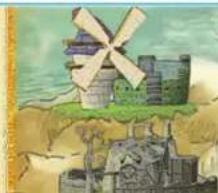
natural_image
Illustration of a windmill on a hilltop with ancient stone ruins below (no text or symbols)Rums of the Wind Kingdom
The old palace of the Wind God. According to legend, it was destroyed during the Wind God's battle with the King of Darkness.

text_image
Coronia: The Temple of the Sun A mysterious temple that floats through the sky. Jugpct :Forlock: The Tree Village
A peaceful, greenery-filled village. The great Holy Tree in its center is the home of the Chieftess, who lives in a tree house at the top.
The Water Kingdom
This kingdom provides clean, pure water for all of Phantomile using the water mill attached to Shell Castle.
The Legend of Phantomile...
Once upon a time, a long time ago, Phantomile was home to four gods: the Wind God, the Tree God, the Water God, and the Moon God. The Moon God gathered dream energy from all the people in the world and used it to shape the world of Phantomile. The other gods used whatever power of nature they possessed – wind power, plant power, or water power – and shared them freely with the others, so peace reigned throughout the land.
But one day, the King of Darkness, jealous of the Moon God's power to create anything and everything, started a war to overthrow the gods. The four gods joined forces and fought against the King of Darkness. At first, the King of Darkness overwhelmingly had the greater power, but gradually he was forced back with the help of the celestial fish. The battle continued for 100 days, but at last the gods succeeded in imprisoning the King of Darkness.
Afterwards, in order to ensure that something like this would never happen again, the Moon God decided to go into hiding. Unless the gods of wind, trees and water all joined together to summon him, the Moon God would never appear again. And so the power of dreaming was hidden forever, on the other side of dreams that disappear upon waking...
The Characters
text_image
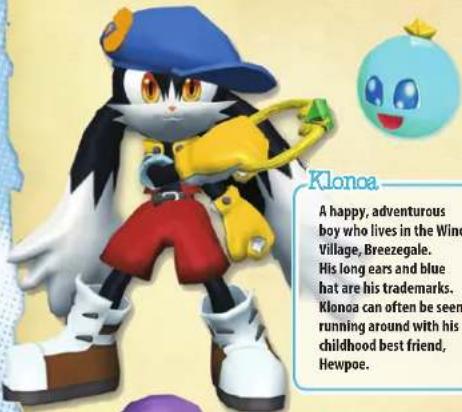
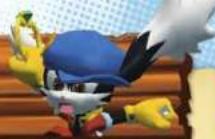
Klonoa A happy, adventurous boy who lives in the Wind Village, Breezegale. His long ears and blue hat are his trademarks. Klonoa can often be seen running around with his childhood best friend, Hewpoe.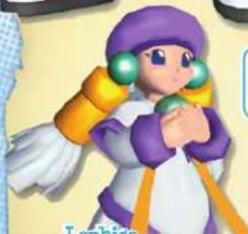
natural_image
Illustration of a cartoon character with purple hat, green eyes, and orange arm (no text or symbols)Lephise
A songstress who is able to sing the Song of Rebirth, which can renew the entire world. She is being pursued by the King of Darkness, who wants to keep her from using that power.
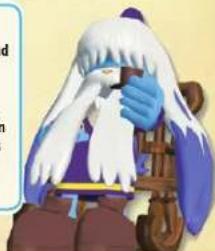
Grandpa
An elder of Breezegale village and Klonoa's foster parent. He knows a great deal about Phantomile's history and legends.
Ghadius :
The King of Darkness
The King of Darkness, who was once thought to be sealed away forever by the four gods, but has returned once more. He can freely control the realm of darkness and create other-dimensional spaces. Ghadius wants to turn Phantomile into a land of nightmares.
Joker
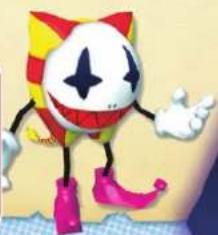
A faithful minion of the King of Darkness who can use the power of darkness to a limited degree. Although he tries very hard to gain Ghadius's approval, he's not exactly the sharpest tool in the shed and he tends to fail more than he succeeds.
natural_image
Cartoon character with red, yellow, and white outfit, wearing pink boots (no text or symbols)-Hewpoe
A ring spirit who fell from the sky one day. He normally lives inside the ring that Klonoa carries around and helps him use the power of the wind.
natural_image
Illustration of a character with white hair and blue gloves, holding a wooden object (no text or symbols visible)Game Controls
Horizontal Wii Remote Controls
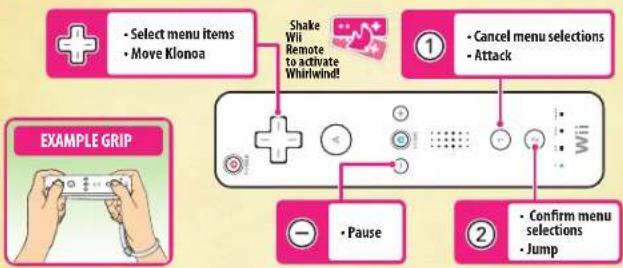
flowchart
graph TD
    A["Select menu items"] --> B["Move Klonoa"]
    B --> C["Shake Wii Remote to activate Whirlwind!"]
    C --> D["Cancel menu selections"]
    D --> E["Attack"]
    F["Pause"] --> G["Confirm menu selections"]
    G --> H["Jump"]
Nunchuk Style Controls
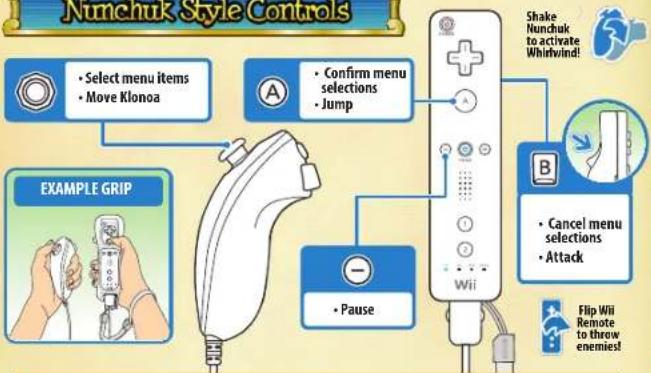
flowchart
graph TD
    A["Select menu items\nMove Klonoa"] --> B["Confirm menu selections\nJump"]
    C["EXAMPLE GRIP"] --> D["Pause"]
    E["Cancel menu selections\nAttack"] --> F["Wii"]
    G["Flip Wii\nRemote to threw enemies!"] --> H["Shake Nunchuk to activate Whirlwind!"]
Using Other Controllers
This game can also be played using either Classic Controller or a Nintendo GameCube Controller. For more information on their controls, please go to Options, then Button Settings. (page 10)
When using a Nintendo GameCube Controller, please connect the controller to the Wii before inserting the game's disc. After inserting the disc, press the controller's START/PAUSE button on the game's title screen (see page 8) to begin the game.

Starting the Game
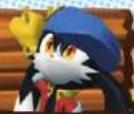
1 Insert the game disc into the Wii
Properly insert your Klonoa game disc into your Wii's disc slot. The Wii will turn on automatically. Once you have read the Health and Safety screen, please press the Ⓐ button on your Wii Remote to continue.
*The Health and Safety screen will be displayed even if you insert the game disc after turning on the Wii.
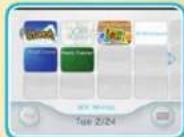
2 Wii Menu
Point your Wii Remote at the Disc Channel on the Wii Menu screen, then press 📣 button.

3 Channel Preview Screen
Once the Channel Preview Screen is displayed, point the Wii Remote at Start and press 📣 button.
4 Strap Usage Screen
A screen advising you to attach the Wii Remote wrist strap to your Wii Remote will be displayed. Once you have followed its instructions, press 📁 button.
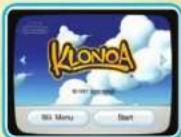
5 Title Screen
Once the Klonoa title screen is displayed, press button.

About Controller Icons
The controls for this game may differ depending on the controller being used. In the following pages, controls for the Wii Remote (horizontal) will be displayed with this icon (☐), and the controls for the Nunchuk and Wii Remote combination will be displayed with this icon (☐).
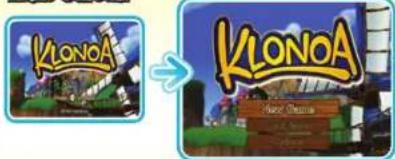
Title Screen
Press button at the title screen to bring up the menu.
Title Screen
text_image
KlonoA New Games

SELECT


CONFIRM

Start a new game from the beginning.

Resume playing the game from a save point.

Change various game settings.
New Game
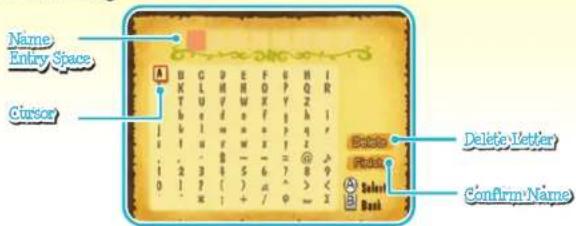
Upon selecting New Game from the menu, you will be presented with the Name Entry screen. Once you enter your name and select Confirm, the game will begin.
Name Entry
text_image
Name Entry Space Cursor Delete Letter Confirm Name

MOVE CURSOR


CONFIRM


RETURN TO TITLE SCREEN (IF NO LETTERS ENTERED)/DELETE LETTER
"If you select Finish without entering any letters, your name will automatically be set as "Klonoa."
Load Game
Select Load Game from the menu and the File Selection Screen will be displayed. Select the file you wish to continue from, then press to begin the game.
File Selection Screen
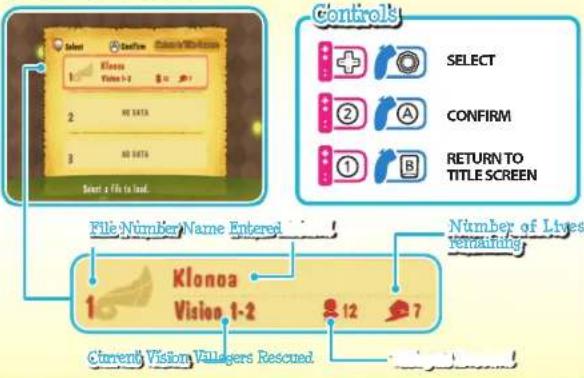
flowchart
graph TD
    A["Start a file to load."] --> B["File Number Name Entered"]
    B --> C["Klonoa Vision 1-2"]
    C --> D["Current Vision Villagers Rescued"]
    D --> E["Number of Lives Remaining"]
    E --> F["SELECT"]
    E --> G["CONFIRM"]
    E --> H["RETURN TO TITLE SCREEN"]
Save Your Game
In Klonoa, the Save screen will be displayed after clearing a stage (see page 16) and you will be able to save your current progress in the game over the last save file you used. When you wish to resume playing the game from your last saved point, select Load Game on the Title Screen.
About Your Save Data
You can use the New Game option on the Title Screen to create and save up to three separate game files. If you wish, you can also delete any saved game file you choose by going to the Options screen and selecting Manage Save Data (see page 10). Also, please note that your Wii will need to have at least one block of free space in system memory available in order to save any game files.
For more information on deleting files from the Wii's internal memory, please see your Wii Operations Manual.

Game Options
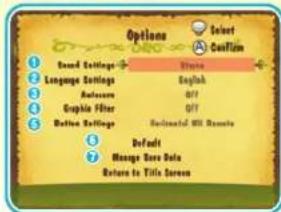
Select Options from the menu to bring up the Options screen. Once there, you can change various settings that affect the game in different ways.
Game Options
text_image
Options Board Settings Language Settings English Automatic Gripble Filter Default Settings Default Manage Done Data Return to Title ScreenControls
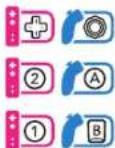
SELECT
CONFIRM
RETURN TO TITLE SCREEN
1 Sound Settings
Change the game's sound output method.
② Language Settings
Set the character voices so that they speak either English or Phantomile. The default setting is English.
4 Graphic Filter
A graphic filter can be turned on to increase the sharpness of the picture quality. This feature only works with component connections. Defaults to OFF.
6 Button Settings
Customize the controls for your particular controller. Select the controller whose settings you wish to change, then press ② or to enter the settings screen.
6 Definit
This will return all settings to their defaults.
7 Manage Save Data
Here you can delete save data files that you no longer need.
3 Auto Save
To automatically save your progress as you clear each stage, change the Auto Save setting to ON once you have cleared and manually saved Vision 1-1.
Controller Settings Screens

Wii Remote Nunchuk Style
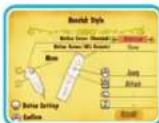

Nintendo GameCube Controller*
*You can turn the Nintendo GameCube Controller's vibration function ON or OFF at the settings screen.
Adjusting the Screen
Changing the Aspect Ratio
If you wish to enjoy your game in 16:9 widescreen format, please be sure to adjust your settings using the following steps.

From the Wii Menu, select the button in the lower left corner to open the Wii Options main menu.
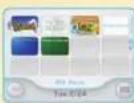
Wii Menu

From the Wii Options main menu, select Wii Settings, then select Screen.
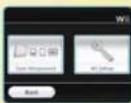
Wii Options Main
Menu Screen

Select Widescreen Settings, then select Widescreen (16:9).
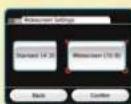
Select
Widescreen (16:9)
*If this is already set to Widescreen (16:9), make sure that your widescreen TV's picture size is also set to Full.
Enabling EDTV or HDTV Settings
To those using TVs with EDTV or HDTV capabilities: You can use a Wii Component Video cable (RVL-011; sold separately) or Wii D-Terminal cable (RVL-012; also sold separately) to enjoy your console and games with sharp graphics and beautiful colors.

From the Wii Menu, select the button In the lower left corner to open the Wii Options main menu.
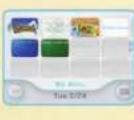
WH Menu

From the Wii Options main menu, select Wii Settings, then select Screen.

Wil Options Main
Menu Screen

Select TV Resolution, then select EDTV or HDTV (480p).*

Progressive Settings Screen
*Please refrain from using EDTV or HDTV when using a TV that only has D1-Video ports. *Setting your Wii to use EDTV or HDTV may cause some TVs to change their screen ratios (usually from 4:3 to 16:9).
Game Basics & Screens
Game Basics
Klonoa's adventure is divided into six Visions. Each Vision is made up of two stages, and there is always a boss to fight at the end of the second stage.
If Klonoa's health goes down to zero from running into too many enemies or getting hit by too many attacks, or if he falls down a pit or commits a fatal mistake, the remaining number of Klonoa's lives will decrease by one. If the number of lives remaining reaches zero, the game will end and you will be returned to the Title Screen.
Boss Battles
Bosses can be defeated by making their health go down to zero. The amount of damage you can deal to a boss with each hit is different for every boss.
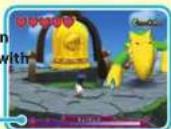
Boss's Current Health
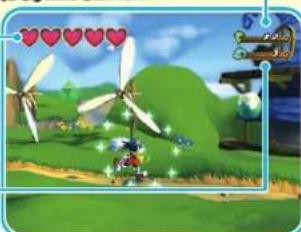
Game Screens
Standard Screen
Dream Crystals Collected
Klonca's Health
When Klonoa takes damage from enemies or obstacles, he will lose half of a heart. If he loses all five hearts, the number of Klonoa's lives remaining will decrease by one.
Lives Remaining
On the Standard Screen, this is only displayed when Klonoa gains a life.
natural_image
Game scene with wind turbines, a character, and floating hearts (no readable text or symbols)Villagers Rescued
There are six villagers trapped by nightmares in every stage. Once you save one villager, these marks will be displayed and a portion will turn white for every villager that you rescue.
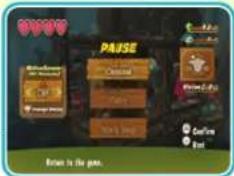
Pause Menu
Press while playing the game to bring up the Pause Menu.

Exit the pause menu and return to the game.

This will let you play the current stage over again from the beginning.

This will end your current session and bring up the World Map screen.
text_image
PAUSE Match Match-Go Copy Copy Brow to the game.

SELECT


CONFIRM
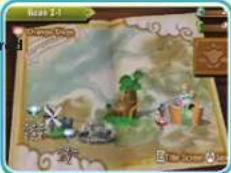
World Map
Here you can select any stage you wish to visit. Stages that you can play but have not yet clear are outlined in red, and stages that you have already cleared are outlined in blue.

Every time you clear a stage, the villagers you rescued in that stage will play music on the world map. The more villagers you rescue,
the more lively the performance will become.
Select Title Screen or press or to return to the Title Screen.
text_image
DARANT DARANT

SELECT


CONFIRM
Gathering Items (page 18)

Klonoa can recover health by gathering Hearts. Clearing a stage will restore his health completely. Collecting 100 Dream Crystals will reward you with an extra life. If you find a Gold Coin, you will be rewarded with three extra lives. A Silver Coin will reward you with one extra life.


Klonoa's Actions

Klonoa's actions can all be performed by combining three basic moves: Running, Jumping and Attacking.
Running & Jumping
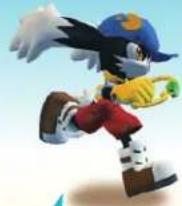
Run


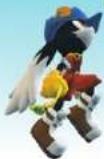
Jump


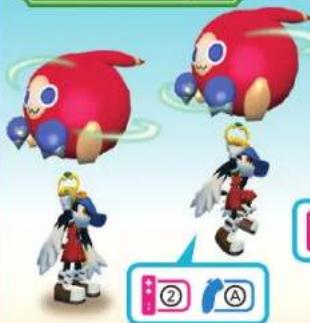
Hold down the Jump button while in the air and Klonoa will flap his ears to stay aloft a little while longer.
Double Jun
natural_image
Two cartoon characters with red and blue headgear floating above, one holding a small icon (no text or symbols)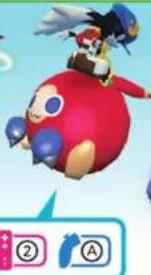
natural_image
Illustration of a cartoon character riding a red penguin with blue wings (no text or symbols)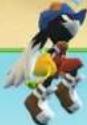
Jump while holding an enemy, then press the Jump Button again in mid-air to use the enemy to jump even higher.
Practice Makes Perfect
The Double Jump goes higher and farther than a normal jump, and it can also be used to attack any enemies that are underneath Klonoa when he performs it. In addition, Klonoa can also fire a Wind Bullet and grab another enemy to Double Jump with Immediately after performing a Double Jump, potentially allowing him to perform Triple or even Quadruple Jumps!
Attacking


Throw

natural_image
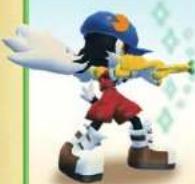
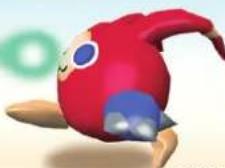
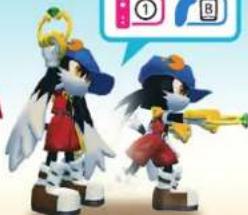
Two anime-style characters in dynamic poses, one holding a yellow trumpet and the other a red hat (no text or symbols visible)Use the Attack Button to fire a Wind Bullet that will grab and inflate enemies.
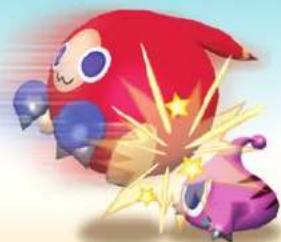
Press the Attack Button again while holding an enemy to throw them. Enemies can be thrown by flicking the Wii Remote in the desired direction when using the Nunchuk Style.
natural_image
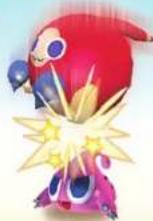
Illustration of two cartoon characters, one red with a starry face and the other purple with a glowing effect (no text or symbols)Invincible?!
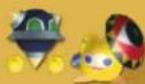
There are some enemies that can not be attacked in the normal way. They may use
weapons that protect them from Klonoa's attacks, or they may be too big to grab. To defeat these special enemies, you will need to use other enemies or find their weak points.
Whirlwind

Activate Klonoa
Thrown enemies will disappear after traveling Whirlwind to a certain distance. If the thrown enemy strikes temporarily slow down another enemy, both of them will disappear. nearby enemies.

Exploring the Visions

What kind of adventure awaits Klonoa and Hewpoe in the world of Phantomile? Here we will show you just a little bit of what their journey has in store for them.
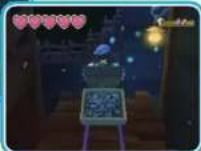
VISION 1-1
After an airship crashes, Klonoa and Hewpoe set off for Bell Hill find out what happened. Along the way, a stonemason named Balue mentions something about the legendary Moon Kingdom....
The Gathering Wind \~Breezegale - The Wind Village\~


The Songstress and the Dark King Gunston Mine
Klonoa and Hewpoe continue to make their way to Bell Hill by going through a mine of shining stones. Use the wind to jump across gaps that would otherwise be too wide. Once they reach the hilltop, Klonoa and Hewpoe com face to face with some suspicious
individuals. They don't know exactly what's going on, but there's no doubt that these guys are up to no good!
VISION 2-1
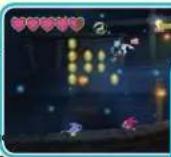
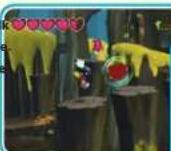
Klonoa and Hewpoe set off to tal to the Chieftess of Forlock Village. However, they discover that Joke and his gang have arrived there before them. Be careful here, as there are lots of new types of enemies.
Deep in the Withering Forest -Forlock -The Tree Village\~
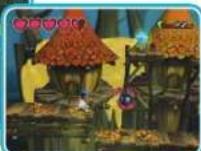
Over the Rising Waterfall - The Kingdom of Jugpot-
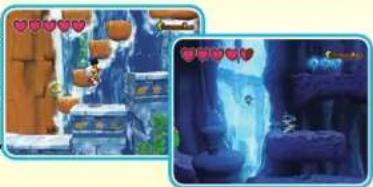
VISION 2-2
After Klonoa and Hewpoe find that their path through Forlock Forest has been blocked, they decide to set off for Jugpot, the Water Kingdom. After climbing up the waterfall and coming within sight of Shell Castle, they hear someone crying for help....
natural_image
Two-panel image showing a stone structure with lanterns and a cave entrance, both with heart icons (no readable text or symbols)VISION 3-1
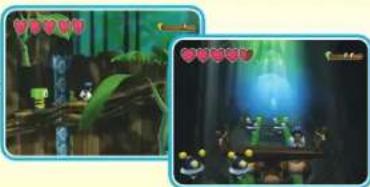
Once again the two friends set off to Forlock Forest to see the Chieftess. Along the way, they discover that a Forest Guardian has been captured. Be sure to help him out!
The Reawakening Forest -Forlock - The Tree Village\~
text_image
Game screenshot showing two scenes: a character in a forest setting and a character at a table with yellow characters, both with visible UI elements.VISION 3-2
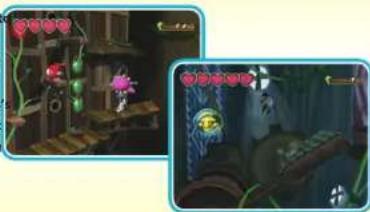
The Chieftess's home turns out to be a maze of gears and moving parts. You must make your way through all the tricks and traps to reach the top of the Chieftess tree house. Be careful not to get lost among all the criss-crossing paths!
A Wrench in the World \~The Clockwork Tree House-
natural_image
Two-panel cartoon-style scene showing a character in a wooden structure with greenery, and a close-up of a blue-tinted character in a dimly lit room (no visible text or symbols)Klonoa and Hewpoe's adventure will continue well past this point. If you can make it to the end, you'll find some wonderful surprises waiting for you. Good luck!
Items
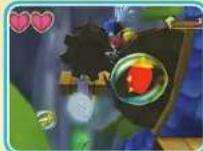
The various items found throughout the game's Visions will help you in numerous ways over the course of your adventure. The effects of some items are evident immediately, while others require that you collect a certain amount before you get your reward.
Items Acquired by Contact
These items can all be obtained simply by making Klonoa touch them.
Dream Crystals
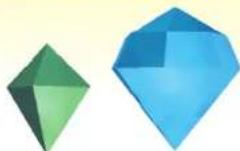
These crystals are divided into green and blue types; blue crystals are worth 5 green crystals. If you collect 100 Dream Crystals, Klonoa will be rewarded with an extra life.
Hearts
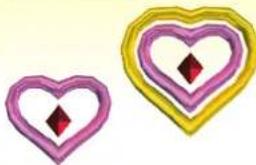
natural_image
Two heart-shaped decorative elements with pink and yellow outlines, each containing a red diamond (no text or symbols)Small hearts restore two portions of Klonoa's health, and big hearts restore six portions. However, neither of these will have any effect if Klonoa's health is already full.
Keys
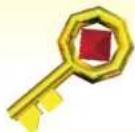
You won't be able to open the doors in certain stages unless you have a key.
Silver Coins
Getting one of these coins will increase the number of Klonoa's remaining lives by one.
nsell.com

Getting one of these coins will increase the number of Klonoa's remaining lives by three.
Items Acquired by Attacking
These items can only be obtained by hitting them with Wind Bullets or thrown enemies.
Memory Clock
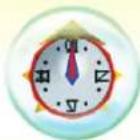
If Klonoa's health runs out, or he makes a mistake and falls down a pit, this clock will let him restart from where he last activated one with full health.
Ngapoko's Egg
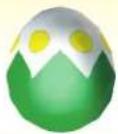
If you hit this egg with an enemy, it will break open and you will be able to get whatever item it contains.
Mirror Fairy
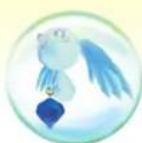
If you hit this bubble with a Wind Bullet or a thrown enemy, a Mirror Fairy will appear and any nearby Dream Crystals will temporarily turn gold. During this time, all the Dream Crystals you collect will be worth twice as much as usual.
Legend of the Mirror Fairies
Long, long ago, there was a mischievous mirror fairy. The fairy would reflect things in its mirror and then duplicate them, causing no end of trouble for people. One day, the fairy duplicated the sun, and there was no longer any night.
People were unable to go to sleep, and were therefore unable to dream. An angry god punished the fairy, whose mischief had finally gone too far, by trapping it away forever. And that was the end of the fairy's mischief.
Captured Villagers
The world's dreams have been thrown out of balance, causing nightmares to run amok. In every stage, those nightmares have captured and imprisoned six dreaming villagers from the current kingdom.
The more villagers you rescue, the more the musical performance that plays on the World Map (see page 13) will change as you complete each stage.
Objects

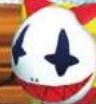
You will come across a variety of objects over the course of your adventure. We will introduce you to some of them here.
Fan Grass
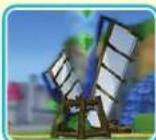
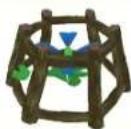
A plant that regularly creates gusts of strong wind. If you ride that wind, you can use it to get much higher than you normally could by simply jumping.
Gondolas
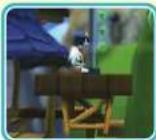
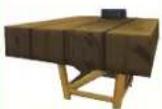
There are three main types of gondolas: 1.) those that move continuously and automatically, 2.) those that move once Klonoa stands on them, and 3.) those that need to be powered through some other means.

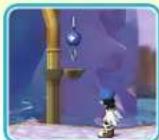

If you hit a switch with a Wind Bullet or a thrown enemy, the color of the switch will change and something will happen.
Carts
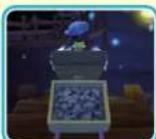
These will start to move automatically when Klonoa climbs onto one. You can move around on top of a cart all you want without worrying about falling off.
Tree Leaves
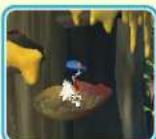
These leaves shake and wobble while being carried by the wind. They are very unstable and prone to falling, so be extra careful when riding them.

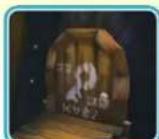
If you make contact with one of these doors while holding a Key, it will open. You will need a separate Key for every door you have to open.
Game Hints
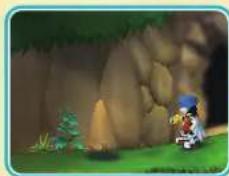
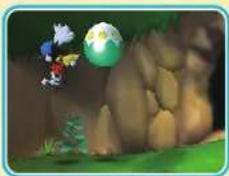
Search for Items!
There are some items out there that can't be seen until Klonoa touches them, so be sure to try and hunt these down. If you see a mysterious looking shadow, try jumping over it.
natural_image
Illustration of a cartoon character sitting on grass near a large rock, with no visible text or symbolsThat's a weird looking shadow!

natural_image
Game scene with character and globe on a rocky terrain (no visible text or symbols)After jumping there, a hidden Ngapoko's Egg is revealed!
Use Your Enemies!
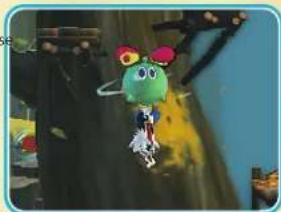
In this game, knowing how to make use of enemies is very important. For example, if you use floating enemies properly, you can get to much higher places than you could normally.
natural_image
Cartoon character with green body and red hat standing in a dimly lit environment (no visible text or symbols)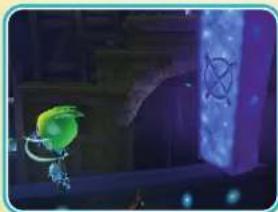
natural_image
Illustration of a green bird character standing beside a glowing purple stone with an 'X' symbol (no text or numbers present)Also, if you find an X mark, try throwing an enemy at it. It might open up a new path or reveal a useful item.
Rescue Captured Villagers!
Try and save all six villagers trapped by nightmares in every stage!! If you can save every villager from every stage, something surprising might happen.

LISEZ ATTENTIVEMENT LE MANUEL D'INSTRUCTIONS DE LA Wii™ AVANT D'UTILISER VOTRE CONSOLE Wii, UN DISQUE DE JEU OU DES ACCESSOIRES. CE MANUEL CONTIENT DES INFORMATIONS IMPORTANTES SUR LA SÉCURITÉ ET LA SANTE.
INFORMATIONS IMPORTANTES SUR LA SECURITE : LISEZ LES AVERTISSEMENTS SUIVANTS AVANT DE JOUER OU DE LAISSER VOTRE ENFANT JOUER A UN JEU VIDEO.
AVERTISSEMENT - Epilepsie
natural_image
Animated scene with character characters in a fantasy setting, floating balloons and trees (no visible text or symbols)natural_image
Illustration of a cartoon character in red and white costume with blue hat, holding a yellow object, next to a blue circular character with a surprised expression (no text or symbols)Contenu
natural_image
Illustration of a windmill on a hillside with a stone structure at the base (no text or symbols)natural_image
Illustration of a character with white hair and blue wings, holding a small object (no text or symbols visible)Grand-Papa·(Grandpa)
natural_image
Cartoon character wearing purple hat and white outfit with green earphones (no text or symbols)Lephise
text_image
Selectioner Klaus Fisher 1.8 2 00 DATA 3 00 DATA Selections un father a charger.Commandes


Choisir


natural_image
Game scene with wind turbines, a character, and floating hearts (no readable text or symbols)
text_image
PAFSE Avicolor Palmolus Zo#ll Zo#ll Zo#ll Renside in Jns.

Choisir


Confirmer
text_image
Game screenshot showing a map with windmills, buildings, and a castle, displayed in an outdoor scene with Chinese UI elements.

Choisir


Confirmer

text_image
Actions de Klomoatext_image
Double Sandy ② A ② Anatural_image
Illustration of two cartoon characters, one red with a star and the other purple with stars and lightning bolts (no text or symbols)natural_image
Cartoon character standing on grass near a large rock formation (no text or symbols visible)natural_image
Game scene with character and globe on a rocky terrain (no visible text or symbols)natural_image
Cartoon character with green body and red hat standing on a tree branch (no text or symbols visible)
natural_image
Illustration of a green character standing beside a glowing purple stone with a cross symbol (no text or symbols present)International Business
Legal Counsel
Janna Smith
Localization Manager
Selko Fujisawa
Localization Producer
Jeremy Clark
Localization Support
Sum Tak Hau
Shoko Doi
Senior Marketing Manager
Naruo Uchida
Marketing Coordinator
Ayumi Takeuchi
Sr. Director, Business
Development
Zack Karlsson
Sr. Operations Manager
Jennifer Tersigni
Sr. Qa Manager
Tad Hirabayashi
Ga Supervisor
Mike Peterson
Project Coordinator
Jesse Mejía
QA Lead
Damon Bernal
QA Assistant Lead
Saiho Kwan
Charmaine Morena
Moto Aida
Lee Hsiao
Tom Usher
Keisuke Fumiji
Martin Nguyen
Emi Takeuchi
Everyone at Absolute
Quality Ltd.
Everyone at Off Base
Productions
Fonts used in-game are
provided by Bitstream Inc. All
rights reserved.
Produced by
NAMCO BANDAI
Games Inc.
QA Testers
Taylor Benson
Ryan Berg
Jackson Chen
Jake Fair
Josh Graves
Tyler Knoot
Ross Nice
John Poje
Max Patrick Schlienger
James Thompson
Gaelle Glickfield
CQC
Greg Anderson
Damon Bernal
Ryan Dagley
David Moya
Anthony Aguilar
Jared Rosmain
Special-Thanks
Genichi Ito
Makoto Iwai
Shuji Nakata
Myrna Dobron
natural_image
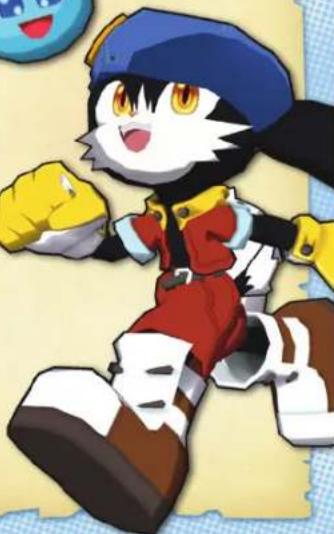
Cartoon character wearing a blue helmet and red outfit, making a peace sign (no text or symbols visible)Ever get stuck and just need that extra edge to beat the level? Having problems getting your game to work properly? Now you can get one-on-one help from NAMCO BANDAI Games America Inc. using your web browser! Simply go to livehelp.namco.com for more details. Live Counselors available from 9am-5pm Monday-Friday Pacific Time.
NAMCO BANDAI Games America Inc. ATTN: Customer Service 4555 Great America Parkway, Suite 201 Santa Clara, CA 95054
Before returning any defective materials to us, please contact us for a Return Merchandise Authorization (RMA) number. You can reach us at the address above, via e-mail at support@nancobandrigames.com or contact us at (408) 235-2222. Please note that any materials sent to us without an RMA number will be refused and returned. We highly recommend that you use a traceable and / or insured method of shipping the materials to us.
NAMCO BANDAI Games America Inc. Online: www.namcobandaigames.com Visit our Website to get information about our new titles.
LIMITED WARRANTY: NAMCO BANDAI Games America Inc. warrants to the original purchaser that this NAMCO BANDAI Games America Inc. game pack shall be free from defects in material and workmanship for a period of ninety (90) days from the date of purchase. If a defect covered by this limited warranty occurs during this 90-day limited warranty period, NAMCO BANDAI Games America Inc. will repair or replace the defective game pack or component part, at its option, free of charge. This limited warranty does not apply if the defects have been caused by negligence, accident, unreasonable use, modification, tampering, or any other cause not related to defective material or workmanship.
LIMITATIONS ON WARRANTY: Any applicable implied warranties of merchantability and fitness for a particular purpose, are hereby limited to ninety (90) days from the date of purchase and are subject to the conditions set forth herein. In no event shall NAMCO BANDAI Games America Inc. be liable for consequential or incidental damages resulting from the possession or use of this product. The provisions of the limited warranty are valid in the United States only. Some states do not allow limitations on how long an implied warranty lasts, or exclusion of consequential or incidental damages, so the above limitation or exclusion may not apply to you. This limited warranty provides you with specific legal rights. You may have other rights which vary from state to state.
DES CONSEILS MAINTENANT OFFERTS EN LIGNE!
To register product online go to
WWW.NAMCOREG.COM