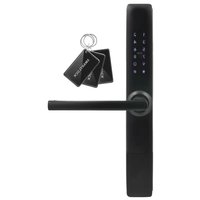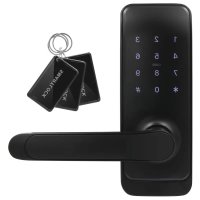
ELH51H4 - Security and Access Control System Eura - Free user manual and instructions
Find the device manual for free ELH51H4 Eura in PDF.



User questions about ELH51H4 Eura
0 question about this device. Answer the ones you know or ask your own.
Ask a new question about this device
Download the instructions for your Security and Access Control System in PDF format for free! Find your manual ELH51H4 - Eura and take your electronic device back in hand. On this page are published all the documents necessary for the use of your device. ELH51H4 by Eura.
USER MANUAL ELH51H4 Eura
5.5 WEJSCIE AWARYJNE
Rys. 16.
7.1. KOD ADMINISTRATORA
- ELECTRONIC LOCK 30
- PROGRAMMING AND OPERATION OF ELECTRONIC HANDLE WITH ACCESS CONTROL......31
7.1 ADMINISTRATOR CODE 31
7.1.1 SETTINGS 31
7.2 MODE PROGRAMMING 32
7.3 SETTING AUTOMATIC UNLOCK TIME 32
- HANDLE OPERATION 32
- HANDLE RESET 33
- TECHNICAL SPECIFICATION 34
INITIAL NOTES
Please read these operating instructions carefully before installing, connecting and using the unit. In the case of any problems with understanding the content of this document, please contact the device seller.
Installation and start-up of the device by the user are possible if adequate tools are used. Nevertheless, it is recommended to have the device installed by qualified personnel.
Because of the possible damage to the handle with access control:
-
the device should never be installed in doors with a door closer,
-
the door in which the device is going to be installed should be correctly installed and adjusted along the door frame,
- the door leaf must close easily (without springing) and the maximum operating forces acting on the device should exceed the threshold values specified in the device specification provided in this manual,
Handles with access control should not be installed in saunas, refrigerated warehouses and other premises, where relative humidity and ambient temperature exceed the threshold values indicated in the technical specification of the device.
For added security, it is recommended to install the patented insert, which also acts as an additional emergency entry option.
The manufacturer shall not be liable for damage which may occur as a result of incorrect installation or operation, as well as unauthorised repairs and modifications.
Remember to:
- use the device according to its intended use, keep it away from moisture and fire, do not throw into fire, avoid impacts, do not crush and expose the device to mechanical damage,
- do not clean the device with water, solvents or other chemicals,
- clean the housing only with the power supply cut off, use only a wet cloth for cleaning and wait until the housing is completely dry after cleaning,
- do not carry out unauthorised modifications or repairs,
Caution!
Devices with a protection degree equal to or higher than IP44 may be installed outdoors (e.g. doorbell buttons, outdoor video intercom panels, cameras, etc.). Information about the protection degree is available in the technical specification of the device.
1. GENERAL CHARACTERISTICS AND INTENDED USE
The electronic handle with access control provides a simple method of limiting access of unauthorised persons to protected premises. It is designed for both left- and right-sided doors, and the universal distance of fixing screws of 40 - 45mm usually allows to use a mortise lock already installed in the door.
The handle body includes a contactless key fob reader (Mifare 13.56 MHz) and a numeric keypad with a Bluetooth module. A fingerprint reader is additionally installed in the handle, on the access control side.
The bolt inside the lock is released when a key fob is placed close to the reader, the correct PIN code is entered, the mobile application is used or a finger is placed on the fingerprint reader.
2. SET CONTENTS
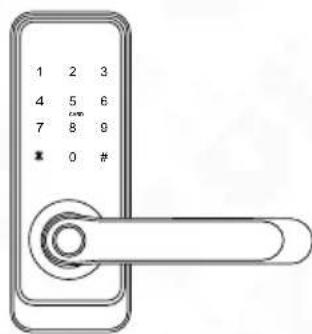
electronic handle with an access control module
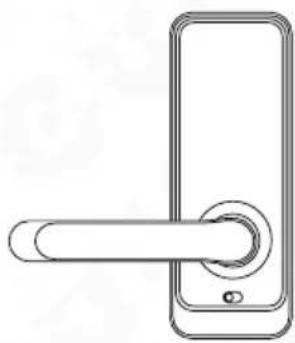
handle with an integrated battery compartment
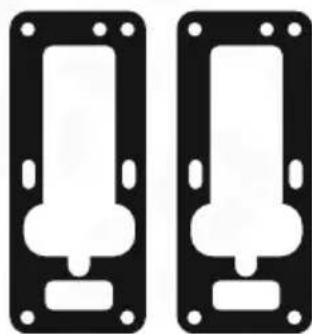
2 anti-slip pads
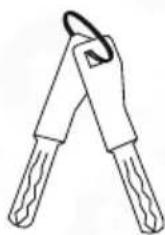
2 keys for manual door opening in case of emergency

Manual
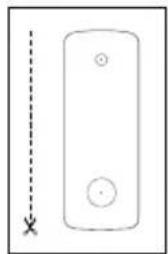
assembly template
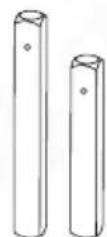
* 2 pins
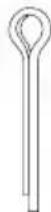
pin locking split pin
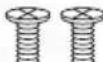
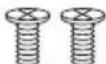
4 screws fixing the housing base to the handle with an integrated battery compartment
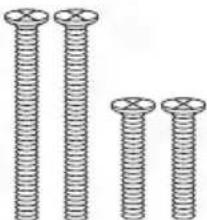
4 screws for mounting sleeves
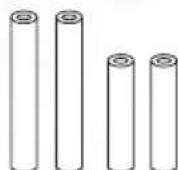
* 4 mounting sleeves

additional pin locking bolt
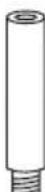
1 locking sleeve
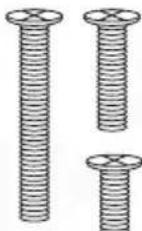
Fig. 1.
3 bolts for the locking sleeve
* Note
The relevant accessories - pin, sleeves and tie bolts should be selected according to the door leaf thickness.
3. STRUCTURE
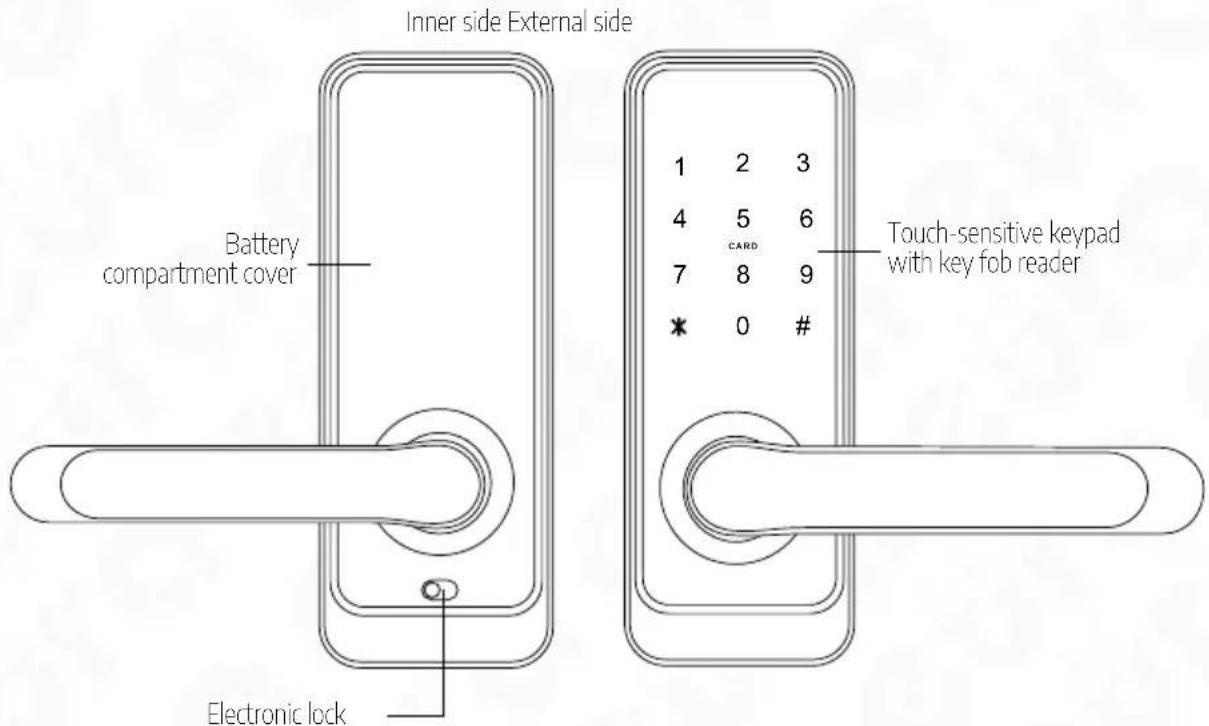
Fig. 2. Structure
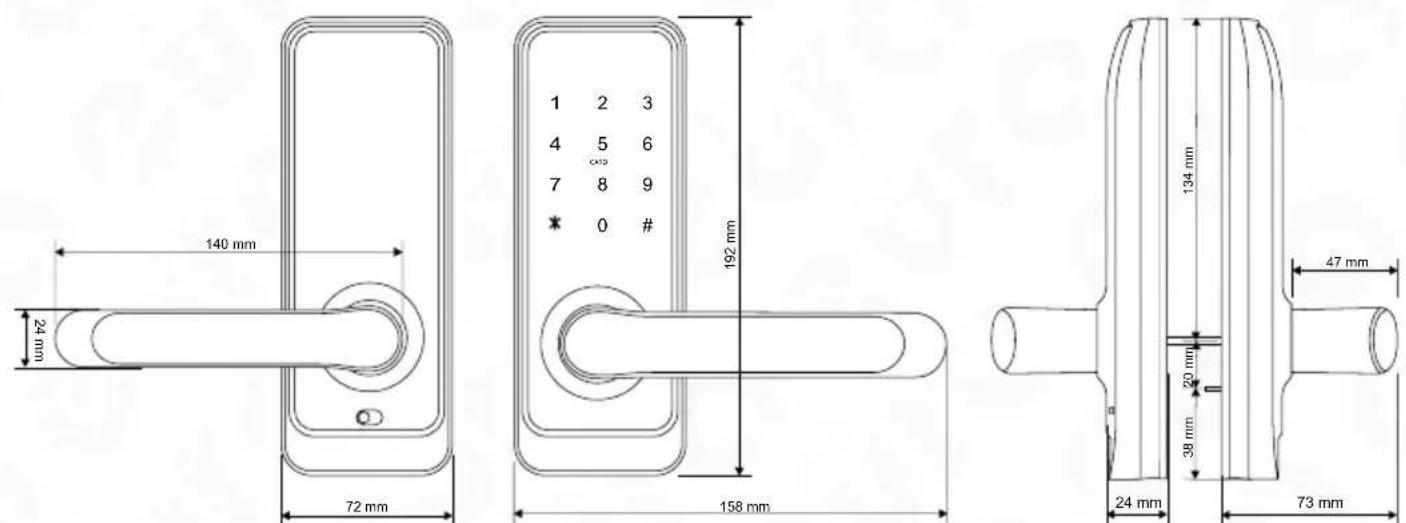
Fig. 3. Dimensions
4. PRINCIPLE OF OPERATION
When a pulse is transmitted from the electronic access control module, the servomotor releases the mechanical gear, thus enabling the door to be opened by pressing the outer part of the handle. The door opening is indicated by a sound. The handle pressing waiting period is factory set at approx. 5 seconds, and after this time the gear is locked again and the lock enters standby mode, awaiting the next pulse from the electronic access control module.
The door can always be opened from the inside (on the premise side) by simply pressing the handle. When the open door is closed, the ratchet mechanism is operated immediately, preventing the door from being open from the outside without a pulse sent from the electronic access control module.
The lock can be open in an emergency using a simple mechanical key, and two such keys are provided in the kit.
The device is additionally provided with an access lock function, which allows the premise only to be entered using the administrator application or the emergency entry key.
5. FITTING THE ELECTRONIC DOOR HANDLE IN A DOOR
The kit is provided with pins, sleeves and bolts enabling handle installation in 35 65mm thick doors. Select the appropriate length of the provided elements during installation.
Caution!
For increased safety, it is recommended to install electronic handles with access control in rebated doors. It is also recommended to install the patented insert in a mortise lock, which allows the lock to be open using a key in the case of damage to the electronic handle. Installation should be performed while carrying the emergency keys which may be required if the door is shut locked with the lock not programmed yet. The lock installation should be performed with the door leaf open and once the installation is done and the lock is programmed, perform a test run of the device, also with the door leaf open.
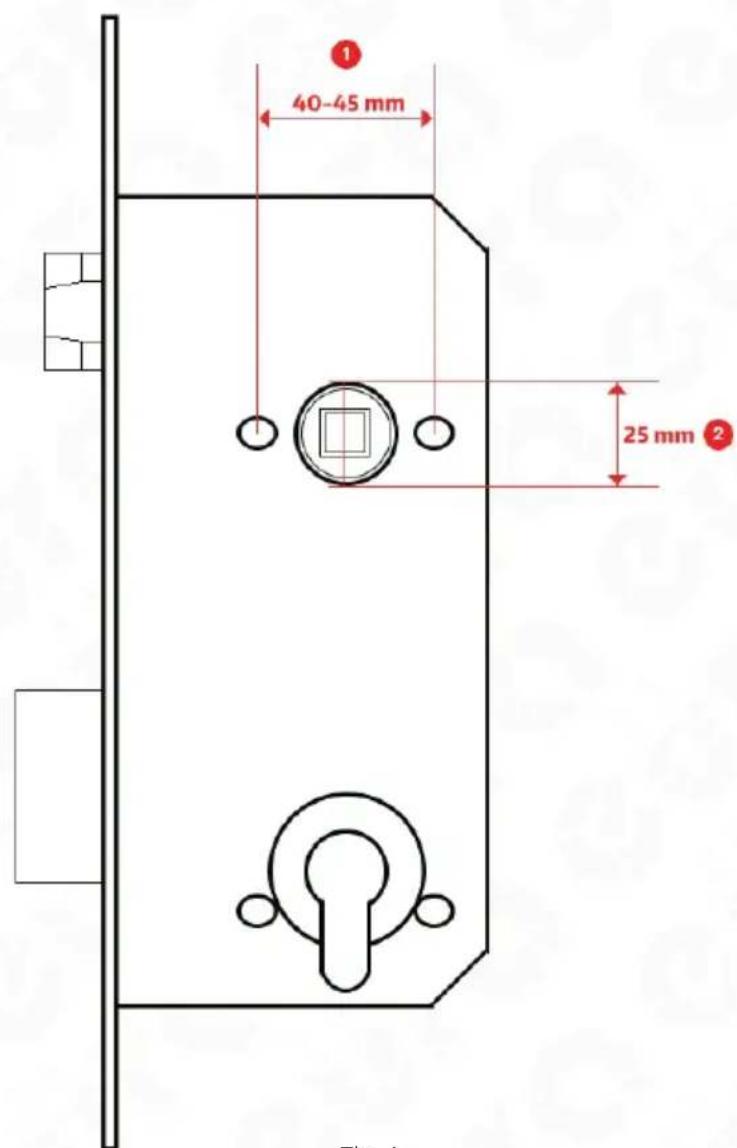
Fig. 4.
Caution!
It is recommended to install the handle using a lock with the following spacing: 72mm , 90 mm or 92mm . A part of the hole dedicated for the patented insert may be covered using the appropriate installation mask. Dedicated masks for the relevant distance should be purchased separately.
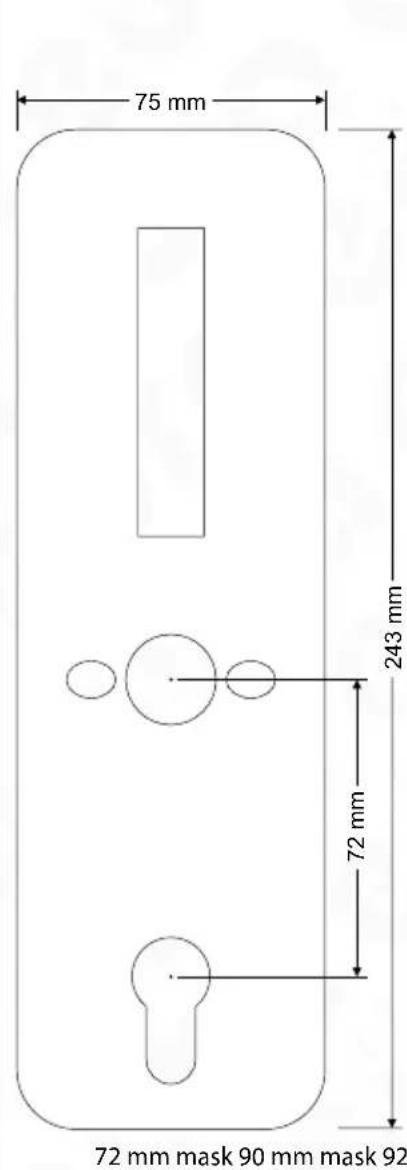
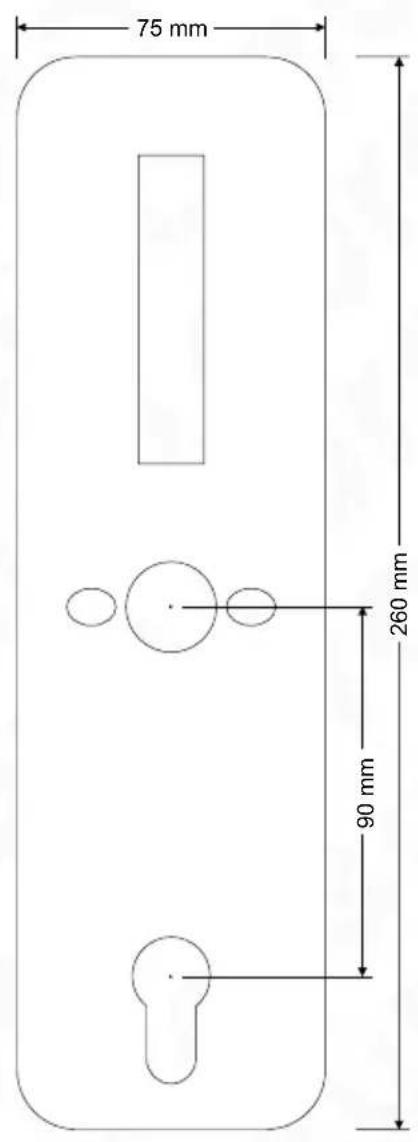
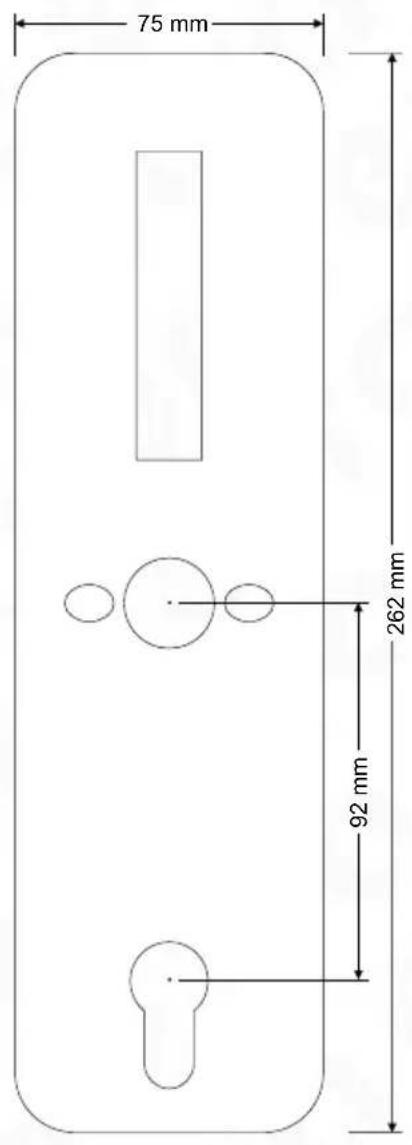
Fig. 5.
5.1. HANDLE ORIENTATION SETTING (LEFT/RIGHT-SIDED DOOR)
All electronic handles are versatile and may be installed in doors opened to the left and to the right.
5.1.1. ORIENTATION SETTING - HANDLE FRONT
In order to determine the opening direction of the handle with built-in access control:
- unscrew the 4 bolts from the base of the door plate, holding the cover (Fig. 6),
- remove the cover (Fig. 6, position 1-A),
- remove the locking screw (Fig. 6, position 2-B),
- move the handle to the desired opening direction (Fig. 6, position 2-C)
- tighten the locking screw,
- replace the cover and fasten the fixing screws (Fig. 6, position 3)
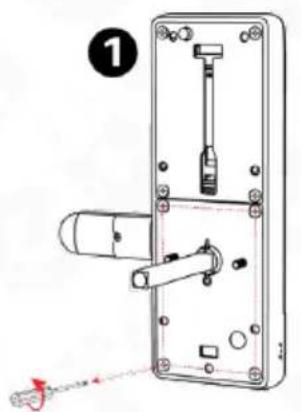
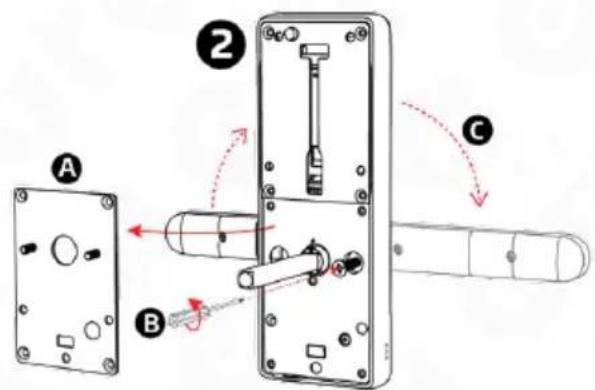
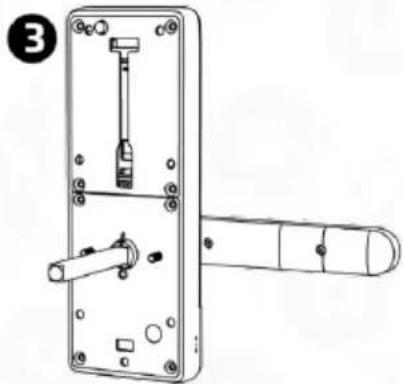
Fig. 6.
5.1.2 ORIENTATION SETTING - BACK OF THE DOOR PLATE
In order to set the opening direction of a handle with a built-in battery compartment:
- unscrew the locking screw located next to the pin seat (Fig. 7, position 1-A)
- set the handle grip in the desired direction (Fig. 7, position 2)
- once the direction is set, tighten the screw setting the handle direction (Fig. 7, position 3).
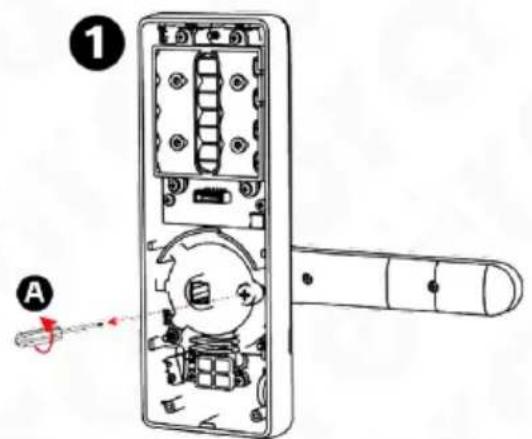
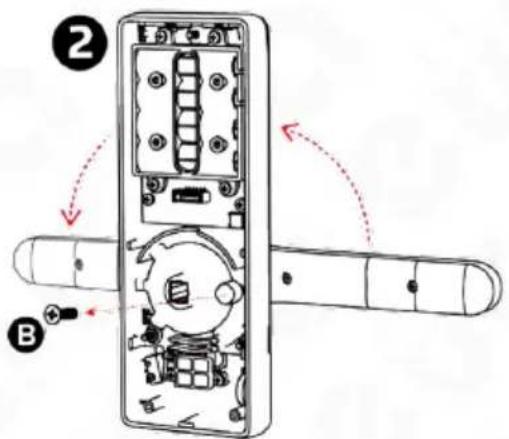
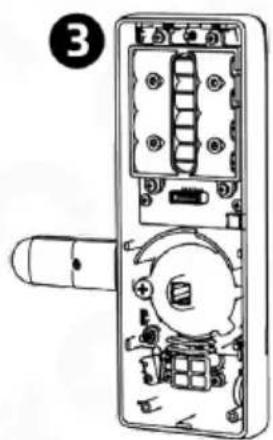
Fig. 7
5.2. PIN FITTING INSIDE THE ELECTRONIC HANDLE
The pin should be placed inside the seat available in the device body, labelled with a triangle, and the locking split pin available in the accessory set should be attached next.
Note!
When installing the pin remember that the element located in the lock body should be directed towards the bottom of the handle.

Fig. 8.
PREPARATION OF A REPLACEMENT PIN
If the user wants to use a pin other than the pin provided with the kit: obtain a 8 × 8 mm pin, measure the required distance and cut the pin accordingly.
Note: The pin must be cut to the appropriate length such that the pin cannot move during use, otherwise the pin seat will be susceptible to damage.
5.3 BATTERY INSTALLATION
In order to place a battery inside the battery compartment, lift the battery compartment cover in the middle, at the top, using a screwdriver.
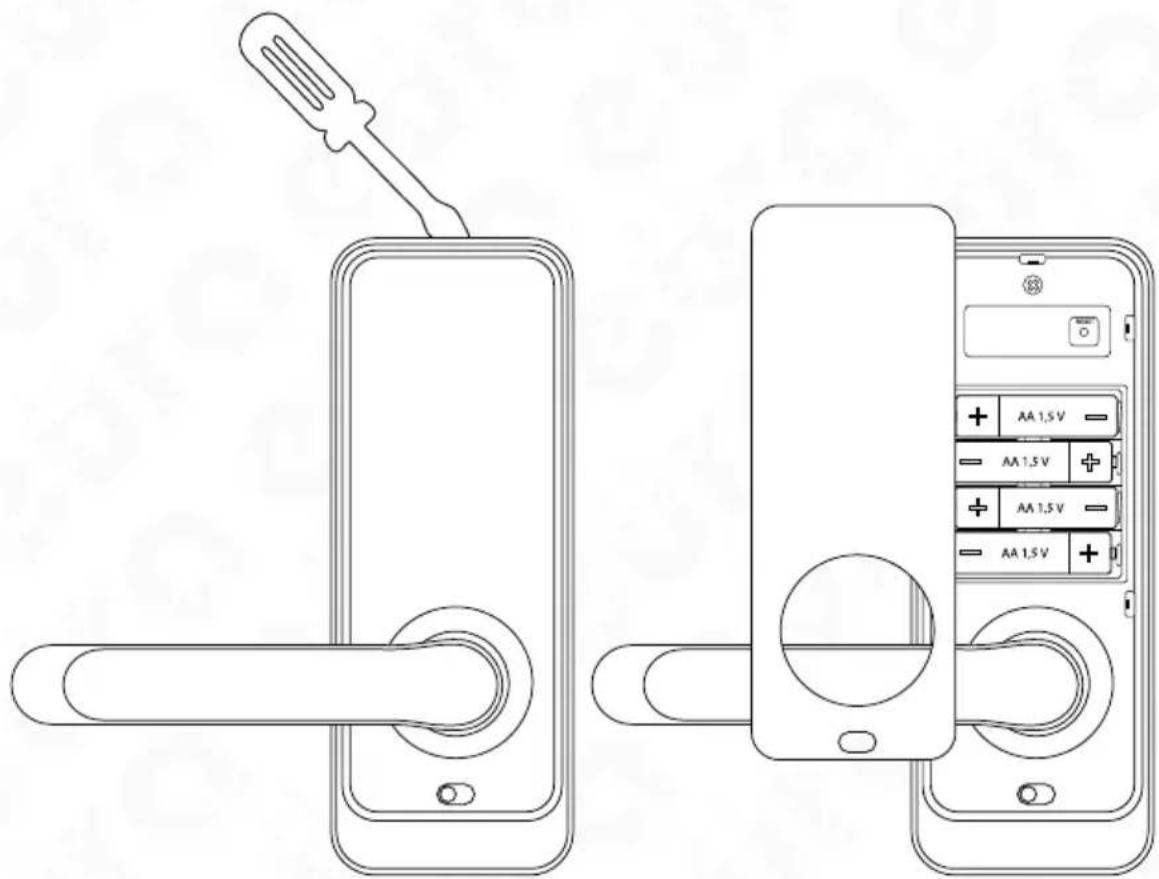
Fig. 9
Caution!
- Alkaline batteries are required to ensure correct operation of the device, do not use rechargeable batteries.
- It is recommend to carry out the handle installation and programming with the door leaf open, the door leaf may be closed once the correct operation of the handle is verified.
- When a battery is inserted for the first time, the handle will be armed automatically, thus remember to place the batteries only once the electronic handle is installed in the door leaf. If batteries were inserted prior in order to open the door, use the emergency key, which should be available during the installation.
The electromechanical handle is supplied using 4 DC 1.5 V AA type alkaline batteries and can operate for approximately 1 year using one set of batteries.
5.4. INSTALLATION DIAGRAM
In order to install the electronic handle in the door:
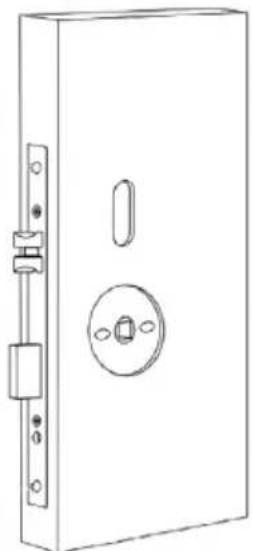
Fig. 10.
Use the existing holes or prepare the installation holes according to the jig provided in the kit.
In order to drill the installation holes, remove the lock from the door, make sure it complies with the standard indicated in Fig. 3 and next drill the holes:
a. two ca. 12mm diameter holes used to screw the internal and the external part of the handle together.
b. one 25mm diameter hole used to hide the pin seat, including the locking split pin.
c. the third, longitudinal hole (see the jig) is made in order to pass the cable connecting the front part of the door plate with its rear part and for the possible use of the locking pin.
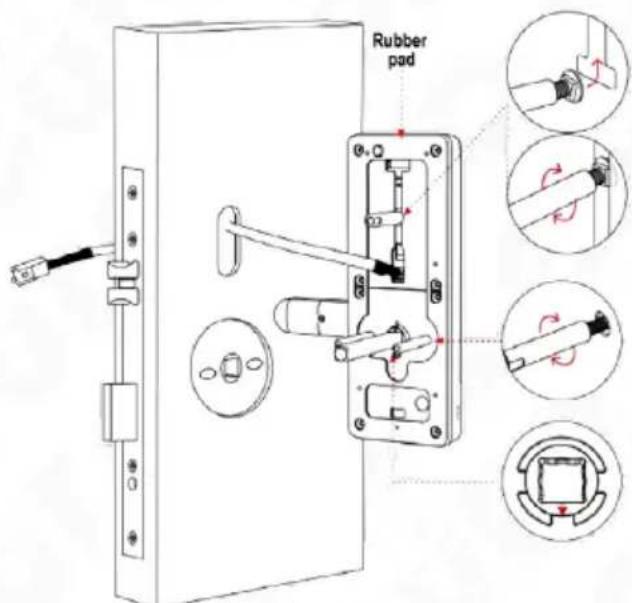
Fig. 11.
d. place the rubber pad according to the drawing and screw the sleeves to the front body of the handle,
e. pass the connecting cables exiting the external part of the door plate above the mortise lock.
f. pass the external part including the connecting sleeves through the door leaf with the previously installed lock
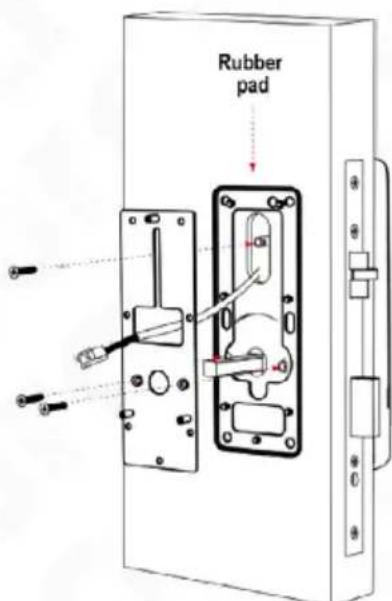
Fig. 12.
g. unscrew the fixing base from the external part of the handle and place a rubber pad on the fixing base,
h. next, pass the connecting cables,
i. finally, tighten the fixing base using the sleeves of the internal part of the handle
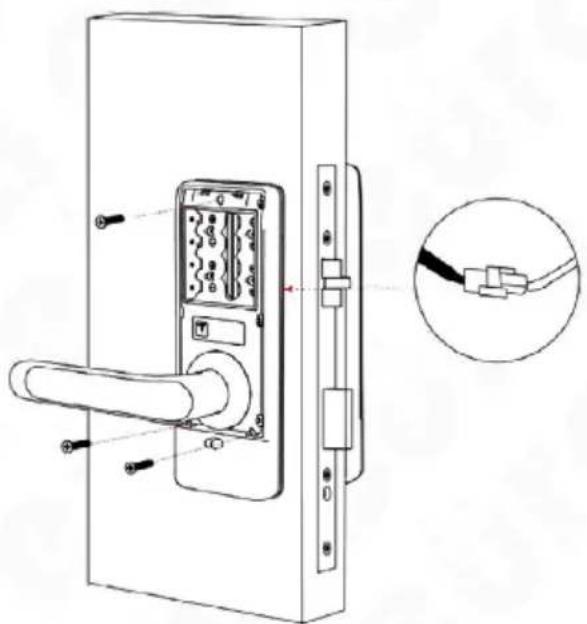
Fig. 13
j. connect the cables connecting both sides of the handle,
k. remove the battery compartment cover, tighten the rear part of the body to the xing base
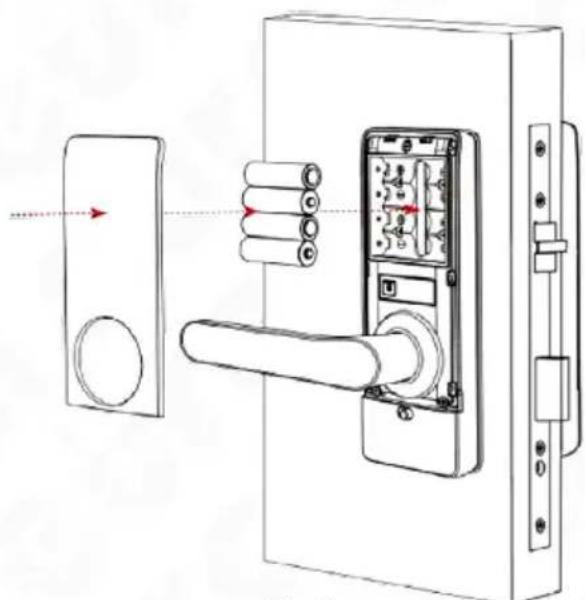
Fig. 14
- insert 4 1.5 V AA type alkaline batteries into the power supply compartment,
m. close the battery compartment,
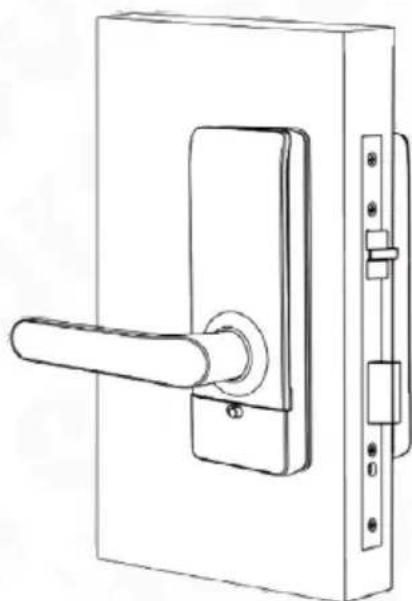
Fig. 15
n. program the electronic handle.
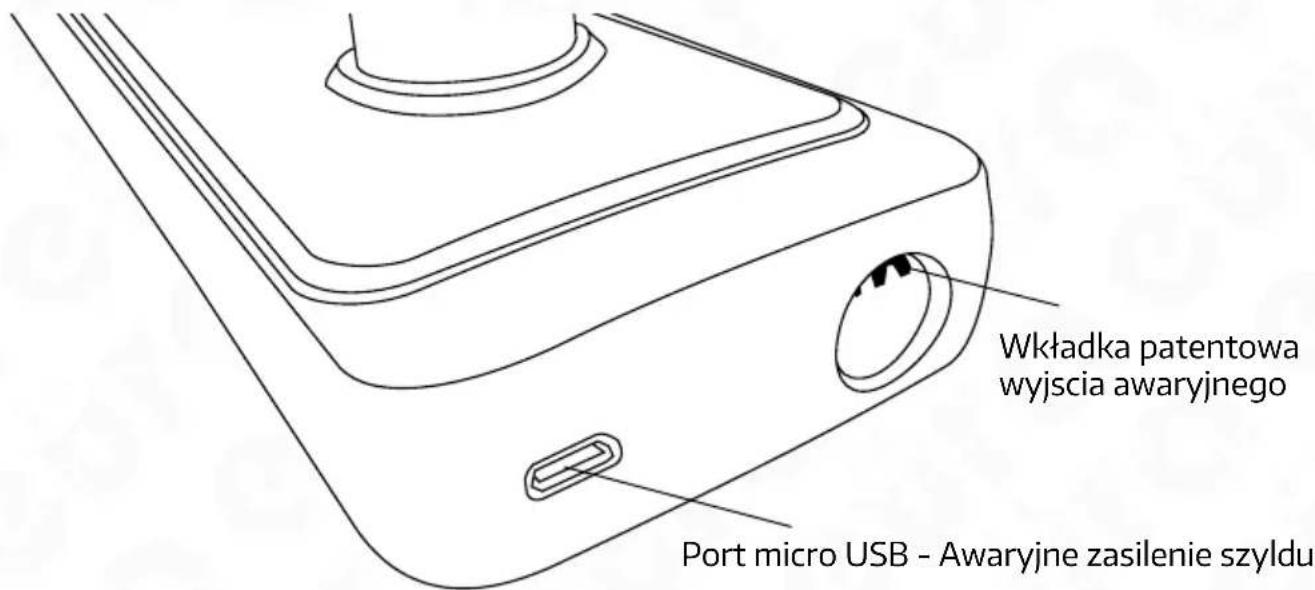
5.5 EMERGENCY ENTRY
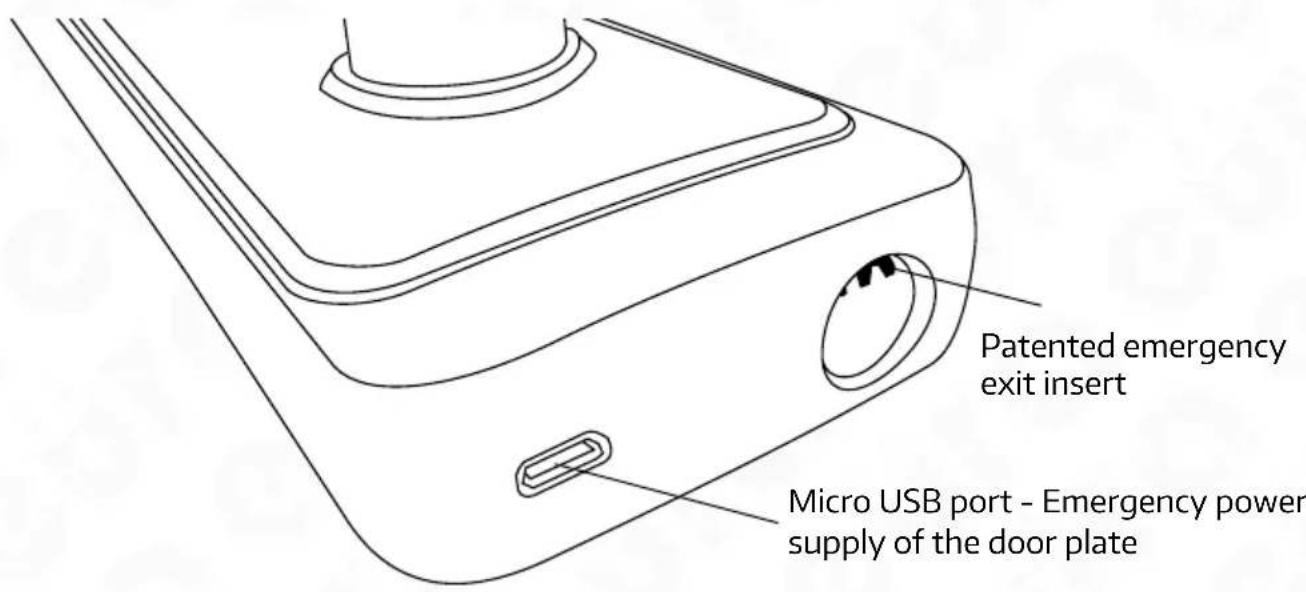
Fig. 16.
If it is necessary to enter the premise using the emergency key, insert the emergency key into the insert present at the bottom of the device, on the side of the access control panel and turn the key clockwise until resistance is felt. The premise can then be entered by pressing the handle.
Note!
The handle may be provided with emergency power supply if the batteries are discharged. To do this, use the micro USB port (DC 5 V) available in the bottom part of the external handle.
6. ELECTRONIC LOCK
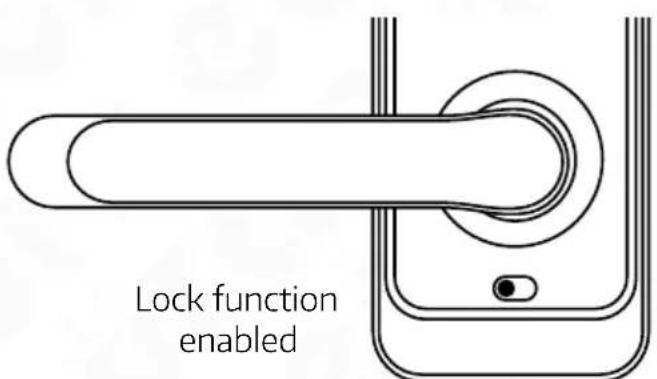
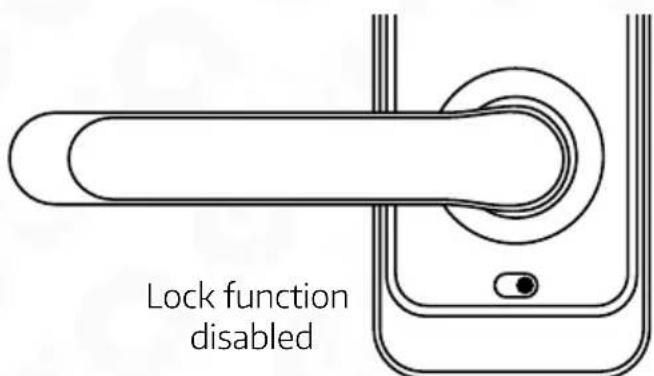
Fig. 17.
- In order to activate the electronic lock function, activate the 'privacy lock' function in the application;
- Once the button is located at the red position, the system is locked and may be unlocked only using the administrator application or a mechanical key.
7. PROGRAMMING AND OPERATION OF ELECTRONIC HANDLE WITH ACCESS CONTROL
7.1. ADMINISTRATOR CODE
When logging into programming mode for the first time, we need to assign an administrator code. To do this:
-
wake up the device keyboard by touching it,
-
enter*+#
-
assign a 6-digit administrator code + #
-
repeat the 6-digit administrator code +#,
-
after successfully registering the administrator password, the device will provide the administrator number and redirect us to the settings panel.
* - cancel, Undo, Exit and Delete.
- confirm, finish
7.1.1. SETTINGS
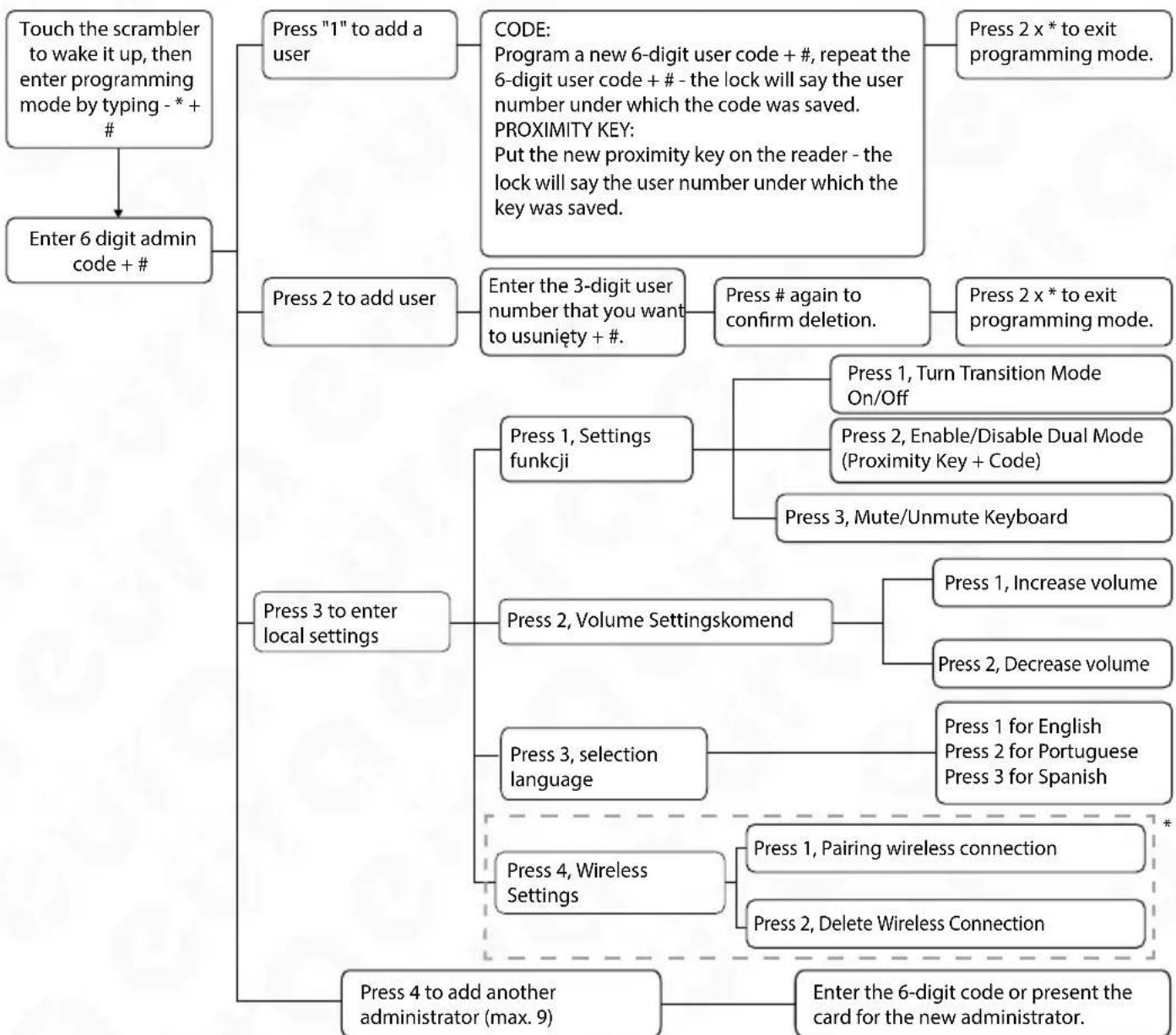
*F unction not available for this version of the lock
7.2. MODE PROGRAMMING
How to set Passage Mode (lock always in "unlocked" state, no verification required):
- Press sequence"0" + "#" + administrator password + "#".
- After successfully completing this operation, you will receive a confirmation message.
- Pass Through Mode has been activated, which means that the lock will be unlocked after the user's code or proximity key is entered until the user's code or proximity key is entered again.
- To deactivate the transition mode, repeat the sequence from point one.
7.3 SETTING THE AUTOMATIC UNLOCK TIME
To change the auto lock time (you can choose the lock time: 5S, 10S, 15S, 20S):
- To set Auto Lock to 5 seconds, press"1" + "#" + administrator password + "#".
- To set Auto Lock to 10 seconds, press "2" + "#" + administrator password + "#".
- To set Auto Lock to 15 seconds, press "3" + "#" + administrator password + "#".
- To set Auto Lock to 20 seconds, press "4" + "#" + administrator password + "#".
After performing the appropriate operation, the lock will be automatically blocked after the selected time has elapsed.
8. HANDLE OPERATION
- Unlocking the lock: WIn order to enter the protected room via the electronic handle, you must activate the device's encoder, then enter the 6-digit user code and confirm it#.
- Locking the lock: 5 - repeatedly entering an incorrect code or applying an unprogrammed proximity key results in blocking the lock for approx. 90 seconds.
ATTENTION!
When the battery level is low, the handle will sound an alarm (a single siren sound) and generate the message "Low power please change battery!"
9. HANDLE RESET
There is a handle reset button under the battery cover. To reset, press the reset button for 6 seconds. The reset will be confirmed by a command. After performing the reset procedure, the lock data has been restored to the factory settings.
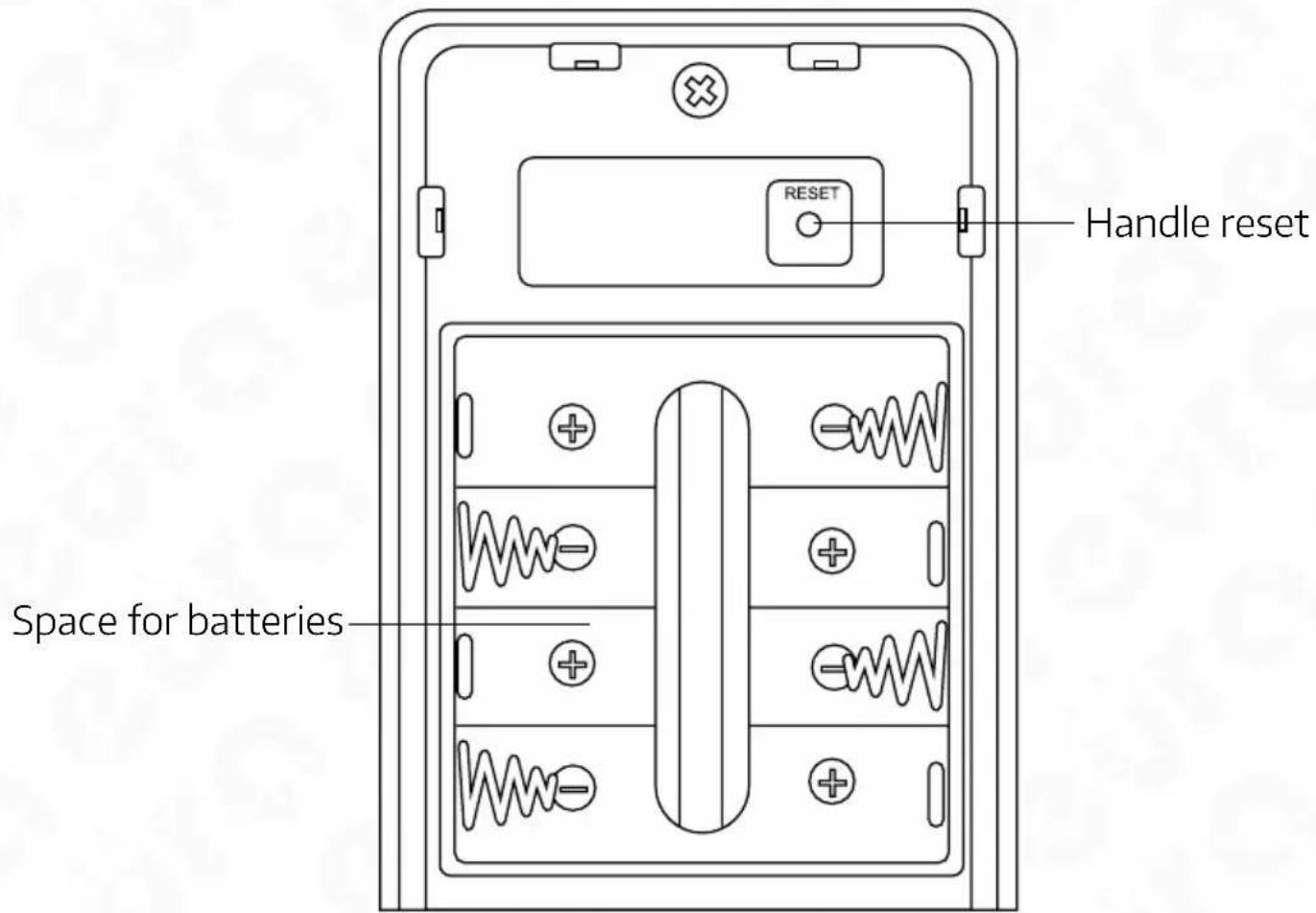
Rys.18.
- TECHNICAL SPECIFICATION
| PARAMETER | |||
| Supply voltage 6 V DC | |||
| Power Type Alkaline batteries (4 x AA 1.5V) | |||
| Power consumption - standby / operation <18μA / 200 mA | |||
| Max. number of users Proximity Keys, PIN Codes - 300 | |||
| Intended for doors left/right | |||
| Housing material Zinc alloy | |||
| Release Pulse Duration 5 -20 seconds | |||
| Encryptor Yes, touchscreen | |||
| Max. Radiation Power (RFID) <5mW | |||
| Working frequency (RFID) Mifare 13,56 MHz | |||
| Permissible relative humidity 0-95% | |||
| Operating temperature range -10°C ~ +55°C | |||
| Recommended installation location internal and external | |||
| Protection factor IP55 | |||
| Maximum operational forces acting on the sign | closing force or the force needed to start the movement of the leaf | 10 N | |
| hand operated fittings | maximum torque (Nm) | 1 Nm | |
| maximum force | 10 N | ||
| Dimensions of external sign (H x W x D) | 195x73x72 mm | ||
| Internal sign dimensions (H x W x D) | 195x73x72 mm | ||
| Net weight | 1200 g | ||
Note: The manufacturer reserves the right to change technical parameters without notice.
WARRANTY
As the only distributor of the Eura products, Eura-Tech is obliged to ensure efficient warranty and post-warranty service. In the countries where Eura-Tech has neither its own service network, nor DOOR-TO-DOOR service, the quality claims are dealt with by authorised distributors of the Eura products on the basis of the signed distribution agreements. Within the framework of such agreements, Eura-Tech will ensure financing of the possible repairs and delivery of spare parts.
INHALTSVERZEICHNIS
- ALLGEMEINE EIGENSCHAFTEN UND ZWECK 38
- INHALTE FESTLEGEN 38
- KONSTRUCTION 39
- FUNKTIONSPRINZIP 39
- EINBAU EINES ELEKTRONIKGRIFFS IN DIE TÜR 40
- confirmer, terminator
7.1.1. PARAMÉTRES
- confirmare, conclude
7.1.1. IMPOSTAZIONI
Eura-Tech Sp. z o.o. hereby declares that the radio device type - ELH-51H4 electronic door handle with access control - complies with the Directive 2014/53/EU.
Find the full text of the EU declaration at:
www.eura-tech.eu
Eura-Tech Sp. z o.o. reserves the right to change technical parameters and modify the operating manual without notice. It would also
like to inform that the most recent version of the operating manual is available on the www.eura-tech.eu website,
on the sub-page dedicated to the specific product.
The EU Declaration of Conformity can be found at
http://www.eura-tech.eu
Eura-Tech Sp. z o.o. reserves the right to change technical parameters and modify the operating manual without notice. It would also
like to inform that the most recent version of the operating manual is available on the
www.eura-tech.eu
website, on the sub-page dedicated to the specific product.
The EU Declaration of Conformity can be found at
http://www.eura-tech.eu