powerLED+ - Aquarium EHEIM - Free user manual and instructions
Find the device manual for free powerLED+ EHEIM in PDF.



User questions about powerLED+ EHEIM
0 question about this device. Answer the ones you know or ask your own.
Ask a new question about this device
Download the instructions for your Aquarium in PDF format for free! Find your manual powerLED+ - EHEIM and take your electronic device back in hand. On this page are published all the documents necessary for the use of your device. powerLED+ by EHEIM.
USER MANUAL powerLED+ EHEIM
natural_image
Illustration of a vertical cylindrical structure with ribbed top and base, no visible text or symbolsfresh daylight fresh plants marine hybrid marine actinic
| de | Bedienungsanleitung |
| en | Operating manual |
| fr | Mode d'emploi |
| it | Istruzioni per l'uso |
| es | Manual de instrucciones |
| pt | Manual de instruções |
| nl | Bedieningshandleiding |
| da | Betjeningsvejledning |
| sv | Bruksanvisning |
| no | Bruksanvisning |
| fi | Käyttöohje |
| pl | Instrukcja obsługi |
| cs | Návod k obsluze |
| sk | Návod na obsluhu |
| sl | Navodilo za uporabo |
| ro | Manual de utilizare |
| ru | Руководство по обслуживанию |
| el | Однгієх хріюнє |
| zh | 操作说明书 |
natural_image
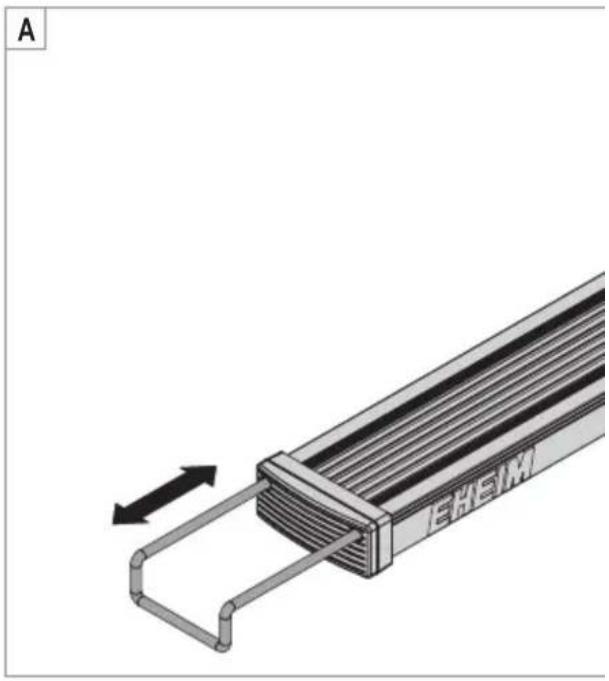
Diagram of a mechanical component with a spring-like extension and directional arrow, labeled 'A' in top-left corner (no text or symbols on the diagram itself)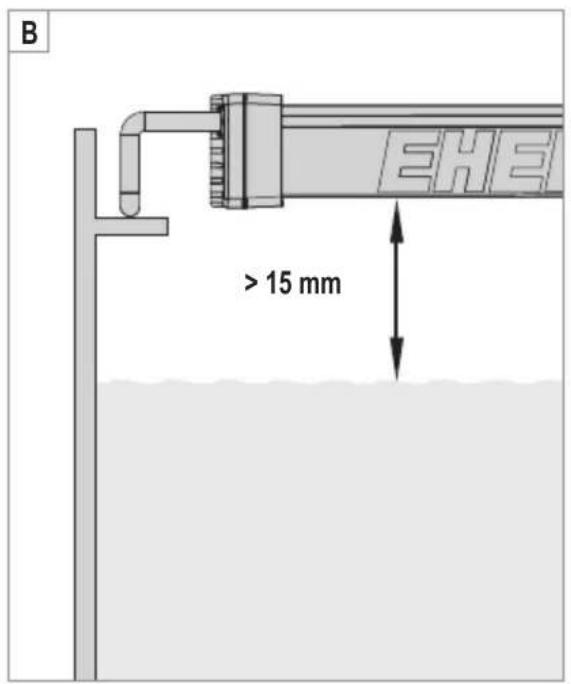
text_image
B > 15 mm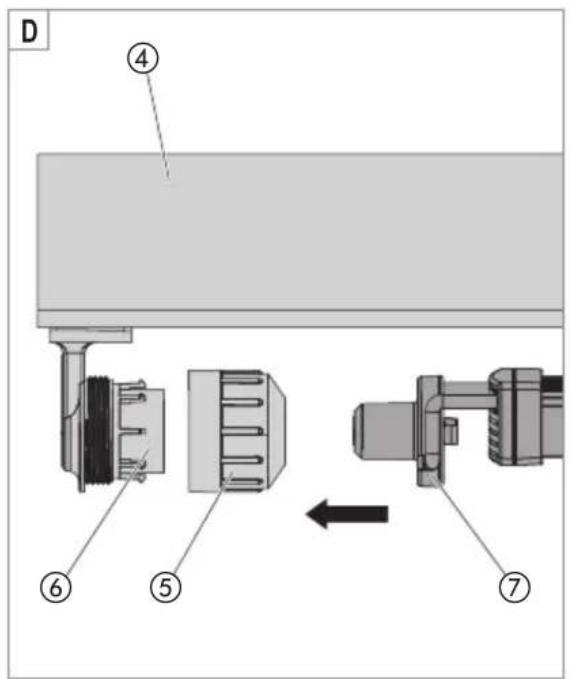
text_image
D ④ ⑥ ⑤ ⑦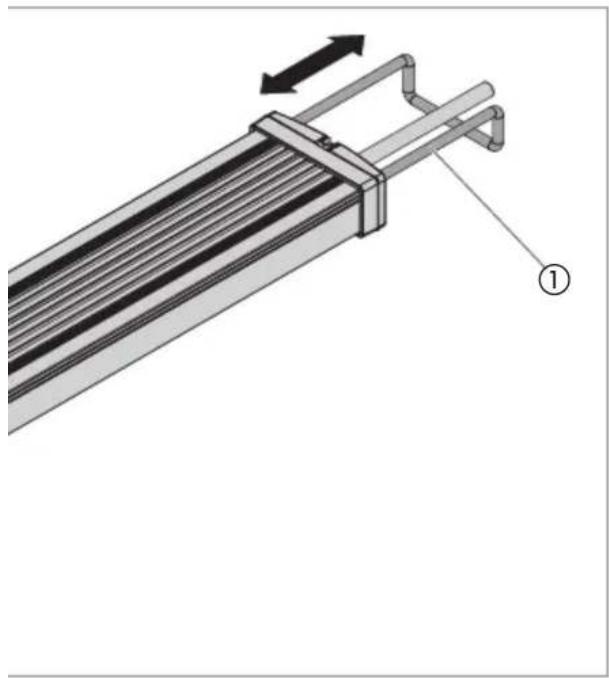
natural_image
Technical diagram of a mechanical assembly with labeled component (1), showing internal parallel lines and a right-angle directional arrow (no text or symbols beyond label)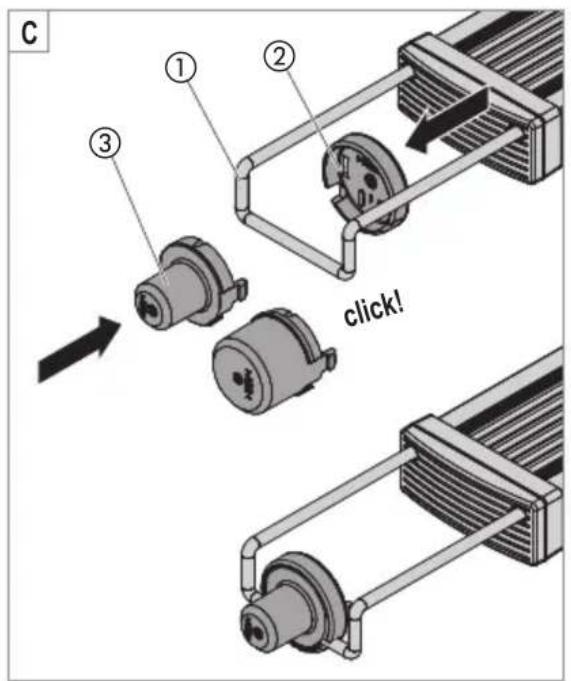
text_image
C ① ② ③ click!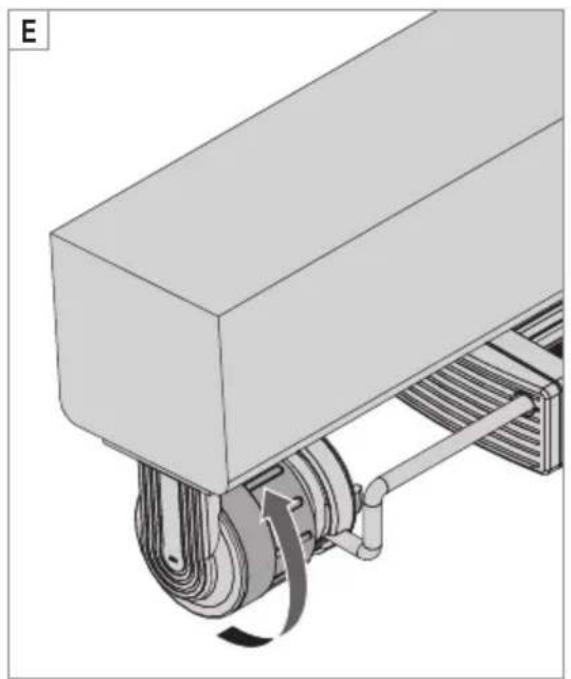
natural_image
Mechanical assembly diagram showing a conveyor belt with rotating wheel and spring (no text or symbols)Translation of the original operating manual powerLED+ aquarium lighting
1. General user instructions
Information on using the operating manual

▶ Before using the appliance for the first time, the operating manual must be read fully and understood.
▶ Consider the operating manual as part of the product and keep in a safe and accessible location.
▶ Enclose this operating manual if passing the appliance on to a third party.
Symbol explanation
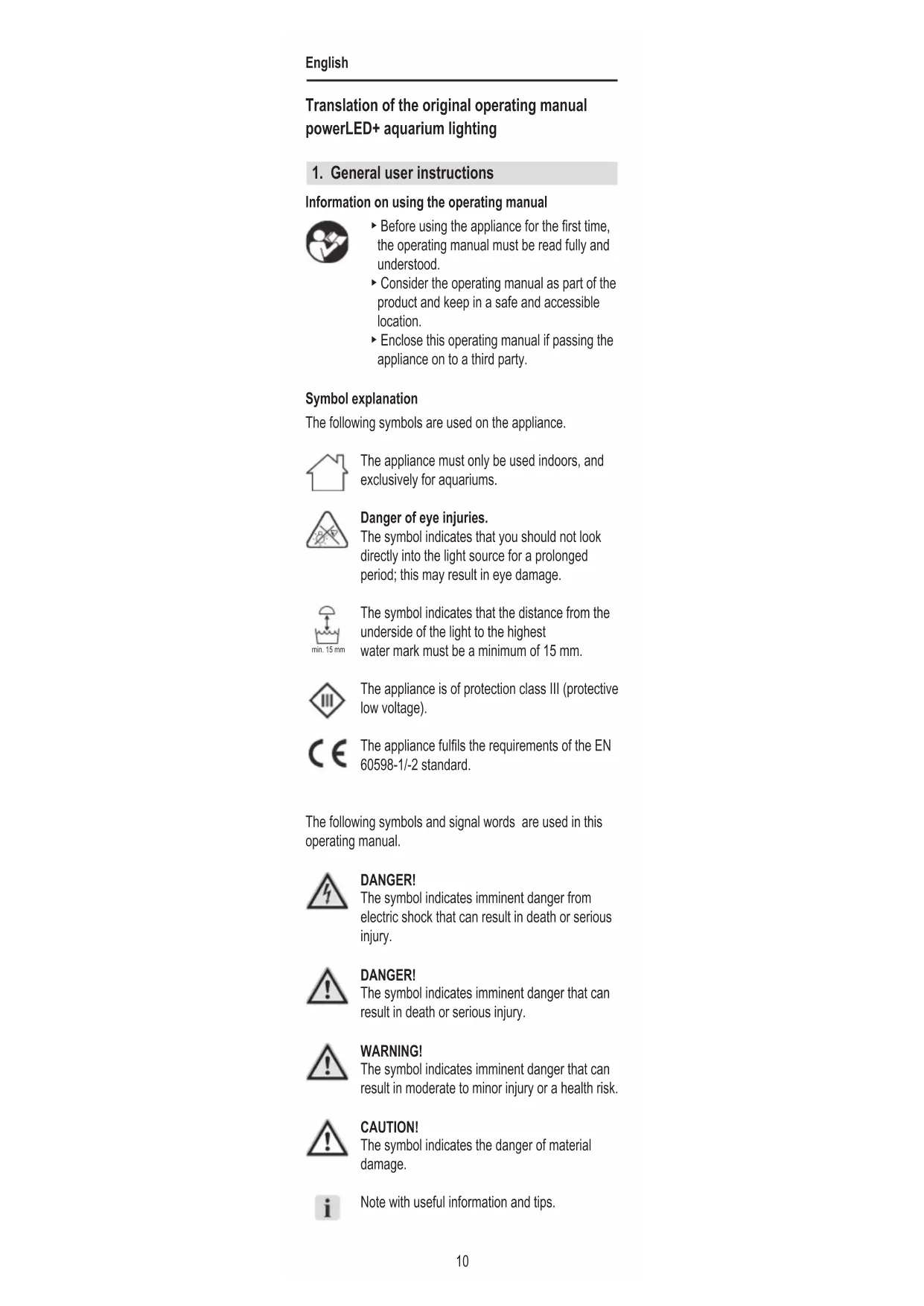
The following symbols are used on the appliance.

The appliance must only be used indoors, and exclusively for aquariums.

Danger of eye injuries.
The symbol indicates that you should not look directly into the light source for a prolonged period; this may result in eye damage.

The symbol indicates that the distance from the underside of the light to the highest water mark must be a minimum of 15 mm.

The appliance is of protection class III (protective low voltage).

The appliance fulfils the requirements of the EN 60598-1/-2 standard.
The following symbols and signal words are used in this operating manual.

DANGER!
The symbol indicates imminent danger from electric shock that can result in death or serious injury.

DANGER!
The symbol indicates imminent danger that can result in death or serious injury.

WARNING!
The symbol indicates imminent danger that can result in moderate to minor injury or a health risk.

CAUTION!
The symbol indicates the danger of material damage.

Note with useful information and tips.
Typographical conventions
☒A Reference to a figure; in this case, reference to figure A
▶ You are prompted for an action.
2. Application
Intended use
The appliance and all parts included in the scope of delivery are intended for private use and must only be used:
- for aquarium lighting
· in compliance with the technical data
3. Safety instructions
Risks for persons and property can arise from this appliance if the appliance is improperly used or not used as intended or if the safety instructions are not heeded.
For your safety

- Do not let the appliance packaging get into the hands of children as hazards can arise (danger of suffocation!).
-
This appliance can be used by children from the age of 8 and by persons with reduced physical, sensory or mental capabilities or lack of experience and/or knowledge if they are supervised and have been instructed in the safe use of the appliance and have understood the resulting dangers. Children must not play with the appliance. Cleaning and user maintenance must not be carried out by children unless they are supervised.
-
Before use, carry out a visual inspection to ensure that the appliance, especially the mains cable and plug, are undamaged.
- Do not look directly into the light source for a prolonged period; this may result in eye damage.
- The appliance cannot be opened. A defective appliance must be completely replaced.
- Only use original spare parts and accessories for the appliance.
[NO TEXT]
- In the event of water leakage or when the residual current protection device is triggered, immediately disconnect all devices in the aquarium from the power supply.
- If they are not being used, always disconnect all devices in the aquarium from the power supply before you install/remove any parts and before all cleaning and maintenance work.
- Protect the mains socket and mains plug against moisture. It is recommended to form a drip loop with the mains cable to prevent any water running along the cable to the mains socket.
- The electrical data of the appliance must match the data of the power mains. This data is found on the type plate, the packaging and in these instructions.
- The distance from the underside of the light to the highest water mark must be a minimum of 15 mm.
4. Commissioning
Installation (☒A)
- The LED lights can be adjusted to the width of your aquarium with the freely adjustable extendable bracket ①. Pull the extendable bracket out of the light housing until it reaches the desired length.
Electrical connection
- Connect the plug of the LED lights to the socket of the matching EHEIM power supply unit.

The matching EHEIM power supply unit can be found on the packaging of your LED light.
5. Operation
Service life

In order to avoid excessive algae formation, you should not put the LED lights in continuous operation.
Optional accessories
Use with Y distributor
The Y distributor allows you to operate two LED lights from one power supply unit.

Ensure that the maximum power output of the power supply unit is not exceeded (see Technical Data, page 107)
Use with T5/T8 adapter
With the T5/T8 adapter, you can replace traditional fluorescent bulbs with an LED light. To do so, proceed as follows:
- Push both adapter parts ②/③ until they click onto the extendable bracket ① (☒C).

Attention! Electrocution!
▶ Before all assembly work, remove the mains plug of the lighting unit and or cover.
- Keep the lighting unit or cover disconnected from the mains!
- Secure the mains plug of the lighting unit or cover against any unintentional connection to the socket
-
Loosen the end cap ⑤ and remove the fluorescent bulb.
-
Insert the LED light with the T5/T8 adapter ⑦ into the lamp socket ⑥ via the end cap.
- Screw down the end cap.
6. Maintenance

Attention! Electrocution!
▶ Before maintenance work, remove the mains plug of the power supply unit.

Caution Material damage.
- Do not use hard objects or aggressive cleaning agents for cleaning.

The following sections describe maintenance work necessary for optimum and fault-free operation. Regular maintenance prolongs the service life and secures functionality of the LED light over a long period.
Cleaning the LED light
- Clean the LED light as required.
7. Clearing faults
LED light does not illuminate
Possible cause
Mains plug of mains socket not connected
Remedy
▶ Insert the mains plug in the mains socket
Possible cause
Plug of LED light not connected to power supply unit.
Remedy
- Connect the plug to the socket of the power supply unit.
For other faults, please contact EHEIM Service.
8. Decommissioning
Disposal
When disposing of the appliance, heed the respective statutory regulations.
The appliance may no longer be disposed of with the municipal or household waste. The appliance will be accepted free of charge at municipal collection points or recycling centres.
The product packaging is made up of recyclable materials. Dispose of them in an environmentally responsible manner and take them for recycling.
9. Technical data
Technical Data, see page 107.
Élimination/destruction

The image contains a graphical symbol (a lightning bolt inside a triangle) and no textual content. Therefore, the correct OCR output is an empty string.
Reproduction or copying – even parts thereof – only with the express permission of the producer.