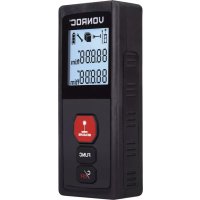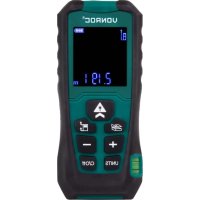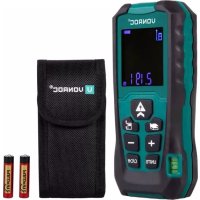
LD502DC - Rangefinder Vonroc - Free user manual and instructions
Find the device manual for free LD502DC Vonroc in PDF.


| Product type | Laser distance meter |
| Brand | Vonroc |
| Model | LD502DC |
| Measuring range | 0.05 m – 40 m |
| Accuracy | ± 1.5 mm (up to 10 m); ± 1.5 mm ± 0.05×(D-10) mm beyond |
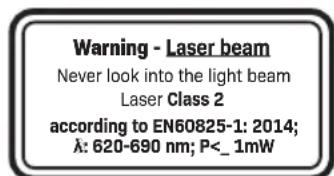
| Laser type | Class II, 620-690 nm, < 1 mW, compliant with EN60825-1:2014 |
| Power supply | 2 x 1.5 V LR03 AAA batteries (alkaline) |
| Dimensions (L × W × H) | 119 × 52 × 26 mm |
| Weight (without batteries) | 108 g |
| Measurement units | m, ft, in |
| Measurement functions | Single measurement, continuous measurement, area, double area, volume, single Pythagorean, addition, subtraction |
| Memory | Last 20 values |
| Spirit level | Yes |
| Laser point | Yes |
| Auto power off | Laser after 15 s, instrument after 30 s |
| Operating temperature | 0 °C – 40 °C |
| Storage temperature | 5 °C – 30 °C |
| Cleaning | Dry cloth; do not immerse, do not use solvents |
| Storage | Dry and well-ventilated place, preferably in original packaging |
| Laser safety | Do not look directly into the beam, do not point at people or reflective surfaces |
| Warranty | Legal warranty against defects in materials and workmanship |
Frequently Asked Questions - LD502DC Vonroc
User questions about LD502DC Vonroc
0 question about this device. Answer the ones you know or ask your own.
Ask a new question about this device
Download the instructions for your Rangefinder in PDF format for free! Find your manual LD502DC - Vonroc and take your electronic device back in hand. On this page are published all the documents necessary for the use of your device. LD502DC by Vonroc.
USER MANUAL LD502DC Vonroc
1. SAFETY INSTRUCTIONS
Read the enclosed safety warnings, the additional safety warnings and the instructions. Failure to follow the safety warnings and the instructions may result in electric shock, fire and/or serious injury. Save the safety warnings and the instructions for future reference.
The following symbols are used in the user manual or on the product:

Read the user manual.

Denotes risk of personal injury, loss of life or damage to the tool in case of non-observation of the instructions in this manual.

The product is in accordance with the applicable safety standards in the European directives.
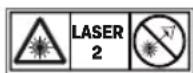
Risk of eye injury due to laser beams! Never look directly into the laser and do not direct the laser beam towards reflecting surfaces!
GENERAL SAFETY WARNINGS
- To operate this device safely, the user must have read and understood these instructions for use before using the device for the first time.
- Observe all safety instructions! Failure to do so may cause harm to you and others.
- Retain all instructions for use, and safety instructions for future reference.
- If you sell or pass the device on, you must also hand over these operating instructions.
- The device must only be used when it functions properly. If the product or part of the product is defective, it must be taken out of operation and disposed of correctly.
- Never use the device in a room where there is a danger of explosion or in the vicinity of flammable liquids or gases.
- Keep children away from the device! Keep the device out of the way of children and other unauthorised persons.
Using battery-operated devices
- Only use batteries approved by the manufacturer.
- Danger of fire! Never charge the batteries.
- Keep batteries away from metal objects that could cause short circuiting when not in use. There is a risk of injuries and fire.
- Fluid can escape from the battery when used incorrectly. Battery fluid may result in skin irritations and burns. Avoid contact! In the event of accidental contact, rinse thoroughly with water. Immediately seek the aid of a physician in the event of eye contact.
MACHINE SPECIFIC SAFETY WARNINGS
The device is intended for using in dry environment.
- Avoid the influence of humidity and dirt as well as direct sun rays.
- Do not operate the device in the proximity of welding machines, induction heaters and other electromagnetic fi elds.
- Do not expose the device to high temperatures for a longer period of time.
- Symbols appearing on your device may not be removed or covered. Signs on the device that are no longer legible must be replaced immediately.
Handling of laser beams
- Do not look directly into the beam, not even from great distances.
- Never direct the measuring beam towards people, other living creatures or reflecting surfaces.
- Conventional laser glasses do not protect against the dangers of laser beams. They only serve for improved recognition of the laser beam.

2. MACHINE INFORMATION
Intended use
This laser distance meter can be used when requiring the measurement of an area of a room. This measuring tool is intended for measuring distances, lengths and heights in a straight line and can calculate areas and volumes.
TECHNICAL SPECIFICATIONS
| Model No. | LD502DC LD503DC |
| Measurement range * | 0.05m-40m 0.05m-60m |
| Measuring Accuracy ** ± 1.5mm | |
| Laser type 620 ~ 690 nm | |
| Laser class | II (<mW) acc. To EN60825-1: 2014; |
| Single-mode measurement m, ft, in | |
| Continuous-mode measurement | m, ft, in |
| Area measurement | m², ft², in² (automatic calculation) |
| Area measurement (double) | m², ft², in² (automatic calculation) |
| Volume measurement | m³, ft³, in³ (automatic calculation) |
| Single pythagorean measurement | Yes |
| Addition and subtraction function | Yes |
| Bubble level Yes | |
| Laser point Yes | |
| Memory capacity (values) 20 | |
| Operating temperature 0~40 °C | |
| Storage temperature 5~30 °C | |
| Laser auto switch off Yes, after 15s | |
| Instrument auto switch off Yes, after 30s | |
| Battery | 2x 1.5V type LR03 AAA (alkaline) |
| Weight (Without Batteries) 108 g | |
| Dimensions 119 x 52 x 26 mm | |
- Maximum deviation error or shorter range can occur when laser exposed to bright sunlight, operated across very rough or minimal reflective surface, or used during extreme temperature conditions. ** When measuring within 10 m, measurement accuracy is ± 1.5 mm; more than 10 m, measurement accuracy is calculated as follows: ±1,5 mm ± 0.05* (D-10) (D: Measuring Distance, Unit: m).
DESCRIPTION
The numbers in the text refer to the diagrams on page 2-4.
Fig. A
- Display
- Switch on / measure button
- Function
- Measurement reference (measurement from the back or the front of the device)
- Addition
- Subtraction
- Selection of the measurement unit
- Clear / switch off button
- Bubble level
10.Laser beam outlet
11.Reception lens
Fig.B
- Battery cover
3. ASSEMBLY
Inserting / Replacing the Batteries (Fig. B)
- Remove the battery compartment cover (12).
- Insert batteries with correct polarity according to indications.
- Close the battery compartment cover (12).
4. OPERATION

WARNING! Danger of injury due to defective components! The product must only be put into operation if no defects are found. Ensure that any defective parts are replaced before the product is used again.
Check the device:
Make sure all parts are fitted on the machine firmly.
- Check whether there are any visible defects: broken parts, cracks, etc.
Switch on and off (Fig. A)
Press the measure button (2) to switch on the device. Device will always start in the default reference setting of single measurement mode. Hold down the switch off button (8) to switch off the equipment.
Automatically switch off
The laser will be switched off automatically after 15 seconds and the device will be powered off after 30 seconds of inactivity.
Clear button (Fig. A)
Press clear button (8) to clear the last command or displayed data.
Unit conversion (Fig. A)
The instrument's default unit is meters but can be set to meters 'm', feet 'ft' and inches 'in'. Press the units button (7) to switch between units of measurements.
Adjusting measuring reference (Fig. A+C)
When the device is switched on, quickly press the measuring reference button (4) to adjust the measure reference. It's possible to measure from the front or the rear of the device.

Distance is measured from the rear of the device (standard setting).

Distance is measured from the front of the device.
Memory (Fig. A)
When the device is switched on, quickly press the addition (5) or subtraction (6) button. Last 20 values are displayed. Quickly press the addition (5) or subtraction (6) button to navigate through last 20 values.
Measuring

WARNING! Risk of injury due to laser beam! Never direct the measuring beam towards people, other living creatures or reflecting surfaces.

Target surfaces: Measuring errors can occur when measuring to colorless liquids, glass, styrofoam or semi-permeable surfaces or when aiming at high gloss surfaces. Against dark surfaces the measuring time increases.
Single-mode measurement (Fig. A+D)
When the device is switched on, quickly press the measure button (2) to activate the laser (10). Aiming the laser onto the target and quickly press the measure button (2) again will trigger single-mode measurement; the result is displayed immediately.
Continuous-mode measurement (Fig. A+E)
When the device is switched on, holding down the measure button (2) will trigger continuous-mode measurement. The current measurement is shown
in the main line and the Minimum(E2) and maximum (E3) measured values above.
Area measurement (Fig. A+F)
Press the function button (3) to change measurement function to area measurement. Select the function and begin the measurement.
- Pressing the measure button (2) will activate the laser.
- Aiming the laser onto the target and quickly pressing the measure button (2) again for measuring the length. The result is displayed immediately.
- Pressing the measure button (2) will activate the laser.
- Aiming the laser onto the target and quickly pressing the measure button (2) again for measuring the width. The calculated result is shown in the main line and the measured value above.
Volume measurement (Fig. A+G)
Press the function button (3) to change measurement function to volume measurement. Select the function and begin the measurement.
- Pressing the measure button (2) will activate the laser.
- Aiming the laser onto the target and quickly pressing the measure button (2) again for measuring the length. The result is displayed immediately.
- Pressing the measure button (2) will activate the laser.
- Aiming the laser onto the target and quickly pressing the measure button (2) again for measuring the width. The result is displayed immediately.
- Pressing the measure button (2) will activate the laser.
- Aiming the laser onto the target and quickly pressing the measure button (2) again for measuring the height. The calculated result is shown in the main line and the measured value above.
Double area measurement (Fig. A+H)
Press the function button (3) to change measurement function to double area measurement. Select the function and begin the measurement.
- Pressing the measure button (2) will activate the laser.
- Aiming the laser onto the target and quickly pressing the measure button (2) again for measuring the height. The result is displayed immediately.
-
Pressing the measure button (2) will activate the laser.
-
Aiming the laser onto the target and quickly pressing the measure button (2) again for measuring the width.
- Pressing the measure button (2) will activate the laser.
- Aiming the laser onto the target and quickly pressing the measure button (2) again for measuring the second width. The calculated result is shown in the main line and the measured value above.
Single pythagorean measurement (Fig. A+1)
Press the function button (3) to change measurement function to single pythagorean measurement. Select the function and begin the measurement.
- Pressing the measure button (2) will activate the laser.
- Aiming the laser onto the target and quickly pressing the measure button (2) again for measuring the upper point. The result is displayed immediately.
- Pressing the measure button (2) will activate the laser.
- Aiming the laser rectangular onto the target and quickly pressing the measure button (2) again for measuring the lower point. The calculated result is shown in the main line and the measured value above.
Addition (+) and subtraction (-) function (Fig. A+J)
- When the device is switched on, quickly press the measure button (2) to activate the laser (10).
- Aiming the laser onto the target and quickly press the measure button (2) again will trigger single-mode measurement; the result is displayed immediately.
- Quickly press the addition (5) or subtraction (6) button.
- Quickly press the measure button (2) to activate the laser (10).
- Aiming the laser onto the target and quickly press the measure button (2) again will trigger single-mode measurement. The calculated result is shown in the main line and the measured value above.
This process can be repeated as required. The same process can be used for adding (+) or subtracting (-) areas or volumes.
Display Notices
The following errors can be corrected.
| Message Code | Cause Remedy | |
| Err08 | Background brightness too high | Use dark colored target |
| Err10 Battery too low Change batteries | ||
| Err15 Out of range | Measure target within the range | |
| Err16 Received signal too weak | Use light colored target; Hold Quick Measure more steadily | |
5. MAINTENANCE
Cleaning

NOTICE! Risk of product damage! Never submerge device in water while cleaning.
Do not use cleaning agents or solvents.
Wipe the device using a dry cloth.
Storage

NOTICE! Risk of product damage! Always handle measuring instruments with care.
- Store the product in a dry, well-ventilated place.
- Only store and transport the product in its original packaging.
- Prevent large temperature fluctuations: Always temper the product for a while before use in extremely cold or hot environments.
Taking out of operation for a longer period of time
- When not in use for a longer period of time, remove the batteries.

NOTICE! Risk of product damage!
Old, leaky batteries can damage the product. Check the battery regularly.
ENVIRONMENT

Faulty and/or discarded electrical or electronic apparatus have to be collected at the appropriate recycling locations.
Only for EC countries
Do not dispose of power tools into domestic waste. According to the European Guideline 2012/19/EC for Waste Electrical and Electronic Equipment and its
implementation into national right, power tools that are no longer usable must be collected separately and disposed of in an environmentally friendly way.
WARRANTY
VONROC products are developed to the highest quality standards and are guaranteed free of defects in both materials and workmanship for the period lawfully stipulated starting from the date of original purchase. Should the product develop any failure during this period due to defective material and/or workmanship then contact VONROC directly.
The following circumstances are excluded from this guarantee:
- Repairs and or alterations have been made or attempted to the machine by unauthorized service centers;
Normal wear and tear;
The tool has been abused, misused or improperly maintained; - Non-original spare parts have been used.
This constitutes the sole warranty made by company either expressed or implied. There are no other warranties expressed or implied which extend beyond the face hereof, herein, including the implied warranties of merchantability and fi tness for a particular purpose. In no event shall VONROC be liable for any incidental or consequential damages. The dealers remedies shall be limited to repair or replacement of nonconforming units or parts.
The product and the user manual are subject to change. Specific cations can be changed without further notice.