
Mi Smart Band 4 - Wristwatch Xiaomi - Free user manual and instructions
Find the device manual for free Mi Smart Band 4 Xiaomi in PDF.



| Product type | Smartwatch / Activity tracker |
| Model | XMSH07HM |
| Tracker dimensions | 46.8 x 17.8 x 12.6 mm |
| Net weight of tracker | 10.6 g |
| Band material | Thermoplastic elastomer |
| Clasp material | Aluminum alloy |
| Adjustable length | 155-216 mm |
| Battery capacity | 135 mAh |
| Battery type | Lithium-polymer |
| Input voltage | DC 5.0 V |
| Input current | 250 mA max |
| Wireless connectivity | Bluetooth 5.0 BLE |
| Compatibility | Android 4.4 / iOS 9.0 or later |
| Water resistance | 5 ATM (up to 50 meters) |
| Operating temperature | -10°C to 50°C |
| Main functions | Activity tracking, heart rate, sleep, notifications, stopwatch, weather |
| Maintenance and cleaning | Clean regularly with water, wipe with a soft cloth, keep the contact area dry |
| Safety | Avoid sauna and diving; do not use if redness or itching |
| Spare parts and repairability | Removable and replaceable band; tracker not user-repairable |
| General information | Made by Anhui Huami Information Technology Co., Ltd. for Xiaomi |
Frequently Asked Questions - Mi Smart Band 4 Xiaomi
User questions about Mi Smart Band 4 Xiaomi
0 question about this device. Answer the ones you know or ask your own.
Ask a new question about this device
Download the instructions for your Wristwatch in PDF format for free! Find your manual Mi Smart Band 4 - Xiaomi and take your electronic device back in hand. On this page are published all the documents necessary for the use of your device. Mi Smart Band 4 by Xiaomi.
USER MANUAL Mi Smart Band 4 Xiaomi
Mi Smart Band 4 User Manual
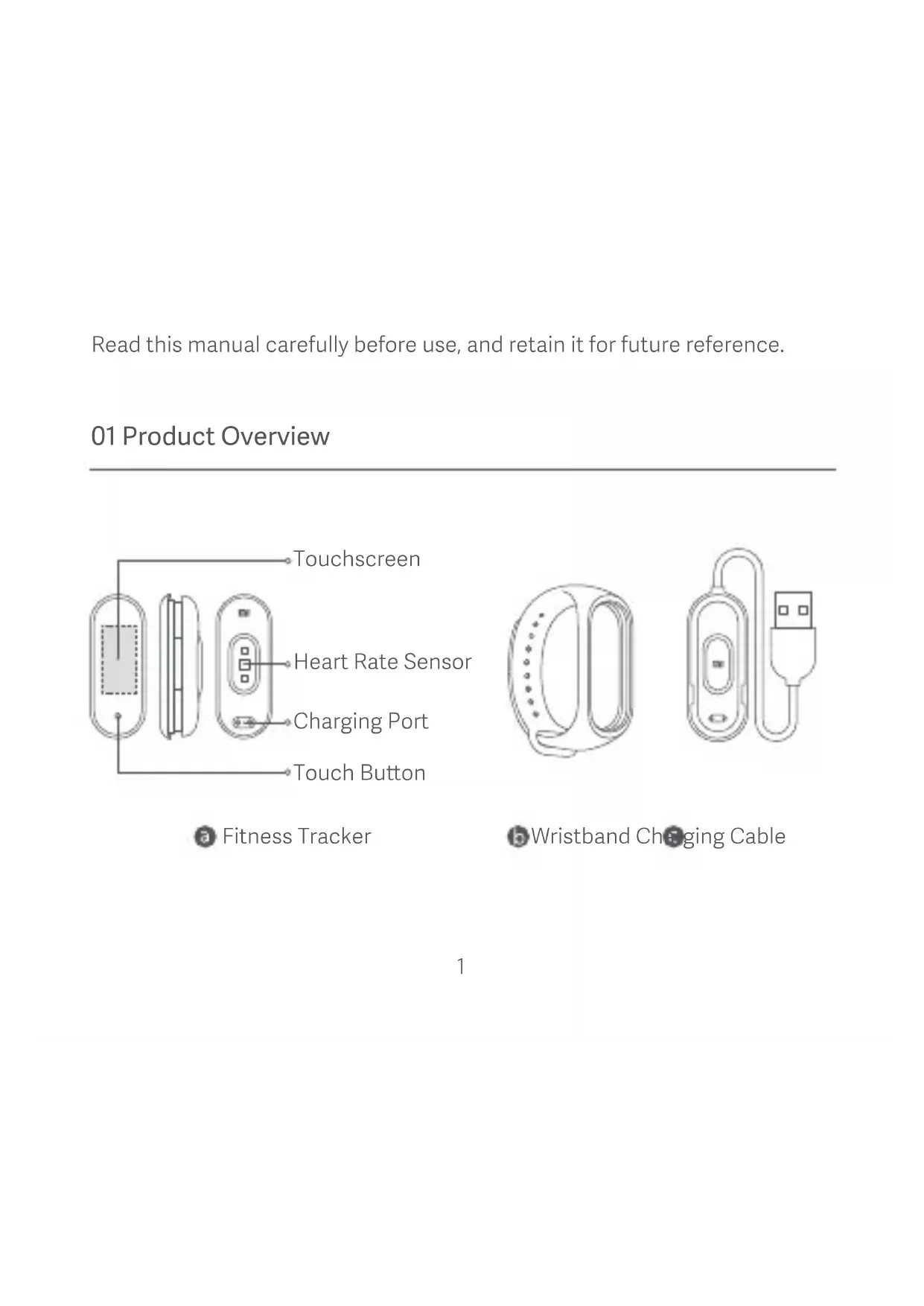
Read this manual carefully before use, and retain it for future reference.
01 Product Overview
Fitness Tracker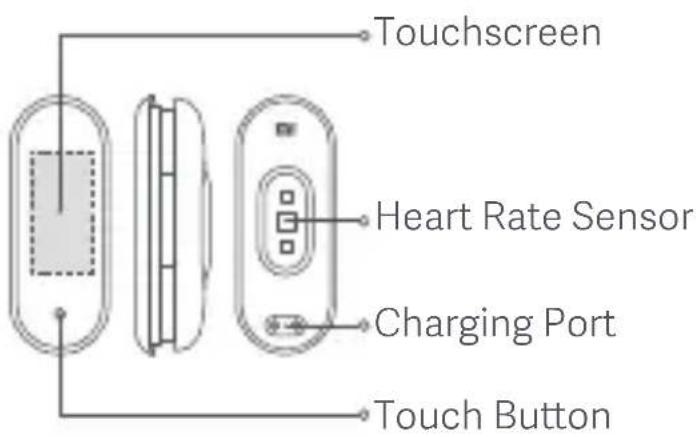
Wristband Charging Cable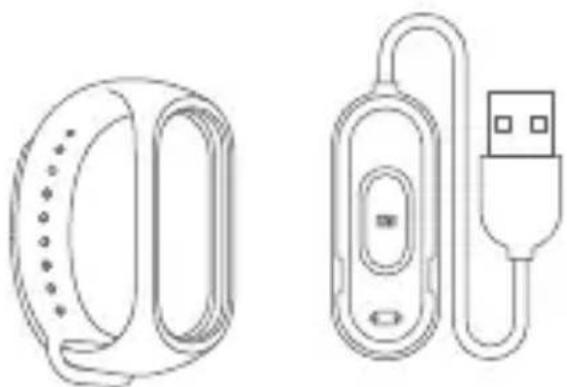
02 Installation
- Insert one end of the fitness tracker into the slot from the front of the wristband.
- Press down on the other end with your thumb to push the fitness tracker completely into the slot.
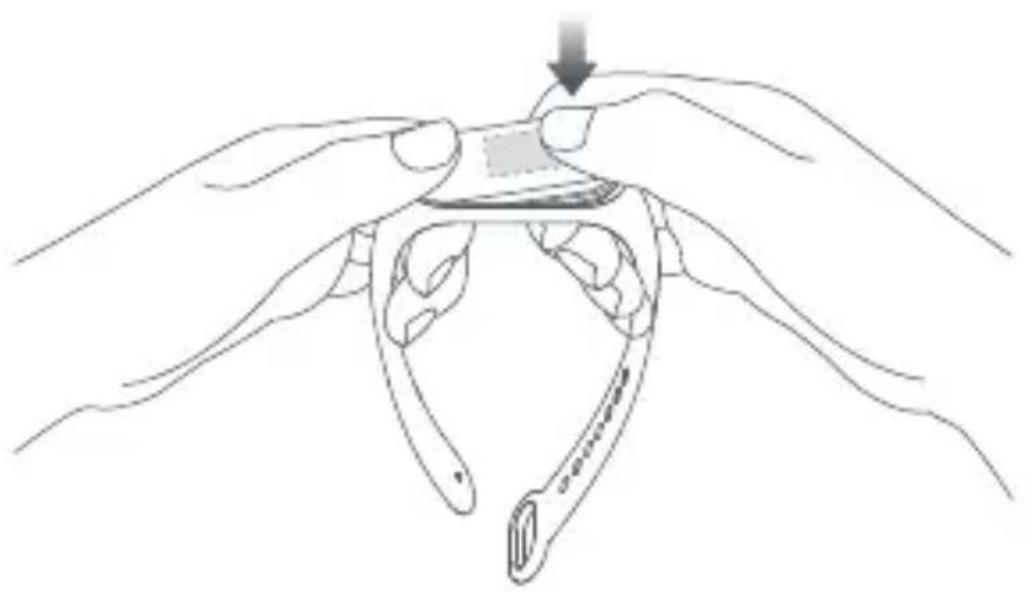
03 Wearing
Comfortably tighten the band around your wrist, about 1 finger width away from your wrist bone.
Note: Wearing the wristband too loosely may impact the data collection by the heart rate sensor.
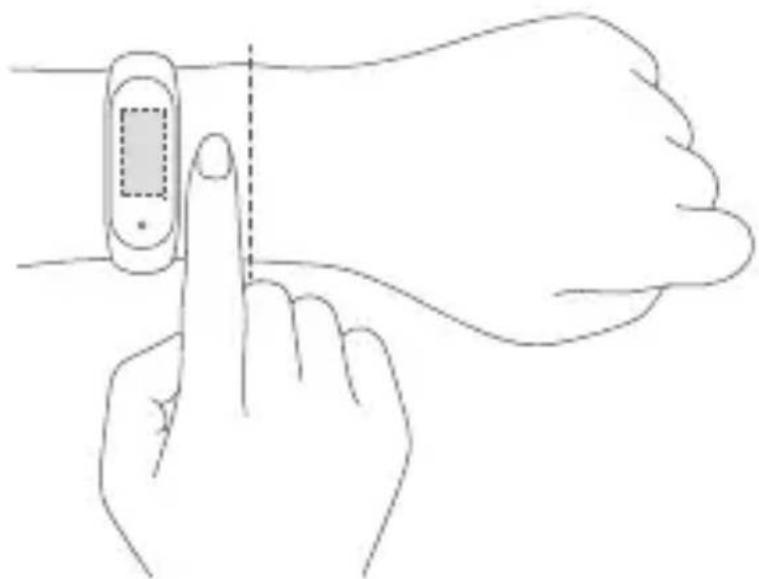
04 Connecting
- Scan the QR code to download and install the latest version of the Mi Fit app, or search for it in Google Play, App Store, or other third-party app stores.
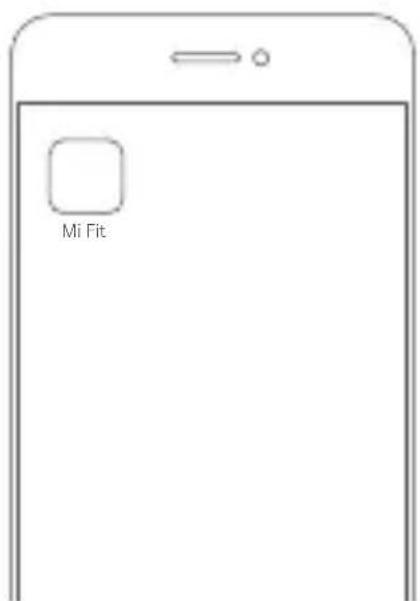

Mi Fit app QR code (Android 4.4 & iOS 9.0 or above)
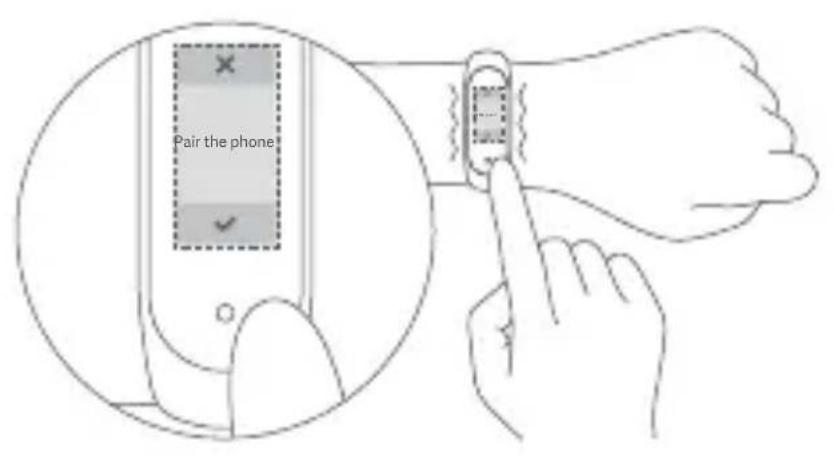
- Open the Mi Fit app, log in to your account, and then follow the instructions to connect and pair the band with your device. When your band starts to vibrate and the Bluetooth pairing notification appears on the screen, touch the button to complete the pairing with your device. Note: Make sure the Bluetooth is enabled on your phone. Hold close your phone to the band during the pairing process.
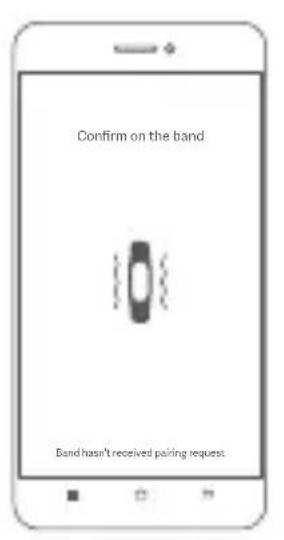
05 Usage
After successfully pairing with your device, the band will start tracking and analyzing your daily activities and sleeping habits.
Touch the button to light up the screen. Then, you can swipe up or down to access many features including browsing your activity data, and measuring your heart rate.
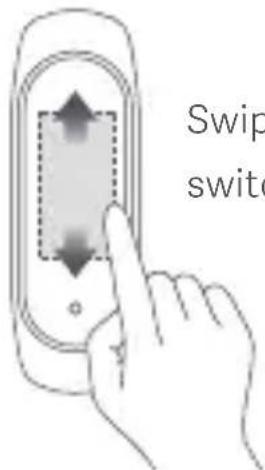
Swipe up/down to switch between functions
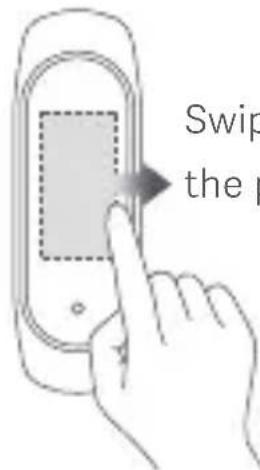
Swipe right to return to the previous page
06 Disassembly
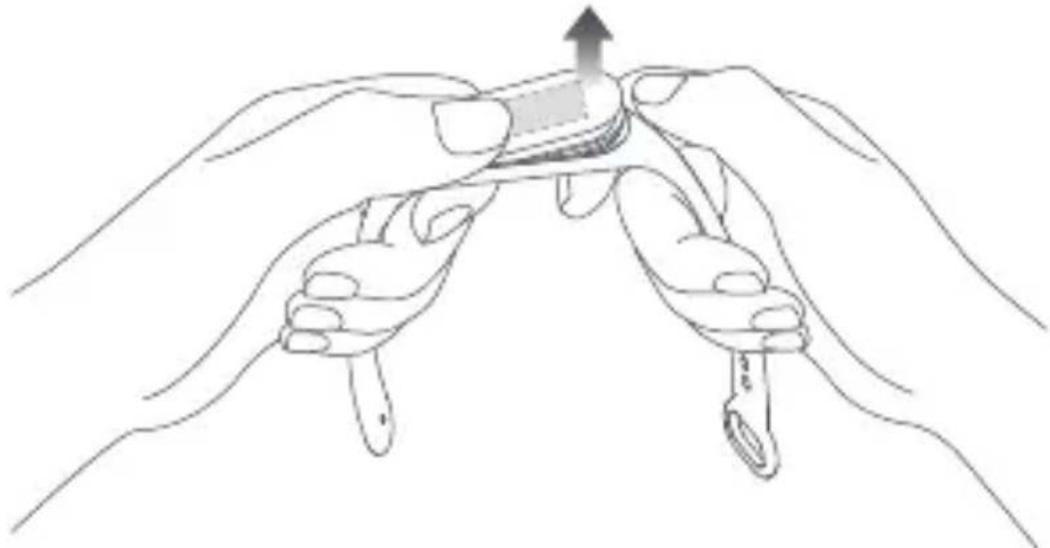
Remove the band from your wrist, hold on to each end and pull on the wristband until you see a small gap between the fitness tracker and the wristband. Use your finger to pop the fitness tracker out of its slot from the front side of the wristband.
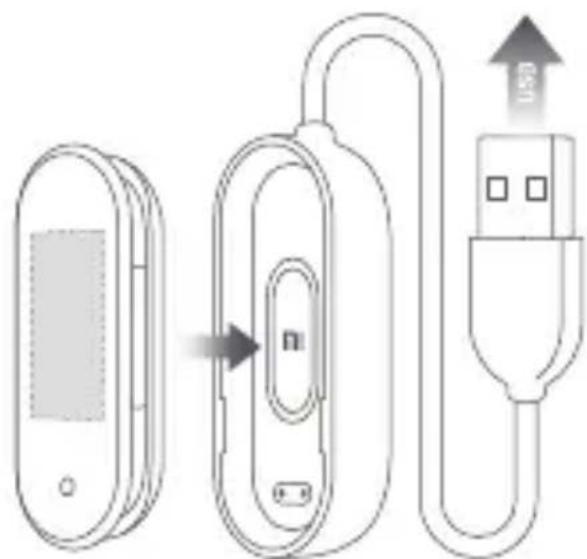
07 Charging
Recharge your band immediately when the battery level is low.
08 Precautions
- When using the band to measure your heart rate, please keep your wrist still.
- Mi Smart Band 4 has a water resistance rating of 5 ATM. It can be worn in the shower, swimming pool, or while swimming near the shore. It cannot be used, however, in a sauna or while scuba diving.
- The function of the touch button and touchscreen are not accessible during underwater. When your band comes in contact with water, use a soft cloth to wipe away excess water from its surface before using it.
- During daily use, avoid wearing the band too tightly and try to keep its contact area dry. Please clean the wristband regularly with water. Please stop using the product immediately and seek medical assistance if the contact area on your skin shows signs of redness or swelling.
09 Specifications
Name: Mi Smart Band 4
Model: XMSH07HM
Fitness Tracker Net Weight: 10.6 g
Fitness Tracker Dimensions: 46.8 × 17.8 × 12.6 mm
Wristband Material: Thermoplastic elastomer (TPE)
Clasp Material: Aluminum alloy
Adjustable Length: 155-216 mm
Compatible with: Android 4.4/iOS 9.0 or above
Battery Capacity: 135 mAh
Battery Type: Lithium polymer battery
Input Voltage: DC 5.0 V
Input Current: 250 mA Max.
IP Rating: 5 ATM
Frequency: 2402-2480 MHz
Max. Output: 0 dBm
Operating Temperature: -10°C to 50°C
Wireless Connectivity: Bluetooth 5.0 BLE
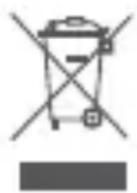
All products bearing this symbol are waste electrical and electronic equipment (WEEE as in directive 2012/19/EU) which should not be mixed with unsorted household waste. Instead, you should protect human health and the environment by handing over your waste equipment to a designated collection point for the recycling of waste electrical and electronic equipment, appointed by the government or local authorities. Correct disposal and recycling will help prevent potential negative consequences to the environment and human health. Please contact the installer or local authorities for more information about the location as well as terms and conditions of such collection points.
11 Certifications and Safety Approvals

Hereby, Anhui Huami Information Technology Co., Ltd., declares that the radio equipment type XMSH07HM is in compliance with Directive 2014/53/EU. The full text of the EU declaration of conformity is available at the following internet address: http://www.mi.com/global/service/support/declaration.html
For regulatory information, product certification, and compliance logos related to the Mi Smart Band 4, please go to More > Settings > Regulatory.
Manufactured for: Xiaomi Communications Co., Ltd.
Manufactured by: Anhui Huami Information Technology Co., Ltd.
(a Mi Ecosystem company)
Address: Room 1201, Building A4, National Animation Industry Base, No. 800
Wangjiang West Road, Gaoxin District, Hefei, Anhui, China
For further information, please go to www.mi.com
As a Xiaomi consumer, you benefit under certain conditions from additional warranties. Xiaomi offers specific consumer warranty benefits which are in addition to, and not instead of, any legal warranties provided by your national consumer law. The duration and conditions related to the legal warranties are provided by respective local laws. For more information about the consumer warranty benefits, please refer to Xiaomi's official website
https://www.mi.com/en/service/warranty/. Except as prohibited by laws or otherwise promised by Xiaomi, the after-sales services shall be limited to the country or region of the original purchase. Under the consumer warranty, to the fullest extent permitted by law,
Xiaomi will, at its discretion, repair, replace or refund your product. Normal wear and tear, force majeure, abuse or damage caused by the user's negligence or fault are not warranted.
The contact person for the after-sale service may be any person in Xiaomi's authorized service network, Xiaomi's authorized distributors or the final vendor who sold the products to you. If in doubt, please contact the relevant person as Xiaomi may identify.
The present warranties do not apply in Hong Kong and Taiwan.
Products which were not duly imported and/or were not duly manufactured by Xiaomi and/or were not duly acquired from Xiaomi or a Xiaomi's official seller are not covered by the present warranties. As per applicable law, you may benefit from warranties from the non-official retailer who sold the product. Therefore, Xiaomi invites you to contact the retailer from whom you purchased the product.
Wireless connectivity: Bluetooth 5.0 BLE
Address: Room 1201, Building A4, National Animation Industry Base, No. 800
Protection ratings: 5 ATM
Frequency: 2402-2480 MHz
Max output: 0 dBm
http://www.mi.com/global/service/support/declaration.html
Address: Room 1201, Building A4, National Animation Industry Base, No. 800
Wangjiang West Road, Gaoxin District, Hefei, Anhui, China
http://www.mi.com/global/service/support/declaration.html
Address: Room 1201, Building A4, National Animation Industry Base, No. 800
Wangjiang West Road, Gaoxin District, Hefei, Anhui, China
Address: Room 1201, Building A4, National Animation Industry Base, No. 800
Wangjiang West Road, Gaoxin District, Hefei, Anhui, China
Address: Room 1201, Building A4, National Animation Industry Base, No. 800
Wangjiang West Road, Gaoxin District, Hefei, Anhui, China
Model:
XMSH07HM:jjJ
10.6:aaIgJgJgJgJgJ
12.6 17.8 46.8: aLul
aJrJl:aaalgws
pgiogl l:jglgo
216-155:JseuU Jgbl
iOS 9.0 and Android 4.4:
aclw/135:abla aω
2402-2480 MHz
0 dBm
-10° to 50°
Bluetooth 5.0 BLE

Anhui Huami Information Technology Co., Ltd.
EU/2014/53 MSH07HM
http://www.mi.com/global/service/support/declaration.html

Room 1201, Building A4, National Animation Industry Base, No. 800: Liangjiang, Wangjiang West Road, Gaoxin District, Hefei, Anhui
www.mi.com
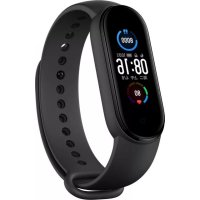
Brand : Xiaomi
Model : Mi Smart Band 4
Category : Wristwatch