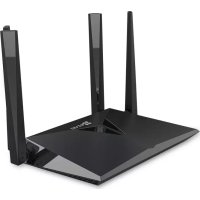
W3 - Router EZVIZ - Free user manual and instructions
Find the device manual for free W3 EZVIZ in PDF.



| Product Type | Wi-Fi Router |
| Brand | EZVIZ |
| Model | W3 |
| Power Supply | 12 V DC, 1 A (version A) or 1.5 A (version B) |
| WAN Port | 1 RJ45 Ethernet port |
| LAN Ports | 4 RJ45 Ethernet ports (version B); 1 port (version A) |
| USB Port | 1 USB port (version B) for file sharing |
| One-Key Access Function | Yes, for simplified connection of EZVIZ cameras and WPS devices |
| Wi-Fi Guard Function | Yes, secures the Wi-Fi network by limiting connection time to 2 minutes after activation |
| Compatible Cameras | EZVIZ Wi-Fi cameras (connection via One-Key Access) |
| System Requirements | Internet Explorer 8.0 or later browser, EZVIZ app |
| Default IP Address | 192.168.7.1 or wifi.ezvizlife.com |
| LED Indicator | Solid green (normal operation), Solid blue (no Internet), Flashing blue (One-Key Access activated) |
| Safety | Minimum distance of 20 cm between the device and the body |
| Warranty | 2 years |
| Customer Support | support.eu@ezvizlife.com |
| Maintenance | Clean with a soft dry cloth; avoid humidity |
| Reset | Hold the RESET button for 6 seconds |
| Operating Temperature | Not specified; use in a temperate environment |
Frequently Asked Questions - W3 EZVIZ
User questions about W3 EZVIZ
0 question about this device. Answer the ones you know or ask your own.
Ask a new question about this device
Download the instructions for your Router in PDF format for free! Find your manual W3 - EZVIZ and take your electronic device back in hand. On this page are published all the documents necessary for the use of your device. W3 by EZVIZ.
USER MANUAL W3 EZVIZ
ezviz™
Multi-Band Wireless Gigabit Router
Quick Start Guide
About the Documents
The documents include instructions for using and managing the product. Pictures, charts, images and all other information hereinafter are for description and explanation only. The information contained in the documents is subject to change, without notice, due to firmware updates or other reasons. Please find the latest version in the website (http://www.ezvizlife.com).
Any and all information, including, among others, wordings, pictures, graphs are the properties of EZVIZ Inc. or its subsidiaries (hereinafter referred to be "EZVIZ"). The documents cannot be reproduced, changed, translated, or distributed, partially or wholly, by any means, without the prior written permission of EZVIZ. Unless otherwise stipulated, EZVIZ does not make any warranties, guarantees or representations, express or implied, regarding to the documents.
Trademarks Acknowledgement
ezviz™, 📋™, and other EZVIZ's trademarks and logos are the properties of EZVIZ in various jurisdictions. Other trademarks and logos mentioned in the documents are the properties of their respective owners.
Legal Disclaimer
TO THE MAXIMUM EXTENT PERMITTED BY APPLICABLE LAW, THE PRODUCT DESCRIBED, WITH ITS HARDWARE, SOFTWARE AND FIRMWARE, IS PROVIDED "AS IS", WITH ALL FAULTS AND ERRORS, AND EZVIZ MAKES NO WARRANTIES, EXPRESS OR IMPLIED, INCLUDING WITHOUT LIMITATION, MERCHANTABILITY, SATISFACTORY QUALITY, FITNESS FOR A PARTICULAR PURPOSE, AND NON-INFRINGEMENT OF THIRD PARTY. IN NO EVENT WILL EZVIZ, ITS DIRECTORS, OFFICERS, EMPLOYEES, OR AGENTS BE LIABLE TO YOU FOR ANY SPECIAL, CONSEQUENTIAL, INCIDENTAL, OR INDIRECT DAMAGES, INCLUDING, AMONG OTHERS, DAMAGES FOR LOSS OF BUSINESS PROFITS, BUSINESS INTERRUPTION, OR LOSS OF DATA OR DOCUMENTATION, IN CONNECTION WITH THE USE OF THIS PRODUCT, EVEN IF EZVIZ HAS BEEN ADVISED OF THE POSSIBILITY OF SUCH DAMAGES. TO THE MAXIMUM EXTENT PERMITTED BY APPLICABLE LAW, IN NO EVENT SHALL EZVIZ'S TOTAL LIABILITY FOR ALL DAMAGES EXCEED THE PURCHASE PRICE THE PRODUCT.
EZVIZ does not undertake any liability for personal injury or property damage, as the result of product interruption or service termination cause by: a) improper installation or usage other than as requested; b) the protection of national or public interests; c) Force Majeure; d) yourself or the third party, including not limitation, using any third party's products, software, applications, and among others.
REGARDING TO THE PRODUCT WITH INTERNET ACCESS, THE USE OF PRODUCT SHALL BE WHOLLY AT YOUR OWN RISKS. EZVIZ SHALL NOT TAKE ANY RESPONSIBILITES FOR ABNORMAL OPERATION, PRIVACY LEAKAGE OR OTHER DAMAGES RESULTING FROM CYBER ATTACK, HACKER ATTACK, VIRUS INSPECTION, OR OTHER INTERNET SECURITY RISKS; HOWEVER, EZVIZ WILL PROVIDE TIMELY TECHNICAL SUPPORT IF REQUIRED.
Regulatory Information
FCC Information
FCC compliance: This device complies with Part 15 of the FCC Rules. Operation is subject to the following two conditions:
(1) This device may not cause harmful interference, and
(2) This device must accept any interference received, including interference that may cause undesired operation.
Note: This product has been tested and found to comply with the limits for a Class B digital device, pursuant to Part 15 of the FCC Rules. These limits are designed to provide reasonable protection against harmful interference in a residential installation. This product generates, uses, and can radiate radio frequency energy and, if not installed and used in accordance with the instructions, may cause harmful interference to radio communications. However, there is no guarantee that interference will not occur in a particular installation. If this product does cause harmful interference to radio or television reception, which can be determined by turning the equipment off and on, the user is encouraged to try to correct the interference by one or more of the following measures:
—Reorient or relocate the receiving antenna.
—Increase the separation between the equipment and receiver.
—Connect the equipment into an outlet on a circuit different from that to which the receiver is connected.
—Consult the dealer or an experienced radio/TV technician for help.
Please take attention that changes or modification not expressly approved by the party responsible for compliance could void the user's authority to operate the equipment.
This equipment should be installed and operated with a minimum distance 20cm between the radiator and your body
This device complies with Industry Canada licence-exempt RSS standard(s). Operation is subject to the following two conditions:
(1) this device may not cause interference, and
(2) this device must accept any interference, including interference that may cause undesired operation of the device.
Under Industry Canada regulations, this radio transmitter may only operate using an antenna of a type and maximum (or lesser) gain approved for the transmitter by Industry Canada. To reduce potential radio interference to other users, the antenna type and its gain should be so chosen that the equivalent isotropically radiated power (e.i.r.p.) is not more than that necessary for successful communication.
EU Conformity Statement

This product and - if applicable - the supplied accessories too are marked with "CE" and comply therefore with the applicable harmonized European standards listed under the Radio Equipment Directive 2014/53/EU, the EMC Directive 2014/30/EU, the RoHS Directive 2011/65/EU.
2012/19/EU (WEEE directive): Products marked with this symbol cannot be disposed of as unsorted municipal waste in the European Union. For proper recycling, return this product to your local supplier upon the purchase of equivalent new equipment, or dispose of it at designated collection points. For more information see: www.recyclethis.info.

2006/66/EC and its amendment 2013/56/EU (battery directive): This product contains a battery that cannot be disposed of as unsorted municipal waste in the European Union. See the product documentation for specific battery information. The battery is marked with this symbol, which may include lettering to indicate cadmium (Cd), lead (Pb), or mercury (Hg). For proper recycling, return the battery to your supplier or to a designated collection point. For more information see: www.recyclethis.info.
This device meets the CAN ICES-3 (B)/NMB-3(B) standards requirements.
This device complies with Industry Canada licence-exempt RSS standard(s). Operation is subject to the following two conditions:
[1] this device may not cause interference, and
[2] this device must accept any interference, including interference that may cause undesired operation of the device.
This equipment should be installed and operated with a minimum distance 20cm between the radiator and your body
Under Industry Canada regulations, this radio transmitter may only operate using an antenna of a type and maximum (or lesser) gain approved for the transmitter by Industry Canada. To reduce potential radio interference to other users, the antenna type and its gain should be so chosen that the equivalent isotropically radiated power (e.i.r.p.) is not more than that necessary for successful communication.
CAUTION: THE PRODUCT IS BUILT IN A REPLACEABLE BATTERY. RISK OF EXPLOSION IF BATTERY IS REPLACED BY AN INCORRECT TYPE. DISPOSE OF USED BATTERIES ACCORDING TO THE INSTRUCTIONS.
Due to the product shape and dimension, the name and address of the importer/manufacturer are printed on the package.
EC DECLARATION OF CONFORMITY
Hereby, Hangzhou Hikvision Digital Technology Co., Ltd. declares that the radio equipment type [CS-W3-WD1200G, CS-W3-WD1200GR, CS-W3-WD2600G, CS-W3-WD2600GR] is in compliance with Directive 2014/53/EU.
The full text of the EC DECLARATION OF CONFORMITY is available at the following web link:
http://www.ezvizlife.com/declaration-of-conformity.
For more information, please visit www.ezvizlife.com
Need help? Contact us:
Phone:
USA/CAN: +1-855-693-9849
MX: +52-55-8526-1060
Email:
USA/CAN/MX: service@ezvizlife.com
Other countries: support@ezvizlife.com
SAVE THIS MANUAL FOR FUTURE REFERENCE
Basic Information
Box Contents
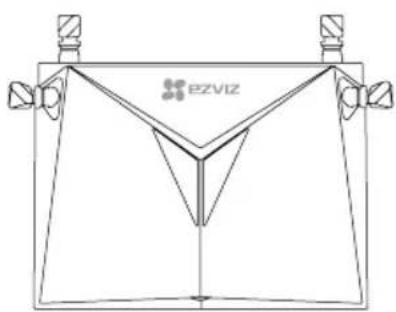
Router (x1)
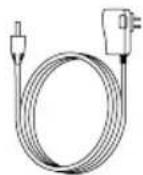
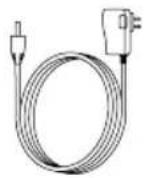
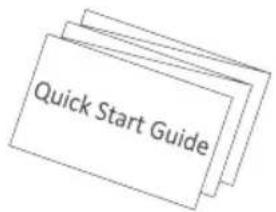
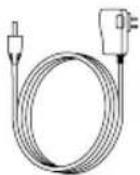
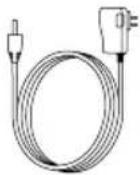
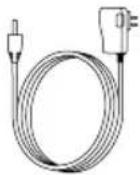
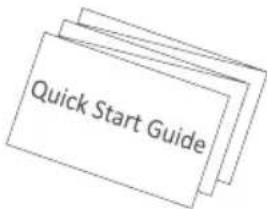
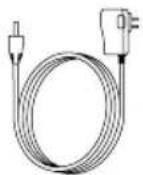
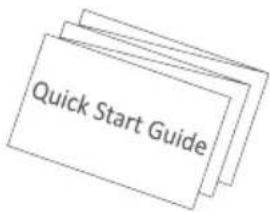
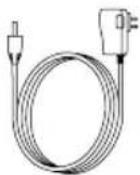
Power Adapter (x1) Quick Start Guide (x1)
i The contents are subject to actual products.
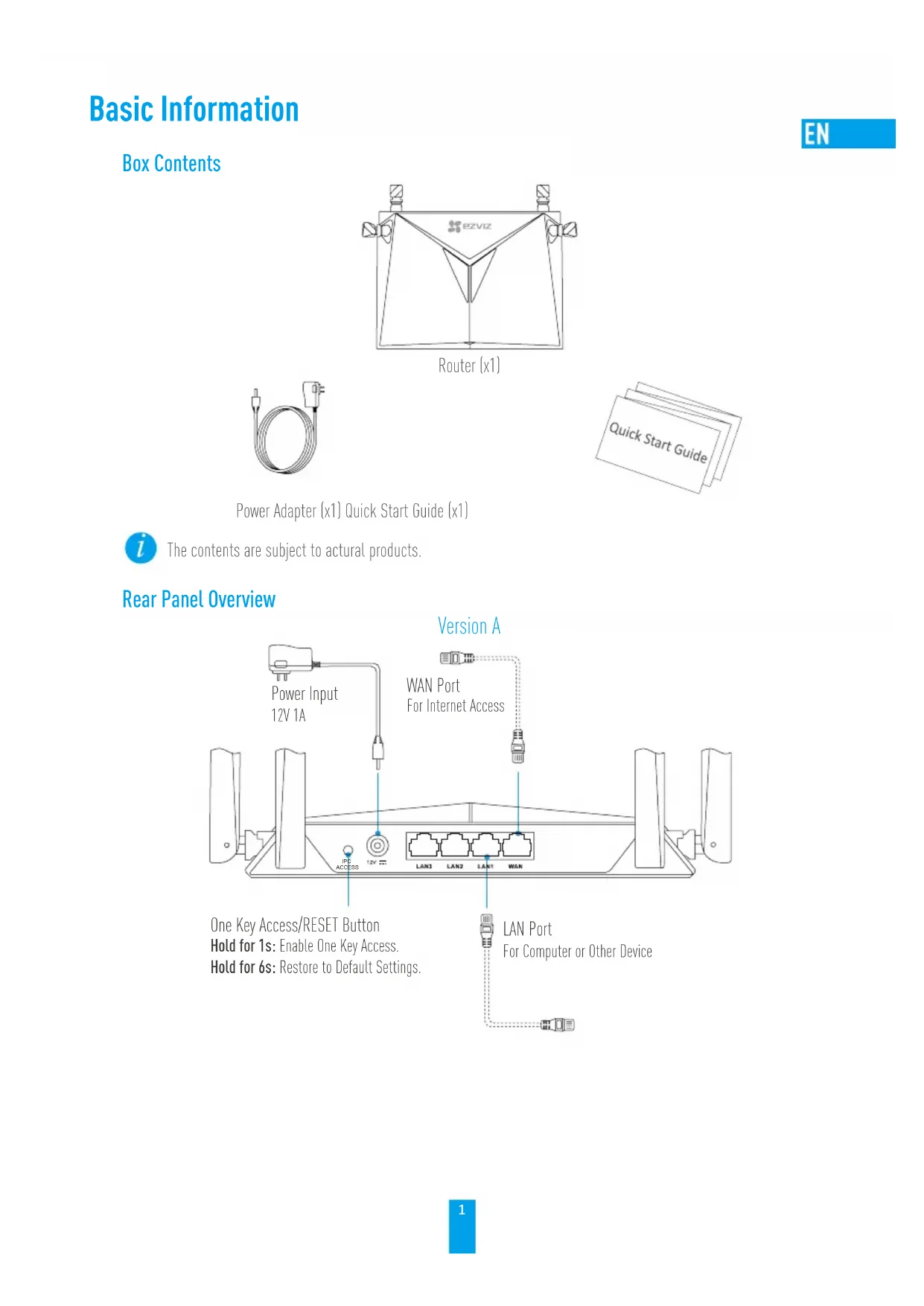
Rear Panel Overview
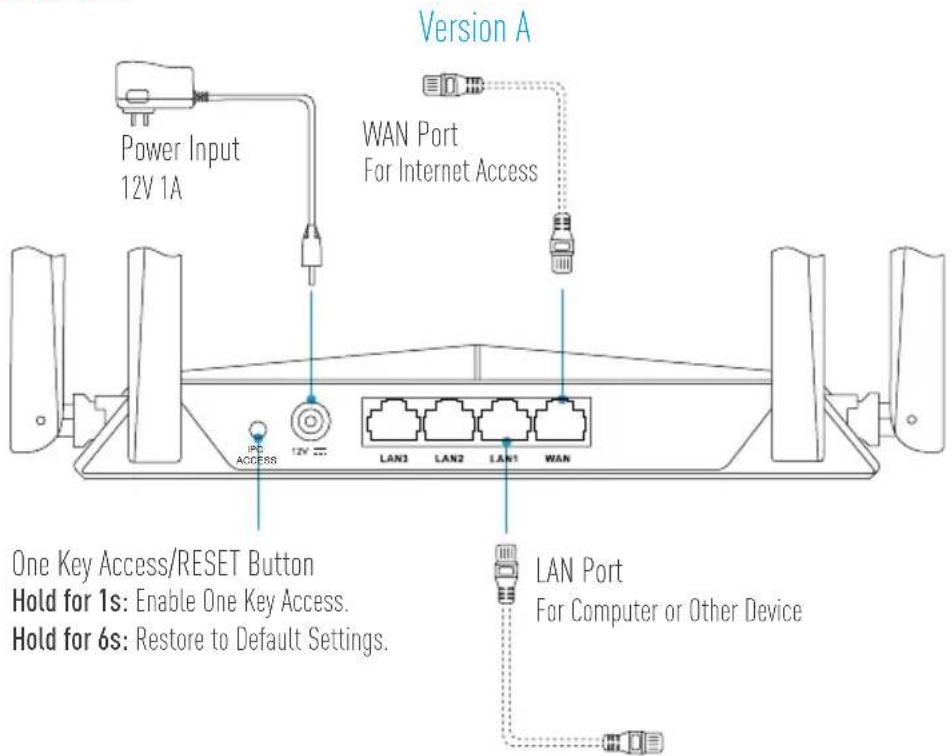
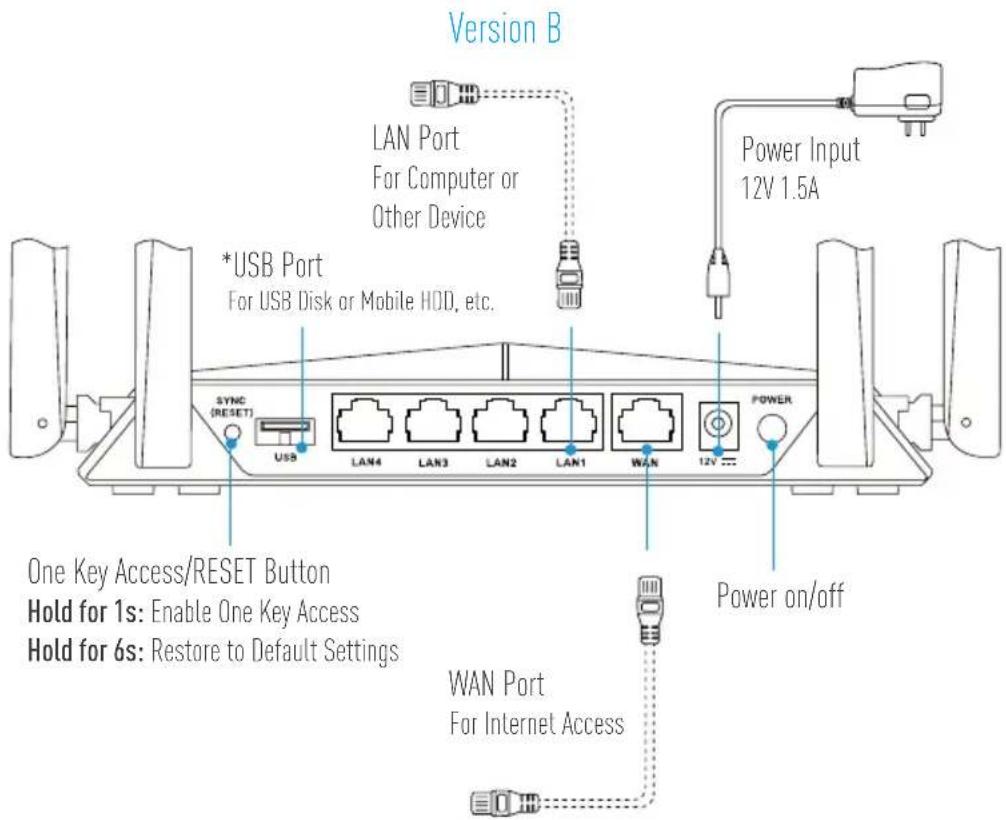

* Devices connected to the Wi-Fi from the router can share the files in the USB disk or mobile HDD that is inserted to the USB port of the router.
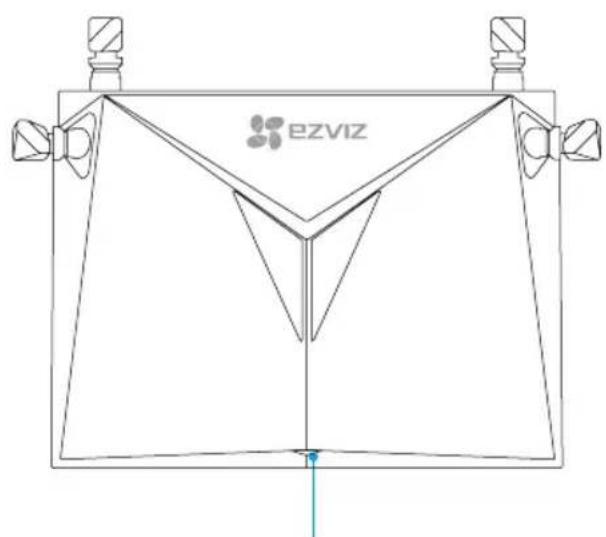
LED Indicator Status
Steady Green Working properly.
Steady Blue Internet disconnected..
Flashing Blue One Key Access is enabled.
Wiring
EN
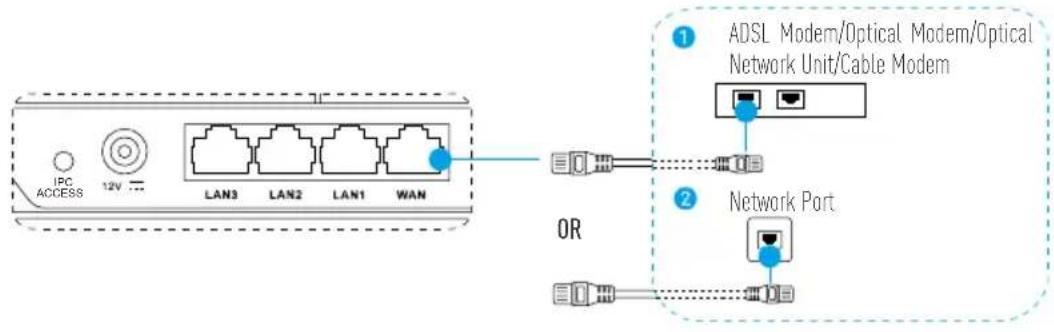
- Connect the WAN port to the Internet via network cable.
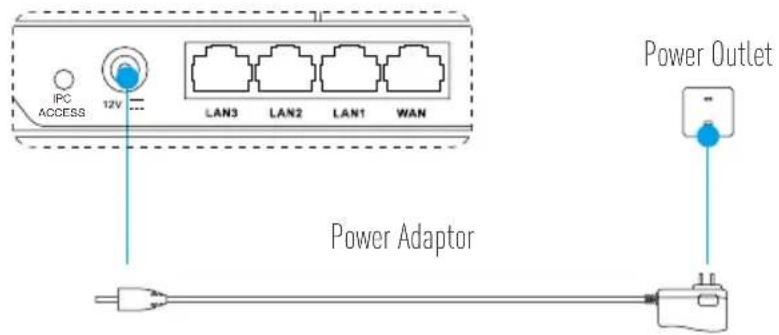
- Connect your router to power outlet via power adaptor and wait for 90 seconds.
Configuring
i You can configure the parameters through the computer or the mobile phone. We take the computer configuration as an example.
- Connet the LAN port and the computer via network cable. The computer will get the IP address of the router automatically.
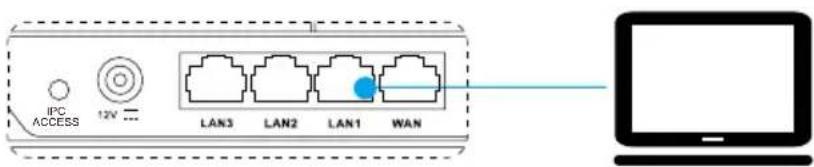
- Open the Internet browser (Internet Explorer 8.0 and above is recommended) and input 192.168.7.1 or wifi.ezvizlife.com. Press Enter to go to the configuring page.
- Set the parameters such as router password, Wi-Fi name and password, etc.
You can also connect your mobile phone to Wi-Fi from the router, open the browser in the mobile phone, and follow Step 4 and Step 5.
Wi-Fi Connecting
A. EZVIZ Wi-Fi Camera(s)
-
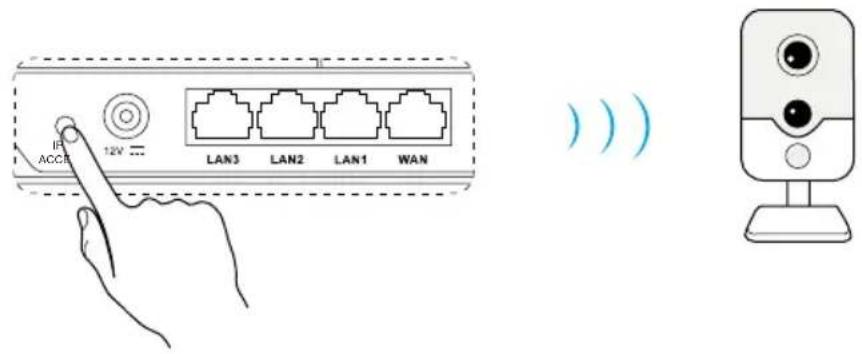
Power on the camera. Wait until camera status light blinks alternating Blue and Red or wait for 2 mins.
-
Press the IPC ACCESS/SYNC button for 1 second to start detecting your camera(s). Once connected, camera status light will start flashing blue. The router will exit One Key Access after 2 mins.
B. Other Wi-Fi Device
- Find the Wi-Fi from the router and connect it by entering the Wi-Fi password that you have set in Step 5.
Adding to EZVIZ Account
- For first time users, download the EZVIZ App in your Android phone or iPhone. Register an EZVIZ account. For existing users, open the EZVIZ App and log in.
- Add the camera by tapping the (+) sign in the HOME screen then scan the QR code on the camera or type in its serial number.
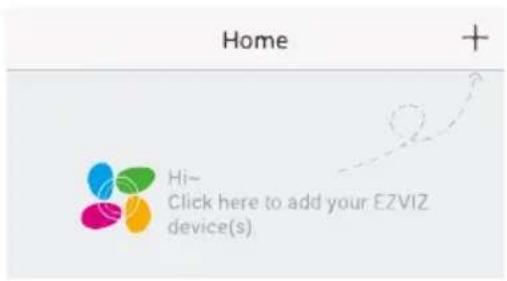
- Add the router by tapping the (+) sign in the HOME screen then scan the QR code on the router or type in its serial number.
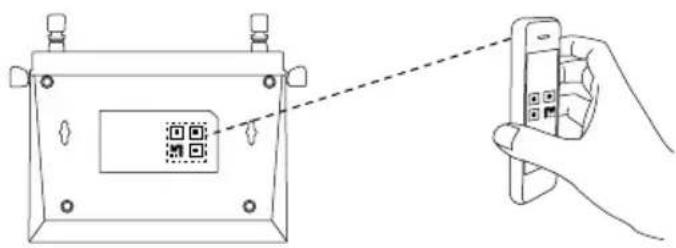
- Once added to the EZVIZ account, tap the router in the EZVIZ App Home screen to verify the camera(s) linked to it.
Appendix
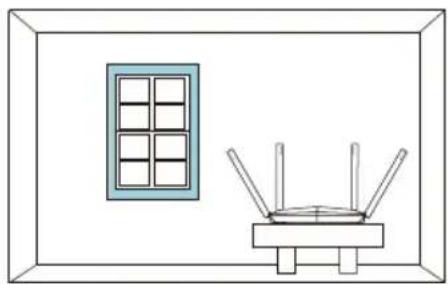
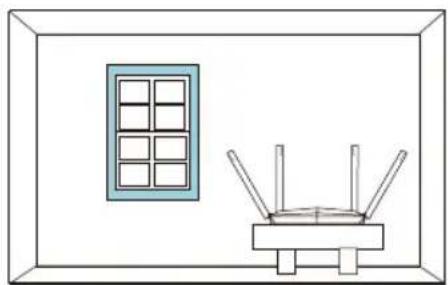
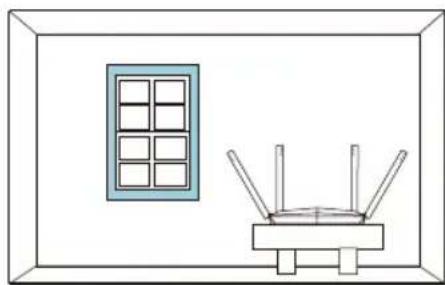
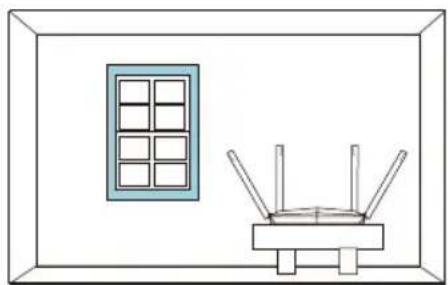
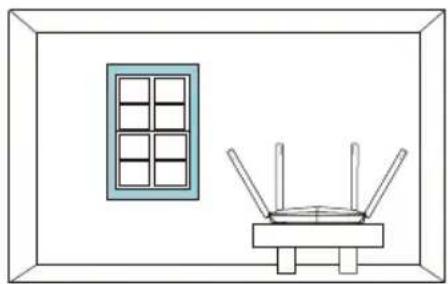
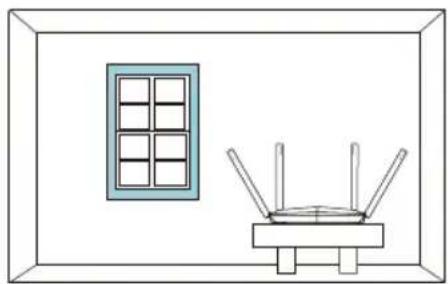
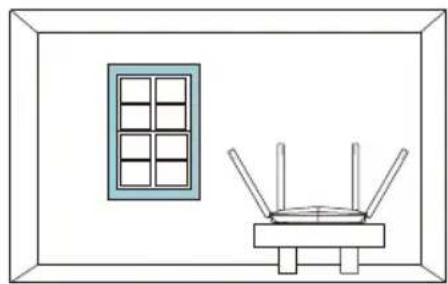
Recommended Router's Position
For the router's best performance, you can place the router as bellow.
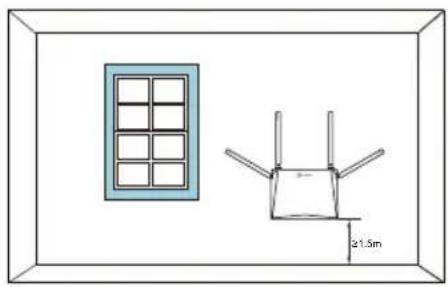
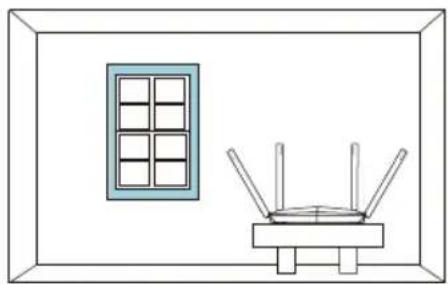

• The distance between each antenna should be larger than 6 cm.
- Keep the router away from household appliance as far as possible.
Wi-Fi Guard
Go to Settings > Advanced Settings > Wi-Fi Guard to enable it.
Enable Wi-Fi Guard to ensure your Wi-Fi security. Once enabled, you can only connect devices to Wi-Fi within 2 mins after pressing the IPC ACCESS/SYNC button.
One Key Access
• For EZVIZ cameras, refer to Step 6 and Step 7.
• For the devices supporting WPS function:
- Search the Wi-Fi, click or press the WPS button in the device interface or in the device body.
- Press IPC ACCESS/SYNC button in the router for 1 second to connect Wi-Fi.

1 enrutador
ES
ES


Router (x1)
IT

IT


Router (x1)
PL

Ρούτερ (x1)
GR


- Po pridaní do konta EZVIZ t'uknite na smerovač na domovskéj obrazovke aplikácie EZVIZ a overte si kameru (kamery) prepojené s kontom.
Dodatok
Ruter (x1)
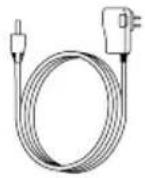
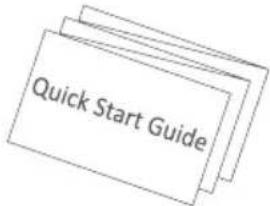
Alimentator (x1) Ghid rapid de pornire (x1)

Configurare

Útválasztó (1 db)
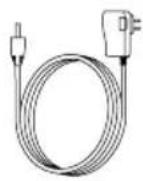
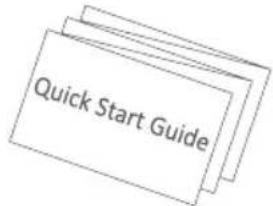

Router (x 1)

Ruter (x1)
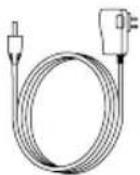
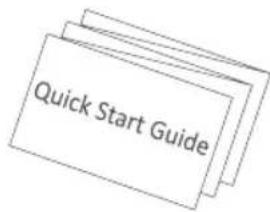
Strømadapter (x1) Hurtigstartveiledning (x1)
- Når du har lagt til på EZVIZ-kontoen, trykker du på ruteren på startskjermen i EZVIZ-appen for å bekrefte de tilknyttede kameraene.
Appendiks

Router (x1)
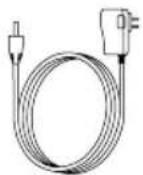
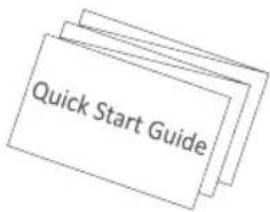
Strömadapter (x 1) Snabbstartsguide (x 1)

SW

Router (x 1)

FI

Thank you for purchasing EZVIZ products. This limited warranty gives you, the original purchaser of the EZVIZ product, specific legal rights. You may also have other legal rights that vary by state, province or jurisdiction. The disclaimers, exclusions, and limitations of liability under this limited warranty will not apply to the extent prohibited by applicable law. No distributor, reseller, agent, or employee is authorized to make any medication, extension, or addition to this limited warranty.
Your EZVIZ product is warranted for a period of two (2) years from the date of purchase against defects in materials and workmanship, or such longer period as may be required by law in the country or state where this product is sold, when used normally in accordance with user manual.
You can request warranty service by emailing us at support.eu@dezvizlife.com.
For any defective EZVIZ products under warranty, HANGZHOU HIKVISION DIGITAL TECHNOLOGY CO., LTD. ("the Company") will, at its option, (i) repair or replace your product free of charge; (ii) exchange your product with a functional equivalent product; (iii) or refund the original purchase price, provided you provide the original purchase receipt or copy, brief explanation of the defect, and return the product in its original packaging. At the sole discretion of the Company, repair or replacement may be made with a new or refurbished product or components. This warranty does not cover the postal cost, insurance and any other incidental charges incurred by you in returning the product.
Except where prohibited by applicable law, this is your sole and exclusive remedy for breach of this limited warranty. Any product that has either been repaired or replaced under this limited warranty will be covered by the terms of this limited warranty for the longer of ninety (90) days from the date of delivery or the remaining original warranty period.
This warranty does not apply and is void:
- If the warranty claim is made outside the warranty period or if the proof of purchase is not provided.
- For any consumable parts, such as batteries, where the malfunction is due to the normal aging of the product.
- Cosmetic damage, including but not limited to scratches, dents and broken plastic on ports.
- Any software, even if packaged or sold with EZVIZ hardware.
- For any other damages free from defects in material or workmanship.
- Routine cleaning, normal cosmetic and mechanical wear and tear.
- For any malfunction, defect or failure caused by or resulting from the evidence of impact, mishandling, tampering, use contrary to the applicable instruction manual, incorrect power line voltage, accident, loss, theft, fire, flood or other Acts of God, shipping damage or damage resulting from repairs performed by unauthorized personnel.
Please do not hesitate to contact your seller, or send e-mails to us support.eu@dezvizlife.com, with any questions.
COPYRIGHT ©2018 HANGZHOU HIKVISION DIGITAL TECHNOLOGY CO., LTD. ALL RIGHTS RESERVED.
BESCHRÄNKTE GARANTIE
ezviz

- EZVIZ™
- MULTI-BAND WIRELESS GIGABIT ROUTER
- ABOUT THE DOCUMENTS
- FCC INFORMATION
- EU CONFORMITY STATEMENT
- EC DECLARATION OF CONFORMITY
- BASIC INFORMATION
- WIRING
- CONFIGURING
- WI-FI CONNECTING
- EZVIZ WI-FI CAMERA(S)
- OTHER WI-FI DEVICE
- ADDING TO EZVIZ ACCOUNT
- APPENDIX
- RECOMMENDED ROUTER'S POSITION
- WI-FI GUARD
- ONE KEY ACCESS
- GR
- DODATOK
- CONFIGURARE
- APPENDIKS
- BESCHRÄNKTE GARANTIE
- EZVIZ
Brand : EZVIZ
Model : W3
Category : Router