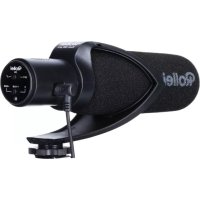
Hear:Me Pro 28701 - Microphone ROLLEI - Free user manual and instructions
Find the device manual for free Hear:Me Pro 28701 ROLLEI in PDF.



User questions about Hear:Me Pro 28701 ROLLEI
0 question about this device. Answer the ones you know or ask your own.
Ask a new question about this device
Download the instructions for your Microphone in PDF format for free! Find your manual Hear:Me Pro 28701 - ROLLEI and take your electronic device back in hand. On this page are published all the documents necessary for the use of your device. Hear:Me Pro 28701 by ROLLEI.
USER MANUAL Hear:Me Pro 28701 ROLLEI
Professional microphone with hypercardioid characteristic (shotgun)
ANLEITUNG | MANUAL
FOR ENGLISH | GERMAN | FRENCH | SPANISH | ITALIAN
PORTUGUESE | DUTCH
-28,5
-28,0
-31,0
-33,0
-35,0
-37,0
-39,0
dB rel. 1V / Pa
Entsorgung

Instruction Manual Hear:Me Pro
Thanks for purchasing a Rollei Microphone. This item is specially designed for professional DSLR cameras and camcorder to work for reviews, meetings, videos, etc. It comes with very sensitive directing and built-in electric circuit design, which takes you extra multi-functions like "Adjusted sensitivity", "Low-cut Filter" and more to make your audio output good-quality.
Notice:
- Please read the user manual carefully before using.
- The LED indicator light will keep on with green colour to indicate that it is working normally.
- Please avoid any dropping, collision or thump to prevent malfunctioning.
- Please do not put the device beside the heat or interference source, like radiator, roaster or air-condition, etc.
- Please keep this product in a dry environment.
- Do not expose this device in rain or moist environment.
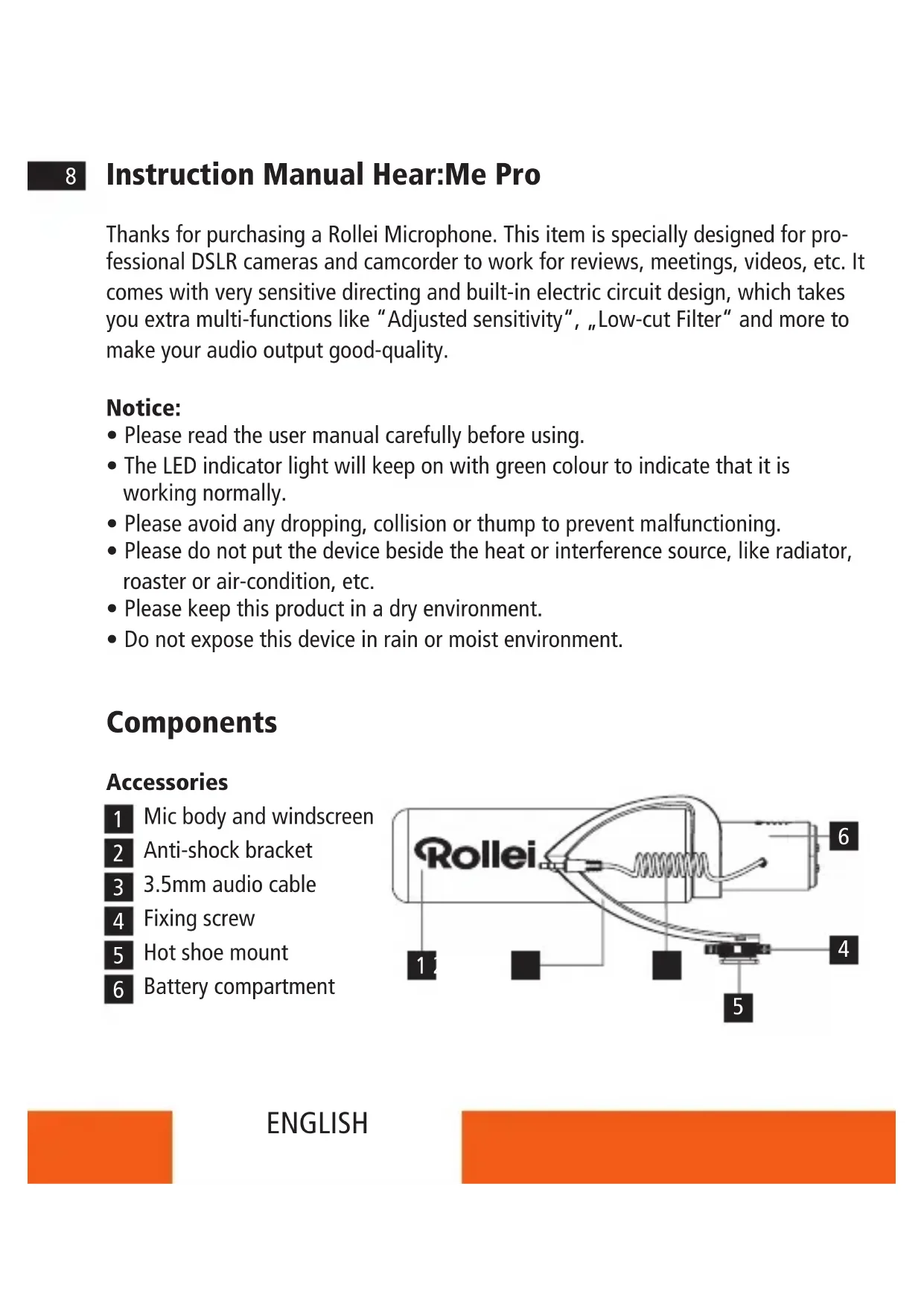
Components
Accessories
1 Mic body and windscreen
2 Anti-shock bracket
3 3.5mm audio cable
4 Fixing screw
Hot shoe mount
6 Battery compartment
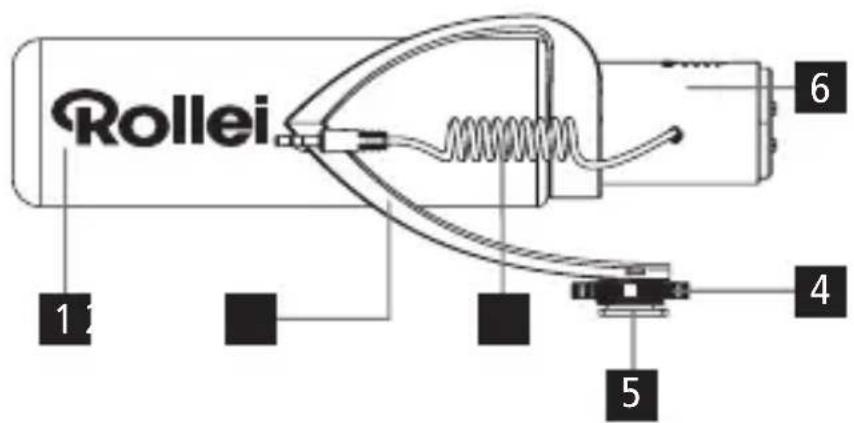
Components
Accessories
7 Low-cut filter button
8 Power / Sensitivity button
9 LED indicator light
10 Windshield
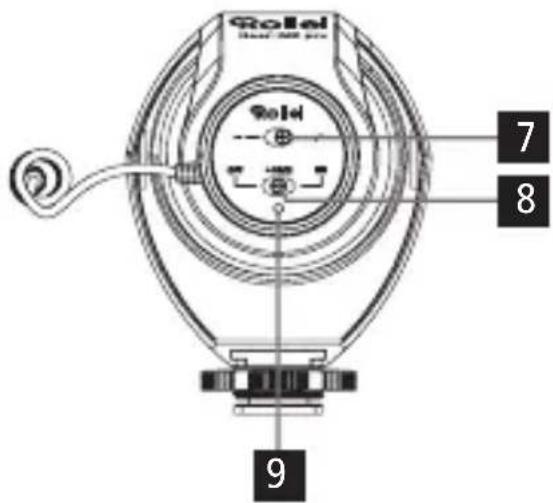
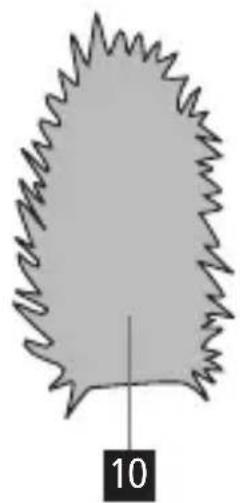
Function and Operation
1. Installation
1.1 Insert the batteries
Slide the battery compartment cover into the direction indicated with the arrow to open the battery compartment.
Insert the two batteries and close the cover again.
1.2 Install the windshield
1.2.1 Put the mic body into the windshield through the hole marked with "Insert Here".
1.2.2 Make sure that the windshield is well positioned and covering the whole body. Please note you should be able to use the control panel at the back of the mic.
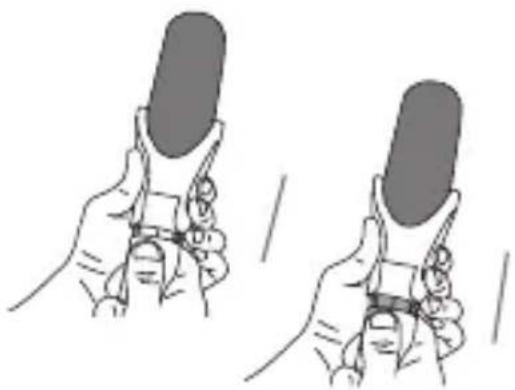
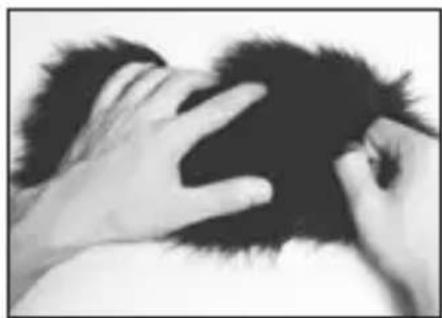
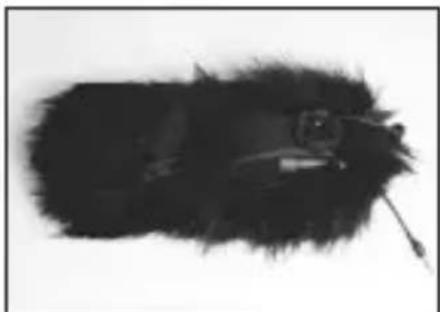
Function and Operation
1.3 Attach the microphone to a camera or camcorder.
1.3.1 Insert the microphone into the hot shoe of the camera. Tighten it by rotating the fixing screw.
1.3.2 Insert the 3.5mm audio cable into the microphone and the camera.
2. Operation
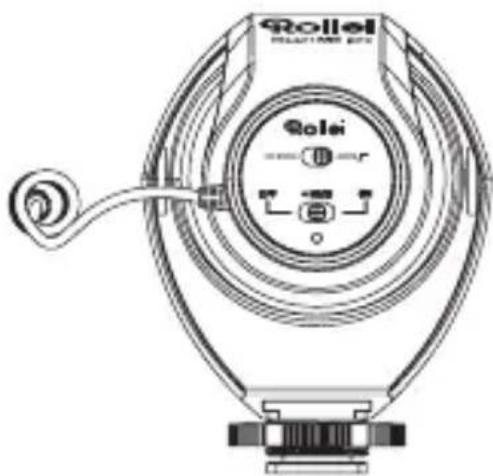
2.1 Low-cut filter function To use the low-cut filter put the switch to the right position.
Note: This function filters background frequencies lower than 80 Hz, such as unwanted noise produced by wind, focusing, traffic, etc. Furthermore please note that this function also can effect your recording. So we recommend only to use this function if it is needed.
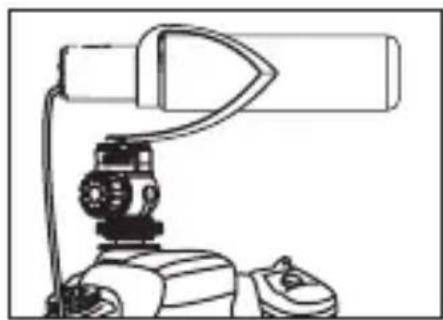
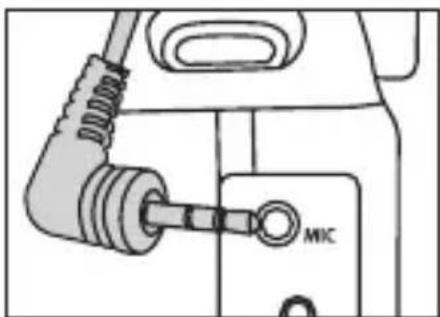
Function and Operation
2.2 Power / +10 dB Sensitivity Adjusting Function
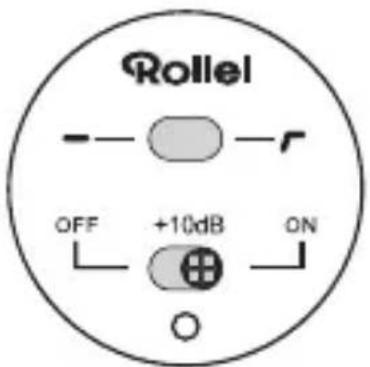
2.2.1
Put the switch to "on" and the microphone will be in the normal voice recording status.
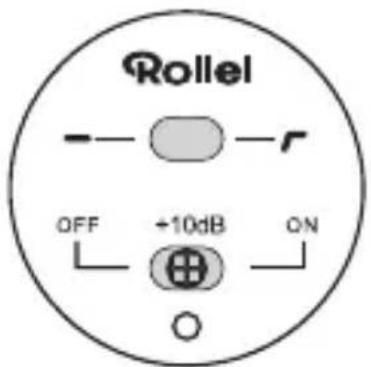
2.2.2
Put the switch to +10 dB and the sensitivity will be increased by 10 dB.
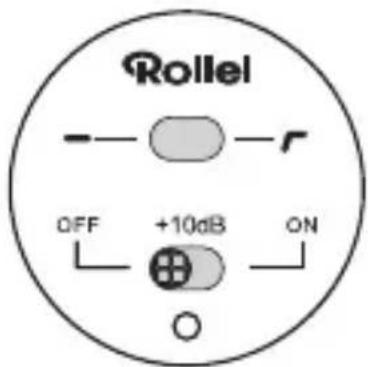
2.2.3
Put the switch to "off" and the microphone will be turned off.
LED indicator light
Normal working status: Green
- Low-power: Red (replace batteries soon)
Technical Data
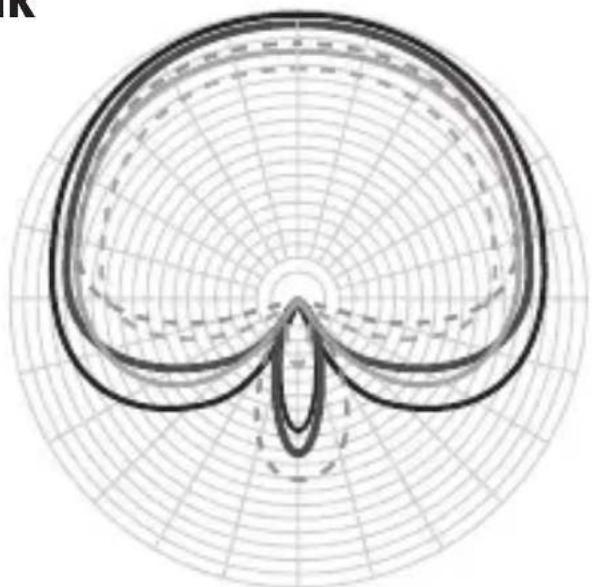
Polar Pattern Hypercardioid
Frequency Range 40 Hz ~ 20 kHz
Output Impedance 2.2 kΩ
Max. Sound Pressure Level (SPL) >100 dB
Sensitivity -34 dB ±3 dB
Speaking Direction End
Power Supply 2x AAA Batterien
Connection 3.5 mm TRRS
Weight 52g
Size 160 × 50.8 × 86 mm
Subject to technical changes.
Frequency Response
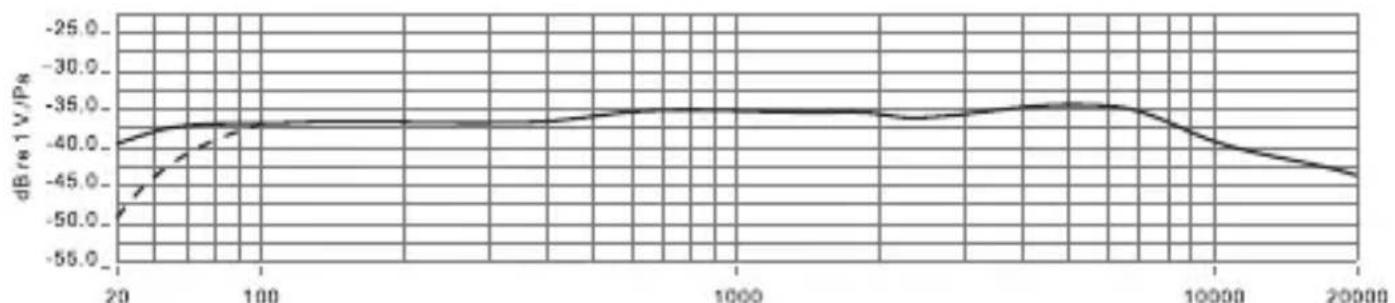
(Normal Sensitivity)
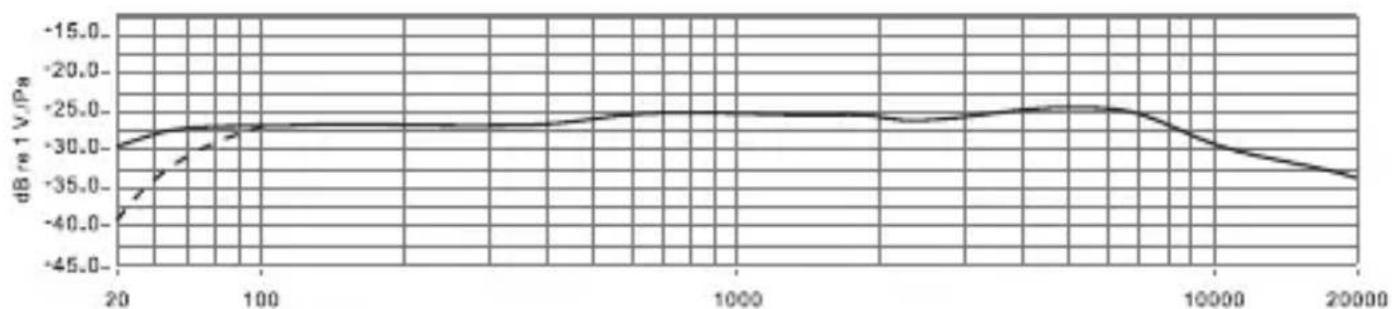
(+10 dB Sensitivity)
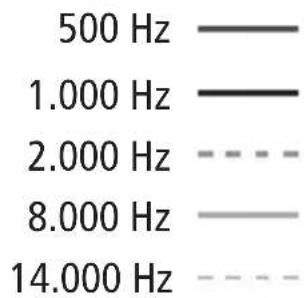
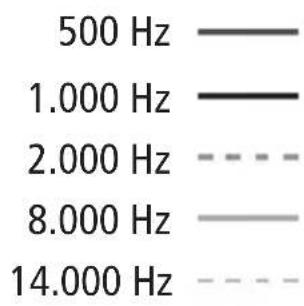
Polar Pattern
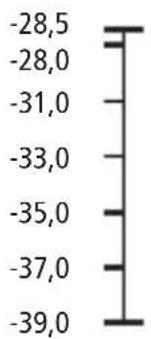
dB rel. 1V / Pa
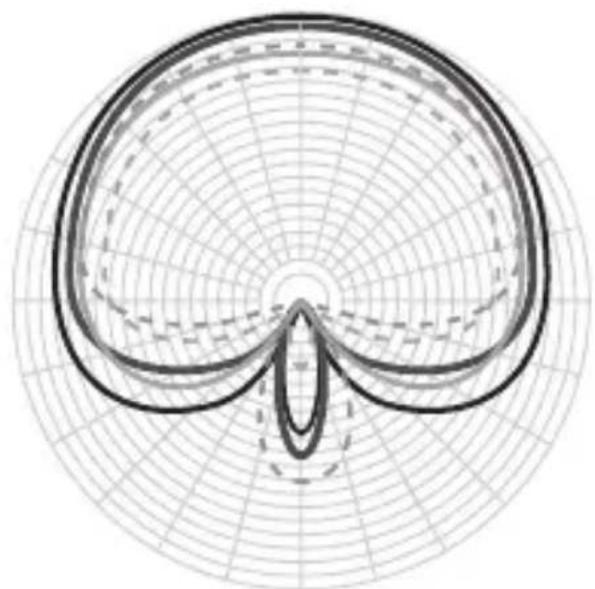
Disposal

Dispose of packaging: For disposal, separate packaging into different types.
Cardboard and board must be disposed of as paper and foil must be recycled.
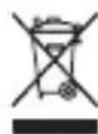
Disposal of old devices: Applicable in the European Union and other
European countries with systems for the separate collection of reusable materials. Do not dispose old devices into the household waste! If
the Rollei Hear:Me Pro is no longer used, every consumer is legally obligated to dispose them separately from the household waste, for example, at a collection site of his community / city district. This ensures that devices are properly recycled and negative effects on the environment are avoided. Therefore, electrical and electronic equipment needs to be marked with the shown symbol.
Conformity
The Rollei GmbH & Co. KG herewith declare, that the Rollei Hear:Me Pro complies
with the directive 2014/30/EU:
2011/65/EC RoHs Directive
2014/30/EU EMC Directive
The complete text of the EU Declaration of Conformity can be downloaded at the following Internet address: www.rollei.com/EGK/HearMePro

The complete text of the EU Declaration of Conformity can be downloaded at the following Internet address: www.rollei.com/EGK/HearMePro

Polar Pattern Hypercardioid
Frequentiebereik 40Hz 20kHz
Uitgangsimpedantie 2,2 k
Max. Geluidsdrukniveau (SPL) >100 dB
Gevoeligheid -34 dB ±3 dB
www.rollei.com/social