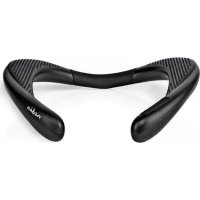
SPBT5000BK - Loudspeaker NEDIS - Free user manual and instructions
Find the device manual for free SPBT5000BK NEDIS in PDF.


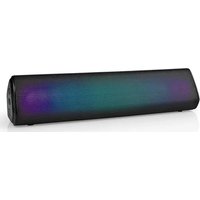
| Product type | Portable Bluetooth speaker |
| Brand | Nedis |
| Model | SPBT5000BK |
| Dimensions (L x W x H) | 255 x 250 x 70 mm |
| Weight | 175 g |
| Bluetooth version | V5.0 |
| Bluetooth range | 10 m |
| RMS audio power | 2 x 1.5 W |
| Peak audio power | 2 x 4.5 W |
| Frequency response | 110 Hz - 16 kHz |
| Built-in microphone | Yes, for hands-free calls |
| microSD card playback | Yes |
| Battery type | Lithium-ion (14500) |
| Battery capacity | 800 mAh |
| Charging time | Approximately 3 hours |
| Battery life (playback / talk time) | Up to 10 hours |
| Charging input power | 5 V / 1 A |
| Main functions | Bluetooth audio playback, microSD card, hands-free calls, volume control, previous/next tracks |
| Care and cleaning | Clean with a soft, dry cloth; do not immerse in water |
| Safety | Do not expose to heat, flames, or moisture; do not modify the product |
| Spare parts and repairability | Repair by qualified technician only; no spare parts provided |
| General information | Intended use: audio playback and hands-free phone conversations; declaration of conformity available at nedis.fr |
Frequently Asked Questions - SPBT5000BK NEDIS
User questions about SPBT5000BK NEDIS
0 question about this device. Answer the ones you know or ask your own.
Ask a new question about this device
Download the instructions for your Loudspeaker in PDF format for free! Find your manual SPBT5000BK - NEDIS and take your electronic device back in hand. On this page are published all the documents necessary for the use of your device. SPBT5000BK by NEDIS.
USER MANUAL SPBT5000BK NEDIS
Bluetooth® neck speaker
For supreme comfort and sound
SPBT5000BK
EN Quick start guide 4
DE Kurzanleitung 7
For more information see the extended manual online:ned.is/spbt5000bk
Intended use
This device is intended to play audio and to have handsfree phone conversations.
Any modification of the product may have consequences for safety, warranty and proper functioning.
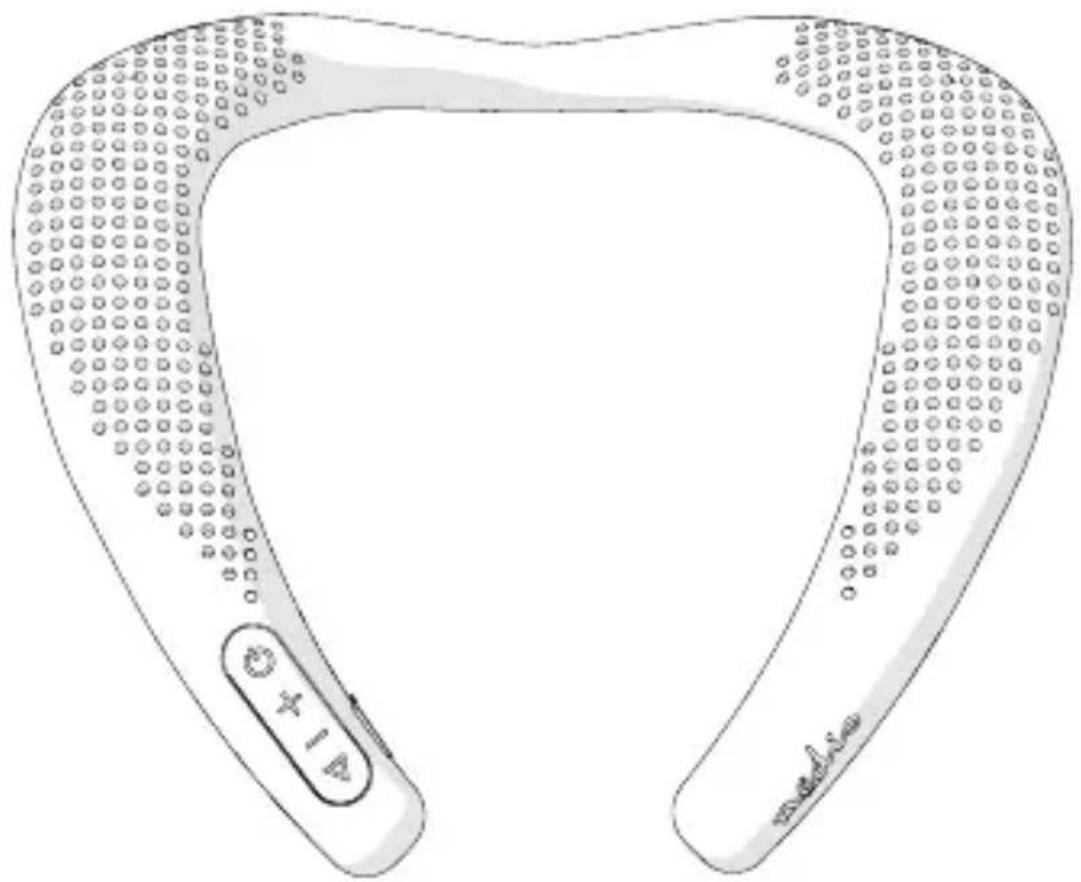
Parts list (Image A)
① Play / pause button
(5) Micro USB cable
Charging indicator LED
Volume- button
(6) Microphone
10 Micro USB port
(3)Volume+ button
⑦ Status indicator LED
11 MicroSD card slot
(4) Power button
8 Protective cap
Safety instructions
WARNING
- Only use the product as described in this manual.
- Do not use the product if a part is damaged or defective. Replace a damaged or defective device immediately.
- This product may only be serviced by a qualified technician for maintenance to reduce the risk of electric shock.
- Do not charge when the product is wet.
- Disconnect the product from the electrical outlet and other equipment if problems occur.
- Do not drop the product and avoid bumping.
- Do not expose the product to direct sunlight, naked flames or heat.
- Do not immerse the product in water.
Charging (Image A)
- Open the protective cap A 8 to expose the ports.
-
Plug the micro USB cable A ⑤ into the micro USB port of the product A⑩.
-
Plug the other end of the micro USB cable A ⑤ into a USB power adapter to charge the product.
The charging indicator LED A lights up red when charging.
The charging indicator LED A⑨ stops lighting up when charging is complete.
Pair with Bluetooth
- Press the power button A 4 to switch on the product.
- The status indicator LED A ⑦ lights up and the product emits a tone to indicate pairing mode is active.
- Activate Bluetooth on your audio source and connect with the product (SPBT5000).
Playing audio from microSD card
- Press the power button A 4 to switch on the product.
- Insert the microSD card into the microSD card slot A (11).
- The tracks from the microSD card start playing automatically. Use the buttons to control the audio.
Making phone calls
The built-in microphone enables you to make handsfree phonecalls.
When the speaker is connected to your phone via Bluetooth, phonecalls will be automatically redirected to the speaker.
- Press A ① to answer or finish a phone call.
- Hold A (1) to deny a phone call.
Button functions (Image A)
| A① | Play / pause button | Press to play or pause the music. Hold to disconnect the Bluetooth. Press to answer or finish a phone call. Hold to deny a phone call. |
| A② | Volume- button Press the button to decrease the volume. Press and hold to skip to the previous track. | |
| A③ | Volume+ button Press the button to increase the volume. Press and hold to skip to the next track. | |
| A④ | Power button Press and hold for 3 seconds to turn the product on or off. | |
Specifications
| Product Bluetooth® neck speaker | |
| Article number SPBT5000BK | |
| Dimensions (l x w x h) 255 x 250 x 70 mm | |
| Weight 175 g | |
| Microphone Built-in | |
| Channels Stereo | |
| RMS audio output 2 x 1.5 W | |
| Peak audio output 2 x 4.5 W | |
| Sensitivity 80 dB | |
| Bluetooth frequency range 2402 - 2480 MHz | |
| Bluetooth® version V5.0 | |
| Transmission distance 10 m | |
| Maximum transmission power 2 dBm | |
| Maximum antenna gain -0.58 dBi | |
| Battery type Lithium-ion (14500) | |
| Battery capacity | 800 mAh |
| Charging input power 5 V / 1 A | |
| Charging time | ±3 hours |
| Playback / talk time | Up to 10 hours |
| Driver unit | Ø 33 mm |
| Impedance | 4 Ω |
| Frequency response | 110 Hz - 16 KHz |
Declaration of Conformity
We, Nedis B.V. declare as manufacturer that the product SPBT5000BK from our brand Nedis, produced in China, has been tested according to all relevant CE standards and regulations and that all tests have been passed successfully. This includes, but is not limited to the RED 2014/53/EU regulation.
The complete Declaration of Conformity (and the safety datasheet if applicable) can be found and downloaded via webshop.nedis.com/SPBT5000BK#support For additional information regarding the compliance, contact the customer service:
Web: www.nedis.com
E-mail: service@nedis.com
Phone: +31 (0)73-5991055 (during office hours)
Nedis B.V., de Tweeling 28
5215 MC's-Hertogenbosch, the Netherlands
DE Kurzanleitung
Bluetooth®
SPBT5000BK
5215 MC's-Hertogenbosch, The Netherlands

5215 MC's-Hertogenbosch, the Netherlands


- Bluetooth® neck speaker
- For supreme comfort and sound
- Intended use
- Parts list (Image A)
- Safety instructions
- WARNING
- Charging (Image A)
- Pair with Bluetooth
- Playing audio from microSD card
- Making phone calls
- Button functions (Image A)
- Specifications
- Declaration of Conformity
- DE Kurzanleitung
- Bluetooth®
- SPBT5000BK
Brand : NEDIS
Model : SPBT5000BK
Category : Loudspeaker