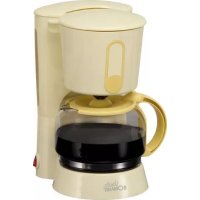
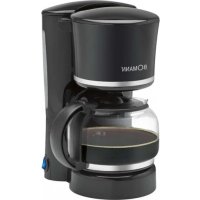
KA 1541 CB - Coffee machine BOMANN - Free user manual and instructions
Find the device manual for free KA 1541 CB BOMANN in PDF.



| Brand | Bomann |
| Model | KA 1541 CB |
| Category | Filter coffee maker |
| Power supply | 220-240 V ~ 50/60 Hz |
| Power consumption | 730-870 W |
| Water tank capacity | 1.25 liters |
| Coffee pot capacity | 1.25 liters |
| Net weight | 1.25 kg |
| Protection class | I |
| Anti-drip device | Yes, built-in |
| Hot plate | Yes, keeps warm |
| Indicator light | Yes, in the switch |
| Preparation time | Approximately 10 minutes |
| Filter type | Paper filter size 1x4 |
| Swivel filter | Yes, removable |
| Exterior cleaning | Damp cloth without additives |
| Washing coffee pot and filter holder | In soapy water |
| Recommended descaling | Citric acid-based product |
Frequently Asked Questions - KA 1541 CB BOMANN
User questions about KA 1541 CB BOMANN
0 question about this device. Answer the ones you know or ask your own.
Ask a new question about this device
Download the instructions for your Coffee machine in PDF format for free! Find your manual KA 1541 CB - BOMANN and take your electronic device back in hand. On this page are published all the documents necessary for the use of your device. KA 1541 CB by BOMANN.
USER MANUAL KA 1541 CB BOMANN
D-47906 Kempen/Germany
General Safety Instructions
Read the operating instructions carefully before putting the appliance into operation and keep the instructions including the warranty, the receipt and, if possible, the box with the internal packing. If you give this device to other people, please also pass on the operating instructions.
- The appliance is designed exclusively for private use and for the envisaged purpose. This appliance is not fit for commercial use. Do not use it outdoors. Keep it away from sources of heat, direct sunlight, humidity (never dip it into any liquid) and sharp edges. Do not use the appliance with wet hands. If the appliance is humid or wet, unplug it immediately.
- When cleaning or putting it away, switch off the appliance and always pull out the plug from the socket (pull the plug itself, not the lead) if the appliance is not being used and remove the attached accessories.
- Do not operate the machine without supervision. If you leave the room you should always turn the device off. Remove the plug from the socket.
- The device and the mains lead have to be checked regularly for signs of damage. If damage is found the device must not be used.
- Do not try to repair the appliance on your own. Always contact an authorized technician. To avoid the exposure to danger, always have a faulty cable be replaced only by the manufacturer, by our customer service or by a qualified person and with a cable of the same type.
- Use only original spare parts.
- Pay careful attention to the following "Special Safety Instructions".
Children and Frail Individuals
- In order to ensure your children's safety, please keep all packaging (plastic bags, boxes, polystyrene etc.) out of their reach.
WARNING!
Caution! Do not allow small children to play with the foil as there is a danger of suffocation!
- This device is not intended to be used by individuals (including children) who have restricted physical, sensory or mental abilities and/or insufficient knowledge and/or experience, unless they are supervised by an individual who is responsible for their safety or have received instructions on how to use the device.
Children should be supervised at all times in order to ensure that they do not play with the device.
Symbols in these Instructions for Use
Important information for your safety is specially marked. It is essential to comply with these instructions in order to avoid accidents and prevent damage to the machine:
WARNING:
This warns you of dangers to your health and indicates possible injury risks.
CAUTION:
This refers to possible hazards to the machine or other objects.
NOTE: This highlights tips and information.
Special Safety Instructions for this Device
- Place the coffee machine on a firm and flat surface. Position it so that it cannot tip over.
- Do not place the device directly next to a gas or electric cooker or any other source of heat.
- The water tank must only be filled with cold water!
WARNING:
Do not open the swivel filter during the boiling process as this may lead to burns.
I NOTE:
During operation steam is emitted from above the filter holder! This may cause condensation to form on the upper cover of the device. This is normal and does not impair the functioning of the device!
- Do not move the device while it is in operation.
WARNING:
The hot plate and the coffee pot become very hot. Danger of scalding!
-
After familiarisation and if the operating instructions are complied with, the device may be used
-
in kitchens for employees in shops, offices and other commercial fields
- by customers in hotels, motels and other residential facilities.
It is not intended for use in agricultural properties or bed-and-breakfast establishments.
Initial Operation of the Device
- Remove all packaging and transportation safety devices from the device that may be present.
- Rub all of the parts with a damp cloth. This will remove any dust that may have accumulated during transport.
- Reinsert all of the parts in the reverse order.
I NOTE:
Before making coffee for the first time, allow water to pass through the device two to three times in order to clean it.
Electrical Connection
i NOTE:
Please ensure that the device is switched off. The switch must be on,0".
Insert the mains plug into a properly installed 230V 50Hz socket with earthing contact. For information please see the type plate on the device.
Operation
- Fold open the water tank lid.
- Fill cold water into the rear water container in accordance with the desired number of cups. You can read off the water level on the scale.
NOTE: You can use the pot to fill the water tank.

CAUTION:
Do not overfill the tank! Do not fill it above the MAX mark.
- Now close the lid of the water tank.
- Swing the filter the left.
- Turn over the lower fold of the paper filter (size 1x4) and place it in the filter funnel. Please ensure that the filter bag is longer than the filter funnel. Then fill it with coffee powder.
- Lock in the filter until it snaps into place.
- Place the pot on the trade.

CAUTION: ANTI-DRIP SYSTEM
Do not remove the lid of the pot. This activates the so-called anti-drip system.
- Your device has an anti-drip system. If the pot is removed before all of the water has passed through the filter, this prevents the coffee from dripping on to the base.
-
If there is still water in the tank, place the pot underneath as soon as possible. Otherwise the filter might overflow.
-
Turn the device on.
i NOTE:
- The control lamp in the switch lights up.
-
The brewing process lasts approximately 10 minutes.
-
When no more coffee is flowing through the filter you can remove the pot.
- Turn the device off. The control lamp goes out.
- If you would like to keep the rest of the coffee warm, the switch must remain in the "1" position. The hotplate will keep the coffee warm until you move the switch to "0".
NOTE:
The filter holder can be removed from the machine by its handle. This makes it easier to dispose of the old coffee filter, for example

WARNING:
If you would like to make another pot of coffee immediately, please turn the machine off. Allow it to cool down with the water tank open in order to prevent hot water splashing out when the machine is refilled.
Dscaling
It is necessary to descale the coffee machine if the preparation time becomes considerably longer.
Only a commercially available decalcifier on a citric acid base should be used for descaling.
- Please use the quantities stated on the pack or instruction leaflet.
After descending, please boil fresh water without coffee in the machine several times (approx. 3-4 times).
- This will remove any residues from the descaling process.
- Do not use this water for consumption.
Cleaning

WARNING:
- Before cleaning, always remove the mains plug and wait until the device has cooled down.
- Do not immerse the device in water. Otherwise this might result in an electric shock or fire.

CAUTION:
- Do not use a wire brush or any abrasive items.
- Do not use any acidic or abrasive detergents.
- The exterior of the device should be cleaned as necessary with a slightly damp cloth - without any additives.
- The coffee pot and the filter pad should be cleaned by rinsing in warm water. Use a soft brush if necessary.
Technical Data
Model: KA 1541 CB
Power supply: 220-240 V ~ 50/60 Hz
Power consumption: 730-870 W
Filling quantity: 1,25 Litre
Protection class:
Net weight: 1,25 kg
This device has been tested according to all relevant current CE guidelines, such as electromagnetic compatibility and low voltage directives, and has been constructed in accordance with the latest safety regulations.
Subject to technical changes without prior notice!
Meaning of the "Dustbin" Symbol
Protect our environment: do not dispose of electrical equipment in the domestic waste.
Please return any electrical equipment that you will no longer use to the collection points provided for their disposal.
This helps avoid the potential effects of incorrect disposal on the environment and human health.
This will contribute to the recycling and other forms of reutilisation of electrical and electronic equipment.
Information concerning where the equipment can be disposed of can be obtained from your local authority.
- He pyxaiTe npina, KOIN BIn BuroTOBnE Kaby.

3ACTEPEXEHH:
MetaneBa nidaTbKa dIa TepMoc y TepMoc Dyke CnibHO HarpiaoTbcra. He63neka onikB!
Iicna IHCTpykTaKy i 3a DotpMaHnBm BmOr IHCTpyKu3 eknnyataui npnau MOKHb BNOPNCOTByBatN
y KxHnX Dn CnBpO6tHnKb y Mara3nHax, Oficax Ta iHux npMmUeHHx npomncOBoro npn3Haehn
KJIeHTaMn y roTeJAX, MOTeJAX Ta iHux XHTIOBHX pIMiUeHHAX.
He Do3B0JAEbC BnKOpHCTaH npuHa y 3aKaJaax CInb-CbKOrO rOcNoapCTBa a6o B neHciohAx dIra BnroTOBneHHa CHiDaHky.
BvI npnay B eKcnnyataciio
- Rkio BCEpeDHHI npHnAyn 3hXoABybCnpeDMeTH, 006yHn Heo6xDiH nlaYnaKOBKn Ta TpaHCnOpTyBaHH, cnid BnDaHTNix.
YciactHHn npnaNy cnd npoteTbONIOIO TKAHNHOIO, 106BnAINTHMOKINBIINBII BID TaHcNoptyBaHH.
36epitb npnna, ctabnruh Bci DeTani B haneXHOMy nopAky.
BKA3IBKA:
Ipeed TMM knpirotybata npuy npuio Kabn, cnid npo-nyCTTN upe3 kaOBaRky Dbiy nTpui nuCTy BDOy, 06 3a6e3neHTN uCTOTy npnaNy.
Enektpuhe niknoueHHA
BKA3IBKA:
3BepHb yBary Ha Te, 0o6 npnaad 6yB BmKHyTM. NpepeMkau Mae cTOrn Ha no3Haui "0".
Bnky npnaNy cnd BCTaBnT B eJeKtpny po3eTKy, 10 HaneKHM YHOM yCtKaBOHa 3axNCHM KOHTAKOM i Mae Hanpyry 230 B, 50 T. NpTiOHy IHOpMaio Bn 3haJdTe Ha Ta6nUcI 3TexHInHM DaHmN npnaNy.
Ekcnnyataqir
Bikpnite Kpnuky EMHOCTI Dn BOH.
Y BiINOBIHOCTI DO 6aKaHOI KINbKOCTI aWooK 3aJIInTe XOIOHy BOy B 3aHIO EMHICTb DnR BOiN. PBeHb BOiN BnHO Ha Wkani.
BKA3IBKA:
Длгзалбнгс EMHOCTI BOJO Bn MoKTe BHKOPNCTaTN TepMoc.
yBATA:
He cnid nepenOBHOBaTn EMHicb! PibeHb BOu He Mae nepeBnuBaTa n03haKy MAX.
3akpiTe KpnuKy EMHOCTI DnBODN.
-ПовертаеpinьтВиibo.
- PpeT TmK NOKIaCTn FInbTp (pO3Mp 1x4) y BiDIOJOK, neperrHITb HOrO HnKHiN KpaN. 3BepTaIte yBaY Ha Te, IO6 60Kn FInbTpY He BNXoINH 3a MexKi BEPxHBoro KpaO BiDdIKy KaOBaRKn. 3anOBHTb FInbTp npOuKOM KaBN.
3aKnIe BiDinok DnF pTy uHNO, nKn He noyec Te KnaaHH.
- NocTaBTe TepMoc Ha NiDcTbky B npnla.
YB4A:3ANOBIFAHHKPAIINRM
He BnAaIte KpnUky 3 KOpeHnka. KpnUka npNBOITb B dIO npNCpiJ nJ4 3ano6irAHnKpannm.
Bau npnad Mae cneuiabhe npnaa dnn 3anobirn Hkpann m i3 jtpy. Raio Bn Bnmae EMHICTb 3 KaBOO DO TORO, RK BCA BOa npoJe uepe3 fIbTp, cneuiabHni 3atncacku BiBepHe MOKnBiCTb nonadaHH KABn Ha MeTaneBe Dnue.
A KIO B E MHOCTI KOPNcy ue E BOa, TepMOC cnID CTABNTI 3HOB HA NIcTbKy. IHaKUe KaBa MoKe NpePHTNCI 3 fiNbtpy.
BMMKHTb KaOBaBPky.
BKA3IBKA:
KoHTpOlbHa lamnoUka B nepeMnKaui 3acBtHbca.
Onerpaia npirotoyBaHH KaBn npoobkyetbcn npi6n3HO 10xbnnH.
KoJIbBcRA Kaba npoTeKnla uepe3 fInbTp, MoKHa BnHrTn TepMoc i3 KaBOIO i npKpyTNk PKNKy TaKIM YHOM.
BbMkhHtbpnna. KoHTpoJIbHa IaMNoUka B npeMnKaIi norache.
A KIO Bu xOHTe yTpIMyBaTH 3aIIuKk KaBy rapaHIMn, TO nepemHKau MaC cTOrn B noIooKeHHi I".PiCTabKa 3aIINITbcra rapauo i nirpiBaTmE DHO tepMocy, nOK Bu He BnKIOHITb nepemHKau Ha ,0'.
BKA3IBKA:
Tpmaq fioIbtpa moKha BnHnTn 3 aBtOMaTa 3a pyky. Lc nnonerwhe Hanpknad BnDaneHHF iNbtpy dna KaBN.
3ACTEPEKEHHA:
Aku Bo xoyote Opa3y J 3Bapn Dpytn Tepmoc KaBn, BkHouitb KabOBaBPKy. BiKpnIte KpNlky EMHOCTi Dna BODi daTe KabOBaPup oxoNoHTn, Uo6 yHnKHyTn rapRnX 6pN3OK npn HauBaHHI BOnB E MHiCTb.
BndaJIeHnBaNNHrHOHaIbOTo
EMHOCTI KABOBAPKNCiD OUYBATN BiD BANHHO HbO TY, AKUO YAC NPiROTyBAHH KABN 3HaHNO 36iJbUNBCR.
-ПрocимВасacTOcOByBaTnДЯВиДALEHнВанHOro HalbOTy TINbKN Pn3HauChEiДЯцBOrO 3ac06nHa NiIcTabi IIMOHHOI KNCJIoTH,якпpoDAIOTBcR B Mara3HHax.
BmMOKeTe Do3yBaTH npOnopuK KaBN BOIN 3aJEnKHO BID IHcTpyKui Ha ynaKoBu a60 iHOpMauiHOMy apkyi.
-Пиелвдаленьанного halboTy cnД дддклбka pa3iB (3-4 p3n) nponyctHTH uepe3 KaBObApky ChCTy Body 6e3 KaBN.
Takim3acobomBnBndaJIte3aIIuKn3acO6yIINBnDaJIeHHBaHrHOHaBoTy.
LBAOaHe npn3naeHaIa nTTT.
OuichiHn npHaNy
3ACTEPEKEHHA:
- PeneD OuyuHcHnmpnAaNy cnId oOb'3KOBO BNTTN BNIky i3 po3ETKn i DaTn KaOBaPci OCTHytnis.
3a60pOHaTbCOnyckatn npuiaB Body. Lc moKe npn3BeCTn do eNeKTpuHoro ydapy a6o nokeki.
yBABA:
3a6b0pHReTbCBAKOpNCTAHHHDNQHHeHHDpoTHHX 10tOK a6o IHnXnA6pa3HNx MATEpiAB.
3a60pOHaTeBcBa BnKOpHCTaHHI iKNx a6o a6pa3NBHX MNHOuNX 3ac06iB.
3OBHIuHIO CTOpOHy npnnaCy cnId OunuaTn 3a notpe6oIO BOIoroTO TKAHHN -6e3 DoaTKOBnx 3ac06iB.
TePmoc i BiDINOK DnIg PInbTpiB CnI dOuNHyBaTu K3BnuaH Hnn NocyD MNoUHMN 3acO6aMn. Ipn Heo6XiHOCti MOxHa BHKOpNCTOByBaTN M'ky UItKy.
Texhihi napametpn
MoeIb: KA 1541 CB
ПоданьжИВлени.. 220-240 B~50/60 T
CnoKnBaHH noTyKHOCTi: 730-870 B
EMHichi dahi: 1,25 nirpiB
Irgyna eneKtpo63neuHocTi: I
Bara HeTTo: 1,25 K
Ley npnla6 byno nepebipeho 3riHNO Bcix BiNObiHNx, AKtyaIbHnx DnpekTNB CE, HnpanKnaI duo do eneKtpomarHHTHO CymiOCTi Ta Hn3bKOBoIbTHoi DnpekTNBn, Ta 36ydoBaHO 3 a HOBITHM NIOJooKeHHMn TexHki6e3neKn.
3aIIIaECMO 3a CO6oHO npaBO HaTexHiHi 3MiHN!
06uhe yka3aHnno texHHke 6e3onacHOCTn
Ipeed hauanom 3KcNpyataun npn6opa BHNMaTeBnHO npo- nHTaTe npnlaeraMyIO HnCTpykUHO NO 3KcNpyatauHn COxpaHnTE ee B HadeXHOM MeCTe, BMeCTe C rapaHTnHbIM TaHOHOM, KACCOBbIM YekOM N, PO B3MOxHOCTH, KAPTOHNO Kopo6KOc C yNAKOBOyHbIM MaepnAion. Ecn Daete KOMy-NnoONb- 3OBaTbCn npn6Opom, O8ra3aTeNbHO daIte BnPnDauy daHHyo IHCTpykUHO NO 3KcNpyataun.
Пользунтесь пиборм толькхачтныm образим И NOHAЧЕНИNO. Пибор не рпеднаЗЧЕН ДЯ KOMМерческоИСпOLьзOBАн. He nOLьзУТecь пибор mОД OTKрБТВIM He6OM. ПпEDохpaHЯITE пибор OTжары, пямьх сОнHeNbIX JUYE, ВлжноTN (HN B KOe MсУчae He nOprpyKaIte erO B BodY)И удамов о6octpbIe yrbl. He npKacaiTeCB K pni6bopy BlaЖнblm pykam. EcIn pNi6bop yBlaЖнlncn HnHAMOK, TtJ Ke BeHbTe BUNKy I3 PO3eTKn.
- Pocne 3KcNpyataun, MOHTaKe npHaadNeKHOCTe, UcCTKe HIN NOLOMKe np6Opa BcERda BbHIMaTe BnKy n3 po3ETKN (THNTE 3a BNky, a He 3a Ka6eJb).
He octabIaIte BkIIOeHbIe 3JIeKTPponpboBb63 npICMOTpa.BbIXoA I3 NOMEUeHnBcerDa BbIKIOuayTe np6Op.BbIHbTe WTeKepe n3 po3eTKN.
- Pn6bOp n Ka6eBcTeBOro NtTaHnHeo6xOAnMo peyI npHO o6CneIOBaTb Ha hAInuHc CJeOB NOpeKdEHH. PnO6hApUKeHHN IOpeKdEHHaONb30BaTbca Pnp6OpM 3anpeuHETcR.
HnB Koem cnyae He pemontpyuTe npb6op camoctoTelbHO, a ObpaauTeCB B TAKOM cnyae 3a NOMOuK CneuHaNCTy, HMeIOUeMy COOTBeTcByIOuN Donyck. H3 coo6paKeHn 6e30NaChOCTn, ZameHa CeTeBOrO Whypa Ha paBHO3HaHbI dOnyCKaETC TOJIbKO Yepe3 3aBOJn3rTOBHTeB, HaUy cepBNCHy MoCTepCkyU HIn COOTBeTcBYUcero KBaIIHfNUPOBAHORO CneuaHnCTa.
Испόньзуг TeToIbkoОриMuHnHaJIbHbIe 3aIuaCTM.
- PtoKanyIcTa, co6JIIOJaIte HnHexCneIyIoUe, CneuaIbHbIe yKa3aHnI NO TEXHKe 6e3OnaNCHOCTn.
TeTHNIIucaHyKdaHOUneCBApncMOtpe
- 13 coobpaKeHH 6e3oNaChOCTn DnA DeTeH He octaBnIte neKaTb ynaKOBky (PiactNKOBbie MeWK, KapTOH, neHO-nlaCT n T.d.) 6e3 npncmToPa.

PENEYIPPEKHEHNEI
He no3B0JIte TeTAM HrpaTb c noHnAeTHneHOBoI nJehKO. OnachocTb ydyuBa!
3TOT npn6op He npedha3hueH nI IONb3OBAHN IINaMn (BKNIOyAeTeN) C ORPAHNEHHbIMN FNI3HcECKMN, CEHCOPHbIMN INI yMCTBEHHbIMN CNOOC6HOCTAMN INI IINaAMn, HE NMEIOUHM ONbITaN/INI HEOxODMIX 3HaHNI. NCKIOHcEHNE COCTABJHOT CNUYAN, KORDa OHN HAXoJTC NOI pni-CMOTpOM IINa, OTBETCTBEHORO 3a IN6 Be30NACHOCTb, INI KOrda OT 3TOrO IINa NOJyHeblY kKa3aHNR NO IONb3OBAHINO np6Opom.
Heo6xOIMO npncMatpmba3a DetbM, yTo6bl y6eHtbcB B TOM, UTO OH He IrgpaOT C np6Opom.
CnMBOJIbI npHMeHReMbIe B DaHHOM pyKOBoIDCTBe NOnb3oBaTeJIa
BaKhIe peKOMeHdaaun dnn OBecepeHnBaWae 6e3oNaCHOCTN 063NaHeHb IIO OCo6EHHomy.Ob3aTeJIbHO CNe dyuTte 3TNM peKOMeHdaaunm, YTObI pneOTBpaTb HecuaTbI cnuaHn nnnoNOMky n3dEHN:

TIPENIPIEKDEHNE:
IpeDynpexKaet O6 onaHocTn Dnla 3doPoBbN BO3MOXHOM pncke nolyeHn TpaBMbl.

BHIMAHNE:
Yka3bIbaeHa BO3MOxHcyo ONaCHOCTb IIN 3dEINN INpynx OKpyKaIOuNX INpeDMETOB.

PnMHcAHHe: Daet CoBtBu HnHΦOpMaunIO.
CneuHaIbHbIe HNcTpKcHn no 6e3OnacHocTn Dn DaHHoro npHbopa
CTaBtBe ABTOMaTnueckyIO KoFeBaPky Ha TBePyIO n POBHyHO NOBepxHocTB. CTaBtTe PnpOp TAK, YTObI OH He MOr ONpOKHyTbCRA.
He cTaBbTe npH6Op B6n3n ra3oBOH nIN 3JIeKTPueckO neu nn dpyrOro hctouHnka TeIIa.
- HanonHnIte EMMKoCTb IaB NOBoI TOnbKO XoNoDHO BDOI!

PENEYIPPEXHEHIE:
He BbDnBraTe FInIbTp Bo BpEm npOcecca npriTOBJIeHn KoFe. 3To MoKET CtaTb pNHyHOJ OKOBO.

PIMEYAHNE:
Bo Bpemr 3Kcnpyataun BoJHn nap BbCTynaet nobepx depkaTeIg nIbtpra! No 3To npuHne Ha bepxHei KpbIuke npnbopa MOKeT o6pa0OBbIBaTbCn KOHdeHCat. 3To HopMaIbHOe ABJIeHne N OHO He BnIeT Ha pa6Oty npnbopa!
HepeBnraTe np6Op,ecn OH BKnOyeh np60aet.

PENEYIPPEXHEHIE:
ПлNTkaиКофeyнк OуeHbCиьHo HarpeBaHOTca. OnachOCTb OxKora!
Iocne npoxoKdHn HNCTpykTaHa n pni Co6IOeHn HNCTpyKuHn NO 3KcPnyatauHn np6Op MOKHO NC0JIb3OBAtB
Ha KyxHx DNRCOTpyDHNKOB B Mara3Hax, OΦiCax IN DpyTHN IPOMblIeHHbIX CΦepax
TOCTAMNTOCTINHUN,MOTeENIpyrNXKINbIX NOMEUeHN.
- OH He npedHa3HaueH dIy IcNoJIb3OBAHnB DOMax Ha cIeBCKOXO3rIcTBHeHbIX yuactkax INI B HOMepax C NOlynaHCIOHOM.
BVeIeHne np6opa B 3KcnnyatauHIO
- YdaIte n3 npIbopa BcO yNaKOBky I npEdoXpaHnTeBhIe ycTpoIcTBa IJI TpaHCnOpTpIOBKN, ecII TaKOBbie HMeHTC.
-Потрипе Bce Детаи Влжног Тряко.ТakIMобразOM ydaJIЯETcR nbIb,КOTOPaMOrnTa TM co6paTbcR BO BpeM TpAHCNotpoBKN. - CHOBA co6epnte TeTANB o6paTHoN IOcNEIOBaTeNBHOCTN.
i IIPIMEYAHNE:
Ipeep1BapKoI KoFe daIte Boe 2-3 pa3a npOHTn cepe3 np6op npOMbIb er0.
IopKJIIOUeHHe K 3JIeKTPocetN
IIPIMEYAHHE:
O6paTnTE BHHMaHHe Ha To, YTO6bI np6Op 6bl BbIKHOeH. IpeeknOuateBdoJKeH 6bTB noJooKeHN O4.
BoTKHnTe 1eKepHb pa3bE m NOkHouEHn K cTe nHTaHn B yCTaHOBHeHHyO B COOTBETCTBN C HOpMaMn 1TcNcIbHyo po3Etky C 3a3eMHaIOUm KOnTaKToM 230 B,50 r. TexHueckne daHHbIe dIg 3TOr Bbl HaJdTe Ha 3aBOdCKo Ta6nUke np6opa.
3KcnJyataa
- OTKPOIte KpbIuKy EMMKoCTn DIA BOBJI.
B COOTBECTBHN C HUKNHbIM KOINHECTBOM 7aIeK 3aJIeTe XOIOHyIO BODY B 3aIHOIO EMKOCTb DnA BObl. YpOBeHb BObl BnDEH Ha Wkane.
I PnIMeUAHNE:
Длгзлгненг EMKOTNДь BOыБыМжete BOCNoIb3OBaTbCRA KOFeHINKOM.
BHIMAHHE:
He nepenonHnIe EMKoCTb Ia BODI! He 3aJIINBaIte BOy Bblwe OTMeTKn MAX.
3aKpOte KpbIuKy EMKoCTn IaBBoDb.
- OTBepHHTe PnIbTp BneBO.
- PódrHnTe HnKnn KpaB6ymaKnHO OINbTpA (pa3Mep 1x4) n yIoxnTe erO BΦnIbTpOBaJIbHyIO BOpOHky. IpoCneJeTte 3a TEM, YTObI KpaB6ymaKnHO OINbTpA He BblCTynaII 3a KpaBOPoHN. HanOIHnTe erO MOJIoTBIM KOFe.
3aBnHbTe nIbTp o6paTHO,do Kcaun.
- Noctabte KOfeHnK Na npedHa3NaueHHOe dIa Hero MeCTO.
BHIMAHHE:3AUHTAOTKANAHN
He chImaIte KpbIuKy c yaHnka. Oha ynpabJIreT Tak Ha3bIbAeMO 3auNTOn OT kanaHnI.
Baunpno6op cna6kHen npncnocoblenem n3aunb0T KanaHn. EcnBb BbHnMaete KoepHHK npekde yem BcB Oda nonHOCTbO npoiDt uepe3 fNbTp, npncnocoblenhe npenrTCTByet TOMy,TO KOe kanaet Ha noctabky nKoepHHka.
- EcnB EMMKCTN eEe cTb BOa,TO CBOEBPemeHCHOBa NODCTABbTE KoΦeHnK. HNaYe MOKeT nepenONHHTbcraФJIbTp.
Bklnouhntepn6op.
I PIMMEUAHNE:
B BbIKIOATene 3aropaeTc KOHTpONbHa NaMnOuKa.
-ПюцecваренДиITСТРIM.10MHNYT.
- Pocne toro, KaK KoFe 60JIbIe He TeUeT Uepe3 FInIbTp, KOFeiHnK MoKHO yOpaTb.
BbIKIOHHTe np6Op. KOHTPOBHaJ lamnOCha TuyxHET.
EcnBbXOTHe,YTo6bOcTAbuHnC Koe octaBaJcR Te- nblm,BbIKIOUATEb DOJIKeH CTOrb B NIOJOKeHnI.ΓpeoUaHnnTa 6yET NODEpKINBaTb KOe B TELIOOM COCTOHN, noka Bb He nepeKIOHTe BbIKIOATeB B NIOJOKeHne .0".
I PnIMeUAHNE:
DepkaTeBnIbTaPaBbHmMaEtCn3aBTOMata3a pyky. 3To o6neryae, HanpImep, ydaeneCTaporo nnIbtpa.
NPEDYNPEHDEHNE:
EcIn BbXOTte cpa3y JKe CBapntc CJeDyUOuN KoFeHnKoFe,To Chauana BbIKIOHTe np6Op.Bo n36EkaHNropnX6bp3ROB npn HAIINBaHN HOBn nopCNI BObl,HEMHoro OxJaNTe np6Op,OTKpbIB dIa 3TOrO KpbIcky EMKoCTn dIra BObl.
YdaJIeHHe HAKnIeO6pa3yIoUxN CoJIe KaJIbUHa
YdaJIeHHe HaKInneO6pa3yUoJnx CoEi KaIbUra HeO6xOdmo, ecnBpem nprirotOBJeHn Kofo 3HaunTeJbHo yBeINuNBAeTcA.
Дя удаленя накпн ИспьзуITE, пожалуntа, только Имекшессв прдаме Dekaльинириюшпс сретсва НОCHOBE JIMMOHHOI KINCNOTbl.
CobnIouaTe Oo3npOBky, yka3aHHyHO Ha ynaKOBKe nHn HbKlaadblwe.
-Поссудаленянн Heckobko pa3 (npim 3-4 pa3a) 3aknIHTTE B KOFeHOM aBtOMate CBeKyHO BOdy 6e3 KoFe.
- 3To yctpaHHT OCTaTKN npOdyKTOB dny ydaJeHHaKaHn.
3Ta Boda He npirodHa dny ynoTe6neHnB nuiy.
UncTka
NPEDYNPEHDEHNE:
Bcerda nepeudnCTKOBbHIMMaTe ceTeBOW uTEKeP HJNTe, noka np6Op He octbiHET.
He norpykaite npnbop B Body. 3To moKet 6bItb npuHnHO 3JekTpueckoro yda pa nn noKaapa.
BHIMAHHE:
He nnoB3yIte npoBOUHbIe 1ETKn IIN dpyrHcapanaIOuNne npedmetbl.
He nCnoB3yIe CnIbHbIe IIN capaIaIOuIe YIcTAAUcpeIcTBA.
C hapyHKHO CTOPoHbI, pnp HeoXoDMOCTH, npOTnpaTe np6op CJIeRka BnaKHO TpIKNo 6e3 Do6aBHeHn MOIOxxCpeDCTB.
KoepHnK H BOPOHky FInbTpapnpOMbIbaTKe, KaK O6bIuHO, B MOUeM pactBope. Pn HeOxOdmoCTn, BOCNoJIb3yIteCb MArKOI 5ETKOI.
TexHHueckne daHHbIe
MoeB: .KA 1541 CB
3JIeKtpoNTaHHe: 220-240 B~50/60 T
IotppeBnemar moHocb: 730-870 BATT
BmeCTHMOCTb: 1,25IHTPOE
Klacc 3aunTbI: I
Bec HeTTo: 1,25 K
3ToI3eJIeHHe npoJNo BCE Heo6xOuMbIe IaKtYaIbHbIe npoBepKN, npeJnncaHbIe dIpeKTHBOI CE, K pIM. Ha 3JIeKtpOMaHTHYIO COBMeCTMOCbT b COOTBeTcTBHe Tpe6OBAHnR M K H3KOBoTbHO TExNKe, OHO 6blIO TaKHe CKOHCTpynpoBaHo N IOCTpoEHO C yTeOM NocJeDnHX Tpe6OBAHn NO TEXNKe 6e3OpNaCHOCTn.
Mbl octablanem 3a coboi npaBO Ha TEXHnueckne n3MeHenHa!
BOMANN®
C. Bomann GmbH
Heinrich-Horten-Str. 17·47906 Kempen
Tel.: 0 2152/8998-0·Fax: 0 2152/8 99 8911
e-mail: mail@bomann.de · Internet: www.bomann.de

- General Safety Instructions
- Children and Frail Individuals
- WARNING!
- Symbols in these Instructions for Use
- WARNING:
- CAUTION:
- Special Safety Instructions for this Device
- I NOTE:
- Initial Operation of the Device
- Electrical Connection
- Operation
- CAUTION: ANTI-DRIP SYSTEM
- NOTE:
- Dscaling
- Cleaning
- Technical Data
- Meaning of the "Dustbin" Symbol
- 3ACTEPEXEHH:
- BvI npnay B eKcnnyataciio
- BKA3IBKA:
- Enektpuhe niknoueHHA
- Ekcnnyataqir
- yBATA:
- YB4A:3ANOBIFAHHKPAIINRM
- 3ACTEPEKEHHA:
- BndaJIeHnBaNNHrHOHaIbOTo
- OuichiHn npHaNy
- yBABA:
- Texhihi napametpn
- 06uhe yka3aHnno texHHke 6e3onacHOCTn
- TeTHNIIucaHyKdaHOUneCBApncMOtpe
- PENEYIPPEKHEHNEI
- CnMBOJIbI npHMeHReMbIe B DaHHOM pyKOBoIDCTBe NOnb3oBaTeJIa
- TIPENIPIEKDEHNE:
- BHIMAHNE:
- CneuHaIbHbIe HNcTpKcHn no 6e3OnacHocTn Dn DaHHoro npHbopa
- PENEYIPPEXHEHIE:
- PIMEYAHNE:
- BVeIeHne np6opa B 3KcnnyatauHIO
- i IIPIMEYAHNE:
- IopKJIIOUeHHe K 3JIeKTPocetN
- IIPIMEYAHHE:
- 3KcnJyataa
- I PnIMeUAHNE:
- BHIMAHHE:
- BHIMAHHE:3AUHTAOTKANAHN
- I PIMMEUAHNE:
- NPEDYNPEHDEHNE:
- YdaJIeHHe HAKnIeO6pa3yIoUxN CoJIe KaJIbUHa
- UncTka
- TexHHueckne daHHbIe
- BOMANN®
Brand : BOMANN
Model : KA 1541 CB
Category : Coffee machine