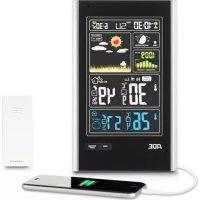
WS 1600 - Weather Station ADE - Free user manual and instructions
Find the device manual for free WS 1600 ADE in PDF.



| Product type | Weather station with wireless outdoor sensor |
| Brand | ADE |
| Model | WS 1600 |
| Base station power supply | 2 LR6 (AA) 1.5 V batteries or 5 V mains adapter (included) |
| Outdoor sensor power supply | 2 LR03 (AAA) 1.5 V batteries |
| Radio frequency | 433.92 MHz |
| Maximum range | Approximately 60 meters in open field |
| Display | Date, time, moon phases, tides, weather forecasts, indoor/outdoor temperature, humidity, atmospheric pressure |
| Forecast functions | Forecasts for 12-24 h, pressure trend, temperature, humidity |
| Alarm function | With snooze (5 min), automatic stop after 2 min |
| Temperature alarm | Adjustable |
| Min/Max memory | Temperature and humidity of the last 24 hours |
| Backlight | Adjustable intensity |
| USB port | For charging devices (smartphone, etc.) |
| Intended use | Domestic use, not for commercial use |
| Warranty | 2 years |
| Maintenance | Clean with a dry cloth, protect from moisture and extreme temperatures |
| Safety | Keep out of reach of children under 8 years, do not immerse |
Frequently Asked Questions - WS 1600 ADE
User questions about WS 1600 ADE
0 question about this device. Answer the ones you know or ask your own.
Ask a new question about this device
Download the instructions for your Weather Station in PDF format for free! Find your manual WS 1600 - ADE and take your electronic device back in hand. On this page are published all the documents necessary for the use of your device. WS 1600 by ADE.
USER MANUAL WS 1600 ADE
- H = Flut
M = Mittlere Tide - L = Ebbe
Wecken
Weckzeit einstellen
Sendefrequency: 433, 92 MHz
22089 Hamburg, Germany
22089 Hamburg, Germany

Garantie
Weather Station with Wireless Outdoor Sensor
Quick Guide WS 1600
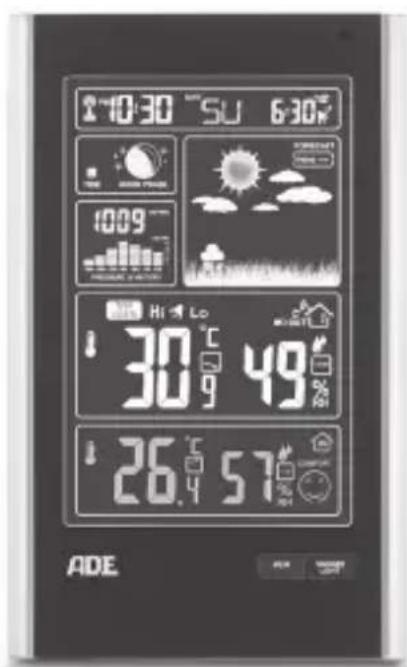


Table of Contents
Scope of delivery 2
Intended Use 2
Safety 3
Tips on installation site. 4
Base station 5
Wireless outdoor sensor 7
Start-up 8
Main functions of the weather station 10
Technical Data 14
Declaration of Conformity 15
Guarantee 16
Disposal. 16
This is the quick guide.
You will find the full operating manual for download as a PDF file on the internet at www.ade-germany.de/bedienungsanleitung Above all, pay attention to the safety instructions.
Scope of delivery
- Weather stations consist of:
-Base station
-Wireless outdoor sensor - Batteries:
-2 x LR6 (AA) for base station
-2 x LR03 (AAA)/1.5 V for wireless outdoor sensor - Mains adaptor for base station
- Operating Manual
Intended Use
- The weather station – consisting of a base station and wireless outdoor sensor – displays various weather data (air pressure, temperature, etc.) pertaining to the near environment. The weather station makes a weather forecast on the basis of the measured weather data.
- Furthermore, the weather station displays the date, time, and lunar phases and is also equipped with an alarm.
- The weather station is unsuited to commercial use in weather forecasting or in taking meteorological measurements.
Safety
- The device and the mains adaptor must be kept away from children younger than 8 years.
- Children must be supervised to ensure that they do not play with the device.
- The wireless weather station and mains adaptor must not be submerged in water or other liquids. Risk of electric shock! You should therefore not use the base station of the wireless weather station in the vicinity of sources of moisture, such as wash basins.
- Only use the supplied mains adaptor and replace it only with one of the same type. The mains adaptor may only be used in dry indoor spaces and must be protected from moisture.
- Batteries, when swallowed, can be life-threatening. You should therefore store the weather station, wireless outdoor sensor, and batteries out of reach of small children. If a battery is swallowed, medical assistance must be sought immediately.
- Keep children away from packaging material and other small parts included in the scope of delivery. Risk of choking if swallowed.
- Connect the device to a correctly installed socket that has a voltage corresponding to that described under "Technical Data".
- Ensure that the socket is easily accessible, so that the mains adaptor can be pulled out quickly if necessary.
-
Do not use the wireless weather station if the mains adaptor or mains adaptor cable are damaged.
-
Attention: Risk of explosion if batteries are improperly used. Batteries must not be recharged, reactivated by other means, dismantled, thrown into fire, or short-circuited.
- Avoid contact of the battery fluid with skin, eyes, and mucosa. If you do come into contact with the fluid, you must immediately flush the affected areas thoroughly with clean water and promptly see a doctor.
- Protect the base station and wireless outdoor sensor from dust, impacts, extreme temperatures and direct sunlight.
- Protect the base station from moisture. Position the base station exclusively in a dry, closed room.
- The wireless external sensor is protected against moisture, it must however be protected from direct exposure to moisture, e.g. rain.
Tips on installation site
- The maximum distance between base station and wireless outdoor sensor is 60 metres. ("direct line-of-sight").
- Protective building materials, e.g. reinforced concrete, reduce or inhibit signal reception between the base station and wireless external sensor.
Devices such as TVs, cordless phones, computers, and fluorescent tubes can likewise disrupt signal reception.
Base station
Front view
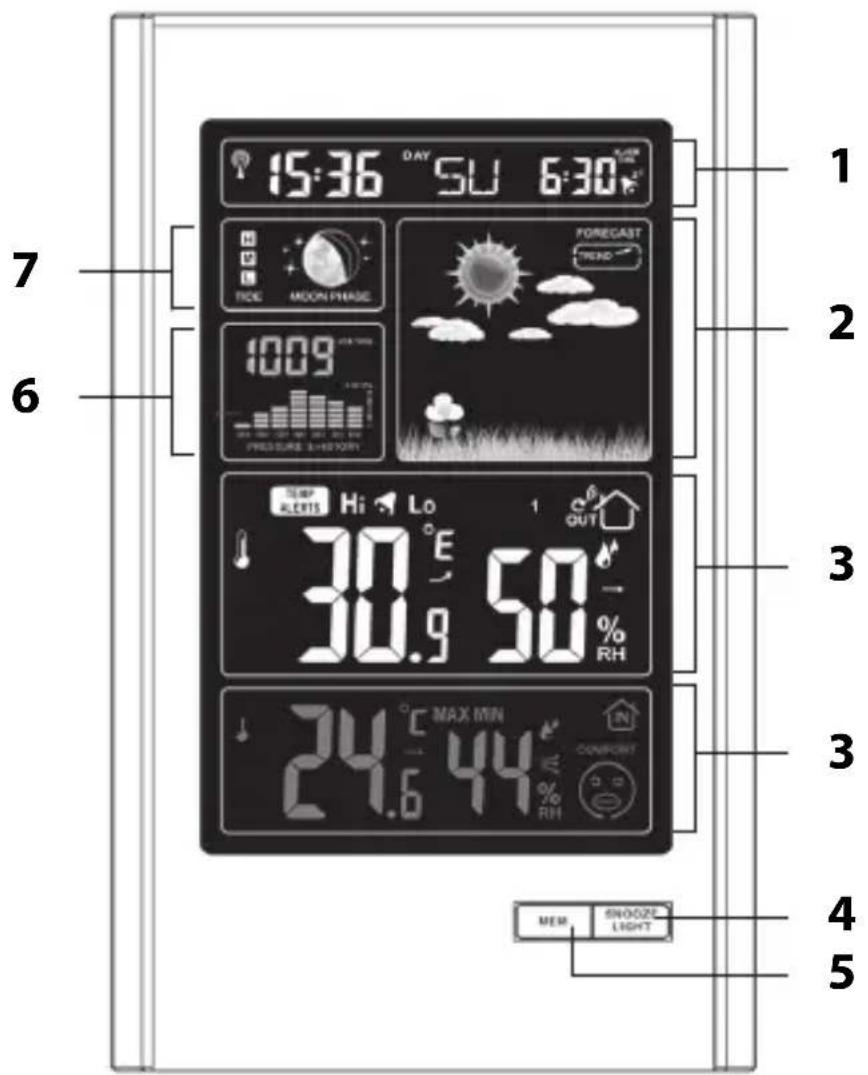
1 see "Date and week indicator"
2 see "Weather forecast and weather trend"
3 see "Weather data"
4 • Switch display light on/off
- Activate snooze function
5 Display saved MIN/MAX temperatures
6 see "Air pressure indicator"
7 see "Lunar phase and tide indicator""
Rear view
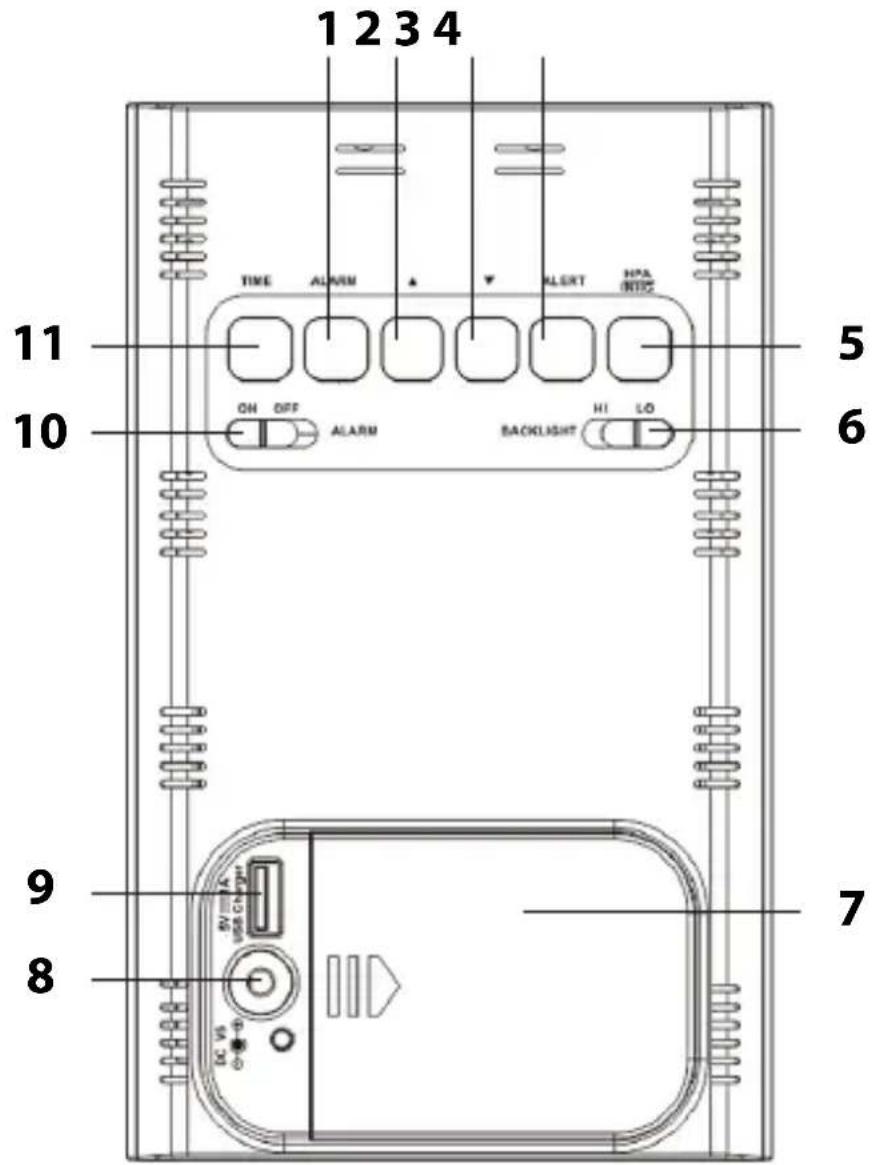
1 Setting the alarm time
2 - Adjust values (increase)
- Change temperature unit
3. Adjust values (decrease)
- Manually start/suspend signal reception
4 Set temperature alarm and turn it on and off
5 Change air pressure unit
6 Select brightness of display light
7 Battery compartment
8 Connection socket for mains adaptor
9 USB socket for charging of external devices (smartphone, MP3 player, etc.)
10 Switching the alarm function on/off
11 Manually set date and time
Wireless outdoor sensor
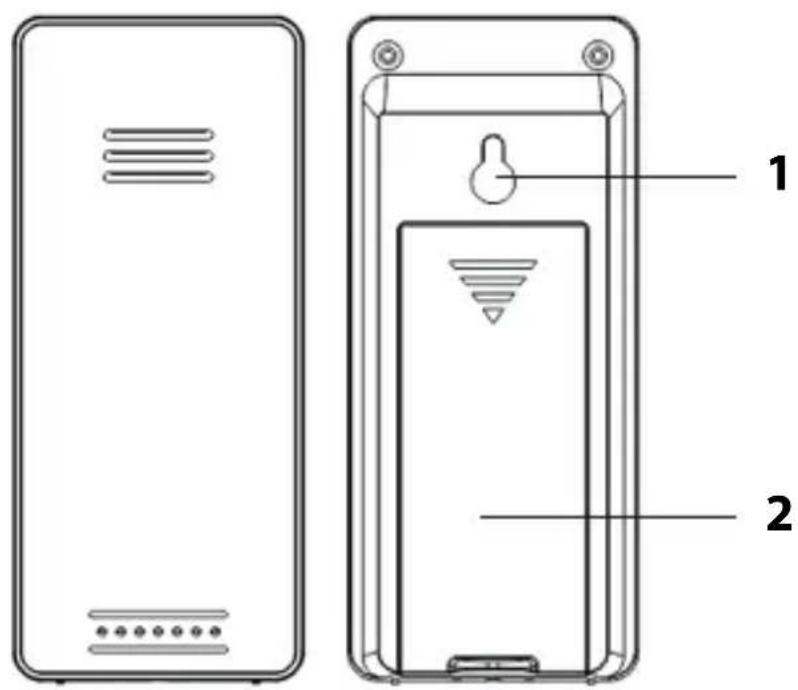
1 Hanging eyelet
2 Battery compartment

Proceed according to the order listed below and first insert the batteries into the wireless outdoor sensor.
Outdoor sensor
- Remove the battery compartment cover on the rear side of the outdoor sensor by pressing with a little force on the imprinted arrow. Slide the battery compartment cover in the direction of the arrow, away from the outdoor sensor.
- Insert 2 batteries of type LR03 (AAA)/1.5 V as depicted on the bottom of the battery compartment. Pay attention to the correct polarity of the batteries (+/-).
- Slide the battery compartment cover back into place on the outdoor sensor.
Base station
You can operate the wireless weather station with the mains adaptor or with batteries.
If the wireless weather station is connected to a mains socket, then it operates via mains power, even when the batteries are inserted in the device. Remove discharged batteries from the battery compartment, since they can leak.

NOTE on material damage
- For operation via mains power, use only the mains adaptor delivered with the weather station.
Current mode
- Insert the plug of the supplied mains adaptor into the connection socket of the base station.
- Plug the mains adaptor into a socket that has a voltage corresponding to that described under "Technical Data".
- Wait approx. 30 minutes. The base station requires this time to collect all weather data and to receive radio signals from the time signal transmitter.
Battery operation
- With some force, press on the battery compartment cover and slide it to the side.
- Insert 2 batteries of the type LR6 (AA)/1.5 V as depicted on the bottom of the battery compartment. Pay attention to the correct polarity (+/-) .
- Then slide the battery compartment cover back into place.
- Wait approx. 30 minutes. The base station requires this time to collect all weather data and to receive radio signals from the time signal transmitter.
Starting signal reception
As soon as the base station is supplied with current, all of the indicators on the display will fade in for a brief moment. Furthermore, the display is briefly lit up and a beep sounds.
The device then switches to receiving-mode, during which the number of radio waves indicates the quality of the reception: The more radio waves shown on the display, the better is the reception.
While receiving, only the button functions; all other buttons are deactivated during this time.
As soon as the signal has been received with sufficient strength, the corresponding data and the radio-tower symbol will be shown on the display. This process can last a few minutes.
From now on, the weather station automatically switches to receiving-mode multiple times each night. During this process, the displayed time is compared with that received from the time signal transmitter and, if necessary, corrected.
If no sufficiently strong signal has been received, the base station aborts the receiving process after a few minutes and the radio-tower symbol goes out. The receiving process is started again at a later point in time.
Main functions of the weather station
Additional functions are described in the full operating manual.
Weather forecast and weather trend
After start-up, the information can still not be used for weather forecasting for approximately 12 hours, since the weather station needs this time to collect and analyse the weather data. The weather forecast is based on the collected data and the measured air pressure changes.
The forecast pertains to the region around the weather station with a radius of approx 30 to 50km , for a period of 12 to 24 hours. The accuracy of the weather forecast lies around 75% .
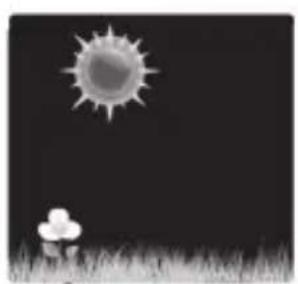
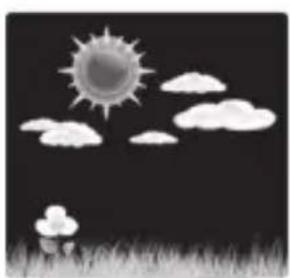
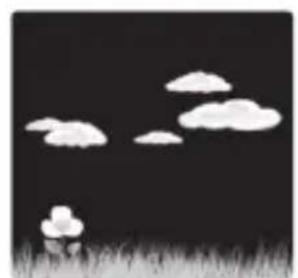
sunny light cloud cloudy
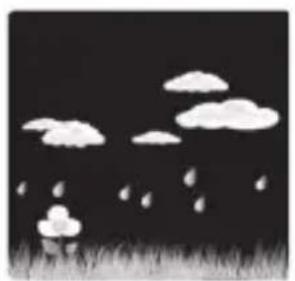
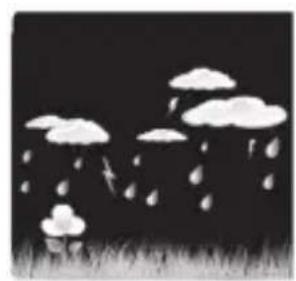

rainy heavy rain snowfall
In conjunction with the air pressure trend, further weather interpretations are possible.
rising air pressure
constant air pressure
falling air pressure
Two examples:
- Weather forecast shows rain, the air pressure is falling off quickly and steeply >> strong rain is probable.
- Weather forecast shows rain, the air pressure has risen in the last 12 hours but in the last 3 hours as fallen off somewhat >> light rain is probable.
Temperature and humidity trend
For the temperature and humidity values measured by the base station and wireless sensor, the trend is displayed in the form of an arrow:

rising
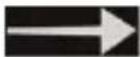
constant

falling
Air pressure indicator
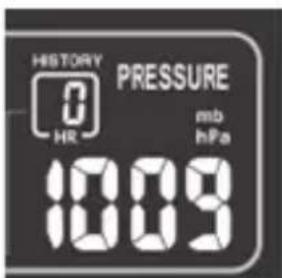
The currently prevailing air pressure is displayed in the chosen unit (usually: hPa = hectopascals).
Furthermore, an air pressure histogram for the last 24 hours is displayed.
Saved weather data
Using the MEM button, you will get the highest and lowest temperature and humidity values for the last 24 hours displayed.
- Press 1x: MAX values are displayed
- Press 2x: MIN values are displayed
- Press 3x: normal display indicator
In order to delete the saved values:
- Press and hold the MEM button for approx. 2 seconds until the displayed values are deleted.
Lunar phase and tide indicator
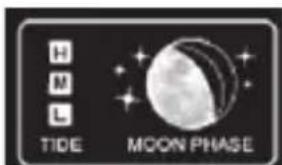
The displayed lunar phases as well as the tides are automatically updated with the date.






new moon waxing crescent half-moon
waxing gibbous






full moon waning gibbous half-moon
waning crescent
Tide indicator:
- H = High tide
M = Mid tide - L = Low tide
Comfort indicator
The comfort indicator is based on the temperature and humidity and is displayed in the form of a smiley:

Alarm
Setting the alarm time
- Press and hold ALARM for a few seconds until the alarm hours indicator blinks and ALARM TIME fades in.
- Using the + and - buttons, set the desired alarm hour.
- Press ALARM. The minute indicator for the alarm time blinks on the display.
-
Using the + and - buttons, set the desired alarm minute.
-
Finally, press ALARM to save the settings.
Switching the alarm function on/off
-Using the ALARM slide control, turn the alarm function on and off (ON/OFF).
As soon as the alarm symbol is displayed, the alarm function is activated.
Stopping the alarm
At the set time you will be woken by an alarm signal, which will become more intense as the waking time increases.
Switching the alarm off completely
- Press any button on the base station (except SNOOZE/ LIGHT) to stop the alarm.
Auto-stop function
If you do not press a button, the alarm switches off automatically after 2 minutes. After 24 hours, the alarm will be triggered again.
Snoopze function
- Press the SNOOZE/LIGHT button once when the alarm signal sounds.
The alarm signal goes silent and and Z^z flash on the display. The alarm signal falls silent for approx. 5 minutes.
Then the device switches back on and the alarm sounds again. This procedure can be repeated multiple times.
Technical Data
You will find all of the "Technical Data" in the full operating manual.
Base station
Model: Weather Station WS 1600
Input: 5V
Batteries: 2x LR6 (AA) / 1.5 V
Transmission frequency: 433, 92 MHz
Max. Transmission power: + 10 dBm
Wireless outdoor sensor:
Batteries: 2x LR03 (AAA) / 1.5 V
Range: approx. 60 metres (open terrain)
Mains adaptor
Input: 230 V 50Hz
Output: 5 V
/1.5A
Protection class:

Distributor: Waagen-Schmitt GmbH
Hammer Steindamm 27-29
22089 Hamburg, Germany
Declaration of Conformity
Waagen-Schmitt GmbH hereby declares that the weather station WS 1600 complies with the directives 2014/53/EU and 2011/65/EU.
The full text of the EU Declaration of Conformity is available at the following Internet address:
This declaration loses its validity if modifications are made to the weather station without our approval.
Hamburg, January 2018
Waagen-Schmitt GmbH
Hammer Steindamm 27-29
22089 Hamburg, Germany
CE
Guarantee
Dear Valued Customer,
The company Waagen-Schmitt GmbH guarantees for 2 years from the purchase date the cost-free rectification of defects on the basis of material or fabrication errors through repair or exchange.
In the event of a guarantee claim, please return the product with the proof of purchase (stipulating the reason for claim) to your dealer.
Disposal
Disposing of the packaging

Dispose of the packaging with similar materials. Put cardboard with waste paper, films with recyclable materials.
Disposing of the weather station
Dispose of the weather station in accordance with the regulations that apply in your country.
You will find complete information about disposal in the full operating manual.
- Wecken
- Weckzeit einstellen
- Garantie
- Weather Station with Wireless Outdoor Sensor
- Table of Contents
- This is the quick guide.
- Scope of delivery
- Intended Use
- Safety
- Tips on installation site
- Base station
- Front view
- Rear view
- Wireless outdoor sensor
- Outdoor sensor
- NOTE on material damage
- Current mode
- Battery operation
- Starting signal reception
- While receiving, only the button functions; all other buttons are deactivated during this time.
- Main functions of the weather station
- Weather forecast and weather trend
- Temperature and humidity trend
- Air pressure indicator
- Saved weather data
- Lunar phase and tide indicator
- Comfort indicator
- Alarm
- Setting the alarm time
- Switching the alarm function on/off
- Stopping the alarm
- Switching the alarm off completely
- Auto-stop function
- Snoopze function
- Technical Data
- Wireless outdoor sensor:
- Mains adaptor
- Declaration of Conformity
- CE
- Guarantee
- Disposal
- Disposing of the packaging
- Disposing of the weather station
Brand : ADE
Model : WS 1600
Category : Weather Station