Tone Active HBS850 - Wireless Headphones LG - Free user manual and instructions
Find the device manual for free Tone Active HBS850 LG in PDF.




| Product Type | Bluetooth wireless headset |
| Brand | LG |
| Model | Tone Active HBS850 |
| Bluetooth Version | 4.1 |
| Supported Bluetooth Profiles | A2DP, HFP, HSP |
| Talk Time | Up to 13 hours |
| Music Playback Time | Up to 9.5 hours |
| Standby Time | Up to 430 hours |
| Charging Time | Less than 2 hours |
| Battery Type | Li-Polymer 3.7 V / 180 mAh |
| Power Supply | 4.75 V ~ 5.3 V DC, 400 mA (via USB cable) |
| Weight | 51 g |
| Dimensions (L x W x H) | 141 x 140 x 16.1 mm |
| Main Functions | Hands-free calls, multipoint, vibrator, voice commands, equalizer, music play/pause/skip |
| Audio Technology | aptX |
| Associated App | Tone & Talk (Android) |
| Included Accessories | Gel cushions (1 extra pair), stabilizing ear tips (1 extra pair), USB cable, user guide |
| Care and Cleaning | Clean with a dry cloth; do not use water, alcohol, or benzene |
| Safety | Do not expose to water or heat; risk of hearing loss at high volume; contains small parts |
| Warranty | 1 year (limited) |
Frequently Asked Questions - Tone Active HBS850 LG
User questions about Tone Active HBS850 LG
0 question about this device. Answer the ones you know or ask your own.
Ask a new question about this device
Download the instructions for your Wireless Headphones in PDF format for free! Find your manual Tone Active HBS850 - LG and take your electronic device back in hand. On this page are published all the documents necessary for the use of your device. Tone Active HBS850 by LG.
USER MANUAL Tone Active HBS850 LG
Contact office for compliance of this product :
EU Representative, Krijgsman 1
1186 DM Amstelveen, The Netherlands
English
LG TONE Active™
HBS-850 User Manual
Bluetooth® Stereo Headset
All rights reserved. LG Electronics Inc., 2015
Note: For the best performance and to prevent any damage to, or misuse of the HBS-850, please read all of the information carefully prior to using the HBS-850.
Any modifications or changes to this manual due to typographical errors or inaccuracies of stated information shall only be made by LG Electronics Inc.
natural_image
Illustration of a pair of white earbuds with black caps and blue buttons, no text or symbols presentIntroduction
The LG TONE Active™ (HBS-850) is a lightweight wireless headset that uses Bluetooth® technology. This product can be used as an audio accessory for devices supporting either the A2DP or hands-free Bluetoothprofile.
Included in the Package
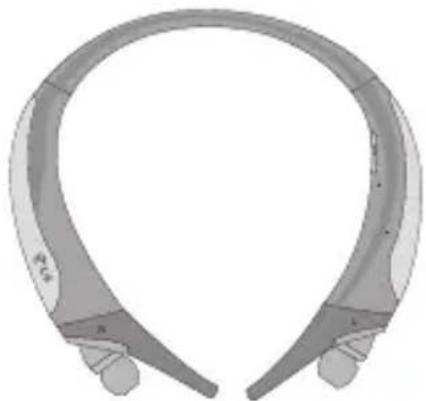
LG TONE Active
HBS-850
(Medium Ear Gels and Stabilizer Tips installed)
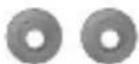
Extra Ear Gels (1 Set - Small)
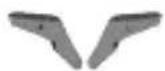
Extra Stabilizer Tips (1 Set - Small)
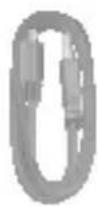
*USB Charging Cable
User Manual
WEEE Card (Europe Only)
*Actual product design may differ from images shown in this manual.
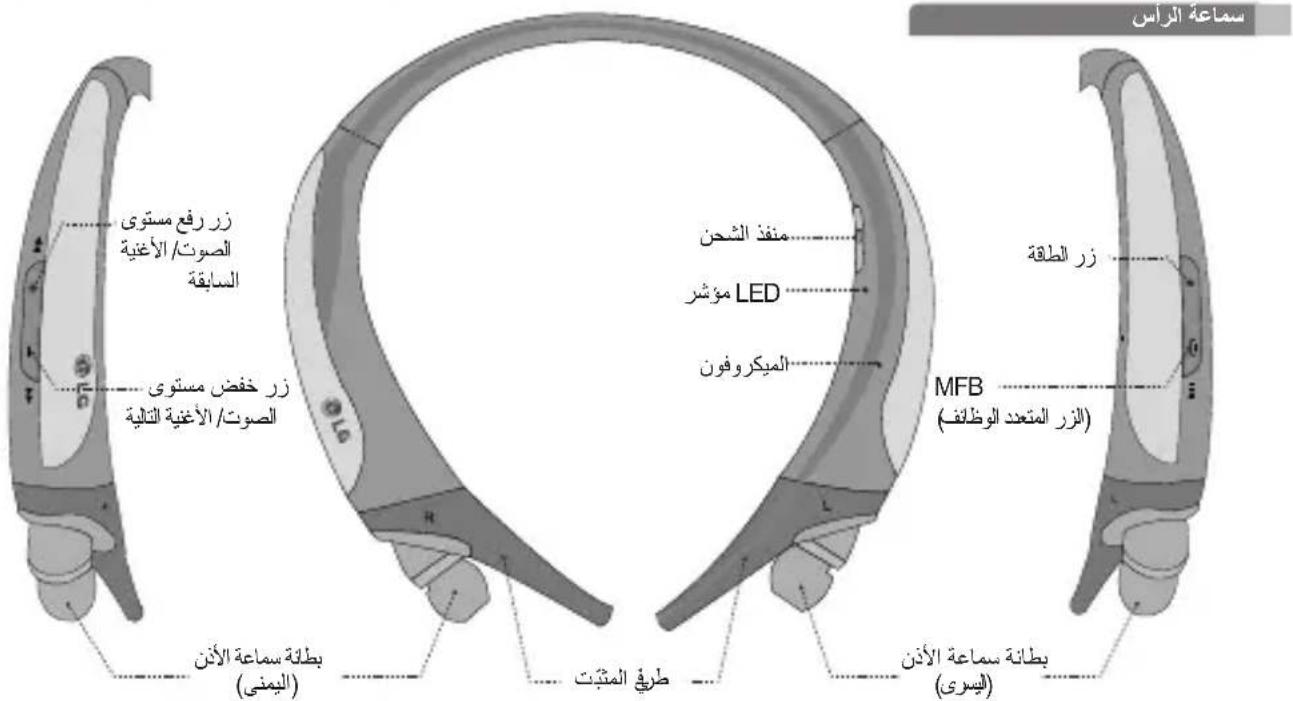
Description of Parts
Headset
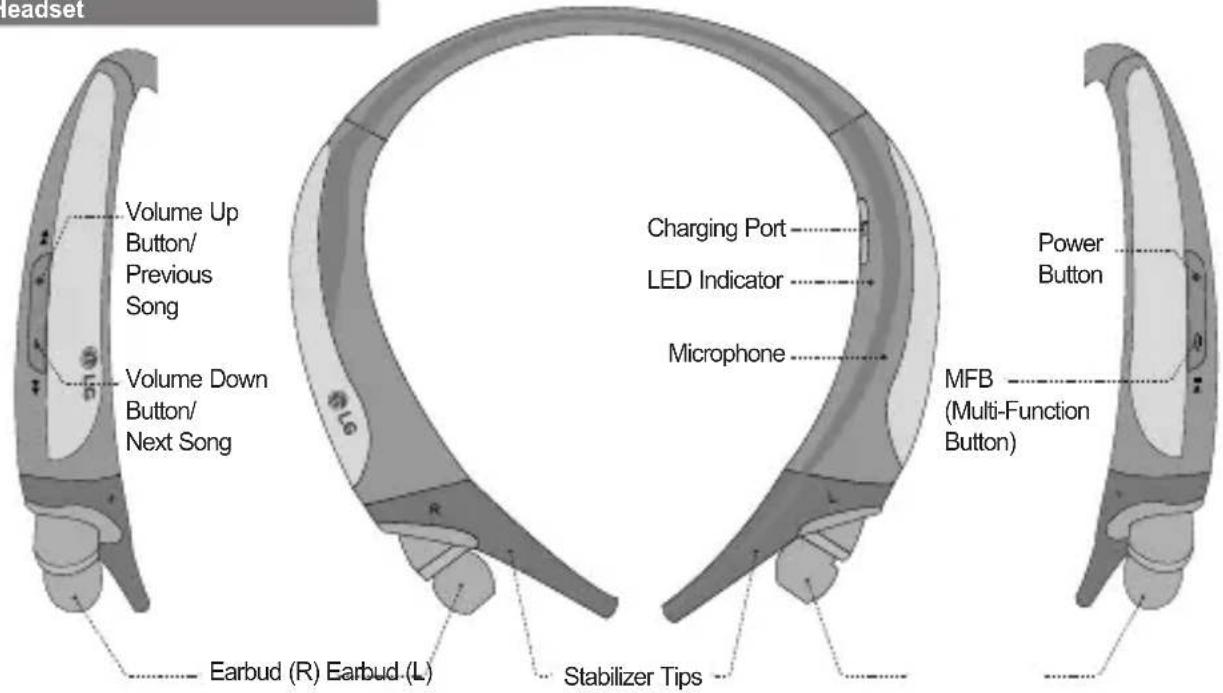
Description of Parts
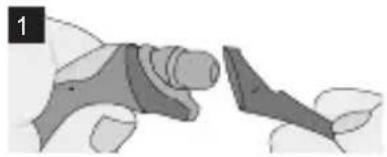
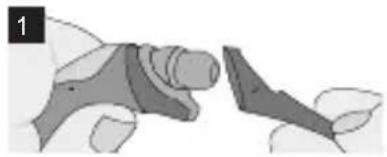
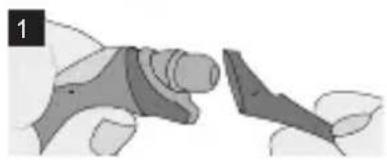
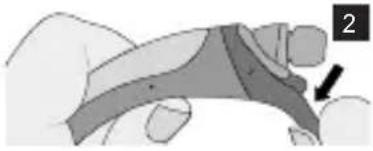
Stabilizer Tip Replacement
- An extra set of Stabilizer Tips is included. Depending on your neck size, you may want to change the size of the Stabilizer Tips for comfort and fit.
Stabilizer Tip Removal
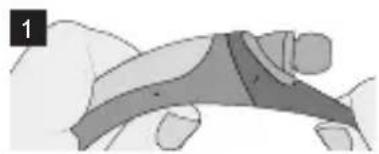
natural_image
Illustration of a hand holding a wrist with a bandage and wristband (no text or symbols)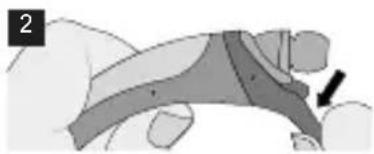
natural_image
Illustration of a hand holding a device with a black arrow pointing to the device (no text or symbols present)Stabilizer Tip Installation
natural_image
Illustration of a hand holding a tool or device with a dark object nearby (no text or symbols visible)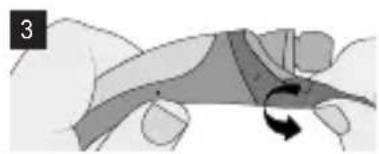
natural_image
Illustration of a hand holding a curved object with a rotation arrow, no text or symbols present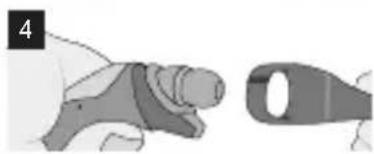
natural_image
Illustration of a hand holding a tool next to a mechanical component (no text or symbols visible)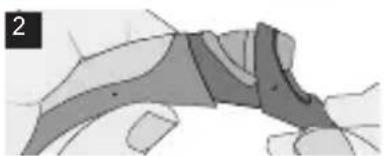
natural_image
Abstract diagram with shaded regions and curved lines, no visible text or symbols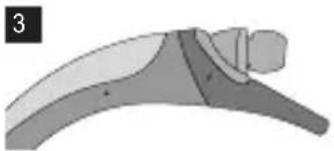
natural_image
Illustration of a curved mechanical or anatomical structure with shaded regions, no visible text or symbolsHow to Use
Power On/Power Off
- Power On: Press and hold the PWR button for 2 seconds.
- Power Off: Press and hold the PWR button for 3 seconds.
Charging
- When the charger is connected (with the power on or off) the headset will power off.
- While charging, the LED indicator will show a solid red light. When charged 80% or more, the indicator will show a violet light.
- When the device is fully charged, the LED indicator will show a solid blue light.
Low Battery
- A low battery alert will play once every 2 minutes.
- If the battery is not charged, the headset will power off.
Battery Status Alert
- Press and hold the Volume Down button for 3 seconds to check the battery status of the headset.
| Battery Status | High Medium Low | ||
| Voice Prompt | Battery High | Battery Medium | Battery Low |
| LED Indicator | Blinking Blue | Blinking Violet | Blinking Red |
NOTE: When paired, some mobile devices may display the headset's battery level at the top of the screen.
Retractable Earbuds
- Pull the earbuds to extend them to the desired length.
- To retract the earbuds, pull the cords out slightly, and they will automatically retract into place.
- If the earbuds do not retract, pull the earbuds out completely to retract them.
How to Use
Pairing
- To use the headset, you must first pair it with your mobile device. Once the devices have been paired, the headset will automatically reconnect.
1) Easy Pairing
- Press and hold the PWR button for 2 seconds to power on the headset.
- If it is your first time pairing the device or it does not detect a previously paired device, it will enter Pairing mode. The LED indicator will be solid blue.
- On the device you wish to pair with, find the Bluetooth menu and search for or add new devices.
- Select LG HBS850 from the list of devices.
- If asked for a Pass/Pin Code, enter 0000 (4 zeros).
- Once the devices are paired, you will hear "Your headset paired."
NOTE: The headset will automatically power off if not paired within 3 minutes.
2) Manual Pairing (pairing with another phone or re-pairing)
- With the power off, press and hold the MFB and the PWR button at the same time for 2 seconds to enter Manual Pairing mode.
- When the headset enters Pairing mode, the LED indicator will show a solid blue light. Repeat Easy Pairing steps 3 through 6.
Advanced Multipoint
The headset can be connected to two devices at the same time. This will give you the freedom to use call waiting between calls on both of your connected phones.
Pairing with Two Devices
- First, pair the headset with the Bluetooth-enabled mobile device you want to use as your secondary device (see Pairing instructions).
- Once paired, power off the headset.
- With the power off, press and hold the MFB and the PWR button at the same time for 2 seconds. This will activate Manual Pairing mode.
- Pair and connect the headset with your other Bluetooth-enabled mobile device. This will be your primary device.
- Once the primary mobile device is paired and connected with the headset, reconnect the headset to the initially paired mobile device.
NOTE: When the headset is connected to two mobile devices at the same time (Multipoint), the headset calling functions will work with the primary mobile device.
NOTE: If the headset fails to connect to the primary phone through Easy Pairing, it will enter Pairing mode.
Calling Function
- Voice Dialing and Last Number Redial features work with the primary mobile device (or the mobile device that made the last outgoing call).
Call Waiting
- While on a call, press and hold the MFB for 1 second to answer an incoming call.
- To switch between two active calls, press and hold the MFB for 1 second.
- To end both calls, briefly press the MFB.
- If both paired mobile devices are receiving an incoming call, the headset will default to the primary device.
Auto Reconnect
- If in range of each other when the headset is powered on, the headset and the primary mobile device will automatically reconnect.
- The secondary mobile device will need to be manually connected. Select LG HBS850 from the list of devices in the Bluetooth menu and connect.
Out of Range
- If the paired devices are separated by a range of 33 feet (10 meters) or more, the headset and paired mobile device(s) will disconnect, and the headset will vibrate to alert you.
NOTE: To power off device vibration, press and hold the Volume Up button for 3 seconds.
- If the headset and paired mobile device do not automatically reconnect when they are back within the required range, briefly press the MFB on the headset to manually reconnect.
- While in multi-connection and streaming, the inactive paired device will be disconnected when out of range. The headset will alert you once with no attempt to reconnect.
How to Use
Calling
Answering a Call
- When receiving an incoming call, the headset will ring and vibrate.
- Briefly press the Volume Down button to stop the vibration.
NOTE: The headset will not vibrate if vibration has been deactivated. - Briefly press the MFB to answer the incoming call.
Transferring a Call
- You can manually transfer the call to or from the headset by pressing the Volume Up button for 2 seconds on the headset (mobile device and headset must be paired).
Voice Dialing
- Press and hold the MFB for 1 second to activate Voice Command.
NOTE: If your mobile device does not support voice dialing, this action may activate Last Number Redial.
Last Number Redial
- Press and hold the MFB for 2 seconds to activate Last Number Redial. The headset will call the last number dialed.
Ending a Call
- Briefly press the MFB.
Call Waiting
- Answer a second call without hanging up the first call by pressing the MFB for 1 second. Press and hold the MFB for 1 second to return to the first call.
- Briefly press the MFB to end both calls.
Rejecting a Call
- Activate Call Reject by pressing the MFB for 2 seconds when the mobile device rings.
NOTE: These functions may not be available on all mobile devices. For further information about using these features, please consult your mobile device's user manual.
Microphone Mute
- Press and hold the Volume Up and Volume Down buttons at the same time for 1 second to mute/unmute the microphone during conversation.
How to Use
Volume Control
- Press the Volume buttons to adjust the speaker volume. Caution: Listening to music for long periods of time at high volume levels may cause hearing damage or loss. To prevent this, the headset will emit a warning beep when you are using the upper six volume levels.
Vibration Control
- To activate or deactivate device vibration, press and hold the Volume Up button for 3 seconds. You will hear "Vibrate on" or "Vibrate off" when it is activated or deactivated.
- When vibration is deactivated, the headset will not vibrate when receiving an incoming call or when it is out of range of a paired mobile device.
- Vibration will be automatically reactivated when the device is powered on.
Audio Streaming
Play
- Briefly press the MFB.
Pause
- While playing music, briefly press the MFB.
Next song
- Press and hold the Volume Down button for 1 second.
Previous song
- Press and hold the Volume Up button for 1 second.
Equalizer
- While playing music, press and hold the MFB for 2 seconds to switch between Bass Boost (default), Normal, and Treble Boost.
NOTE: The size of the ear gel can affect the amount of bass you hear.
How to Use
aptX
- The headset features aptX technology that ensures audio content transmitted via Bluetooth is seamless and crystal clear.
- aptX is automatically enabled as long as the source device supports it.
Tone & Talk
The HBS-850 Bluetooth headset supports SMS reading on Android™-based devices.
To download the app, search for Tone & Talk in Google PlayTM* or scan the QR code. Follow the installation instructions.
*Google Play is a trademark of Google, Inc.

| Function Action | |
| Current time alert | Press and hold the Volume Down button for 1 second. |
| Read latest SMS or MMS | Press and hold the Volume Up button for 1 second. |
| Designated contact | 1. Select Designated contact in the headset call settings of the app.2. To call the Designated contact, press and hold the Volume Up and Volume Down buttons at the same time for 1 second. |
| Favorite contacts | 1. Select Favorite contacts in the headset call settings of the app.2. Press and hold the Volume Up and Volume Down buttons at the same time for 1 second on your headset.3. Use the Volume buttons to choose the contact.4. To call the Favorite contact, press and hold the Volume Up and Volume Down buttons at the same time for 1 second. |
How to Use LED
| Function Action | |
| Call logs | 1. Select Call logs in the headset call settings of the app.2. Press and hold the Volume Up and Volume Down buttons at the same time for 1 second on your headset.3. Use the Volume buttons to choose the contact.4. To call the contact, press and hold the Volume Up and Volume Down buttons at the same time for 1 second. |
| Function | Headset Status Indicator | |
| Operating | Pairing mode Solid blue profile connected | LED light. |
| The blue LED light flickers 1 time. | ||
| Call connected | The blue LED light flickers 1 time. | |
| Charging | Charging | Solid red LED light, which changes to violet when charged 80% or more. |
| Charging complete | Solid blue LED light. |
Troubleshooting
| Problem Possible Causes Possible Solution | ||
| Does not power on | Check whether the battery of the headset is fully charged. | Charge the battery. |
| Unable to communicate with the LG Bluetooth Headset HBS-850 | Check whether the mobile device you are trying to pair supports the headset or hands-free Bluetooth profiles. | Determine whether your mobile device supports the headset or hands-free Bluetooth profiles. |
| Check whether the battery of the headset is low. | Charge the battery. | |
| Problem Possible Causes Possible | Solution | |
| Unable to pair the headset with the Bluetooth device | Check to make sure the headset is on. | Press and hold the PWR button for 2 seconds to power on the headset. |
| Check to make sure the headset is placed in Pairing mode. | With the power off, press and hold the MFB and the PWR button at the same time for 2 seconds to place the headset in Manual Pairing mode. | |
| Low sound (speaker) | Check the speaker volume. | Increase the volume level. |
Specifications
| Item Description | |
| Bluetooth version | 4.1 (Headset/Hands-Free/A2DP profiles) |
| Battery | Battery 3.7 V/180 mAh Li-Polymer |
| Talk time Up to 13 hours | |
| Music play time Up to 9.5 hours | |
| Standby time Up to 430 hours | |
| Charging time Less than 2 hours | |
| Rated input power DC 4.75 V ~ 5.3 V, | 400 mA |
| Operation temperature -10°C ~ 60°C | |
| Dimensions/weight 141 mm (W) x 140 | mm (L) x 16.1 mm (H) / 51 g |
Precautions
Do not drop the device.
Do not modify, repair, or disassemble.
Do not expose directly to water, alcohol, benzene, etc., for cleaning.
Do not expose directly to flammables.
Do not place or keep the device near flammables.
Keep the device away from excessive humidity and dust.
Do not place heavy objects on the device.
Only charge the headset with an original LG charger, otherwise it may be damaged.
- Changes or modifications not expressly approved by the party responsible for compliance could void the user's authority to operate the equipment.
- Risk of damage or explosion if incorrect battery is used.
- Dispose of used batteries according to the instructions.
• This product contains small parts, including ear gels, earbuds, stabilizer tips, and cables. Keep out of reach of children.
• If you have an implanted medical device, consult with a doctor prior to using this product.
• To prevent potential discoloration, please make sure the product is not exposed to direct sunlight for an excessive period of time.
• Always unplug the charger from the wall socket after the product is fully charged to save unnecessary power consumption of the charger. - Li-ion Battery is a hazardous component which can cause injury.
- Battery replacement by non-qualified professional can cause damage to your device.
- Do not replace the battery by yourself. The battery can be damaged, which can cause overheat and injury. The battery must be replaced by the authorized service provider. The battery should be recycled or disposed separately from household waste.
Declaration of Confirmation
FCC NOTICE TO USERS:
This device complies with part 15 of the FCC rules. Operation is subject to the following two conditions:
(1) This device may not cause harmful interference and
(2) This device must accept any interference received, including interference that may cause undesired operation.
IMPORTANT NOTE:
To comply with the FCC RF exposure compliance requirements, no change to the antenna or the device is permitted. Any change to the antenna or the device could result in the device exceeding the RF exposure requirements and void user's authority to operate the device.
DECLARATION OF CONFORMITY :
Hereby, LG Electronics declares that this HBS-850 is in compliance with the essential requirements and other relevant provisions of Directive1999/5/EC. A copy of the Declaration of Conformity can be found at http://www.lg.com/global/declaration
Bluetooth® is a registered trademark of Bluetooth SIG, Inc. worldwide.
Bluetooth®
C€ 0168
FCC ID: BEJHBS850
Additional Information
1. Radio frequency exposure
This Bluetooth Stereo Headset HBS-850 is a radio transmitter and receiver. When in operation, it communicates with a Bluetooth equipped mobile device by receiving and transmitting radio frequency (RF) electromagnetic fields (microwaves) in the frequency range 2.4 to 2.4835 GHz.
Your Bluetooth Headset is designed to operate in compliance with the RF exposure guidelines and limits set by national authorities and international health agencies when used with any compatible LG Electronics mobile phone.
2. Potentially explosive atmosphere
Turn off your electronic device when in any area with a potentially explosive atmosphere. It is rare, but your electronic device could generate sparks. Sparks in such areas could cause an explosion or fire resulting in bodily injury or even death. Areas with a potentially explosive atmosphere are often, but not always, clearly marked.
3. Battery information
A rechargeable battery has a long service life if treated properly. A new battery or one that has not been used for a long period of time could have reduced capacity the first few times it is used. Do not expose the battery to extreme temperatures, never above +60° or below -10°. For maximum battery capacity, use the battery in room temperature. If the battery is used in low temperatures, the battery capacity will be reduced. The battery can only be charged in temperatures between +10° and +45°.
Additional Information
Removal of waste batteries and accumulators (Product with embedded battery ONLY)
- In case this product contains a battery incorporated within the product which cannot be readily removed by end-users, LG recommends that only qualified professionals remove the battery, either for replacement or for recycling at the end of this product's working life. To prevent damage to the product, and for their own safety, users should not attempt to remove the battery and should contact LG Service Helpline, or other independent service providers for advice.
- Removal of the battery will involve dismantling of the product case, disconnection of the electrical cables/contacts, and careful extraction of the battery cell using specialized tools. If you need the instructions for qualified professionals on how to remove the battery safely, please visit http://www.lge.com/global/sustainability/environment/take-back-recycling.
4. Recycling the battery in your Bluetooth Headset
The battery in your Bluetooth Headset must be disposed of properly and should never be placed in municipal waste.

Disposal of waste batteries/accumulators
1 This symbol may be combined with chemical symbols for mercury (Hg), cadmium (Cd) or lead (Pb) if the battery contains more than 0.0005% of mercury, 0.002% of cadmium or 0.004% of lead.
2 All batteries/accumulators should be disposed separately from the municipal waste stream via designated collection facilities appointed by the government or the local authorities.
3 The correct disposal of your old batteries/accumulators will help to prevent potential negative consequences for the environment, animal and human health.
4 For more detailed information about disposal of your old batteries/accumulators, please contact your city office, waste disposal service or the shop where you purchased the product.
Additional Information
5. Conditions
- The warranty is valid only if the original receipt issued to the original purchaser by the dealer, specifying the date of purchase and serial number, is presented with the product to be repaired or replaced. LG Electronics reserves the right to refuse warranty service if this information has been removed or changed after the original purchase of the product from the dealer.
-
If LG Electronics repairs or replaces the product, the repaired or replaced product shall be warranted for the remaining time of the original warranty period or for ninety (90) days from the date of repair, whichever is longer. Repair or replacement may involve the use of functionally equivalent reconditioned units. Replaced parts or components will become the property of LG Electronics.
-
This Warranty does not cover any failure of the product due to normal wear and tear, or due to misuse, including but not limited to use in other than the normal and customary manner, in accordance with instructions for use and maintenance of the product. Nor does this warranty cover any failure of the product due to accident, modification or adjustment, acts of God or damage resulting from liquid.
- This warranty does not cover product failures due to improper repair installations, modifications or service performed by a non-LG Electronics authorized person. Tampering with any of the seals on the product will void the warranty.
Limited Warranty
SUBJECT TO THE CONDITIONS OF THIS LIMITED WARRANTY, LG ELECTRONICS WARRANTS THIS PRODUCT TO BE FREE FROM DEFECTS IN DESIGN, MATERIAL AND WORKMANSHIP AT THE TIME OF ITS ORIGINAL PURCHASE BY A CONSUMER, AND FOR A SUBSEQUENT PERIOD OF ONE (1) YEAR. SHOULD YOUR PRODUCT NEED WARRANTY SERVICE, PLEASE RETURN IT TO THE DEALER FROM WHOM IT WAS PURCHASED OR CONTACT YOUR LOCAL LG ELECTRONICS CONTACT CENTER TO GET FURTHER INFORMATION.
Important Safety Information
Avoiding hearing damage
Permanent hearing loss may occur if you use your Handsfree car kit at a high volume. Set the volume to a safe level. You can adapt over time to a higher volume of sound that may sound normal but can be damaging to your hearing.
If you experience ringing in your ears or muffled speech, stop listening and have your hearing checked. The louder the volume, the less time is required before your hearing could be affected. Hearing experts suggest that to protect your hearing:
- Limit the amount of time you use Headset at high volume.
- Avoid turning up the volume to block out noisy surroundings.
- Turn the volume down if you can't hear people speaking near you.
Please refer to your handset user guide for more information on how to adjust listening levels on your handset.
Using headsets safely
Use of Headset to listen to music while operating a vehicle is not recommended and is illegal in some areas. Be careful and attentive while driving. Stop using this device if you find it disruptive or distracting while operating any type of vehicle or performing any other activity that requires your full attention.
Čeština
LG TONE Active™
natural_image
Illustration of a pair of white earbuds with black caps and blue buttons, no text or symbols present.Úvod
natural_image
Illustration of a hand holding a segmented object, possibly a device or tool (no text or symbols visible)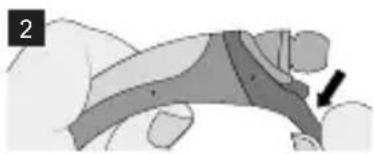
natural_image
Illustration of a person's arm and hand positioning on a surface, with a black arrow indicating movement direction (no text or symbols)natural_image
Illustration of a hand holding a tool or device with a dark object nearby (no text or symbols visible)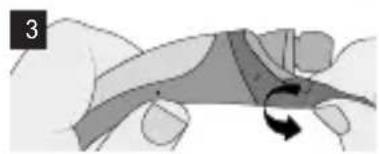
natural_image
Diagram of a hand holding a curved object with an arrow indicating rotation (no text or symbols present)
natural_image
Illustration of a hand holding a tool next to a mechanical component (no text or symbols visible)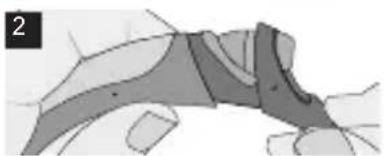
natural_image
Abstract diagram with shaded regions and curved lines, no visible text or symbols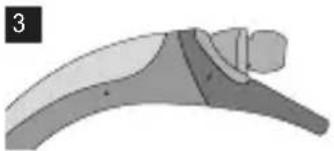
natural_image
Illustration of a curved mechanical or anatomical structure with shaded regions, no visible text or symbolsPoužití
natural_image
Illustration of a pair of white earbuds with black caps and blue handles, no text or symbols present.Introduktion
natural_image
Illustration of a hand holding a wrist with a bandage and wristband (no text or symbols)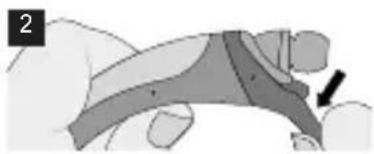
natural_image
Illustration of a person's arm and hand positioning on a surface, with a black arrow indicating movement direction (no text or symbols)natural_image
Illustration of a hand holding a tool or device with a dark object nearby (no text or symbols visible)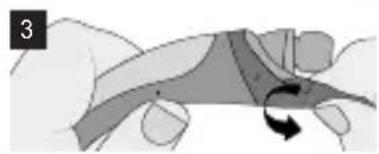
natural_image
Illustration of a hand holding a curved object with a rotation arrow, no text or symbols present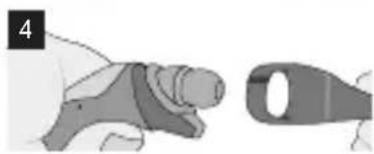
natural_image
Illustration of a hand holding a tool next to a mechanical component (no text or symbols visible)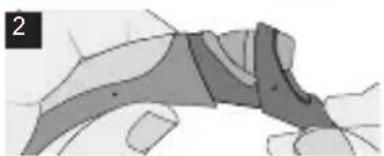
natural_image
Abstract diagram with shaded regions and curved lines, no visible text or symbols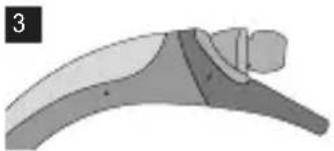
natural_image
Illustration of a curved mechanical or anatomical structure with shaded regions, no visible text or symbolsSådan bruger du
Tænd/sluk
natural_image
Illustration of a pair of white earbuds with black caps and blue buttons, no text or symbols presentIntroduction
natural_image
Illustration of a hand holding a segmented object, possibly a device or tool (no text or symbols visible)
natural_image
Illustration of a person's arm and foot with a black arrow pointing to the arm (no text or symbols present)natural_image
Illustration of a hand holding a tool or device with a separate blade (no text or symbols visible)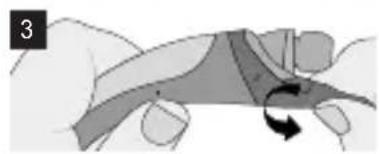
natural_image
Illustration of a hand holding a curved object with a circular arrow indicating rotation (no text or symbols)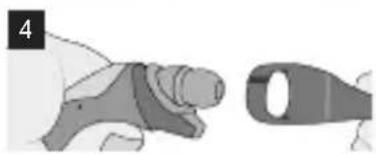
natural_image
Illustration of a hand holding a tool next to a mechanical component (no text or symbols visible)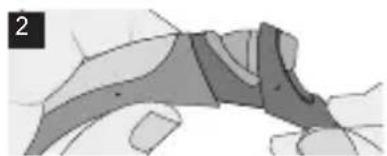
natural_image
Abstract grayscale diagram with curved and angular shapes, no visible text or symbols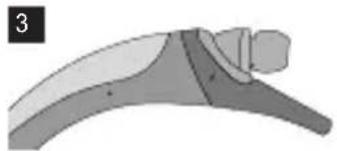
natural_image
Diagram of a curved mechanical or architectural component with shaded sections and a labeled number 3 (no text or symbols present)Utilisation
natural_image
Illustration of a modern headband with earphones and buttons (no text or symbols)Εισαγωγή
natural_image
Illustration of a hand holding a wrist with a bandage (no text or symbols)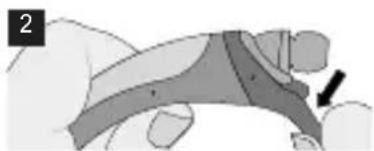
natural_image
Illustration of a hand holding a small object with a black arrow pointing to a feature (no text or symbols present)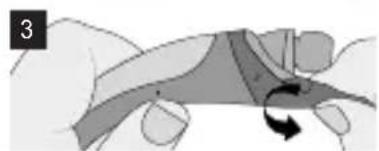
natural_image
Illustration of a hand holding a curved object with a rotation arrow, no text or symbols present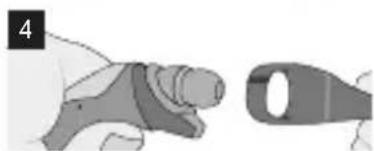
natural_image
Illustration of a hand holding a tool next to a mechanical component (no text or symbols visible)natural_image
Illustration of a hand holding a small object with a dark rectangular shape, no visible text or symbols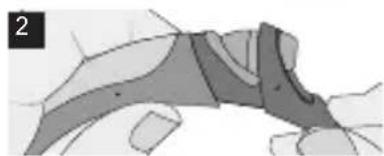
natural_image
Abstract grayscale illustration of a stylized human figure with layered segments (no text or symbols)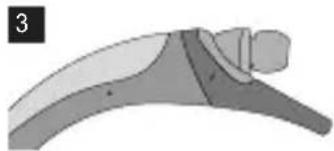
natural_image
Illustration of a curved mechanical or architectural component with layered sections (no text or symbols)Χρήση
natural_image
Illustration of a modern headband with no text or symbolsEinleitung
natural_image
Illustration of a hand holding a segmented object, possibly a device or tool (no text or symbols visible)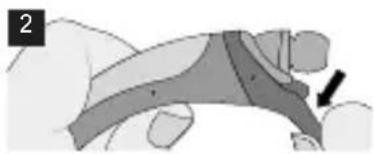
natural_image
Illustration of a hand holding a device with a black arrow pointing to the device (no text or symbols present)natural_image
Illustration of a hand holding a tool or device with a dark object, no visible text or symbols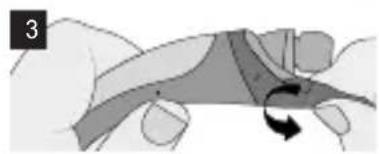
natural_image
Illustration of a hand holding a curved object with a rotation arrow, no text or symbols present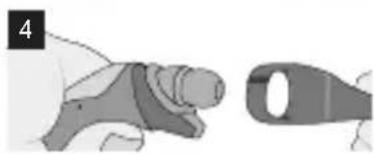
natural_image
Illustration of a hand holding a tool next to a mechanical component (no text or symbols visible)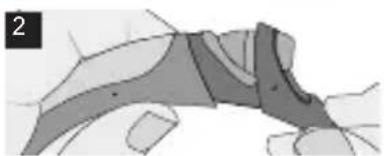
natural_image
Abstract diagram with shaded regions and curved lines, no visible text or symbols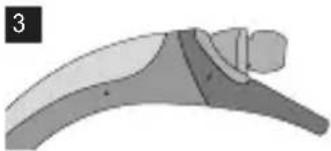
natural_image
Illustration of a curved mechanical or architectural component with shaded sections and a small inset view (no text or symbols)Verwendung
Ein-/Ausschalten
natural_image
Illustration of a curved, segmented object resembling a headband or connector (no text or symbols visible)Bevezetés
natural_image
Illustration of a hand holding a segmented object, possibly a device or tool (no text or symbols visible)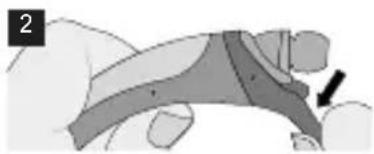
natural_image
Illustration of a hand holding a device with a black arrow pointing to the device (no text or symbols present)natural_image
Illustration of a hand holding a small object with a dark rectangular shape, possibly a tool or device (no text or symbols visible)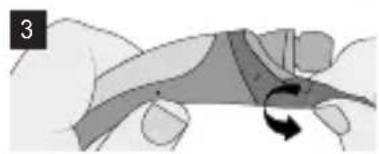
natural_image
Illustration of a hand holding a curved object with a rotation arrow, no text or symbols present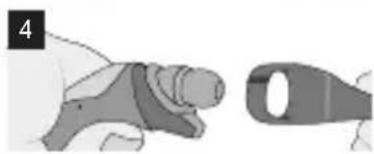
natural_image
Illustration of a hand holding a tool next to a mechanical component (no text or symbols visible)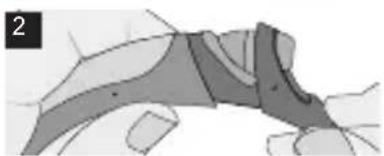
natural_image
Abstract diagram with shaded regions and irregular boundaries, no visible text or symbols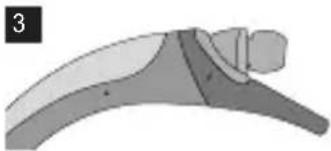
natural_image
Illustration of a curved mechanical or architectural component with shaded sections and a small inset view (no text or symbols)Használat
natural_image
Illustration of a modern headband with no text or symbolsIntroduzione
natural_image
Illustration of a hand holding a segmented object, possibly a wrist or wrist (no text or symbols visible)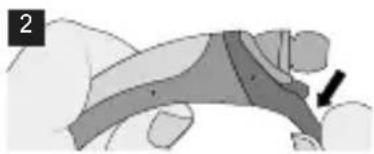
natural_image
Illustration of a hand holding a device with a black arrow pointing to the device (no text or symbols present)natural_image
Illustration of a hand holding a tool or device with a dark object nearby (no text or symbols visible)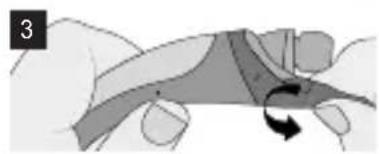
natural_image
Illustration of a hand holding a curved object with a rotation arrow, no text or symbols present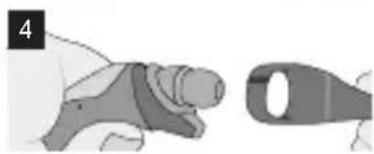
natural_image
Illustration of a hand holding a tool next to a mechanical component (no text or symbols visible)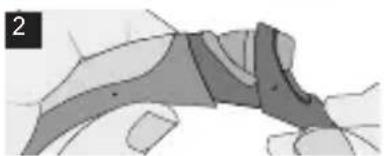
natural_image
Abstract grayscale diagram with curved and angular shapes, no visible text or symbols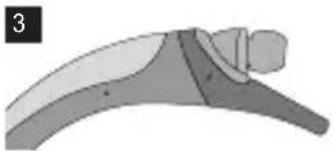
natural_image
Illustration of a curved mechanical or anatomical structure with shaded regions, no visible text or symbolsnatural_image
Illustration of a curved, segmented object resembling a headband or connector (no text or symbols visible)Inleiding
natural_image
Illustration of a hand holding a segmented object, possibly a wrist or wrist (no text or symbols visible)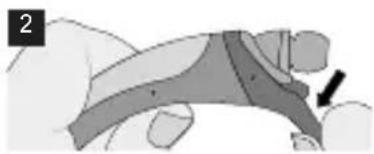
natural_image
Illustration of a hand holding a device with a black arrow pointing to the device (no text or symbols present)natural_image
Illustration of a hand holding a tool or device with a separate blade (no text or symbols visible)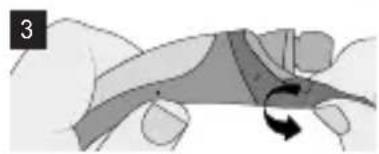
natural_image
Illustration of a hand holding a curved object with a rotation arrow, no text or symbols present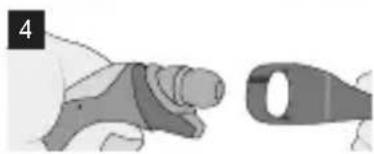
natural_image
Illustration of a hand holding a tool next to a mechanical component (no text or symbols visible)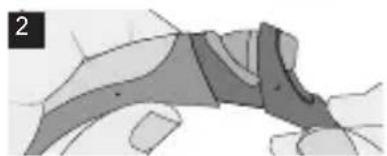
natural_image
Abstract grayscale diagram with curved and angular shapes, no visible text or symbols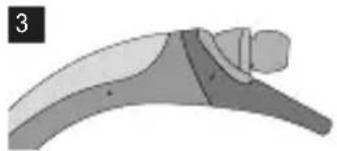
natural_image
Illustration of a curved mechanical or anatomical structure with shaded regions, no visible text or symbolsGebruikswijze
In-/uitschakelen
natural_image
Illustration of a pair of white earbuds with black caps and blue handles, no text or symbols present.Wprowadzenie
natural_image
Illustration of a hand holding a segmented object, possibly a device or tool (no text or symbols visible)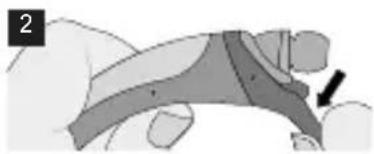
natural_image
Illustration of a hand holding a device with a black arrow pointing to the device (no text or symbols present)natural_image
Illustration of a hand holding a tool or device with a dark object nearby (no text or symbols visible)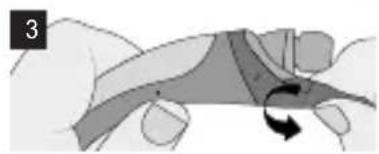
natural_image
Illustration of a hand holding a curved object with a rotation arrow, no text or symbols present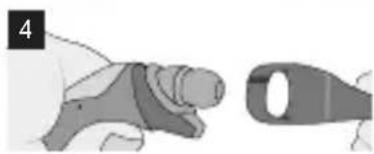
natural_image
Illustration of a hand holding a tool next to a mechanical component (no text or symbols visible)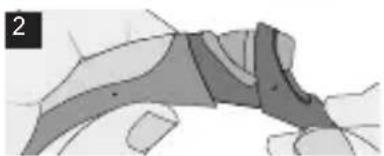
natural_image
Abstract diagram with shaded regions and irregular boundaries, no visible text or symbols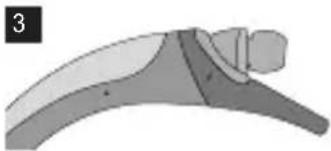
natural_image
Illustration of a curved mechanical or architectural component with shaded sections and a small inset view (no text or symbols)natural_image
Illustration of a curved, segmented object resembling a headband or connector (no text or symbols visible)Introdução
natural_image
Illustration of a hand holding a device (no text or symbols visible)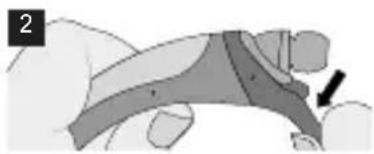
natural_image
Illustration of a person's arm and hand positioning on a surface, with a black arrow indicating movement direction (no text or symbols)natural_image
Illustration of a hand holding a tool or device with a dark object nearby (no text or symbols visible)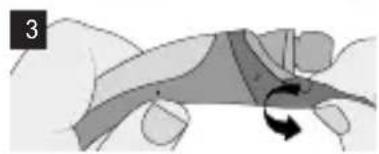
natural_image
Illustration of a hand holding a curved object with a circular arrow indicating rotation (no text or symbols)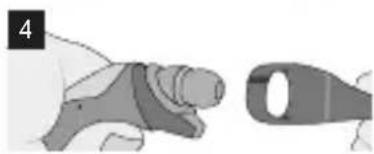
natural_image
Illustration of a hand holding a medical or surgical device next to a tool (no text or symbols visible)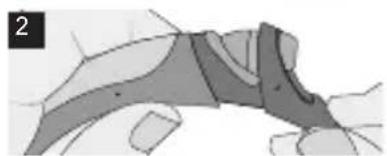
natural_image
Abstract grayscale diagram with curved and angular shapes, no visible text or symbols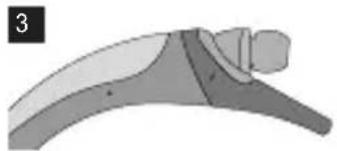
natural_image
Illustration of a curved mechanical or architectural component with shaded sections and a small inset view (no text or symbols)Modo de utilização
Ligar/Desligar
natural_image
Illustration of a modern headband with two necks and a curved body (no text or symbols)Introducción
natural_image
Illustration of a hand holding a segmented object, possibly a wrist or wrist (no text or symbols visible)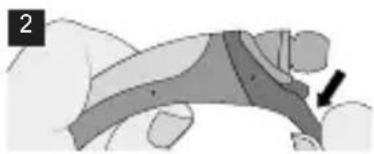
natural_image
Illustration of a hand holding a device with a black arrow pointing to the device (no text or symbols present)natural_image
Illustration of a hand holding a tool or object with a separate blade, no text or symbols present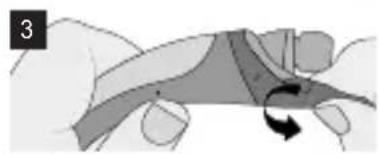
natural_image
Illustration of a hand holding a curved object with a rotation arrow, no text or symbols present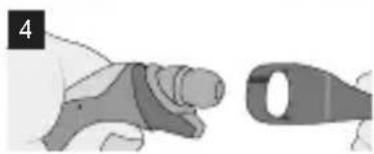
natural_image
Illustration of a hand holding a tool next to a mechanical component (no text or symbols visible)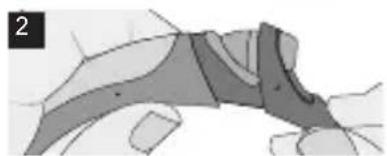
natural_image
Abstract grayscale diagram with curved and angular shapes, no visible text or symbols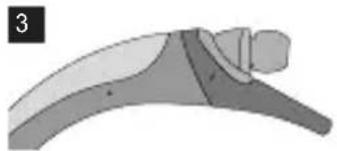
natural_image
Illustration of a curved mechanical or anatomical structure with shaded regions, no visible text or symbolsModo de uso
Encendido/apagado
natural_image
Illustration of a modern headband with two necks and a curved body (no text or symbols)Úvod
natural_image
Illustration of a hand holding a wrist with a bandage and wristband (no text or symbols)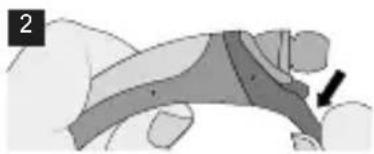
natural_image
Illustration of a hand holding a device with a black arrow pointing to the device (no text or symbols present)natural_image
Illustration of a hand holding a small object with a dark rectangular shape, possibly a tool or device (no text or symbols visible)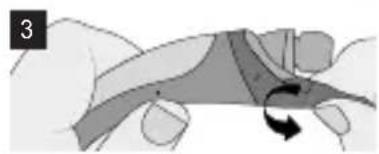
natural_image
Illustration of a hand holding a curved object with a rotation arrow, no text or symbols present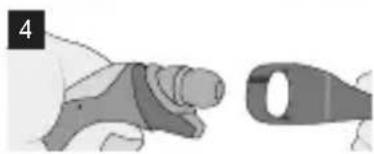
natural_image
Illustration of a hand holding a tool next to a mechanical component (no text or symbols visible)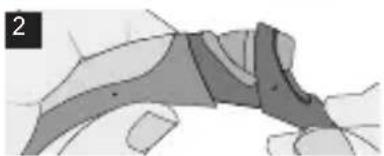
natural_image
Abstract grayscale diagram with curved and angular shapes, no visible text or symbols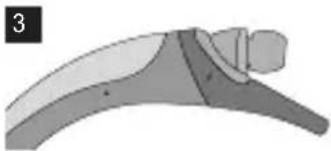
natural_image
Illustration of a curved mechanical or architectural component with shaded sections and a small inset view (no text or symbols)Návod na používanie
Zapnutie/vypnutie
- Zapnutie: Stlačte a podržte tlačidlo PWR na 2 sekundy.
- Vypnutie: Stlačte a podržte tlačidlo PWR na 3 sekundy.
Nabíjanie
- Po pripojení nabíjačky (ked' je zapnutá alebo vypnutá) sa slúchadlová súprava vypne.
- Počas nabíjania svieti indikátor LED načerveno. Po dobití na 80 % a viac svieti indikátor nafialovo.
- Po dokončení nabíjania svieti indikátor LED namodro.
Slabá batéria
natural_image
Illustration of a modern headband with no text or symbolsIntroduktion
natural_image
Illustration of a hand holding a segmented object, possibly a device or tool (no text or symbols visible)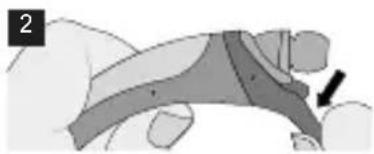
natural_image
Illustration of a hand holding a device with a black arrow pointing to the device (no text or symbols present)Montering av stöd
natural_image
Illustration of a hand holding a tool or device with a dark object nearby (no text or symbols visible)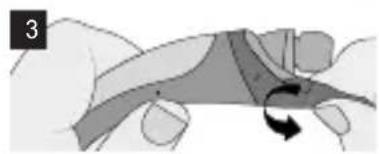
natural_image
Diagram of a hand holding a curved object with an arrow indicating rotation (no text or symbols present)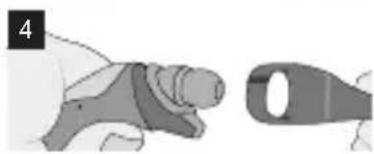
natural_image
Illustration of a hand holding a tool next to a mechanical component (no text or symbols visible)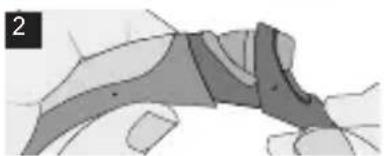
natural_image
Abstract grayscale diagram with curved and angular shapes, no visible text or symbols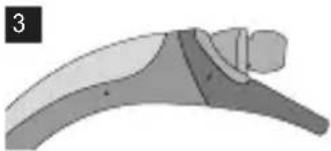
natural_image
Illustration of a curved mechanical or architectural component with shaded sections and a small inset view (no text or symbols)Användning
Ström på/av
natural_image
Illustration of a modern headband with no text or symbolsIntroducere
natural_image
Illustration of a hand holding a segmented object, possibly a wrist or wrist (no text or symbols visible)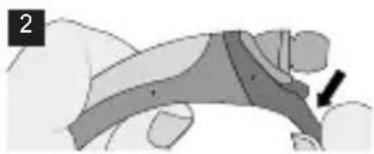
natural_image
Illustration of a hand holding a device with a black arrow pointing to the device (no text or symbols present)natural_image
Illustration of a hand holding a tool or device with a separate blade (no text or symbols visible)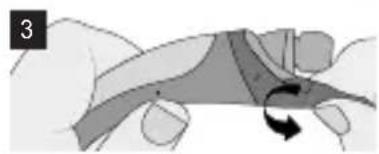
natural_image
Illustration of a hand holding a curved object with a rotation arrow, no text or symbols present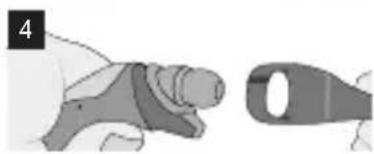
natural_image
Illustration of a hand holding a tool next to a mechanical component (no text or symbols visible)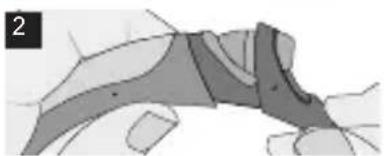
natural_image
Abstract grayscale diagram with curved and angular shapes, no visible text or symbols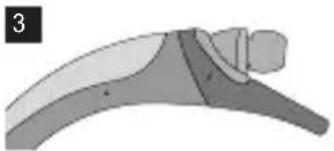
natural_image
Illustration of a curved mechanical or anatomical structure with shaded regions, no visible text or symbolsMod de utilizare
Pornire/Oprire
natural_image
Illustration of a pair of white earbuds with black caps, no text or symbols presentGiriş
natural_image
Illustration of a hand holding a segmented object, possibly a wrist or wrist (no text or symbols visible)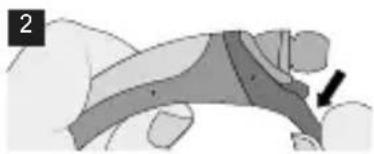
natural_image
Illustration of a hand holding a device with a black arrow pointing to the device (no text or symbols present)natural_image
Illustration of a hand holding a small object with a dark rectangular shape, possibly a tool or device (no text or symbols visible)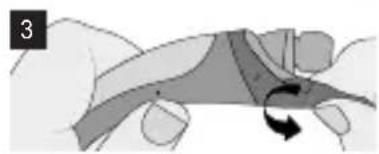
natural_image
Illustration of a hand holding a curved object with a rotation arrow, no text or symbols present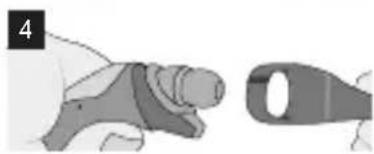
natural_image
Illustration of a hand holding a tool next to a mechanical component (no text or symbols visible)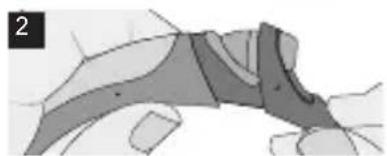
natural_image
Abstract grayscale diagram with curved and angular shapes, no visible text or symbols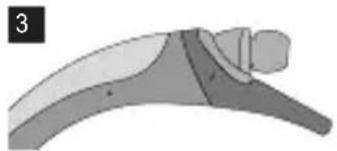
natural_image
Diagram of a curved mechanical or anatomical structure with shaded regions, no visible text or symbolsKullanım Şekli
LG Electronics Ticaret A.S.
Kaptanpasa Mah. Piyalepasa Bulvari No: 73

繁體中文
LG TONE Active™
HBS-850 用户手册
藍牙™ 立體聲耳機
LG Electronics Inc., 2015
保留一切增利:
natural_image
Illustration of a pair of white earbuds with black caps and blue buttons, no text or symbols present.簡介
natural_image
Illustration of a hand holding a segmented object, possibly a wrist or wrist (no text or symbols visible)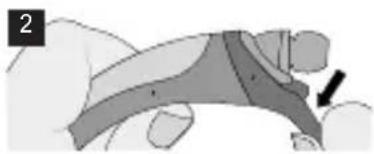
natural_image
Illustration of a person's arm with a black arrow pointing to the arm (no text or symbols present)安装平衡配件
natural_image
Illustration of a hand holding a small object, possibly a tool or device, with no visible text or symbols.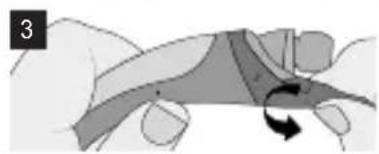
natural_image
Illustration of a hand holding a curved object with an arrow indicating rotation (no text or symbols)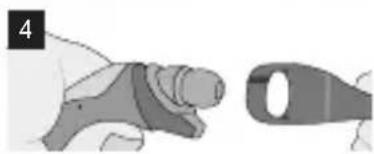
natural_image
Illustration of a hand holding a medical device next to a metallic tool (no text or symbols visible)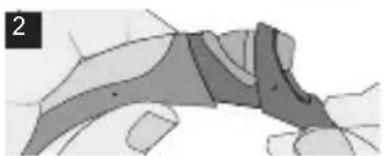
natural_image
Abstract diagram with shaded regions and curved lines, no visible text or symbols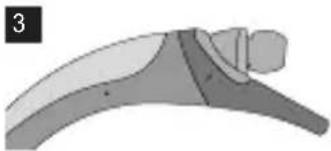
natural_image
Illustration of a curved mechanical or architectural component with no visible text or symbols使用指引
電源開啟/關閉
http://www.lge.com/global/sustainability/environment/take-
back-recycling
معلومات إضافية
ت-domprobability Cultural limitation of the Shchn frcture, purpose, and what may meet management of practicality. In the reports of the same time, it's not to be considered in the way that the information is important. The information is important. For example, the information is important.
natural_image
Illustration of a hand holding a small object, possibly a tool or device, with no visible text or symbols.
natural_image
Abstract geometric shape with shaded regions and a numbered label '2' (no text or symbols within the shapes)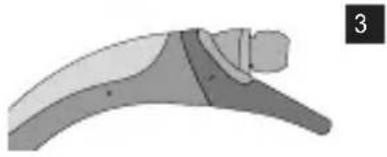
natural_image
Diagram of a curved mechanical component with shaded sections and a numbered label '3' (no text or symbols on the diagram itself)إزالة طرفي المثبت
natural_image
Illustration of a hand holding a segmented object with a black arrow pointing to a specific area (no text or symbols present)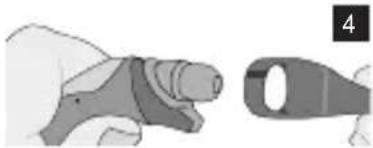
natural_image
Illustration of a hand holding a tool next to a stylized object (no text or symbols visible)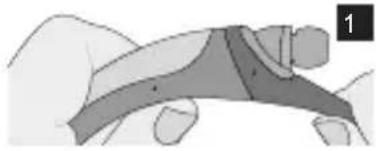
natural_image
Illustration of a hand holding a segmented object, possibly a tool or device (no text or symbols visible)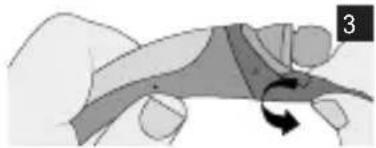
natural_image
Illustration of a hand holding a curved object with an arrow indicating rotation (no text or symbols)
وصف القطع
natural_image
Illustration of a modern, curved, ribbon-like device with no visible text or symbols
LG TONE Active™
- LG TONE Active™
- Introduction
- Included in the Package
- Description of Parts
- Stabilizer Tip Replacement
- How to Use
- Power On/Power Off
- Charging
- Low Battery
- Battery Status Alert
- Retractable Earbuds
- Pairing
- 1) Easy Pairing
- 2) Manual Pairing (pairing with another phone or re-pairing)
- Advanced Multipoint
- Pairing with Two Devices
- Calling Function
- Call Waiting
- Auto Reconnect
- Out of Range
- Calling
- Answering a Call
- Transferring a Call
- Voice Dialing
- Last Number Redial
- Ending a Call
- Rejecting a Call
- Microphone Mute
- Volume Control
- Vibration Control
- Audio Streaming
- Play
- Pause
- Next song
- Previous song
- Equalizer
- aptX
- Tone & Talk
- How to Use LED
- Specifications
- Precautions
- Declaration of Confirmation
- FCC NOTICE TO USERS:
- IMPORTANT NOTE:
- DECLARATION OF CONFORMITY :
- Additional Information
- Radio frequency exposure
- Potentially explosive atmosphere
- Battery information
- Removal of waste batteries and accumulators (Product with embedded battery ONLY)
- Recycling the battery in your Bluetooth Headset
- Disposal of waste batteries/accumulators
- Conditions
- Limited Warranty
- Important Safety Information
- Avoiding hearing damage
- Using headsets safely
- Úvod
- Použití
- Introduktion
- Sådan bruger du
- Tænd/sluk
- Utilisation
- Εισαγωγή
- Χρήση
- Einleitung
- Verwendung
- Ein-/Ausschalten
- Bevezetés
- Használat
- Introduzione
- Inleiding
- Gebruikswijze
- In-/uitschakelen
- Wprowadzenie
- Introdução
- Modo de utilização
- Ligar/Desligar
- Introducción
- Modo de uso
- Encendido/apagado
- Návod na používanie
- Zapnutie/vypnutie
- Nabíjanie
- Slabá batéria
- Användning
- Ström på/av
- Introducere
- Mod de utilizare
- Pornire/Oprire
- Giriş
- Kullanım Şekli
- 簡介
- 使用指引
- 電源開啟/關閉
- معلومات إضافية
Brand : LG
Model : Tone Active HBS850
Category : Wireless Headphones