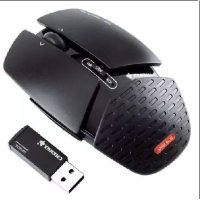
ZF 5000 - Mouse Cherry - Free user manual and instructions
Find the device manual for free ZF 5000 Cherry in PDF.



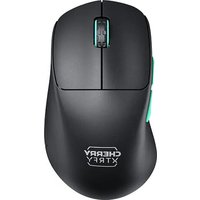
| Product type | Wireless mouse |
| Sensor technology | Laser sensor |
| Switchable resolution | 800 / 1600 dpi (via DPI switch) |
| Wireless range | 10 meters |
| Mouse power supply | NiMH rechargeable battery 1.2 V (AA type, 2100 mAh) |
| Battery charging time | Approximately 16 hours |
| Battery status indicator | Red LED for low battery or charging |
| Horizontal scrolling | Yes, by lateral pressure on the scroll wheel |
| Programmable keys | Yes (requires installation of Cherry software) |
| Receiver interface | USB |
| Operating temperature | 0 °C to +45 °C |
| Storage temperature | -20 °C to +60 °C |
| Cleaning | Slightly damp cloth with mild detergent |
| Laser classification | Class 1 laser product (safe under normal conditions) |
| Disposal | Do not dispose of with household waste; deposit at a collection point for electronic waste |
| Manufacturer warranty | 3 years (excluding batteries and third-party software) |
| Brand | Cherry |
| Model | ZF 5000 |
Frequently Asked Questions - ZF 5000 Cherry
User questions about ZF 5000 Cherry
0 question about this device. Answer the ones you know or ask your own.
Ask a new question about this device
Download the instructions for your Mouse in PDF format for free! Find your manual ZF 5000 - Cherry and take your electronic device back in hand. On this page are published all the documents necessary for the use of your device. ZF 5000 by Cherry.
USER MANUAL ZF 5000 Cherry
natural_image
Black-and-white photo of a Chelera keyboard and a macOS mouse, both placed on a plain surface (no text or symbols visible on the keys or background)Bedienungsanleitung
Operating Manual
Mode d'emploi
Guida rapida
CHERRY

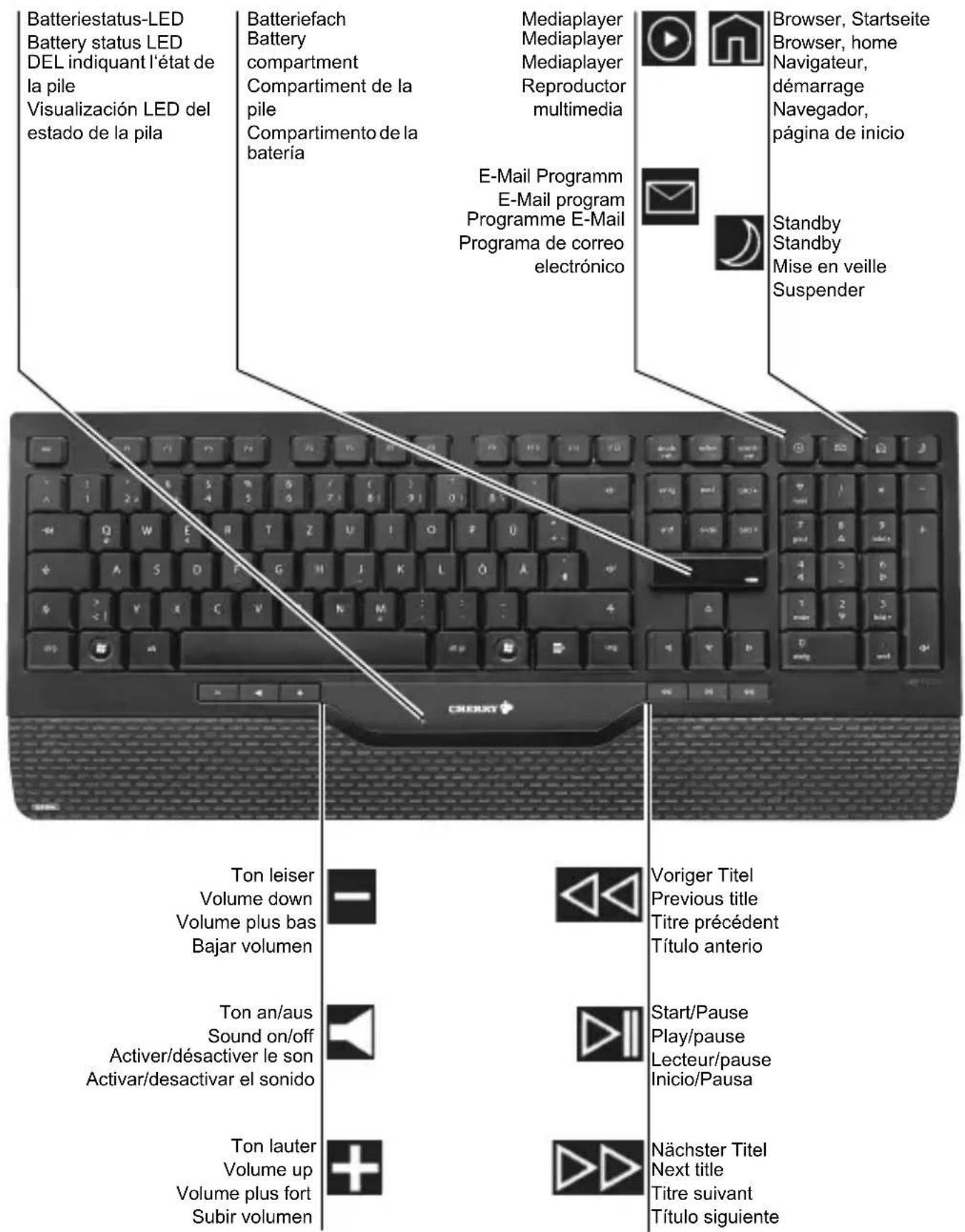
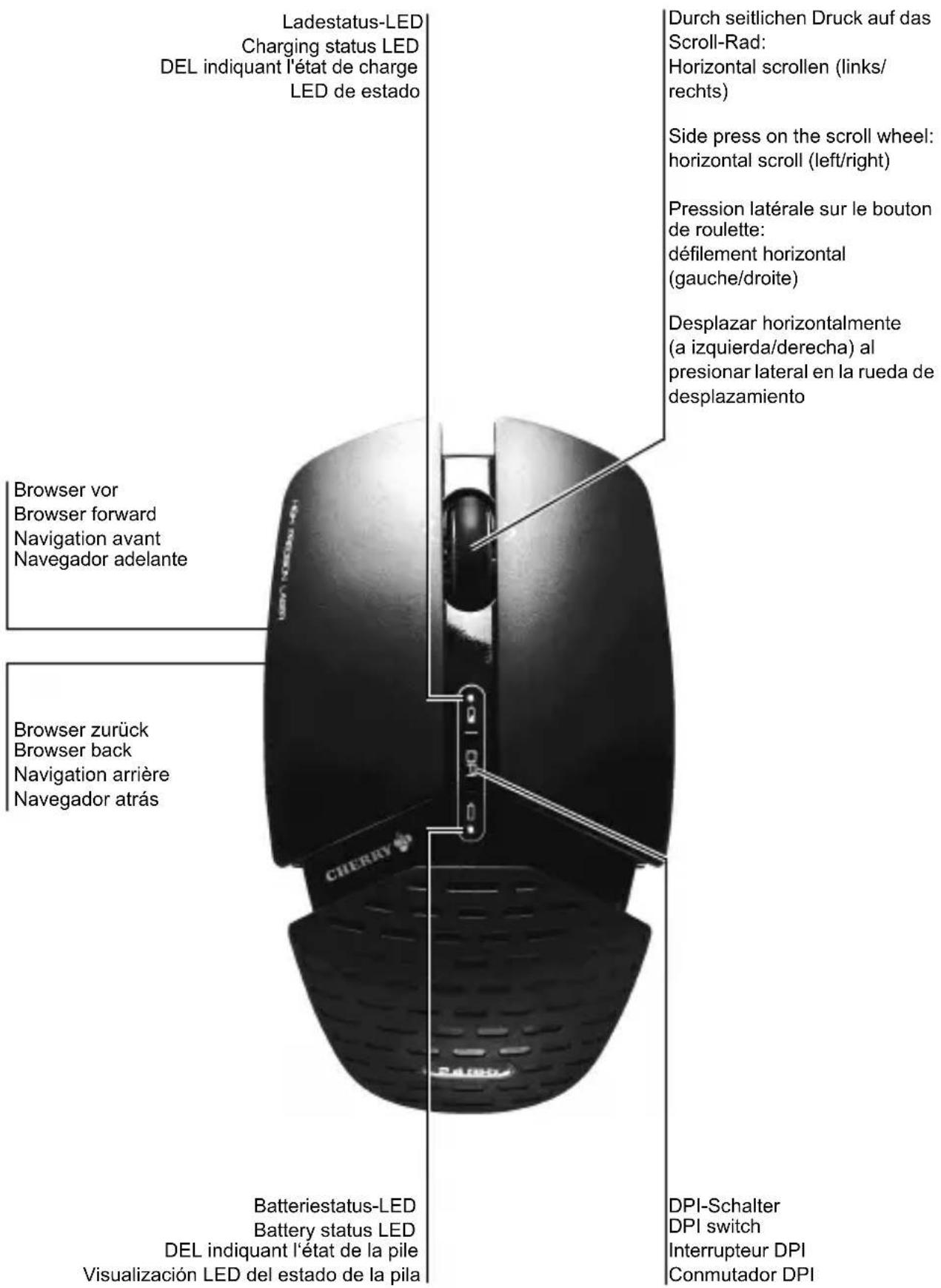
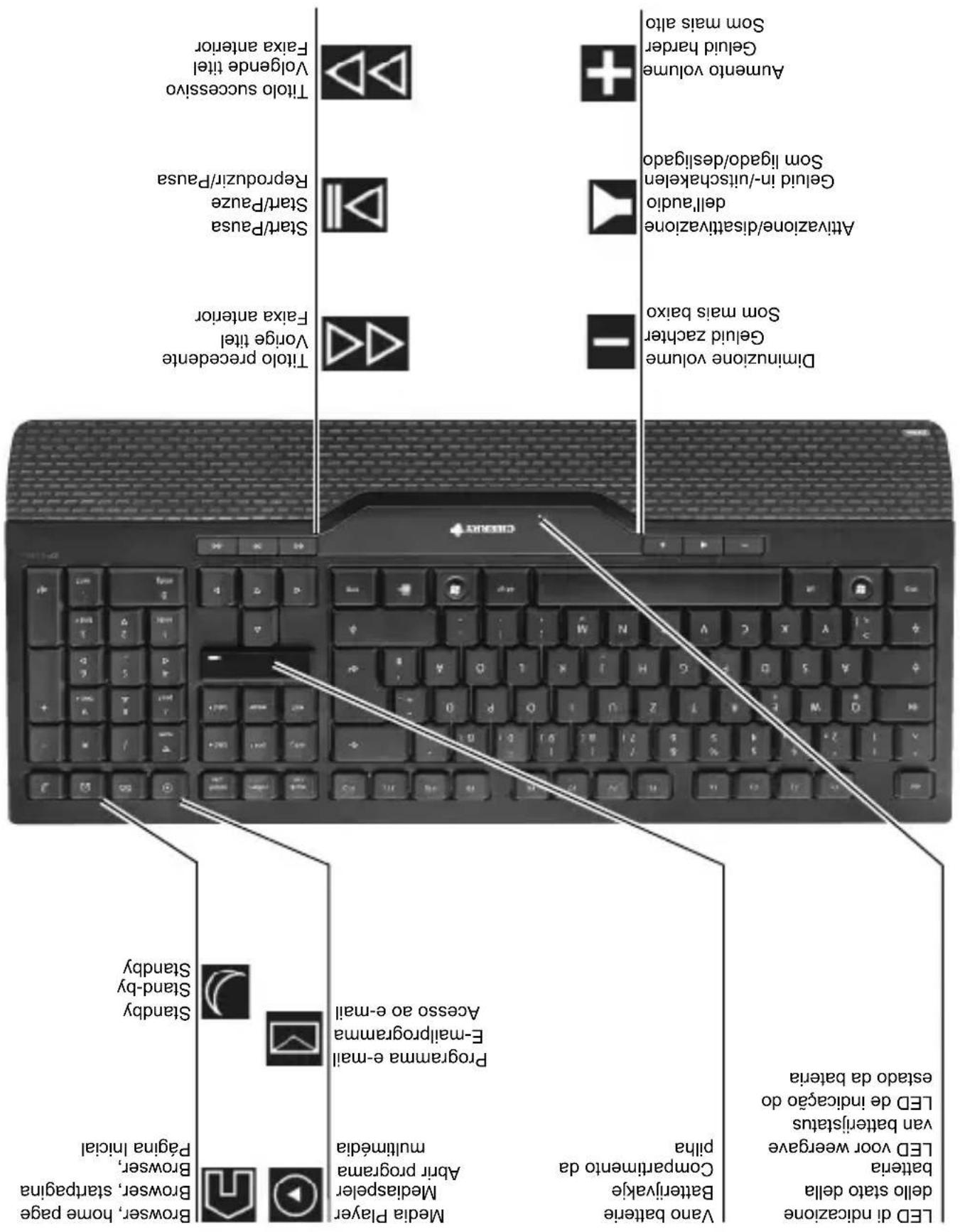
Tastenbelegung / Button function / Programmation des touches / Asignación de teclas
natural_image
Diagram of a door handle with a USB cable inserted, showing no text or symbols2 Alkali-Batterie (Größe AAA) in die Tastatur einlegen / Inserting an alkali battery (AAA size) in the keyboard / Insertion de la pile alcaline (taille AAA) dans le clavier / Colocar batería alcalina (tamaño AAA) en el teclado
natural_image
Three-step diagram showing battery charging process: moving, adding to a cylindrical component, and finally adding to a rectangular battery (no text or symbols)Change the keyboard battery when the LED flashes red.
natural_image
Diagram showing a mechanical component with a magnified inset, no text or symbols presentThe 3D technology allows you to adjust the inclination of the keyboard to the front or back using the feet at the corners. You can also plug the foot supplied into the middle of the keyboard.
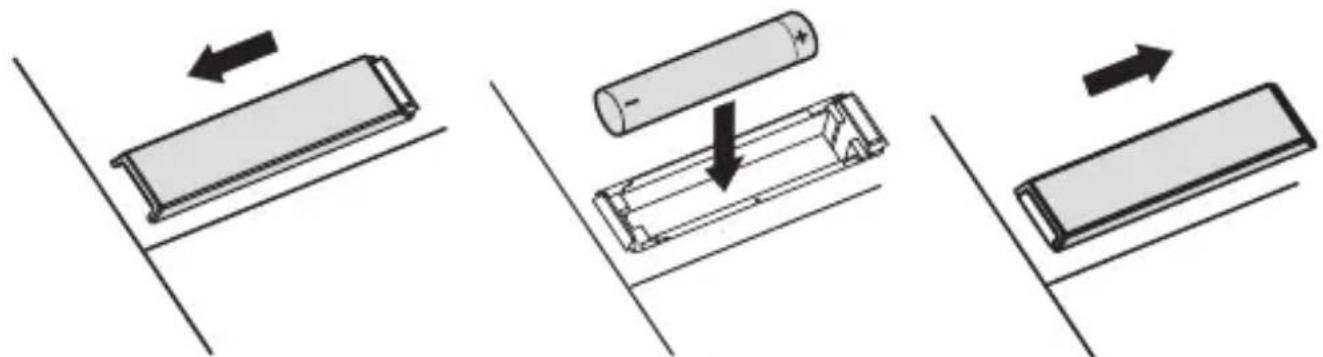
The battery is ready for immediate use and does not need to be charged before first use.
Charge the mouse battery when the mouse battery status LED flashes red. You can continue working during the charging process. Only plug in the charging cable when a rechargeable battery is inserted.
Completely charging the battery takes approx. 16 hours. During the charging process, the LED glows red.
Damage to the battery or the mouse
1 Only charge NiMH batteries (2100 mAh) in the mouse.
2 Only use external charging devices if they are suitable for charging NiMH batteries.
When you select a quality product from Cherry, you've always made the right choice. Cherry is a registered brand of ZF Electronics GmbH.
The following features in particular set your ZF 5000 apart:
- The freedom of no cables with a range of 10 ~m
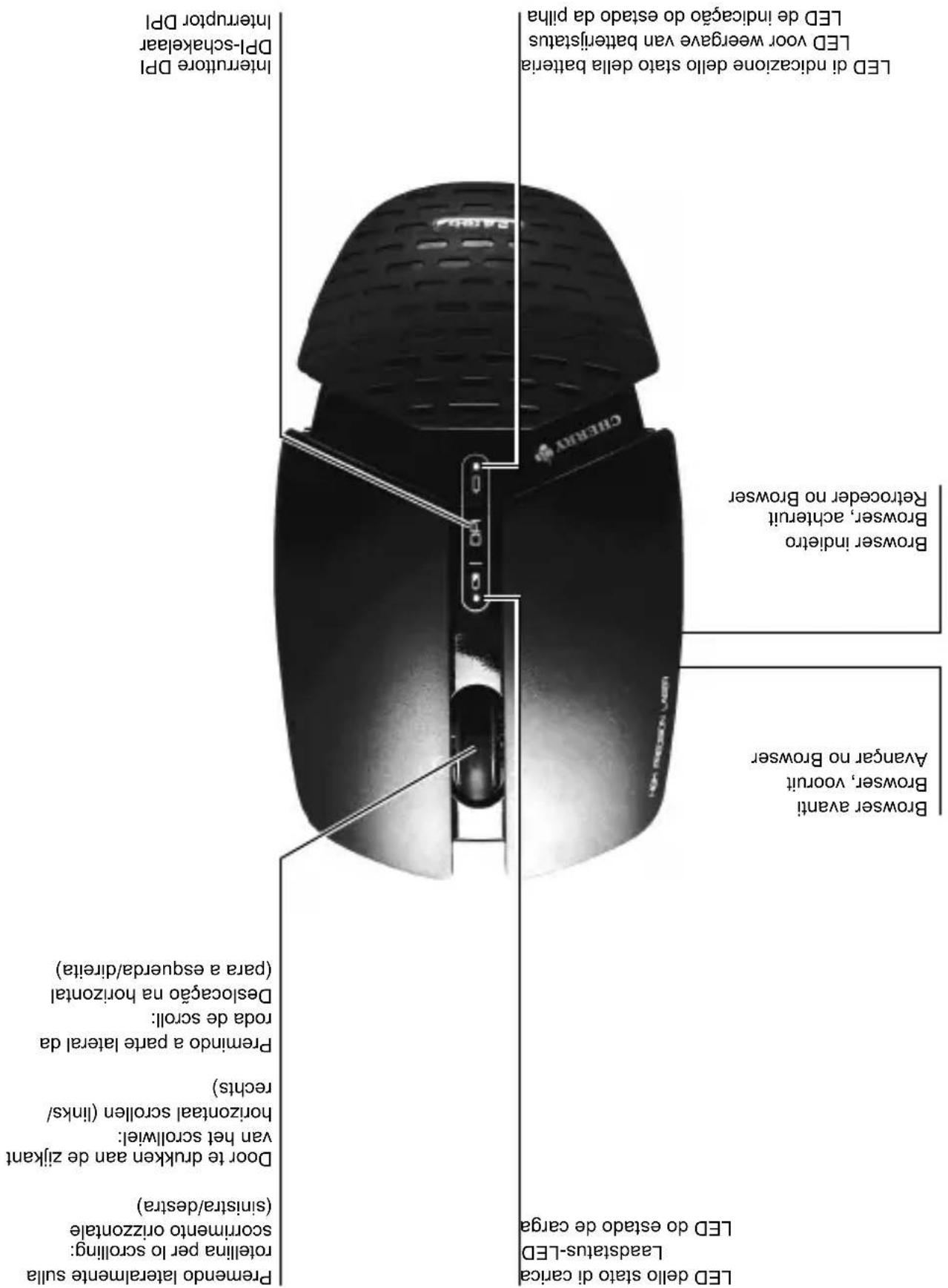
- Laser sensor with changeable resolution for fine-detail work with the DPI switch on top of the mouse (800/1600 dpi)
- Horizontal scrolling through side pressure on the scroll wheel. Install the software to use the function and program some keys however you like. (Download free-of-charge at: www.cherry.de/english/service/download.php)
For information on additional products, downloads, and much more, please visit www.cherry.de or www.cherrycorp.com
We hope you enjoy your new ZF 5000.
Your Cherry Team
1 Tips
1.1 Surface under the mouse
A bright, structured surface under the mouse increases the efficiency of the mouse and ensures optimum detection of movement.
A reflective surface is not suitable for use under the mouse.
1.2 Cleaning the devices

Caution!
Damage may be caused by harsh cleaning agents or liquids in the devices
1 Do not use solvents such as gasoline or alcohol and scouring agents or scouring sponges for cleaning.
2 Prevent liquids from entering the devices.
3 Do not remove the keycaps of the keyboard.
1 Clean the mouse with a slightly damp cloth and some mild cleaning agent (e.g. dishwashing liquid).
2 Dry off the mouse with a soft, lint-free cloth.
1.3 Disposal of the old unit

Dispose of the old unit via a collecting point for electronic scrap or via your dealer.
1.4 Disposal of the batteries

The keyboard contains an alkaline battery. Do not recharge it. The mouse contains a rechargeable nickel metal hydride battery.
If the alkaline battery is empty or the NiMH battery cannot be recharged, do not dispose of them with household waste. Batteries contain potentially harmful substances that can damage the environment and endanger public health. Please take your batteries to a commercial disposal site or a recycling center run by your local authority. This service is statutory and free of charge. Please only throw used batteries into the designated containers.
All standard and rechargeable batteries are recycled, which enables valuable raw materials, such as iron, zinc and nickel to be recovered. Recycling batteries is the easiest way to contribute toward protecting the environment.
Thank you for your cooperation.
1.5 RSI syndrome

RSI syndrome
RSI stands for "Repetitive Strain Injury". RSI results from small, continually repeated movements.
Typical symptoms are discomfort in the fingers or neck. For further information see: www.cherry.de/english/service/servicedownload_rsi.htm
1 Set up your workspace for maximum ergonomic benefit.
2 Position the keyboard and mouse in such a way that your upper arms and wrists are on either side of your body and are stretched out.
3 Take several short breaks, with stretching exercises if necessary.
4 Change the position of your body often.
2 Troubleshooting
1 Check whether the batteries are inserted correctly and supply sufficient voltage.
2 Connect the receiver to another USB port on the PC.
3 Technical data
| Designation Value | |
| Supply voltage Keyboard | rd: 1.5 VMouse: 1.2 VReceiver: 5.0 V/DC ±5 % SELV |
| Current consumption Keyboard | typ. 6 mAMouse: typ. 20 mA (during the charging process: 150 mA)Receiver: typ. 30 mA |
| Battery type keyboard | alkaline battery,type AAA (LR03) |
| Battery type mouse 1 NiMH battery,type AA (LR6), 2100 mAh | |
| Storage temperature -20 °C ... +60 °C | |
| Operating temperature 0 °C ... +45 °C | |
4 Contact
ZF Electronics GmbH
Cherrystraße
91275 Auerbach, Germany
www.cherry.de
www.cherrycorp.com
E-mail: info@cherry.de
Telephone:
Sales: +49 (0) 180 5 243779* (0180 5 CHERRY*)
Technical support: +49 (0) 180 5 919108*
(*14 euro cent/min. from German landlines, prices may vary for calls made from mobile networks.)
Please have the following information on hand when contacting technical support:
- Item and serial no. of the product
• Name and manufacturer of your system
- Operating system and, if applicable, installed service pack version
5 General advice
Cherry, a brand of ZF Electronics GmbH, continuously optimizes its products as new technologies are developed. For this reason we reserve the right to make technical alterations. The evaluation of product reliability and the definition of the product's technical performance are carried out according to our own requirements in order to meet internationally recognized regulations and standards.
Requirements in addition to these can be met through mutual cooperation. Improper usage, handling, storage and external influences could lead to faults and defects during use.
We do not accept warranty for defects caused by alterations to our product by the user and shall not be held liable for unauthorized modifications. All repairs must be made by us or an officially appointed organization or person.
Possible compensation claims against ZF Electronics GmbH or its nominated officers – whatever the legal justification including physical or stress related injuries – are excluded.
Exceptions to this exist in the case of intent or gross negligence on the part of ZF Electronics GmbH, infringements of Product Liability Law or in cases of injury, bodily harm or risk to health. These operating instructions only apply to the accompanying product.
Full details can be obtained from your distributor or direct from us.
6 Warning notes

Danger of suffocation due to swallowing of small parts
➢ Ensure that this unit does not end up in the hands of children under the age of six.
Class 1 laser product
EN 60825-1:2007
Safe under reasonably foreseeable conditions of operation.

Using the laser with a defective mouse is dangerous
The laser beam is invisible.
If the mouse is defective, the level of radiation may increase.
1 If you suspect a defect: Do not look into the laser opening on the bottom of the mouse.
2 Turn the defective mouse off immediately.
3 Have the defective mouse repaired by your dealer or dispose of it through a collecting point for electronic scrap or with your dealer.
4 For further information see:
7.1 CE Declaration of Conformity
Hereby, ZF Electronics GmbH, Auerbach/Opf., Germany, declares that this Radio-Frequency peripheral is in compliance with the essential requirements and other relevant provisions of Directive 1999/5/EC. The CE Declaration of Conformity can be retrieved by accessing the following internet address: www.cherry.de/compliance
Once accessed, click on the relevant product name to retrieve the CE Declaration of Conformity.
7.2 Federal Communications Commission (FCC)
Radio Frequency Interference Statement
Information to the user: This equipment has been tested and found to comply with the limits for Class B digital device, pursuant to Part 15 of the FCC Rules. These limits are designed to provide reasonable protection against harmful interference in a residential installation. This equipment generates, uses and can radiate radio frequency energy and, if not installed and used in accordance with the instructions, may cause harmful interference to radio communications. However, there is no guarantee that interference will not occur in a particular installation. If this equipment does cause harmful interference to radio or television reception, which can be determined by turning the equipment off and on, the user is encouraged to try to correct the interference by one or more of the following measures:
- Reorientate or relocate the receiving antenna.
- Increase the separation between the equipment and receiver.
- Connect the equipment into an outlet on a circuit different from that to which the receiver is connected.
- Consult the dealer or an experienced radio/TV technician for help.
Caution: Any changes or modifications not expressly approved by the party responsible for compliance could void the user's authority to operate the equipment.
8 For U L
For use with Listed Personal Computers only!
The recharging cable is only connecting to USB 1.x or 2.x for power supplying and charging the mouse.

CAUTION
Risk of explosion if batteries are replaced by an incorrect type.
➢ Dipose of used batteries according to these instructions.
Restricted Manufacturer's Guarantee
Restricted Guarantee – statutory Guarantee: Please note that the Restricted Manufacturer's Guarantee set out below applies in addition to your statutory guarantee and neither replaces nor restricts it. Please contact the seller of this product with any claim based on your statutory guarantee rights arising from the sale of consumer goods.
Guarantee rights: Cherry is a registered brand of ZF Electronics GmbH. With effect from June 1, 2006, ZF Electronics GmbH (“ZF Electronics”) grants the purchaser of this Cherry product (“Product”) a Restricted Manufacturer’ Guarantee (“Guarantee”) provided that this Product is bought and used by the purchaser in his capacity as a consumer. Commercial users of this Product or purchasers acting in their capacity as entrepreneurs are excluded from the Guarantee as set out below. The granting of a guarantee and its contents for these purchasers can be agreed with ZF Electronics individually at the contact address given in the instructions for use.
The Guarantee is not transferable and is limited to the original purchaser.
This Guarantee applies only to Products bought in a member state of the European Union, Iceland, Norway, Switzerland or Turkey and which were intended for sale in one of these countries; it is valid and enforceable in these countries only.
Guarantee period: The Guarantee period begins on the date on which the Product is purchased by an end customer (date of original proof of purchase) and runs for three (3) years, or ninety (90) days for all media on which software for this Product is provided.
Claiming under the Guarantee: If you wish to make a claim under this Guarantee, you must, within thirty (30) days of the occurrence of a defect, submit the following to an authorized ZF Electronics customer service office: the Product and the original proof of purchase. This must show the name and address of the authorized ZF Electronics salesperson and the date and place of purchase as well as the unique product designation.
Responsibility for loss or damage to the Product is not transferred to ZF Electronics until the product has reached ZF Electronics.
Guarantee benefits: Defects in the material, construction or processing of the hardware will be remedied within the Guarantee period by ZF Electronics or by an authorized
ZF Electronics customer service office free of charge within a commercially acceptable period by repair to the extent necessary to restore operation, or, should ZF Electronics at its own discretion consider it necessary, by replacing the Product or parts of it.
If neither of these two possibilities is feasible, ZF Electronics will reimburse the customer the purchase price paid. Replacement products may also be products which were state-of-the-art at the time of the purchase of the Product to be replaced. ZF Electronics may use new,
refurbished or as-new products or parts for the repair and replacement of the Product. As far as legally possible, ZF Electronics may choose between the possibilities mentioned above at its own discretion.
Replaced parts or Products are guaranteed either until the end of the original Guarantee period for the original Product or for three (3) months from the exchange of the parts or Products, whichever Guarantee period is longer.
Exchanged or returned parts or pieces of equipment become the property of ZF Electronics.
Defects in parts subject to wear and tear, which by their nature have only a limited service life (e.g. batteries or fuses), are not covered by the Guarantee. Products from third parties supplied together with the Product under Guarantee are not covered by the Guarantee from ZF Electronics.
Furthermore, the Guarantee does not cover normal wear and tear. Additionally, the Guarantee from ZF Electronics does not apply if the defect is the result of disregard of the instructions for use, improper or rough treatment or attempts at modification, e.g. using sharp objects, bending, pressure or dropping, of unauthorized interference or attempts at connection, unauthorized opening or repair or attempted repair with non-approved spare parts, incorrect operation or faulty installation. Nor does the Guarantee cover cases where the
Product has been exposed to moisture, damp, extreme heat or extreme climatic conditions or short fluctuations of these influences, corrosion or oxidation, where food or liquids have been spilled over it or it has been attacked by chemical substances.
Limitation of liability: ZF Electronics liability is limited to the original purchase price of the Product.
to the legally permitted extent, ZF Electronics also precludes liability for any accompanying or resulting damage, indirect or other damage and the shortfall or loss of income or profit, the loss of information or data or other financial damage incurred in connection with the purchase, installation, maintenance or use of the product, in particular higher costs or expenditure on indirect losses or damage, even if ZF Electronics has been informed of the possibility of such damage.
The limitation and preclusion of liability shall apply even if a remedy provided under the Guarantee has not fulfilled its purpose.
ZF Electronics is under no circumstances responsible for the customer's software, information or data stored on or integrated into the Product returned to ZF Electronics.
The limitations of liability detailed above do not apply in cases of intent or gross negligence on the part of ZF Electronics or in the case of death or injury to persons.
No guarantee on operator software: This Product may contain software from third-party providers whose use is regulated through a separate licence contract, or it may be connected to software of this kind. The Guarantee granted by ZF Electronics does not cover such third-party software, regardless of whether it is contained in the product or has been downloaded on to the product and regardless of whether it was added during installation, assembly, transport or at any other time in the delivery chain or was received by the purchaser in another way. Information concerning the guarantee applicable in this case may be obtained from the licence contract with the end user, which regulates the use of software of this type.
Further information: This Guarantee contains the sole and exclusive legal remedy of the purchaser towards ZF Electronics and ZF Electronics sole and exclusive liability for defects in the product. This Guarantee replaces all other guarantees and declarations of liability where these were made in verbal, written or implied form or are based on (non-mandatory) applicable statutory or contractual provisions. It also replaces implied guarantees of the marketable quality of the Product or its suitability for a particular purpose.
No ZF Electronics distributor, sales agent or employee is authorized to grant amendments, extensions or supplements to this Guarantee.
Information on the conditions of the Guarantee, authorized customer service offices and any up-dates may be obtained from our web site at: www.cherry.de/guarantee/.
Mode d'emploi
Félicitations!
www.cherry.de/spanish/service/service\_rsi.htm
service-laser-class-1.htm
transferencies e outros, visite o website
Seguinees characteristics:
english/service/service download_rsi.htm
service/download.php)
italian/service/download.php)
software. (Download gratuito su: www.cherry.de/)
natural_image
Diagram of a car interior showing airflow or movement with a black arrow indicating direction (no text or symbols)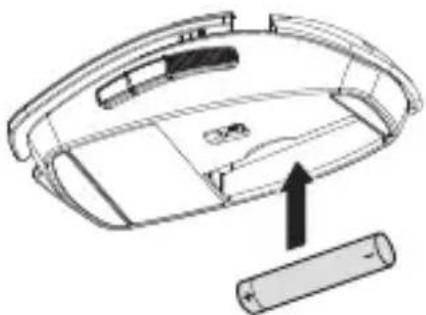
natural_image
Diagram of a vehicle rear panel with a battery and an upward arrow indicating direction (no text or symbols)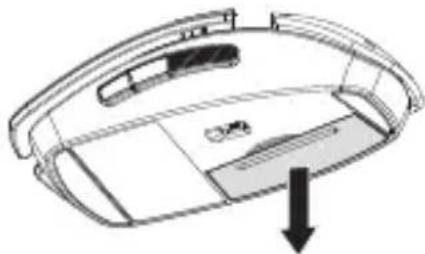
natural_image
Diagram of a car interior with a downward arrow indicating a component or movement (no text or symbols present)natural_image
Line drawing of a laptop keyboard with an inset showing a device placed on the screen (no text or symbols)natural_image
Three-step diagram showing battery charging process with arrows indicating direction (no text or symbols)natural_image
Diagram showing a 3D object being inserted into a device with a close-up view of its internal components (no text or symbols)1 Collage II recevitore / OntANGER aansuiten / Ligar o receptor
natural_image
Black-and-white photo of a modern computer keyboard with a mouse and earband (no visible text or symbols)WIRELESS DESKTOP
000S 5000
0020-or


- Tastenbelegung / Button function / Programmation des touches / Asignación de teclas
- Tips
- Surface under the mouse
- Cleaning the devices
- Caution!
- Disposal of the old unit
- Disposal of the batteries
- RSI syndrome
- RSI syndrome
- Troubleshooting
- Contact
- General advice
- Warning notes
- Danger of suffocation due to swallowing of small parts
- Class 1 laser product
- Using the laser with a defective mouse is dangerous
- CE Declaration of Conformity
- Federal Communications Commission (FCC)
- Radio Frequency Interference Statement
- For U L
- CAUTION
- Restricted Manufacturer's Guarantee
- Mode d'emploi
- Félicitations!
- www.cherry.de/spanish/service/service\_rsi.htm
- service-laser-class-1.htm
- service/download.php)
- 000S 5000
Brand : Cherry
Model : ZF 5000
Category : Mouse