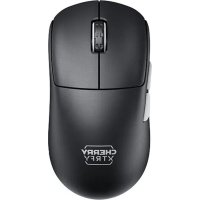
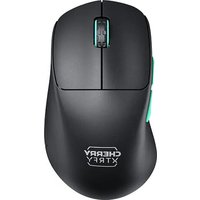
XTRFY M68 PRO WIRELESS - Mouse Cherry - Free user manual and instructions
Find the device manual for free XTRFY M68 PRO WIRELESS Cherry in PDF.


| Product Type | Wireless gaming mouse |
| Brand | Cherry |
| Model | XTRFY M68 PRO WIRELESS |
| Connectivity | Wireless via USB dongle, wired via USB cable |
| Power Supply | Rechargeable battery via USB port |
| Battery Charging | Via USB cable, LED indicator shows status |
| Battery Level | Check by holding side buttons for 3s, LED color indicates level |
| CPI Adjustment (Sensitivity) | Switch to CPI mode, press bottom button to change, LED color indicates setting |
| Polling Rate Adjustment | Switch to PR mode, press bottom button to change |
| Debounce | Switch to DT mode, press bottom button to adjust response time |
| Lift-Off Distance | Adjustable by holding side buttons + left/right clicks |
| Motion Sync | Enable/disable by holding side buttons + scroll wheel |
| Sensor Mode | Pro game, standard game, low consumption (side buttons + bottom button) |
| Reset Settings | Hold side buttons + right click |
| Power On | Switch power to ON |
| Care and Cleaning | Clean with a soft dry cloth, avoid liquids |
| Safety | Charge only via computer USB port |
Frequently Asked Questions - XTRFY M68 PRO WIRELESS Cherry
User questions about XTRFY M68 PRO WIRELESS Cherry
0 question about this device. Answer the ones you know or ask your own.
Ask a new question about this device
Download the instructions for your Mouse in PDF format for free! Find your manual XTRFY M68 PRO WIRELESS - Cherry and take your electronic device back in hand. On this page are published all the documents necessary for the use of your device. XTRFY M68 PRO WIRELESS by Cherry.
USER MANUAL XTRFY M68 PRO WIRELESS Cherry
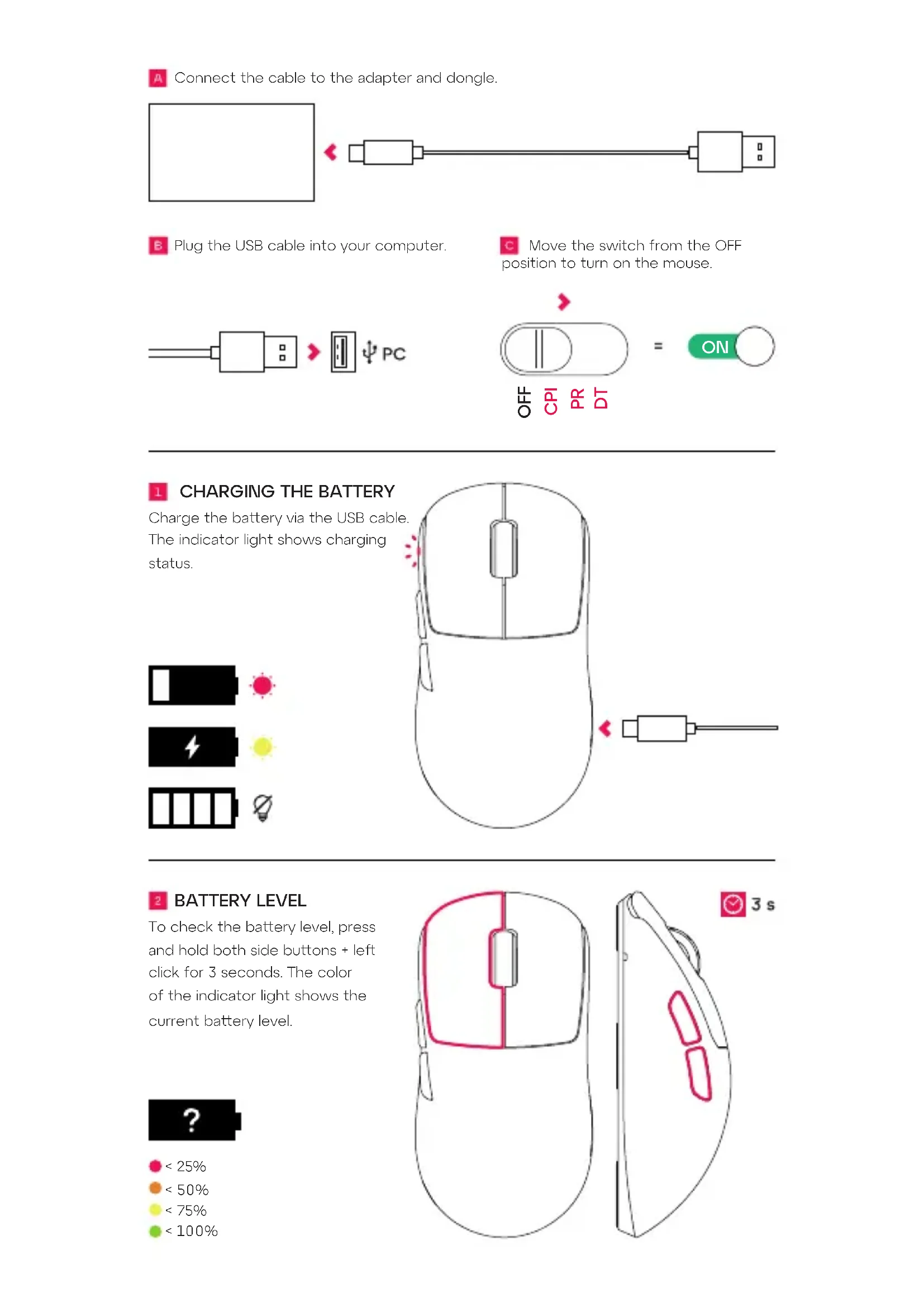
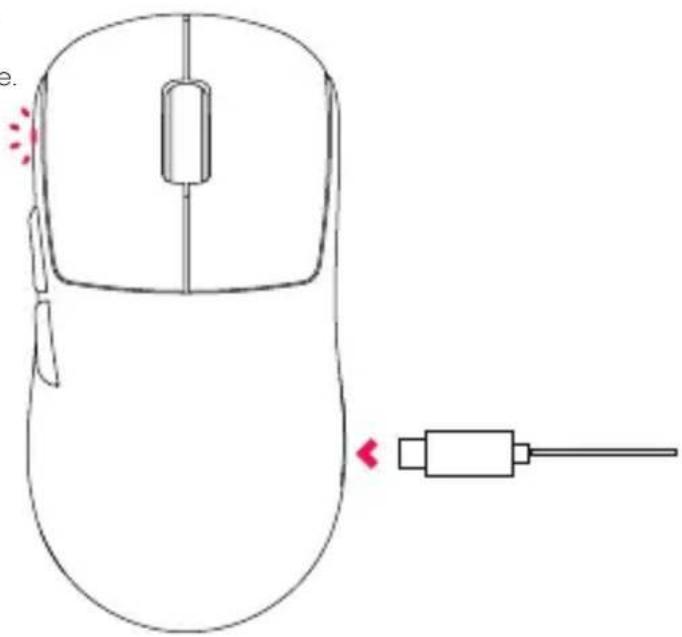
Connect the cable to the adapter and dongle.

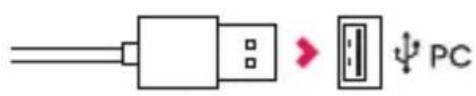
Plug the USB cable into your computer.
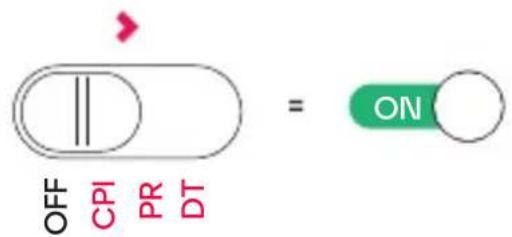
Move the switch from the OFF position to turn on the mouse.
CHARGING THE BATTERY
Charge the battery via the USB cable. The indicator light shows charging status.


2 BATTERY LEVEL
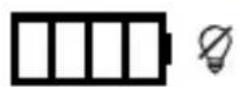
To check the battery level, press and hold both side buttons + left click for 3 seconds. The color of the indicator light shows the current battery level.

0 < 25%
0 < 50%
<75%
<100%

CPI (MOUSE SENSITIVITY)
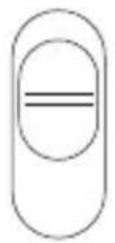
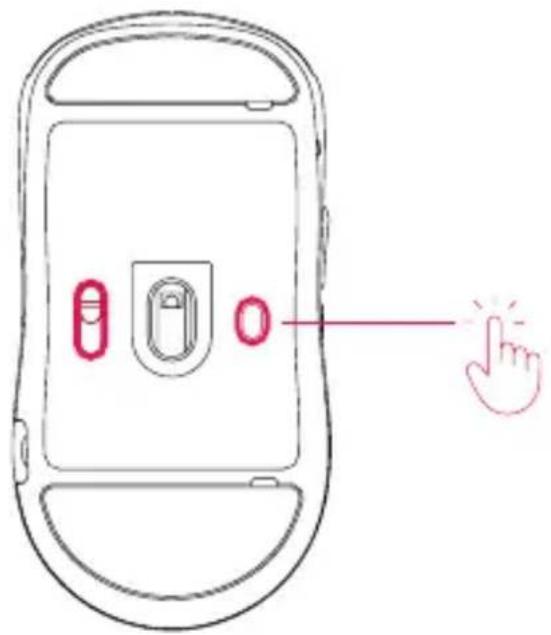
Set the switch into CPI mode. Then press the bottom button repeatedly to adjust the mouse sensitivity. The color of the indicator light shows the current setting.
400 800 1200 1600 3200
4000 7200 26000
OFF
CPI
PR
DT
4 POLLING RATE
Set the switch into PR mode. Then press the bottom button repeatedly to adjust the polling rate.
WIRELESS: 125 Hz 250 Hz 500 Hz
1000 Hz 4000 Hz 8000 Hz
Wired: 125 Hz 250 Hz 500 Hz
1000 Hz
OFF
CPI
PR
DT
DEBOUNCETIME
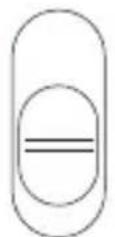
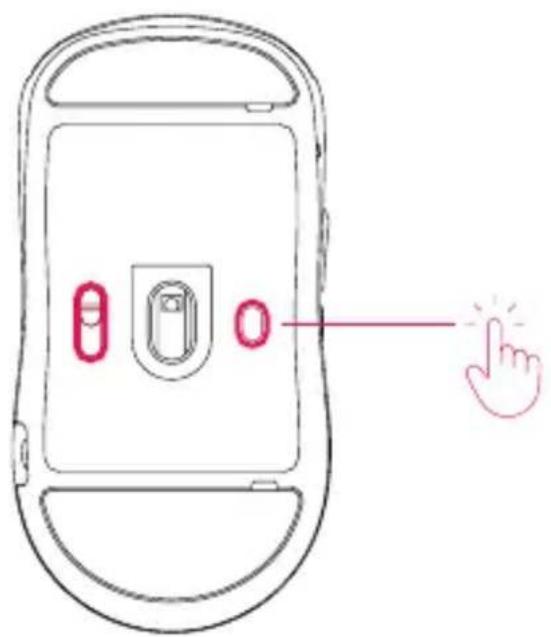
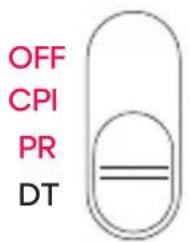
Set the switch into DT mode. Then press the bottom button repeatedly to adjust the debounce time.
2ms 4ms 8ms 12ms
6 LIFT-OFF DISTANCE
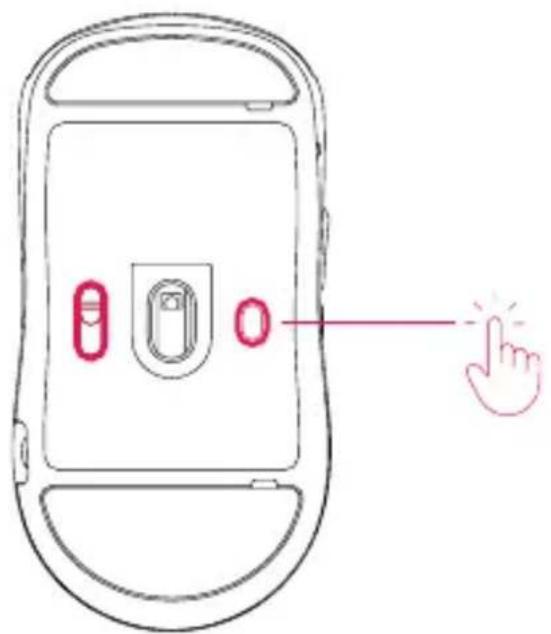
Press and hold both side buttons + left and right click to change the lift-off distance.
1mm 2mm
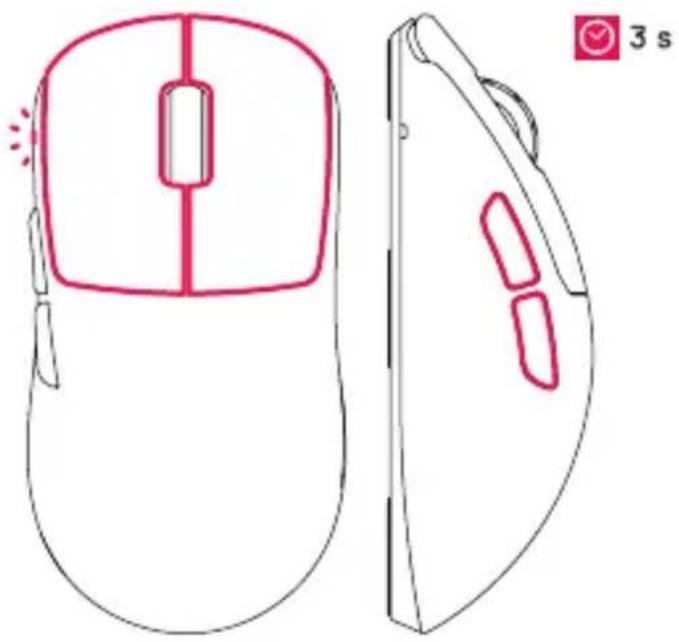
MOTION SYNC
Press and hold both side buttons + scroll click to turn motion sync on or off.
OFF ON
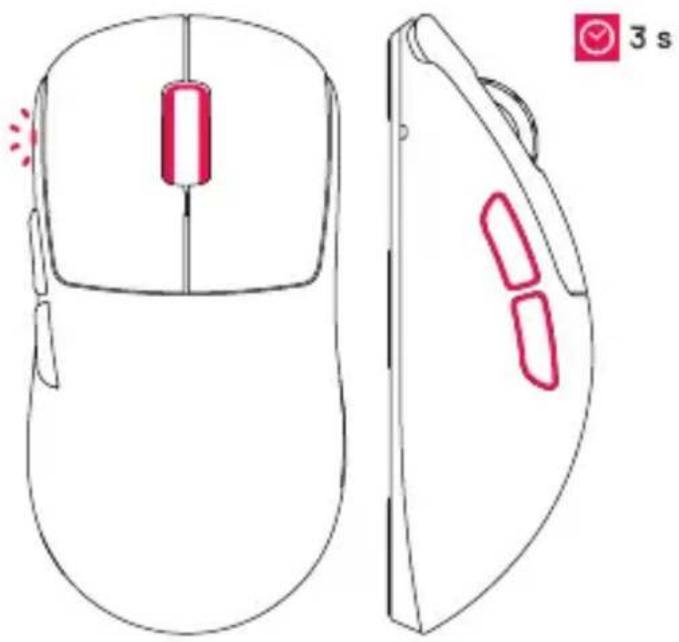
SENSORMODE
Increase performance or extend battery life by switching between Pro Gaming Mode, Standard Gaming Mode and Low Power Mode. Press and hold both side buttons + the bottom button.
Pro Gaming Mode
Standard Gaming Mode
Low Power Mode
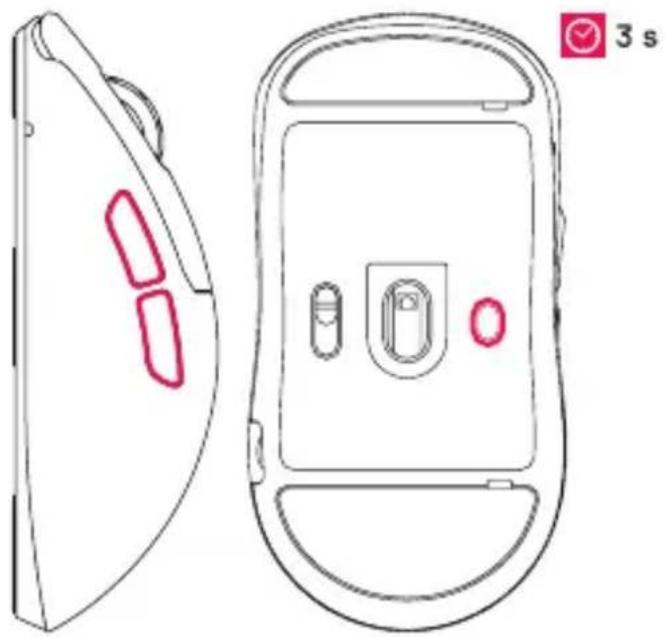
FACTORY RESET
Press and hold both side buttons + right click to reset all settings.
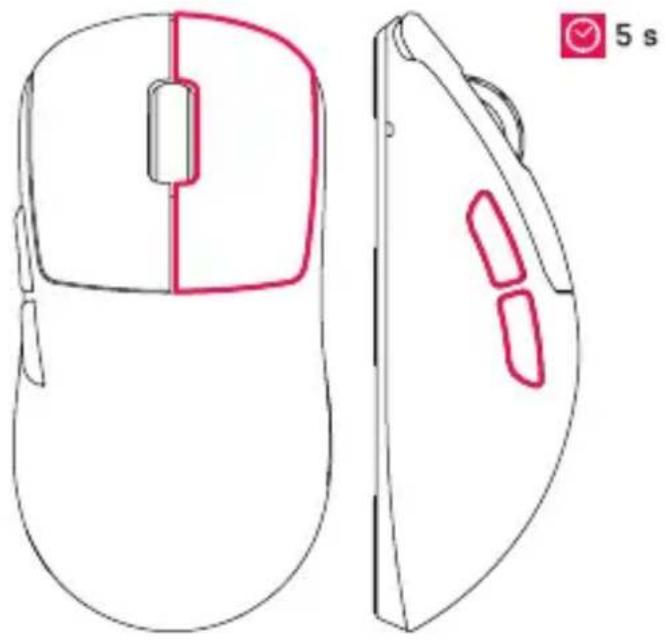

CHARGE THE MOUSE VIA COMPUTER USB PORT ONLY.

DEU
A IopknIOUHTe Ka6eIb K aIaIaTepy I annapaTHOMY KIIOUY.
B IopknioHTe USB-ka6ebk K kOMnbIOTepy.
CpepeBeiTe nepeKIOUaTeIb N3 NOOKeHnA «BbIK.》,YTO6bI BKNIOuHTbMbIUb.
3APRAKA AKKUMYJTOPA
3apKaIte aKKyMnyTOp c NOMOu USB Ka6eJI. CBeTOBn INHnKaTOp yKa3bBaet Ha COCToRHe 3apJKN.
2 YPOBEHb 3APrIaAKKyMylrTOPA
YTo6bI npOBepntb yPoBeHb 3apJa aKKyMylrTopa,HaKMITE n YdepKnBaTte DBe 60KOblE KHOKN + NeByIO KHOKNy Mblu B TeueHne 3 cekHy. LBet CBeTOBOrO INHdkatopayka3bIbaeT Ha Tekyu nn yPOBeHb 3apJa aKKyMylrTopa.
CPI (UVBCTB/ITEJIbHOCTbMbIUNI)
Ipebeinte nepekHIOaTeIbpeKIM CPI.3aTeMaHxMnTe HxKHO KOHNKy HeckoJIbKO pa3,HTO6bHaCTpOnTb yBCTBnTEbHOCTbMbIu.LBetCBETOBORO INNkAToPA Yka3bBaet Ha TeKyUO 3aDaHHyHOACTpOky.
4 YACTOTA ONPOCA
IpebeeNTe nepeekuOaTeIb BpeKIM NaCTpouKn YactOTb Onpoca.3aTem
HaKMITE HXKHOIO KHNKY HeCKoNbKO pa3, UTo6bHaCTpOuTb YAcTOTy Onpoca.
BPEMRAHTINIDPEBE3ΓA
IpebeuTe nepeKIOaTeIbpeKIM HaCTpOien BpeMeHn aHTNDpe6e3ra. 3aTeM HAKMTe HxHHIO KHOKNy HeCKoJIbKO pa3, UTo6bl HaCTponTb BpeMaHTNDpe6e3ra.
BbICOTA OTPbIBA MbluINI
HaKMTe u ydepxkBaIte DBe 6OKOBbie KHOKN +JeBYIO npabyIO KHOKN Mbln INa N3MeHEnBbICOTbl OTPbBA MbIIN.
CINHXPOH/3ALVIAIBIXEHHI
HaKMTe u ydePKNBaIte DBe 6OKOBbie KHOKN + KOJecNko IPOKpyTK, YTO6bl BKIOUHTb NIN BbIKIOUHTb CNHXPOH3aLIO DBIXEHNIA.
8 PEXKIM PABOTbl DATYKA
IOBbICbTe npOIN3BOJNTeJIbHOCTb INyBeJIuYbTe BpEMaABTOHOMHOpa6OTbl,peKeKJIIOUaCb MEXkDy peKIMaMnnpofoeccnoHaJIbHOH INrPbI,CTaHdapTHOHINrPbI INoHIXeHHoro 3HeprONOTpe6JIeHnHaXMMte UydepKINBaITe DBe 6OKOBbieKHONK+ HNXHIOU KHONKY.
9 CBPOC IO 3ABOДСКИX HACTPOEK
HaKMMTe u ydePknBaIte DBe 6OKOBbie KHOKN + npabyIO KHONKY Mblu, YTO6bl c6pocntb BCE HAcTpoiKn.
3APJXAITEMbIbTOJIbKO YEPE3 USB-NOPT KOMIbOTepA
SWE

- CHARGING THE BATTERY
- BATTERY LEVEL
- CPI (MOUSE SENSITIVITY)
- POLLING RATE
- DEBOUNCETIME
- LIFT-OFF DISTANCE
- MOTION SYNC
- SENSORMODE
- FACTORY RESET
- DEU
- 3APRAKA AKKUMYJTOPA
- YPOBEHb 3APrIaAKKyMylrTOPA
- CPI (UVBCTB/ITEJIbHOCTbMbIUNI)
- YACTOTA ONPOCA
- BPEMRAHTINIDPEBE3ΓA
- BbICOTA OTPbIBA MbluINI
- CINHXPOH/3ALVIAIBIXEHHI
- PEXKIM PABOTbl DATYKA
- CBPOC IO 3ABOДСКИX HACTPOEK
- SWE
Brand : Cherry
Model : XTRFY M68 PRO WIRELESS
Category : Mouse