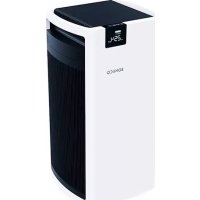
P700 - Air purifier BONECO - Free user manual and instructions
Find the device manual for free P700 BONECO in PDF.



| Product type | Air purifier |
| Brand | Boneco |
| Model | P700 |
| Supply voltage | 220-240 V, 50 Hz |
| Power consumption | 1 W - 67 W |
| Noise level | 37-66 dB(A) |
| CADR Particles | 720 m³/h |
| CADR Formaldehyde | 226 m³/h |
| Max air flow | 800 m³/h |
| Recommended area | Up to 72 m² (180 m³) |
| Dimensions (L x W x H) | 360 x 390 x 769 mm |
| Net weight | 15 kg |
| Filtration type | Pre-filter + 2 activated carbon filters with HEPA |
| Sensor | Fine particles (smog, dust, dust mites) |
| Operating modes | Automatic, Manual (P mode boost) |
| Timer | Delayed off / Delayed start (1-12 h) |
| Child lock | Yes, control panel lock |
| Display | Digital, adjustable brightness, standby after 60 s |
| Maintenance | Clean pre-filter with warm water; replace filters annually |
| Spare parts | Replacement filters available at shop.boneco.com |
| Included accessories | 2 activated carbon filters with HEPA, power cord |
Frequently Asked Questions - P700 BONECO
User questions about P700 BONECO
0 question about this device. Answer the ones you know or ask your own.
Ask a new question about this device
Download the instructions for your Air purifier in PDF format for free! Find your manual P700 - BONECO and take your electronic device back in hand. On this page are published all the documents necessary for the use of your device. P700 by BONECO.
USER MANUAL P700 BONECO
READ AND SAVE THESE INSTRUCTIONS
Instructions for use 17
Congratulations on your purchase of the BONECO P700. This highly efficient air purifier is sure to meet your highest standards. A high-quality sensor monitors the air quality. This particle sensor measures the amount of fine particles in the room air. This includes smog, household dust and dust mites.
These pollutants are eliminated through the combined effect of the two activated carbon filters and HEPA filters. The cause of breathing difficulties, headaches and allergies is therefore removed. The automatic control system also ensures a low noise level, thus making the BONECO P700 almost unnoticeable.
ITEMS INCLUDED BONECO P700 with country-specific power cord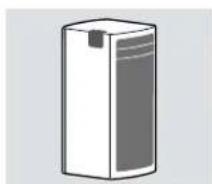
2x Activated carbon filter with HEPA filter cloth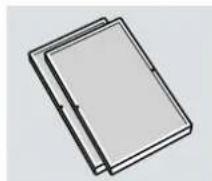
We hope you enjoy your new BONECO P700!
OVERVIEW AND PART NAMES
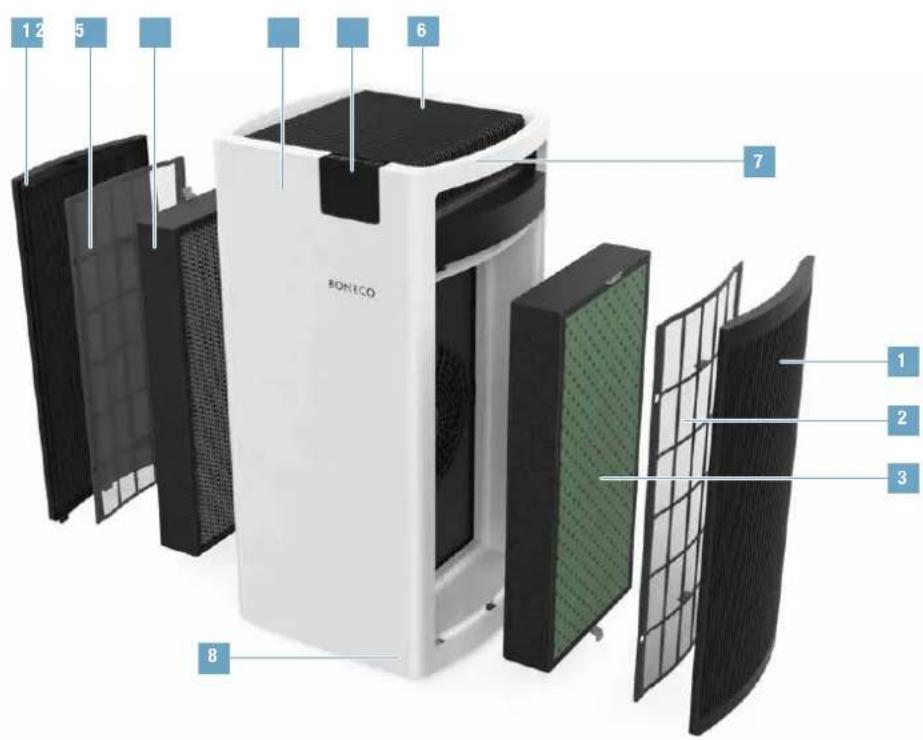
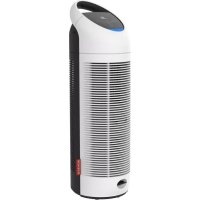
1 Filter cover 2 Pre-filter 3 Filter 4 BONECO P700 5 Display, control panel 6 Air outlet 7 Handle 8 Wheels
en
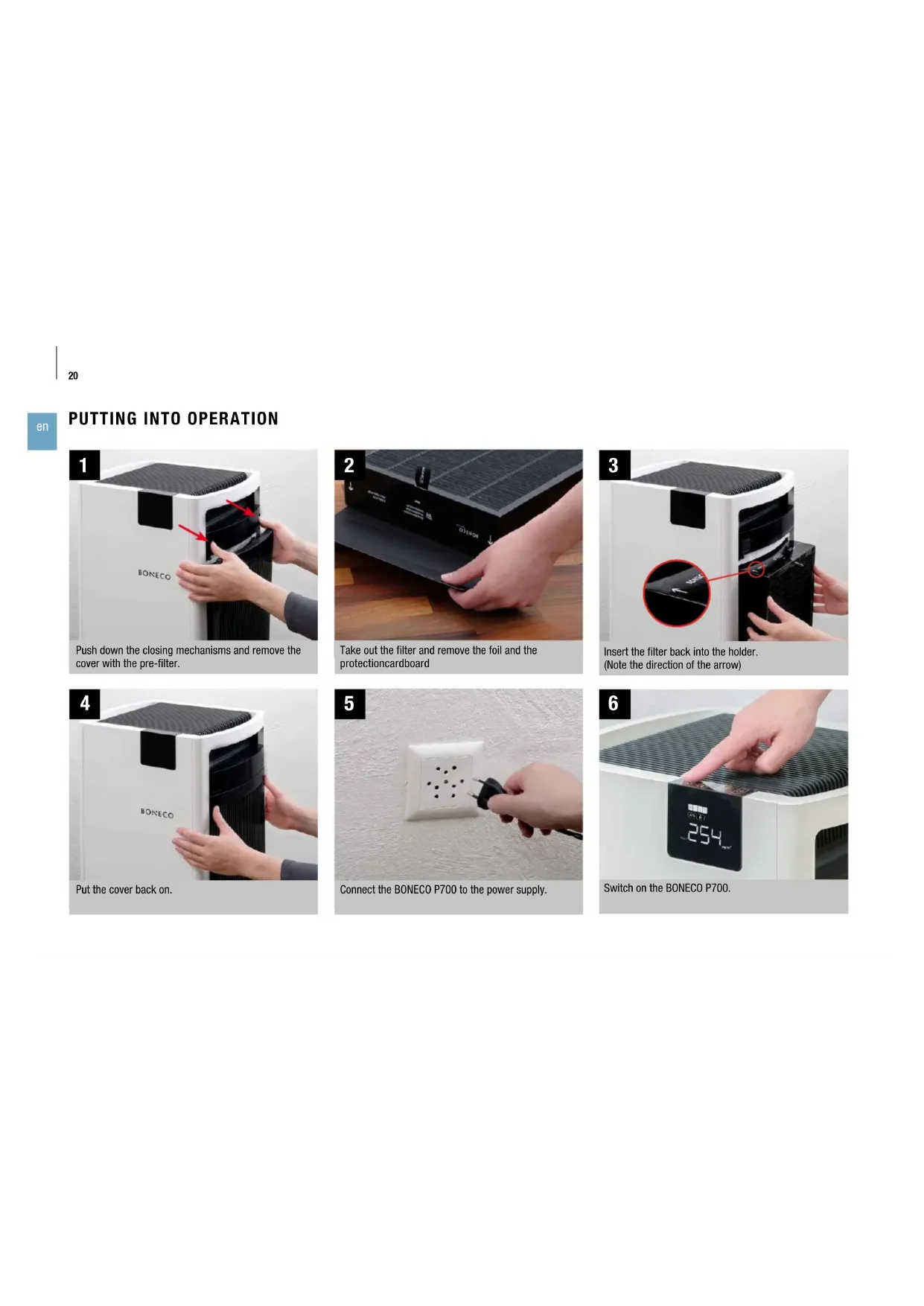
Push down the closing mechanisms and remove the cover with the pre-filter.
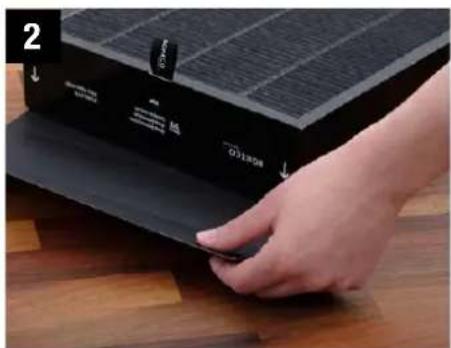
Take out the filter and remove the foil and the protection cardboard.
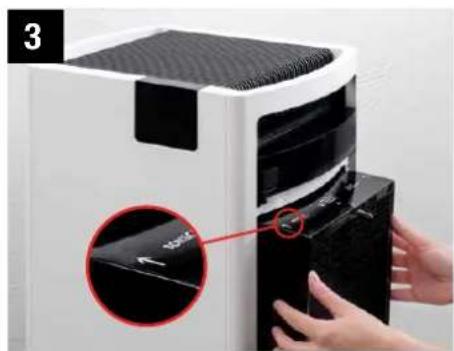
Insert the filter back into the holder. (Note the direction of the arrow)
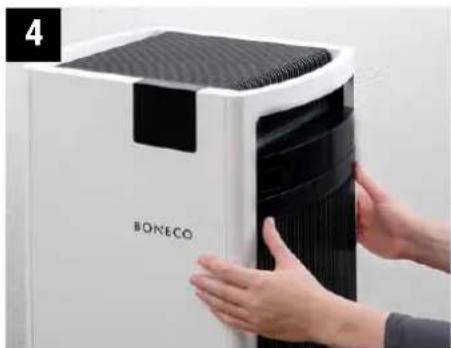
Put the cover back on.
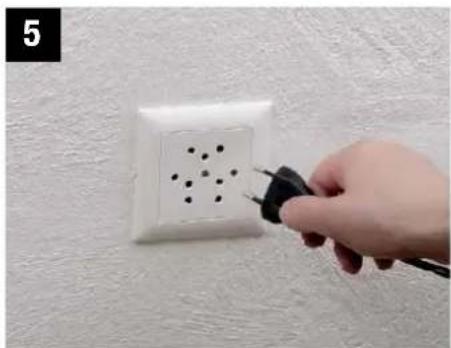
Connect the BONECO P700 to the power supply.
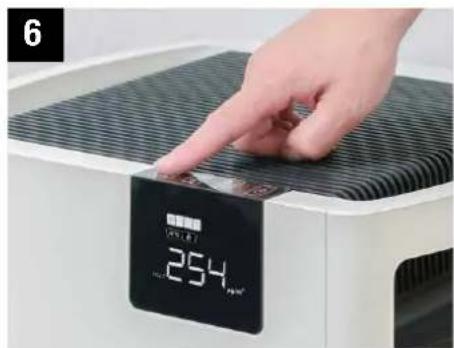
Switch on the BONECO P700.
FILTER WARNING AND FILTER CHANGE
"FILTER WARNING" INDICATOR
The icon signals that both filters are used up and have to be replaced so that the BONECO P700 maintains optimum effectiveness.
This icon is shown after approximately one year of operating. The effective usage time varies with the air pollution and the associated fan power. The BONECO P700 automatically takes these values into account.
Operation stops as soon as you remove the cover. The appliance only continues running again after you have put the cover back on. All settings are retained during the interruption. However, the timer continues to run during this time.
SOURCE OF SUPPLY
You can obtain the replacement filters from your BONECO specialist dealer or at the online store at www.shop.boneco.com. Both filters are always contained in a set.
REPLACING THE FILTER
- Take off the filter cover.
- Take the used filter out of the appliance by pulling on the two tabs simultaneously.
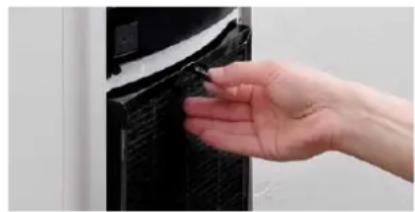
- Remove the protective foil.
- Place the new filter into the housing. Make sure the filter is parallel to the appliance.
- Reattach the filter cover.
- Replace the second filter the same way.
- Dispose of the used filters together with your household waste.
CLEARING THE FILTER WARNING
The icon does not go out automatically after the filter has been replaced. Press and hold the button for five seconds to hide the symbol. This also resets the counter for the new filter at the same time.
INDICATORS ON THE DISPLAY
Overview of all indicators on the display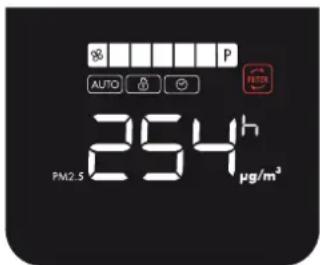
Indicator Meaning
i
| Selected fan level 25 | |
| AUTO | The appliance is running fully automatically 25 |
| The child-safety lock is activated 24 | |
| ON timer or OFF timer is activated 26 | |
| Filter used up, replace 21 | |
| Measured fine dust pollution 24 | |
| Remaining time indicator for the timer 26 | |
BRIGHTNESS OF THE DISPLAY
The brightness of the display depends on the ambient light. The display is dimmed automatically if the BONECO P700 is used in a dark room (such as a bedroom).
IDLE STATUS
The indicators on the display are hidden after 60 seconds, with the exception of those indicating fine particles.
The warning for the filter change is not hidden (page 21).
ACTIVATING THE LIGHTING
Touch any spot on the control panel to activate the display lighting for at least 60 seconds.
THE CONTROL PANEL
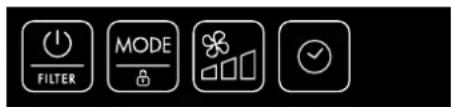
Overview of all buttons on the control panel
Button Function

| On/off switch, clear the filter warning 20, 21 | |
| Activate the child-safety lock, change mode 24, 25 | |
| Regulate the fan level 25 | |
| Activate the timer | 26 |
LIGHTING
All buttons on the control panel are illuminated while the appliance is being operated. If there is no input within 60 seconds, the lighting is switched off.
The icon always remains illuminated. The icon remains illuminated as long as the child-safety lock is activated.
ACTIVATING THE LIGHTING
Touch any spot on the control panel to activate the display and the control panel in its entirety for at least 60 seconds.

BASIC FUNCTIONS
SETTINGS
The BONECO P700 can easily be adapted to suit your needs.
- Whenever you switch off the unit, all settings are saved until the next use.
- To reset all settings, unplug the appliance from the power outlet for 10 seconds.
SENSORS AND INDICATORS
The particle sensor monitors the air quality in the BONECO P700.
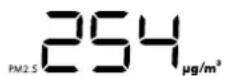
- The particle sensor measures the amount of fine dust in the air. The measured values are shown numerically on the display. Here, for example, it is shown as 254µg / m3 :
CHILD-SAFETY LOCK
The BONECO P700 control panel reacts to the slightest touch. The child-safety lock prevents changes to settings caused by children playing nearby.
To activate the child-safety lock, press and hold the mouse button for 3 seconds until the icon lights up on the display. To deactivate the child-safety lock, press and hold the button again for 3 seconds until the icon disappears from the display.
REGULATING THE POWER
ABOUT THE AUTO MODE
The BONECO P700 is fully automated in comfort mode. The fan levels are determined based on the values measured by the particle sensor. The fan power increases automatically in room air that is heavily polluted. Fan power is reduced as the air becomes cleaner.
ABOUT THE MANUAL CONTROL SYSTEM
In most cases, mode is the best choice. If, however, you are running the BONECO P700 in a special situation, such as in your bedroom at night, a manually selected fan level provides minimal, consistent background noise.
ACTIVATING AUTO MODE
If you are putting the appliance into operation for the first time or if the power supply has been interrupted, AUTO mode is active.
MANUALLY CONTROLLING THE FAN LEVEL
To switch from AUTO mode and to use a different fan level, press the button repeatedly until the desired level is reached.
AUTO mode is deactivated automatically the first time the button is pressed.
RESTORING AUTO MODE
To restore AUTO mode, touch the button once.
The con is shown on the display.
POWER MODE (P)
The P power mode can only be selected manually. Use this setting to clean very dirty indoor air in the shortest amount of time.
- Press the button repeatedly until the P fan level is shown on the display. The fan then works at its maximum output regardless of the measured air pollution.


TIMER FUNCTION
TIMER FUNCTION
The timer function lets you determine how long the BONECO P700 should run before it switches off automatically (OFF timer).
Alternatively, you can specify a time when the appliance switches on automatically (ON timer). Use this function, for example, to activate the BONECO P700 before you return home, so that you have the perfect room climate waiting for you.
The maximum duration of the timer is 12 hours.
SETTING THE OFF TIMER
- Switch on the BONECO P700 using the button.
- Select the desired fan power or mode
- Press the button repeatedly to set the duration of the operation (1 to 12 hours).
The remaining time is shown on the display for 3 seconds. The fine particle pollution and the icon are then displayed again. The appliance then runs for the specified period and then switches itself off, in this example, after 5 hours.
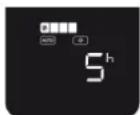
- To deactivate the OFF timer early, press the button or press the button again and select.
SETTING THE ON TIMER
- Select the desired fan power or mode.
- Switch off the BONECO P700 using the button.
- Press the button repeatedly to set the period (1 to 12 hours) until the start.
The remaining time until the start is shown on the display for 3 seconds. Afterwards, the fine particle pollution and the icon are displayed again. The BONECO P700 switches on after the timer expires and operates with the selected program, in this example, after 12 hours.
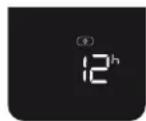
- To deactivate the ON timer early, press the button or press the button again and select
CLEANING AND MAINTENANCE
INFORMATION ABOUT CLEANING
The BONECO P700 is designed for maintenance-free operation. A damp towel and hot water with a little bit of dishwashing detergent is sufficient for cleaning.
It is best to clean the appliance during a filter change (see page 21).

Always unplug the BONECO P700 before you start cleaning it! Failure to do so can result in electric shock and fatal injury!

The pre-filter and the cover have to be completely dry before they can be inserted, otherwise the filter may be damaged.

Do not use alcohol or corrosive cleaning agents for cleaning.
CLEANING
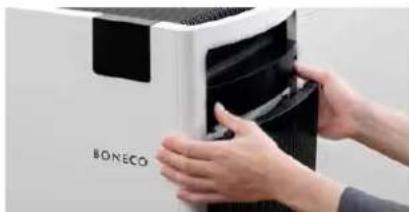
- Push down the closing mechanisms and remove the cover with the pre-filter.
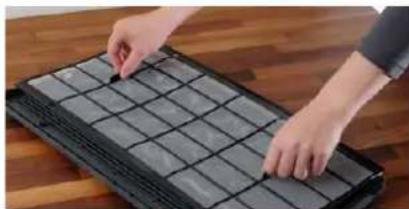
- Lift the pre-filter by the tabs to separate it from the cover.
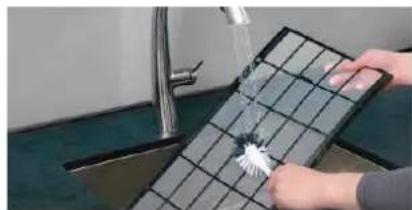
- Wash the pre-filter in hot running water and allow it to dry completely.
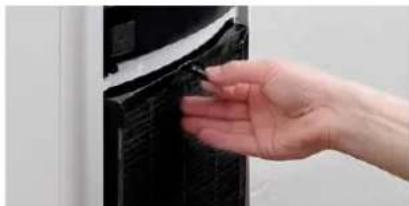
- Secure the pre-filter using the cut-outs in the cover.
- Put the cover back on the appliance.
- Repeat the cleaning with the second pre-filter.
TECHNICAL SPECIFICATIONS
TECHNICAL SPECIFICATIONS
| Type designation BONECO P700 | |
| Power supply voltage 220 - 240 V, 50 Hz | |
| Power consumption 1 W - 67 W | |
| Operating noise level 37-66 dB(A) | |
| Cleaning output (CADR) - Particles** 720 m | 3 / h |
| Cleaning output (CADR) - Formaldehyde** 226 m | 3 / h |
| Energy Efficient Level - Particles** High | |
| Energy Efficient Level - Formaldehyde** High | |
| Recommended room size 72 m | 2 / 180 m³ |
| Air flow 800 m | 3 / h |
| Dimensions L×W×H 360×390×769 mm | |
| Weight (empty) 15 kg |
- Subject to change ** Tested according to GB/T18801-2015
BONECO P700
INSTRUCTIONS FOR USE

INSTRUCTIONS FOR USE OF THE BONECO P700
DEAR CUSTOMER,
POWER SUPPLY
POWER MODE (P)
FILTER WARNING SYMBOL
CLEAR FILTER WARNING
SENSORS AND DISPLAY
DISPLAY BRIGHTNESS
Display brightness depends on ambient light. The display dims automatically if the BONECO P700 is used in a dark room (e.g., in the bedroom).
SLEEP MODE
ADJUST FAN SPEED MANUALLY
CLEANING AND MAINTENANCE
INFORMATION ABOUT CLEANING
The BONECO P700 is designed for maintenance-free operation. All you need for cleaning is a damp cloth and warm water with a little dishwashing liquid.
Cleaning should preferably be done in connection with filter replacement (see page 141).

Always disconnect the BONECO P700 from the power supply before starting cleaning! Failure to do so can lead to electric shock and danger to life!

MANUAL FAN SPEED SETTING
For most applications, choose the low setting. If you use the BONECO P700 at night in the bedroom, for example, the manually selected fan speed will ensure a minimal, constant background noise.
ACTIVATING AUTO MODE
When you use the device for the first time or after a power interruption, the mode will be active.
MANUAL FAN SPEED ADJUSTMENT
To exit the mode and switch to another fan speed, press the button several times until the desired speed is selected.
AUTO mode is automatically deactivated the first time you press the button.
RESTORING AUTO MODE
To restore the mode, press the button again.
The AUTO symbol appears on the display.
POWER (P) LEVEL
Power level P can only be selected manually. Use this setting to quickly ventilate the room air in the shortest possible time.
- Press the button several times until the fan power level P appears on the display. The fan now operates at maximum power, regardless of the measured air pollution.


TIMER FUNCTION
TIMER FUNCTION
With the timer function, you can set how long the BONECO P500 should operate before it automatically switches off (OFF timer).
Alternatively, you can set after how long the device should automatically switch on (ON timer). Use this function, for example, to switch on the BONECO P700 before you return, so that an optimal indoor climate awaits you at home.
MANUAL FAN SPEED ADJUSTMENT
HIGH POWER LEVEL (P)

- OVERVIEW AND PART NAMES
- FILTER WARNING AND FILTER CHANGE
- FILTER WARNING" INDICATOR
- SOURCE OF SUPPLY
- REPLACING THE FILTER
- CLEARING THE FILTER WARNING
- INDICATORS ON THE DISPLAY
- INDICATOR MEANING
- BRIGHTNESS OF THE DISPLAY
- IDLE STATUS
- ACTIVATING THE LIGHTING
- THE CONTROL PANEL
- BUTTON FUNCTION
- LIGHTING
- BASIC FUNCTIONS
- SETTINGS
- SENSORS AND INDICATORS
- CHILD-SAFETY LOCK
- REGULATING THE POWER
- ABOUT THE AUTO MODE
- ABOUT THE MANUAL CONTROL SYSTEM
- ACTIVATING AUTO MODE
- MANUALLY CONTROLLING THE FAN LEVEL
- RESTORING AUTO MODE
- POWER MODE (P)
- TIMER FUNCTION
- SETTING THE OFF TIMER
- SETTING THE ON TIMER
- CLEANING AND MAINTENANCE
- INFORMATION ABOUT CLEANING
- CLEANING
- TECHNICAL SPECIFICATIONS
- INSTRUCTIONS FOR USE OF THE BONECO P700
- DEAR CUSTOMER
- POWER SUPPLY
- FILTER WARNING SYMBOL
- CLEAR FILTER WARNING
- SENSORS AND DISPLAY
- DISPLAY BRIGHTNESS
- SLEEP MODE
- ADJUST FAN SPEED MANUALLY
- MANUAL FAN SPEED SETTING
- MANUAL FAN SPEED ADJUSTMENT
- POWER (P) LEVEL
- HIGH POWER LEVEL (P)
Brand : BONECO
Model : P700
Category : Air purifier