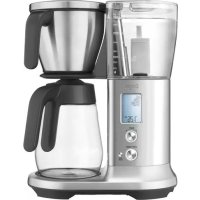
Precision Brewer Thermal BDC450 - Coffee machine SAGE - Free user manual and instructions
Find the device manual for free Precision Brewer Thermal BDC450 SAGE in PDF.



| Product Type | Filter Coffee Machine |
| Brand | Sage |
| Model | Precision Brewer Thermal BDC450 |
| Water tank capacity | 1.8 L (12 cups of 150 ml) |
| Power supply | 220-240 V ~ 50/60 Hz |
| Brew modes | Fast, Gold, Strong, My Brew, Pour Over, Cold Brew |
| Adjustable brew temperature | Yes (via My Brew mode) |
| Adjustable pre-infusion | Yes (duration and volume) |
| Adjustable flow rate | Yes (via My Brew mode) |
| Auto start | Yes |
| Keep warm | Yes (automatic for volumes > 450 ml) |
| Display | LCD |
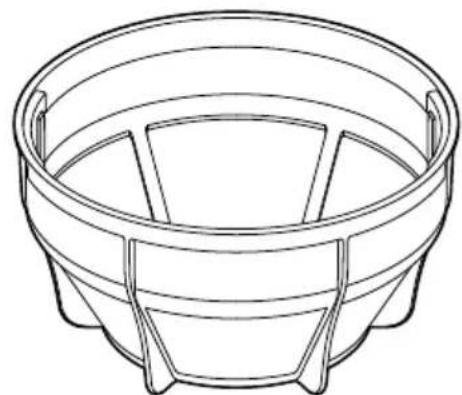
| Included filter basket | Cone basket, mesh basket, paper filter adapter |
| Water filter | Included, replace every 3 months |
| Child safety lock | Yes (lock by long press on AUTO START) |
| Auto descaling | Yes (built-in program) |
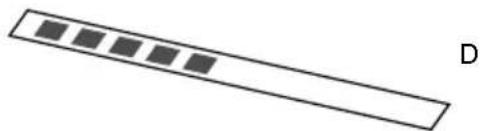
| Water hardness adjustment | Yes (with included test strip) |
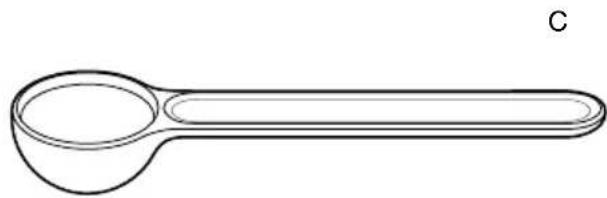
| Max ground coffee capacity | 12 Sage measuring scoops (approx. 99 g) |
| Included accessories | Measuring scoop, test strip, 10 paper filters, water filter |
| Warranty | 2 years |
| Certification | Conforms to ECBC Gold Cup standards |
Frequently Asked Questions - Precision Brewer Thermal BDC450 SAGE
User questions about Precision Brewer Thermal BDC450 SAGE
0 question about this device. Answer the ones you know or ask your own.
Ask a new question about this device
Download the instructions for your Coffee machine in PDF format for free! Find your manual Precision Brewer Thermal BDC450 - SAGE and take your electronic device back in hand. On this page are published all the documents necessary for the use of your device. Precision Brewer Thermal BDC450 by SAGE.
USER MANUAL Precision Brewer Thermal BDC450 SAGE
the Sage Precision Brewer®
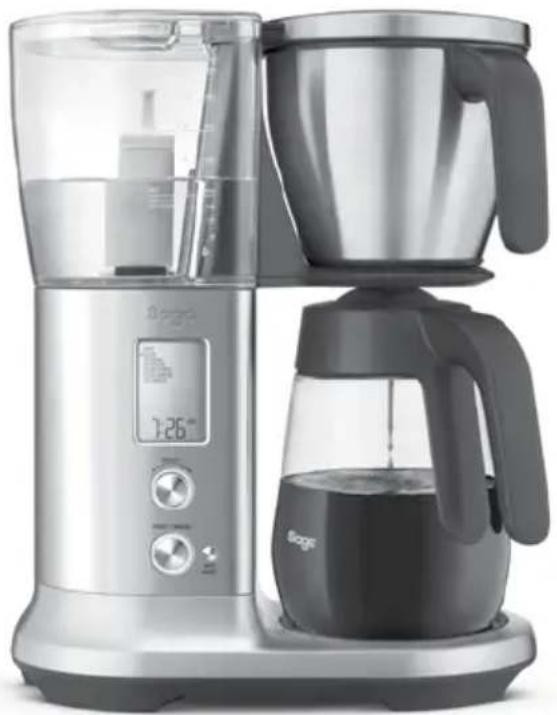
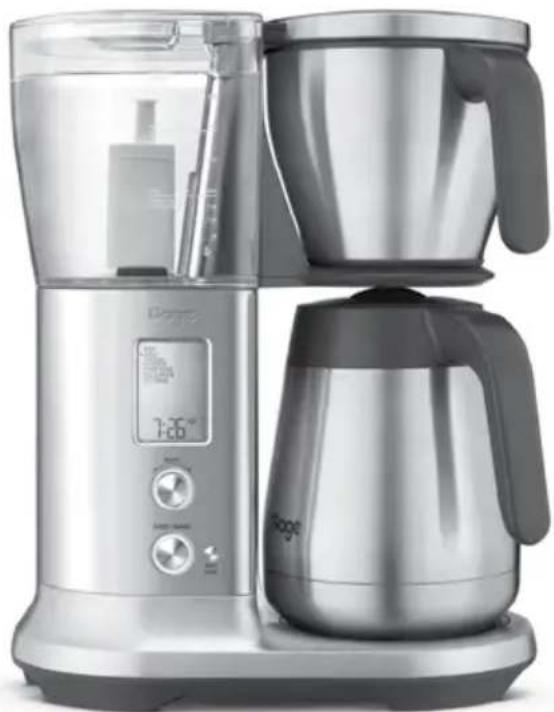
BDC450/SDC450BDC400/SDC400
EN QUICK GUIDE
DE KURZANLEITUNG
FR GUIDE RAPIDE
NL SNELSTARTGIDS
IT GUIDA RAPIDA
ES GUIA RAPIDA
PT MANUAL RAPIDO

Contents
2 Sage® Recommends Safety First
7 Components
9 Operation
13 Care & Cleaning
15 Troubleshooting
17 Guarantee
SAGE® RECOMMENDS SAFETY FIRST
At Sage® we are very safety conscious. We design and manufacture consumer products with the safety of you, our valued customer, foremost in mind. In addition we ask that you exercise a degree of care when using any electrical appliance and adhere to the following precautions.
IMPORTANT SAFEGUARDS
READ ALL INSTRUCTIONS BEFORE USE AND SAVE FOR FUTURE REFERENCE
- A downloadable version of this document is also available at sageappliances.com
- Before using for the first time please ensure that your electricity supply is the same as shown on the rating label on the underside of the appliance. If you have any concerns please contact your local electricity company.
- Remove and safely discard any packaging materials before first use.
- To eliminate a choking hazard for young children, safely discard the protective cover fitted to the power plug.
- Always ensure the appliance is properly assembled before use. Follow the instructions provided in this book.
- Keep the appliance clean. Follow the cleaning instructions provided in this book.
- Ensure the supplied mesh basket filter or a paper filter (8 -12 cup, flat base basket style with 314'' / 8.25cm base) is placed in the coffee basket before using the appliance.
-
Do not use the mesh basket filter in conjunction with a paper filter.
-
Before starting a brew cycle:
-
Check that the carafe drip stop moves up and down freely.
- Completely empty the carafe and securely lock the carafe lid in place.
- Insert and seat the carafe under the drip stop.
-
Ensure the filter basket is empty and properly fit in place.
-
During a brew cycle:
- Do not remove the carafe or remove the filter basket while the unit is in a brew cycle. Failure to follow the above may lead to scalding or serious injury.
- Some surfaces may be hot, use caution when touching or lifting the unit or accessories.
- Use only carafe handle when lifting the carafe.
- The carafe is designed for use with this appliance only. It must never be used on a range top or in a microwave.
- Scalding may occur if the carafe lid or basket is removed during the brewing cycle.

CAUTION
-
Risk of injury. Proper installation/ removal of basket is required to reduce the risk of splashing of hot water.
-
Always ensure the carafe lid is securely locked in place onto the carafe before pouring.
- Do not use the carafe with a cracked, loose, weakened or damaged handle.
- Do not use the filter basket with a cracked, loose, weakened or damaged handle.
- Do not touch hot surfaces. Use the handle for lifting and carrying the carafe.
- Always wait until the machine has cooled before removing the brew basket.
- Do not set a hot carafe on a wet, cold or heat sensitive surface.
- Always turn the appliance to the off position, switch off at the power outlet and unplug at the power outlet when the appliance is not in use.
- Do not use harsh or abrasive materials when cleaning any part of this appliance such as steel wool or scoring pads.
- The use of attachments not sold or recommended by Sage® may cause fire, electric shock or injuries.
-
Always ensure the appliance is turned OFF, unplugged at the power outlet and has been allowed to cool before cleaning, attempting to move or storing.
-
Proper installation of filter basket, showerhead seal, and showerhead locking ring is required to reduce the risk of splashing of hot water.

CAUTION
- We recommend using cold, filtered water. We do not recommend the use of de-mineralised or distilled water as this may affect the taste of brewed coffee.
IMPORTANT SAFEGUARDS FOR ALL ELECTRICAL APPLIANCES
- The appliance can be used by children aged 8 or older and persons with reduced physical, sensory or mental capabilities or a lack of experience and knowledge, only if they have been given supervision or instruction concerning use of the appliance in a safe way and understand the hazards involved.
Children should not play with the appliance. - Cleaning of the appliance should not be carried out by children unless they are 8 years or older and supervised.
-
Any maintenance other than cleaning should be performed by an authorised Sage® service centre.
-
The appliance and its cord should be kept out of reach of children aged 8 years and younger.
- Do not use the appliance if the power cord, power plug, or appliance becomes damaged in any way. If damaged or maintenance other than cleaning is required, please contact Sage Customer Service or go to sageappliances.com
- Fully unwind the power cord before operating.
- Do not let the cord hang over the edge of a bench or table, touch hot surfaces, or become knotted.
- Do not leave the appliance unattended when in use.
- This appliance is for household use only. Do not use the appliance for anything other than its intended use. Do not use in moving vehicles or boats. Do not use outdoors. Misuse may cause injury.
- It is recommended to regularly inspect the appliance.
NOTICE TO CUSTOMERS REGARDING MEMORY STORAGE
Please note that in order to better serve our customers, internal memory storage has been imbedded into your appliance. This memory storage consists of a small chip to collect certain information about your appliance including the frequency of use of the appliance and the manner in which your appliance is being used. In the event your appliance is returned for service, the information collected from the chip enables us to quickly and efficiently service your appliance.
The information collected also serves as a valuable resource in developing future appliances to better serve the needs of our consumers. The chip does not collect any information regarding the individuals who use the product or the household where the product is used. If you have any questions regarding the memory storage chip please contact us at privacy@sageappliances.com
SHORT CORD INSTRUCTIONS
- Your Sage® appliance is fitted with a short power cord to reduce the risk of personal injury or property damage resulting from pulling, tripping or becoming entangled with a longer cord. Longer detachable power cords or extension cords are available and may be used if care is exercised.
- If an extension cord is used,
(1) the marked electrical rating of the cord set or extension cord should be at least as great as the electrical rating of the appliance,
(2) the cord should be arranged so that it will not drape over the counter-top or table where it can be pulled on by children or tripped over unintentionally and
(3) the extension cord must include a 3-prong grounding plug.
- The installation of a residual current safety switch is recommended to provide additional safety when using all electrical appliances. Safety switches with a rated operating current not more than 30mA are recommended. Consult an electrician for professional advice.

NOTE
This appliance has a three wire grounded plug. To reduce the risk of electric shock, this plug will fit in a polarised outlet only one way. If the plug does not fit properly into the outlet, contact a qualified electrician.
Do not use an adapter or modify the plug in any way. Do not connect the appliance to an external switch or device (such as a timer, monitor or remote circuit) that can be switched on and off.
The symbol shown indicates that this appliance should not be disposed of in normal household waste.
It should be taken to a local authority waste collection centre designated for this purpose or to a dealer providing this service. For more information, please contact your local council office.

To protect against electric shock, do not immerse the
power plug, cord or appliance in water or any liquid.
FOR HOUSEHOLD USE ONLY SAVE THESE INSTRUCTIONS
Components
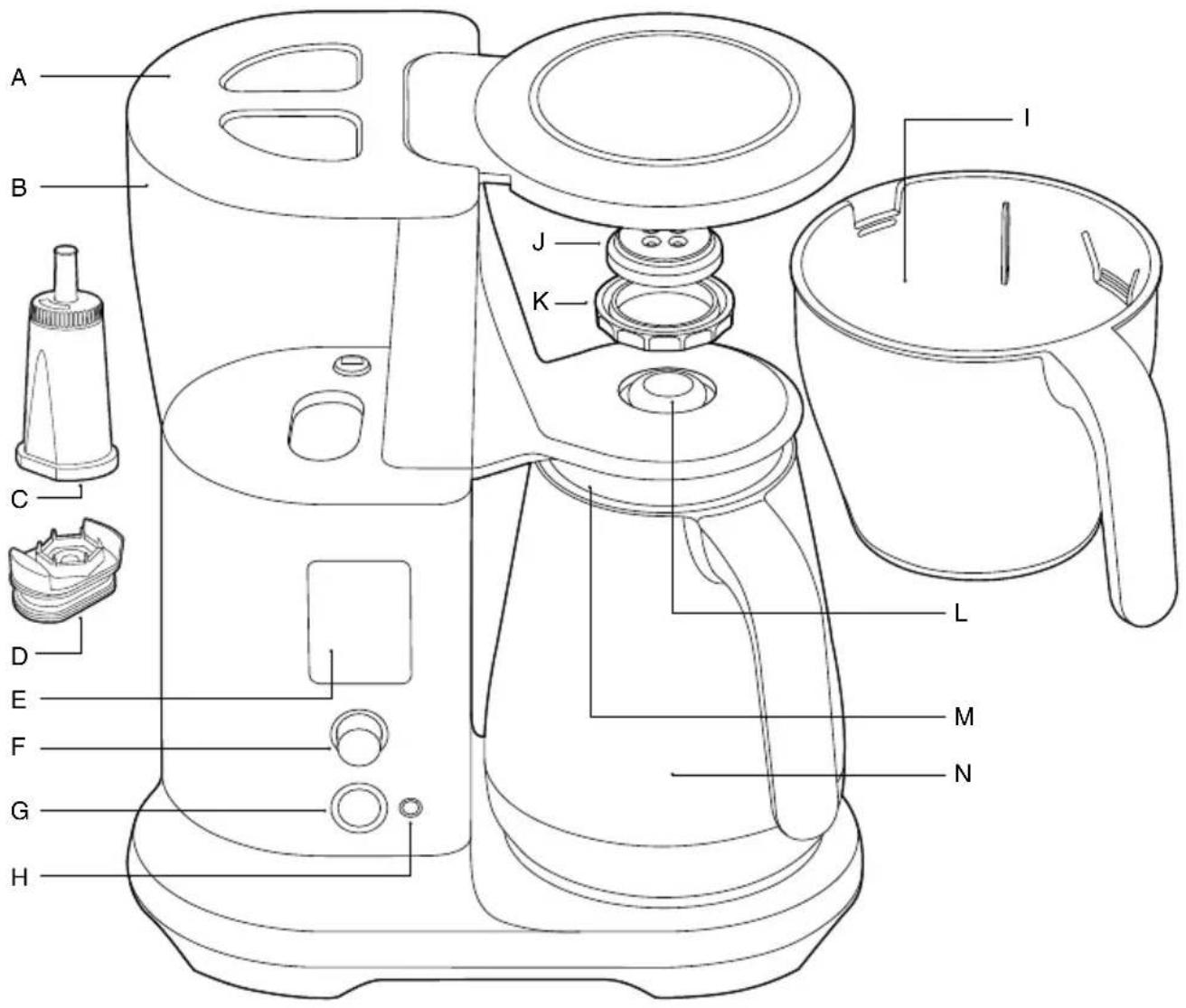
A. Tank lid
B. Water tank
C. Water filter
D. Water filter adapter
E. LCD display
F. SELECT dial
G. START / CANCEL button
H.AUTO START button
I. Brew basket
J. Showerhead
K. Showerhead ring
L Drip stop lever
M. Carafe lid
N. Carafe
A
B

ACCESSORIES
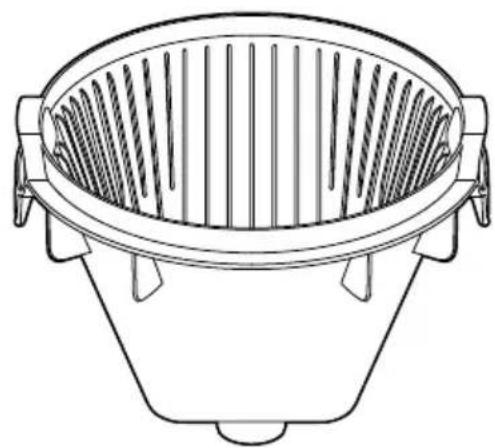
A. Cone filter basket insert
B. Mesh basket filter
C. Sage® coffee measuring scoop
D. Water hardness test strip (see page 8 for directions)
E. Flat bottom basket filter paper pack (10 pieces)

Operation
WATER HARDNESS SETTING & FLUSHING
- Ensure that the empty coffee basket and empty carafe (with lid attached) are inserted into the machine.
- Fill the water tank with fresh cold water to the MAX mark on the water tank. Plug into power outlet.
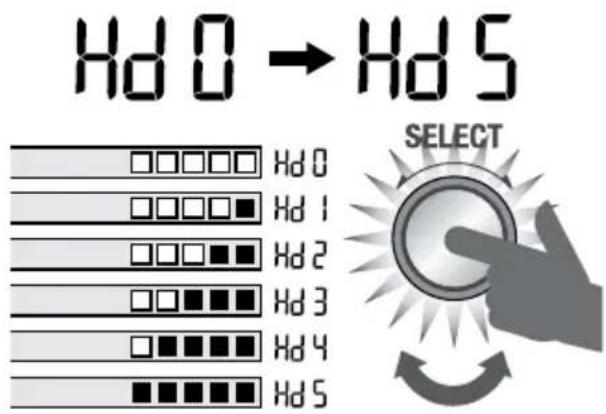
- When first turned on, the machine will show 'SEt HArdnESS' on LCD, asking you water hardness level. Press SELECT dial once. Dip the water hardness test strip into the filled water tank for 1 second. Remove and wait 1 minute to reveal the result.
- Rotate SELECT dial until the corresponding test result is shown on the screen. Press to set.
- Install the water filter into the water tank before continuing to the flush cycle.
- The machine will show 'FLUSH Unit' on LCD. Press SELECT dial to commence flush cycle. The machine will dispense all the water from the tank, through the system and into the empty carafe. After flushing, empty the basket and carafe.
INSTALLING THE WATER FILTER
This product is designed to be used with a water filter installed in the water tank. Not doing so will affect the internal components and performance of the appliance.
The filter cartridges should be replaced regularly; when indicated on the LCD screen.

NOTE
All water tank levels will be incorrect if the machine is used without the water filter correctly installed.
- Remove the water filter and water filter adapter from the packaging.
- Soak the filter in cold water for 5 minutes.
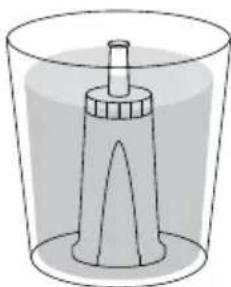
- Attach water filter to adapter.
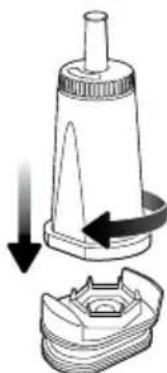
- Insert the assembled water filter and adapter into the water tank.
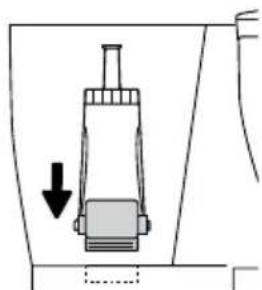
- Fill the water tank with cold water to the indicated MAX marking.
BREWING A CARAFE
- Select the correct basket and filter to suit the amount of coffee being brewed.
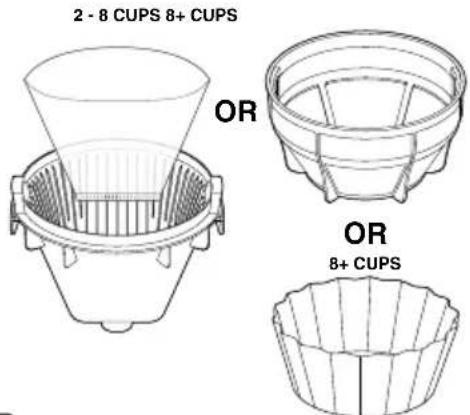

CAUTION
Filling the basket without a mesh basket filter or filter paper may cause the basket to overflow during the brewing cycle.
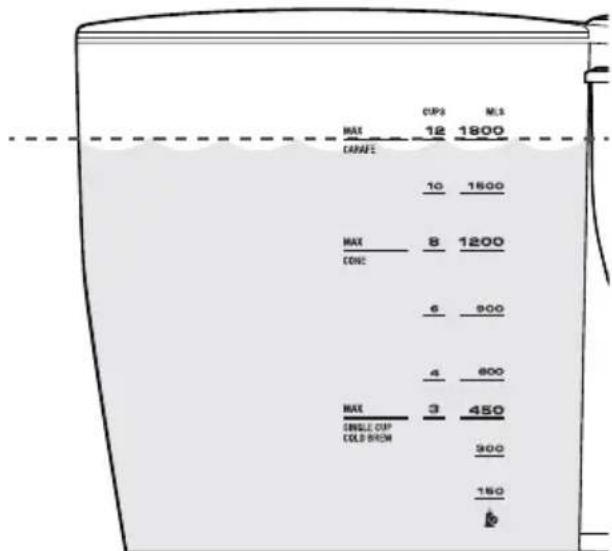
2. Fill the water tank with fresh cold water up to the MAX marking on the water tank.

NOTE
This machine will brew all the water in the tank.
Ensure the tank is not filled past the indicated MAX marking.
- Grind enough coffee beans for the volume of coffee being brewed. For a full 12 cup carafe, we recommend (108g) of coffee, approximately 13 level Sage® measuring scoops. Roughly 1 scoop for every 150ml.
- Insert the correct filter paper, cone or flat bottom, or mesh basket, into the brew basket. Add your ground coffee then insert the brew basket into the machine.

NOTE
Never use both mesh basket filter and paper filter at the same time.
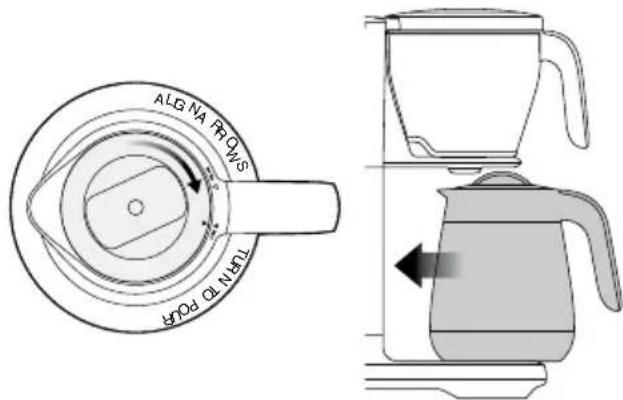
5. Lock the carafe lid onto the carafe and insert under the drip stop outlet.

CAUTION
The carafe MUST be in place before you brew with the water level higher than the SINGLE CUP marking. Otherwise the coffee basket will overflow.
COFFEE/WATER RATIO
We recommend 1 level Sage scoop of coffee grounds per 150ml cup of water. Adjust the amount according to your individual taste. The maximum capacity for pre-ground coffee is 12 level Sage scoops. Exceeding this amount may cause the coffee basket to overflow.
| Cups of coffee (150ml cup) | 1 2 | 3 4 5 | 6 7 8 9 | 10 11 | 12 | |||||||
| Scoops of coffee grinds | 1 (8.25g) | 2 (16.5g) | 3 (24.75g) | 4 (33g) | 5 (41.25g) | 6 (49.5g) | 7 (57.75g) | 8 (66g) | 9 (74.25g) | 10 (82.5g) | 11 (90.75g) | 12 (99g) |
| Water amount 1 | 50ml 30 | 0ml 450 | ml 600 | ml 750ml | 900ml | 1.05L 1 | 2L 1.35 | 1.5L 1 | 1.65L 1.8L |

NOTE
Always ensure your carafe is empty and clean before brewing.

NOTE
For the very best tasting coffee we recommend using a brew ratio of 60g of coffee per 1.0 litre of water.
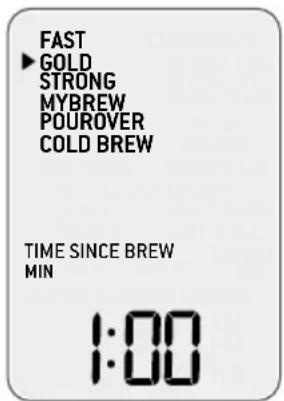
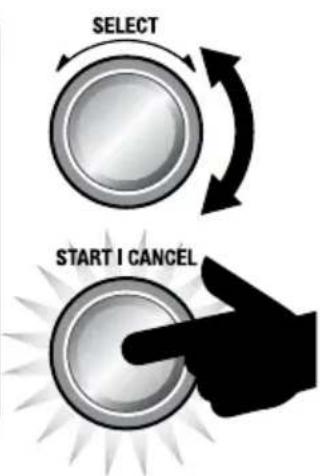
- Rotate the SELECT dial to the desired mode. Press the START/CANCEL button to commence brewing.
- When your coffee is ready, the machine will beep 3 times then commence counting up for the TIME SINCE BREW.


NOTE
Never fill the water tank once the coffee machine has started a brewing cycle.
BREW MODES
- FAST: This mode is to deliver the fastest brewed coffee.
- GOLD (recommended): This mode meets the criteria for an optimum brew and the gold cup standard* requirements of ECBC (European Coffee Brewing Center) using the Cone Filter basket and water volumes of 1.0L & 1.2L together with a brew ratio of 60g of coffee to 1.0L of water.
STRONG: This brewing mode delivers a stronger tasting coffee. -
MY BREW: Allows you to customise every brew setting.
-
Bloom Time: Coffee bloom occurs when hot water hits the ground coffee. This setting allows you to adjust how long the bloom time lasts. We recommend 30-60 seconds.
Bloom Volume: You can adjust the amount of water used for blooming by changing this
setting. Ideally, this will be around 10% of the brew volume.
Brewing Temp: You can adjust the temperature of the brew water to suit your favourite coffee.
- Flow Rate: You can adjust brewing time to control contact time by adjusting the water delivery speed.
POUR OVER: If you are using the Pour Over Adapter, use this mode. Adapter sold separately.
COLD BREW:
Due to the long duration (typically 4-14 hours) of the brewing process we recommend setting the machine up overnight.
- Fill the tank with your desired volume of chilled water, ensuring this is below the COLD BREW marking.
- Remove the basket, and ensure both the cone insert and mesh basket filter are removed. Add a large paper filter and then coffee at 2-3 times of regular ratio (approximately 9 scoops for 450 mls). Reinsert the basket into the machine.
- Remove the lid from the carafe and re-insert the carafe.
- Navigate to the COLD BREW setting and press START/CANCEL.

NOTE
COLD BREW mode will be disabled if there is more than 450 mls of water in the tank.
SINGLE CUP / SMALLER VOLUMES (LESS THAN 450 MLS)
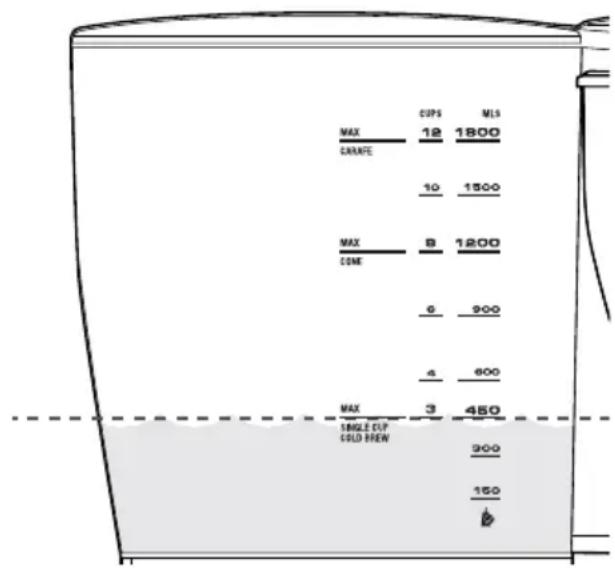
- Your Sage® Precision Brewer will recognise when the brewer has less than 450 mls of water and will adjust the brew settings, automatically. Fill your cup with fresh cold water and then pour it into the water tank, ensuring the water level stays below the SINGLE CUP line.

NOTE
DO NOT fill the water tank above the SINGLE CUP marking or the volume of the cup being used. Otherwise it will overflow, as the machine brews until the water tank is empty.
- Place your empty cup underneath the brew basket outlet.
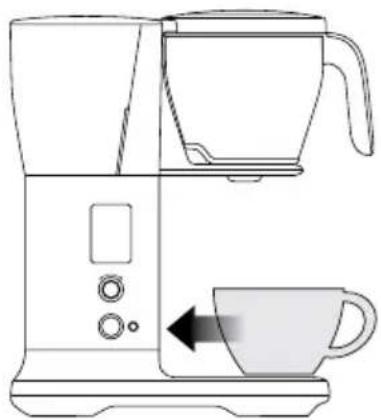
- We recommend using cone filter basket insert for single cups.
- Insert the Cone filter basket into the brew basket. Use the alignment marks as a guide.
- Place a cone shaped paper filter into the cone filter basket.
- Grind the correct amount of whole bean coffee for the amount being brewed.
- Select desired brewing mode.
- Press START / CANCEL to begin brewing.
AUTO START
Allows you to automatically start brewing at preset time.
- Set filter basket type for the amount of coffee being brewed.
- Select your brewing mode.
- Fill the water tank with enough fresh cold water for the amount of coffee being brewed.
- Insert the brew basket with your desired insert or paper filter and add ground coffee.
- Insert the appropriate cup or the carafe with the lid locked in place into the machine.
- Press the AUTO START button.
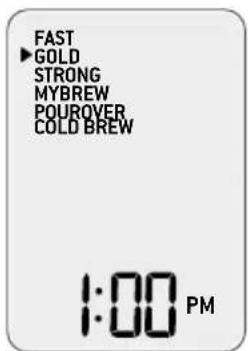
STARTICANCEL

AUTO START
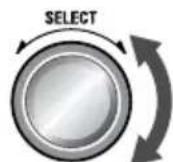
- The machine will prompt you to set the time for Auto Start. Rotate the SELECT dial to adjust Auto Start time, press SELECT dial to set. Auto Start is now set and the machine will enter Auto Start mode, brewing automatically at the set Auto Start time.

NOTE
If the clock hasn't been set, the machine will prompt you to set the clock. Ensure the clock is correct. The clock will reset every time the unit is unplugged.
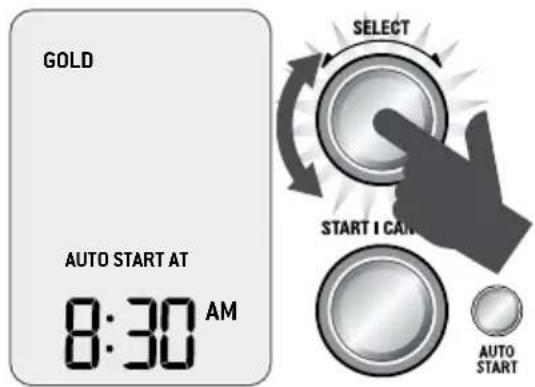
- Pressing START/CANCEL will cancel the set AUTO START time.
SETTINGS
- SET CLOCK: Set the time displayed on LCD.
- DESCALE: Clear mineral build up on internal components.
- SOUND: Sound volume is adjustable and also can be turned off.
STANDBY: Adjust time to automatically enter STANDBY mode after a period of no use. - NEW FILTER: Update when a new filter is installed in the machine.
CHILD-LOCK
To prevent children from possible danger, child-lock feature is available. Press and hold AUTO START for 3 seconds. LCD will display "CL" when it is locked. Repeat this again or unplug the unit to unlock.
DEGREE INDICATION PREFERENCE
To switch between C^ /F^ ,press the SELECT dial and AUTO START button at the same time. Rotate the SELECT dial to set preference.
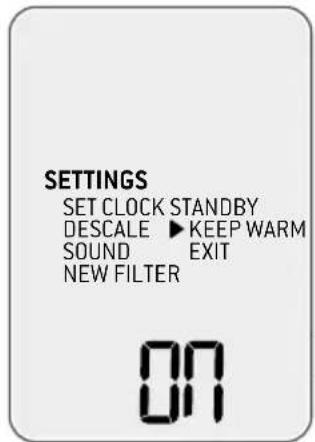
KEEP WARM
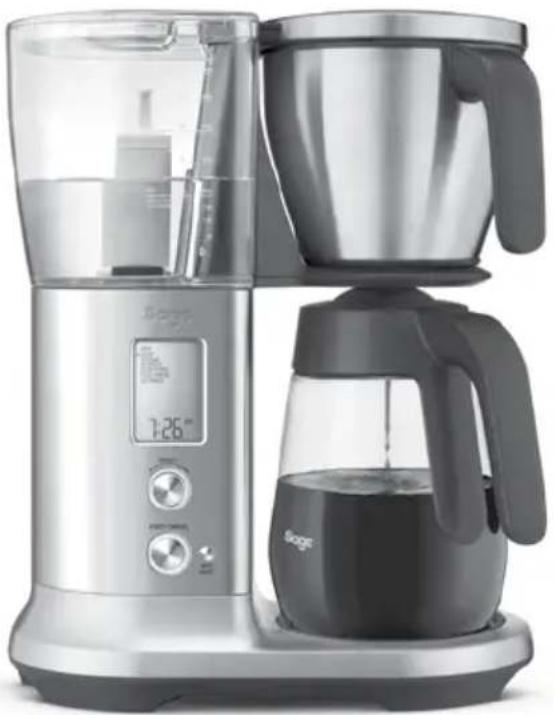
- Applicable to the Sage® Precision Brewer™ Glass (SDC400) only.
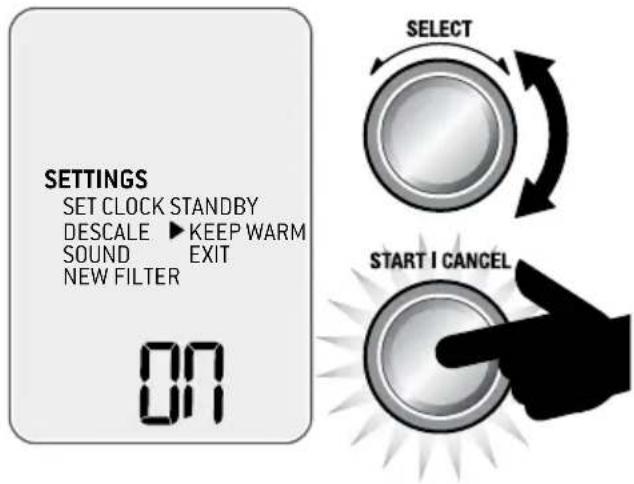
KEEP WARM will be activated automatically for brew volumes above 450 mls.
- KEEP WARM can be switched off by navigating the SETTINGS menu to KEEP WARM then rotate and press SELECT dial to set ON or OFF.
- Keep warm will not engage on cold brew mode or pour over mode.

CAUTION
The bottom of the carafe is hot to touch for several minutes after brewing. Use caution and ensure not to set the carafe on a heat sensitive surface.

CAUTION
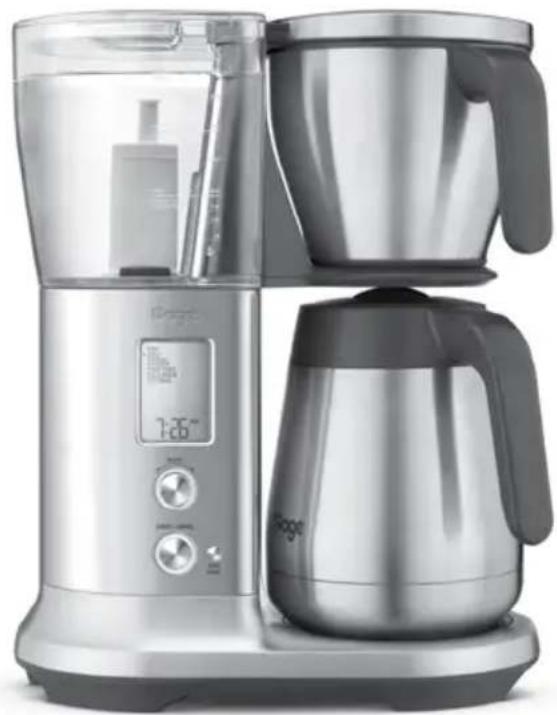
Do not place the thermal carafe on the heater plate when KEEP WARM is activated. It will damage the insulation.

WARNING
Do not place pour over kit / box on heater plate when hot.

Care & Cleaning
Always turn the coffee machine off and remove the plug from the power outlet before cleaning.
CLEANING THE COFFEE BASKET AND MESH BASKET FILTER
Remove the coffee basket. Discard any ground coffee and filter paper. The coffee basket and mesh basket filter can be rinsed under running water. Ensure the fine holes of the mesh basket filter are clear. For a deeper clean, wash the coffee basket and mesh basket filter in warm, soapy water with a soft bristled brush.

CAUTION
The coffee basket, mesh basket or paper filter may still be very hot after brewing. Use caution and allow to cool before removing.
CLEANING THE CARAFE
After each use, empty the carafe. Do not let brewed coffee stand overnight as this can cause the carafe to stain. Rinse the carafe and carafe lid under warm running water. For a deeper clean, we recommend regularly washing the carafe in warm, soapy water using a soft bristled brush. Do not use abrasive cleansers, pads or cloths which can scratch the surface. Rinse and dry thoroughly.
CLEANING THE SHOWERHEAD
Simply wipe down the showerhead area periodically. However, if a more thorough clean is required, the Showerhead can be removed by unlocking the Showerhead Ring. Rotate clockwise then remove the Showerhead for cleaning. Once complete, reinstall the Showerhead.
CLEANING THE OUTER HOUSING
The outer housing and LCD screen can be cleaned with a soft, damp cloth. Apply cleaner to the cloth and not the LCD surface. Polish with a soft, dry cloth. Cleaning and drying with dry paper towels or abrasive cloths and cleaners may scratch the surface.
REPLACING THE WATER FILTER
The provided water filter helps prevent scale build-up in and on many of the inner functioning components. Replacing the water filter when indicated on the screen or after 3 months will reduce the need to descale.
REPLACING THE WATER FILTER
- Remove old water filter and separate the adapter from the filter cartridge. Discard old cartridge.
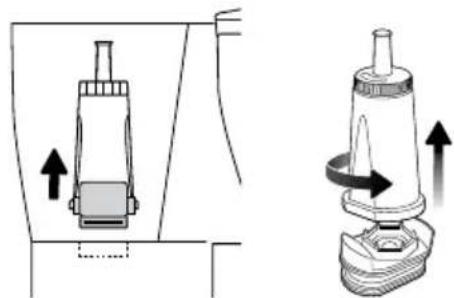
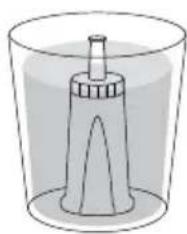
- Soak the new filter in cold water for 5 minutes.
- Attach water filter to adapter. Insert the assembled water filter and adapter into the water tank.
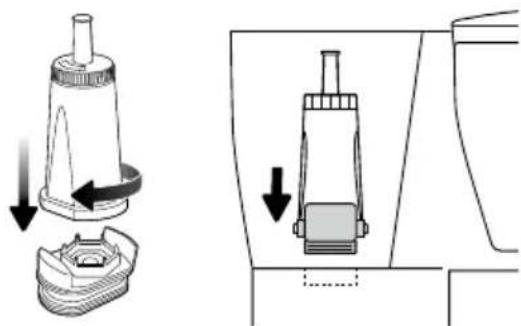
- Fill the water tank with cold water to the indicated MAX marking.
- Navigate the SETTINGS menu and set YES to the NEW FILTER.


SELECT
DESCALING
After regular use, hard water can cause mineral build up in internal components, reducing the brewing flow, brewing temperature, power of the machine, and taste of the coffee.
We recommend to descale regularly. When LCD shows "DESCALE" (flashing), descending cycle is needed but the cycle can be performed at anytime. Descaler is available on the Sage website.

NOTE
It takes approximately 33 minutes to complete.
descaling cycle.
- Empty the water tank and remove the water filter.
- Prepare a descale solution in accordance with manufacturer's instructions. Pour this solution into the empty water tank, do not exceed MAX marking.
- Place the basket and the carafe into position under the drip stop outlet, Ensure the carafe is empty and the lid is securely locked.
- Navigate SETTINGS menu to DESCALE. Press SELECT dial to start the cycle. The time remaining will display on the LCD.
- When the descending process is finished, the LCD screen will go back to the main menu. To completely remove residual water in the tank, brew with fresh water twice. Discard the water from the carafe and rinse thoroughly.

NOTE
We recommend to brew through again after descending to brew out the residue descale solution.

NOTE
You cannot stop the descending process mid cycle. Force stop by unplugging the cord from the power outlet.
FACTORY RESET
This will reset the machine to the factory settings, including water hardness setting. Hold the START button, the SELECT button, and AUTO START button altogether for 3 seconds. When LCD shows "rES" (flashing), press SELECT button to start. Rotate between YES or NO and press to confirm.
Troubleshooting
PROBLEM POSSIBLE CAUSE WHAT TO DO
| Coffee too strong or weak | • Amount of coffee and water is not correct (1 spoon : 150ml cup). | • Check correct amount of coffee or water is used. |
| Coffee leaking from basket when removed | • The basket drip-stop seal doesn't cover the gap properly due to foreign material. | • Check that there is no obstruction in the basket drip-stop seal. Wash out the basket seal by turning the basket upside down, and pressing down and rinsing into the seal to clear any particles obstructing that area. |
| Coffee overflowing from the basket (CAUTION: If the basket has overflowed remove slowly and with caution) | • Carafe is not inserted. • Amount of coffee and water is not correct (1 spoon : 150ml cup). • Grind size is too fine. • Too much grinds in the basket. • No paper in the basket. • Putting paper into mesh basket filter. | • If you are brewing with carafe, check that the carafe is inserted. • Check that the correct amount of coffee and water is used for the operation. • Correct grind size / amount. • Use mesh basket filter without paper and other baskets with paper. |
| ‘FILL TANK’ on LCD screen | • Water tank is empty or not enough water to brew the selected volume. • Sensors may be dirty. | • Open the lid and pour the desired amount of cold, preferably filtered water. • While the tank is empty wipe the sensor prisms in the tank with a cloth. |
| Auto Start does not function | • Auto Start does not repeat after it has been activated. | • Re-engage the Auto Start mode for each time that it needs to be used. |
| Shows ‘CLOCK’ when Auto Start is pressed | • Current time should be set before setting Auto Start. | • Set the current time before using Auto Start. |
| Clock does not remember time | • Clock is cleared every time the unit is unplugged. | • Keep the unit plugged in. |
| Auto Start starts at the wrong time | • Current time is not correct. | • Set the correct current time in the SETTINGS menu. |
| Carafe overfilling | • Carafe is not completely empty before brewing. • Amount of water is too much. | • Check that the carafe is empty before brewing. • Check that the MAX line on the water tank is not exceeded. • Ensure water runs freely through carafe lid. |
| LCD shows ‘FILL TANK’ when there is water in the tank | • Check that the unit is not in direct sunlight or direct bright lighting. | • Move unit away from the light source. |
PROBLEM POSSIBLE CAUSE WHAT TO DO
| Brew doesn’t start | ·There is no water in the water tank. ·Each brewing mode has different water amount limits, and it does not brew when the amount is beyond the limit. | ·Check that the water tank is filled. ·Check the water amount limits for each mode. |
| Showerhead falls out | ·The showerhead may loosen and fall out from time to time if not inserted or tightened correctly. | ·Please wash the showerhead ring and seal and re-insert. |
| The mesh filter in the water tank loosens and floats | ·Mesh filter is not inserted or tightened correctly. | ·Call Sage® Consumer Support. |
| Carafe drip stop stays down | ·The drip stop is stuck. | ·Pull the drip stop back up. ·Clean the drip stop for any foreign objects of coffee grinds or stains. ·If the problem persists and drip stop does not return to top position please call Sage® Consumer Support. |
| Unit produces excessive steam while brewing or runs for extended periods with only steam output | ·Brewing performance is affected by scale accumulated by hard water. ·Brewing temperature profile is not properly set. | ·Descale the unit. ·Call Sage® Consumer Support if problem persists. |
| ‘DESCALE’ on LCD screen (flashing) | ·Brewing performance is affected by scale accumulated by hard water. | ·Descale the unit by following the instructions under Descaling in the Care & Cleaning section of this manual. |
| Unit shows “too hot” | ·Unit has been run too many times back to back and the components are overheated. | ·Let unit rest for at least 20mins before starting another cycle. |
| LCD flashes FILTER | ·Water filter needs to be replaced. | ·Replace water filter following instructions in ‘Care and Cleaning’ section. Navigate to SETTINGS menu and set YES to NEW FILTER. |

Guarantee
2 YEAR LIMITED GUARANTEE
Sage Appliances guarantees this product for domestic use in specified territories for 2 years from the date of purchase against defects caused by faulty workmanship and materials. During this guarantee period Sage Appliances will repair, replace, or refund any defective product (at the sole discretion of Sage Appliances).
All legal warranty rights under applicable national legislation will be respected and will not be impaired by our guarantee. For full terms and conditions on the guarantee, as well as instructions on how to make a claim, please visit www.sageappliances.com.

Note
the Sage Precision Brewer®
DE KURZANLEITUNG
sage

Inhalt
INSTRUCTIONS RELATIVES AU CORDON COURT
KEEP WARM (MAINTIEN AU CHAUD)
PROBLÈME CAUSE POSSIBLE SOLUTION
KEEP WARM (MANTIENI CALDO)
- Valido esclusivamente per Sage Precision Brewer™ Glass (SDC400).
PROBLEMA POSSIBLE CAUSA COME PROCEDURE
PROBLEMPOSSIBLECAUSA COMEPROCEDURE
PROBLEMPOSSIBLECAUSA COMEPROCEDURE
KEEP WARM (WARM HODEN)
the Sage Precision Brewer
ES GUIA RAPIDA


Indices
PROBLEMA CAUSA POSIBLE QUE HACER
PROBLEMCAUSA POSIBLE QUE HACER
the Sage Precision Brewer
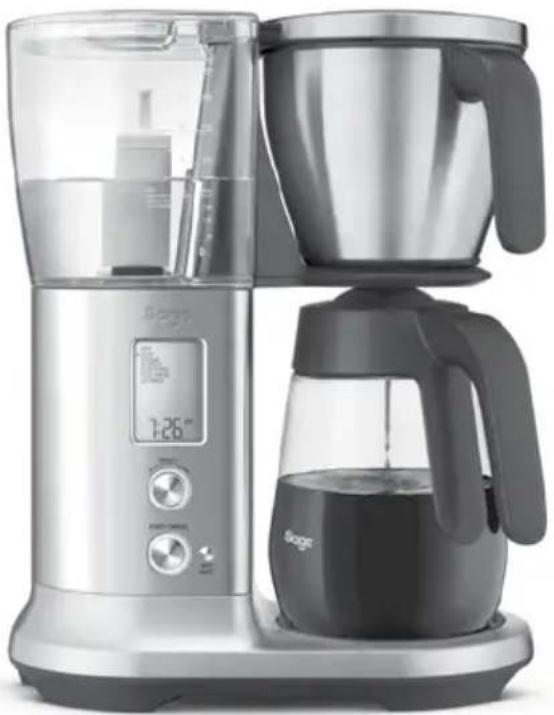
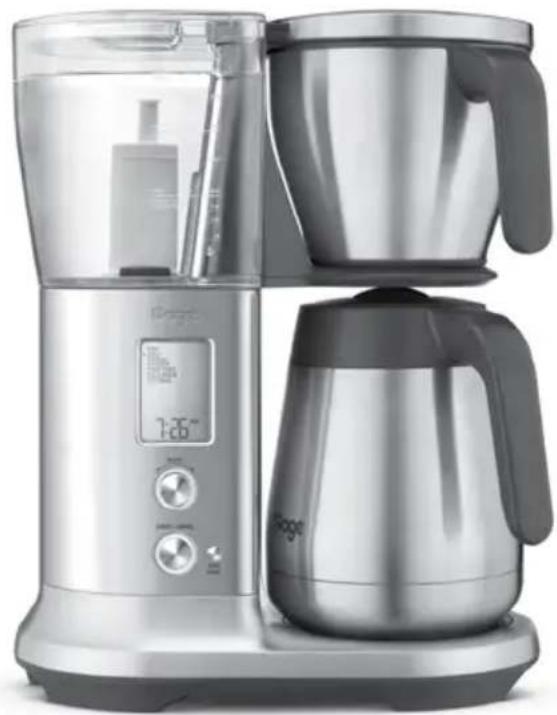

MANUAL RAPIDO


Índice
2 A Sage recomenda a segurarca como Tmaxima prioridade
6 Componentes
8 Funcionamento
13 Cuidados e limpeza
16 Resolucao de problemas
18 Garantia
A SAGE® RECOMENDA A SEGURANÇA COMO MAXIMA PRIORIDADE
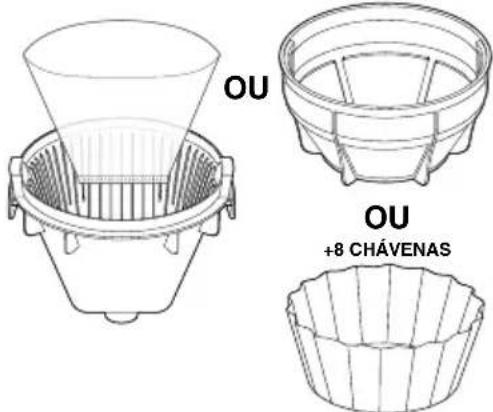
2-8 CHÁVENAS +8 CHÁVENAS

CUIDADO
KEEP WARM (MANTER QUENTE)
BRG Appliances Limited
Unit 3.2, Power Road Studios, 114 Power
Road, London, W4 5PY
UK Landline: 0808 178 1650
Mobile (National Rate): 0333 0142 970
DEU
Sage Appliances France SAS
www.sageappliances.com
Registered in England & Wales No. 8223512
Registered in Germany No. HRB 81309 (AG Düsseldorf)
Registered in France No. 879 449 866 RCS
-
Due to continued product improvement, the products illustrated or photographed in this document may vary slightly from the actual product.
-
Aufgrund kontinuierlicher Produktverbesserungen kann das auf dieser Verpackung dargestellte Produkt leicht vom tatsächlichen Produkt abweichen.
-
En raison de son amélioration continue, le produit représenté sur cet emballage peut différer légarement du produit réel.

- the Sage Precision Brewer®
- Contents
- SAGE® RECOMMENDS SAFETY FIRST
- IMPORTANT SAFEGUARDS
- READ ALL INSTRUCTIONS BEFORE USE AND SAVE FOR FUTURE REFERENCE
- CAUTION
- IMPORTANT SAFEGUARDS FOR ALL ELECTRICAL APPLIANCES
- NOTICE TO CUSTOMERS REGARDING MEMORY STORAGE
- SHORT CORD INSTRUCTIONS
- NOTE
- FOR HOUSEHOLD USE ONLY SAVE THESE INSTRUCTIONS
- Components
- ACCESSORIES
- Operation
- WATER HARDNESS SETTING & FLUSHING
- INSTALLING THE WATER FILTER
- BREWING A CARAFE
- COFFEE/WATER RATIO
- BREW MODES
- COLD BREW:
- SINGLE CUP / SMALLER VOLUMES (LESS THAN 450 MLS)
- AUTO START
- SETTINGS
- CHILD-LOCK
- DEGREE INDICATION PREFERENCE
- KEEP WARM
- WARNING
- Care & Cleaning
- CLEANING THE COFFEE BASKET AND MESH BASKET FILTER
- CLEANING THE CARAFE
- CLEANING THE SHOWERHEAD
- CLEANING THE OUTER HOUSING
- REPLACING THE WATER FILTER
- DESCALING
- FACTORY RESET
- Troubleshooting
- Guarantee
- YEAR LIMITED GUARANTEE
- Inhalt
- INSTRUCTIONS RELATIVES AU CORDON COURT
- KEEP WARM (MAINTIEN AU CHAUD)
- KEEP WARM (MANTIENI CALDO)
- KEEP WARM (WARM HODEN)
- the Sage Precision Brewer
- Indices
- Índice
- A SAGE® RECOMENDA A SEGURANÇA COMO MAXIMA PRIORIDADE
- CUIDADO
- KEEP WARM (MANTER QUENTE)
- DEU
Brand : SAGE
Model : Precision Brewer Thermal BDC450
Category : Coffee machine