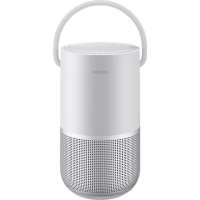
Portable Home Speaker - Speakers BOSE - Free user manual and instructions
Find the device manual for free Portable Home Speaker BOSE in PDF.



| Product type | Smart portable speaker |
| Brand | Bose |
| Model | Portable Home Speaker |
| Color | Black (or other depending on availability) |
| Water resistance | IPX4 (splash resistant) |
| Power supply | Power adapter 5 V DC, 3 A |
| Wireless connectivity | Wi-Fi, Bluetooth, AirPlay 2 |
| Voice assistants | Google Assistant and Amazon Alexa (configurable) |
| Battery type | Lithium-ion rechargeable |
| Battery life | Up to 12 hours (depending on use) |
| Main functions | Media playback, voice commands, multiroom streaming, SimpleSync |
| Care and cleaning | Soft dry cloth; do not use solvents |
| Safety | Do not charge if wet; use provided accessories; do not expose to heat |
| Spare parts and repairability | Contact Bose customer service; battery replaceable by a professional |
| Warranty | Limited warranty (see Bose website) |
| General information | Complies with FCC, CE standards; max altitude 2000 m |
Frequently Asked Questions - Portable Home Speaker BOSE
User questions about Portable Home Speaker BOSE
0 question about this device. Answer the ones you know or ask your own.
Ask a new question about this device
Download the instructions for your Speakers in PDF format for free! Find your manual Portable Home Speaker - BOSE and take your electronic device back in hand. On this page are published all the documents necessary for the use of your device. Portable Home Speaker by BOSE.
USER MANUAL Portable Home Speaker BOSE
Please read and keep all safety, security, and use instructions.

Bose Corporation hereby declares that this product is in compliance with the essential requirements and other relevant provisions of Directive 2014/53/EU and all other applicable EU directive requirements. The complete declaration of conformity can be found at: www.Bose.com/compliance

This product conforms to all applicable Electromagnetic Compatibility Regulations 2016 and all other applicable UK regulations. The complete declaration of conformity can be found at: www.Bose.com/compliance
Bose Corporation hereby declares that this product is in compliance with the essential requirements per Radio Equipment Regulations 2017 and all other applicable UK regulations. The complete declaration of conformity can be found at: www.Bose.com/compliance
Important Safety Instructions
- Make sure the connector port is fully dried out before charging.
- Do not charge the speaker when wet.
- Only use attachments/accessories specified by the manufacturer.
- Refer all servicing to qualified personnel. Servicing is required when the apparatus has been damaged in any way, such as power-supply cord or plug is damaged, liquid has been spilled or objects have fallen into the apparatus, the apparatus has been exposed to rain or moisture, does not operate normally, or has been dropped.

Contains small parts which may be a choking hazard. Not suitable for children under age 3.

This product contains magnetic material. Consult your physician on whether this might affect your implantable medical device.
- Keep the product away from fire and heat sources. Do NOT place naked flame sources, such as lighted candles, on or near the product.
- Do NOT make unauthorized alterations to this product.
- Do NOT use a power inverter with this product.
- Do not use any charger other than that specifically provided for use with the product.

- Do not expose products containing batteries to excessive heat (e.g. from storage in direct sunlight, fire or the like).
- The product label is located on the bottom of the product.
NOTE: This equipment has been tested and found to comply with the limits for a Class B digital device, pursuant to Part 15 of the FCC Rules. These limits are designed to provide reasonable protection against harmful interference in a residential installation. This equipment generates, uses, and can radiate radio frequency energy and, if not installed and used in accordance with the instructions, may cause harmful interference to radio communications. However, there is no guarantee that interference will not occur in a particular installation. If this equipment does cause harmful interference to radio or television reception, which can be determined by turning the equipment off and on, the user is encouraged to try to correct the interference by one or more of the following measures:
- Reorient or relocate the receiving antenna.
- Increase the separation between the equipment and receiver.
- Connect the equipment into an outlet on a circuit different from that to which the receiver is connected.
- Consult the dealer or an experienced radio/TV technician for help.
Changes or modifications not expressly approved by Bose Corporation could void the user's authority to operate this equipment.
This device complies with part 15 of the FCC Rules and with ISED Canada license-exempt RSS standard(s). Operation is subject to the following two conditions: (1) This device may not cause harmful interference, and (2) this device must accept any interference received, including interference that may cause undesired operation.
This equipment should be installed and operated with a minimum distance of 20 cm between radiator and your body.
This device for operation in the band 5150 - 5250 MHz is only for indoor use to reduce the potential for harmful interference to other co-channel systems.
CAN ICES-3(B)/NMB-3(B)
For Europe:
Frequency bands of operation 2400 to 2483.5 MHz, 5150 to 5350 MHz, and 5470 to 5725 MHz.
Maximum transmit power less than 20 dBm EIRP.
Maximum transmit power is below regulatory limits such that SAR testing is not necessary and exempt per applicable regulations.
This device is restricted to indoor use when operating in the 5150 to 5350 MHz frequency range in all EU Member States listed in the table.
 | |||||||||
| BE DK IE UK(NI) FR CY SK HU AT SE | |||||||||
| BG DE PT EL HR LV LT MT PL | |||||||||
| CZ EE FI ES IT RO LU NL SI | |||||||||
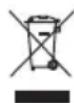
This symbol means the product must not be discarded as household waste, and should be delivered to an appropriate collection facility for recycling. Proper disposal and recycling helps protect natural resources, human health and the environment. For more information on disposal and recycling of this product, contact your local municipality, disposal service, or the shop where you bought this product.
Management Regulation for Low-power Radio-frequency Devices
Article XII
According to “Management Regulation for Low-power Radio-frequency Devices” without permission granted by the NCC, any company, enterprise, or user is not allowed to change frequency, enhance transmitting power or alter original characteristic as well as performance to an approved low power radio-frequency devices.
Article XIV
The low power radio-frequency devices shall not influence aircraft security and interfere legal communications; If found, the user shall cease operating immediately until no interference is achieved. The said legal communications means radio communications operated in compliance with the Telecommunications Act.
The low power radio-frequency devices must be susceptible with the interference from legal communications or ISM radio wave radiated devices.
DON'T attempt to remove the rechargeable lithium-ion battery from this product. Contact your local Bose retailer or other qualified professional for removal.

Li-ion
Removal of the rechargeable lithium-ion battery in this product should be conducted only by a qualified professional. Please contact your local Bose retailer or see products.bose.com/static/compliance/index.html for further information.
Product Power State Table
The product, in accordance with the Ecodesign Requirements for Energy Related Products Directive 2009/125/EC and the Ecodesign for Energy-Related Products and Energy Information (Amendment) (EU Exit) Regulations 2020, is in compliance with the following norm(s) or document(s): Regulation (EC) No. 1275/2008, as amended by Regulation (EU) No. 801/2013.
| Required Power State Information | Power Modes | |
| Standby Networked Standby | ||
| Power consumption in specified power mode, at 230V/50Hz input | ≤ 0.5 W | Wi-Fi®, Bluetooth® ≤ 2.0 W |
| Time after which equipment is automatically switched into mode < 2.5 hours ≤ 20 minutes | ||
| Power consumption in networked standby if all wired network ports are connected and all wireless network ports are activated, at 230V/50Hz input | N/A ≤ 2.0 W | |
| Network port deactivation/activation procedures. Deactivating all networks will enable standby mode. | Wi-Fi®: Deactivate by pressing and holding the Play/Pause button >II and Bluetooth button § simultaneously for at least 5 seconds. Repeat to activate. Bluetooth®: Deactivate by clearing the pairing list by pressing and holding the Bluetooth® button for 10 seconds. Activate by pairing with a Bluetooth source. | |
External Power Supply Technical Information
The external power supply provided with the product, in accordance with the Ecodesign Requirements for Energy Related Products Directive 2009/125/EC, is in compliance with the following norms(s) or documents(s): Commission Regulation (EU) 2019/1782.
| Manufacturer Bose Products B.V. | |
| Commercial registration number 36037901 | |
| Address | Gorslaan 601441 RG PurmerendThe Netherlands |
| Model identifier F5V-3C-TC-WW | |
| Input voltage 100V-240V | |
| Input AC frequency 50Hz/60Hz | |
| Output voltage 5V DC | |
| Output current | 3A |
| Output power 15W | |
| Average active efficiency 82.3% | |
| Efficiency at low load (10%) 76.0% | |
| No-load power consumption 0.07W |

廢電池請回收
Please dispose of used batteries properly, following local regulations. Do not incinerate.
China Restriction of Hazardous Substances Table
| Names and Contents of Toxic or Hazardous Substances or Elements | ||||||
| Toxic or Hazardous Substances and Elements | ||||||
| Part Name | Lead (Pb) | Mercury (Hg) | Cadmium (Cd) | Hexavalent (CR(VI)) | Polybrominated Biphenyl (PBB) | Polybrominated diphenylether (PBDE) |
| PCBs X O O | O | O | O | |||
| Metal Parts | X | O | O | O | O | O |
| Plastic Parts | O | O | O | O | O | O |
| Speakers | X | O | O | O | O | O |
| Cables | X | O | O | O | O | O |
| This table is prepared in accordance with the provisions of SJ/T 11364.O: Indicates that this toxic or hazardous substance contained in all of the homogeneous materials for this part is below the limit requirement of GB/T 26572. |  | |||||
| X: Indicates that this toxic or hazardous substance contained in at least one of the homogeneous materials used for this part is above the limit requirement of GB/T 26572. | ||||||
Taiwan Restriction of Hazardous Substances Table
| Equipment name: Powered Speaker, Type designation: 429329 | ||||||
| Restricted substances and its chemical symbols | ||||||
| Unit | Lead (Pb) | Mercury (Hg) | Cadmium (Cd) | Hexavalent chromium(Cr+6) | Polybrominated biphenyls (PBB) | Polybrominated diphenylethers (PBDE) |
| PCBs | -○ | ○ ○ ○ ○ | ||||
| Metal Parts | -○ | ○ ○ ○ ○ | ||||
| Plastic Parts | ○ ○ | ○ ○ ○ | ○ | |||
| Speakers | -○ | ○ ○ ○ ○ | ||||
| Cables | -○ | ○ ○ ○ ○ | ||||
| Note 1: “○” indicates that the percentage content of the restricted substance does not exceed the percentage of reference value of presence. Note 2: The “-” indicates that the restricted substance corresponds to the exemption. | ||||||
Please complete and retain for your records
The serial and model numbers are located on the bottom of the speaker.
Serial number:
Model number:
Please keep your receipt with your owner's guide. Now is a good time to register your Bose product.
You can easily do this by going to global.Bose.com/register
Date of Manufacture: The eighth digit in the serial number indicates the year of manufacture; "1" is 2011 or 2021.
China Importer: Bose Electronics (Shanghai) Company Limited, Level 6, Tower D, No. 2337 Gudai Rd. Minhang District, Shanghai 201100
EU Importer: Bose Products B.V., Gorslaan 60, 1441 RG Purmerend, The Netherlands
Taiwan Importer: Bose Taiwan Branch, 9F-A1, No. 10, Section 3, Minsheng East Road, Taipei City 104, Taiwan Phone Number: +886-2-2514 7676
Mexico Importer: Bose de México, S. de R.L. de C.V., Paseo de las Palmas 405-204, Lomas de Chapultepec, 11000 México, D.F. Phone Number: +5255 (5202) 3545
UK Importer: Bose Limited, Bose House, Quayside Chatham Maritime, Chatham, Kent, ME4 4QZ, United Kingdom
Electrical Ratings: 5Vdc, 3A
Security Information

This product is capable of receiving automatic security updates from Bose. To receive automatic security updates, you must complete the product setup process in the Bose Music app and connect the product to the Internet. If you do not complete the setup process, you will be responsible for installing security updates that Bose makes available.
Amazon, Alexa, Amazon Music, and all related logos are trademarks of Amazon.com, Inc. or its affiliates.
Apple, the Apple logo, Apple Music, and AirPlay are trademarks of Apple Inc. registered in the U.S. and other countries. App Store is a service mark of Apple Inc.
Use of the Works with Apple badge means that an accessory has been designed to work specifically with the technology identified in the badge and has been certified by the developer to meet Apple performance standards.
The Bluetooth ^® word mark and logos are registered trademarks owned by Bluetooth SIG, Inc. and any use of such marks by Bose Corporation is under license.
Google and Google Play are trademarks of Google LLC.
This product contains the iHeartRadio service. iHeartRadio is a registered trademark of iHeartMedia, Inc.
This product is protected by certain intellectual property rights of Microsoft. Use or distribution of such technology outside of this product is prohibited without a license from Microsoft.
Pandora, the Pandora logo, and the Pandora trade dress are trademarks or registered trademarks of Pandora Media, Inc. used with permission.
This product incorporates Spotify software which is subject to third-party licenses found here: www.spotify.com/connect/third-party-licenses
Spotify is a registered trademark of Spotify AB.
USB Type-C ^® and USB-C ^® are registered trademarks of USB Implementers Forum.
Wi-Fi is a registered trademark of Wi-Fi Alliance ^® .
Bose, Bose Music, Bose Noise Cancelling Headphones, Bose Portable Smart Speaker, QuietComfort, SimpleSync, SoundLink, and SoundLink Revolve are trademarks of Bose Corporation
Bose Corporation Headquarters: 1-877-230-5639
©2021 Bose Corporation. No part of this work may be reproduced, modified, distributed, or otherwise used without prior written permission.
To view the license disclosures that apply to the third-party software packages included as components of your Bose Portable Smart Speaker product:
- On the speaker, press and hold the Volume up button + and the Volume down button — for 5 seconds.
- Connect a USB Type-C ^® to the USB-C ^® connector on the bottom of the speaker.
NOTE: If you are using the Bose Portable Smart Speaker Charging Cradle to charge the speaker, make sure that the cable is connected to the USB-C port on the back of the speaker and not charging cradle.
- Connect the other end of the cable to a computer.
- On the computer, enter http://203.0.113.1/opensource in a browser window to display the EULA and license disclosures.
WHAT'S IN THE BOX
Contents 13
WAYS TO USE
Connected to Wi-Fi ^® 14
Not connected to Wi-Fi.... 14
SPEAKER PLACEMENT
Recommendations.... 15
WATER RESISTANCE
Recommendations.... 16
BOSE MUSIC APP SETUP
Download the Bose Music app.... 17
EXISTING BOSE MUSIC APP USERS
Add the speaker to an existing account.... 18
Connect to a different Wi-Fi network.... 18
Reconnect to a Wi-Fi network.... 18
POWER
Power on 19
Power off....20
Network standby.... 20
SPEAKER CONTROLS
Speaker functions.... 22
Media playback and volume.... 22
Voice assistant controls.... 23
VOICE ASSISTANT
Voice assistant options.... 24
Set up your voice assistant.... 24
Access Google Assistant.... 25
Use your voice 25
Use the speaker controls 26
Play music with Google Assistant 27
Choose a default music service 27
Access Alexa 28
Use your voice 28
Use the speaker controls 29
BLUETOOTH® CONNECTIONS
Using Bluetooth only (No Wi-Fi) 30
Connect a mobile device 30
Disconnect a mobile device.... 31
Reconnect a mobile device.... 32
Connect an additional mobile device 32
Clear the speaker device list.... 32
STREAM AUDIO WITH AIRPLAY
Stream audio from the Control Center.... 33
Stream audio from an app 33
BATTERY
Charge the speaker.... 34
Charge the speaker using the Bose Portable Smart Speaker Charging Cradle 35
Check the battery level.... 35
SPEAKER STATUS
Wi-Fi status 36
Media playback and volume status 37
Bluetooth connection status 38
Voice assistant status.... 39
Google Assistant status 39
Amazon Alexa status 40
Microphone off light 41
Power status 42
Update and error status.... 43
Light ring.... 43
Power light 44
ADVANCED FEATURES
Update the speaker.... 45
Disable/Enable Wi-Fi 45
CONNECT BOSE PRODUCTS
Connect a Bose SoundLink Bluetooth speaker or Bose headphones...... 46
Benefits.... 46
Compatible products 46
Connect using the Bose Music app 47
Reconnect a Bose SoundLink Bluetooth speaker or Bose headphones... 47
CARE AND MAINTENANCE
Clean the speaker 48
Replacement parts and accessories.... 48
Limited warranty 48
TROUBLESHOOTING
Try these solutions first 49
Other solutions 49
Reset the speaker 54
Restore the speaker network and audio settings.... 54
CONTENTS
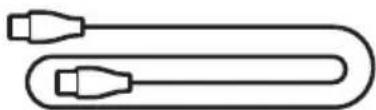
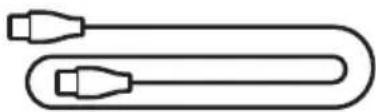
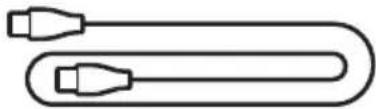
Confirm that the following parts are included:
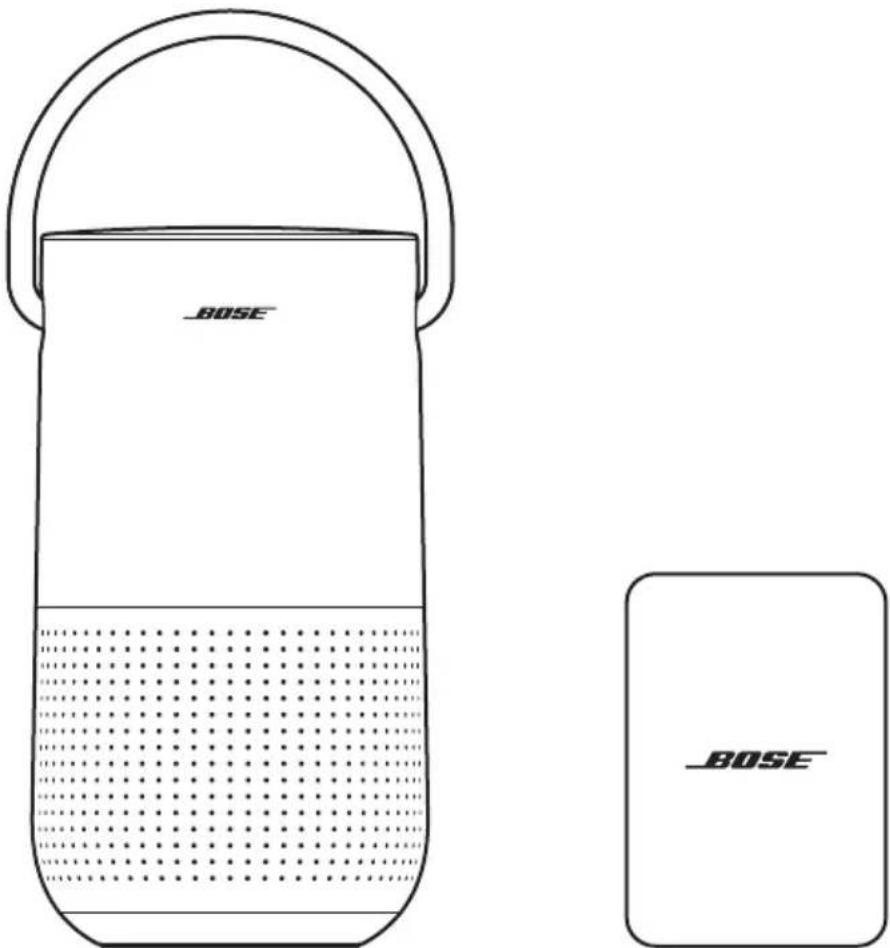
text_image
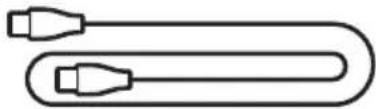
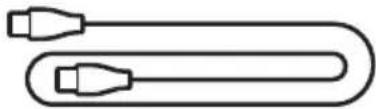
BOSE BOSEBose Portable Smart Speaker Power supply*
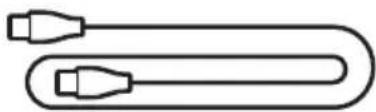
natural_image
Simple line drawing of a U-shaped cable with two connectors (no text or symbols)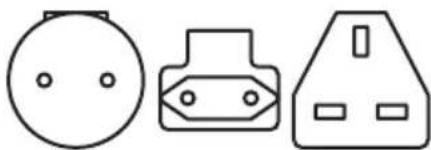
natural_image
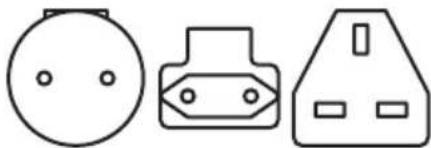
Three simple electrical component symbols: a circular head, a plug-in socket, and a triangular socket (no text or labels)Power cord AC power adapters*
* The power supply and AC power adapters provided may vary. Use the power adapter for your region. Depending on the region you purchased the product in, your power supply may not be compatible with the power adapters provided for other regions.
NOTE: If any part of the product is damaged, don't use it. Contact your authorized Bose dealer or Bose customer service.
Visit: worldwide.Bose.com/Support/PHS
CONNECTED TO WI-FI
When connected to a Wi-Fi network, the speaker has access to all of the features including voice control, Bose Music app connectivity and music browsing, and synchronization with other speakers.
To learn more about the Bose Music app, see page 17.
NOT CONNECTED TO WI-FI
When a Wi-Fi network is unavailable, the speaker is a Bluetooth speaker. Bluetooth wireless technology lets you stream music from mobile devices such as smartphones, tablets, and laptop computers.
To connect a device to the speaker using Bluetooth technology, see page 30.
RECOMMENDATIONS
- Do NOT place the speaker on top of audio/video equipment (receivers, TVs, etc.), or any other object that may generate heat. Heat generated by these items may result in poor speaker performance.
- Do NOT place any objects on top of the speaker or in front of the speaker.
- To avoid interference, keep other wireless equipment 1 – 3 ft (0.3 – 0.9 m) away from the speaker.
- Place the speaker outside of and away from metal cabinets and direct heat sources.
- Place the speaker so that the rubber base is on a stable and level surface.
- When using Bluetooth technology, place your mobile device within 30 ft (9 m) of the speaker, and make sure there is a clear line of sight between you and the speaker. Moving your device farther away, or not having a clear line of sight may impact sound quality, and your device may disconnect from the speaker.
CAUTIONS:
- Stand the speaker on its base. Standing the speaker on any other side may cause damage to the speaker and affect sound quality.
- Avoid placing the speaker on wet or dirty surfaces.
RECOMMENDATIONS
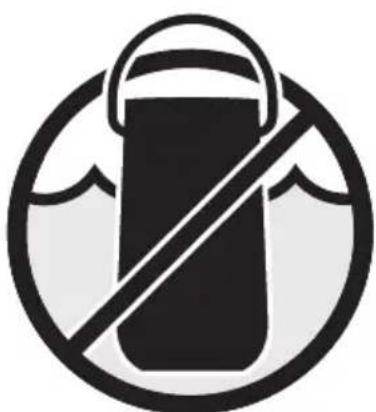
The speaker is rated IPX4. It is designed to be splash resistant but isn't meant to be submerged under water.
CAUTIONS:
- Do NOT place this speaker in the shower.
- Do NOT submerge this speaker in water.
- Never attempt to charge the speaker while it is wet. Doing so may cause damage to the speaker
natural_image
Symbol of a bucket with a diagonal line, enclosed in a circle (no text or numbers)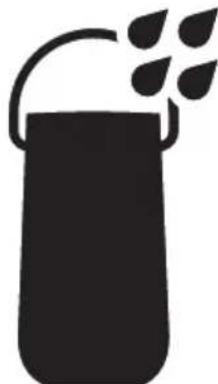
natural_image
Silhouette of a container with a handle and leafy top (no text or symbols)The Bose Music app lets you set up and control the speaker from any mobile device such as a smartphone or tablet.
Using the app, you can stream music, set and change presets, add music services, explore internet radio stations, configure Google Assistant or Amazon Alexa, and managespeakersettings.
NOTE: If you have already created a Bose Music account in the Bose Music app for another product, see “Add the speaker to an existing account” on page 18.
DOWNLOAD THE BOSE MUSIC APP
- On your mobile device, download the Bose Music app.
text_image
BOSE MUSIC

text_image
GET IT ON Google Play- Follow the app instructions.
ADD THE SPEAKER TO AN EXISTING ACCOUNT
To add your Bose Portable Smart Speaker, open the Bose Music app and add your speaker.
CONNECT TO A DIFFERENT WI-FI NETWORK
Connect to a different network if your network name or password has changed, or if you want to change or add another network.
- On the speaker, press and hold the Volume down button — and the Play/Pause button ▷II until the light ring glows amber on the top and bottom.
- On your mobile device, open your Wi-Fi settings.
- Select Bose Portable Smart Speaker.
- Open the Bose Music app and follow the app instructions.
NOTE:
- If the app doesn't prompt you for setup, go to the My Products screen and add your speaker.
- When connected to Wi-Fi, your speaker has access to voice control and all other features offered in the Bose Music app.
RECONNECT TO A WI-FI NETWORK
The speaker will automatically reconnect to a known Wi-Fi network if the speaker is powered on, and in range of the Wi-Fi network.
NOTE: The speaker stores up to 8 different Wi-Fi networks in the order they were last used.
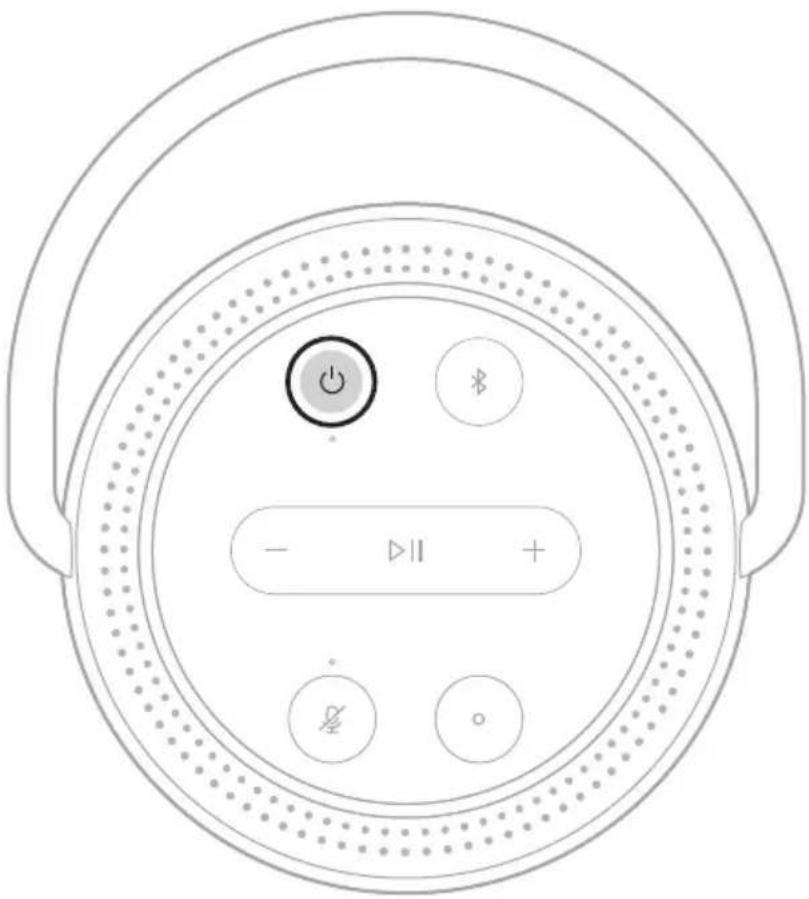
POWER ON
Press the Power button ⏻.
text_image
Diagram of a circular device control panel with power, battery, and display buttons labeled in Chinese.A voice prompt announces the battery level.
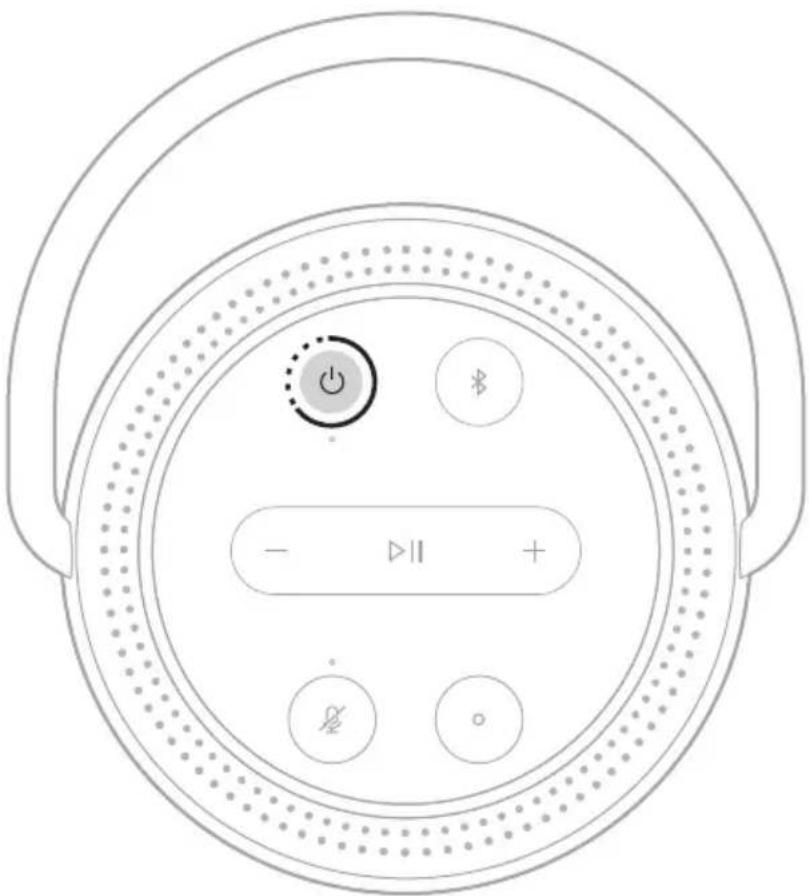
POWER OFF
Press and hold the Power button ⏻ until the power light turns off.
text_image
Diagram of a circular device control panel with power, battery, and display indicatorsNOTES:
- If the speaker isn't connected to a Wi-Fi network, streaming audio with Bluetooth technology, or charging, it transitions to network standby automatically after 20 minutes of inactivity.
- If Wi-Fi hasn't been set up using the Bose Music app, press the Power button once to power off the speaker.
NETWORK STANDBY
The speaker transitions to network standby when audio has stopped and you have not pressed any buttons or accessed your voice assistant for 20 minutes.
To wake the speaker from network standby:
- Press any button on the speaker.
- Play or resume audio using your mobile device or using the Bose Music app.
• Talk to your voice assistant.
NOTE: To access your voice assistant in network standby, set it up using the Bose Music app and turn on the microphone (see page 17).
text_image
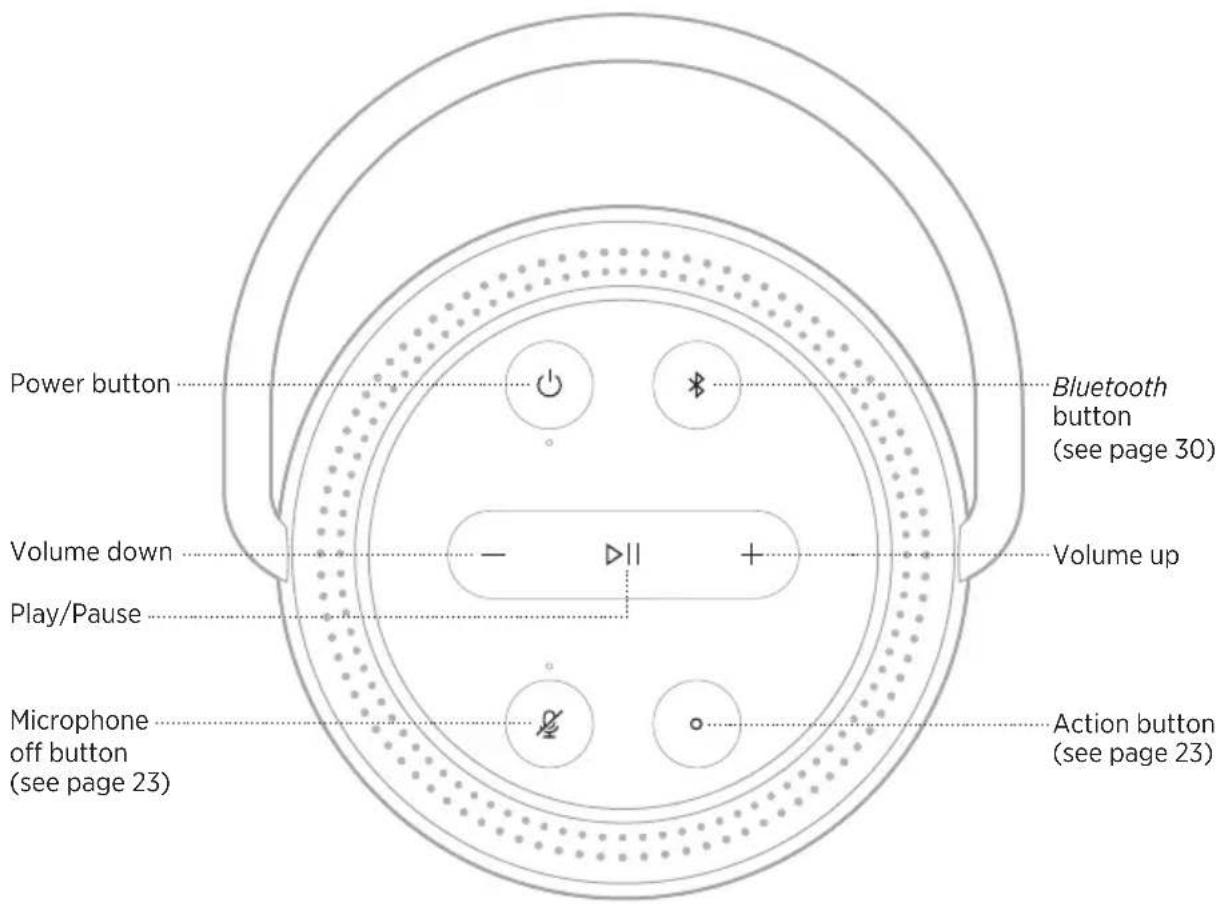
Power button Volume down Play/Pause Microphone off button (see page 23) Bluetooth button (see page 30) Volume up Action button (see page 23)SPEAKER FUNCTIONS
Speaker controls are located on the top of the speaker.
TIP: You can also control the speaker using the Bose Music app.
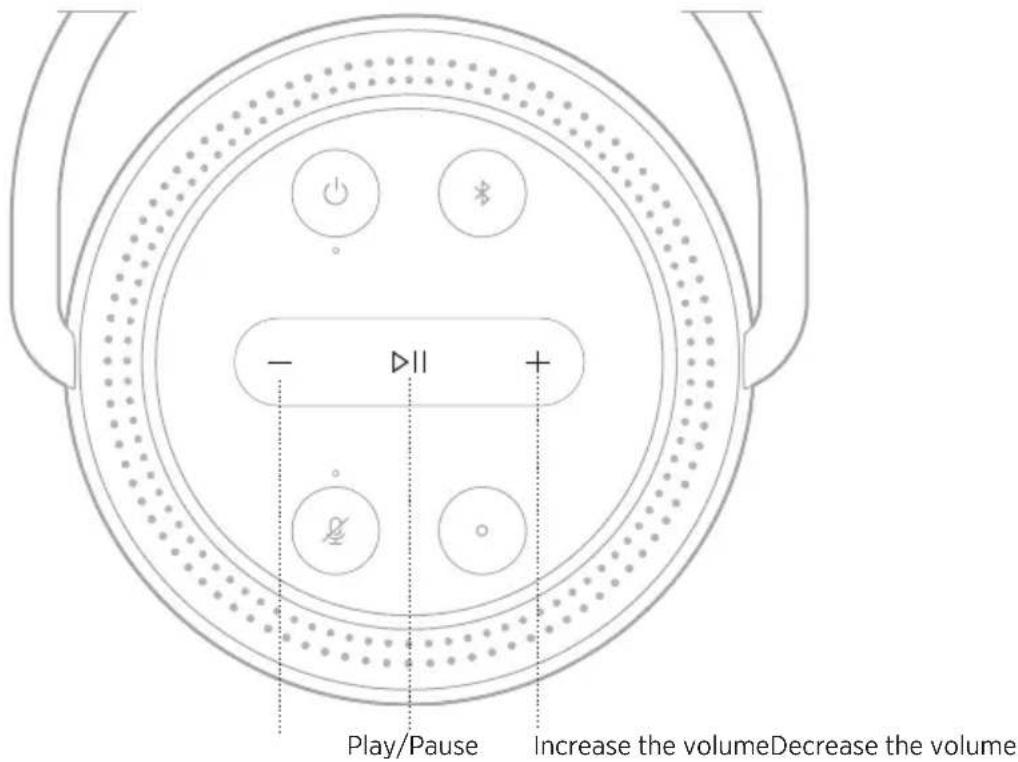
Media playback and volume
text_image
- ▷II + Play/Pause Increase the volumeDecrease the volumeFUNCTION WHAT TO DO
| Play/Pause | Press ▷II.When audio is paused, two lights on the top and two lights on the bottom of the light ring glow white. |
| Skip forward | Double-press ▷II. |
| Skip backward | Triple-press ▷II. |
| Increase the volume | Press +.The light ring fills clockwise.NOTE: To quickly increase the volume, press and hold +. |
| Decrease the volume | Press —.The light ring fades counter-clockwise.NOTE: To quickly decrease the volume, press and hold —. |
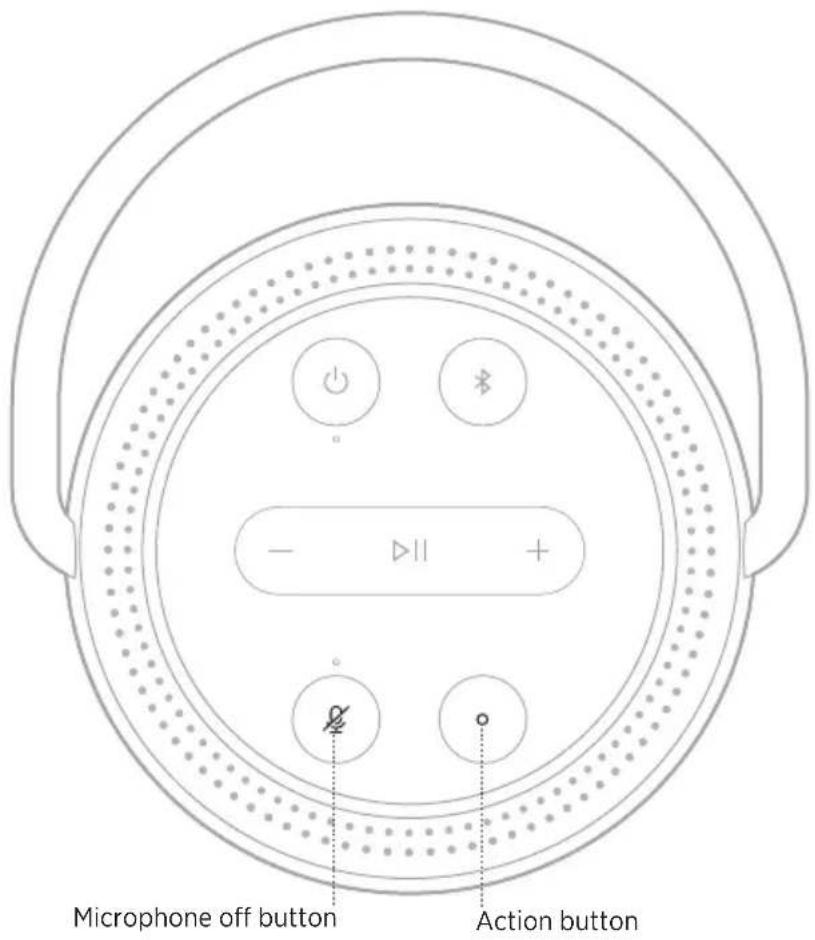
VOICE ASSISTANT CONTROLS
You can use the Action button ○ and Microphone off button ⚙ to control Google Assistant (see page 25) or Amazon Alexa (see page 28).
text_image
Microphone off button Action buttonVOICE ASSISTANT OPTIONS
You can program the speaker to quickly and easily access Google Assistant or Amazon Alexa.
NOTE: Google Assistant and Amazon Alexa aren't available in certain languages and countries.
OPTIONS HOW TO USE
| Google Assistant | Use your voice and/or the Action button ○ (see page 25). |
| Amazon Alexa | Use your voice and/or the Action button ○ (see page 28). |
NOTE: You can't set the speaker to access Google Assistant and Amazon Alexa at the same time.
SET UP YOUR VOICE ASSISTANT
Before you begin, make sure your mobile device and the speaker are connected to the same Wi-Fi network.
To set up your voice assistant, use the Bose Music app. You can access this option from the Settings menu.
NOTE: When setting up your voice assistant, make sure you use the same audio service account that you used in the Bose Music app.
ACCESS GOOGLE ASSISTANT
With your Bose Portable Smart Speaker, talk to Google to easily enjoy music at home; you can play your favorite music, control volume and find information about the song that you are listening to, hands-free. You can also plan your day, set alarms and control smart devices around your home -- just by using your voice.
For more information about what Google Assistant can do, visit: https://support.google.com/assistant
NOTES:
- Google Assistant isn't available in certain languages and countries.
- For more information about playing audio with Google Assistant, see page 27.
Use your voice
Start with "Hey Google," then say:
THINGS TO TRY EXAMPLES OF WHAT TO SAY
| Enjoy entertainment Play some music |
| Plan your day What's on my calendar today? |
| Manage tasks Set an alarm for 7am tomorrow |
| Control your home Turn on the lights |
| Get answers What's the latest news? |
| Get things done Remind me to buy milk tonight |
| Try fun things Tell me a fun fact |
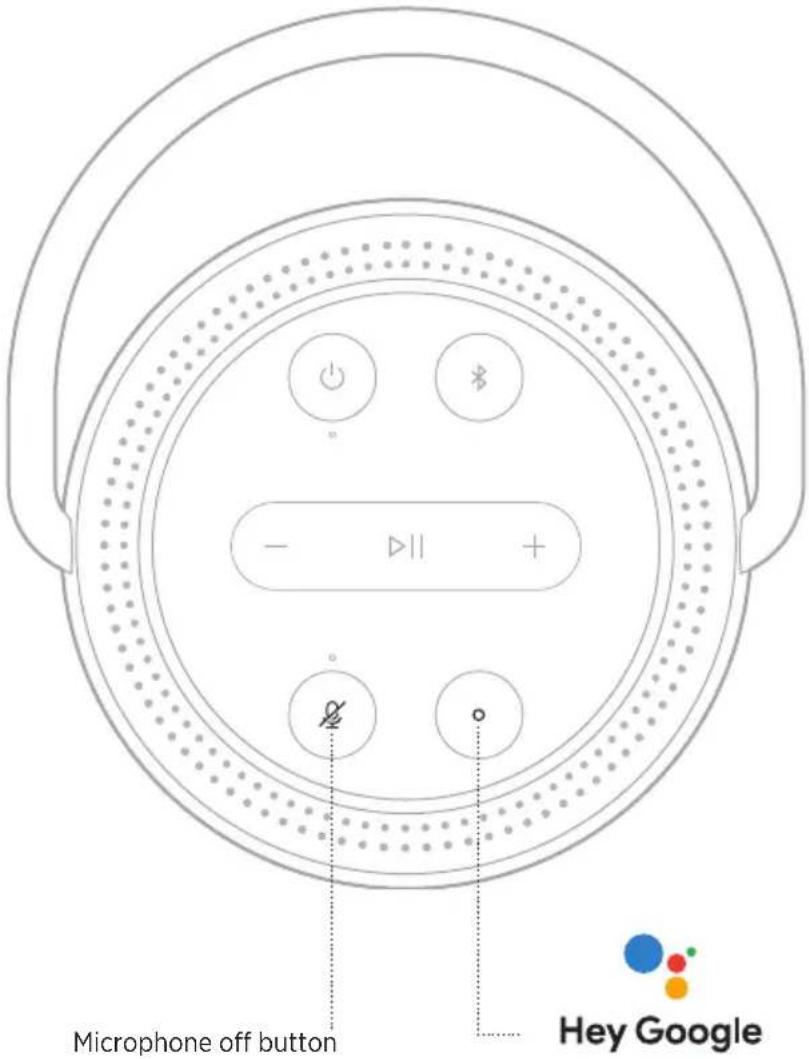
Use the speaker controls
You can use the Action button ○ and Microphone off button Ⓧ to control Google Assistant. They are located on the top of the speaker.
text_image
Microphone off button Hey GoogleTHINGS TO TRY WHAT TO DO
| Talk to Google Assistant | Press ○ then say your request.For a list of things to try, visit:https://support.google.com/assistant |
| Stop alarms and timers | Press ○. |
| Stop Google Assistant | Press ○. |
| Turn the microphone on/off | Press ⚙.When the microphone is off, the light above the Microphone off button ≈ glows solid red, and you can’t access Google Assistant. |
PLAY MUSIC WITH GOOGLE ASSISTANT
Ask Google to play music from your default audio service or from a specific audio service.
Start with "Hey Google," then say:
THINGS TO TRY EXAMPLES OF WHAT TO SAY
| Play music | Play some music. NOTE: Google Assistant uses your default audio service. If you hear an error message, you may need to change your default audio service. To change this setting, use the Google Assistant app. |
| Control your speaker Turn up the volume. | |
| Play from a specific audio service | Play NPR on TuneIn NOTE: Google Assistant doesn’t support all audio services. |
| Play on a specific speaker | Play some jazz on the living room speakers NOTE: Make sure you say the speaker name you assigned in the Bose Music app. If multiple speakers have the same name, use the name assigned in the Google Assistant app or change the name in the Bose Music app. |
Choose a default music service
During initial setup for Google Assistant, the Google Assistant app prompts you to select a default audio service. When asking Google to play music on Bose products, only Pandora and Spotify are supported default services. Although other audio services are listed as available during setup, they are not supported.
For the best experience, choose Pandora or Spotify as your default audio service. If you choose an unsupported audio service, you hear an error message when requesting to play audio.
ACCESS ALEXA
The speaker has Amazon Alexa Built-in. With Alexa, you can ask to play music, hear the news, check the weather, control smart home devices, and more. Using Alexa on your speaker is as simple as asking. Just ask or use the Action button ○ and Alexa responds instantly.
For more information about what Alexa can do, visit:
https://www.amazon.com/usealexa
NOTE: Alexa isn't available in certain languages and countries.
Use your voice
THINGS TO TRY EXAMPLE OF WHAT TO SAY
| Talk to Alexa Alexa, what's the weather? | |
| Play audio | Alexa, play Beethoven.NOTE: Amazon Music is set as the default music service. To change the default music service, use the Alexa app. |
| Control volume Alexa, turn the volume up. | |
| Play from a specific audio service | Alexa, play NPR on TuneIn.NOTE: Amazon Alexa doesn't support all audio services. |
| Play on a specific speaker | Alexa, play funk in the living room.NOTE: Make sure you say the speaker name you assigned in the Bose Music app. If multiple speakers have the same name, use the name assigned in the Alexa app or change the name in the Bose Music app. |
| Skip to the next song Alexa, next song. | |
| Set a timer Alexa, set a timer for 5 minutes. | |
| Discover more skills Alexa, what new skills do you have? | |
| Stop Alexa Alexa, stop. | |
Use the speaker controls
The Action button ○ and Microphone off button ⚙ are used to control Alexa. They are located on the top of the speaker.
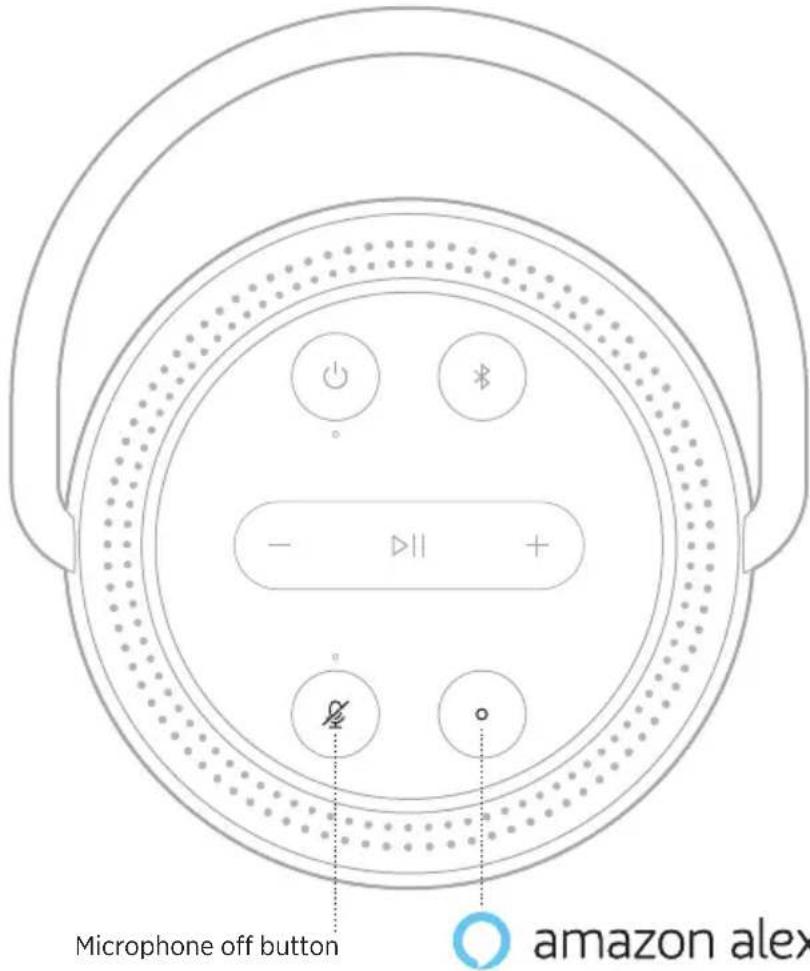
text_image
Microphone off button amazon alexTHINGS TO TRY WHAT TO DO
| Talk to Alexa | Press ○ then say your request.For a list of things to try, visit:https://www.amazon.com/usealexa |
| Stop alarms and timers | Press ○. |
| Stop Alexa | Press ○. |
| Turn the microphone on/off | Press ⚙.NOTE:When the microphone is off, and the light above the Microphone off button ≈ glows solid red, you can’t access Alexa. |
Bluetooth wireless technology lets you stream music from mobile devices such as smartphones, tablets, and laptop computers. Before you can stream music from a device, you must connect your device to the speaker.
USING BLUETOOTH ONLY (NO WI-FI)
When your speaker is disconnected from Wi-Fi, you only have access to the Bluetooth functions of the speaker. To connect your mobile device using Bluetooth technology, see page 30.
NOTE: When using Bluetooth technology only, you don't have access to a voice assistant or the features in the Bose Music app.
CONNECT A MOBILE DEVICE
- Press and hold the Bluetooth button ✝.
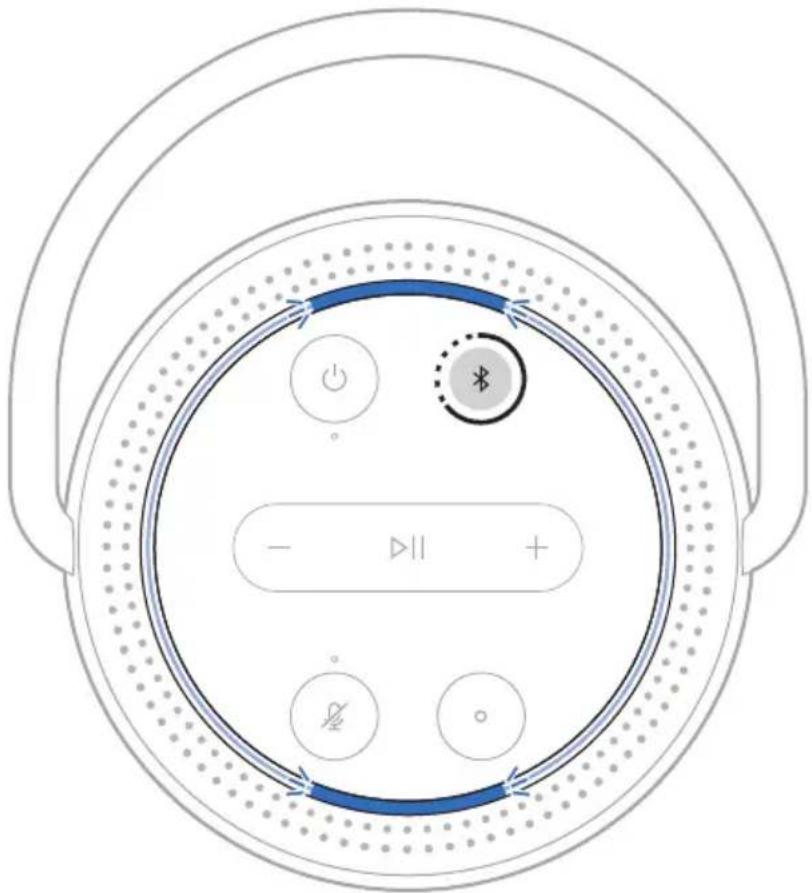
text_image
Diagram of a circular device control panel with power, current, and display icons labeled in EnglishYou hear a tone and the light ring pulses blue.
- On your device, turn on the Bluetooth feature.
TIP: The Bluetooth menu is usually found in the settings menu on your mobile device.
- Select your speaker from the device list.
TIP: Look for the name you entered for your speaker in the Bose Music app. If you didn't name your speaker, the default name appears.
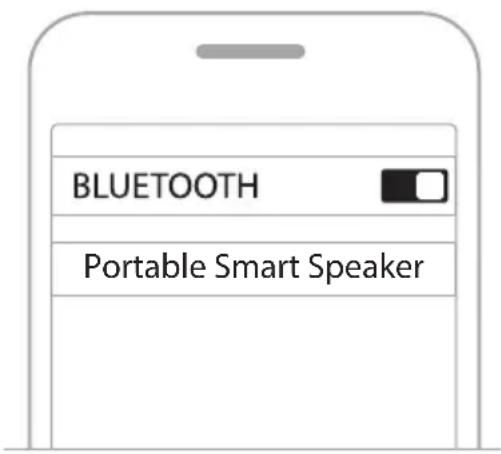
text_image
BLUETOOTH Portable Smart SpeakerOnce connected, you hear a tone and the light ring glows solid blue on the top and bottom then fades to black. Your speaker's name appears in the mobile device list.
DISCONNECT A MOBILE DEVICE
Use the Bose Music app to disconnect your mobile device.
TIP: You can also use Bluetooth settings to disconnect your device. Disabling the Bluetooth feature disconnects all other devices.
RECONNECT A MOBILE DEVICE
- Press the Bluetooth button ✗.
NOTE: Make sure the Bluetooth feature is enabled on your mobile device.
- Play audio on the connected mobile device.
CONNECT AN ADDITIONAL MOBILE DEVICE
You can store up to eight devices in the speaker device list.
NOTE: You can play audio from only one device at a time.
-
Press and hold ✝ until the light bar pulses blue.
-
On your mobile device, select the speaker from the device list.
NOTE: Make sure the Bluetooth feature is enabled on your mobile device.
CLEAR THE SPEAKER DEVICE LIST
- Press and hold ✝ for 10 seconds until the light ring pulses blue twice on the top and bottom.
- Delete the speaker from the Bluetooth list on your device.
All devices are cleared, and the speaker is ready to connect (see page 30).
The speaker is capable of playing AirPlay 2 audio, which allows you to quickly stream audio from your Apple device to the speaker or multiple speakers.
NOTES:
- To use AirPlay 2, you need an Apple device running iOS 11.4 or later.
- Your Apple device and speaker must be connected to the same Wi-Fi network.
- For more information about AirPlay, visit: https://www.apple.com/airplay
STREAM AUDIO FROM THE CONTROL CENTER
- On your Apple device, open the Control Center.
- Touch and hold the audio card in the top-right corner of the screen, then the AirPlay icon 🔒.
- Select your speaker or speakers.
STREAM AUDIO FROM AN APP
- Open a music app (like Apple Music), and select a track to play.
- Tap 🔒.
- Select your speaker or speakers.
CHARGE THE SPEAKER
NOTE: For best results, make sure to use the power supply and power cord provided with the speaker. Other power supplies and power cords may charge the speaker more slowly or take a long time to power on the speaker when the battery is discharged.
- Connect the power cord to the power port on the speaker.
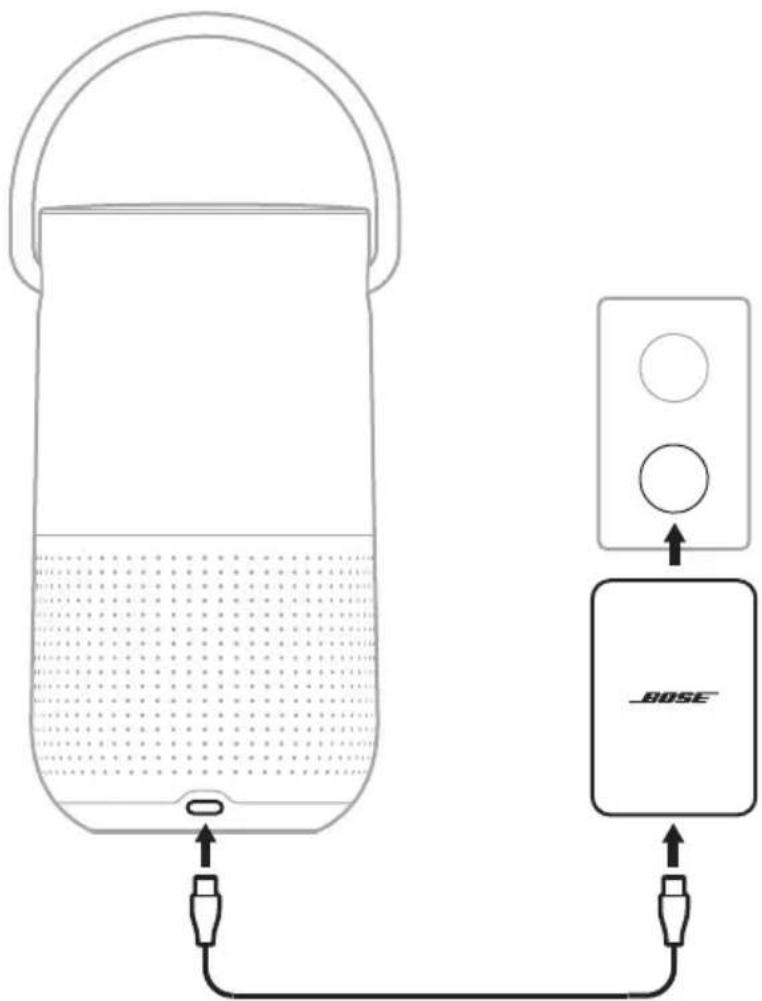
text_image
Diagram showing a device connected to a speaker with a BOSE logo, illustrating sound or audio signal flow.-
Connect the power cord to the power supply.
-
Plug the power supply into an AC (mains) power outlet.
NOTE: If necessary, attach the AC power adapter for your region to the power supply. Depending on the region you purchased the product in, your power supply may not be compatible with the power adapters provided for other regions.
The speaker powers on and the power light starts to blink white.
CAUTION: Do NOT attempt to charge the speaker while it is wet. Doing so may cause damage to the speaker.
Charge the speaker using the Bose Portable Smart Speaker Charging Cradle
You can charge the speaker on the Bose Portable Smart Speaker Charging Cradle. To purchase the charging cradle, contact your authorized Bose dealer.
Visit: worldwide.Bose.com/Support/PHS
CHECK THE BATTERY LEVEL
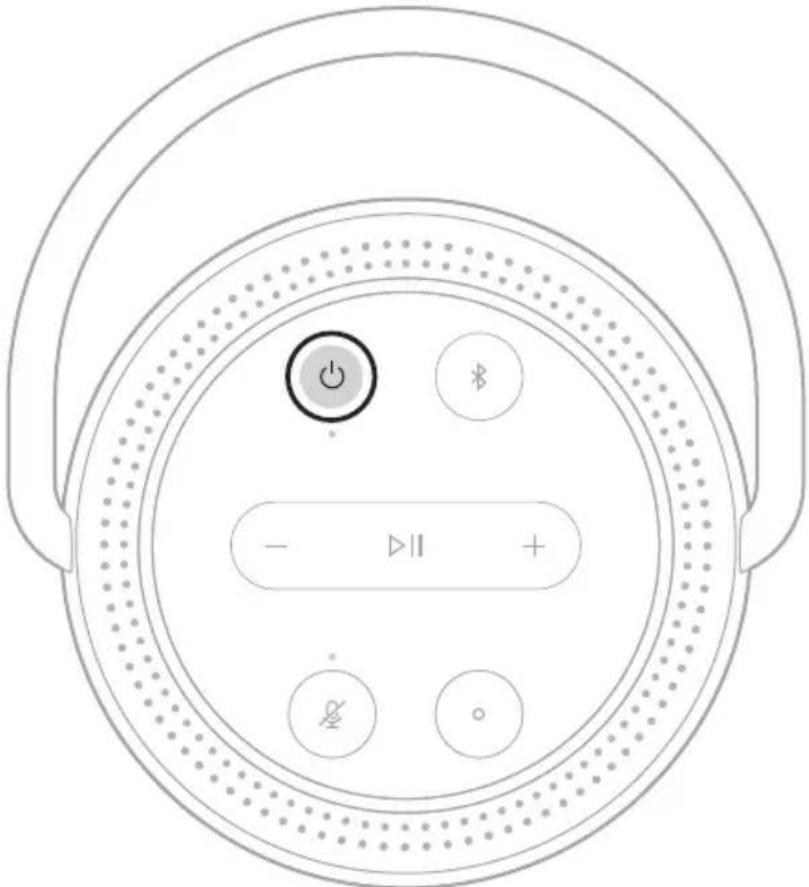
Press the Power button ⏻ when the speaker is on and not playing audio.
text_image
Diagram of a circular device control panel with power, battery, and display buttons labeled in English.A voice prompt announces the battery level.
TIP: You can also check the battery level using the Bose Music app.
The LED light ring located on the top of the speaker shows the speaker status.
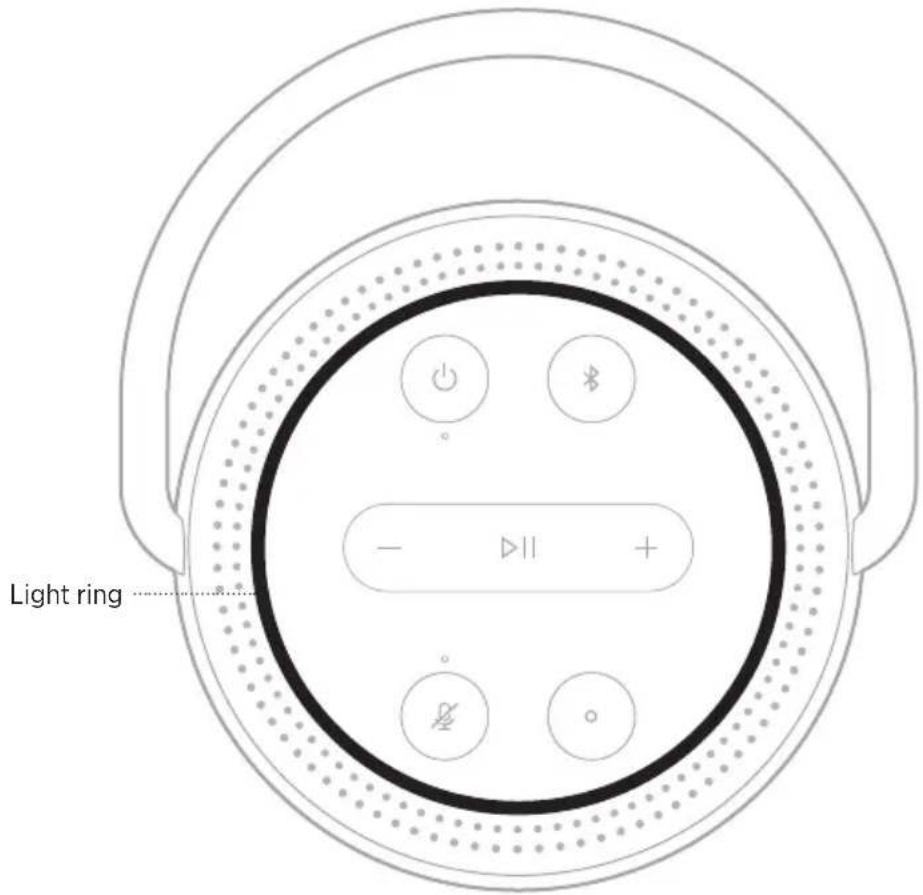
text_image
Light ring ......WI-FI STATUS
Shows the Wi-Fi connection status of the speaker.
LIGHT RING ACTIVITY SYSTEM STATE
| Pulsing white on top and bottom | 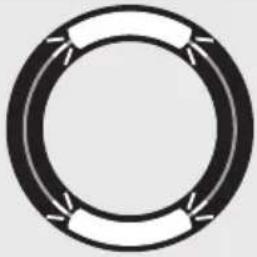 | Connecting to Wi-Fi |
| Solid white then fades to black on top and bottom | 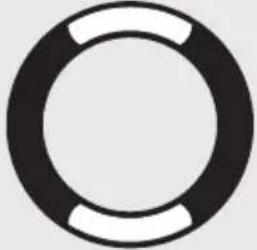 | Connected to Wi-Fi |
MEDIA PLAYBACK AND VOLUME STATUS
LIGHT RING ACTIVITY SYSTEM STATE
| Two lights on the top and two lights on the bottom glow white | 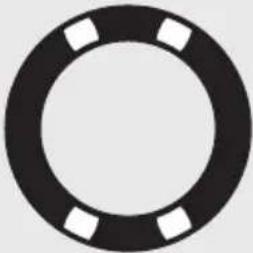 | Paused audio |
| White light fills clockwise | 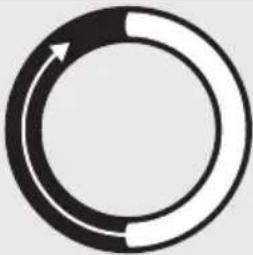 | Increase volume |
| White light fades counter-clockwise | 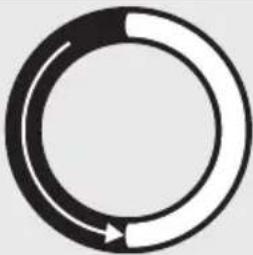 | Decrease volume |
BLUETOOTH CONNECTION STATUS
Shows the Bluetooth connection status for mobile devices.
LIGHT RING ACTIVITY SYSTEM STATE
| Pulsing blue on top and bottom | 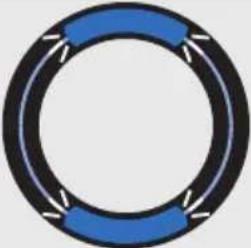 | Ready to connect to mobile device | |
| Blinks blue on top and bottom | 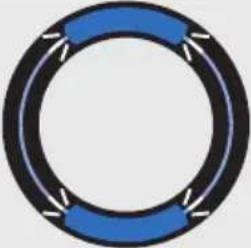 | Connecting to mobile device | |
| Solid blue then fades to black on top and bottom | 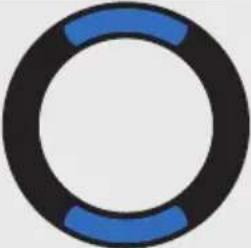 | Connected to mobile device | |
| Blinks blue twice | 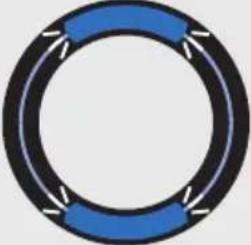 | Clearing device list |
VOICE ASSISTANT STATUS
Shows the status of Google Assistant or Amazon Alexa.
Google Assistant status
| LIGHT RING ACTIVITY | VOICEASSISTANT STATE | |
| Off | 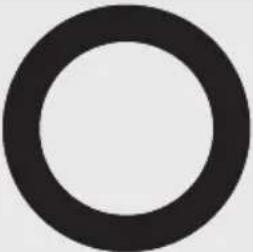 | Idle |
| White light on top, bottom, left, and right | 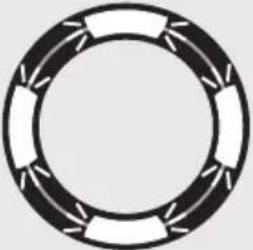 | Listening |
| White light rotates clockwise | 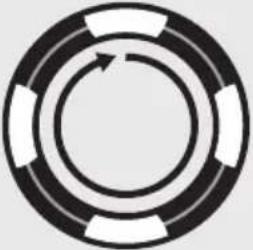 | Thinking |
| Pulsing white (full) Spea | 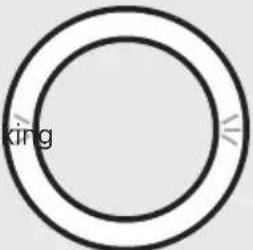 | |
| White light blinks for 10 minutes | 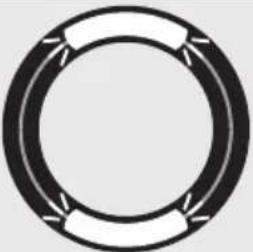 | Notification |
Amazon Alexa status
| LIGHT RING ACTIVITY | VOICEASSISTANT STATE | ||
| Off | 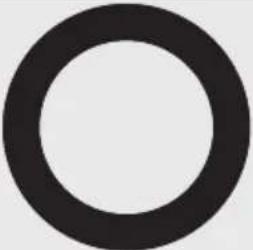 | Idle | |
| White light slides to the top and bottom | 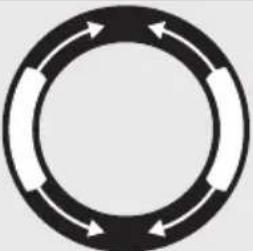 | 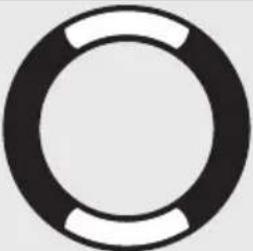 | Listening |
| Solid white light glows on top and bottom | 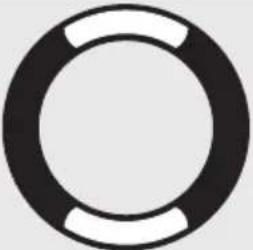 | Thinking | |
| Pulsing white (full) Spea | 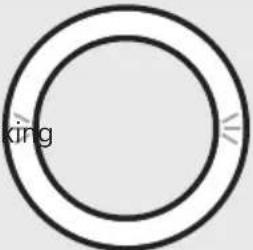 | ||
| Pulsing yellow on top and bottom | 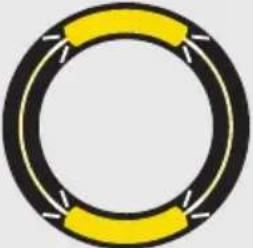 | Notification | |
Microphone off light
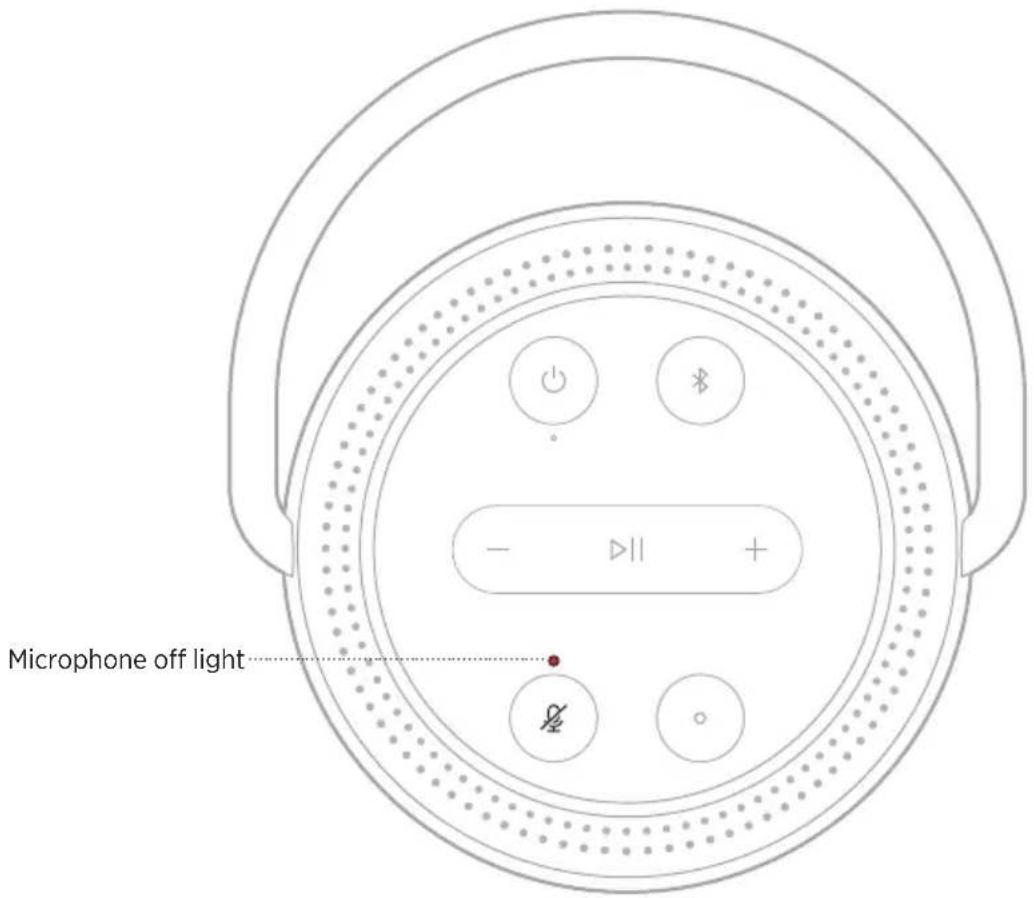
text_image
Microphone off lightLIGHT ACTIVITY SYSTEM STATE
Solid red Microphone is off
POWER STATUS
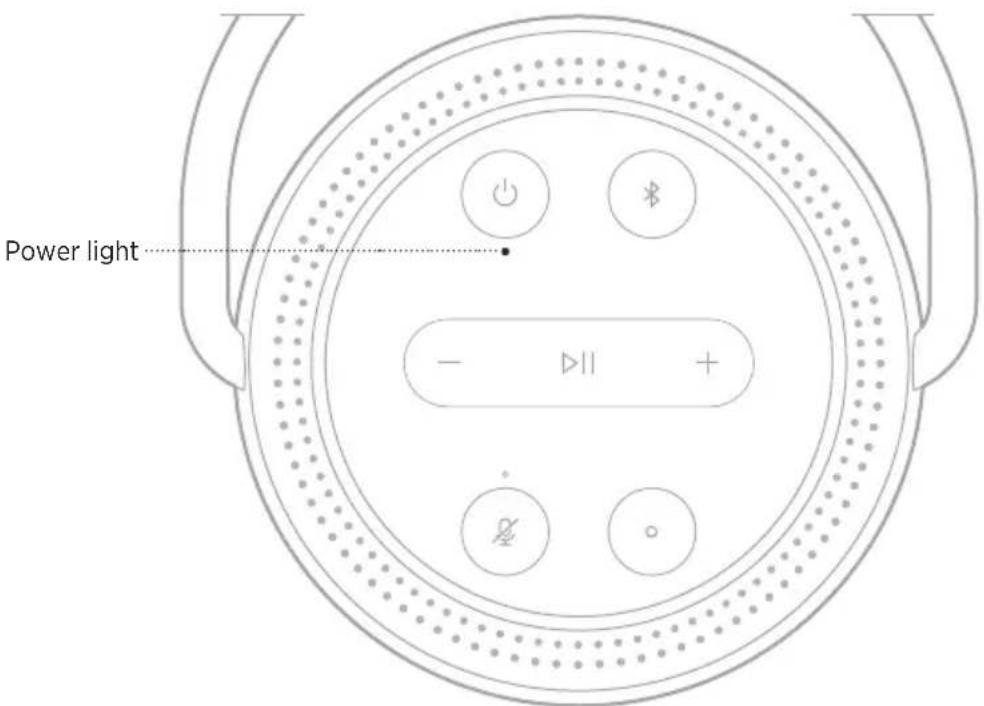
text_image
Power light - | +LIGHT ACTIVITY SYSTEM STATE
| Solid white | OnNOTE: When the speaker is connected to the charging cable solid whites means full charge. |
| Blinking white Charging | |
| Dim white | Network standbyNOTE: The speaker only shows dim white light when it isn't charging. |
| Solid red 5% - 10% battery remaining | |
| Blinking red Less than 5% battery remaining | |
| Blinking red and white | Slow charging from inappropriate power supplyNOTE: For best results, make sure to use the power supply and power cord provided with the speaker. Other power supplies and power cords may charge the speaker more slowly or take a long time to power on the speaker when the battery is discharged. |
| Black Off |
UPDATE AND ERROR STATUS
Shows the status of the software updates and error alerts.
Light ring
LIGHT RING ACTIVITY SYSTEM STATE
| Solid amber on top and bottom |  | Wi-Fi setup in progress | |
| White light fills the ring counterclockwise until full, then repeats | 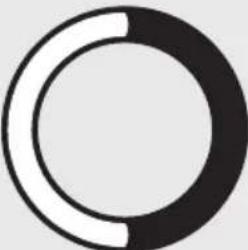 |  | Downloading update |
| White light fills the ring clockwise until full, then repeats | 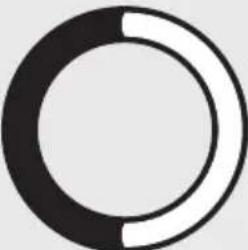 |  | Updating speaker |
| Blinks amber on the top and bottom four times | 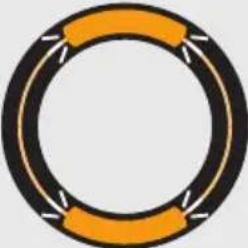 | Error - refer to the Bose Music app | |
| Solid red on the top and bottom | 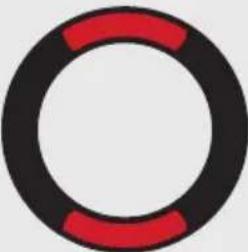 | Error - contact Bose customerservice |
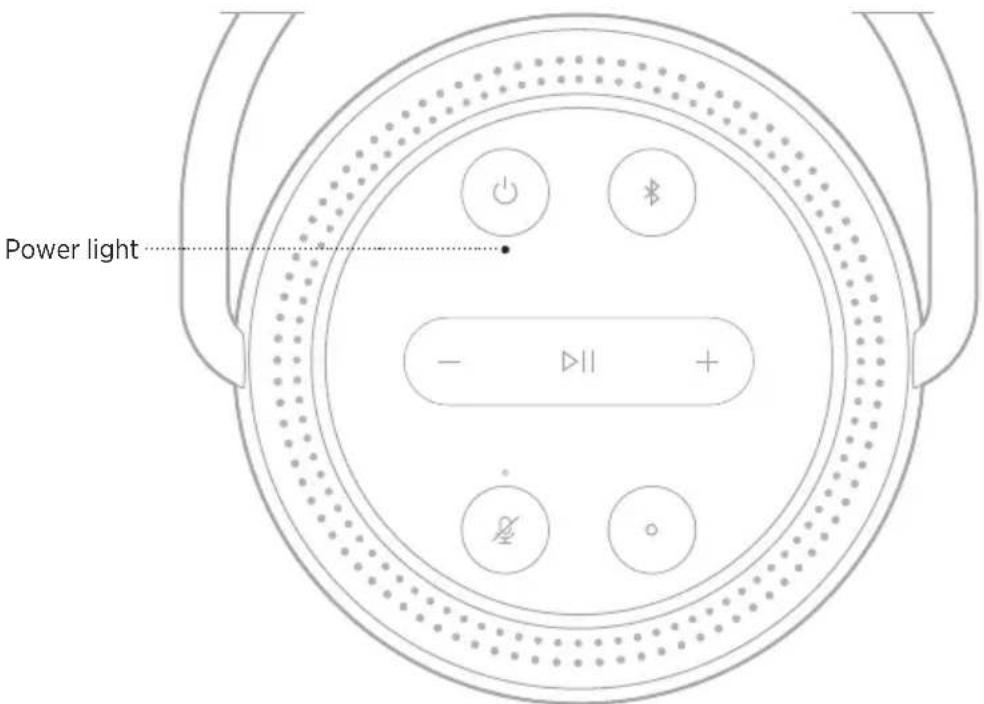
Power light
text_image
Power light - || +LIGHT ACTIVITY SYSTEM STATE
| Blinking red and white | Slow charging from inappropriate power supplyNOTE: For best results, make sure to use the power supply and power cord provided with the speaker. Other power supplies and power cords may charge the speaker more slowly or take a long time to power on the speaker when the battery is discharged. |
UPDATE THE SPEAKER
The speaker updates automatically when connected to the Bose Music app and to your Wi-Fi network.
DISABLE/ENABLE WI-FI
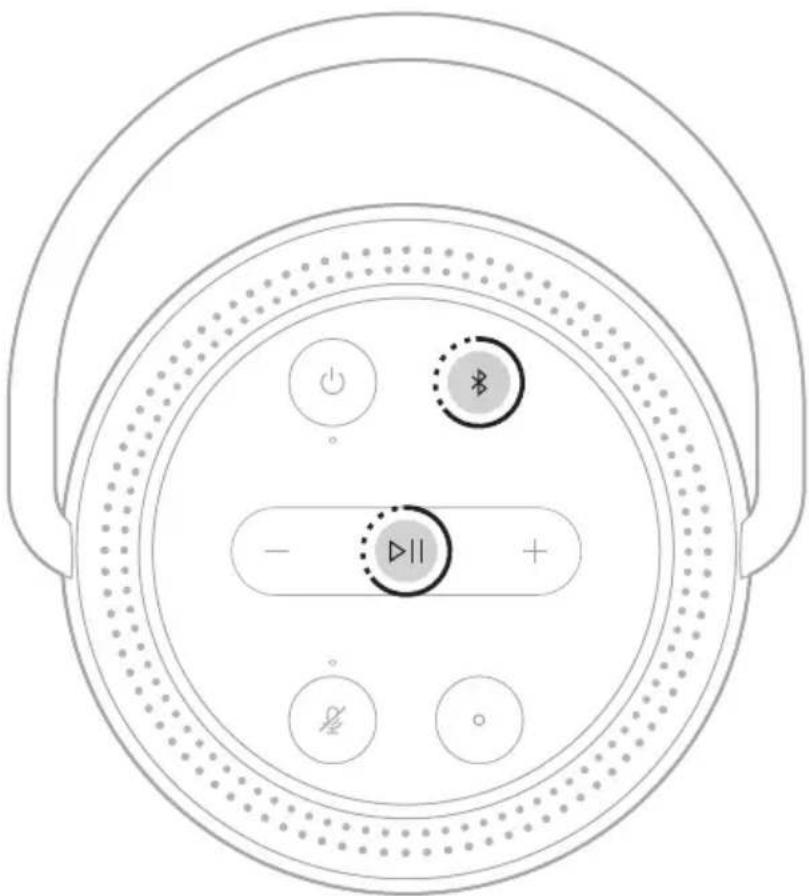
Press and hold Play/Pause ▷II and the Bluetooth button ✗ for 5 seconds until the light ring fills with white light.
text_image
Diagram of a circular device with labeled buttons and indicators, including power, battery, and control symbols.NOTE: When Wi-Fi is disabled, you can't use the Bose Music app or your voice assistant to control the speaker.
CONNECT A BOSE SOUNDLINK BLUETOOTH SPEAKER OR BOSE HEADPHONES
With Bose SimpleSync™ technology, you can connect certain Bose SoundLink Bluetooth speakers or Bose headphones to your Bose Portable Smart Speaker for a new way to hear your music.
Benefits
- Another room of audio: Listen to the same song in two different rooms at the same time by connecting your Bose SoundLink Bluetooth speaker to your Bose Portable Smart Speaker.
- A personal listening experience: Hear your music clearly from the next room by connecting your Bose headphones to your Bose Portable Smart Speaker. Use independent volume controls on each product to lower or mute your speaker while you listen on your headphones around your home.
NOTE: SimpleSync™ technology has a Bluetooth range of 30 ft (9 m). Walls and construction materials can affect reception.
Compatible products
You can connect most Bose SoundLink Bluetooth speakers and select Bose headphones to your Bose Portable Smart Speaker.
Popular compatible products include:
- Bose SoundLink Revolve+ Bluetooth speaker
- Bose SoundLink Mini Bluetooth speaker
- Bose SoundLink Color Bluetooth speaker
- Bose Noise Cancelling Headphones 700
- Bose QuietComfort 35 wireless headphones
New products are added periodically. For a complete list and more information, visit: worldwide.Bose.com/Support/Groups
Connect using the Bose Music app
Use the Bose Music app to connect your Bose SoundLink Bluetooth speaker or Bose headphones to your Bose Portable Smart Speaker. For more information, visit: worldwide.Bose.com/Support/Groups
NOTES:
- Make sure that the product you're connecting to is powered on, within 30 ft (9 m) of your Bose Portable Smart Speaker, and ready to connect to another device. For more information, refer to your product owner's guide.
- You can connect only one product at a time to your Bose Portable Smart Speaker.
RECONNECT A BOSE SOUNDLINK BLUETOOTH SPEAKER OR BOSE HEADPHONES
Power on your Bose SoundLink Bluetooth speaker or Bose headphones.
Your speaker or headphones try to connect to the most recently-connected Bluetooth device, including your Bose Portable Smart Speaker.
NOTES:
- Your Bose Portable Smart Speaker must be within range (30 ft or 9 m) and powered on.
- If your speaker or headphones don't connect, see “Speaker doesn’t reconnect to a previously-connected Bose SoundLink Bluetooth speaker or Bose headphones” on page 53.
CLEAN THE SPEAKER
Clean the surface of the speaker with a soft, dry cloth.
CAUTIONS:
- Do NOT use any sprays near the speaker. Do NOT use any solvents, chemicals, or cleaning solutions containing alcohol, ammonia, or abrasives.
- Do NOT allow liquids to spill into any openings.
REPLACEMENT PARTS AND ACCESSORIES
Replacement parts and accessories can be ordered through Bose customer service.
Visit: worldwide.Bose.com/Support/PHS
LIMITED WARRANTY
The speaker is covered by a limited warranty. Visit our website at global.Bose.com/warranty for details of the limited warranty.
To register your product, visit global.Bose.com/register for instructions. Failure to register will not affect your limited warranty rights.
TRY THESE SOLUTIONS FIRST
If you experience problems with the speaker, try these solutions first:
• Power on the speaker (see page 35).
- Charge the speaker (see page 34).
- Secure all cables.
- Verify the state of the speaker (see page 36).
- Download the Bose Music app and run available software updates.
- Move the speaker and mobile device away from possible interference (wireless routers, cordless phones, televisions, microwaves, etc.).
- Move the speaker within the recommended range of your wireless router or mobile device for proper operation.
OTHER SOLUTIONS
If you could not resolve your issue, see the table below to identify symptoms and solutions to common problems. If you are unable to resolve your issue, contact Bose customer service.
Visit: worldwide.Bose.com/contact
SYMPTOM SOLUTION
| Speaker doesn't power on | Battery may be in protection mode or discharged. Connect your speaker to the power cord.NOTE: For best results, make sure to use the power supply and power cord provided with the speaker. Other power supplies and power cords may charge the speaker more slowly or take a long time to power on the speaker when the battery is discharged.Plug the power cord into a different AC (mains) outlet.Unplug the power cord, wait 30 seconds, and firmly plug it back in to the AC (mains) outlet. |
| Speaker doesn't power off | If Wi-Fi has been set up using the Bose Music app, press and hold the Power button until the power light has turned off.If Wi-Fi hasn't been set up using the Bose Music app, press the Power button once to power off the speaker. |
| Speaker doesn't respond during setup | Make sure you are using the Bose Music app for setup.NOTE: If the app doesn't prompt you for setup, go to the My Products screen and add your speaker.Unplug the power cord, wait 30 seconds, and firmly plug it back in to the AC (mains) outlet. |
SYMPTOM SOLUTION
| Bose Music app doesn't work on mobile device | Make sure your mobile device is compatible with the Bose Music app and meets minimum system requirements. For more information, refer to the app store on your mobile device.Uninstall the Bose Music app on your mobile device then reinstall the app (see page 17). |
| Speaker doesn't connect to Wi-Fi network | In the Bose Music app, select the correct network name and enter the network password.Make sure you connect the speaker to the same Wi-Fi network your mobile device is connected to.If your Wi-Fi network information has changed, see page 18.Enable Wi-Fi on the device you are using for setup .Close other open applications on your mobile device.If your router supports both 2.4GHz and 5GHz bands, make sure both your mobile device and the speaker are connecting to the same band.NOTE: Bose recommends giving each band a unique name to make sure you're connecting to the correct band.Reset the router.Uninstall the Bose Music app on your mobile device. Unplug the power cord, wait 30 seconds, and firmly plug it into the AC (mains) outlet. Download the Bose Music app and restart setup. |
| Intermittent or no audio | Increase the volume on the speaker and mobile device.Stop other audio or video streaming applications.Switch to a different source.Play audio from a different application or music service.Make sure you're using a compatibleBluetoothmobile device.Restart your mobile device.Unplug the power cord, wait 30 seconds, and firmly plug it back in to the AC (mains) outlet.Make sure your speaker isn't muted. Unmute by pressing Volume up + or Volume down — on the speaker, or by using the Bose Music app. |
SYMPTOM SOLUTION
| Speaker doesn’t connect to a mobile device | On your mobile device, turn theBluetoothfeature off and then on again. Remove the speaker from theBluetoothmenu. Connect again. Connect a different mobile device (see page 30). Make sure you’re using a compatibleBluetoothmobile device. Remove the speaker from your mobile deviceBluetoothlist. Connect again (see page 31). Clear the speaker device list (see page 32). |
| Speaker doesn’t stream audio using AirPlay | Make sure your speaker is powered on and in range (see page 35). Update your Apple device and speaker. Make sure your Apple device and your speaker are connected to the same Wi-Fi network. Make sure the speaker is up-to-date (see page 45). If you can’t find the AirPlay icon 📷 in the music app you are streaming from, stream audio from the Control Center. For additional support, visit: https://www.apple.com/airplay |
| Speaker isn’t visible to add to a nother Bose account | Make sure sharing is enabled on the speaker using the Bose Music app. Make sure the speaker and your mobile device are connected to the same Wi-Fi network. |
SYMPTOM SOLUTION
| Google Assistant doesn't respond or play audio | Make sure Google Assistant has been set up using the Bose Music app (see page 24).Connect your mobile device to Wi-Fi.Make sure you're in a country where Google Assistant is available on this product.Make sure you are using the most up-to-date version of the Google Assistant app.Make sure the wake word is enabled (see page 25).Make sure your mobile device is compatible.Remove Google Assistant from the speaker using the Bose Music app. Then, add Google Assistant again.Choose Pandora or Spotify as your default audio service (see page 27).Make sure you use the same audio service account on the Bose Music app and Google Assistant app.Google Assistant may not support your request. New features are added periodically.For additional support, visit:https://support.google.com/assistant |
| Change Google Assistant personal result setting | To turn off personal results or change the account for persona results, use the Settings menu in the Google Assistant app. |
| Alexa doesn't respond | Make sure Alexa has been set up using the Bose Music app (see page 17).NOTE:The speaker must be set up and connected to your Wi-Fi network using the Bose Music app.Make sure you're in a country where Alexa is available on this product.Make sure the light above the Microphone off buttonis not glowing red. Pressto turn on the microphone.Make sure you say the name you assigned in the Bose Music app. If multiple speakers have the same name, use the name assigned in the Alexa app or change the name in the Bose Music app.Remove Alexa from the speaker using the Bose Music app, then add Alexa again.Alexa may not support your request. New features are added periodically.For additional support, visit:https://www.amazon.com/usealexa |
SYMPTOM SOLUTION
| Speaker doesn’t connect to a Bose SoundLinkBluetooth speaker or Bose headphones | Make sure that your Bose SoundLinkBluetooth speaker or headphones are powered on, within 30 ft (9 m) of your Bose Portable Smart Speaker, and ready to connect to another device. For more information, refer to your product owner’s guide. |
| Speaker doesn’t reconnect to a previously-connected Bose SoundLinkBluetooth speaker or Bose headphones | On your Bose SoundLinkBluetooth speaker or headphones, use the product controls to cycle through the product device list until you hear the name for your Bose Portable Smart Speaker. For product-specific instructions, refer to your product owner’s guide.NOTE:Certain speakers and headphones, including Bose Noise Cancelling Headphones 700, don’t support the ability to cycle through the product device list. To reconnect those products, see “Connect using the Bose Music app” on page 47. |
| Delayed audio from a connected Bose SoundLinkBluetooth speaker or Boseheadphones | Not all Bose SoundLinkBluetooth speakers and headphones can play audio in perfect sync when connected to the speaker.To check if your product is compatible, visit:worldwide.Bose.com/Support/GroupsInstall any available software updates for your Bose SoundLinkBluetooth speaker or headphones. To check for updates, open the appropriate Bose app for your product on your mobile device or visitbtu.Bose.comon your computer. |
| AC power adapter doesn’t connect to powersupply | Depending on the region you purchased the product in, your power supply may not be compatible with the power adapters provided for other regions. To purchase a power supply that’s compatible with power adapters, contact Bose customer service.Visit:worldwide.Bose.com/contact |
RESET THE SPEAKER
Factory reset clears all source, volume, and network settings from the speaker and returns it to original factory settings.
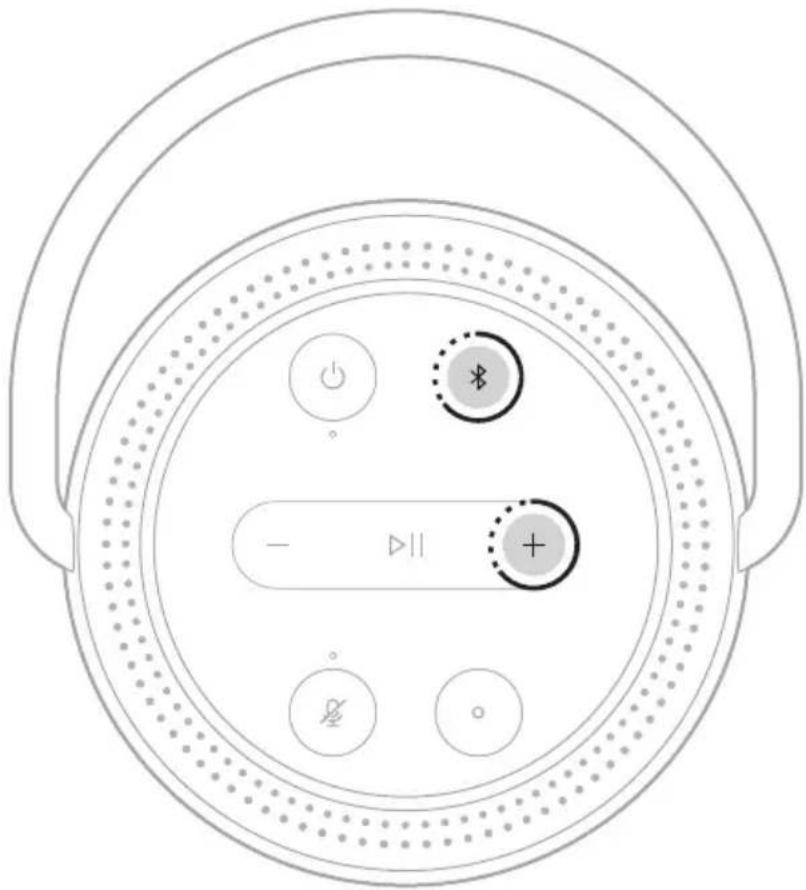
Press and hold the Volume up button + and the Bluetooth button ✝ for 10 seconds until the light ring fills with white light.
text_image
Diagram of a circular device control panel with labeled buttons and indicatorsThe speaker reboots. When the reset is complete, the light ring glows solid amber.
Restore the speaker network and audio settings
Set up the speaker using the Bose Music app (see page 17).
Management Regulation for Low-power Radio-frequency Devices
Artikel XII
Importør i Kina: Bose Electronics (Shanghai) Company Limited, Level 6, Tower D, No. 2337 Gudai Rd. Minhang District, Shanghai 201100
Importør i EU: Bose Products B.V., Gorslaan 60, 1441 RG Purmerend, Holland
Importør i Taiwan: Bose Taiwan Branch, 9F-A1, No. 10, Section 3, Minsheng East Road, Taipei City 104, Taiwan Telefonnummer: +886-2-2514 7676
Importør i Mexico: Bose de México, S. de R.L. de C.V., Paseo de las Palmas 405-204, Lomas de Chapultepec, 11000 México, D.F. Telefonnummer: +5255 (5202) 3545
Importør i UK: Bose Limited, Bose House, Quayside Chatham Maritime, Chatham, Kent, ME4 4QZ, Storbritannien
Elektriske data: 5 V DC, 3 A
HVAD ER DER I AESKEN?
Indhold 13
ANVENDELSER
STREAM LYD MED AIRPLAY
TILSLUT PRODUKTER FRA BOSE
text_image
BOSE BOSEBose Portable Smart Speaker Strømforsyning*
natural_image
Simple line drawing of a U-shaped cable with two connectors (no text or symbols)Netkabel Netadaptere*
natural_image
Three simple electrical component symbols: a bulb, a plug-in socket, and a plugout (no text or labels)natural_image
Symbol of a bucket with a diagonal line crossing through it, enclosed in a circle (no text or numbers present)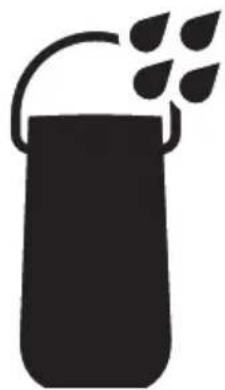
natural_image
Silhouette of a container with leafy top and handle, no text or symbols presentTILSLUT IGEN TIL ET WI-FI-NETVÆRK
text_image
Diagram of a circular device control panel with power, battery, and display indicatorsEn talemeddelelse angiver batteriniveauet.
SLUK
text_image
Diagram of a circular device control panel with power, battery, and display indicatorsNOTER:
FÅ ADGANG TIL GOOGLE ASSISTENT
https://www.amazon.com/usealexa
text_image
Diagram of a circular device with labeled buttons and playback controls, showing directional arrows and a plus/minus symbol.text_image
BLUETOOTH Portable Smart Speakertext_image
Diagram showing a device connected to a speaker with a BOSE logo, illustrating sound or audio signal flow.text_image
Diagram of a circular device control panel with power, battery, and display buttons labeled in English.En talemeddelelse angiver batteriniveauet.
text_image
Diagram of a circular device with labeled buttons and indicators, including power, battery, and control symbols.text_image
Diagram of a circular device control panel with labeled buttons and indicatorsChina-Import: Bose Electronics (Shanghai) Company Limited, Level 6, Tower D, No. 2337 Gudai Rd. Minhang District, Shanghai 201100
EU-Import: Bose Products B.V., Gorslaan 60, 1441 RG Purmerend, Niederlande
Taiwan-Import: Bose Taiwan Branch, 9F-A1, No. 10, Section 3, Minsheng East Road, Taipei City 104, Taiwan Telefonnummer: +886-2-2514 7676
Mexiko-Import: Bose de México, S. de R.L. de C.V., Paseo de las Palmas 405-204, Lomas de Chapultepec, 11000 México, D.F. Telefonnummer: +5255 (5202) 3545
natural_image
Line drawing of a Bose-branded soap dispenser with handle and perforated base (no text or symbols)
text_image
_BOSEnatural_image
Simple line drawing of a U-shaped cable with two connectors (no text or symbols)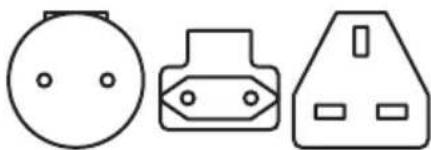
natural_image
Three simple electrical component symbols: a circular socket, a plug-in socket, and a three-pin socket (no text or labels)Netzkabel Netzadapter*
natural_image
Symbol of a bucket with a diagonal line crossing through it, enclosed in a circle (no text or numbers present)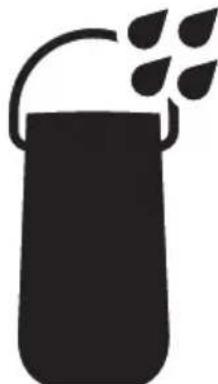
natural_image
Silhouette of a container with leafy top and handle, no text or symbols presenttext_image
Diagram of a circular device control panel with power, battery, and display buttons labeled in Chinese.text_image
Diagram of a circular device control panel with power, battery, and display indicatorsHINWEISE:
https://www.amazon.com/usealexa
text_image
Diagram of a circular device with labeled buttons and playback controls, showing directional arrows and a plus/minus symbol.text_image
BLUETOOTH Portable Smart Speakertext_image
Diagram showing a device connected to a speaker with a BOSE logo, illustrating sound or audio signal flow.text_image
Diagram of a circular device control panel with power, battery, and display indicatorstext_image
Diagram of a circular device with labeled buttons and indicators, including power, battery, and control symbols.natural_image
Top-down diagram of a circular device with labeled buttons and indicators (no text or symbols beyond basic icons)Importeur in China: Bose Electronics (Shanghai) Company Limited, Level 6, Tower D, No. 2337 Gudai Rd. Minhang District, Shanghai 201100
Importeur in de EU: Bose Products B.V., Gorslaan 60, 1441 RG Purmerend, Nederland
Importeur in Taiwan: Bose Taiwan Branch, 9F-A1, No. 10, Section 3, Minsheng East Road, Taipei City 104, Taiwan Telefoonnummer: +886-2-2514 7676
Importeur in Mexico: Bose de México, S. de R.L. de C.V., Paseo de las Palmas 405-204, Lomas de Chapultepec, 11000 México, D.F. Telefoonnummer: +5255 (5202) 3545
Importeur in het VK: Bose Limited, Bose House, Quayside Chatham Maritime, Chatham, Kent, ME4 4QZ, United Kingdom
AUDIO STREAMEN MET AIRPLAY
text_image
BOSE BOSEBose Portable Smart Speaker Voeding*
natural_image
Simple line drawing of a U-shaped cable with two connectors (no text or symbols)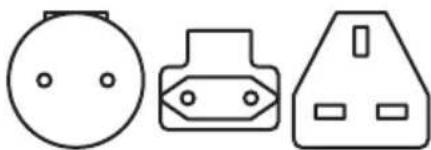
natural_image
Three simple electrical component symbols: a circular socket, a plug-in socket, and a high-voltage socket (no text or labels)Netsnoer Wisselstroomadapters*
natural_image
Symbol of a bucket with a diagonal line crossing through it, enclosed in a circle (no text or numbers present)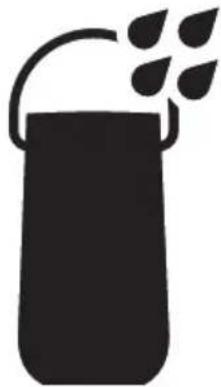
natural_image
Silhouette of a container with a handle and leafy top (no text or symbols)text_image
Diagram of a circular device control panel with power, battery, and display indicatorstext_image
Diagram of a circular device control panel with power, battery, and display buttons labeled in Chinese.OPMERKINGEN:
https://www.amazon.com/usealexa
text_image
Diagram of a circular device with labeled buttons and playback controls, including power, refresh, and display icons.text_image
BLUETOOTH Portable Smart Speakertext_image
Diagram showing a device connected to a speaker with a BOSE logo, illustrating sound or audio signal flow.text_image
Diagram of a circular device control panel with power, battery, and display buttons labeled in English.AFSPEEL- EN VOLUMESTATUS
ACTIVITEIT VAN DE LICHTRING SYSTEEMSTATUS
text_image
Diagram of a circular device with labeled buttons and indicators, including power, battery, and control symbols.text_image
Diagram of a circular device control panel with labeled buttons and indicatorsImportador en China: Bose Electronics (Shanghai) Company Limited, Level 6, Tower D, No. 2337 Gudai Rd. Minhang District, Shanghai 201100, China
text_image
BOSE BOSEnatural_image
Simple line drawing of a U-shaped cable with two connectors (no text or symbols)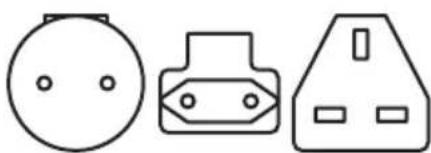
natural_image
Three simple electrical component symbols: a circular socket, a plug-in socket, and a triangular housing (no text or labels)Visite: ____ worldwide.Bose.com/Support/PHS
CONECTADO A LA WI-FI
natural_image
Symbol of a bucket with a diagonal line crossing through it, enclosed in a circle (no text or numbers present)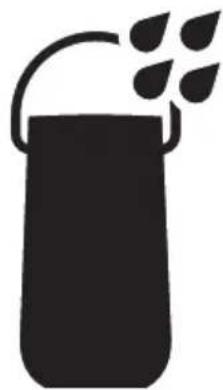
natural_image
Silhouette of a container with leafy top and handle, no text or symbols presenttext_image
Diagram of a circular device control panel with power, battery, and display buttons labeled in Chinese.text_image
Diagram of a circular device control panel with power, battery, and display buttons labeled in Chinese.NOTAS:
https://www.amazon.com/usealexa
text_image
Diagram of a circular device with labeled buttons and playback controls, showing directional arrows and a plus/minus symbol.text_image
BLUETOOTH Portable Smart Speakertext_image
Diagram showing a device connected to a speaker with a BOSE logo, illustrating sound or audio signal flow.Visite: ____ worldwide.Bose.com/Support/PHS
VERIFICAR EL NIVEL DE CARGA DE LA BATERÍA
text_image
Diagram of a circular device control panel with power, battery, and display buttons labeled in Chinese.text_image
Diagram of a circular device with labeled buttons and indicators, including power, battery, and control symbols.Visite: worldwide.Bose.com/Support/PHS
GARANTÍA LIMITADA
Visite: ____ worldwide.Bose.com/contact
SÍNTOMA SOLUCIÓN
natural_image
Top-down diagram of a circular device with labeled buttons and indicators (no text or symbols beyond basic icons)Maahantuoja Kiinassa: Bose Electronics (Shanghai) Company Limited, Level 6, Tower D, No. 2337 Gudai Rd. Minhang District, Shanghai 201100
Maahantuoja EU:ssa: Bose Products B.V., Gorslaan 60, 1441 RG Purmerend, The Netherlands
Maahantuoja Taiwanissa: Bose Taiwan Branch, 9F-A1, No. 10, Section 3, Minsheng East Road, Taipei City 104, Taiwan Puhelin: +886-2-2514 7676
Maahantujoja Meksikossa: Bose de México, S. de R.L. de C.V., Paseo de las Palmas 405-204, Lomas de Chapultepec, 11000 México, D.F. Puhelinnumero: +5255 (5202) 3545
text_image
BOSE BOSEBose Portable Smart Speaker Virtalähde*
natural_image
Simple line drawing of a U-shaped cable with two connectors (no text or symbols)natural_image
Three simple electrical component symbols: a circular socket, a plug-in socket, and a triangular housing (no text or labels)natural_image
Symbol of a bucket with a diagonal line crossing through it, enclosed in a circle (no text or numbers present)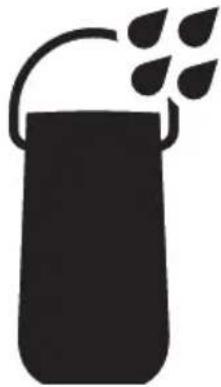
natural_image
Silhouette of a container with a handle and leafy top (no text or symbols)text_image
Diagram of a circular device control panel with power, battery, and display buttons labeled in Chinese.Kuulet akun varaustason.
VIRRAN KATKAISEMINEN
text_image
Diagram of a circular device control panel with power, battery, and display buttons labeled in Chinese.HUOMAUTUKSIA:
text_image
Diagram of a circular device with labeled buttons and directional arrows, including a play button and a plus sign.text_image
BLUETOOTH Portable Smart Speakertext_image
Diagram showing a device connected to a speaker with a BOSE logo, illustrating sound or audio signal flow.text_image
Diagram of a circular device control panel with power, battery, and display buttons labeled in English.Kuulet akun varaustason.
natural_image
Top-down diagram of a circular device with labeled buttons and indicators (no text or symbols beyond basic icons)text_image
Diagram of a circular device control panel with labeled buttons and indicatorsCONNEXION DES PRODUITS BOSE
text_image
BOSE BOSEnatural_image
Simple line drawing of a U-shaped cable with two connectors (no text or symbols)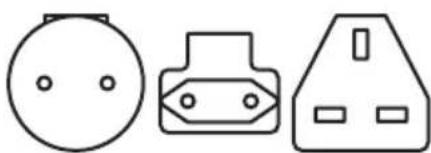
natural_image
Three simple electrical component symbols: a circular socket, a plug-in socket, and a triangular housing (no text or labels)CONNEXION AU RÉSEAU WI-FI
natural_image
Symbol of a bucket with a diagonal line crossing through it, enclosed in a circle (no text or numbers present)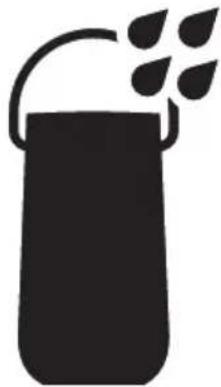
natural_image
Silhouette of a container with a handle and leafy top (no text or symbols)text_image
Diagram of a circular device control panel with power, battery, and display buttons labeled in English.text_image
Diagram of a circular device control panel with power, battery, and display buttons labeled in EnglishREMARQUES :
text_image
Diagram of a circular device with labeled buttons and playback controls, showing directional arrows and a plus/minus symbol.text_image
BLUETOOTH Portable Smart Speakertext_image
Diagram showing a device connected to a BOSE sensor, with labeled ports and connections.text_image
Diagram of a circular device control panel with power, battery, and display buttons labeled in English.natural_image
Top-down diagram of a circular device with labeled buttons and indicators (no text or symbols beyond basic icons)text_image
Diagram of a circular device control panel with labeled buttons and indicators, including power, refresh, and display controls.Importatore per la Cina: Bose Electronics (Shanghai) Company Limited, Level 6, Tower D, No. 2337 Gudai Rd. Minhang District, Shanghai 201100
Importatore per l'UE: Bose Products B.V., Gorslaan 60, 1441 RG Purmerend, Paesi Bassi
Importatore per Taiwan: Bose Taiwan Branch, 9F-A1, No. 10, Section 3, Minsheng East Road, Taipei City 104, Taiwan Numero di telefono: +886-2-2514 7676
Importatore per il Messico: Bose de México, S. de R.L. de C.V., Paseo de las Palmas 405-204, Lomas de Chapultepec, 11000 México, D.F. Numero di telefono: +5255 (5202) 3545
STREAMING AUDIO CON AIRPLAY
Bose Portable Smart Speaker Charging Cradle 35
text_image
BOSE BOSEBose Portable Smart Speaker Alimentatore*
natural_image
Simple line drawing of a U-shaped cable with two connectors (no text or symbols)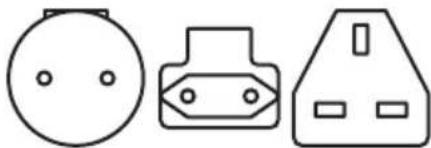
natural_image
Three simple electrical component symbols: a bulb, a plug-in socket, and a voltage outlet (no text or labels)Visitare: ____ worldwide.Bose.com/Support/PHS
CONNESSO ALLA RETE WI-FI
NON CONNESSO ALLA RETE WI-FI
natural_image
Symbol of a bucket with a diagonal line crossing through it, enclosed in a circle (no text or numbers present)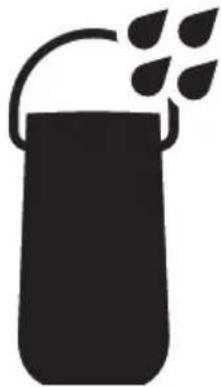
natural_image
Silhouette of a container with a handle and leafy top (no text or symbols)CONNETTERSI A UNA RETE WI-FI DIVERSA
RICONNETTERSI A UNA RETE WI-FI
text_image
Diagram of a circular device control panel with power, battery, and display buttons labeled in English.text_image
Diagram of a circular device control panel with labeled buttons and power indicatorNOTE:
ACCEDERE AD ASSISTENTE GOOGLE
text_image
Diagram of a circular device with labeled buttons and playback controls, including power, battery, and control icons.text_image
BLUETOOTH Portable Smart SpeakerSTREAMING AUDIO DAL CENTRO DI CONTROLLO
STREAMING AUDIO DA UN'APP
text_image
Diagram showing a device connected to a speaker with a BOSE logo, illustrating sound or audio connection.Visitare: ____ worldwide.Bose.com/Support/PHS
text_image
Diagram of a circular device control panel with power, battery, and display buttons labeled in Englishtext_image
Diagram of a circular device with labeled buttons and indicators, including power, battery, and control symbols.Visitare: ____ worldwide.Bose.com/Support/PHS
GARANZIA LIMITATA
Visitare: ____ worldwide.Bose.com/contact
SINTOMO SOLUZIONE
natural_image
Top-down diagram of a circular device with labeled buttons and indicators (no text or symbols beyond basic icons)Kínai importôr: Bose Electronics (Shanghai) Company Limited, Level 6, Tower D, No. 2337 Gudai Rd. Minhang District, Shanghai 201100
EU-importör: Bose Products B.V., Gorslaan 60, 1441 RG Purmerend, Hollandia
Tajvani importör: Bose Taiwan Branch, 9F-A1, No. 10, Section 3, Minsheng East Road, Taipei City 104, Tajvan. Telefonszám: +886-2-2514 7676
Mexikói importör: Bose de México, S. de R.L. de C.V., Paseo de las Palmas 405-204, Lomas de Chapultepec, 11000 México, D.F. Telefonszám: +5255 (5202) 3545
text_image
BOSE BOSEnatural_image
Simple line drawing of a U-shaped cable with two connectors (no text or symbols)natural_image
Three simple electrical component symbols: a circular head, a plug-in socket, and a triangular socket (no text or labels)natural_image
Symbol of a bucket with a diagonal line crossing through it, enclosed in a circle (no text or numbers present)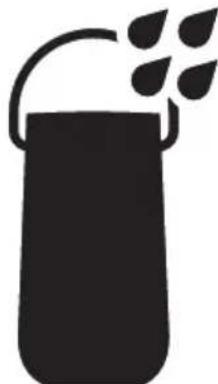
natural_image
Silhouette of a container with a handle and leafy top (no text or symbols)text_image
Diagram of a circular device control panel with power, battery, and display buttons labeled in Chinese.text_image
Diagram of a circular device control panel with power, battery, and display indicatorsMEGJEGYZÉSEK:
https://www.amazon.com/usealexa
text_image
Diagram of a circular device control panel with power, current, and display icons labeled in Englishtext_image
BLUETOOTH Portable Smart Speakertext_image
Diagram of a circular device control panel with power, battery, and display indicatorstext_image
Diagram of a circular device with labeled buttons and indicators, including power, battery, and control symbols.text_image
Diagram of a circular device control panel with labeled buttons and indicatorsManagement Regulation for Low-power Radio-frequency Devices
Artikkel XII
Importør for Kina: Bose Electronics (Shanghai) Company Limited, Level 6, Tower D, No. 2337 Gudai Rd. Minhang District, Shanghai 201100
Importør for EU: Bose Products B.V., Gorslaan 60, NL-1441 RG Purmerend, Nederland
Importør for Taiwan: Bose Taiwan Branch, 9F-A1, No. 10, Section 3, Minsheng East Road, Taipei City 104, Taiwan Telefonnummer: +886-2-2514 7676
Importor for Mexico: Bose de México, S. de R.L. de C.V., Paseo de las Palmas 405-204, Lomas de Chapultepec, 11000 México, D.F. Telefonnummer: +5255 (5202) 3545
Importør for Storbritannia: Bose Limited, Bose House, Quayside Chatham Maritime, Chatham, Kent, ME4 4QZ, Storbritannia
STR∅M LYD MED AIRPLAY
Status for Bluetooth-tilkobling 38
Status for taleassistenten 39
Status for Google Assistent.... 39
Status for Amazon Alexa.... 40
KOBLE TIL BOSE-PRODUKTER
Koble til Bose SoundLink Bluetooth speaker eller Bose-hodetelefoner ... 46
Fordeler 46
Kompatible produkter 46
Koble til med Bose Music-appen 47
STELL OG VEDLIKEHOLD
text_image
BOSE BOSEBose Portable Smart Speaker Strømforsyning*
natural_image
Simple line drawing of a U-shaped cable with two connectors (no text or symbols)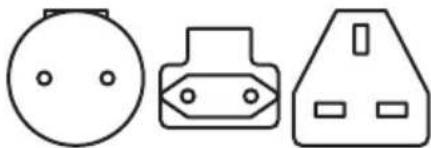
natural_image
Three simple electrical component symbols: a bulb, a plug-in socket, and a voltage outlet (no text or labels)IKKE KOBLET TIL WI-FI
natural_image
Symbol of a bucket with a diagonal line crossing through it, enclosed in a circle (no text or numbers present)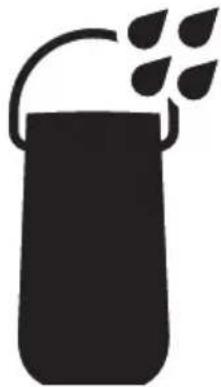
natural_image
Silhouette of a container with a handle and leafy top (no text or symbols)text_image
Diagram of a circular device control panel with power, battery, and display buttons labeled in Chinese.En talemelding angir batterinivået.
SLÅ AV
text_image
Diagram of a circular device control panel with power, battery, and display indicatorsMERKNADER:
text_image
Diagram of a circular device with labeled buttons and playback controls, including power, refresh, and display icons.text_image
BLUETOOTH Portable Smart SpeakerKOBLE TIL MOBILENHETER PÅ NYTT
text_image
Diagram showing a device connected to a speaker with a BOSE logo, illustrating sound or audio signal flow.text_image
Diagram of a circular device control panel with power, battery, and display buttons labeled in EnglishEn talemelding angir batterinivået.
Viser statusen for Bluetooth-tilkobling for mobilenheter.
LYSRINGAKTIVITET SYSTEMSTATUS
Status for Amazon Alexa
DEAKTIVERE/AKTIVERE WI-FI
text_image
Diagram of a circular device with labeled buttons and indicators, including power, battery, and control symbols.- Bose SoundLink Revolve+ Bluetooth speaker
- Bose SoundLink Mini Bluetooth speaker
- Bose SoundLink Color Bluetooth speaker
- Bose Noise Cancelling Headphones 700
- Bose QuietComfort 35 wireless headphones
text_image
Diagram of a circular device control panel with labeled buttons and indicatorsImporter — Chiny: Bose Electronics (Shanghai) Company Limited, Level 6, Tower D, No. 2337 Gudai Rd.
Minhang District, Shanghai 201100
Importer — UE: Bose Products B.V., Gorslaan 60, 1441 RG Purmerend, The Netherlands
Importer — Tajwan: Bose Taiwan Branch, 9F-A1, No. 10, Section 3, Minsheng East Road, Taipei City 104, Taiwan Numer telefonu: +886-2-2514 7676
Importer — Meksyk: Bose de México, S. de R.L. de C.V., Paseo de las Palmas 405-204, Lomas de Chapultepec, 11000 México, D.F. Numer telefonu: +5255 (5202) 3545
Importer — Wielka Brytania: Bose Limited, Bose House, Quayside Chatham Maritime, Chatham, Kent, ME4 4QZ, United Kingdom
text_image
BOSE BOSEnatural_image
Simple line drawing of a U-shaped cable with two connectors (no text or symbols)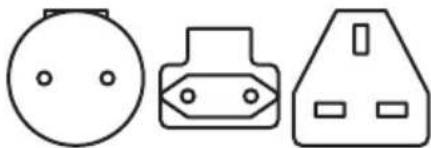
natural_image
Three simple electrical component symbols: a bulb, a plug-in socket, and a plugout (no text or labels)natural_image
Symbol of a bucket with a diagonal line crossing through it, enclosed in a circle (no text or numbers present)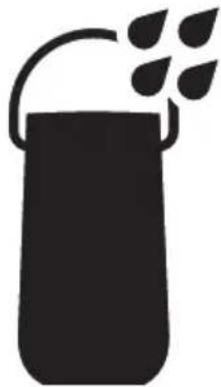
natural_image
Silhouette of a container with leafy top and handle, no text or symbols presenttext_image
Diagram of a circular device control panel with power, battery, and display buttons labeled in Chinese.text_image
Diagram of a circular device with labeled buttons and power indicator, showing control signals and display status.UWAGI:
text_image
Diagram of a circular device with labeled buttons and playback controls, showing directional arrows and a plus/minus icon.text_image
BLUETOOTH Portable Smart Speakertext_image
Diagram showing a device connected to a speaker with a BOSE logo, illustrating sound or audio signal flow.text_image
Diagram of a circular device control panel with power, battery, and display buttons labeled in Chinese.natural_image
Top-down diagram of a circular device with labeled buttons and indicators (no text or symbols beyond basic icons)text_image
Diagram of a circular device control panel with labeled buttons and indicatorsImportador na China: Bose Electronics (Shanghai) Company Limited, Level 6, Tower D, No. 2337 Gudai Rd. Minhang District, Shanghai 201100
Importador na CE: Bose Products B.V., Gorslaan 60, 1441 RG Purmerend, The Netherlands
Importador em Taiwan: Bose Taiwan Branch, 9F-A1, No. 10, Section 3, Minsheng East Road, Taipei City 104, Taiwan – Número de telefone: +886-2-2514 7676
Bose Portable Smart Speaker Charging Cradle 35
text_image
BOSE BOSEnatural_image
Simple line drawing of a U-shaped cable with two connectors (no text or symbols)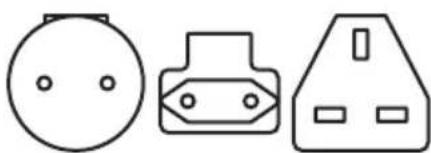
natural_image
Three simple electrical component symbols: a circular socket, a plug-in socket, and a high-voltage socket (no text or labels)Visite: ____ worldwide.Bose.com/Support/PHS
CONECTADO AO WI-FI
natural_image
Symbol of a bucket with a diagonal line crossing through it, enclosed in a circle (no text or numbers present)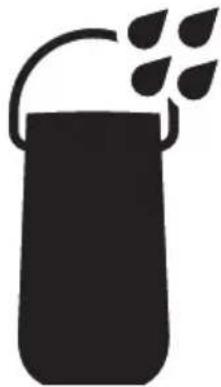
natural_image
Silhouette of a container with a handle and leafy top (no text or symbols)RECONECTAR A UMA REDE WI-FI
text_image
Diagram of a circular device control panel with power, battery, and display buttons labeled in Chinese.text_image
Diagram of a circular device control panel with power, battery, and display indicatorsOBSERVAÇÕES:
https://www.amazon.com/usealexa
text_image
Diagram of a circular device with labeled buttons and playback controls, showing directional arrows and a plus/minus symbol.text_image
BLUETOOTH Portable Smart Speakertext_image
Diagram showing a device connected to a speaker with a BOSE logo, illustrating sound or audio signal flow.Visite: ____ worldwide.Bose.com/Support/PHS
VERIFICAR O NÍVEL DE CARGA DA BATERIA
text_image
Diagram of a circular device control panel with power, battery, and display buttons labeled in English.natural_image
Top-down diagram of a circular device with labeled buttons and indicators (no text or symbols beyond basic icons)Visite: ____ worldwide.Bose.com/Support/PHS
GARANTIA LIMITADA
Visite ____ worldwide.Bose.com/contact
SINTOMA SOLUÇÃO
text_image
Diagram of a circular device control panel with labeled buttons and indicatorsKinaimportör: Bose Electronics (Shanghai) Company Limited, Level 6, Tower D, No. 2337 Gudai Rd. Minhang District, Shanghai 201100
EU-importör: Bose Products B.V., Gorslaan 60, 1441 RG Purmerend, Nederländerna
Taiwanimportör: Bose Taiwan Branch, 9F-A1, No.10, Section 3, Minsheng East Road, Taipei City 104, telefonnummer Taiwan: +886-2-2514 7676
Mexikoimportör: Bose de México, S. de R.L. de C.V., Paseo de las Palmas 405-204, Lomas de Chapultepec, 11000 México, D.F. Telefonnummer: +5255 (5202) 3545
UK-importör: Bose Limited, Bose House, Quayside Chatham Maritime, Chatham, Kent, ME4 4QZ, United Kingdom
Elektrisk märkning: 5 Vdc, 3 A
Säkerhetsinformation

DET FINNS I FÖRPACKNINGEN
Innehåll.... 13
ANVÄNDNINGSSÄTT
ANSLUTA BOSE-PRODUKTER
Ansluta en Bose SoundLink Bluetooth-högtalare eller Bose-hörlurar...... 46
Fördelar 46
Kompatibla produkter 46
text_image
BOSE BOSEnatural_image
Simple line drawing of a U-shaped cable with two connectors (no text or symbols)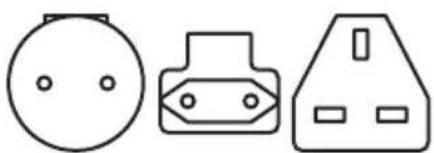
natural_image
Three simple electrical component symbols: a circular socket, a plug-in socket, and a triangular socket (no text or labels)natural_image
Symbol of a bucket with a diagonal line crossing through it, enclosed in a circle (no text or numbers present)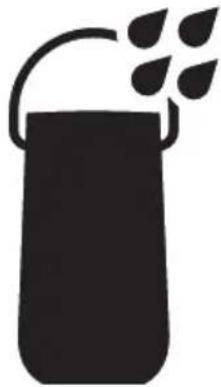
natural_image
Silhouette of a container with a handle and leafy top (no text or symbols)text_image
Diagram of a circular device control panel with power, battery, and display buttons labeled in Chinese.text_image
Diagram of a circular device control panel with power, battery, and display indicatorsTÄNK PÅ FÖLJANDE:
https://support.google.com/assistant
TÄNK PÅ FÖLJANDE:
text_image
Diagram of a circular device with labeled buttons and playback controls, showing directional arrows and a plus/minus symbol.text_image
BLUETOOTH Portable Smart Speakertext_image
Diagram showing a device connected to a speaker with a BOSE logo, illustrating sound or audio signal flow.text_image
Diagram of a circular device control panel with power, battery, and display buttons labeled in English.UPPDATERING OCH FELSTATUS
UPPDATERA HÖGTALAREN
text_image
Diagram of a circular device with labeled buttons and indicators, including power, battery, and control symbols.natural_image
Top-down diagram of a circular device with labeled buttons and indicators (no text or symbols beyond basic icons)natural_image
Line drawing of a Bose-branded soap dispenser with handle and perforated base (no text or symbols)Bose Portable Smart Speaker
text_image
BOSEแหล่งจ่ายไฟ*
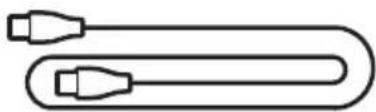
natural_image
Simple line drawing of a U-shaped cable with two connectors (no text or symbols)สายไฟ
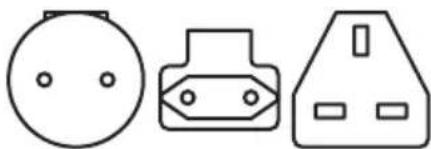
natural_image
Three simple electrical component symbols: a circular socket, a plug-in socket, and a triangular socket (no text or labels)natural_image
Prohibition sign with a bucket and diagonal line, no text or symbols present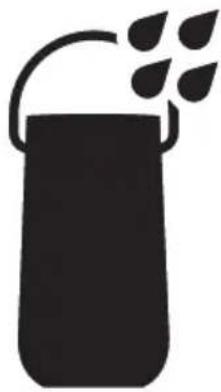
natural_image
Silhouette of a container with leafy top and handle, no text or symbols presenttext_image
Diagram of a circular device control panel with power, battery, and display buttons labeled in Chinese.text_image
Diagram of a circular device control panel with power, battery, and display buttons labeled in Chinese.หมายเหตุ:
- Wi-Fi Bluetooth 20
- Wi-Fi Bose Music
สต้นด์บายเครือข่าย
20
□□□□□□□□□□□□□□□□□□□□□□□□□□□□□□□□□□□□□□□□□□□□□□□□□□□□□□□□□□□□□□□□□□□□□□□□□□□□□□□□
•
• Bose Music
•
o III Google Assistant
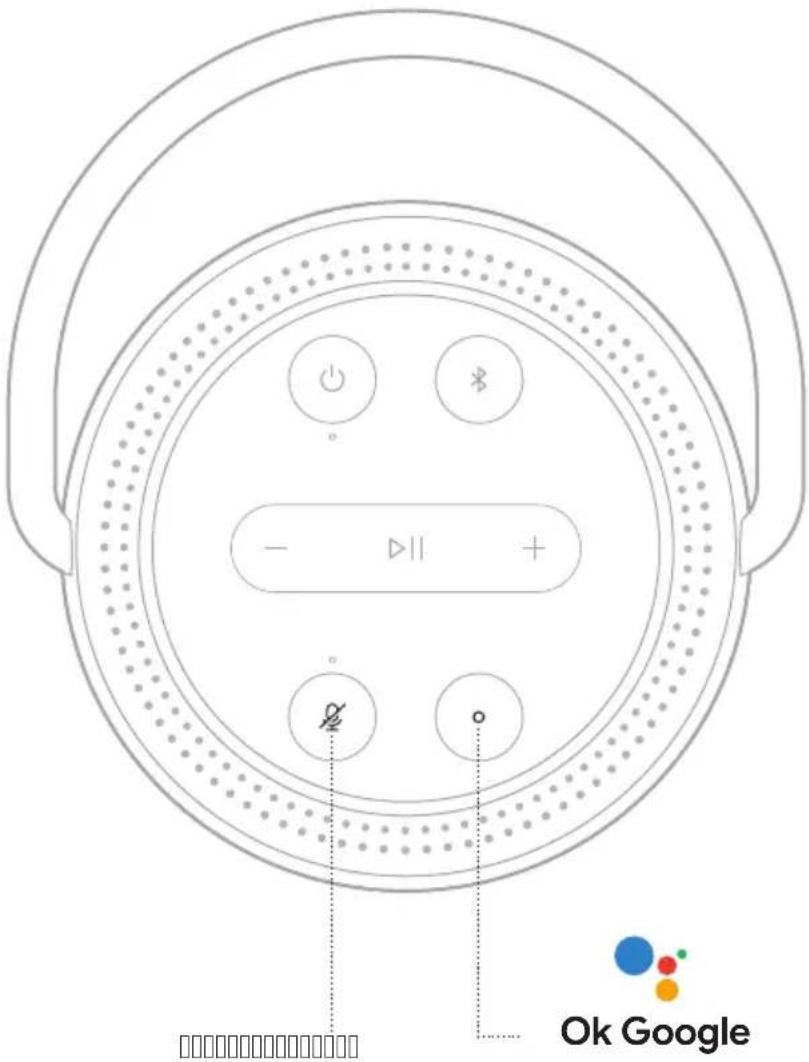
text_image
- - || + Ø Ok Googletext_image
Diagram of a circular device with labeled buttons and playback controls, showing signal flow and control icons.text_image
BLUETOOTH Portable Smart Speakertext_image
Diagram showing a device connected to a speaker with a BOSE logo, illustrating sound or audio signal flow.text_image
Diagram of a circular device control panel with power, battery, and display buttons labeled in English.text_image
Diagram of a circular device with labeled buttons and indicators, including power, battery, and control symbols.text_image
Diagram of a circular device control panel with labeled buttons and indicators중국 수입업체: Bose Electronics (Shanghai) Company Limited, Level 6, Tower D, No. 2337 Gudai Rd. Minhang District, Shanghai 201100
EU 수입업체: Bose Products B.V., Gorslaan 60, 1441 RG Purmerend, The Netherlands
대만 수입업체: Bose Taiwan Branch, 9F-A1, No. 10, Section 3, Minsheng East Road, Taipei City 104, Taiwan 전화 번호: +886-2-2514 7676
멕시코 수입업체: Bose de México, S. de R.L. de C.V., Paseo de las Palmas 405-204, Lomas de Chapultepec, 11000 México, D.F. 전화 번호: +5255 (5202) 3545
영국 수입업체: Bose Limited, Bose House, Quayside Chatham Maritime, Chatham, Kent, ME4 4QZ, United Kingdom
전기정격:5Vdc,3A
보안 정보

text_image
BOSE BOSEnatural_image
Simple line drawing of a U-shaped cable with two connectors (no text or symbols)전원 코드
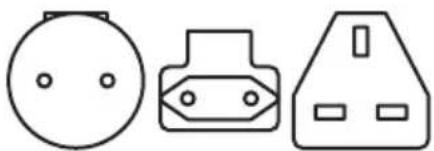
natural_image
Three simple line drawings of electrical components: a bulb, a plug-in socket, and a triangular socket (no text or symbols)AC 전원 어댑터*
worldwide.Bose.com/Support/PHS에서 확인하십시오.
WI-FI에 연결된 경우
natural_image
Two black-and-white pictograms: one showing a bucket with a handle, the other showing a water bottle with leaves (no text or symbols)text_image
Diagram of a circular device control panel with labeled buttons and power indicatortext_image
Diagram of a circular device control panel with power, battery, and display buttons labeled in English참고:
https://support.google.com/assistant에서 확인하십시오.
참고:
text_image
Diagram of a circular device with labeled buttons and playback controls, including power, refresh, and display icons.text_image
BLUETOOTH Portable Smart Speakertext_image
Diagram showing a device connected to a speaker with a BOSE logo, illustrating sound or audio signal flow.worldwide.Bose.com/Support/PHS에서 확인하십시오.
배터리 잔량 확인
text_image
Diagram of a circular device control panel with labeled buttons and power indicatortext_image
Diagram of a circular device with labeled buttons and indicators, including power, battery, and control symbols.worldwide.Bose.com/Support/PHS에서 확인하십시오.
제한 보증
text_image
Diagram of a circular device control panel with labeled buttons and indicators英国进口商:Bose Limited, Bose House, Quayside Chatham Maritime, Chatham, Kent, ME4 4QZ, United Kingdom
额定功率:5VDC,3A
安全性信息

Google Assistant 状态 39
Amazon Alexa 状态.... 40
麦克风关闭指示灯 41
电源状态 42
更新和错误状态.... 43
灯环 43
电源指示灯 44
高级功能
更新扬声器 45
禁用/启用 Wi-Fi 45
连接 BOSE 产品
natural_image
Line drawing of a Bose-branded soap dispenser with handle and perforated base (no text or symbols)Bose Portable Smart Speaker 电源 *
text_image
BOSE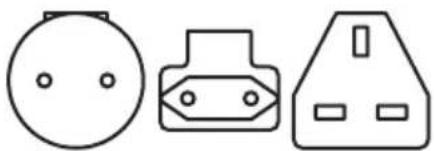
natural_image
Three simple line drawings of electrical components: a bulb, a plug, and a socket (no text or symbols)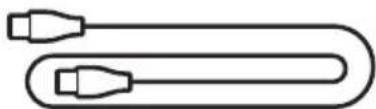
natural_image
Simple line drawing of a U-shaped cable with two connectors (no text or symbols)电源线 交流电源适配器 *
请访问:______worldwide.Bose.com/Support/PHS
已连接至 WI-FI
natural_image
Symbol of a bucket with a diagonal line crossing through it, enclosed in a circle (no text or numbers present)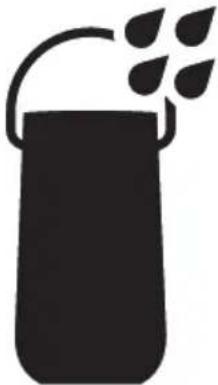
natural_image
Silhouette of a container with a handle and leafy top (no text or symbols)text_image
Diagram of a circular device control panel with power, battery, and display buttons labeled in English语音提示会通知电池电量。
关闭电源
按住电源按钮 ⏻ 直到电源灯关闭。
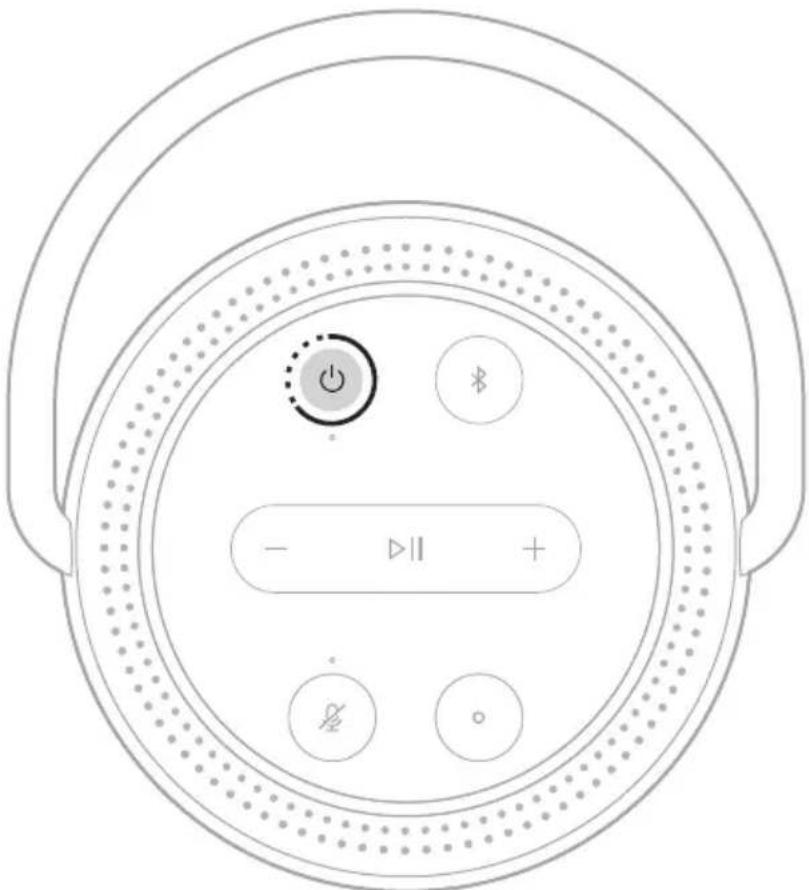
text_image
Diagram of a circular device control panel with power, battery, and display buttons labeled in English注意:
https://support.google.com/assistant
注意:
text_image
Diagram of a circular device with labeled buttons and playback controls, showing directional arrows and a plus/minus symbol.您会听到提示音,灯环闪烁蓝色光。
text_image
BLUETOOTH Portable Smart Speakertext_image
Diagram showing a device connected to a speaker with a BOSE logo, illustrating sound or audio signal flow.请访问:______worldwide.Bose.com/Support/PHS
检查电池电量
text_image
Diagram of a circular device control panel with power, battery, and display buttons labeled in Chinese.语音提示会通知电池电量。
text_image
Diagram of a circular device with labeled buttons and indicators, including power, battery, and control symbols._worldwide.Bose.com/Support/Groups
使用 Bose Music 应用连接
_worldwide.Bose.com/Support/Groups
注意:
请访问:____ worldwide.Bose.com/Support/PHS
有限质保
text_image
Diagram of a circular device control panel with labeled buttons and indicators英國進口商:Bose Limited, Bose House, Quayside Chatham Maritime, Chatham, Kent, ME4 4QZ, United Kingdom
額定功率:5VDC,3A
安全性資訊

natural_image
Line drawing of a Bose-branded soap dispenser with handle and perforated base (no text or symbols)natural_image
Three simple line drawings of electrical components: a bulb, a plug, and a socket (no text or symbols)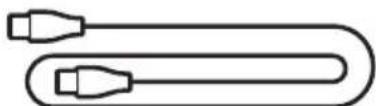
natural_image
Simple line drawing of a U-shaped cable with two connectors (no text or symbols)電源線 交流電源轉接器 *
請瀏覽:____worldwide.Bose.com/Support/PHS
已連接至 WI-FI
natural_image
Symbol of a bucket with a diagonal line crossing through it, enclosed in a circle (no text or numbers present)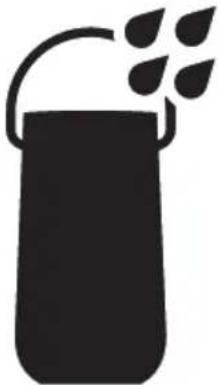
natural_image
Silhouette of a container with a handle and leafy top (no text or symbols)text_image
Diagram of a circular device control panel with power, battery, and display buttons labeled in Chinese.語音提示會通知電池電量。
關閉電源
按住電源按鈕 ⏻ 直到電源燈關閉。
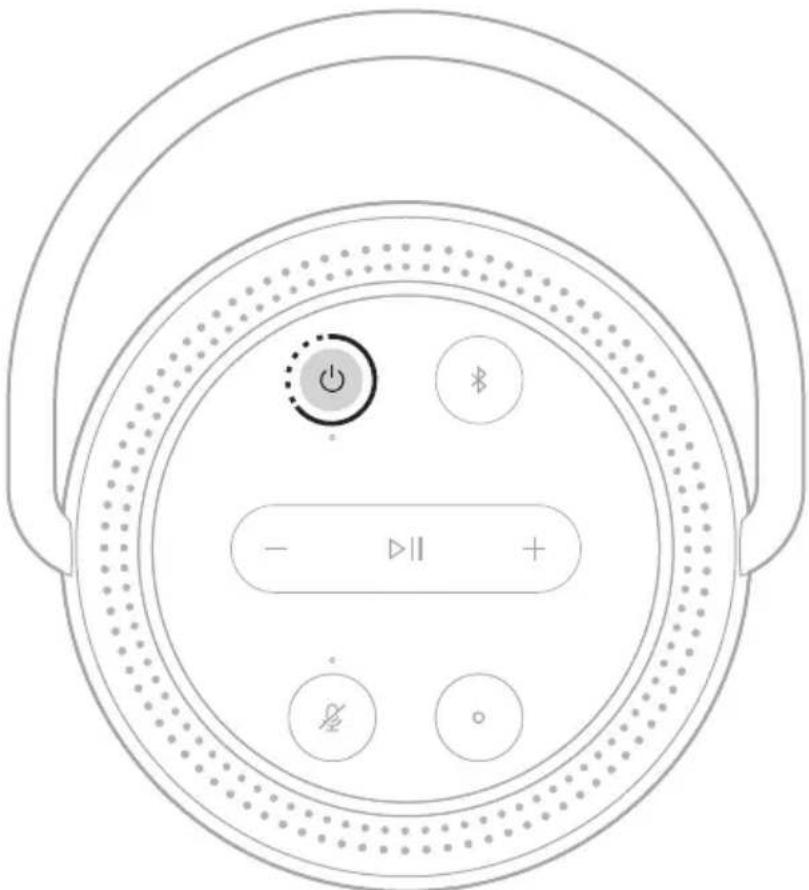
text_image
Diagram of a circular device control panel with power, battery, and display buttons labeled in English.注意:
| 享受娛樂 Play some music | |
| 制定行程 What's on my calendar t | oday? |
| 管理任務 Set an alarm for 7am tomorrow | |
| 控制智慧家居 Turn on the lights | |
| 獲取答案 What's the lat | est news? |
| 完成任務 Remind me to buy milk tonight | |
| 嘗試有趣的東西 Tell me a fun fact | |
使用揚聲器控制項
text_image
Diagram of a circular device with labeled buttons and a play button, showing directional arrows and a plus/minus symbol.您會聽到提示音,燈環閃爍藍色光。
text_image
BLUETOOTH Portable Smart Speakertext_image
Diagram showing a device connected to a speaker with a BOSE logo, illustrating sound or audio signal flow.請瀏覽:____ worldwide.Bose.com/Support/PHS
檢查電池電量
揚聲器打開且未播放音訊時按電源按鈕。
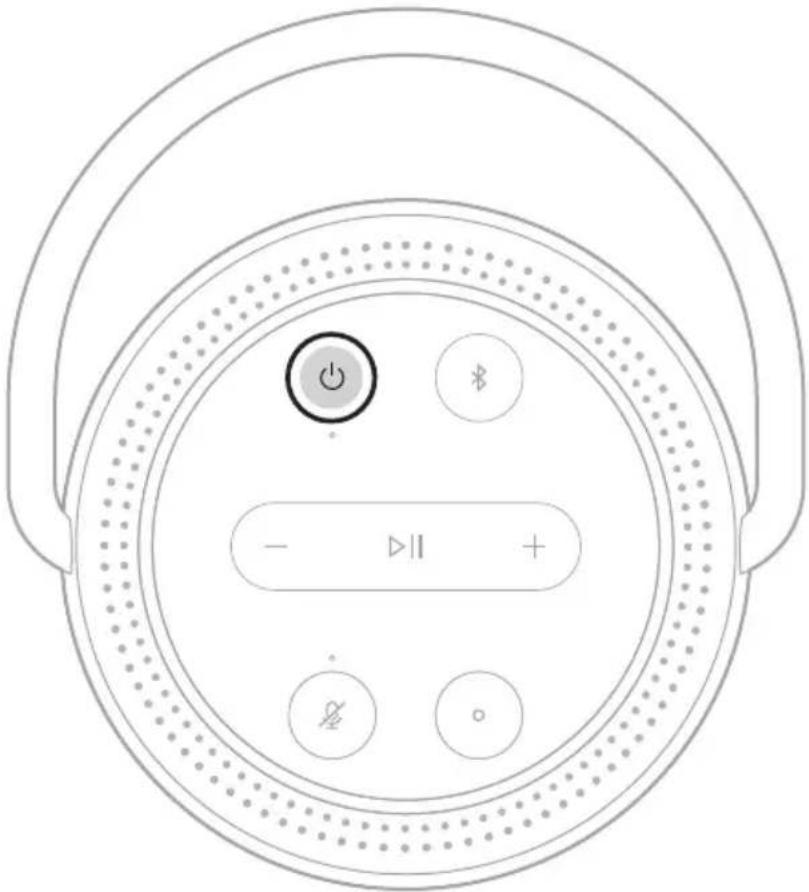
text_image
Diagram of a circular device control panel with power, battery, and display buttons labeled in Chinese.語音提示會通知電池電量。
text_image
Diagram of a circular device with labeled buttons and indicators, including power, battery, and control symbols._worldwide.Bose.com/Support/Groups
注意:
請瀏覽:______worldwide.Bose.com/Support/PHS
有限保固
text_image
Diagram of a circular device control panel with labeled buttons and indicators中国における輸入元: Bose Electronics (Shanghai) Company Limited, Level 6, Tower D, No. 2337 Gudai Rd. Minhang District, Shanghai 201100
EUにおける輸入元: Bose Products B.V., Gorslaan 60, 1441 RG Purmerend, The Netherlands
台湾における輸入元: Bose Taiwan Branch, 9F-A1, No. 10, Section 3, Minsheng East Road, Taipei City 104, Taiwan Phone Number: +886-2-2514 7676
Bose Corporation Headquarters: 1-877-230-5639
Bose Portable Smart Speaker Charging Cradleを
使用してスピーカーを充電する 35
充電状態の確認.... 35
スピーカーの状態
Wi-Fiの状態.... 36
メディアの再生と音量の状態 37
Bluetooth接続の状態.... 38
音声アシスタントの状態 39
Google アシスタントの状態 39
Amazon Alexaの状態....40
マイクオフインジケーター 41
電源の状態 42
アップデートとエラーの状態 43
ライトリング 43
電源インジケーター 44
高度な機能
スピーカーをアップデートする…… 45
text_image
BOSE BOSEnatural_image
Simple line drawing of a U-shaped cable with two connectors (no text or symbols)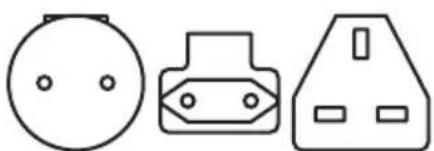
natural_image
Three simple electrical component symbols: a circular head, a plug-in socket, and a triangular socket (no text or labels)電源コード 電源アダプタープラグ*
natural_image
Symbol of a bucket with a diagonal line crossing through it, enclosed in a circle (no text or numbers present)
natural_image
Silhouette of a container with a handle and leafy top (no text or symbols)text_image
Diagram of a circular device control panel with power, battery, and display buttons labeled in Chinese.text_image
Diagram of a circular device control panel with power, battery, and display buttons labeled in English.注:
text_image
Diagram of a circular device with labeled buttons and playback controls, including power, battery, and control icons.text_image
BLUETOOTH Portable Smart Speakertext_image
Diagram showing a device connected to a speaker labeled 'BOSE' via a cable, with directional arrows indicating signal flow.text_image
Diagram of a circular device control panel with power, battery, and display indicatorsnatural_image
Top-down diagram of a circular device with labeled buttons and indicators (no text or symbols beyond basic icons)- Bose SoundLink Revolve+ Bluetooth speaker
- Bose SoundLink Mini Bluetooth speaker
- Bose SoundLink Color Bluetooth speaker
- Bose Noise Cancelling Headphones 700
- Bose QuietComfort 35 wireless headphones
text_image
Diagram of a circular device control panel with labeled buttons and indicators, including power, battery, and display controls.- Weeks of the 100th century was a great deal in the world's history, and it is a strong deal in the world's history. It is a very strong deal in the world's history.
Bluetooth SIG, Inc. : orthographic knowledge (®) و analyzing information from the Bluetooth logo.
natural_image
Line drawing of a Bose-branded soap dispenser with handle and perforated base (no text or symbols)natural_image
Three simple electrical component symbols: a circular head, a plug-in socket, and a triangular outlet (no text or labels)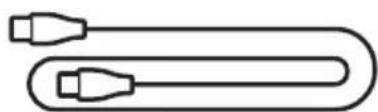
natural_image
Simple line drawing of a U-shaped cable with two connectors (no text or symbols)natural_image
Symbol of a bucket with a diagonal line crossing through it, enclosed in a circle (no text or numbers present)
natural_image
Silhouette of a container with leafy top and handle, no text or symbols presenttext_image
Diagram of a circular device control panel with power, battery, and display indicatorstext_image
Diagram of a circular device control panel with power, battery, and display buttons labeled in Chinese.ملاحظات:
Alexa, play NPR on TuneIn.
Alexa, play funk in the living room.
. Bose Music
text_image
Diagram of a circular device with labeled buttons and playback controls, showing directional arrows and a plus/minus button.text_image
BLUETOOTH Portable Smart Speakertext_image
Diagram showing a device connected to a speaker with a BOSE logo, illustrating sound or audio signal flow.2 نهربائية...
3 المتردد