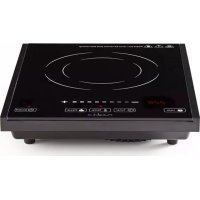
KAIP111CBK1 - Cooker NEDIS - Free user manual and instructions
Find the device manual for free KAIP111CBK1 NEDIS in PDF.



| Brand | Nedis |
| Model | KAIP111CBK1 |
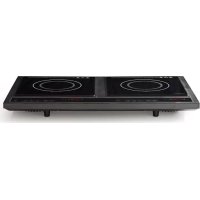
| Product type | Induction hob |
| Rated power | 2000 W |
| Supply voltage | 230 V~, 50 Hz |
| Power range | 300 - 2000 W (8 levels) |
| Temperature range | 60 - 240 °C (8 levels) |
| Timer | 0 - 2 h 59 min |
| Compatible pan diameter | 12 - 26 cm |
| Compatible cooking materials | Cast iron, enameled iron, stainless steel |
| Non-compatible materials | Heat-resistant glass, ceramic, copper, aluminum |
| Number of cooking zones | 1 |
| Control type | Touch (6-7 buttons) |
| Display | LED digital |
| Lock function | Yes (Lock button) |
| Safety protections | Error codes E0 to E7, over/under voltage protection, overheat |
| Approximate dimensions (L x W x H) | 30 x 35 x 6 cm |
| Approximate weight | 2.5 kg |
| Cleaning | Damp cloth, vacuum cleaner for air inlets |
| Repairability | Must be repaired by a qualified technician |
Frequently Asked Questions - KAIP111CBK1 NEDIS
User questions about KAIP111CBK1 NEDIS
0 question about this device. Answer the ones you know or ask your own.
Ask a new question about this device
Download the instructions for your Cooker in PDF format for free! Find your manual KAIP111CBK1 - NEDIS and take your electronic device back in hand. On this page are published all the documents necessary for the use of your device. KAIP111CBK1 by NEDIS.
USER MANUAL KAIP111CBK1 NEDIS
MANUAL DE USO (p. 27)
NAVOD (s. 92)
MANUAL (p. 32)
ROKASGRAMATA (Ipp. 97)
HASZNÁLATI UTMUTATO (o. 37)
NAUDOJIMO VADOVAS (102 p.)
KAYTTOOHJE (s. 42)
PRIRUCNIK(str.107)
PbKOBOДCTBO (p. 112)
NAVOD KPOUZITI(s.52)
INSTRUKCJA OBSLUGI(str.117)
MANUAL DE UTILIZARE (p. 57)
PRIROČNIK (str. 122)
Please read the following instructions carefully before using the induction cooker.
1) Do not plug the power cable in with wet hands.
2) Do not plug into a socket where other appliances are already plugged in.
3) Do not use if the plug cord is damaged or the power plug does not fit the socket safely.
4) Do not modify the parts or repair the cooker by yourself.
5) Do not use the cooker near flames or in wet places.
6) Do not use where children can easily touch the cooker and do not allow children to use it by themselves.
7) Do not place the cooker on an unstable surface.
8) Do not move the cooker when there are pots and pans on it.
9) Do not heat or overheat an empty pan.
10) Do not place metallic objects such as knives, forks, spoons, lids, cans and aluminium foil on the top plate.
11) Use the cooker with sufficient space around it. Keep the front, right and left sides of the cooker clear.
12) Do not use the cooker on carpets, tablecloths (vinyl) or any other low-heat resistant items.
13) Do not place a sheet of paper between a pan and the cooker. The paper is a source of ignition.
14) If the surface is cracked, do not use the cooker.
15) Do not block the air intake or exhaust vent.
16) Do not touch the top plate immediately after removing a pot or pan, as the top plate will still be very hot.
17) Do not place the cooker close to objects which are affected by magnets, such as radios, televisions, automatic-banking cards and cassette tapes.
18) The power cord must be replaced by qualified technicians.
How to clean
1) Disconnect the induction cooker and wait until it has cooled down completely. Clean after use.
2) If the pots/pans are used without being cleaned, discoloration or burn stains may result.
3) Do not use benzene, thinner, scrubbing brushes or polishing powder to clean the induction cooker.
4) Wipe clean using detergent and a damp cloth.
5) Use a vacuum cleaner to remove dirt from the air intake and exhaust vent.
6) Never pour water over the cooker (if water gets inside the cooker it will cause malfunction).
Suitable pans
Steel, cast iron, enamelled iron, stainless steel, flat-bottom pans/pots with diameter between 12 and 26~cm .
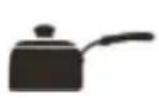
Enamelled iron pot

Iron or enamelled iron pot
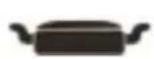
Cast-iron pan

Iron pot Deep-fry pan Stainless steel pot



Iron plate
Unsuitable pans
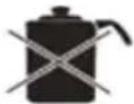
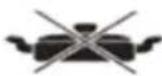
Heat-resistant glass, ceramic containers, copper, aluminium pans/pots. Round-bottom pans/ pots measuring less than 12cm .

Rounded base Pot

Aluminium/Copper pot
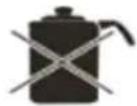
Base measuring less than 12cm

Pans with stand Ceramic pot Heat-resistant glass pot
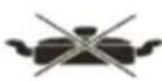
glass pot
Operating Instructions
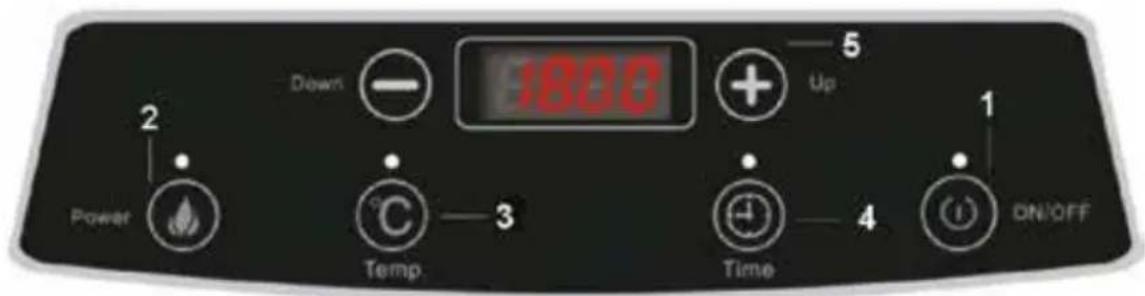
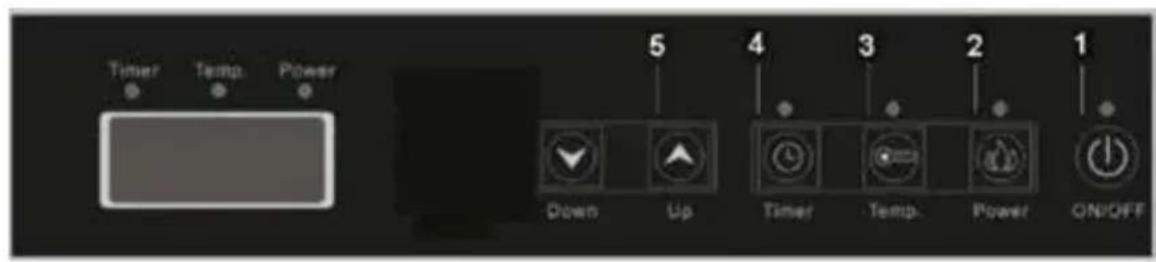
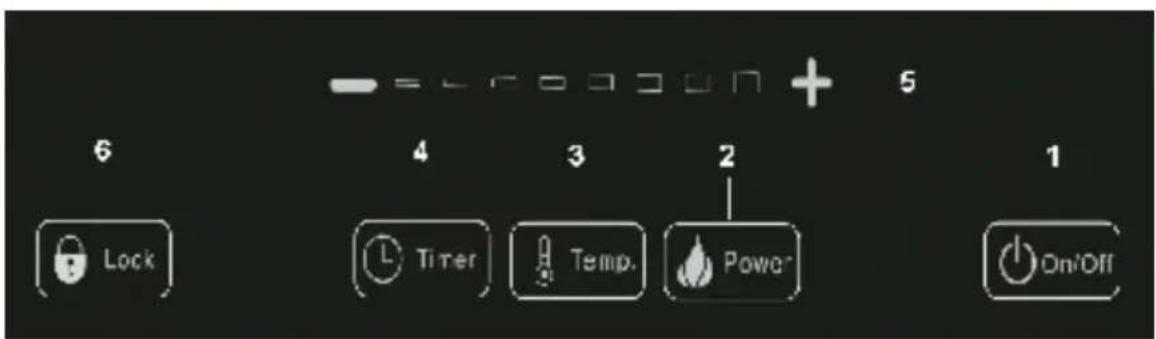
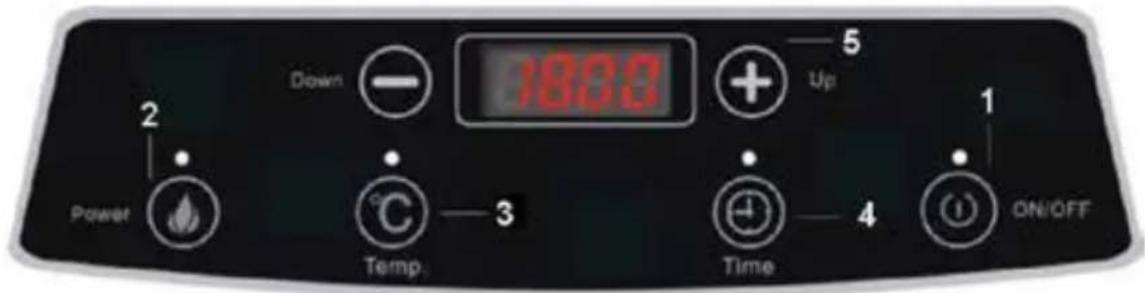
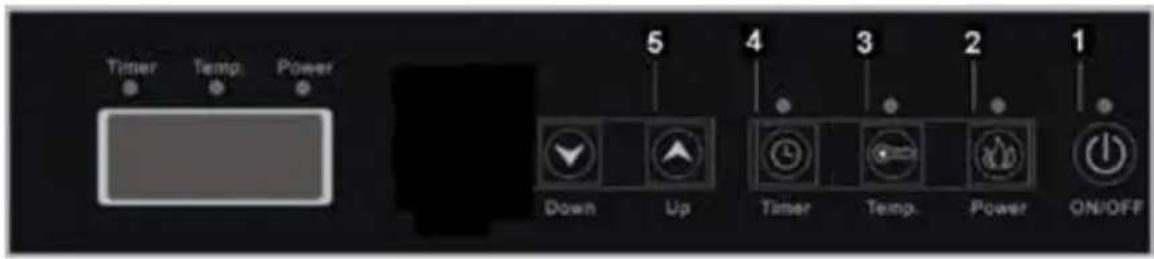
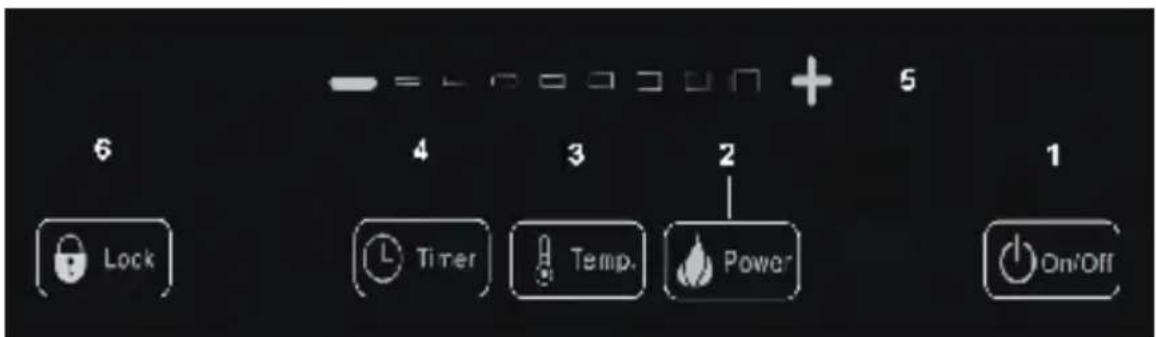
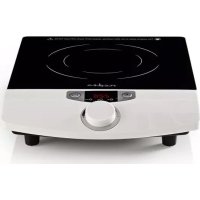
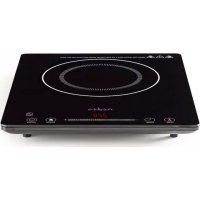
This cooker has 6 or 7 buttons and a press control. See pictures below to determine which diagram is suitable for your device. Operate as following:
1) Plug in the power cable and put a cooking utensil on the centre of the top plate. All light indicators will be illuminated and you will hear a beep after 1 second. After the beep the device will be in the off mode.
2) ON/OFF: Press the "ON/OFF" (1) button, the induction cooker will go to standby mode and the digital display will show "-----". Touch the "ON/OFF" button again, and the induction cooker will shut down.
3) Power: In standby mode, press the "Power" (2) button. The cooker will be ready for use. The power indicator light will glow and the digital display will show 1600. You can press the "+" , - " button to adjust the working power from 300 W to 2000 W. There are 8 power levels; 300 W, 600 W, 900 W, 1200 W, 1400 W, 1600 W, 1800 W, and 2000 W.
4) Temp: Press the "Temp" (3) button, the corresponding indicator light will glow and the digital display will show "150". By pressing the "+" button, adjust the temperature from 60^ to 240^ . The plate has 8 corresponding temperature levels; 60^, 90^, 120^, 150^, 180^, 200^, 220^ and 240^ .
5) Time: in working mode, press the "Timer" (4) button. The digital display will show "00:30" and flash for 5 seconds. During this period you can set the time. You can set the minutes from 31-59 minutes by pressing the + / (5) button. The time set will flash for 5 seconds and then start working according to the time set. You can set the hours from 0 to 2 hours by pressing the button the time you set will flash 5 seconds, then it will work according to the time. The total time is "02:59".
6) Turn off: Press "ON/OFF" in any mode and the cooker will stop heating.
7) Optional: Press the "Lock" (6) button to protect preinstalled settings from being changed.
Protection system
This unit has 10 different protection modes. When the induction cooker shows a malfunction, it will stop working and an alarm will sound. The digital display shows the fault code. Pressing the ON/OFF button will clear the display and will turn off the cooker. Wait for 1 minute and turn the cooker on again. If the display shows an error again, there is something wrong with the cooker. The error details are listed below.
| Showing Cause and handle method |
| EO The circuit has a malfunction. The cooker shows “EO” and automatically stops working. Check and replace the motherboard. |
| E1 The pan is not suitable or there is not a pan on the plate. The cooker shows “E1” and automatically stops working. Replace with a suitable pan in the centre of the plate. |
| E2 IGBT (Insulated Gate Bipolar Transistor) overheats. The cooker will stop heating after the buzzer has “beeped” 5 times. Wait for the IGBT to cool before using. |
| E3 Voltage surge protection. When the input voltage is over 275 V, the cooker will stop working and show “E3”. It will work again when the voltage returns to the 145-275 V range. |
| E4 Low voltage protection. When the input voltage has already dropped below 145 V, the unit will stop working and show “E4”. It will work again when the voltage returns to the 145-275 V range. |
| E5 The sensor of the top plate was open or has short circuited. The unit will stop working and show “E5”. Check all inner parts and replace if necessary. |
| E6 The sensor of the IGBT was open or has short circuited. The cooker will stop working and show “E6”. Check all inner parts and replace if necessary. |
| E7 The top plate has overheated and the cooker has stopped working. Allow to cool. |
Specifications
KAIP110CBK1:
Power rate: 2000 W
Voltage: 230V AC~50 Hz
KAIP111CBK1:
Power rate: 2000 W
Voltage: 230V AC~50 Hz
KAIP112CBK2:
Power rate: 2 × 1700 ~W
Voltage: 230V AC~50 Hz

Safety precautions:
To reduce risk of electric shock, this product should ONLY be opened by an authorized technician when service is required.
Disconnect the product from mains and other equipment if a problem should occur.
Do not expose the product to water or moisture.
Maintenance:
Clean only with a dry cloth.
Do not use cleaning solvents or abrasives.
Warranty:
No guarantee or liability can be accepted for any changes and modifications of the product or damage caused due to incorrect use of this product.
General:
Designs and specifications are subject to change without notice.
All logos brands and product names are trademarks or registered trademarks of their respective holders and are hereby recognized as such.
Keep this manual and packaging for future reference.
Attention:

This product is marked with this symbol. It means that used electrical and electronic products should not be mixed with general household waste. There is a separate collections system for these products.
This product has been manufactured and supplied in compliance with all relevant regulations and directives, valid for all member states of the European Union. It also complies to all applicable specifications and regulations in the country of sales.
Formal documentation is available upon request. This includes, but is not limited to: Declaration of Conformity (and product identity), Material Safety Data Sheet, product test report.
Please contact our customer service desk for support:
via website: http://www.nedis.com/en-us/contact/contact-form.htm
via e-mail: service@nedis.com
via telephone: +31 (0)73-5991055 (during office hours)
NEDIS B.V., De Tweeling 28, 5215 MC 's-Hertogenbosch, THE NETHERLANDS
Belangrijk!!
Pentole in ceramicica

PekomeHdyemblckyxohhbIe npHaJnxKHOCTN
Kactpion/CKOBOPdbI C NIOCKM dHOM n3 CTaII, cyryHa n HepkaBeoue cTaII dnaMetpom ot 12 do 26 cm.

3mIupoBaHHnaKeJe3HaKaTpIONA

XeJIe3HbI NIN
3MaIInPOBaHHbI
XeJIe3HbI
YaIHNUK

UyTuHHaCKOBOPoJa

KeJe3HbI KOTeJIOK

CoteHnK KactpnoIa3 HepXkaBeIOUeI CTaII


JKeIe3HaNcKOBOpOJa
Henoxdoxaunekyxohhble npHaadJeXHOCTN
Iocya n3 kapoctoKoro cTeKna, KepaMKn, Meu n aIOMHn. KaCTpOJn/CKOBOPoBc BbInyTbIM dHOM, DnaMeTpom MeHee 12 cm.

Kactpionc BbIyKnblm HOM

AJIOMHHeBbI/ MeHbI YaHnK
Nocya dHaMeTpOM MeHee 12cm

CkOBOpOdbic NOCTaBkamN

Kepamuecka 7
UaHa m3 KapocToKoro CTekna
Hnctpykunno 3Kcnnyatauun
Y daHHoI nnITb MoKeT 6bITb 6 nII 7 KHOJOK n CnCTema KOHTPOJI HAKAITNA. HaIITe cBOE yCTPOINCTBO Ha pnc. Hnke. HndexkaaJAAKcnnyatauia:
1)Поdkлioчnte Ka6eь ПИТаHЯ И NOCTaBBTe KAcTpIJI/OcKOBOpOу Ha ueHTpaJIbHyIO qaCTbПЛNTbl.3aRopTcBCE INHДиKaTOpbl,И chepe3 1 cekyHdy Bbl yCblbIuTe 3ByKOBoI cHrHaI.ПocNe 3ByKOBOrO cHrHaIy UcTPOIcTBO BblKnIOuHTcR.
2) BKJIIOUeyHNE IN BbIKJIIOUeyHNE: HaxMnte KhoNky «ON/OFF» (1), INHdyKcNoHHa nIITa nepeIeT B pexm OxuaHna, a Ha 3KpaHe 6yTe OTo6paXaTbcra «------». HaxMnte KhoNky «ON/OFF» eue pa3, yTo6bl BbIKJIOuHTb yCTpoiCTBO.
3) Питане:В рекиме ожиданя нахмite Кногку «Power» (2).Посл eТoro устpoICTBO 6удет roTOBO K pa6ote.Загорпся ИнданКаTOP пTuHЯ,а HaэКранe 6удет nOKa3aHo 3нayehne «1600».Кногам«+»И «-» yCTaHOBITE pa6oую moцhoe ot 300 BTo 2000 Bt.ДoctuПно 8 pa6oqux рекIMOB:300 BTo,600 BTo,900 BTo,1200 BTo,1400 BTo,1600 BTo, 1800 BTo 2000 BTo.
4) TemnepaTpa: Haxmnte KhoNky «Temp» (3), 3arOpNTc COOTBeCTByIOUIN INHnKaTOp n Ha 3KpaHe IONBtC8 3NaueHne «150». KhoNkamn «+» n «-» yCTaHOBNTe TemnepaTpy ot 60^ do 240°C. DoCTynHO 8 TemnepaTpHbIX pexnMOB: 60°C, 90°C, 120°C, 150°C, 180°C, 200°C, 220°C n 240°C.
5) Taɪmep: B pa6ooyem pexnme haxmnTe KhoNkγ «Timer» (4). Ha ekpahe noBntcra coo6uHne «00:30», kotopoe 6yIeT mIratb 5 cekyHd. B 3TO BpeMBA MoKeTe yCTaHOBNTb TaIMep. MoKHO yCTaHOBNTb TaIMep Ha 31-59 MInHyT, Haxmam KhoNkγ «+/A» (5). YCTaHOBLeHHoe BpeM 6yIeT mIratb 5 cekyHd, nocne yero TaIMep 3aNyCTntcra. MoKHO yCTaHOBNTb TaIMep Ha 0-2 qaca, Haxmam KhoNkγ. YCTaHOBLeHHoe BpeM 6yIeT mIratb 5 cekyHd, nocne yero TaIMep 3aNyCTntcra. MaKcImaJIbHoe BpeM TaIMepa — «02:59».
nedis
6) OTKIIOUeHHe: HaxMITE KHOIIky «ON/OFF» B IIO6OM peXIMe, n IIITa nepeCTaHET rpeTb nocdy.
7) Довоннельно: НжмITE Кногку «Lock» (6), утобы coхpaHTb yCTaHOBJIeHHbie NaCTPOnKn.
CnCTema 3aunTbI
DaHoe yctpoiCTBO nmeet 10 pa3nunHybIX pexmOB 3aunTbi. Ecnn HndyKcnoHna nnTa pa6otaet HenpaBnIbHO, OHa OTKnIOuaeTCn I3daet 3ByKOBo cnHaN. Ha 3KpaHe NOBJIaTeC KaHncpabHocn. HaxMnte Ha KhoNkY «ON/OFF», uTo6bl y6paTB NaINCb c 3KpaHa n BbIKIOuHTb yctpoiCTBO. NdoXdnte 1 MNHyTu n ChOba BKIOUHTe PInTy. Ecnn 3KpaH n ChOba NOKa3bIbae TOn6Ky, 3NaHT C PnITOn YTO-TO CNyUINOcB. OnncAHn OOn6OK DaHbI HnKe.
He npo3boaTe OocntKy, nCNoJIb3yra paCTbOpNTn nn a6pa3nBbl.
TapaHTn:
Pn nonbtkn n3meHn Hn moNnKauyn yctpojCTBa, a paBHO B cnyae noBpeXeHn yctpojCTBa BCNEcTBne erno HnpabnBHO rncnB3OBAHn rapaHTnHbIe 06a3aTeJbCTBa npo3BOAnTEn TepyIO CNOy.
06uie noJoxeHn:
IIN3aHnTexHnueckneXapaKTepeNCTKMOrT6bITbN3MeHeHb6e3PpeBaPntBnHOyBeDOMHeHn.
Bce IIOrOINbI, TOPROBHe MapKn HaaBaHnI pOdyKTOB AIBIAOTc TOpROBbIMM MapKaMn NIm 3apeNCTpnpoBaHHbIMN TopROBbIMM MapKaMn COOTBeTCTByUOxN BnaJeJIbcE IN CLEIOBATeNbHO PnI3HaIOTc TaKOBbIMN.
CoxpaHnte HactoJee pyKOBODBO u npakOBky dlaBHeIero nCnoB3OBAHn.
BHMMaHHe:

Hn HpOyKT OTMeueh 3Tm CmBOnlom. 3To O3Haayet, yTo TaKne 3IeKtpueckne Nnn 3IeKtpoHHbIe N3dennr He J0JIHb Bbl6paCbBaTbCBA MecTe C 6bITOBbIMN OTXODAMN. IInr TaKnx npOyKTOB CyueCTByET OTdJIbHar CNCTema c6opa OTxOIOB.
IaHHOe I3JeIe6bIIO I3rOToBHeO H NOCTaBHeO B COOTBeTCTBm CO BcEM N PpIMeHMbIMN NOJOxKeHnMn N DInpeKTHBaMn,
IeIcTByIOUIMM INI BCEX CTpaH-NeHOB EBPOeNCKOrO CoIO3a. OHO TAKKe COOTBeTCTByET BcEM HopMaMn IN PpaBnAmn,
IeINCTBYIOUM B CTPaHe IpOdaXn.
OfuiabHnDokymeHTaunpeoctabTaeTcno 3anpocy.3aDokymeHTaunBkIouaet Bce6 (HO He orpaHnUbaeTcra TUM): DekapauucoOTBETCTBna (u ndeHTnOukauua n3dElnu), nacnpot 6e0nacHOCTN, OTET no npOBepke npOdykTa.
- How to clean
- Suitable pans
- Unsuitable pans
- Operating Instructions
- Protection system
- Specifications
- Safety precautions:
- Maintenance:
- Warranty:
- General:
- Attention:
- Belangrijk!!
- PekomeHdyemblckyxohhbIe npHaJnxKHOCTN
- Henoxdoxaunekyxohhble npHaadJeXHOCTN
- Hnctpykunno 3Kcnnyatauun
- nedis
- CnCTema 3aunTbI
- TapaHTn:
- 06uie noJoxeHn:
- BHMMaHHe:
Brand : NEDIS
Model : KAIP111CBK1
Category : Cooker