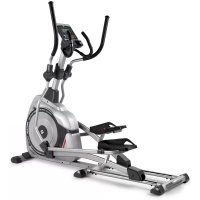
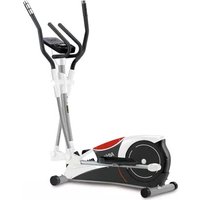
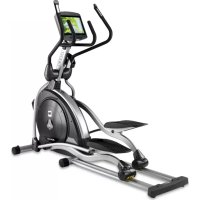
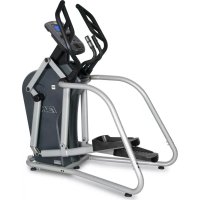
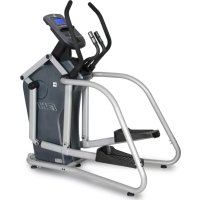
USER MANUAL G858 BH FITNESS
Esta fase debería durar un minimo de 12关键时刻尤其是 when you're in the center of the center of the center of the center of the center of the center of the center of the center of the center of the center of the center of the center of the center of the center of the center of the center of the center of the center of the center of the center of the center of the center of the center of the center of the center of the center of the center of the center of the center of the center of the center of the center of the center of the center of
Consult your doctor before starting any exercise program. It is advisable to undergo a complete physical examination.
Work at the recommended exercise level, do not overexert yourself. If you feel any pain or discomfort, stop exercising immediately and consult your doctor.
Use the appliance on a solid, flat surface, with some type of protection for the floor or carpet. In the interest of safety, the equipment must have at least 1 metre of free space around it. Check the elliptical trainer before starting the exercise; to make sure that all of the parts are attached and that the nuts, bolts, pedals and focus bars have been tightened correctly prior to use. Do not use loose clothing. Do not wear leather soled shoes or footwear with high heels.
This appliance has been tested and it complies with standard EN957 under class H.B. Braking is independent of speed.
IMPORTANT.-
Read the instructions carefully before proceeding to assemble the equipment. Remove all the parts from the cardboard packaging and check them against the parts list to ensure that there is nothing missing.
Do not throw the cardboard away until the elliptical trainer is fully assembled. Always use the appliance in accordance with the instructions.
If you discover any defective component while assembling or checking the equipment, or if you hear any strange noise during exercise then stop. Do not use the appliance until the problem has been resolved.
EXERCISE INSTRUCTIONS.-
Use of the ELLIPTICAL TRAINER offers various benefits; it will improve fitness, muscle tone and when used in conjunction with a calorie controlled diet it will help you to lose weight.
1,Warm-up phase
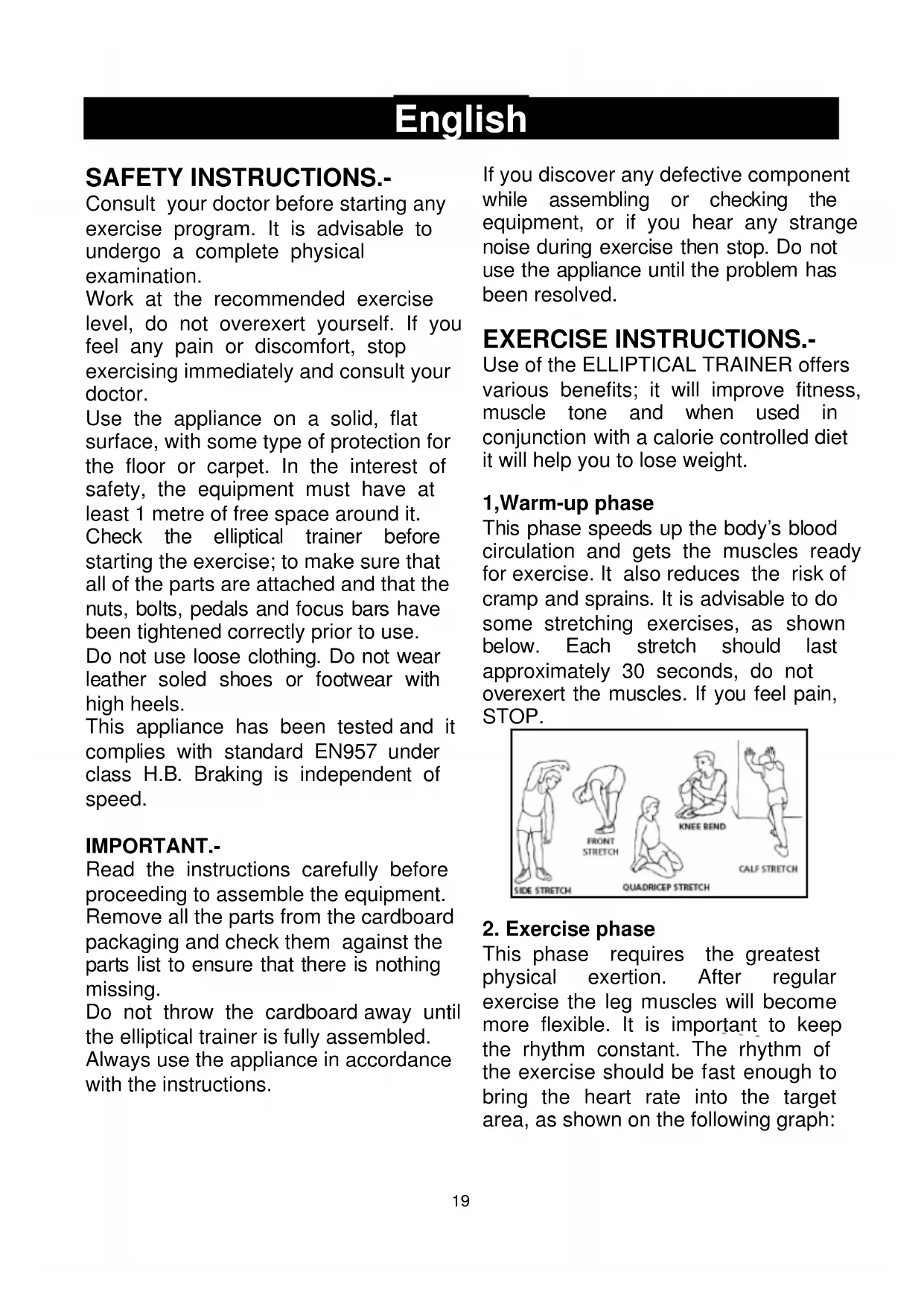
This phase speeds up the body's blood circulation and gets the muscles ready for exercise. It also reduces the risk of cramp and sprains. It is advisable to do some stretching exercises, as shown below. Each stretch should last approximately 30 seconds, do not overexert the muscles. If you feel pain, STOP.

2. Exercise phase
This phase requires the greatest physical exertion. After regular exercise the leg muscles will become more flexible. It is important to keep the rhythm constant. The rhythm of the exercise should be fast enough to bring the heart rate into the target area, as shown on the following graph:
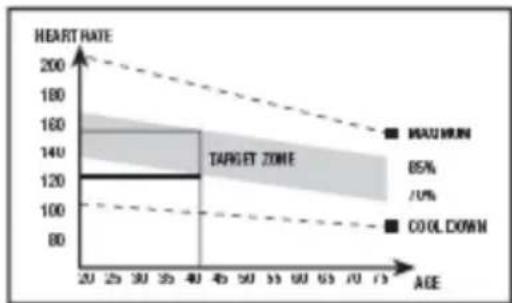
This phase should last at least 12 minutes, although it is advisable for most people to start off with sessions of 10-15 minutes.
3. Cool-down phase
This phase allows the cardiovascular and muscle system to relax. It consists of repeating the warm-up exercises, i.e. reducing the rhythm and continuing for approximately 5 minutes. Repeat the stretching exercises but remember not to overexert the muscles.
Eventually your training sessions will have to become longer and more intensive. It is advisable to exercise at least three days per week, on alternate days.
Muscle toning
You should select a high exertion level in order to tone muscles during exercise. This entails greater stress on the leg muscles, so it may be wise to reduce exercise times. If you also wish to improve your overall fitness then you should change your training program. Do the warm-up and cooldown exercises as normal but when you are reaching the end of the exercise phase, increase the exertion level in order to make your legs work harder. You should reduce speed in order to keep your heart rate within the target area.
Weight loss
In this case the important factor is the effort made. The more intense and the longer the session, the greater the number of calories burned. Even though you are dong the same work as you do to improve fitness, the objective has changed.
GENERAL INSTRUCTIONS.-
Carefully read through the instructions contained in this manual. It provides you with important information about assembly, safety and use of the machine.
1 This unit has been designed for home use. The user weight does not have to exceed 130kg
2 Keep your hands well away from any of the moving parts.
3 Parents and/or those responsible for children should always take their curious nature into account and how this can often lead to hazardous situations and be haviour resulting in accidents. This unit does not have to be used in any case like toy.
4 The owner is responsible for ensuring that anyone who uses the machine is duly informed about the necessary precautions.
5 Your unit can only be used by one person at a time.
6 Use suitable clothing and footwear. Tie up your shoelace correctly.
- Take the unit out of its box and make sure that all of the pieces are there:
ATTENTION: The assistance of a second person is recommended when assembling this machine
Fig.1 Parts list
(1) Monitor.
(5) Main post.
(9) Handlebar.
(15) Bracket cover.
(19) Handlebar R cover.
(22) Right focus bar.
(26) Handlebar R cover.
(28) Right upper focus bar.
(32) Handlebar post cover.
(34) Main frame.
(51) Right foot bar.
(52) Lower handlebar cover.
(61) Lower handlebar cover.
(63) Pedal cover.
(64) Pedal R.
(65) Right footrest.
(80) Middle and rear stabilizer.
(113) Left foot bar.
(114) Left footrest.
(115) Pedal L.
(116) Lower handlebar cover.
(117) Left focus bar.
(118) Lower handlebar cover.
(119) Handlebar L cover.
(120) Handlebar L cover.
(121) Left upper focus bar.
(122) Axis.
(124) Front stabilizer.
(125) Front stabilizer cover.
(131) Bracket cover.
(138) Adapter.
Fig.2 Screws and fasteners.
(6) Washer D8.5x9x2.
(7) Washer D8.5x13.5x2.5.
(8) Screw M-8x20.
(13) Screw M-8x16.
(14) Screw M-5x16.
(18) Washer D17.5x25x0.3.
(20) Nut M-8.
(21) Washer D8.5x9x2.
(24) Washer D8.5x25.
(25) Screw M-8x20.
(27) Screw ST2.9x8.
(31) Screw M-8x40.
(36) Washer D20.5x30x0.3.
(54) Screw M-8x55.
(62) Screw ST2.9x16.
(74) Pedal connector.
(139) Washer D5.5.
ATTENTION: The assistance of a second person is required for this stage of the assembly.
Bring the front stabilizer bar with wheels (124) to the main body (34) positioning the wheels at the front of the unit, Fig.3, Insert the screws (8) and washers (6), (7) and tighten securely. Place the stabilizer cover (125) and insert the screws (14).
Bring the middle stabilizer bar (80) to the main body (34). Insert the screws (8) and washers (6), (7) and tighten, Fig.4.
IMPORTANT: It is advisable to retighten these screws after one month of using the machine.
Take the main post (5) and insert the bottom post cover (32). Bring the main post (5) up to boss on the main body (34), Fig.5, connect the terminals.
Slip the main post (5) over the boss on the main body (34), Fig.5, making sure not to snag any of the cables.
Refit the screws (8) and the washers (7), (21), (6) and tighten securely.
Lower the handlebar post cover (32) for the main post (5) down over the boss section of the main body (34). Insert the axis (122) into the main post (5) and put it in the center, Fig.5.
Insert the washer (36) into the left axis of rotation. Then take the left foot bar (113) (marked with the letter "L") and insert the end bush onto the drive spindle (E) on the main body (34). Insert the screw (25) and the washers (7), (24) to fix the left pedal tube (113), Fig. 6.
Take the right foot bar (51), (marked with the letter "R") and go through the same assembly procedure as with the left.
Insert the washer (18) in both sides of the focus bar spindle.
Insert the left focus bar (117) (marked with the letter "L") onto the focus bar spindle, insert the screws (25), the washers (7), (24) and tighten securely, Fig.7.
Take the right focus bar (22), (marked with the letter "R") and go through the same assembly procedure as with the left, Fig.7.
Insert the washer (18) in the right pedal axis and insert the right footrest (65). Place the pedal connector (74) on the axis and fix it with the screws (13) and washers (6), Fig.8.
Insert the screw (54) in the joint between the right focus bar (22) and the pedal tube and place the washer (6) and the nut (20). Place the cover
(61) and fix it with the screws (62) and (14), Fig. 9.
Perform the same assembly with the left footrest (114), Fig.10.
ATTENTION: It is advisable to retighten these screws after one month of using the machine.
Once you have assembled the lower focus bars, take the left upper focus bar (121) (marked with the letter "L") and insert it onto the boss for the low bar (117), Fig.11, lining up the holes for the screws.
Insert the screws (31) and the washers (20).
Go through the same procedure for the right upper focus bar (28) (marked with the letter "R").
Bring the handlebar (9) up to the main post (5), insert the hand-grip cable in through the slot as shown in Fig.12, and pull it out through the top of the handlebar stem.
Refit the screws (13) and the washers (6), Fig.12 and tighten securely, then fit the bracket cover (15) using the screw (14).
Next, connect terminals sticking out of the handlebar (5), and terminals, sticking out of the monitor (2) (3), Fig.13.
Place the monitor (1) on top of the plate on the main post (5), as shown in Fig.13, making sure not to pinch the wires.
Use supplied screws (132) to hold the monitor in place, Fig.13.
Place the bracket cover (131) and fix it with the screws (62) and (14), Fig.14. Place the bar covers (19), (26), (119), (120) and secure them using the screws (27) and (14), Fig.15.
Place the left pedal (115) on the left footrest. Secure it using the screws (14) and washers (139), Fig.16. Go through the same procedure for the right pedal (64), Fig.16. Fit the covers (63), Fig.17.
LEVELLING.-
Once the unit has been placed into its final position, make sure that it sits flat on the floor and that it is level. This can be achieved by screwing the adjustable feet (83) up or down, as shown in Fig.18.
If excessive noise occurs during use, apply oil (143) to the rail, Fig.18.
MOVEMENT & STORAGE.-
The unit is equipped with wheels which make it easier to move. The two wheels at the front of the unit make it easier to place the unit in to any chosen position by lifting the rear slightly
Store your unit in a dry place, preferably not subject to changes in temperature.
MAINS CONNECTION.-
Insert the jack (m) for the transformer into the connection hole on the main body (k) (bottom, rear of the machine) and then plug the transformer (138) into a 230 V mains supply, Fig.19.
Do not hesitate to get touch with the Technical Assistance Service if you have any queries by phoning customer services (see last page in manual)
BH RESERVES THE RIGHT TO MODIFY THE SPECIFICATIONS OF ITS PRODUCTS WITHOUT PRIOR NOTICE.
Français
VERPLAATSING & OPSLAG.-
To order replacement parts: State the part code and Quantity
Toll free: +1 866 325 2339
No.80, Jhongshan Rd.,
Daya Dist.,
Taichung City 42841,
Taiwan. R.O.C.
Tel.: +886 4 25609200
Fax: +886 4 25609280
e-mail: info@bhfitness.pt
BH SERVICE PORTUGAL
Tel.: +351 234 729 510
e-mail: info@bhfitness.pt
BH FITNESS MEXICO
BH Exercycle de Mexico S.A. de
CV
Eje 132 / 136
Zona Industrial, 2A Secc.
78395 San Luis Potosí
S:L:P: MEXICO
Tel.: +52 (444) 824 00 29
Fax: +52 (444) 824 00 31
www.bhlatam.com.mx
BH FITNESS CHINA
BH China Co., Ltd.
Block A, NO.68, Branch Lane
455, Lane 822,
Zhen Nan RD., Li Zi Yuan, Putuo,
Shanghai 200331, P.R.C.
Tel: +86-021-5284 6694
Fax:+86-021-5284 6814
e-mail: info@i-bh.cn
BH GERMANY GmbH
Grasstrasse 13
45356 ESSEN
GERMANY
Tel: +49 2015 997018
e-mail:
technik@bhgermany.com
BH FITNESS UK
Tel: 02037347554
e-mail:
sales.uk@bhfitness.com
AFTER SALES - UK
Tel.: 02074425525
e-mail:
service.uk@bhfitness.com
BH FITNESS FRANCE
SAV FRANCE
Tel: +33 0810 000 301
Fax: +33 0810 000 290
savfrance@bhfitness.com
BH SE RESERV A EL DERECHO A MODIFICAR LAS ESPECIFACIONES DE SUS PRODUCTOS SIN PREVIO AVISO.
SPECIFICATIONS MAY BE CHANGED WITHOUT PRIOR NOTICE DUE TO OUR PROGRAMME OF CONTINUOUS PRODUCT DEVELOPMENT.
BH SE RÉSERVE LE DROIT DE MODIFIER LES SPECIFICATIONS DE SES PRODUITS SANS PREAVIS.