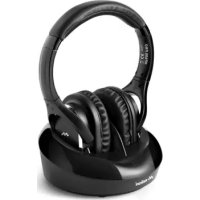
HP600 Pro - Earphones MELICONI - Free user manual and instructions
Find the device manual for free HP600 Pro MELICONI in PDF.



User questions about HP600 Pro MELICONI
0 question about this device. Answer the ones you know or ask your own.
Ask a new question about this device
Download the instructions for your Earphones in PDF format for free! Find your manual HP600 Pro - MELICONI and take your electronic device back in hand. On this page are published all the documents necessary for the use of your device. HP600 Pro by MELICONI.
USER MANUAL HP600 Pro MELICONI
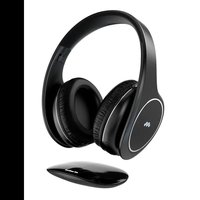
BLUETOOTH TV HEADPHONES
IT Istruzioni d'uso 3
FR Mode d'emploi 7
ES Instrucciones de uso ...11
EN Instruction manual.....15
CZ Uživotelská príručka...19
SK Uživatelská príručka..23
Scan the Qcode for instructions in further languages

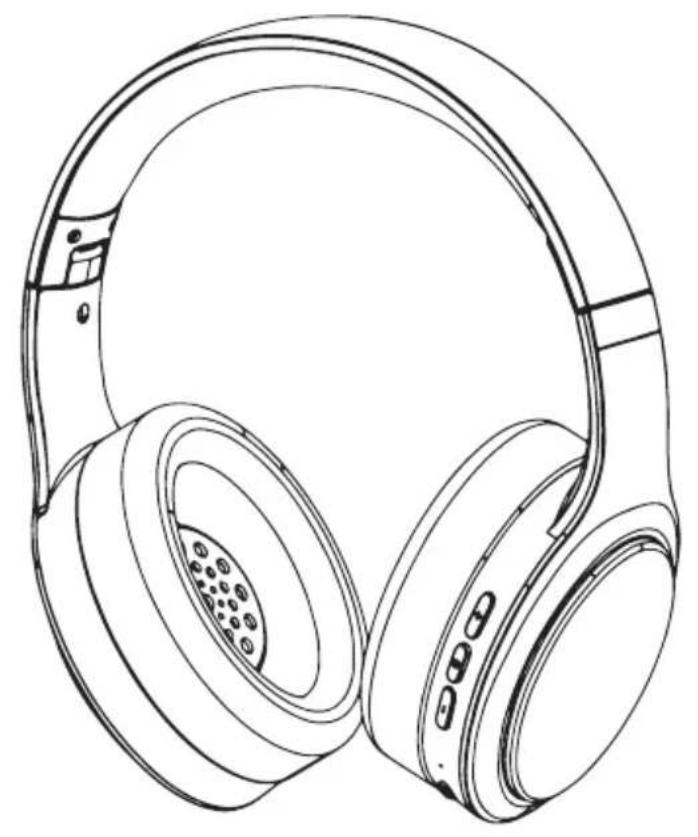
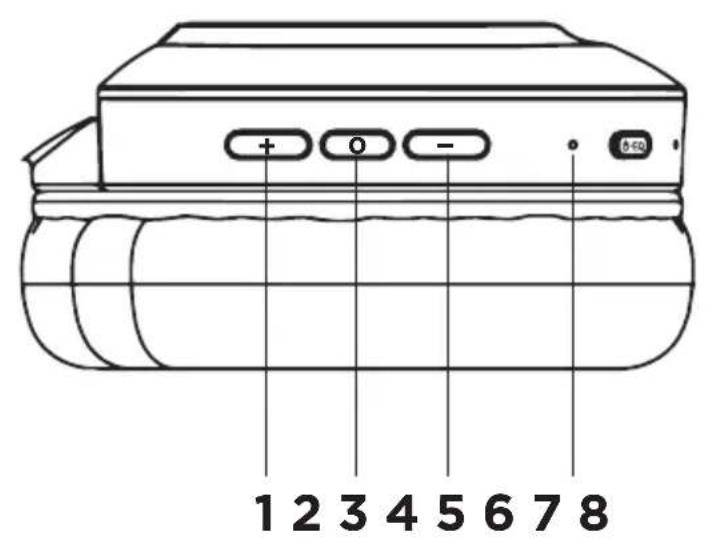
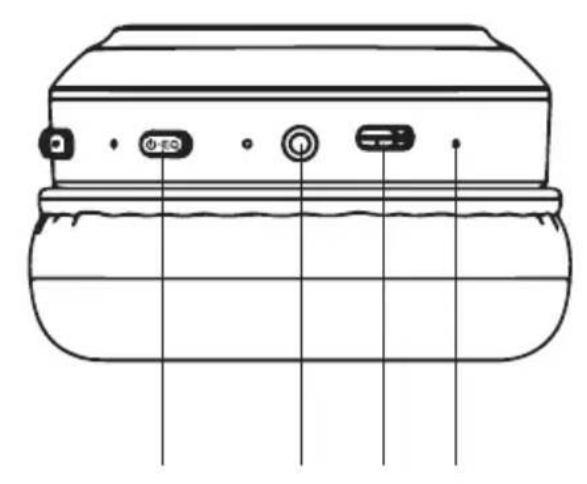
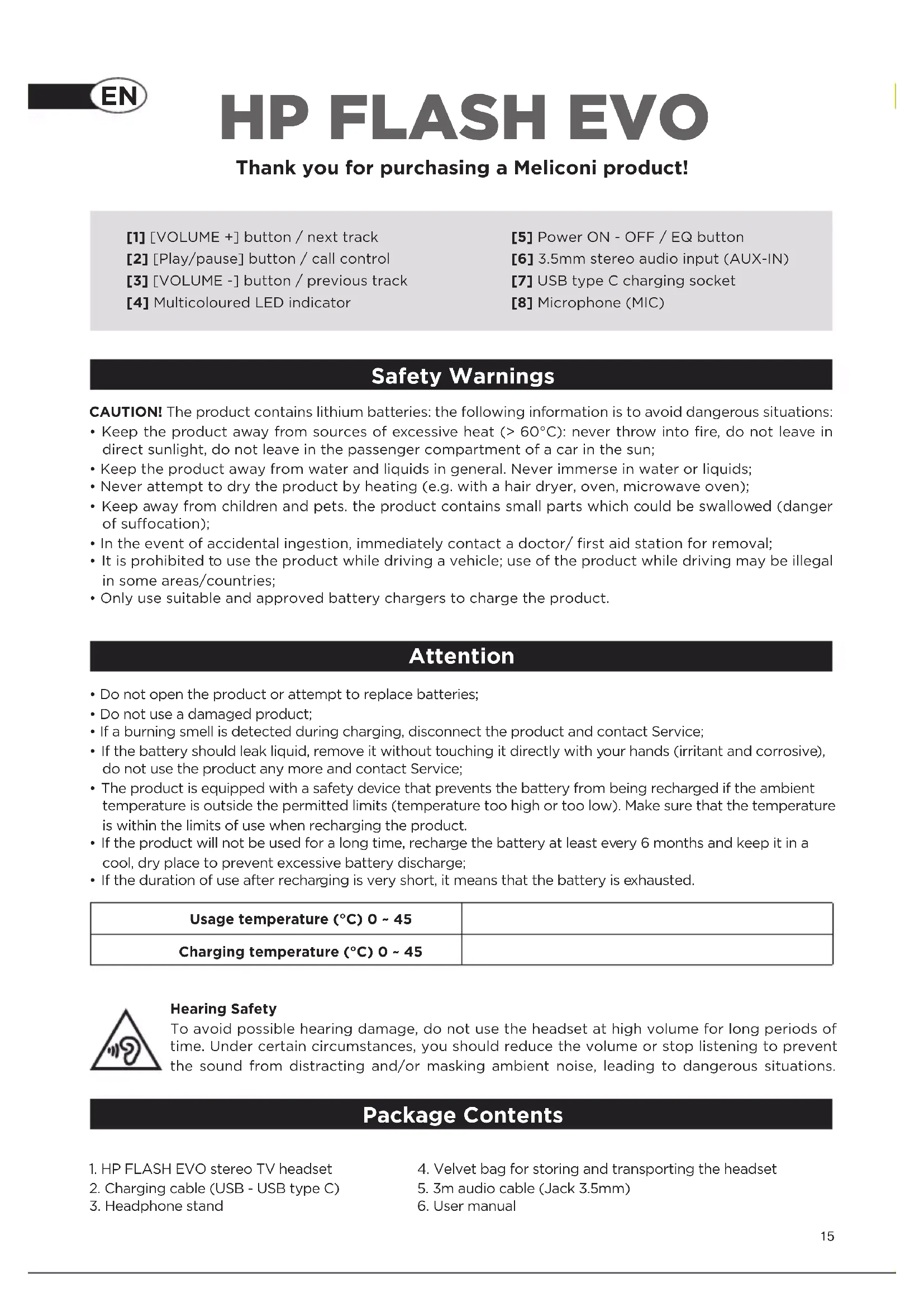
HP FLASH EVO
Thank you for purchasing a Meliconi product!
[1] [VOLUME +] button / next track
[2] [Play/pause] button / call control
[3] [VOLUME -] button / previous track
[4] Multicoloured LED indicator
[5] Power ON - OFF / EQ button
[6] 3.5mm stereo audio input (AUX-IN)
[7] USB type C charging socket
[8] Microphone (MIC)
SafetyWarnings
CAUTION! The product contains lithium batteries: the following information is to avoid dangerous situations:
- Keep the product away from sources of excessive heat ( >60^ ): never throw into fire, do not leave in direct sunlight, do not leave in the passenger compartment of a car in the sun;
- Keep the product away from water and liquids in general. Never immerse in water or liquids;
- Never attempt to dry the product by heating (e.g. with a hair dryer, oven, microwave oven);
- Keep away from children and pets. the product contains small parts which could be swallowed (danger of suffocation);
- In the event of accidental ingestion, immediately contact a doctor/ first aid station for removal;
- It is prohibited to use the product while driving a vehicle; use of the product while driving may be illegal in some areas/countries;
- Only use suitable and approved battery chargers to charge the product.
Attention
- Do not open the product or attempt to replace batteries;
- Do not use a damaged product;
- If a burning smell is detected during charging, disconnect the product and contact Service;
- If the battery should leak liquid, remove it without touching it directly with your hands (irritant and corrosive), do not use the product any more and contact Service;
- The product is equipped with a safety device that prevents the battery from being recharged if the ambient temperature is outside the permitted limits (temperature too high or too low). Make sure that the temperature is within the limits of use when recharging the product.
- If the product will not be used for a long time, recharge the battery at least every 6 months and keep it in a cool, dry place to prevent excessive battery discharge;
- If the duration of use after recharging is very short, it means that the battery is exhausted.
| Usage temperature (°C) 0 ~ 45 | |
| Charging temperature (°C) 0 ~ 45 |
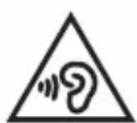
Hearing Safety
To avoid possible hearing damage, do not use the headset at high volume for long periods of time. Under certain circumstances, you should reduce the volume or stop listening to prevent the sound from distracting and/or masking ambient noise, leading to dangerous situations.
Package Contents
- HP FLASH EVO stereo TV headset
- Charging cable (USB - USB type C)
-
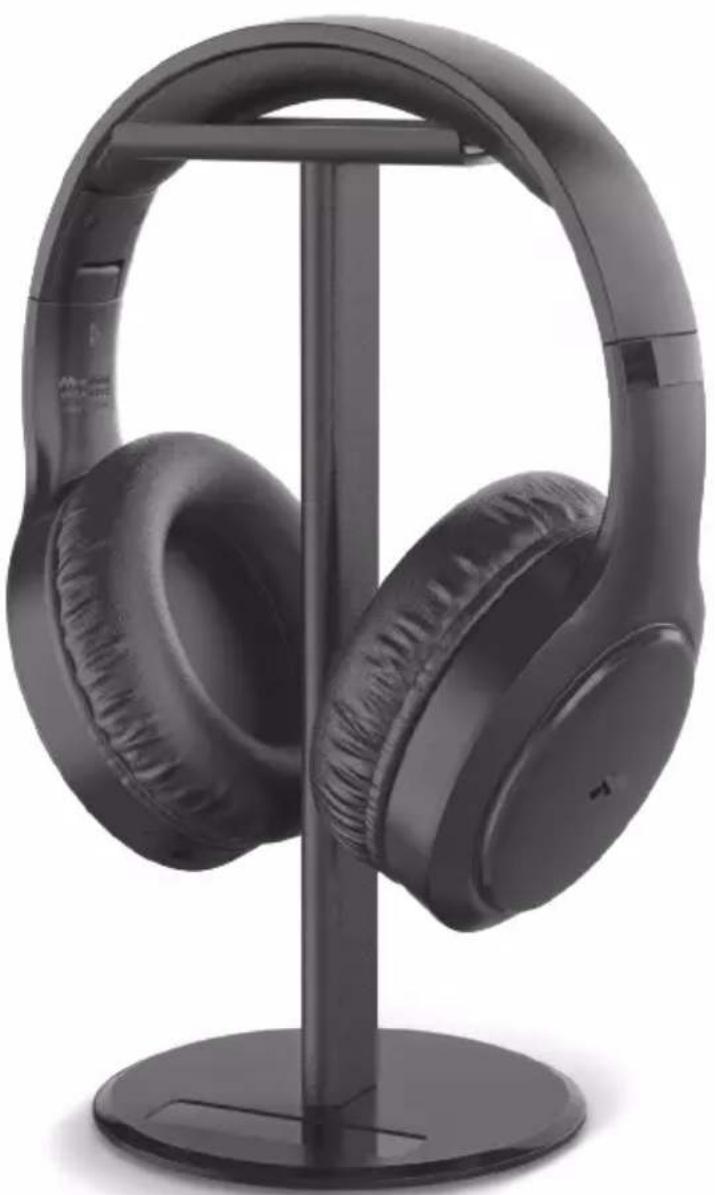
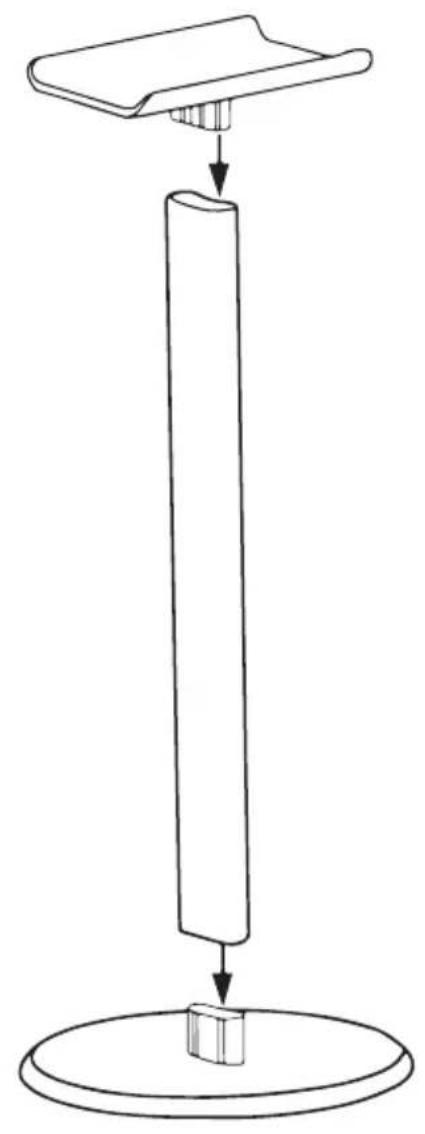
Headphone stand
-
Velvet bag for storing and transporting the headset
- 3m audio cable (Jack 3.5mm)
- User manual
Presentation
The "HP FLASH EVO" wireless TV headset allows you to:
- listen to TV wirelessly
- automatically switch to receive a call while listening to TV
- listen to music from smartphones/tablets/stereos equipped with Bluetooth technology
- make calls with your smartphone without using your hands (hands-free function)
- listen to the TV even if the battery has run out or from sources that do not have a Bluetooth® interface (audio cable mode).
Charging the battery
CAUTION: Do not wear the headset while charging the battery
Before using the headset, recharge it fully (approx. 2h)
- Insert the USB type C connector of the supplied cable into the USB-typeC charging socket [7].
- Plug the other end of the USB cable into an available USB port of an approved charger.
- When the headset is charging, the LED indicator [4] remains solidly lit in red.
- When the headset is fully charged, the LED indicator [4] remains lit solid blue.
- When the battery is low and needs recharging, an audible warning tone will be heard in the headset.
Pairing the headset with the TV
- The first time you use the HP FLASH EVO headset with a Bluetooth® -enabled TV you need to perform the Pairing operation. Press the ON/OFF button [5] for about 3 seconds: the LED [4] will start flashing blue and red alternately.
- Activate the Bluetooth® Device Search function on the TV.
- On the TV, check the list of Bluetooth® devices found and search for "HP FLASH EVO".
- Follow the instructions on the TV's screen to pair it with the HP FLASH EVO headset (Check the TV's user manual for more details)
5.Once pairing is complete, the headset will automatically connect to the TV if it is turned on and within range of its Bluetooth (approximately 10 metres)
Pairing the headset with your mobile phone
- When using the HP FLASH EVO headset with a Bluetooth* phone for the first time, you must perform the Pairing operation. Press the ON/OFF button [5] for about 3 seconds: the LED [4] will start flashing blue and red alternately.
- Activate the Bluetooth® Device Search function on your phone. Check that your phone has the "visible to all" option activated.
- On your phone check the list of Bluetooth® devices found and search for "HP FLASH EVO".
- Follow the instructions on your phone's screen to pair it with the HP FLASH EVO headset (Check your phone's user manual for more details)
5.If a password is required, enter "0000" (4 times zero, not necessary for recent devices).
6.Once pairing is complete, the headset will automatically connect to your phone if it is turned on and is within its Bluetooth® range (approximately 10 metres)
Turning the headset on and off (after first pairing)
- Turn the headset on by pressing the ON/OFF button [5] for approx. 3 seconds until the blue LED [4] lights up (headset beeps)
- Turn the headset off by pressing the ON/OFF [5] button for approximately 3 seconds until the LED [4] lights up red and then turns off (headset emits the off tone)
EQ Mode
The headphone is equipped with three types of sound equalisation (EQ):
- Bass mode;
- Pop Mode;
- Vocal Mode
To change the EQ mode, simply click the [5] EQ button; an audible tone confirms the change to the next mode
Using the music and call controls
- Volume control: in music or talk mode, briefly press the VOLUME - [3] button to decrease the volume; to increase the volume, briefly press the VOLUME + [1] button (a high-pitched tone informs you that you have reached maximum volume).
- Change track: in music mode, press and hold the VOLUME + [1] button for 2 seconds to skip to the next track, or press and hold the VOLUME - [2] button for 2 seconds to skip to a previous track
- Pause / Play: In music mode, during audio playback, briefly press the Play/Pause [2] button to pause, press again to resume playback of the current track.
- Answer / End calls: Briefly press the Play/Pause [2] button once to answer incoming calls or to end the conversation
- Call Rejection: Press and hold the Play/Pause button [2] for 2 seconds to reject incoming calls
- Virtual Assistant: Press the Play/Pause button [2] for about three seconds, when released the virtual assistant of your device will be called: Siri (for Apple systems) or Google Assistant (for Android systems)
- Last Number Redial: Press the Play/Pause [2] button twice in rapid sequence to redial the last number.
Listening to TV (and music) with audio cable
- Plug the audio cable into the AUX-IN headphone socket [6] to listen to TV using the cable.
- Attention: When inserting the audio cable into the AUX-IN socket all Bluetooth® functions will be automatically switched off and the volume, pause and previous/next track controls disabled.
- This mode allows the headset to be used even when the battery is flat.
Pairing to 2 Bluetooth® devices simultaneously
- The HP FLASH EVO headset can be paired with 2 Bluetooth® devices at the same time. This function is useful, for example, when you are connected to a TV and, at the same time, you want to keep your smartphone also connected to receive phone calls via Bluetooth®.
Proceed as follows:
- Pair the headset with the TV (see section "Pairing the headset with the TV")
- Switch off the HP FLASH EVO headset
- Deactivate the Bluetooth of the first device
- Switch the HP FLASH EVO headset back on in PAIRING mode (see section "Pairing the headset with your mobile phone")
- Check that Bluetooth® is active on the second device to be paired, then pair the second device with the HP FLASH EVO headset as well.
Note: when the devices are switched off and then on, the automatic pairing of the HP FLASH EVO will take place for ONE DEVICE ONLY; the second device must always be added manually following the previous procedure.
LED Indicator Light
The LED indicator [4] provides a useful indication of the headset's operating status through its colour and flashing mode.
| LED LAMP STATUS | |
| BLUE/RED ALTERNATING | Bluetooth® pairing: Red and blue lights flash alternately |
| BLUE SLOW FLASHING | Connecting to a device / Audio playback via Bluetooth®: Blue LED flashes slowly (every 5s) |
| RED STEADY Battery charging in progress | |
| BLUE STEADY Charging completed | |
Technical specifications
| Driver Size 40mm | |
| Speaker Impedance 32Ω | |
| Frequency Response 20Hz-20K Hz | |
| Bluetooth version V5.3 | |
| Frequencies Used 2.400GHz~2.4835 GHz | |
| Transmission range up to 10m (open field) | |
| Rechargeable Battery 3.7V, 400mAh, 1.48Wh | |
| Battery Charging output DC 5V/500mA / PC USB | |
| Charging time 2.5 hours | |
| Battery Life 22 hours (*Note1) | |
| Weight 182g |
Note1: with new battery, after full charge, Bluetooth® connection, continuous playback at 25^ at medium volume
Notes
Declaration of Conformity
The manufacturer, Meliconi S.p.A., declares that the type of radio equipment, Bluetooth Headset HP Flash EVO, is in conformity with the Directive 2014/53/EU (RED). The full text of the EU Declaration of Conformity is available at the following address: www.meliconi.com/doc/hpflashevo
The European Directive 2012/19/EU on Waste Electrical and Electronic Equipment (WEEE) requires that this equipment should not be disposed of in the normal municipal solid waste stream, but should be collected separately in order to optimise the recovery and recycling of its constituent materials and to prevent potential damage to health and the environment due to the presence of potentially hazardous substances. The crossed-out bin symbol is displayed on all products as a reminder. The waste can be taken to the appropriate collection centres, or it can be handed over free of charge to the distributor where the equipment was purchased when purchasing a new equivalent. For further information on the correct disposal of these appliances, please contact the relevant public service department. The removal of batteries from the product is the responsibility of the consortium that will dispose of the product.
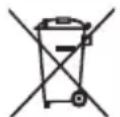
This symbol indicates that the product contains built-in rechargeable batteries subject to European Directive 2013/56/EU and therefore cannot be disposed of with normal household waste. The product must be disposed of at an appropriate collection point or handed over to the retailer.
HP FLASH EVO
[4] Vicebarevny LED indicator
[5] Tlačitko zapnuti - vypnuti / tlačitko ekvalizéru
[6] 3,5mm stereofonni audio vstup (AUX-IN)
[7] Nabijeci zásuvka USB typo C
[8] Mikrofon (MIC)