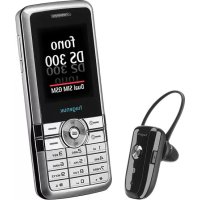
Fono DS 300 - Mobile Phone Hagenuk - Free user manual and instructions
Find the device manual for free Fono DS 300 Hagenuk in PDF.



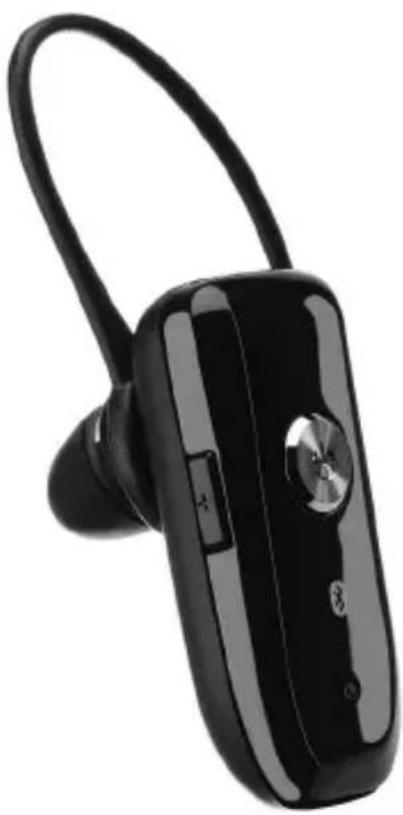
| Product Type | Bluetooth Headset |
| Brand | Hagenuk |
| Model | MILOS-9 (included with Fono DS 300) |
| Wireless Technology | Bluetooth |
| Maximum Range | 10 meters (30 feet) |
| Battery Type | Rechargeable Li-Po |
| Charging Time | Approximately 8 hours (first charge) |
| Talk Time | Approximately 3 to 5 hours (estimated) |
| Charge Indicator | Red LED (charging), LED off (charged) |
| Status Indicator | Flashing blue LED (standby), flashing red LED (low battery) |
| Main Functions | Answer/end calls, reject, transfer, volume, mute, voice dial, last number redial |
| Multi-function Button | BMF button (power on/off, calls, pairing) |
| Included Accessories | Flexible ear hook, extra ear cushions (2), AC adapter, car adapter (optional), manual |
| Weight | Approximately 12 g (estimated) |
| Dimensions | Approximately 50 x 20 x 10 mm (estimated) |
| Care | Clean with a soft dry cloth; avoid water, alcohol, benzene |
| Safety | Do not expose to fire, do not disassemble, keep out of reach of children, dispose of according to regulations |
| Compatibility | Mobile phones supporting Bluetooth headset and/or hands-free profile |
Frequently Asked Questions - Fono DS 300 Hagenuk
User questions about Fono DS 300 Hagenuk
0 question about this device. Answer the ones you know or ask your own.
Ask a new question about this device
Download the instructions for your Mobile Phone in PDF format for free! Find your manual Fono DS 300 - Hagenuk and take your electronic device back in hand. On this page are published all the documents necessary for the use of your device. Fono DS 300 by Hagenuk.
USER MANUAL Fono DS 300 Hagenuk
Bluetooth Headset MILOS-9
Bedienungsanleitung
User Manual
Mode d'emploi
Manual de instructiones
Gebruiksaanwijzing
Instruções
Manuale d'uso
- Deutsch
- English
- Français
- Espanol
Nederlandst
Portugués
Italiano
Bedienungsanleitung
Bluetooth Headset MILOS-9
INHALT
- Package contents 2
- Charging the battery 3
- Turning on/off the headset 4
- Pair to your Bluetooth phone.. 4
- Wearing your headset. 5
- Making a call.. 6
- Ending a call 6
- Reject an incoming call.. 6
- Answering a call 6
- Transferring a call 6
- Volume control & mute function 7
- Summary of button operation.. 7
- Troubleshooting 8
- Additional Information 9
- Safety 9
1. Package contents
- Bluetooth Headset
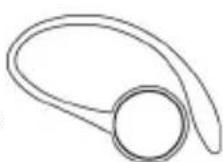
- Flexible ear hook
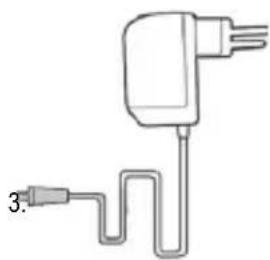
- A/C power adaptor
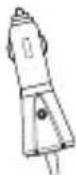
- Car Charger (optional)
- Spare Ear-Cushion (2)
- User manual
- Warranty Card
- Supplement "Important Information"
1.
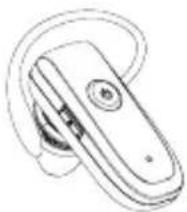
2.
4.
5.


6.
7.
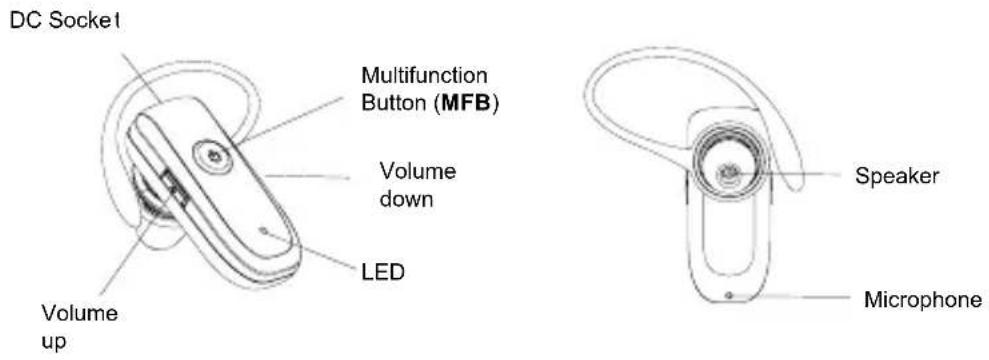
8.
Page 3
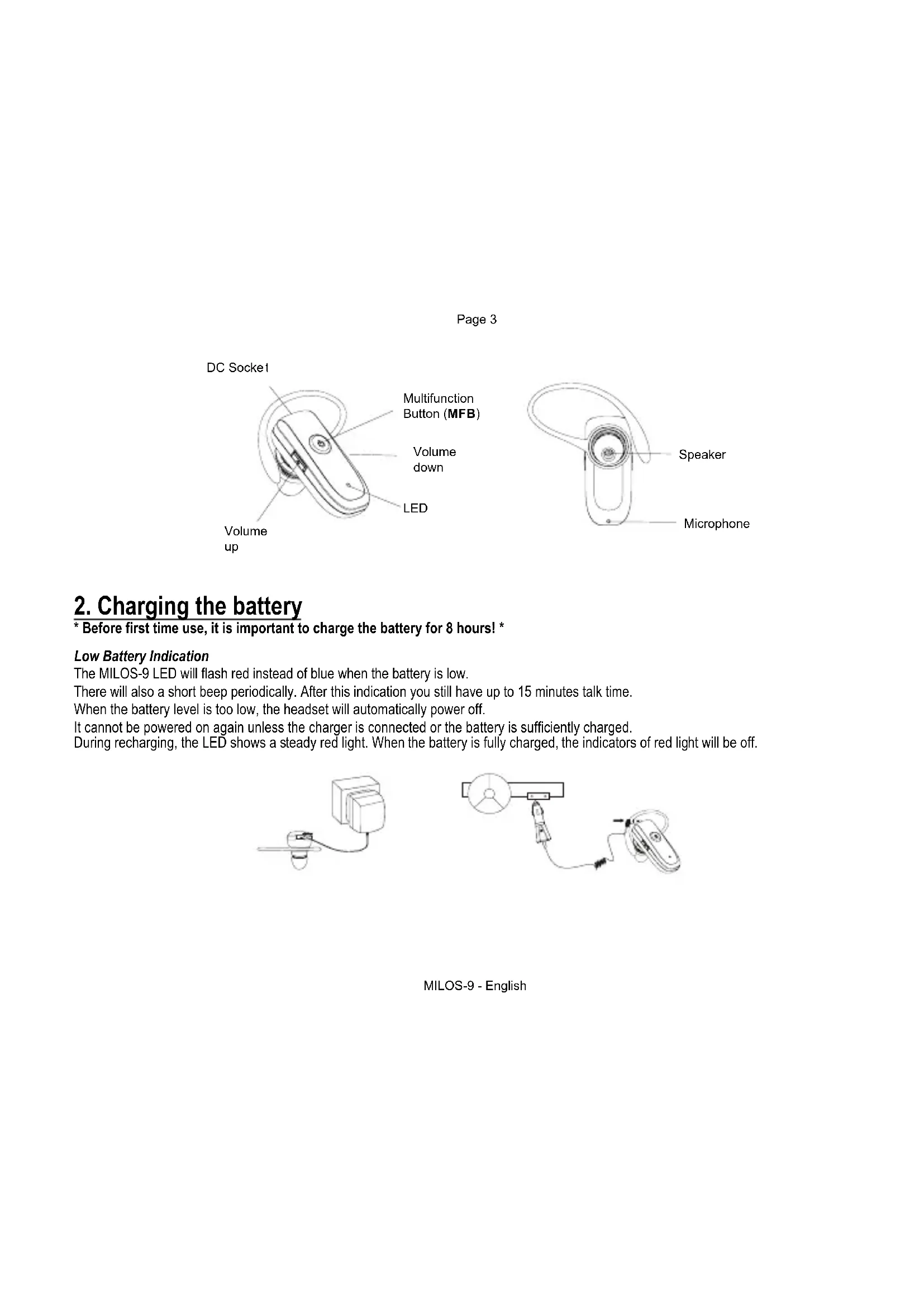
2. Charging the battery
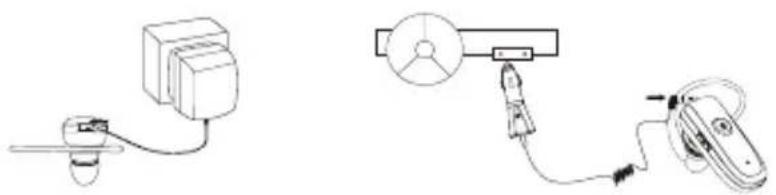
- Before first time use, it is important to charge the battery for 8 hours! *
Low Battery Indication
The MILOS-9 LED will flash red instead of blue when the battery is low.
There will also a short beep periodically. After this indication you still have up to 15 minutes talk time.
When the battery level is too low, the headset will automatically power off.
It cannot be powered on again unless the charger is connected or the battery is sufficiently charged.
During recharging, the LED shows a steady red light. When the battery is fully charged, the indicators of red light will be off.
MILOS-9 - English
3. Turning on/off the headset
Turning on the headset
While the headset is powered down, press and hold MFB until blue LED turns on.
A low tone followed by a high tone will indicate that the headset is powered up. Afterward, blue LED will flash every 3 seconds.
Turning off the headset
While the headset is powered up, press and hold MFB until red LED turns on.
A high tone followed by a low tone will indicate that the headset is powered down.
4. Pair to your Bluetooth phone
Before you use your headset for the first time, you should pair your headset with the device that you want to use with, such as your Bluetooth phone.
- Before pairing starts, make sure the headset is fully charged and the charging cable is disconnected from it! *
While the MILOS-9 is powered off, press and hold MFB until red and blue LEDs flashing alternately. It indicates that the headset is in Pairing Mode.
- Follow the operating instructions for your Bluetooth mobile phone to start the pairing process.
Typically, this has to be done by going to a setup or connect menu and then selecting the options to discover Bluetooth devices. It may take several seconds to establish a connection.
- Your phone's display should indicate that it has found the "MILOS-9" headset and asks if you want to pair it.
You should confirm this. The phone's display would prompt you for a passkey or PIN. Enter a sequence of "0000".
The headset LED will flash blue every 3 seconds, indicating successful pairing. Usually the phone will also ask whether you want to change the headset's name. We recommend keeping the default name MILOS-9 instead of changing it.
If pairing does not occur as expected: Turn off both the headset and the phone and wait for 10 seconds. Turn on the headset and phone again and repeat all steps from beginning. Pairing does authorize the devices like mobile phones and headsets with each other and only needs to be performed once.
Establishing Bluetooth link
After successfully pairing the MILOS-9 and the mobile phone, you may need to establish a Bluetooth link between them according to the operation manual of your mobile phone. To establish the link, press MFB shortly.
Use Nokia 6130i as an example, the mobile phone will show "Do you accept MILOS-9 request for connection?" Select YES to establish the link, then you are ready to make and answer calls on the headset. For other phones, please follow the operation manual to establish the link.
You are ready to make and answer calls on the headset.
Please note:
If the headset is powered down, turning on the headset will auto reconnect the last used device.
If the headset is disconnected but powered on, press MFB shortly to connect the link again.
If there is abnormal loss of link happened (e.g. out of range), the headset will automatically try to reconnect the mobile phone several times.
If the mobile phone cannot locate the network signal (e.g. out of reach), alert tone will be heard every 5 seconds in the headset. (Not every mobile phone supports no network signal alert feature!)
If there is no Bluetooth connection for more than 1 hour, the headset will switch off automatically.
5. Wearing your headset:
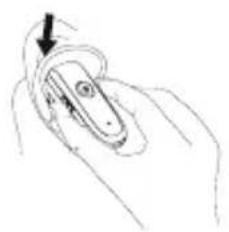
1
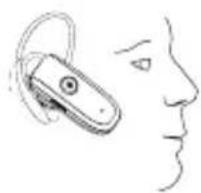
2
6. Making a call
USINGPHONE'SKEYPAD
- Dial number on keypad.
Press phone's "send/call" key
If your phone does not automatically transfer the call to the headset, press MFB for 2 seconds.
USING VOICE DIAL
- Make sure the voice dialling function is set up in the mobile phone and it is within the range of the headset.
- Press MFB on the MILOS-9 shortly. There is a beep tone on the headset.
- Then use your recorded voice commands (e.g. by saying the name of the person).
The call will be connected in a few seconds.
LAST NUMBER RE-DIAL
- Press and hold volume down button until 4 tones are heard.
It indicates the re-dial is active
7. Ending a call
- Press the MFB briefly to end an active call. You can also end your call from your mobile phone.
8. Reject an incoming call
- Press and hold the MFB for 2 seconds and release button when you hear a beep tone.
9. Answering a call
Press the MFB briefly to answer an incoming call.
10. Transferring a call
You can transfer a call from the headset to your mobile phone without interrupting the connection:
- Headset to phone: Press MFB for 2 seconds
- Phone to headset: Follow the operating instructions of your mobile phone
11. Volume control & mute function
- You can adjust the volume by pressing volume up or volume down button.
- To mute the microphone during an active call, press and hold both volume up and volume down button for about a second.
A periodic beep tone will be heard when the mute function is active.
To deactivate the mute function, press and hold both volume up and volume down button for about a second.
A periodic beep tone will stop.
12. Summary of button operation
| Button | Action | HEADSET STATUS | ||
| Standby (No Calls Active) | Incoming Call 1 Call | Active | ||
| MFB | Quick Press - Answer Call End Call | |||
| 2 seconds - Reject Call | Transfer Active Call to mobile phone | |||
| 3 Seconds Turn Headset ON/OFF Turn Headset OFF Turn Headset OFF | ||||
| Volume UP Quick Press Increase Volume Increase Volume Increase Volume | ||||
| Volume DOWN | Quick Press | Decrease Volume | Decrease Volume | Decrease Volume |
| 2 Seconds (4 tones) | Last Number Re-Dial | - | - | |
The desired function is initiated on ly when the button is released, so it is important that the button is held for the correct period of time.
13. Troubleshooting
In case the Headset does not function correctly, please follow the corrective action given in the table below. If the problem is not solved even after performing the corrective actions, please contact the dealer from whom Headset was purchased.
| Status To Check Corrective Action | ||
| Headset does not turn on | Check whether the battery of Headset is charged | Charge the battery |
| Unable to communicate using Headset | Check whether your mobile phone supports the “headset” and/or “hands-free” profile(s) | In order to use the Headset, it is essential that your mobile phone should support the “headset” and/or “hands-free” profile(s) (You might need to search for option such as headset, audio device, etc in case your mobile phone does not contain the hands-free option; these options however are subject to the model of the mobile phone being used) |
| Check whether the battery is fully charged | Charge the battery if the battery power is low | |
| Unable to pair Headset with a Bluetooth mobile phone | Check whether Headset is on | Press MFB for 2 s to turn on Headset |
| Check whether Headset is in the pairing mode | With power off, press and hold MFB for at least 5 s to place Headset in the pairing mode | |
14. Additional Information (Please read also the supplement "Important Information")
The cover range of wireless communication is within a maximum range of 30 feet (10 m) and the conditions vary according to obstacles.
The Headset can be connected only to those mobile phones that support the Bluetooth headset or hands-free profile(s). (Subject to different models of mobile phone, it will show you different options such as audio device etc.) This product is not compatible with the standard cordless phones used in homes.
As it operates in the same frequency range, the Headset can be affected by the devices that operate in the ISM band (2.402 GHz ~ 2.480 GHz), for example, wireless LAN, microwave devices, medical appliances, etc. Therefore, in order to ensure proper operation, the hands-free car kit should be away from these devices.
If handled properly, a rechargeable battery can have a long service life. A new battery or one that has not been used for a long period of time could have reduced capacity the first few times it is used.
The standard usage time of the battery can vary depending on the usage condition of the mobile phone and Headset.
15. Safety
- Use the charger that comes with package.
-
Caution, risk of explosion if battery is replaced by an incorrect type.
Check the laws and regulations on the use of mobile phones and hands-free equipment in the areas where you drive. Always give full attention to driving and pull off the road and park before making or answering a call if driving conditions require.
Do not allow children to play with your Headset since it contains small parts that could become detached and create a choking hazard.
This device contains a Li-polymer battery. Please keep it away from fire anytime (including discarding the device) or the battery may explode.
The Headset, especially the embedded battery must be properly disposed or may be recycled, contacts your local recycling centres for disposal methods.
Please turn off your Headset in an area with a potentially explosive atmosphere (oil warehouse, explosive warehouse, etc.). In rare occurrences, this product could generate sparks. This could lead to an explosion or fire, which could result in bodily injury. Therefore follow the warning notices in those areas carefully. -
Do not drop this unit from a height.
- Do not modify, repair or take apart this unit.
Do not expose this unit directly to water, alcohol, benzene, etc, for cleaning. - Do not expose this unit directly to flammables.
- Do not place this unit near flammables.
- Protect this unit from humidity and dust.
- Do not place a heavy object on this unit.
Please recharge your headset or Headset only if your car stands still. During recharging the headset or Headset cannot be used.
MANUEL DE L'UTILISATEUR Oreillette Bluetooth MILOS-9
CONTENTS
- BLUETOOTH HEADSET MILOS-9
- BEDIENUNGSANLEITUNG
- INHALT
- PACKAGE CONTENTS
- CHARGING THE BATTERY
- LOW BATTERY INDICATION
- TURNING ON/OFF THE HEADSET
- TURNING ON THE HEADSET
- TURNING OFF THE HEADSET
- PAIR TO YOUR BLUETOOTH PHONE
- ESTABLISHING BLUETOOTH LINK
- PLEASE NOTE
- WEARING YOUR HEADSET
- MAKING A CALL
- USINGPHONE'SKEYPAD
- USING VOICE DIAL
- LAST NUMBER RE-DIAL
- ENDING A CALL
- REJECT AN INCOMING CALL
- ANSWERING A CALL
- TRANSFERRING A CALL
- VOLUME CONTROL & MUTE FUNCTION
- SUMMARY OF BUTTON OPERATION
- TROUBLESHOOTING
- ADDITIONAL INFORMATION (PLEASE READ ALSO THE SUPPLEMENT "IMPORTANT INFORMATION")
- SAFETY
- MANUEL DE L'UTILISATEUR OREILLETTE BLUETOOTH MILOS-9
- CONTENTS
Brand : Hagenuk
Model : Fono DS 300
Category : Mobile Phone