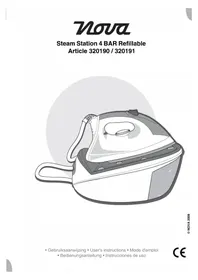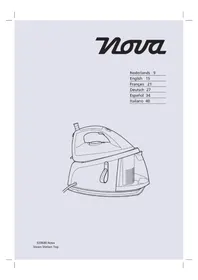
Steam Station Top 320600 - Iron NOVA - Free user manual and instructions
Find the device manual for free Steam Station Top 320600 NOVA in PDF.



User questions about Steam Station Top 320600 NOVA
0 question about this device. Answer the ones you know or ask your own.
Ask a new question about this device
Download the instructions for your Iron in PDF format for free! Find your manual Steam Station Top 320600 - NOVA and take your electronic device back in hand. On this page are published all the documents necessary for the use of your device. Steam Station Top 320600 by NOVA.
USER MANUAL Steam Station Top 320600 NOVA
You have purchased a Nova product.
Our aim is to provide quality products with a tasteful design and at an affordable price.
We hope that you will enjoy this product for many years.
Description (fig. A)
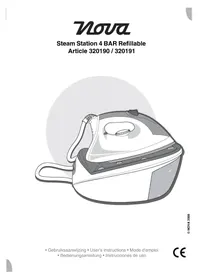
Your 320600 Nova steam iron has been designed for dry ironing and steam ironing.
The appliance is suitable for indoor use only. The appliance is suitable for domestic use only
- Iron
- Steam generator
- On/off button / On/off indicator
- Temperature control dial
- Temperature indicator
- Temperature display
- Steam volume button
- Steam volume indicator
- "Steam ready" indicator
- "Pump active" indicator
- Anti-scaling cartridge replacement indicator
- "Water reservoir empty" indicator
- Steam shot button
- Steam lock button
- Handgrip
- Steam hose
- Soleplate
- Iron holder
- Water reservoir
- Water filling point
- Water drain point
- Mains cable storage strap
Initial use
Clean the appliance. Refer to the section "Cleaning and maintenance".
To remove contaminants from the - soleplate, turn the temperature control dial to the 'max' position and iron over a soft, damp cloth.
Note: If you switch on the appliance for the first time, the appliance may emit a little smoke and a characteristic smell for a short period. This is normal operation.
Use
Filling the water reservoir (fig. B)
Before you proceed, we need you to pay attention to the following notes:
- Before filling the water reservoir, switch off the appliance, remove the mains plug from the wall socket and wait until the appliance has cooled down.
Before you proceed, we would like you to focus your attention on the following notes: - Always fill the water reservoir with water, even if the steam function is not used.
- Do not exceed the maximum mark ("MAX") when you fill the water reservoir.
- It is recommended to fill the water reservoir with a mixture of 50% tap water and 50% distilled water, especially in areas with hard water, in order to prevent the formation of excessive limescale.
- Only use cold water to fill the water reservoir.
- Do not use carbonated water or other liquids to fill the water reservoir.
Before use (fig. B1)
Press the release button (23) to remove the water reservoir (19) from the appliance. Open the cover (24).
Fill the water reservoir (19) through the water filling point (20) with water.
Close the cover (24).
Place the water reservoir (19) into the appliance until the release button (23) clicks into place.
During use (fig. B2)
Open the cover (24).
Fill the water reservoir (19) through the water filling point (20) with water. Close the cover (24).
Setting the temperature (fig. A, C & D)
The temperature must be set according to the type of fabric.
Before you proceed, we need you to pay attention to the following notes:
- Always turn the temperature control dial to the 'min' position before inserting the mains plug into the wall socket or removing the mains plug from the wall socket.
Turn the temperature control dial (4) clockwise to increase the temperature. Turn the temperature control dial (4) counterclockwise to decrease the temperature.
The temperature indicator (5) remains on during the process. The temperature indicator (5) goes off when the soleplate (17) has reached the required temperature. The temperature display (6) shows the selected temperature.
Label Type of fabric Temperature (fig. D) (fig. C)
A The fabric must not be ironed.
B Synthetic (acryl, modacrylic, polypropylene, polyurethane) A
C Synthetic (acetate, triacetate) B
C Synthetic (metal, nylon, polyester, viscose) B
C Silk B
C Wool C (dry ironing/
steam ironing)
D Cotton C (dry ironing /
steam ironing)
D Linen
C (dry ironing / steam ironing)
Setting the steam volume (fig. A)
- Press the steam volume button (7) to set the steam volume. The relevant steam volume indicator (8a/8b/8c) comes on.
"Water reservoir empty" indicator (fig. A & B)
If the water level in the water reservoir (19) is too low, the "water reservoir empty" indicator (12) will come on to indicate that the water reservoir must be refilled.
Hints for use (fig. A - D)
Dry ironing
Before you proceed, we would like you to focus your attention on the following notes:
- Do not use the steam shot function for dry ironing.
- Place the iron (1) onto the iron holder (18).
- Insert the mains plug into the wall socket. The on/off indicator (3) flashes.
- Press the on/off button (3) to switch on the appliance. The on/off indicator (3) comes on.
- Set the temperature using the temperature control dial (4). The temperature display (6) shows the selected temperature.
- The temperature indicator (5) flashes as the appliance heats the water. When the temperature indicator (5) comes on, the appliance is ready for use.
- The temperature indicator (5) will illuminate and extinguish as the appliance switches on and off to maintain the required temperature.
Note: A buzzer will sound when the pump inside the steam generator operates. The
"pump active" indicator (10) remains on during the process.
If you interrupt the process, place the iron (1) onto the iron holder (18).
After use, place the iron (1) onto the iron holder (18).
- Press the on/off button (3) to switch off the appliance. The on/off indicator (3) flashes.
- Remove the mains plug from the wall socket. The on/off indicator (3) goes off.
- Allow the appliance to cool down completely.
Steam ironing
Before you proceed, we would like you to focus your attention on the following notes:
-
Make sure that water reservoir (19) is filled with water for steam ironing.
-
Fill the water reservoir (19) with water.
- Place the iron (1) onto the iron holder (18).
- Insert the mains plug into the wall socket. The on/off indicator (3) flashes.
- Press the on/off button (3) to switch on the appliance. The on/off indicator (3) comes on.
Set the temperature using the temperature control dial (4). The temperature must be between medium temperature ("MED") and maximum temperature ("MAX"). The temperature display (6) shows the selected temperature.
The temperature indicator (5) and "steam ready" indicator (9) flash as the appliance heats the water. When the temperature indicator (5) and "steam ready" indicator (9) come on, the appliance is ready for use. The temperature indicator (5) and "steam ready" indicator (9) will illuminate and extinguish as the appliance switches on and off to maintain the required temperature.
Note: A buzzer will sound when the pump inside the steam generator operates.
The "pump active" indicator (10) remains on during the process.
To use the steam shot function:
- Set the steam volume using the steam volume button (7).
- To supply a shot of steam during use, press the steam shot button (13). For continuous steam, keep the steam shot button (13) pressed.
- Press the steam shot button (13) at intervals to iron vertically (curtains, hung garments, etc.).
- The steam generator can be set to produce steam without keeping the steam shot button (13) pressed: Move the steam lock button (14) forward to start emitting steam from the soleplate (17) continuously. Move the steam lock button (14) backward to stop emitting steam from the soleplate (17) continuously.
Before you proceed, we would like you to focus your attention on the following notes:
- Always release the steam lock button (14) when you place the iron (1) onto the iron holder (18).
If you interrupt the process, place the iron (1) onto the iron holder (18).
After use, place the iron (1) onto the iron - holder (18).
Press the on/off button (3) to switch off the appliance. The on/off indicator (3) flashes.
Remove the mains plug from the wall. socket. The on/off indicator (3) goes off. Allow the appliance to cool down completely.
Ironing tips
Start ironing fabrics that require lower temperatures (e.g. synthetics). Finish by ironing fabrics that respond best to higher temperatures and steam (e.g. cotton and linen).
It is recommended to use low temperatures for fabrics that have unusual finishes (sequins, embroidery, etc.).
If the fabric is mixed (e.g. 40% cotton, 60% synthetic), choose the temperature for the fabric requiring the lowest temperature.
If you do not know the composition of the fabric, determine the temperature by testing on a hidden corner of the fabric. Start ironing with a low temperature and gradually increase the temperature.
- It is recommended to iron silk, woolen or synthetic fabrics inside out.
- It is recommended to iron velvet fabrics in the direction of the fibre without exerting pressure on the appliance.
If the fabric is not completely dry, the ironing process will become smoother.
Always iron silk fabrics when they are damp.
Do not iron areas with traces of perspiration or other marks in order to prevent staining. If you use starch, spray the starch onto the other side of the fabric and clean the soleplate more frequently.
Automatic switch-off function
Before you proceed, we would like you to focus your attention on the following notes:
- Do not rely on the automatic switch-off function to switch off the appliance.
After use, switch off the appliance using the on/off button (3) and remove the mains plug from the wall socket.
The steam generator (2) will switch off automatically if you leave the iron (1) resting on the soleplate (17) for more than 30 seconds or on its back for more than 15 minutes.
The on/off indicator (3), the temperature indicator (5) and the temperature display (6) will flash to show that the steam generator (2) is switched off automatically. To switch on the steam generator (2), lift and gently shake the iron or press one of the buttons on the control panel.
Cleaning and maintenance
Before you proceed, we need you to pay attention to the following notes:
- Before cleaning or maintenance, remove the mains plug from the wall socket and wait until the appliance has cooled down.
- Do not immerse the appliance in water or any other liquids.
Before you proceed, we would like you to focus your attention on the following notes:
- Do not use aggressive or abrasive cleaning agents to clean the appliance.
- Do not use sharp objects to clean the appliance.
Regularly check the appliance for possible damage.
Regularly check the water reservoir for possible leakage.
Clean the appliance after each use:
- Empty the water reservoir by draining the water through the water drain point into a sink.
- Remove limescale and other contaminants from the soleplate with a damp cloth and a non-abrasive cleaning agent.
- Clean the housing of the iron with a soft, damp cloth.
- Clean the housing of the steam generator with a soft, damp cloth.
Replacing the anti-scaling cartridge (fig. A & E)
The anti-scaling cartridge (25) must be replaced when the replacement indicator (11) flashes.
Before you proceed, we need you to pay attention to the following notes:
-
Do not use the appliance without the anti-scaling cartridge (25).
-
When the anti-scaling cartridge (25) must be replaced, you can still use the appliance for your ironing purposes. Only use distilled water in the water reservoir (19) when the anti-scaling cartridge (25) must be replaced. Do not use tap water in the water reservoir (19) when the anti-scaling cartridge (25) must be replaced.
Press the release button (23) to remove the water reservoir (19) from the appliance.
Remove the old anti-scaling cartridge (25) from the cartridge compartment (26).
If necessary, use kitchen paper to dry the . cartridge compartment (26).
Place the new anti-scaling cartridge (25) into the cartridge compartment (26).
Place the water reservoir (19) into the appliance until the release button (23) clicks into place.
While the replacement indicator (11) flashes, keep the on/off button (3) pressed for 5 seconds to reset the anti-scaling system. The replacement indicator (11) goes off.
Rinsing out the boiler of the steam generator (fig. A & F)
The steam generator (2) must be rinsed out every month or after every 10 uses.
Before you proceed, we would like you to focus your attention on the following notes:
Before rinsing out the boiler of the steam generator (2), remove the water reservoir (19).
- Before opening the water drain point (21), allow the steam generator (2) to cool down for two hours.
Shake the steam generator (2) for a few seconds.
Place the steam generator (2) on its side so that the water drain point (21) points upward.
Remove the cover (27) and loosen the screw (28).
- Fill the boiler through the water drain point (21) with water (300ml)
Shake the steam generator (2) for a few seconds.
Empty the boiler by draining the water through the water drain point (21) into a sink.
If necessary, repeat the above steps.
Tighten the screw (28) and mount the cover (27).
Storage (fig. A & G)
Empty the water reservoir (19).
Wrap the steam hose (16) around the appliance as shown.
Use the storage strap (22) to secure the mains cable (29) as shown.
Put the appliance and the accessories in the original packaging.
Store the appliance with the accessories in a dry and frost-free place, out of the reach of children.
Safety instructions
General safety
Read the manual carefully before use. Keep the manual for future reference.
Only use the appliance and the accessories - for their intended purposes. Do not use the appliance and the accessories for other purposes than described in the manual.
Children should be supervised to ensure that they do not play with the appliance.
The appliance is not intended for use by persons (including children) with reduced physical, sensory or mental capabilities, or lack of experience and knowledge, unless they have been given supervision or instruction concerning use of the appliance by a person responsible for their safety.
Do not use the appliance if any part or any accessory is damaged or defective. If a part or an accessory is damaged or defective, it must be replaced by the manufacturer or an authorised repair agent.
Do not use the appliance near bathtubs, showers, basins or other vessels containing water.
Do not immerse the appliance in water or other liquids.
If the appliance is immersed in water or other liquids, do not remove the appliance with your hands. Immediately remove the mains plug from the wall socket. If the appliance is immersed in water or other liquids, do not use the appliance again.
This appliance is intended to be used in domestic and similar applications such as staff kitchen areas in shops, offices and other working environments; farm houses; by clients in hotels, motels and other residential type environments; bed-and-breakfast type environments.
Electrical safety
Before use, always check that the mains voltage is the same as the voltage on the rating plate of the appliance.
- The appliance is not intended to be operated by means of an external timer or separate remote-control system.
- Connect the appliance to an earthed wall socket. If necessary, use an earthed extension cable of a suitable diameter (at least 3 × 1 ~mm^2 ).
- For additional protection, install a residual current device (RCD) with a rated residual operating current that does not exceed 30mA .
- Make sure that water cannot enter the contact plugs of the mains cable and the extension cable.
Always fully unwind the mains cable and the extension cable.
- Make sure that the mains cable does not hang over the edge of a worktop and cannot be caught accidentally or tripped over.
- Keep the mains cable away from heat, oil and sharp edges.
- Do not use the appliance if the mains cable or the mains plug is damaged or defective. If the mains cable or the mains plug is damaged or defective, it must be replaced by the manufacturer or an authorised repair agent.
- Do not pull the mains cable to disconnect the mains plug from the mains.
Disconnect the mains plug from the mains when the appliance is not in use, before assembly or disassembly and before cleaning and maintenance.
Safety instructions for steam irons
Do not use the appliance outdoors.
Always protect the appliance from water or excessive humidity.
Place the appliance on a stable and flat surface.
- Place the appliance on a heat-resistant and - splash-proof surface.
Do not place the appliance on a hob.
The iron is not to be used if it has been dropped, if there are visible signs of damage or if it is leaking.
Always check clothing labels for ironing instructions. Always observe the ironing instructions.
Do not iron over zips, buttons, rivets in jeans, etc. to prevent damage to the soleplate.
Make sure that your hands are dry before touching the appliance.
The accessible surfaces of the appliance can become very hot during use. Do not touch the accessible surfaces. Only touch the handgrips when the accessible surfaces are hot.
Do not touch the metal parts inside the appliance during use. The metal parts become very hot during use.
Beware of hot parts. Do not touch the - soleplate and the iron holder. The soleplate and the iron holder become very hot during use.
Be careful with hot steam to avoid burns. Do not point the soleplate at yourself or other persons during use.
- Do not iron garments while you or another person are wearing them.
Do not leave the appliance unattended with the hot soleplate touching fabrics or highly flammable surfaces.
Do not leave the appliance unattended when the iron is placed on the steam generator and the mains plug is connected to the mains.
Make sure that the appliance cannot fall when the iron is placed on the iron holder. Store the appliance in a dry place when not in use. Make sure that children do not have access to stored appliances.
U.K. Wiring instructions
The wires in the mains lead are coloured in accordance with the following code:
BLUE
NEUTRAL
BROWN
LIVE
GREEN/YELLOW
EARTH
As the colours of the wire in the mains lead of this appliance may not correspond with the colour markings identifying the terminals on your plug, proceed as follows:
The wire which is coloured BLUE must be connected to the terminal which is marked with the letter N or coloured black.
The wire which is coloured BROWN must be connected to the terminal which is marked with the letter L or coloured red.
The wire which is coloured GREEN/YELLOW must be connected to the terminal which is
marked with the letter E or 12 and is coloured GREEN or GREEN/YELLOW.
Warning! This appliance must be earthed.
Disclaimer
Subject to change; specifications can be changed without further notice.