Steam Station Plus 320170 - Iron NOVA - Free user manual and instructions
Find the device manual for free Steam Station Plus 320170 NOVA in PDF.



User questions about Steam Station Plus 320170 NOVA
0 question about this device. Answer the ones you know or ask your own.
Ask a new question about this device
Download the instructions for your Iron in PDF format for free! Find your manual Steam Station Plus 320170 - NOVA and take your electronic device back in hand. On this page are published all the documents necessary for the use of your device. Steam Station Plus 320170 by NOVA.
USER MANUAL Steam Station Plus 320170 NOVA
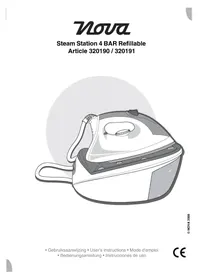
Steam Station Plus Article 320170
natural_image
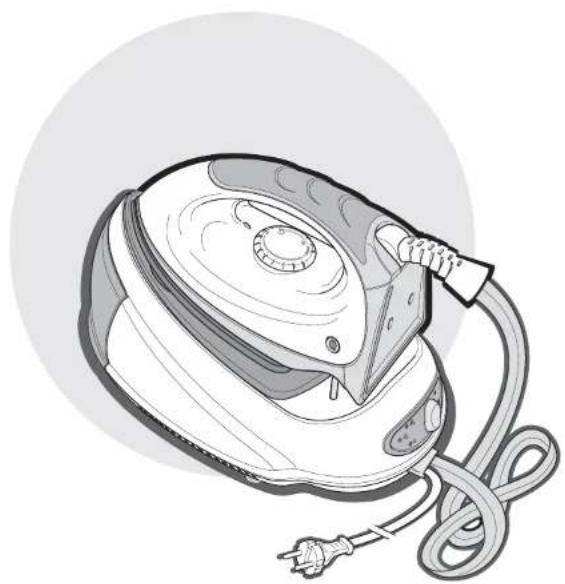
Illustration of a steam iron with attached cable and power plug (no text or symbols)© NOVA 2007
- Gebruiksaanwijzing • User's instructions • Mode d'emploi - Bedienungsanleitung • Instrucciones de uso
CE
Nederlands 1
English 7
Français 13
Deutsch 19
Español 25
text_image
Technical diagram of a steam iron with numbered parts for identification1
2
text_image
13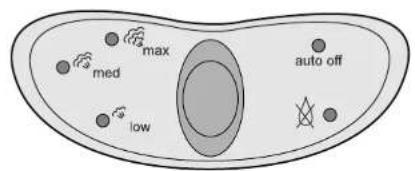
text_image
max med low auto off3
Algemeen
This complete NOVA Steam Station Plus consists of a 220-240 V iron (50\~60 Hz) with a capacity of 1850-2200 W. The iron is equipped with a separate steam generator. The steam generator has a capacity of no less than 1.5 litres, and is fitted with a steam control to set the quantity of steam to the required level.
The iron is equipped with a steam button to give a shot of steam, and a temperature-control dial to set the temperature to the required level.
Operation and controls
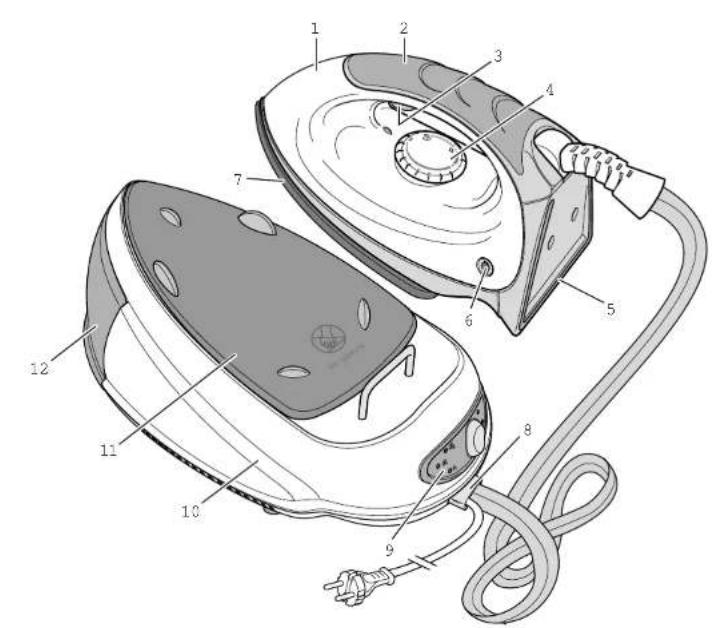
See Figure 1.
The appliance is equipped with the following features:
1 Housing
2 Handle
3 Steam button
4 Temperature-control dial
5 Heel rest
6 Temperature indicator light
7 Soleplate
8 Connector with power cord and plug to mains, and double-insulated power cord and steam hose to iron
9 Steam appliance's control panel
10 Steam generator
11 Holder
12 Water reservoir
13 Limescale filter
- Replace the limescale filter at regular intervals (see 'Maintenance and cleaning').
Before use for the first time
- Use the iron solely for ironing.
- Always turn the temperature-control dial to 'min' before putting the plug in the wall socket or removing the plug from the socket.
• Always take care when ironing in the vicinity of children, and when children use the iron. Never leave an iron unattended when it is switched on, even when the iron is standing on an ironing board. - Contacting hot metal parts, hot water or steam can cause burns. Take care when touching hot parts of the steam generator and iron.
1 Before using the iron for the first time verify that the mains voltage stated on the base of the steam generator is the same as your mains voltage.
2 Remove all labels and stickers that may be attached to the iron.
3 Some parts of the iron are lightly greased, and it is possible that the iron will emit a little smoke when used for the first time. This smoke will stop after a short period of time, and is not indicative of a defect.
Filling the water reservoir
- It is recommended that you fill the water reservoir with a mixture of 50% tap water and 50% distilled water. This is particularly desirable in areas with hard water, since this will prevent the formation of excessive limescale.
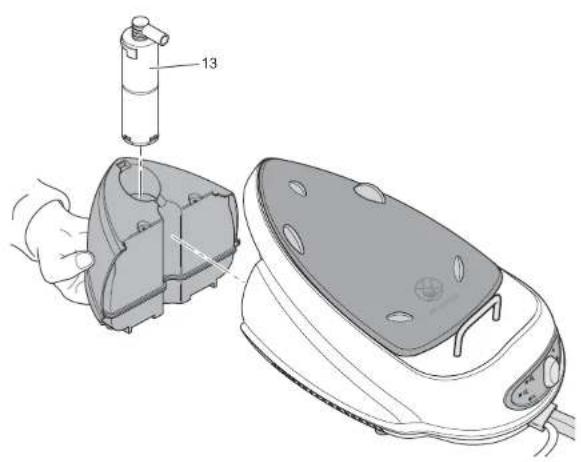
- When refitting the water reservoir make sure that the limescale filter's tube fits exactly over the appliance's suction opening. The appliance will be unable to emit steam if the tube has been fitted incorrectly.
See Figure 2.
1 Remove the water reservoir from the steam generator.
2 Remove the limescale filter from the reservoir.
3 Fill the reservoir with the indicated quantity of water (no higher than the 'MAX' level).
4 Return the limescale filter in the reservoir. Press the limescale filter until it clicks into place.
5 Return the reservoir to the appliance, and press until it clicks into place.
Ironing
- Never iron over zips, rivets in jeans, etc. These will damage the soleplate. Iron around any such objects.
- The steam generator's holder for the iron will become hot. Do not touch it whilst you are ironing.
- Check whether ironing-instruction labels are attached to clothing. Always observe any such instructions.
See Figure 3.
1 Put the iron on the steam generator's holder.
2 Put the plug in the wall socket to switch on the iron.
The steam generator will now heat the water. The stand-by light ('auto off') on the base's control panel will now start to flash (green). Once the water has heated to the required temperature you will hear an audible signal, and the light will be illuminated constantly (green).
3 Adjust the quantity of steam to the required level by pressing the button on the steam generator's control panel one or more times. Four levels of steam are available (the indicator lights at the left of the control panel show the current setting):
- large quantity of steam ('max' + audible signal);
- average quantity of steam ('med');
- low quantity of steam ('low');
- no steam (indicator lights are extinguished).
Adjust the temperature by turning the iron's temperature-control dial to the required setting. Adjust the temperature in accordance with the directions given in the following table.
| Label | Type of fabric | Material Temp. | |
 | The fabric may not be ironed. | ||
 | Synthetic AcrylModacrylic Poly-propylene Poly-urethane | 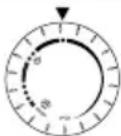 | |
 | Synthetic AcetateTriacetate | 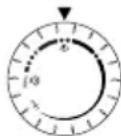 | |
 | Synthetic MetalCuproPolyamide (nylon)Polyester ModalViscose | 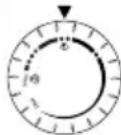 | |
| Silk Silk | |||
 | Wool Wool | 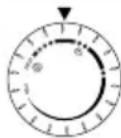 steam or dry steam or dry | |
 | Cotton Cotton | 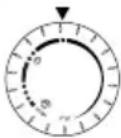 steam or dry steam or dry | |
| Linen Linen | |||
4 The temperature indicator light (on the iron) is illuminated whilst the iron is
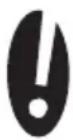
heating up, and is extinguished once the iron has reached the set temperature. You can now start ironing.
5 Whilst you are ironing you can give a shot of steam by pressing the iron's steam button with your index finger. An audible signal will be heard if you press the steam button before the appliance has reached the set temperature. Wait until the appliance reaches the set temperature.
6 When pausing during ironing stand the iron upright on a flat surface, or return it to the holder on the steam generator.
7 When you have finished ironing return the iron to the holder on the steam generator, and remove the plug from the wall socket.
8 Allow the appliance to cool.
Topping up the water reservoir
- You can top up the water reservoir at any time you wish; you can also add water while the appliance is switched on.
1 When the water level in the reservoir is too low the steam generator's pump will make more noise, and the water-level indicator light on the steam generator's control panel (next to the water droplet with a cross through it) will begin to flash (red).
2 Remove the water reservoir from the appliance immediately, and top it up with water. (Follow the instructions under 'Filling the water reservoir').
Stand-by function
1 The stand-by function will be switched on automatically when the appliance is not used for 15 minutes. The stand-by light on the steam generator's control panel ('auto off') will now start to flash (red and green).
2 Press the button on the control panel or the iron's steam button to switch the appliance on again.
Dry ironing
1 You can interrupt the steam supply whilst ironing by pressing the button on the steam generator's control panel one or more times until only the 'auto off' indicator light is illuminated, as stated in step 3 under 'Ironing'.
2 You can stop the steam generator whilst ironing by pressing the button on the control panel for at least 4 seconds. The steam generator will now be switched off; the iron remains switched on. The 'auto off' indicator light will now illuminate (red).
3 Turn the steam generator on again by pressing the button on the control panel once.
Storage after use
1 Empty all the water remaining in the appliance before storage.
2 Allow the appliance to cool down completely before storage.
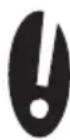
3 Store the iron vertically (upright); this will prevent damage to the soleplate.
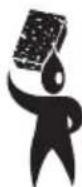
Maintenance and cleaning
- Never move the steam generator whilst it is switched on or is still hot. Switch off the appliance, and wait until it has cooled down before you move it.
- Do not immerse the appliance in water, or in other liquids. If this happens do not use the appliance any more; dispose of the appliance.
- Never use corrosive or scouring cleaning agents.
- Never scrape over the soleplate with metal objects.
- Never add vinegar or other cleaning agents to the water reservoir.
Maintenance
1 Remove the plug from the wall socket and allow the appliance to cool down completely before cleaning it.
2 Always drain all the water from the reservoir after each use.
3 Wipe limescale and other fouling from the soleplate using a damp cloth and a non-abrasive cleaner.
4 Clean the iron's housing with a soft damp cloth.
Descaling
• The guarantee does not cover limescale complaints or problems.
To prolong the useful life of your Nova Steam Station Plus and prevent limescale rinse and/or descale the appliance once a month.
1 Half-fill the water reservoir and shake the reservoir. Allow the reservoir to drain, and repeat.
2 Descale the appliance with the special descaling agents available from
(hardware) stores. Always verify that the descaling agent is suitable for use with irons! Follow the directions given on the package.
3 Allow the (diluted) descaling agent to flow through the appliance. Switch on the appliance, and set the quantity of steam to the maximum level ('max').
4 Hold the iron horizontally in mid-air (do not place it on a surface). Allow the steam to escape from the appliance until the water reservoir is empty.
5 Rinse a couple of times with clean water.
Replacing the limescale filter
- Replace the limescale filter at regular intervals!
- You can buy limescale filters from your Nova Steam Station Plus sales outlet.
Replace the limescale filter at regular intervals (see no. 13 in Figure 2). The frequency depends on how often you use the appliance and the water hardness. The water hardness varies from region to region. Ask your water company about the water hardness in your region.
With normal use (steam ironing for 2 hours a week) the frequencies are as follows:
- in regions with soft water: replace every six months.
• in regions with an average water hardness: replace every 3 months. - in regions with hard water: replace every 4 to 6 weeks.
Information about replacing the limescale filter is given in 'Filling the water reservoir'
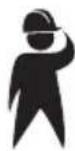
Safety
General
- Please read these instructions carefully and retain them for reference.
- Use this appliance only in accordance with the instructions.
• This appliance is intended solely for domestic use. - The use of this appliance by children or persons with a physical, sensorial, mental or motorial limitation or who lack the necessary knowledge and experience can give cause to hazards. Persons responsible for their safety must give explicit instructions or supervise the use of the appliance.
• Make sure that children do not play with the appliance. - Have the appliance repaired only by a qualified electrician. Never try to repair the appliance yourself.
- Use solely accessories recommended by the supplier. The use of other accessories may result in damage to the appliance, thereby creating hazards for the user.
Electricity and heat
- Verify that the mains voltage is the same as that indicated on the type plate on the appliance before use.
- Plug the appliance into an earthed wall socket.
• Always remove the plug from the socket when the appliance is not in use.
• Always remove the plug from the wall socket by pulling on the plug, not the power cord.
- Never pull on the power cable to move the appliance or remove the plug from the wall socket.
- Do not use the appliance if the power cord is damaged. For your safety return the appliance to our service department. A damaged power cord can be replaced solely by our service department, who have the special tools required for the repair.
- Make sure that the appliance and the power cord do not come in contact with sources of heat, such as a hot hob or naked flame.
• Make sure that the cable and plug do not come in contact with water.
- The appliance needs space to allow heat to escape, thereby preventing the risk of fire. Make sure that the appliance has sufficient space around it, and does not come in contact with flammable material. The appliance must not be covered.
During use
- Never use the appliance outdoors.
- Place the appliance on a flat, stable surface where it cannot fall.
- Never allow the power cord to hang over the edge of the draining board, worktop or table.
• Make sure that your hands are dry before touching the appliance, power cord or plug. - Never use the appliance in a humid room.
-
Switch off the appliance and remove the plug from the wall socket in the event of a malfunction during use, and before cleaning the appliance, fitting or removing an accessory, or storing the appliance after use.
• Make sure that the appliance is outside the reach of children. -
Certain parts of the appliance can become hot. Do not touch the warm parts of the appliance; these could cause burns.
- Fill the water reservoir with water before switching on the appliance. Fill only with cold water.
- Never fill above the maximum-level indication ('MAX').
- Never immerse the appliance, the plug or the power cord in water or other liquid.
- Do not pick up the appliance if it falls into water. Remove the plug from the wall socket immediately. Do not use the appliance any more.
- Clean the appliance thoroughly after use (see the ‘Maintenance and cleaning’ section).
- Allow the appliance to cool to room temperature before storage, maintenance and/or cleaning.
U.K. WIRING INSTRUCTIONS
The wires in the mains lead are coloured in accordance with the following code:
As the colours of the wire in the mains lead of this appliance may not correspond with the colour markings identifying the terminals on your plug, proceed as follows:
- The wire which is coloured BLUE must be connected to the terminal which is marked with the letter N or coloured black.
- The wire which is coloured BROWN must be connected to the terminal which is marked with the letter L or coloured red.
- The wire which is coloured GREEN/YELLOW must be connected to the terminal which is marked with the letter E or (earth symbol) and is coloured GREEN or GREEN/YELLOW
WARNING: THIS APPLIANCE MUST BE EARTHED
The Environment
Dispose of packaging material, such as plastic and boxes, in the appropriate waste containers.
You should ensure for the reuse of the appliance if you wish to dispose of it whilst it is still in good working order or needs only a minor repair.
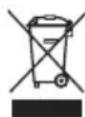
When the appliance reaches the end of its useful life it must be disposed of in a responsible manner, thereby ensuring for the reuse of (parts of) the appliance. Do not dispose of the appliance with unsorted refuse; hand it in at the store, or take it to a recognized collection point. Contact your municipality for information about the reception and collection systems in your area.
Applicable European Directive:
• 2002/95/EC
• 2002/96/EC