98.1085 - Alarm bell TFA - Free user manual and instructions
Find the device manual for free 98.1085 TFA in PDF.



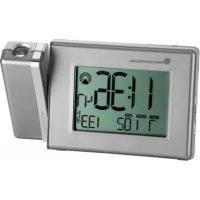
| Product type | Radio-controlled projector alarm clock with thermometer |
| Brand | TFA |
| Model | 98.1085 |
| Power supply | Mains adapter 230 V~50 Hz, 6 V/120 mA; batteries 2 x 1.5 V AA (included) |
| Dimensions | 180 x 52 x 107 mm |
| Weight | 346 g (unit only) |
| Display | LCD with backlight |
| Clock functions | DCF-77 radio-controlled clock, manual setting, time zone, 12/24 h, second time |
| Alarm | 2 independent alarms, snooze function (4 min) |
| Thermometer | Indoor temperature, display in °C or °F |
| Projection | Projection of time and temperature onto wall/ceiling, adjustable (focus, rotation, flip) |
| Calendar | Day of week (language selectable: FR, IT, SP, EN, DE), date, week number |
| DCF reception | Automatic, synchronization every hour, manual reception possible |
| Light sensor | Automatic activation of projection in darkness |
| Care and cleaning | Soft damp cloth, no solvents. Remove batteries if not used for a long time. |
| Safety | Indoor use only, do not expose to moisture. Do not open or repair yourself. Keep out of reach of children. |
| Batteries | Do not throw into fire, do not recharge, replace when weak, do not mix types |
| Recycling | Do not dispose of used device and batteries in household waste, take to a recycling center |
| Package contents | Projector alarm clock, 2 AA batteries, mains adapter, instruction manual |
Frequently Asked Questions - 98.1085 TFA
User questions about 98.1085 TFA
0 question about this device. Answer the ones you know or ask your own.
Ask a new question about this device
Download the instructions for your Alarm bell in PDF format for free! Find your manual 98.1085 - TFA and take your electronic device back in hand. On this page are published all the documents necessary for the use of your device. 98.1085 by TFA.
USER MANUAL 98.1085 TFA
Radio-controlled projection clock with thermometer
Thank you for choosing this instrument from TFA.

Radio-controlled projection clock with thermometer

1. Before you use it
- Please be sure to read the instruction manual carefully. This information will help you to familiarise yourself with your new device, learn all of its functions and parts, find out important details about its first use and how to operate it, and get advice in the event of faults.
- Following the instruction manual for use will prevent damage to the device and loss of your statutory rights arising from defects due to incorrect use.
- We shall not be liable for any damage occurring as a result of not following these instructions. Likewise, we take no responsibility for any incorrect readings and for any consequences which may result from them.
- Please take particular note of the safety advice!
- Please keep this manual for future reference.
2. Scope of supply
- Radio-controlled projection clock
- Batteries 2 x 1.5 V AA and AC/DC power adaptor (included)
- Instruction manual
3. Field of operation and all of the benefits of your new instrument at a glance
- Projection of the time and temperature onto a wall or ceiling (digital)
- Highest precision radio-controlled clock
- With time zone and manual setting option
- Alarm with two alarm times
- Snooze function
- Indication of day and date
Dual time - Indoor temperature
- Backlight
4. For your safety
- The product is exclusively intended for the field of application described above. The product should only be used as described within these instructions.
- Unauthorised repairs, modifications or changes to the product are prohibited.
- The product is not be used for medical purpose or for public information, but is intended only for home use.

Caution! Risk of electrocution!
- Plug the instrument only into a socket installed in regulation manner and with a mains voltage of 230V!
- The instrument and the mains adapter must not come into contact with water or moisture. Only suitable for operation in dry interiors.
-
Do not use the unit if the housing or the main adapter is damaged.
-
Keep the unit out of reach of persons (including children) who cannot fully appreciate the potential risks of handling electrical equipment.
-
Pull the plug out of the socket immediately if any fault occurs or if the unit is not used for a lengthy period.
- Only use the supplied mains adapter.
- Do not pull the plug out of the socket by its lead.
- Route the mains lead so that it does not come into contact with sharp-edged or hot objects.

Caution! Risk of injury:
- Keep the instrument and the batteries out of reach of children.
- Batteries must not be thrown into the fire, short-circuited, taken apart or recharged. Risk of explosion!
- Batteries contain harmful acids. Low batteries should be changed as soon as possible to prevent damage caused by a leaking battery. Never use a combination of old and new batteries together, nor batteries of different types. Wear chemical-resistant protective gloves and glasses when handling leaked batteries.

Important information on product safety!
- Do not place any objects on the unit.
- Do not place the unit near extreme temperatures, vibration or shock.
- Protect from moisture.
5. Elements
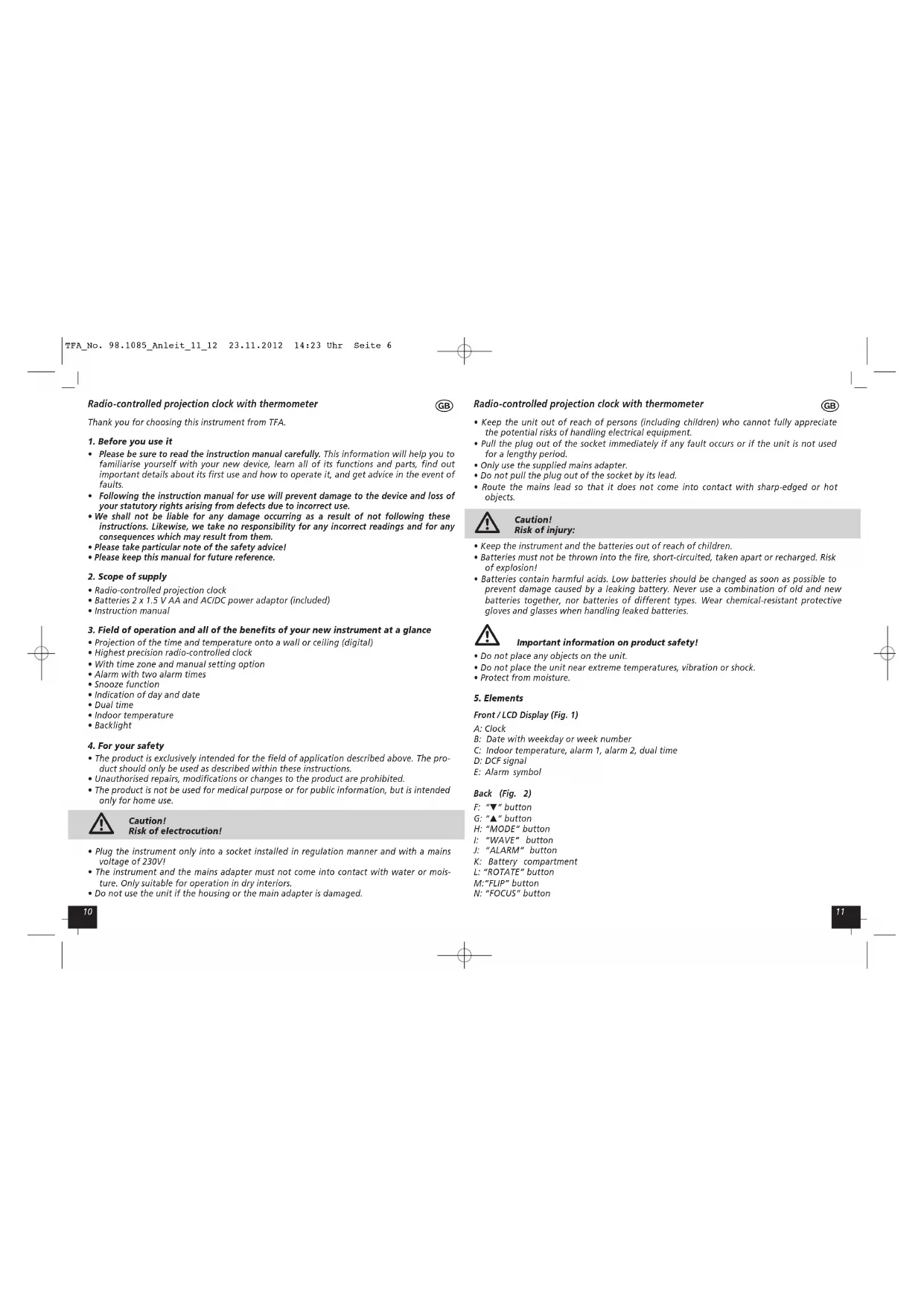
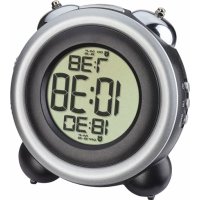
Front/LCD Display (Fig.1)
A:Clock
B: Date with weekday or week number
C: Indoor temperature, alarm 1, alarm 2, dual time
D: DCF signal
E: Alarm symbol
Back (Fig. 2)
F:"▼"button
G:"▲"button
H:“MODE” button
1:“WAVE” button
I:“ALARM”button
K: Battery compartment
L:ROTATE" button
M:“FUP” button
N:"FOCUS" button
Radio-controlled projection clock with thermometer
Left side (Fig. 3)
O: "CONTINUE PROJECTION" switch
P: Power socket
Top (Fig. 4)
Q:"SNOOZE/LIGHT" button
6. Getting started
- The projection clock is powered by 2 × 1.5 V AA batteries. To use the projection function, please utilize the mains adapter supplied.
- Insert the adapter into the jack. Connect the power adapter to a wall socket. The unit is now ready to use.
Important!
Make sure that your household voltage is 230V! Otherwise your clock may be damaged.
- Open the battery compartment and remove the insulation strip.
- A brief beep tone will sound and all LCD segments will light up for about 2 seconds.
- Close the battery compartment again.
- The clock will scan the DCF frequency signal and the DCF symbol flashes on the LCD. When the signal is received successfully after 3-5 minutes, the radio-controlled time and the DCF symbol appear permanently. The clock automatically scans the time signal every hour to maintain accurate timing.
- In Daylight Saving Time "S" is shown on the LCD.
- if the reception fails, activate the reception manually by holding "WAVE" button for 2 seconds.
The wave display shows the signal receiving status:

Normal reception status
Weak signal
- In case the clock cannot detect the DCF-signal (for example due to disturbances, transmitting distance, etc.), the time can be set manually. The clock will then work as a normal quartz clock. (see 7.1 Setting of clock and calendar).
Radio-controlled time reception
The time base for the radio-controlled time is a Caesium Atomic Clock operated by the Physikalisch Technische Bundesanstalt Braunschweig which has a time deviation of less than one second in one million years. The time is coded and transmitted from Mainfingen near Frankfurt via frequency signal DCF-77 (77.5 kHz) and has a transmitting range of approximately 1,500 km. Your radio-controlled clock receives this signal and converts it to show the precise time in summer or wintertime. The quality of the reception depends greatly on the geographic location. In normal cases, there should be no reception problems within a 1,500 km radius around Frankfurt.
Please take note of the following:
- Recommended distance to any interfering sources like computer monitors or TV sets is a minimum of 1.5 - 2 metres.
- Within ferro-concrete rooms (basements, superstructures), the received signal is naturally weakened. In extreme cases, please place the unit close to a window and/or point its front or back towards the Frankfurt transmitter.
Radio-controlled projection clock with thermometer

- During night-time, the atmospheric disturbances are usually less severe and reception is possible in most cases. A single daily reception is adequate to keep the accuracy deviation below 1 second.
7. How to operate
7.1 Manual setting of clock and calendar
- Hold "MODE" button for 3 seconds in normal mode (time/ temperature display). The year digit is flashing. Press "▼" or "▲" buttons to adjust the year. Holding "▼" or "▲" buttons, you will enter fast mode.
- The setting sequence is shown as follow: Year, Month, Day, Hours, Minutes. Press "▼" or "▲" buttons to make the desired settings.
The instrument will quit the setting mode, if there is no button used within 30 seconds.
- The manually set time will be overwritten by the DCF time when the signal is received successfully
- Press "▲" button to choose 12 HR or 24 HR system.
7.2 Day-of-week language
- Press "▼" or "▲" buttons to choose weekday or week number display.
Press and hold button. Language abbreviations change from one language to another: English (EN), German (DE), French (FR), Italian (IT), Spanish (SP).
7.3 Setting ^ C / F
- Press the "WAVE" button to change in normal mode between ^ C (Celsius) or ^ F (Fahrenheit) as temperature unit.
7.4 Setting of time zone
- The time zone is used for the countries where the DCF signal can be received but the time zone is different from the DCF time.
- Hold "▲" button for 2 seconds in normal mode (time/temperature display). "F" appears on the display. Hold "MODE" button for 2 seconds. The hour digit is flashing. Press "▼" or "▲" button to adjust hours to your local time.
7.5 Alarm setting
-
Select your desired alarm by "MODE" button:
-
Alarm 1: AL 1
2.Alarm 2:AL 2 -
Set the alarm time in the desired alarm mode. Hold "MODE" button for 3 seconds. The hour digits are flashing. Press "▼" or "▲" button to adjust the time. Confirm with "MODE" button. Set minutes in the same way. Confirm with "MODE" button and the alarm is activated.
To activate or deactivate the alarm function press "ALARM" button. + + - - - - - - - - - - - - - - - - - - - - - - - - or no alarm symbol is shown on the LCD. - Once the alarm starts to ring, you can stop the alarm by pressing "ALARM" button.
- You can activate the snooze function by pressing the "SNOOZEL LIGHT" button on the top. Zz appears and the alarm will be interrupted for 4 minutes.
Radio-controlled projection clock with thermometer
7.6 Dual time setting
- Select dual time by "MODE" button:
- Hold "MODE" button for 3 seconds. The hour digits are flashing. Press "▼" or "▲" button to adjust the time. Confirm with "MODE" button. Set minutes in the same way. Confirm with "MODE" button.
8. Projection and backlight
A. Without continued projection (CONTINUE PROJECTION off)
- Press "SNOOZE/LIGHT" button. The backlight and the projection will light for a few seconds.
B. For permanent projection plug in the adapter and turn on the button "CONTINUE PROJECTION" upward.
- Adjust the focus of the projection image by turning the "FOCUS" knob and rotate the image by the "ROTATE" knob. Press the "FLIP" button to turn the image by 180^ .
- Hold "FLIP" button for three seconds and the projection toggles between time and temperature every 5 seconds.
The unit is provided with a light sensor to turn on projection automatically at dark.
9. Care and maintenance
- Clean the instrument with a soft damp cloth. Do not use solvents or scouring agents.
- Remove the batteries if you do not use the product for a lengthy period.
- Keep the instrument in a dry place.
9.1 Battery replacement
- Replace the batteries when the display becomes weak.
- Open the battery compartment and insert two new batteries 1,5 V AA. Ensure batteries polarities are correct.
10. Troubleshooting
Problems Solution
| No indication → Ensure batteries polarities are correct → Change batteries → Connect unit to mains adapter |
| No DCF reception → Press "WAVE" button (2 sec.) → Wait for attempted reception during the night → Choose another place for the instrument → Check if there is any source of interference → Restart the device as per the manual → Set the clock manually |
| Incorrect display → Change batteries → Connect unit to mains adapter |
If your device fails to work despite these measures contact the supplier from whom you purchased it.
Radio-controlled projection clock with thermometer

11. Waste disposal
This product has been manufactured using high-grade materials and components which can be recycled and reused.

Never dispose empty batteries and rechargeable batteries in household waste. As a consumer, you are legally required to take them to your retail store or to appropriate collection sites depending on national or local regulations in order to protect the environment.

The symbols for the heavy metals contained are: Cd=cadmium, Hg=mercury, Pb=lead
This instrument is labelled in accordance with the EU Waste Electrical and Electronic Equipment Directive (WEEE).
Please do not dispose of this instrument in household waste. The user is obligated to take end-of-life devices to a designated collection point for the disposal of electrical and electronic equipment, in order to ensure environmentally-compatible disposal.
- Specifications
| Radio-controlled clock: DCF-77 (77.5 kHz) | |
| Power consumption: Power adapter: AC230V~50Hz - DV6V~120m (included) | |
| Batteries: 2 x 1.5 V AA (included) | |
| Measuring range: temperature: 0 °C...+50°C (+32°F...+122°F) | |
| Housing dimension: | 180 x 52 x 107 mm |
| Weight: | 346 g (only instrument) |
No part of this manual may be reproduced without written consent of TFA Dostmann. The technical data are correct at the time of going to print and may change without prior notice.
DECLARATION OF CONFORMITY
Herewith we declare, that this wireless transmission device does comply with the essentials requirements of R&TTE Directive 1999/5/EC.
A copy of the signed and dated Declaration of Conformity is available on request via info@tfa-dostmann.de. www.tfa-dostmann.de 11/12
EU-DECLARATION DE CONFORMITE
- Radio-controlled projection clock with thermometer
- Before you use it
- Scope of supply
- Field of operation and all of the benefits of your new instrument at a glance
- For your safety
- Caution! Risk of electrocution!
- Caution! Risk of injury:
- Important information on product safety!
- Elements
- Front/LCD Display (Fig.1)
- Back (Fig. 2)
- Getting started
- Radio-controlled time reception
- Please take note of the following:
- How to operate
- Day-of-week language
- Setting ° C / F
- Setting of time zone
- Alarm setting
- Dual time setting
- Projection and backlight
- Care and maintenance
- Battery replacement
- Troubleshooting
- Waste disposal
- DECLARATION OF CONFORMITY
- EU-DECLARATION DE CONFORMITE
Brand : TFA
Model : 98.1085
Category : Alarm bell