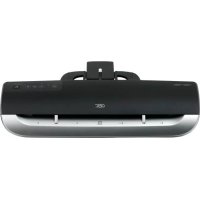
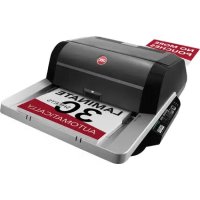
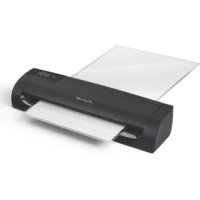
USER MANUAL Fusion 3000L GBC
natural_image
Illustration of two Fusion™ 3100L smartphones with GBC branding, shown from different angles (no text or symbols on the devices themselves)
FUSION™3000L&3100L A4&A3 LAMINATORS
GB instruction manual 4
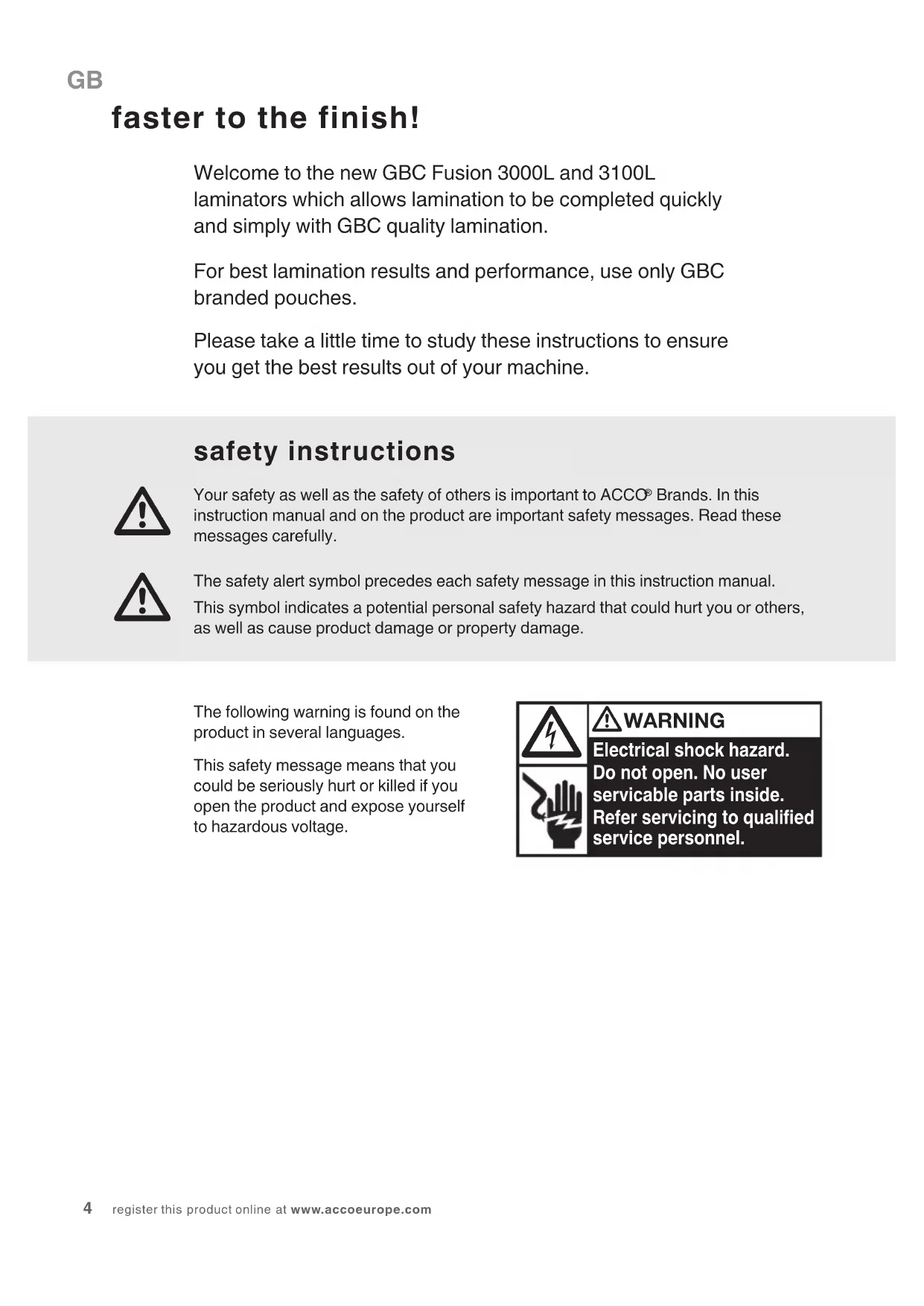
faster to the finish!
Welcome to the new GBC Fusion 3000L and 3100L laminators which allows lamination to be completed quickly and simply with GBC quality lamination.
For best lamination results and performance, use only GBC branded pouches.
Please take a little time to study these instructions to ensure you get the best results out of your machine.
safety instructions

Your safety as well as the safety of others is important to ACCO® Brands. In this instruction manual and on the product are important safety messages. Read these messages carefully.

The safety alert symbol precedes each safety message in this instruction manual. This symbol indicates a potential personal safety hazard that could hurt you or others, as well as cause product damage or property damage.
The following warning is found on the product in several languages.
This safety message means that you could be seriously hurt or killed if you open the product and expose yourself to hazardous voltage.

WARNING
Electrical shock hazard.
Do not open. No user
servicable parts inside.
Refer servicing to qualified
service personnel.
points to note

- Use this unit only for its intended use of laminating documents
- Do not laminate an empty pouch
- The unit must be connected to a supply voltage corresponding to the electrical rating shown on the unit
- The socket-outlet shall be installed near the equipment and shall be easily accessible.
- Do not use a carrier with this machine
- Ensure the machine is clear of pouches prior to starting the next pouch
- Clean the lamination rollers on a regular basis
• Maximum A4 document pouch 303mm x 210mm on A4 GBC Fusion 3000L laminator
• Maximum A3 document pouch 426mm x303mm on A4 GBC Fusion 3100L laminator
• Active anti jam feature may not detect issue on smaller items
- Failure to comply will result in damage and invalidate guarantee


service
Do not attempt to service or repair the pouch laminator yourself. Unplug the unit and contact an authorised GBC service representative for any required repairs.
technical specifications
| Electrical Fusion 3000L A4: | 220-240V AC /50Hz/60Hz / 3.5A / 850WFusion 3000L A3:220-240V AC /50Hz/60Hz / 5.0A / 1200WFusion 3100L A3:220-240V AC /50Hz/60Hz / 6.5A / 1550W |
| Machine Dimensions A4: 370x107.5x80mmA3: 465x109x81mm |
| Machine Weight A4: 1.3kg | A3: 1.64kg |
| Maximum Pouch Width A4: 241mmA3: 303mm |
| Maximum Pouch Thickness | 3000L2x125 micron (total 250)3100L2x175 micron (total 350) |
| Maximum Thru-put Thickness | 0.7mm |
| Warm-Up Time 3000L | Approximately 1.5 minutes3100LApproximately 1.5 minutes |
| Speed 3000L 500 mm per minute | 3100L 800 mm per minute |
getting ready to laminate
Easy Set Up
1 Remove the plastic exit tray from the box and place into the two holes on the back of the laminator and extend to use. Ensure that there is sufficient space behind the laminator for the item to be removed.
2 Take the electrical plug and place in an appropriate power source, which is near the table you intend to use.
3 The laminator will respond with a single beep and a sequence of brief flashes across the control panel.
Touch Control
4 To use the laminator gently tap the 'power on' button.
NOTE: Your new laminator may emit a slight odour during the initial operation. Its is normal and will diminish after a few hours of operation.
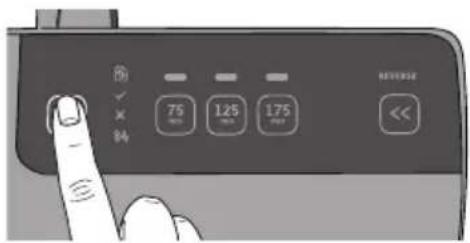
5 An orange 'X' will flash indicating that the laminator is warming up to the setting which is indicated by a white light on the control panel.
NOTE: Following "power on" it will automatically set to the 75mic.

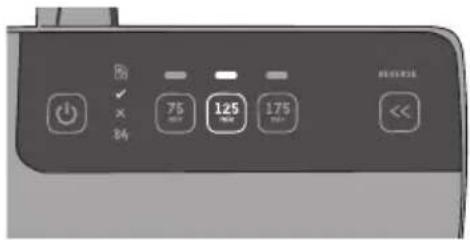
6 If setting indicated by white light on the control panel is not appropriate for your pouch thickness, select the appropriate pouch setting by tapping the micron setting which is indicated on pouch packaging. Your new selection will be indicated by a white light on control panel.
Visual & Audible Ready Alerts
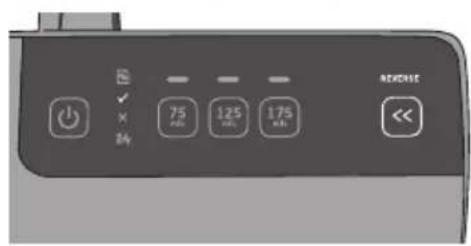
7 When the laminator is ready to use the green light next to the 'tick √' is illuminated (shown in figure) and a series of 2 beeps are heard.
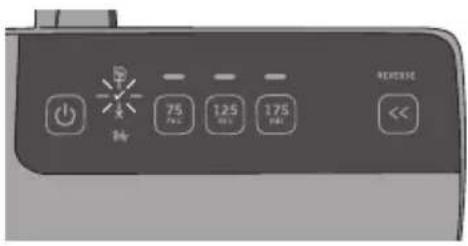
NOTE: During warm up, the orange light next to the 'X mark will be flashing until the machine is ready to use. With Fusion 3100L you cannot feed a pouch into the laminator until green 'tick' is illuminated.
loading the pouch
1 Take your item to be laminated and place in to the appropriate sized laminating pouch, ensuring it is firmly located along the sealed edge. This is to help ensure that you get optimal quality output.
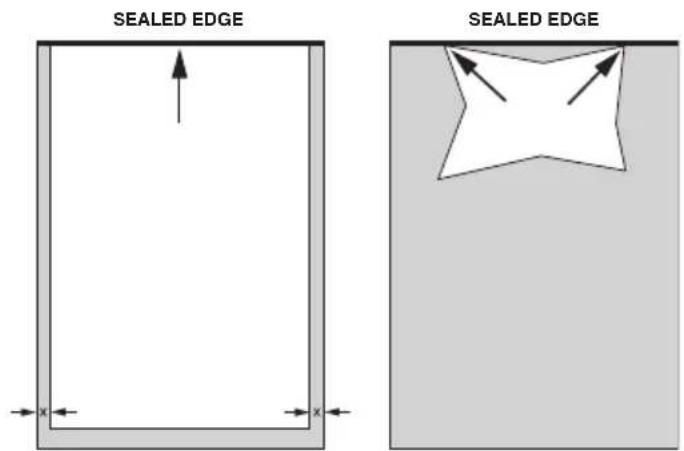
NOTE: Do not cut pouches prior to lamination.
A3, A4, A5, etc. Irregular shaped item

Before laminating important or unique documents, always run a test pouch through the laminator using a similar type document.
laminating
1 On the front of the laminator there are adjustable guides to help you feed your pouch accurately. Move the guides to appropriate line which matches your pouch/ item to be laminated.
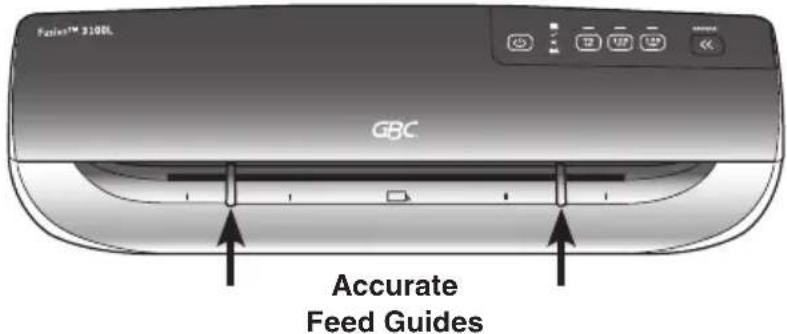
2 Feed the sealed edge of the pouch, into the laminator between the guides. The laminator will grip the pouch and guide it through to the exit tray.
NOTE: Do not force guides against pouch
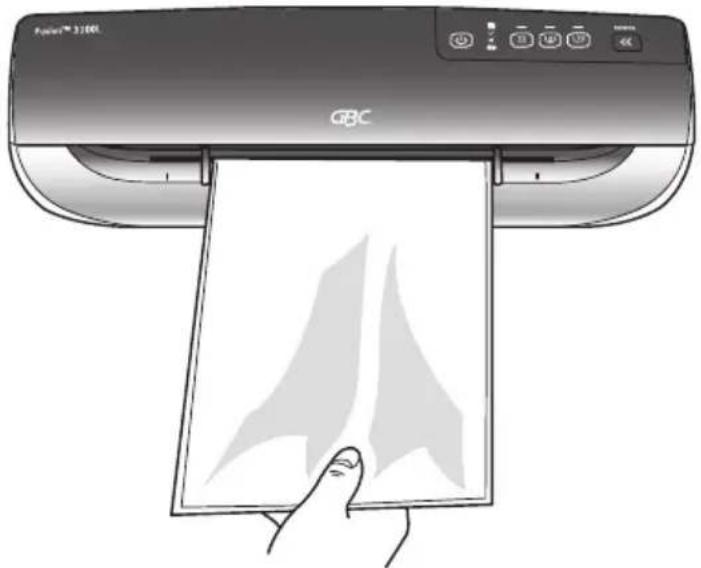
3 Upon exiting remove your laminated item immediately to ensure optimal quality.
4 Do not force guides tightly against pouch. Move guides to an appropriate setting to allow pouch to be fed in without touching guides.
5 When you are finished laminating tap the 'power' button and if required remove the tray, unplug and store accordingly.

Remove your laminated item immediately to ensure the best quality and finish
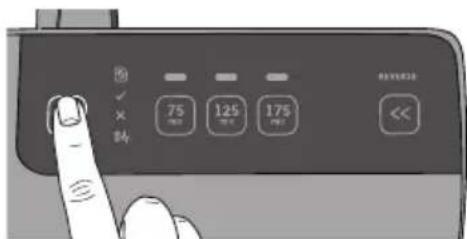
additional features
Intelligent Status Alert
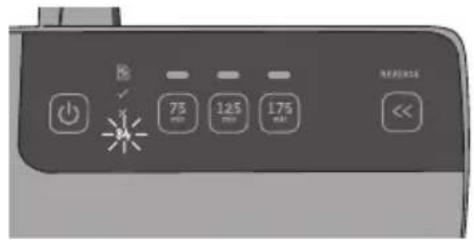
If pouch misfeeds or a jam starts to occur a series of beeps will will be heard to alert the user to take action along with a red flashing light with 'jam icon 8W'.
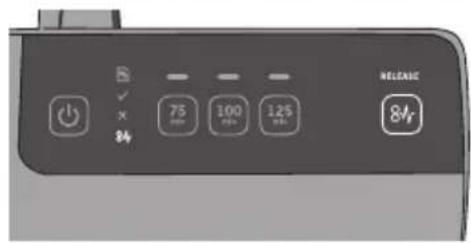
Manual Release
Fusion 3000L A3 & A4 Laminator
Press and hold the release button (84) and pull the pouch towards you out of the laminator.
Manual Reverse
Fusion 3100L A3 Laminator
Press and hold reverse button (indicated by reverse <<) until the pouch completely reverses out of the laminator.

Intelligent Power Off
For added safety and environmental reasons the laminator will automatically go into sleep mode after 30 minutes of inactivity. You will hear a single beep before this occurs
cleaning

WARNING: UNPLUG THIS PRODUCT BEFORE CLEANING THE EXTERIOR. WIPE EXTERIOR ONLY WITH A DAMP CLOTH AND DO NOT USE DETERGENTS OR SOLVENTS.
Regularly feed a cleaning card or sheet of paper through the laminator to clean the rollers. Cleaning sheet order code: EK50000.
guarantee
Operation of this machine is guaranteed for two years from date of purchase, subject to normal use. Within the guarantee period, ACCO Brands Europe will at its own discretion either repair or replace the defective machine free of charge. Defects due to misuse or use for inappropriate purposes are not covered under the guarantee. Proof of date of purchase will be required. Repairs or alterations made by persons not authorised by ACCO Brands Europe will invalidate the guarantee. It is our aim to ensure that our products perform to the specifications stated. This guarantee does not affect the legal rights which consumers have under applicable national legislation governing the sale of goods.
Arnoldstrasse 5, 73614 Schorndorf, Germany
Tel: +49 7181 887 120 Fax:+ 49 7181 887 198 info.de@acco.com
AUS Pelikan Artline Pty Ltd,
2 Coronation Avenue, Kings Park, NSW, Australia 2148
Tel: +61 2 9674 9000 Fax: +61 2 9674 0910 custsupport@pelikanartline.com.au
B ACCO Brands Benelux B.V.,
Peppelkade 64, 3992AK Houten, Nederland/Les Pays-Bas
Tel: 0800-73362 Fax: 02-4140784 info@accobenelux.be www.accobenelux.be
BD ACCO Brands Asia Pte Ltd,
47 Ayer Rajah Crescent, #05-08/17, Singapore 139947
Tel: +65 6776 0195 Fax: +65 6779 1041 webmaster@accobrandsasia.com
Arnoldstrasse 5, 73614 Schorndorf, Germany
Tel: +49 7181 887 120 Fax:+ 49 7181 887 198 info.de@acco.com
DK ACCO Brands Nordic AB,
Makadamgatan 5, 254 64 Helsingborg, Sweden
Tel: +46 42 38 36 00 Fax: +46 42 38 36 10 service.nordic@acco.com
E ACCO Brands Iberia SL,
P Isaac Peral 19, 28820 Coslada (Madrid)
Tel: 902 500 182 ext. 2 Fax: 91 309 6412 servicio.tecnico@acco.com
EST ACCO Brands Nordic AB,
Makadamgatan 5, 254 64 Helsingborg, Sweden
Tel: +46 42 38 36 00 Fax: +46 42 38 36 10 service.nordic@acco.com
F Acco Brands France SAS,
Service après-vente, ZAC Excellence 2000, 6 rue Robert Schuman, 21800 Chevigny Saint Sauveur
Tel: +33 3 80 68 60 30 Fax: +33 3 80 68 60 49 contact@vmbs.fr
GB ACCO Service Division,
Hereward Rise, Halesowen, West Midlands, B62 8AN
Tel: 0845 658 6600 Fax: 0870 421 5576 www.acco.co.uk/service
H OPI Customer Service
Tel.: +359 2 80 99 166 Exportee@accoeu.local
ACCO Brands Italia Srl,
Servizio post-vendita, Via Oberdan, 33, 28070 Tornaco (NO)
Tel: 800-87-86-16 Fax: 0321-88-01-27 servizio.clienti@acco.com
IND ACCO Brands Asia Pte Ltd,
47 Ayer Rajah Crescent, #05-08/17, Singapore 139947
Tel: +65 6776 0195 Fax: +65 6779 1041 webmaster@accobrandsasia.com
IRL ACCO-Rexel Ltd,
Clonshaugh Business & Technology Park, Clonshaugh, Dublin 17, Ireland
Tel: 01 816 4346 Fax: 01 816 4302 admin@accoservice.eu www.accorexel.ie
IS ACCO Brands Nordic AB,
Makadamgatan 5, 254 64 Helsingborg, Sweden
Tel: +46 42 38 36 00 Fax: +46 42 38 36 10 service.nordic@acco.com
JPN GBC-Japan K.K.,
14F Harmony Tower, 1-32-2 Honcho, Nakano-ku, Tokyo 164-8721
Tel: (81)-03-5351-1801 Fax: (81)-03-5351-1831 serv@gbc-japan.co.jp www.gbc-japan.co.jp
IT ACCO Brands Nordic AB,
Makadamgatan 5, 254 64 Helsingborg, Sweden
Tel: +46 42 38 36 00 Fax: +46 42 38 36 10 service.nordic@acco.com
LUX ACCO Brands Benelux B.V.,
Peppelkade 64, 3992AK Houten, Nederland/Les Pays-Bas
Tel: 0800-21132 Fax: 02-4140784 info@accobenelux.be www.accobenelux.be
IV ACCO Brands Nordic AB,
Makadamgatan 5, 254 64 Helsingborg, Sweden
Tel: +46 42 38 36 00 Fax: +46 42 38 36 10 service.nordic@acco.com
N ACCO Brands Nordic AB,
Makadamgatan 5, 254 64 Helsingborg, Sweden
Tel: +46 42 38 36 00 Fax: +46 42 38 36 10 service.nordic@acco.com
NI ACCO Brands Benelux B.V.,
Peppelkade 64, 3992AK Houten, Nederland/Les Pays-Bas
Tel: 030-6346060 Fax: 030-6346070 info@accobenelux.nl www.accobenelux.nl
P ACCO Brands Iberia SL,
P Isaac Peral 19, 28820 Coslada (Madrid)
Tel: 902 500 182 ext. 2 Fax: 91 309 6412 servicio.tecnico@acco.com
PAK ACCO Brands Asia Pte Ltd,
47 Ayer Rajah Crescent, #05-08/17, Singapore 139947
Tel: +65 6776 0195 Fax: +65 6779 1041 webmaster@accobrandsasia.com
PL ACCO Polska Sp. z o.o,
Al. Jerozolimskie 184, 02-486 Warszawa
Tel.+48 22 570-18-29 fax +48 22 570-18-33 www.acco.pl
S ACCO Brands Nordic AB,
Makadamgatan 5, 254 64 Helsingborg, Sweden
Tel: +46 42 38 36 00 Fax: +46 42 38 36 10 service.nordic@acco.com
SK XERTEC a.s.,
Kloknerova 2278/24 (vchod z ulice Koštířova, budova CeWe Color - Fotolab), 148 00 Praha 4 - Chodov
Tel: 225 004 411 Fax: 225 004 162 servis@xertec.cz http://www.xertec.cz
UA DataLux Distribution Company,
ZA Rexel Office Products (PTY) Ltd,
Crusher Road, Crown Ext.3, PO Box 102, Crown Mines, Johannesburg 2025, South Africa
Tel: +27 (0)11 226 3300 service@rexelsa.co.za
natural_image
Simple line drawing of a printer or printer with no text or symbols
natural_image
Simple line drawing of a closed box with red straps, no text or symbols present
Rexel Shredding / Destructeurs / Aktenvernichter
natural_image
Simple line drawing of a printer or typewriter on a red background (no text or symbols)
GBC Binding / Perforelieuses / Bindegeräte
natural_image
Line drawing of a stapler on a red background (no text or symbols)