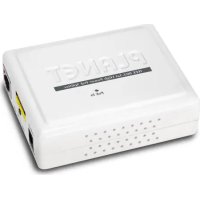
POE162S - Switch Planet - Free user manual and instructions
Find the device manual for free POE162S Planet in PDF.



| Product Type | Gigabit PoE Splitter |
| Model | PLANET POE-162S |
| Supported PoE Standards | IEEE 802.3af / IEEE 802.3at |
| Network Interface | 1 x RJ-45 STP input (PoE + data), 1 x RJ-45 STP data output |
| DC Output Connector | 1 x DC jack connector |
| Data Rate | 10/100/1000 Mbps (Gigabit) |
| PoE Input Voltage | 802.3af: 48 V DC; 802.3at: 52~56 V DC |
| DC Output Voltage (selectable via DIP) | 12 V DC / 2 A or 24 V DC / 1 A |
| DIP Switch | Output voltage selection (12V or 24V) |
| LED Indicator | PoE active (green): indicates connection to a 802.3af/at PSE |
| Dimensions (L x W x H) | 95 x 70 x 25 mm |
| Weight | 111 g |
| Housing Material | Plastic |
| Recommended Network Cable | Cat. 5/5e/6 UTP, up to 100 m |
| Number of Powered Devices | 1 |
| Operating Temperature | 0 ~ 50 °C |
| Storage Temperature | -10 ~ 70 °C |
| Humidity | 5 ~ 95 % (non-condensing) |
| Certifications | FCC Class A, CE |
| Package Contents | PoE splitter, user manual, 15 cm UTP cable, 2 DC power cables |
| Warranty | 2 years (standard) |
Frequently Asked Questions - POE162S Planet
User questions about POE162S Planet
0 question about this device. Answer the ones you know or ask your own.
Ask a new question about this device
Download the instructions for your Switch in PDF format for free! Find your manual POE162S - Planet and take your electronic device back in hand. On this page are published all the documents necessary for the use of your device. POE162S by Planet.
USER MANUAL POE162S Planet
- Overview 1-1
- Package Contents 1-1
- Product Outlook ...... 1-2
- LED Indication 1-2
- Hardware Installation 1-3
- Product Specification 1-7
Française
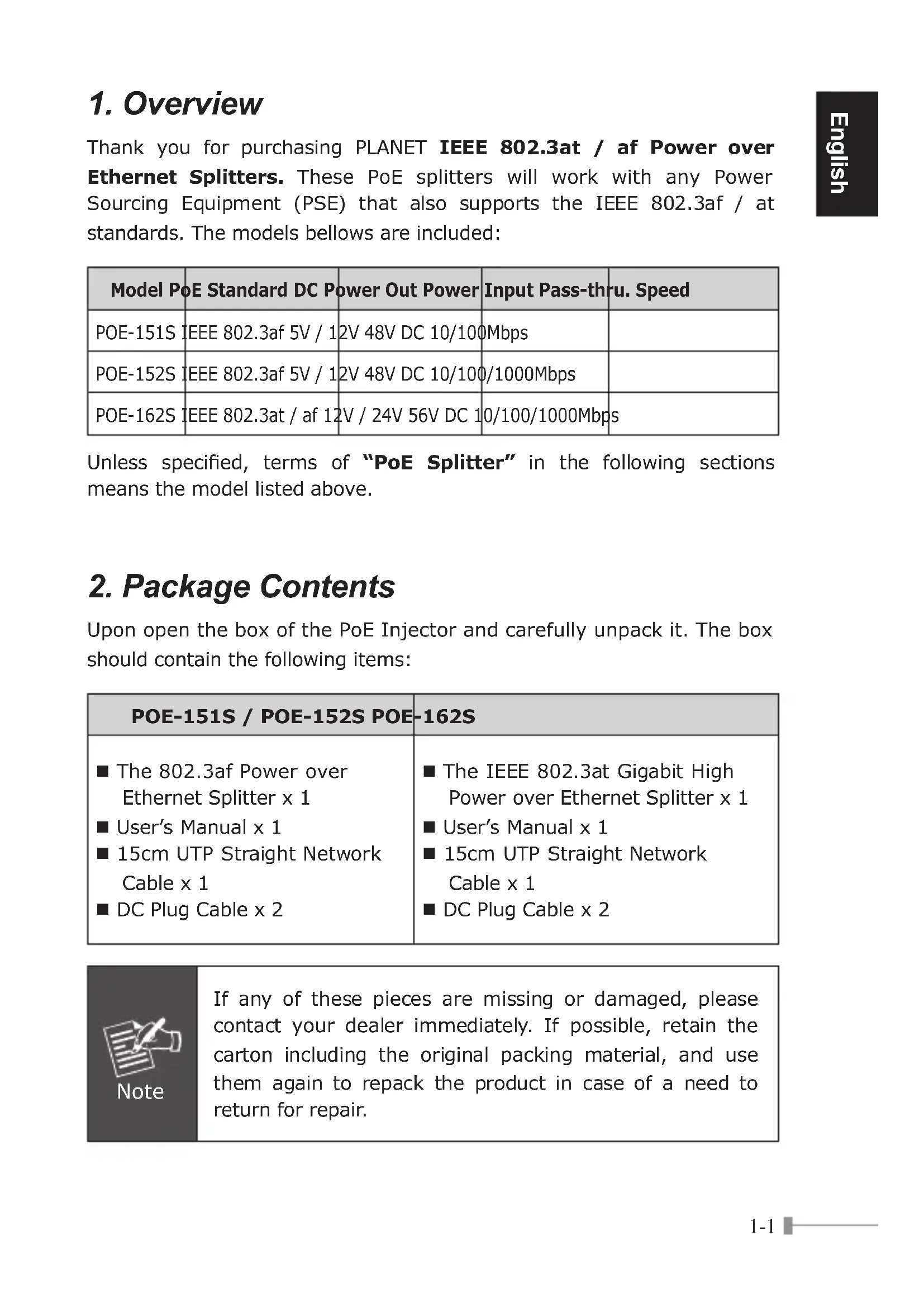
Thank you for purchasing PLANET IEEE 802.3at / af Power over Ethernet Splitters. These PoE splitters will work with any Power Sourcing Equipment (PSE) that also supports the IEEE 802.3af / at standards. The models bellows are included:
| Model PoE Standard DC Power Out Power Input Pass-thru. Speed | ||||
| POE-151S | IEEE 802.3af 5V / 1 | 2V 48V DC 10/100 | Mbps | |
| POE-152S | IEEE 802.3af 5V / 1 | 2V 48V DC 10/100 | /1000Mbps | |
| POE-162S | IEEE 802.3at / af 12 | V / 24V 56V DC 1 | 0/100/1000Mbps | |
Unless specified, terms of "PoE Splitter" in the following sections means the model listed above.
2. Package Contents
Upon open the box of the PoE Injector and carefully unpack it. The box should contain the following items:
| POE-151S / POE-152S POE-162S | |
| ■ The 802.3af Power over Ethernet Splitter x 1■ User's Manual x 1■ 15cm UTP Straight Network Cable x 1■ DC Plug Cable x 2 | ■ The IEEE 802.3at Gigabit High Power over Ethernet Splitter x 1■ User's Manual x 1■ 15cm UTP Straight Network Cable x 1■ DC Plug Cable x 2 |

Note
If any of these pieces are missing or damaged, please contact your dealer immediately. If possible, retain the carton including the original packing material, and use them again to repack the product in case of a need to return for repair.
3. Product Outlook
POE-151S / POE-152S
There are two RJ-45 Twisted-Pair jack, one LED indicator, one DC 5V / 2A, 12V / 1A DIP switch and one DC Plug connector.
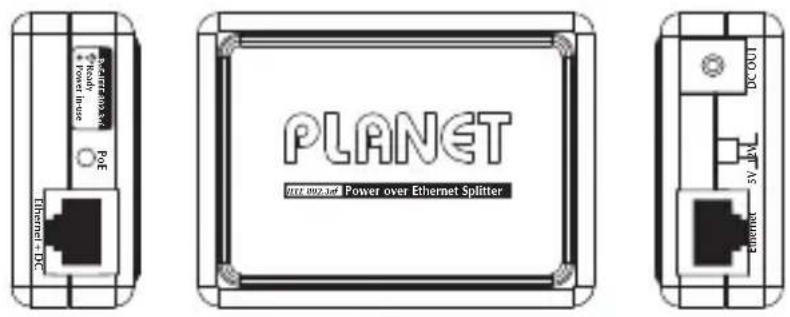
Figure 1: POE-151S / POE-152S
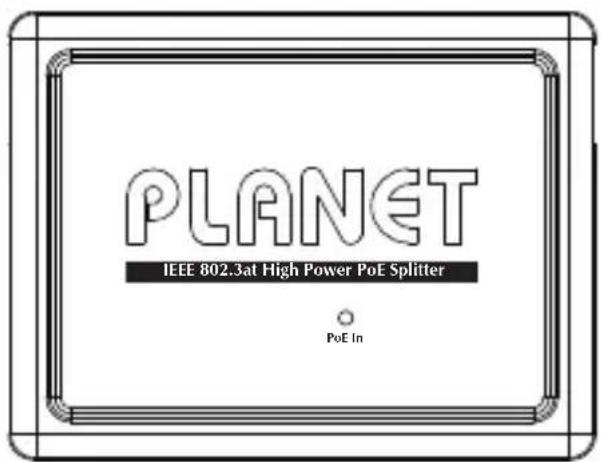
POE-162S
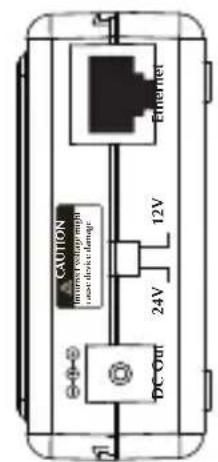
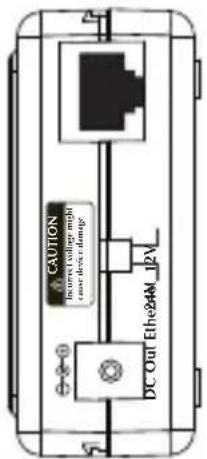
There are two RJ-45 Twisted-Pair jack, one LED indicator, one DC 12V / 2A, 24V / 1A DIP switch and one DC Plug connector.
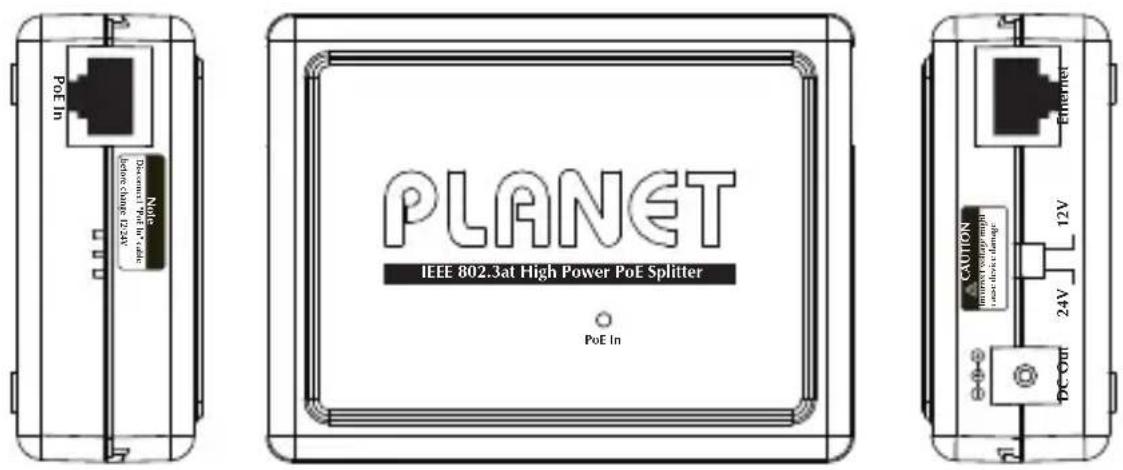
Figure 2: POE-162S Overview
4. LED Indication
| LED Color Function | ||
| PoE In Green | Lights to indicate the port is connected with IEEE 802.3af / at PSE device. | |
5. Hardware Installation
This section describes the hardware features of PoE Splitter. Before connecting any network device to the PoE Splitter, refer to this chapter carefully.
5.1 Before Installation
The PLANET PoE Splitter separates the power out and provides two kind of DC power output through its DIP switch and its voltage and current shown as below:
| Model DIP | switch for DC Voltage Output Default Mode | |
| POE-151S | 5V DC / 2A | 5V DC |
| POE-152S | 12V DC / 1A | |
| POE-162S | 12V DC / 2A | 12V DC |
| 24V DC / 1A |
POE-151S / POE-152S POE-162S
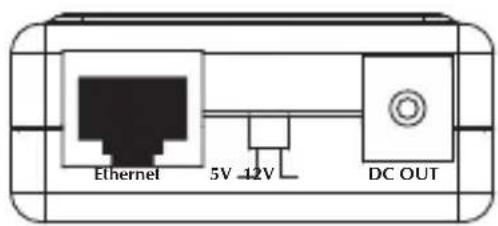
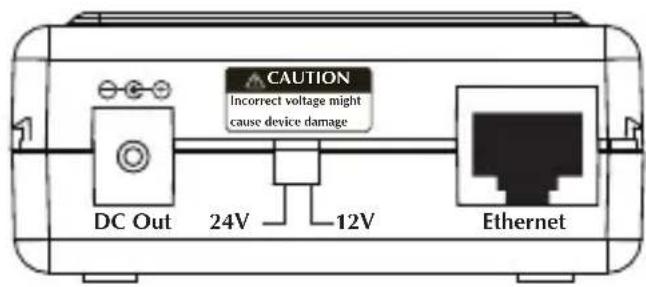

Note
The PLANET PoE Splitter and PLANET PoE Injector (ex. POE-151, POE-152 and POE-161) can be installed in pair. Use of third-party PoE Injector device is allowed if the device complied with IEEE 802.3at or IEEE 802.3af standard.
5.2 802.3af/at Device Installation
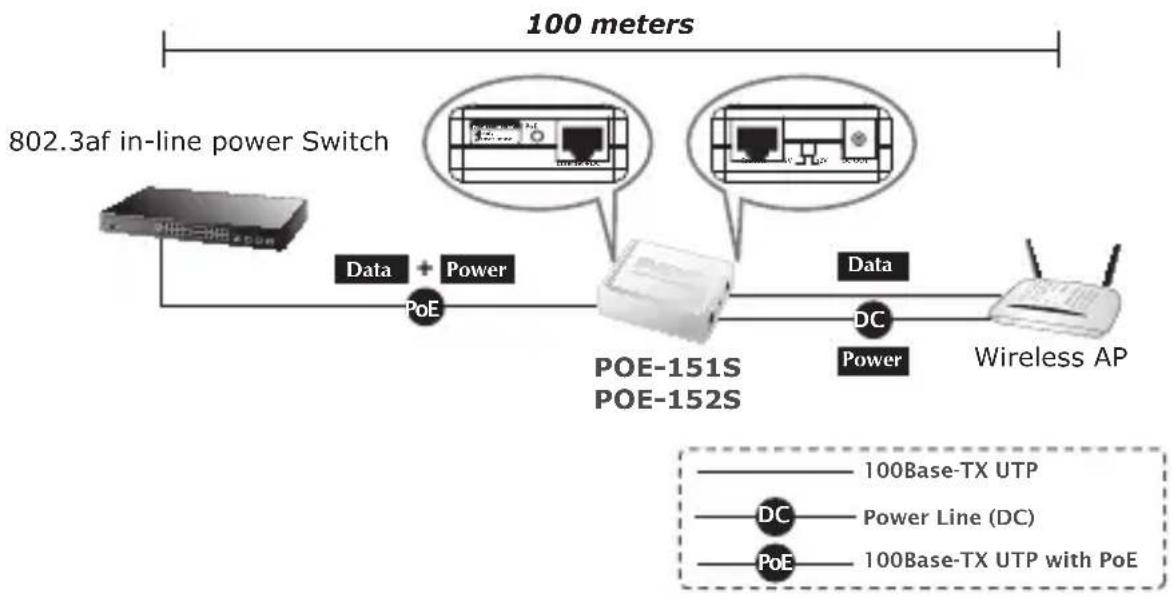
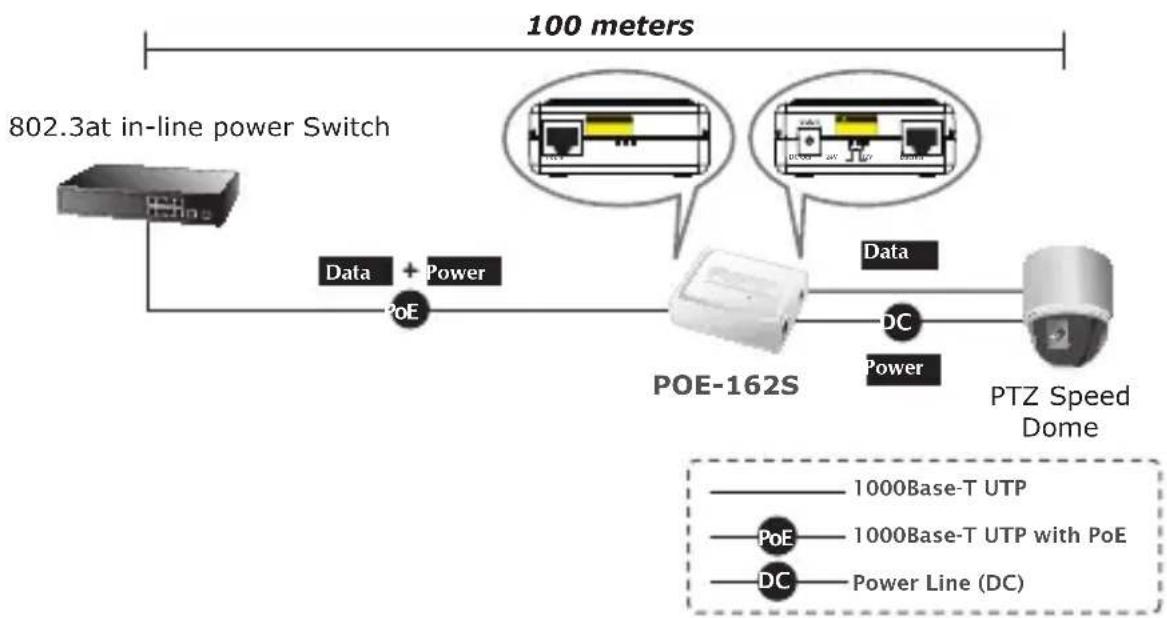
The PLANET PoE Splitter also provide the alternative to make the non IEEE 802.3af / 802.3at devices the possibility to connect with an IEEE 802.3af / 802.3at PSE power device like Power over Ethernet Injector or Power over Ethernet Switch, the figure is as below.
flowchart
graph LR
    A["802.3af in-line power Switch"] -->|Data + Power| B["POE-151S"]
    B -->|Data| C["POE-152S"]
    C -->|DC Power| D["Wireless AP"]
    style A fill:#f9f,stroke:#333
    style B fill:#ccf,stroke:#333
    style C fill:#cfc,stroke:#333
    style D fill:#fcc,stroke:#333
Figure 3: Connection to IEEE 802.3af Device
flowchart
graph LR
    A["802.3at in-line power switch"] -->|Data + Power| B["POE-162S"]
    B --> C["PTZ Speed Dome"]
    D["100 meters"] --> E["Data"]
    D --> F["DC"]
    style A fill:#f9f,stroke:#333
    style B fill:#ccf,stroke:#333
    style C fill:#cfc,stroke:#333
    style D fill:#fcc,stroke:#333
    style E fill:#ffc,stroke:#333
    style F fill:#fcc,stroke:#333
Figure 4: Connection to IEEE 802.3at Device

Note
With IEEE 802.3af / 802.3at standard; the PLANET PoE Splitter also can co-work with IEEE 802.3af / 802.3at End-Span Switch that feeding power over pin 1, 2, and 3, 6.
5.3 PoE Injector and PoE Splitter Installation
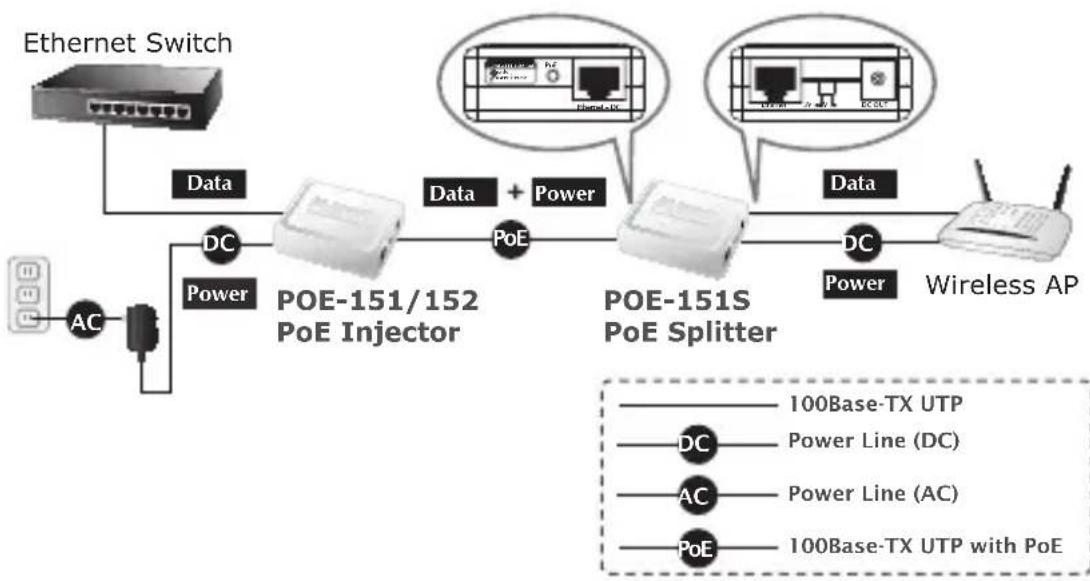
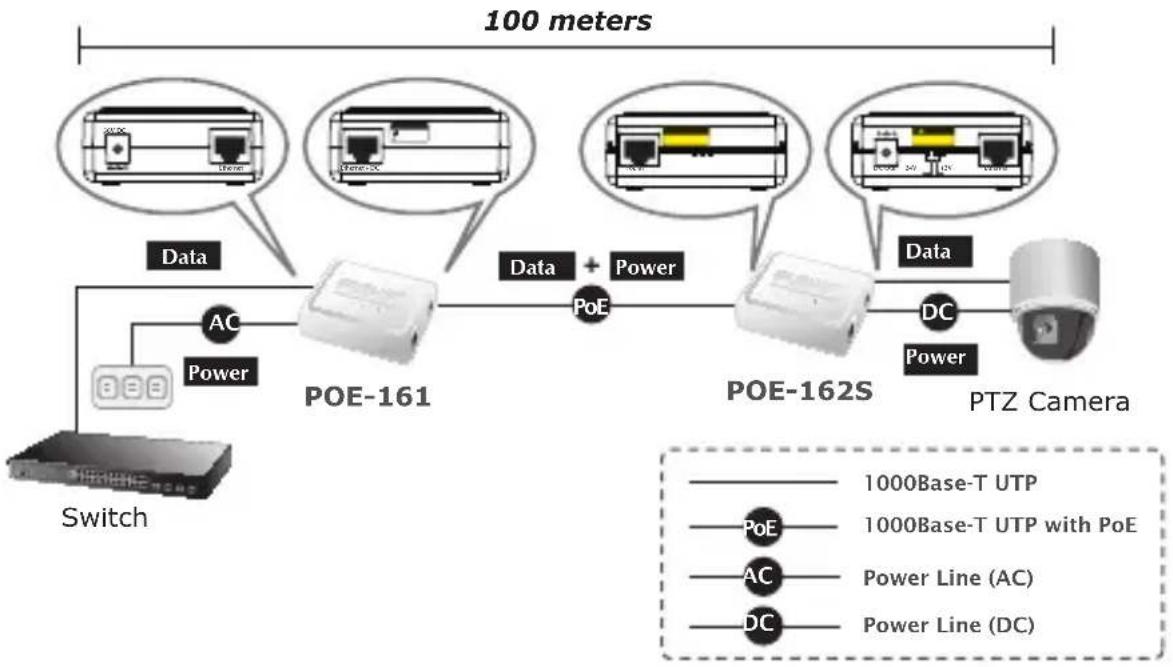
For non PoE remote device or Ethernet equipment, the PoE Splitter and PoE Injector can runs in pair to provide DC Power for those devices, the table below shows the model of PLANET PoE Injectors:
| Model PoE Standard Max. PoE Out Power In Pass-thru. Speed | ||||
| POE-151 IEEE 802.3af 15.4 Watts 48V DC 10/100Mbps | ||||
| POE-152 IEEE 802.3af 15.4 Watts 48V DC 10/100/1000Mbps | ||||
| POE-161 IEEE 802.3at / af 30 Watts 56V DC 10/100/1000Mbps | ||||
Steps:
-
[Switch & PoE Injector] Connect a standard network UTP cable from Switch / workstation to "Ethernet" port of PoE Injector and the PoE Injector get DC power from attached power adapter.
-
[PoE Injector & PoE Splitter]
■ Connect the long UTP cable between the port "Ethernet+DC" of PoE Injector to the port "Ethernet+DC" (or "PoE IN") of PoE Splitter.
■ The PoE LEDs of both Injector and Splitter will light on continuance.
- [PoE Splitter]
■ Connect the UTP cable in the package from "Ethernet" of the PoE splitter to the RJ-45 port of remote device.
■ Adjust proper DC power output and connect proper DC plug from "DC OUT" of PoE Splitter to the remote device.
100 meters
flowchart
graph LR
    A["Ethernet Switch"] -->|Data| B["POE-151/152 PoE Injector"]
    B -->|Data + Power| C["POE-151S PoE Splitter"]
    C -->|Data| D["Wireless AP"]
    B -->|DC Power| E["AC"]
    C -->|DC Power| F["Power Line (DC)"]
    C -->|DC Power| G["Power Line (AC)"]
    C -->|DC Power| H["100Base-TX UTP with PoE"]
Figure 5: Connection Architecture via 802.3af PoE Injector and PoE Splitter
flowchart
graph LR
    A["Switch"] --> B["POE-161"]
    B --> C["POE-162S"]
    C --> D["PTZ Camera"]
    B --> E["Data"]
    B --> F["Power"]
    B --> G["AC"]
    B --> H["Power Line (AC)"]
    C --> I["DC"]
    C --> J["Power Line (DC)"]
    style A fill:#f9f,stroke:#333
    style D fill:#ccf,stroke:#333
    style E fill:#cfc,stroke:#333
    style F fill:#fcc,stroke:#333
    style G fill:#ffc,stroke:#333
    style H fill:#cfc,stroke:#333
    style I fill:#fcc,stroke:#333
    style J fill:#cfc,stroke:#333
Figure 6: Connection Architecture via 802.3at PoE Injector and PoE Splitter

Note
Please ensure the PoE Splitter output voltage is correct before applying power to remote device otherwise, it may damage the remote device.
6. Product Specification
| Product POE-151S POE-152S POE-162S | ||||
| Hardware Specification | ||||
| Interface | "Data" Output Port 1 x RJ-45 STP | |||
| "PoE (Data + Power)" Input Port | 1 x RJ-45 STP | |||
| DC Out Plug Connector 1 | ||||
| LED Indicator System: PoE in Use x 1 (Green) | ||||
| Network Cable UTP Cat. 5/5e/6, up to 100m (328ft) | ||||
| Data Rate 10/100Mbps 10/100/1000Mbps 10/100/1000Mbps | ||||
| Dimension (W x D x H) 73 x 55 x 24 mm 73 x 55 x 24 mm 95 x 70 x 25 mm | ||||
| Weight | 50g 50g | 111g | ||
| Power over Ethernet | ||||
| PoE Standard | IEEE 802.3af Power over Ethernet / PD | IEEE 802.3at / af Power over Ethernet / PD | ||
| PoE Power Input | 802.3af 48V DC | 802.3at 52~56V DC | ||
| DIP Switch | 5V / 12V DC Output voltage | 5V / 12V DC Output voltage | 12V / 24V DC Output voltage | |
| Number of device can be powered | 1 | 1 | 1 | |
| Standards Conformance | ||||
| IEEE 802.3 10Base-T Ethernet | ■ | ■ | ■ | |
| IEEE 802.3u 100Base-TX Fast Ethernet | ■ | ■ | ■ | |
| IEEE 802.3ab 1000Base-T Gigabit Ethernet | - | ■ | ■ | |
| IEEE 802.3af Power over Ethernet | ■ | ■ | ■ | |
| IEEE 802.3at Power over Ethernet | - | - | ■ | |
| Regulation Compliance | FCC Class B, CE mark | FCC Class A, CE mark | FCC Class A, CE mark | |
| Environment | ||||
| Operating Temperature | 0 ~ 50 Degree C | |||
| Storage Temperature | -10 ~ 70 Degree C | |||
| Humidity | 5 ~ 95% (Non-condensing) | |||
1. Vue d'ensemble

Remarque

Hinweis

Nota
Figura 5: Connection Architecture via 802.3af PoE Injector and PoE Splitter
flowchart
graph LR
    A["Switch"] --> B["POE-161"]
    B --> C["POE-162S"]
    C --> D["PTZ Camera"]
    B --> E["Data"]
    B --> F["Power"]
    C --> G["Data + Power"]
    style A fill:#f9f,stroke:#333
    style D fill:#ccf,stroke:#333
    style B fill:#cfc,stroke:#333
    style C fill:#fcc,stroke:#333
    style E fill:#ffc,stroke:#333
    style F fill:#ffc,stroke:#333
    style G fill:#cfc,stroke:#333
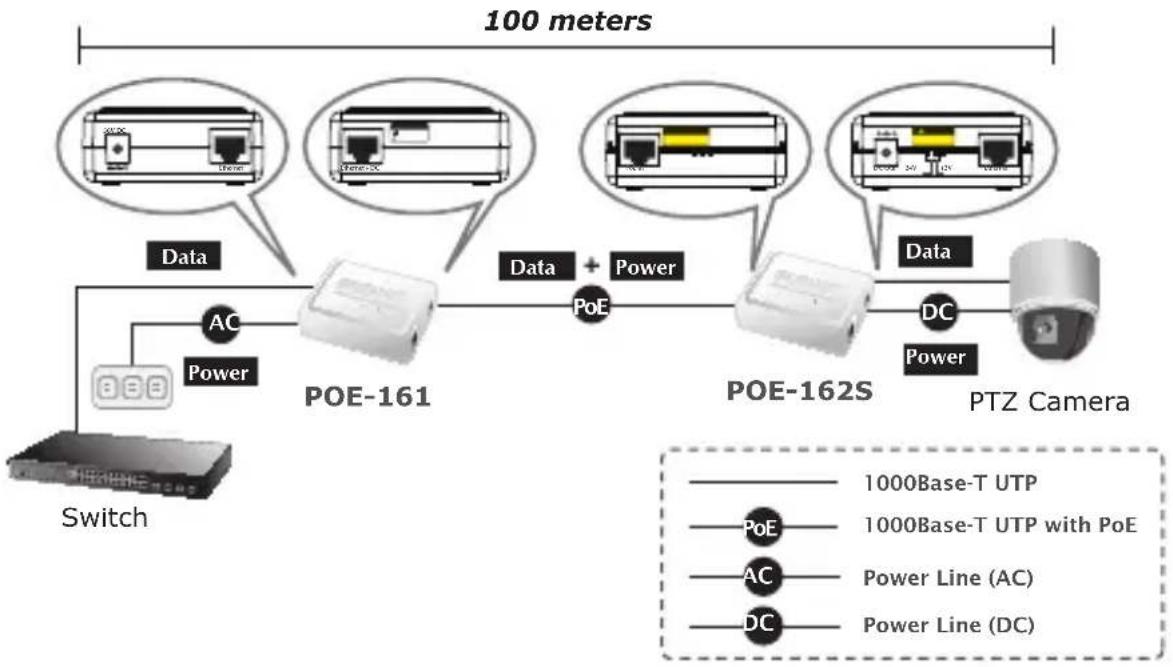
Figura 6: Connection Architecture via 802.3at PoE Injector and PoE Splitter

Nota


flowchart
graph LR
    A["802.3af in-line power Switch"] --> B["Data"]
    B --> C["POE"]
    C --> D["POE-151S"]
    D --> E["POE-152S"]
    E --> F["Data"]
    F --> G["DC"]
    G --> H["Power"]
    H --> I["Wireless AP"]
    style A fill:#f9f,stroke:#333
    style I fill:#bbf,stroke:#333
    note right of A: 100 meters
    note right of D: 100Base-TX UTP
    note right of G: DC Power Line (DC)
    note right of H: PoE 100Base-TX UTP with PoE

Notas
EC Declaration of Conformity
For the following equipment:
*Type of Product : IEEE802.3af Power over Ethernet Splitter
*Model Number : POE-151S, POE-152S
* Produced by:
Manufacturer's Name : Planet Technology Corp.
Manufacturer's Address: 10F., No.96, Minquan Rd., Xindian Dist.,
New Taipei City 231, Taiwan (R.O.C.).
Is here with confirmed to comply with the requirements set out in the Council Directive on the Approximation of the Laws of the Member States relating to Electromagnetic Compatibility (2004/108/EC).
For the evaluation regarding the EMC, the following standards were applied:
EN 55022 (Class B : 2006)
EN 61000-3-2 (2006)
EN 61000-3-3 (1995+A1:2001+A2:2005)
EN 55024 (1998+A1:2001+A2:2003)
IEC 61000-4-2 (2001)
IEC 61000-4-3 (2008)
IEC 61000-4-4 (2004)
IEC 61000-4-5 (2005)
IEC 61000-4-6 (2008)
IEC 61000-4-8 (2001)
IEC 61000-4-11 (2004)
Responsible for marking this declaration if the:
Manufacturer
☐ Authorized representative established within the EU
Authorized representative established within the EU (if applicable):
Company Name: Planet Technology Corp.
Company Address: 10F., No.96, Minquan Rd., Xindian Dist., New Taipei City 231, Taiwan (R.O.C.)
Person responsible for making this declaration
Name, Surname
Kent Kang
Position / Title :
Product Manager
Taiwan
Place
29th, Sep., 2009
Date

Legal Signature