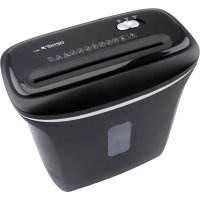
480 X - Shredder Genie - Free user manual and instructions
Find the device manual for free 480 X Genie in PDF.



| Product Type | Document Shredder |
| Brand | Genie |
| Model | 480 X |
| Cut Type | Particle Cut |
| Cut Width | 4 x 35 mm |
| Cutting Capacity | 8 A4 sheets (80 g/m²) |
| Feed Width | Approximately 220 mm |
| Waste Bin Volume | 12 L |
| Power Supply | 220-240 V ~ 50 Hz, 1.5 A |
| Dimensions (W x D x H) | Approximately 322 x 170 x 325 mm |
| Security Level | P-4 according to DIN 66399 |
| Operating Cycle | 2 minutes use, 60 minutes pause |
| Reverse Function | Yes (REV position for clearing jams) |
| Overload Protection | Yes, automatic motor shutdown |
| Intended Use | Private indoor use, paper shredding only |
| Maintenance | Clean the housing with a soft dry cloth; empty the bin regularly |
| Safety | Double insulation (class II); do not insert fingers, hair, or clothing |
| Box Contents | Shredder, waste bin, instruction manual |
Frequently Asked Questions - 480 X Genie
User questions about 480 X Genie
0 question about this device. Answer the ones you know or ask your own.
Ask a new question about this device
Download the instructions for your Shredder in PDF format for free! Find your manual 480 X - Genie and take your electronic device back in hand. On this page are published all the documents necessary for the use of your device. 480 X by Genie.
USER MANUAL 480 X Genie
The operating manual represents a component part of the device. It contains important information regarding safety, use and disposal. Familiarize yourself with all the operating and safety information before starting to use the device. Only use the device as described and for the purpose for which it is intended. Hand over all the documents with the device if it is transferred to third parties.
Intended Use:
The shredder is only suitable for shredding of paper. Any other use or modification shall be deemed to be improper and involves substantial risk of accidents.

IMPORTANT safety measures:

- Read the operating manual before starting to use the device 📄
-
Always be sure to keep all loose objects such as e.g. clothing, ties 📋, jewellery 📋, hair 📋 and all other small objects away from the feed slot in order to avoid injury.
-
Disconnect the mains plug in the event the document shredder is not be used for a longer period of time.
-
Remove all paper clips and staples before inserting the paper.
-
Always be sure to keep your fingers and hands away from the feed slot in order to avoid serious injury.
-
The device should be setup as close as possible to an easily accessible wall socket.
-
The document shredder must always be deactivated and disconnected from the electrical line prior to moving, transporting and cleaning the device and prior to emptying the waste basket.
-
Empty the waste basket frequently. Otherwise the shredder may jam. Please disconnect the mains plug in order to empty the basket.
-
Attention: The document shredder is not suitable for CDs/DVDs, shredding cassettes resp. diskettes.
- Please do not leave the document shredder unattended e.g. in the event children

or pets are nearby.
- The document shredder is only suitable for shredding paper, please do not insert any other materials, the paper must be dry and clean.
- Never open the casing. In the event of problems with the device, please contact our hotline.
- The device may not be operated with a damaged power cord.
- For indoor use only.
- Please do not spray any flammable gas or oil onto this shredder, it may cause fire.
- Unplug this equipment when not in use for an extended period of time.
Remark: For optimum results and to protect the machine, we suggest the user to operate it for 2 minutes and then rest 60 minutes.

WARNING: Hazardous moving part is in this equipment, keep body parts away from moving parts
ELECTRICAL SAFETY GUIDELINES
- Please disconnect the mains plug before not using the unit for a prolonged period of time!
- In the event of damage to the mains cord, the mains plug or the device itself, please cease operating the device (risk of injury)!
- Please do not attempt to repair the unit yourself!
- Please do not overload the capacity of the socket!
- The mains connection of the device must be freely accessible!
- Do not modify the mains cord as it complies with the prescribed grid voltage!
Delivery:
Shredder GENIE 480 X, paper basket, manual
Setting up the document shredder:
- Place the shredder attachment on the basket. When fitting it, pay attention that the attachment fits securely and that your fingers do not get jammed between the top edge of the waste bin and shredder. Risk of injury!
- Connect the main plug to a standard 220–240-volt AC socket.
Starting the document shredder:
Important note:
This device is designed solely for private use in enclosed quarters and for brief operation not exceeding 2 minutes. Do not use the document shredder for commercial applications nor outdoors. Improper use poses risk of accidents.
The main switch has 3 positions. To start the device set the button into position "AUTO".
- AUTO (ready to operate, Standby): The device is ready to operate after setting the sliding switch to "AUTO". The shredding process begins automatically when the paper to be shredded is fed into the insertion slot.
The paper must be fed STRAIGHT into the insertion slot to prevent paper jamming. After the paper has been shredded by the cutting mechanism, the shredder switches off automatically and enters Standby mode. If the device does not switch off automatically, check whether the waste bin is full or there is still residual paper in the cutting mechanism.
Only insert paper into the designated feed slots!
-
REV (reverse operation): "REV" make the cutting unit turn backward. With these function paper jams can be removed (please refer to chapter "Protection against paper jams and overloading").
-
OFF position is recommended when emptying the wastebasket or when the shredder is not in use for a prolonged period of time.
Capacity of the document shredder:
The GENIE 480 X shreds up to 6 sheets of paper (DIN A4, 80 g). The paper width may comprise up to 21.8 cm. When shredding small paper sizes such as letters or credit card receipts, please insert them into the middle of the shredding slot.
Please ensure that never more than the above-mentioned maximum quantity is inserted in the shredder. Otherwise the device may sustain damage.
Protection against paper jams and overloading:
The GENIE 480 X is equipped with a motor overload guard. To protect the machine well, we suggest the user to operate it in this way: work 2 minutes then rest 60 minutes. Under the following conditions, the current feed to the unit's motor is interrupted:
- Continual operation of the document shredder with maximum capacity for a prolonged period of time, e.g. longer than 2 minutes without interruption.
- Overrunning the shredding capacity e.g. adding more than 6 sheets of paper (80 g) in one operation or in the event the paper is not inserted length-wise into the feed slot.
Under the above-mentioned conditions, the automatic overload guard of the motor is triggered, whereupon the current feed to the device is interrupted.
In such a case, please take the following steps:
-
Switch the main switch to OFF. Disconnect the main plug from the AC socket in order to avoid the risk of serious injuries and wait at least 60 minutes until the overload guard has reset. Now tear off excess paper from the top of the shredder or remove it.
-
Reconnect the main plug to the AC socket and switch to REV. Pull the remaining paper away from the shredding blades. If necessary, repeat this step.
Technical data:
Shredding type: particle cut
Size of cut: 4 x 35 mm (paper)
Shredding capacity: 8 pages DIN A4 (80 g)
Feed width: approx. 220 mm
Basket volume: 12 l
Input voltage: 220-240 VAC, 50 Hz, 1.5 A
Dimensions: approx. 322 x 170 x 325 mm
We declare that this device, with regard to its task of the destruction of documents, fulfils the conditions defined for Security Level P-4 in accordance with DIN 66399.
P-4: Recommended for data media containing particularly sensitive and confidential data. Material particle area ≤ 160 mm 2 and for consistent particles: strip width ≤ 6 mm (e.g. particles 4 x 40 mm).
Cleaning:
Warning! The blades of the device are very sharp! Danger of injury!
- Switch off the unit.
- Disconnect the power plug from the power socket.
- Empty the drip trays regularly.
- Clean the surface of the housing with a soft, dry, lint-free cloth. Do not use any solvents or cleaning agents.
- Remove any residue in the cutting holes with a suitable object.
Declaration of Conformity
CE
The CE Mark on the device confirms conformity. The Declaration of Conformity can be read online at www.go-europe.com
GS tested safety mark
The «Geprüfte Sicherheit» mark (GS tested safety mark) certifies that the product satisfies the requirements defined by the German Product Safety Act (ProdSG).
The GS tested safety mark indicates that when implemented for its intended use and in the event of foreseeable misuse the identified product will not endanger the safety and health of the user. It concerns a voluntary safety mark which was issued by an authorized testing institute.
Symbols
The following symbols are provided on the packaging or on the device itself. This section explains the significance of the individual symbols.
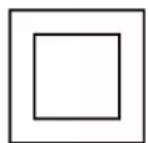
The symbol indicates that the design of the product complies with Protection Class II (double insulation).
A safety connection to the electrical earthing (ground) is not necessary.
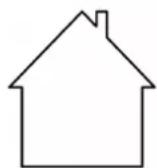
Only use the product indoors.
Disposal

Find out about the possibilities of taking back used appliances free of charge from your dealer.

The packaging is made of environmentally friendly materials that you can dispose of at local recycling points. Advice on the options with which to dispose of your old device can be obtained from your municipal or local administration offices.
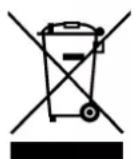
The adjacent symbol indicates laws dictate that electrical and electronic apparatus no longer required must be disposed of separate from domestic waste. Dispose of your device at a collection point provided by your local public waste authority. Packaging materials must be disposed of according to local regulations.
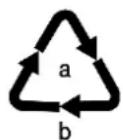
Observe the identification on the packaging materials during the waste sorting process; they are identified by abbreviations (b) and numbers (a) which have the following significance: 1–7: plastic/20–22: paper and cardboard/80–98: composite materials.

Packaging materials must be disposed of according to local regulations.
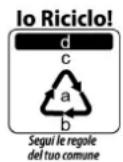
The device and the packaging material can be recycled, so sort them prior to disposal for better waste management. Contact your local authorities for information on the various options available to ensure correct disposal. Observe the following identifications of the packaging materials: (a) numbers, (b) abbreviations and (c) materials which have the following significance: 1–7: plastics / 20–22: paper and cardboard / 80–98: composite materials and (d) type of packaging. The logo is only applicable to Italy.
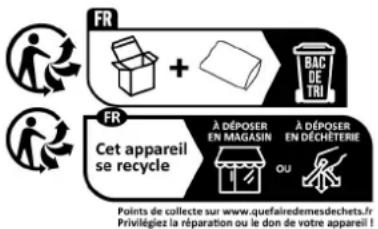
The device and packaging materials can be recycled; sort them for disposal to simplify waste management. The Triman logo is only relevant for France.
Warranty
Dear customer,
We are delighted that you have chosen this equipment.
In the case of a defect, please return the device together with the receipt and original packing material to the point of sale.
Manufacturer:
GO Europe GmbH Zum Kraftwerk 1 D-45527 Hattingen Germany www.go-europe.com
- Intended Use:
- IMPORTANT safety measures:
- ELECTRICAL SAFETY GUIDELINES
- Delivery:
- Setting up the document shredder:
- Starting the document shredder:
- Important note:
- Capacity of the document shredder:
- Protection against paper jams and overloading:
- Technical data:
- Cleaning:
- Declaration of Conformity
- CE
- GS tested safety mark
- Symbols
- Disposal
- Warranty
- Manufacturer:
Brand : Genie
Model : 480 X
Category : Shredder