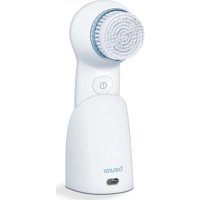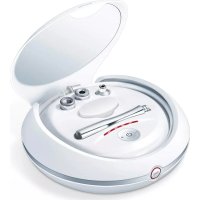
FC 40 - Face cleansing BEURER - Free user manual and instructions
Find the device manual for free FC 40 BEURER in PDF.


| Product Type | Face Pore Cleaner |
| Brand | Beurer |
| Model | FC 40 |
| Dimensions | approx. 172 x 46 x 42 mm |
| Weight | approx. 150 g |
| Power Supply | 5V, 0.5A; rechargeable Li-ion battery 900 mAh, 3.7 V |
| Battery Life | approx. 90 minutes at maximum intensity |
| Charging Time | at least 5 hours for the first charge |
| Intensity Levels | 5 (20%, 40%, 60%, 80%, 99%) |
| Provided Heads | 3: large round, small round, oval |
| Replacement Filters | 10 provided |
| Included Accessories | filter cover, 2 sealing rings, USB charging cable |
| Main Functions | Deep pore cleaning, removal of pimples and blackheads, improvement of skin elasticity (oval head) |
| Frequency of Use | Once a week (normal skin), up to 2 times (problem skin, with 48-hour interval) |
| Maintenance | Disinfect heads after each use; replace filter with each use; clean device with a dry cloth |
| Safety | Do not use near water, on irritated skin, around eyes, during pregnancy, etc. Perform a skin test 24 hours before. |
| Warranty | 3 years |
| Available Spare Parts | Filters, heads, USB cable, filter cover, sealing rings (references in manual) |
| Repairability | Repairs by a specialist only |
Frequently Asked Questions - FC 40 BEURER
User questions about FC 40 BEURER
0 question about this device. Answer the ones you know or ask your own.
Ask a new question about this device
Download the instructions for your Face cleansing in PDF format for free! Find your manual FC 40 - BEURER and take your electronic device back in hand. On this page are published all the documents necessary for the use of your device. FC 40 by BEURER.
USER MANUAL FC 40 BEURER
natural_image
Beurer handheld medical or cosmetic device with digital display and control buttons (no readable text or symbols)EN Power deep pore cleanser Instructions for use.....15
natural_image
Product display of a beurer with various cleaning devices and accessories (no visible text or symbols)
WARNUNG
natural_image
Close-up of a transparent plastic cup or holder with ridged rim (no text or symbols visible)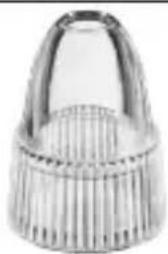
natural_image
Close-up of a metallic mechanical component with ribbed texture (no visible text or symbols)natural_image
Close-up of a metallic object with frayed edges and a tapered top (no visible text or symbols)Ovaler Aufsatz
natural_image
Line drawing of a mechanical component with a knob and adjustment knob (no text or symbols)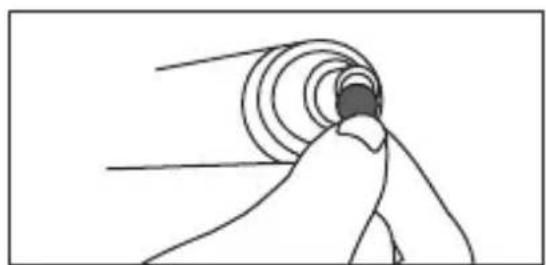
natural_image
Simple line drawing of a hand reaching toward a circular object with radial lines (no text or symbols)natural_image
Line drawing of a mechanical component with a cylindrical shaft and flange (no text or symbols)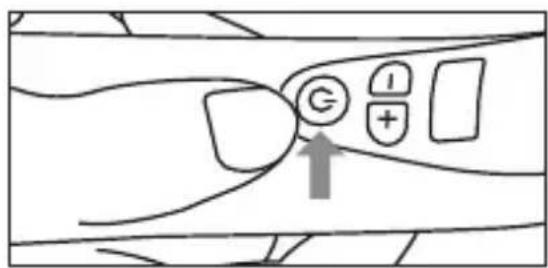
natural_image
Technical line drawing of a mechanical assembly with a knob and shaft (no text or symbols)natural_image
Illustration of human eyes with curved arrows indicating airflow or pressure direction (no text or symbols)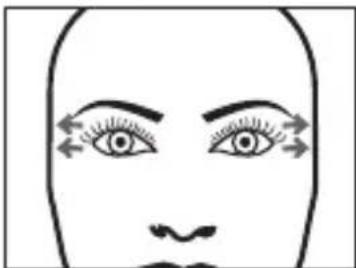
natural_image
Simple line drawing of a human face with eyes and nose, no text or symbols present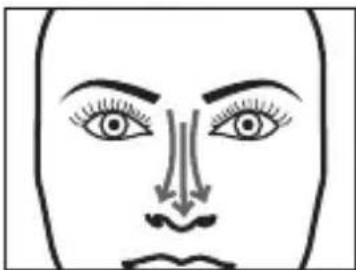
natural_image
Simple line drawing of a human face with eyes, nose, and mouth (no text or symbols)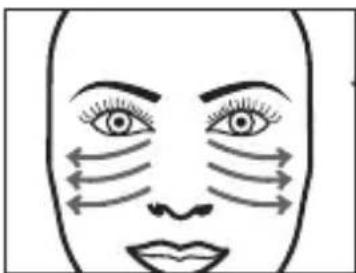
natural_image
Simple line drawing of a human face with arrows indicating airflow or pressure direction (no text or symbols)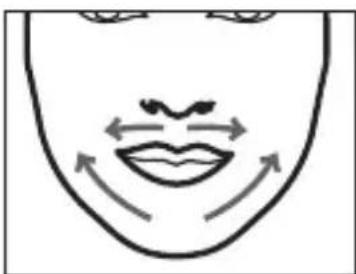
natural_image
Simple line drawing of a human face with arrows indicating motion or movement (no text or symbols)Read these instructions for use carefully and keep them for later use, be sure to make them accessible to other users and observe the information they contain.
Table of contents
- Getting to know your device.... 17
- Signs and symbols ...... 17
- Intended use 18
- Warnings and safety notes 18
- Device description.... 20
5.1 Device 20
5.2 Attachments.... 20 - Use....21
6.1 Carrying out a skin test 21
6.2 Charging the battery 21
6.3 Please note the following before use 21
6.4 Use....22
6.5 Application areas.... 23 - Cleaning and maintenance 24
- Replacement parts and wearing parts 24
- Disposal.... 25
- Technical data.... 25
- Warranty/service 26
Dear customer,
Thank you for choosing a product from our range. Our name stands for high-quality, thoroughly tested products for applications in the areas of heat, gentle therapy, blood pressure/diagnosis, weight, massage and air. Please read these instructions for use carefully and observe the information they contain.
With kind regards,
Your Beurer team
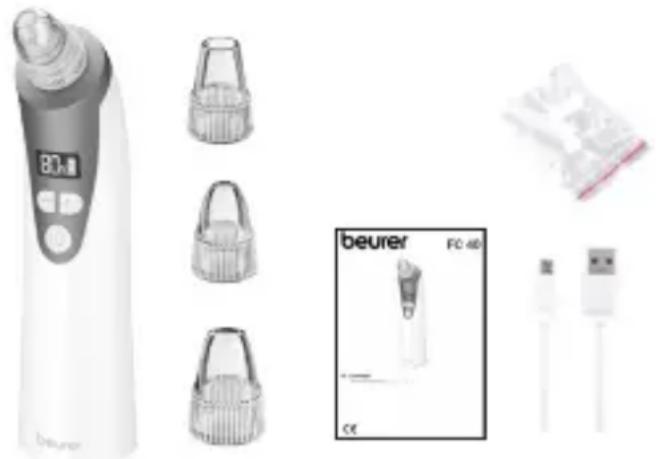
Included in delivery
- 1 x FC 40
• 1 x round attachment (large)
• 1 x round attachment (small)
• 1 x oval attachment
• 10x replacement filters - 2 x sealing rings
- 1 x filter cover
• 1 x USB charging cable
• 1x set of instructions for use
natural_image
Product display of a beurer device with various accessories and a small inset showing FC 40 connector (no text or symbols on main components)
WARNING
- The device is only intended for domestic/private use, not for commercial use.
- This device is not suitable for persons under the age of 18.
- This device may be used by people with reduced physical, sensory or mental skills or a lack of experience or knowledge, provided that they are supervised or have been instructed on how to use the device safely and are fully aware of the consequent risks of use.
- Children must not play with the device.
- Cleaning and user maintenance must not be performed by children unless supervised.
- If the mains connection cable of this device is damaged, it must be disposed of. If it cannot be removed, the device must be disposed of.
1. Getting to know your device
The FC 40 power deep pore cleanser enables deep-pore cleansing thanks to state-of-the-art vacuum technology. Using the round attachments, you can effectively remove spots, blackheads and excess skin flakes. Furthermore, the power deep pore cleanser has an oval attachment that you can use to improve skin elasticity and the circulation in the face.
The power deep pore cleanser has a clear LCD display for displaying the battery state and intensity level. With a total of 5 intensity levels available, the power deep pore cleanser enables personalised cleansing and care according to your needs.
2. Signs and symbols
The following symbols appear in these instructions for use and on the device:
 | DANGERThis device must not be used near to water or in water (e.g. in a wash basin, or in the shower or bath) – risk of electric shock! |
 | WARNINGWarning notice indicating a risk of injury or damage to health |
 | IMPORTANTSafety note indicating possible damage to the device/accessory |
 | NoteNote on important information |
 | Observe the instructions for use |
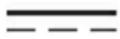 | Direct current |
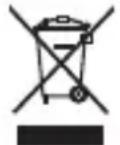 | Disposal in accordance with the Waste Electrical and Electronic Equipment EC Directive – WEEE |
 | Manufacturer |
 | Only use indoors |
21PAP | Dispose of packaging in an environmentally friendly manner |
3. Intended use
The device is only to be used on the face (apart from the eyelids and lips) of human adults. Do not use the device on animals!
The device is only intended for private use, and not for medical or commercial purposes. Use the device for the purpose it was developed for only and in the manner specified in these instructions for use. Any form of improper use can be dangerous. The manufacturer is not liable for damage resulting from improper or incorrect use. Do not use the device if one or several of the following warnings and safety notes applies to you. If you are unsure whether the device is suitable for you, please consult your doctor.
4. Warnings and safety notes

WARNING
- Danger of suffocation by packaging material. Keep packaging material away from children.
- Before use, inspect the device and accessories for visible damage. If you have any doubts, do not use the device and contact your retailer or the specified Customer Service address.

WARNING
Do NOT use the device
- on cracked skin
- on open wounds
• in the eye area or on the mouth
• during pregnancy - if you have had facial cosmetic surgery
• on any part of the body other than the face (apart from eye area and mouth)
- if you suffer from any type of heart disease
- if you have skin cancer
- if you suffer from skin irritation
- immediately after sunbathing or if you have sunburn
- if you are taking medication that contains steroids
- if you are taking blood thinners
- if you have a skin disease (e.g. herpes, vascular diseases or skin growths)
- if you have multiple sclerosis, diabetes or an autoimmune disorder

IMPORTANT
Only specialist personnel may perform repairs on electrical devices. Improper repairs may subject users to considerable danger. In the event of a fault or damage, have the device repaired by a certified specialist workshop.

WARNING
- Ensure that the USB charging cable and mains adapter do not come into contact with water, steam or other liquids.
- Only use the device in dry rooms (e.g. never in the bath, sauna).
- Do not drop the device or subject it to any impacts.
- Only use the device with dry hands.
Notes on handling batteries
- If your skin or eyes come into contact with fluid from a rechargeable battery cell, flush out the affected area with water and seek medical assistance.
- Choking hazard! Small children may swallow and choke on batteries. Store batteries out of the reach of small children.
- Protect batteries from excessive heat.
- Risk of explosion! Never throw batteries into a fire.
- Do not disassemble, split or crush the batteries.
- Only use chargers specified in the instructions for use.
- Batteries must be charged correctly prior to use. The instructions from the manufacturer and the specifications in these instructions for use regarding correct charging must be observed at all times.
- Fully charge the battery prior to initial use.
- In order to achieve as long a battery service life as possible, fully charge the battery at least twice per year.
5. Device description
5.1 Device
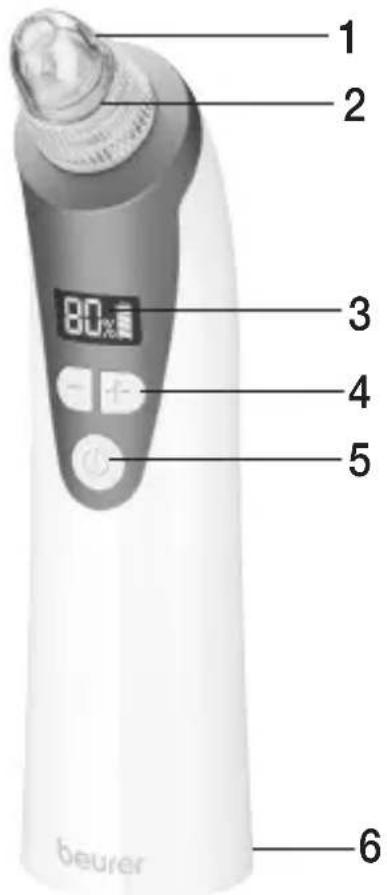
- Attachment
- Suction head with filter cover
- Intensity and battery state indicator
- -/+ button
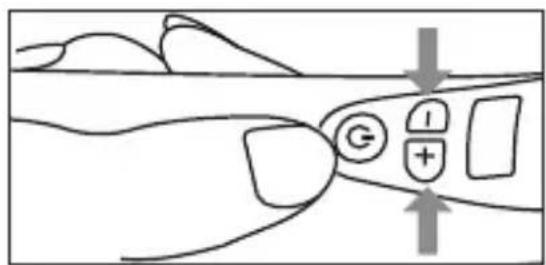
For adjusting the intensity level (20%, 40%, 60%, 80% or 99%)
- ON/OFF button
- Micro USB connection
For charging the battery with the micro USB charging cable
5.2 Attachments
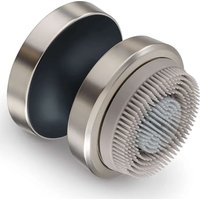
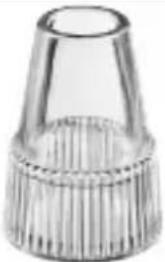 | Round attachment (large)Suitable for pore cleansing on large areas. Can be used anywhere on the face, apart from on the skin around the eyes. |
 | Round attachment (small)Suitable for cleansing the pores on hard-to-reach areas (e.g. on the nose). Can be used anywhere on the face, even on sensitive skin around the eyes. |
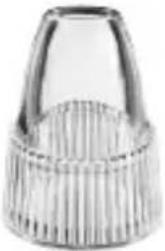 | Oval attachmentPromotes skin elasticity and circulation in the face. Particularly suitable for use on the outside of the nostrils and around the eyes and mouth. We recommend that you use the oval attachment with intensity level 1. |
6. Use
6.1 Carrying out a skin test
Carry out a skin test with the device 24 hours before use. Test the device at the lowest intensity level on small, inconspicuous areas of your neck. If, after 24 hours, the tested area is red or painful, do not use the device.

IMPORTANT
Do not use the device on the same area of skin for a long period of time in order to prevent bruises.
6.2 Charging the battery
Before using the device for the first time, let it charge for a minimum of 5 hours first. Proceed as follows:
- Connect the USB charging cable with a suitable mains adapter (output: 5 V; 0.5 A) and the device. Then insert the mains adapter into a suitable socket. Alternatively, you can also charge the device with the USB charging cable via the USB port on your computer or laptop.
The battery state indicator in the display displays the current battery state during charging. Once the device is fully charged, 📋 appears in the display. The battery will last for approx. 90 minutes of operation (at the highest inten-
sity level) when fully charged. If the battery charge indicator (flashes) in the display, you have to recharge the device.
6.3 Please note the following before use

Note
Before you start using the device, make sure that your face is clean, dry and free of any traces of products such as powder, cream or make-up.

WARNING
- Do not use the device more than once a week.
-
Immediately after use, the treated skin on your face may be slightly reddened. This is normal and the reddening will disappear by itself after 30 minutes at the latest.
-
For one day before and one day after use, avoid activities that cause you to perspire, such as saunas, tanning beds and sun exposure.
• After use: Clean your face with water and protect it against sun exposure.

Note
The device can also be used twice a week for non-sensitive problem skin (with a break of at least 48 hours between use).
6.4 Use
-
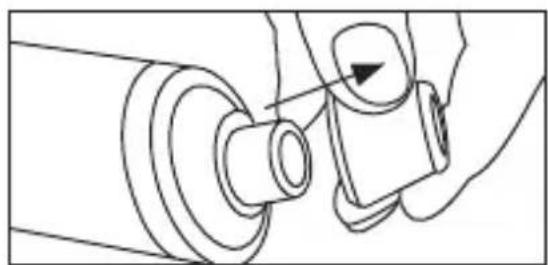
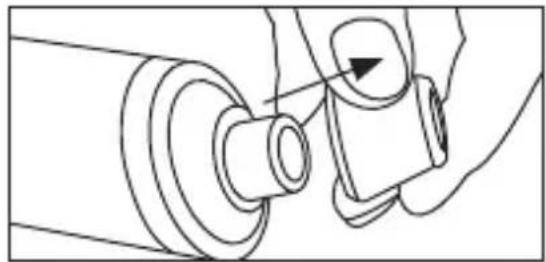
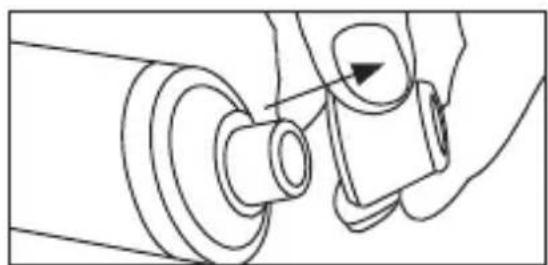
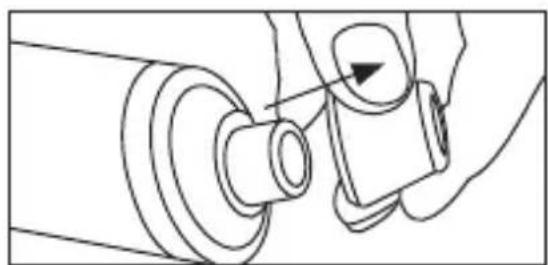
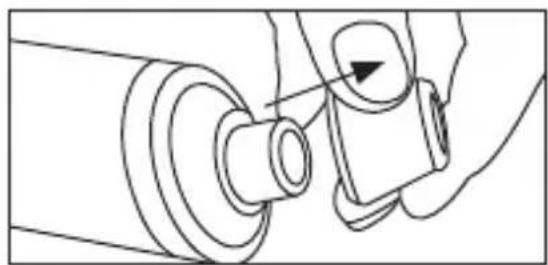
Turn the attachment to take it off the device and remove the cover from the suction head.
-
Place a filter on the suction head and then place the cover back over it. Make sure that the filter remains dry.
-
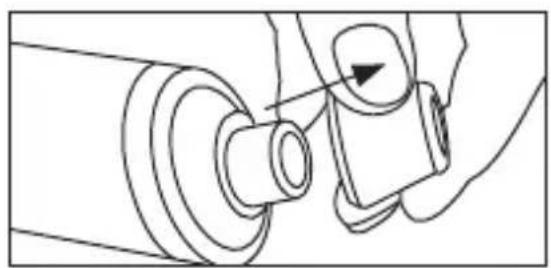
Place the attachment you wish to use on the suction head.
-
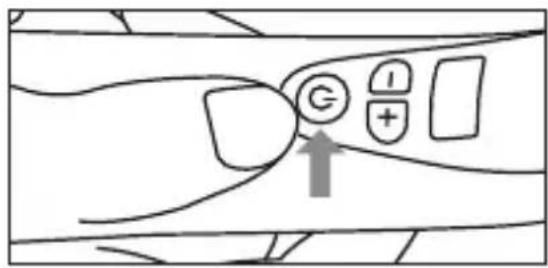
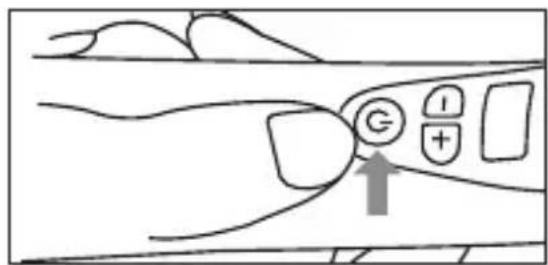
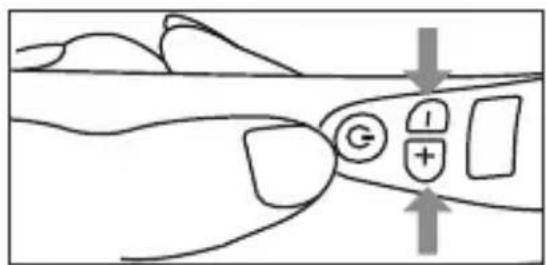
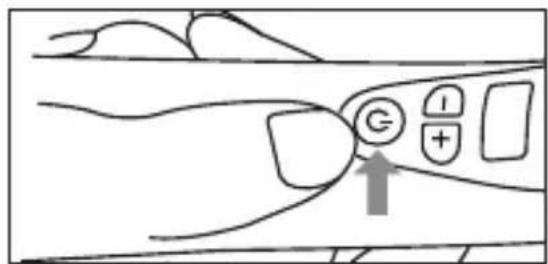
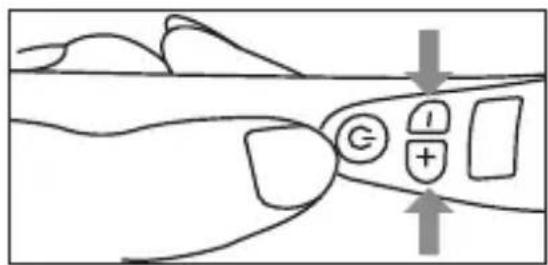
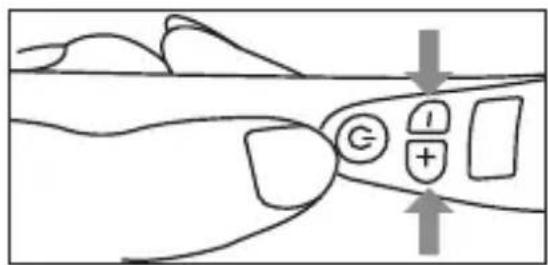
Press the ON/OFF button to now switch on the device. The intensity and battery state indicator begins to light up.
-
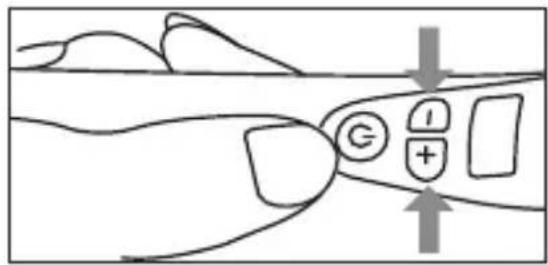
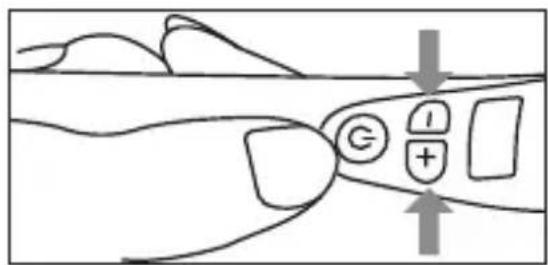
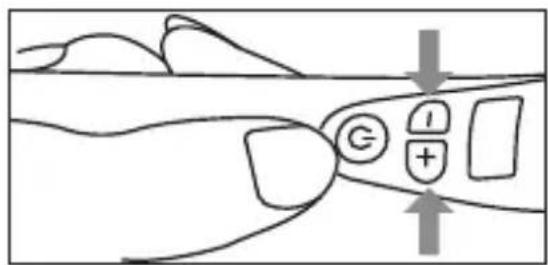
Select your desired intensity level using the -/+ buttons. We recommend you start using a low intensity level during the first few applications so that you get used to the device gradually.
natural_image
Line drawing of a mechanical component with a knob and adjustment knob (no text or symbols)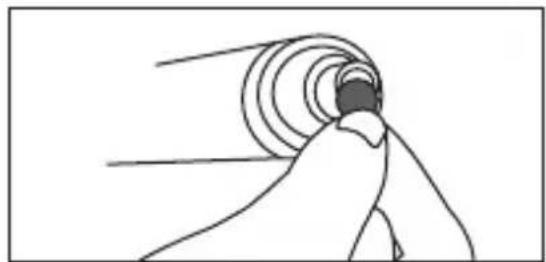
natural_image
Simple line drawing of a person reaching toward a circular tunnel or wave (no text or symbols)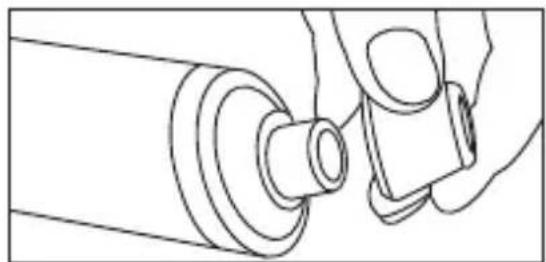
natural_image
Line drawing of a mechanical component with a cylindrical shaft and attached bracket (no text or symbols)
- Move the attachment over your face. Make sure that you do not move the attachment over one part of the face more than once. Further details on treatment can be found in Section "6.5 Application areas".

Note
The pressure you apply when using the device should be comfortable and not painful. Some slight reddening should be expected after use.
-
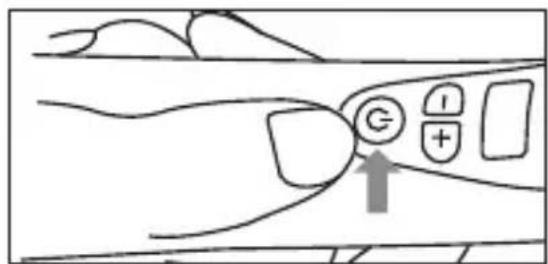
To end use, press the ON/OFF button. The intensity and battery state indicator goes out.
-
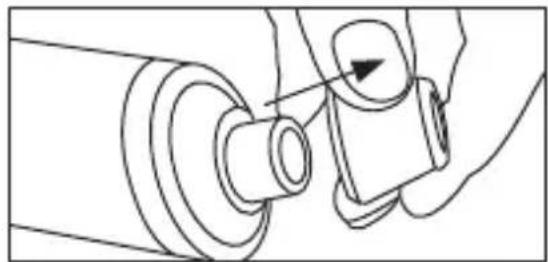
Change the filter after each use. To do so, turn the attachment to lift it off; then remove the cover below it. Use tweezers to remove the filter.
natural_image
Line drawing of a hand operating a mechanical component with a circular arrow indicating direction (no text or symbols)6.5 Application areas

Note
Ensure that the part of your face you are treating is taut when you move the device over the skin. You can do this by pulling the skin taut to the side or downwards with your free hand.
Do not use the device on the same area of skin for a long period of time.
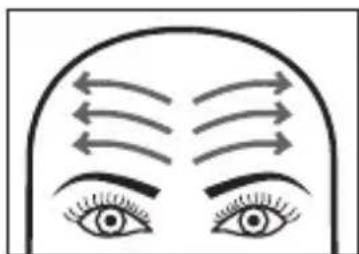
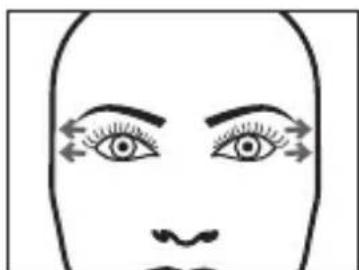
Forehead:
Move the device slowly and evenly outwards from the centre of the forehead. Make sure that you do not treat any part of your skin more than once.
natural_image
Illustration of human eyes with arrows indicating airflow or pressure direction (no text or symbols)Temples:
Move the device outwards towards your hairline. Repeat this on the left and right of the nose. Ensure that the device is at least 1 cm away from your eyes.
natural_image
Simple line drawing of a human face with eyes and eyebrows, no text or symbols presentNose:
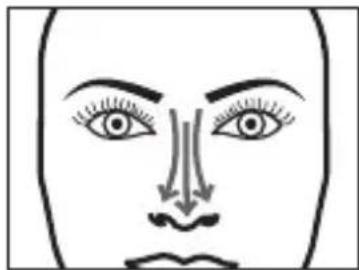
Move the device down the centre of your nose starting from the top of the bridge. Repeat this on the left and right of the nose.
Cheeks:
Move the device outwards across your cheeks.
natural_image
Simple line drawing of a human face with eyes, nose, and mouth (no text or symbols)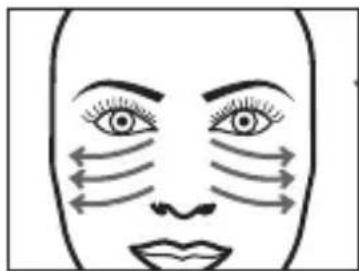
natural_image
Illustration of a human face with arrows indicating airflow or pressure direction (no text or symbols)Around the mouth:
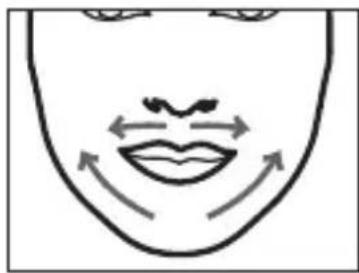
Move the device along your upper lip from the centre to the left and right. Move the device upwards from your bottom lip to the left and right. Make sure that you do not touch your lips.
natural_image
Simple line drawing of a human face with arrows indicating movement or pressure (no text or symbols)7. Cleaning and maintenance
- Never submerge the device in water or other liquids.
- Disinfect the attachments with a standard disinfectant after each use.
- Change the filter after each use.
- Use a dry cloth to clean the device of any dirt. Do not use any abrasive cleaning products.
- Protect the device from impacts, moisture, dust, chemicals, marked temperature fluctuations and nearby sources of heat (ovens, heaters).
8. Replacement parts and wearing parts
Replacement parts and wearing parts are available from the corresponding service address (according to the service address list).
Please state the corresponding order number.
| Replacement part Item number and/or order number | |
| 10 replacement filters 164083 | |
| 2 sealing rings 164084 | |
| Round attachment (large) 164080 | |
| Round attachment (small) 164081 | |
| Oval attachment 164082 | |
| USB charging cable 164079 | |
| Filter cover 164085 | |
9. Disposal
For environmental reasons, do not dispose of the device in the household
waste at the end of its useful life. Dispose of the device at a suitable local collection or recycling point in your country.
Dispose of the device in accordance with EC Directive – WEEE (Waste Electrical and Electronic Equipment). If you have any questions, please contact the local authorities responsible for waste disposal.
10. Technical data
| Supply 5V 0.5A | 3W |
| Dimensions approx. | 172 x 46 x 42 mm |
| Battery:CapacityNominal voltageType designation | 900 mAh3.7 VLithium-ion |
| Weight ~150 g |
11. Warranty/service
In case of a claim under the warranty please contact your local dealer or the local representation which is mentioned in the list “service international”.
In case of returning the unit please add a copy of your receipt and a short report of the defect.
The following warranty terms shall apply:
-
The warranty period for BEURER products is either 3 years or – if longer – the country specific warranty period from date of purchase.
In case of a warranty claim, the date of purchase has to be proven by means of the sales receipt or invoice. -
Repairs (complete unit or parts of the unit) do not extend the warranty period.
-
The warranty shall not be valid for damages because of
a. improper treatment, e.g. nonobservance of the user instructions.
b. repairs or tampering by the customer or unauthorised third parties.
c. transport from the manufacturer to the consumer or during transport to the service centre.
d. The warranty shall not be valid for accessories which are subject to normal wear and tear (cuff, batteries etc.).
- Liability for direct or indirect consequential losses caused by the unit are excluded even if the damage to the unit is accepted as a warranty claim.
FRANÇAIS

natural_image
Product display of a beurer with various cleaning devices and accessories (no visible text or symbols)
AVERTISSEMENT
Remarques relatives aux batteries
- Touche MARCHE/ARRÊT
- Raccordement micro-USB
natural_image
Close-up of a transparent plastic cap with ribbed base (no text or symbols visible)Embout rond (grand)
natural_image
Close-up of a metallic mechanical component with ribbed texture (no visible text or symbols)Embout rond (petit)
natural_image
Close-up of a transparent plastic container with pleated edges (no text or symbols visible)Embout ovale
natural_image
Mechanical assembly diagram showing a hand turning a component with an arrow indicating direction (no text or symbols)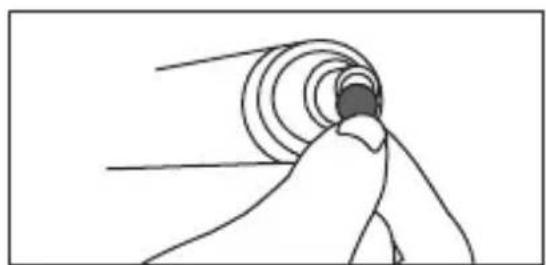
natural_image
Simple line drawing of a hand holding a circular object with radial lines, no text or symbols presentnatural_image
Line drawing of a mechanical assembly with a cylindrical component and a handle (no text or symbols)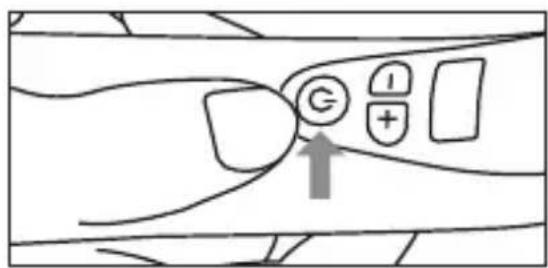

Remarque

natural_image
Mechanical assembly diagram showing a pin adjustment mechanism with a circular component (no text or symbols)natural_image
Illustration of human eyes with curved arrows indicating airflow or pressure direction (no text or symbols)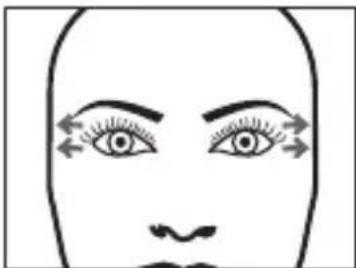
natural_image
Simple line drawing of a human face with eyes and nose, no text or symbols present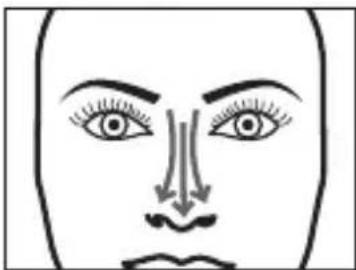
natural_image
Simple line drawing of a human face with eyes, nose, and mouth (no text or symbols)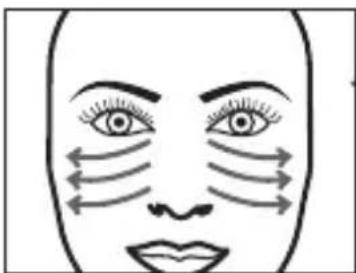
natural_image
Illustration of a human face with arrows indicating airflow or pressure direction (no text or symbols)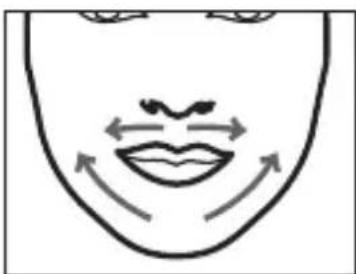
natural_image
Simple line drawing of a human face with arrows indicating motion or movement (no text or symbols)natural_image
Product display of a beurer device with various accessories and a small inset showing FC 40 connector (no readable text or symbols)
ADVERTENCIA
natural_image
Close-up of a transparent plastic cap with ribbed texture (no text or symbols visible)Cabezal redondo (grande)
natural_image
Line drawing of a hand holding a mechanical component with a knob and arrow indicator (no text or symbols)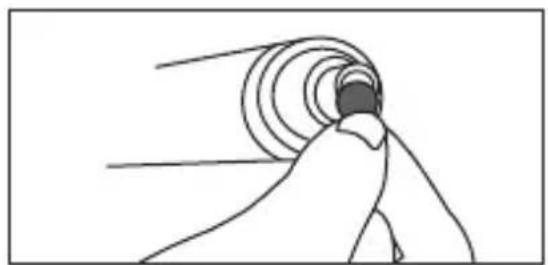
natural_image
Simple line drawing of a human figure with concentric circular patterns and a dark rectangular base (no text or symbols)natural_image
Line drawing of a mechanical component with a cylindrical shaft and flange (no text or symbols)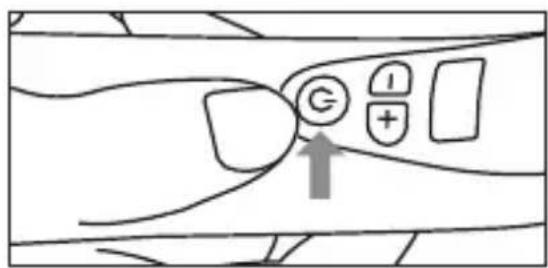

Nota
natural_image
Mechanical assembly diagram showing a pin adjustment mechanism with a circular component and arrow indicator (no text or symbols)natural_image
Illustration of human eyes with curved arrows indicating airflow or pressure direction (no text or symbols)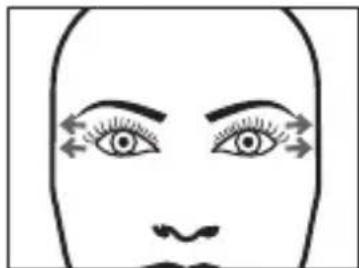
natural_image
Simple line drawing of a human face with eyes and nose, no text or symbols present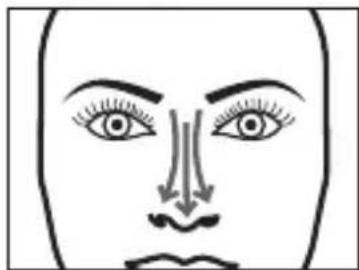
natural_image
Simple line drawing of a human face with eyes, nose, and mouth (no text or symbols)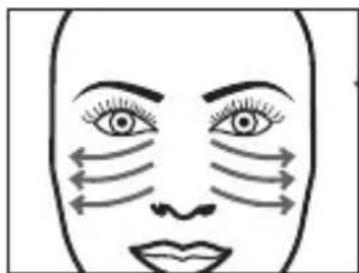
natural_image
Simple line drawing of a human face with arrows indicating airflow or pressure direction (no text or symbols)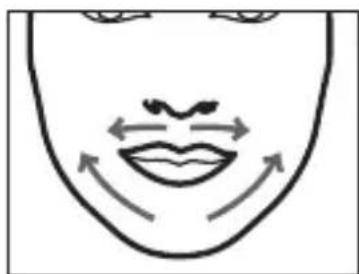
natural_image
Simple line drawing of a human face with arrows indicating motion or movement (no text or symbols)natural_image
Product display of a beurer with various ear-shaped accessories and a small inset showing its internal structure (no text or symbols visible)
AVVERTENZA
natural_image
Close-up of a metallic mechanical component with frayed edges (no visible text or symbols)Accessorio ovale
natural_image
Mechanical assembly diagram showing a hand fastening a bolt onto a cylindrical component (no text or symbols)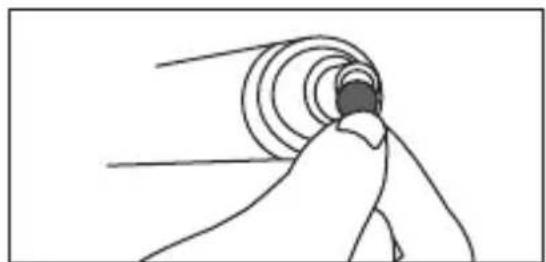
natural_image
Simple line drawing of a hand reaching toward a circular object with radial lines (no text or symbols)natural_image
Line drawing of a mechanical assembly with a cylindrical component and a handle (no text or symbols)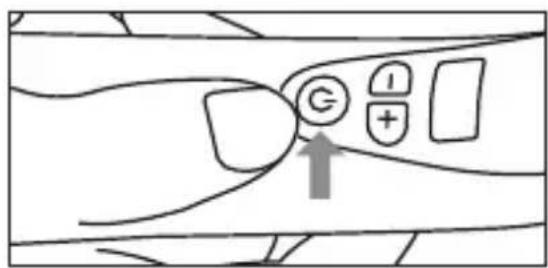

Nota
natural_image
Mechanical assembly diagram showing a pin adjustment mechanism with a circular component (no text or symbols)natural_image
Illustration of human eyes with arrows indicating airflow or pressure direction (no text or symbols)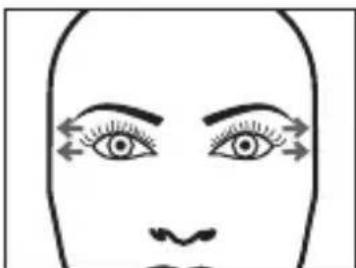
natural_image
Simple line drawing of a human face with eyes and eyebrows, no text or symbols present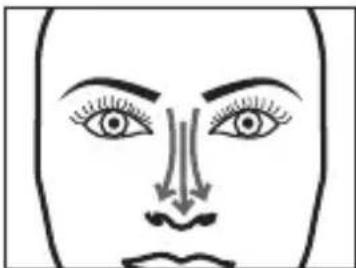
natural_image
Simple line drawing of a human face with eyes, nose, and mouth (no text or symbols)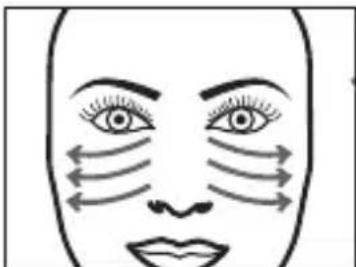
natural_image
Simple line drawing of a human face with arrows indicating airflow or pressure direction (no text or symbols)natural_image
Simple line drawing of a human face with arrows indicating movement or rotation around the mouth (no text or symbols)natural_image
Product display of a beurer with various cleaning devices and accessories (no visible text or symbols)
UYARI
natural_image
Mechanical assembly diagram showing a hand fastening a bolt onto a cylindrical component (no text or symbols)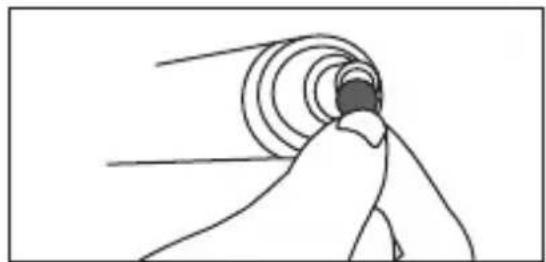
natural_image
Simple line drawing of a person reaching toward a circular tunnel or wave (no text or symbols)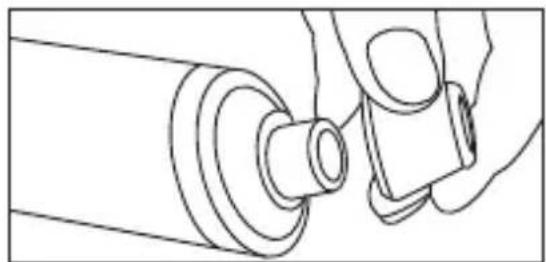
natural_image
Line drawing of a mechanical component with a cylindrical shaft and attached bracket (no text or symbols)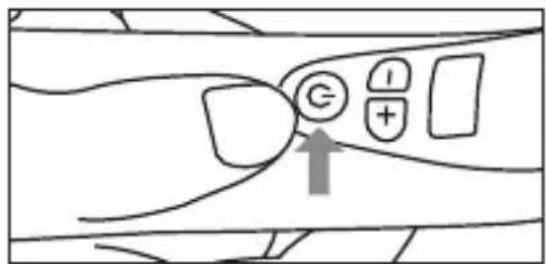
natural_image
Diagram of a hand operating a mechanical component with a knob and shaft (no text or symbols)natural_image
Illustration of human eyes with curved arrows indicating airflow or pressure direction (no text or symbols)Şakaklar:
natural_image
Simple line drawing of a human face with eyes and eyebrows, no text or symbols present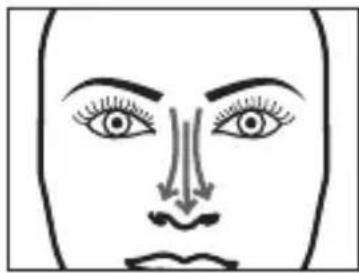
natural_image
Simple line drawing of a human face with eyes, nose, and mouth (no text or symbols)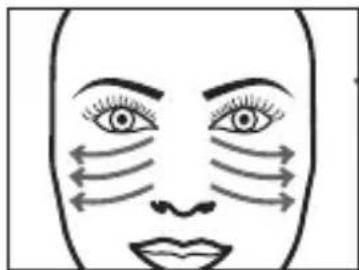
natural_image
Simple line drawing of a human face with arrows indicating airflow or pressure direction (no text or symbols)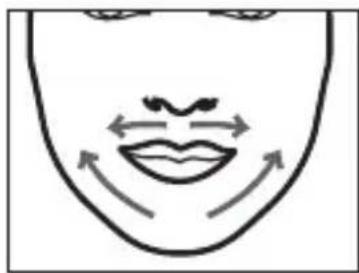
natural_image
Simple line drawing of a human face with arrows indicating movement or pressure direction (no text or symbols)natural_image
Product display of a beurer device with various connector designs and a small inset showing the model's front view (no text or symbols on main components)
ПРЕДУПРЕЖДЕНИЕ
natural_image
Line drawing of a hand operating a mechanical component with a circular arrow indicating direction (no text or symbols)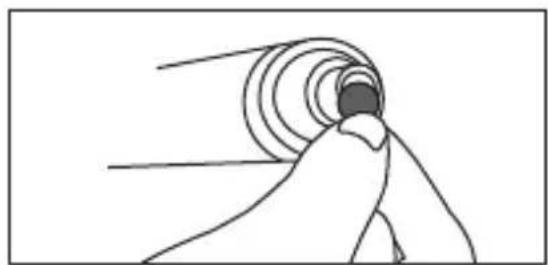
natural_image
Simple line drawing of a hand reaching toward a circular object with radial lines (no text or symbols)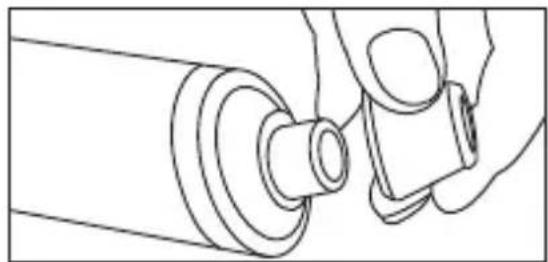
natural_image
Line drawing of a hand holding a mechanical component with a cylindrical shaft (no text or symbols)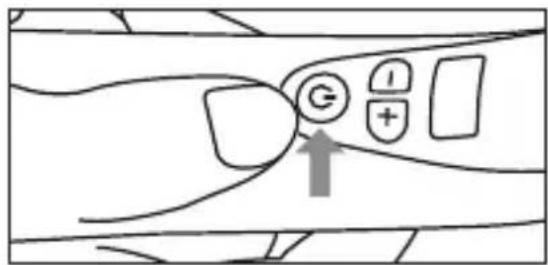


Указание
natural_image
Mechanical assembly diagram showing a hand operating a pulley and rotating component (no text or symbols)natural_image
Illustration of human eyes with curved arrows indicating airflow or pressure direction (no text or symbols)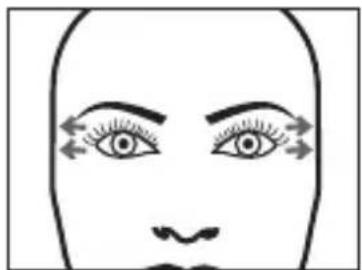
natural_image
Simple line drawing of a human face with eyes and eyebrows, no text or symbols present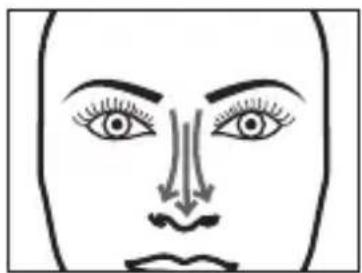
natural_image
Frontal view of a human face showing eyes, nose, and mouth with arrows indicating airflow or pressure direction (no text or symbols)Щеки
natural_image
Simple line drawing of a human face with arrows indicating airflow or pressure direction (no text or symbols)Область вокруг рта
natural_image
Simple line drawing of a human face with arrows indicating movement or pressure direction (no text or symbols)7. Ремонт и очистка
natural_image
Product display of a beurer with various earbuds and accessories (no visible text or symbols)
OSTRZEŻENIE
natural_image
Diagram of a hand operating a mechanical component with a knob (no text or symbols)natural_image
Simple line drawing of a hand reaching toward a circular object with radial lines (no text or symbols)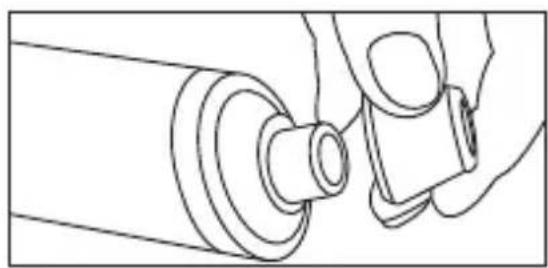
natural_image
Line drawing of a mechanical assembly with a cylindrical component and a handle (no text or symbols)