G233 Prodigy - Headphones LOGITECH - Free user manual and instructions
Find the device manual for free G233 Prodigy LOGITECH in PDF.



| Product type | Wired gaming headset |
| Brand | Logitech |
| Model | G233 Prodigy |
| Connection type | 3.5 mm jack |
| Main cable length | 2 m (console/PC cable) |
| Additional cable length | 1.5 m (phone cable) |
| Microphone | Detachable boom microphone |
| Compatibility | PC, Xbox One, PlayStation 4, mobile phones |
| Weight (approx.) | 259 g |
| Dimensions (approx.) | 20 x 18 x 8 cm |
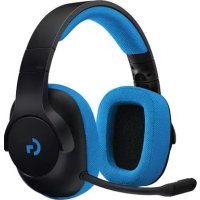
| Color | Black with blue accents |
| Volume control | Integrated on console/PC cable |
| Mute control | Integrated on console/PC cable |
| PC splitter | Included (headphone and microphone jacks) |
| Care and cleaning | Wipe with a soft, dry cloth. Do not use chemical products. |
| Spare parts and repairability | The cables and microphone are replaceable. Contact Logitech customer service. |
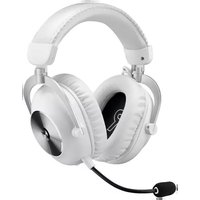
| General information | Circumaural headset with padded ear cups. Adjustable headband. |
Frequently Asked Questions - G233 Prodigy LOGITECH
User questions about G233 Prodigy LOGITECH
0 question about this device. Answer the ones you know or ask your own.
Ask a new question about this device
Download the instructions for your Headphones in PDF format for free! Find your manual G233 Prodigy - LOGITECH and take your electronic device back in hand. On this page are published all the documents necessary for the use of your device. G233 Prodigy by LOGITECH.
USER MANUAL G233 Prodigy LOGITECH
Wired Gaming Headset
Casque gaming filaire
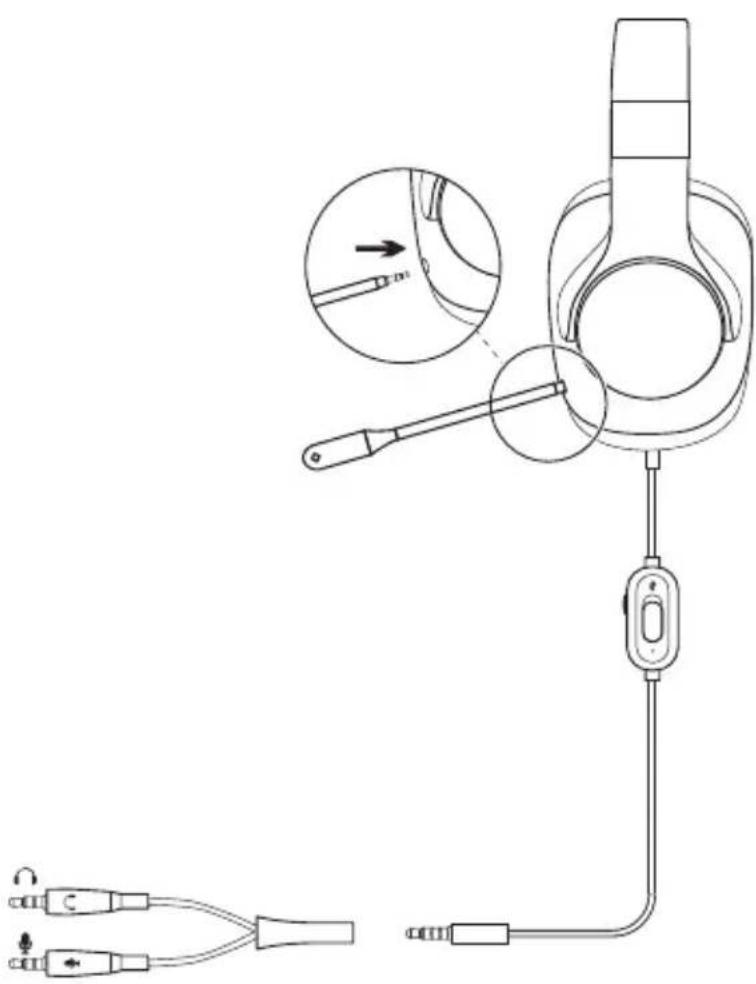
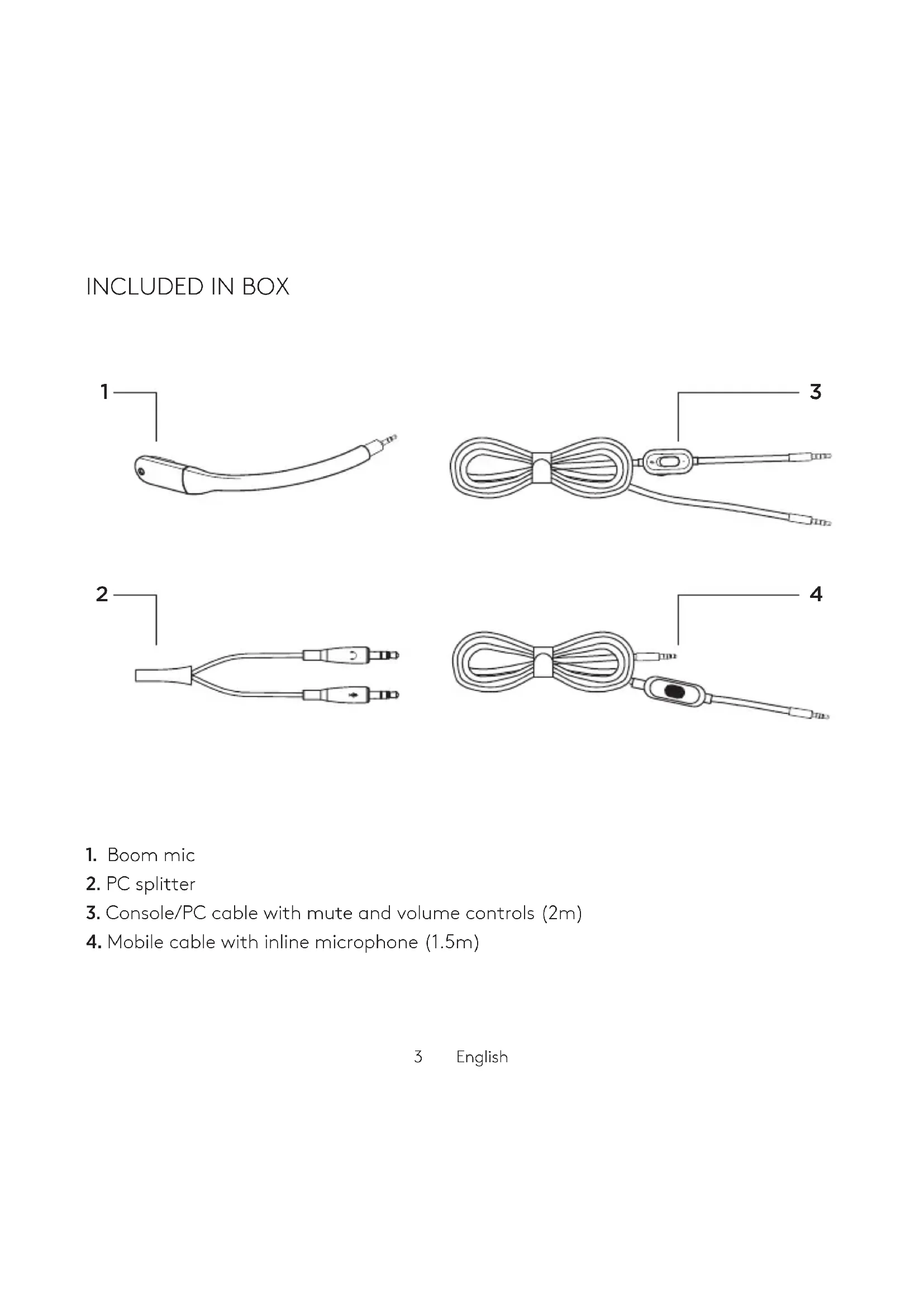
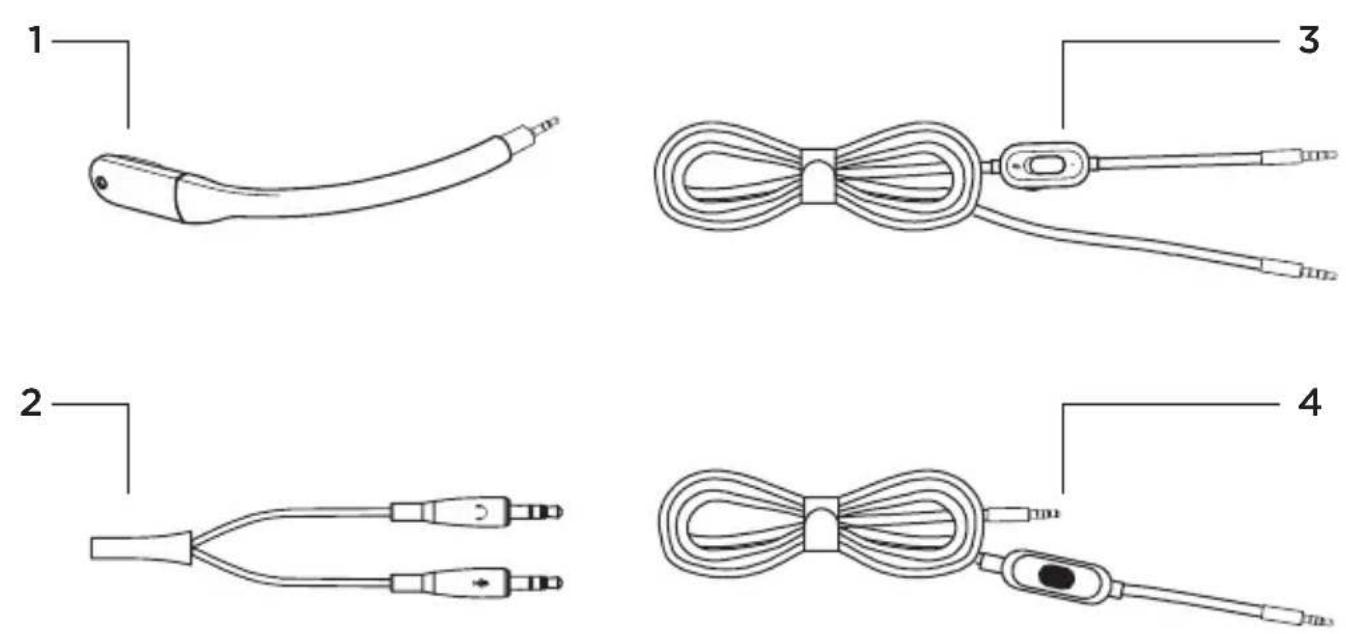
- Boom mic
- PC splitter
- Console/PC cable with mute and volume controls (2m)
- Mobile cable with inline microphone (1.5m)
3 English
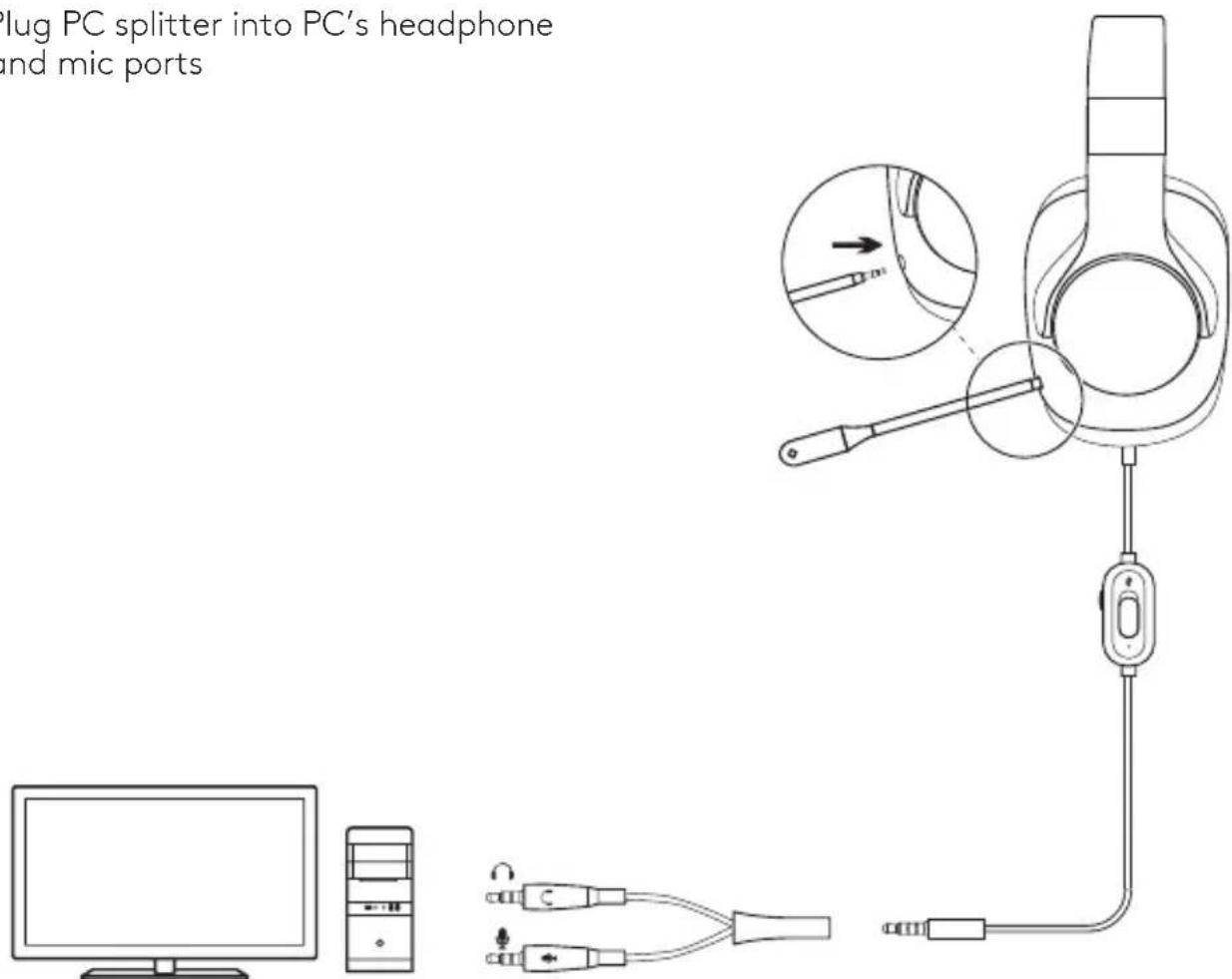
PC SETUP
- Plug in boom mic
- Plug console/PC cable in to headset
-
(Optional) Using PC splitter:
-
Plug console/PC cable into PC splitter
- Plug PC splitter into PC's headphone and mic ports
CONSOLE SETUP (XBOX ONE™, PLAYSTATION®4)
- Plug in boom mic
- Plug console/PC cable into headset
- Plug other end into controller ^1
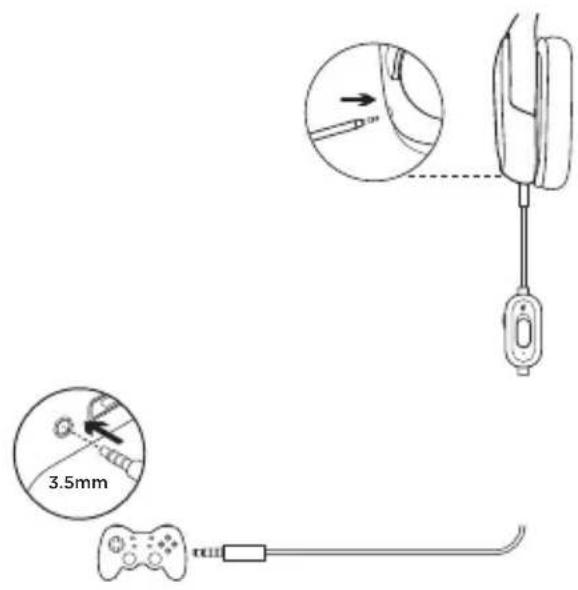
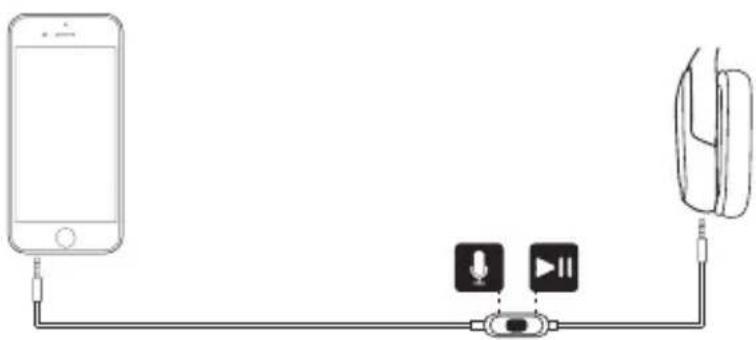
MOBLIE SETUP
- Remove boom mic
- Plug in mobile cable to headset
- Plug mobile cable into phone
natural_image
Diagram showing connections between a smartphone, microphone, and earphone (no text or symbols present)^1 Instructions may vary based on your system version. Please check your console manual for additional guidance. Xbox One and PlayStation 4 operate in stereo mode only via analog cable. Some Xbox One controllers may require Xbox One Stereo Headset Adapter, sold separately.
INCLUS DANS LE COFFRET
natural_image
Diagram showing connections between a smartphone, microphone, and earphone (no text or symbols present)natural_image
Line drawing of a desktop computer monitor and tower (no text or symbols)