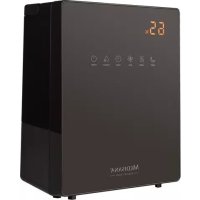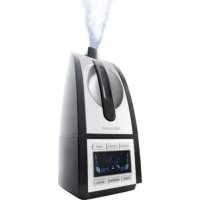
PRH90 - Humidifier MEDISANA - Free user manual and instructions
Find the device manual for free PRH90 MEDISANA in PDF.



Frequently Asked Questions - PRH90 MEDISANA
User questions about PRH90 MEDISANA
0 question about this device. Answer the ones you know or ask your own.
Ask a new question about this device
Download the instructions for your Humidifier in PDF format for free! Find your manual PRH90 - MEDISANA and take your electronic device back in hand. On this page are published all the documents necessary for the use of your device. PRH90 by MEDISANA.
USER MANUAL PRH90 MEDISANA
Mist outlet (rotatable)
Water tank
Water filler opening
4 Cap with valve
5 Air outlet
6 Housing lower section
LED display
8 Control panel
9 Ultrasonic transducer
Water canister
1 Cleaning brush
Water filter
NL vanaf pagina 20
Read the instruction manual carefully before using this device, especially the safety instructions, and keep the instruction manual for future use.
Should you give this device to another person, it is vital that you also pass on these instructions for use.

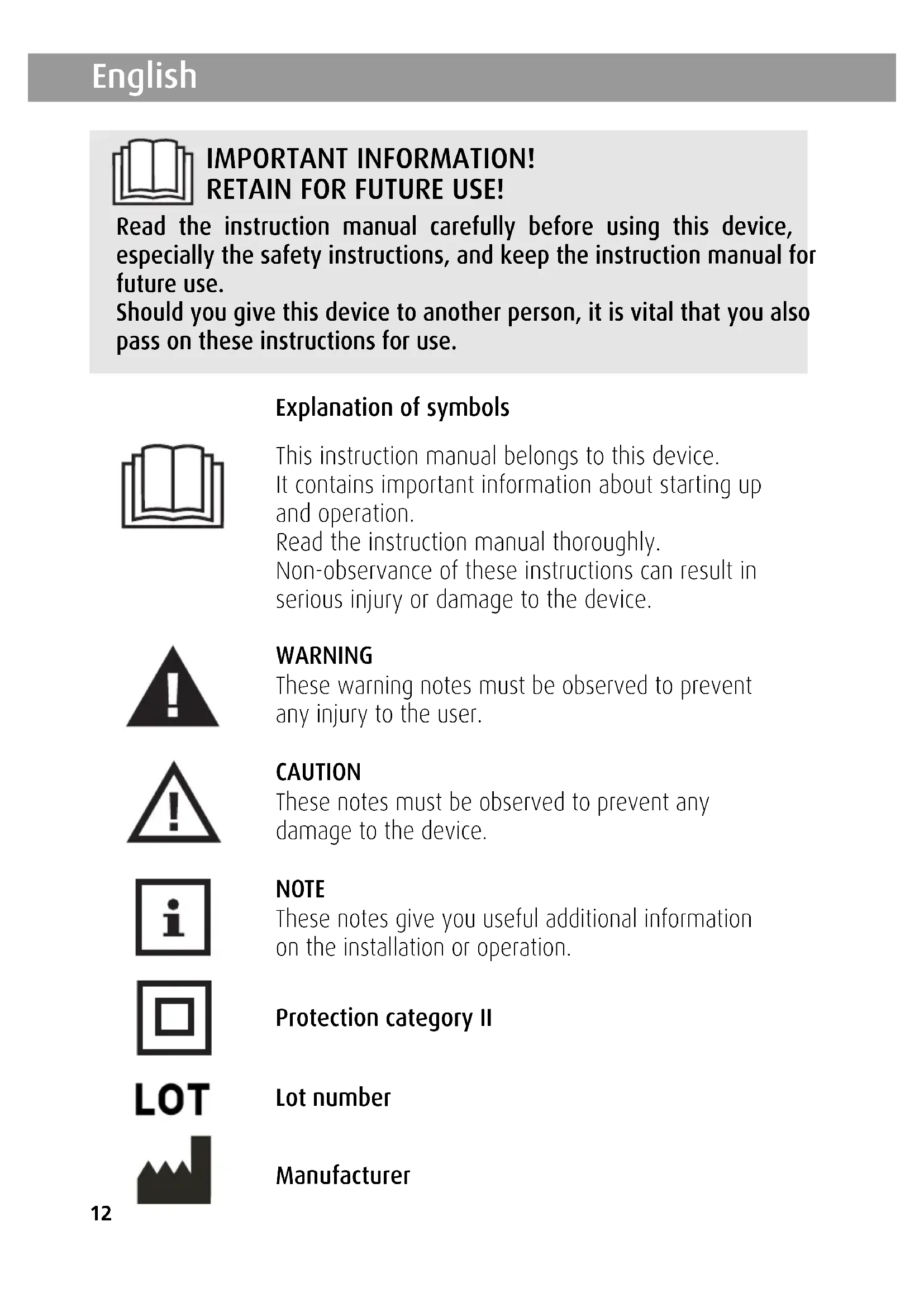
Explanation of symbols
This instruction manual belongs to this device.
It contains important information about starting up and operation.
Read the instruction manual thoroughly.
Non-observation of these instructions can result in serious injury or damage to the device.

WARNING
These warning notes must be observed to prevent any injury to the user.

CAUTION
These notes must be observed to prevent any damage to the device.

NOTE
These notes give you useful additional information on the installation or operation.

Protection category II

Lot number

Manufacturer
1 Safety Information!
Power supply
- Before connecting the device to your power supply, please ensure that the supply voltage stated on the rating plate is compatible with your mains supply.
- Only connect the mains plug to the wall socket when the device is switched off.
- Never carry, pull or turn the device by the electricity cable and do not squeeze the cable.
- Position the mains cable so as to avoid the danger of falling.
- Do not touch the mains plug when you are standing in water and always take hold of the plug with dry hands.
For special people
- This appliance can be used by children aged from 8 years and persons with reduced physical, sensory or mental capabilities or lack of experience and knowledge if they have been given supervision or instruction concerning use of the appliance in a safe way and understand the hazards involved.
- Children shall not play with the appliance.
- In the event of an allergic respiratory problem, consult your doctor before using the appliance.
- Should you experience medical complaints during use talk to your doctor. Should this be the case, stop using the device immediately.
Operating the device
- The device is not determined for commercial use.
- Only use the device for its intended use as in the instruction manual. If misused, all guarantee rights shall become null and void.
- Do not use the device if it or the power supply cable is damaged, if it does not work properly or if it has been dropped or fallen into water.
- Keep the device and its power cable away from hot surfaces.
- If the power supply cable is damaged, it may only be replaced by MEDISANA, an authorised dealer or by qualified personnel. In order to prevent hazards, always send the unit in to the service centre.
- Place the device on a firm floor area when in use so that it cannot tip over.
-
Do not take hold of a device if it falls into water. Unplug the mains cable immediately.
-
Do not use the device if the water tank is empty or does not contain enough liquid.
- Do not use distilled oils (e.g. eucalyptus or menthol), since these could damage the device.
- Keep the ventilation slits on the underside of the unit free of dust and impurities.
- Switch off all functions after use and remove the plug from the mains supply.
Maintenance and cleaning
- You may only clean the device yourself. If the device malfunctions do not repair it yourself as this leads to the automatic expiry of all guarantee rights. Ask your specialist dealer and have repairs carried out by the MEDISANA service.
- Cleaning and user maintenance shall not be made by children without supervision.
- Do not immerse the device in water or other fluids.
- If, nonetheless, liquid should penetrate the device, unplug the mains cable immediately.
- Store the unit in a dry place.
2 Useful Information
Thank you for your confidence in us and congratulations on your purchase!
You have acquired a quality product with your purchase of the MEDISANA air humidifier PR-H90. To ensure the best results and long-term satisfaction with your MEDISANA air humidifier PR-H90, we recommend that you read the following operating and maintenance instructions carefully.
2.1 Items supplied and packaging
Please check first of all that the device is complete and is not damaged in any way. In case of doubt, do not use it and contact your supplier or your service centre.
The following parts are included:
1 MEDISANA air humidifier PR-H90
- 1 Water filter (built-in)
- 1 Cleaning brush
- 1 Instruction manual

The packaging can be reused or recycled. Please dispose properly of any packaging material no longer required. If you notice any transport damage during unpacking, please contact your supplier without delay.

WARNING Please ensure that the polythene packing is kept away from the reach of children! Risk of suffocation!
2.2 Ultrasonic technology
Very dry air increases susceptibility to infection and respiratory diseases and leads to fatigue and lack of concentration. Healthy air should have a relative atmospheric humidity of 40 to 55% . The quiet, energy saving ultrasound technology of the air humidifier uses oscillation to convert water into a fine mist that increases the moisture level of the air. This improves the air quality and prevents the mucous membranes and skin from drying out.
The capacity of the device is suitable for a room with a maximum area of 30m^2 . You can adjust the level of humidity to the size of the room using the buttons of the control panel 8.
Pay special attention to the notes on cleaning and care.

CAUTION Over-intensive operation can result in saturating the room with moisture, which can affect the walls, windows and objects in the room. Therefore, use a hygrometer at regular intervals to check that the level of relative air humidity does not exceed 55%
3 Operating

CAUTION Make sure that the MEDISANA air humidifier is operated on a surface which is resistant to water, and that it cannot tip over. In particular, when operated with mineralised water / aromatic essences, condensation / residues may be produced. You can turn the the mist outlet ①. Make sure that the mist being issued is not directed towards electronic appliances, furniture or walls. Keep distance of at least 2m .
3.1 Starting up
Before starting up for the first time, allow the device to adjust to room temperature for half an hour, particularly if the outside temperature is less than 5^ .
We recommend using the device at a temperature between 5 and 40^ with a relative humidity of below 80% .
Do not use water that is above 40^ .
Check the water canister 10; make sure that this is empty.
3.2 Filling and emptying the water tank
Detach the water tank 2 from the device and turn it over. Unscrew the cap 4. Rinse out the water tank and then fill it up above the water filler opening 3 with a maximum of 4.5 l drinking water. Seal the tank again by screwing the cap 4 back in. Turn the water tank over again and place it back in the device so that it audibly engages. Insert the mist outlet 1 in the opening at
the top of the water tank 2. Do not move the unit when the water chamber is full. Dispose of the leftover water after use and rinse out the tank with fresh drinking water. Before using again, fill the tank with fresh drinking water. When you have switched off the unit and do not intend to use it for an extended period of time, remove and empty the water tank.

CAUTION Only use fresh drinking water in the device. You can also use demineralised water, if the water is very hard and calciferous.
Clean the device at regular intervals and remove lime and other deposits, to maintain its efficiency.
Never operate the device when the water tank is empty.
3.3 Operation
- Insert the plug into a socket and press the ON/OFF button to switch the device on. The LED display ⑦ lights up for 2 seconds and then goes out. The device is in stand-by mode.
- ON/OFF: Use this button to switch the device on and off. Pressing the ON/OFF button once activates the display, the device operates at the lowest mist output. At the same time the fan motor starts to operate. Pressing the ON/OFF button again switches off all functions and the display goes out.
- PRESET: This button enables you to select a period after which the device automatically activates. Press this button when the device is in stand-by mode. A period of time between 1 and 24 hours can be preset. The selected time is shown in the control panel display 8 in minute increments. Once the preset time period has counted down to zero, the device starts to operate. The starting time (preset) can be combined with the timer.
- MIST: Four different output levels can be set for the mist output from low, middle, strong to highest. The corresponding outputs are 13-16 W (L), 17-20 W (M), 21-24 W (S) to 25-30 W (H). The selected output level is shown in display as an illuminated graphic.
- TIMER: This button enables you to select a period after which the device automatically switches off. A period of time between 1 and 24 hours can be preset. 0 means that all presets are deleted. 3 seconds after entering your preset, the time period starts counting down. The elapsing time is displayed in minute increments with the current humidity level at intervals of 5 seconds if a humidity level (humidistat) has been set. The time can be combined with the start time (preset).
- HUMIDISTAT: This button can be used to set a required level of relative humidity in a room in 5% increments from 40 to 95% . 0 means that all presets are deleted. 3 seconds after entering your present, the humidity controller starts to operate. It stops operating as soon as the current air humidity exceeds the preset value. The fan motor runs for another 5 minutes. As soon as the current air humidity drops to 2% below the preset value, the humidity controller starts operating again. The current humidity level is shown in the display, at intervals of 5 seconds alternating with the elapsing time, if a setting has been made using the timer.
-
ANION: Press the ANION button if the device is in stand-by mode and presets have been made for the humidity controller. The air purifier function (ionisation) switches on. At the same time the fan motor starts to operate. Press the ANION button again to switch off the air purifier function. The fan motor continues to run all the time the humidity controller is active.
-
Protection against empty tank: As soon as the tank runs empty, the display flashes waterless ("tank is empty"). The device switches off automatically. The timer and humidistat (humidity controller) settings are also deleted. Once the device has been refilled with water, the function settings can be entered again.
3.4 Faults and Fault Remedying
- Device will not switch on (LED not illuminating): Plug in the plug; Check power circuit, socket and fuse.
- No mist (LED lights up red): Fill water tank.
- No mist although tank full: Increasing mist intensity; Place device on a level surface; Clean atomiser and generator using provided brush and fill tank with clean water; Rinse device with clean water.
- White deposits: Use clean water or at least 1/2 distilled water / 1/2 fresh tap water. If a fault cannot be remedied using the described method, please contact your service centre.
3.5 Operating time
Operation time is approx. 15 hours at the maximum setting (300ml / h) with 4500ml of water.
4 Miscellaneous
4.1 Cleaning and maintenance
- During everyday use it is advisable to give the device a thorough cleaning at least every three days. If there are extended periods of non-use, drain the device and tank to prevent contamination /algae from the outset. Disinfect with alcohol now and then. Also clean device before and after long storage periods.
- Before cleaning the device, make sure that it is turned off and the mains plug is removed from the socket.
- Remove the water tank from the device and empty it.
- Clean the outside of the unit with a soft, damp cloth.
- Please do not use any aggressive substances for cleaning, such as scouring cream or other detergents, as these may damage the surfaces and reduce the atomisation effect.
- You can rinse out the water tank with hot water (>65^) or an alcohol of at least 75% vol. The atomiser chamber should be cleaned using an alcoholsoaked cloth and cotton bud. Take care to ensure that no water gets inside the humidifier.
- The ultrasound generator is the most sensitive component in the device. It is important for it to be kept clean and handled with care. Please use the pro-vided brus to remove deposits and dirt particles from the outlets. Never clean the ultrasound generator using metal objects.
- If you do not intend to use the unit for an extended period of time, empty any remaining water from the tank and dry off the unit.
- When cleaning the unit, rinse the filter 12 in clean water. If you are not using the unit for an extended period, store the filter separately so that it can dry.
- Store the unit in a cool, dry place, preferably in its original packaging.
- Remove cap from underside of the water tank and store separately to prevent sleeve gasket from sticking.
4.2 Water filter / Descaling
Water filter 12
The humidifier PR-H90 is equipped with a water filter. This filter assists in cleaning and demineralisation of water. Depending on the hardness of the water used, the filter should be changed at least once per month if the device is used daily.
Proceed as follows: Screw the cap ④ off of the water tank and turn the filter out of the cap ④ anti-clockwise. Turn the new filter in the reverse direction back into the cap.
Descending
When using hard water, or water with a high mineral content, the device must be regularly descaled. Please use only citric acid for descaling (powder preparation from the chemist). Do not use any liquid descaler, descaling tablets or vinegar!
- Empty out the device completely (tank and lower section). REMOVE THE WATER FILTER! Ensure that no liquid runs into the air outlet of the lower section.
- Place 4 tablespoons (approx.100g) of pure citric acid in the tank and fill up with 2000ml of water at 60^ . Screw the tank shut and gently shake until the citric acid powder has dissolved.
- Place the tank on the lower section. DO NOT SWITCH ON THE DEVICE!
- Allow the descending solution to cool in the tank/device (at least 3 hours).
- Remove the tank from the device and, with a suitable brush (bottle brush or similar), scrub the interior and the mist chamber. Empty the contents of the tank and rinse well.
- Empty the lower section. Make sure no liquid gets into the air outlet. Rub off persistent lime scale using the brush supplied, a cloth or cotton buds. Take care around the ultrasonic transducer!
- Rinse the lower section well (Ensure that no liquid runs into the air outlet of the lower section).
4.3 Disposal
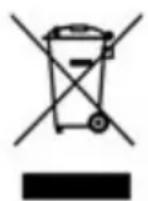
This product must not be disposed of together with domestic waste.
All users are obliged to hand in all electrical or electronic devices, regardless of whether or not they contain toxic substances, at a municipal or commercial collection point so that they
can be disposed of in an environmentally acceptable manner.
Consult your local authority or your supplier for information about disposal.
5 Technical specifications
Name and model : MEDISANA air humidifier PR-H90
Current supply: 220 - 240 V~ 50/60 Hz
Output : approx. 30 W
Tank contents : approx. 4.5 l
Atomizer capacity : maximum approx. 300 ml/h
Operating time : maximum approx. 15 h
Dimensions D x W x H : ca. 24 x 17 x 36 cm
Weight : approx. 1,3 kg
Storage conditions : clean and dry
Item number : 88830
EAN number : 40 15588 88830 4
Accessories : 1 replacement water filter (black)
Item 88834 EAN 40 15588 88834 2
2 replacement water filters (white)
Item 60069 EAN 40 15588 600692


In accordance with our policy of continual product improvement, we reserve the right to make technical and visual changes without notice.
The current version of this instruction manual can be found under www.medisana.com
6 Warranty and repair terms
Please contact your dealer or the service centre in case of a claim under the warranty. If you have to return the unit, please enclose a copy of your receipt and state what the defect is.
The following warranty terms apply:
- The warranty period for MEDISANA products is three years from date of purchase. In case of a warranty claim, the date of purchase has to be proven by means of the sales receipt or invoice.
- Defects in material or workmanship will be corrected free of charge within the warranty period.
- Repairs under warranty do not extend the warranty period either for the unit or for the replacement parts.
- The following is excluded under the warranty:
a. All damage which has arisen due to improper treatment, e.g. nonobservance of the user instructions.
b. All damage which is due to repairs or tampering by the customer or unauthorised third parties.
c. Damage which has arisen during transport from the manufacturer to the consumer or during transport to the service centre.
d. Accessories which are subject to normal wear and tear (batteries etc.).
- Liability for direct or indirect consequential losses caused by the unit are excluded even if the damage to the unit is accepted as a warranty claim.

MEDISANA AG
Jagenbergstraße 19
41468 NEUSS
GERMANY
MEDISANA HEALTHCARE, S.L.
C/Clementina Arderiu, Nave 3
Pol. Industrial Les Vives