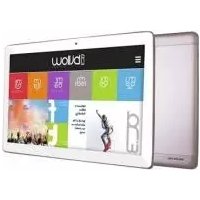
X103X - Tablet Billow - Free user manual and instructions
Find the device manual for free X103X Billow in PDF.



Frequently Asked Questions - X103X Billow
User questions about X103X Billow
0 question about this device. Answer the ones you know or ask your own.
Ask a new question about this device
Download the instructions for your Tablet in PDF format for free! Find your manual X103X - Billow and take your electronic device back in hand. On this page are published all the documents necessary for the use of your device. X103X by Billow.
USER MANUAL X103X Billow
text_image
Technical line drawing of a tablet device with labeled components and exploded view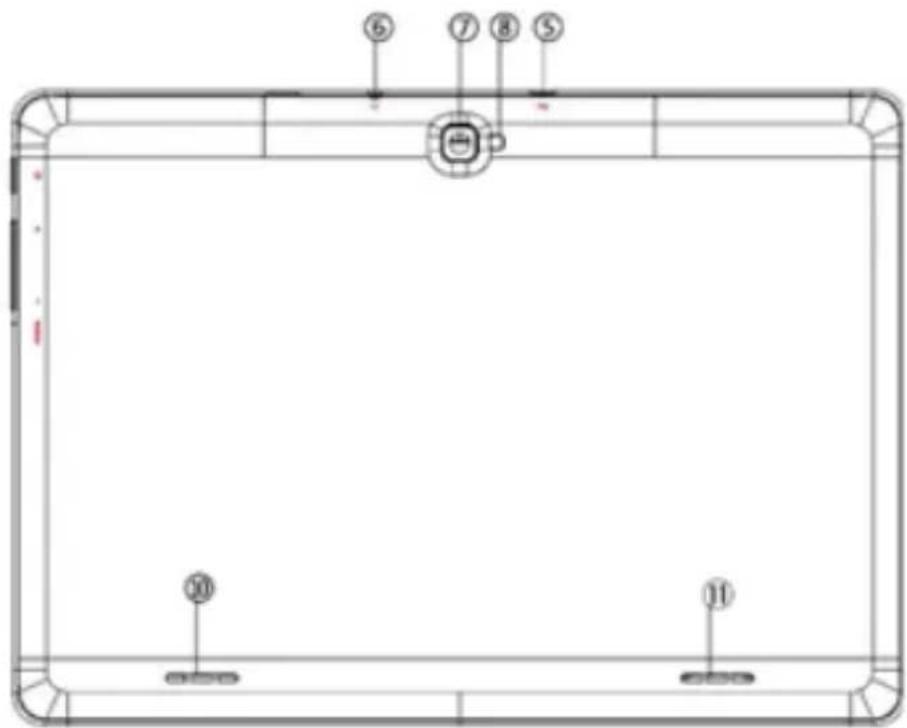
text_image
Technical diagram of a pool table with numbered labels pointing to specific areas.text_image
10:31 MINUTE, 10:31 AMtext_image
Technical diagram of a tablet device with labeled components and exploded view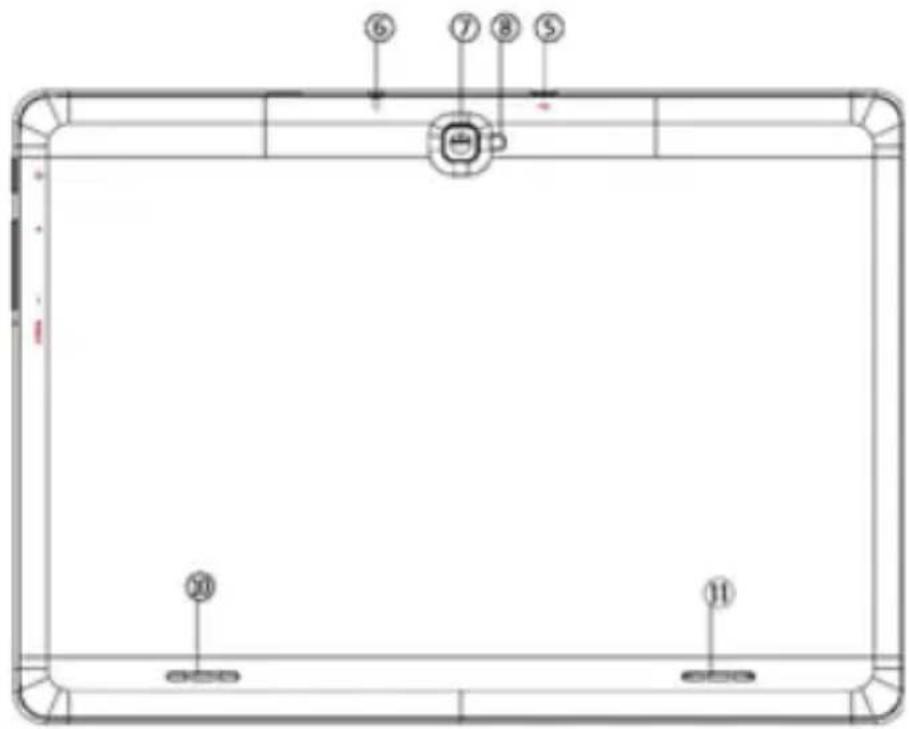
text_image
Technical diagram of a pool table with numbered labels pointing to specific areastext_image
10:31 HAPPLED TO BE HORNIntroduction and product description
Thank you for choosing the tablet X103x
The Tablet X103x incorporates a HD panel with 1280 * 800 resolution, quad-core processor, 1GB DDR3 memory, 5MP front camera and 8MP rear camera, 16GB internal memory, GPS, Bluetooth 4.0, 3G, all of this so that you can enjoy and share on the net all your photos, videos, music and endless multimedia contents at unimaginable speeds, thanks to its Wifi N card at 150 Mbps. Weighing only 520 grams and with a thickness of 10 millimeters, gives it a stylish and compact design ideal for the most demanding users.
Discover endless possibilities and enjoy the latest technology!
Package contents
·X103x
- Quick installation guide.
- USB / Micro usb cable
- OTG adapter
- Tablet Charger
Make sure that your packaging contains the items described above. If any item is missing or damaged, please contact your dealer.
Installation and configuration
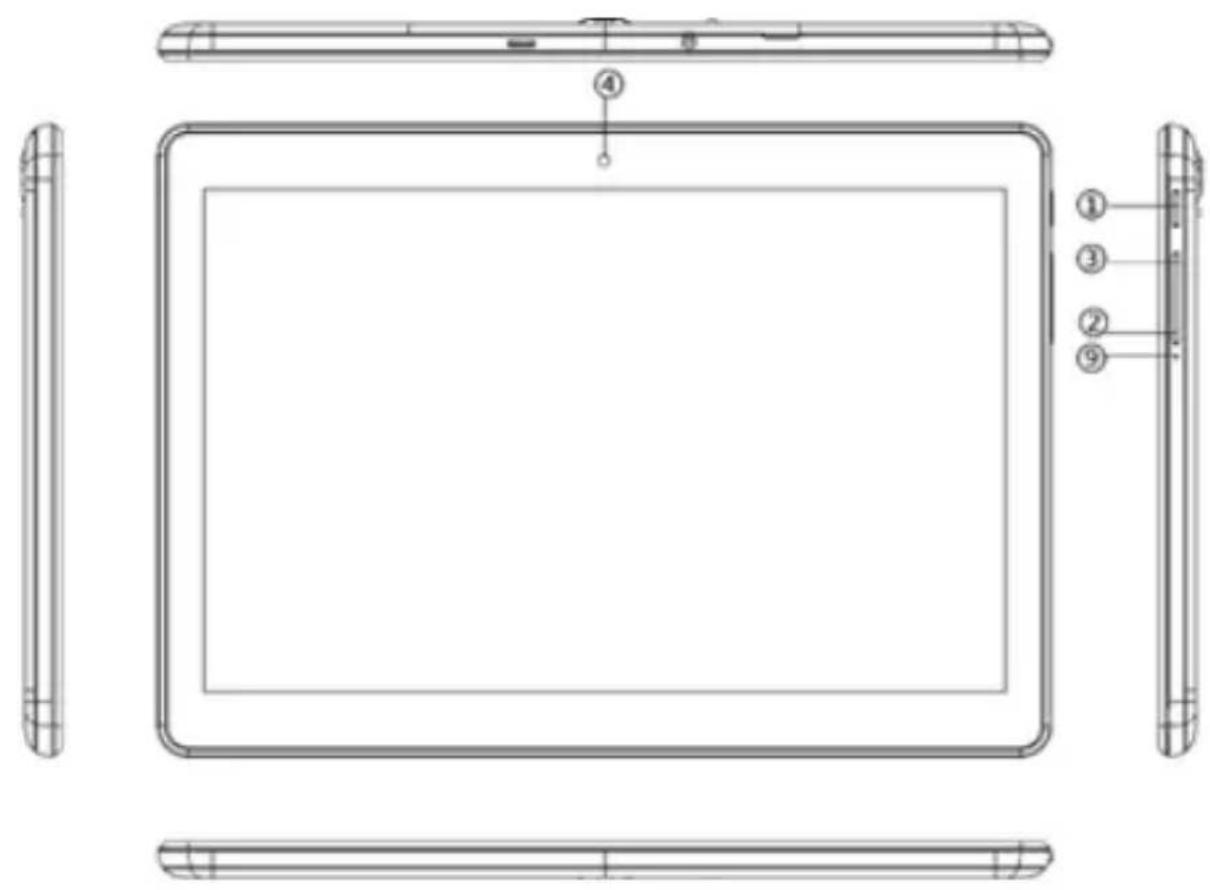
Part descriptions:
-
ON/OFF button
-
Volume -
-
Volume +
-
Front Camera
-
Back cover opening
-
Jack 3.5mm
-
Rear Camera
-
Led (Flash)
-
Unused hole
-
and 11. Speaker holes
text_image
Technical line drawing of a tablet device with labeled components including front, back, and side views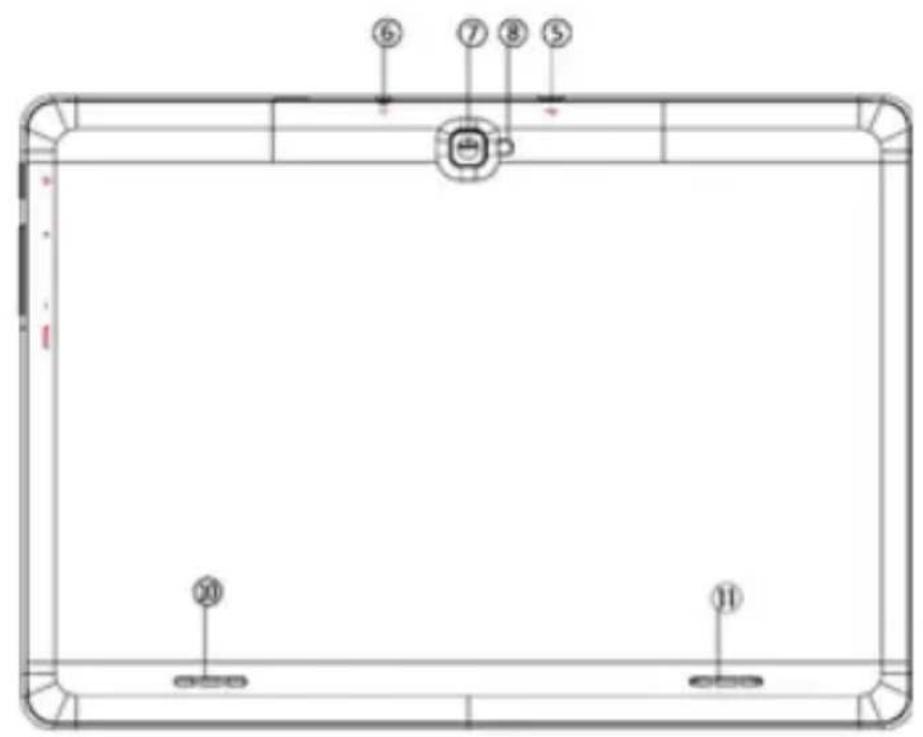
text_image
Technical diagram of a pool table with numbered labels pointing to specific areas.First of all, read this information
Charging the battery
Connect the supplied charger to an electrical outlet in your home and to the Micro Usb port on your Tablet. The tablet will start charging.
The loads must be complete, never less than 5h. Do not disconnect the charger without completing the full charge of the battery, otherwise it will shorten the battery life.
On/Off Button
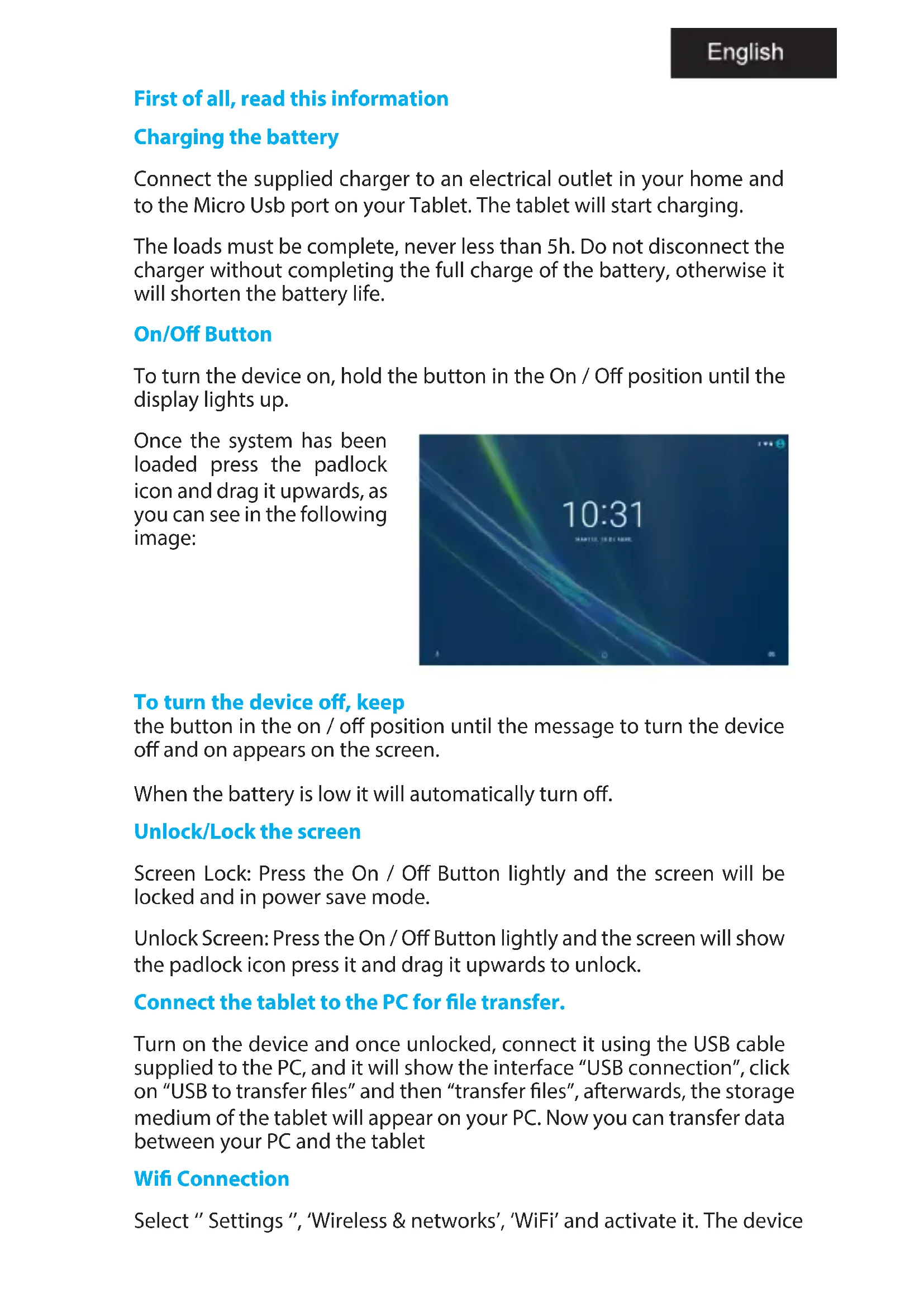
To turn the device on, hold the button in the On / Off position until the display lights up.
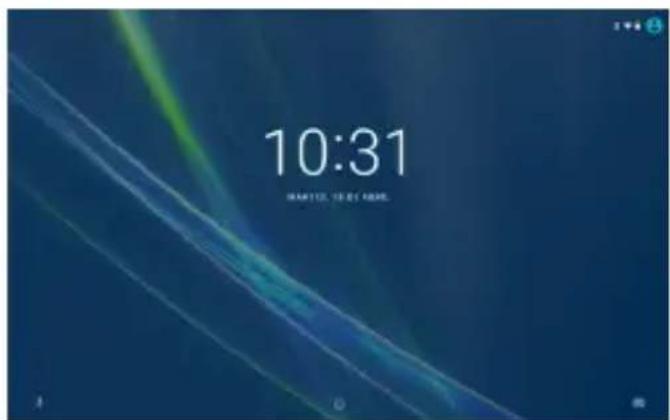
Once the system has been loaded press the padlock icon and drag it upwards, as you can see in the following image:
text_image
10:31 IN PARTS TO GET HOMETo turn the device off, keep
the button in the on / off position until the message to turn the device off and on appears on the screen.
When the battery is low it will automatically turn off.
Unlock/Lock the screen
Screen Lock: Press the On / Off Button lightly and the screen will be locked and in power save mode.
Unlock Screen: Press the On / Off Button lightly and the screen will show the padlock icon press it and drag it upwards to unlock.
Connect the tablet to the PC for file transfer.
Turn on the device and once unlocked, connect it using the USB cable supplied to the PC, and it will show the interface “USB connection”, click on “USB to transfer files” and then “transfer files”, afterwards, the storage medium of the tablet will appear on your PC. Now you can transfer data between your PC and the tablet
Wifi Connection
Select " Settings ", 'Wireless & networks', 'WiFi' and activate it. The device
will show the networks detected automatically, select the desired one and enter the network security password if it is protected. Once connected, the Wifi network icon will appear As connected on the main screen.
Bluetooth Connection
Select "Settings", 'Bluetooth' and activate it. Click Search for Devices, it will show you nearby Bluetooth devices, select it and it will connect automatically.
SIM and Micro SD Card
Turn off the Tablet, remove the top cover and insert the SIM Card into SIM1 or SIM2 slot and turn it on. (If you have another SIM card, insert it into SIM2 slot).
You must enter the PIN Code to lock the Tablet.
If you enter the PIN code incorrectly three times in a row, the SIM card will be locked. In this case, you must enter the PUK code to unlock the SIM card.
To insert the Micro SD card, remove the rear top cover and insert the Micro SD card into its slot
Reset Button
In case of system lock or no response, press the power button until the Tablet turns off, then turn it back on.
Technical Support.
For more information on installation and configuration of this product, please visit our website www.billowtechnology.com.
text_image
Technical diagram of a pool table with numbered labels pointing to specific areas.Bluetooth Connection
text_image
Technical line drawing of a tablet device with labeled components and exploded view
text_image
Diagram of a pool table with numbered labels pointing to specific areastext_image
Technical line drawing of a tablet device with labeled components and exploded view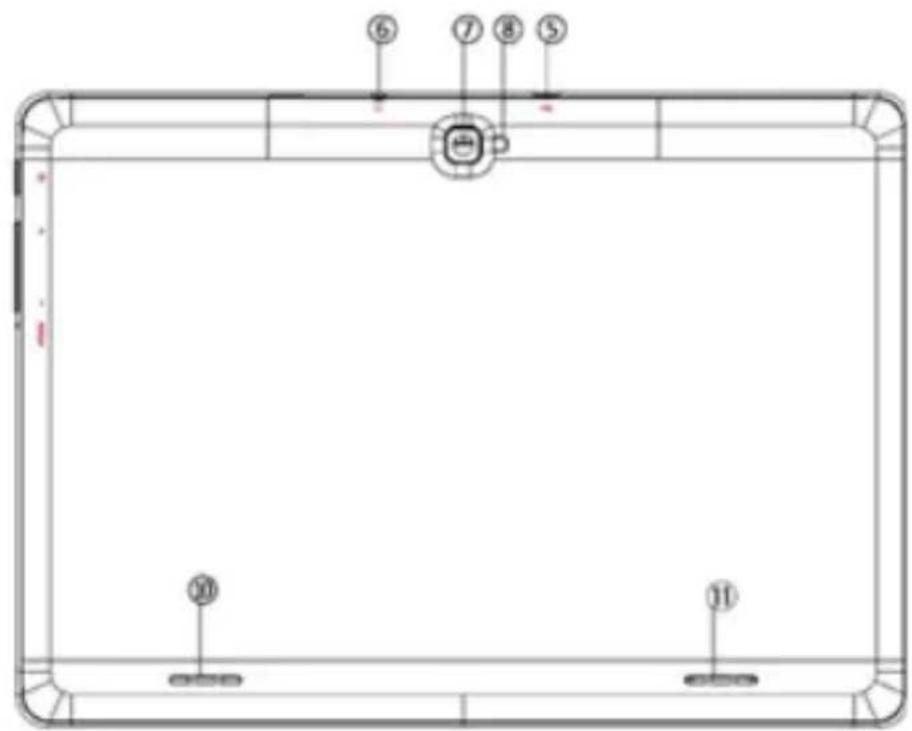
text_image
Technical diagram of a pool table with numbered labels pointing to specific areas.text_image
10:31 IN PART (14 & 2) AM/PMtext_image
10:31 IMARTIVE TO BE AMOUNTtext_image
Technical line drawing of a tablet device with labeled components and exploded view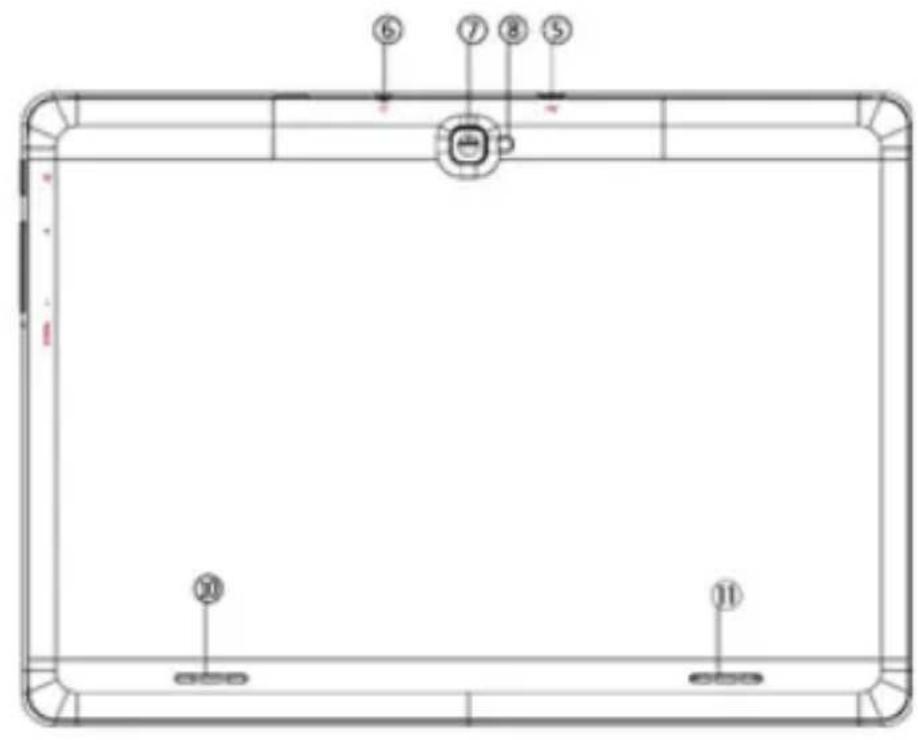
text_image
Technical diagram of a pool table with numbered labels pointing to specific areas.text_image
10:31 MAR 25, 19:27 AM/26text_image
Technical line drawing of a tablet device with labeled components and exploded view
text_image
Technical diagram of a pool table with numbered labels pointing to different sectionsTo use this tablet in a fully secure manner, please read the following safety tips carefully:
- Children: Pay special attention to children.
Tablets contain many individual parts, so you should pay special attention when a child is in contact with a mobile tablet.
This product contains small parts that may be swallowed or cause choking if swallowed.
If your tablet has a camera or lighting device, do not use them too close to the eyes of children or animals.
-
Hearing: Prolonged listening at high power through earphones or headphones can cause hearing damage. Try to adjust the volume to the minimum necessary when you're listening to music or during a call. Avoid prolonged listening at high volume.
-
Behind the wheel: Be cautious while driving. Driving requires extreme and uninterrupted care, thus reducing the risk of accidents. Tablet use can distract the user's attention and lead to an accident. It is essential to scrupulously respect the local laws and regulations in force concerning the use of devices behind the wheel. Therefore it is forbidden to use the tablet while driving, and use of a headset cannot be considered a solution.
In airplane: Turn off your tablet in an airplane.
Please disable connections when you're on a plane (Wi-Fi + Bluetooth), as interferences may occur.
- In hospitals: Turn off the tablet when in proximity to any medical device.
It is very dangerous to launch the tablet having a medical device nearby. This can cause interferences with these devices. Therefore, all instructions and warnings in hospitals or health centers must be respected.
Please turn off your Tablet in service stations. Do not use your tablet at a gas station or in the vicinity of fuel.
-
Electronic implants and pacemakers: People who have an electronic implant or a pacemaker should be cautious with the use of the Tablet. If you notice that your tablet causes interference with a pacemaker, turn the tablet off immediately and contact the manufacturer of the pacemaker or your doctor to find out about what course to take.
-
Fire Hazards: Do not let your tablet next to heat sources such as radiators or gas stove. Do not charge your Tablet near flammable materials (risk of fire is unquestionable).
-
Contact with liquid: Avoid all contact with liquid or handle tablet with wet hands. The water can cause irreparable damage.
-
Use only accessories approved by Billow. The use of non-approved accessories may damage or endanger your Tablet.
9. Do not manipulate the battery and charger.
Never use a damaged battery or charger.
Do not place in contact the tablet's battery with magnetized objects, as this can result in short-circuits between the + and - terminals of the batteries as well as damage the battery or Tablet.
In general terms, do not expose the batteries to very cold or very high (below 0 ^ or above 45 ^ ) temperatures. These differences in temperature can reduce the autonomy and operational life of the batteries.
- Falls or impacts, Handle your Tablet with great care.
Protect your tablet from falls or impacts that could damage it. Some elements of your tablet are made of glass, so it may break if dropped. Never touch the screen with sharp objects.
- Electric shock: Do not try to disassemble your tablet. It could give you an electric shock.
- Maintenance: If you want to clean your tablet, use a dry cloth (never solvents such as benzene or alcohol).
- Charge your tablet in a well ventilated area.
Do not charge if placed on a fabric.
Important Notice use
- In order to increase the operating life of your battery, use only Billow batteries and chargers. Replacing the original battery with a non-compliant battery can cause it to explode.
- Never dispose of batteries in fire. Respect the laws into place on the recycling of used batteries and Tablets.
- Pay attention to not damage or crush the battery. This would lead to the risk of internal short circuit and overheating.
- Do not disassemble the battery.
- The battery can be charged hundreds of times prior to replacement. When the battery performance diminishes, contact your service representative for replacement.
- If you are not going to use your tablet for a long time, do not forget to recharge your battery and optimize its operational life.
- Do not throw batteries along with household waste. Consider recycling and follow the manufacturer's guidelines. If the battery is damaged, take it to customer service or the nearest Billow dealer.
- In order to reduce power consumption, disconnect the charger from the socket once the tablet has finished charging.
-
Do not leave the battery on charge for days as it could generate an overload and reduce the operating life of the product.
-
The repair of your tablet has to be done by a qualified technician. If the tablet repair is done by an unauthorized technician, Billow will not assume the tablet warranty.
ATTENTION
The normal wear and tear of the product (batteries, displays, keyboards, camera objectives) is not covered by the warranty Billow.
EU DECLARATION OF CONFORMITY SIMPLIFIED
Hereby, Billow Technology declares that the radio equipment type X103 is in compliance with Directives 2014/53/EU, 2014/30/EU, 2014/35/EU and 2011/65/EU.
The full text of the EU declaration of conformity is available at the following internet address: http://billowtechnology.com/CE/X103_DECLARATION.pdf
DÉCLARATION UE DE CONFORMITÉ SIMPLIFIÉE
The content of this guide is subject to typographical errors

text_image
d willowbillowtechnology.com
quad core tablet

text_image
10.1"
natural_image
Abstract blue icon with stylized human figures and a vertical bar (no text or symbols)dbillow
TECHNOLOGY