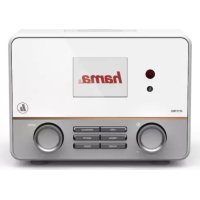
IR115MS - Radio HAMA - Free user manual and instructions
Find the device manual for free IR115MS HAMA in PDF.



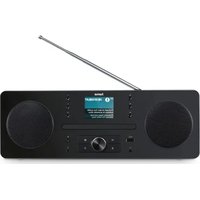
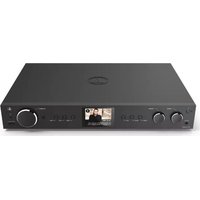
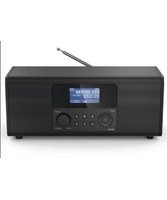
| Product type | Internet radio, DAB+, FM |
| Brand | Hama |
| Model | IR115MS |
| Display | 2.6-inch color screen |
| Power supply | Included power adapter (mains plug) |
| Remote control | Yes, with 2 LR03/AAA batteries included |
| Radio reception | Internet radio, DAB+, FM (band 87.5-108 MHz) |
| Network connectivity | WiFi (2.4 GHz) and Ethernet (LAN) |
| AUX input | Yes (3.5 mm jack) |
| Headphone output | Yes (3.5 mm jack) |
| Line out (LINE OUT) | Yes |
| USB port | Yes, for multimedia file playback |
| Media player | Yes (via USB and network) |
| Alarm function | Yes, with dedicated buttons |
| Sleep function | Yes |
| Equalizer | Yes, presets |
| Preset memory | Up to 10 presets (buttons 1-10) |
| Brightness sensor | Yes, for backlight |
| Adjustable backlight | Yes, via remote control or dial |
| Menu languages | French, English, German, etc. |
| Setup wizard | Yes, on first startup |
| Cleaning | Lint-free cloth slightly damp, no detergent |
| Warranty | Legal warranty, modifications void warranty |
| Repairability | Do not attempt to repair yourself, contact a qualified technician |
| Included accessories | Remote control, batteries, power adapter, manual |
Frequently Asked Questions - IR115MS HAMA
User questions about IR115MS HAMA
0 question about this device. Answer the ones you know or ask your own.
Ask a new question about this device
Download the instructions for your Radio in PDF format for free! Find your manual IR115MS - HAMA and take your electronic device back in hand. On this page are published all the documents necessary for the use of your device. IR115MS by HAMA.
USER MANUAL IR115MS HAMA
Further information and features are available on:
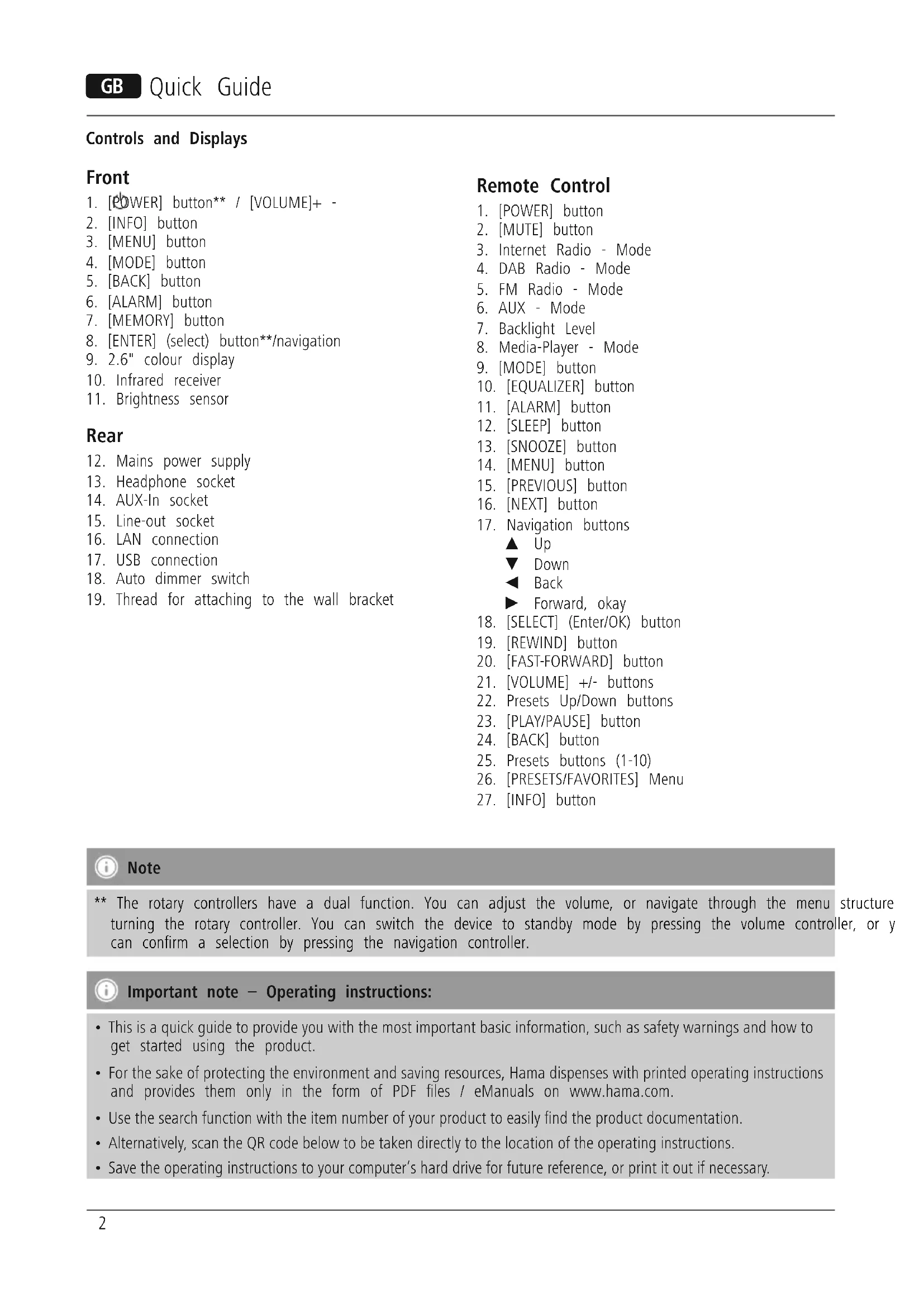
Controls and Displays
Front
- [POWER] button** / [VOLUME]+ -
- [INFO] button
- [MENU] button
- [MODE] button
- [BACK] button
- [ALARM] button
- [MEMORY] button
- [ENTER] (select) button**/navigation
- 2.6" colour display
- Infrared receiver
- Brightness sensor
Rear
- Mains power supply
- Headphone socket
- AUX-In socket
- Line-out socket
- LAN connection
- USB connection
- Auto dimmer switch
- Thread for attaching to the wall bracket
Remote Control
- [POWER] button
- [MUTE] button
- Internet Radio - Mode
- DAB Radio - Mode
- FM Radio - Mode
- AUX - Mode
- Backlight Level
- Media-Player - Mode
- [MODE] button
- [EQUALIZER] button
- [ALARM] button
- [SLEEP] button
- [SNOOZE] button
- [MENU] button
- [PREVIOUS] button
- [NEXT] button
- Navigation buttons
Up
Down
Back
Forward, okay
- [SELECT] (Enter/OK) button
- [REWIND] button
- [FAST-FORWARD] button
- [VOLUME] +/- buttons
- Presets Up/Down buttons
- [PLAY/PAUSE] button
- [BACK] button
- Presets buttons (1-10)
- [PRESETS/FAVORITES] Menu
- [INFO] button

Note
** The rotary controllers have a dual function. You can adjust the volume, or navigate through the menu structure turning the rotary controller. You can switch the device to standby mode by pressing the volume controller, or y can confirm a selection by pressing the navigation controller.

Important note - Operating instructions:
- This is a quick guide to provide you with the most important basic information, such as safety warnings and how to get started using the product.
- For the sake of protecting the environment and saving resources, Hama dispenses with printed operating instructions and provides them only in the form of PDF files / eManuals on www.hama.com.
- Use the search function with the item number of your product to easily find the product documentation.
- Alternatively, scan the QR code below to be taken directly to the location of the operating instructions.
- Save the operating instructions to your computer's hard drive for future reference, or print it out if necessary.
1. Explanation of Warning Symbols and Notes

Warning
This symbol is used to indicate safety instructions or draw your attention to specific hazards and risks.

Note
This symbol is used to indicate additional information important notes.

Risk of electric shock
This symbol indicates product parts energized with a dangerous voltage of sufficient magnitude to constitute a risk of electric shock.
2. Package Contents
Internet Radio
Remote control
- 2x AAA batteries
- AC/DC adapter
- Quick guide, brochure
3. Safety Notes
The product is intended for private, non-commercial use only.
- Protect the product from dirt, moisture and overheating and use it in dry rooms only. 4.
- As with all electrical devices, this device should be out of the reach of children.
- Do not drop the product and do not expose it to any major shocks.
- Do not operate the product outside the power limits given in the specifications.
- Keep the packaging material out of the reach of children due to the risk of suffocation.
- Dispose of packaging material immediately according to locally applicable regulations.
- Do not modify the device in any way. Doing so voids warranty.
kept

Risk of electric shock
- Do not open the device or continue to operate it if it becomes damaged.
- Do not use the product if the AC adapter, adapter cable or power cable is damaged.
- Do not attempt to service or repair the device yourself. Leave any service work to qualified experts.
or

Warning - Batteries:
- When inserting batteries, note the correct polarity (+ and - markings) and insert the batteries accordingly. Failure to do so could result in the batteries leaking or exploding.
- Do not allow children to change batteries without supervision.
- Do not mix old and new batteries or batteries of a different type or make.
- Remove the batteries from products that are not being used for an extended period
- Do not short-circuit batteries.
- Do not charge batteries.
- Do not throw batteries in a fire.
- Keep batteries out of the reach of children.
4. Before starting
Notes on Use
The [OK] and button on the remote control have given the same function as the [ENTER] button on the front of the radio.
dren The button on ehtote control has the same function as the [BACK] button on the front of the radio.
The buttons on the remote control have the same function as turning the navigation controller on the front of the radio to the left and right. (right controller)
Activating the remote control
Open the battery compartment cover. It is located on the first time the system starts the radio uses English. To rear of the remote control and can be opened by sliding change this, proceed as follows: in the direction indicated. Two AAA batteries are included. Press [MENU] > System settings > Language > Select in the delivery, they should be inserted in the battery language compartment of the remote control. Observe the correct polarity when inserting batteries. The polarity (+ / -) is Confirm your selection by pressing the [ENTER] o indicated in the battery compartment.). button.
5.2 Language and setup wizard
the first time the system starts the radio uses English. To change this, proceed as follows:
Pess [MENu] > System settings > Language > Select language
Confirm your selection by pressing the [ENTER] or [OK] button.
Setting up a network connection
4.1 LAN (wired network)
- Connect the LAN connection of your router to the LAN connection on your radio. You will require an Ethernet cable, which is not included in the delivery, to do this.
- Make sure that the router is on and working properly, that you have an Internet connection.
- See the operating instructions for your router regarding a properly functioning LAN connection.
- Then proceed as described in point 5, "Getting Started"

Note
You can choose from the following languages: English, German, Danish, Dutch, Finnish, French, Italian, Norwegian, Polish, Portuguese, Spanish, Swedish, Turkish, Czech and Slovak.
4.2 WLAN (wireless network)
- Ensure that the router is switched on, is functioning correctly and that there is a connection to the internet
- Activate the WLAN function of your router.
- Follow your router's operating instructions as regards the correct functioning of the WLAN connection.
- Then proceed directly as described under section 5,Getting started'.
Care and Maintenance
- Only clean this product with a slightly damp, lint-free cloth and do not use aggressive cleaning agents.
- If you do not use the product for a long time, turn off the device and disconnect it from the power supply. Store it in a metaa clean, dry place out of direct sunlight.
5. Getting started
5.1 Switching the device on
- Connect the power adapter to a properly installed socket.
7. Warranty Disclaimer
Hama GmbH & Co. KG assumes no liability and provides no warranty for damage resulting from improper installation/ mounting, improper use of the product or from failure to observe the operating instructions and/or safety notes.
8. Service and Support
Please contact Hama Product Consulting if you have any questions about this product.
Hotline: +49 9091 502-115 (German/English)

Warning
Further support information can be found here:
-
Only connect the product to a socket that has been www.hama.co approved for the device. The electrical socket must always be easily accessible.
-
Disconnect the product from the power supply using the on/off switch - if this is not available, unplug the power cord from the socket.
-
Wait until the radio initialisation procedure has finished.
- Press the [POWER] button to switch the radio on. (Press the left rotary controller)
9. Recycling Information
Note on environmental protection:
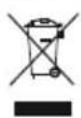
After the implementation of the European
Directive 2012/19/EU and 2006/66/EU in the
national legal system, the following applies:
Electric and electronic devices as well as batteries
must not be disposed of with household waste. Consumers are obliged by law to return electrical and electronic devices as well as batteries at the end of their service lives to the public collecting points set up for this purpose or point of sale. Details to this are defined by the national law of the respective country. This symbol on the product, the instruction manual or the package indicates that a product is subject to these regulations. By recycling, reusing the materials or other forms of utilising old devices/Batteries, you are making an important contribution to protecting our environment.
10. Declaration of Conformity

Hereby, Hama GmbH & Co KG declares that the radio equipment type [00054823, 00054829,
00054855, 00054856] is in compliance with
Directive 2014/53/EU. The full text of the EU declaration of conformity is available at the following internet address:
www.hama.com >00054823->Downloads.
www.hama.com >00054829-> Downloads.
www.hama.com >00054855->Downloads.
www.hama.com >00054856->Downloads.
| Frequency band(s) | 2412 - 2472 MHz |
| Maximum radio-frequency power transmitted | 60 mW EIRP |
00000000000000000000000000000000000000
00054829
0054855
0054856
4.2 WLAN (6ecnpoBOnHa cTeb)
- Y6eIntecb, yTo MapuPyTu3aTOp BKNHoueH, npaBnIbHO pa6oTaET nEcTb NODKluOHeHne K INHTepHety.
- AktuBpyuTe cyHKuIO WLAN mapspTy3aTopa.
-Дя obecneuehenia npabunbHoi pa6oTbI coeHHeHHaWLAN co6nOdaTe pyKOBOdCTBO no 3KcNlyatauHmApupyTu3aTopa. - 3aTeM nepexoHnte K BbIOnHeHIO DeIcTBn, OINcaHHbIX B pa3dene 5. «BBoD B ᵋKcnNpyatauHIO».
KoMaHnHa Hama GmbH & Co. KG He HeceT OTBETCTBeHHOCTb 3a yUeep6, BO3HKnIsh N BCJeIcTBne He npabNlBHO MOHTaJa, NOkJIIOueHn I NCNoJIb3OBaHn I3JeINr He No Ha3NaHeHIO, a TaKKe BCJeIcTBnHEcoBJIIODeHn INCtpyKuIN PO KcnJIyatauIN N TexHKn Be3OnaCHOCTn.
8. OTeJen Texo6cnyxuBaHn
No Bonpocam peMOHTa NIN 3aMeHbI HeNCnpaBbIX
n3deJIn o6paauTecb K npOaBuY NIN B cepBncHyO
cnyk6y KomnaHm Hama.
FopraJ yinHr OTeJa texo6cnyKuBaHnR:
+49 9091 502-115 (HeMeUKn, aHrlnckn)
Piopobhee cmOpnte 3decb: www.hama.com
MaKcImaJIbHaI n3nyuHaMaJ MOUHOCTb
60 mW EIRP
000000000000000000000000000000000000000
00054829
00054855
00054856
Hotline: +49 9091 502-115 (Ger/Ang)
Alte informati de suport gasiti aici:
www.hama.com
Opp
Ned
Back/tilbake
Forover, OK
- [SELECT] (Enter/OK)-knapp
- [REWIND]-knapp
- [FAST-FORWARD]-knapp
- [VOLUME] +/- knapper
- Presets opp / ned-taster
- [PLAY/PAUSE] knapp
- [BACK] (Zurück)-knapp
- Preset-taster (1-10)
- [PRESES/FAVORITTER] meny
- [INFO]-knapp

Merknad
** Dreiebryterne har en dobbeltfunksjon. Ved Å vri på bryteren endrer du lydstyrke eller navigerer gjennom menystrukturen. Ved Å trykke på这部分 dreiebryteren kobles apparatet til standbymodus (voluminstilling) eller et valg bekreftes (navigasjonsinnstilling).

Viktig henvisning - bruksanvisning:
- Dette er en kortveiledning som gir deg viktige grunninformasjoner, slick som sikkerhetsvenisninger og informasjon om hvordan du tar produitet ditt i bruk.
- På grunn av miljövern og sparing av verdifulle rastoffer, har ikke firmaet Hama en printet braksanvisning, og tilbyr不同程度.
denne kun som PDF-download / eManual under www.hama.com. - Bruk artikkelnummeret som soki søkefunksjorden for a lettere finne riktig produktdokumentasjon.
- Alternativ fár du bruksanvisingen med følgende QR-kode.
Denne bruksanvisingen kan du lagre for senere bruk pa din PC erler du kan ogsa skrive den ut.
86652 Monheim/ Germany
www.hama.com
The Spotify software is subject to third party licenses found here: www.spotify.com/connect/third-party-licenses
All listed brands are trademarks of the corresponding companies. Errors and omissions excepted, and subject to technical changes. Our general terms of delivery and payment are applied.


- Controls and Displays
- Front
- Rear
- Remote Control
- Note
- Important note - Operating instructions:
- Explanation of Warning Symbols and Notes
- Warning
- Risk of electric shock
- Package Contents
- Safety Notes
- Warning - Batteries:
- Before starting
- Notes on Use
- Activating the remote control
- Language and setup wizard
- Setting up a network connection
- LAN (wired network)
- WLAN (wireless network)
- Care and Maintenance
- Getting started
- Switching the device on
- Warranty Disclaimer
- Service and Support
- Recycling Information
- Note on environmental protection:
- Declaration of Conformity
- WLAN (6ecnpoBOnHa cTeb)
- OTeJen Texo6cnyxuBaHn
- Merknad
- Viktig henvisning - bruksanvisning:
Brand : HAMA
Model : IR115MS
Category : Radio