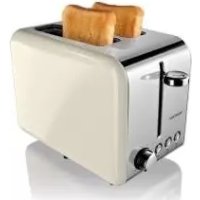
STS 920 A1 - Toaster SILVERCREST - Free user manual and instructions
Find the device manual for free STS 920 A1 SILVERCREST in PDF.



| Product type | Toaster |
| Model | STS 920 A1 |
| Brand | SilverCrest |
| Power supply | 220-240 V ~ 50/60 Hz |
| Power | 770-920 W |
| Protection class | I |
| Number of toasting slots | 2 |
| Browning control | 6 levels (1 = light, 6 = dark) |
| Special functions | Defrost, reheat, manual stop |
| Automatic shut-off | Yes, with bread lift |
| Cleaning | Removable crumb tray, wipe exterior with damp cloth |
| Power cord length | Approx. 1 m (with cord wrap and cable tie) |
| Dimensions (W x D x H) | Approx. 30 x 18 x 20 cm |
| Weight | Approx. 1.5 kg |
| Warranty | 3 years (HOYER Handel GmbH) |
| Included accessories | Instruction manual |
Frequently Asked Questions - STS 920 A1 SILVERCREST
User questions about STS 920 A1 SILVERCREST
0 question about this device. Answer the ones you know or ask your own.
Ask a new question about this device
Download the instructions for your Toaster in PDF format for free! Find your manual STS 920 A1 - SILVERCREST and take your electronic device back in hand. On this page are published all the documents necessary for the use of your device. STS 920 A1 by SILVERCREST.
USER MANUAL STS 920 A1 SILVERCREST
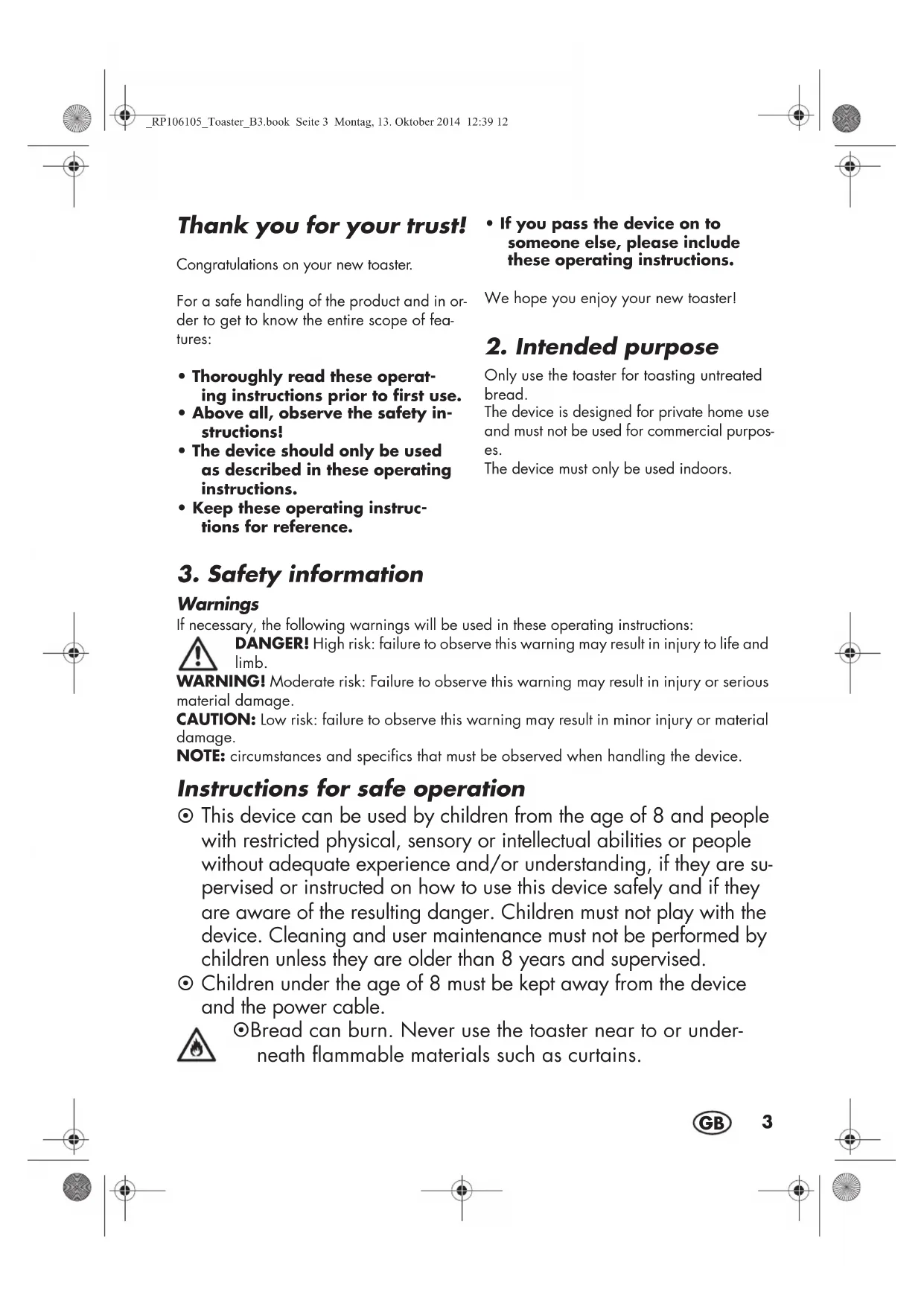
Operating instructions
SE
BRODROST
Bruksanvisning
FR BE
GRILLE-PAIN
Mode d'emploi
DE AT CH
TOASTER
Bedienungsanleitung
IAN 106105
F
LEIVÄNPAAHDIN
Käytloohje
DK
TOASTER
- If the mains power cable of this device should become damaged, it must be replaced by the manufacturer, the manufacturer's customer service department or a similarly qualified specialist, in order to avoid any hazards.
- This device is not intended to be operated using an external timer clock or a separate remote control system.
See the chapter on cleaning for how to remove the breadcrumbs (see "7. Cleaning" page 6).

DANGER for children
- Packing materials are not children's toys. Children should not be allowed to play with the plastic bags: There is a risk of suffocation.

DANGER! Risk of electric shock due to moisture
Protect the device from moisture, water drops and water spray.
The device, the cable and the mains plug must not be immersed in water or any other liquids.
If liquid gets into the device, remove the mains plug immediately. Have the device checked before reusing.
If the device has fallen into water, pull out the mains plug immediately, and only then remove the device from the water. Do not use the device again, and have it checked by a specialist.
- Never touch the device with wet hands.

DANGER! Risk of electric shock
Do not use the device if the device or the power cable has any visible damage, or if the device has previously been dropped.
Lay the power cable such that no one can step on it, get caught on it, or trip over it.
Connect the mains plug only to a correctly installed, easily accessible wall socket with an earthing contact with
voltage corresponding to the rating plate. The wall socket must continue to be easily accessible after the device is plugged in.
Ensure that the power cable cannot be damaged by sharp edges or hot points. Do not wrap the power cable around the device (Danger! Risk of cable damage!).
Ensure that the power cable cannot be trapped or crushed.
To pull the mains plug out of the wall socket, always pull on the mains plug, and never on the power cable.
Disconnect the mains plug from the wall socket,...
... after every use,
... if there is a fault,
... when you are not using the device,
... before you clean the device and
... during thunderstorms.
To avoid any risk, do not make modifications to the product. Repairs must be carried out by a specialist workshop or the Service Centre.

DANGER! Fire hazard!
- Never leave the device unattended while it is plugged in.
- Never cover the device or place it on soft objects (e.g. towels).
Do not toast buttered bread. The fat could catch fire.

DANGER! Risk of injury through burning
Do not touch the hot surfaces of the device.
If you are not using a normal slice of toast, there is a risk of touching the hot parts of the toaster in the case of smaller sizes or unusual shapes.
Allow the device to cool down completely before you clean it or put it away.
WARNING! Risk of material damage
Use the original accessories only.
- Never place the device on hot surfaces (e.g. hob plates) or near heat sources or open fire.
Do not insert knives, forks or other metal objects into the toasting compartment.
Check that the toaster can switch off after the toasting process. Obstructions could be caused by
- slices of bread that are too thick,
- very irregularly formed slices of bread,
- objects that block the lowering lever.
Do not use any astringent or abrasive cleaning agents.
Do not expose the device to temperatures below -10^ or above +40^ .
4. Items supplied
1.Toaster
1 Operating instructions
5. Before using for the first time
- Remove the packing material.
- Unwind the desired length of cable from the cable spool 4.
-
Figure A: Pass the power cable 3 out on the side and secure with the cable clamp 11.
-
Plug the mains plug 3 into an earthed wall socket.
NOTE: The toaster may give off a smell when first used. Therefore we recommend operating the device two or three times without bread on a medium toasting level leaving the window wide open.
6. Toasting
CAUTION: Do not lay bread, or anything else, on top of the toasting compartments 1.
The lowering lever 10, with which the device is switched on, will only engage if the device is plugged in.
Toasting bread
- Put the bread in the toasting compa- ment 1.
Do not use slices that are too thick. The bread must not be trapped in the toasting compartment 1.
-
Use the knob 6 to set the desired toasting level. The toasting level can be set between
-
1 = very light toasting / slight brown-ing and
-6=very heavytoasting/verystrongbrowning.
The result depends, among other factors, on the type and freshness of the bread.
NOTE: Toasting level 6 causes very strong browning. With thick slices, this can create smoke. If this occurs, cancel the toasting process by pressing the stop button 9.
-
Press the lowering lever 10 down until it locks into position. The bread is lowered and the device switches on. The light around the stop button 9 lights up.
-
At the end of the toasting time the light around the stop button 9 goes out and the bread is lifted. Remove the bread.
Cancelling the toasting process
Press the stop button 9 to cancel the toasting process early. The light around the stop button 9 goes out and the bread is lifted.
Toasting frozen bread
You do not need to change the toasting level to toast frozen bread. Simply press the defrost button 8 after the lowering lever 10 has locked into place. The light around the defrost button 8 lights up. The toasting process is extended.
Reheating bread
If you would like to reheat an already toasted piece of bread which has cooled, press the reheat button 7 as soon as the lowering lever 10 has locked into place. The light around the reheat button 7 lights up during reheating.
7. Cleaning

DANGER!
- Remove the mains plug 3 from the wall socket before you clean the toaster.
WARNING! Risk of material damage!
Do not use any astringent or abrasive cleaning agents.
- Allow the device to cool down.
- Wipe the toaster with a damp cloth.
Crumb drawer
- Carefully pull out the crumb drawer 2.
- Remove the crumbs and wipe the crumb drawer 2 with a damp cloth if needed.
- Reinsert the crumb drawer 2.
8. Disposal
The symbol showing a wheelie bin crossed through indicates that the product requires separate refuse collection in the European Union. This applies to the
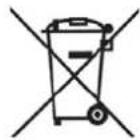
product and all accessories marked with this symbol. Products identified with this symbol may not be discarded with normal household waste, but must be taken to a collection point for recycling electric and electronic appliances. Recycling helps to reduce the consumption of raw materials and protect the environment.
Packaging
When disposing of the packaging, make sure you comply with the environmental regulations applicable in your country.
9. Troubleshooting
If your device fails to function as required, please try this checklist first. Perhaps there is only a minor problem, and you can solve it yourself.

DANGER! Risk of electric shock! Do not attempt to repair the device yourself under any circumstances.
| Problem | Possible causes / Troubleshooting |
| The toast is too brown. | Set the knob 6 to a lower toast ing level. |
| The toast is stuck in the device. | Pull out the mains plug 3 and al- low the toaster to cool. Careful- ly attempt to lift the toast out of the Toasting compartment 1 with a flat wooden object. Do not touch the heating elements while doing this. |
| Heavy smoke de- velopment | The crumb drawer 2 is probably full. Pull out the mains plug 3 and allow the toaster to cool. Clean the crumb drawer 2. |
10. Technical specifications
| Model: STS 920 | A1 |
| Mains voltage: 2 | 20-240 V ~50/60 Hz |
| Protection class: | ① |
| Power rating: 77 | 0 - 920 W |

Subject to technical modification.
11. Warranty of the HOYER Handel GmbH
Dear Customer, your device is provided with a 3 year warranty starting with the purchase date. In the event of product defects, you are entitled to statutory rights against the vendor. These statutory rights are not restricted by our warranty presented in the following.
Warranty conditions
The warranty period starts with the purchase date. Please keep the original purchase receipt in a safe place. This document is required to verify the purchase.
If within three years from the purchase date of this product a material or factory defect occurs, the product will be repaired or replaced by us - at our discretion - free of charge to you. This warranty implies that within the period of three years the defective device and the purchase receipt are presented, including a brief written description of the defect and the time it occurred.
If the defect is covered by our warranty, the repaired or a new product will be returned to you. No new warranty period starts with a repair or replacement of the product.
Warranty period and statutory claims for defects
The warranty period is not extended when the warranty has been claimed. This also applies to replaced and repaired parts. Any damages and defects already existing at the time of purchase must be reported immediately upon unpacking. Repairs arising after the expiration of the warranty period are subject to a charge.
Warranty coverage
The device was produced carefully according to strict quality guidelines and tested diligently prior to delivery.
The warranty applies to material or factory defects. This warranty does not include product parts that are subject to standard wear and therefore can be considered wear parts; the same applies to damages at fragile parts, e.g. switches, rechargeable batteries or parts made of glass.
This warranty expires if the product is damaged, not used as intended or not serviced. For the proper operation of the product, all instructions listed in the operating instructions must be observed carefully. Any form of use and handling that is advised against in the operating instructions or warned against must always be avoided.
The product is only intended for private and not for commercial use. In the case of incorrect and improper treatment, use of force and interventions not performed by our authorised Service Centre, the warranty shall cease.
Handling in case of a warranty claim
In order to ensure prompt processing of your matter, please observe the following notes:
Please keep the article number IAN:106105 and the purchase receipt as a purchase verification for all inquiries.
- If faulty operation or other defects occur, first contact the Service Centre listed in the following by telephone or email.
- Then, you are able to send a product reported as defective free of charge to the service address specified to you, including the purchase receipt and the information on the defect and when it occurred.

Please visit www.lidl-service.com to download this and many other manuals, product videos and software.

Service Centre
GB Service Great Britain
Tel.: 0871 5000 720 (£ 0.10/Min.)
E-Mail: hoyer@lidl.co.uk
IE Service Ireland
Tel.: 1890 930 034
(0,08 EUR/Min., (peak))
(0,06 EUR/Min., (off peak))
E-Mail: hoyer@lidl.ie
IAN: 106105
Supplier
Please note that the following address is no
service address. First contact the aforementioned Service Centre.
HOYER Handel GmbH
Kühnhöfe 5
22761 Hamburg
Germany
Chere cliente, cher client,
- BRODROST
- GRILLE-PAIN
- TOASTER
- LEIVÄNPAAHDIN
- DANGER for children
- DANGER! Risk of electric shock due to moisture
- DANGER! Risk of electric shock
- DANGER! Fire hazard!
- DANGER! Risk of injury through burning
- WARNING! Risk of material damage
- Items supplied
- Before using for the first time
- Toasting
- Toasting bread
- Cancelling the toasting process
- Toasting frozen bread
- Reheating bread
- Cleaning
- DANGER!
- WARNING! Risk of material damage!
- Crumb drawer
- Disposal
- Packaging
- Troubleshooting
- Technical specifications
- Warranty of the HOYER Handel GmbH
- Warranty conditions
- Warranty period and statutory claims for defects
- Warranty coverage
- Service Centre
- IAN: 106105
Brand : SILVERCREST
Model : STS 920 A1
Category : Toaster