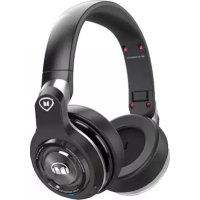
MONSTER Elements Wireless OverEar - Earphones

Elements Wireless OverEar - Earphones MONSTER - Free user manual and instructions

Find the device manual for free Elements Wireless OverEar MONSTER in PDF.

English EN Download 💬 AI Question 10 questions ⚙️ Specs
📄

Document temporarily unavailable

The manual is currently being transferred to our new server. It will be accessible again in a few hours. Thank you for your patience.

Pick your language and provide your email: we'll send you a specifically translated version.
Product TypeWireless over-ear headphone
BrandMonster
ModelElements Wireless OverEar
ConnectivityBluetooth, 3.5mm audio input
Touch padTouch control surface on the right earcup
Multifunction buttonOn/off, sync, mute
MicrophoneBuilt-in
Battery lifeUp to 20 hours (music playback or conversation)
Charging timeApproximately 2 hours for a full charge
Battery typeRechargeable lithium-ion
WeightApproximately 250 g
DimensionsNot specified in the manual
CleaningWipe with a soft cloth dampened with soapy water
Operating temperature0–45 °C
Use without batteryPossible via 3.5mm audio cable (wired mode)
Break-inRecommended 8 to 20 hours for optimal sound
Warranty1 year (Americas, Asia-Pacific) / 2 years (Europe)
ComplianceFCC, IC, CE, WEEE directive

Frequently Asked Questions - Elements Wireless OverEar MONSTER

How to sync the headset with my phone?
Turn on the headset: it automatically enters pairing mode (blue and red lights flash). Activate Bluetooth on your phone and select 'Monster Elements Over Ear'. If prompted, enter code 0000.
How to adjust volume?
Use the touch pad on the right earpiece. Swipe up to increase volume, down to decrease.
How to skip to next or previous track?
Double-tap the touch pad to go to next track, triple-tap to go to previous track.
Can I use the headset when the battery is empty?
Yes, plug a 3.5mm audio cable between the headset and your source. Wireless mode is then disabled.
How to answer a call?
Single-tap the touch pad to answer or end a call. To reject a call, press and hold the touch pad for 2 seconds.
How long does battery charging take?
Full charge takes about 2 hours. The red indicator turns off when the battery is charged.
How to clean the headset?
Wipe the earpieces with a soft cloth slightly dampened with soapy water. Do not use abrasive products.
Is the headset water-resistant?
No, avoid any exposure to liquids. Clean only with a dry or slightly damp cloth.
What to do if Bluetooth connection problem?
Turn off the headset, then press and hold the multifunction button for about 5 seconds until the lights flash. Re-sync with your device.
Where to find customer service numbers?
For USA: 1-877-800-8989. For France: 0800-918201. See the full manual for other regions.

User questions about Elements Wireless OverEar MONSTER

0 question about this device. Answer the ones you know or ask your own.

Ask a new question about this device

The email remains private: it is only used to notify you if someone responds to your question.

No questions yet. Be the first to ask one.

Download the instructions for your Earphones in PDF format for free! Find your manual Elements Wireless OverEar - MONSTER and take your electronic device back in hand. On this page are published all the documents necessary for the use of your device. Elements Wireless OverEar by MONSTER.
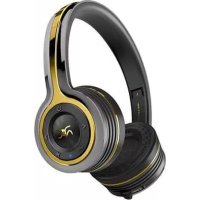
USER MANUAL Elements Wireless OverEar MONSTER

Manual assistant
Powered by Anthropic
Waiting for your message
Product information

Brand : MONSTER

Model : Elements Wireless OverEar

Category : Earphones