EasyManual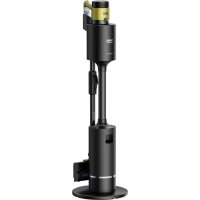
PowerClean VRT 97325 VY - Vacuum Cleaner BEKO - Free user manual and instructions
Find the device manual for free PowerClean VRT 97325 VY BEKO in PDF.



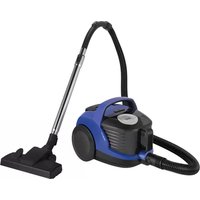
| Technical features | Cordless vacuum cleaner, PowerClean technology, up to 45 minutes of autonomy, suction power of 150 AW. |
|---|---|
| Filter type | Washable HEPA filter, ideal for allergy sufferers. |
| Tank capacity | 0.8 litre tank, easy to empty. |
| Included accessories | Motorized brush, flat nozzle, furniture brush. |
| Usage | Suitable for all types of floors, including carpets and hard surfaces. |
| Maintenance | Regular cleaning of the filter and emptying the tank after each use. |
| Safety | Overheat protection, safe use on all types of surfaces. |
| General information | Lightweight, ergonomic design, 2-year warranty. |
Frequently Asked Questions - PowerClean VRT 97325 VY BEKO
Download the instructions for your Vacuum Cleaner in PDF format for free! Find your manual PowerClean VRT 97325 VY - BEKO and take your electronic device back in hand. On this page are published all the documents necessary for the use of your device. PowerClean VRT 97325 VY by BEKO.
USER MANUAL PowerClean VRT 97325 VY BEKO
EN - TR - FR - IT - RO - PL - SR - HR - SK - MK - SQ VRT 97325 VY 01M-8915681200-0924-01 01M-8916683200-0924-01 User Manual Cordless Stick Vacuum CleanerPlease read this manual first! Dear Customer, Thank you for purchasing this Beko product. We want you to get the most out of this high-quality product made with the latest technology. Please read these instructions and attached documents fully before using it and keep them for reference. If you hand this appliance over to someone else, give them this manual as well. Heed all the warnings and information here and follow the instructions. Symbols and their meanings These symbols are used in this manual:
Important information and useful tips for using the appliance.
tions concerning safety of life and property. Electric shock protection class3 / EN Cordless Vacuum Cleaner with Automatic Dust Empyting Charging Station ENGLISH 03-26
231-255 SHQIPTAR 256-280 CONTENTS4 / EN Cordless Vacuum Cleaner with Automatic Dust Empyting Charging Station This section contains in- structions for avoiding haz- ards that could result in inju- ry or material damage. Failure to follow these in- structions will void all war- ranties for this appliance.
- This appliance complies with international safety standards.
- This appliance can be used by children aged 8 years and over and peo- ple with reduced physical, sensory, or mental capabil- ities of lack of experience if they are supervised or instructed how to use the appliance safely and un- derstand the hazards in- volved. Children should not play with the appliance. Children must not clean or maintain the appliance un- less they are supervised.
- Do not use the appliance if the power cord or the appli- ance is damaged. Contact the authorised service.
- Make sure the mains power matches the infor- mation on the appliance’s rating plate/label.
- Do not use the appliance with an extension cord.
- To avoid damage to the power cord, prevent it from being pinched, crimped or rubbed against sharp edges.
- Do not handle the appli- ance or its plug with wet hands when plugged in.
- Do not pull on the cord while unplugging the appli- ance.
- Do not vacuum combus- tible materials and make sure that cigarette ashes are cold before you vac- uum them.
- Do not vacuum water and other liquids. 1 Important safety and environmental instructionsCordless Vacuum Cleaner with Automatic Dust Empyting Charging Station 5 / EN
- Protect the appliance from rain, moisture, and heat sources.
- Do not use the appliance in or near explosive or flam- mable environments and substances.
- Unplug the appliance be- fore cleaning and mainte- nance.
- Do not clean the appliance or power cord by immers- ing in water.
- Do not disassemble the appliance.
- Use original parts or parts recommended by the man- ufacturer only.
- To prevent blocking the filer or damaging the motor, do not vacuum ce- ment, plaster or fragments of compressed paper.
- Use the appliance only with the adapter provided.
- Do not use the appliance without filters otherwise it could get damaged.
- If you keep the packaging, keep it out of reach of chil- dren.
- This appliance is not in- tended to be used by per- sons, including children, with sensory or mental disabilities or lack of ex- perience and knowledge unless they are supervised by the persons responsi- ble for their safety and in- structed in its use.
- Children must be super- vised to prevent them from playing with the appliance.
- Remove the adaptor and battery group before clean- ing and maintenance.
- Damaged adaptors should be replaced by the man- ufacturer, the authorised service centre or an au- thorised technician to avoid potential hazards. 1 Important safety and environmental instructions6 / EN Cordless Vacuum Cleaner with Automatic Dust Empyting Charging Station 1 Important safety and environmental instructions
- Keep your fingers, hair, and loose clothing away from the moving parts or open- ings when operating the vacuum cleaner.
- Remove the batteries be- fore disposing of the appli- ance.
- Unplug the appliance be- fore removing the battery.
- Dispose of used batteries in accordance with local laws and regulations.
- The batteries in the ap- pliance should only be replaced by authorised persons.
- This appliance is not in- tended for commercial use. This appliance is in- tended for domestic and not commercial use as fol- lows: - In the staff kitchens of stores, offices and other working environments - Farms - By guests in hotels, mo- tels or other accommo- dation facilities - In B&Bs and similar plac- es.
- This appliance must not be used by persons with limited physical, sensory, and cognitive abilities or who lack experience and knowledge unless they are supervised or have been instructed in its operation.
- Children must be super- vised to prevent them from playing with the appliance.
- Do not place the handset on the table; We recom- mend that you attach the wall-mounted charging base after cleaning.Cordless Vacuum Cleaner with Automatic Dust Empyting Charging Station 7 / EN 1 Important safety and environmental instructions
1.2 Compliance with the WEEE
Directive and Waste Disposal This appliance complies with the EU’s WEEE Directive (2012/19/ EU). This appliance carries a Waste Electrical and Electronic Equipment (WEEE) classification sym- bol. This symbol shows that the appli- ance must not be disposed of along with other household waste at the end of its useful life. The appliance must be re- turned to an official collection site for the recycling of electrical and electronic equipment. Contact the local authorities or the retailer where you purchased the appliance to learn about collection sys- tems. Every home has an important role to play in reclaiming or recycling old ap- pliances. Proper disposal of your used appliance will help prevent potential ad- verse effects on the environment and human health.
1.3 Packaging information
The product's packaging is made of recyclable materials in accord- ance with the National Environment Legislation. Do not dispose of packaging materials along with household or other waste. Take these materials to the packaging materi- als collection points designated by the local authorities.
1.4 Information About Waste
Batteries This symbol found on batteries/ rechargeable batteries or their packaging shows that the bat- tery/rechargeable battery must not be mixed in with household waste. Certain batteries/rechargeable batteries may also carry a chemical sym- bol in addition to this symbol. The mer- cury (Hg) or lead (Pb) symbols are also added if the batteries/rechargeable bat- teries contain more than 0.0005% mer- cury or more than 0.004% lead. Batteries/rechargeable batteries, includ- ing those without heavy metals, must not be disposed of together with household waste. Always dispose of used batteries in accordance with local environmental regulations. Learn the waste regulations in force where you live.
1.5 What you can do to save
- Use the speed setting most suitable for the surface to save energy when using your appliance.
- Under normal conditions, hard sur- faces, curtains, and furniture require a low speed and carpets require a high speed.
Compliance with the RoHS Directive The appliance you have purchased complies with the EU's RoHS Directive (2011/56/EU) It does not contain the harmful and forbidden substances spec- ified in the directive.8 / EN Cordless Vacuum Cleaner with Automatic Dust Empyting Charging Station 2 Overview
229 / EN Cordless Vacuum Cleaner with Automatic Dust Empyting Charging Station Values supplied with the appliance or accompanying documentation are laboratory readings per relevant standards. These values may differ depending on operating and ambient conditions.
2.1 Controls and components
1. Charging station control button
2. Dust bag cover opening handle
5. HEPA filter cover release button
6. HEPA filter cover
Nominal power 450 W Automatic cleaning station nominal power 900 W Automatic cleaning station power input 220 - 240 V~ 50-60 Hz Automatic cleaning station power output 30.7 V
Charging time 3-4 hours Operating time under max. power 10 minutes Operating time under medium power 30 minutes Operating time under min. power 60 minutes Manufacturer reserves the right to make technical and design changes. 2 Overview10 / EN Cordless Vacuum Cleaner with Automatic Dust Empyting Charging Station 2 Overview Usage Type Speed Operating time Upright vacuum cleaner mode Minimum speed Up to 38 minutes Medium speed Up to 25 minutes Maximum speed Up to 10 minutes Hand-held mode (With unpowered accessories) Minimum speed Up to 60 minutes Medium speed Up to 30 minutes Maximum speed Up to 10 minutes11 / EN Cordless Vacuum Cleaner with Automatic Dust Empyting Charging Station 3 Operation
The appliance is intended for home use only and is not suitable for professional use.
3.2 Attaching the body and brush
Press the wand release button and slot the wand into the body as shown by the arrow. Press the electric turbo brush release button on the electric turbo brush and push it onto the wand as shown by the arrow.12 / EN Cordless Vacuum Cleaner with Automatic Dust Empyting Charging Station
3.3 Assembling and charging the automatic dust emptying station
WARNING: Charge the battery fully before using the appliance for the first time or if you haven’t used it for a long time.Plug in the automatic dust empyting charging station.Place the appliance onto the charging dock.The appliance will begin charging automatically as soon as it has finished cleaning.Once charging begins, you can see the battery charge level on the dis-play. When all the battery charge levels are lit, this means charging is com-plete. You can press the charging station control button to stop the automatic cleaning process at any time. The LED display will turn off after a while once charging is complete. It takes up to 3 to 4 hours to charge the appliance completely. Do not use the appliance while it is charging. If the appliance is working, it will stop working as soon as you place it on the charging dock. 3 Operation13 / EN Cordless Vacuum Cleaner with Automatic Dust Empyting Charging Station 3 Operation
Lift the appliance up and away from the automatic dust emptying station. . Press the on-off button to start the appliance. The appliance will start running at minimum speed when the on/off button is pressed. Press the button to in- crease the speed. The suction mode you are using (low/medium/high) will be shown on the dis- play. Press the “+” and “-” to change the speed.
You can place the appliance onto the charging dock before the charge completely runs out. The appliance can stay on the charging dock until the next use.
Watch the charge levels when using the appliance. The appliance will stop automatically when the charge runs out.14 / EN Cordless Vacuum Cleaner with Automatic Dust Empyting Charging Station 3 Operation This appliance is suitable for use on carpets and hard sur- faces. You can bend the wand to reach easily under chairs and tables. Bend the wand by pressing the round button on the left.15 / EN Cordless Vacuum Cleaner with Automatic Dust Empyting Charging Station 3 Operation
3.5 Operating the automatic cleaning station
When you place the appli-ance onto the automatic cleaning station, the dust container will empty auto-matically.The control button on the automatic dust emptying station will blink on and off while cleaning is in progress.You can press the control button on the automatic dust emptying station to stop the dust emptying process at any time. Dust, hair, thread and similar objects can get tangled around the multi cy-clone filter preventing the container from emptying fully. In this case, you should manually clean the dust container as shown below.
Press the dust container release button and re-move the container. Lift out the multi cyclone filter and clean out the dust in the dust container.16 / EN Cordless Vacuum Cleaner with Automatic Dust Empyting Charging Station 3 Operation
2. This symbol warns the user when the front filter is not attached and for its own
protection, the appliance will not turn on until it is attached. Make sure you have attached the filter.
3. Battery charge level
4. This shows when there is an air blockage. Check inside the wand and the suction
intake on the body to see if any foreign objects are causing an obstruction.
5. This shows when the front filter needs cleaning.
9. This shows when the beater brush is stuck and needs cleaning.17 / EN
Cordless Vacuum Cleaner with Automatic Dust Empyting Charging Station
Crevice nozzle: Ideal for cleaning behind furniture, hard-to-reach and narrow spaces. Dust brush: Ideal for cleaning curtains, sofas, varnished furniture, deli- cate and fragile objects. Mini turbo brush: Ideal for sweeping floors, stairs, inside cars, couch- es, and sofas. It is also used for picking up pet hair on such surfaces. Affix the mop cloth under- neath the brush. Open the filler cap on the turbo scrubbing brush to fill it with water. Turn the drip lock to wet the mopping cloths. You can use the turbo scrubbing brush on hard surfaces. 3 Operation18 / EN Cordless Vacuum Cleaner with Automatic Dust Empyting Charging Station
WARNING: Do not use the mopping attachment on the carpet.
WARNING: Do not put bleach or very bubbly liquid detergents in the mop’s
WARNING: Close the drip lock after use and remove the mopping
WARNING: Remove the mopping attachment as soon as you’ve finished
using it to prevent damage to your wooden floors.
WARNING: Empty any remaining water from the mopping attachment's
water reservoir once you’ve finished mopping and dry the reservoir.
The mopping cloths are machine washable.
WARNING: As water can spray out of the reservoir, do not lift the head or
lean over it. 3 Operation19 / EN Cordless Vacuum Cleaner with Automatic Dust Empyting Charging Station 4 Cleaning and care Turn off and unplug the appliance before cleaning it.
WARNING: Never use gasoline, solvents, abrasive cleaners, metal objects
or hard brushes to clean the appliance.
WARNING: The filters can become deformed through use over time.
Replace such filters to maintain performance. Contact customer service to order new filters.
4.1 Replacing the dust bag
When the red control button on the automatic dust empting station shines red, check to see if the dust bag is full or not. Open the dust cover on the automatic dust emptying station. Pull the dust bag out of the container using the handle.
WARNING: If the dust bag is not full, check to see if something is stuck in
the container, the wand, or on the brush.20 / EN Cordless Vacuum Cleaner with Automatic Dust Empyting Charging StationReplace the dust bag with a new one.Slot the dust bag in using the handle and push.Close the dust cover on the automatic dust emptying station.
WARNING: Dust bags are not reusable.
4.2 Cleaning the Dust container and Filters
Twist and remove the dust filter.Clean the front filter by shaking it to clear away the dust.Put the front filter back and twist to secure.
WARNING: Do not wash the HEPA Filter.
We recommend cleaning the dust container after each use. 4 Cleaning and care21 / EN Cordless Vacuum Cleaner with Automatic Dust Empyting Charging Station 4 Cleaning and care
Wipe down the body of the appliance with a damp cloth. Press the dust container release button and re- move the container. Lift out the multi cyclone filter and clean out the dust in the dust container. To clean the filter more thoroughly, pull the front filter part up and remove it. Pull the multi cyclone fil- ter part up. Clean the multi cyclone and front filter by shaking them to clear away the dust.22 / EN Cordless Vacuum Cleaner with Automatic Dust Empyting Charging Station 4 Cleaning and care Attach the porous filter to the dust container. Attach the front filter to the porous filter. For the back of the dust container to sit neatly onto the body, place the container into the body first and then into the button area.
To clean the EPA 12 filter, press button (1) and re- move the filter part. Clean the EPA 12 filter by shaking it to clear away the dust.23 / EN Cordless Vacuum Cleaner with Automatic Dust Empyting Charging Station 4 Cleaning and care
4.3 Cleaning of the brushes
4.3.1 Cleaning of the hard floor brush
WARNING: Do not wash the turbo brush or the main roller.
Remove the roller brush plastic by pressing the button then sliding it out. Tap the roller against a hard surface or use a brush to clear away the dust. Cut away any entan- gled hair etc. Push the roller back into place.24 / EN Cordless Vacuum Cleaner with Automatic Dust Empyting Charging Station
4.3.2 Cleaning of the extra carpet brush
WARNING: Do not wash the turbo brush or the main roller.
Remove the roller brush plastic by pressing the button then sliding it out. Tap the roller against a hard surface or use a brush to clear away the dust. Cut away any en- tangled hair etc. Push the roller back into place.
- Store the appliance carefully if you do not intend to use it for a long time.
- Unplug the appliance.
- Make sure to keep the appliance out of reach of children.
- Store the battery on a non-conducting material, and do not allow the battery to come into direct contact with metal. Otherwise, the battery could get damaged.
- If you’re not going to use it for a long time, store it with the charge at least half full. Do not fully charge or discharge the battery. You should charge the appliance at least once every 3 months.
4.5 Transportation and handling
- Transport the appliance in the original packaging. The packaging protects the ap- pliance from physical damage.
- Do not place heavy objects on the appliance or its packaging. Otherwise, the ap- pliance could get damaged.
- If the appliance is dropped, it might not work or it could sustain permanent dam- age. 4 Cleaning and care25 / EN Cordless Vacuum Cleaner with Automatic Dust Empyting Charging Station 5 Troubleshooting
PROBLEM POSSIBLE CAUSE SOLUTION
Does not work. Battery is empty. Charge it. Battery may be unseated. Remove the battery and install it again. Vacuum connection is blocked. Disassemble the appli- ance into body, brush and wand. Inspect and clean the connection points. Suction power is low. Dust container is full. Clean the dust container and the filters. You may have reached the cleaning period of the filters. Clean the filters. Filters may be deformed as a result of operation and their replacement pe- riod may have come. Please contact the cus- tomer services to buy a new filter. Motor inlet foam has not been cleaned. Clean the filters and re- charge the appliance. The turbo brush doesn’t spin. Hair and similar ma- terials may have got tan- gled on the rotating roll on the turbo brush. Clean the turbo brush roll.26 / EN Cordless Vacuum Cleaner with Automatic Dust Empyting Charging Station 5 Troubleshooting There is disturbing noise from the motor. Vacuum connection is blocked. Disassemble the appli- ance into body, brush and wand. Inspect and clean the connection points. Something may have stuck between the dust reservoir and the filter. Open the dust reservoir and inspect the filter area. Cannot charge the vacu- um cleaner. The vacuum cleaner is not seated properly in the charging dock. Put the vacuum cleaner onto the charging dock. Make sure that it is seated properly. Check the con- nection. Operates for a very short time after charging. It is not charged for the adequate period. Charge for 3-4 hours as per the instructions. Motor inlet foam has not been cleaned. Clean the filters and re- charge the appliance. Battery life is deteriorated. Contact the customer ser- vices to buy a new battery. Automatic cleaning sta- tion does not work. Might not be plugged in. Make sure it’s plugged in. The automatic dust clean- ing station stops as soon as it starts. The dust bag is full. Replace the dust bag with a new one. Might be time to clean the automatic cleaning sta- tion’s motor input filter. Clean the filter and press the automatic cleaning button. The vacuum cleaner’s suction channel may be blocked. Clean the dust container manually and check it. The appliance makes loud and quiet noises when it is being cleaned. It can make different nois- es depending on the ma- terial being cleaned. Check the dust contain- er once cleaning is com- plete. o!