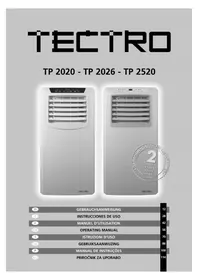
TP 2026 - Air Conditioning TECTRO - Free user manual and instructions
Find the device manual for free TP 2026 TECTRO in PDF.



| Product type | Portable air conditioner |
| Brand | Tectro |
| Model | TP 2026 |
| Dimensions (W x H x D) | 330 x 680 x 280 mm |
| Net weight | 19 kg |
| Power supply | 220-240 V / 50 Hz / 1 Ph |
| Cooling capacity | 2610 W (EN14511) |
| Rated power consumption | 1.0 kW |
| Energy class (EER) | A (EER 2.6) |
| Refrigerant | R-290 (160 g, GWP = 3) |
| Functions | Cooling, dehumidification, air circulation, filtration |
| Recommended room volume | 60-85 m³ |
| Number of fan speeds | 2 |
| Set temperature range | 16 °C to 31 °C |
| Noise level (power / pressure) | 65 dB(A) / 55-59.8 dB(A) |
| Maximum dehumidification | 48 L/24h (32°C, 80% RH) |
| Water tank capacity | About 0.8 L (manual drain) |
| Remote control | Yes (CR2025 battery included) |
| Filter type | Washable air filter (clean 2x/week) |
| Safety | Compressor overheating protection, auto shut-off when tank full |
| Warranty | 24 months |
| Repairability | Repair by certified technician only |
Frequently Asked Questions - TP 2026 TECTRO
User questions about TP 2026 TECTRO
0 question about this device. Answer the ones you know or ask your own.
Ask a new question about this device
Download the instructions for your Air Conditioning in PDF format for free! Find your manual TP 2026 - TECTRO and take your electronic device back in hand. On this page are published all the documents necessary for the use of your device. TP 2026 by TECTRO.
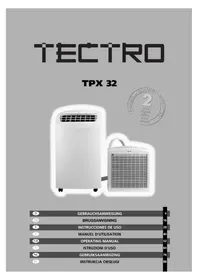
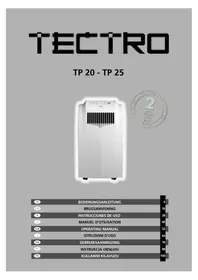
USER MANUAL TP 2026 TECTRO
natural_image
Front view of a white TECTRO air conditioner unit with ventilation grilles and control panel (no visible text or symbols on main body)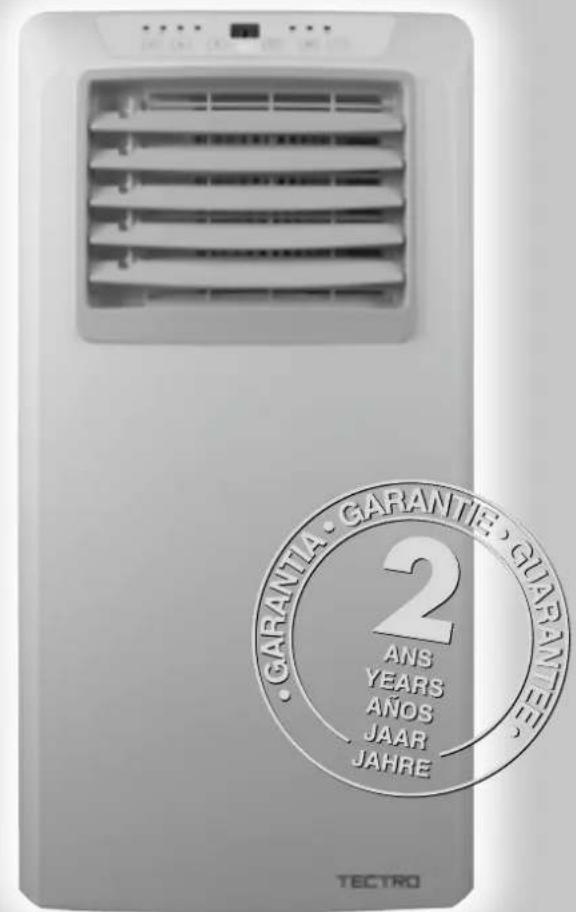
| D | GEBRAUCHSANWEISUNG | 12 |
| E | INSTRUCCIONES DE USO | 28 |
| F | MANUEL D'UTILISATION | 42 |
| GB | OPERATING MANUAL | 56 |
| I | ISTRUZIONI D'USO | 70 |
| NL | GEBRUIKSAANWIJZING | 86 |
| P | MANUAL DE INSTRUÇÕES | 100 |
| SLO | PRIROČNIK ZA UPORABO | 114 |
natural_image
Abstract black-and-white geometric pattern with diagonal lines and a central emblem (no text or symbols)A
natural_image
Abstract black-and-white geometric line drawing with intersecting curves and a small arrow (no text or symbols)B
C
natural_image
Simple line drawing of a double-framed window with diagonal lines and a shaded bottom panel (no text or symbols)D

E

natural_image
Symbolic illustration of a campfire crossed out by diagonal lines (no text or numbers present)F
natural_image
Black silhouette of a faucet with water droplets falling, crossed out by diagonal lines (no text or symbols)G
natural_image
Cross-sectional diagram of a mechanical or electrical component with no visible text or symbolsH
natural_image
Hand holding a pen over a grid-patterned rectangle, crossed out by two diagonal lines (no text or symbols)|
natural_image
Pure electrical circuit lines without any symbolsJ
F SÉCURITÉ GÉNÉRALE
natural_image
Black and white pictogram showing a dog and a cat crossed out by a diagonal line (no text or symbols)K
natural_image
Abstract geometric pattern with black and gray shapes intersecting by diagonal lines (no text or symbols)L
natural_image
Abstract black-and-white geometric pattern with diagonal and curved lines (no text or symbols)A
natural_image
Abstract black-and-white geometric line drawing with no text or symbolsB
C
natural_image
Simple line drawing of a double door frame with diagonal lines and a shaded bottom panel (no text or symbols)D

E

natural_image
Symbol of a campfire crossing over a fire, enclosed in a square frame (no text or numbers present)F
natural_image
Black silhouette of a faucet with water droplets falling, crossed out by diagonal lines (no text or symbols)G
GB GENERAL SAFETY
For safety reasons, please read this manual carefully before operating. Persons who are not familiar with this manual must not use this air conditioner. We strongly recommend keeping this manual in a safe place for future reference.
natural_image
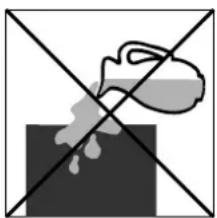
Simple line drawing of a spray bottle on a black block with two crossed lines (no text or symbols)H
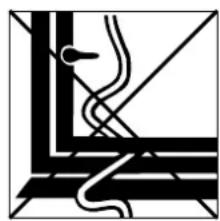
A. Do not use a damaged cable.
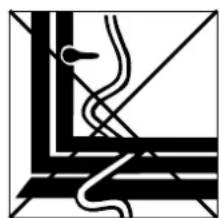
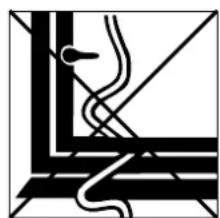
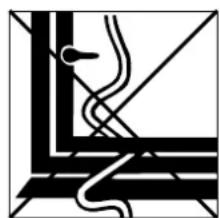
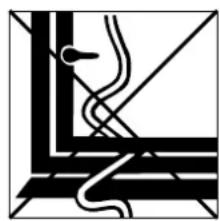
B. Do not clamp or bend the cable.
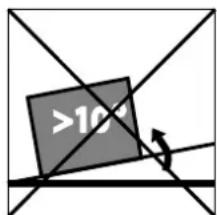
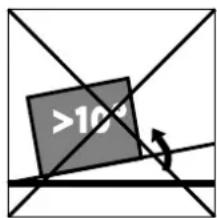
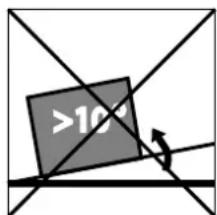
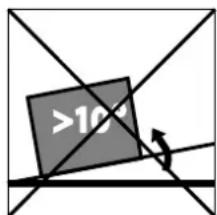
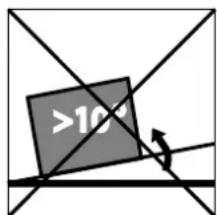
C. Do not place unevenly.
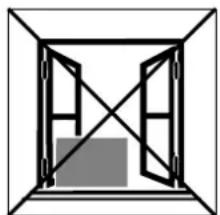
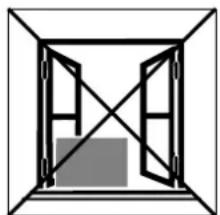
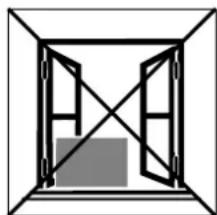
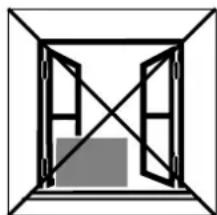
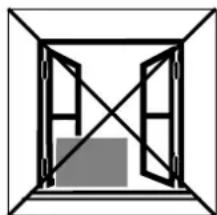
D. Do not place in front of an open window.
E. Do not bring in contact with chemicals.
F. Do not place near a heat source.
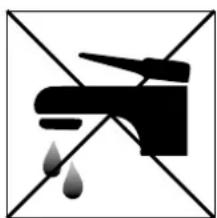
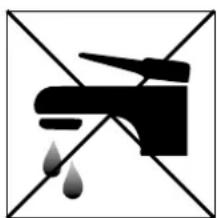
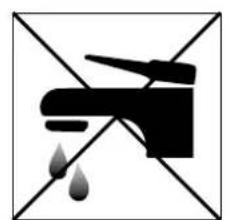
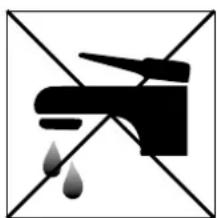
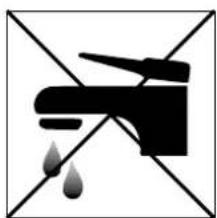
G. Do not immerse in water.
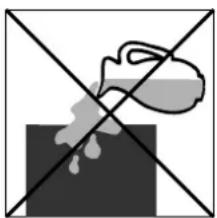
H. Do not spill.
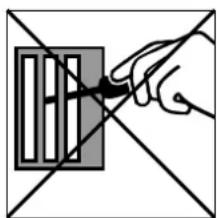
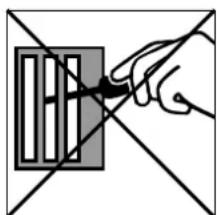
I. Do not insert anything.
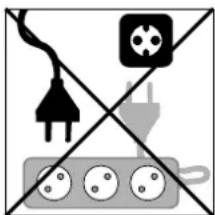
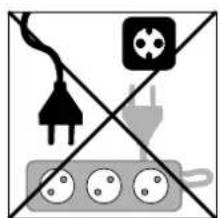
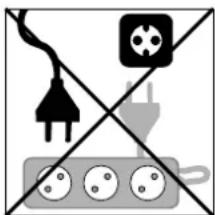
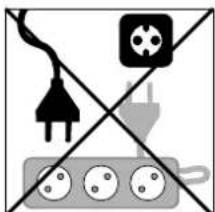
J. Do not use an extension cord.
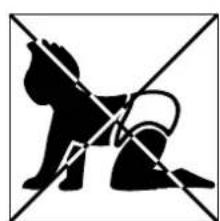
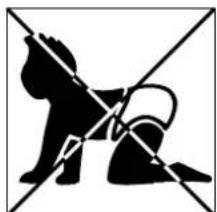
K. Keep out of the reach of children.
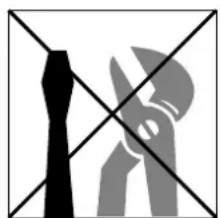
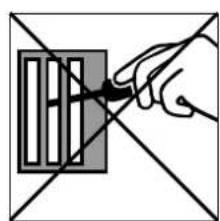
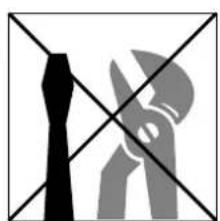
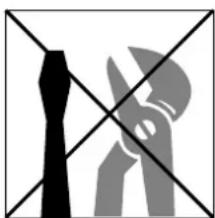
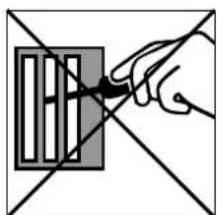
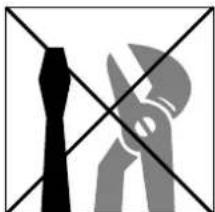
L. Do not repair.
natural_image
Hand holding a pen over a grid-patterned rectangle, crossed out by two diagonal lines (no text or symbols)|
natural_image
Pure electrical circuit lines without any symbolsJ
SICUREZZA
natural_image
Black and white pictogram showing a dog and a cat crossed out by a diagonal line (no text or symbols)K
natural_image
Abstract geometric pattern with black and gray shapes intersected by diagonal lines (no text or symbols)L
natural_image
Abstract black-and-white geometric pattern with diagonal and horizontal lines (no text or symbols)A
natural_image
Abstract geometric line drawing with intersecting curves and a central arrow (no text or symbols)B
C
natural_image
Simple line drawing of a double door frame with diagonal lines and a shaded bottom panel (no text or symbols)D

E

natural_image
Simple line drawing of a campfire with no text or symbolsF
natural_image
Black and white pictogram of a faucet with water droplets falling, no text or symbols presentG

natural_image
Cross-shaped diagram with a spray bottle and droplet on a dark background (no text or symbols)H
natural_image
Hand holding a tool interacting with a grid-like object (no text or symbols visible)|
natural_image
Pure electrical circuit lines without any symbolsJ
natural_image
Silhouette of a dog and a cat crossed out by diagonal lines (no text or symbols)K
natural_image
Abstract geometric pattern with black and gray shapes intersected by diagonal lines (no text or symbols)L
natural_image
Abstract black-and-white geometric pattern with diagonal and curved lines (no text or symbols)A
natural_image
Abstract black-and-white geometric line pattern with no text or symbolsB
C
natural_image
Simple line drawing of a double-framed window with diagonal lines and a shaded bottom panel (no text or symbols)D

E

natural_image
Simple line drawing of a campfire with no text or symbolsF
natural_image
Black silhouette of a faucet with water droplets falling, crossed out by diagonal lines (no text or symbols)G
natural_image
Simple line drawing of a spray bottle on a dark surface with two crossed lines (no text or symbols)H
natural_image
Hand holding a pen over a grid of rectangular blocks within a cross-shaped border (no text or symbols)|
natural_image
Pure electrical circuit lines without any symbolsJ

natural_image
Black and white pictogram showing a dog and a cat crossed out by a diagonal line (no text or symbols)K
natural_image
Abstract geometric pattern with black and gray shapes (no text or symbols)L
natural_image
Abstract black-and-white geometric pattern with diagonal and curved lines (no text or symbols)A
natural_image
Abstract black-and-white geometric line drawing with no text or symbolsB
C
natural_image
Simple line drawing of a double door frame with diagonal lines and a shaded bottom panel (no text or symbols)D

E

natural_image
Symbolic image of a campfire crossed out by diagonal lines (no text or numbers present)F
natural_image
Black and white pictogram of a faucet crossed out by diagonal lines with falling drops (no text or symbols)G

natural_image
Simple line drawing of a container pouring liquid into a block, crossed by two diagonal lines (no text or symbols)H
natural_image
Hand holding a pen over a grid-patterned object with intersecting lines (no text or symbols)|
natural_image
Pure electrical circuit lines without any symbolsJ
natural_image
Silhouette of a dog and a cat crossed out by diagonal lines (no text or symbols)K
natural_image
Abstract geometric pattern with black and gray shapes intersected by diagonal lines (no text or symbols)L
WICHTIGE TEILE
natural_image
Four-panel diagram showing mechanical or electrical component arrangements, with no visible text, numbers, or symbols.B AUFSTELLEN
WICHTIG
natural_image
Three technical line drawings of industrial air ducts and pipe fittings, no text or symbols presentnatural_image
Line drawing of a portable air conditioner unit with ventilation grilles and a door, no text or symbols present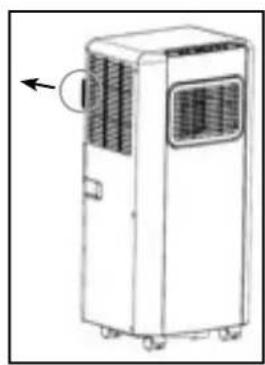
natural_image
Line drawing of a white industrial air conditioner unit with ventilation slots and a circular arrow indicating the left side (no text or symbols present)
ANMERKUNGEN!
natural_image
Simple line drawing of a trash bin with no text or symbols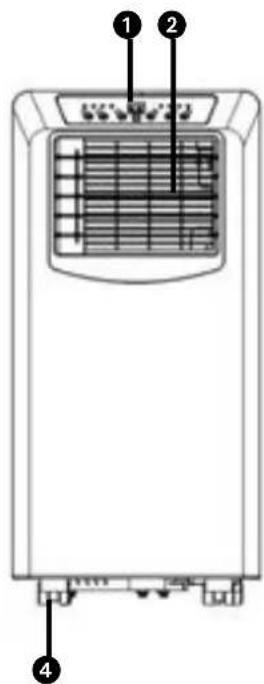
- LEA PRIMERO EL MANUAL DEL USUARIO.
- EN CASO DE DUDA, CONSULTE A SU DISTRIBUIDOR.
Estimado/a señor/a:
natural_image
Four technical diagrams showing mechanical or electrical component configurations, with no visible text or symbols.natural_image
Three technical line drawings of air ducts and pipe fittings, no text or symbols present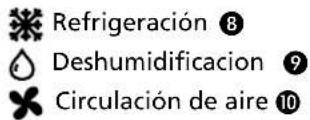
REFRIGERACIÓN
natural_image
Line drawing of a portable air conditioner unit with ventilation grilles and a door (no text or symbols)E
natural_image
Line drawing of a white industrial air conditioner unit with ventilation slots and a circular arrow indicating airflow direction (no text or symbols)natural_image
Symbol of a trash bin with no text or labels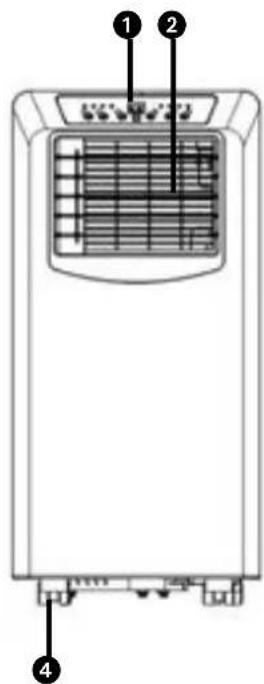
- LISEZ PRÉALABLEMENT LE MANUEL D'UTILISATION.
- EN CAS DE DOUTE, CONTACTEZ VOTRE REVENDEUR.
Madame, Monsieur,
natural_image
Four-panel diagram showing mechanical or fluid system configurations with no visible text, numbers, or symbols.natural_image
Three technical line drawings of air ducts and pipe fittings, showing different installation or installation states (no text or symbols present)natural_image
Diagram of a portable air conditioner unit with ventilation grilles and a door, showing no text or symbols.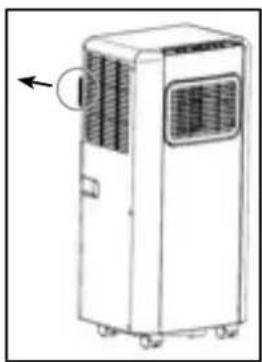
natural_image
Line drawing of a white industrial air conditioner unit with ventilation grilles and a circular arrow indicating airflow direction (no text or symbols)D FILTRE À AIR
J CONDITIONS DE GARANTIE
natural_image
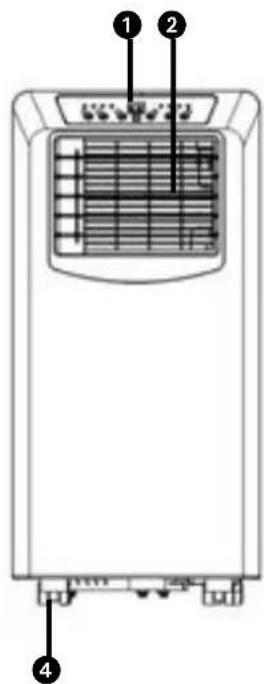
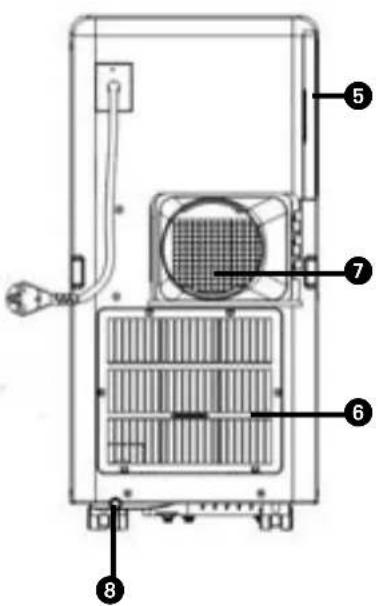
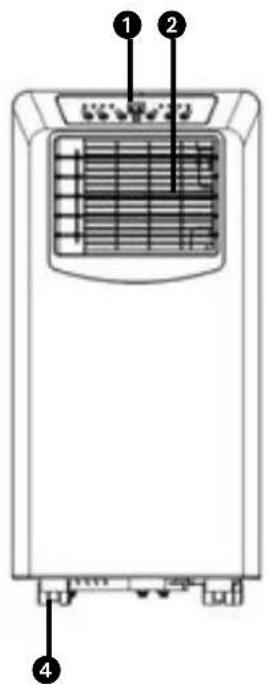
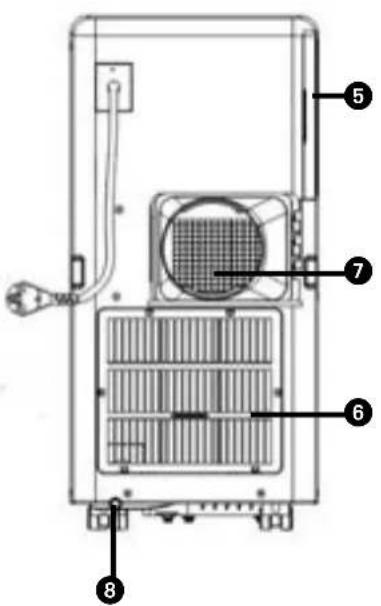
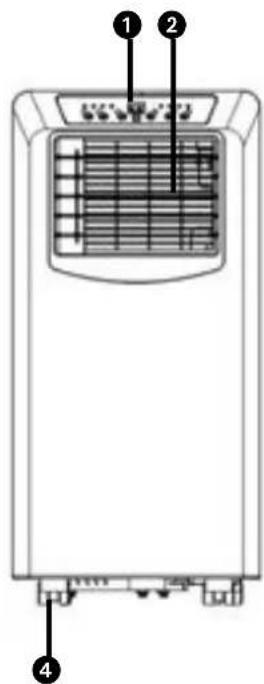
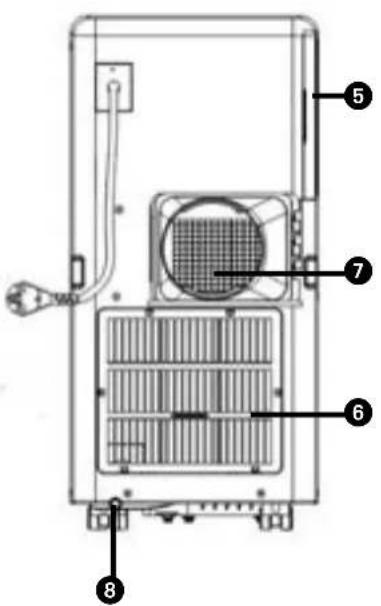
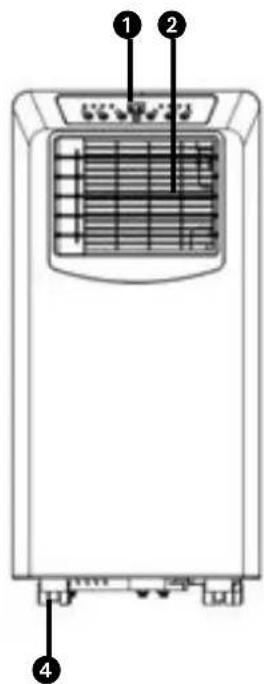
Symbol of a trash bin with no text or labels① Control panel
② Air outlet vent
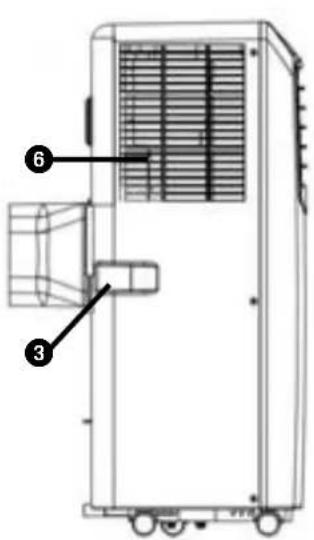
3 Handle
4 Caster
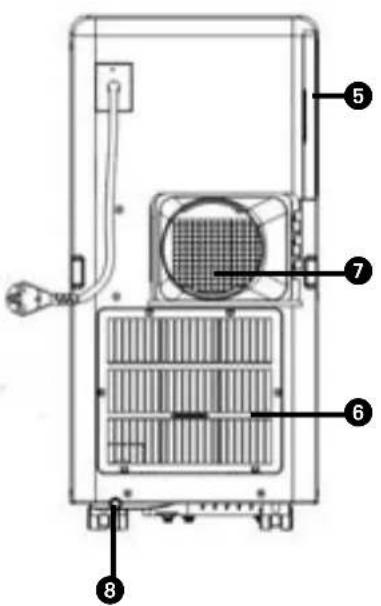
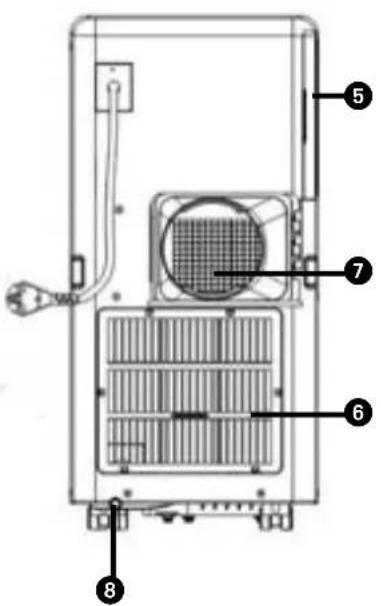
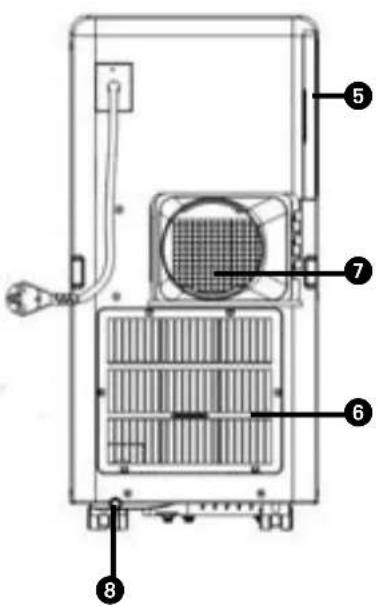
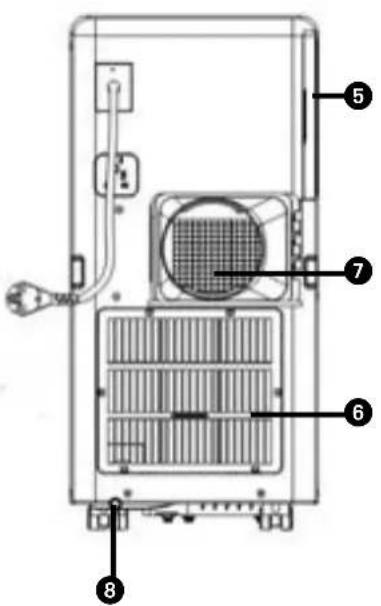
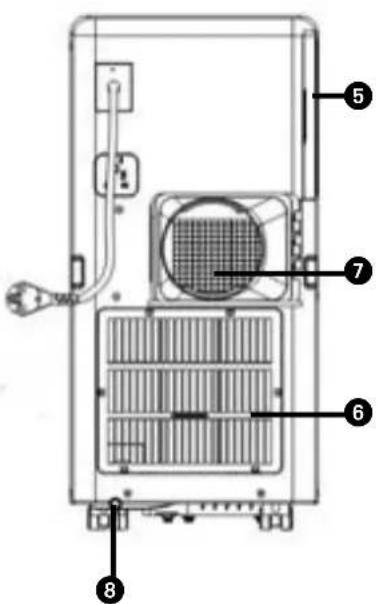
5 Air filter
6 Air inlet vent
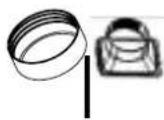
⑦ Exhaust hose connector
8 Drain plug
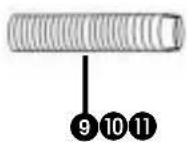
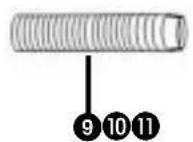
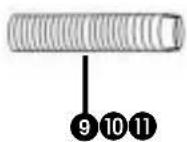
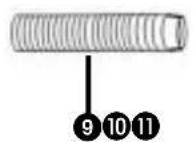
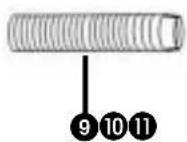
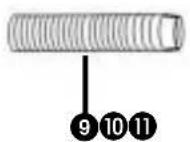
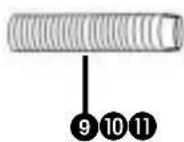
9 Exhaust hose
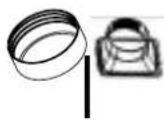
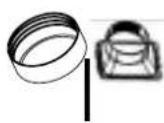
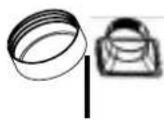
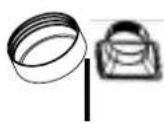
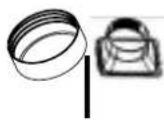
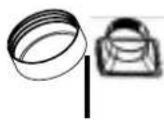
10 Adaptor to fit over the exhaust hose
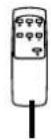
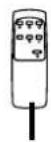
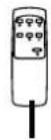
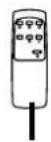
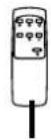
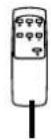
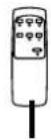
11 Remote control
- READ THE DIRECTIONS FOR USE FIRST.
- IN CASE OF ANY DOUBT, CONTACT YOUR DEALER.
GB
Dear Sir, Madam,
Congratulations on the purchase of your air conditioner. This air conditioner has three functions in addition to cooling the air, namely, air dehumidification, circulation and filtration. The mobile air conditioner is extremely easy to operate and move. You have acquired a high quality product that will provide you with many years of pleasure, on condition that you use it responsibly. Reading these instructions for use before operating your air conditioner will optimise its life span. We wish you coolness and comfort with your air conditioner.
Yours sincerely,
PVG Holding B.V.
Customer service department
A SAFETY INSTRUCTIONS
Read this user manual carefully before using the appliance and keep it for future reference. Install this device only when it complies with local/national legislation, ordinances and standards. This product is intended to be used as an air conditioner in residential houses and is only suitable for use in dry locations, in normal household conditions, indoors in living room, kitchen and garage.

IMPORTANT
- Never use the device with a damaged power cord, plug, cabinet or control panel. Never trap the power cord or allow it to come into contact with sharp edges.
- The installation must be completely in accordance with local regulations, ordinances and standards.
- The device is suitable exclusively for use in dry places, indoors.
- Check the mains voltage. This device is suitable exclusively for earthed sockets – connection voltage 220-240 Volt/ 50 Hz.
- The device MUST always have an earthed connection. You may absolutely not connect the device if the power supply is not earthed.
- The plug must always be easily accessible when the device is connected.
- Read these instructions carefully and follow the directions.
Before connecting the device, check that:
- The connection voltage corresponds to that on the type plate.
- The socket and power supply are suitable for the device.
- The plug on the cable fits the socket.
- The device is on a stable and flat surface.
Have the electrical installation checked by a recognised expert if you are not sure that everything is in order.
- The airconditioner is a safe device, manufactured in accordance with CE safety standards. Nevertheless, as with every electrical device, exercise caution when using it.
- Never cover the air inlets and outlets.
- Empty the water reservoir through the water drain before moving it.
- Never allow the device to come into contact with chemicals.
- Do not insert objects into the openings of the device.
- Never allow the device to come into contact with water. Do not spray the device with water or submerge it as this may cause a short circuit.
- Always take the plug out of the socket before cleaning or replacing the device or a part of the device.
- NEVER connect the device with the aid of an extension cable. If a suitable, earthed socket is not available, have one fitted by a recognised electrician.
• Always consider the safety of children in the vicinity of this device, as with every
electrical device.
- Always have any repairs – beyond regular maintenance – carried out by a recognised service engineer. Failure to do so may lead to invalidation of the guarantee.
- Always take the plug out of the socket when the device is not in use.
- If the power cable is damaged it must be replaced by the manufacturer, its customer service department or persons with comparable qualifications in order to prevent danger.
- This appliance is not intended for use by persons (including children) with reduced physical, sensory or mental capabilities, or lack of experience and knowledge, unless they have been given supervision or instruction concerning use of the appliance by a person responsible for their safety.
- Children should be supervised to ensure that they do not play with the appliance.
- This appliance can be used by children aged from 8 years and above and persons with reduced physical, sensory or mental capabilities or lack of experience and knowledge if they have been given supervision or instruction concerning use of the appliance in a safe way and understand the hazards involved.
• Children shall not play with the appliance.
- Cleaning and user maintenance shall not be made by children without supervision.


ATTENTION!
- Never seal the room - where this device will be used - completely airtight. This will prevent under pressure in this room. Under pressure can disrupt the safe operation of geysers, ventilation systems, ovens, etc.
- Failing to follow the instructions may lead to nullification of the guarantee on this device.
B INSTALLATION

WARNING
Before using the air conditioner it should be left in an upright position for at least 2 hours.
This unit is portable and can easily be moved from one room to another. In doing so keep this in mind:
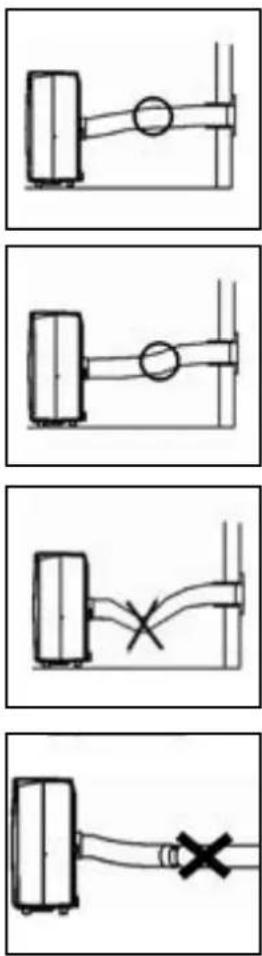
1 Ensure that the unit is positioned upright and on a level surface.
2 Do not operate the unit inside the bathroom, shower, or in any other very humid environment.
3 Please keep a distance of 50 cm between the unit and the wall or other objects to ensure proper air circulation.
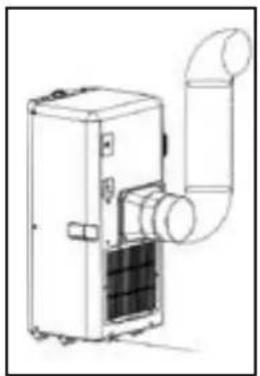
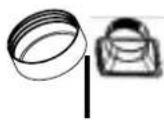
4 One end of the hose 10 must be attached to the air outlet 7 at the back of the unit.
5 Ensure that the window air outlet ⑨ has a free flow outside. Close the window or door as much as possible to prevent outside air from entering the room.

IMPORTANT
The flexible exhaust hose ⑨ should be less than 1m during operation, which provides the best performance. This length has been designed especially according to the specifications of the air conditioner. Do not use an extension or exchange for a different hose as that may lead to malfunctioning. The exhaust air must flow freely, any blockage can lead to overheating of the air conditioner. Take care to prevent any bow or bend in the exhaust hose.
C OPERATION
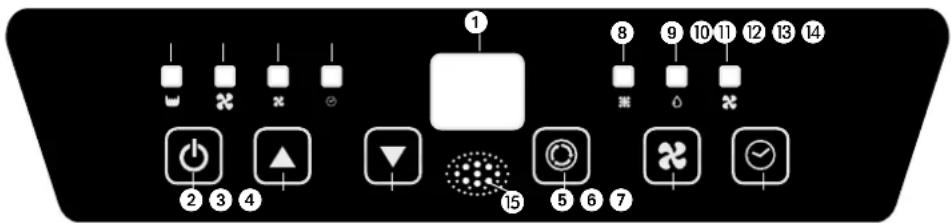
- Display
- On / Off button
- Increase temperature control
- Decrease temperature control
- Mode control
- Fan speed control
- Timer control
- Cooling mode indicator
- Dehumidifier mode indicator
- Air circulation mode indicator
- Reservoir full indicator
- High fan speed indicator
- Low fan speed indicator
- Timer setting indicator
- Remote control receiver
1 Insert the plug into the wall outlet.
2 Press the ⏻-button ② to switch on the air conditioner.
- If the ambient temperature is higher than 25^ , the unit will work in cooling mode.
- If the ambient temperature is < 25^ , the unit will work in air circulation mode.
3 With Ⓞ-button 5 you can change the operating mode of the unit. By pressing the Ⓞ-button the following modes appear:
Cooling mode 8
Dehumidifying mode 9
Air circulation mode 10
natural_image
Line drawing of a mechanical device with a cylindrical duct and internal components (no text or symbols)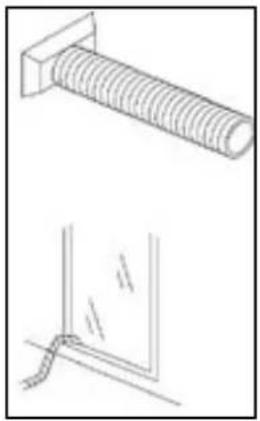
natural_image
Technical line drawing of a bolt and a corner detail (no text or symbols)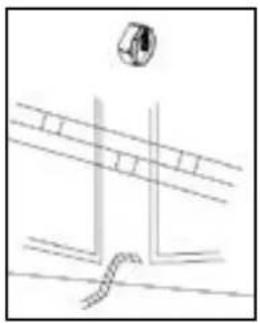
natural_image
Simple line drawing of a road intersection with a car icon (no text or symbols)COOLING
When the unit is in the cooling mode, the following functions apply:
- The fan speed can be adjusted by pressing the
×-button 6
Maximum setting 12
✗ Lowest setting 13
- The temperature can be set by pressing the ③ and ④ buttons, anywhere between 16°C en 31°C. After flashing 4 times the current room temperature is shown. In automatic mode the unit selects the fan speed based on the room temperature. The speed cannot be adjusted.
It depends on the environment whether the required temperature will be reached. It is not a malfunction of the air conditioner if the room temperature remains above the "set temp". It could well be that the heat load of the room is too much.
DEHUMIDIFYING
The air can also be de-humidified with this device:
- Select the dehumidifying function
9 with the mode button
-
Do not connect the de-aeration hose
-
Connect a fixed water drainage hose (not included) and lead the hose to a water drain. Ensure that the water drainage hose runs downhill for its entire length.
The air conditioner will now de-humidify as long as the room temperature is above the set value. The device will be unable to de-humidify if the room temperature drops below the set value.
AIR CIRCULATION
In this mode the unit only circulates air; the unit will not cool or dehumidify. The air is filtered.
When the unit is in this mode, the following functions apply:
- The fan speed can be adjusted by pressing the
6-button
Maximum setting 12
× Lowest setting 13
4 When the unit is switched off the most recent setting will be stored in memory.
5 The timer function allows you to switch the unit on or off at a certain time.
-
Press TIMER button to set the operating hours you desired and the buttons ▲③ and ▼④ (1 to 24 hours, the timer indicator will light on). When the set time has been reached, the machine will turn off automatically. The display window will show the hour(s) you set as you press TIMER button. If the timer button is not pressed, the unit will work continuously.
-
By pressing the timer but without turning on the other functions, you can PRE-SET the time for the machine to work. For example, if you press the timer to '2', the unit will work automatically after 2 hours.
natural_image
Line drawing of a mechanical device with a door and window, showing no text or symbols.
natural_image
Line drawing of a white industrial air conditioner unit with ventilation grilles and control panel (no text or symbols)GB
NOTE!
The compressor has been set so that it starts functioning three minutes after the (re)start of the air conditioner. The cooling will switch off when the room temperature is lower than the set temperature. Air circulation will however continue to work on the set level. When the room temperature rises above the set temperature, the cooling will work again.
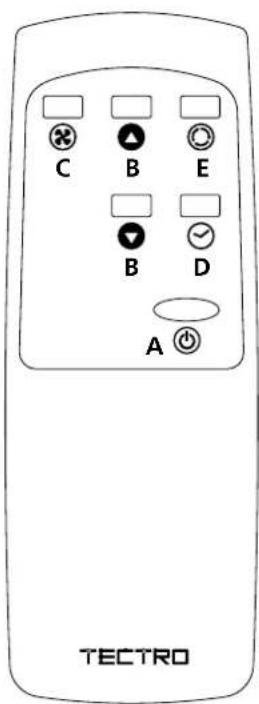
REMOTE CONTROL
a. Power on/off button
b. Temperature +/- buttons
c. Fan Speed button
d. Timer button
e. Function button
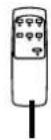
The remote control works in combination with the control panel. Aim the front end of the remote control at the control panel. The maximum operating distance from the air conditioner is approximately 5 metres. Place 2 pieces of 2xAAA type 1,5 V batteries before use.
D AIR FILTER
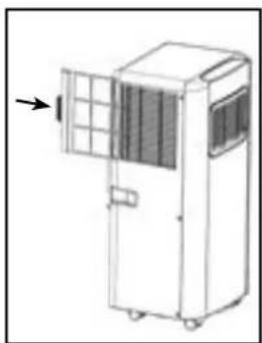
The air conditioner is equipped with a screen filter to remove the bigger dust particles.
The screen filter has to be cleaned 2x a week. Clean the air filter with a neutral detergent in lukewarm water (40°C) and allow to dry slowly.
To take out and place back the screen filter, see pictures at the side.
NOTE!
- Never use the air conditioner without the air filter.
E AIR FLOW
Move the air vent directly to adjust the air flow direction of the louvres.
F EMPTY INTERNAL WATER CONTAINER
Under extreme (environmental) circumstances it may be necessary to empty the internal water container regularly. When the internal water container is full the
⑪ light will flash and the display shows E2. Touch any button to stop the beeping. The unit will switch off automatically. To empty the water container do the following:
1 Do not move the unit. Drastic movements can cause water leakage.
2 Switch off the unit and remove the plug from the wall outlet.
3 Place a pan or appropriate tray on the floor underneath the drain hole.
4 Remove the drain knob and rubber plug 8 from the drain tube and let the water run out. (± 0.8 litres).
5 Replace the rubber plug ⑧ and the drain knob and switch on the unit. The warning light ⏻ should be off and E2 disappears.

NOTE!
When the air conditioner is in use, under normal circumstances the condensed water will be drained through the air outlet-tube.
DEHUMIDIFICATION
If the unit will be used mainly as dehumidifier, do not connect the exhaust hose and let the warm air return in the room. Continuous drainage is then necessary and more efficient. You must, however, use a water drain tube, placing its discharge end at a suitable drainage point.
G MAINTENANCE

WARNING!
Switch off the unit and remove the electrical plug from the mains before cleaning the appliance or filter, or before replacing the filters.
Clean the housing with a soft, damp cloth. Never use aggressive chemicals, petrol, detergents or other cleansing solutions. For maintenance of the filters, refer to Chapter D "Air Filter".

NOTE!
Never use the air conditioner without screenfilter.
H STORAGE
1 Empty the internal water container (refer to Chapter F)
2 Clean and replace the filter (see also chapter D).
3 Put the unit in air circulation mode for 2 hours to ensure that the inside becomes completely dry.
4 Protect the unit against dust and store it in a dry place.
I TROUBLE SHOOTING
| Problem Cause Solution | ||
| The unit does not function | No power supply | Connect to a functioning outlet and switch on |
| The unit does not seem to perform | In direct sunlight Close curtains | |
| Windows or doors open, many people or heat source in room | Close doors and windows, or place an extra air conditioner | |
| Dirty filter Clean filter | ||
| Air inlet or air outlet blocked | Remove blockage | |
| Room temperature lower than selected value | Change temperature selection | |
| The unit is noisy | Unit stands uneven | Place on even surface (less vibrations) |
| The sound is caused by refrigerant circulating inside the unit | This is normal | |
| The compressor does not work | Overheat protection probably activated | Wait 3 minutes until the temperature has decreased, and turn on the unit again |
| Remote control does not function | Distance too great | Make sure the remote control is correctly aimed at the control panel < 5m |
| Remote control signal not detected by control panel | ||
| Batteries empty Replace the batteries | ||
| Display shows E0 | Room temperature sensor does not work | Replace the room temperature sensor (unit also works if sensor is not replaced) |
| Display shows E2 | Reservoir is full Empty the reservoir | |
Never try to repair or dismantle the air conditioner yourself. Incompetent repairs result in loss of warranty and can endanger the user.
J GUARANTEE CONDITIONS
The air conditioner is supplied with a 24-month guarantee, commencing on the date of purchase. All material and manufacturing defects will be repaired or replaced free of charge within this period. The following rules apply:
- We expressly refuse all further damage claims, including claims for collateral damage.
- Repairs to or replacement of components within the guarantee period will not result in an extension of the guarantee.
- The guarantee is invalidated if any modifications have been made, non-genuine parts are fitted or repairs are carried out by third parties.
- Components subject to normal wear, such as the filter, are not covered by the guarantee.
- The guarantee is valid only when you present the original, dated purchase invoice and if no modifications have been made to the product nor to the purchase invoice.
- The guarantee is invalid for damage caused by neglect or by actions that deviate from those in this instruction booklet.
- Transportation costs and the risks involved during the transportation of the air conditioner or air conditioner components shall always be for the account of the purchaser.
- Damage caused by not using suitable filters is not covered by the guarantee.
To prevent unnecessary expense, we recommend that you always first carefully consult the instructions for use. Take the air conditioner to your dealer for repairs if these instructions do not provide a solution.
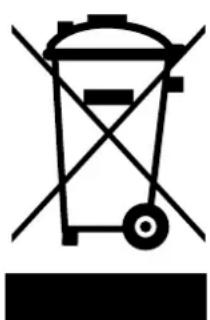
natural_image
Symbol of a trash bin with no text or labelsGB
Do not dispose of electrical appliances as unsorted municipal waste, use separate collection facilities. Contact your local government for information regarding the collection systems available. If electrical appliances are disposed of in landfills or dumps, hazardous substances can leak into the groundwater and get into the food chain, damaging your health and well-being. When replacing old appliances with new once, the retailer is legally obligated to take back your old appliance for disposal at least for free of charge. Do not throw batteries into the fire, where they can explode or release dangerous liquids. If you replace or destroy the remote control, remove the batteries and throw them away in accordance with the applicable regulations because they are harmful to the environment.
K TECHNICAL DATA
To be used as indication, subject to modifications
| Model TP 2020 - TP 2520 TP 2026 | |||
| Cooling capacity* W 2050 2610 | |||
| EE Class* A A | |||
| EER* 2,6 2,6 | |||
| Power consumption kW 0,785 1,000 | |||
| Power consumption Standby mode W 0,5 0,5 | |||
| Current nom. | A | 3,5 4,5 | |
| Mains | V/Hz/PH | 220-240 / 50 / 1 | 220-240 / 50 / 1 |
| Air delivery max. | m^3/h 250 | 280 | |
| Dehumidification max. ** | L/24h | 38 | 48 |
| Room size | m^3 | 50-65 | 60-85 |
| Compressor type | rotary | rotary | |
| Refrigerant / GWP | type/gr | R-290 / 140 / 3 | R-290 / 160 / 3 |
| CO_2 -equivalent | tonnes | 0,000 0,000 | |
| Thermostat range | °C | 16 - 31 | 16 - 31 |
| Fan speeds | 2 | 2 | |
| Max. Sound power level / sound pressure level | dB(A) | 65 / 55-59,8 | 65 / 55-59,8 |
| Dimensions (w x h x d) | mm | 330 x 680 x 280 | 330 x 680 x 280 |
| Weight | kg | 18 | 19 |
| Unit protection | IP 20 IP 20 | ||
| Remote control | Yes | Yes | |
* Conform EN 14511
** Moisture removal at 32°C, 80% RH
Environmental information: This equipment contains fluorinated greenhouse gases covered by the Kyoto Protocol. It should only be serviced or dismantled by professional trained personnel.
This equipment contains R290 refrigerant in the amount as stated in the table above. Do not vent R290 into atmosphere: R290, is a fluorinated greenhouse gas with a Global Warming Potential (GWP) = 3.
COMPONENTI PRINCIPALI

- LEGGERE DAPPRIMA LE ISTRUZIONI D'USO.
- IN CASO DI DUBBIO, RIVOLGERSI AL RIVENDITORE.
natural_image
Line drawing of a mechanical device with a cylindrical pipe and fan-like structure (no text or symbols)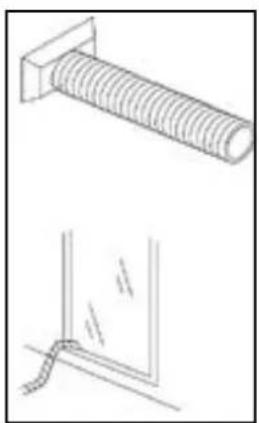
natural_image
Technical line drawing of a bolt and a corner detail (no text or symbols)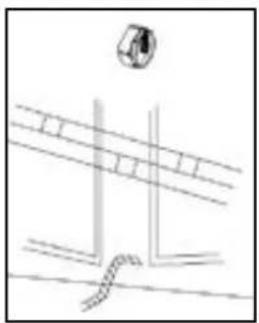
natural_image
Simple line drawing of a mechanical or architectural component with no text, numbers, or symbols
RAFFREDDAMENTO
natural_image
Diagram of a portable air conditioner unit with ventilation grilles and a door, showing no text or symbols.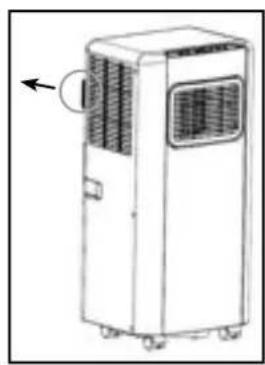
natural_image
Line drawing of a portable air conditioner unit with cooling fan and wheels (no text or symbols)D FILTRO DELL'ARIA
GUIDA ALLA RICERCA GUASTI
natural_image
Symbol of a trash bin with crossed lines indicating no waste or restriction (no text or labels)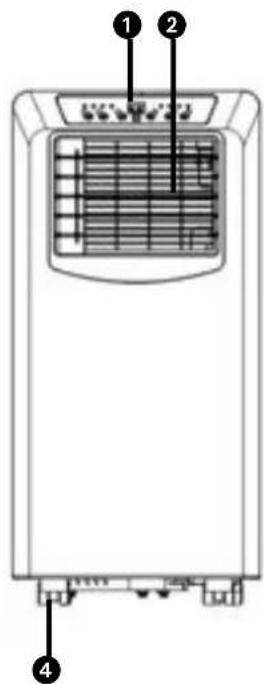
natural_image
Three technical line drawings showing different installation or installation methods: air duct, coiled tube, and pipe connection (no text or symbols present)-
Indicator timer instelling
-
Signaalontvanger afstandsbediening
natural_image
Line drawing of a portable air conditioner unit with ventilation grilles and a door, showing no text or symbols.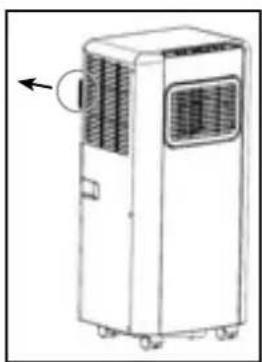
natural_image
Line drawing of a two-story air conditioner unit with ventilation slots and a circular arrow indicating airflow direction (no text or symbols)D LUCHTFILTER
natural_image
Symbol of a trash bin with no text or labelsNL
- LEIA AS INSTRUÇÕES DE UTILIZAÇÃO PRIMEIRO.
- EM CASO DE DÚVIDA, ENTRE EM CONTACTO COM O REVENDEDOR.
Caro utilizador,
ADVERTÊNCIA
natural_image
Line drawing of a mechanical device with a cylindrical duct and internal components (no text or symbols)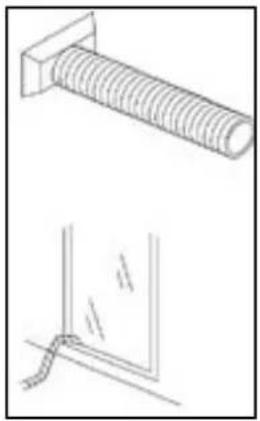
natural_image
Technical line drawing of a bolt and a corner detail (no text or symbols)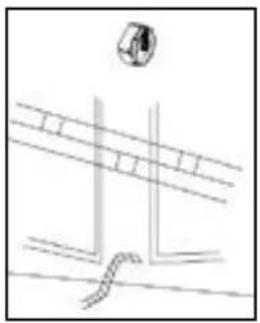
natural_image
Simple line drawing of a road intersection with a car icon above (no text or symbols)REFRIGERAÇÃO
natural_image
Line drawing of a portable air conditioner unit with ventilation grilles and a door, showing no text or symbols.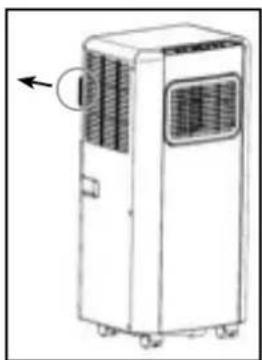
natural_image
Line drawing of a portable air conditioner unit with ventilation grilles and control panel (no text or symbols)natural_image
Simple line drawing of a trash bin with no text or symbols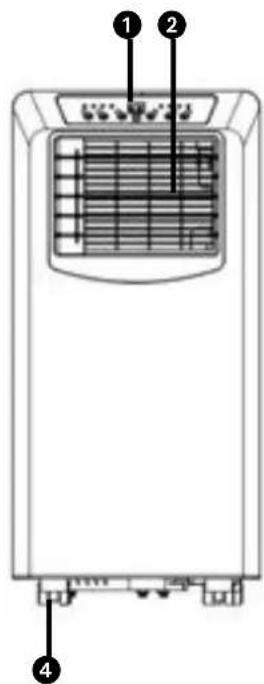
- NAJPREJ PREBERITE NAVODILA ZA UPORABO.
- V PRIMERU KAKRŠNEGA KOLI DVOMA STOPITE V STIK S SVOJIM TRGOVCEM.
Spoštovana gospa, spoštovani gospod,
čestitamo vam ob nakupu te klimatske naprave. Klimatska naprava ima tri funkcije poleg hlajenja zraka, tj. razvlaževanje, kroženje in filtracijo zraka. Mobilno klimatsko napravo se upravlja in premika z lahkoto. Kupili ste visoko kakovosten izdelek, ki vam bo dolga leta zagotavljal udobje, će ga boste uporabljali odgovorno. Življenjsko dobo te klimatske naprave boste podaljšali, će ta navodila za uporabo preberete pred uporabo naprave.
natural_image
Line drawing of a portable air conditioner unit with cooling fan and duct (no text or symbols)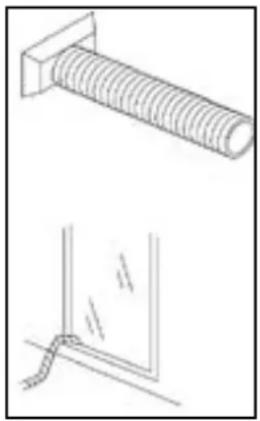
natural_image
Technical line drawing of a bolt and a corner detail (no text or symbols)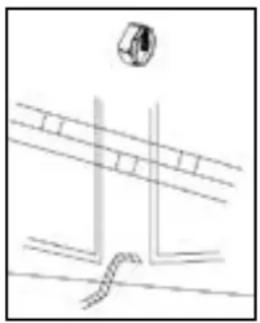
natural_image
Simple line drawing of a road intersection with a circular object above (no text or symbols)HLAJENJE
natural_image
Line drawing of a mechanical device with a panel and door, showing internal structure and an arrow pointing to the left side (no text or symbols)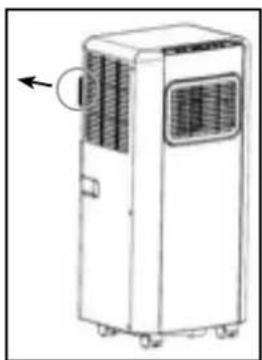
natural_image
Line drawing of a two-story industrial air conditioner unit with ventilation grilles and a circular arrow indicating the front panel (no text or symbols present)SLO
OPOMBA!
natural_image
Symbol of a trash bin with no text or labels
- F SÉCURITÉ GÉNÉRALE
- GB GENERAL SAFETY
- SICUREZZA
- WICHTIGE TEILE
- B AUFSTELLEN
- WICHTIG
- ANMERKUNGEN!
- REFRIGERACIÓN
- D FILTRE À AIR
- J CONDITIONS DE GARANTIE
- A SAFETY INSTRUCTIONS
- IMPORTANT
- ATTENTION!
- B INSTALLATION
- WARNING
- C OPERATION
- COOLING
- DEHUMIDIFYING
- AIR CIRCULATION
- NOTE!
- REMOTE CONTROL
- D AIR FILTER
- E AIR FLOW
- F EMPTY INTERNAL WATER CONTAINER
- DEHUMIDIFICATION
- G MAINTENANCE
- WARNING!
- H STORAGE
- I TROUBLE SHOOTING
- J GUARANTEE CONDITIONS
- K TECHNICAL DATA
- COMPONENTI PRINCIPALI
- RAFFREDDAMENTO
- D FILTRO DELL'ARIA
- GUIDA ALLA RICERCA GUASTI
- D LUCHTFILTER
- ADVERTÊNCIA
- REFRIGERAÇÃO
- HLAJENJE
- OPOMBA!
Brand : TECTRO
Model : TP 2026
Category : Air Conditioning