Luxe - Thermostat VASCO - Free user manual and instructions
Find the device manual for free Luxe VASCO in PDF.



| Product type | Wireless programmable thermostat |
| Brand and model | VASCO Luxe |
| Thermostat power supply (transmitter) | 2 alkaline LR6 AA 1.5 V batteries |
| Receiver power supply | 230 VAC, 50 Hz |
| Battery life | More than 2 years |
| Display type | Graphic display with time, room temperature and program |
| Programming | 7 days, 9 preset programs (P1-P9) and 4 user programs (U1-U4) |
| Operating modes | Automatic, Comfort, Reduced, Frost protection, Holiday, Manual (Boost via receiver) |
| Temperature ranges | Frost protection: 0.5 °C to 10 °C; Comfort and Reduced: 5 °C to 35 °C |
| Measurement accuracy | 0.1 °C |
| Setpoint accuracy | 0.5 °C |
| Cycling and differential | Cycle: 60 minutes; Differential: 0.2 °C |
| Radio communication | Radio frequency, range approximately 30 m in residential environment, 100 m in open field |
| Electrical protection - Transmitter | Class II, IP30 |
| Electrical protection - Receiver | Class II, IPX4 |
| Special functions | Holiday (timer in hours/days), Keypad lock (child protection), Reset, Software version display |
| Low battery indicator | Yes, with settings memory for 1 minute during battery change |
| Certifications | CE, compliant with EN 300220-3, EN 301489, EN 60335 |
| Care and cleaning | Clean with a soft dry cloth; do not use abrasive products |
| Safety | Do not cover the device; do not use by unsupervised persons; do not place below a power outlet |
| General information | Manual available in several languages; pairing preconfigured at factory |
Frequently Asked Questions - Luxe VASCO
User questions about Luxe VASCO
0 question about this device. Answer the ones you know or ask your own.
Ask a new question about this device
Download the instructions for your Thermostat in PDF format for free! Find your manual Luxe - VASCO and take your electronic device back in hand. On this page are published all the documents necessary for the use of your device. Luxe by VASCO.
USER MANUAL Luxe VASCO
USER MANUAL LUX THERMOSTAT

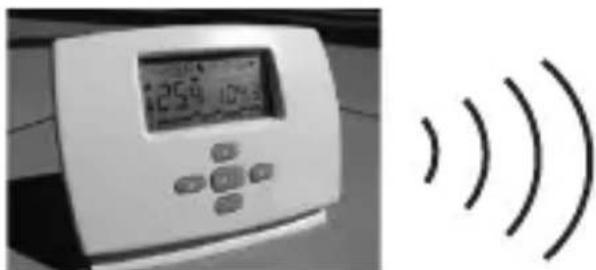
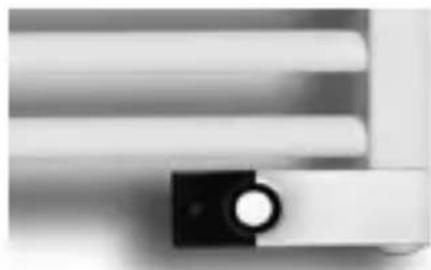
Transmitter Receiver
SPECIFICATIONS
- Wireless communication via radio signals with receiver connected to heater. The working distance is approx. 30m in residential areas.
- Can be programmed for 7 days.
- 9 programmes preset at factory.
- 4 user programmes.
- Graphic display of programme.
- Display of ambient temperature and time.
- Temperatures: Comfort / Low / Frost-free.
Automatic or manual operation. - Holiday function
Key lock (child lock) - Battery operation, life >2 years
- Low battery icon
- Battery replacement without memory loss (< 1 minute)
- Reset function
- All combinations of batteries and receivers have been matched.
DISPLAY
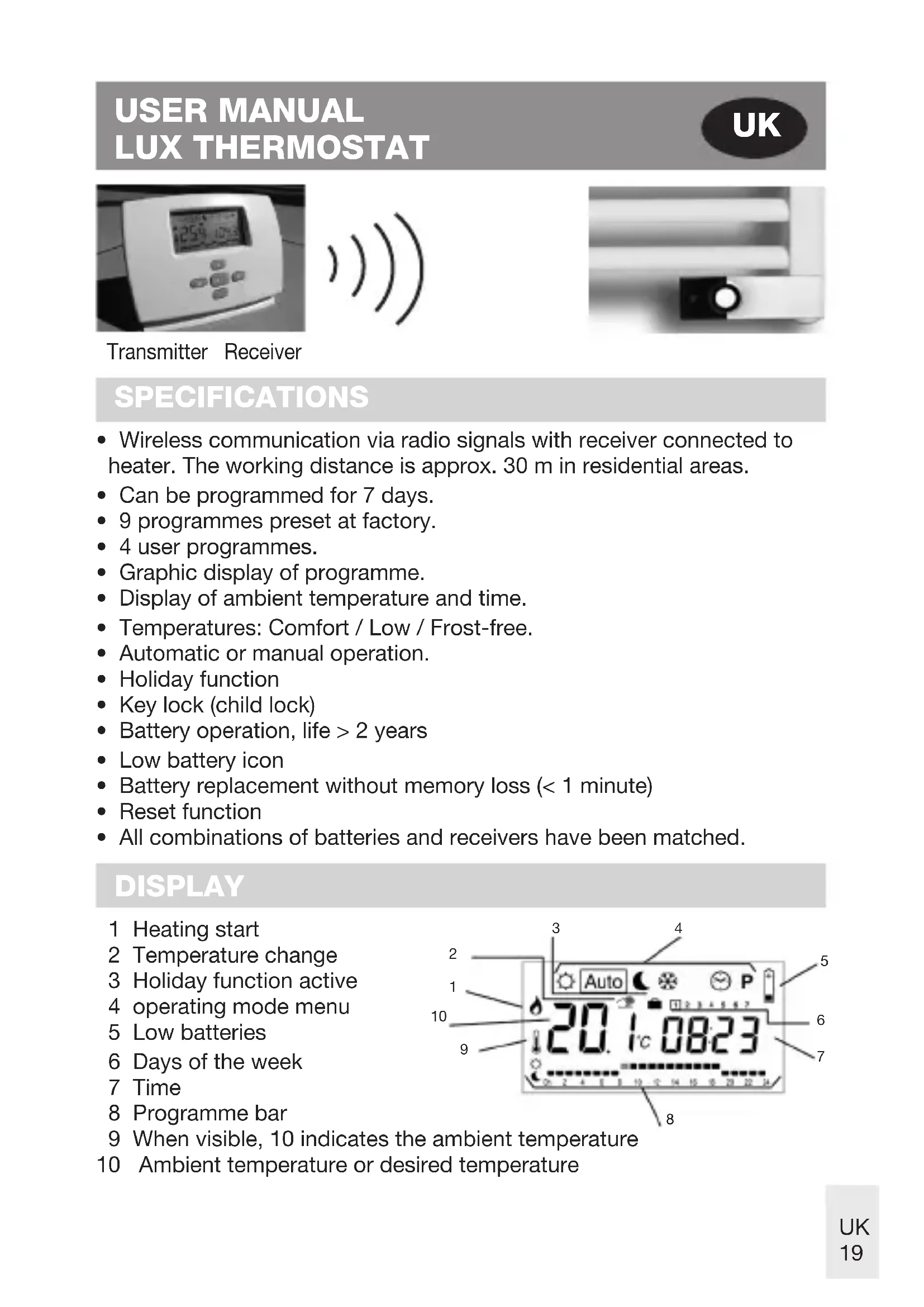
1 Heating start
2 Temperature change
3 Holiday function active
4 operating mode menu
5 Low batteries
6 Days of the week
7 Time
8 Programme bar
9 When visible, 10 indicates the ambient temperature
10 Ambient temperature or desired temperature

Use the keys to change the mode in the operating modes menu. The receiver must be switched on in all modes.

CLOCK setting menu:
Use this menu to set the correct clock time.
Use + / - to change the minutes 08.23 then press OK.
Use + / - to change the hour, 08.23 then press OK.
Use + / - to change the day 08.23 then press OK.

Operating mode at COMFORT temperature:
The system remains at a comfort temperature for an unlimited time (see Holiday function for individual times or days).
If you press on + / - , the comfort temperature flashes and can be changed.
The ambient temperature appears in a few seconds.
Your Luxe thermostat will now operate at comfort temperature.

Operating modes AUTO:
The Luxe thermostat runs the programme selected for the current time period. Press +/- to change the temperature when the system switches to the next programme.
The display segment appears. Use + / - to set the desired temperature.
When it switches to the next programme, the icon disappears and the runs unchanged.

Operating mode at LOW temperature:
The system remains at a low temperature for an unlimited time (see Holiday function for individual times or days).
If you press on + / - , the low temperature flashes and can be changed.
The ambient temperature appears in a few seconds.
Your Luxe thermostat now operates at low temperature.

FROST-FREE operating mode:
Prevents the heater freezing.
If you press on +/- , the frost-free temperature flashes and can be changed.
The ambient temperature displays after a few seconds.
Your Luxe thermostat will now operate at a temperature above freezing.

PROGRAMME menu:
Press on +/- The programme number will flash
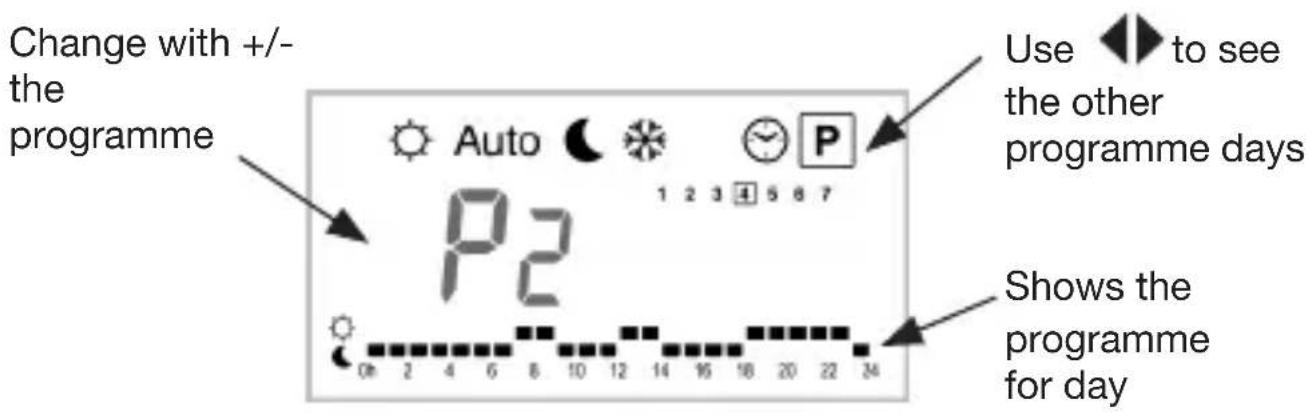
If you select a preset programme P1 to P9 then OK, that programme will be used Auto in mode.
Description of factory-set programmes
P1 Morning, Evening & Weekend
P2 Morning, Midday, Evening & Weekend
P3 Day & Weekend
P4 Evening & Weekend
P5 Morning, Evening (bathroom)
P6 Morning, Afternoon & Weekend
P7 7 am - 7 pm (office)
P8 8 am - 7 pm, Saturday (shop)
P9 Weekend (second residence)
If you select a user programme U1 to U4 and then OK you will be taken to settings mode.

Move in the day with the flashing indicator and amend the programme.
If the chosen day is set correctly, press OK to move to the next day.
Once you confirm day 7, you are taken back to the menu.
Your user programme will now start when you set the Lux thermostat to Auto mode.
SPECIAL FUNCTIONS

HOLIDAY function:
Go with to mode. Use + / - to select the duration in hours (H) if fewer than 24 hours per day (d). Select or or mode.
The icon, and the number of hours / days remaining until the Luxethermostat switches to Auto mode and the usual programme resumes, are displayed.
KEY LOCK:
Function to prevent settings being changed.
In , Auto modes, you can press and hold the OK key, while pressing the + or - key at the same time in order to lock (LOC CODE) or unlock the keys (UN LOC).
RESET function:
This function clears all programmes and reverts to the default parameters (factory settings).
Go to mode, and press OK for 10 seconds.
All display segments will light up to indicate that the memories will be cleared and that the Luxe thermostat will restart with the default parameters.
Default: Temperatures 21°C 1°C 6°C,Programme U1 all comfort.
You can then reprogramme your Luxe thermostat to new settings.
Display of software version:
Go to mode and press OK for 5 seconds.
The version of the installed software will be displayed.
REPLACING BATTERIES
If the low battery icon appears, the batteries need replacing.
Press on the clip left rear, then pull on the front part to remove it.


You can now reach the batteries.
Replace the batteries with 2 new LR6 AA 1.5 V alkaline batteries.
Note: You have 1 minute to replace the batteries.
If you take longer than this, you will have to reprogramme the thermostat when all display segments appear at switch-on.
Connecting the Luxe thermostat:
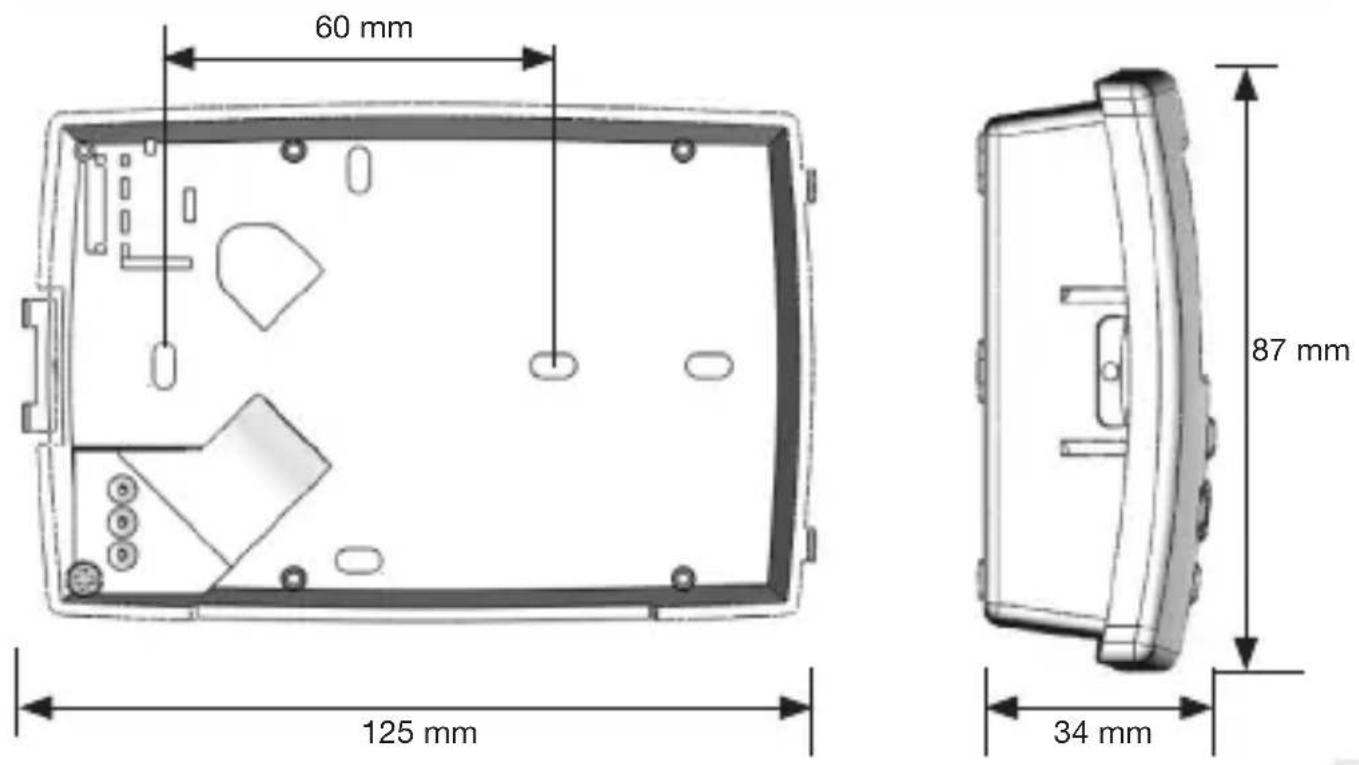
Place the front of the housing on its edge. Insert the three connectors in the holes provided. Then push on the front section while simultaneously holding the rear section parallel.

Press on the clip to make it easier to slot in.
TECHNICAL SPECIFICATIONS
| Accuracy of measured temperature 0 | 1°C (or 0.2°F) |
| Accuracy of desired temperature 0.5°C | (or -17.50°C) |
| Temperature range comfort & low: 5°C – 35°C (or 41°F – 95°F) frost-free: 0.5°C – 10°C | (or 33°F – 50°F) |
| Settings Cycle: 60 minutes | |
| Differential 0.2°C | |
| Electrical safety Luxe thermostat (transmitter) Class II - IP30 Receiver Class II - IPX4 | |
| Connector receiver | 230 V AC – 50 Hz |
| Batteries | 2 x LR6 AA 1.5 V alkaline batteries in the Luxe thermostat |
| Radio frequency 433.92 MHz, <10 mW. Distance of approx. 100 metres in open air. Distance of approx. 30 metres in residential zone. | |
| Certification: | CE |
| Standards: (Electromagnetic Compatibility), radio spectrum matters and safety of household electrical appliances) | Complies with EN 300220-3, EN 301489, EN 60335 (EMC) and safety of household electrical appliances) |
The receiver can be activated by turning the receiver button.
LED green: power to receiver, but the heating element is not heating. LED red: the heating element is heating.
- Moveable window
- Receiver button ON/OFF
- Push button Boost
- Indicator LED

Push button:
By pressing it the boost cycle is activated (duration: 1 hour).
The LED then starts to blink red.
You turn the boost cycle off by pressing the button again.
Please note:
Boost is a command that enables the radiator to heat at maximum capacity for one hour – with the possibility of interruption- regardless of room temperature. After one hour the boost switches off and the thermostat controls the comfort temperature.
!!! You do not have to switch on the thermostat to switch on the Boost cycle, but the receiver must be on!!!
MONTAGE
!!! Note: All combinations of batteries and receivers have been matched.
When this is not the case, please follow the below mentioned steps. Also when several receivers are controlled by just one thermostat, the below mentioned steps have to be followed.
- Turn the receiver on by turning the button to position I. The receiver's indicator is green.
- Then, push the receiver button longer, during about 5 up to 10 seconds.
The receiver display will start to blink in green (The receiver is waiting for a transmitter signal).
- Choose the mode Auto on the Luxe thermostat.
Push the OK button during 5 seconds.
In doing this, you will activate the radio configuration mode
(1rF in it).
The Luxe thermostat will now start to send its configuration address through a radio signal 4 times per second,

- When the receiver display stops blinking, the transmitter will start to actuate the receiver.
- Push the OK button of the Luxe thermostat in order to leave the radio configuration mode.
WHAT TO DO IN CASE OF PROBLEMS?
Defect: the radiator does not get warm
| Defect How to repair? | |
| The thermostat does not give a signal. | Check the batteries in the thermostat. Replace them if necessary. |
| The receiver's LED does not function. | Check the electrical feed cable to the receiver. |
| The receiver's LED turns green, but the communication with the thermostat is not functioning. | Please follow the steps described in the chapter: radio configuration with the receiver. |
| The receiver responds to the thermostat (the LED turns from green into red). The radiator does not get warm. | Check whether the cable of the receiver is correctly connected to the electrical resistor. |
| The receiver's push button does not function. | The complete set has to be exchanged. |
IMPORTANT WARNINGS
This apparatus is not for use by persons (nor by children) with restricted physical, sensual or mental capacities, nor by persons lacking experience or knowledge, except when they received training or instructions from a person responsible of their security.
Children should be watched in order to prevent them from playing with the apparatus.
The apparatus is to be connected to the electrical currency by means of a circuit breaker guaranteeing a complete currency cut-off within the fixed wiring according to installation regulations.
The feed cable may not be replaced. If this cable is damaged, the apparatus must taken out of service.
ATTENTION: In order to prevent it from overheating, the heating element may not be covered.
The instructions should indicate that the heating element should not be placed directly under a socket.
If the apparatus is installed in a bathroom, the switches or other control buttons may not be reached by a person in the bath or under the shower.
IcnoJIb3yIe +/- dJa yCTaHOBKn MmHyT 08.23 nHaJMMTe OK.
IcnoJIb3yIe +/- dJa yCTaHOBKn YacOB, 08.23 nHaJMMTe OK.
IcnoJIb3yIe +/- dJa yCTaHOBKn DnJa 08.23 nHaJMMTe OK.

Pexim pa60tbi npi KOMΦOPTHOI temepaType:
Cnctema octaetc HactpoeHHo Ha KOMphiOpTHyIO Tempeatpy B TeueHne HeorpaHnueHHoro nepnoDa (cm. onncahne yHKun «OTnyck» dIra nHdNbNy-aIbHbIX HactpoeK BpeMeHn I KOJIueCTBa dHei).
При Нжати +/3нayehne KOMФорн TeMпраТурь NaHHaET MURAb I MOжт 6ыТь ИЗMeHeHo.
Okpykaioa TaemepaTypa OTo6paKaetcyepe3 HeckoIbKO ceKHyd.
Iocne 3Toro Tepmoctat Luxe 6ydt pa6oTaB B peXime KOMΦopTHoI TempepaTypbl.

ABTOMATUeCKn peKm pa6oTbI:
Tepmoctat Luxe pa6oTaET B COOTBeTCTBnC nporpaMMo, Bbl6paHHoI TeKyuIero npomexyTKa BpeMeH.
TEXHNUECKNE_XAPAKTEPNUKNI
CBeToIIOHbI INHdNkATOp rOpIT 3eJIeHbIM cBeTom: 6JOK ynpaBHeHnBAKJIouYe, HO o6OrpeBaTeJI Noka He HArpeTbI. CBeToIIOHbI INHdNkaTOP rOpIT KpaChbIM cBeTom: o6OrpeBaTeJI HaRpeTbI.
1.ПepeBnJxHoe OKHO
2.BpaaouaKa KOnka BKJ/BblKJI
3. Khonka əknpcec-pexma (BOOST)
4. CBeToIIOHbI INHdNKaTOP

KhONka BkJIoueHnA:
HencnpaBHOCTb:paHaTOp He HaraeTc
- USER MANUAL LUX THERMOSTAT
- SPECIFICATIONS
- DISPLAY
- CLOCK setting menu:
- Operating mode at COMFORT temperature:
- Operating modes AUTO:
- Operating mode at LOW temperature:
- FROST-FREE operating mode:
- PROGRAMME menu:
- SPECIAL FUNCTIONS
- HOLIDAY function:
- KEY LOCK:
- RESET function:
- Display of software version:
- REPLACING BATTERIES
- Note: You have 1 minute to replace the batteries.
- Push button:
- Please note:
- MONTAGE
- WHAT TO DO IN CASE OF PROBLEMS?
- Defect: the radiator does not get warm
- IMPORTANT WARNINGS
- Pexim pa60tbi npi KOMΦOPTHOI temepaType:
- ABTOMATUeCKn peKm pa6oTbI:
Brand : VASCO
Model : Luxe
Category : Thermostat