ManualGo.com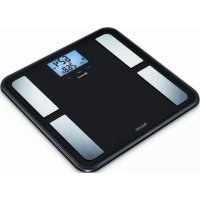
BF 850 - Scale BEURER - Free user manual and instructions
Find the device manual for free BF 850 BEURER in PDF.



Frequently Asked Questions - BF 850 BEURER
Download the instructions for your Scale in PDF format for free! Find your manual BF 850 - BEURER and take your electronic device back in hand. On this page are published all the documents necessary for the use of your device. BF 850 by BEURER.
USER MANUAL BF 850 BEURER
These instructions for use
1. Getting to know your device
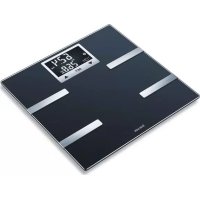
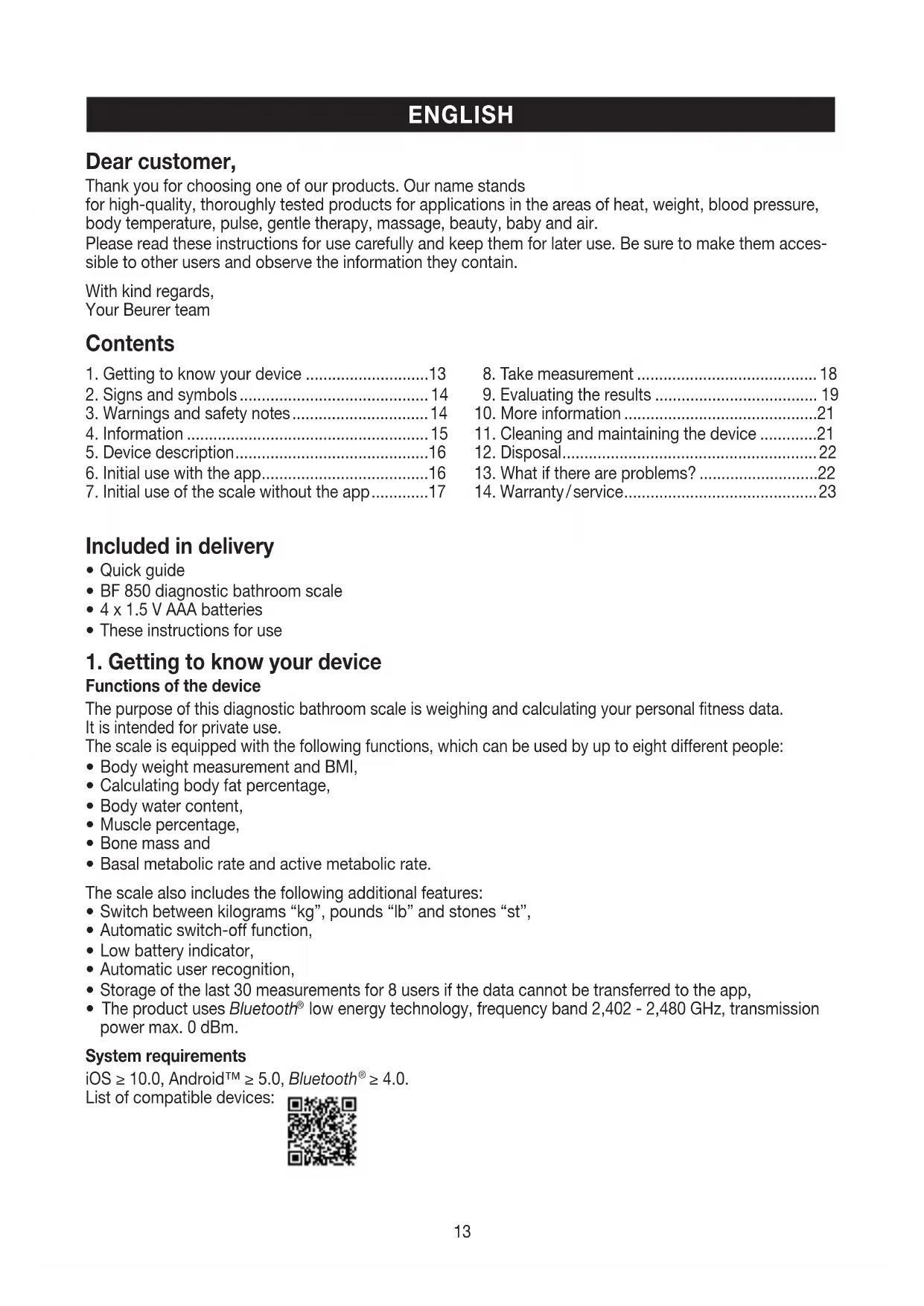
Functions of the device The purpose of this diagnostic bathroom scale is weighing and calculating your personal fitness data. It is intended for private use. The scale is equipped with the following functions, which can be used by up to eight different people:
Body weight measurement and BMI,
Basal metabolic rate and active metabolic rate. The scale also includes the following additional features:
Switch between kilograms “kg”, pounds “lb” and stones “st”,
Automatic switch-off function,
Low battery indicator,
Automatic user recognition,
Storage of the last 30 measurements for 8 users if the data cannot be transferred to the app,
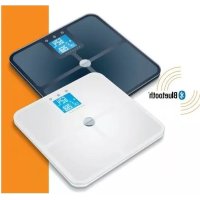
The product uses Bluetooth
low energy technology, frequency band 2,402 - 2,480 GHz, transmission power max. 0 dBm. System requirements iOS ≥ 10.0, Android™ ≥ 5.0, Bluetooth
≥ 4.0. List of compatible devices: Dear customer, Thank you for choosing one of our products. Our name stands for high-quality, thoroughly tested products for applications in the areas of heat, weight, blood pressure, body temperature, pulse, gentle therapy, massage, beauty, baby and air. Please read these instructions for use carefully and keep them for later use. Be sure to make them acces- sible to other users and observe the information they contain. With kind regards, Your Beurer team Contents
1. Getting to know your device ............................13
7. Initial use of the scale without the app .............17
11. Cleaning and maintaining the device .............21
12. Disposal ..........................................................22
13. What if there are problems? ...........................22
14. Warranty / service ............................................2314
2. Signs and symbols
The following symbols appear in these instructions for use: WARNING Warning instruction indicating a risk of injury or damage to health. IMPORTANT Safety note indicating possible damage to the unit/accessory. Note Note on important information.
3. Warnings and safety notes
Please read these instructions for use carefully and keep them for later use, be sure to also make them accessible to other users and observe the notes they contain. WARNING
The scale may not be used by people with medical implants (e.g. pacemakers), as this may affect their functionality.
Do not use during pregnancy.
Never step onto the outer edge of the scale with one foot as this could cause the scale to tip!
Swallowing batteries can be extremely dangerous. Keep the batteries and scale out of the reach of small children. Should a battery be swallowed, seek medical assistance immediately.
Keep packaging material away from children (risk of suffocation).
Warning, do not step onto the scale with wet feet or if the surface of the scale is damp – danger of slipping! Notes on handling batteries
If your skin or eyes come into contact with battery fluid, rinse the affected areas with water and seek medical assistance.
- Choking hazard! Small children may swallow and choke on batteries. Store the batteries out of the reach of small children.
If a battery has leaked, put on protective gloves and clean the battery compartment with a dry cloth.
- Protect batteries from excessive heat.
- Risk of explosion! Do not throw batteries into a fire.
- Do not charge or short-circuit batteries.
- If the device is not to be used for a relatively long period, take the batteries out of the battery compartment.
- Use identical or equivalent battery types only.
- Always replace all batteries at the same time.
- Do not use rechargeable batteries.
- Do not disassemble, split or crush the batteries. General notes
The device is suitable only for private use, and not for medical or commercial purposes.
Please note that measuring tolerances are possible for technical reasons as this scale is not cali- brated for use in a professional medical context.
In cases of differing measurements (between the scale and app), only use the measured values displayed on the scale.
The scale’s maximum capacity is 180 kg (396 lb/28 st). The results for weight and bone mass are displayed in 100 g increments (0.2 lb).
Measurements of body fat, body water and muscle content are displayed in increments of 0.1%.
Calorie requirement is indicated in steps of 1 kcal.
When supplied to the customer, the scale is set to weigh and measure in “kg” and “cm”. You can change the unit settings during initial use of the app.
Place the scale on an even, hard surface; a hard surface is crucial to accurate measurements.
Repairs must only be carried out by Beurer Customer Services or authorised retailers. Before making a claim, please check the batteries first and replace them if necessary.15 Storage and maintenance The accuracy of the measurements and service life of the device depend on its careful handling: IMPORTANT
Do not place any objects on the scale when not in use.
Protect the device from knocks, damp, dust, chemicals, marked temperature fluctuations and nearby sources of heat (ovens, heaters).
Do not press the buttons violently or with pointed objects.
Do not expose the scale to high temperatures or strong electromagnetic fields.
The measurement principle This scale works on the principle of B.I.A. (bioelectrical impedance analysis). This involves the calculation of body content within seconds, using a current that is not noticeable, is completely non-hazardous and does not pose any risk. When this measurement of the electrical resistance (impedance) is considered alongside constants and/ or individual values (age, height, gender, activity level), the body fat percentage and other variables in the body can be calculated. Muscle tissue and water conduct electricity well and therefore have a lower resistance. In contrast, bones and fat tissue have low conductivity as the fat cells and bones are barely able to conduct the current due to very high levels of resistance. Please note that the values calculated by the diagnostic scale only represent an approximation of the actual medical analytical values for the body. Only a specialist doctor can precisely establish the body fat, body water, muscle percentage and bone structure using medical methods (e.g. computer tomography). General tips
As far as possible, weigh yourself at the same time everyday (ideally in the morning), after having been to the toilet, on an empty stomach and without clothing, in order to obtain results which can be com- pared.
Important point regarding the measurement: the calculation of body fat may only be made when bare- foot; the soles of the feet may be lightly dampened where appropriate. Results may be unsatisfactory if the soles of the feet are completely dry or feature high levels of horny skin as this results in insufficient conductivity. Note: There must be no skin contact between your feet, legs, calves or thighs. Otherwise, the measurement cannot be taken correctly.
Stand up straight and still whilst weighing yourself.
Wait a few hours after any physical exertion to which your body is unaccustomed.
Wait approx. 15 minutes after getting up so that the water stored in the body can disperse.
You must remember that only the long-term trend is important. Brief deviations in weight within a few days are normally caused by loss of fluids; however, body water plays an important role in terms of well-being. Limitations When calculating the body fat and the additional values, deviating and implausible results may occur in the case of:
Children under 10 years of age,
Performance athletes and body-builders,
Persons with a fever, persons undergoing dialysis, persons demonstrating oedema symptoms and per- sons suffering from osteoporosis,
Persons taking cardiovascular medicine (affecting the heart and vascular system),
Persons with significant anatomical deviations in their legs compared with their overall body height (leg length significantly shorter or longer).16
1. Battery compartment
2. Unit/Reset/Delete button
symbol for connection between scale and smartphone.
6. Initial use with the app
To calculate your body fat percentage and additional body values, you must save the personal user data on the scale. The scale has 8 user memory spaces which allows, for example, you and your family members to save personal settings. It is also possible to activate users via other mobile end devices on which the “beurer HealthManager“ app has been installed or by changing the user profile in the app (see the app settings). Keep the smartphone close to the scale in order to maintain an active Bluetooth
connection during initial use. – Activate Bluetooth
in your smartphone’s settings. Note: Bluetooth
devices, such as this scale, may not be visible in the general settings of the Blue- tooth
Insert the batteries and place the scale on a solid surface (“USE APP” will flash on the scale’s LCD).
Start the app and follow the instructions.
Enter the BF 850 related data. The following settings must be set or entered in the “ beurer HealthManager ” app: User data Set values Initials max. 3-digit (A-Z, 0-9) Gender Male ( ), female ( ) Height 100 to 220 cm (3' 3.5" to 7' 2.5") Birthday Year, month, day Activity level 1 to 517
he medium-term and long-term perspective is decisive when selecting the activity level. Activity level Physical activity 1 None.
Low: little and light physical exertion (e.g. going for walks, light gardening work, gymnastic exercises).
Medium: physical exertion, at least 2 to 4 times a week for 30 minutes each session.
High: physical exertion, at least 4 to 6 times a week for 30 minutes each session.
Very high: intensive physical exertion, intensive training or hard physical work, daily for at least 1 hour. The app assigns the next free scale user memory (P-01 – P-08) to you.
Taking the measurement
or automatic personal recognition, the first measurement must be assigned to your personal user data. The app will prompt you to do this. Step onto the scale, ideally with bare feet, and ensure that you are standing still with equal weight distribution and with both feet on the electrodes.
ow continue with chapter 8 “Take measurement”.
7. Initial use of the scale without the app
We recommend using the app for the initial use and implementing all settings. See chapter 6 “Initial use with the app” However, this can also be carried out on the device itself. Remove the batteries from the protective packaging and insert the batteries into the scale ensuring that the battery polarity is correct. If the scale does not function, remove the batteries completely and reinsert them. Place the scale on an even, hard surface; a hard surface is crucial to accurate measurements. Press the “SET” button. Set the year/month/day and hour/minute by pressing the buttons “ ” and confirm these settings by pressing the “SET” button. The scale displays “0.0”. Press the “SET” button again. “P-01” or the last used scale user memory will appear. Select your user memory (P-01 to P-08) with the arrows “ ” and press the “SET” button. Carry out your settings, such as gender, height etc. (see chapter 6. “Initial use with the app (table)”. Confirm each setting by pressing the “SET” button. A PIN will be displayed at the end of your settings. This will be required for logging into the app later. Afterwards “0.0” is displayed. For automatic personal recognition, the first measurement must be assigned to your personal user data. Step onto the scale, ideally with bare feet, and ensure that you are standing still with equal weight distribu- tion and with both feet on the electrodes.
7.1 Logging in to the app at a later time
If you have carried out the initial use of the scale without using the app, you can transfer or create your user on the app as follows.
Start the app and follow the instructions.18
Step onto the scale with bare feet and ensure that you are standing still with equal weight distribution and with both legs on the electrodes Note: The measurement result will be incorrect if the measurement is taken with socks on. The scale begins to take measurements straight away. First, the weight is displayed. During the BIA analysis, “ ” is displayed. If a user was assigned, their initials will be displayed and all of the following values will be saved.
4. Muscle percentage in %
5. Bone mineral amount in kg
6. Basal metabolic rate in kcal (BMR)
7. Active metabolic rate in kcal (AMR)
Note: If the user is not recognised, then the user assignment (initials) is missing and only the weight can be displayed. The measured values will not be saved. This happens if your measured weight differs from the previous measurement by ± 3 kg or if another user has similar values (± 3 kg) to yours. In this case, repeat the measurement by turning on the scale and pressing the “ ” button to select your user memory (P-01 – P-08). Repeat the measurement.
Step onto the scale wearing shoes and ensure that you are standing still with equal weight distribution and with both legs on the scale. The scale begins to take meas- urements straight away. First, the weight is displayed. “ ” will briefly be displayed on the LCD. A BIA analysis is not possible. If a user was assigned, their initials will be displayed and the weight will be saved. Note: If the user is not recognised, then the user assignment (initials) is missing and only the weight can be displayed. The measured values will not be saved. This happens if your measured weight differs from the previous measurement by ± 3 kg or if another user has similar values (± 3 kg) to yours. In this case, repeat the measurement by turning on the scale and pressing the “ ” button to select your user memory (P-01 – P-08). Repeat the measurement.19
9. Evaluating the results
Body mass index The Body Mass Index (BMI) is a figure that is commonly used to evaluate body weight. The figure is calcu- lated from body weight and height. The formula is: Body mass index = body weight ÷ height
. The measurement unit for BMI is [kg/m
]. According to the BMI, weight is classified for adults (20 years and over) using the following values: Category BMI Underweight Severely underweight <16 Underweight 16-16.9 Slightly underweight 17-18.4 Normal weight 18.5-24.9 Overweight Overweight 25-29.9 Obese (overweight) Class I obesity 30-34.9 Class II obesity 35-39.9 Class III obesity ≥40 Source: WHO, 1999 (World Health Organization) Body fat percentage A lower value will often be determined in the case of athletes. Depending on the sporting activities per- formed, the training intensity and the physical constitution, the results may still be below the stated stand- ard values. Please note, however, that there may be a risk to health in the case of extremely low values. The subsequent body fat percentages serve as a guideline (for further information ask your doctor). Male Female Age Low Normal High Very high Age Low Normal High Very high 10-14 <11% 11-16%
>26% 50-59 <21 % 21 – 26%
>28% 70-100 <23 % 23 – 28% 28.1– 33% >33% Body water content The body water content in % is normally within the following ranges: Male Female Age Poor Good Very good Age Poor Good Very good 10-100 <50 % 50 – 65% >65% 10-100 <45 % 45 – 60% >60% Body fat contains relatively little water, therefore body water content may be below the standard values in persons with a high body fat percentage. On the other hand, endurance athletes may exceed the standard values due to having low levels of fat and a high muscle percentage. The body water calculation performed using this scale is not suitable for drawing medical conclusions, for example in the case of age-related water retention. Consult your doctor where necessary. A high body water content is generally desirable.20 Muscle percentage The muscle percentage is normally within the following ranges: Male Female Age Low Normal High Age Low Normal High 10-14 <44 % 44 – 57% >57% 10-14 <36 % 36 – 43% >43% 15-19 <43 % 43 – 56% >56% 15-19 <35 % 35 – 41% >41% 20 – 29 <42% 42 – 54% >54 % 20 – 29 <34% 34 – 39% >39% 30 – 39 <41% 41 – 52% >52% 30 – 39 <33% 33 – 38% >38% 40 – 49 <40% 40 – 50% >50% 40 – 49 <31% 31– 36% >36% 50 – 59 <39% 39 – 48% >48% 50 – 59 <29% 29 – 34% >34% 60 – 69 <38% 38 – 47% >47% 60 – 69 <28% 28 – 33% >33% 70-100 <37 % 37 – 46% >46% 70-100 <27% 27 – 32% >32% Bone mass Like the rest of our body, our bones undergo natural processes of growth, breakdown and ageing. Bone mass increases rapidly during childhood and reaches its peak between 30 and 40 years. As you age, your bone mass starts to gradually decline. If you have a healthy diet (particularly calcium and vitamin D) and regularly exercise, you can slow this process down. You can also strengthen the stability of your skeletal structure using targeted muscle growth. Please note that this scale does measure minerals of bones. Bone mass is very difficult to modify but does vary slightly as a result of influencing factors (weight, height, age, sex). There are no recognised guidelines and recommendations available. BMR The basal metabolic rate (BMR) is the amount of energy required by the body at complete rest in order to maintain its basic functions (e.g. when lying in bed 24 hours a day). This value is primarily dependent on weight, height and age. It is displayed on the diagnostic scale in the unit kcal/day and calculated using the scientifically recog- nised Harris-Benedict equation. This is the amount of energy that is required by your body under all circumstances and must be re-sup- plied to the body in the form of food. If your energy intake is below this level in the longer term, this can result in damage to health. AMR The active metabolic rate (AMR) is the amount of energy that the active body consumes each day. An indi- vidual’s energy requirement increases when the level of physical activity increases; the diagnostic scale calculates this by means of the activity level (1– 5) that has been entered. To maintain the current weight, the energy that the body uses must be replaced in the form of food and drink. If less energy is taken in than is used over a long period of time, the body takes the difference from the fat stores with resulting weight loss. However, if the amount of energy taken in exceeds the calculated active metabolic rate (AMR) for a longer period, the body cannot burn off the excess energy. The excess is stored in the body as fat, leading to weight gain. Temporal context of the results Please note that only the long-term trend is important. Brief deviations in weight within a few days are normally caused by loss of fluids. The interpretation of the results is based on changes in total body weight, percentage of body fat, body water and muscle content, as well as on the length of time over which these changes occur. Rapid changes within the scope of a few days are to be considered separately from medium-term changes (in the scope of weeks) and long-term changes (months). It can be said as a basic rule that short-term changes in weight are almost entirely changes in water content, whereas medium-term and long-term changes may also relate to the fat percentage and the muscle percentage.
If your weight drops in the short term but your body fat percentage increases or stays the same, you have only lost water, for example following a training session, visit to the sauna or a diet aimed only at fast weight loss.21
On the other hand, if your weight increases in the medium term and your body fat percentage drops or stays the same, you may have built up valuable muscle mass.
- If your weight and body fat percentage both fall at the same time, then your diet is working – you are los- ing fat mass.
- Ideally, you should support your diet with physical activity, fitness or strength training. This enables you to increase your muscle percentage in the medium term.
- Body fat, body water and muscle percentages must not be added (muscle tissue also contains compo- nents made of body water).
10. More information
User assignment It is possible to assign up to 8 scale users for a weight-only measurement (with shoes) and for a diagnosis measurement (bare feet). For a new measurement, the scale assigns the measurement to the user whose most recently saved measurement falls within ± 3kg of this. See chapter 8. Storing the assigned measurements on the scale and transferring them to the app. If the app is not open, the newly assigned measurements are saved on the scale. A total of 30measure- ments per user can be saved on the scale. The saved measurements are transferred automatically to the app if you open the app within the Bluetooth range. It is possible to automatically transfer data when the scale is switched off. Deleting scale data
- Delete all Step on the scale briefly; “0.0” appears. Hold the Unit/Reset/Delete button on the rear of the scale for approx. 5 seconds. „ “ will appear on the display for several seconds. All saved values and settings are deleted. You must then carry out the actions in chapter 6 again (user assignment).
- Delete individual users Step on the scale briefly; “0.0” appears. Press the “ ” buttons to select your user and confirm with the “SET button”. When “0.0” and your initials are displayed, hold the Unit/Reset/Delete button on the rear of the scale for approx. 3 seconds. „ “ appears in the display. All saved values and settings are deleted. You must then carry out the actions in chapter 6 again (user assignment). Changing the batteries Your scale is equipped with a low battery indicator. If you operate the scale with flat batteries, “Lo” will appear on the display and the scale will automatically switch off. In this case, the batteries must be replaced (4 x 1.5 V AAA). All saved measurements and users remain saved. Connect the scale to the app again. The system time is updated. NOTE:
When changing the batteries, use batteries of the same type, make and capacity.
Do not use rechargeable batteries.
Use batteries free from heavy metals.
11. Cleaning and maintaining the device
The device should be cleaned from time to time. This should be done using a damp cloth and, if necessary, a small amount of detergent. IMPORTANT
Never use abrasive solvents or cleaning products!
Never submerge the device in water!
Do not clean the device in a dishwasher!22
Empty, completely flat batteries must be disposed of through specially designated collection boxes, recy- cling points or electronics retailers. You are legally required to dispose of the batteries. The codes below are printed on batteries containing harmful substances: Pb = Battery contains lead Cd = Battery contains cadmium Hg = Battery contains mercury For environmental reasons, do not dispose of the device in the household waste at the end of its service life. Dispose of the device at a suitable local collection or recycling point. Dispose of the device in accordance with EC Directive – WEEE (Waste Electrical and Electronic Equip- ment). If you have any questions, please contact the local authorities responsible for waste disposal. Dispose of packaging in an environmentally friendly manner.
13. What if there are problems?
If the scale encounters an error during measurement, the following is displayed: Display Cause Solution Only weight display and initials are missing Unknown measurement as it is outside the user assign- ment limit or a unique assign- ment is not possible. Select user on the scale using the “ ” but- ton or repeat user assignment in the app. See chapter 10 “Additional information”. The proportion of fat is out- side the measurable range (less than 4 % or greater than 65%). Please repeat the measurement barefoot, or with the soles of the feet lightly dampened if necessary. If is still displayed, you are outside of the measurable range. Maximum weight capacity of 180 kg exceeded. Loads must be limited to 180 kg. Incorrect weight is dis- played. No flat, stable surface. Place the scale on a flat, stable surface. No carpet. Incorrect weight is dis- played. Not standing still. Stand as still as possible. Incorrect weight is dis- played. Incorrect zero point of scale. Wait until the scale switches itself off. Activate scale. “C” may be displayed. Wait for “0.0”
Then repeat the measurement. No Bluetooth
con- nection ( symbol is missing). Device outside the range. The range in the open is approx. 10 m. Walls and ceilings reduce the range. Other radio waves may interfere with the transmission. Therefore, do not position the scale near devices such as WIFI routers, microwaves, induction hobs etc. Connection set-up takes too long. Faster Bluetooth
interval when the scale is switched on: Step on the scale briefly; “0.0” appears No connection to the app. Completely close the app (including in the background). Switch Bluetooth
off and back on again. Switch the smartphone off and back on again. Remove the batteries in the scale for a short period and reinsert them. See FAQs at www.beurer.com.23 Subject to error and change Display Cause Solution User memory space is full. New measurements overwrite the older measurements. Open the app. The data is transferred auto- matically. This may take up to one minute. The batteries in the scale are empty. Replace the batteries in the scale. We hereby confirm that this product complies with the European RED Directive 2014/53/EU. The CE Dec- laration of Conformity for this product can be found under: www.beurer.com/web/we-landingpages/de/cedeclarationofconformity.php.
14. Warranty / service
In case of a claim under the warranty please contact your local dealer or the local representation which is mentioned in the list “service international”. In case of returning the unit please add a copy of your receipt and a short report of the defect. The following warranty terms shall apply:
1. The warranty period for BEURER products is either 5 years or- if longer- the country specific war-
ranty period from date of Purchase. In case of a warranty claim, the date of purchase has to be proven by means of the sales receipt or invoice.
2. Repairs (complete unit or parts of the unit) do not extend the warranty period.
3. The warranty shall not be valid for damages because of
a. improper treatment, e.g. nonobservance of the user instructions. b. repairs or tampering by the customer or unauthorised third parties. c. transport from the manufacturer to the consumer or during transport to the service centre. d. The warranty shall not be valid for accessories which are subject to normal wear and tear (cuff, batteries etc.).
4. Liability for direct or indirect consequential losses caused by the unit are excluded even if the
damage to the unit is accepted as a warranty claim.24 FRANÇAIS Contenu
word mark and logos are registered trademarks owned by Bluetooth SIG, Inc. and any use of such marks by Beurer GmbH is under license. Other trademarks and trade names are those of their respecti- ve owners. Apple and the Apple logo are trademarks of Apple Inc., registered in the U.S. and other countries. App Store is a service mark of Apple Inc., registered in the U.S. and other countries. Google Play and the Google Play logo are trademarks of Google LLC. Android is a trademark of Google LLC.