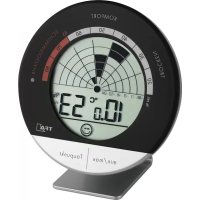
30.5032 - Measuring equipment TFA - Free user manual and instructions
Find the device manual for free 30.5032 TFA in PDF.

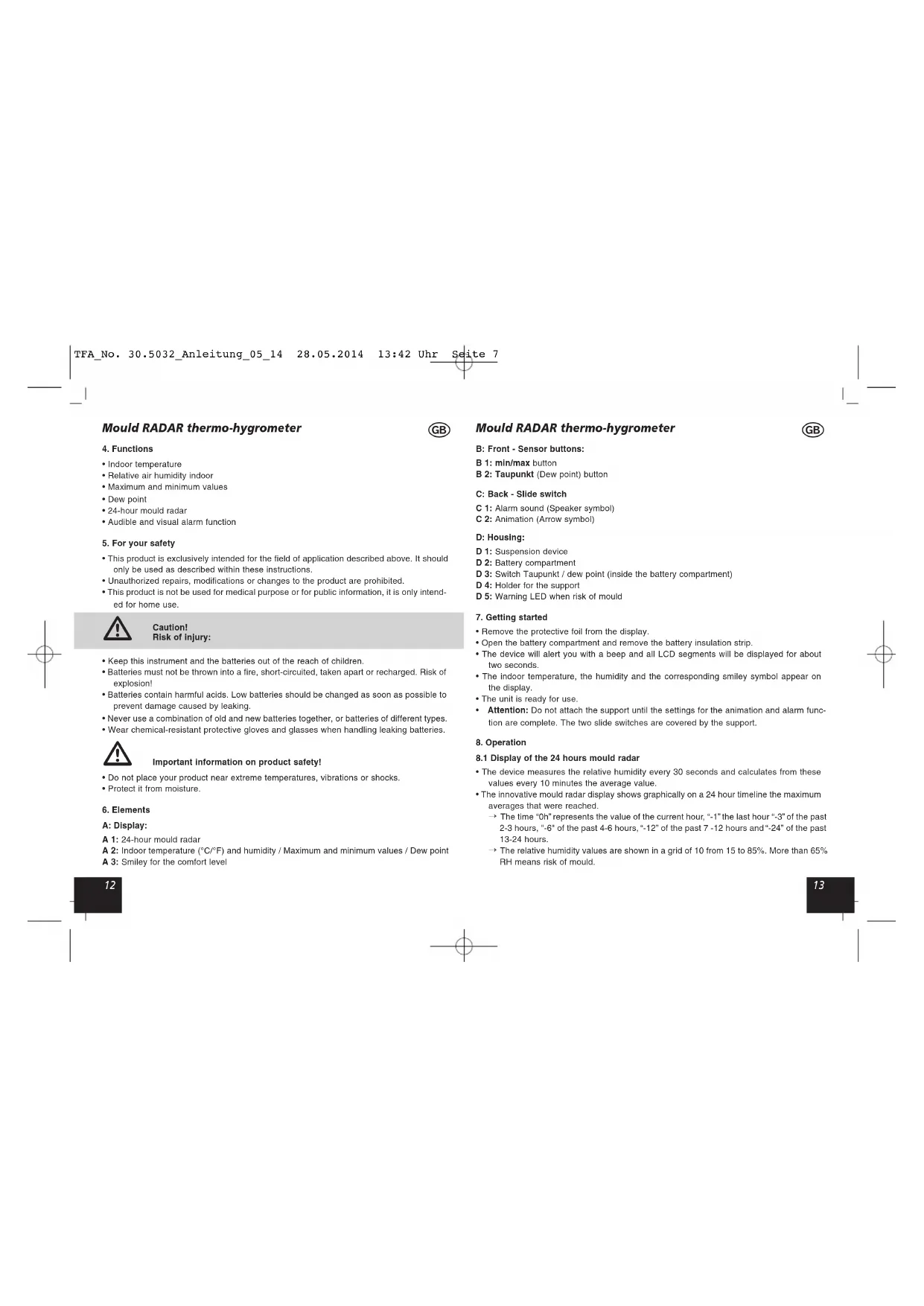


| Product type | Digital thermo-hygrometer with mold radar |
| Brand | TFA |
| Model | 30.5032 |
| Housing dimensions | 98 x 23 (50) x 98 mm |
| Weight | 87 g (device only) |
| Power supply | 2 x 1.5 V AAA batteries |
| Temperature measuring range | -10°C to +60°C (+14°F to +140°F) |
| Temperature accuracy | ±1°C (0°C to +50°C), otherwise ±1.5°C |
| Humidity measuring range | 10% to 99% RH |
| Humidity accuracy | ±4% (30% to 80% RH), otherwise ±5% |
| Display | LCD with comfort smiley and 24h radar |
| Main functions | Indoor temperature, humidity, min/max, dew point, 24h mold radar, audible and visual alarm, comfort level |
| 24h mold radar | Historical graph over 24 hours with risk threshold at 65% RH |
| Humidity alarm | Trigger at >65% RH, audible 1 min and flashing red LED |
| Dew point | Selectable display via switch |
| Comfort level | Smiley (40-60% RH) or sad (<40% or >60% RH) |
| Min/max values display | Via dedicated button, resettable by holding Taupunkt button |
| Mounting | Wall hanging eyelet or stand placement |
| Care and cleaning | Soft damp cloth, no solvents or abrasives |
| Safety | Do not expose to extreme temperatures, vibrations, shocks, or excessive humidity. Keep out of reach of children. Do not repair, disassemble, or modify yourself. |
| Compliance and recycling | WEEE compliant; used batteries to be taken to recycling center |
Frequently Asked Questions - 30.5032 TFA
User questions about 30.5032 TFA
0 question about this device. Answer the ones you know or ask your own.
Ask a new question about this device
Download the instructions for your Measuring equipment in PDF format for free! Find your manual 30.5032 - TFA and take your electronic device back in hand. On this page are published all the documents necessary for the use of your device. 30.5032 by TFA.
USER MANUAL 30.5032 TFA
GehausemaBe:98x23(50)x98mm
Mould RADAR thermo-hygrometer

Thank you for choosing this instrument from TFA.
1. Before you start using it
- Please make sure to read the instruction manual carefully. This information will help you to familiarise yourself with your new device, to learn all of its functions and parts, to find out important details about its first use and how to operate it, and to get advice in the event of faults.
- Following and respecting the Instructions in your manual will prevent damage to your instrument and loss of your statutory rights arising from defects due to incorrect use. We shall not be liable for any damage occurring as a result of non-following of these Instructions.
- Likewise, we take no responsibility for any incorrect readings and for any consequences which may result from them.
- Please take particular note of the safety advice!
- Please keep this Instruction manual for future reference.
2. Scope of delivery
Digital thermo-hygrometer
Batteries 2 x 1,5 V AAA
- Instruction manual
3. Field of operation and all the benefits of your new instrument at a glance
Live healthier by controlling the temperature and humidity
- Checking indoor temperature and humidity can help achieve a comfortable and healthy living environment and may even save you healing costs.
- The ideal indoor temperature is between 18^ and 22^ and the ideal relative humidity is between 40 and 60% .
- Excessive room-air humidity can damage your health and promotes the formation of damp patches and mould.
- But excessively dry room air can also affect our well-being and health in various respects. Also for pets, plants, wooden floors, antique furniture, musical instruments and books the right humidity is important.
- The digital mould RADAR thermo-hygrometer is an ideal measuring instrument for checking the ambient conditions. The innovative graphic shows the measured humidity values of the last 24 hours like on a radar screen. Imminent risk of mould can be located at a glance.
Mould RADAR thermo-hygrometer
4. Functions
- Indoor temperature
- Relative air humidity indoor
Maximum and minimum values
Dew point
24-hour mould radar
Audible and visual alarm function
5. For your safety
- This product is exclusively intended for the field of application described above. It should only be used as described within these instructions.
- Unauthorized repairs, modifications or changes to the product are prohibited.
- This product is not be used for medical purpose or for public information, it is only intended for home use.

Caution!
Risk of Injury:
- Keep this instrument and the batteries out of the reach of children.
- Batteries must not be thrown into a fire, short-circuited, taken apart or recharged. Risk of explosion!
- Batteries contain harmful acids. Low batteries should be changed as soon as possible to prevent damage caused by leaking.
- Never use a combination of old and new batteries together, or batteries of different types.
- Wear chemical-resistant protective gloves and glasses when handling leaking batteries.

Important information on product safety!
- Do not place your product near extreme temperatures, vibrations or shocks.
- Protect it from moisture.
6. Elements
A:Display:
A 1:24-hour mould radar
A 2: Indoor temperature (^ / ^) and humidity / Maximum and minimum values / Dew point
A 3: Smiley for the comfort level
Mould RADAR thermo-hygrometer
B:Front-Sensor buttons:
B1:min/maxbutton
B 2: Taupunkt (Dew point) button
C:Back-Slide switch
C 1: Alarm sound (Speaker symbol)
C 2: Animation (Arrow symbol)
D: Housing:
D1:Suspension device
D 2: Battery compartment
D 3: Switch Taupunkt / dew point (inside the battery compartment)
D 4: Holder for the support
D 5: Warning LED when risk of mould
7. Getting started
- Remove the protective foil from the display.
- Open the battery compartment and remove the battery insulation strip.
- The device will alert you with a beep and all LCD segments will be displayed for about two seconds.
- The indoor temperature, the humidity and the corresponding smiley symbol appear on the display.
The unit is ready for use. - Attention: Do not attach the support until the settings for the animation and alarm function are complete. The two slide switches are covered by the support.
8. Operation
8.1 Display of the 24 hours mould radar
- The device measures the relative humidity every 30 seconds and calculates from these values every 10 minutes the average value.
- The innovative mould radar display shows graphically on a 24 hour timeline the maximum averages that were reached.
The time "Oh" represents the value of the current hour, "1" the last hour "3" of the past 2-3 hours, "6" of the past 4-6 hours, "12" of the past 7-12 hours and "24" of the past 13-24 hours.
The relative humidity values are shown in a grid of 10 from 15 to 85% . More than 65% RH means risk of mould.
Mould RADAR thermo-hygrometer

8.2 Activate and deactivate the animation
- Slide the right switch (arrow symbol) at the back forward using a pin and the automatic animation of the 24-hour mould radar display is activated.
- On the display the black bars are flashing.
- When the animation is deactivated (switch below) the black bars appear permanently.
8.3 Activate and deactivate the alarm function
- Slide the left switch (speaker symbol) at the back forward using a pin and the alarm sound is activated.
- If the humidity rises above 65% , an alarm sounds for a minute and a red warning light flashes.
-
Press any button to stop the alarm sound.
The warning light continues flashing until the measured humidity is below 65% -
Slide the left switch (speaker symbol) back using a pin and the alarm sound is deactivated.
8.4 Comfort level
The device shows two different indicators for the comfort level of the indoor climate:
Smiling face: ideal values (40-60%)
- Sad face: too wet or too dry (< 40% or > 60%)
8.5 Display dew point
- With the switch inside the battery compartment can you change between the indication "Taupunk!" (position left) or "dew point" (position right). Use a pin to slide the switch.
- Press the Taupunkt button to show the current dew point.
- On the display "Taupunkt" or "dew point" will be flashing and the current temperature appears briefly.
- The display automatically returns to the current temperature and humidity.
This interdependency of temperature and relative humidity is expressed by means of the dew point:
- If the air is cooled continuously at constant absolute humidity, then the relative humidity will steadily increase up to a maximum of 100% . If the air is cooled further, then the excess water vapor is separated out in the form of water droplets.
Mould RADAR thermo-hygrometer

- If the measuring unit indicates an air temperature of 20^ and a relative humidity of 65% , then the dew point temperature will be 13.2^ . What does that mean? That the air, for instance in your bedroom, will condense and from water droplets at all points on walls and ceilings that are cooler than 13.2^ , and that this may later lead to patches of mould or damp.
- If the air is at a relative humidity of say 40% , then the dew point temperature is only 6 °C. The walls and ceilings would therefore have to be significantly colder for the air to reach its dew point and for water droplets to form.
8.6 Temperature display
- Press and hold the Taupunkt button (5 seconds) to change between ^ C (Celsius) or ^ F (Fahrenheit) as temperature unit.
8.7 Maximum and minimum values
- Press the min/max button.
- max appears on the display.
The highest indoor temperature and humidity are displayed since the last reset. - Press the min/max button again.
- min appears on the display.
The lowest indoor temperature and humidity are displayed since the last reset. - The instrument will automatically quit the MAX/MIN mode if no button is pressed or press the min/max button again to return to the current display.
- Press and hold the Taupunkt button (3 seconds) when the highest or lowest values are displayed to reset the display values to the current state.
9. Standing or hanging
- With the suspension device you can hang the instrument on the wall using a nail or a screw.
For table standing use the attached support. - Since the humidity level within rooms can vary greatly according to the location, mount the unit so that it will monitor the conditions in a location likely to be subject to the most problems.
10. Care and maintenance
- Clean your instrument with a soft damp cloth. Do not use solvents or scouring agents.
-
Remove the batteries if you do not use the product for a long period of time.
-
Keep the instrument in a dry place.
Mould RADAR thermo-hygrometer

10.1 Battery replacement
- Change the batteries when the battery symbol appears on the display.
- Open the battery compartment and insert two new batteries 1,5 V AAA. Make sure the polarities are correct.
- Close the battery compartment again.
11. Troubleshooting
Problem Solution
No indication / Ensure that the battery polarity is correct
Incorrect indication Change the batteries
If your device fails to work despite these measures contact the supplier from whom you purchased it.
12. Waste disposal
This product has been manufactured using high-grade materials and components which can be recycled and reused.

Never dispose of empty batteries and rechargeable batteries in household
waste.
As a consumer, you are legally required to take them to your retail store or to an appropriate collection site depending on national or local regulations in order to protect the environment.
The symbols for the heavy metals contained are:
Cd=cadmium, Hg=mercury, Pb=lead
This instrument is labeled in accordance with the EU Waste Electrical and Electronic Equipment Directive (WEEE).
Please do not dispose of this instrument in household waste. The user is obligated to take end-of-life devices to a designated collection point for the disposal of electrical and electronic equipment, in order to ensure environmentally-compatible disposal.
Mould RADAR thermo-hygrometer

13. Specifications
Measuring range
Temperature: -10 °C...+60 °C (+14 °F...+140 °F)
Accuracy: ± 1^ from 0, + + 50^, otherwise ± 1,5^
Measuring range
Humidity: 10...99% rH
Accuracy: ±4% from 30%...80%, otherwise ±5%
Power consumption: Batteries 2 x 1,5 V AAA
Dimensions:
98 x 23 (50) x 98 mm
Weight:
87 g (Instrument only)
No part of this manual may be reproduced without written consent of TFA Dostmann. The
Technical data are correct at the time of going to print and may change without prior notice.
The latest technical data and information about your product can be found by entering your product number on our homepage.
www.tfa-dostmann.de
05/2014
RADAR moisissure thermo-hygometre

8.2 Activer et-dessactiver I'animation
- Mould RADAR thermo-hygrometer
- Before you start using it
- Scope of delivery
- Field of operation and all the benefits of your new instrument at a glance
- Functions
- For your safety
- Caution!
- Risk of Injury:
- Important information on product safety!
- Elements
- A:Display:
- B:Front-Sensor buttons:
- C:Back-Slide switch
- D: Housing:
- Getting started
- Operation
- Display of the 24 hours mould radar
- Activate and deactivate the animation
- Activate and deactivate the alarm function
- Comfort level
- Display dew point
- Temperature display
- Maximum and minimum values
- Standing or hanging
- Care and maintenance
- Battery replacement
- Troubleshooting
- Problem Solution
- Waste disposal
- Specifications
- RADAR moisissure thermo-hygometre
- Activer et-dessactiver I'animation
Brand : TFA
Model : 30.5032
Category : Measuring equipment