30.5042 - Measuring equipment TFA - Free user manual and instructions
Find the device manual for free 30.5042 TFA in PDF.


Pick your language and provide your email: we'll send you a specifically translated version.
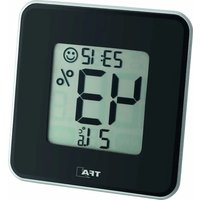
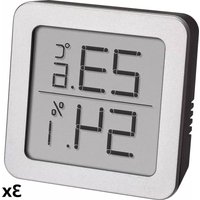
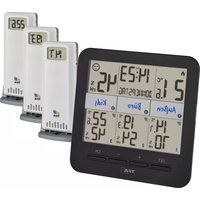
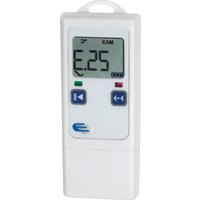
| Product type | Digital thermo-hygrometer with outdoor sensor |
| Brand | TFA |
| Model | 30.5042 |
| Dimensions (base station) | 105 x 70 x 22 mm |
| Weight (base station) | 90 g |
| Power supply (base station) | 2 AAA 1.5 V batteries |
| Power supply (outdoor sensor) | 2 AA 1.5 V batteries |
| Indoor temperature range | 0 °C to +50 °C |
| Outdoor temperature range | -20 °C to +60 °C |
| Temperature accuracy | ±1 °C |
| Humidity range | 20 % to 95 % RH |
| Humidity accuracy | ±5 % RH |
| Display | Backlit LCD screen |
| Main functions | Indoor/outdoor temperature, humidity, time, alarm, weather trend, comfort indicator |
| Outdoor sensor radio range | Up to 100 m in open field |
| Care and cleaning | Clean with a soft, dry cloth. Do not use solvents. |
| Safety | Keep batteries out of reach of children. Do not expose to excessive moisture. |
| Spare parts and repairability | Outdoor sensor available as an option. Repair by an authorized center. |
| General information | Manufacturer: TFA Dostmann, Germany. 2-year warranty. |
Frequently Asked Questions - 30.5042 TFA
How to install batteries in the base station?
Open the battery compartment on the back of the device. Insert 2 AAA batteries respecting the indicated polarity. Close the cover.
How to synchronize the outdoor sensor?
Insert the batteries into the outdoor sensor. The base station automatically searches for the signal. If the connection fails, press the 'CH' or 'SEARCH' button on the station.
What to do if the outdoor display shows '---'?
This means the radio link with the sensor is lost. Check the sensor batteries, bring it closer to the station (max 100m), and avoid metal obstacles. Reset the link if necessary.
How to set the time and alarm?
Hold the 'SET' button for 3 seconds. Use the '+' and '-' buttons to adjust values. Press 'SET' to confirm each setting (hour, minutes, alarm).
What is the measurement accuracy?
Temperature accuracy is ±1 °C and humidity accuracy is ±5 % RH. These values are valid under normal usage conditions.
Can I use multiple outdoor sensors?
This model is generally designed for one outdoor sensor. Check the manual to see if other sensors are compatible.
How to clean the device?
Use a soft, dry cloth to wipe the surface. Do not use abrasive cleaners or solvents. Do not immerse the device in water.
What to do if the screen remains blank?
Check that the batteries are correctly installed and new. If the problem persists, remove the batteries, wait 1 minute, then reinsert them. If the screen remains blank, contact customer service.
What is the maximum range of the outdoor sensor?
The radio range is 100 meters in open field. Walls, windows, and other obstacles may reduce this distance.
Where can I find spare parts?
Replacement outdoor sensors are available from TFA or authorized dealers. Contact customer service for exact references.
User questions about 30.5042 TFA
0 question about this device. Answer the ones you know or ask your own.
Ask a new question about this device
No questions yet. Be the first to ask one.
Download the instructions for your Measuring equipment in PDF format for free! Find your manual 30.5042 - TFA and take your electronic device back in hand. On this page are published all the documents necessary for the use of your device. 30.5042 by TFA.
USER MANUAL 30.5042 TFA
Manual assistant
Powered by Anthropic
Waiting for your message
Product information
Brand : TFA
Model : 30.5042
Category : Measuring equipment