LOG40 31.1065.02 - Measuring equipment TFA - Free user manual and instructions
Find the device manual for free LOG40 31.1065.02 TFA in PDF.

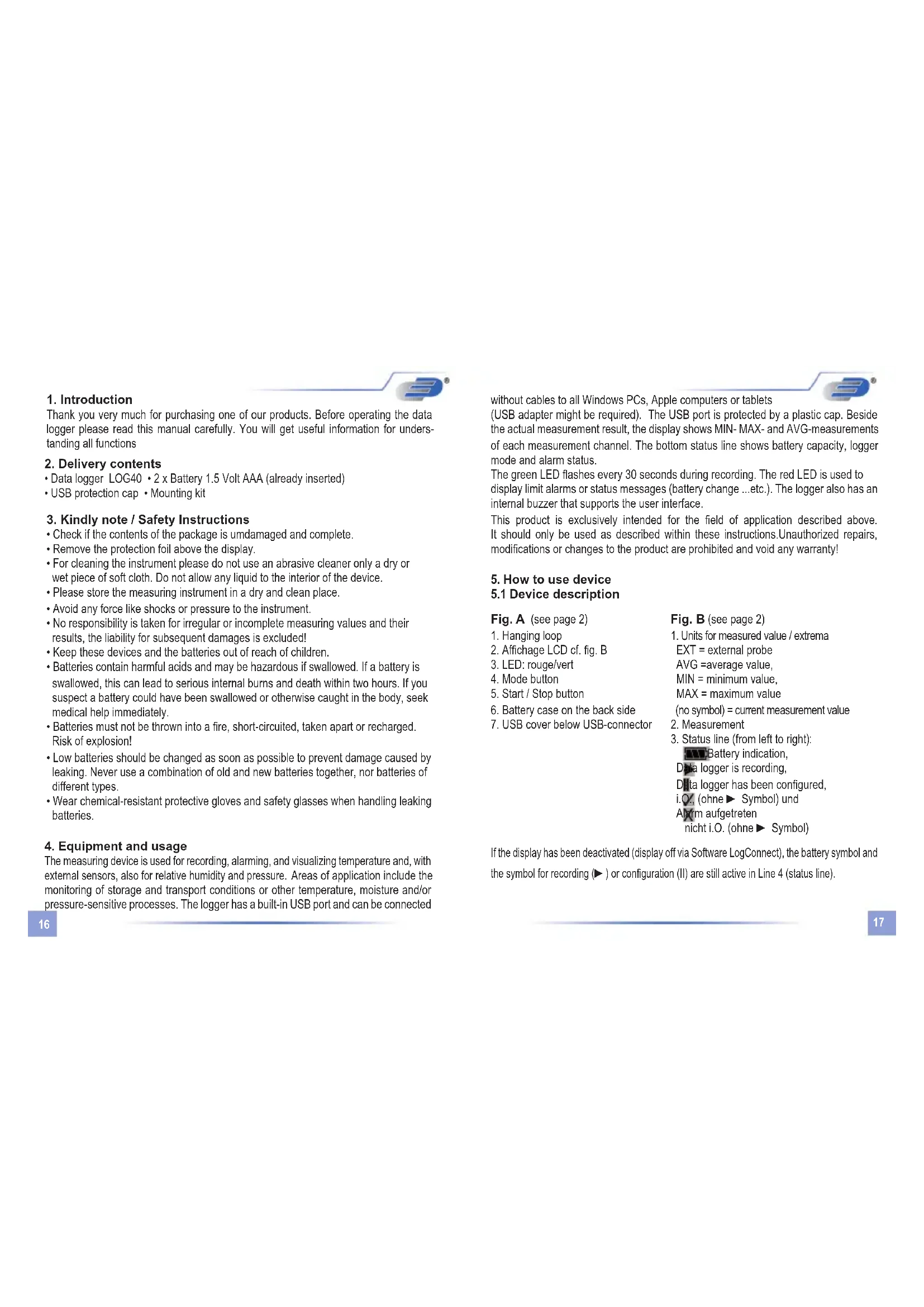


| Product type | PDF data logger with display for temperature and external sensors |
| Brand | TFA |
| Model | LOG40 31.1065.02 |
| Power supply | 2 AAA batteries 1.5 V (included) |
| Display | LCD with backlight, Power-Save mode |
| Main functions | PDF data recording, audible and visual alarms, battery level indicator, MIN/MAX/AVG memory, AUTO mode, direct USB connection, PDF report generation, event markers |
| Sensors | Internal temperature; possibility of external sensors for humidity and pressure (optional) |
| Default logging interval | 15 minutes (configurable via Log Connect software) |
| Storage | Internal memory, PDF file generation |
| Software | Log Connect (free, downloadable) for configuration and data transfer |
| Compliance | CE, EN 12830, EN 13485, EN 13486 (annual recalibration recommended) |
| Maintenance and cleaning | Use a soft dry or damp cloth; do not immerse in water; store clean and dry |
| Safety | Keep batteries out of reach of children; do not throw into fire; replace weak batteries promptly; wear gloves if leakage occurs |
| Spare parts and repairability | Not intended; in case of malfunction, contact the manufacturer or an authorized center |
| General information | Use for monitoring temperature, humidity and pressure in storage and transport; warranty: refer to the manual |
Frequently Asked Questions - LOG40 31.1065.02 TFA
User questions about LOG40 31.1065.02 TFA
0 question about this device. Answer the ones you know or ask your own.
Ask a new question about this device
Download the instructions for your Measuring equipment in PDF format for free! Find your manual LOG40 31.1065.02 - TFA and take your electronic device back in hand. On this page are published all the documents necessary for the use of your device. LOG40 31.1065.02 by TFA.
USER MANUAL LOG40 31.1065.02 TFA
EXT = externer Fühler
Red LED blinks once each 4 seconds. Replace battery.
Blinks twice or more each 4 seconds. Hardware fault!
6. Zeichenerklärung
- Introduction 16
- Delivery contents 16
- Kindly note / Safety Instructions 16
- Equipment and usage 16
- How to use device
5.1 Device description 17
5.2 Device start-up 18
5.2.1 Factory settings 18
5.2.1.1 Power-Save Mode for Display 18
5.2.2 Windows Software for LOG40 18
5.2.2.1 Configuration Software Log Connect 19
5.3 First start / start recording 19
5.3.1 Restart recording 19
5.3.2 Display used memory (%), date and time 20
5.4 Stop recording / create PDF 20
5.4.1 Stop recording by button 20
5.5 Description of PDF result file (Fig. C) 21
5.6 USB-Connection 21
5.7 Display Modes and Mode - Button: EXT, AVG, MIN, MAX 21
5.7.1 Special function of Mode-Button 22
5.7.1.1. Set marker 22
5.7.1.2 Reset Max-Min buffer 22
5.8 Battery replacement / Battery status indication 22
5.8.1 Set Date and Time after battery replacement via button23
5.9 Alerts 23
6. Explanation of symbol 24
7. Waste disposal 24
8. Marking 24
9. Storage and cleaning 24
1. Introduction
Thank you very much for purchasing one of our products. Before operating the data logger please read this manual carefully. You will get useful information for understanding all functions
2. Delivery contents
• Data logger LOG40 • 2 x Battery 1.5 Volt AAA (already inserted)
- USB protection cap - Mounting kit
3. Kindly note / Safety Instructions
- Check if the contents of the package is umdamaged and complete.
- Remove the protection foil above the display.
- For cleaning the instrument please do not use an abrasive cleaner only a dry or wet piece of soft cloth. Do not allow any liquid to the interior of the device.
- Please store the measuring instrument in a dry and clean place.
- Avoid any force like shocks or pressure to the instrument.
- No responsibility is taken for irregular or incomplete measuring values and their results, the liability for subsequent damages is excluded!
- Keep these devices and the batteries out of reach of children.
- Batteries contain harmful acids and may be hazardous if swallowed. If a battery is swallowed, this can lead to serious internal burns and death within two hours. If you suspect a battery could have been swallowed or otherwise caught in the body, seek medical help immediately.
- Batteries must not be thrown into a fire, short-circuited, taken apart or recharged. Risk of explosion!
- Low batteries should be changed as soon as possible to prevent damage caused by leaking. Never use a combination of old and new batteries together, nor batteries of different types.
- Wear chemical-resistant protective gloves and safety glasses when handling leaking batteries.
4. Equipment and usage
The measuring device is used for recording, alarming, and visualizing temperature and, with external sensors, also for relative humidity and pressure. Areas of application include the monitoring of storage and transport conditions or other temperature, moisture and/or pressure-sensitive processes. The logger has a built-in USB port and can be connected
without cables to all Windows PCs, Apple computers or tablets
(USB adapter might be required). The USB port is protected by a plastic cap. Beside the actual measurement result, the display shows MIN-MAX- and AVG-measurements of each measurement channel. The bottom status line shows battery capacity, logger mode and alarm status.
The green LED flashes every 30 seconds during recording. The red LED is used to display limit alarms or status messages (battery change ...etc.). The logger also has an internal buzzer that supports the user interface.
This product is exclusively intended for the field of application described above. It should only be used as described within these instructions. Unauthorized repairs, modifications or changes to the product are prohibited and void any warranty!
5. How to use device
5.1 Device description
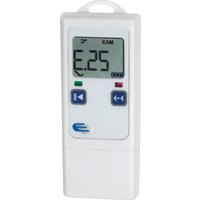
Fig. A (see page 2)
- Hanging loop
- Affichage LCD cf. fig. B
- LED: rouge/vert
- Mode button
- Start / Stop button
- Battery case on the back side
- USB cover below USB-connector
Fig. B (see page 2)
- Units for measured value / extrema
EXT = external probe
AVG = average value,
MIN = minimum value,
MAX = maximum value
(no symbol) = current measurement value - Measurement
- Status line (from left to right):
Battery indication,
Data logger is recording,
Data logger has been configured,
i. O., (ohne ▶ Symbol) und
Airm aufgetreten
nicht i.O. (ohne ▶ Symbol)
If the display has been deactivated (display off via Software LogConnect), the battery symbol and the symbol for recording (▶) or configuration (II) are still active in Line 4 (status line).
5.2 Device start-up
ration take out the instrument from the packaging, remove the display foil. The logger is already preset and ready for start. It can be used immediately without any software!
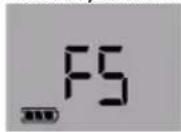
By pressing any button or moving the instrument before first operation the instrument displays FS (factory setting) for 2 seconds, afterwards measurements are displayed for 2 minutes. Then the instrument display switch off. Repeated key hit or movement reactivates the display.
5.2.1 Factory settings
Note the following default settings of the data logger before first use. By using the LogConnect (see below 5.2.2.1 Configuration Software Log Connect) software, the setting parameter can easily be changed:
Recording Interval: 15 min.
Measuring interval: During recording the measurement interval and recording interval is the same! If the logger has been not started (NOT RECORDING) the measuring interval is every 6 seconds for 15 minutes, afterwards the measuring interval is every 15 min. for 24 hours, afterwards the measuring interval is once per hour. If you press any button or move the device it will start again to measure each 6 seconds.
Start possible by: Key press
Stop possible by: USB connect
Alarm: off
Alarm delay: 0 s
Show measurements on display: on
Power-Save mode for display: on
5.2.1.1 Power-Save Mode for Display
The Power-Save Modes is activated as a standard. The display switches off when for 2 minutes no button has been pressed or the instrument has been not moved. The logger is still active, only the display is switched off. The internal clock runs. Moving the logger will reactivate the display.
5.2.2 Windows Software for LOG40
The instrument is already preset and ready for start. It can be used without any software! However, there is a Windows Application free for downloading. Please note the free-to-use link: see below 5.2.2.1 Configuration Software Log Connect
5.2.2.1 Configuration Software Log Connect
By this software the user can change configuration parameter like measuring interval, start delay (or other start parameter), creating alarm levels or changing the internal clock time The Software Log Connect contains an online help. Download free LogConnect software: www.dostmann-electronic.de/home.html ->Downloads ->Software/
Press button for 2 seconds, beeper sounds for 1 second, the actual date and time will be displayed for 2 further seconds.
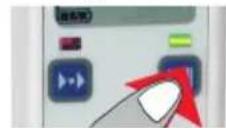
LED lights green for 2 seconds - logging has started!
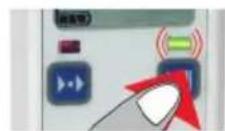
LED blinks green every 30 sec.
Display in Auto-Mode (Display shows all measurement channel in a 3 seconds sequence) Loggers with external inputs only record the sensors that are already attached at start of logging.
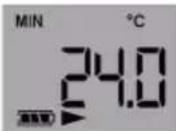
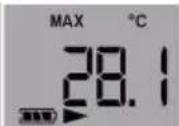
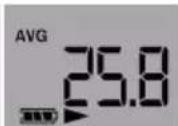
By using the Software LogConnect, the presets can easily be changed. See below 5.2.2.1 Configuration Software Log Connect
5.3.1 Restart recording
See 5.3. First start / start recording. The logger is started by default by button and stopped by USB port plug-in. The measured values are plotted automatically to the PDF file. NOTE: When you restart the existing PDF file is overwritten.
Important! Always save the generated PDF files to your PC. If LogConnect is open when connecting the loggers and AutoSave is selected in Settings (Default), the log results are copied to a backup location immediately by default.
5.3.2 Display used memory (%), date and time
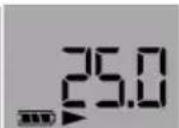
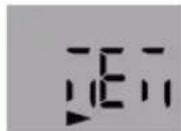
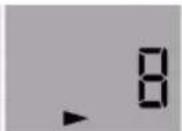
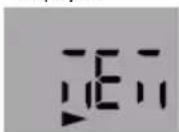
By briefly pressing the start button (after logger start), MEM, occupied memory in percent, MEM, day/month, Year and time each for 2 seconds displayed.
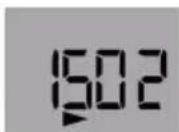
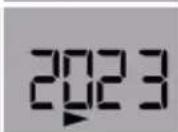
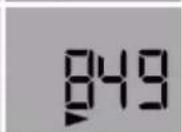
5.4 Stop recording / create PDF
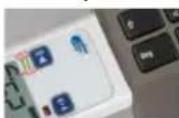
Connect logger to an USB port. Beeper sounds for 1 second. LED blinks green until result PDF is created (can take up to 40 seconds). The symbol ▶ disappears in the status line. Now the logger is stopped.
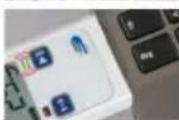
The Logger is shown as removable drive LOG40.

View PDF and save. PDF will be overwritten with next log start!
Note: With the next recording the Extrema (Max- and Min-value), and the AVG-value will be reset.
5.4.1 Stop recording by button.
To stop the Logger via button it is necessary to change the configuration by Software LogConnect. If this setting is done the start button is also the stopp button.
5.5 Description of PDF result file (see Fig. B)
Filename: e.g. LOG32TH_14010001_2014_06_12T092900.DBF
A
LOG32TH: Device
14010001: Serial
2014_06_12: Start of recording (date)
T092900: time: (hhmmss)
B
Description: Log run info, edit with LogConnect* software
C
Configuration: preset parameters
D
Summary: Overview of measurement results
E
Graphics: Diagram of measured values
F
Signature: Sign PDF if required
G
√ :Measurement OK ✗ :Measurement failed
5.6 USB-Connection
For configuration the instrument has to be connected to the USB-port of your Computer. For configuration please read the according to chapter and the use the online direct help of the Software LogConnect.
5.7 Display Modes and Mode - Button: EXT, AVG, MIN, MAX
- AUTO mode The display alternately shows every 3 seconds: Minimum (MIN) / Maximum (MAX) / Average (AVG) / current temperature.
The displayed meas channel can be identified by the physical unit (°C/°F = temperature, Td + °C/°F = dewpoint, %rH = humidity, hPa = air pressure) along with the extension symbols
AUTO mode gives a quick overview on the current measurement values of all channels. Pressing the MODE key (left key) leaves AUTO mode and enters MANUAL mode:
2. MANUAL mode
MODE key flips through all available measurement values, following the sequence current value (no symbol), minimum (MIN), maximum (MAX), average (AVG) and AUTO (AUTO-Mode).
MANUAL mode is handy to view any meas channel along with the main meas channel. Eg. air pressure maximum vs. main channel air pressure. Hit MODE key until display shows Auto to resume AUTO mode. EXT designates an external sensor. MANUAL mode is handy to view any meas channel.
5.7.1 Special function of Mode-Button 5.7.1.1. Set marker
To mark special events during the record, markers can be set. Hit MODE key for 2.5 seconds until a short beep sounds (see mark on PDF Fig. C). The marker is stored along with the next measurement (respect record interval!).
5.7.1.2 Reset MAX-MIN buffer
The logger has a MIN/MAX function to record extreme values for any period. Hit the MODE key for 5 seconds, until a short melody sounds. This restarts the measurement period. One possible use is the finding of day and night exterme temperatures. The MIN/MAX function runs independent of data recording.
Please note:
- At start of record, the MIN/MAX/AVG buffer is also reset to show MIN/MAX/AVG values that fit the recording
- During recording, resetting the MIN/MAX/AVG buffer will force a marker.
- The empty battery symbol indicates that the battery needs to be replaced. Device will only work correctly for 10 more hours.
- The battery symbol indicates according to the battery status between 0 and 3 segments.
- If battery symbol is flashing, the battery is empty. The instrument does not operate!

- Open battery compartment screw with a Phillips screwdriver. Replace the two batteries. Polarity is indicated on battery case bottom. Note the polarity. If the battery change is OK, light up for both LEDs light up for approx. 1 second and a signal tone sounds.
- Close battery compartment.
Note! After replacing the battery please check the correct time and date of the internal clock. For setting the time see next chapter or 5.2.2.1 Configuration software LogConnect.
5.8.1 Set Date and Time after battery replacement via button
After battery replacement or power interrupt the instrument automatically changes into the configuration mode to set date, time and interval. If no button will be pressed for 20 seconds the unit proceeds with the last date and time in memory:
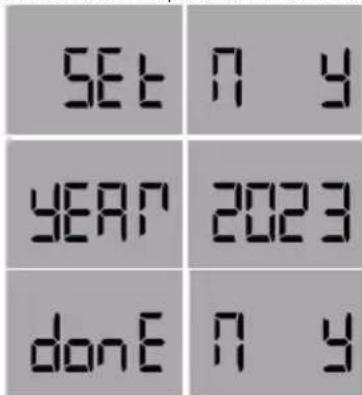
Press N= No changing of date and time, or Press Y= Yes for changing date and time
Press Mode-button to increase the value, press Start-button for jumping to the next value. After date-time-request the Interval (INT) can be changed.
Press N= No to abort changes, or Press Y=Yes to confirm changes
5.9 Alerts
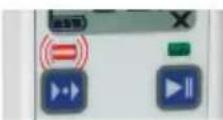
Beeper sounds once each 30 seconds for 1 second, red LED blinks each 3 seconds – measured values exceeds selected alarm settings (not with standard settings). Via Software LogConnect (5.2.2.1 Configuration software LogConnect.) alarm levels can be set. If an alarm level
has been occurred a X will be displayed on the display bottom. On the corresponding PDF-report the alarm status will be indicated, too. If the measurement channel is displayed where an alarm occurred the X on the right bottom of the display is blinking. The X disappears when the instrument has been restarted for recording!
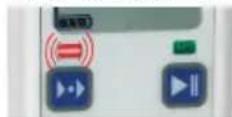
Red LED blinks once each 4 seconds. Replace battery. Blinks twice or more each 4 seconds. Hardware fault!
6. Explanation of symbols


This sign certifies that the product meets the requirements of the EEC directive and has been tested according to the specified test methods.
7. Waste disposal
This product and its packaging have been manufactured using high-grade materials and components which can be recycled and reused. This reduces waste and protects the environment.
Dispose of the packaging in an environmentally friendly manner using the collection systems that have been set up.
Disposal of the electrical device

Remove non-permanently installed batteries and rechargeable batteries from the device and dispose of them separately. This product is labelled in accordance with the EU Waste Electrical and Electronic Equipment Directive (WEEE). This product must not be disposed of in ordinary household waste. As a consumer, you are required to take end-of-life devices to a designated collection point for the disposal of electrical and electronic equipment, in order to ensure environmentally-compatible disposal. The
return service is free of charge. Observe the current regulations in place!
Disposal of the batteries

Batteries and rechargeable batteries must never be disposed of with household waste. They contain pollutants such as heavy metals, which can be harmful to the environment and human health if disposed of improperly, and valuable raw materials such as iron, zinc, manganese or nickel that can be recovered from waste. As a consumer, you are legally obliged to hand in used batteries and rechargeable batteries for environmentally
friendly disposal at retailers or appropriate collection points in accordance with national or local regulations. The return service is free of charge. You can obtain addresses of suitable collection points from your city council or local authority.
The names for the heavy metals contained are: Cd = cadmium, Hg = mercury, Pb = lead. Reduce the generation of waste from batteries by using batteries with a longer lifespan or suitable rechargeable batteries. Avoid littering the environment and donot leave batteries or battery-containing electrical and electronic devices lying around carelessly. The separate collection and recycling of batteries and rechargeable batteries make an important contribution to relieving the impact on the environment and avoiding health risks.
WARNING! Damage to the environment and health through incorrect disposal of the batteries!
8. Marking
CE-conformity, EN 12830, EN 13485, Suitability for storage (S) and transportation (T) for food storage and distribution (C), Accuracy classification 1 (-30..+70°C), according to EN 13486 we recommend a recalibration once per year.
9. Storage and cleaning
It should be stored at room temperature. For cleaning, use only a soft cotton cloth with water or medical alcohol. Do not submerge any part of the thermometer.

Table des matières
T110442: temps: HHMMSS
Technical changes, any errors and misprints reserved ● Reproduction is prohibited in whole or part ● Stand02 2303CHB ● © DOSTMANN electronic GmbH
- Zeichenerklärung
- Introduction
- Delivery contents
- Kindly note / Safety Instructions
- Equipment and usage
- How to use device
- Device description
- Fig. A (see page 2)
- Fig. B (see page 2)
- Device start-up
- Factory settings
- Power-Save Mode for Display
- Windows Software for LOG40
- Configuration Software Log Connect
- Restart recording
- Display used memory (%), date and time
- Stop recording / create PDF
- Stop recording by button.
- Description of PDF result file (see Fig. B)
- USB-Connection
- Display Modes and Mode - Button: EXT, AVG, MIN, MAX
- MANUAL mode
- Special function of Mode-Button 5.7.1.1. Set marker
- Reset MAX-MIN buffer
- Please note:
- Set Date and Time after battery replacement via button
- Alerts
- Explanation of symbols
- Waste disposal
- Marking
- Storage and cleaning
- Table des matières
Brand : TFA
Model : LOG40 31.1065.02
Category : Measuring equipment