WS6825 - Weather Station TECHNOLINE - Free user manual and instructions
Find the device manual for free WS6825 TECHNOLINE in PDF.



| Brand | TECHNOLINE |
| Model | WS6825 |
| Product type | Weather station with wireless outdoor sensor |
| Main power | AC/DC adapter 230 V (included) |
| Backup batteries | 1 CR2032 battery (station); 2 AAA batteries (outdoor sensor, not included) |
| Display | LED screen with adjustable brightness |
| Radio reception | DCF77 radio time signal (automatic or manual) |
| Outdoor sensor range | Up to 30 m in open field |
| Indoor temperature range | 0 °C to +50 °C |
| Outdoor temperature range | -50 °C to +70 °C |
| Temperature resolution | 1 °C |
| Weather forecast | 4 icons (sunny, cloudy, etc.) for 12 to 24 h |
| Alarm function | With snooze (adjustable delay from 5 to 60 min) |
| Alarm ring duration | 2 minutes |
| Time format | 24 h |
| Operating temperature | 0 °C to +45 °C |
| Maintenance | Do not expose to water, excessive heat, or shocks. Clean with a dry cloth. |
| Safety | Do not open the casing. Use batteries in accordance with legislation. |
| General information | User manual available for download. Batteries not included. |
Frequently Asked Questions - WS6825 TECHNOLINE
User questions about WS6825 TECHNOLINE
0 question about this device. Answer the ones you know or ask your own.
Ask a new question about this device
Download the instructions for your Weather Station in PDF format for free! Find your manual WS6825 - TECHNOLINE and take your electronic device back in hand. On this page are published all the documents necessary for the use of your device. WS6825 by TECHNOLINE.
USER MANUAL WS6825 TECHNOLINE
LED WEATHER STATION WITH RADIO CONTROLLED CLOCK AND ALARM
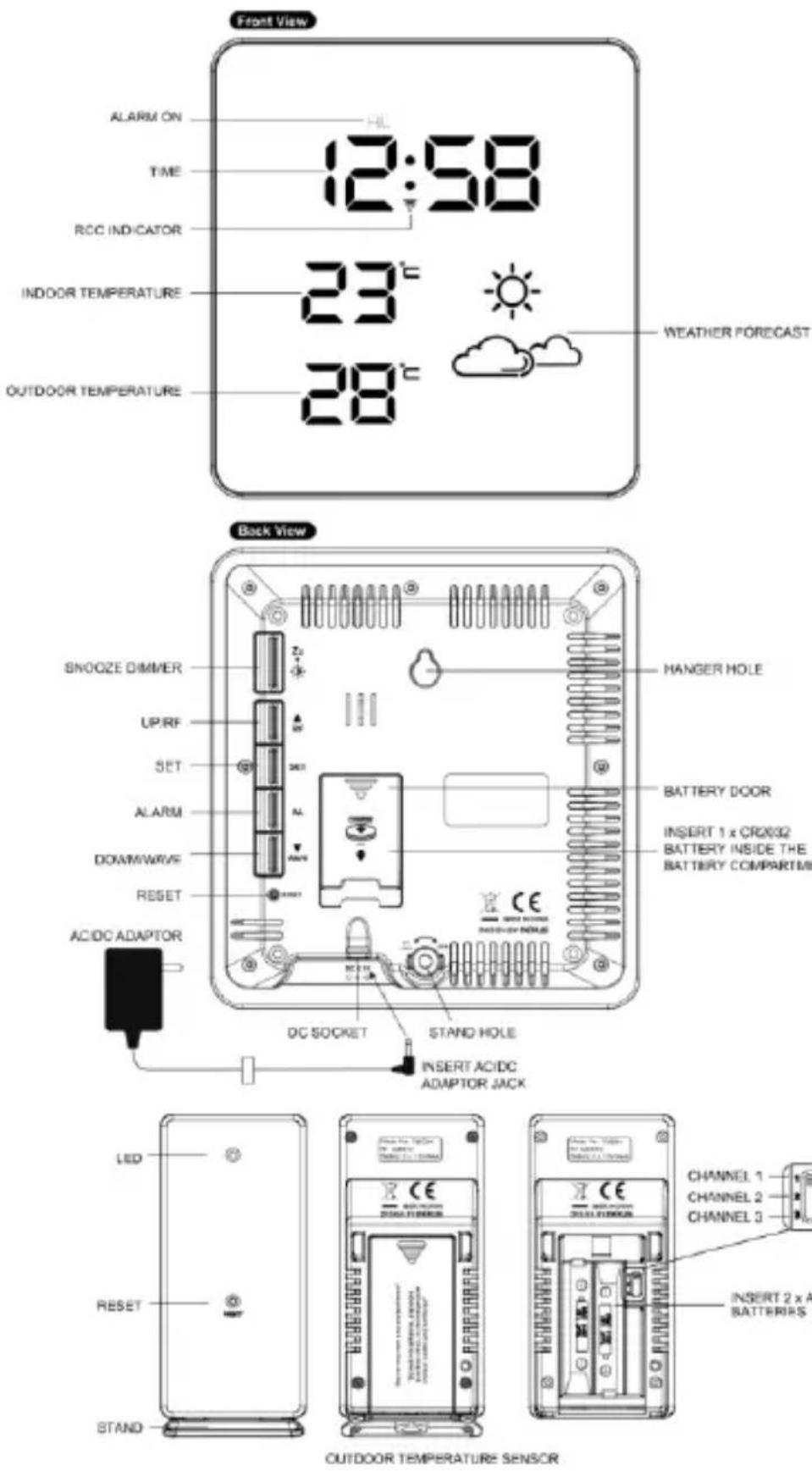
Words in the figure:
| ENGLISH | OTHER LANGUAGE |
| Front view | |
| ALARM ON | |
| TIME | |
| RCC INDICATOR | |
| INDOOR TEMPERATURE | |
| OUTDOOR TMEPERATURE | |
| WEATHER FORECAST | |
| Back view | |
| SNOOZE/DIMMER | |
| UP/RF | |
| SET | |
| ALARM | |
| DOWN/WAVE | |
| RESET | |
| AC/DC ADAPTOR | |
| DC SOCKET | |
| INSERT AC/DCADAPTOR JACK | |
| STAND HOLE | |
| INSERT 1 x CR2032BATTERY INSIDE THEBATTERY COMPARTMENT | |
| BATTERY DOOR | |
| HANGER HOLE | |
| OUTDOOR TEMPERATURE SENSOR | |
| LED | |
| RESET | |
| STAND | |
| CHANNEL 1CHANNEL 2CHANNEL 3 | |
| INSERT 2 x AAA BATTERIES |
ENVIRONMENTAL RECEPTION EFFECTS
The weather station obtains the accurate time with wireless technology. Same as all wireless devices, the reception is maybe affected by the following circumstances:
- Long transmitting distance
Nearby mountains and valleys - Among tall buildings
- Near freeway, railway, airports, high voltage cable etc.
Near construction site - Inside concrete buildings
Near electrical appliances (computers, TV's, etc) - Inside moving vehicles
Near metallic structures
Place the station at a location with optimal signal, i.e. close to a window and away from metal surfaces or electrical appliances.
QUICK SETUP
Step 1 Keep the station and outdoor sensor next to each other. Slide open the battery cover at the back of the outdoor sensor. Make sure the channel selector is set at position 1 (top position), then insert 2 × AAA batteries (not included) into the outdoor sensor by observing the correct +/- polarity signs inside the battery compartment. Replace the battery door.
Step 2 Insert the AC/DC adaptor to any 230V AC household outlet. Then insert the DC jack to the back case of the station. Insert the stand to the bottom of the weather station.
Step 3 Slide open the battery cover at the back of the station, then insert 1 × CR2032 Lithium battery (not included) to the battery compartment. Make sure "+" polarity of the battery is facing up. Then replace the battery cover.
Step 4 Peel off the protective label on the front. The weather station is ready to work for you.
The station will receive data signal from the outdoor sensor in few seconds. Then place the outdoor sensor in a dry and shaded area outdoor.
BACK-UP BATTERIES
When the power supply is not in use, the station will be powered by the back-up batteries. The LED display is turned off, but time and alarm time remain stored (also in the event of a power failure).
DCF SIGNAL RECEPTION AND SIGNAL INDICATOR
After the station is powered up, it starts to receive DCF signal. The icon flashes.
Receiving DCF signal (icon flashing)
Successful reception (icon becomes static)
Failed reception (icon disappear)
During reception, press the WAVE button will display reception mode and signal strength indication:
When strong DCF signal is detected, display shows with 3 bars
When weak or no DCF signal is detected, display shows

During reception, the signal strength may move from 1 bar to 2 bars to 3 bars. This is normal since the clock is detecting DCF signal and other signals in the air at the same time. Press the SET button will return to the time display with icon flashing.
Successful reception or failed reception
Icon becomes static on (stop blinking) when reception is successful. Icon disappears when reception is failed.
Automatic reception and manual reception
The station starts automatic reception everyday at 1:00, 2:00, and 3:00. If it fails to receive the DCF signal at 3:00, it will start reception at 4:00. If it fails again, it will start reception at 5:00. If it fails again, it will start automatic reception at 1:00 again in the next day.
For manual reception simply press and hold the / W A V E button, the station will gives a short beep and starts manual reception. Press and hold the / W A V E button to stop DCF reception.
When the weather station is receiving the radio controlled time signal, the display will turn dimmer. It will resume to the brightness level which you originally selected after the radio controlled time reception is completed.
During DCF reception all buttons do not function and it does not take temperature measurement. The temperature readings will get stable and become more accurate after the station clock is powered up for around 30 minutes.
To cancel DCF reception permanently
Press and hold the / W A V E and the button at the same time for 2 seconds, the station will give 2 short beeps and the radio controlled function is permanently disabled.
To resume the radio controlled function, press and hold the / W A V E and the button at the same time for 2 seconds, the station will give 2 short beeps and will start DCF reception immediately.
The weather station has a built-in barometer which measures the barometric pressure. After power up, the display shows SUNNY & CLOUDY icon. The weather station takes around 24 hours to gather data of barometric pressure changes and predicts next 6-12 hours weather conditions.
There are four types of weather display in the weather station:
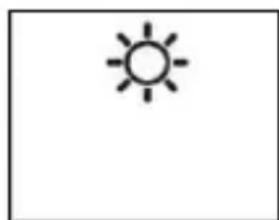
Sunny
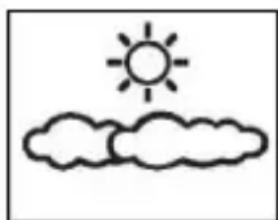
Sunny & Cloudy
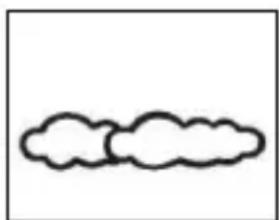
Cloudy
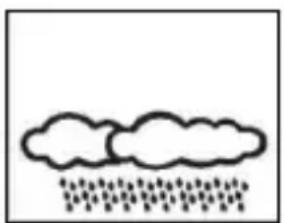
Rainy
Note: Moving the weather station within the house or in the vicinity will causing a sudden change in the attitude of the station and it affects the accuracy and correctness of the weather forecast. After the weather station is powered up, it will take around 24 hours to get stable. The weather icons on the display give a reference to the next 6-12 hours weather conditions. It may not match with the current weather condition outside.
TIME SETTING
- Press and hold the SET button for 2 seconds, hour digits flash. Press the or the button to set the hours.
- Then presthe SET button again, the minute digits flash. Press the or the button to set the minutes.
- Then press the SET button again, display shows 05 and flash. Press the or the button to set snooze duration from 5 minutes to 60 minutes.
- Then press the SET button again, display shows 00 and flash. Press the or the button to set the time zone:
"-01" GMT +0 (United Kingdom)
"00" GMT +1 (Central Europaen time)
"01" GMT +2 (Eastern Europaen time)
Note: Time zone can only set when the clock successfully receives a radio signal.
- Press the SET button again to store the settings and return to normal time display. The clock will return to normal mode in around 10 seconds if no further press of any other buttons.
Note: The time is displayed in 24-hour display format.
ALARM SETTING
(default alarm setting is 6:00 AM)
- Press and hold the ALM button until the AL icon appears on the display, the hour digits flash. Press the or the button to set the desired alarm hours.
- Press the ALM button again, the minute digits flash. Press the or the button to set the desired alarm minutes.
- Press the ALM button again to store the alarm settings and return to normal time display. The clock will return to normal mode in around 10 seconds if no further press of any other buttons.
To turn on or off the alarm
Single press the ALM button during normal time display to turn on or off the alarm. When the alarm function is turned on the AL icon appears on top of the time digits.
Note: Alarm duration is 2 minutes.
To use the snooze function
When time reaches the set alarm time, the station will give a beep sound to wake you up. The AL icon will flash.
- Press SNOOZE once to stop the alarm temporarily, AL icon keeps flashing. The alarm will beep again after the set snooze duration.
- To stop the daily alarm, press any button except the SNOOZE button when alarm is beeping. The alarm will stop and AL icon becomes static. The Alarm will beep again same time next day.
DIMMER FUNCTION
Press the SNOOZE / DIMMER button to adjust high or low brightness of the LED display.
TROUBLE SHOOTING
In case the station shows false digits, it maybe affected by electrostatic discharge or interferences from other devices. Press the RESET button on the back of the station. The station will be reset to default setting of time and calendar and it will start to receive radio controlled time signal again.
If you lose the outdoor temperature
When the outdoor temperature digits show "--", the wireless transmission is either interrupted or lost. Press and hold the button of the station, then press the RESET button located on the back of the outdoor transmitter. If you continue to lose the outdoor temperature display, try placing the transmitter in a different location until you have smooth transmission of temperature data.
Note: Keep in mind that the outdoor transmitter only has a 30 meter transmission range in open area with no obstructions. Each obstruction between the transmitter and the station (roof, walls, floors, ceilings, thick trees, etc.) will effectively cut the transmission range in half.
CARE OF THIS ITEM
- Do not expose the unit to extreme temperature, water or direct sunlight.
- Avoid contact with any corrosive materials.
- Do not subject the unit to excessive force, dust or humidity.
- Do not open the inner back case or tamper with any components of this unit.
SPECIFICATIONS
Operation temperature: 0^ to +45^
Temperature measuring range:
Indoor: 0^ to +50^
(display shows HH.H / LL.L if out of this range)
Outdoor: -50°C to +70°C
(display shows HH.H / LL.L if out of this range)
Temperature resolution: 1^
Alarm duration: 2 minutes
Snoopze duration: 5 to 60 minutes
Consideration of duty according to the battery law
Old batteries do not belong to domestic waste because they could cause damages of health and environment. End-users are committed by law to bring back needed batteries to distributors and other collecting points!
WS6825 - MANUAL D'INSTRUCTIONS
STATION MÉTEOROLOGIQUE À DEL AVEC HORLOGE RADIOCOMMANDEE ET FONCTION RÉVEIL
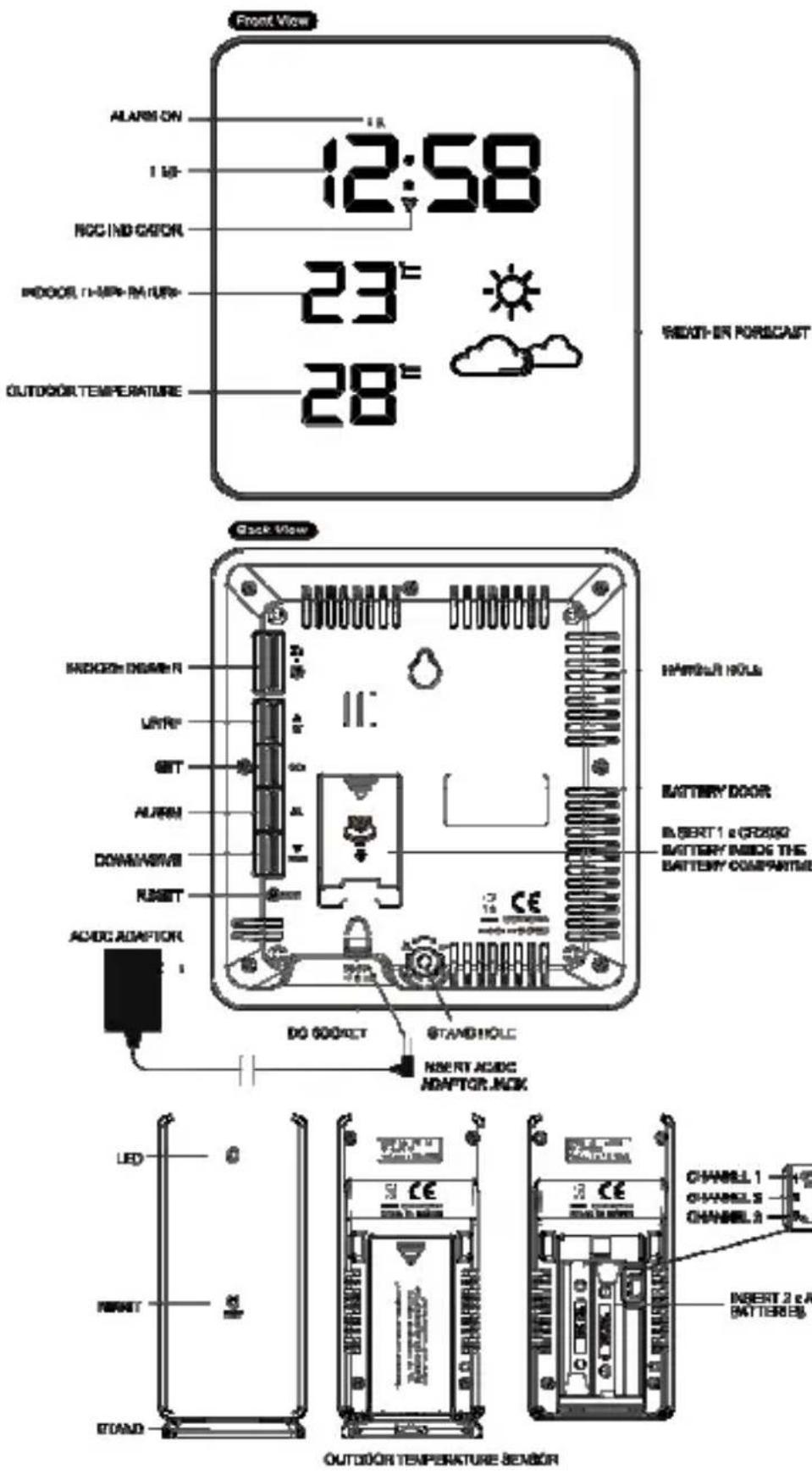
Translation de l'illustration:
| ENGLISH OTHER LANGUAGE | |
| Front view Vue avant | —— |
| ALARM ON Fonction réveil active | |
| TIME Heure actuelle | |
| RCC INDICATOR Indicateur rcc | |
| INDOOR TEMPERATURE Température intérieure | |
| OUTDOOR TMEPERATURE Température extérieure | |
| WEATHER FORECAST Previsions meteorologiques | |
| Back view Vue arrière | —— |
| SNOOZE/DIMMER | Alarmé répétitive/variateur |
| UP/RF Haut/rf | |
| SET Set (réglage) | |
| ALARM Réveil | |
| DOWN/WAVE Bas/wave | |
| RESET | Reset (réinitialiser) |
| AC/DC ADAPTOR | Adapteur ca/cc |
| DC SOCKET | Entrée cc |
| INSERT AC/DCADAPTOR JACK | Insérez le connecteurDe l'adaptateur ca/cc |
| STAND HOLE | Support pour pied |
| INSERT 1 x CR2032BATTERY INSIDE THEBATTERY COMPARTMENT | INSÉREZ 1 x PILECR2032 DANS LECOMPARTIMENT DE PILE |
| BATTERY DOOR Compartiment de piles | |
| HANGER HOLE | Montage mural |
| OUTDOOR TEMPERATURE SENSOR | Émetteur température extérieure |
| LED | Del |
| RESET | Reset (réinitialiser) |
| STAND | Socle |
| CHANNEL 1CHANNEL 2CHANNEL 3 | Canal 1Canal 2Canal 3 |
| INSERT 2 x AAA BATTERIES | INSÉREZ 2 x PILE AAA |