RTX 4002 - Phone SWISSVOICE - Free user manual and instructions
Find the device manual for free RTX 4002 SWISSVOICE in PDF.



Frequently Asked Questions - RTX 4002 SWISSVOICE
User questions about RTX 4002 SWISSVOICE
0 question about this device. Answer the ones you know or ask your own.
Ask a new question about this device
Download the instructions for your Phone in PDF format for free! Find your manual RTX 4002 - SWISSVOICE and take your electronic device back in hand. On this page are published all the documents necessary for the use of your device. RTX 4002 by SWISSVOICE.
USER MANUAL RTX 4002 SWISSVOICE
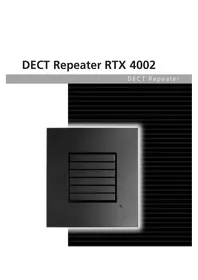
DECT Repeater RTX 4002
DECT Repeater
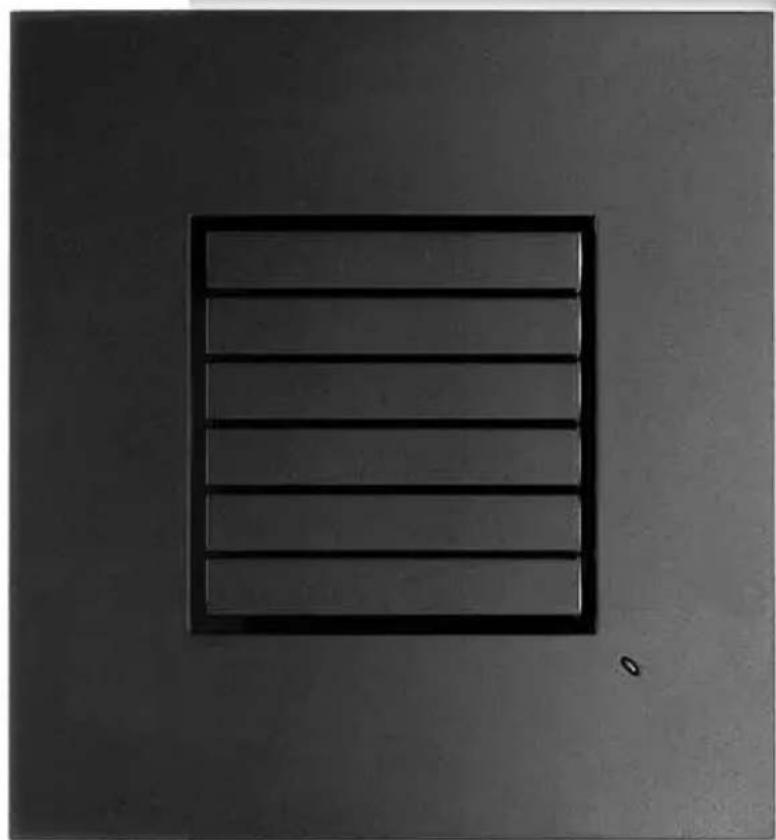
The DECT Repeater RTX 4002 is compatible for the following devices:
Swissvoice Avena 267
Swissvoice Avena 277
Swissvoice Avena 347
Swissvoice Avena 357
Swissvoice Avena 367
Swissvoice Avena 377
Swissvoice Eurit 547
Swissvoice Eurit 557
Swissvoice Eurit 567
Swissvoice Eurit 577
Swisscom Classic A313
Swisscom Classic A413
Swisscom Classic A121
Swisscom Top A321SDN
Swisscom Top A421
DECT RepeaterDECT Repeater
Deutsch
DECT Repeater 3
System with multiple repeaters 21
Registration 22
Placement 24
Verification tone 25
Maintenance 25
Approval and conformity 26
Warranty conditions 26
Nederlands
DECTrepeater 27
A repeater is used when you need to extend the range of your cordless DECT telephone to include areas where reception was previously not available.
All the usual mobile unit functions are supported by the base station in this extended radio range.
The repeater and base station have wireless connections with each other, just as the repeater and handset have wireless connections. Signals are exchanged without the user hearing or noticing the difference.
System with multiple repeaters
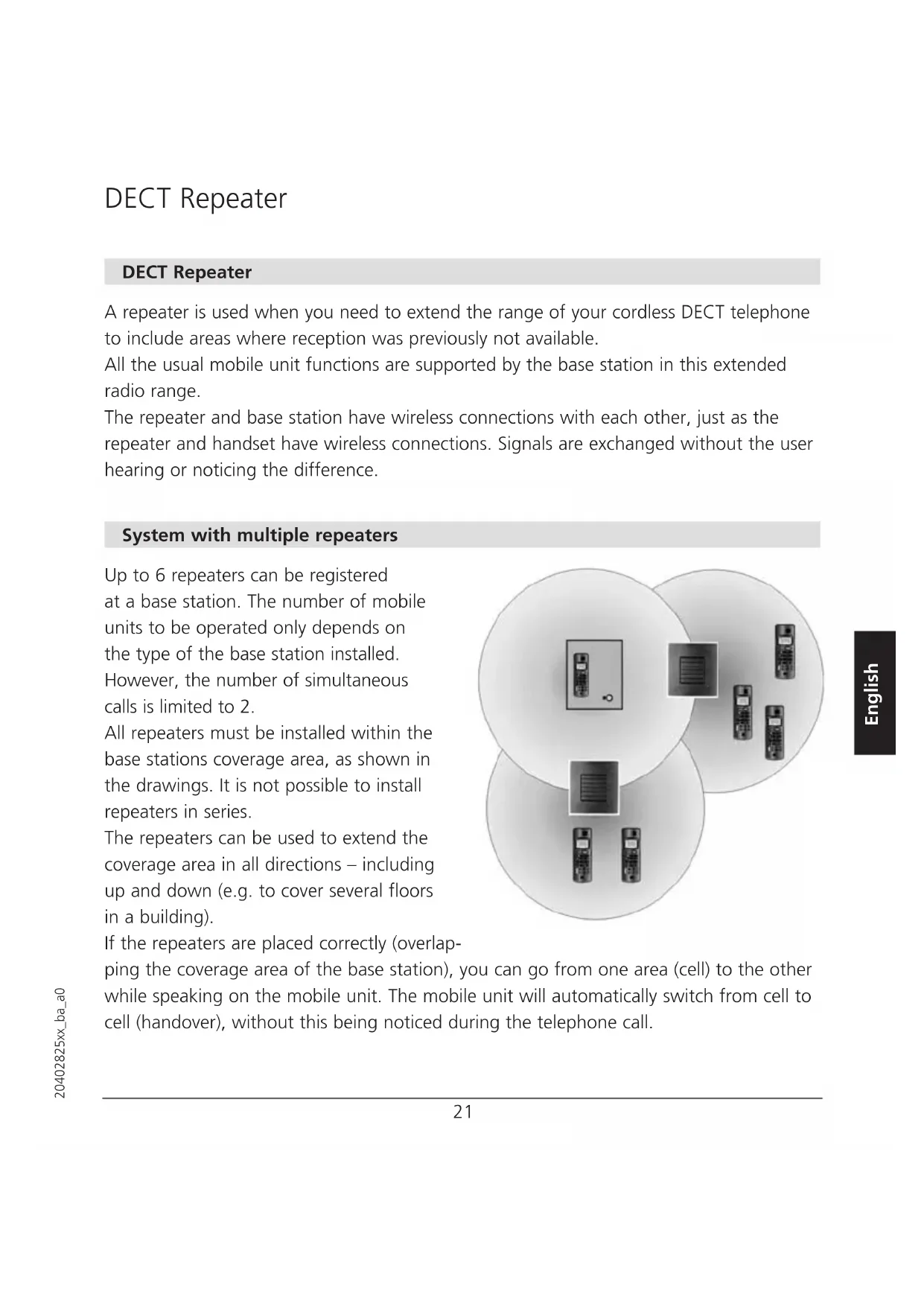
Up to 6 repeaters can be registered at a base station. The number of mobile units to be operated only depends on the type of the base station installed. However, the number of simultaneous calls is limited to 2.
All repeaters must be installed within the base stations coverage area, as shown in the drawings. It is not possible to install repeaters in series.
The repeaters can be used to extend the coverage area in all directions - including up and down (e.g. to cover several floors in a building).
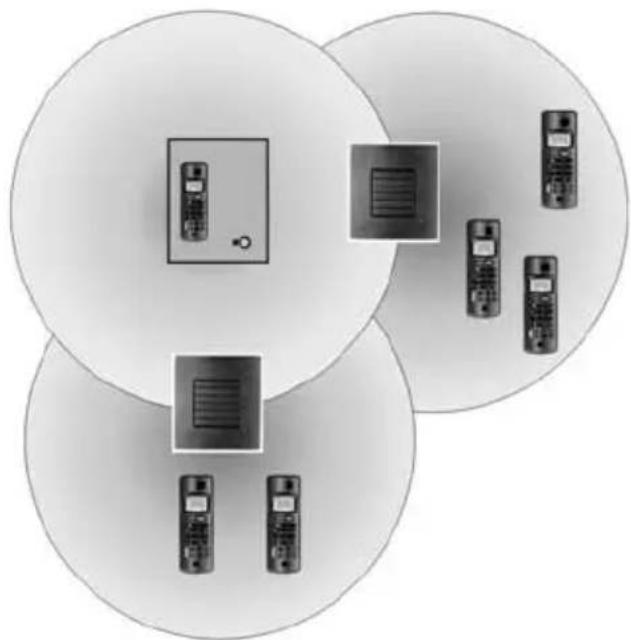
If the repeaters are placed correctly (overlap
ping the coverage area of the base station), you can go from one area (cell) to the other while speaking on the mobile unit. The mobile unit will automatically switch from cell to cell (handover), without this being noticed during the telephone call.
DECT Repeater
Before the repeater is installed, the repeater mode in the base station must be activated (Menu Settings Range Repeater) and the repeater must be registered to the base station.
Registration
The repeater registration procedure varies depending on the base station installed. The base station, a mobile unit (handset) and the repeater must be accessible before registration can be performed. If you are connecting more than one repeater, registration must be performed separately for each repeater.
Preparations
The base station and a mobile unit are ready for operation, the repeater is not yet connected to the main supply.
1. Set the repeater in registration mode.
Insert the repeaters power plug for 1-5 seconds in the socket and then remove it. Insert it once more and leave it there. The LED on the repeater flashes slowly after the start. You now have five minutes to carry out the registration.
If the procedure is not carried out within this period you must start over again.
2. Set the base station in registration mode.
On most base stations, the procedure is started by holding down the "Registration" or "Page" key for several seconds. Consult your base station user guide for more information.
3. The LED on the front of the repeater flashes.
If the LED flashes very quickly without interruptions go to step 5. If the LED flashes very quickly with brief interruptions go to step 4.
DECT Repeater
4. Registration of the handset.
If the system PIN of your telephone was changed, it must be reset to "0000".
You must then register your handset again with the base station even if the handset used was already registered with the base station, (consult your base station user guide for more information). Now the LED flashes very quickly without interruptions.
5. Assign a repeater number.
You must now assign a repeater number to the repeater (selection: 2-7, for up to 6 repeaters). Please note that each number only can be assigned once, when using more than one repeater. These numbers are independent of the mobile unit extension numbers. Hook off by pressing the key (the LED stops flashing). Press a number between 2 and 7. When the repeater has accepted the chosen number, the LED will flash a corresponding number of times. Accept the registration by pressing the -key and then the key (hook on). The repeater is now automatically restarted. The LED goes off for 2 seconds, flashes for a brief moment and the remains continuously illuminated.
The registration of the repeater is completed. You can now disconnect the power and move the repeater to the selected location (disconnecting the power will not delete the registration.)
Note Before reinstalling the repeater (e.g. at another basestation), please reset the repeater beforehand as described below:
- Switch off the unit (disconnect the power plug).
- Switch on for 1 to 5 seconds and switch off again.
- Switch on for 25 to 35 seconds and switch it off again. Now the repater is ready for a new registration.
DECT Repeater
Placement
To get the best operation conditions for the repeater, it is important to place it correctly. Here are a few tips for placing repeaters.
Choose a raised position with good base station reception.
To avoid mutual interference, do not position the repeater in the immediate vicinity of electronic equipment such as hi-fi systems, office equipment or microwave ovens.
Avoid positioning the repeater near heat sources such as heating elements or near obstacles such as metal doors, thick walls, niches and cupboards.
A distance of minimum 10 meter should be observed when installing two repeaters in an over lapping reception range.
To find the best possible location for the repeater, you have to try different locations. Establish a call and walk around with the handset to determine the base stations coverage area. You can install the repeater at a location, in the edge of the coverage area, where you still have a good connection between the handset and the base station. A new coverage area will now be available around the repeater.
Note The LED must remain on constantly after the device has been switched on. If the LED flashes, the repeater is too far away from the base station or reception is being hindered by thick walls or metal objects (e.g. radiators)
DECT Repeater
Verification tone
The verification tone enables you to establish whether or not the mobile unit is working in the extended area of the repeater. This tone is audible on the activated mobile unit as long as the unit is connected to the repeater.
Carry out the procedure described below on your repeater in order to switch the verification tone on and off:
- Switch off the unit (disconnect the power plug)
- Switch on for 1-5 seconds and switch it off again.
- Switch on again. The LED on the unit is flashing slowly, switch off again.
- Switch it on again. The verification tone is then activated or deactivated.
Maintenance
Simply wipe the repeater with a damp cloth or an antistatic wipe. Never use solvents or any dry cloth (static discharge).
DECT Repeater
Approval and conformity
This repeater complies with the requirements of R&TTE EU Guidelines Directive 1999/5/EC on radio equipment and telecommunications terminal equipment and the mutual recognition of their conformity.
The declaration of conformity may be viewed at:
www.swissvoice.net
and
www.swiss.com.com under Online Shop, Telephones, Declarations of Conformity.

The CE symbol confirms the conformity of the repeater with the above guidelines.
Warranty conditions
Your repeater is subject to a guarantee from the date of purchase in accordance with the legal provisions of the country in which the repeater was purchased. As evidence of the date of purchase, please keep the receipt. All defects attributable to material and manufacturing faults will be corrected free of charge within the warranty period, either by repairing or replacing the defective equipment.
The warranty does not cover expendable materials, defects which affect the value or use of the equipment only insignificantly, and damage caused by incorrect use, ordinary wear and tear, or manipulation by third parties.
This warranty does not cover consequential damage caused by the use, failure or defectiveness of the product. In particular, no liability whatsoever is accepted for damage to property and pecuniary loss.
To claim under this warranty, please contact the retailer where you purchased your repeater.
DECT Repeater
DECT repeater
www.swiss.com.com under Online Shop, Telephones, Declarations of Conformity.

www.swiss.com.com under Online Shop, Telephones, Declarations of Conformity.

© Swissvoice AG 2005
All rights as well as product availability and technical changes reserved.