500 - Office Ahrend - Free user manual and instructions
Find the device manual for free 500 Ahrend in PDF.



| Product type | Desk/Workstation |
| Brand | Ahrend |
| Model | 500 |
| Table height | Fixed: 72 cm (for people 160-175 cm) or 74 cm (160-180 cm); Mechanically adjustable (HV) or electrically (HVE and SHE): 62-90 cm; Sit-stand (SHE): 62-128 cm |
| Height adjustment | HI (manual push-button), HV (mechanical lever), HVE (electric with memory), SHE (electric sit-stand with memory) |
| Base | C or N feet, with adjustment device (max travel 15 mm) |
| Electrification | Power strips on crossbeam, openable technical boxes, vertical and horizontal cable ducts, triple/quadruple sockets |
| Electrical standards | BS 6396/2002, DIN VDE 0100-724 |
| Integrated sockets | Standard triple or quadruple, compatible with technical boxes |
| Drawer pedestals | Mobile, suspended, with or without handle, width 42.5 cm or 31.5 cm |
| Max load pencil drawer | 5 kg |
| Max load single drawer | 20 kg |
| Max load telescopic drawer | 39 kg |
| Curtain door cabinet | Desk height, max load top shelf: 39 kg; shelf: 39 kg (80 cm); shelf for suspended files: 78 kg; telescopic frame: 40 kg |
| Interior accessories | Frames for A4 suspended filing, oblique partitions A6/A7, file rack, dividers |
| Tabletop maintenance | Soft damp cloth for common dirt; alcohol for stubborn stains (ink, nail polish) |
| Maintenance of plastic and chrome parts | Soft cloth, possibly damp, warm water or mild soap; alcohol for stubborn stains |
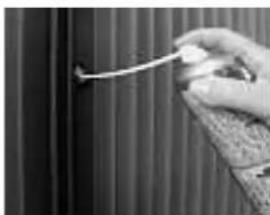
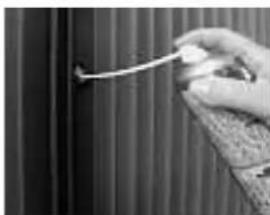
| Lock lubrication | Spray a special lubricant into the cylinder from time to time |
| Specific tools | Ahrend 500 tool set (ref. 01608217) |
| Assembly instructions | Ref. 0160 1071 |
| Keys | Two keys per lockable unit, replaceable cylinder |
| Anti-tip safety | Drawers or frames lock when one is open; do not sit on drawer or cabinet top |
Frequently Asked Questions - 500 Ahrend
User questions about 500 Ahrend
0 question about this device. Answer the ones you know or ask your own.
Ask a new question about this device
Download the instructions for your Office in PDF format for free! Find your manual 500 - Ahrend and take your electronic device back in hand. On this page are published all the documents necessary for the use of your device. 500 by Ahrend.
USER MANUAL 500 Ahrend
Cisteni plastovych caski
Vsechny plastove casti Ize cistit mekkym,popripadenevihcnym hadirikem. Na obtiznejski skrvny od lepidla, znaokovauciprisovacichtuzek a podobne staicvlzna voda,pripadne s trochou mekkeho myda.
Zámky
Instructions for use and maintenance
The Ahrend 500 desking system has been designed and manufactured to ensure that you can work comfortably and effectively.
This manual tells you all about your Ahrend 500 workstation and explains how to use it safely. We hope you will enjoy using your furniture.
Keep this manual at your workstation for future reference.
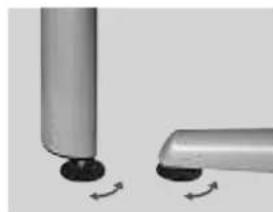
Levelling
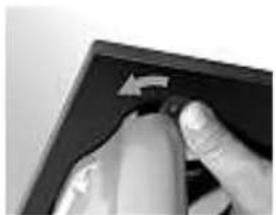
Every table leg in the Ahrend 500 range has adjustable feet for levelling the table. Turn the foot clockwise to raise it. The maximum adjustment height is 15mm .
English
Table height
A range of leg models
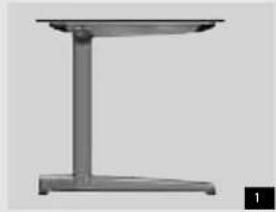
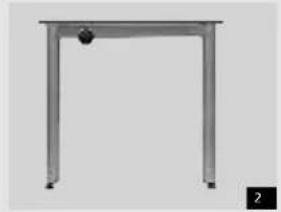
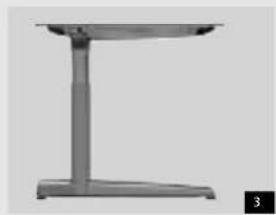
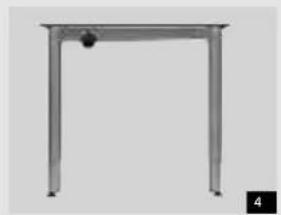
Ahrend 500 tables are available as fixed height models or in three height-adjustable versions. You can see the difference in the vertical part of the table legs (figs. 1 to 8).
Fixed table height
A fixed height Ahrend 500 table (figs. 1 and 2) is ideal for the great majority of users engaged in normal office work and for meeting and conference tables.
A fixed height of 72cm is correct for people who are between about 1.60 and 1.75m tall (Sft 3ins to 5ft 9ins). A fixed height of 74cm is correct for people who are between about 1.65 and 1.80m tall (Sft 5ins to 5ft 11ins).
Shorter people are advised to use a footrest; taller people should have a height-adjustable table.
Height-adjustable tables (HI)
A height-adjustable Ahrend 500 table (figs. 3 and 4) can be adjusted to suit your personal requirements. The height can be adjusted from 62 to 90~cm . As a rule the table will be adjusted only once, by the user of the workstation.
Variable height tables (HV)
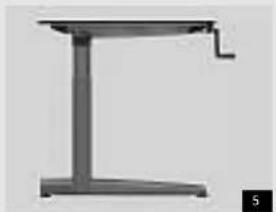
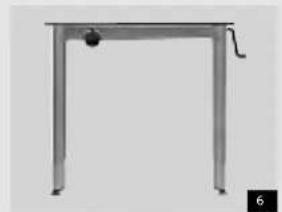
A variable height Ahrend 500 table (figs. 5 and 6) lets you adjust the height of the work surface mechanically to suit your own height and posture at any time. This means that different people can use the same work table at different times in maximum comfort. By turning the handle the height can be adjusted from 62 to 90~cm .
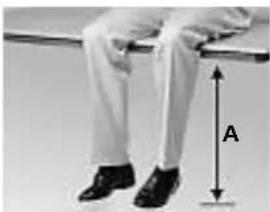
Working out the correct table height
Sit on a table in a relaxed manner with the backs of your knees against the edge of the table. Three important dimensions can now be measured:
Dimension A: the distance from the bottom of the heel of the shoe to the top of the table.
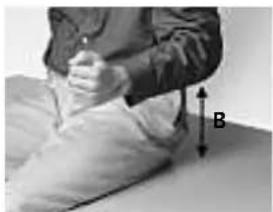
Dimension B: the distance from the top of the table to the underside of the elbow, sitting upright, with the arm alongside the body and bent at an angle of 90^ .
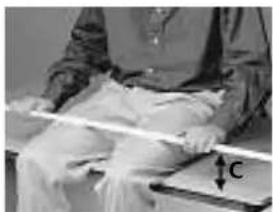
Dimension C: the distance between the top of the table and a ruler placed across the thighs, plus 5 cm. If this is greater than dimension B, you should use dimension C instead of dimension B.
The right work surface height for you is the sum of dimensions A and B (or A and C) rounded off to the nearest even number.
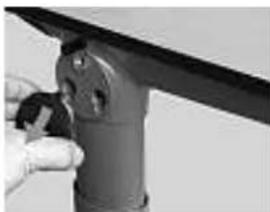
Height adjustment (HI)
C-leg (fig.3): Remove the round cap from the leg (hold it and pull it loose by pulling it diagonally downwards).
Note: The push-button is sometimes located on the inside of the leg, above the round bar. In that case do not remove the cap.
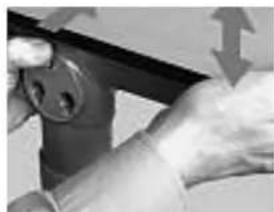
Keep the base of the leg in place with your foot. Press and hold the push-button while extending or retracting the upper section of the table to set the required height. Now release the push-button and move the table a little until the push-button springs back into its original position and the leg snaps into place. Fit back the cap. When adjusting corner legs follow the same procedure as with N-legs.
English
Variable height tables (HVE)
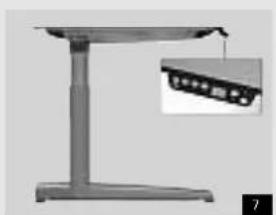
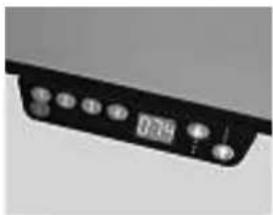
A variable height Ahrend 500 table (fig. 7) lets you adjust the height of the work surface electrically to suit your own height and posture at any time. This means that different people can use the same work table at different times in maximum comfort. An electronic switch on the table edge operates the mechanism that adjusts the table height between 62 and 90~cm . Several preferred positions can also be stored in the memory.
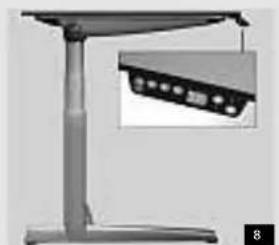
Variable height seated-standing tables (SHE)
The height of an Ahrend 500 table with an electrically driven height-adjustment range of 60~cm (fig. 8) can be adjusted at any time between 62 and 128 cm. This enables you to work at the table both seated and standing. Different people can also make optimum use of this seated-standing table at different times. An electronic switch on the tabletop edge operates the table height mechanism, and several preferred positions can be stored in the memory.
The height of your chair
Adjust the height of your chair seat to your dimension A (see Working out the correct table height).
Measure from a point in the middle of the front edge of the seat.
Footrest
In practice a low table height is often disliked, perhaps because a person does not want to be sitting lower than his or her colleagues. In this case an ergonomically correct sitting posture can still be achieved with the aid of a footrest. Adjust the table and chair by raising them a distance equal to the average height of the footrest.
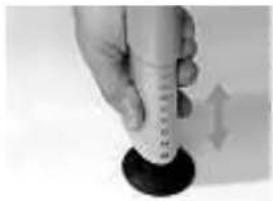

N leg (fig. 4): Press the handle at the top of the leg to the side and simultaneously slide the bottom part of the leg in or out to the desired height. Release the handle and let it click into place.
Adjusting the height of HV-legs For tables with C legs (fig. 5) one of the front legs is provided with a rotating handle.
Pull this out from under the tabletop, place it in the operating position and turn it till the table is at the desired height. Fold the handle and replace it under the tabletop.
For tables with N legs (fig. 6) a separate handle has been clicked into a corner of the table. Pull the handle out of the clamp. Locate it into the opening at the top of a leg and turn until the desired height is reached. Click the handle back under the table top.
Adjusting the height of HVE/SHE-legs
Tables with an electronic switch (figs. 7 and 8) are delivered with a separate manual for use of the switch. Consult this manual to operate the seated-standing table, as well.
English
Wiring the workstation (instructions for electricians)
The instructions for wiring an Ahrend 500 workstation are split up into two sections - this section for electricians and a section for the users of the workstation (see pages 6 and 7 for the users' section).
The connection of the workstation to the electricity supply and to data and communications systems must be done by a qualified electrician.
Standards All Ahrend 500 furniture elements and accessories comply with the regulations in wiring standards BS 6396/2002 and D IN VDE 0100-724.
Cable management
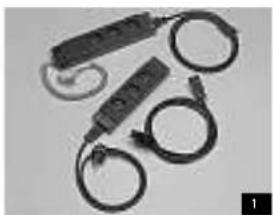
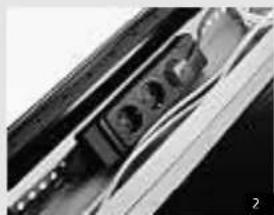
An Ahrend 500 workstation can be connected to the power supply with system extension cables and sockets (fig. 1). These accessories can be concealed tidily in the vertical and horizontal cable guides or cable dumps.
Vertical guides
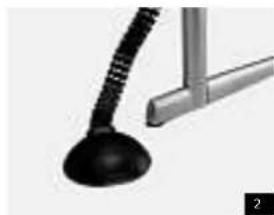
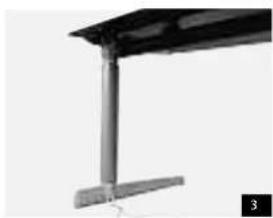
A flexible, vertical cable guide, guides the cables through two segregated channels to the ends of a cable dump (fig. 2). Cables can be guided from the floor up a C leg through a cap that is clicked onto the leg (fig. 3).
Horizontal guides and securing cables
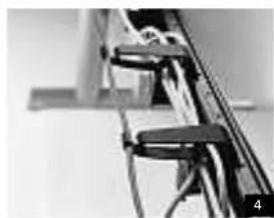
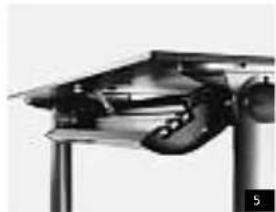
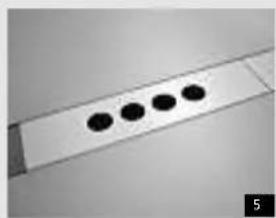
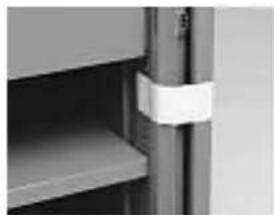
The cables emerging from the vertical cable guides of a leg can be led through cable clamps (fig. 4) or cable dumps (fig. 5) which can be clicked into either side of the beam.
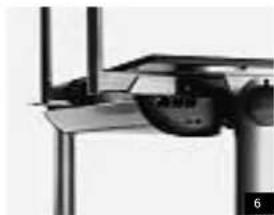
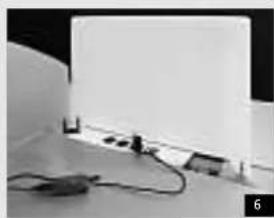
Also when fixing supports are used for organization rails or front panels, cable boxes can be used to guide and store electric cables (fig. 6).
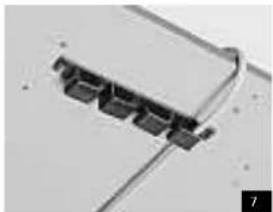
Work surface cable holders can be attached anywhere on the underside of a table top to guide the cables (fig. 7).
Drawer pedestals
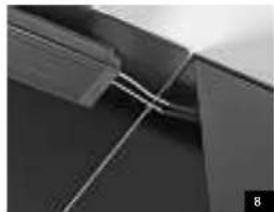
Desk-height pedestals are available with a cable routing duct. This duct can be used as part of the horizontal cable guide system (fig. 8).
English
Connections
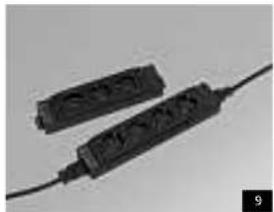
Ahrend supplies various types of electrical sockets, standard 3- or 4 gang (fig. 9).
Fitting sockets
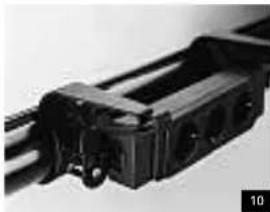
There are several different ways to fit a Ahrend 500 table with system sockets. The simplest method is to attach a socket directly to the support beam using two cable clamps (fig. 10).
Hinged cable dumps
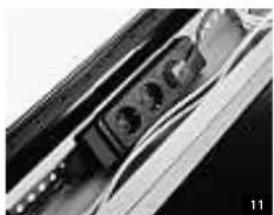
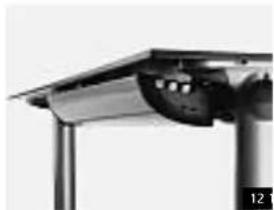
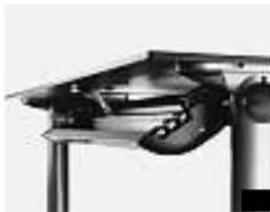
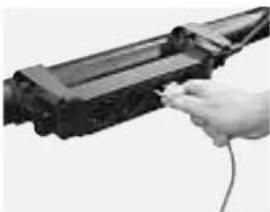
Cable dumps provide space in which the excess length of equipment and power cables can be tidily concealed. The system power sockets also fit in these dumps (fig. 11). There is a range of lengths, so that an appropriate solution can be found in any situation. The number of sockets that can be mounted in the dumps depends on the type of socket and the length of the cable dump. For ease of access to the cables in them these dumps can be opened and mounted on either side of the beam (figs. 12 and 13).
Planning cabling
Position the cable dump as close as possible to the place on the work surface where most of the equipment to be connected is located.
Bench models
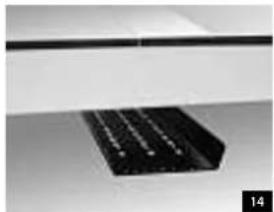
A horizontal cable dump can be mounted centrally under the tabletop of Ahrend 500 bench models. It has room for the leads for all lamps, bench-mounted sockets and mains connections. This amply dimensioned cable dump can be accessed on two sides and is designed to permit the mounting of system sockets (fig.14).
English
The user and the wiring
Users may themselves sometimes want to change some aspect of the wiring of their Ahrend 500 workstation. For example plug an item of equipment into a socket or unplig it, or conceal surplus lengths of cable tidily.
Safety
Safety must be the prime concern in the wiring of a workstation. For this reason, every component that comes into contact with wires and cables has rounded edges and the item of furniture can be earthed as a whole.
Accidents caused by tripping over cables and flexes on the floor can be prevented by concealing the cables in the facilities specifically provided by the Ahrend 500 range.
Concealed cables make the workstation safer, it looks much tidier and it is easier to clean.
Connections
Your workstation can be fitted with connections to the power supply and to computer networks in a variety of ways:
- Sockets can be mounted directly on the support beam (fig. 1).
One or more cable dumps can be suspended under the workstation (fig. 2). In that case, the workstation hardware is plugged into sockets in these dumps, and you can also conceal excess cable in them.
In bench models, sockets that allow equipment brought by the user, such as laptops and mobile phone chargers, to be connected to the mains and/or a communication network can be mounted in the central organiser zone (fig.5). Flexi-panels are cut away at the bottom to provide room for these sockets (fig.6).
Be very careful to keep fluids (drinks, water from plant pots) away from these built-in sockets!
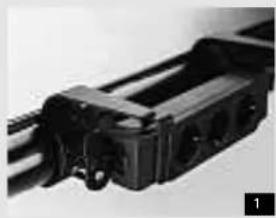
Workstation with socket on cable clamps It is easy to plug in and unplug equipment.
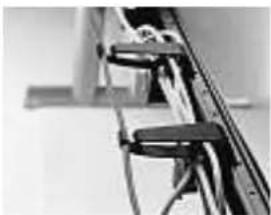
Surplus lengths of cable can be bundled between cable clamps.
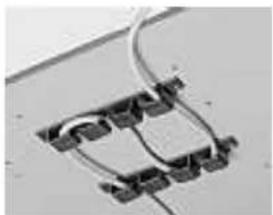
Surplus lengths of cable can also be suspended in the hooks of work surface guides.
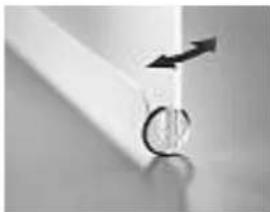
Flexi-panel
You may need to move the panel slightly to allow the plug to be inserted or removed.
English
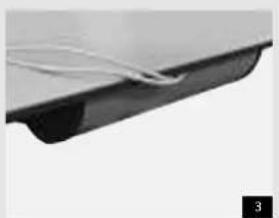
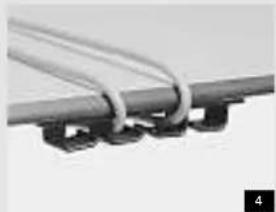
Leading cables along the edge of the work surface Equipment cables are led around the edge of the work surface (fig.3). If required, cables can also be pushed into cable guides on the underside of the top so that they are held by the hooks and do not dangle (fig.4).
Workstations with hinged cable dumps
These cable dumps open on hinges for ease of access to the contents. It may sometimes be necessary to wheel a mobile drawer pedestal out of the way first.
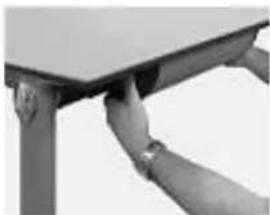
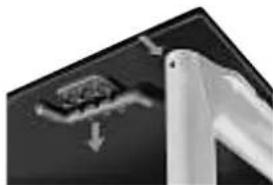
The cable dump is opened by simultaneously pushing down the clips at the two opposite ends.
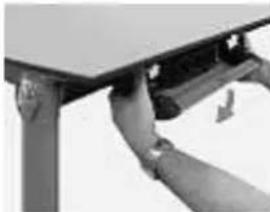
The dump will then drop open.
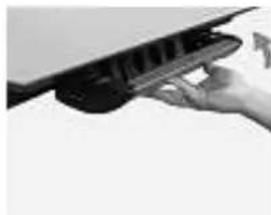
After the necessary changes have been made, the cable dump is closed again by pressing it shut.
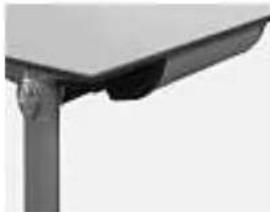
Make sure that the clips on each side click back into place.
English
Drawer pedestals
There are several types of drawer pedestals - desk-height pedestals for use alongside a table, two types of pedestals on castors that can be wheeled under a table, trolleys and suspended drawer pedestals.
Mobile drawer pedestal
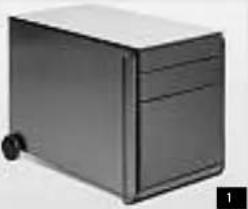
The mobile drawer pedestal with push-handle is easy to move over relatively long distances, for example in an office with flexible workstations (fig. 1).
Suspended drawer pedestal
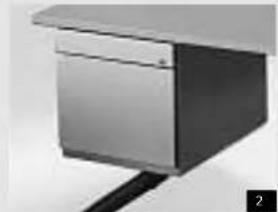
The suspended drawer pedestals can be used under tables with C legs as well as N legs. They are hung on the beam, directly under the top (fig. 2). The drawer pedestals are 60~cm deep.
Keys
Drawer pedestals are supplied with two keys, one of which has a hinged plastic grip.
The number on the key corresponds to the number on the lock. You will need to quote this number when re-ordering keys. The whole cylinder of the lock, with key, can also easily be replaced so that the unit can be locked (and unlocked) with a different key.
Drawer handles
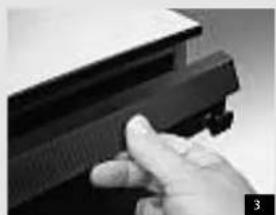
The drawer fronts either have a handle over the full width (fig. 2) or side grips on each side of the drawer (fig. 3).
Drawer types
Only telescopic drawers can be pulled all the way out of the unit.
Maximum drawer loads
Materials drawer 5kg
Single drawer 20kg
Telescopic drawer 39 kg
Never stand or sit on an open drawer.
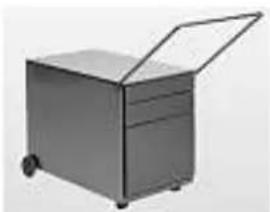
Moving the mobile drawer pedestal
Lock the unit first so that the drawers cannot slide open while it is being moved. This pedestal can be either pushed or pulled as required.
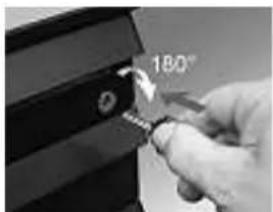
Unlocking the unit
Insert the key into the lock and turn it 90 degrees clockwise. Any desired drawer can now be opened. When this has been done, the other drawers are all immobilised. The key can be left in the lock or removed.
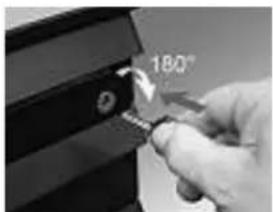
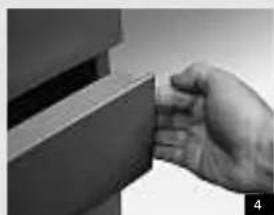
Locking the unit
Close all drawers. Insert the key in the lock and turn it 90 degrees anticlockwise. The drawers are now locked, and the key can be removed.
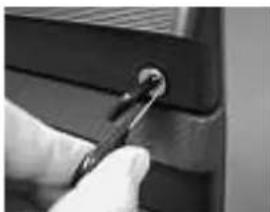
Changing the cylinder
Lock the unit. Now turn the key slightly to the right, till the notch on the edge of the cylinder is at '3 o'clock'. A deblocking pin can be inserted in the notch in this position. Pull the cylinder, with key and deblocking pin, from the barrel of the lock.
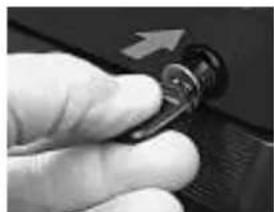
Insert the new cylinder, with the key in it, into the barrel and push it in until it clicks in place.
English
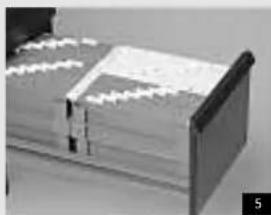
Accessories for drawer pedestals 42.5 cm wide
Suspension file supports in A4 drawers
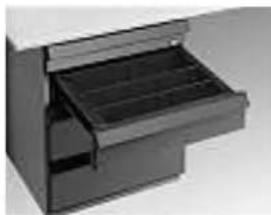
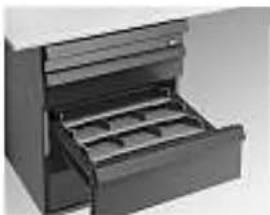
The A4 drawers have a 30 cm high front. The telescopic version of the drawer is supplied with two A4 format plastic suspension file supports (see the enclosed assembly instructions for how to put the supports together). The supports can be installed in the drawer in one of two ways: either next to each other (fig. 5) or one behind the other (fig. 6). This depends entirely on your own personal preference. The suspension file supports may be removed from the drawer when full.
The single runner drawer (which cannot be fully pulled out) is fitted with a metal suspension file support in which A4 suspension files may only be kept one behind the other.
A6/A7 drawers
You can split these drawers up into compartments to suit your own needs with the aid of straight dividers or angled stationery slopes.
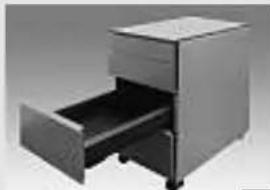
7
Accessories for drawer pedestals 31.5 cm wide
Suspension file supports in A4 drawers
The A4 drawers are supplied with a suspension file support with two movable suspension rails that can be shifted to take suspension files of different sizes such as A4, folio and foolscap.
A6/A7 drawers
These drawers can be split up into compartments with the aid of dividers (fig. 7).
Built-in safety in all drawer pedestals
When one drawer is open, the other drawers cannot be opened. They are blocked to prevent the drawer pedestal from tipping over. The materials drawer (if fitted) can always be opened, even when another drawer is open.
Mounting straight drawer dividers Depress the divider at one end. Place at desired position in drawer and release.
The divider will lock itself in position.
Mounting angled drawer dividers
The stationery slopes can be fixed in different positions, so that the number fitting into a drawer will vary.
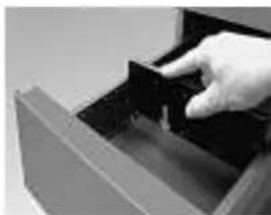
Mounting straight drawer dividers
The dividers are provided with springy lugs on the sides, which engage with the slots in the walls of the drawers.
English
Desk-height tambour door cabinet
A workstation may include a desk-height tambour door cabinet either 72 or 74~cm high (average table height) (fig.1).
Keys
Tambour door cabinets are supplied with two keys, one of which has a hinged plastic grip. The number on the key to the tambour door cabinet corresponds to the number on the cylinder of the lock. You will need to quote this number when re-ordering keys. The whole cylinder of the lock, with key, can also easily be replaced so that the unit can be locked (and unlocked) with a different key. For details of changing the cylinder, see 'drawer pedestals' on the previous page.
Maximum loads
A tambour door cabinet is capable of carrying a maximum load of 39kg distributed evenly over the top.
The maximum permissible weights in or on interior accessories are well in excess of the minimum requirement in DIN 68874.
A shelf in an 80 cm wide tambour door cabinet is capable of carrying a maximum load of 39 kg distributed evenly; a suspension file shelf can hold 78 kg, and a suspension file frame or pull-out tray no more than 40 kg.
This means that nobody may stand or sit on the cabinet, shelves or pulled-out suspension file frames.
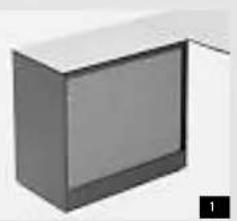
Levelling
Tambour door cabinets must be levelled by hand or with an Ahrend levelling spanner in order for the tambour door and the pull-out frames to work properly.
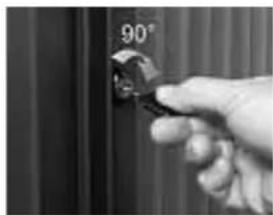
Unlocking the unit
Insert the key into the lock and turn it a half turn to the right. The key can be left in the lock or removed.
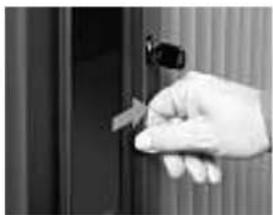
You can then open the tambour door by sliding it all the way to the right with the aid of the vertical handle.
You can now pull out the suspension file frames or pull-out trays you want with the aid of the handle.
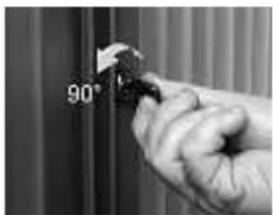
Closing
All suspension file frames must be pushed all the way back into the cabinet before the door can be slid to the left and closed. Insert the key in the lock and turn it a half turn to the left. The key can now be removed.
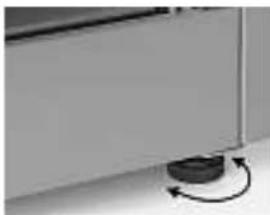
Levelling
The height of the cabinet can be adjusted by approximately 15mm using the adjustable foot under
each corner of the cabinet. You can do this by hand or with the cabinet levelling spanner. Turning the adjustable foot clockwise will raise the cabinet.
Moving
Before moving the cabinet, remove all the items stored in it.
The door must always be fully open when the cabinet is moved.
Tape the door and all the interior accessories firmly with removals tape.
English
Interiors
Cabinets are usually supplied with a predetermined interior lay-out specifically ordered for the workstation.
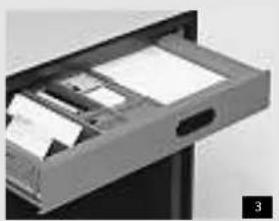
Pull-out drawer
In a 33~cm deep pull-out drawer (fig. 3) you can use the same accessories as in A6/A7 drawers in drawer pedestals (see page 9).
Shelves for lateral suspension files
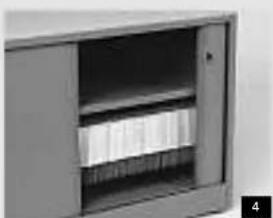
The shelves for suspension files have extra ridges under the front and back edges from which you can hang lateral suspension files (fig. 4). You can hang them at any height in the cabinet you wish.
Suspension file frames
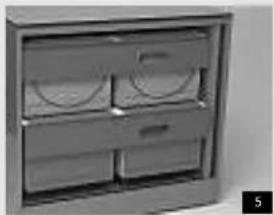
The cabinet is supplied with the suspension file frames (fig. 5) mounted such that you can hang A4 suspension files in them. You may, however, have them fitted at any height you require in the cabinet. If a pull-out frame slides forward on its own, it means that the cabinet is not level and must be readjusted (see page 10).
Safety
When one suspension file frame is pulled out, you will not be able to pull out any of the other frames. They are blocked to prevent the cabinet from tipping over. Two pull-out frames and drawers may be opened at the same time. Be aware of the risk of tipping if the drawers are heavily loaded.
When the position of pull-out frames and drawers in the cabinet is changed, the locking paws on the anti-tilt bar will also have to be moved for safety reasons. This has to be done by a specialist fitter.
After delivery
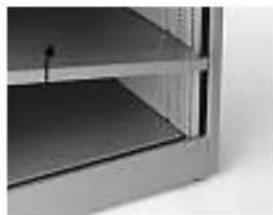
Cabinets are delivered with pullout frames, trays and drawers blocked. The anti-tilt bar has to be pushed down so that they can be pulled out for the first time - on the right side only in the case of 80 cm wide cabinets and on both sides on 120 cm wide cabinets.
Transport clamps may be removed once the cabinet has been installed.
Adjusting the shelves
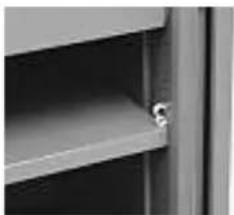
Shelves can be placed at any height in the cabinet. To adjust the height, open the cabinet fully, lift the shelf at an angle and pull it towards you out of the cabinet.
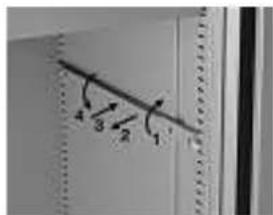
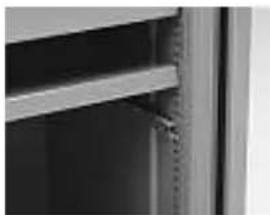
Twist the shelf supports out of the slots (1,2) and reposition them at the height you require (3,4).
Make sure that they are at the same height at the front and back and on both sides. Use the round holes next to the slots as points of reference.
Tilt the shelf at an angle again, return it to the cabinet and place it on the two supports.
English
Maintenance
These instructions for maintenance are intended for both the professional cleaner and the user of the workstation.
Never use benzine, acetone, turpentine, petrol or other aggressive substances, solvents or abrasive cleansers.
Maintenance-free parts
With normal use the runners of the drawers and pullout frames should not require any maintenance.
Service
We advise you to contact your supplier when moving offices or reconfiguring the workstation.
Assembly
A set of assembly instructions is available for companies' in-house technical services departments.
Ahrend code 0160 1071.
Tools
A service kit containing the tools required for Ahrend 500 is available from Ahrend. Ahrend code 0160 8217.
Cleaning work surfaces
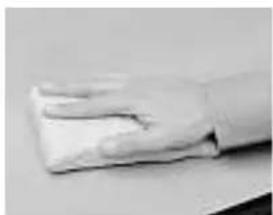
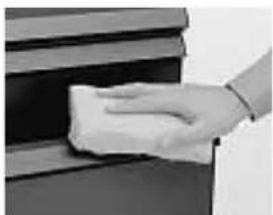
Normal stains (coffee, tea, pencil, lipstick, finger marks, grease, water soluble glue, felt tip pen ink etc.) can be removed with a clean, damp cloth. If necessary, a little soft soap may be added to the water and a soft nylon brush may be used to treat more stubborn stains.
Solvent-based lacquer, glue, nail varnish, ballpoint pen ink etc. should be removed with an organic solvent, such as methylated spirits.
Cleaning veneered work surfaces Wipe with a clean, damp cloth if necessary. A little soft soap may be added to the water to treat more stubborn stains.
Cleaning plastic parts
All plastic parts may be cleaned with a soft cloth, dampened if necessary. M ore stubborn stains caused by glue, felt tip pens, ballpoints etc. can be treated with lukewarm water and a l ittle soft soap, if necessary.
Cleaning chrome and enamelled metal parts
All coloured metal parts may be cleaned with a soft cloth, d ampe ned if necessary. More stubborn stains caused by glue, felt tip pens, ballpoints etc. are best treated with lukewarm water and a l ittle soft soap. Methylated spirit may be used if necessary.
Cesky Deut
English Espanol
Incais Nederlands
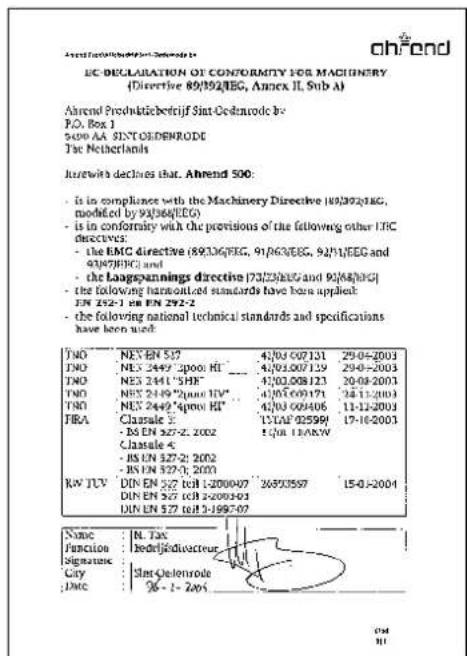
Declaración CE
Ahrend 500
Manual de'utilisation y mantenimiento
Hangmappenrekken in A4 laden
Hangmappenrekken in A4 laden
Ahrend. A Iways ready for things to come

- Cisteni plastovych caski
- Zámky
- English
- Table height
- A range of leg models
- Fixed table height
- Height-adjustable tables (HI)
- Variable height tables (HV)
- Working out the correct table height
- Height adjustment (HI)
- Variable height tables (HVE)
- Variable height seated-standing tables (SHE)
- The height of your chair
- Footrest
- Adjusting the height of HVE/SHE-legs
- Wiring the workstation (instructions for electricians)
- Cable management
- Vertical guides
- Horizontal guides and securing cables
- Drawer pedestals
- Connections
- Fitting sockets
- Hinged cable dumps
- Planning cabling
- Bench models
- The user and the wiring
- Safety
- Flexi-panel
- Workstations with hinged cable dumps
- Mobile drawer pedestal
- Suspended drawer pedestal
- Keys
- Drawer handles
- Drawer types
- Maximum drawer loads
- Moving the mobile drawer pedestal
- Unlocking the unit
- Locking the unit
- Changing the cylinder
- Accessories for drawer pedestals 42.5 cm wide
- Suspension file supports in A4 drawers
- A6/A7 drawers
- Accessories for drawer pedestals 31.5 cm wide
- Built-in safety in all drawer pedestals
- Mounting straight drawer dividers Depress the divider at one end. Place at desired position in drawer and release.
- Mounting angled drawer dividers
- Mounting straight drawer dividers
- Desk-height tambour door cabinet
- Maximum loads
- Levelling
- Closing
- Moving
- Interiors
- Pull-out drawer
- Shelves for lateral suspension files
- Suspension file frames
- After delivery
- Adjusting the shelves
- Maintenance
- Maintenance-free parts
- Service
- Assembly
- Tools
- Cleaning work surfaces
- Cleaning plastic parts
- Cleaning chrome and enamelled metal parts
- Declaración CE
- Ahrend 500
- Hangmappenrekken in A4 laden
Brand : Ahrend
Model : 500
Category : Office