1030 - Office Ahrend - Free user manual and instructions
Find the device manual for free 1030 Ahrend in PDF.



| Product Type | Desk |
| Brand | Ahrend |
| Model | 1030 |
| Fixed height | 72 cm or 74 cm depending on version |
| Adjustable height | 62 to 90 cm (HI version) |
| Available shapes | Round and rectangular tables of various sizes |
| Horizontal adjustment | Adjustment caps, margin of 10 mm |
| Horizontal cable management | In the gutter of the table top edge |
| Vertical cable management | Special conduit available for legs |
| Safety | Rounded edges, possibility of grounding |
| Cleaning the table top | Soft damp cloth, mild soap or alcohol for stubborn stains |
| Cleaning chrome elements | Soft cloth, possibly damp |
| Cleaning veneer tops | Soft damp cloth, mild soap if necessary |
| Maintenance of the adjustment mechanism | No maintenance required under normal use |
| Electrification standards | BS 6396/2002, ELT 9/84, DIN 5700 part 724 |
| Assembly instructions reference | 0160 1071 |
| Recommended uses | Workstation, meetings |
Frequently Asked Questions - 1030 Ahrend
User questions about 1030 Ahrend
0 question about this device. Answer the ones you know or ask your own.
Ask a new question about this device
Download the instructions for your Office in PDF format for free! Find your manual 1030 - Ahrend and take your electronic device back in hand. On this page are published all the documents necessary for the use of your device. 1030 by Ahrend.
USER MANUAL 1030 Ahrend
Instructions for use and maintenance
This Ahrend 1030 item of furniture has been designed and manufactured to ensure that you can work comfortably and effectively. This manual tells you all about your Ahrend 1030 workstation and explains how to use it safely.
We hope you will enjoy using your furniture.
Keep this manual at your workstation for future reference.
English
Table height
A range of leg models
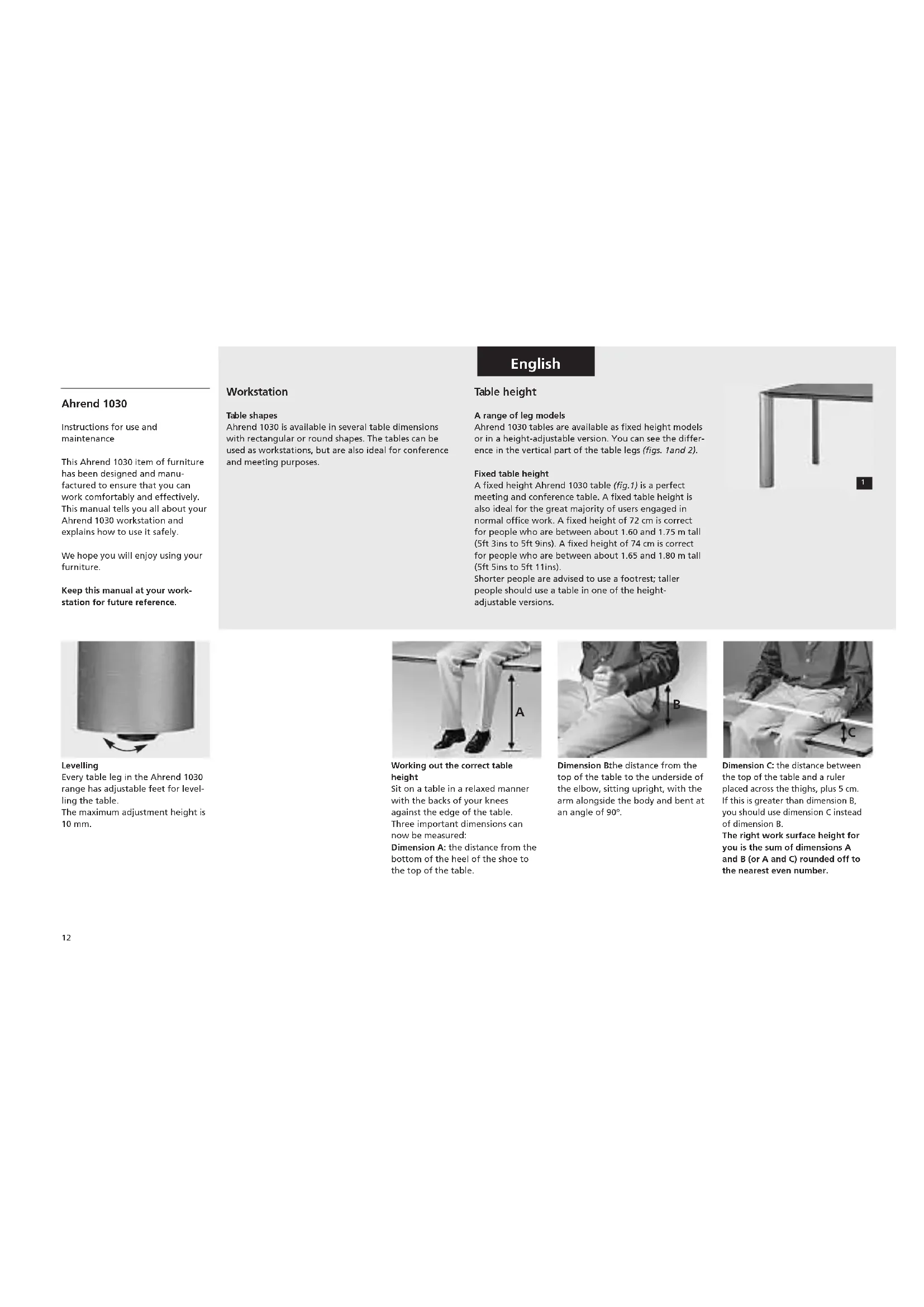
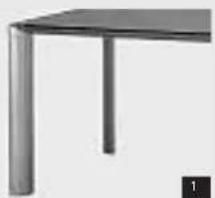
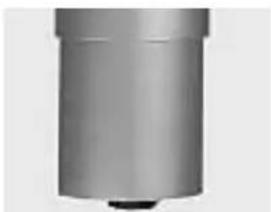
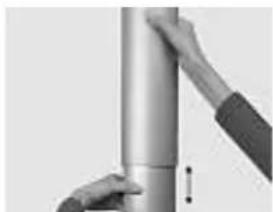
Ahrend 1030 tables are available as fixed height models or in a height-adjustable version. You can see the difference in the vertical part of the table legs (figs. 1 and 2).
Fixed table height
A fixed height Ahrend 1030 table (fig.1) is a perfect meeting and conference table. A fixed table height is also ideal for the great majority of users engaged in normal office work. A fixed height of 72~cm is correct for people who are between about 1.60 and 1.75m tall (5ft 3ins to 5ft 9ins). A fixed height of 74~cm is correct for people who are between about 1.65 and 1.80m tall (5ft 5ins to 5ft 11ins).
Shorter people are advised to use a footrest; taller people should use a table in one of the height-adjustable versions.
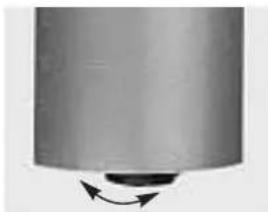
Levelling
Every table leg in the Ahrend 1030 range has adjustable feet for levelling the table.
The maximum adjustment height is 10mm
Working out the correct table height
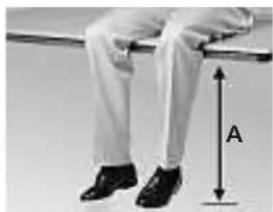
Sit on a table in a relaxed manner with the backs of your knees against the edge of the table. Three important dimensions can now be measured:
Dimension A: the distance from the bottom of the heel of the shoe to the top of the table.
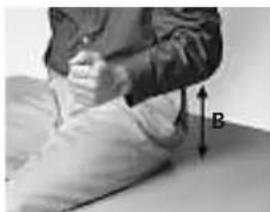
Dimension Bthe distance from the top of the table to the underside of the elbow, sitting upright, with the arm alongside the body and bent at an angle of 90^ .
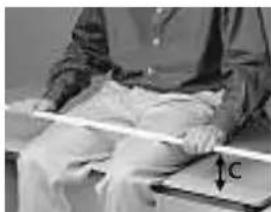
Dimension C: the distance between the top of the table and a ruler placed across the thighs, plus 5 cm. If this is greater than dimension B, you should use dimension C instead of dimension B.
The right work surface height for you is the sum of dimensions A and B (or A and C) rounded off to the nearest even number.
English
Height-adjustable tables (HI)
A height-adjustable Ahrend 1030 table (fig. 2) can be adjusted to suit your personal requirements. The height can be adjusted from 62 to 90~cm . In most situations, the table height is adjusted to the user of the workstation and will not be changed again afterwards. See below for instructions on how to adjust the table.

The height of your chair
Adjust the height of your chair to your requirements, indicated by A (see Determining the correct table height). Use the central point of the front edge of the seat as a reference point.
Footrest
In practice, people often find it unpleasant if their table is adjusted to a lower height than their colleagues' tables. In that case, an ergonomically correct seating arrangement is still possible by using a footrest. Then increase the height of the chair and the table by the average height of the footrest.
Reading out the height setting You can find the height setting under the edge of the upper leg section.
Adjusting the height
(leg type in fig. 2)
Press the knob halfway up the top section of each leg. If you keep the knob depressed, the lower section of the leg will slide in or out. Adjust the four legs to the desired height one by one.
English
The user and the wiring
The connection of the workstation to the electricity supply and to data and communications systems must be done by a qualified electrician.
Standards
All Ahrend 1030 furniture elements and accessories comply with the regulations in wiring standards BS 6396/2002, ELT 9/84 and DIN 5700 part 724.
Users may themselves sometimes want to change some aspect of the wiring of their Ahrend 1030 workstation. For example plugging an item of equipment into a socket or unplugging it, or concealing surplus lengths of cable tidily.
Safety
Safety must be the prime concern in the wiring of a workstation. For this reason, every component that comes into contact with wires and cables has rounded edges and the item of furniture can be earthed as a whole. Accidents caused by tripping over cables on the floor can be prevented by concealing the cables in the facilities specifically provided by the Ahrend 1030 range. Concealed cables make the workstation safer, tidier and easier to clean.
Horizontal cabling
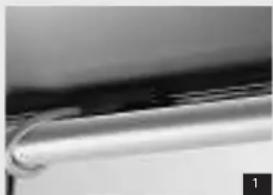
Cables can be led through the cable duct on the inside of the table rail (fig. 1).

Vertical cabling
There is a special vertical cable duct (fig. 2), which can be used independently of the legs to lead cables from the floor to the underside of the tabletop. This means that even height-adjustable workplaces can be cabled up simply and neatly.
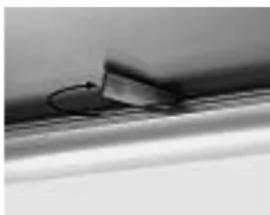
Horizontal cabling
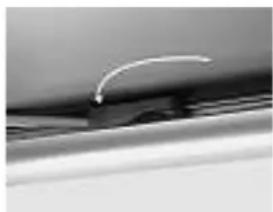
Cables can be led through the cable duct on the inside of the table rail. To do this, unscrew the tabletop clamps one at a time.
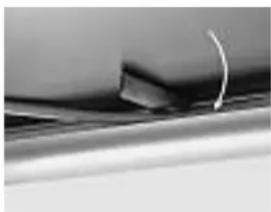
Locate the cable behind them. Then tighten the clamps again.
English
Maintenance
These instructions for maintenance are intended for both the professional cleaner and the user of the workstation.
Never use benzine, acetone, turpentine, petrol or other aggressive substances, solvents or abrasive cleansers.
Maintenance-free components If the furniture is used normally The mechanical components of the height adjustment system will be maintenance free.
Service
We advise you to contact your supplier when moving offices or reconfiguring the workstation.
Assembly
A set of assembly instructions is available for companies' in-house technical services departments.
Ahrend code 0160 1071.
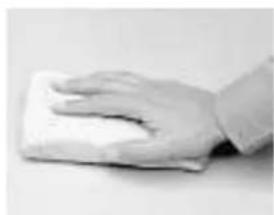
Cleaning work surfaces
Normal stains (coffee, tea, pencil, lipstick, finger marks, grease, water soluble glue, felt tip pen ink etc.) can be removed with a clean, damp cloth. If necessary, a little soft soap may be added to the water and a soft nylon brush may be used to treat more stubborn stains.
Solvent-based lacquer, glue, nail varnish, ballpoint pen ink etc. should be removed with an organic solvent, such as methylated spirits.
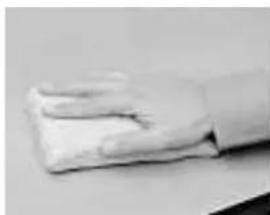
Cleaning vengeered work surfaces Wipe with a clean, damp cloth if necessary. A little soft soap may be added to the water to treat more stubborn stains.
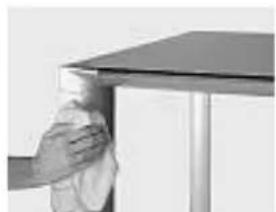
Cleaning chrome and enamelled metal parts All coloured metal parts may be cleaned with a soft cloth, dampened if necessary. More stubborn stains caused by glue, felt tip pens, ballpoints etc. are best treated with lukewarm water and a little soft soap. Methylated spirit may be used if necessary.
Français
Ahrend 1030
Ahrend. Always ready for things to come

- English
- Table height
- Fixed table height
- Levelling
- Working out the correct table height
- Height-adjustable tables (HI)
- The height of your chair
- Footrest
- Adjusting the height
- The user and the wiring
- Standards
- Safety
- Horizontal cabling
- Vertical cabling
- Maintenance
- Service
- Assembly
- Cleaning work surfaces
- Français
- Ahrend 1030
Brand : Ahrend
Model : 1030
Category : Office